Parking AUDI A6 2013 Owners Manual
[x] Cancel search | Manufacturer: AUDI, Model Year: 2013, Model line: A6, Model: AUDI A6 2013Pages: 306, PDF Size: 76.92 MB
Page 4 of 306
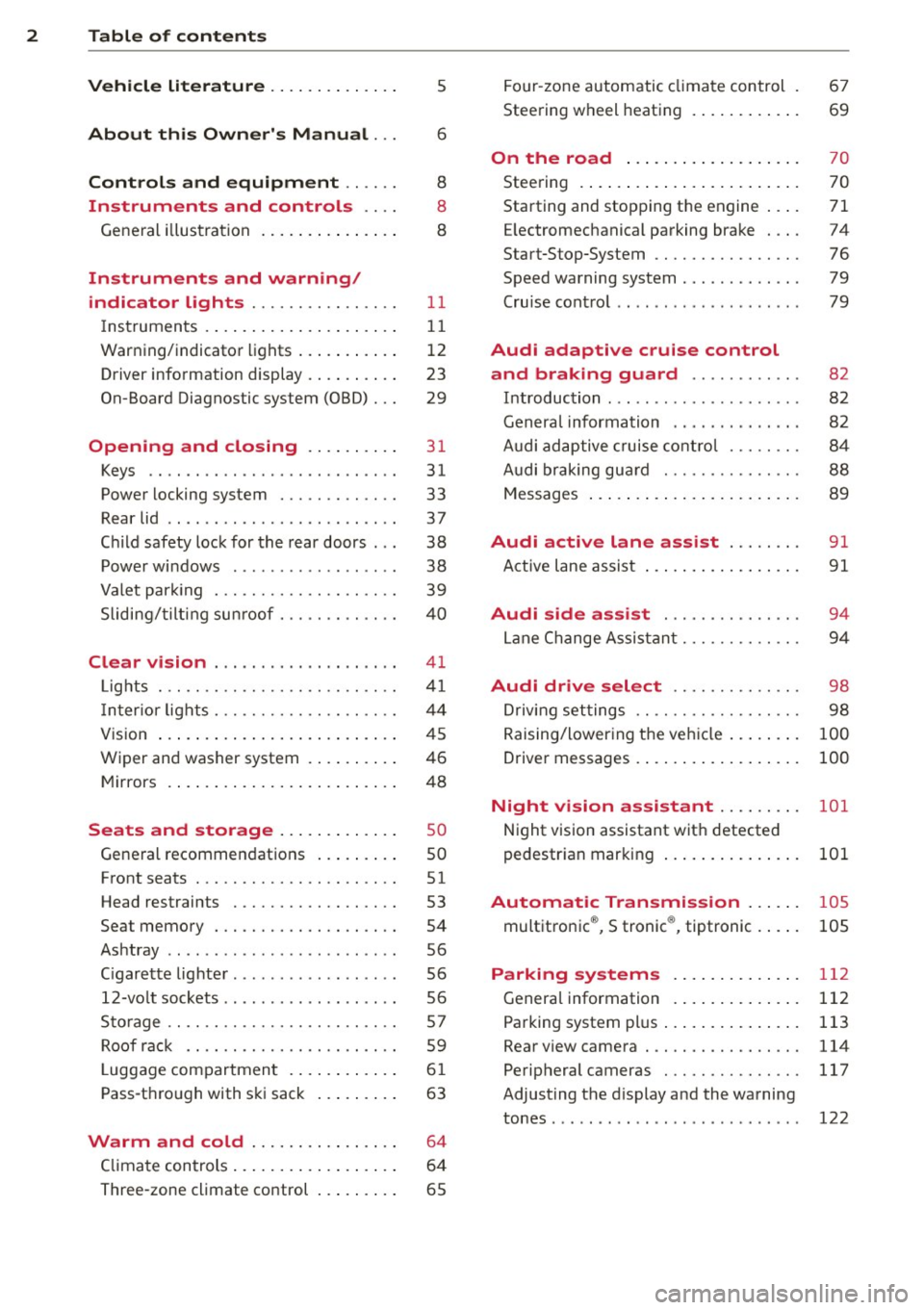
2 Table of contents Vehicle literature .. .. .. .. .. ... .
5
About this Owner's Manual . . . 6
Controls and equipment .. ... .
Instruments and controls .. . .
General illustration ......... .. ... .
Instruments and warning/
indicator lights ........ .. .. .. . .
Instruments ............ ... .. ... .
Warning/indicator lights .......... .
Driver information display .. .. .. ... .
On-Board Diagnostic system (OBD) . . .
Opening and closing .. .. .... . .
Keys .. ...... ........... .. .. ... .
Power locking system ..... .. .. .. . .
Rear lid .. .. ........ ..... .. ..... .
Child safety lock for the rear doors .. .
Power windows . .......... ... .. . .
Valet park ing . ........... .. .. ... .
Sliding/tilting sun roof ... .. .. .. .. . .
Clear vision .. ....... ... .. .. ... .
Lights . .. .. .. . .......... .. .. .. . .
I nter ior lights ............ .. .. .. . .
V1s 1on .......... ......... ... ... .
Wiper and washer system ... .... .. . 8
8
8
11
11
12
23
29
31
31
33
37
38
38
39
40
41
41
44
45
46
Mirrors . . . . . . . . . . . . . . . . . . . . . . . . . 48
Seats and storage ......... ... .
General recommendations ... .... . .
Front seats .............. .. .. ... .
Head restraints .............. ... .
Seat memory . ........... .... ... .
Ashtray .. .. ... .... ...... .. .. .. . .
C igarette lighter .............. .. . .
12-vo lt sockets ... ..... ... .. .. .. . .
Storage ................. .. .. ... .
Roof rack ............... .. .. .. . .
L uggage compartment ........... .
Pass-through with ski sack ... .. ... .
so
so
51
53
54
56
56
56
57
59
6 1
63
Warm and cold . . . . . . . . . . . . . . . . 64
Climate controls . . . . . . . . . . . . . . . . . . 64
Three-zone climate control . . . . . . . . . 65 Four-zone
automatic climate control .
Steering wheel heating ........... . 67
69
On the road
. . . . . . . . . . . . . . . . . . . 70
Steering . . . . . . . . . . . . . . . . . . . . . . . . 70
Starting and stopping the engine . . . . 71
E lectromechanical parking brake . . . . 74
Start-Stop-System . . . . . . . . . . . . . . . . 76
Speed warning system . . . . . . . . . . . . . 79
Cruise control . . . . . . . . . . . . . . . . . . . . 79
Audi adaptive cruise control
and braking guard . . . . . . . . . . . .
8 2
Introduction . . . . . . . . . . . . . . . . . . . . . 82
Genera l information . . . . . . . . . . . . . . 82
Audi adaptive cruise control . . . . . . . . 84
Audi braking gua rd . . . . . . . . . . . . . . . 88
Messages . . . . . . . . . . . . . . . . . . . . . . . 89
Audi active lane assist . . . . . . . . 91
Active lane assist . . . . . . . . . . . . . . . . . 91
Audi side assist . . . . . . . . . . . . . . . 94
Lane Change Assistant. . . . . . . . . . . . . 94
Audi drive select . . . . . . . . . . . . . . 98
Driving settings . . . . . . . . . . . . . . . . . . 98
Raising/lowering the vehicle . . . . . . . . 100
Driver messages . . . . . . . . . . . . . . . . . . 100
Night vision assistant . . . . . . . . . 101
Night vision assistant with detected
pedestrian marking . . . . . . . . . . . . . . . 101
Automatic Transmission . . . . . . 105
multitronic ®, S tronic ®, tiptronic . . . . . 105
Parking systems . . . . . . . . . . . . . . 112
General information . . . . . . . . . . . . . . 112
Parking system plus . . . . . . . . . . . . . . . 113
Rear view camera . . . . . . . . . . . . . . . . . 114
Peripheral cameras . . . . . . . . . . . . . . . 117
Adjusting the d isplay and the warning
tones. . . . . . . . . . . . . . . . . . . . . . . . . . . 122
Page 8 of 306
6 About this Owner's Manual
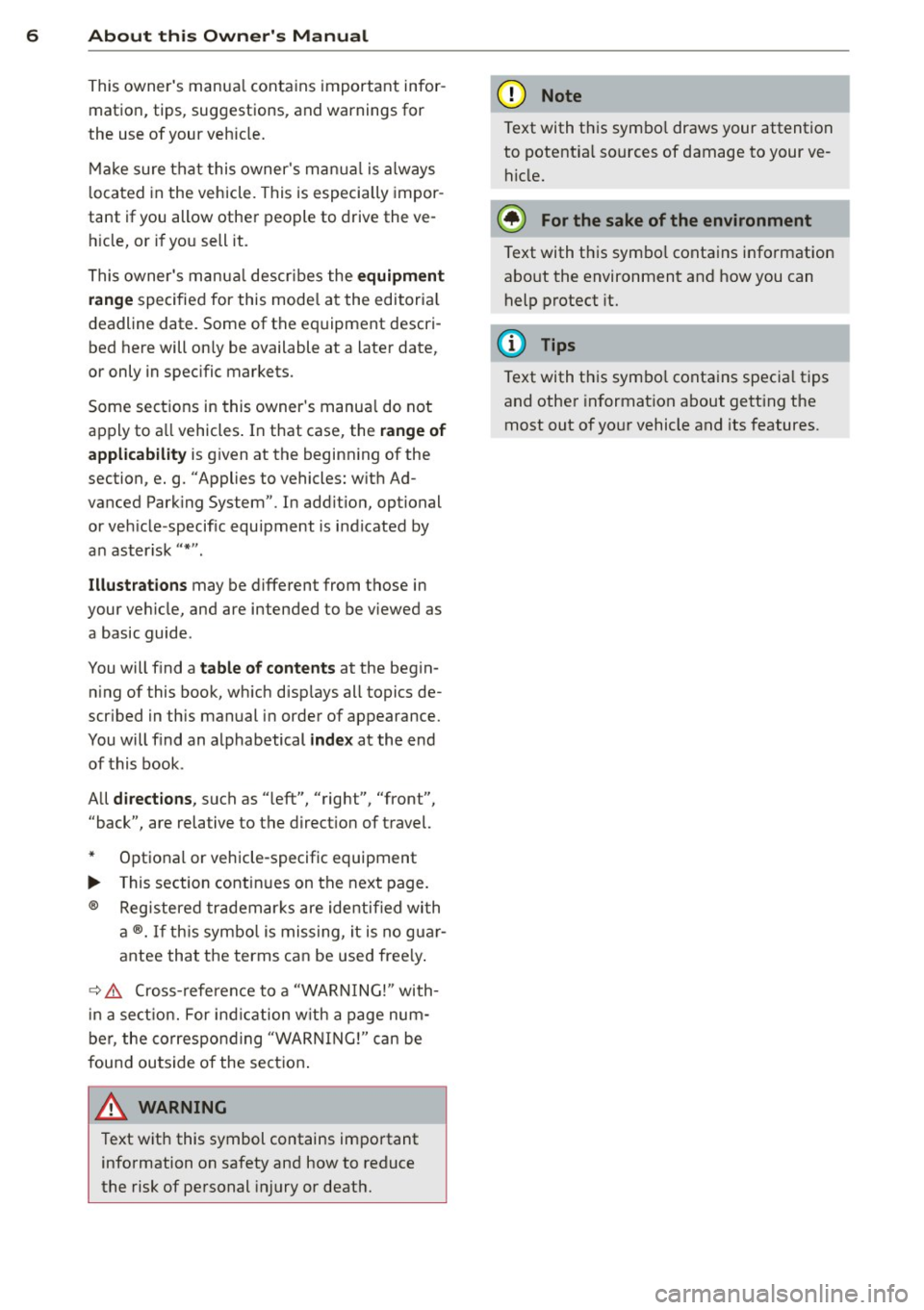
This owner's manua l contains important infor
mation, tips, suggestions, and warnings for
the use of your veh icle.
Make sure that this owner's manua l is always
located in the vehicle. This is especia lly impor
tant if you allow other people to drive the ve
h icle, or if you sell it.
This owner's manua l descr ibes the
equipment
range
specified for this mode l at the editoria l
deadline date. Some of the equipment descri
bed here will on ly be available at a later date,
or only in specific markets.
Some sections in this owner's manua l do not
apply to a ll vehicles . In that case, the
range of
applicability
is g iven at the beginn ing of the
section, e.g. "Applies to vehicles: w ith Ad
vanced Parking System" . In add it ion, optional
or vehicle -specific equipment is indicated by
a n aster isk
" *" .
Illustrations may be different from those in
your vehicle, and are intended to be viewed as
a basic guide .
You will find a
table of contents at the begin
n ing of this book, which disp lays all topics de
scr ibed in this manual in order of appearance.
You will find an alphabetical
index at the end
of this book .
All
directions , such as "left", "right", "front",
''back", are relative to the direct ion of travel.
* Optional or vehicle-specific equipment
.,.. This section continues on the next page.
® Registered trademarks are identified with
a®. If this symbol is missing, it is no guar
antee that the terms can be used free ly .
~ &. Cross-reference to a "WARN ING!" with-
in a section. For indication w ith a page num
ber, the corresponding "WARNING!" can be
found outside of the section .
A WARNING
Text with this symbol contains important
information on safety and how to reduce
the risk of personal injury or death.
(D Note
Text with this symbo l draws your attention
to potentia l sources of damage to your ve
hicle.
@) For the sake of the environment
Text with this symbo l contains information
abo ut the environment and how you can
help protect it.
{!) Tips
Text with this symbo l contains specia l tips
and other information about gett ing the
most out of your vehicle and its features.
Page 11 of 306
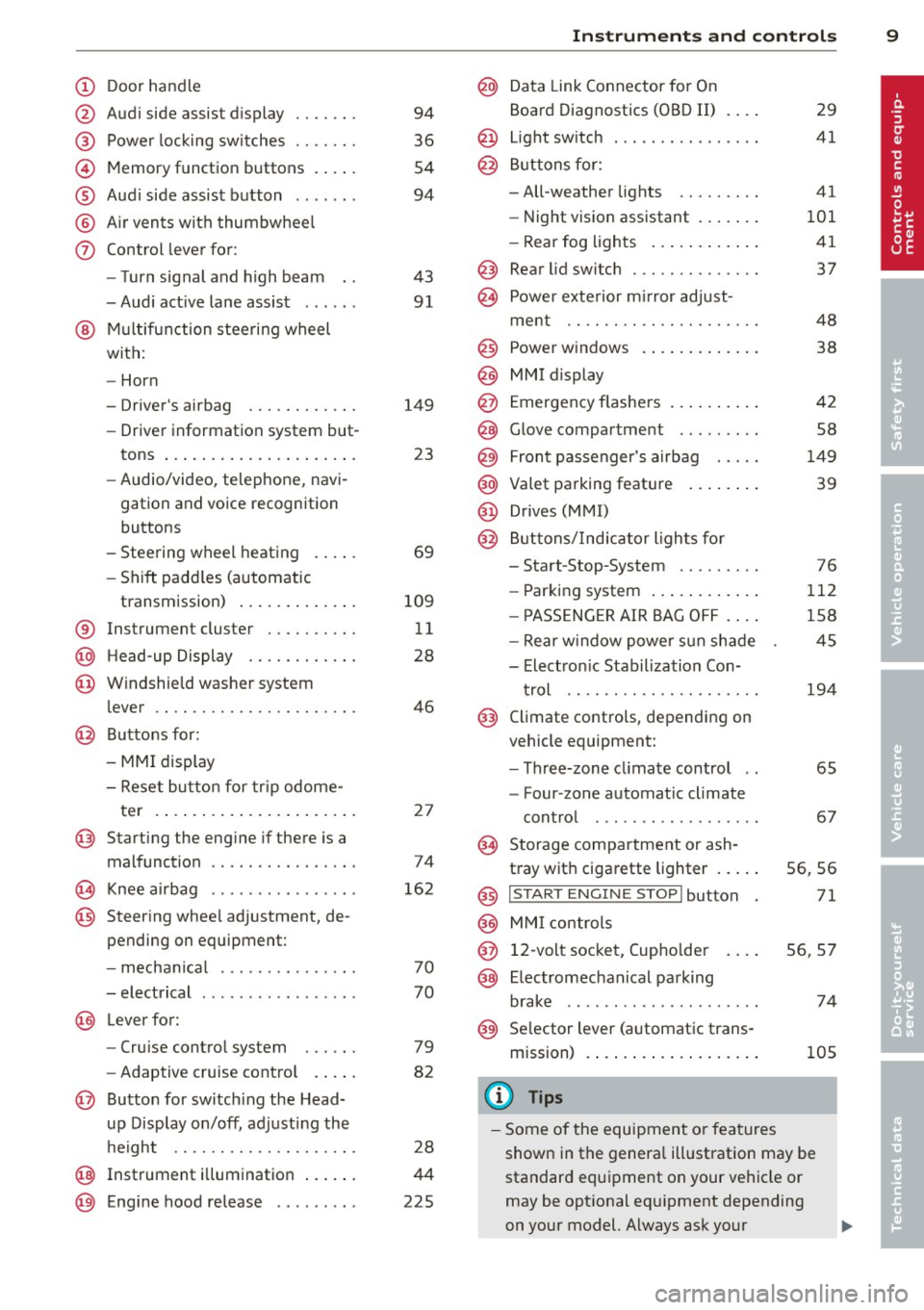
CD
@
®
©
®
®
(j)
Door handle
Audi side assist display
Power locking sw itches
Memory function buttons .. .. .
Aud i side assist button ...... .
A ir vents with thumbwheel
Control lever for:
- T urn signal and high beam
- Audi act ive lane assist . .. .. .
@ Mu ltifunction steering wheel
with:
- Horn
- Driver's airbag
- Driver information system but-
tons ... ..... ....... ... .. .
- Audio/video , telephone, navi
gation and voice recognition
buttons
- Steering wheel heating . ... .
- Shift padd les (automatic
transmission) ..... ... ... . .
® Instrument cluster ......... .
@ Head-up Display ........... .
@ Windshield washer system
lever ..................... .
@ Buttons for:
- MMI display
- Reset bu tton for tr ip odome-
te r .. .. ... .. ..... ... .. .. .
@ Starting the engine if there is a
malfunction ............... .
~ Knee airbag ........... .. .. .
@ Steer ing whee l adjustment, de
pending on equipment:
- mechan ical .......... .. .. .
- electrical .... .. ..... ... .. .
@ Leve r for:
- Cru ise control system ... .. .
- Adaptive cruise contro l .. .. .
@ Button for sw itch ing the Head
up Disp lay on/off, adjusting the
h eight .. ............. .. .. .
@ Instrument illumination ... .. .
@ Eng ine hood release ........ . 94
36
54
94
43 91
149 23
69
109 11
28
46
2 7
74
16 2
70
70
79
82
28
44
225
In strument s and control s 9
@ Data Link Connector for On
Board Diagnostics (OBD II)
@ Light switch ... .. . .. .... ... .
@ Buttons for :
- All-weather lights
- Night vision assistant .... .. .
- Rear fog lights .. .. .. ..... .
@ Rear lid switch ............. .
~ Power exterior m irror adjust- 29
41
41
101 41
37
ment . . . . . . . . . . . . . . . . . . . . . 48
@ Power w indows . . . . . . . . . . . . . 38
@ MMI display
@ Emergency flashe rs . . . . . . . . . . 42
@ Glove compartment . . . . . . . . . 58
@) Front passenger's airbag . . . . . 149
@ Valet parking feature . . . . . . . . 39
@ Drives (MMI)
@ Buttons/Indicator lights fo r
- Start-Stop-System . . . . . . . . . 76
- Parking system . . . . . . . . . . . . 112
- PASSENG ER AIR BAG OF F . . . . 1S8
- Rear w indow powe r sun shade 4S
- Electron ic Stabilization Con-
t rol . . . . . . . . . . . . . . . . . . . . . 19 4
@ Climate controls, depending on
vehicle equipment:
- Three-zone cl imate control . . 6S
- F our-zone automatic climate
cont rol . . . . . . . . . . . . . . . . . . 67
@ Storage compartment or ash-
t ray wit h cigarette lighter . . . . . S6, 56
@ I ST ART ENGINE STOPI button 71
@ MM I controls
@ 12-volt socket, (upho lder 56, 57
@ E lectromechanical parking
brake . . . . . . . . . . . . . . . . . . . . . 74
@ Selector lever (a utomatic trans-
mission) 105
(D Tips
-Some of the equipment or fea tures
show n in the genera l ill ustration may be
standard equipment on your vehicle or
may be opt ional eq uipment depending
on your model. Always ask your
ll>
Page 15 of 306
Instrument s and warnin g/indic ator ligh ts 13
compartment, stop the engine and let it
cool down. Always exercise extreme cau
t ion when working under the hood
<=> page 219, Engine compartment
@ Tips
Ma lf u nctions or faults wi ll be identified ei
ther with a red symbo l (pr iority 1 -Dan
ger!) or with a yellow symbol (pr iority 2 -
Warn ing).
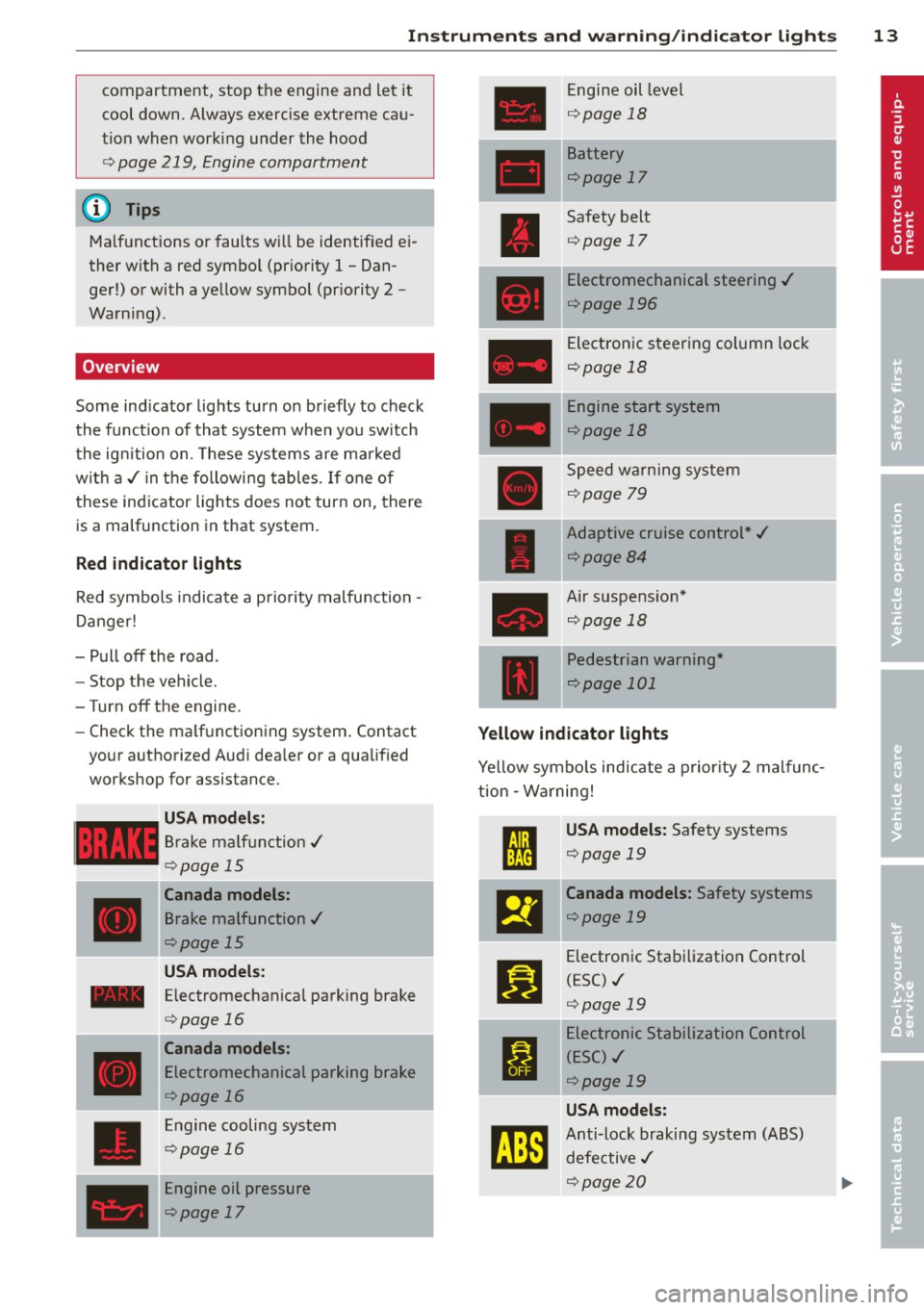
Overview
Some ind icator lights turn on briefly to check
the function of that system when you switch
the ignition on. These systems are ma rked
with a ,/ in the following tables. If one of
these indicator lights does not turn on, there is a malfunction in that system.
Red indicator lights
Red symbols indicate a prio rity malfunction -
D anger!
- Pull off the road.
- Stop the vehicle.
-Turn off the engine.
- Check the ma lf u nctioning system . Contact
your authorized Audi dea ler or a qualified
workshop for assistance.
USA mode ls:
Brake ma lf u nction,/
Qpage 15
Canada models:
Brake malfunction,/
Qpage 15
USA models:
- Electromechanical parking brake
____ ,
D
<=> page 16
Canada models:
Electromechanical parking brake
<=>page 16
Engine cooling system
<=>page 16
Engine oil pressure
<=>page 17
Engine oil level
Q page 18
Battery
<=>page 17
Safety belt
<=>page 17
Electromechanical steering ,/
<=>page 196
Electronic steering column lock
<=>page 18
Engine start system
<=>page 18
Speed warning system
<=>page 79
Adaptive cruise control*,/
<=>page84
Air suspension*
Qpage 18
Pedestrian warning*
Qpage 101
Yellow indicator lights
Yellow symbo ls indicate a p rior ity 2 malfunc
t ion -W arning!
I
USA models: Safety systems
<=>page 19 .
El
Canada models: Safety systems
<=>page 19
II
Electronic Stab ilization Control
(ESC) ./
<=>page 19
I
Electronic Stabil ization Control
( E SC) ,/
<=>page 19
USA models:
tm
Anti-lock braking system (ABS)
defective ,/
Qpage20
I
Page 16 of 306
![AUDI A6 2013 Owners Manual 14 Instrum ent s and w arn ing /indic ato r light s
Canada models:
[I]
Anti-lock braking system (ABS)
defective ./
¢ page20
•
Worn brake pads
¢ page20
:rm
Electromechanical par](/img/6/57588/w960_57588-15.png "AUDI A6 2013 Owners Manual 14 Instrum ent s and w arn ing /indic ato r light s
Canada models:
[I]
Anti-lock braking system (ABS)
defective ./
¢ page20
•
Worn brake pads
¢ page20
:rm
Electromechanical par")
14 Instrum ent s and w arn ing /indic ato r light s
Canada models:
[I]
Anti-lock braking system (ABS)
defective ./
¢ page20
•
Worn brake pads
¢ page20
:rm
Electromechanical parking brake
¢ page 74
g
Tire pressure monitoring system
./
¢page258
Tire pressure monitoring system
••w;~, ¢ page258
Im
Electronic power control ./
¢ page 21
I Malfunction indicator Lamp (MIL)
111!
./
¢ page21
.,
Engine speed limitation
¢ page 21
I.
Engine oil level
¢ page 18
•
Engine oil sensor
¢ page 21
&1
Battery
¢ pagel7
Ill
Tank system
¢page 21
•
Windshield washer fluid level
¢page22
m
Windshie ld wipers
¢ page22
!I
Remote control key
¢page 71
m
Remote control key
¢ page 74
I!
Battery in remote control key
¢ page32
-.
l:J
Defective ligh t bulb warn ing
¢ page22
II
Rear fog light(s)
¢page22
II
Headlight range control
¢page22
- -
Ill
adaptive light *
¢page22
m
Light -/rain sensor faulty
¢ page 22
- -
•
Audi active lane assist *
¢page92
Im
T ransmission
¢ page 110
Im
Transmission
¢page 110
R1
Transmission
- S t ron ic ® ¢ page 110
•
Electronic steering column lock
¢page 18
- -
.,
Engine start system
¢page 18
£1.p
Electromechanical steering
¢page 196
•
Air suspens ion*
¢ page 18
Ill
Sport differential *
¢page22
Other indicator lights
II
II
I : I -._ I• 11
Turn signals ¢ page 23
USA model s: Cruise control *
¢page
79
,,_
...
Page 17 of 306
Instruments and warning/indicator lights 15
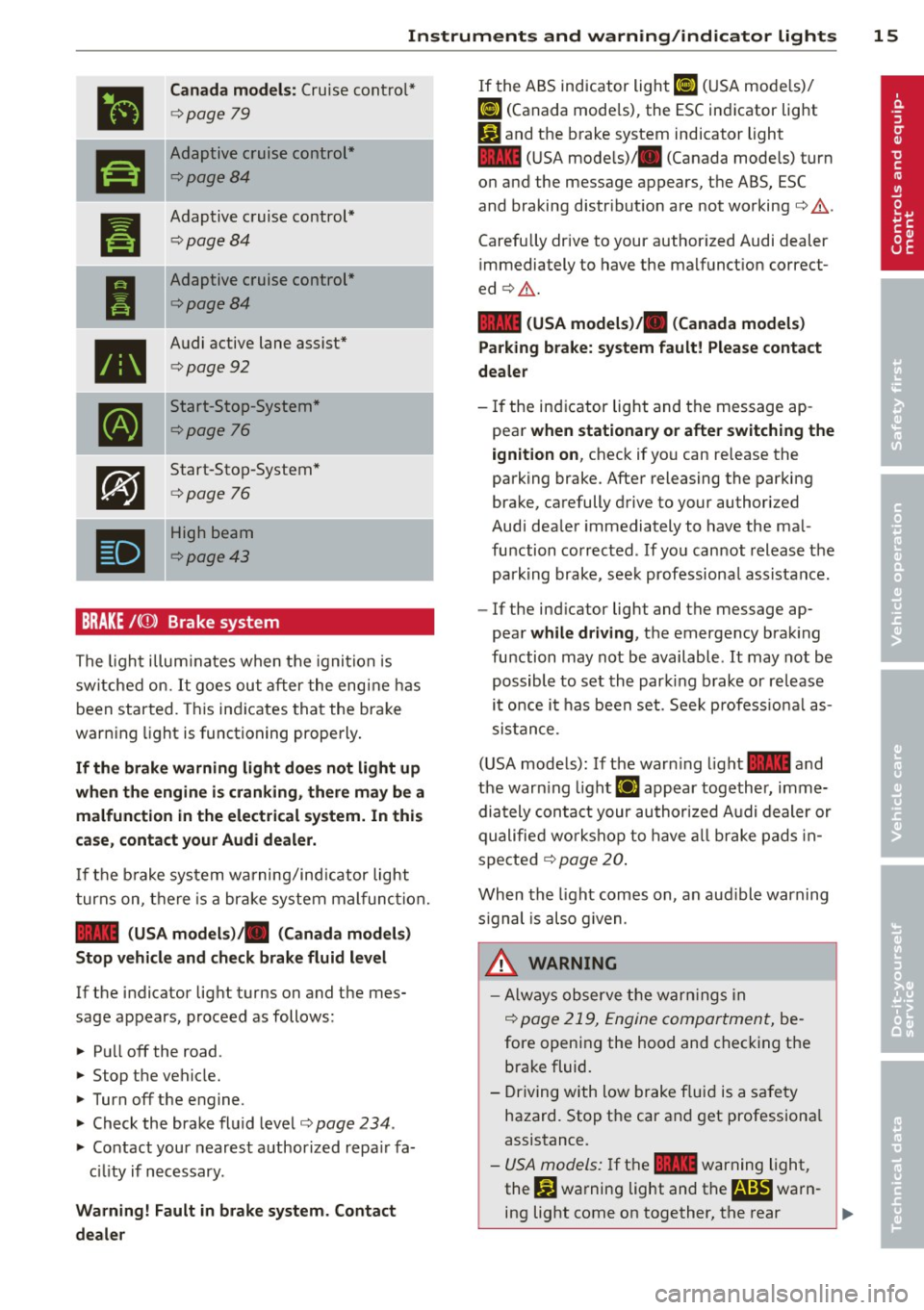
•
Canada models: Cruise contro l*
¢ page 79
ra
Adaptive cruise cont rol*
¢page8 4
--
Pl
Adaptive c ruise control*
¢ page84
I
Adaptive cruise control*
¢page8 4
•
Audi active lane assist*
¢ page 92
•
Start-Stop-System *
¢page 76
•
Start-Sto p-System *
¢page 76
•
High beam
¢page 43
BRAKE/( ©) Brake system
The ligh t illum inates when t he igni tion is
sw itche d on.
It goe s ou t aft er the eng ine has
been st art ed. This in dicates tha t th e brake
warn ing light is functioning properly .
If the brake warning light does not light up
when the engine is cranking, there may be a
malfunction in the electrical system. In this
case , contact your Audi dealer.
If t he b rake sys tem warning/ind icator light
tur ns on, t here is a br ake system mal func tion.
1111 (USA models) ;II (Canada models)
Stop vehicle and check brake fluid level
If the indicator light t urns on and the mes
sage appears, p roceed as follows:
... Pu ll off the road .
... St op t he vehicle.
.,. Turn off t he e ngine.
.,. Check the brake flu id leve l<=>
page 234 .
... Contact your neares t authorized repa ir fa
c ili ty if n ecessary .
Warning! Fault in brake system . Contact
dealer
If the A BS indicator light ri] (U SA mode ls)/
ri] (Canada mode ls), the ESC in dicator light
Pl and the b rake system indicator light
1111 (U SA mode ls)/ . (Canada models) turn
o n and the message appears, the ABS , ESC
and braking distr ibut ion are not working<=> &..
Carefully drive to your author ized Audi dealer
immediately to have the malfunct ion correct
ed <=>&. .
1111 (USA models )/. (Canada models)
Parking brake: system fault! Please contact
dealer
- If the in dicator light and the message ap
pea r
when stationary or after switching the
ignition on ,
check if yo u can re lease the
parking brake. Afte r releasing the par king
brake, carefully d rive to your authorized
Aud i dea le r i mmediately to have the ma l
fu nction corrected . If yo u can not releas e th e
park ing brake , see k professiona l assistan ce.
- If the ind icator light and the message ap
pear
while dr iving , the emergency bra king
fu nction may not be available.
It may not be
po ssibl e to set th e par king b rake or re lease
i t once i t has been set . See k profess io na l as
s is tan ce.
( U SA mode ls) : If the war ning light
1111 a nd
the war ning light
£1 appear together, imme
dia tely con ta ct y our au thor ized A udi dealer or
qualifie d wor kshop to have all brake pad s in
spe cte d
¢ page 20.
When the light comes on , an aud ible warn ing
s ignal is also g iven .
A WARNING
-Always o bserve the warn ing s in
<=>
page 219, Engi ne compar tmen t, be
fore openi ng the hood and c hec kin g the
brake fluid .
- Driving with low brake f lui d is a safety
hazard. Stop t he car and get professiona l
assis tance .
- USA mode ls: I f t he 1111 war ning light,
the
G1 warning light and t he m!ID warn-
ing light come on together, the rear .,.
Page 18 of 306
16 Instrum ent s and w arn ing /indic ato r light s
wheels co uld lock up first under hard
braking. Rear wheel lock-up can cause
loss of vehicle control and an accident.
Have your vehicle repaired immediately
by your authorized Aud i dealer or a qua li
fied workshop. Drive slowly and avoid sudden, hard brake applications.
- Canada models: If the brake warn ing
light ., the
DJ warning light and the
ABS warning light
[iJ come on togethe r,
the rear wheels could lock up fi rst unde r
hard braking. Rear wheel lock-up can
cause loss of vehicle control and an acci
dent. Have your vehicle repaired immedi
ately by your authorized Audi dealer or a
qualified workshop. Dr ive slowly and
avo id sudden, hard brake applicat ions.
- If the brake warning/indicator light does not go out after a few seconds and the
park ing brake is released, or lights up
wh ile you are driving, the fluid level in
the brake f luid reservoir is too low . If you
believe that it is safe to do so, proceed
immediately at low speed to the nearest
authorized Audi dealer or qualified repair
facility and have the brake system in
spected.
- Always keep in mind that after several
brake applications, yo u will need greater
pressure on the brake peda l to stop your
vehicle. Do not re ly on stra ined brakes to
respond w ith maximum stopp ing power
in critical situations. You must allow for
increased brak ing distances . The extra
distance used up by fad ing brakes could
lead to an acc ident.
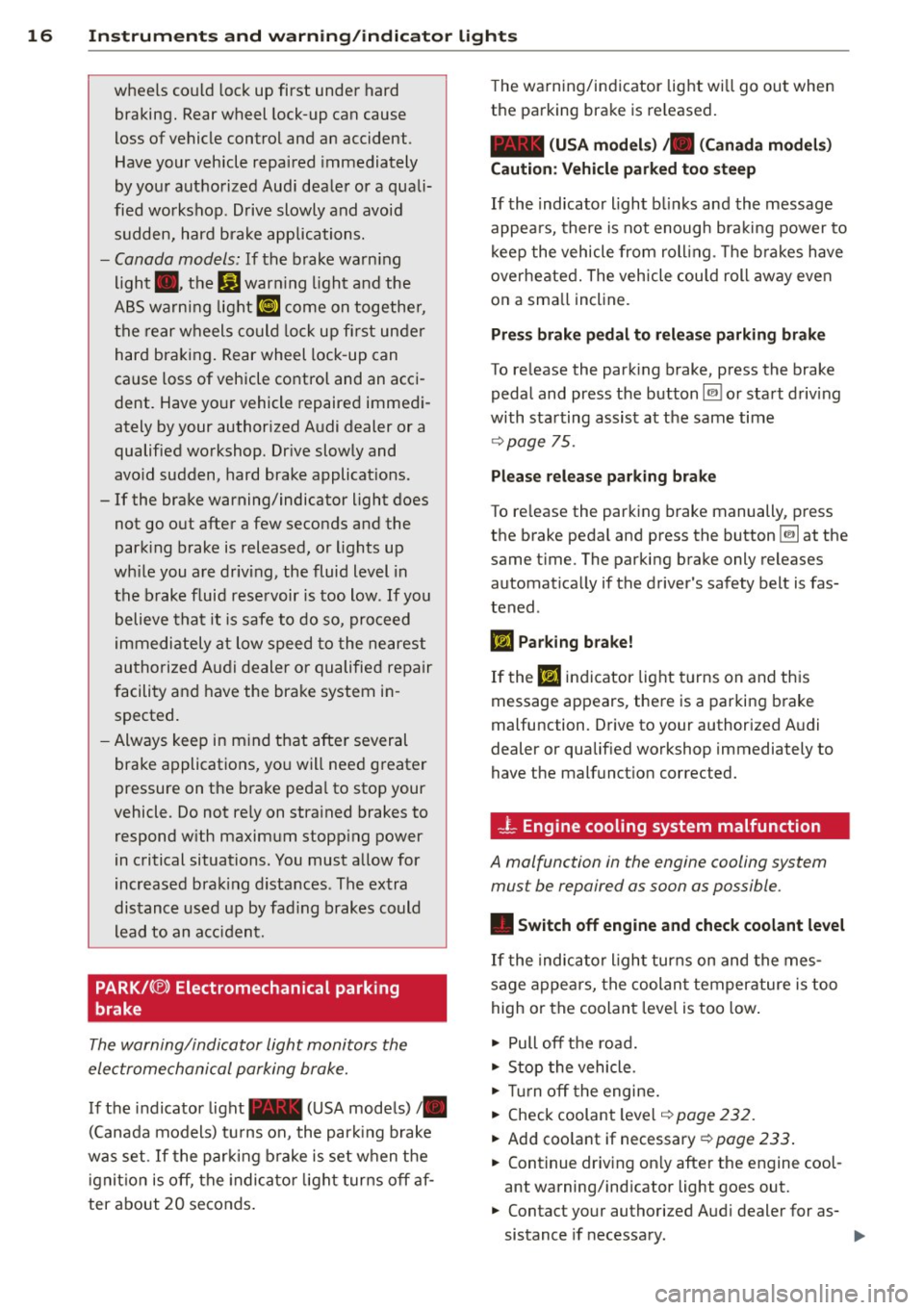
PARK/ (®) Electromechanical parking
brake
The warning/indicator light monitors the
electromechanical parking brake.
If the indicator light- (USA models)/ .
(Canada models) tu rns on, the park ing brake
was set . If the parking brake is set when the
ignit ion is off, the indicato r light turns off af
ter about 20 seconds . The warning/indicator light wi
ll go out when
the parking brake is re leased.
- (USA m odels) /. (C an ada mod els)
C a uti on: V eh icle p ark ed t oo stee p
If the indicator light b links and the message
appea rs, there is not enough braking power to
keep the vehicle from roll ing . T he b rakes have
overheated. The veh icle cou ld roll away even
on a sma ll incline.
Pr ess brake p edal to r ele ase parking brake
To release the park ing brake, press the brake
pedal and press the button
@ii or start driving
with starting assist at the same time
~ page 75.
Pl ease re le a se park ing brak e
To release the parking brake manually, press
the brake pedal and press the button
@ii at the
same t ime. The parking brake only releases
automat ica lly if the driver's safety belt is fas
tened .
IIJ Parking b rake!
If the IIJ indicator light turns on and th is
message appears, there is a parking brake
malfunction. Drive to your authorized Audi
dealer or qualif ied workshop immediately to
have the malfunct ion corrected.
- L Engine cooling system malfunction
A malfunction in the engine cooling system
must be repaired as soon as possible .
• Switch off engin e and check coolant le vel
If the indicator l ight turns on and the mes
sage appea rs, the coolant temperature is too
high or the coolant leve l is too low .
"' Pull off the road.
"' Stop the vehicle .
"' Tur n off the engine.
"' Check coolant level ~
page 232.
"'Add coolant if necessary ~ page 233.
"' Continue driving on ly after the engine cool
ant warning/ind icator light goes out.
"' Contact your authorized Audi dealer for as
sistance if necessary .
Page 33 of 306
Opening and closing Keys
Key set
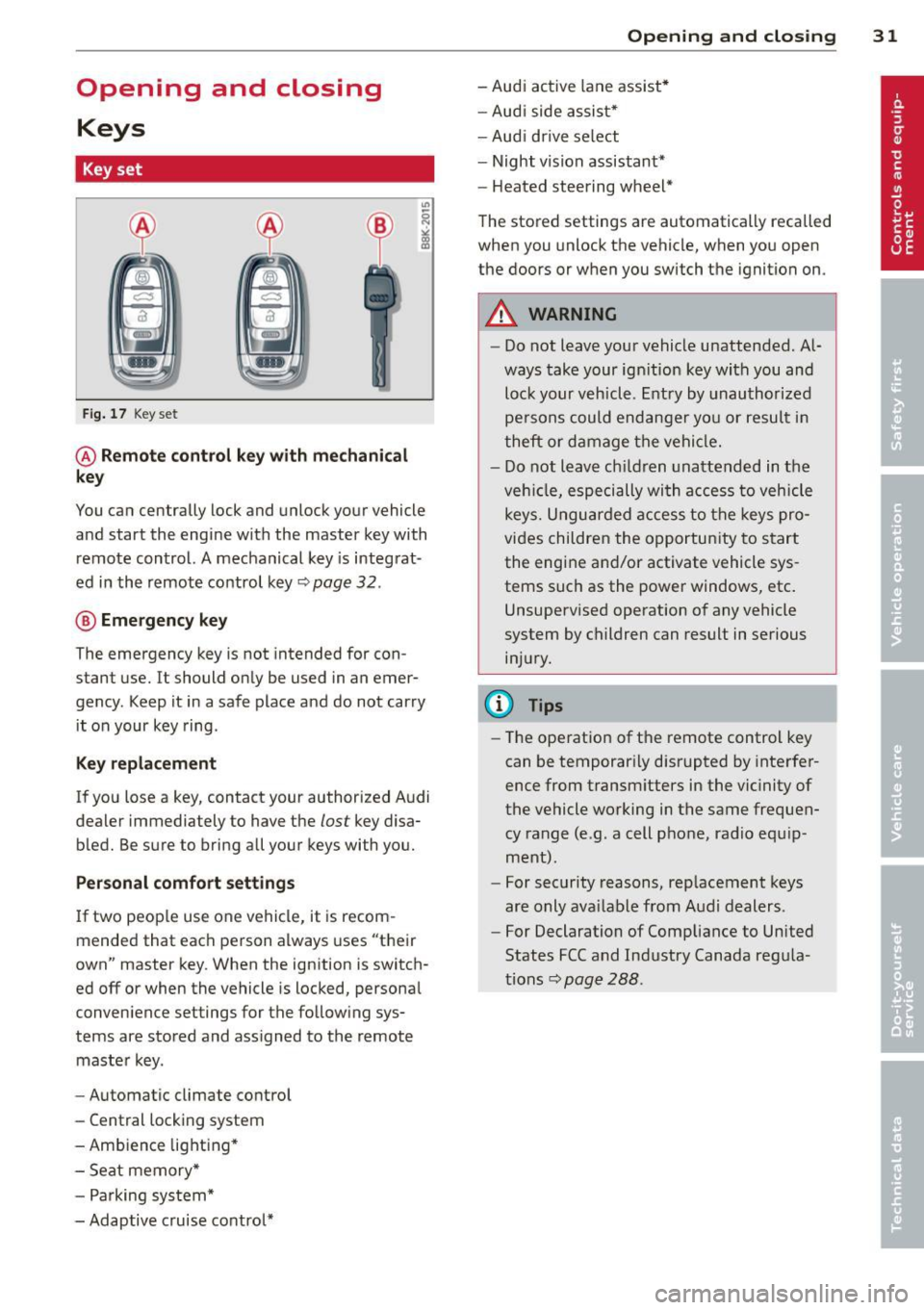
Fig. 17 Key set
@ Remote control key with mechanical
key
You can centrally lock and unlock your vehicle
and start the engine with the master key with
remote control. A mechanical key is integrat
ed in the remote control key~ page
32 .
® Emergency key
The emergency key is not intended for con
stant use.
It should only be used in an emer
gency . Keep it in a safe place and do not carry
it on your key ring .
Key replacement
If you lose a key, contact your authorized Audi
dealer immediately to have the
lost key disa
bled. Be sure to bring all your keys with you.
Personal comfort settings
If two people use one vehicle, it is recom
mended that each person always uses "their
own" master key. When the ignition is switch
ed off or when the vehicle is locked, personal
convenience settings for the following sys
tems are stored and assigned to the remote
master key.
- Automatic climate control
- Central locking system
- Ambience lighting*
- Seat memory*
- Parking system*
- Adaptive cruise control*
Opening and closing 31
- Audi active lane assist*
- Audi side assist*
-Audi drive select
- Night vision assistant*
- Heated steering wheel*
The stored settings are automatically recalled
when you unlock the vehicle, when you open
the doors or when you switch the ignition on.
A WARNING
- Do not leave your vehicle unattended. Al
ways take your ignition key with you and
lock your vehicle. Entry by unauthorized
persons could endanger you or result in
theft or damage the vehicle.
- Do not leave children unattended in the
vehicle, especially with access to vehicle
keys. Unguarded access to the keys pro
vides children the opportunity to start
the engine and/or activate vehicle sys
tems such as the power windows, etc.
Unsupervised operation of any vehicle
system by children can result in serious
injury.
(D Tips
- The operation of the remote control key
can be temporarily disrupted by interfer
ence from transmitters in the vicinity of
the vehicle working in the same frequen
cy range (e.g . a cell phone, radio equip
ment).
- For security reasons, replacement keys
are only available from Audi dealers.
- For Declaration of Compliance to United
States FCC and Industry Canada regula
tions~ page
288.
Page 41 of 306
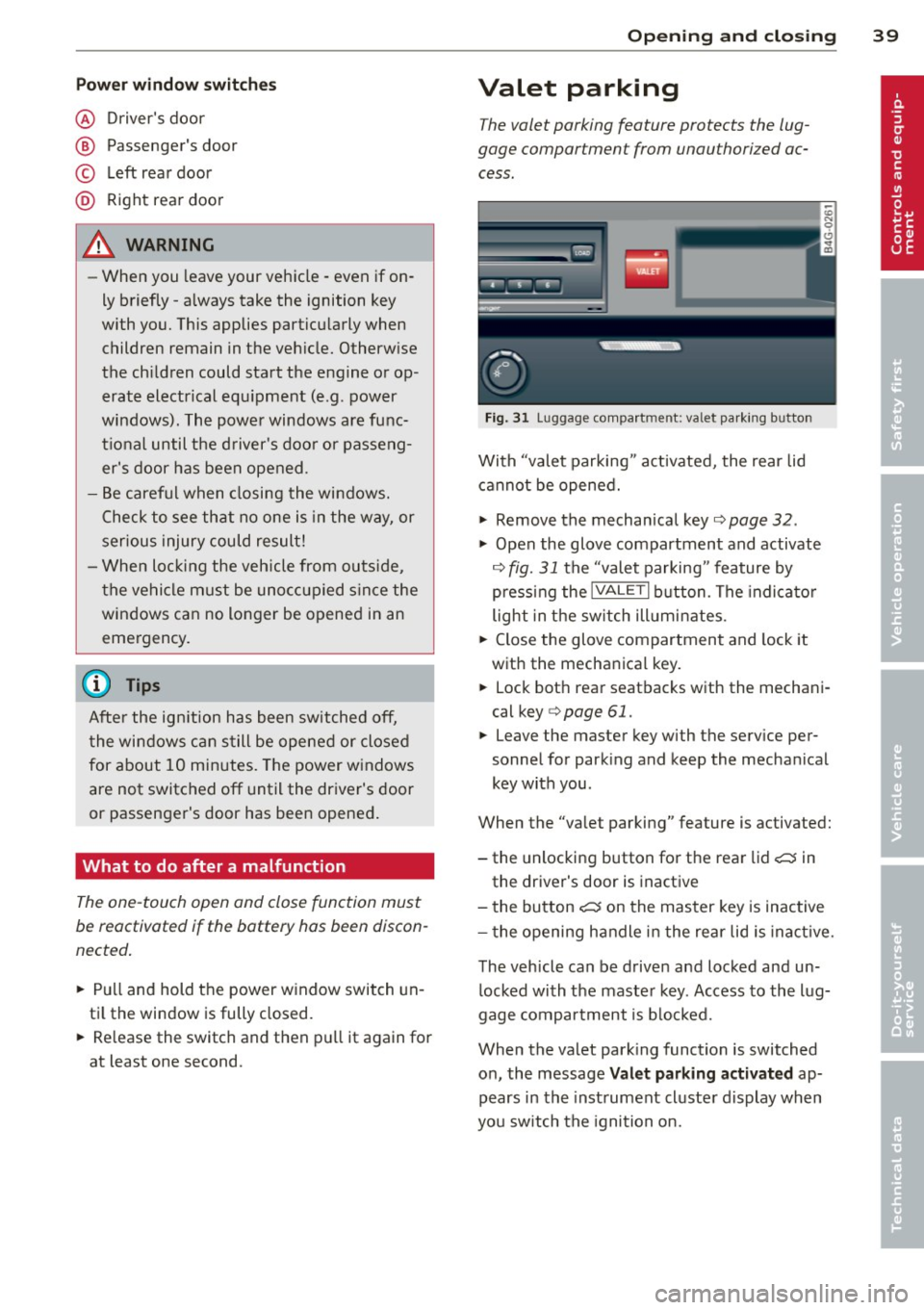
Pow er w ind ow switche s
@ Driver's door
® Passenger's door
© Le ft rea r door
@ Ri ght rear door
~ WARNING
- When you leave your veh icle -even if on
ly briefly -always take the ignition key
with you. This applies particularly when
children remain in the vehicle. Otherw ise
the ch ildren could start the engine or op
erate electrical eq uipment (e.g. power
windows). The power windows are func
t io nal until the d river's doo r or passeng
er's door has been opened.
- Be careful when closing the windows.
Check to see that no one is in the way, or
serious injury could result!
- When lo cking the veh icle from ou tside,
t he ve hicle must be unocc upied s in ce the
windows can no longer be opened in an eme rgency.
(D Tips
After the ig nition has been switched off,
t he wi ndows can still be opened or closed
for about 10 minutes. The power w indows
are not switched off until the dr iver's door
or passenger's door has been opened .
What to do after a malfunction
The one-touch open and close function must
be reactivated if the battery has been discon
nected .
.,. Pull and hold t he power w indow switch un
ti l the window is fully closed .
.,. Re lease the switch and then p ull it again for
at least one second.
Opening and clo sin g 39
Valet parking
The valet parking feature protects the lug
gage compartment from unauthorized ac
cess.
F ig. 31 Luggage compartment: valet parking button
With "valet parking" act ivated, the rear lid
cannot be opened.
.,. Remove the mechan ical key¢
page 32 .
.,. Open the glove compartment and activate
¢
fig. 31 the "valet parking" feature by
p ressi ng the
!VALET I b utton. The indica to r
light in the sw itch ill umi nates .
.,. Close the glove compartment and lock it
with the mechanical key.
.,. Lock bot h rea r seatbacks with the mechani
cal key ¢
page 61.
.,. Leave the master key with the service per
sonnel for park ing and keep the mecha nical
key with you.
When the "valet parking" feature is activated:
- the unlocking button for the rear lid
c:::; in
the driver's door is inact ive
- the bu tton
c:::; on the mas ter key is inactive
- the opening h andle i n the rear lid is inac tive.
The vehicle can be drive n and locked and un
l ocked with the maste r key. Access to the lug
gage co mpar tment is b locked.
When the valet park ing function is switched
o n, the message
Valet parking activat ed ap
pears in the inst rument cl uste r display when
you sw itch the igni tion on.
Page 50 of 306
48 Clear vis ion
@ Tips
- Commercial hot waxes applied by auto
matic car washes affect the cleanability
of the windshield.
- You can also use the service position, for
example, if you want to protect the
winds hield from icing by using a cover.
- You cannot activate the service position
when the hood is open.
Mirrors
Adjusting the exterior mirrors
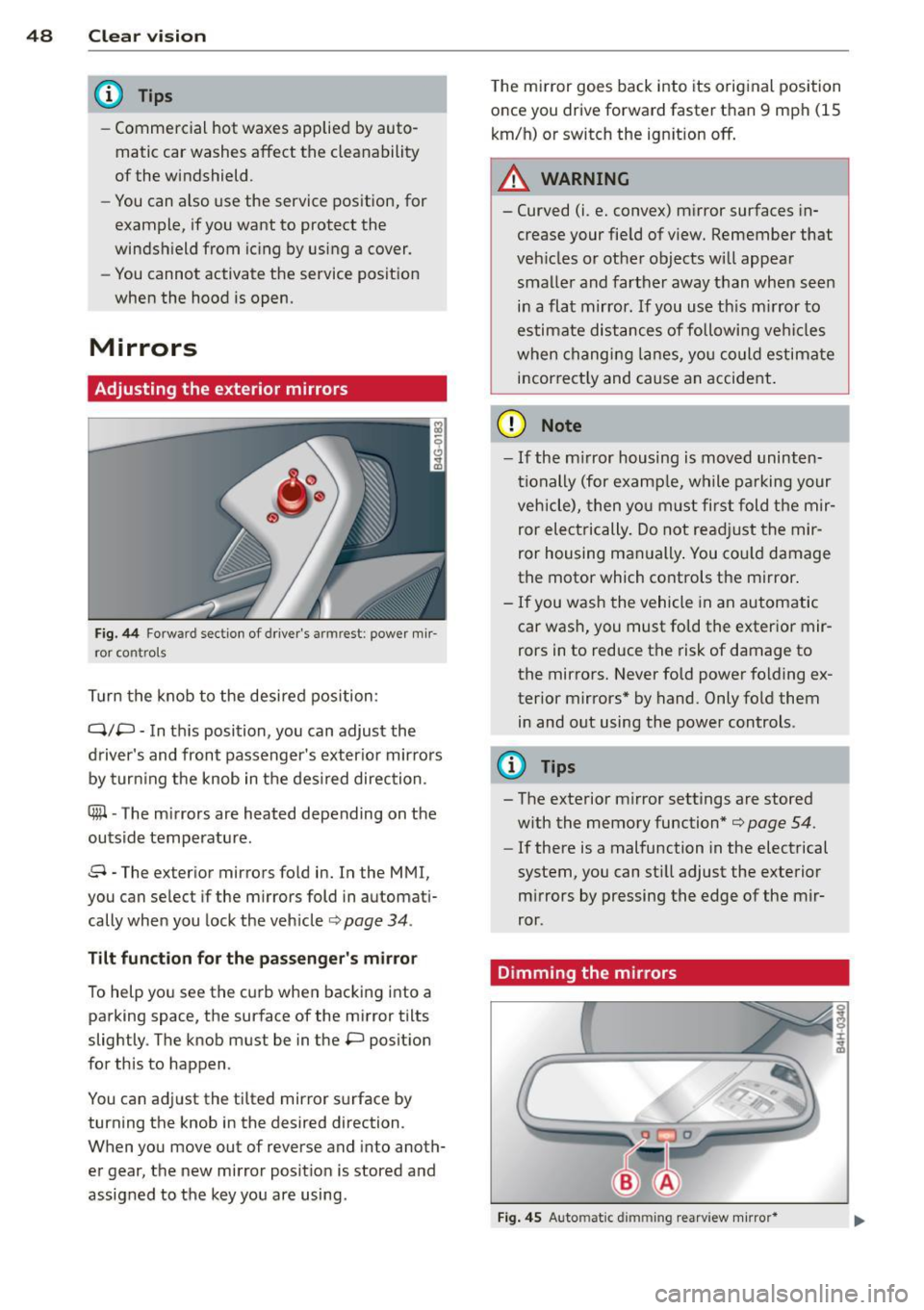
Fig. 44 Forwa rd section of drive r's arm rest: power m ir
ro r cont ro ls
T urn the knob to the desired position :
Q/P -In th is position, you can adjust the
d river's and front passenger's exter io r mirrors
by tur ning the knob in t he des ired direction.
® -The m irrors are heated depending on t he
outside temperature .
8 -The exterior mirrors fo ld in. In the MMI,
you can se lect if the m irrors fold in automat i
cally when you lock the vehicle ¢ page
34 .
Tilt funct ion for the pa ssenger' s mi rro r
To help yo u see the c urb when bac king into a
parking space, the surface of the mirror tilts
slightly . The knob must be in the P posit ion
for this to happen .
You can ad just the ti lted mirror s urface by
turning the knob in the desired direction .
When you move out of reverse and into anoth
er gear, the new mirror posit ion is stored and
assigned to the key yo u are using. T
he mi rror goes back i nto its orig inal position
o nce you drive forward faster than 9 mph (15
km/h) or switch the ign ition off .
A WARNING
--
- Curved (i.e. conve x) mirror surfaces in
crease your fie ld of view. Remember that
veh icles o r ot he r objects will appea r
smalle r and farther away t han when seen
in a flat mirror. If you use th is m irror to
estimate distances of followi ng ve hicles
when c hang ing lanes, y ou could estimate
i n correct ly and cause an accide nt.
(D Note
- If the m irror housing is moved uninten
ti onally (for examp le, w hile pa rking your
veh icle), then yo u must first fold t he mir
ror electrically. Do not re adj ust the mir
ror housing man ually . You co uld damage
the motor which controls the mirror .
-If you wash the vehicle in an automatic
car was h, you must fo ld the exter ior mir
rors in to reduce the risk of damage to
the mirro rs. Never fold power folding ex
terior mirrors* by hand. Only fo ld them
in and out using the power controls.
{I) Tips
- The exterior m irror settings are stored
w ith the memory function*
¢ page 54.
- If there is a malfunction in the electrical
system, you can sti ll adjust the exterior
m irrors by pressing the edge of the mir
ror.
Dimming the mirrors
Fi g. 4 5 Auto matic d immin g rearv iew mirro r*