steering AUDI A6 2015 Owners Manual
[x] Cancel search | Manufacturer: AUDI, Model Year: 2015, Model line: A6, Model: AUDI A6 2015Pages: 314, PDF Size: 77.57 MB
Page 4 of 314
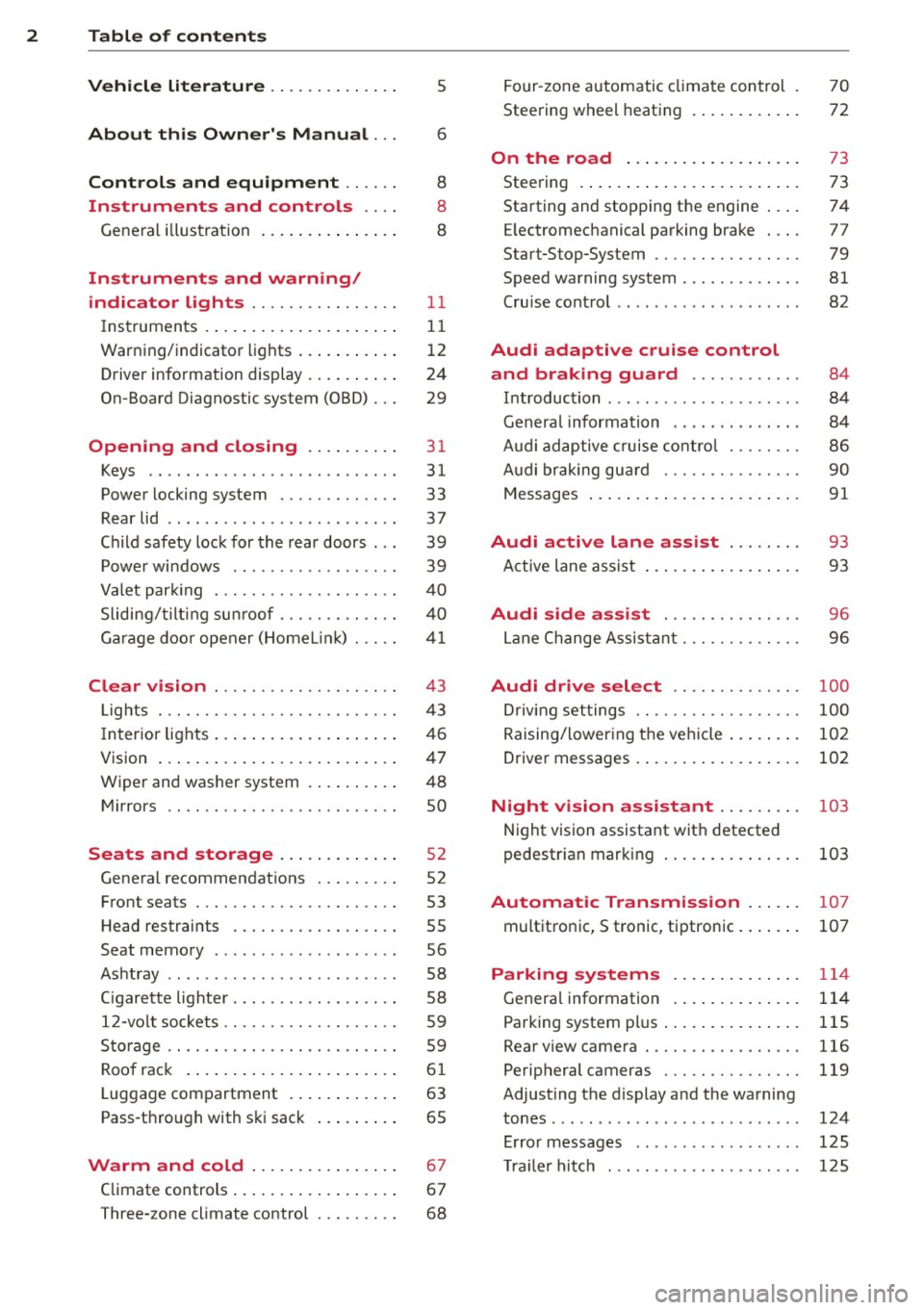
2 Table of content s
Vehicle lite ratu re .. .. .. .. .. ... .
5
About thi s Owner' s Manual . . . 6
C ontr ols and equi pm ent .. ... .
Instruments and controls .. . .
General illustration ...... ... .. ... .
Instruments and warning/
indicator lights ........ .. .. .. . .
Instruments ............ ... .. ... .
Warning/indicator lights .. ... ... .. .
Driver information display .... .. ... .
On-Board Diagnostic system (OBD) . . .
Opening and closing .. .. .... . .
Keys .. ...... ........... .. .. ... .
Power locking system ..... .. .. .. . .
Rear lid .. .. ........ ........ .... .
Child safety lock for the rear doors .. .
Power windows ............... .. .
Valet park ing . ........... .. .. ... .
Sliding/tilting sun roof ... .. .. .. .. . .
Garage door opener (HomeL in k) . ... .
Clear vision .. ........ .. .. .. .. . .
Lights . .. .. ............. .. .. .. . .
I nterior lights .... ....... ... .. ... .
V1s1on ..... ... . ........ .... .... .
Wiper and washer system . ... .. .. . .
Mirrors ................. .. .. ... .
Seats and storage ... .. .. .... . .
General recommendations . .. .. .. . .
Front seats .................. ... .
H ead restraints .......... .... ... .
Seat memory .. .... ........ .. .. . .
Ashtray .. .. ................ ... . .
C igarette lighter ................. .
12-vo lt sockets ........... .. .. ... .
Sto rage .. ............... .. .. .. . .
Roof rack . .... . ...... ... ... .... .
Luggage compartment . ... .. .. ... .
Pass-through with ski sack ... .... . .
Warm and cold ..... ... .. .. ... .
8
8
8
11
1 1
1 2
24
29
31
31
33
37
39
39
40
40
4 1
43
43
46
47
48
so
52
52
53
55
56
58
58
59
59
6 1
63
65
67
Climate controls . . . . . . . . . . . . . . . . . . 67
Three-zone climate control . . . . . . . . . 68 Four
-zone automatic climate control .
Steering wheel heating . ..... ... .. . 70
72
On the road
. . . . . . . . . . . . . . . . . . . 73
Steering . . . . . . . . . . . . . . . . . . . . . . . . 73
Starting and stopping the engine . . . . 74
E lectromechanical parking brake . . . . 77
Start-Stop-System . . . . . . . . . . . . . . . . 79
Speed warning system . . . . . . . . . . . . . 81
Cruise control . . . . . . . . . . . . . . . . . . . . 82
Audi adaptive cruise control
and braking guard . . . . . . . . . . . .
84
Introduction . . . . . . . . . . . . . . . . . . . . . 84
Genera l information . . . . . . . . . . . . . . 84
Audi adaptive cruise cont rol . . . . . . . . 86
Audi braking gua rd . . . . . . . . . . . . . . . 90
Messages . . . . . . . . . . . . . . . . . . . . . . . 91
Audi active lane assist . . . . . . . . 93
Active lane assist . . . . . . . . . . . . . . . . . 93
Audi side assist . . . . . . . . . . . . . . . 96
Lane Change Assistant. . . . . . . . . . . . . 96
Audi drive select . . . . . . . . . . . . . . 100
Driv ing settings . . . . . . . . . . . . . . . . . . 100
Raising/lowering the vehicle . . . . . . . . 102
Driver messages . . . . . . . . . . . . . . . . . . 102
Night vision assistant . . . . . . . . . 103
Night vision assistant with detected
pedestr ian marking . . . . . . . . . . . . . . . 103
Automatic Transmission . . . . . . 107
multitronic, S tronic , tiptronic. . . . . . . 107
Parking systems . . . . . . . . . . . . . . 114
General information . . . . . . . . . . . . . . 114
Parking system plus . . . . . . . . . . . . . . . 115
Rearviewcamera . ............. .. . 116
Peripheral cameras . . . . . . . . . . . . . . . 119
Adjusting the d isplay a nd the warning
tones. . . . . . . . . . . . . . . . . . . . . . . . . . . 124
Error messages . . . . . . . . . . . . . . . . . . 125
T ra ile r hitch . . . . . . . . . . . . . . . . . . . . . 125
Page 5 of 314
M N
0 <.J 'SI: ,...., \!) ..,.,
,...., ..,., ,....,
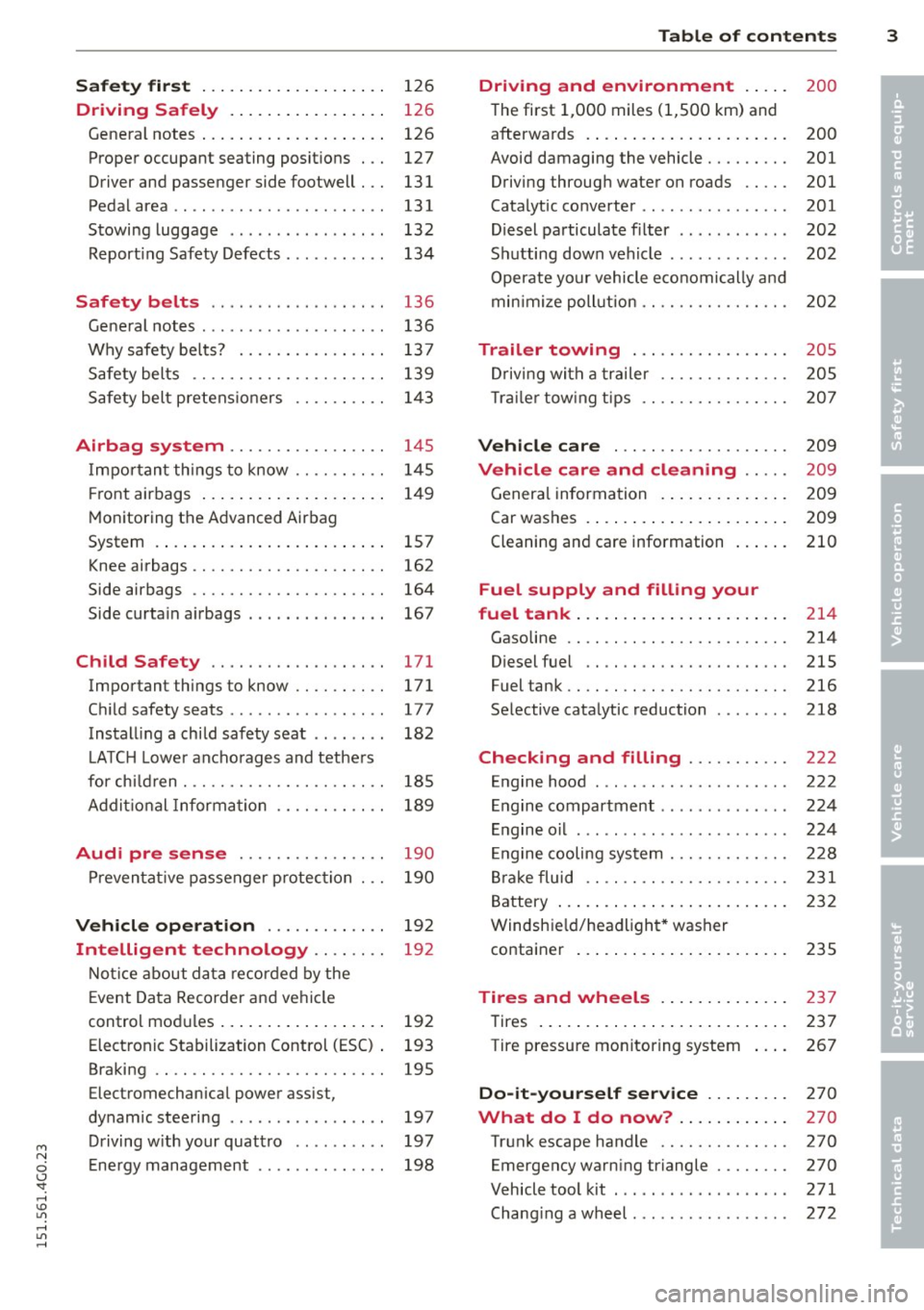
Safet y fir st . . . . . . . . . . . . . . . . . . . . 126
Driving Safely . . . . . . . . . . . . . . . . . 126
General notes . . . . . . . . . . . . . . . . . . . . 126
Proper occupant seating posit ions . . . 127
Driver and passenger side footwell . . . 131
Pedalarea .. .. .............. ... .. 131
Stowing luggage . . . . . . . . . . . . . . . . . 132
R eport ing Safety Defects . . . . . . . . . . . 134
Safety belts ... .. ...... .. .. .. . .
General notes ............... .. .. .
Why safety bel ts? ........ .... .. . .
Safety belts ............. .. .. .. . .
Safety belt p re tens ioners .. .. .. .. . .
Airbag system ........... .. .. . .
Impor tant th ings to know .. .. .. .. . .
Fr ont airbags ... ...... ... .. .. .. . .
M onitoring the Advanced Airbag
System .... .. .... .. .... ... .. .. . .
Knee airbags ............. .... .. . .
Side airbags .. ........... .. .. .. . .
Side curta in a irbags ........ . .... . .
Ch ild Safety ............... .. . .
Important things to know .. .. .. .. . .
C hi ld safety seats ............ .... .
Install ing a chi ld safety seat .. .. ... .
L A TC H L ower ancho rages and tethe rs
fo r ch ild ren . ............. .... .. . .
Addit io nal Informa tion
Audi pre sense .......... .. .. . .
Pr even ta ti ve passe nger p rotec tion
Vehicle operation ....... .. .. . .
Intelligent technology .. .. .. . .
N ot ice about da ta re corded by the
E vent Data Recorder and vehi cle
control mod ules ... .... ... .. .. .. . .
Elect ronic Stabilization Control (ESC) . 136
136
137
139
1
4 3
145
1 4 5
1 4 9
157
162 164
167
171
171
177
182
185
189
190
190
19 2
19 2
192
193
Braking . . . . . . . . . . . . . . . . . . . . . . . . . 195
Electromechanical power assist,
dynamic steering . . . . . . . . . . . . . . . . . 197
Driving w ith your quattro . . . . . . . . . . 197
E ne rgy management . . . . . . . . . . . . . . 198
Table of contents 3
Driving and environment . . . . .
200
T he first 1,000 miles (1 ,500 km) and
afterwa rds . . . . . . . . . . . . . . . . . . . . . . 200
Avoid damaging the vehicle. . . . . . . . . 201 Driving through water on roads . . . . . 201
Catalytic co nverter . . . . . . . . . . . . . . . . 201
D iesel pa rticulate filter . . . . . . . . . . . . 202
S hu tting down vehi cle . . . . . . . . . . . . . 202
Operate your vehicle e conomically and
min imi ze poll ution . . . . . . . . . . . . . . . . 202
Trailer towing . . . . . . . . . . . . . . . . . 205
Dr iving wit h a trailer . . . . . . . . . . . . . . 205
T ra ile r tow ing t ips . . . . . . . . . . . . . . . . 207
Vehicle care . . . . . . . . . . . . . . . . . . . 209
Vehicle care and cleaning . . . . . 209
Genera l informa tion . . . . . . . . . . . . . . 209
Car was hes . . . . . . . . . . . . . . . . . . . . . . 209
Cleaning and care information . . . . . . 210
Fuel supply and filling your
fuel tank ... .. .... . ... ...... ... .
214
Gasoline . . . . . . . . . . . . . . . . . . . . . . . . 214
Diesel fuel . . . . . . . . . . . . . . . . . . . . . . 215
Fuel tank.. .. .. .. .. .. ........... . 216
Se lective cata lytic reduction . . . . . . . . 218
Checking and filling . . . . . . . . . . . 222
Engine hood . . . . . . . . . . . . . . . . . . . . . 222
En gine compartment . . . . . . . . . . . . . . 224
E ngine o il . . . . . . . . . . . . . . . . . . . . . . . 224
En gine cooling system . . . . . . . . . . . . . 228
Br ake fluid . . . . . . . . . . . . . . . . . . . . . . 231
Battery . . . . . . . . . . . . . . . . . . . . . . . . . 232
Windshie ld/headlight * washer
co ntainer . . . . . . . . . . . . . . . . . . . . . . . 235
Tires and wheels . . . . . . . . . . . . . . 237
T ires . . . . . . . . . . . . . . . . . . . . . . . . . . . 237
Tire pressure mo nitoring system 267
Do-it-yourself service . . . . . . . . . 270
What do I do now? . . . . . . . . . . . . 270
Tr unk escape handle . . . . . . . . . . . . . . 270
Emergency warn ing triangle . . . . . . . . 270
Vehicle tool kit . . . . . . . . . . . . . . . . . . . 271
Chang ing a wheel . . . . . . . . . . . . . . . . . 272
•
•
Page 11 of 314
M N
0 <.J 'SI: ,...., \!) 1.1'1 ,...., 1.1'1 ,....,
CD
@
®
©
®
®
(j)
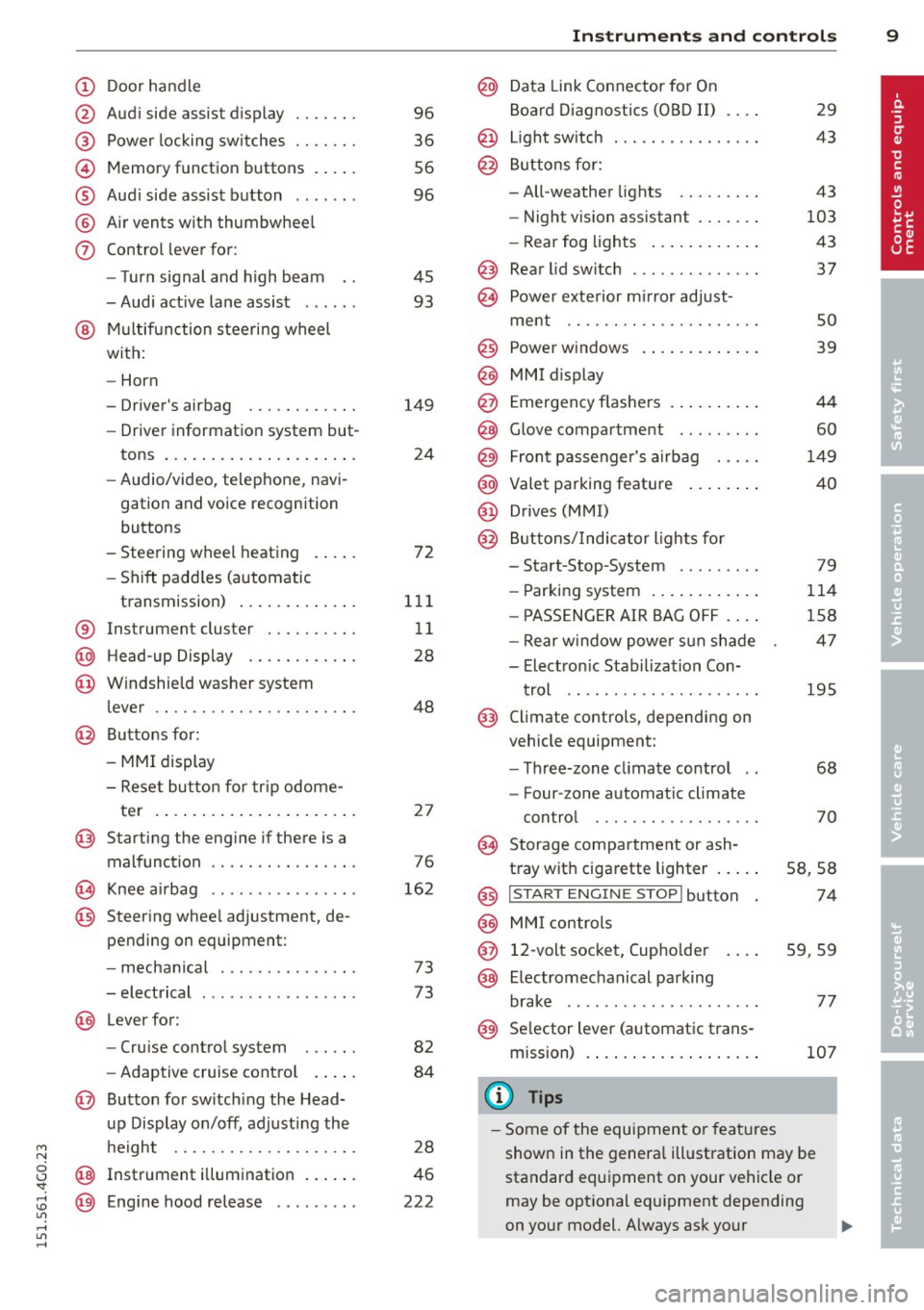
Door handle
Audi side assist d isplay
Power locking sw itches
Memory function buttons . ... .
Aud i side assist button .. .. .. .
A ir vents with thumbwheel
Control lever for :
- T urn signal and high beam
- Audi act ive lane assist . .. .. .
@ Mu ltifunction steering wheel
with:
- Horn
- Driver's airbag
- Driver information system but-
tons ... .... ........ ... .. .
- Audio/video , telephone, navi
gation and voice recognition
buttons
- Steering wheel heating . ... .
- Shift padd les (automatic
transmission) ..... ... .. .. .
® Instrument cluster ..... .. .. .
@ H ead-up Display ....... .. .. .
@ Windshie ld washer system
lever .. .. ............. .... .
@ Buttons for :
- MMI display
- Reset bu tton for tr ip odome-
te r .. .. ... .. ..... ... .. .. .
@ Starting the eng ine if there is a
malfunction .............. . .
~ Knee ai rbag ........... .. .. .
@ Steer ing whee l adjustment, de
pending on equipment:
- mecha nical .......... .. .. .
- electrical .... .. ...... .. .. .
@ Leve r for:
- Cru ise control system . .. .. .
- Adaptive cruise contro l .. .. .
@ Button for sw itch ing the Head
up Disp lay on/off, adjusting the
h eight .. ............. .. .. .
@ Instrument illum ination ... .. .
@ Eng ine hood re lease ....... . . 96
36
56
96
45 93
149 24
72
111 11
28
48
2 7
76
16 2
73
73
82
84
28
46
222
In strument s and control s 9
@ Data Link Connector for On
Board Diagnostics (OBD II)
@ Light sw itch ... .. . .. .... ... .
@ B uttons for :
- All-weather lights
- Night vision assistant .... .. .
- Rear fog lights .. .. .. ..... .
@ Rear lid switc h ............. .
~ Power exte rior m irror adjust- 29
43
43
103 43
37
ment . . . . . . . . . . . . . . . . . . . . . 50
@ Power w indows . . . . . . . . . . . . . 39
@ MMI display
@ Emergency flashe rs . . . . . . . . . . 44
@ Glove compartment . . . . . . . . . 60
@) Front passenger's airbag . . . . . 149
@ Valet parking feature . . . . . . . . 40
@ Drives (MMI)
@ Buttons/Indicator ligh ts fo r
- Start-Stop-System . . . . . . . . . 79
- Parking system . . . . . . . . . . . . 114
- P ASSENG ER AIR BAG OF F . . . . 1S8
- Rear w indow powe r sun shade 47
- Electron ic Stabilization Con-
t rol . . . . . . . . . . . . . . . . . . . . . 19S
@ Climate controls, depending on
vehicle equipment:
- Three-zone cl imate control . . 68
- F our-zone automat ic climate
cont rol . . . . . . . . . . . . . . . . . . 70
@ Storage compartment or ash-
t ray wit h cigarette lighter . . . . . S8, 58
@ I S T ART ENGINE STOPI button 74
@ MM I controls
@ 12-volt socket, (upho lder 59, 59
@ E lectromechanical parking
brake . . . . . . . . . . . . . . . . . . . . . 77
@ Selector lever (a utomatic trans-
mission) 107
(D Tips
-Some of the equipment or fea tures
show n in the genera l ill ustration may be
standard equipment on your vehicle or
may be opt ional eq uipment depending
on your model. Always ask your
ll>
Page 14 of 314
12 Instrum ent s and w arn ing /indic ato r light s
-Never open the engine hood if you see or
hear steam, or if you see engine coolant
dripping from the engine compartment.
You could burn yourself . Let the engine
cool off first until you can no longer see
o r hear steam or coo lant escaping.
@ Note
- Mounting additional lights or accessories
i n front of the a ir inlets reduces the cool
i ng effect of the rad iator . At h igh outside
temperatures or high eng ine load, the
engine could overheat.
- The front spo iler has been designed to
proper ly distribute the cooling air when
t h e ve hicle is moving.
If the spoiler is
dam aged, th is co uld red uce the cooling
effect and the engine co uld then over
heat . Ask your authorized Audi dea ler for
assistance .
Tachometer (engine rev counter)
The tachometer indicates the engine RPM
(revolutions per minutes).
If engine RP M drops be low 1,500, yo u should
downshift to the next lower gear. The red a rea
at the end of the sca le indicates maximum
perm iss ib le engine RPM after the break-in pe
riod. Before reaching this area, move these
lector lever to position D/S (Drive) or ease
your foot off the accelerator pedal.
(D Note
The tachometer needle should on ly br iefly
be in the red zone: you could damage your
engine! The beginn ing of the red zone var
ies depending on the engine .
@ For the sake of the environment
Upshifting early saves fuel and reduces en
gine noise.
Fuel gauge
The fuel gauge only works when the ignition is
on .
If the fuel level d rops below 2 . 6 ga llons (10 liters), the bottom LED turns red and the
indicator light
ll'J turns on r=> page 22. The
bottom LED blinks red when the fuel level is
very low.
T he possible range based on the current fuel
level is shown in tab@r=>
page 24, fig . 4 .
(D Note
Never run the tank completely dry. An ir
r egular supply of f uel can cause engine
misfiring and fuel could enter the ex ha ust
system . The catalytic converter could then
overheat and be damaged.
Warning/indicator Lights
Description
The ind icator lights in the instrument cluster
blink or turn on. They indicate funct ions or
malfunctions
r::!> ,& .
Messages may appear with some indicato r
lights. A warning signal will sound at the
same t ime. The indicator lights and messages
in the center of the displays may be rep laced
by other d isplays . To show them again, select
the tab for ind icator lights and messages us
i ng the multifunction steering wheel
r::!> page 24. If t here are several malfunc
t ions, you can display them one at a time us
ing the thumbwheel.
Some indicato rs lights in the d isplay can turn
on in severa l co lors.
A WARNING
- F ailure to heed w arning l igh ts and other
important vehicle in forma tion may res ult
in ser io us personal inj ury or vehicle dam
age .
- Whenever stalled or stopped for repair, move the vehicle a safe d istance off the
road, stop the engine, and turn on the
emergency flasher
r::!> page 44.
- The engine compartment of any motor
veh icle is a potentially hazardous area.
Before you chec k anything in the engine
Page 15 of 314
M N
0 <.J 'SI: ,...., \!) 1.1"1 ,...., 1.1"1 ,....,
Instrument s and warnin g/indic ator ligh ts 13
compartment, stop the engine and let it
cool down. Always exercise extreme cau
t ion when working under the hood
c>page222.
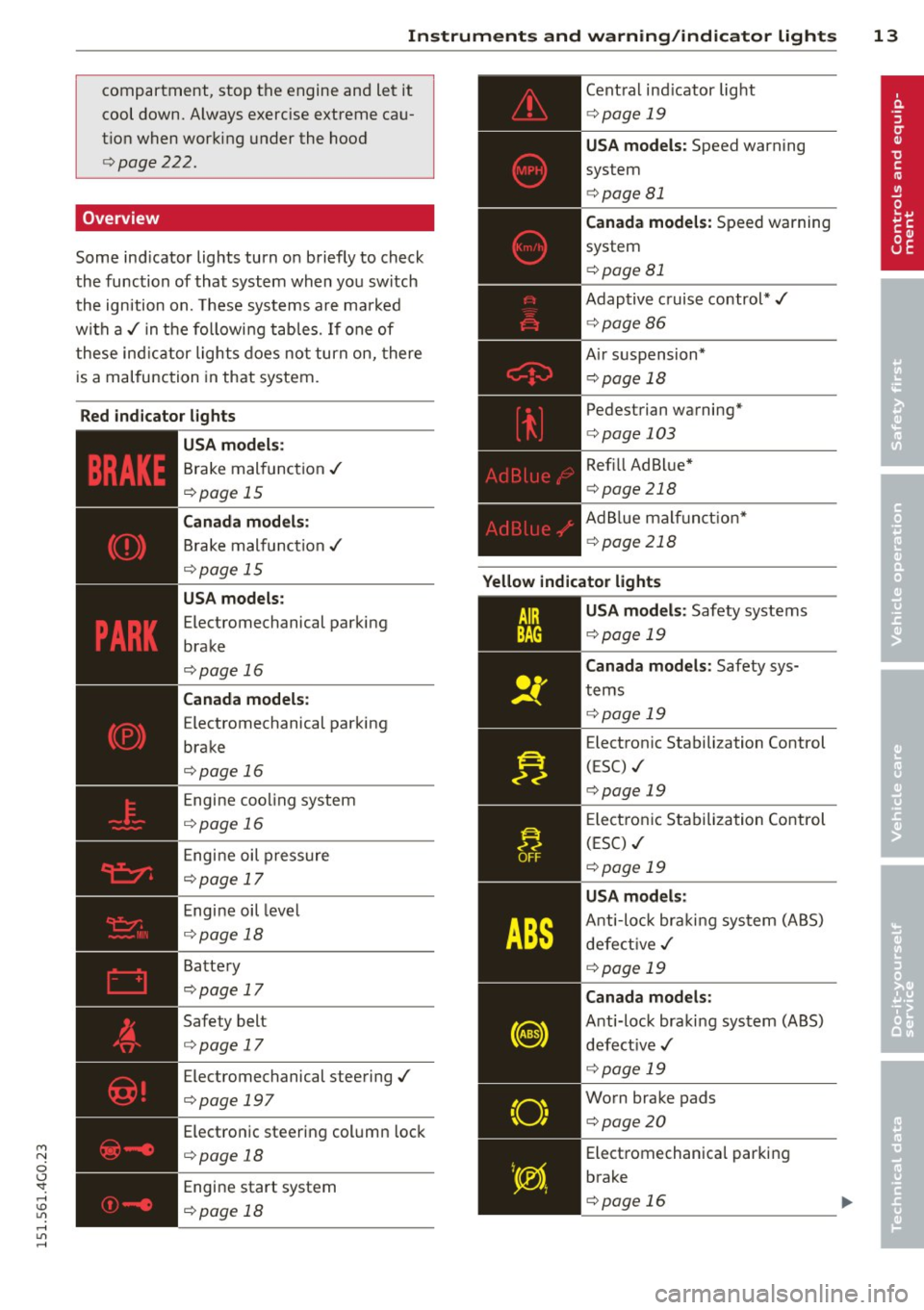
Overview
Some ind icator lights turn on briefly to check
the function of that system when you switch
the ignition on. These systems are marked
w ith a,/ in the followi ng tables.
If one of
these indicator lights does no t turn on, there
is a malfunction in that system.
Red ind ic a tor l ights
-------------
U SA model s:
Brake malfunction ,/
c>page 15
Canada m odel s:
Brake malfunction ,/
c>page 15
USA models:
Electromechanical parking
brake
c>page 16
Canada m odel s:
Electromechanical parking
brake
c>page 16
Engine cooling system
c>page 16
Engine oil pressure
c>page 17
Engine oil level
c> page 18
Battery
c>page 17
Safety belt
c>page 17
Electromechanical steering,/
c>page 197
Electronic steering column lock
c>page 18
Engine start system
c>page 18
Central ind icator light
c> page 19
USA models: Speed warning
system
c> page 81
Canada mod els : Speed warning
system
c> page 81
Adaptive c ruise control*,/
c> page86
Air suspension*
c> page 18
Pedestrian warning*
c>page 103
Refill Ad Blue*
c> page 218
AdBlue malf unct ion*
c> page 218
Yellow indicator li ght s
"O~ I I \; ,,
-------------
USA models : Safety systems
c>page 19
Canada models : Safety sys
tems
c> page 19
Electron ic Stabilization Control
(ESC) ./
c>page 19
Electronic Stabilization Control
(ESC) ,/
c>page 19
USA model s:
Anti-loc k braki ng system (ABS)
defect ive ,/
c>page 19
Canad a mod els :
Anti-lock braking system (ABS)
defect ive ,/
c>page 19
Worn brake pads
c>page20
Electromechanica l parking
brake
c>page 16
Page 16 of 314
14 Instruments and warning/indicator lights
Tire pressure monitoring sys
tem./ ¢ page267
Tire pressure monitoring sys
tem q page 267
Electronic power control./ (a l
ternative to
1,1 )
qpage 20
Glow plug system
(alternat ive to
Ga)
qpage 21
Malfunction indicator Lamp
(MIL) ./
¢ page 21
Diesel particulate filter* clog
ged
q page 21
Engine speed limitation
q page 21
Engine oil leve l
qpage 18
Engine oil sensor
qpage22
Battery
q page 17
Tank system q page 22
Windshield washer fluid level q page22
Windshield wipers
q page 22
/:
Headlight range control
q page22
adaptive light*
qpage22 Light-/rain sensor faulty
q page23
Audi active lane assist*
¢ page94
Transm ission
¢ page 112
Transm ission
¢ page 112
Transm ission
- S tronic
¢ page 112
Electronic steering column lock
q page 18
Engine start system
q page 18
Central indicator light
qpage 19
Electromechanical steering, dy
namic steering*./
q page 197
Ai r suspension*
¢page 18
Sport different ial*
¢ page 23
Refill Ad Blue*
q page 218
AdBlue ma lfunction*
q page 218
Remote control key
q page 74
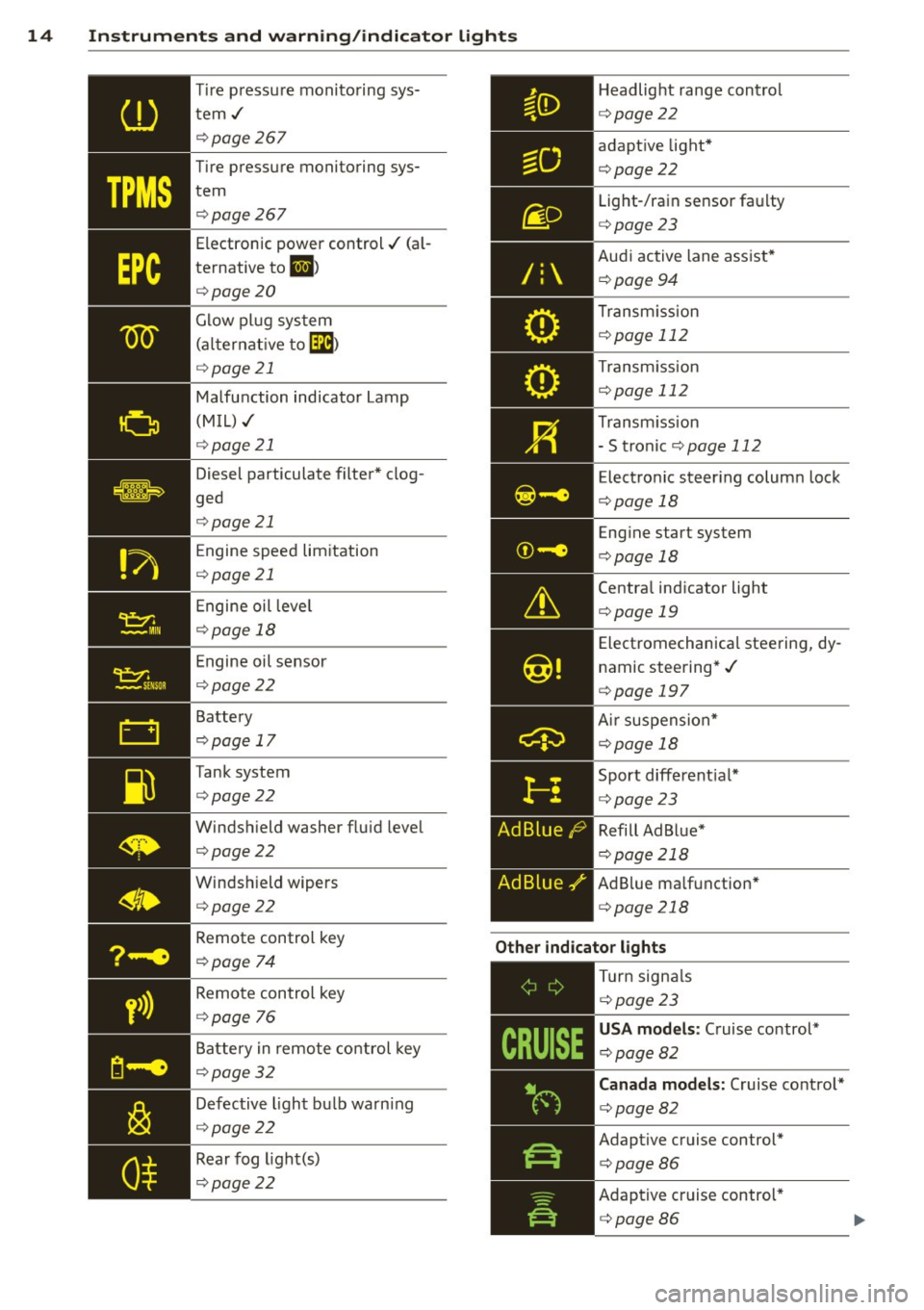
Other indicator lights
y>))
Remote control key
q page
76
Battery in remote control key
q page 32
Defective light bulb warn ing
q page 22
Rear fog light(s)
q page22
,-------------
Turn signa ls
¢ page23
USA models: Cruise control*
¢ page82
Canada models: Cruise control*
q page82
Adaptive cruise control*
qpage86
Adaptive cruise control*
q page86
Page 20 of 314
18 Instruments and warning/indicator lights
level warning II. By then, your engine
may already have suffered serious dam·
age.
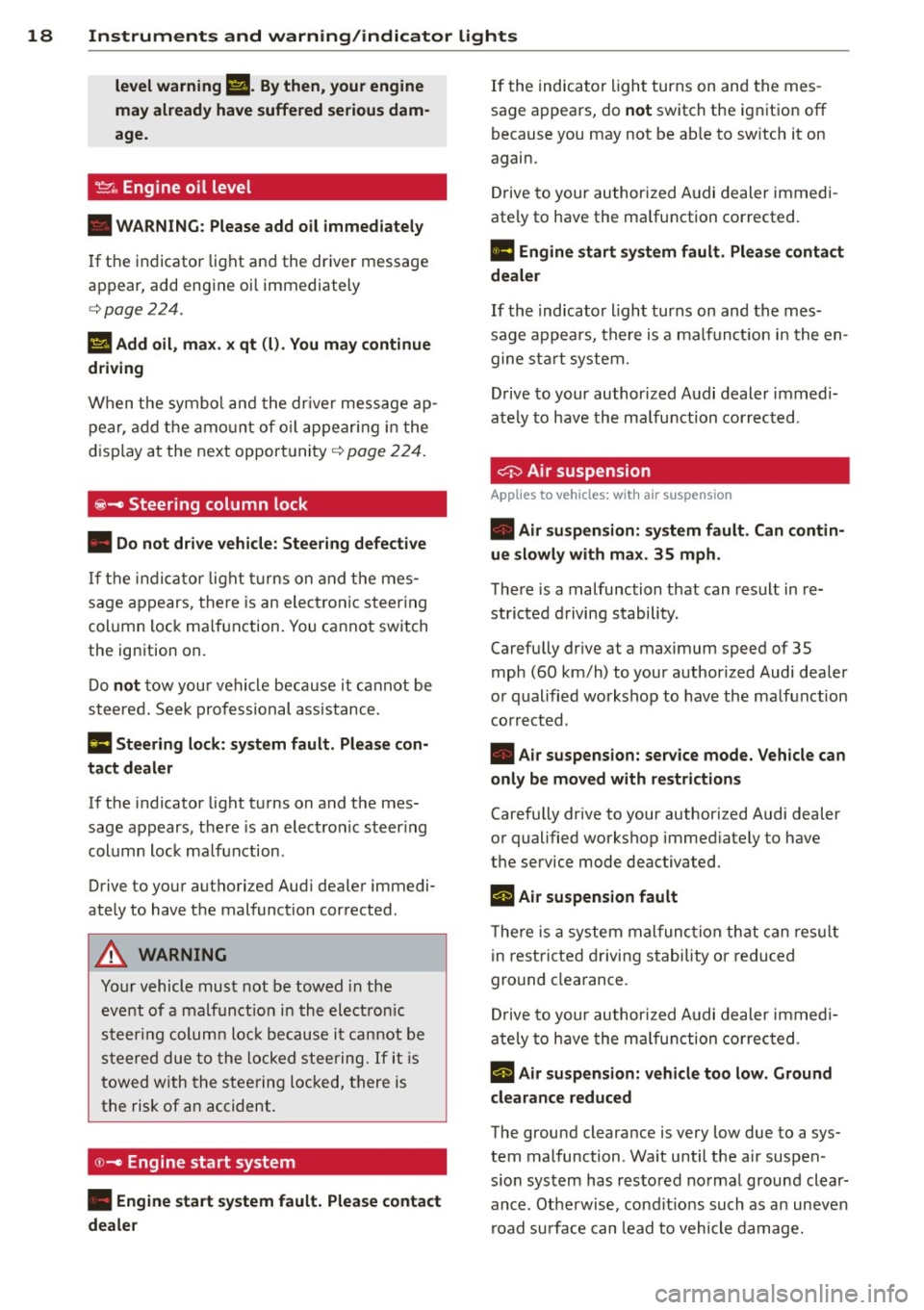
~ Engine oil level
• WARNING: Please add oil immediately
If the indicator light and the driver message
appear, add engine oil immediately
c::>page224.
Ill Add oil, max. x qt (I). You may continue
driving
When the symbol and the driver message ap
pear , add the amount of oil appearing in the
display at the next opportunity
c::> page 224.
~ - Steering column lock
• Do not drive vehicle: Steering defective
If the indicator light turns on and the mes
sage appears , there is an electronic steering
column lock malfunction. You cannot switch
the ignition on.
Do
not tow your vehicle because it cannot be
steered. Seek professional assistance.
Ill Steering lock: system fault. Please con
tact dealer
If the indicator light turns on and the mes
sage appears, there is an electronic steering
column lock malfunction .
Drive to your authorized Audi dealer immedi
ately to have the malfunction corrected.
A WARNING , --
Your vehicle must not be towed in the
event of a malfunction in the electronic
steering column lock because it cannot be
steered due to the locked steering.
If it is
towed with the steering locked, there is
the risk of an accident .
©-Engine start system
• Engine start system fault. Please contact
dealer
If the indicator light turns on and the mes
sage appears, do
not switch the ignition off
because you may not be able to switch it on
again.
Drive to your authorized Audi dealer immedi
ately to have the malfunction corrected .
ml Engine start system fault. Please contact
dealer
If the indicator light turns on and the mes
sage appears, there is a malfunction in the en
gine start system.
Drive to your authorized Audi dealer immedi
ately to have the malfunction corrected .
c:::::> Air suspension
Applies to vehicles: with air suspension
• Air suspension: system fault. Can contin
ue slowly with max. 35 mph.
There is a malfunction that can result in re
stricted driving stability .
Carefully drive a t a maximum speed of 35
mph (60 km/h) to your authorized Audi dealer
or qualified workshop to have the malfunction
corrected .
• Air suspension: service mode. Vehicle can
only be moved with restrictions
Carefully drive to your authorized Audi dealer
or qualified workshop immediately to have
the service mode deactivated.
II Air suspension fault
There is a system malfunction that can result
in restricted driving stability or reduced
ground clearance.
Drive to your authorized Audi dealer immedi
ately to have the malfunction corrected .
II Air suspension: vehicle too low. Ground
clearance reduced
The ground clearance is very low due to a sys
tem malfunction . Wait until the air suspen
sion system has restored normal ground clear ance . Otherwise, conditions such as an uneven
road surface can lead to vehicle damage.
Page 27 of 314
M N
0 I.J "". rl I.O
"' rl
"' rl
Instrument s and warning /indicator lights 25
- For in formation on the a udio/video and
navigation * functions, refer to the se pa
r ate
M MI owner's manual.
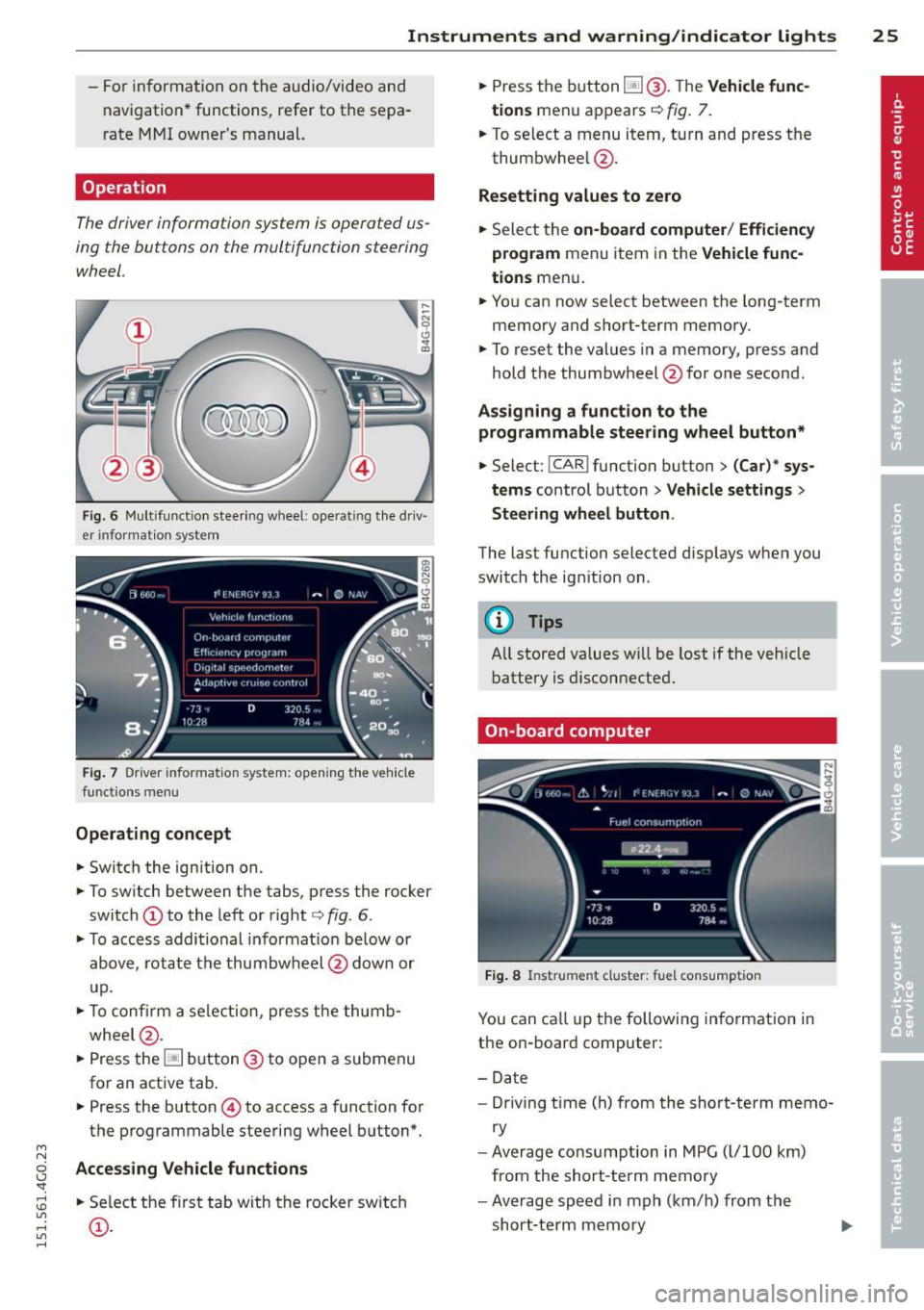
Operation
The driver information system is operated us
ing the buttons on the multifunction steering
wheel.
Fi g. 6 Mult ifu nct io n stee ring wheel: operat ing t he dr iv
er informat ion system
F ig. 7 Driver informat ion system: open ing t he ve hicle
funct ions men u
Operating concept
• Switch the ign ition on.
• To sw itch between the tabs, p ress the rocker
switch
(D to the left or right c> fig . 6 .
• To access addi tional in format io n be low or
above, rotat e th e thumbw heel @dow n or
u p.
• To c onfirm a sele ction, press t he thumb
whee l@ .
• Press the~ button @to open a submen u
for an active tab .
• Press the button
© to access a function for
the programmable steering w heel b utton*.
Acce ss ing Vehicle functions
• Se lect the f irst tab w ith the rocker sw itch
(D .
• Press the button ~@-T he Vehicle func
tions
men u appears c> fig. 7.
• To se lect a menu item, turn and press t he
thumbwhee l@ .
Resetting values to zero
• Sele ct the on-board computer / Efficiency
program
men u item in the Vehicle func
tions
men u .
... Yo u can now select between the long-term
memory and s hort -term memory .
.,. To reset the values in a memory, p ress and
hold t he thumbwheel @for one second.
Assigning a funct ion t o the
programmable steering wheel button*
• Select: !CAR ! function button> (Car)* sys
tems
control button > Vehicle settings >
Steering wheel button .
The last functi on selected disp lays when you
switch the ig nition on .
('!) Tips
All stored va lues w ill be lost if the veh icle
battery is disconnecte d.
On-board computer
Fig. 8 In strume nt cluster : fuel consump tion
You can ca ll u p t he following information in
the on-board computer:
- Date
- Dr iving t ime (h) from the sho rt-term memo-
ry
- Average consumption in MPG ( l/100 km)
from the short-term memory
- Average speed i n mph (km/h) from the
short-te rm memory
Page 29 of 314
M N
0 I.J "". rl I.O
"' rl
"' rl
Instrument s and warning /indicator lights 2 7
Fuel economy messages
Fuel economy messages are disp layed when
fuel consumption is increased by certain con
ditions ~
fig. 10 . If you follow these fuel
economy messages, you can reduce your vehi
cle's consumption of fuel. The messages ap
pear automatically and are only displayed in
the efficiency program. The fuel economy messages turn off automatically after a cer
tain period of time .
To turn an economy message off immediately after it appears, press any button on the mul
tifunction steering wheel.
@ Tips
- If the data are deleted in the efficiency
program, those values are also reset in
trip computer .
- Once you have turned a fuel economy
message off, it will only appear again af
ter you turn the ignition on aga in .
- The fuel economy messages are not dis
played in every instance, but rather in in
tervals over a period of ti me .
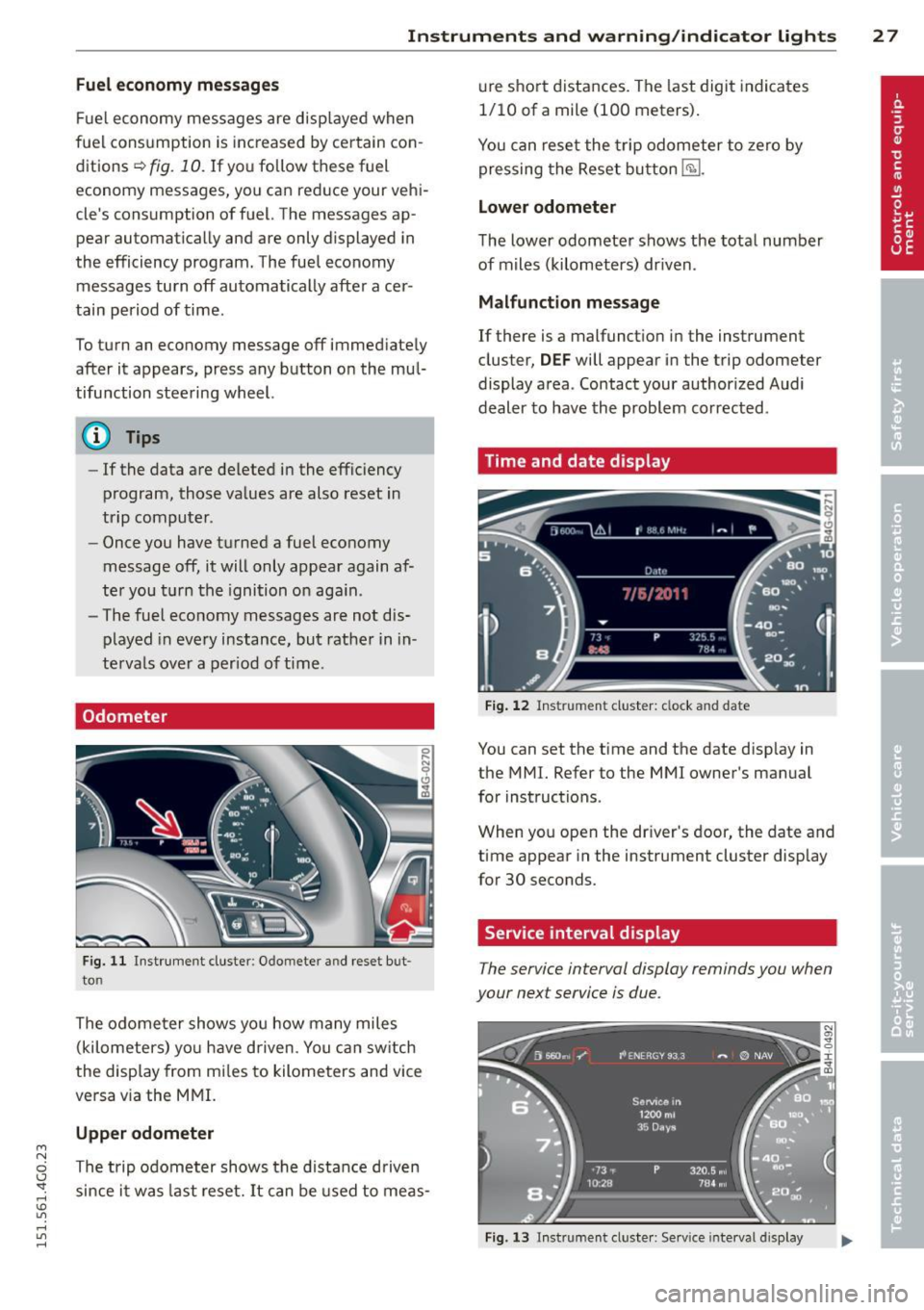
Odometer
Fig. 11 Instrument cluster: O domete r an d rese t but
to n
The odome ter shows you how many miles
(kilometers) yo u have d riven . You can switch
the display from mi les to kilometers and vice
versa via the MMI.
Upper odometer
The trip odometer shows the distance driven since it was last reset. It can be used to meas- ure
short distances. The last digit indicates
1/10 of a mile (100 meters).
You can reset the trip odometer to zero by
pressing the Reset button
E§l.
Lower odometer
The lower odometer shows the total number
of miles (kilometers) dr iven .
Malfunction message
If there is a malfunct ion in the instrument
cluster,
DEF will appear in the trip odometer
display area . Contact your authorized Audi
dealer to have the problem corrected .
Time and date display
Fig. 12 Instrume nt cluster: clock and date
You can set the time and the date disp lay in
the MMI. Refer to the MMI owner's manual
for instructions .
When you open the dr iver's door, the date and
time appear in the instrument cluster display
for 30 seconds.
Service interval display
T he service interval display reminds you when
your next service is due .
Fig. 13 Instrumen t cl uster: Serv ice interva l display
Page 45 of 314
M N
0 I.J "". rl I.O
"' rl
"' rl
Clear vision Lights
Switching the headlights on and off
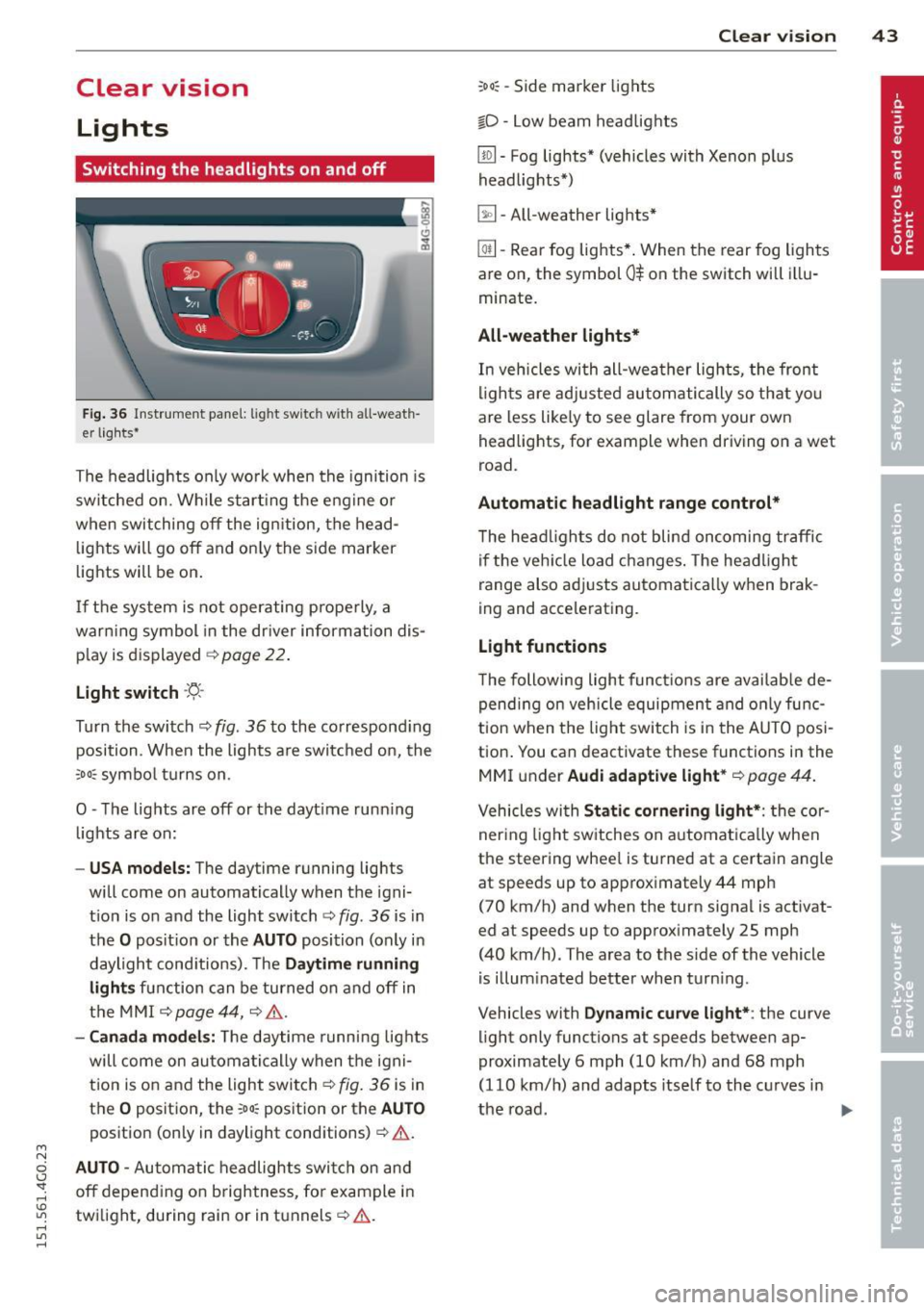
Fig . 36 Instrument pane l: lig ht sw itc h wit h all -weath
er lights•
The headlights only wo rk when the ignition is
switched on. Wh ile start ing the eng ine o r
when switching off the ign ition, the head
lights will go off and on ly the side marker
lights will be on .
If the system is not operating p rope rly, a
war ning symbol in the dr iver information dis
p lay is d isplayed
c::> page 22 .
Light switch -'tj_ -
Tu rn the switch c::> fig . 36 to the co rrespond ing
position . When the lights a re switched on, the
oD o: symbo l tu rns on .
0 -The lig hts are off or the dayt ime runn ing
lights are on:
- USA models: The day time running lights
will come on automatically when the igni
t ion is on and the light switch
c::> fig . 36 is in
the
O posit ion or the AUTO position (only in
daylight cond itions). The
Daytime running
light s
function can be turned on and off in
the MMI
c::> page44, c::>A .
-Canada model s: The daytime running lig hts
will come on automa tically when the igni
t ion is on and the light swi tch
c::> fig . 36 is in
the
O position, the : Do: pos ition or the AUTO
position (only in daylight conditions) c::> A .
AUTO -Automatic headlights swi tc h on and
off depend ing o n brightness, for example i n
tw ilight, during rain or in tunnels
c::> &. .
:Do: -Side marker lights
io -Low beam headlights
Clear vi sion 43
lm -Fog lights* (vehicles with Xenon p lus
headlights *)
~ -All-weather lights *
@il-Rear fog lights* . When the rear fog lights
are on, the symbol
0$ on the switch will i llu
minate.
All-weather lights*
In vehicles with all-wea ther lights , the front
ligh ts are ad justed au tomatically so that yo u
are less like ly to see glare from your own
head lights , for exam ple when driving on a wet
road.
Automatic headl ight range control*
T he he adlights do not blind on coming traffic
i f the veh icle load changes . The headligh t
range also adj usts automatica lly w hen brak
ing and accelerating .
Light functions
The following light funct io ns are availab le de
pend ing on vehicle equipment and o nly func
tion when t he lig ht switch is in the AUTO posi
tion . You can deactivate these functions in the
MMI under
Audi adaptive light * c::> page 44.
Vehicles with Static corn ering light* : the cor
ner ing ligh t sw itches on a utomat ically when
the steering whee l is turned at a certain angle
at speeds up to approximately 44 mph
( 7 0 km/h) and when the turn signa l is activat
ed at speeds up to approximately 25 mph
(40 km/h) . The area to the side of the vehicle
is illum inated better when turn ing .
Vehicles w ith
Dynamic cu rve light* : the curve
light only functions at speeds between ap
proximately 6 mph (10 km/h) and 68 mph
(110 km/h) and adapts itself to the curves in
the road .
~