steering wheel AUDI A6 2017 Owners Manual
[x] Cancel search | Manufacturer: AUDI, Model Year: 2017, Model line: A6, Model: AUDI A6 2017Pages: 280, PDF Size: 70.24 MB
Page 4 of 280
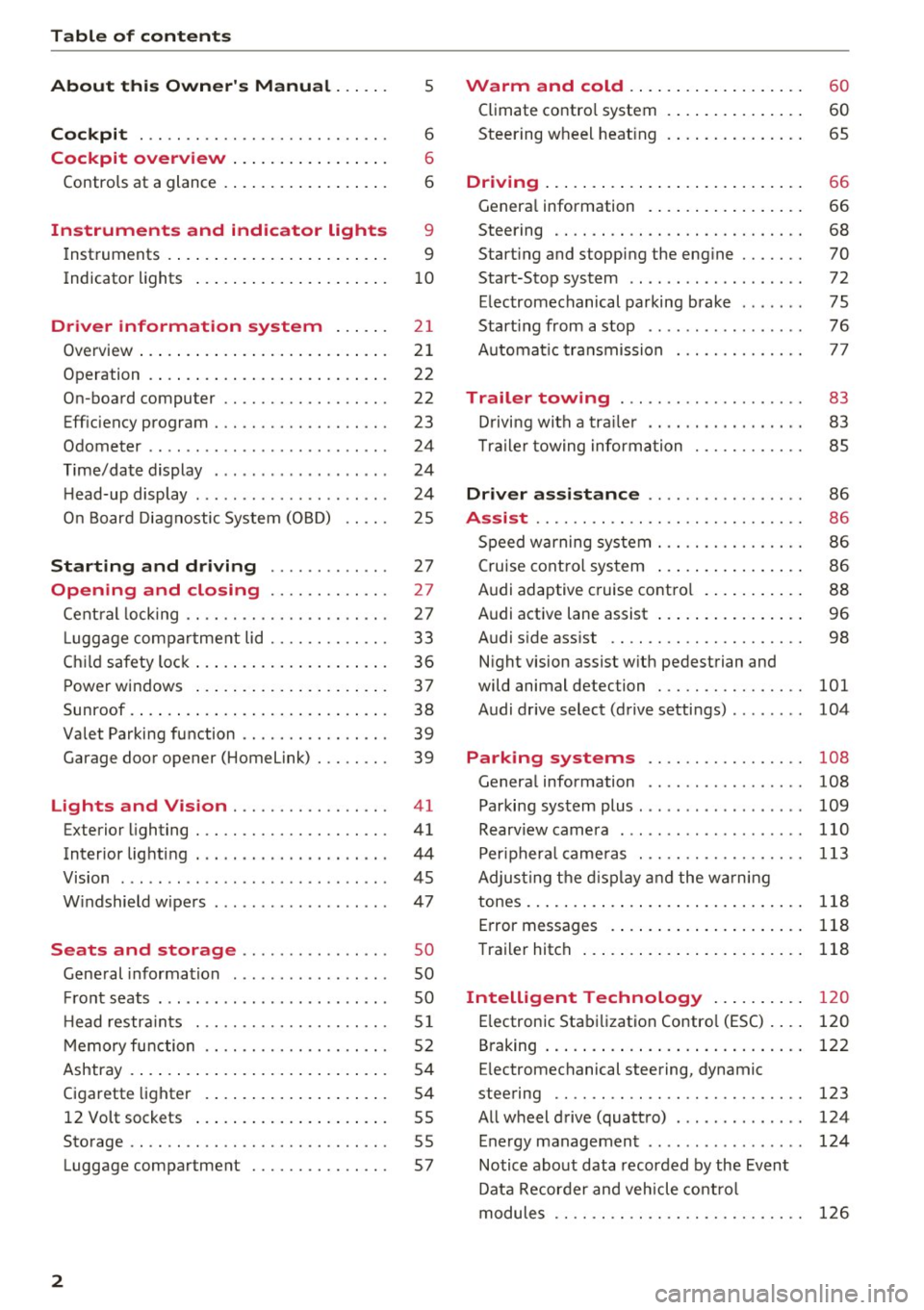
Table of contents
About this Owner's Manual ... .. .
Cockpit ... .. ............... .... .. .
Cockpit overview ................ .
Controls at a glance ... .......... .. .. .
Instruments and indicator lights
Instruments .... ... .......... .. .. .. .
Indicator lights .. .. .......... .. .. .. .
Driver information system ... .. .
Overview ... .... ... .......... ...... .
Operation .... .. ... .......... .. .. .. .
On-board computer ........... .... .. .
Eff iciency program . ........... .. .. .. .
Odometer .. .. .. ............ .... ... .
T ime/date display ........... .... ... .
He ad-up display .... .. .. ..... ... .. .. .
On Board Diagnostic System (OBD) .. .. .
Starting and driving ...... .. .. .. .
Opening and closing .......... .. .
Central locking ... ............ .... .. .
L uggage compartment lid ...... .... .. .
Child safety lock .... .......... .. .. .. .
Power windows ...... ..... ... .. .. .. .
Sunroof . ... .... .. ........... .. .. .. . 5
6
6
6
9
9
10
2 1
21
22
22
23
24
24
24
25
27
27
27
33
36
37
38
Valet Parking function . . . . . . . . . . . . . . . . 39
Garage door opener (Home link) . . . . . . . . 39
Lights and Vision . . . . . . . . . . . . . . . . . 41
Exterior lighting . . . . . . . . . . . . . . . . . . . . . 41
Interior lighting . . . . . . . . . . . . . . . . . . . . . 44
V1s1on . . . . . . . . . . . . . . . . . . . . . . . . . . . . . 45
Windshield wipers . . . . . . . . . . . . . . . . . . . 47
S eats and storage . . . . . . . . . . . . . . . . 50
Gene ral information . . . . . . . . . . . . . . . . . 50
Fro nt seats . . . . . . . . . . . . . . . . . . . . . . . . . 50
H ead restraints . . . . . . . . . . . . . . . . . . . . .
51
Memory function . . . . . . . . . . . . . . . . . . . . 52
Ashtray . . . . . . . . . . . . . . . . . . . . . . . . . . . . 54
Cigarette lighter . . . . . . . . . . . . . . . . . . . . 54
12 Volt sockets . . . . . . . . . . . . . . . . . . . . . 55
Storage . . . . . . . . . . . . . . . . . . . . . . . . . . . . 55
Luggage compartment . . . . . . . . . . . . . . . 57
2
Warm and cold .. .. ... .......... . .
Climate contro l system . ............ . .
Steering wheel heating .. . .......... . .
Driving ..... .. .. .. .. ... .......... . .
General information . .... .......... . .
Steering .. .. .. .. .. .. ............. . .
Start ing and stopping the eng ine ..... . .
Start-Stop system .. .. ... .. ..... ... . .
E le ctromechanical parking brake ..... . .
Start ing from a stop .. .............. .
Automatic transmission
Trailer towing ..... .............. .
Driving with a trailer .. ... .. ... ... .. . .
T ra iler towing information .......... . .
Driver assistance .. ........ ..... . .
Assist ...... .. .. .. .. .. ........... . .
Speed warning system . ............. . .
Cruise control system ... ........... . .
Audi adaptive c ruise contro l .......... .
Audi active lane assist ... ........... . .
Audi s ide ass ist .. .. .. ............. . .
Night vision assist w ith pedestrian and
wild animal detection ............... .
Audi drive select (drive settings) ....... .
60
60
65
66
66
68
70
72
75
76
77
83
83
85
86
86
86
86
88
96
98
101
104
Park ing systems . . . . . . . . . . . . . . . . . 108
Genera l information . . . . . . . . . . . . . . . . . 108
Parking system plus . . . . . . . . . . . . . . . . . . 109
Rearviewcamera . ......... ....... ... 110
Peripheral cameras . . . . . . . . . . . . . . . . . . 113
Adjus ting the display and the warning
tones..............................
118
Error messages . . . . . . . . . . . . . . . . . . . . . 118
Trailer hitch . . . . . . . . . . . . . . . . . . . . . . . . 118
Intelligent Technology . . . . . . . . . . 120
E lectronic Stabilization Control (ESC) . . . . 120
B raking . . . . . . . . . . . . . . . . . . . . . . . . . . . . 122
E lectromechanical steering, dynamic
steering . . . . . . . . . . . . . . . . . . . . . . . . . . .
123
All wheel drive (quattro) . . . . . . . . . . . . . . 124
Energy management . . . . . . . . . . . . . . . . . 124
Notice about data recorded by the Event
Data Recorder and vehicle control
modules . . . . . . . . . . . . . . . . . . . . . . . . . . .
126
Page 12 of 280
Instruments and indicator lights
-The front spoiler also he lps to distr ib ute
cooling air while driving . If the spoiler is
damaged, the cooling effect w ill be im
paired and the risk of the engine overheat
i ng will increase. See an author ized Audi
dealer or authorized Audi Service Fac ility for
ass istance.
(D Tips
Applies to: ve hicles w ith d iese l engines
Due to the high eff ic iency of these engines,
the engine may not always reac h opera ting
t em perature i n cold outside tempe ra tur es.
This is normal and not a cause for con cern .
Tachometer
The tachometer displays the engine speed in rev
olutions per minute (RPM).
You shou ld shift to the next lowest gea r whe n
the speed is below 1,S00 R PM. T he begin ning of
the re d zone in the tachome ter ind icates the
maximum permissible engine speed fo r all gea rs
once the engine has been bro ken in and when it is
warmed up to operating temperature . Before
reaching the red zone, you should shift into the
next h igher gea r, c hoose the Dor S selecto r lever
position, or remove your foot from the accelera
tor pedal.
CD Note
The needle in the tachometer @ c> page 9,
fig. 3
may only be in the red area of the gauge
for a short time or the re is a r isk of engine
damage.
@ For the sake of the environment
Upshifting early helps you to save fuel and re
duce operating no ise.
(D Tips
Applies to: S models
The engine speed is limi ted when the eng ine
is cold -the full e ngine o utp ut is not availa
ble. When the engi ne is at ope rating temper
at ure, the re d a rea i n the ta chome ter move s
t o a higher RPM range.
10
· Fuel level
The display @ only wor ks w hen the ig nition is
swi tched on.
If th e fue l level drops below 2.6 g al
(1 0
L), a red L ED w ill tu rn on and t he HJ indica
tor light wi ll turn o n
i=>page 18. The LED b links
red when the fue l level is very low .
The poss ible range base d on the cu rrent fue l lev
e l is shown in tab@¢
page 21, fig . 4.
For th e tank capacity i n your veh icle, refe r to the
Techn ica l Da ta
c> page 257.
CD Note
Neve r drive until t he tank is complete ly em p
ty. The irregu la r su pply of fuel that res ults
from tha t can cause engine misfires. Un co m
b uste d fue l w ill th en en ter the exhaust sys
tem . This c an cause overheating and damage
to the ca talyt ic converter .
Indicator Lights
· Description
The ind icator lights in the instrument cluster
bl ink or tur n on. They ind icate fu nctions or mal
funct io ns.
Messages may appear w ith some indicator lights.
A war ning s ignal will sound at the same time.
The ind icator lights and messages i n the instru
ment clus ter d isp lay can be cove red by ot he r dis
plays. To show them ag ai n, se lec t t he tab for in
dicator lights and messages using the mu ltifu nc
tion steering whee l
c> page 21. If there are sev
eral ma lfunctions, you can display them one at a
time us ing the thumbwheel.
Some indicator lights in the d isplay can disp lay in
severa l co lors .
Central indicator light
App lies to: vehicles wit h monochrome d isplay
If a message appears together with a central in
dicator light . or
U. the centra l ind icator light
will indicate the priority of the warning. If a
white indicator light also appea rs, the centra l in
dica tor light w ill have its ow n colo r. Fo r example, ..,.
Page 24 of 280
Driver information system
Operation
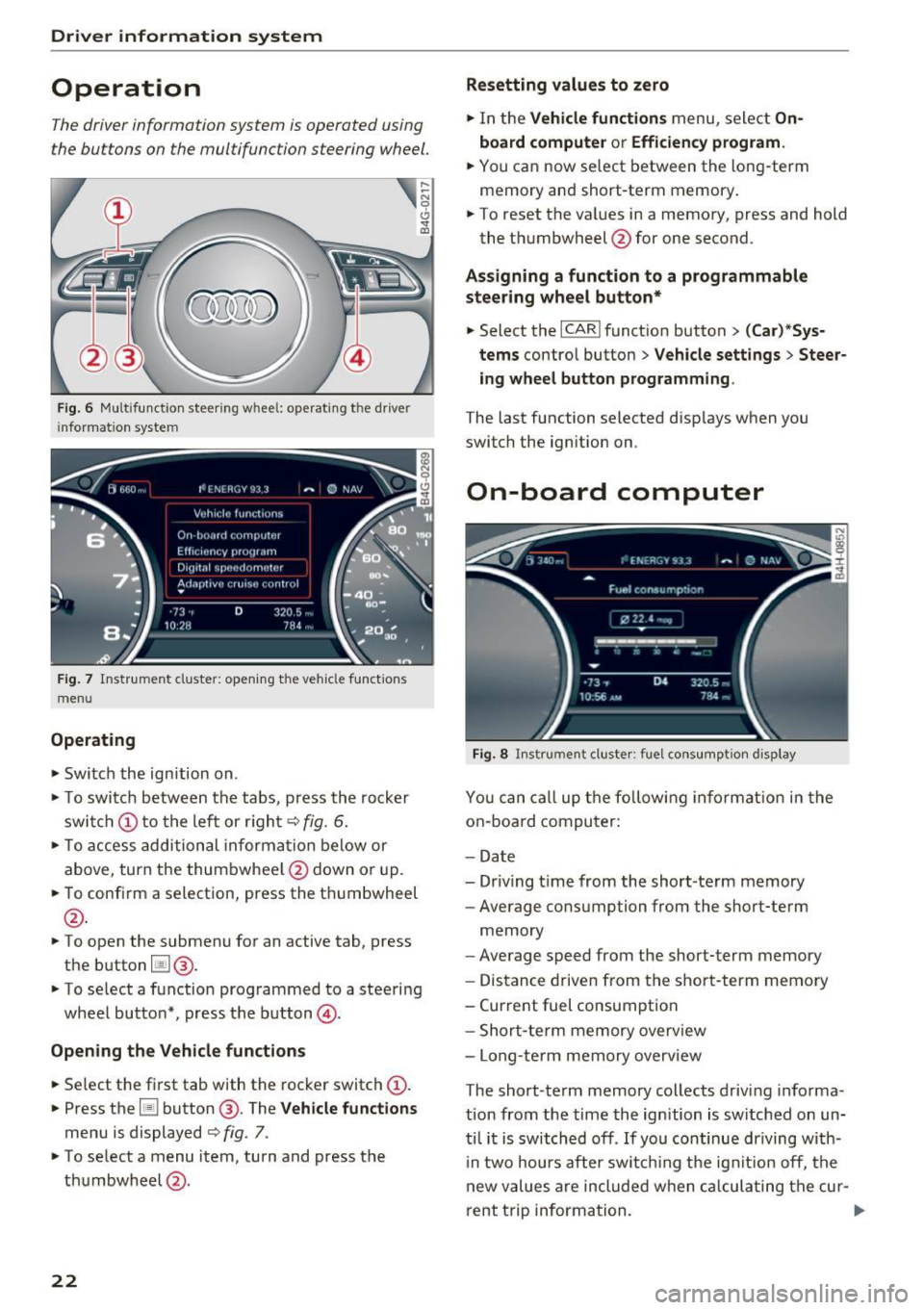
The driver information system is operated using
the buttons on the multifunction steering wheel.
Fig . 6 Mult ifunctio n steerin g wheel: operating the driver
i nfor matio n system
Fig. 7 Instr ume nt cluster : ope ning the vehicle functions
menu
Operating
• Switch the ign ition on.
• To swi tch betwe en the tabs, press the rocker
swi tch @to the left or r igh t
c::> fig. 6.
• To acce ss addition al in form ation be low or
above, turn the thum bwhee l@ down o r up.
• To confi rm a selection, press the t humbwheel
@.
• To open the submenu fo r an active tab, press
the b utton
l:il @.
• To select a function prog rammed to a steering
wheel butto n*, press t he bu tton @.
Opening the Vehicle functions
• Se lect t he fir st tab with the rocker switch (D .
• Press t he [ii button @ . The Vehicle functions
menu is displayed c::> fig. 7.
• To se lect a menu item, turn and press t he
th umbwheel @.
22
Resetting values to zero
• In the Vehicle functions menu, sele ct On
board computer or Efficien cy program .
• You ca n now select between the long -term
memory a nd short -term memory .
• To reset the va lues in a memo ry , press and hold
the t humbwh eel @ for one second.
Assigning a function to a programmable
steering wheel button*
• Select the I CAR ! funct ion button > (Car )*Sys
tems
contro l butto n > Vehicle settings > Steer
ing wheel button programming .
The last function selected disp lays when you
switch the ignition on.
On-board computer
Fig. 8 Instrument cluster: fu el cons umptio n display
You can ca ll up t he fo llowi ng in fo rmat io n in the
o n-board compu ter:
- Da te
- Driv ing t ime from the short-te rm memory
- Average consumption from the short-term
memory
- Averag e speed from the short -term memory
- Distance d rive n from the short-term memo ry
- Curre nt fuel consumption
- Shor t-te rm memory overv iew
- Lo ng-te rm memory o verv iew
The short-te rm memory collects driving informa
tion from the time the ig nition is switched on un
ti l it is switch ed off . If you continue driving w ith
i n two hours after sw itchi ng t he ig nition off, t he
new values are include d w hen c alcula ting t he cu r-
rent t rip inform ation.
Ill>-
Page 30 of 280
Opening and clo sin g
@ Tips
- Do not leave valuables unattended in the ve
hicle . A locked vehicle is not a safe!
- The LED in the driver 's door rail blinks when
you lock the vehicle . If the LED lights up for
approximately 30 seconds after locking,
there is a ma lfunction in the central locking
system. Have the problem corrected by an
authorized Audi dealer or authorized Audi Service Fac ility.
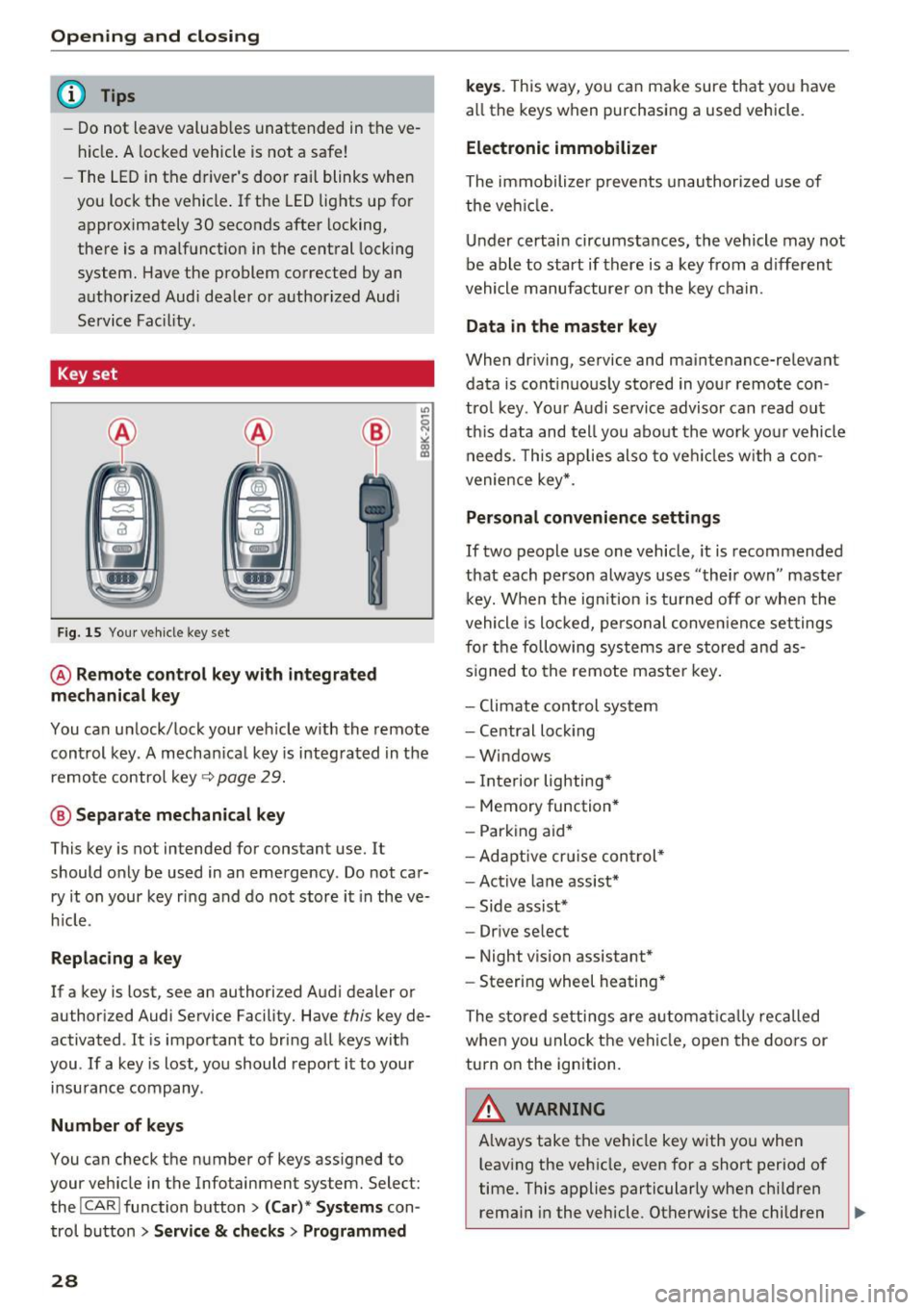
Key set
Fig. 15 You r veh icle key set
@ Remote control ke y with integr ated
mechanica l key
You can unlock/lock your veh icle w ith the remote
control key . A mechan ical key is integrated in the
remote control key~
page 29.
@ Separate mechanical ke y
This key is not intended for constant use. It
should only be used in an emergency . Do not car
ry it on your key ring and do not store it in the ve
h icle.
Replacing a ke y
If a key is lost, see an authorized Audi dealer or
authorized Audi Service Facility. Have
this key de
activated . It is important to bring all keys with
you . If a key is lost, you should report it to your
insurance company.
Number of key s
You can check the number of keys ass igned to
your veh icle in the Infotainment system. Select:
the !CAR !function button>
(C ar )* S yst e m s con
trol button
> Service & che cks > Programmed
28
k ey s. T his way, you can make sure that you have
all the keys when purchasing a used vehicle.
El ectronic immobiliz er
The immobilizer p revents unauthorized use of
the ve hicle.
Under certain circumstances, the vehicle may not
be able to start if there is a key from a d ifferent
vehicle manufacturer on the key chain.
Da ta in th e master key
When dr iving, service and maintenance-relevant
data is cont inuous ly stored in your remote con
trol key. Your A udi se rvice advisor can read out
th is data and tell you about the work yo ur vehicle
needs . This applies also to veh icles with a con
venience key *.
Personal convenience sett ings
If two people use one vehicle, it is recommended
that each person always uses "their own" master k ey. When the ign ition is turned off o r whe n the
vehicle is locked, personal conve nience set tings
for the following systems are stored and as
s igned to the remote maste r key .
- Climate cont rol system
- Central lock ing
- Windows
- Interior lighting*
- Memory function*
- Park ing aid*
- Ad aptive cru ise con trol *
- Ac tive lane assist*
- Side ass ist*
- Drive select
- Night vision assistant*
- Steering wheel heating *
The stored settings a re a utomat ica lly recalled
whe n you unlock t he vehi cle, open the doors or
turn on the ignition.
A WARNING
A lways take the vehicle key with you when
leaving the vehicle, even for a short period of
time. This applies particularly when child ren
rema in in the vehicle . Otherwise the children
-
Page 55 of 280
co
co
.... N
" N .... 0 0 <.,;) 'SI"
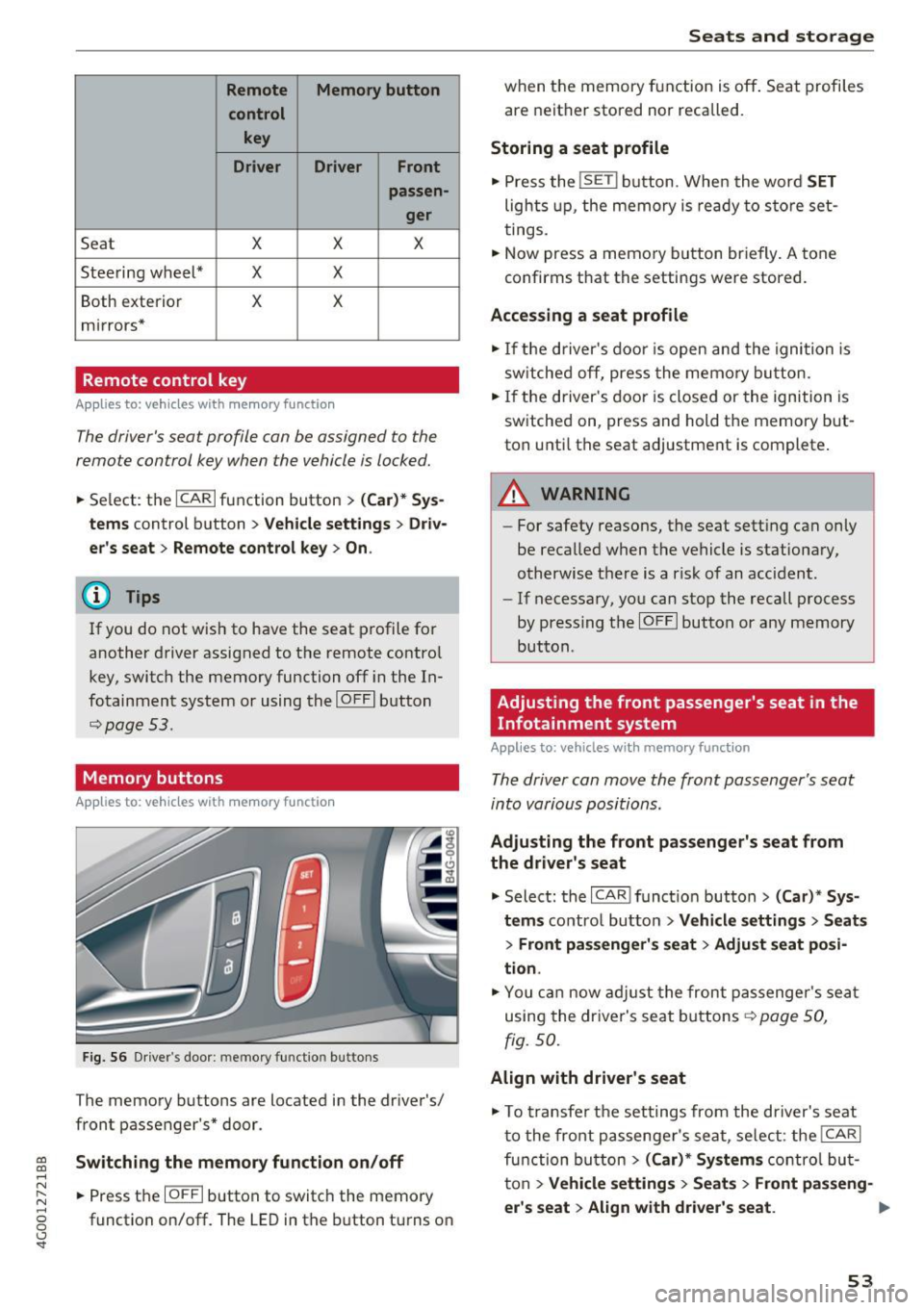
Remote Memory button control key
Driver D river Front
passen-ger
Seat X X X
Steering wheel* X X
Both
exterior X X
mirrors*
Remote control key
Applies to: vehicles with memory function
The driver's seat profile can be assigned to the
remote control key when the vehicle is locked.
• Select: the ICARI function button > (Car)* Sys
tems
control button > Vehicle settings > Driv
er's seat
> Remote control key > On .
(D Tips
If you do not wish to have the seat profile for
another driver assigned to the remote control
key, switch the memory function off in the In
fotainment system or using the
IOFFI button
¢page 53.
Memory buttons
Applies to: vehicles with memory function
Fig. S6 Driver 's door: memory function buttons
The memory buttons are located in the driver's/
front passenger's* door.
Switching the memory function on/off
• Press the IOFFI button to switch the memory
function on/off. The LED in the button turns on
Seats and storage
when the memory function is off . Seat profiles
are neither stored nor recalled.
Storing a seat profile
• Press the ISET I button. When the word SET
lights up, the memory is ready to store set
tings .
• Now press a memory button briefly. A tone
confirms that the settings were stored.
Accessing a seat profile
• If the driver's door is open and the ignition is
sw itched off, press the memo ry button.
.. If the driver's door is closed or the ignition is
switched on, press and hold the memory but
ton until the seat adjustment is complete .
A WARNING
-For safety reasons, the seat setting can only
be recalled when the vehicle is stationary,
otherwise the re is a risk of an accident.
- If necessary, you can stop the recall process
by press ing the
IOFFI button or any memory
button.
Adjusting the front passenger's seat in the
Infotainment system
Applies to: vehicles with memory function
The driver can move the front passenger's seat
into various positions.
Adjusting the front passenger's seat from
the driver's seat
• Select: the I CAR I funct ion button > (Car) * Sys
tems
contro l button > Vehicle settings > Seats
> Front passenger's seat > Adjust seat posi
tion .
• You can now adjust the front passenger's seat
using the driver's seat buttons
¢ page SO,
fig.
so.
Align with driver's seat
• To transfer the settings from the driver's seat
to the front passenger's seat, select: the
I CAR I
function button > (Car)* Systems control but
ton
> Vehicle settings> Seats > Front passeng-
er 's seat > Align with driver 's seat. ..,.
53
Page 67 of 280
co
co
.... N
" N .... 0 0 <..:l 'SI'
quickly. The auxiliary heating activates automati
cally when the when the automatic auxiliary
heater funct ion is act ivated .
Steering wheel heating
App lies to: ve hicles with steering w heel heating
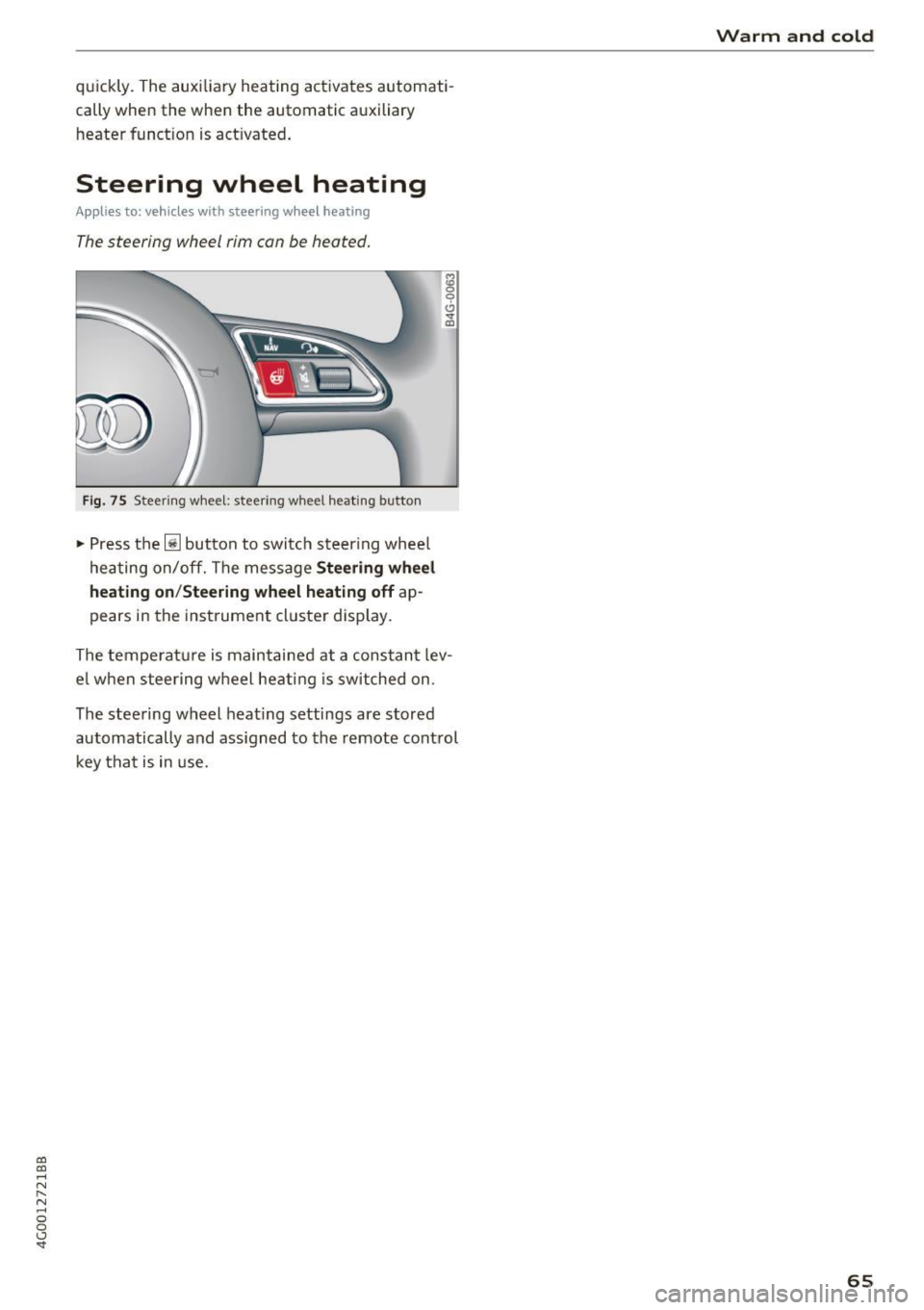
The steering wheel rim can be heated.
Fig. 75 Steeri ng wheel: steering w heel heating button
"' Press the ljJ button to switc h steering whee l
hea ting on/off. The message
Stee ring wheel
heating on /Steering wheel heating off
ap
pears in the inst rument cluster display.
The temperat ure is maintained at a constant lev
e l w hen steering w heel heat ing is switched on .
The steering wheel heat ing settings are stored
automatically and ass igned to the remote control
key tha t is in use.
Warm and cold
65
Page 70 of 280
Driving
lead to greater tire wear and will affect driving
behavior.
Do not drive on
winter tires year-round, as this
will consume up to 10% more fuel.
Eliminate unnecessary weight
Since every kilogram of extra
weight increases
fuel consumption, a quick inspection of the lug
gage compartment may be worth it to avoid un
necessary weight.
When not being used, a roof rack should be re moved to decrease the wind resistance of the ve
hicle. You will save approximately 12% of your
fuel when at speeds from 62- 7 5 mph (100-120 km/h) .
Save energy
The engine drives the generator, which generates
electricity; the fuel consumption also increases
with the demand for electricity. Therefore, switch electrical equipment off when you no longer
need it. Examples of equipment that uses a lot of
energy are air blowers at a high setting, the rear
window defogger and seat heating*.
CD Note
Do not leave engine idling unattended after
starting.
If warning lights should come on to
indicate improper operation, they would go
unheeded. Extended idling also produces
heat, which could result in overheating or
other damage to the vehicle or other proper
ty .
CD Note
- Have your vehicle maintained properly and
in accordance with the service recommenda
tions in your Warranty
& Maintenance book
let . Lack of proper maintenance as well as
improper use of the vehicle will impair the
function of the emission control system and
could lead to damage.
- Do not alter or
remove any component of
the Emission Control System unless ap
proved by the manufacturer.
- Do not alter or remove any device, such as
heat shields, switches, ignition wires,
68
valves, which are designed to protect your
vehicle's Emission Control System and other
important vehicle components.
(D Tips
The consumption estimates as published by
ENVIRONMENTAL PROTECTION AGENCY
(EPA) and Transport Canada may not corre
spond to your actual consumption on the
road, which will vary depending upon vehicle
load and speed, road and weather conditions,
trip length, etc.
Steering
Manual steering wheel position adjustment
Applies to: vehicles with manual steering wheel adjustment
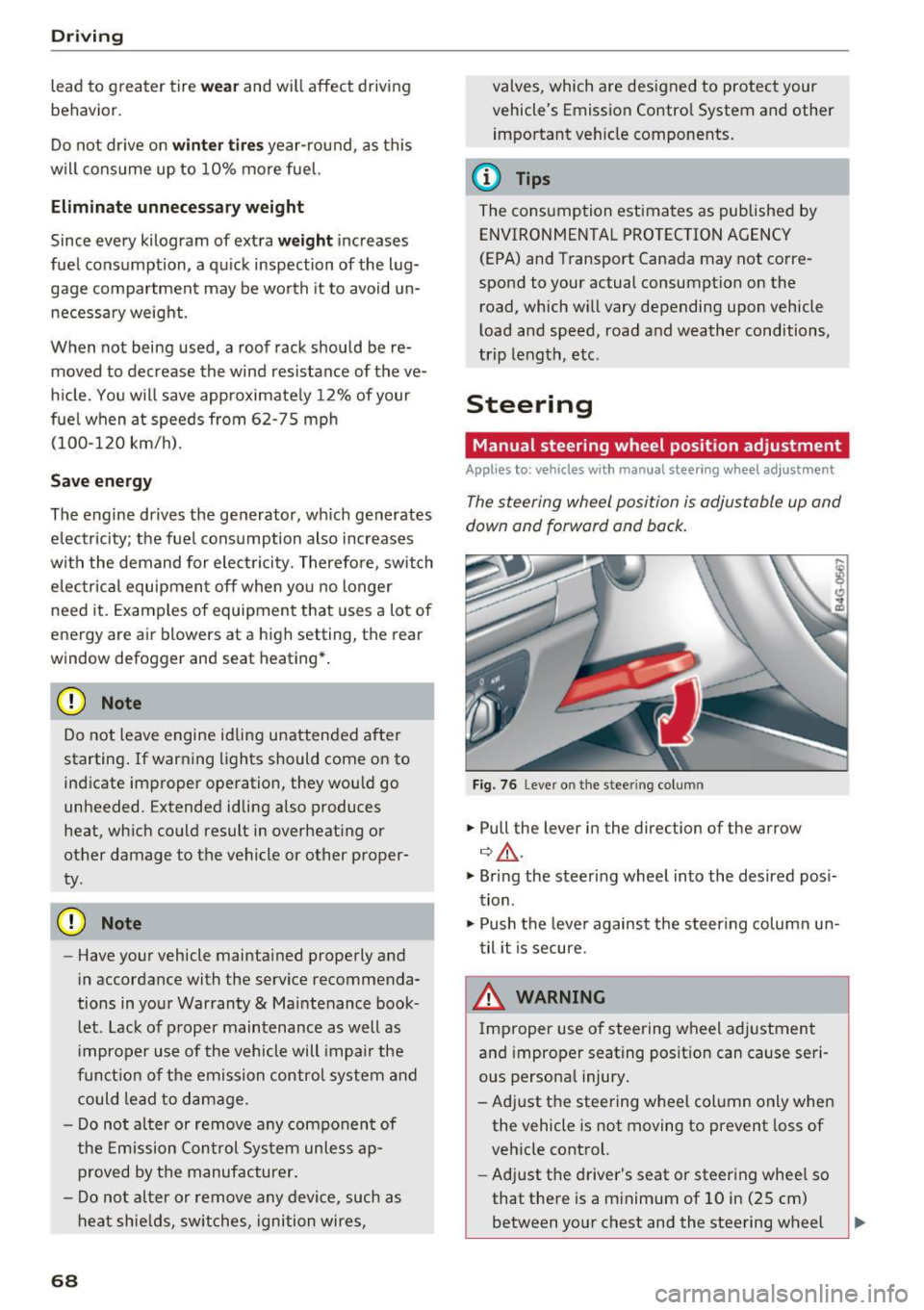
The steering wheel position is adjustable up and
down and forward and back.
Fig. 76 Lever o n the stee ring col umn
.,. Pull the lever in the direction of the arrow
¢ ,&. .
.,. Bring the steering wheel into the desired posi
tion .
.,. Push the lever against the steering column un
til it is secure.
& WARNING
Improper use of steering wheel adjustment
and improper seating position can cause seri
ous personal injury.
- Adjust the steering wheel column only when the vehicle is not moving to prevent loss of
vehicle control.
- Adjust the driver's seat or steering wheel so
that there is a minimum of 10 in (25 cm)
between your chest and the steering wheel -
Page 71 of 280
co
co
...,
N
" N ...,
0 0 <.,;) 'SI'
~ page 129, fig. 140. If you cannot main
tain this minimum distance, the airbag sys
tem cannot protect you properly.
- If physical limitations prevent you from sit
ting 10 in (25 cm) or more from the steer ing wheel, check with your authorized Audi
dealer to see if adaptive equipment is avail
able.
- If the steering wheel is aligned with your
face, the supplemental driver's airbag can
not provide as much protection in an acci
dent. Always make sure that the steering
wheel is aligned with your chest.
-Always hold the steering wheel with your
hands at the 9 o'clock and 3 o'clock posi
tions to reduce the risk of personal injury if
the driver's airbag deploys.
- Never hold the steer ing wheel at the 12
o'clock position or with your hands inside
the steering wheel rim or on the steering
wheel hub . Holding the steering wheel the
wrong way can cause serious injuries to the
hands, arms and head if the driver's airbag
deploys.
Power steering wheel position adjustment
App lies to: ve hicles with power steering whee l adjustment
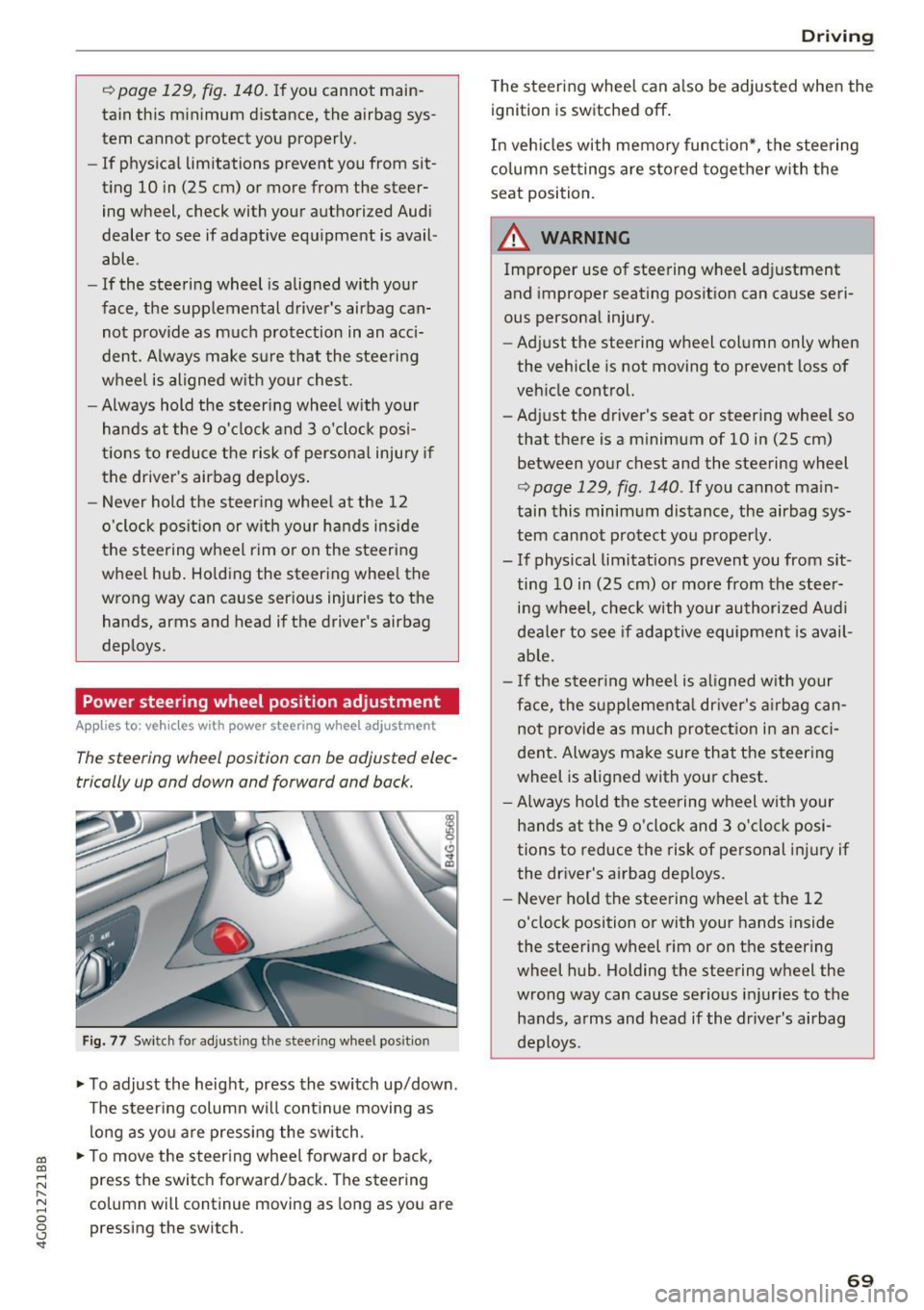
The steering wheel position can be adjusted elec
trically up and down and forward and back.
Fig. 77 Switch for adjust ing the steer ing whee l pos ition
~ To adjust the height, press the switch up/down.
The steering column will cont inue moving as
long as you are pressing the switch .
~ To move the steering wheel forward or back,
press the switch forward/back. The steering
column will continue moving as long as you are
pressing the switch.
Driving
The steering wheel can a lso be adjusted when the
ignition is switched off .
In vehicles with memory function*, the steering
column settings are sto red together with the
seat position.
A WARNING
Improper use of steering wheel adjustment
and improper seating position can cause seri
ous personal injury.
- Adjust the steering wheel column only when
the vehicle is not moving to prevent loss of
vehicle control.
- Adjust the driver's seat or steering whee l so
that there is a minimum of 10 in (25 cm)
between your chest and the steering wheel
r:=;, page 129, fig . 140 . If you cannot main
tain this minimum distance, the airbag sys
tem cannot protect you properly.
- If physical limitations prevent you from sit ting 10 in (25 cm) or more from the steer
ing wheel, check with your authorized Audi
dealer to see if adaptive equipment is avail
able.
- If the steering wheel is aligned with your
face, the supplemental dr iver's airbag can
not provide as much protection in an acci
dent. Always make sure that the steering
wheel is aligned with your chest.
- Always hold the steering wheel with your
hands at the 9 o'clock and 3 o'clock posi
tions to reduce the risk of personal injury if
the driver's airbag deploys.
- Never hold the steering wheel at the 12
o'clock position or with your hands inside
the steering wheel rim or on the steering
wheel hub . Holding the steering wheel the
wrong way can cause serious injuries to the
hands, arms and head if the driver's airbag
deploys.
-
69
Page 75 of 280
co
co
.... N
" N .... 0 0 <.,;) 'SI"
Stopping/starting the engine
Applies to: vehicles with Start/Stop system
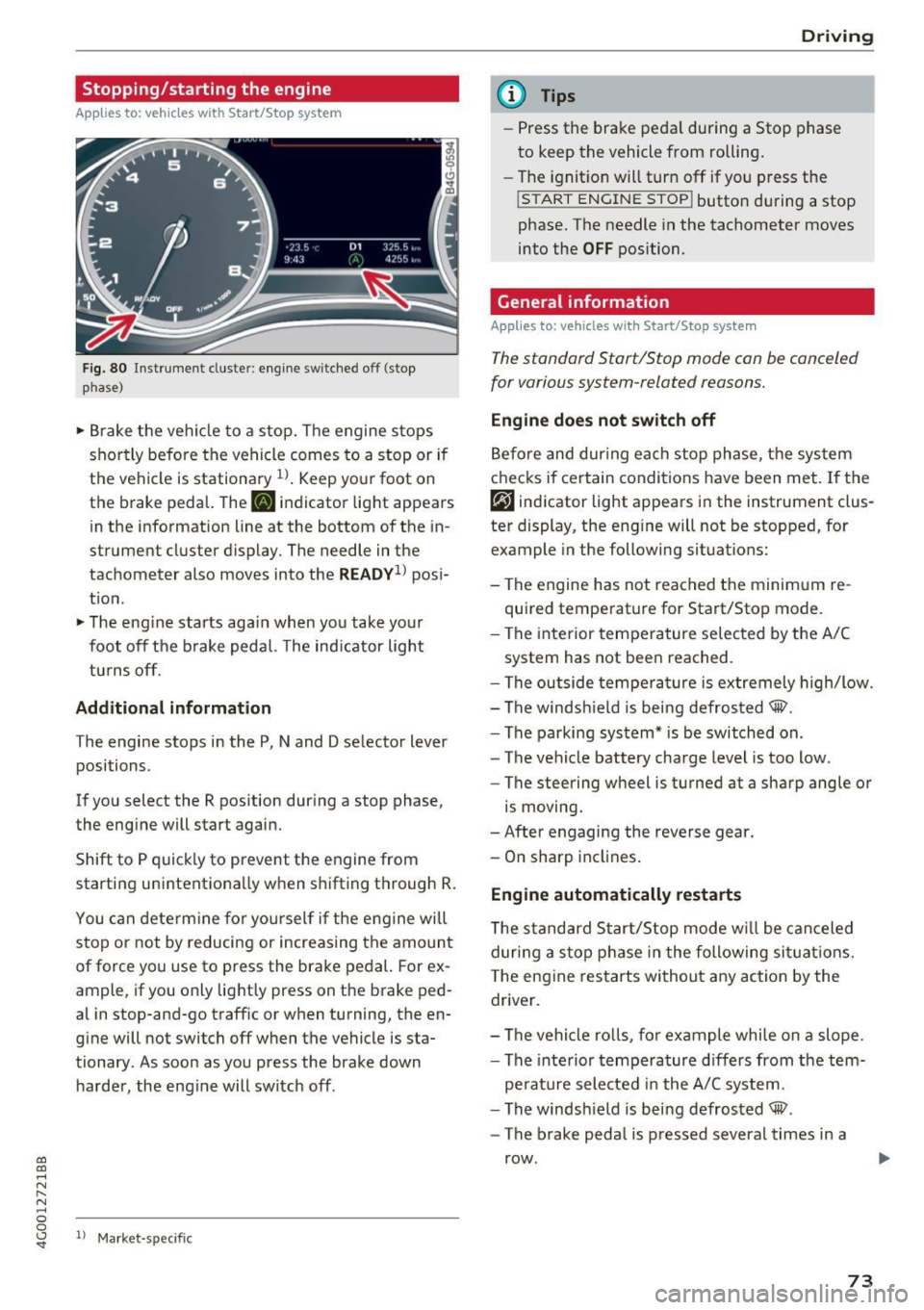
Fig. 80 ll)strument cluster: eng ine sw itched off (stop
p hase)
~ B rake the ve hicle to a stop. The engine stops
shortly befo re the vehicle comes to a stop or if
the vehicle is stationa ry
1l . Keep yo ur foot on
the brake pedal. The
II indicator light appears
in the information line at the bottom of the in
strument cluster d isplay. The needle in the
tachometer also moves into the
READY1 ) pos i
t ion .
~ The eng ine starts aga in when you take you r
foot off the b rake pedal. The ind ic a tor light
tu rns off.
Additional information
T he engine stops in the P, N and D se lector lever
positions .
If you select the R position dur ing a stop phase,
the eng ine will start again.
Shift to P quick ly to prevent the engine from
starting unintentionally w hen s hifting t hrough R.
You can dete rm ine for yo ursel f if the eng ine will
stop or not by reducing or increas ing the amount
of force you use to press the brake pedal. For ex
ample, if you only lightly press on the brake ped
al in stop-and -go traff ic or when turning, the en
g ine will not switch off when the vehicle is sta
tionary . As soon as you press the brake down
ha rder, the eng ine will switch off .
ll Market -s p ecific
D rivi ng
(D Tips
-Press the bra ke peda l during a Stop phase
to keep the vehicle from rolling.
- The ignition will turn off if yo u press the
!START ENGINE STOPI butto n dur ing a stop
phase. The needle in the tachometer moves
into the
OFF position.
General information
Applies to: vehicles with Start/Stop system
T he standard Start/Stop mode con be canceled
for various system-related reasons.
Eng ine does not swit ch off
Be fo re and dur ing each stop phase, the system
checks if certain conditions have been met. If the
rjj indicator light appears in the instrument clus
ter display, the eng ine will not be stopped, for
example in the following situations:
- The engine has not reached the minim um re
quired temperature for Start/Stop mode .
- The interior temperature selec ted by the A/C
system has not been reached.
- The outside tempera ture is ex tremely high/low.
- The windsh ield is being defrosted® .
- The parking system * is be switched on .
- The vehicle battery charge level is too low.
- The steering wheel is turned at a sharp angle or
is moving.
- After engaging the reverse gear.
- On sharp incl ines .
Engine automatically restarts
The s tandard Start/Stop mode w ill be can celed
dur ing a stop phase in the following si tuations.
T he eng ine res tarts wi thout a ny action by the
driver .
- The vehi cle ro lls, fo r example whi le on a slope .
- The inte rior tempe rature d iffers from the tem-
pe rature selected in the A/C sys tem.
- The windsh ield is being defrosted® .
- The brake peda l is pressed several times in a
row .
73
Page 77 of 280
co
co
.... N
" N .... 0 0 <.,;) 'SI"
Electromechanical
parking brake
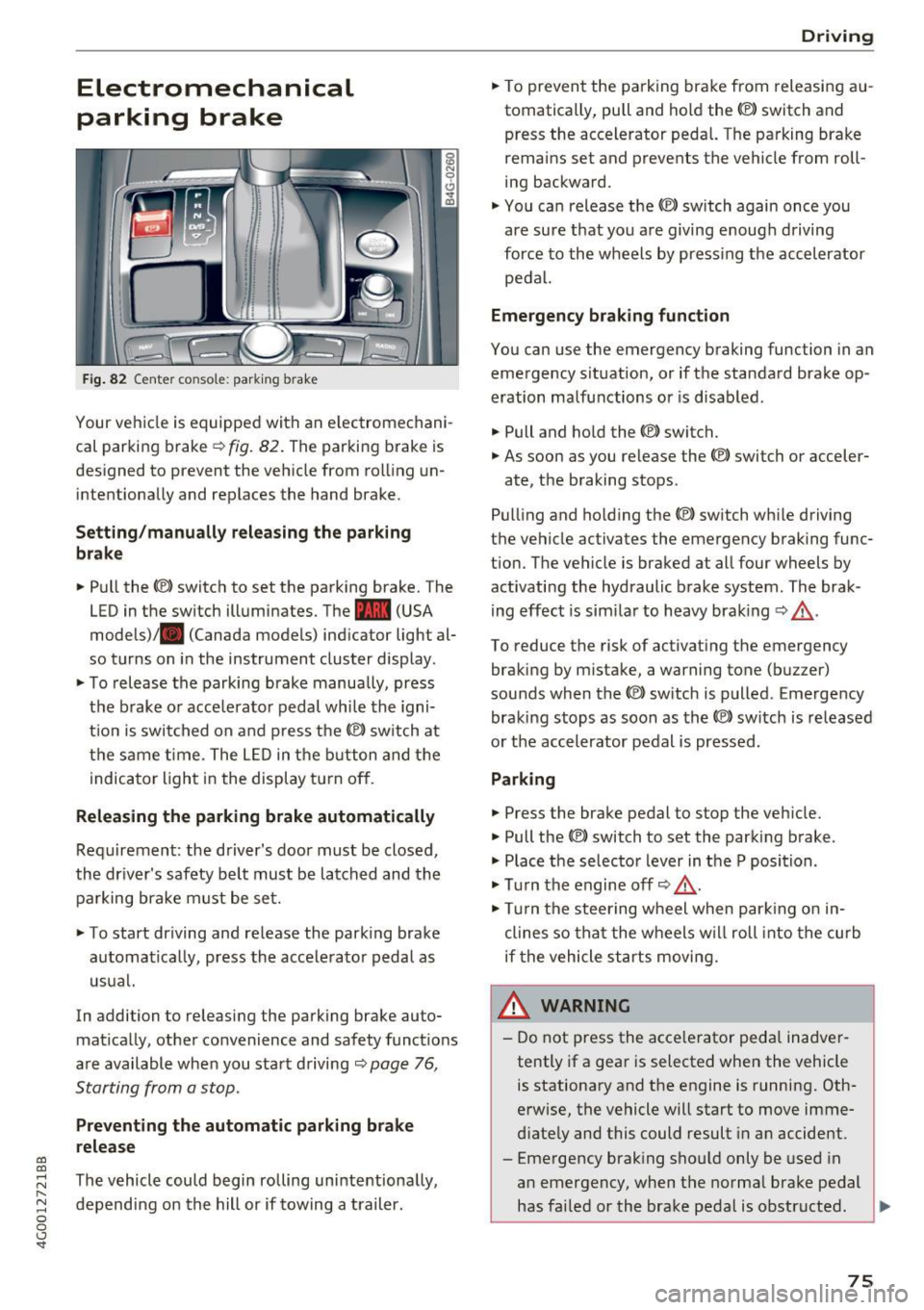
Fig . 82 Center co nso le: park ing brake
Your vehicle is equipped with an e lectromechani
cal parking brake
¢ fig. 82. The parking brake is
designed to prevent the veh icle from roll ing un
intentiona lly and replaces the hand brake.
Setting /manually relea sing th e parking
b rake
.. Pull the<®> switch to set the park ing brake. The
LED in the switch illuminates. The -(USA
models)/ . (Canada models) ind icator light al
so turns on in the instrument cluster display .
.. To release the parking brake manua lly, press
the b rake o r acce lerato r pedal whi le the igni
t ion is switched on and p ress the© switch at
the same t ime . The L ED in the b utton and the
i ndicator light in the display t urn off .
Releasing the parking brake automatically
Requirement : the driver's door must be closed,
the dr iver's safety be lt must be latched and the
pa rking brake must be set.
"' To start driving and re lease the park ing brake
automatically, press the acce lerato r peda l as
usual.
In addi tion to releasing the parking brake auto
mat ica lly, other convenience and safety funct ions
are available when you sta rt driving ¢
page 76,
Starting from a stop.
Preventing the automatic parking br ake
release
The vehicle could begin rolling uninte ntiona lly,
depending on the hill or if towing a trail er.
D rivi ng
"'To prevent the parking brake from releasi ng au
tomatically, pull and hold the<®> switch and
press the accelerator peda l. The pa rking brake
remains set and prevents the vehicle from roll
ing backward.
"' You can release the<®> switch again once you
are sure t hat you are giving enoug h driving
force to the wheels by press ing the accel erator
pedal.
Emergency braking function
You can use the emergency braking function in an
emergency s ituation, or if the standard brake op
eration malfunctions or is disabled.
.. Pull and ho ld the(®) switch.
"' As soon as you release the <®> switch or acceler-
ate, the braking stops .
Pull ing and ho ld ing the© switch wh ile driving
the vehicle activates the emergency braking func
t ion. The vehicle is braked at all four wheels by
activating the hydraulic brake system . The brak
ing effect is sim ila r to heavy braking ¢_& .
To reduce the risk of activat ing the emergency
braking by mistake, a warning tone (buz zer)
sounds when the© switch is p ulled . Emergency
braking stops as soon as the© switc h is released
or t he accelerator pedal is pressed.
Parking
.. Press the brake pedal to stop the veh icle.
"' Pull the(®) switch to set the parking brake .
"' Place t he selector lever in t he P position .
"' Tu rn the engine off¢_& .
"' Tur n the steering w heel when par king o n in
clines so tha t the wheels w ill roll into the curb
if the vehicle st arts moving.
& WARNING
-
- Do not press the acce lerator peda l inadver
tently if a gea r is selected when the vehicle
is stationary and the engine is running. Oth
erwise, the vehicle will start to move imme
d iate ly and this could result in a n accide nt.
- Eme rgency brak ing sho uld only be used in
an emergency, when the norma l brake pedal
has fai led or the brake pedal is obstructed . .,.
75