lock AUDI A6 2018 Owner's Manual
[x] Cancel search | Manufacturer: AUDI, Model Year: 2018, Model line: A6, Model: AUDI A6 2018Pages: 266, PDF Size: 41.38 MB
Page 48 of 266
Lights and Vi sion
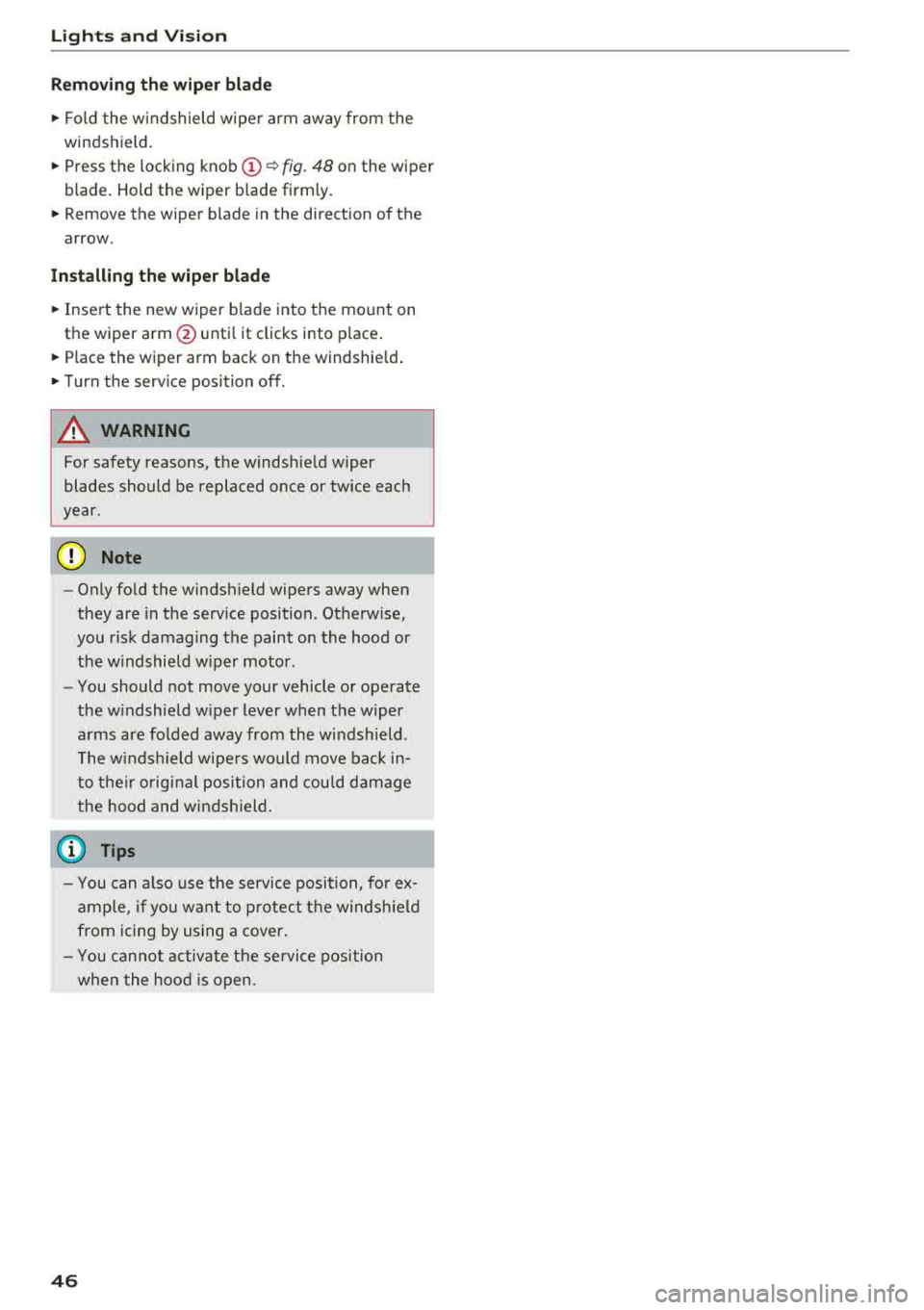
Removing th e wip er bl ad e
.,. Fo ld the w indshield wipe r arm away from the
windshield .
.,. Press the locking knob (D ¢ fig. 48 on the wiper
blade . Hold the wiper b lade firmly .
.,. Remove the wiper blade in the direction of the
arrow .
Install ing th e wiper blad e
.,. Insert the new wiper b lade into the mount on
the wiper arm @unti l it clicks into place .
.,. Place the wiper arm back on the windshie ld .
.,. Turn the serv ice position off.
A WARNING -
For safety reasons, the windsh ield w iper
blades should be replaced once or tw ice each
year.
@ Note
- Only fo ld the windshield wipers away when
they are in the serv ice position. Otherwise,
you r isk damaging the paint on the hood or
the w indshield w iper moto r.
- You should not move your vehicle or operate
the w indshield w iper lever when the wiper
a rms are fo lded away from the w indshield .
The w indshield wipe rs would move bac k in
to t heir orig inal position and cou ld damage
the hood and win dshield .
(0 Tips
- You can also use the serv ice position, fo r ex
ample, if yo u want to p ro tect the windsh ie ld
from icing by us ing a cover .
- You canno t activate t he se rvice pos ition
whe n the hood is open.
46
Page 50 of 266
Seats and storage
Massage function*
-select the massage type
Wave , Pulse , Stretch , Lumbar , Shoulder or Off.
You can adjust the intensity of each massage
from 1 through 5 . You can switch the selected
massage on/off using the
button @¢ page 47,
fig .
49 .
Lumbar support -you can adjust the lumbar sup
port up/down and to be stronger/weaker.
Side section seat* -you can increase/decrease
the lateral support in the seat using the side bol
sters at the seat surface and the backrest.
Upper thigh support* -you can increase/de
crease the upper thigh support.
(D Tips
- The massage function switches off auto
matically after approximately 10 minutes.
- The air in the side bolsters* is released as
soon as the driver's door opens. This makes
is possible to enter and exit the vehicle
more comfortab ly . As soon as you start driv
ing the veh icle, the s ide bolsters fill.
Front center armrest
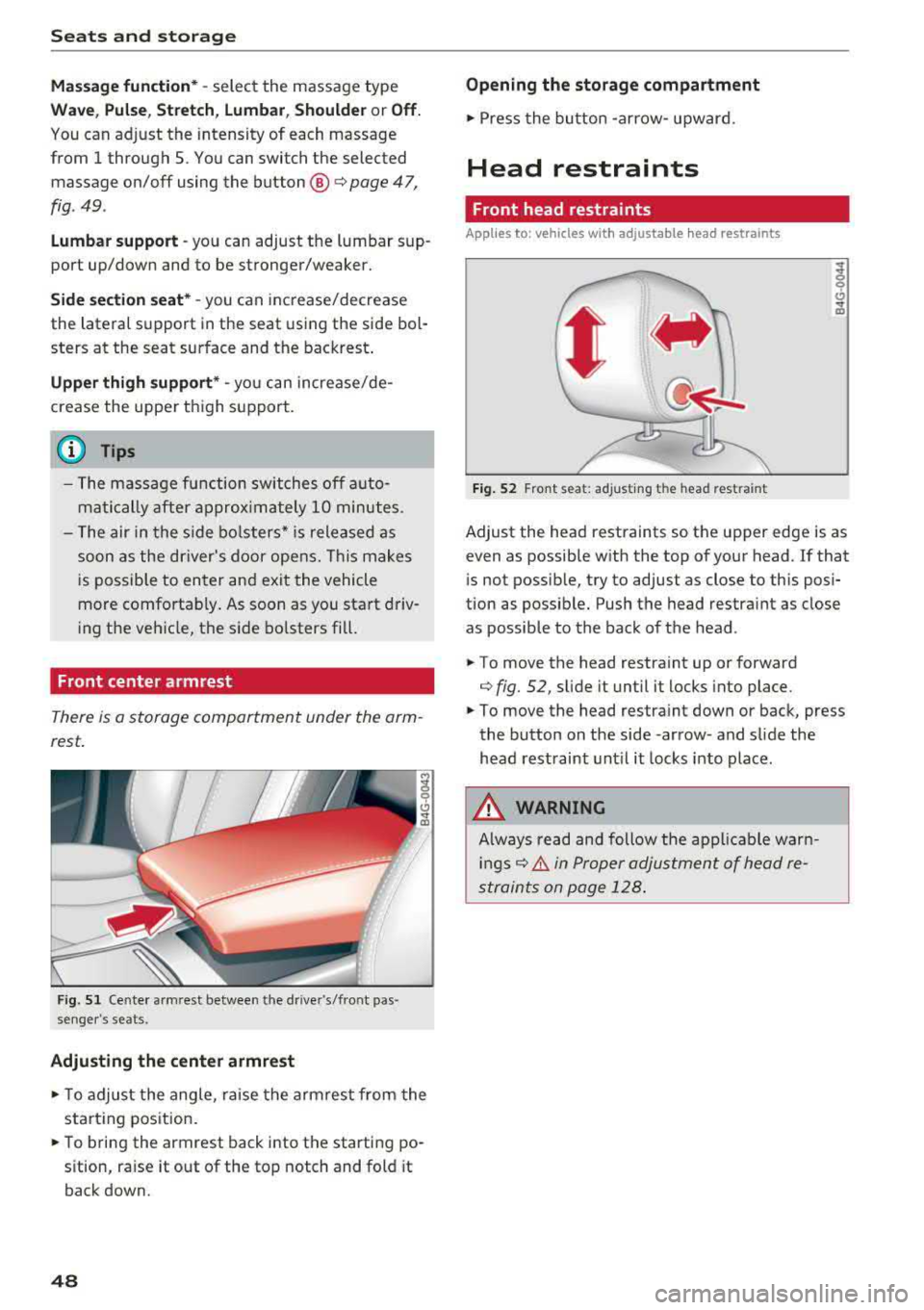
There is a storage compartment under the arm
rest.
F ig. 51 Cente r armrest between the driver's/front pas ·
senger 's seats.
Adjusting the center armrest
.,. T o adjust the angle, raise the arm rest from the
starting position .
.,. To bring the armrest back into the starting po
sition, raise it out of the top notch and fold it
back down.
48
Opening the storage compartment
.,. Press the button -arrow- upward.
Head restraints
Front head restraints
Applies to: vehicles with adjustable head restra ints
Fig. 52 Front seat: ad justing t he head rest ra in t
Adjust the head restraints so the upper edge is as
even as possible with the top of your head. If that
is not possib le, try to adjust as close to this posi
tion as possib le. Push the head restraint as close
as possible to the back of the head.
.,. To move the head restra int up or forward
¢ fig. 52, sli de it until it locks into place .
.,. To move the head restra int down or back, press
the button on the side -arrow- and slide the
head restraint until it locks into place.
A WARNING
Always read and follow the applicable warn
ings¢ & in Proper adjustment of head re
straints on page 128.
.
Page 52 of 266
Seats and storage
Remote Memory button
control key
Driver Driver
Front
passen-
ger
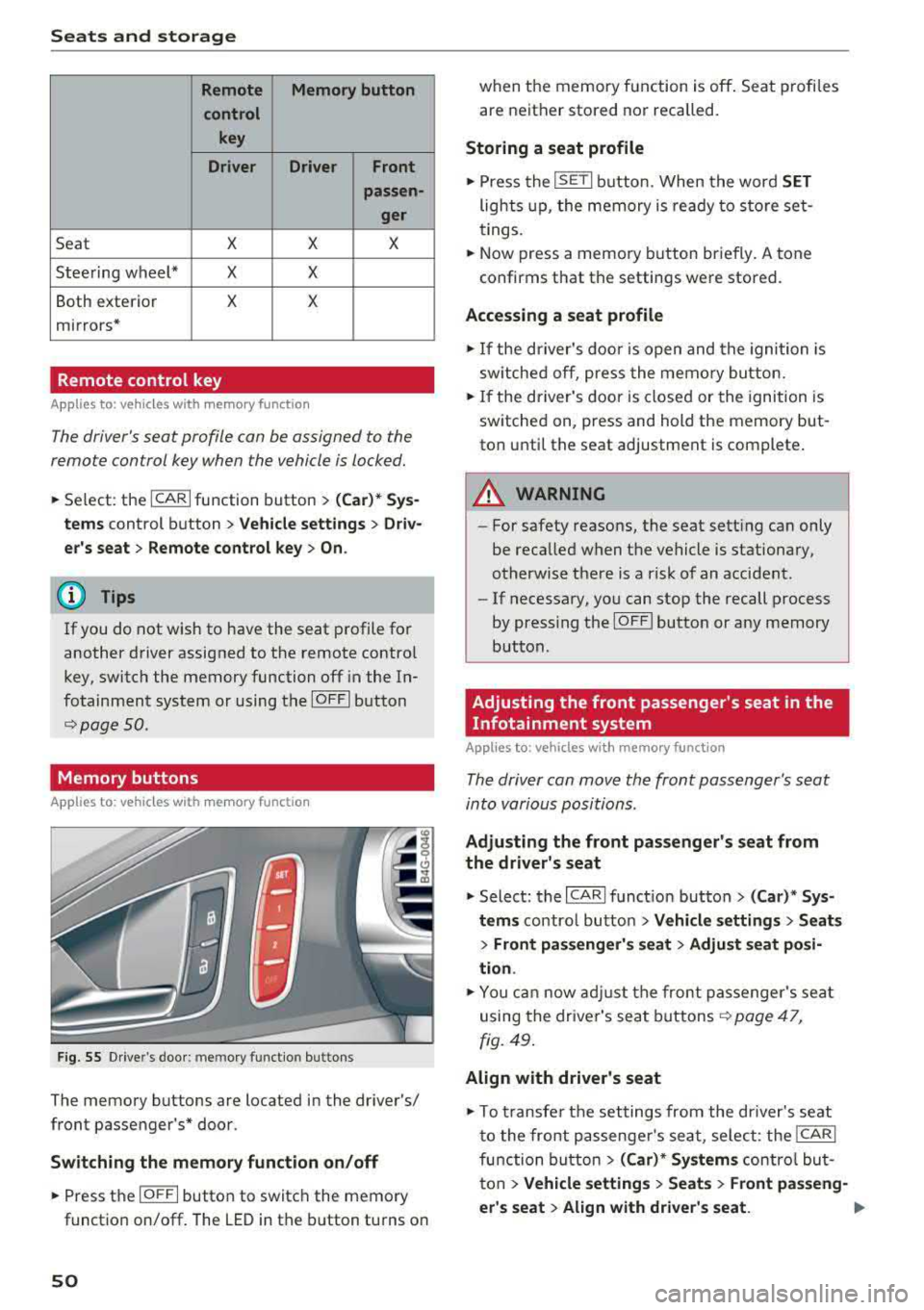
Seat X X X
Steering wheel* X X
Both exterior X X
mirrors*
Remote control key
Applies to: vehicles with memory function
The driver 's seat profile can be assigned to the
remo te control key when the vehicle is locked.
.,.. Se lect : the ICARI function button > (Car)* Sys
tems
control button > Vehicle settings > Driv
er 's seat
> Remote control key > On.
(D Tips
If you do not wish to have the seat profile for
another driver assigned to the remote contro l
key, switch the memory function off in the In
fotainment system or using the
IOFFI button
r::::;, page 50 .
Memory buttons
App lies to: vehicles with memory function
F ig. 55 Drive r's door : m em ory functio n bu ttons
The memory buttons are located in the driver's/
front passenger 's* door.
Switching the memory function on/off
.,.. Press the IO FF I button to switch the memory
functio n on/off. The LED in the button turns on
50
when the memory function is off . Seat profiles
are neither stored nor recalled.
Storing a seat profile
.,.. Press the ISET I button . When the word SET
lights up, the memory is ready to store set
tings.
.,.. Now press a memo ry button briefly. A tone
confirms that th e settings were stor ed.
Accessing a seat profile
.,.. If the driver's door is open and the ignition is
sw itched off, press the memory button.
.,.. If the driver's door is closed or the ignition is
switched on, press and hold the memory but
ton until the seat adjustment is complete .
A WARNING
-For safety reasons, the seat setting can only
be recalled when the vehicle is stationary,
otherwise there is a risk of an accident .
-If necessary, you can stop the recall process
by press ing the
IOF FI butto n or any memory
button .
Adjusting the front passenger's seat in the
Infotainment system
Applies to: vehicles with memory function
The driver can move the front passenger's seat
into various positions .
Adjusting the front passenger's seat from
the driver's seat
.,. Select: the I CARI function button > (Car)* Sys
tems
control butto n > Vehicle settings > Seats
> Front passenger's seat > Adjust seat posi
tion .
.,.. You can now adjust the front passenger's seat
using the driver's seat buttons
r:::;, page 47,
fig. 49.
Align with driver's seat
.,. To trans fer the settings from the dr iver's seat
to the front passenge r's seat, select: the
I CAR I
function button > (Car)* Systems control but
ton
> Vehicle settings > Seats > Front passeng-
er 's seat
> Align with driver 's seat. .,..
Page 53 of 266
a co ,...,
N
" N ,...,
0 0 <..:l '
justing proc ess is complete.
(D T ips
The lumbar support and upper thigh support
settings are not transferred when aligning
the front passenger's seat with the driver's
seat .
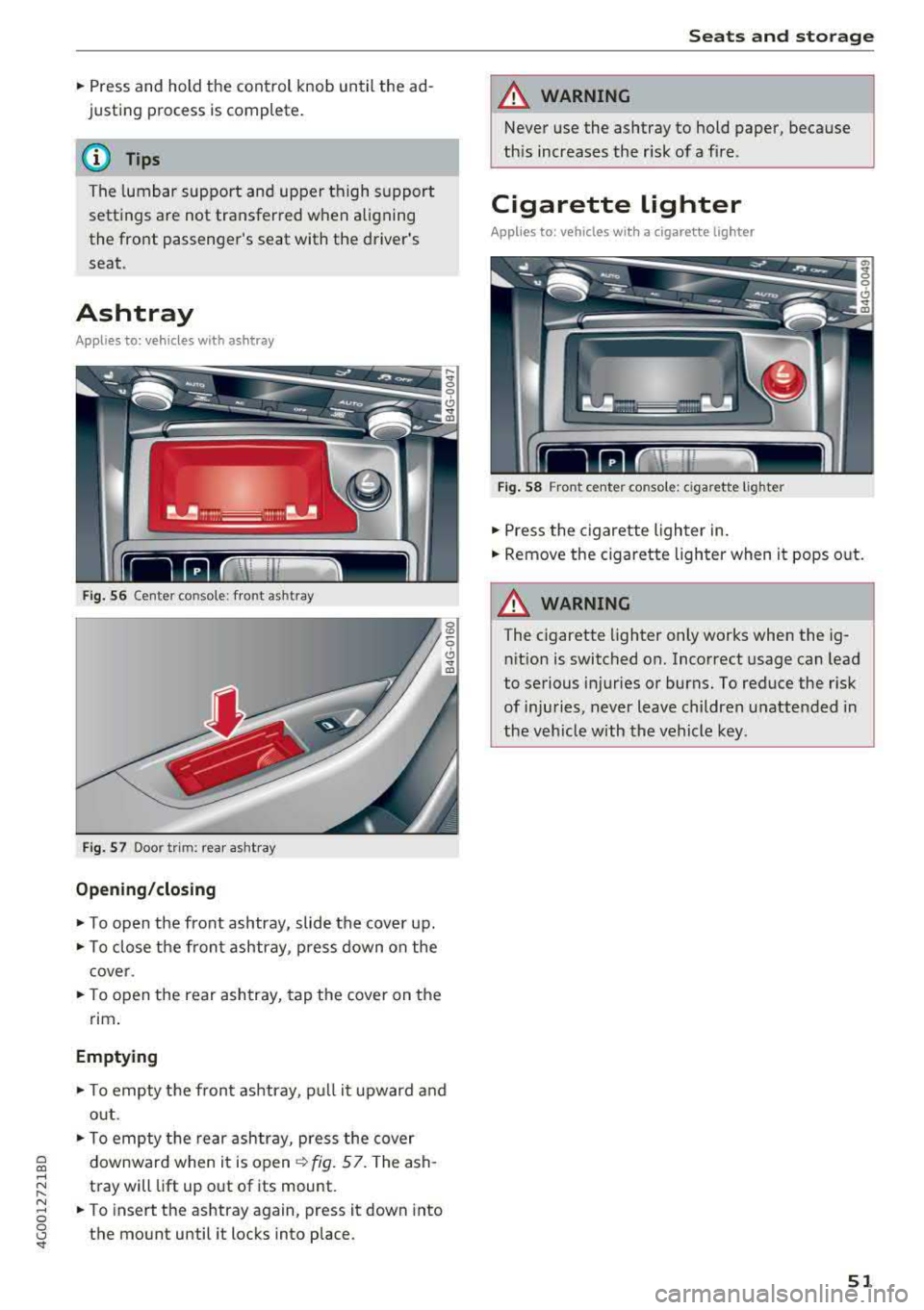
Ashtray
Applies to: veh icles with ashtray
Fig. 56 Center console: fro nt as htray
Fig . 57 Door trim: rear ashtray
Opening /closing
• To open the front ashtray, slide the cover up.
• To close the fron t ashtray, p ress down on the
c over .
• To open the rear ashtray, tap the cover on the
rim .
Emptying
• To empty the front ashtray, p ull it upward and
out .
• To empty the rear ashtray, press the cover
downward when it is
open ~ fig. 57. The ash
tray will lift up out of its mount.
• To insert the ashtray again, press it down into
the mount until it locks into place. S
eats and storag e
A WARNING
Never use the ashtray to hold paper, because
this increases the risk of a fire.
Cigarette lighter
Applies to: vehicles wi th a cigarette lighter
Fig. 58 Front center conso le: ciga rette ligh te r
• Press the cigarette lighter in.
• Remove the cigarette lighter when it pops out.
A WARNING ~
The c igarette lighter only works when the ig-
nition is switched on. Incorrect usage can Lead
to serious injuries or burns. To reduce the risk
of injuries, never leave children unattended in
the veh icle with the vehicle key .
51
Page 55 of 266
_& WARNING
-Do not put any hot beverages in the cup
holder while the vehicle is moving. Hot bev
erages could spill, which can cause injury.
- Do not use any breakable beverage contain
ers (for example, made out of glass or por
celain). You could be injured by them in the
event of an accident.
(D Note
Beverage containers in the cup holders should
always have a lid. If not, beverages could spill
and cause damage to vehicle equipment, such
electronics or seat covers.
Cooled glove compartment
Appl ies to: vehicles with cooled glove compartment
The cooled glove compartment only functions
when the
AIC system is switched on.
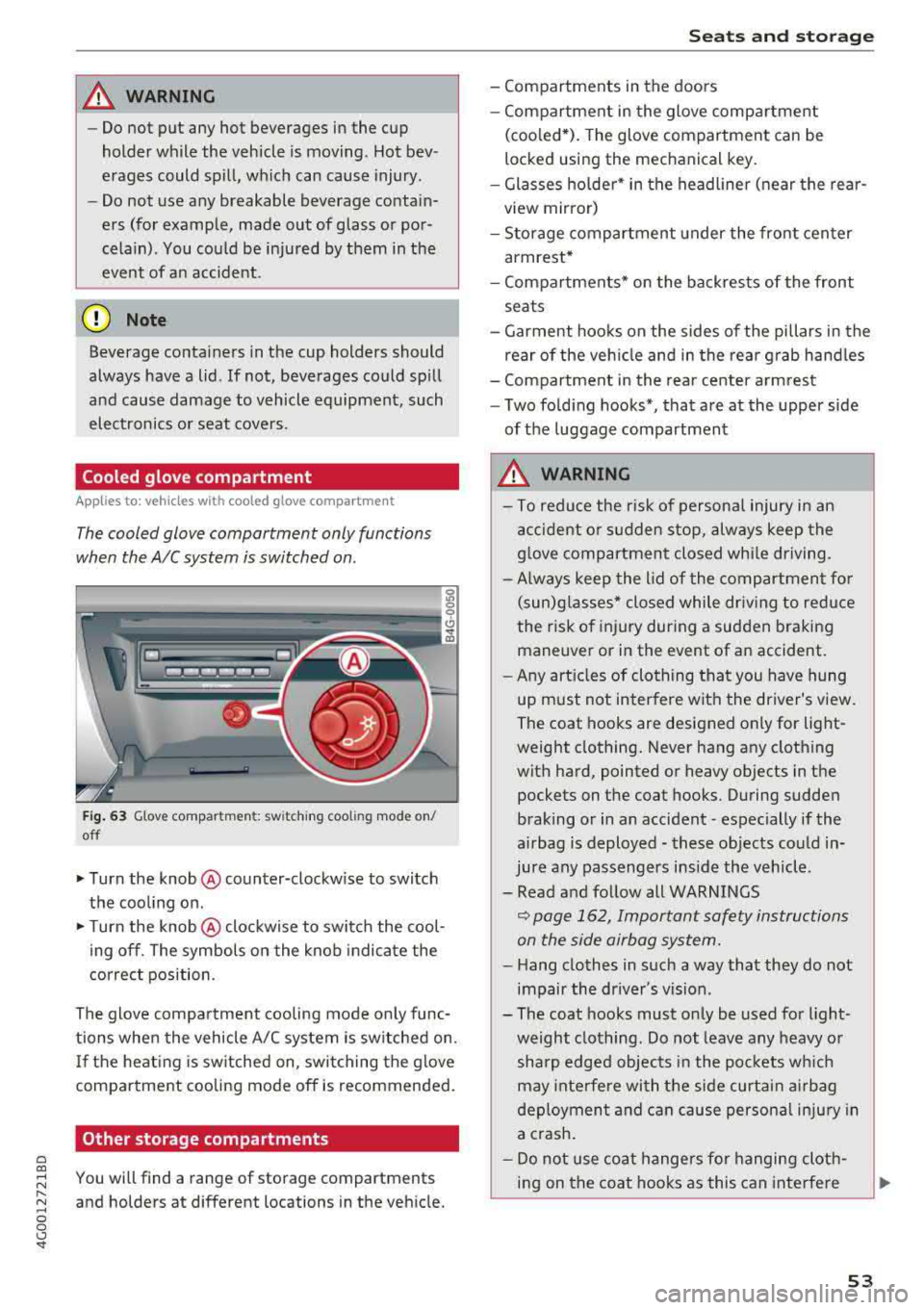
Fig. 63 Glove compartment: sw itching cooling mode on/
off
... Turn the knob@ counter-clockwise to switch
the cooling on.
""Turn the knob @ clockwise to switch the cool
ing off. The symbols on the knob indicate the
correct position.
The glove compartment cooling mode only func
tions when the vehicle A/C system is switched on.
If the heat ing is switched on, switching the glove
compartment cooling mode off is recommended.
Other storage compartments
a co
;::j You will find a range of storage compartments
:::, and holders at different locations in the vehicle .
.... 0 0 <..:l '
- Compartments in the doors
- Compartment in the glove compartment
(coo led*). The glove compartment can be
locked using the mechanical key.
- Glasses holder* in the headliner (near the rear
view mirror)
- Storage compartment under the front center
armrest*
- Compartments* on the backrests of the front
seats
- Garment hooks on the sides of the pillars in the
rear of the vehicle and in the rear grab handles
- Compartment in the rear center armrest
- Two folding hooks*, that are at the upper side
of the luggage compartment
_& WARNING
- To reduce the risk of personal injury in an
accident or sudden stop, always keep the
glove compartment closed while driving.
- Always keep the lid of the compartment for
(sun)glasses* closed while driving to reduce
the risk of injury during a sudden braking
maneuver or in the event of an accident.
- Any articles of clothing that you have hung
up must not interfere with the driver's view.
The coat hooks are designed only for light
weight clothing. Never hang any clothing
with hard, pointed or heavy objects in the pockets on the coat hooks. During sudden
braking or in an accident -especially if the
airbag is deployed - these objects could in
jure any passengers inside the vehicle .
- Read and follow all WARNINGS
~ page 162, Important safety instructions
on the side airbag system.
- Hang clothes in such a way that they do not
impair the driver's vision .
-
- The coat hooks must only be used for light
weight clothing. Do not leave any heavy or sharp edged objects in the pockets which
may interfere with the side curtain airbag
deployment and can cause personal injury in
a crash.
- Do not use coat hangers for hanging cloth
ing on the coat hooks as this can interfere
53
Page 57 of 266
a co ,...,
N
" N ,...,
0 0 \,;J '
compartment
Applies to: vehicles with folding backrests
The rear seat backrests can be folded forward ei
ther separately or together.
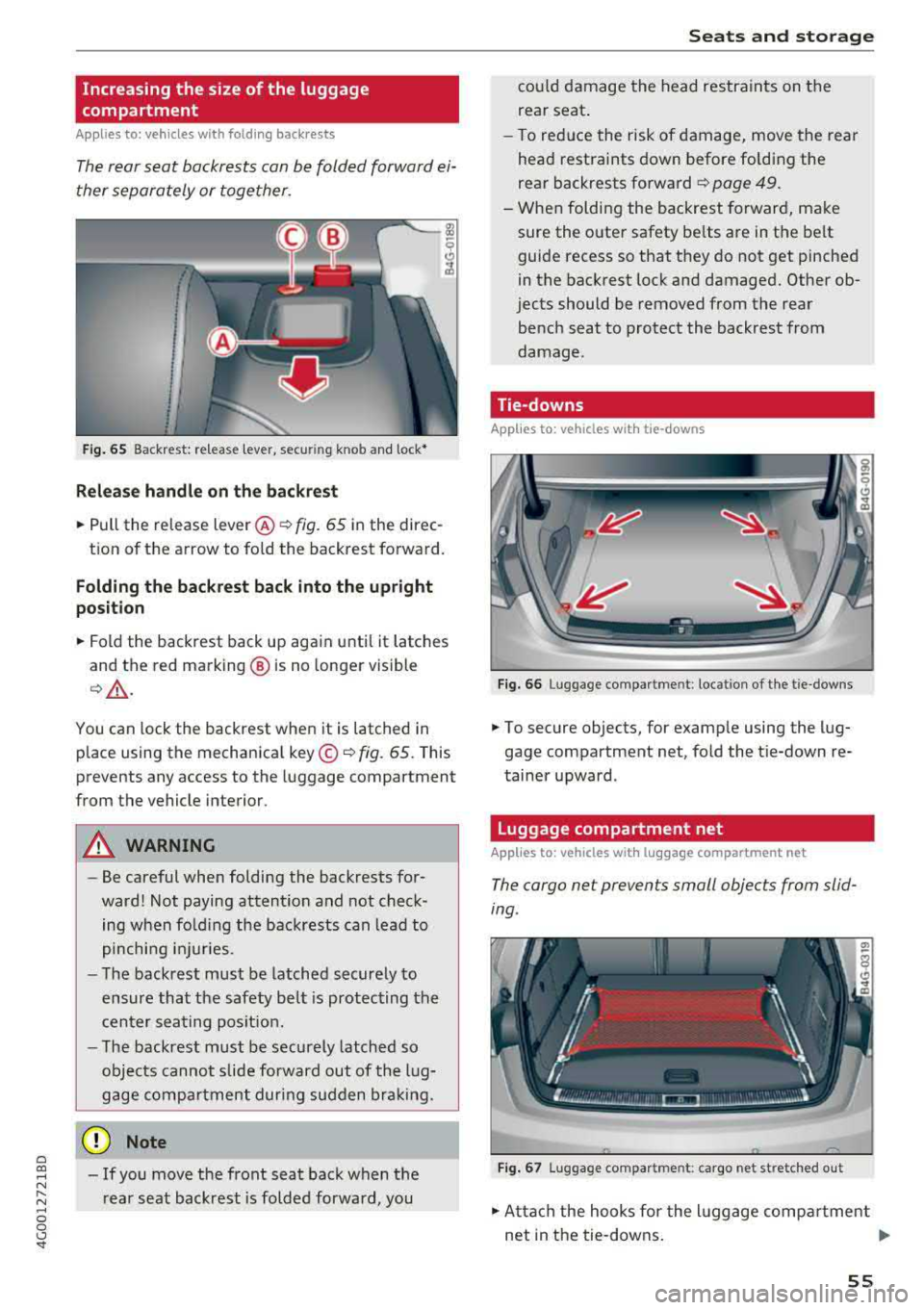
F ig . 65 Backrest: re lease lever, secur ing knob and lock•
Relea se handle on the back re st
~ Pull the release lever @¢ fig. 65 in the direc-
tion of the arrow to fo ld the backrest forward.
Folding the ba ckrest back into the upright
po sition
~ Fold the backrest back up again until it latches
and the red marking @ is no longer visible
¢& .
You can lock the backrest when it is latched in
place using the mechanical key ©¢
fig. 65 . This
prevents any access to the luggage compartment
from the vehicle interior.
A WARNING
- Be careful when folding the backrests for
ward! Not paying attention and not check ing when fo ld ing the backrests can lead to
pinching i njuries.
- The backrest must be latched securely to
ensure that the safety be lt is protecting the
cen ter seating posit ion.
- The backrest must be securely latched so
objects cannot slide forward out of the l ug
gage compartment during sudden bra king.
(D Note
- If you move the front seat back when t he
r ear seat backrest is folded forward, you
S eats and storag e
could damage the head restraints on the
rear seat .
- To red uce the risk of damage, move the rear
head restraints down before folding the
rear backrests forward¢
page 49.
- When fold ing the backrest forward, make
sure the outer safety be lts are in the belt
guide recess so that they do not get pinched
in the backrest lock and damaged. Other ob
jects should be removed from the rear
bench seat to protect the backrest from
damage.
Tie-downs
Applies to: vehicles with tie-downs
F ig. 66 Luggage compartment: location of the tie-downs
~ To secure objects, for examp le using the lug
gage compartment net, fold the t ie-down re
tainer upward.
Luggage compartment net
Applies to: vehicles with luggage compartment net
The cargo net prevents small objects from slid
ing.
F ig . 67 Luggage compartment: cargo net stretched o ut
~ Atta ch the hooks for the l uggage compa rtment
net in the tie-downs .
..,..
55
Page 61 of 266
a co ,...,
N
" N ,...,
0 0 \,;J '
Automatic climate control
Applies to: ve hicles with deluxe a utoma tic climate co ntro l
We recommend pressing the !AUTO ! button and setting the temperature to 72 °F (22 °C) .
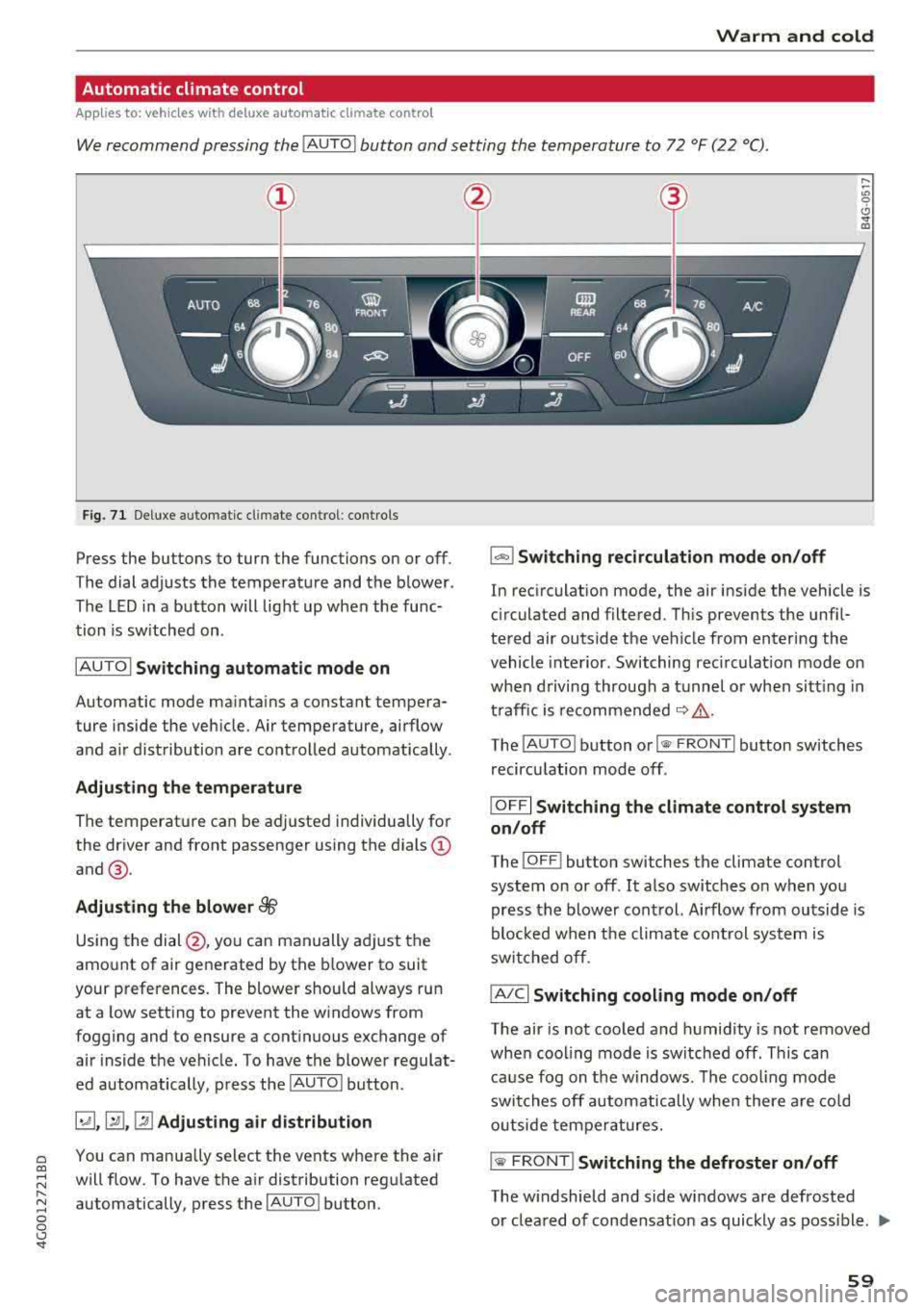
Fig. 71 Deluxe automatic cl imate cont rol: contro ls
Press the buttons to turn the functions on or off .
The dial adjusts the temperature and the blower.
The LED in a button will light up when the func
tion is sw itched on .
IAUTO I
Switching automatic mode on
Automatic mode mainta ins a constant tempera
ture inside the veh icle. Air temperature, airflow
and a ir distribution are controlled automatically .
Adjusting the temperature
The temperature can be adjusted individua lly for
the driver and front passenger using the dials
(D
and@.
Adjusting the blower ~
Using the dial @, you can manually adjust the
amount of air generated by the blower to suit
your preferences. The blower should always run at a low setting to prevent the windows from
fogging and to ensure a cont inuous exchange of
air inside the vehicle. To have the blower regulat
ed automatically, p ress the
!AUTO ! button.
~.rill ,~ Adjusting air distribution
You can manua lly se lect the vents where the air
will flow. To have the air distribution regulated
automatically, press the
IAUTO ! button.
1- 1 Switching recirculation mode on/off
In recirculation mode, the air inside the vehicle is
c ir culated and filtered. Th is prevents the unf il
tered air outside the vehicle from entering the
vehicle interior . Switching rec irculat ion mode on
when driving through a tunnel or when sitting in
t raffic is recommended
c::> .&_ .
The !AUTO I button or!
recirculation mode off .
IOFFI Switching the climate control system
on/off
The ! OF F! button sw itches the climate control
system on or off. It also switches on when you press the blower cont rol. Airflow from outside is
blocked when t he climate cont rol system is
switched off.
IA/C l Switching cooling mode on/off
The air is not cooled and humidity is not removed
when cooling mode is switched off. This can
cause fog on the windows . The cooling mode
switches off automatically when there are cold
outside temperatures.
is;,i, FRONT I Switching the defroster on/off
The w indshield and side windows are defrosted
or cleared of condensat ion as quickly as poss ible .
.,,_
59
Page 63 of 266
a co .... N
" N .... 0 0 \.J '
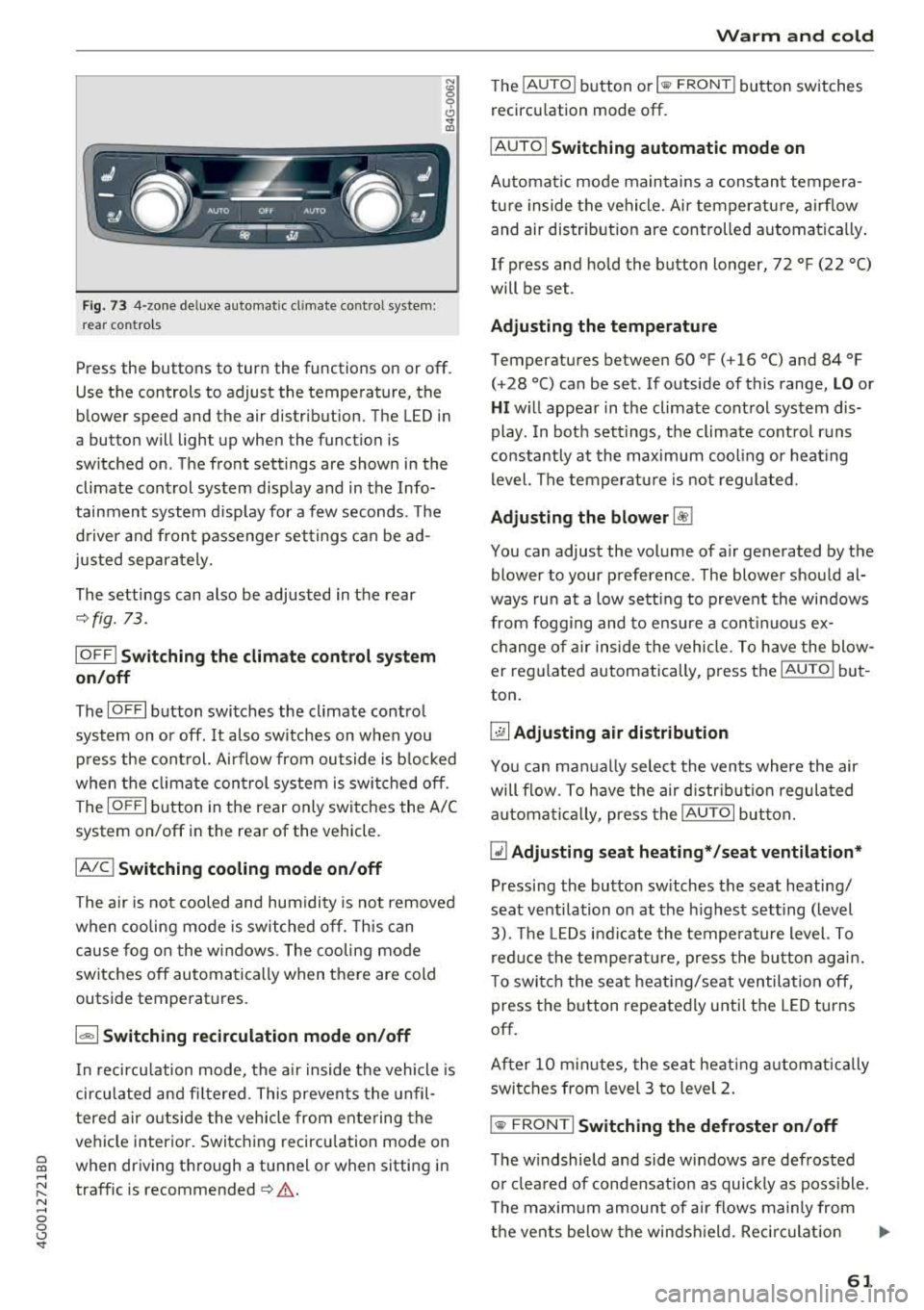
rear contro ls
N :g 0 C)
" a,
Press the buttons to turn the functions on or off .
Use the controls to adjust the temperature, the
blower speed and the air distribution. The LED in
a butto n will light up when the function is
sw itched on . The front sett ings are shown in the
climate control system display and in the Info
tainment system d isp lay for a few seconds. The
d river and front passenger sett ings can be ad
justed separately.
The settings can also be adjusted in the rear
~ fig. 73.
IOFF I Switching the clim ate control s ystem
on /off
The IO FFI button switches the cl imate control
system on or off. It also sw itches on when you
p ress the cont rol. A irflow from outside is b locked
when the climate con trol sys tem is swi tched off .
The
IOF FI button in the rear only switc hes the A/C
system on/off in the rear of the vehicle .
IAJCI Switching cooling mode on /off
The a ir is not cooled and hum idity is not removed
when cooling mode is switched off. This can
cause fog o n the w indows . The cooling mode
switches off automatically when there are cold
outside temperatures.
1 "9:) 1 Switching recirculation mode on /off
In recircu lation mode, the a ir inside the vehicle is
circu lated and fi ltered. This preven ts the unfil
t ered a ir outside the vehicle from ente ring the
ve hicle interior. Switc hing recircu lation mode on
when driving t hrough a tunnel or when sitting in
traffic is recommended
~ .&. .
Warm and c old
The IAUTO I button or I llW F RONT I button switches
recircu lation mode off.
IAUTOI Switching automatic mode on
Automat ic mode main tains a cons tant tempera
tu re inside the vehicle. Ai r temperatu re, a irflow
and air distr ib ution are controlled automa tica lly .
If press and hold the button longer,
72 °F (22 °C)
will be set .
Adjusting the temperature
Temperatures between 60 °F (+ 16 °() and 84 °F
(+28 °() ca n be set . If outside of this range, LO or
HI w ill appea r in the climate control system dis
play . In bot h sett ings, the climate cont rol runs
constantly at the max imum cool ing or heat ing
level. The temperat ure is no t regu lated.
Adjusting the blower ~
You can adjust the volume of a ir generated by the
blower to your p reference . T he blower s hould al
ways ru n at a low sett ing to prevent the wi ndows
from fogg ing and to ensure a cont inuo us ex ·
ch ange of air inside the vehicle. To have th e blow
er reg ulated automatically , press t he
IAU TO I bu t
ton .
~ Adjusting air distribution
You can ma nually select the ven ts where the air
will flow. To h ave the air d istr ib utio n regula ted
a utomat ica lly, press the
IAUTOI button.
~ Adjusting seat heating* /seat ventilation *
Pressing the button sw itches the seat heating/
seat venti lation o n at the h ighest sett ing (level
3). The LE Ds i nd icate the tempe ratu re level. To
r ed uce the temperat ure, press the b utton agai n.
T o switc h the seat heat ing/seat ventilation off,
press the button repeatedly unti l the LED turns
off.
After
1 0 m in utes, the seat heat ing automat ically
swi tches from level 3 to level 2.
l
T he w indshield and side windows a re defrosted
o r clea red of condensat ion as quickly as poss ible.
T he maxim um amount of a ir flows mainly from
t h e vents below the winds hield. Rec ircu lat io n
..,..
61
Page 69 of 266

a co ,...,
N
" N ,...,
0 0 <.,;) '
face, the supplemental driver's airbag can
not provide as much protection in an acci
dent . Always make sure that the steering
wheel is aligned with your chest .
- Always hold the steering wheel with your
hands at the 9 o'clock and 3 o'clock posi
tions to reduce the risk of personal injury if
the driver's airbag deploys.
- Never hold the steering wheel at the 12 o'clock position or with your hands inside
the steering wheel rim or on the steering
wheel hub. Holding the steering wheel the
wrong way can cause serious injuries to the hands, arms and head if the driver's airbag
deploys.
Power steering wheel position adjustment
Applies to: veh icles with power steering wheel adjustment
The steering wheel position can be adjusted elec
trically up and down and forward and back.
Fig. 76 Switch for adjusting the steering whee l pos itio n
.,. To adjust the height, press the switch up/down.
The steering column will continue moving as
long as you are pressing the switch .
.,. To move the steering wheel forward or back,
press the switch forward/back. The steering
column will continue moving as long as you are
pressing the switch.
The steering wheel can also be adjusted when the ignition is switched off .
In vehicles with memory fun ction*, the steering
column settings are stored together with the
seat position.
Driving
A WARNING
Improper use of steering wheel adjustment
and improper seating position can cause seri
ous personal injury.
- Adjust the steering wheel column only when
the vehicle is not moving to prevent loss of
vehicle control.
- Adjust the driver's seat or steering wheel so
that there is a minimum of 10 in (25 cm) between your chest and the steering wheel
¢ page 126, fig. 138. If you cannot main
tain this minimum distance, the airbag sys
tem cannot protect you properly.
- If physical limitations prevent you from sit
ting 10 in (25 cm) or more from the steer
ing wheel, check with your authorized Audi
dealer to see if adaptive equipment is avail
able.
- If the steering wheel is aligned with your
face, the supplemental driver's airbag can not provide as much protection in an acci
dent. Always make sure that the steering
wheel is aligned with your chest.
- Always hold the steering wheel with your
hands at the 9 o'clock and 3 o'clock posi
tions to reduce the risk of personal injury if
the driver's airbag deploys .
- Never hold the steering wheel at the 12
o'clock position or with your hands inside
the steering wheel rim or on the steering
wheel hub. Holding the steering wheel the
wrong way can cause serious injuries to the
hands, arms and head if the driver's airbag
deploys.
Easy seat entry
Applies to: vehicles with power stee ring wheel adjus tment
Easy seat entry makes it easier to enter and exit
the vehicle by adjusting the steering column au
tomatically.
.,. In the Infotainment system, select the ICARI
function button > (Car)* Systems control but
ton
> Vehicle settings > Seats > Driver's seat >
Easy seat entry > On.
When easy seat entry is switched on, the steering
column goes back up into the park position when
.,.
67
Page 70 of 266
Driving
the ignition is switched off. After entering the ve
hicle, the steering co lumn returns to the stored
position once the ignition is sw itched on.
Starting and stopping
the engine
Starting the engine
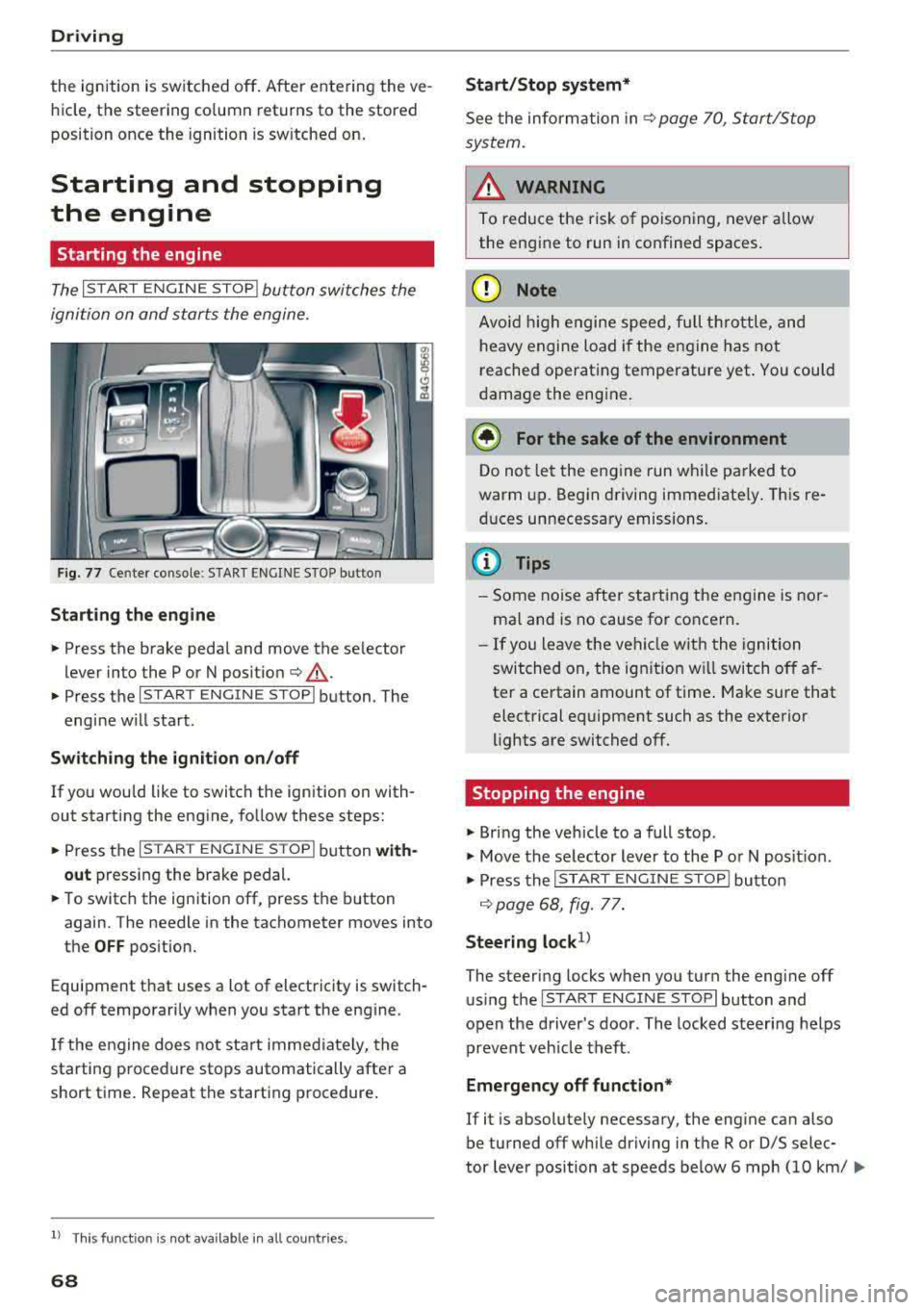
The I S TAR T ENGINE ST OP I button switches the
ignition on and starts the engine.
Fig. 77 Center co nsole : START ENGINE STO P butto n
Starting the engine
.. Press the brake pedal and move the se lector
lever into the P or N po sit ion
¢ ,A .
.. Press the I START ENGIN E STOPI button . The
engine will start .
Switch ing the ignition on /off
If you wou ld like to switch the ignition on with
out starting the engine, follow these steps:
.. Press the I S TAR T ENG IN E STOPI button with
out
pressing the brake pedal.
.. To switch the ignition off, press the button
again. The needle in the tachometer
moves into
the
OFF position.
Equipment that uses a lot of electricity is switch
ed off temporari ly when you start the engine .
If the engine does not start immediate ly, the
starting procedure stops automatically after a
short time. Repeat the starting procedure .
ll This fun ctio n is not availab le in all c oun tries.
68
Start /Stop system*
See the information in ¢ page 70, Start/Stop
system.
A WARNING
To reduce the risk of poisoning, never allow
the engine to run in confined spaces.
(D Note
Avoid high engine speed, full th rottle, and
heavy engine load if the engine has not
reached operating temperature yet . You could
damage the engine.
@ For the sake of the environment
Do not let the engine run while parked to
warm up. Begin driving immediate ly. This re
duces unnecessary emissions.
(D Tips
- Some noise after starting the engine is nor
ma l and is no cause for concern.
- If you leave the veh icle w ith the ignition
switched on, the ignition w ill switch off af
ter a certain amount of time . Make sure that
electrical equipment such as the exterior
lights are switched off .
Stopping the engine
.. Bring the vehicle to a full stop .
.. Move the selector lever to the P or N posit io n.
.. Press the I START ENGINE STOP I button
¢ page 68, fig. 77.
Steering lock1>
The steering locks when you turn the engine off
using the
I STAR T ENGIN E STOPI button and
open the driver's door . The locked steering helps
prevent veh icle theft .
Emergency off function*
If it is absolutely necessary, the engine can also
be turned off while driving in the R or D/S selec-
tor lever position at speeds be low 6 mph (10 km/
...