vent AUDI A7 2012 Owners Manual
[x] Cancel search | Manufacturer: AUDI, Model Year: 2012, Model line: A7, Model: AUDI A7 2012Pages: 294, PDF Size: 73.33 MB
Page 5 of 294
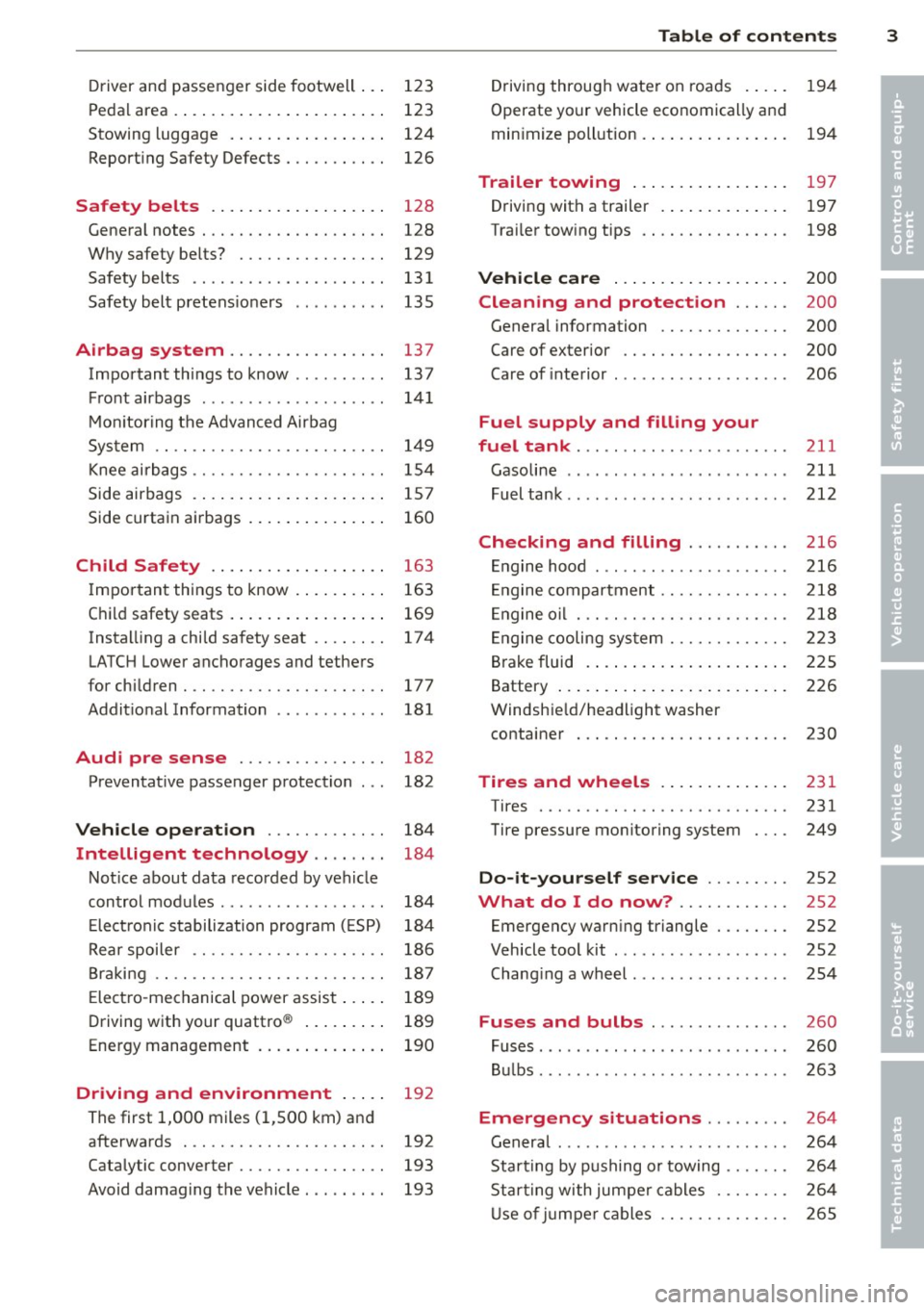
Driver and passenger side footwell . . . 123
Pedal area . . . . . . . . . . . . . . . . . . . . . . . 123
Stowing luggage . ..... ... .. .. .. .. 124
Report ing Safety Defects . . . . . . . . . . . 126
Safety belts ... ..... ... .. .. .. . .
General notes ............ .... .. . .
Why safety belts? ........ .... .. . .
Safety belts ............ .... ... . .
Safety belt pretens ioners ...... .. . . 128
128
129
131
135
Airbag system ................. 137
Important things to know . . . . . . . . . . 137
F ront airbags . . . . . . . . . . . . . . . . . . . . 141
Mo nitoring the Advanced Airbag
System . . . . . . . . . . . . . . . . . . . . . . . . . 149
Knee airbags . . . . . . . . . . . . . . . . . . . . . 154
Side airbags . . . . . . . . . . . . . . . . . . . . . 157
Side curtain airbags . . . . . . . . . . . . . . . 160
Child Safety .. .. .... ... .. .. ... .
Important things to know . ... .. .. . .
C hild safety seats . ..... ... .. .. .. . .
Instal ling a child safety seat .. .. .. . .
LATCH Lower anchorages and tethers
for chi ldren . ............. .... .. . .
Addit ional Information 163
163
169
174
177
181
Audi pre sense . . . . . . . . . . . . . . . . 182
Preventat ive passenger protection 182
Vehicle operat ion . . . . . . . . . . . . . 184
Intelligent technology . . . . . . . . 184
Not ice about data recorded by veh icle
control modules . . . . . . . . . . . . . . . . . . 184
E lect ron ic stabilization program ( ESP) 184
Rear spoiler . . . . . . . . . . . . . . . . . . . . . 186
Braki ng . . . . . . . . . . . . . . . . . . . . . . . . . 18 7
E lect ro-mechanical power assist . . . . . 189
Driving with your quattro ® . . . . . . . . . 189
Energy management . . . . . . . . . . . . . . 190
Driving and environment . . . . . 19 2
The first 1,000 miles (1 ,500 km) and
afterwards . . . . . . . . . . . . . . . . . . . . . . 192
Catalytic converter . . . . . . . . . . . . . . . . 193
Avoid damaging the vehicle. . . . . . . . . 193
Table of contents 3
Driving through wate r on roads . . . . . 194
Operate yo ur vehicle economically and
min imize poll ution. .. .. ... .... ... . 194
Trailer towing . . . . . . . . . . . . . . . . . 197
Driving with a trailer . .. ..... ... .. .
Trai ler tow ing tips
Vehicle care ...... .. .. ..... ... .
Cleaning and protection ..... .
197
198
200
200
General information . . . . . . . . . . . . . . 200
Care of exterior . . . . . . . . . . . . . . . . . . 200
Care of interior . . . . . . . . . . . . . . . . . . . 206
Fuel supply and filling your
fuel tank .............. .........
211
Gasoline . . . . . . . . . . . . . . . . . . . . . . . . 211
Fuel tank .. .. .. .. .. . .. .... ...... . 212
Checking and filling . . . . . . . . . . . 216
En gine hood . . . . . . . . . . . . . . . . . . . . . 216
E ngine compartment........... ... 218
E ngine o il . . . . . . . . . . . . . . . . . . . . . . . 218
E ngine cooling sys tem . . . . . . . . . . . . . 223
Brake fluid . . . . . . . . . . . . . . . . . . . . . . 225
Battery . . . . . . . . . . . . . . . . . . . . . . . . . 226
Windsh ie ld/headlight washer
container . . . . . . . . . . . . . . . . . . . . . . . 230
Tires and wheels . . . . . . . . . . . . . . 231
Tires . . . . . . . . . . . . . . . . . . . . . . . . . . . 231
Tire pressure monitoring system 249
Do-it-yourself service . . . . . . . . . 252
What do I do now? . . . . . . . . . . . . 2S2
Emergency warn ing triangle . . . . . . . . 252
Vehicle tool kit . . . . . . . . . . . . . . . . . . . 252
Chang ing a wheel . . . . . . . . . . . . . . . . . 254
Fuses and bulbs . . . . . . . . . . . . . . . 260
Fuses ........ ... .. .............. 260
Bul bs. . . . . . . . . . . . . . . . . . . . . . . . . . . 263
Emergency situations . . . . . . . . . 264
General . . . . . . . . . . . . . . . . . . . . . . . . . 264
Star ting by pushing or towing . . . . . . . 264
Starting with jumpe r cable s . . . . . . . . 264
U se o f ju mpe r cables . . . . . . . . . . . . . . 265
•
•
Page 11 of 294
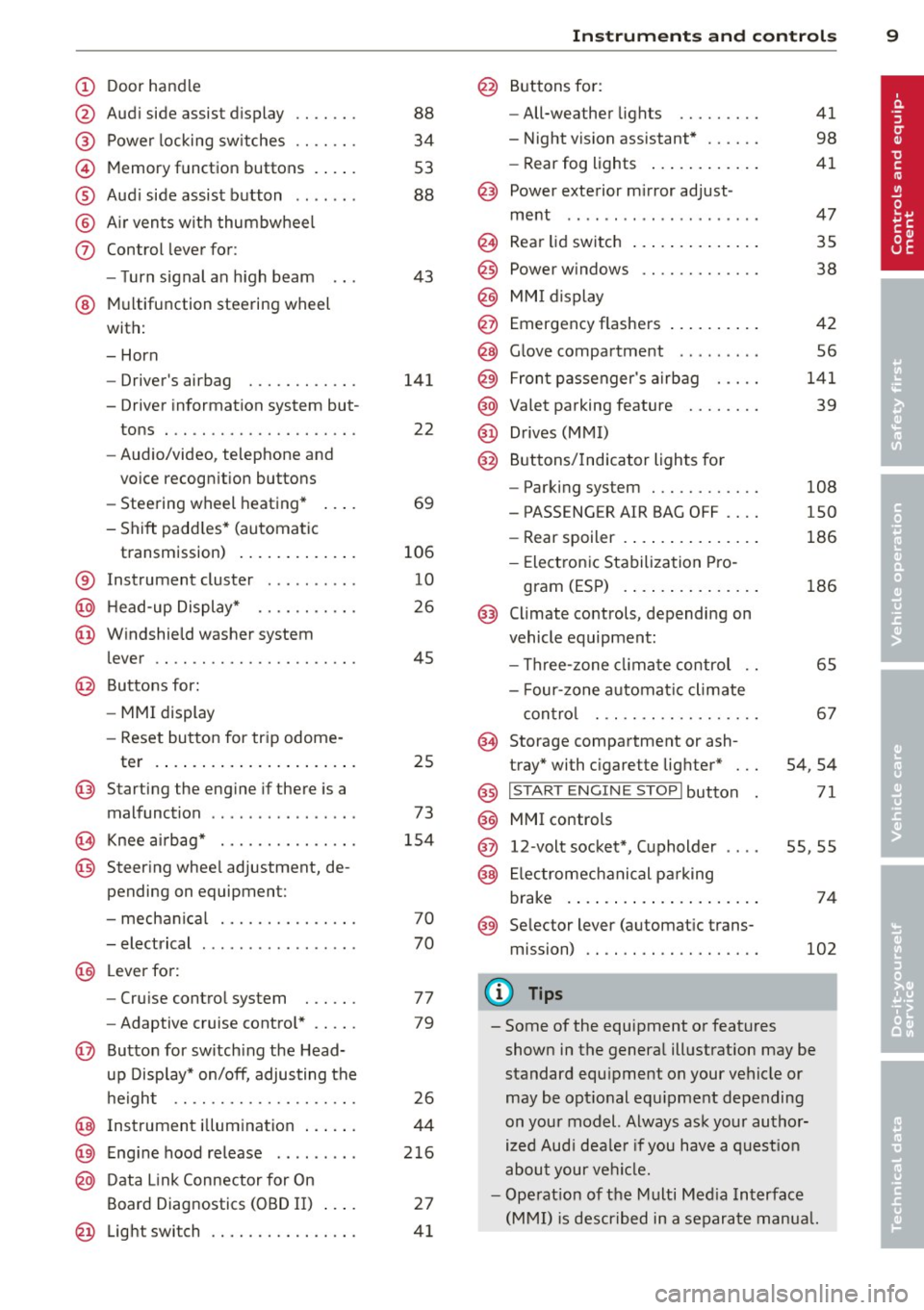
(!) Door handle
@
®
©
®
®
(j)
Audi side assist d isplay
Power locking sw itches
Memory function buttons . ... .
Aud i side assist button .. .. .. .
A ir vents with thumbwheel
Control lever for :
- T urn signal an h igh beam
@ Multifunction steering wheel
with:
- Horn
- Driver's airbag
- Driver information system but-
tons . .. ............. .... .
- Audio/video, telephone and
vo ice recogn ition buttons
- Steering wheel heating* ... .
- Shift padd les* (automatic
transmission) ..... ... .. .. .
® Instrument cluster ..... .. .. .
@ H ead-up Display* ...... .. .. .
@ Windshield washer system
lever .. .. ............. .... .
@ Buttons for:
-MMI display
- Reset button for trip odome -
ter .... .. ... ..... ... .. .. .
@ Starting the eng ine if there is a
malfunct ion ............ ... .
0 Knee airbag* .......... .... .
@ Steer ing whee l adjustment, de
pending on equipment:
- mecha nical .......... .... .
- electrical ............. ... .
@ Lever fo r:
- Cru ise contro l system
- Adaptive cruise contro l* .. .. .
@ Button for switch ing the Head
up Disp lay* on/off, adjusting the
h eight .. ............. .... .
@ Instrument i llumination ... .. .
@ Eng ine hood release ........ .
@ D ata Link Connector for On
Board Diagnostics (OBD II)
@ Lig ht swi tch ........... .... .
88
34
53
88
43
141
22
69
106
10
26
45
25
73
1 54
70
70
77
79
26
44
2 16
27
41
In strument s and control s 9
@ Buttons for :
- All-weather lights
- Night vision assistant* ..... .
- Rear fog lights .. .. .. ..... .
@ Power exterior m irror ad just -
ment .. .. .. .... .......... .
@ Rear lid switch ... . .. .. ..... .
@
@
@ Power w indows
MM I display
Emergency flashers
@ G love compartment . .. .. ... .
@ Fron t passenger's a irb ag .... .
@ Valet parking feature ....... .
@ Drives (MMI)
@ Buttons /Indicator lights for
- Parking system ........... .
- PASS ENG ER AIR BAG OFF ... .
- Rear spoiler .. .. . ... ...... .
- Elect ron ic Stabilization Pro-
gram (ESP) .... . .. .. ..... .
@ Climate controls, depending on
vehicle equipment:
- Three -zone clima te control ..
- Four-zone au tomat ic climate
con tro l ... .. ............ .
@ Storage compartment or ash-
tray* with c igarette lig hter* ...
@) I S TART ENGI NE STOPI button
@ MMI controls
@ 12-volt socket*, (upholder
@ Elec tromec hanical p arking
brake . ... .... ... .. .. ..... .
@ Selector lever (automat ic trans
mission)
(!) Tips
41
98
41
47
35
38
42
56
141
39
108
150
186
186
65
67
54 ,54
71
55,55
74
102
- Some of the equipment or features
shown in the genera l ill ustration may be
standard equ ipment on your vehicle or
may be opt ional equ ipment depending
on your model. Always ask your author
ized Aud i dea le r i f you have a quest io n
abou t your ve hicl e.
- Ope rat ion of t he Mu lti Med ia Interface
(M MI) is described in a separate manua l.
Page 12 of 294
10 Instruments and warning/indicator lights
Instruments and warning/indicator Lights
Instruments
Instrument cluster and controls
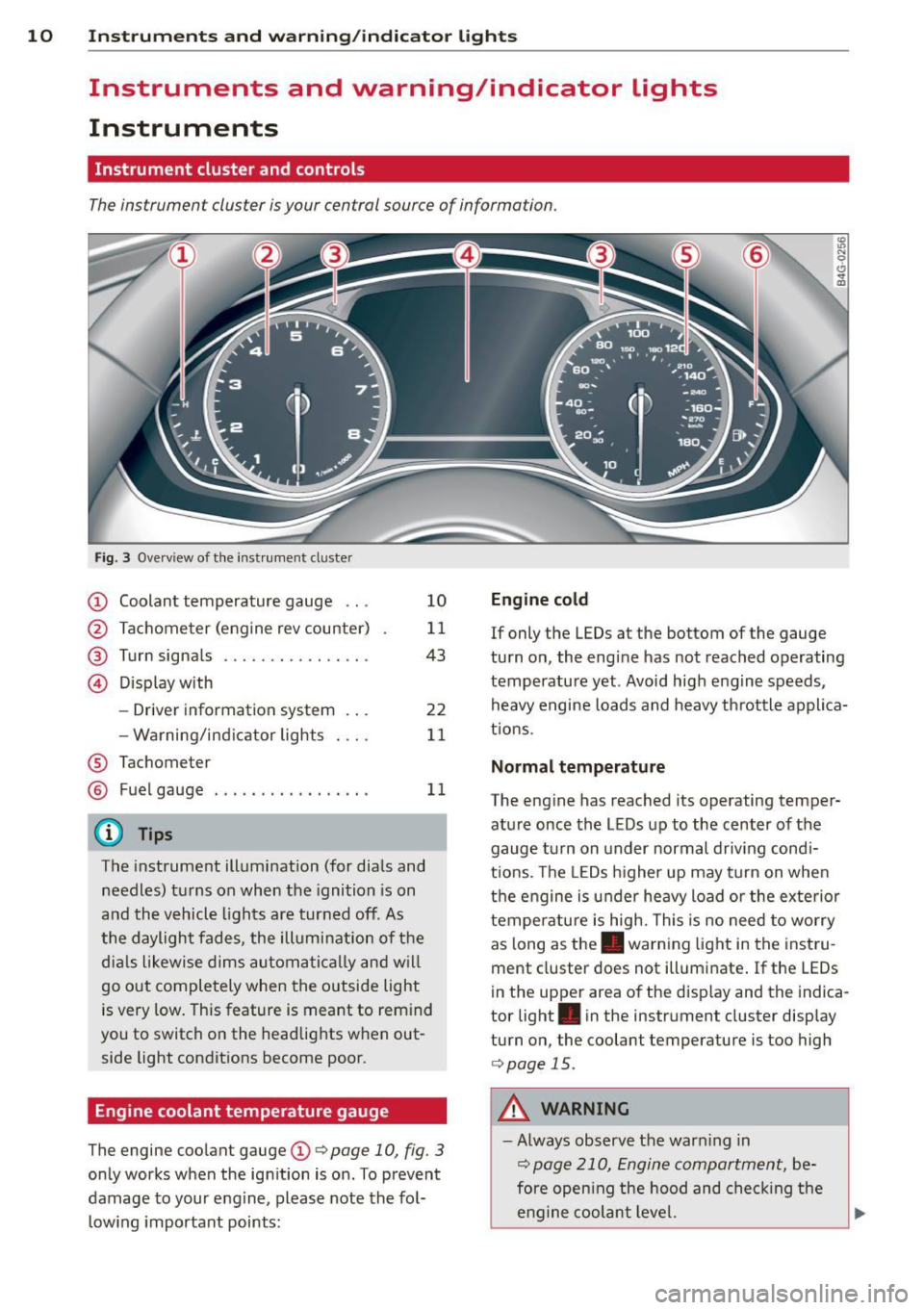
The instrument cluster is your central source of information.
Fig. 3 Overv iew of the inst rument cluster
CD Coolant temperature gauge ...
@ Tachometer (engine rev counter)
@ Turn signals ........... .. .. .
© Display with
- Driver information system .. .
- Warning/ind icator lights
® Tachometer 10
11
43
22
11
@ Fuel
gauge . . . . . . . . . . . . . . . . . 11
@ Tips
The instrument illumination (for dials and
needles) turns on when the ignition is on
and the vehicle lights are turned off . As
the daylight fades, the illumination of the
dia ls likewise dims automatically and will
go out completely when the outside light
is very low. This feature is meant to rem ind
you to switch on the headlights when out
side light conditions become poor.
Engine coolant temperature gauge
The engine coolant gauge CD c:> page 10, fig. 3
only works when the ignition is on . To prevent
damage to your engine, please note the fol
l owing important points:
Engine cold
If only the LEDs at the bottom of the gauge
turn on, the engine has not reached operating
temperature yet. Avoid high engine speeds, heavy engine loads and heavy th rottle applica
t ions.
Normal temperature
The engine has reached its operating temper
ature once the LEDs up to the center of the
gauge turn on unde r normal driv ing cond i
t ions . Th e LEDs higher up may turn on when
the engine is under heavy load or the exterior
temperature is high. This is no need to worry
as long as the . warning light in the instru
ment cluster does not illuminate . If the LEDs
in the upper area of the disp lay and the indica
tor light . in the instr ument cluster display
turn on, the coolant temperature is too high
c:> page 15.
A WARNING
-Always observe the warn ing in
c:> page 210, Engine compartment, be
fore open ing the hood and checking the
engine coolant level.
Page 19 of 294
Instruments and warning/indicator lights 17
flash before you respond to the low oil level warning
Ill. By then, your engine
may already have suffered serious dam
age.
~ . Engine oil level
• WARNING: Please add oil immediately
When the symbol and the driver message ap
pear, the oil has to be replenished right now
,=;,page 218.
If the indicator light and the message appear,
add engine oil immediately
,=;, page 221.
II Add oil, max. x qt (l). You may continue
driving
When the symbol and the driver message ap
pear, add the amount of oil appearing in the
display at the next opportunity
¢ page 218.
@ -Steering column lock
• Do not drive vehicle: Steering defective
If the indicator light turns on and the mes
sage appears, there is an electronic steering
column lock malfunction. You cannot switch
the ignition on.
Do
not tow your vehicle because it cannot be
steered. Seek professional assistance.
l!l!I Steering lock: system fault. Please con
tact dealer
If the indicator light turns on and the mes
sage appears, there is an electronic steering
column lock malfunction .
Drive to your authorized Audi dealer immedi
ately to have the malfunction corrected.
A WARNING
-
Your vehicle must not be towed in the
event of a malfunction in the electronic
steering column lock because it cannot be
steered due to the locked steering.
If it is
towed with the steering locked, there is
the risk of an accident.
©-Engine start system
• Engine start system fault. Please con
tact dealer
If the indicator light turns on and the mes
sage appears, do
not switch the ignition off
because you may not be able to switch it on
again.
Drive to your authorized Audi dealer immedi
ately to have the malfunction corrected.
II! Engine start system fault. Please con
tact dealer
If the indicator light turns on and the mes
sage appears, there is a malfunction in the en gine start system.
Drive to your authorized Audi dealer immedi
ately to have the malfunction corrected.
t!i1 !i: Safety systems
The ffll (USA models)!Ei (Canada models) in
dicator light monitors the safety systems e .g.
airbags, pretensioners and illuminates for a
few seconds each time you switch the ignition
on.
If the
ffl (USA models);Ei (Canada models)
indicator light does not go out, or if it illumi
nates while you are driving, or if it starts to
blink, then there is a malfunction somewhere
in the system.
If the light does not illuminate
when you switch the ignition on, this also
means there is a malfunction.
A WARNING ~
If you have a malfunction in the safety sys-
tems, contact your authorized Audi dealer
immediately. Otherwise the safety sys
tems may not work properly in an acci
dent .
Page 20 of 294
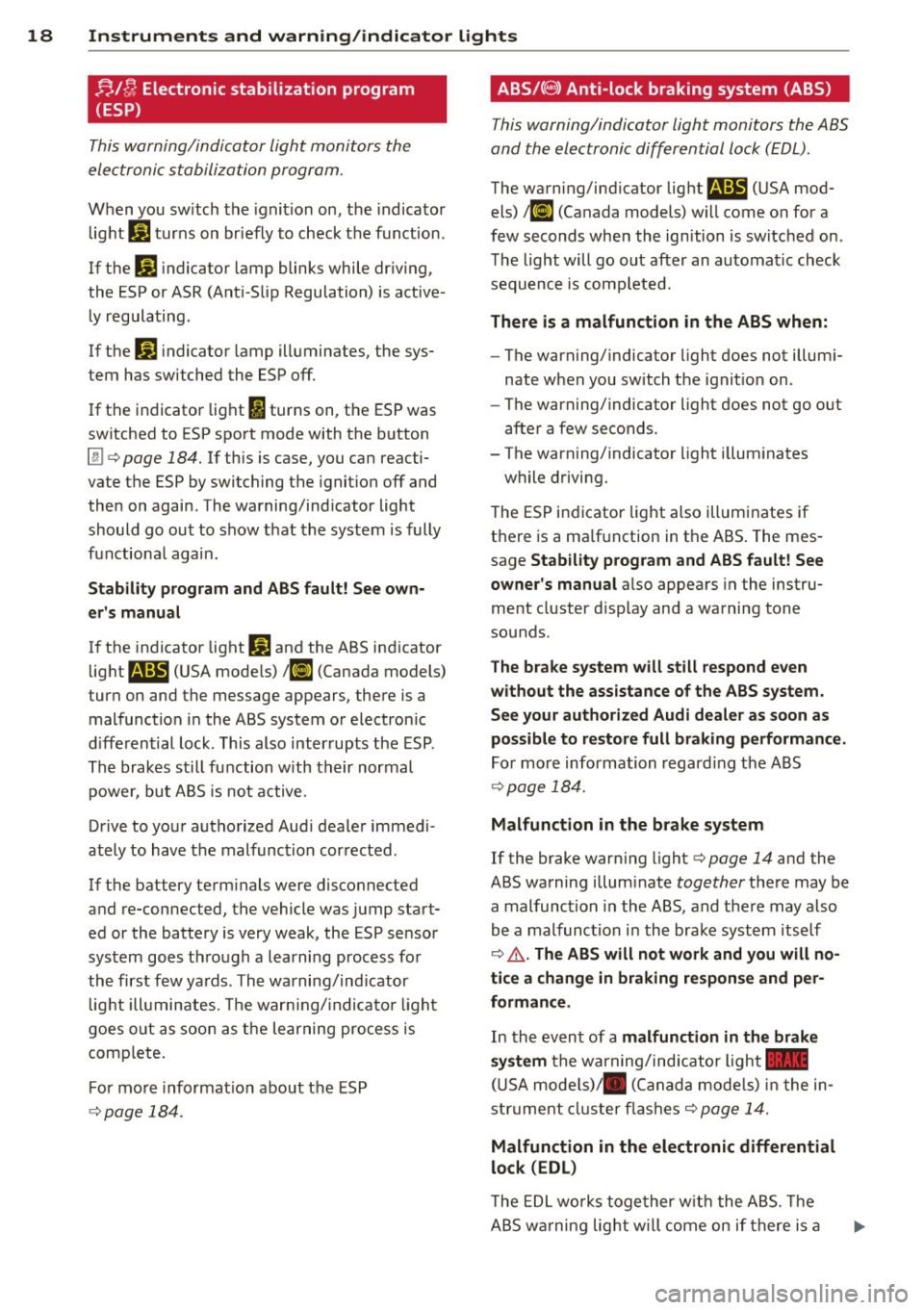
18 Instruments and warning/indicator lights ;;./~ Electronic stabilization program
(ESP)
This warning/indicator light monitors the
electronic stabilization program.
When you sw itch the ignition on, the indicator
light
G1 turns on br iefly to check the function .
If the
G1 indicator lamp blinks while driving,
the ESP or ASR (Ant i- Slip Regulation) is active
ly regulating.
If the
ti) indicator lamp illuminates, the sys
tem has switched the ESP off.
If the indicator light
I) turns on, the ESP was
switched to ESP sport mode with the button
[!] c> page 184. If this is case, you can reacti
vate the ESP by switching the ignition off and
then on again. The warning/indicator light
should go out to show that the system is fully
functiona l again.
Stability program and ABS fault! See own
er's manual
If the indicator light DJ and the ABS indicator
light
B (USA mode ls) ;fl] (Canada models)
turn on and the message appears, there is a
malfunction in the ABS system or electron ic
differential lock. This also interrupts the ESP .
The brakes still function with their normal
power, but ABS is not active .
Drive to your authorized Aud i dealer immedi
ately to have the malfunction corrected .
If the battery term inals were disconnected
and re-connected, the vehicle was jump start
ed or the battery is very weak, the ESP sensor
system goes through a learning process for
the first few yards. The warning/ind icator
l ight illuminates . Th e warn ing/ ind icator light
goes out as soon as the learning process is
comp lete.
F or more informat ion about the ESP
c>page 184.
ABS/(8) Anti-lock braking system (ABS)
This warning/indicator light monitors the ABS
and the electronic differential lock (EDL) .
The warning/indicator light B (USA mod
els)
l ti] (Canada models) w ill come on for a
few seconds when the ign ition is switched on .
The light will go out after an automatic check
sequence is comp leted.
There is a malfunction in the ABS when:
-The warning/indicator light does not illumi
nate when you switch the ignition on.
- The warning/indicator light does not go out
after a few seconds.
- The warning/indicator light i lluminates
while driving.
The ESP indicator light also illum inates if
there is a ma lfunction in the ABS . The mes
sage
Stability prog ram and ABS fault! See
owner's manual
a lso appears in the instru
ment cluster d isp lay and a warning tone
sounds .
The brake system will still respond even
without the assistance of the ABS system.
See your authorized Audi dealer as soon as
possible to restore full braking performance .
For more information regarding the ABS
~page 184.
Malfunction in the brake system
If the brake warning light c> page 14 and the
ABS warning illum inate
together there may be
a malfunction in the ABS, and there may also
be a malfunction in the brake system itself
c> .,&. . The ABS will not work and you will no
ti ce a change in braking response and per
formance.
In the event of a malfunction in the brake
system
the warning/ind icator light -
(USA models)/ . (Canada models) in the in
strument cluster flashes
c> page 14.
Malfunction in the electronic differential
lock (EDL)
The EDL works together with the ABS. The
ABS wa rning light will come on if there is a
Page 29 of 294
Instrument s and warning /indicator lights 2 7
Display content
In the MMI, you ca n specify which information
should be displayed :
- Cru ise cont ro l system*
- Nav igat io n info rmation *
- Audi adaptive cruise control*
- N ight vision assistant* (pedestr ian warn ing)
The speed display and some of the red indica
tor lights cannot be hidden in the MMI.
Display brightness
You can adj ust t he display b rightness in the
M MI. The display brightness decreases auto
ma tica lly as the amount o f light dec reases.
The basic leve l o f brightness is adjusted wi th
the instrument illumination ¢
page 44.
(D Note
To prevent s cratc h es on t he g lass co vering
t he Head -up Disp lay , do not place any ob
jects in the projection opening.
@ Tips
- Sun glasses w ith polar izat ion fi lters and
u nfav orable ligh ting condit ions can af
fect the disp lay.
- Vehicles wi th seat memory *: yo ur Head
up D isplay sett ings a re stored automati
ca lly and assigne d to the remote contro l
k ey that you are us ing.
- A specia l windshield is needed for the
Head-up Display functio n.
On-Board Diagnostic
system (OBD)
Malfunction Indicator Lamp (MIL)
The Malfunction Indicator Lamp (MIL) ISi in
the instrument cluster is part of the On-Board
Diagnostic (OBD II) system.
The warning/indicator light illumina tes when
the ignition is switched on and goes o ut after
the engine starts and the idle has stabi lized.
This indicates that the MIL is work ing proper
ly.
If the light does not go out after t he engine
is started, or illuminates while you are driv
i ng, a mal function may e xist in the eng ine sys
tem.
If the light illumi nates, the catalytic con
verter could be damaged .
Contin ue d riving
with reduced power (avoid
i ng s usta ined h igh speeds and/or rapid accel
erations) and have the cond ition corrected .
Contact your a uthorized Audi dea ler.
If the light illuminates, the e lectronic speed
li miter may also be malfunct ion ing. For more
i nformation ¢
page 2 8, Electronic speed
limiter.
An improperl y closed fuel filler cap may also
cause the MIL light to illuminate
<=> page 213.
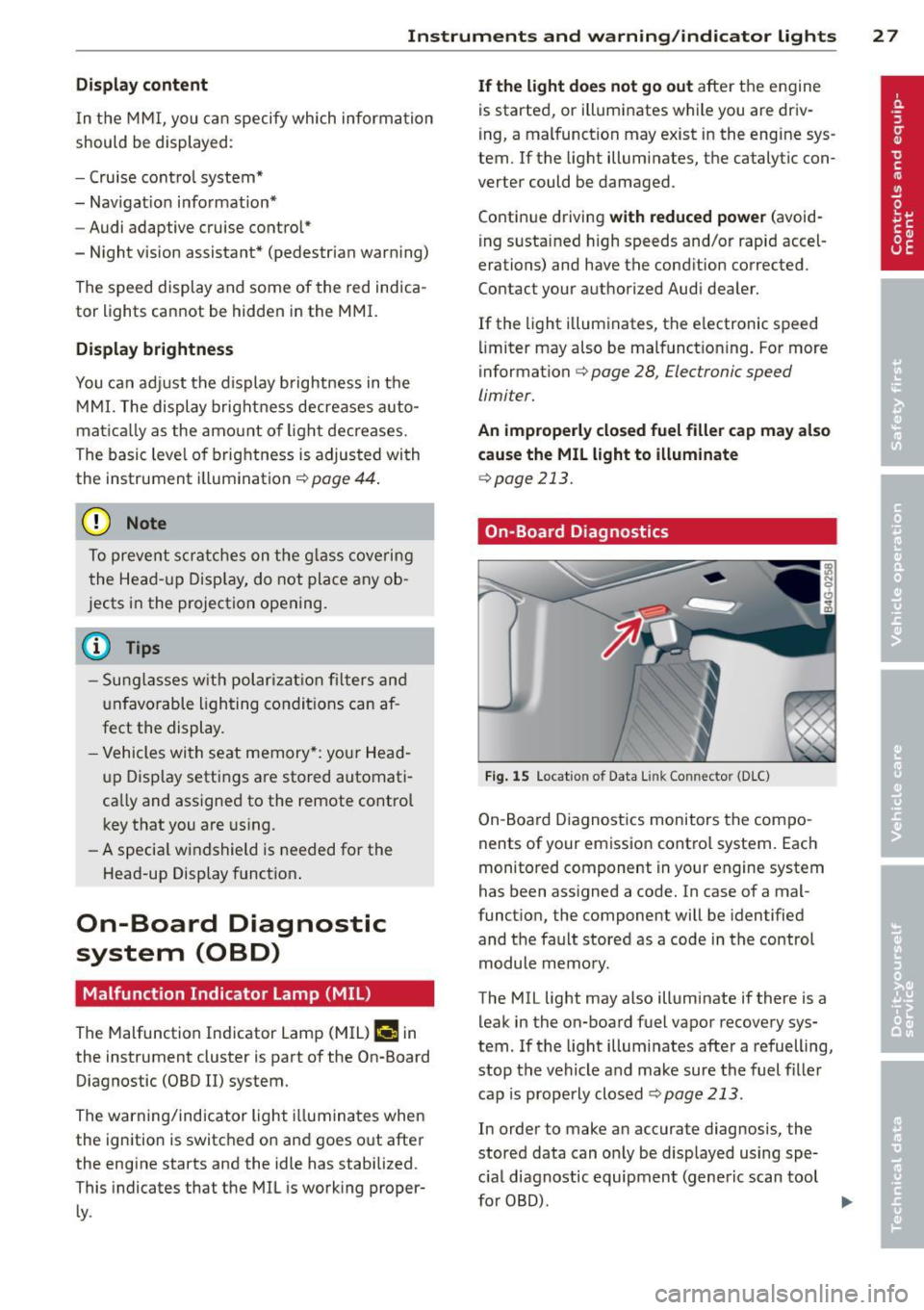
On-Board Diagnostics
Fig. 15 Location of Data Li nk Co nnector (D LC)
On-Boa rd Diagnost ics monitors the compo
nents of your em issio n cont ro l system . Eac h
monitored component in your engine system
has been assigned a code. In case of a mal
functio n, the component will be identified
and t he fault stored as a code in the control
module memo ry .
The MIL light may also illuminate if there is a leak in the on-board f uel vapor recovery sys
tem. If the lig ht illum inates afte r a refuelling,
stop the vehicle a nd make sure the fuel fille r
cap is properly closed
¢ page 213.
In order to make an accurate diagnosis , the
stored data can o nly be disp layed using spe
c ial diagnostic equipment (generic scan tool
fo r OBD). .,.
Page 30 of 294
28 Instruments and warning/indicator lights
In order to connect the special diagnostic
equipment, push the plug into the Data Link
Connector (DLC). The DLC is located to the
right of the hood release¢
fig. 15.
Your authorized Audi dealer or a qualified
service station can interpret the code and per
form the necessary repair.
Electronic speed limiter
Your vehicle may be factory equipped with tires that are rated for a maximum speed of 130 mph (210 km/h) . This is less than the
maximum speed of your vehicle . To reduce the
risk of sudden tire failure and loss of control if
the vehicle is operated at excessive speeds,
your vehicle also has an electronic speed limit
er. The electronic speed limiter prevents your
vehicle from going faster than the tire speed rating. For more information
c::> page 242.
If the engine control unit receives faulty vehi
cle road speed signals, the Malfunction Indi
cator Lamp (MIL)
II will illuminate. If this
occurs, contact the nearest authori zed Audi
dealer for assistance.
A WARNING
-
Always observe the posted speed limits
and adjust your speed to suit prevailing
road, traffic and weather conditions. Never
drive your vehicle faster than the maxi
mum speed rating of the tires installed.
Page 32 of 294
30 Opening and clo sing
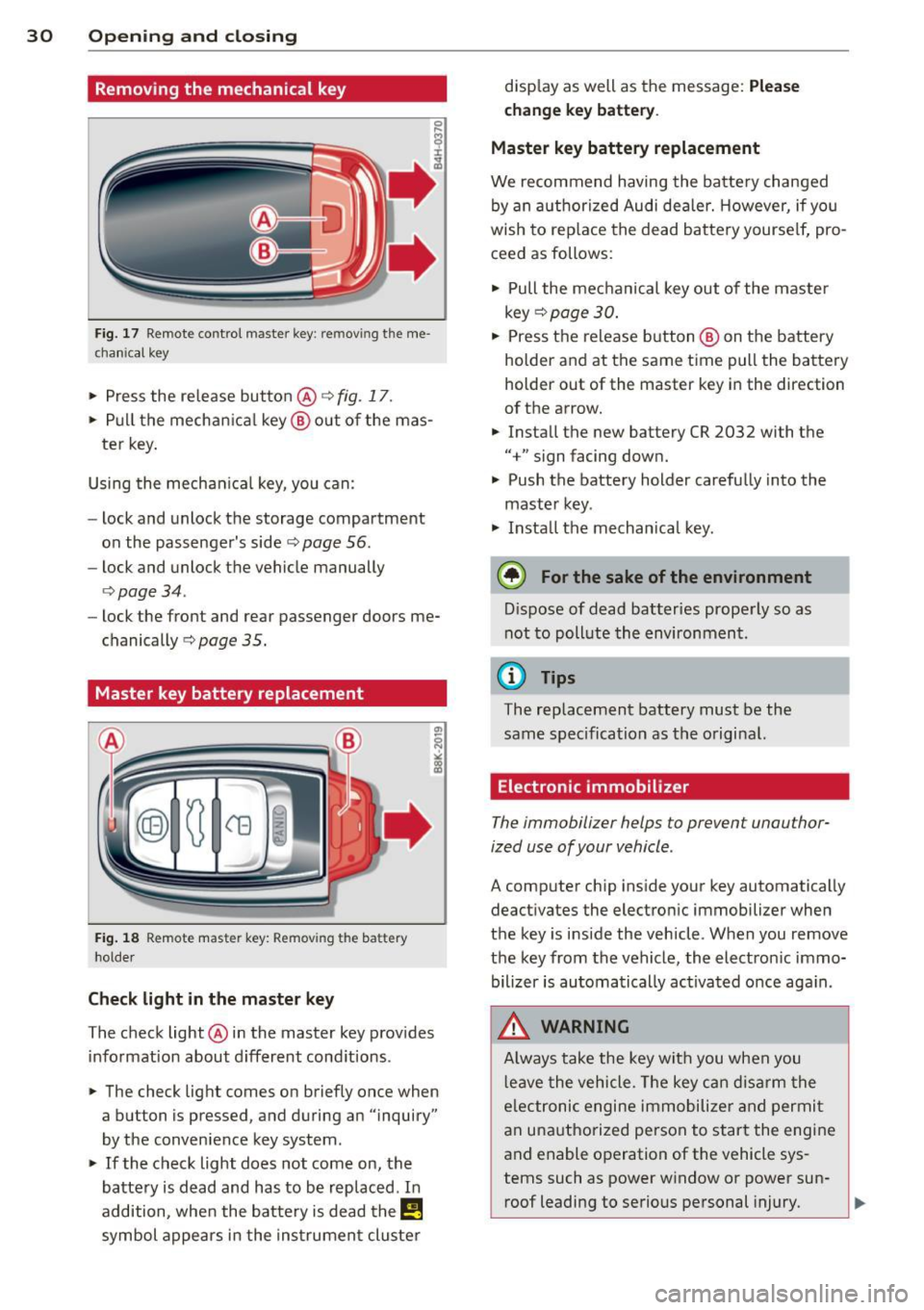
Removing the mechanical key
Fig. 17 Remote control master key: remo vin g the me
ch ani cal key
> Press the release button @ c:> fig. 17 .
.. Pull the mecha nica l key @out of the mas
te r key.
Using the mechan ica l key, you can:
- lock and unlock the storage compartment
on the passenger's side
c:> page 56.
- lock and unlock the vehicle manually
<=>page 34.
-lock the front and rear passenger doors me
chanically
c:> page 35.
Master key battery replacement
Fig . 18 Remote mas ter key: Removing the batter y
ho lder
Ch eck light in the master ke y
The check light @in the master key provides
information about d ifferent cond itions .
.. The check light comes on briefly once when
a button is pressed , and during an "inquiry"
by the convenience key system .
> If the check light does not come on, the
battery is dead and has to be replaced . In
addition, when the bat tery is dead the
I!
symbol appears in the instrument cluster disp
lay as well as the message:
Ple ase
c h ange key batt ery.
Ma ster key batter y replacement
We recommend having the batte ry changed
by an authorized Audi deale r. However, if you
wish to rep lace the dead battery yourse lf, pro
ceed as follows:
> Pull the mechanical key out of the master
key
c:> page 30 .
.. Press the release button @ on the battery
holder and at the same time pull the battery
holder out of the master key in the direction
of the arrow .
.. Install the new battery CR 2032 with the
"+" sign facing down.
> Push the battery holder carefully into the
maste r key .
> Insta ll the mechanical key.
@ For the sake of the env ironment
D ispose of dead batteries properly so as
not to pollute the environment.
(D Tips
The replacement battery must be the
same specification as the original.
Electronic immobilizer
The immobilizer helps to prevent unauthor
ized use of your vehicle .
A computer chip ins ide your key automatically
deactivates the electronic immobilizer when
the key is inside the vehicle . When you remove
the key from the vehicle, the electron ic immo
bilizer is automatically ac tivated once aga in .
.&, WARNING
-
A lways take the key with you when you
l eave the vehicle . T he key can disarm the
e lectronic engine immobilize r and permi t
an unauthorized person to start the engine
and enable operation of the vehicle sys
tems such as power window or power sun- roof leading to serious personal injury.
~
Page 33 of 294
@ Tips
-The vehi cle ca nnot be sta rte d if an unau
thorized key is used. The vehicle may not
start if another radio device such as a key
for another vehicle or a transponder is
l ocated on the key ring.
- For Declarat ion of Compliance to United
States FCC and Industry Canada regula
tions ¢
page 2 76.
Power locking system
General description
The power l ocking system locks or unlocks all
doors and the rear lid simultaneously.
You ca n lock and un lock the v eh icle cent rally.
You have the following choices:
- Remote master key¢
page 33,
-Door handles with convenience key*
¢ page 33,
-lock cylinder at the dr iver 's door
¢page 34, or
- Power locking switch inside¢
page 34.
Selective unlocking
When t hey a re closed, the door and re ar lid
are loc ked . When unlocki ng, you can set in the
M MI whether only the driver's door or the en
tire vehicle sho uld be un locked
r::!) page 32 .
Automatic locking
The automat ic lo cking fea ture locks all the ve
hi cle doo rs and the rear lid whe n you drive
faster than 9 mph ( 15 km/h) .
The c ar is un locked aga in , when the opening
f u nction in the power lo cking system sw itch
or at one of the door leve rs is ac tuated. The
Auto lock f unction can be turned on and
off in
the M MI
¢ page 32.
Anti-theft alarm warning system
If th e a nti-theft alarm wa rning sys tem de
tec ts a bre ak-in into the vehi cle, aco ust ic and
v isua l wa rning signals are t riggered.
Opening and clo sin g 31
The anti -theft wa rning system is activated au
tomat ica lly when you lock the ve hicle .
It is de
activated when unlocking using the remote
key, w ith the mechan ica l key, and when you
switch the ign ition on .
The alarm a lso t urns
off when the a larm cycle
has expired .
Turn signals
When you unl ock the ve hicle, the turn s ignals
f lash twice . When yo u lock the veh icle t he
tu rn s ignals f lash once.
If t hey do not flash ,
one of the doo rs, the rear lid o r th e hood is
not locked.
Unintentionally locking yourself out
In the fo llow ing cases there sa feg uards to
prevent yo u locki ng you r remo te mas ter key in
the ve hicl e:
- The vehicle does not lo ck wit h the cen tral
lo ck ing swit ch
r::!) page 34 if t he drive r's
door is open.
- On veh ides with co nvenience key*, if the
mos t recen tly use d m aste r key is in the lug
gage compartment, the rear lid is a utomat i
cally un locked again after it is closed.
Do no t lock your ve hicle with the
re mote mas
ter key or convenience key*
unti l all doors
and the rear lid are closed. In this way you
avo id lock ing yo urself out acc identally .
Power side door closer*
The vehicle doo rs a re equippe d with a powe r
s ide d oor closer . W he n clos ing a doo r, y ou o n
l y have to le t it fall light ly in to the latch . The
doo r will the n automatically close by itself
¢ ,& .
&_ WARNING
-When you lock yo ur vehicle from o utside,
nobody -espec ially childre n -should re
main inside the ve hicle. Remember,
when yo u lock the vehicle from t he out
side the wi ndows cannot be o pened from
the inside. .,.
Page 34 of 294
32 Openin g and clo sing
- When you leave the vehicle, always take
the ignition key with you. This will pre
vent passengers (children, for example)
from accidentally being locked in the ve
hicle should they accidentally press the
power locking switch in the doors.
- Do not leave children ins ide the veh icle
unsupervised. In an emergency it would
be impossible to open the doors from
the outside without the key.
- Applies to vehicles with power side door
closer*:
- When closing a door, make sure noth
ing can inter fere with the door. This
could cause ser ious persona l injury.
- You can stop the door from closing at
any time by pulling on the inside or
outside door handle.
- In the event of a c rash with airbag de
ployment a ll locked doors will be auto
matically unlocked to g ive access to the
vehicle occupants from the outside.
- If the power lock ing system should ma l
funct ion, you can lock the dr iver's door
using the mechanical key¢
page 35.
- If the power lock ing system should fail,
you can sti ll open the fue l tank flap in an
emergency ¢
page 214.
- You are we ll advised not to keep valua
bles inside an unattended vehicle, visib le
or not . Even a properly locked vehicle
cannot provide the sec urity of a safe.
- If the LED in the upper edge of the driv
er's door panel comes on fo r abo ut 30
seconds afte r the vehicle is locked, the re
i s a ma lfunction in the power loc king or
the anti- theft warn ing system. Have the
malfunction corre cte d by an author ized
A udi dealersh ip or qua lified repai r fac ili
ty .
Setting power locking
The driver can determine the functions for
power locking in the MMI .
.,. Select: I CAR I function button > Car systems
contro l butto n > Vehicle settings > Cent ral
lo cking .
Unloc k doors -
You can dec ide if All doors or
only the
Dr iver shou ld unlock. The rear lid al
so unlocks when
All is selected . If you select
Driver in a vehicle with a convenience key*,
o nl y th e doo r whose hand le you p ull will un
lock.
If you se lect
Driver , all the doors and rear lid
will unlock if you press the
CD button on the re
mote control maste r key twice .
Lock exterior trunk handle -If you select On ,
the rear l id handle is locked . In this case the
rear lid can be opened with the b utton
,c::5 on
the maste r key or with the
,c::5 button in the
drive r's door . In veh icles with a convenience
key*, you ca n still open the re ar lid using the
hand le if an authorized maste r key is near the
proximity sensor .
Fold mirrors* -If you selec t On, the exterior
rearview m irrors fold in au toma tica lly w hen
yo u press the
CD bu tton o n the remote contro l
master key or touch the sensor* in the handle .
Lock wh en d riving -If you select On, t he vehi
cl e locks automa tica lly when driv ing. A ll of
t h e doors and rea r lid lock .
Tone when locking -When you select On, a
c o nfirmat io n tone sounds when yo u lock the
vehicle.