vent AUDI A7 2012 User Guide
[x] Cancel search | Manufacturer: AUDI, Model Year: 2012, Model line: A7, Model: AUDI A7 2012Pages: 294, PDF Size: 73.33 MB
Page 35 of 294
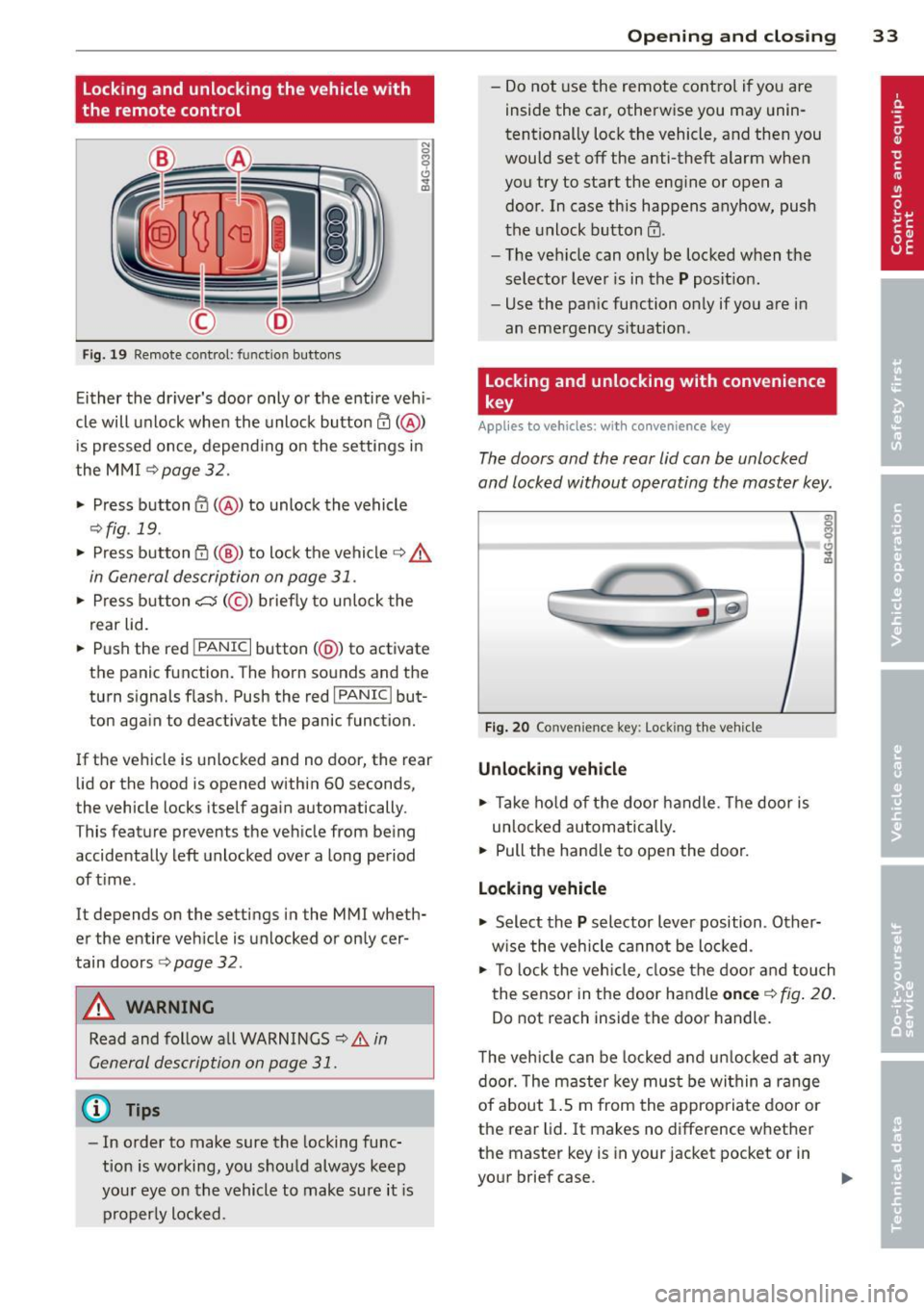
Locking and unlocking the vehicle with
the remote control
F ig. 19 Remote control: func tion buttons
Either the dr iver's door only or the entire veh i
cle will unlock when the unlock button
en(@)
is pressed once, depend ing on the settings in
the MMI
c>page 32.
.. Press button 0 (@ ) to unlock the vehicle
¢fig. 19 .
.. Press button {f) (@ ) to lock the vehicle q .&.
in General description on page 31 .
.. Press button cs(@) briefly to unlock the
rear lid .
.. Push the red
!PANIC I button( @) to activate
the panic function. The horn sounds and the
turn signal s flash. Push the red
I PANIC ! but
ton again to deactivate the panic function.
If the vehicle is unlocked and no door, the rear
lid or the hood is opened within 60 seconds,
the vehicle locks itself again automatically .
This featu re prevents the vehicle from being
accidentally left unlocked over a long period
of time .
It depends on the settings in the MMI wheth
er the entire vehicle is unlocked or only cer
tain doors
r::> page 32.
A WARNING
Read and follow all WARNINGS ¢.&. in
General description on page
31.
@ Tips
-In order to make sure the locking func
tion is working, you should always keep
your eye on the vehicle to make sure it is
properly locked.
Opening and closing 33
-Do not use the remote cont rol if you are
inside the car, otherwise you may unin
tentionally lock the vehicle, and then you
would set
off the anti-theft alarm when
you try to start the engine or open a
door . In case this happens anyhow, push
the unlock button@ .
- The veh icle can only be locked when the
selector lever is in the
P posit ion.
- Use the panic function only if you are in
an emergency situation .
Locking and unlocking with convenience
key
Applies to vehicles: w ith conven ience key
The doors and the rear lid can be unlocked
and locked without operating the master key .
Fig. 20 Conve nience key : Lock ing th e vehicle
Unlocking vehicle
.. Take hold of the door handle . Th e door is
un locked automat ically.
.. Pull the handle to open the door.
Locking vehicle
.. Select the P selector lever position . Other
w ise the veh icle cannot be locked.
.. To lo ck the veh icle, close the door and touch
the sensor in the door handle
once c> fig. 20.
Do not reach inside the door handle .
T he vehicle can be locked and unlocked at any
door. The master key must be within a range
of about 1.5 m from the appropriate door or
the rear lid. It makes no difference whether
the master key is in your jacket pocket or in
your brief case.
Page 36 of 294
34 Openin g and clo sing
It is not possible to re-open the door for a
brief period direct ly after closing it. This al
l ows you to ensure that the doors are properly
locked.
I t depends on the settings in the MMI wheth
er the entire vehicle is unlocked or one of the
doors
c:::> page 32.
A WARNING
Read and follow a ll WARNINGS c:> & in
General description on page
31.
(D Tips -
If your vehicle has been stand
ing fo r an ex
tended period, please note the follow ing:
- The proximity sensors are deactivated af-
ter a few days to save power. Yo u then
have to pull on the door handle once to
unlock the ve hicle and a second time to
open the veh icle.
- To prevent the battery from being dis
charged and to preserve your veh icle's
ability to start for as long as possible,
the energy manageme nt system gradu
a lly switches off unnecessary co nven
i en ce f unct ions.
It is po ssible t hat you
will not be able to unlock yo ur vehicle us
i ng these conven ience f unctions.
- Fo r De clarat ion of Compliance to Uni ted
St ates FCC an d Indus try C anad a regu la
tions
c::> page 2 76.
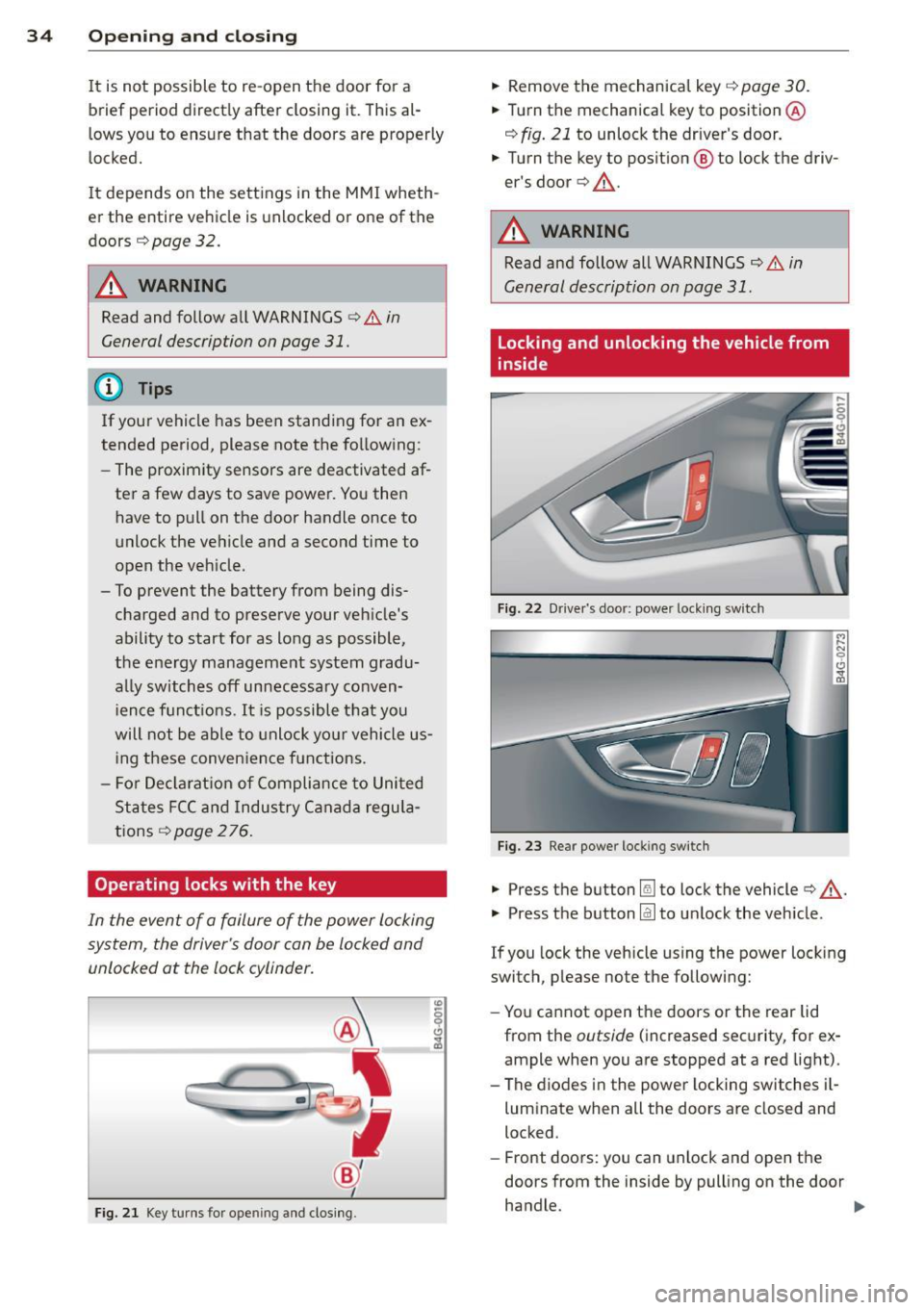
Operating locks with the key
In the event of a failure of the power locking
system, the driver's door con be locked and
unlocked at the lock cylinder.
F ig . 21 Key tu rns for opening and clos ing .
.,. Remove the mechanica l key c::> page 30 .
.,. Tu rn th e mechanical key to position @
c:::> fig. 21 to unlock the driver's door .
.,. Turn the key to posit ion @ to lock the driv
er's door
c:> ,& .
A WARNING
Read and follow all WARNINGS c::> & in
General description on page
31 .
Locking and unlocking the vehicle from
inside
Fig. 22 Dr ive r's door: power lock ing swi tch
Fig . 2 3 Rear power locking switch
.,. Press th e button Im to lock the vehicle c:> ,& .
.,. Press th e button @J to un lock the vehicle.
If you lock the vehicle using the power locking
switch, please note the following:
- Yo u cannot open the doors or the rear lid
from the
outside ( increased sec urity, for ex
ample when you are stopped at a red light).
- The diodes in the powe r locking switches i l-
luminate when all the doors are closed and
locked.
- Front doors: you can unlock and open the
doors from the inside by pulling on the door
handle. .,.
Page 37 of 294
- Rear doors: pull the door handle once to re
lease the lock. Pull the hand le
again to open
the door .
- If you have a crash and the airbag is activat
ed, the doors automatically un lock .
.&_ WARNING
- The power locking switch works with the
ignition off and automatically locks the
entire vehicle when it is actuated.
- On a vehicle locked from the outside the
power locking system switch is inopera
tive.
- locking doors from the inside can help
prevent inadvertent door opening during
an acc ident and can also prevent unwant
ed entry from the outside. locked doors
can, however, delay assistance to veh icle
occupants and hold up rescue efforts
from the outside in an acc ident or other
eme rgency .
@ Tips
Your vehicle is locked automatically at a
speed of9 mph (15 km/h)
qpoge 31. You
can unlock the vehicle again usin g the
opening funct ion in the power locking sys
tem switch.
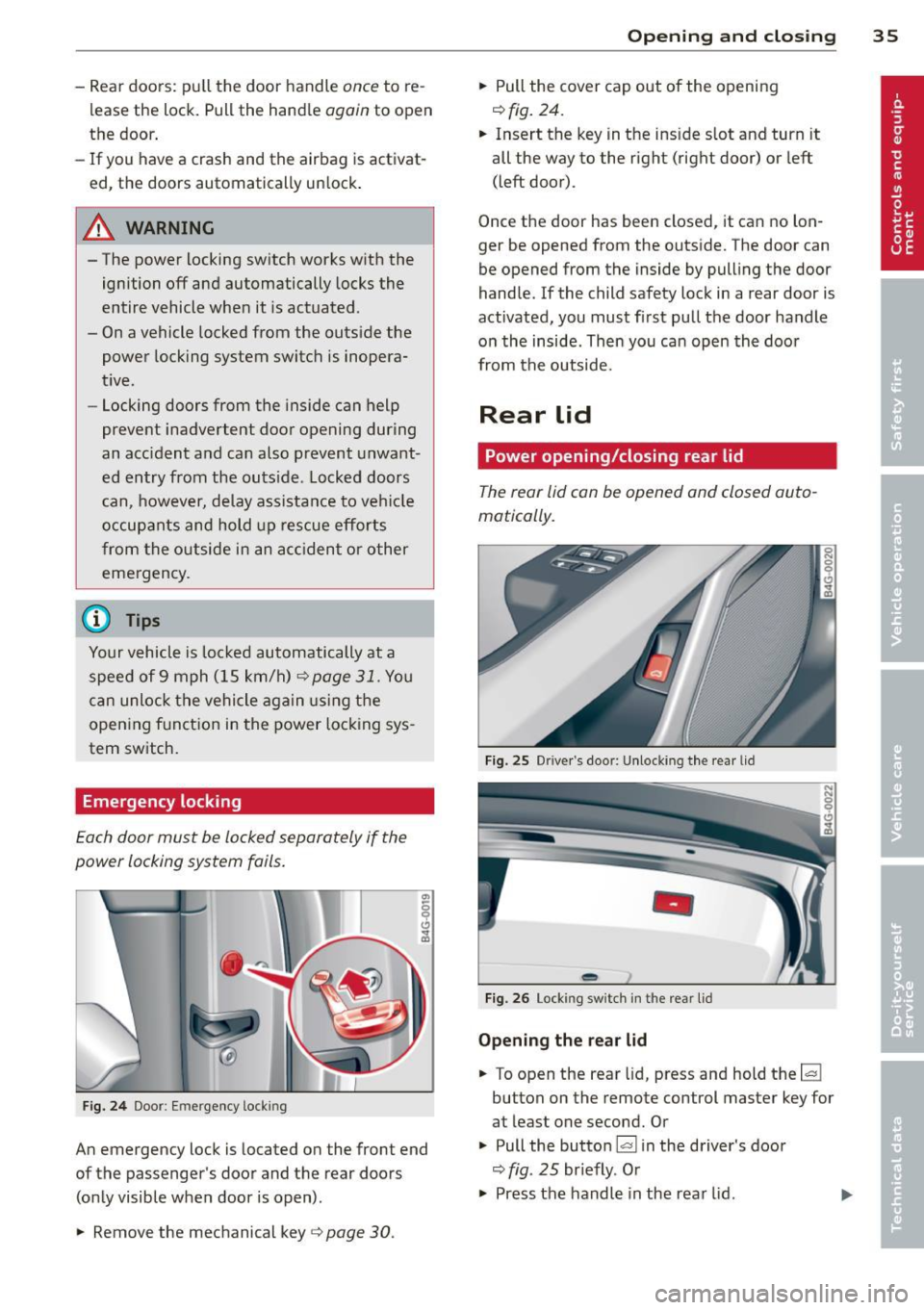
Emergency locking
Each door must be locked separately if the
power locking system foils .
Fig. 24 Doo r: Em ergency lock ing
An emergency lock is located on the front end
of the passenger's door and the rear doors (only visible when door is open) .
.,. Remove the mechanical key
q page 30 .
Opening and closing 35
.,. Pull the cover cap out of the opening
r=> fig. 24.
.. Insert the key in the ins ide s lot and turn it
all the way to the right (right door) or left
(left door) .
Once the door has been closed, it can no lon
ger be opened from the outside. The door can
be opened from the inside by pulling the door
handle .
If the child safety lock in a rear door is
activated, you must first pull the door handle
on the inside . Then you can open the door
from the outside.
Rear lid
Power opening/closing rear lid
The rear lid con be opened and closed auto
matically.
Fig. 25 Drive r's doo r: Unlocki ng the rear lid
-
Fig. 26 Lock ing switch in t he rear lid
Opening the rear lid
.. To open the rear lid, press and hold the~
button on the remote control master key for
at least one second. Or
.,. Pull the button~ in the driver 's door
r=> fig. 25 br iefly. Or
.,. Press the handle in the rear lid. ..,.
Page 38 of 294
36 Openin g and clo sing
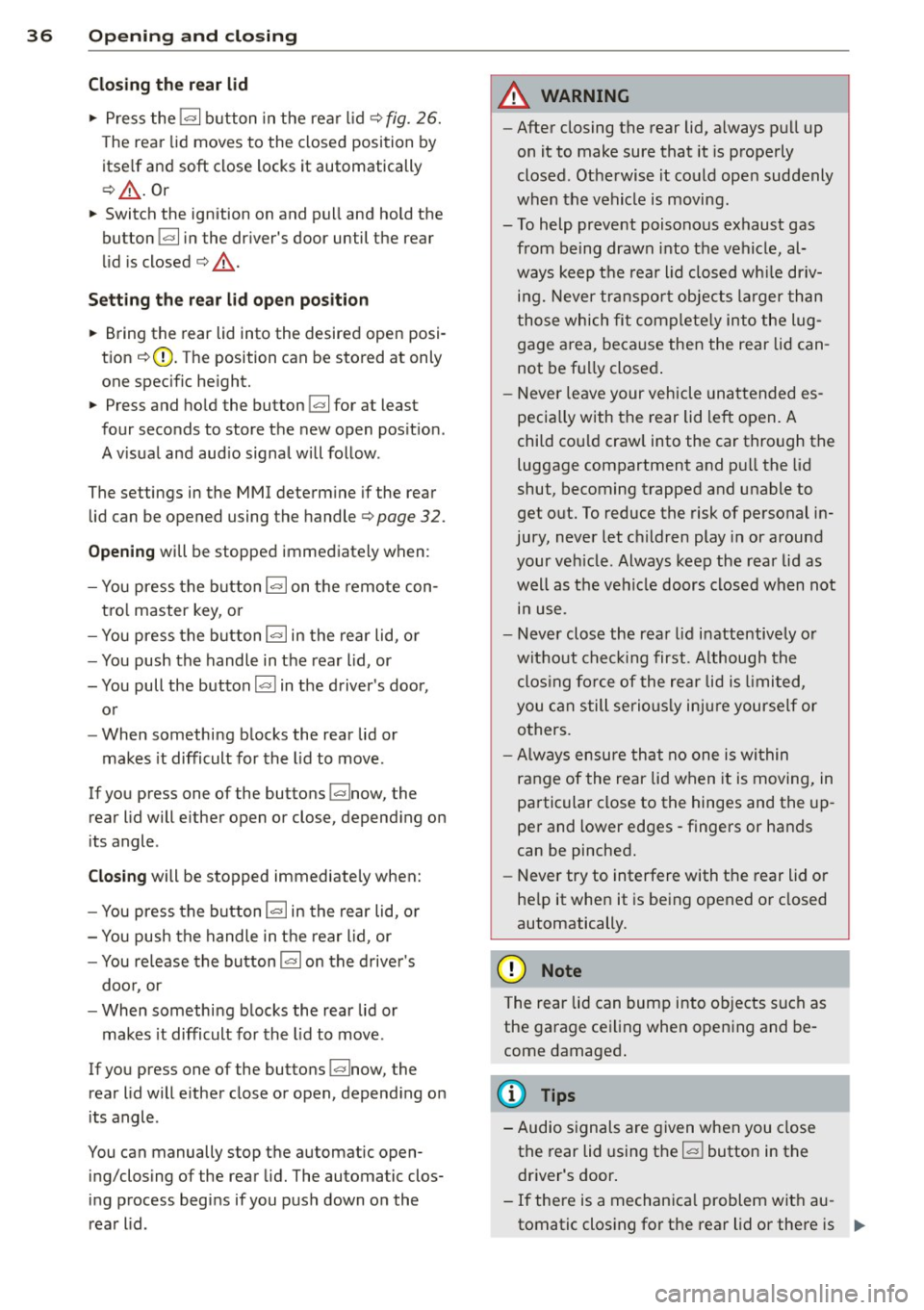
Cl os ing th e rea r lid
.. Press the lc:::, 1 button in the rear lid ¢ fig. 26.
T he rear lid moves to the closed position by
itse lf and soft close locks it automatically
¢ _& .Or
.. Switch the ignition on and pull and hold the
button
!c:::, I in the driver 's door until the rear
lid is closed ¢
_A.
Setting th e rear lid op en po siti on
.. Bring the rear lid into the desired open posi
tion ¢(D. The position can be stored at only
one specif ic height.
.. Press and hold the button
!c:::, I for at least
four seconds to store the new open pos ition.
A v isual and aud io signal will follow .
The settings in the MMI determine if the rear lid can be opened using the handle ¢
page 32.
Opening will be stopped immediately when :
- You press the b utton
lc:::, I on the remote con -
tro l master key, or
- You press the button
la l in the rear lid, or
- You push the handle in the rear lid , or
- You pull the button
l a! in the driver's door,
or
- When something blocks the rear lid or
makes it difficult for the lid to move.
If you press one of the buttons ~now, the
rear lid will either open or close, depending on
its angle .
Closing will be stopped immediate ly when:
- You press the button
lc:::, I in the rear lid, or
- You push the handle in the rear lid , or
- You release the button
la l on the driver's
door , or
- When something blocks the rear lid or
makes it difficult for the lid to move .
If you press one of the buttons ~now, the
rear lid will either close or open, depending on
its angle .
You can manually stop the automatic open ing/closing of the rear lid. The automatic clos
ing process begins if you push down on the
rear lid .
A WARNING
-After closing the rear lid, always pull up
on it to make sure that it is properly
closed . Otherwise it could ope n suddenly
when the vehicle is moving .
- To help prevent poisonous exhaust gas from being drawn into the vehicle, al
ways keep the rear lid closed wh ile driv
ing. Never transpo rt objects la rger than
those which fit complete ly into the lug
gage area, beca use then the rear lid can
not be fu lly closed .
- Never leave your veh icle unattended es
pecia lly with the rear lid left open. A
child cou ld craw l into the car through the
luggage compartment and pu ll the lid
shut, becoming trapped and unable to
get out. To reduce the risk of personal in
jury, never let c hildren play in or around
your ve hicle. Always keep the rear lid as
well as the vehicle doors closed when not i n use .
- Never close the rear lid inattentively o r
without check ing first . Although the
clos ing force of the rear lid is limited,
you can still serious ly injure yourself or
others.
- Always ensure that no one is within
range of the rear lid when it is moving, in
particular close to the hinges and the up
per and lower edges -fingers or hands
can be pinched.
- Never try to interfere with the rear lid or
he lp it when it is be ing opened or closed
automatically.
(D Note
The rear lid can bump into ob jects such as
the garage ceiling when opening and be
come damaged .
(D Tips
-Audio signals a re given when you close
the rear lid using the
l a! button in the
driver's door .
- If there is a mechanica l problem with au
tomatic closing for the rear lid or there is .,..
Page 39 of 294
an obstruction, it opens again immedi
ate ly. Check to see why the rear lid cou ld
not be closed before attempting to close
it again.
- The following applies to vehicles equip
ped with the Convenience key* feature: if
the remote control key is left in the lug
gage compartment, luggage compart
ment will automat ically unlock itself af
ter you lock the vehicle. This prevents
you from un intent ionally locking your
key in the luggage compartment.
- When the vehicle is locked, the rear lid
can be unlocked separately by pressing
the button
l=I on the master key. When
the rear lid is closed again, it locks auto
matically .
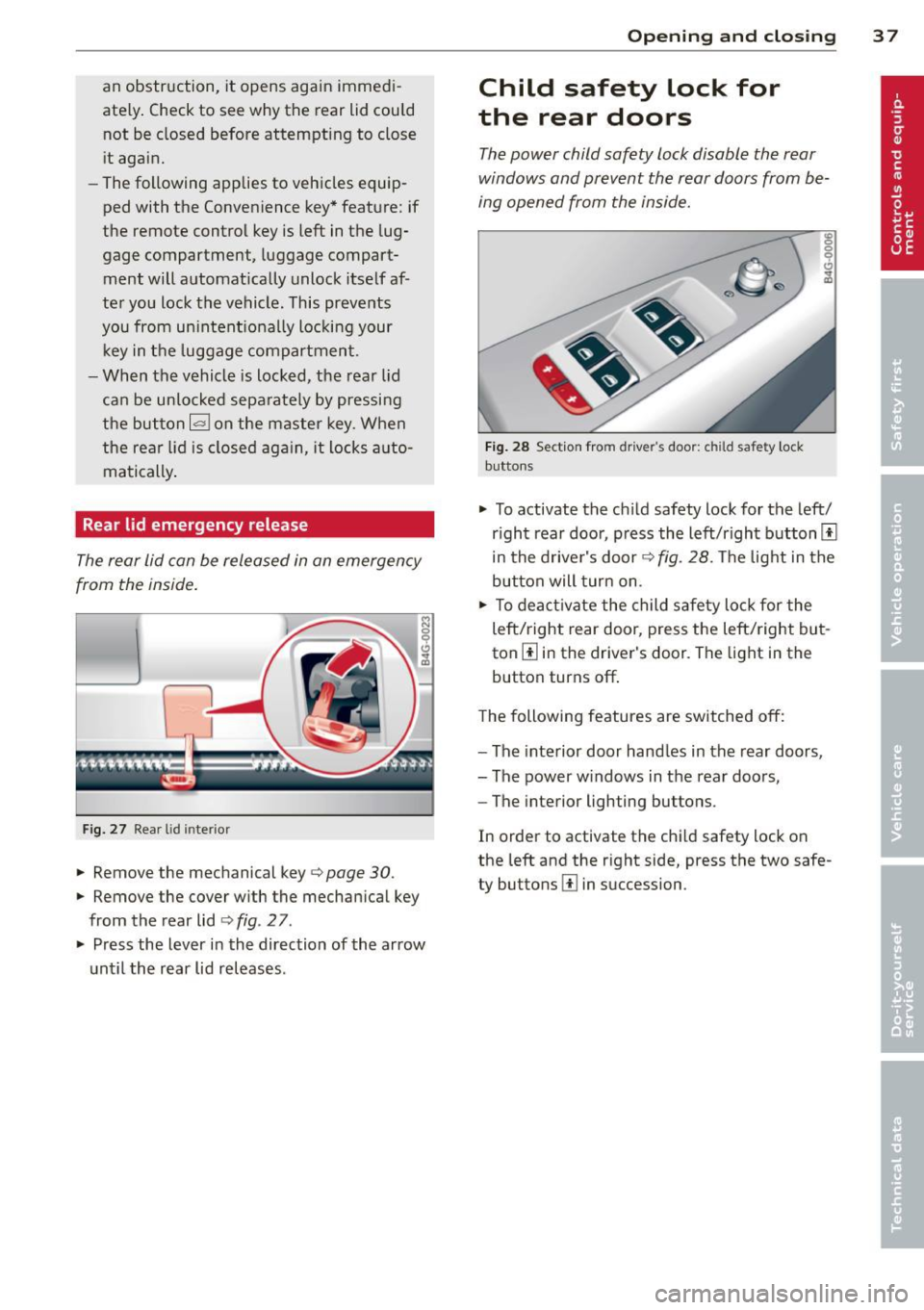
Rear lid emergency release
The rear lid can be released in an emergency
from the inside .
Fig. 27 Rear lid inte rio r
.,. Remove the mechanical key¢ page 30.
.,. Remove the cover with the mechanical key
from the rear lid ¢
fig. 2 7 .
.,. Press the lever in the direction of the arrow
until the rear lid releases.
Opening and closing 3 7
Child safety lock for
the rear doors
The power child safety lock disable the rear
windows and prevent the rear doors from be
ing opened from the inside.
Fig. 28 Section fro m drive r's door: c hild safet y lock
buttons
.,. To activate the ch ild safety lock for the left/
r ight rear door, p ress the left/right button[!]
in the driver's door¢
fig. 28. The light in the
button will turn on.
.,. To deactivate the child safety lock for the
left/right rear door, press the left/ right but
ton[!] in the driver's door. The light in the
button turns off .
The following features are switched
off:
-The interior door handles in the rear doors,
- The power windows in the rear doors,
- The interior lighting buttons.
In order to activate the chi ld safety lock on
the left and the r ight side, press the two safe
ty buttons [!] in succession .
Page 44 of 294
42 Clear vision
visibility conditions. For example, fog cannot be detected by the light sensors.
So always switch on the headlights
io
under these weather conditions and
when driving in the dark.
- Crashes can happen when you cannot see
the road ahead and when you cannot be
seen by other motorists . Always turn on
the headlights so that you can see ahead and so that others can see your car from
the back.
(D Note
The rear fog lights should only be turned
on in accordance with traffic regulation, as
the lights are bright for following traffic.
@ Tips
-In the event of a light sensor malfunc
tion, the driver is notified in the instru
ment cluster display~
page 21.
-You will hear a warning tone if you open
the driver door when the exterior lights
are switched on.
- Please observe legal regulations when
using the lighting systems described .
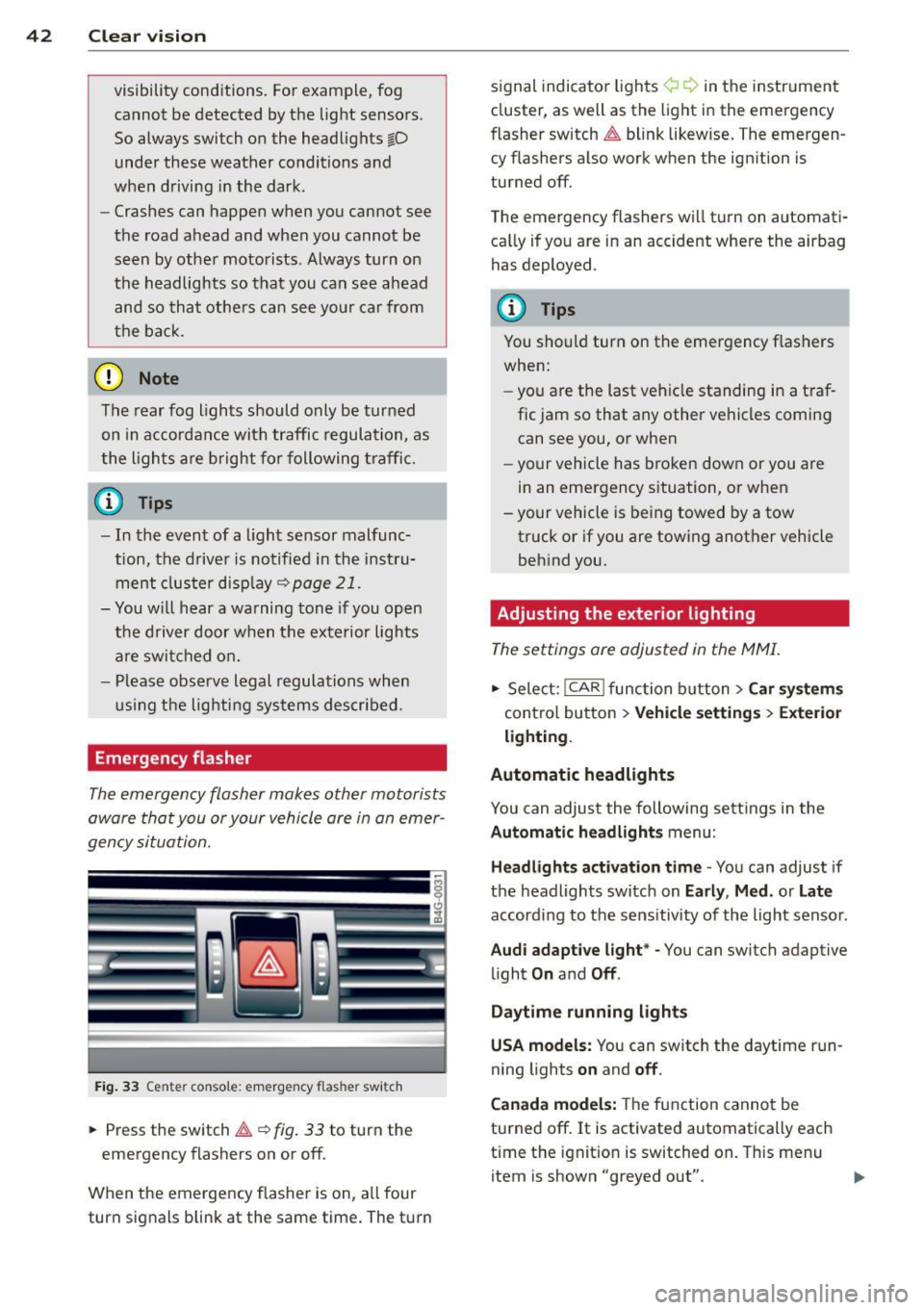
Emergency flasher
The emergency flasher makes other motorists
aware that you or your vehicle are in an emer
gency situation.
Fig. 33 Center console : emerge ncy flasher switch
• Press the switch~~ fig. 33 to turn the
emergency flashers on or off.
When the emergency flasher is on, all four
turn signals blink at the same time. The turn signal
indicato r lights ¢ Q in the instrument
cluster, as well as the light in the emergency
fl asher switch ~ blink likewise. The emergen
cy flashers also work when the ignition is
turned off.
The emergency flashers will turn on automati
cally if you are in an accident where the airbag
has deployed .
(D Tips
You should turn on the emergency flashers
when:
- you are the last vehicle standing in a traf
fic jam so that any other vehicles coming
can see you, or when
- your vehicle has broken down or you are
in an emergency situation, or when
- your vehicle is being towed by a tow
truck or if you are towing another vehicle
behind you.
· Adjusting the exterior lighting
The settings ore adjusted in the MMI.
• Select: I CAR I function button > Car systems
control button > Vehicle settings> Exterior
lighting.
Automatic headlights
You can adjust the following settings in the
Automatic headlights menu :
Headlights activation time -You can adjust if
the headlights switch on
Early , Med. or Late
according to the sensitivity of the light sensor .
Audi adaptive light* -You can switch adaptive
light
On and Off .
Daytime running lights
USA models:
You can switch the daytime run
ning lights
on and off.
Canada models:
The function cannot be
turned off.
It is activated automatically each
time the ignition is switched on. This menu
item is shown "greyed out".
Page 49 of 294
.. Remove the wiper blade in the direction of
the arrow .
Installing the wiper blade
.. Inse rt the new wiper blade into the moun t
on the w iper arm @until you hea r it latch
i nto place.
.. Place the wiper arm back on the windshie ld .
.. Switch the ignition on.
.. Press the w indshield wiper lever.
Or .. Se lect : ICAR lf u nction button>
Car sy stem s
control button > Servicing & check s > Wiper
se rvice position
> Off .
A WARNING
-If the wi ndshield wipe rs smear the wind
shield, clean the w iper blades with w ind
shield washe r fl uid . If the wiper blades
are extremely d irty, yo u can also clean
th em with a soft sponge or cloth.
- For yo ur safe ty, you should replace the
wiper blades once or twice a year . See
yo ur aut horiz e d Aud i dea ler for rep lace
me nt blades .
(D Note
-The wi ndshield wiper blades mus t only
b e fo lded away when in t he se rv ice posi
tion! Otherwise, you risk damaging the
paint on the hoo d or the wi ndshield wip
e r mo to r.
- Y ou sho uld not m ove y our vehicle or
press the w indshie ld w iper lever when
the wiper arms are folded away from the
windsh ield . The windshield w ipers would
move back into the ir o rig inal position
and could damage the hood and w ind
s h ield.
- To he lp prevent damage to the wiper sys
tem, a lways loosen blades which are fro
zen to the windsh ield before operat ing
wipers.
- To he lp prevent damage to w iper blades,
do not use gasoline, ke rosene, pa int
t hi nner, or othe r solve nts on or nea r th e
wipe r blades. Clear vi
sion 4 7
- T o help p revent damage to the wiper
arms or other components, do not at
tempt to move the wipers by hand.
(D Tips
- Commercial hot waxes appli ed by a uto
matic ca r washes affect the cleanability
o f the windshie ld .
- Yo u can also use the serv ice po sit ion, for
example, if yo u want to p rotect the
w indshield from icing by using a cover .
- Yo u cannot activate the se rv ice position
w hen the hood is ope n.
Mirrors
Adjusting the exterior mirrors
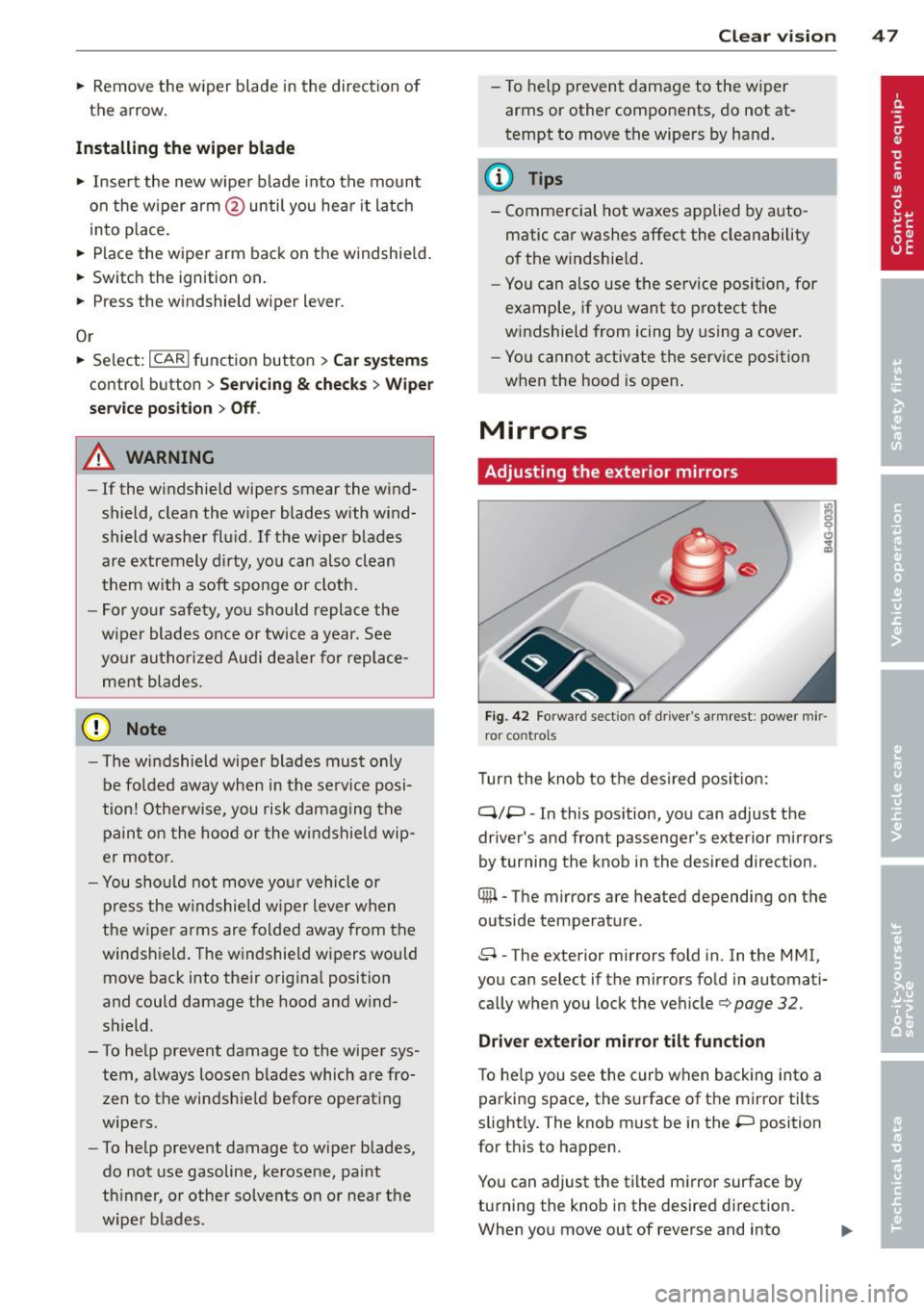
Fig. 42 Forwar d sect io n of dr ive r's ar mrest : power mir
r o r cont rol s
Turn the knob to t he des ired po sition:
q;p -In this pos ition, you can adjust the
drive r's and fro nt pass enge r's exte rior mi rrors
by turning the knob in the desired d irection.
® -The mirrors are heated depending on the
outside temperature .
8 -The exterior mirrors fold in. In the MMI,
you can select if the mirrors fo ld in automati
ca lly when you lock t he vehicle¢
page 32.
Driver exterior mirror tilt function
To he lp you see the curb when backing into a
par king space , the s urface of t he mirror tilts
slight ly. The knob must be in the
P position
for t his to happen .
You can adjust the tilted m irror surface by
turning the kno b in the desire d di rect ion.
When you move out of reverse and into
Page 59 of 294
-Compartment in the rear center armrest
- Storage in the trim panels in the luggage
compartment
A WARNING
- Always remove objects from the instru
ment panel. Any items not stored could
slide around inside the vehicle while driv ing or when accelerating or when apply
ing the brakes or when driving around a
corner.
- When you are driving make sure that
anything you may have placed in the cen
ter console or other storage locations cannot fall out into the footwells. In case
of sudden braking you would not be able
to brake or accelerate.
- Always keep the lid of the compartment
for (sun)glasses* closed while driv ing to
reduce the risk of injury dur ing a sudden
braking maneuver or in the event of an
accident.
- Any articles of cloth ing that you have
hung up must not in terfere with the driv
er's view . The coat hooks are designed
only for lightweight clothing. Never hang
any clothing with hard, pointed or heavy
objects in the pockets on the coat hooks.
During sudden braking or in an accident -
especially if the airbag is deployed -
these objects could injure any passen gers inside the vehicle.
- To reduce the r isk of personal injury in an
acc ident or sudden stop, always keep the
glove compartmen t closed while dr iv ing.
- Read and fo llow all WARNINGS
~ page 159, Important safety instruc
tions on the side airbag sys tem.
- Hang clothes i n such a way that they do
not impair the dr iver's v is ion.
- The coat hooks must only be used for
lightwe ight cloth ing. Do not leave any
heavy or sharp edged obje cts in the pock
ets which may interfere with the side cur
tain airbag deployment and can cause persona l injury in a cras h.
- Do not use coat hangers for hanging
clothing on the coat hooks as this can in-
Sea ts a nd s to rage 57
terfere with proper deployment of the
side curtain a irbags in an acc ident.
- Do not hang heavy objects on the coat
hooks , as they could cause personal in
jury in a sudden stop.
(D Note
Objects located on the rear shelf that rub
against the rear window could damage the heating wires for the rear window defog
ger.
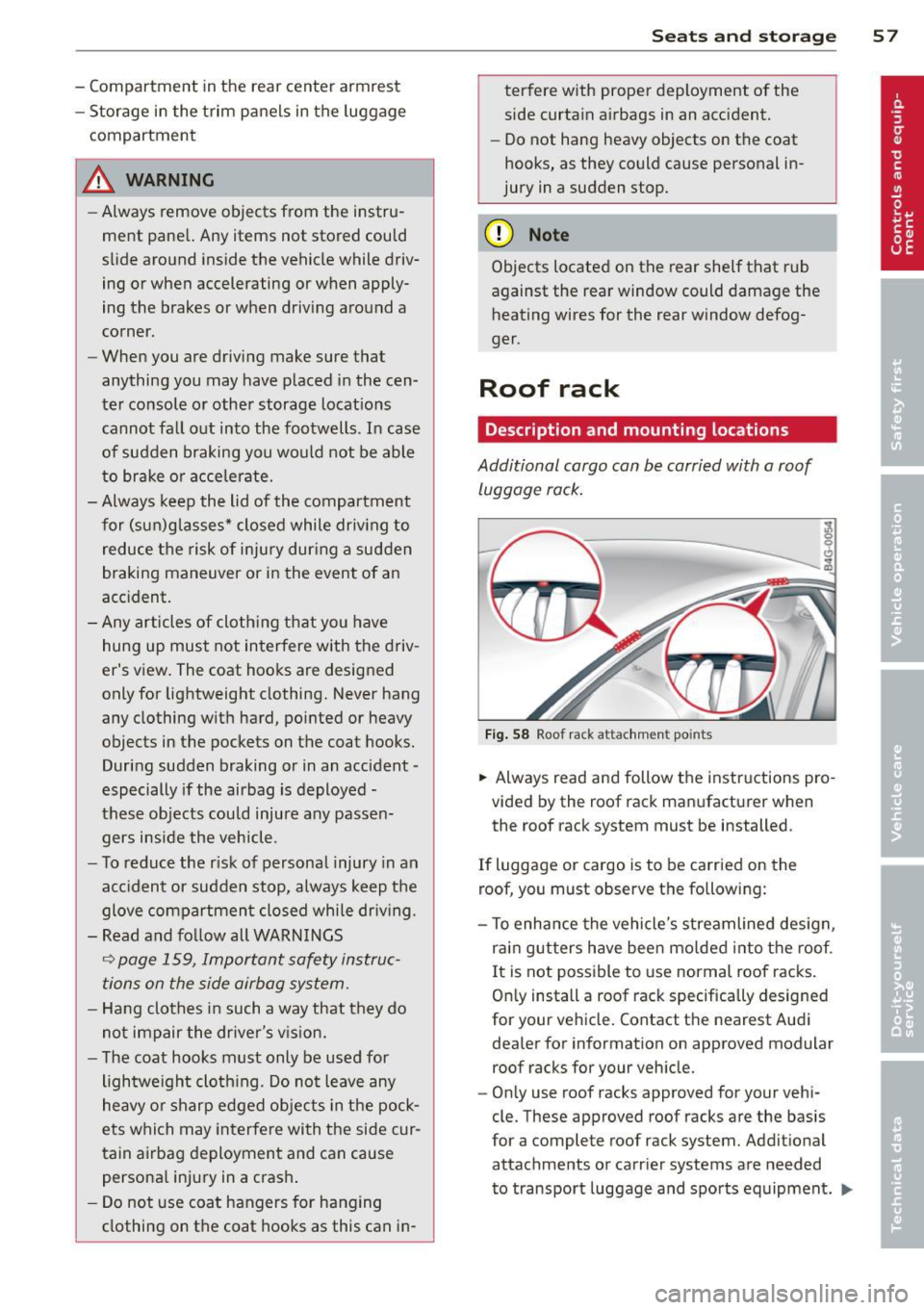
Roof rack
Description and mounting locations
Additional cargo can be carried with a roof luggage rack.
F ig . 58 Roof rack attachment points
... Always read and follow the instructions pro
vided by the roof rack manufacturer when
the roof rack system must be installed .
If luggage or cargo is to be carried on the
roof, you must observe the following:
- To enha nce the vehicle's streamlined design,
rai n gutters have been mo lded into t he roof.
I t is not possible to use normal roof racks .
On ly install a roof rack specifically designed
for your veh icle. Contact the nearest Aud i
dealer for information on approved modular
roof racks for your veh icle.
- On ly use roof racks approved for your vehi
cle. These approved roof racks are the basis
for a complete roof rack system. Addit ional
attachments or carrier systems are needed
to transport luggage and sports equipment .
IJll-
Page 61 of 294
-Make sure the roof rack is instal led exact
ly as specified above
c::> page 57.
- Always use suitable mounting straps for
securing items to the roof rack to help
prevent items from shifting or flying for
ward.
- Items on the roof rack must always be securely mounted.
- The use of a roof rack can negative ly af
fect the way a vehicle handles. Cargo
that is large, heavy, bulky, long or flat
will have a greater negative influence on
the vehicle's aerodynamics, center of
gravity and overall handling. Always dr ive slowly, avo id sudden braking and
maneuvers when transpo rting cargo on
the roof o f your vehicle .
- Never exceed the maximum perm iss ible
load carry ing capacity of t he roof of your
vehicle, the perm issib le axle weights and
the permissible total weight of your vehi cle
c::> page 270 , Weights.
- Always drive slowly, avoid sudden brak
ing and maneuvers when transporting
cargo on the roof of your vehicle.
@ For the sake of the environment
Sometimes it may be easier to leave a roof
rack insta lled even though you are not us
ing it. Due to the increased air resistance
your vehicle will unnecessari ly use more
fuel. Remove the roof rack if you are not going to use it.
Sea ts a nd s to rage 59
Luggage compartment
Loading luggage compartment
Items of luggage must be stowed securely.
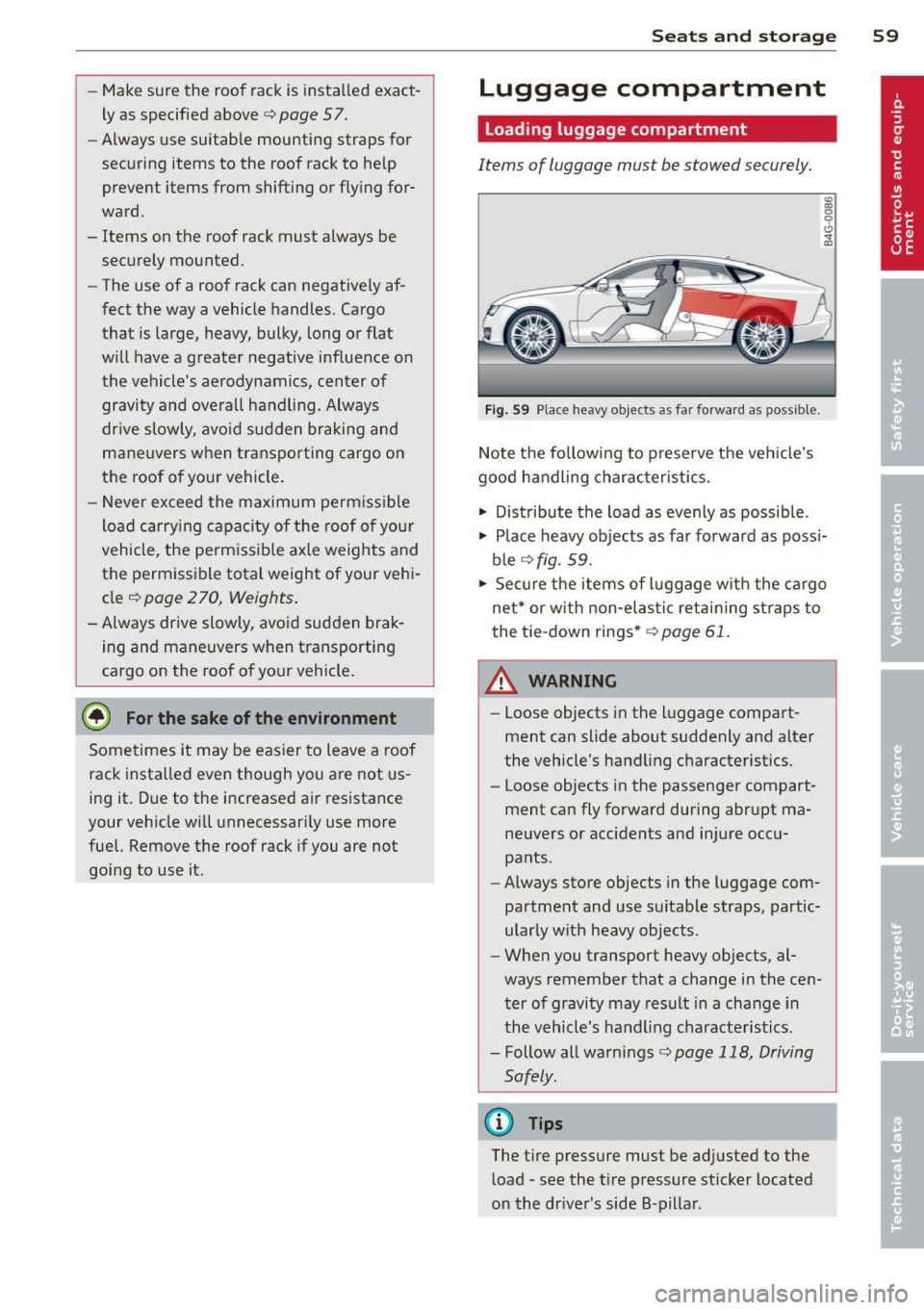
Fig. 59 Place heavy objects as far forward as possible.
Note the following to preserve the vehicle's
good handling charac teristics.
.., Distribute the load as evenly as possible .
.., Place heavy objects as far forward as poss i
ble
c::> fig. 59.
.., Secure the items of luggage w ith the cargo
net* or w ith non -elastic retaining straps to
the tie-down rings *
c::> page 61.
A WARNING
-Loose objects in the l uggage compart
ment can slide about suddenly and a lter
the vehicle's handling characteristics.
- Loose objects in the passenger compart
ment can fly forward during abr upt ma
neuvers or accidents and injure occu
pants .
- Always store objects in the luggage com
partment and use suitable straps, partic
ularly with heavy objects.
-
- When you transport heavy objects, al
ways remember that a change in the cen
ter of gravity may result in a change in
the vehicle's handling characteristics.
- Follow all warnings
c::> page 118, Driving
Safely.
(D Tips
The t ire pressure must be ad justed to the
load -see the t ire pressure sticker located
on the dr iver's side B-pillar .
Page 62 of 294
60 Seats and st o rage
Luggage compartment cover
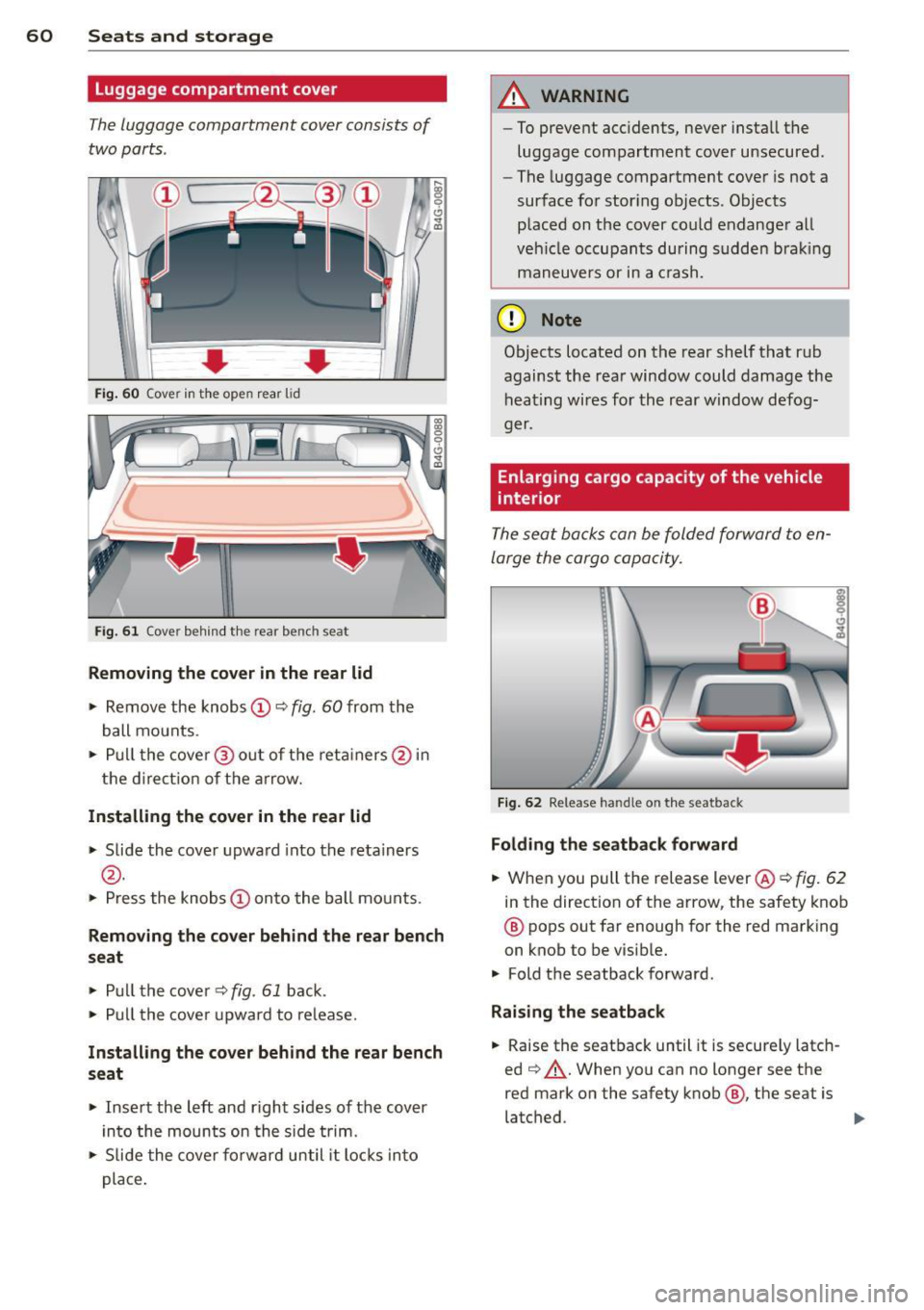
The luggage compartment cover consists of
two parts .
• • Fig. 60 Cover in t he open rear lid
Fig. 61 Cover behind t he rear bench seat
Removing the cov er in the r ear lid
.. Remove the knobs CD¢ fig. 60 from the
ball mounts .
.. Pu ll the cove r@ out of the reta iners @in
the d irect ion of the a rrow.
Install ing th e cover in the rear lid
.. Slide the cover upward into the retainers
@ .
.. Press the knobs CD onto the ball mounts.
9 C) .. (D
Rem oving the cov er behind the rear bench
seat
.. Pull the cove r¢ fig. 61 back .
.. Pull the cove r upward to re lease.
In sta ll ing th e co ver behind the rear bench
seat
.. Inse rt the left and r ight sides of the cover
in to the mounts on the s ide trim .
.. Slide the cover forward until it locks into
place .
A WARNING
--To prevent acc idents, never insta ll the
luggage compartment cover unsecured .
- The luggage compartment cover is not a
surface for storing objects. Objects
p laced on the cover co uld endanger all
veh icle occupan ts during sudden bra king
maneuvers or in a c rash.
(D Note
Objects located on the rear shelf that rub
against the rear window could damage the heating wires for the rear window defog-
ger.
Enlarging cargo capacity of the vehicle
interior
The seat backs can be folded forward to en
large the cargo capacity.
F ig . 62 Release handle on the seatback
Folding th e seatba ck forward
.. When you pull the release lever @¢ fig. 62
in the direction of the arrow, the safety knob
@ pops out far enough for the red marking
on knob to be visible.
.. Fold the seatback forward .
Raising th e se atb ack
.. Raise the seatback until it is secure ly latch
ed ~,&. .When you can no longer see the
red mark on the safety knob @, the seat is
latched . ..,