ignition AUDI A7 2013 Owner's Guide
[x] Cancel search | Manufacturer: AUDI, Model Year: 2013, Model line: A7, Model: AUDI A7 2013Pages: 310, PDF Size: 77.45 MB
Page 83 of 310

switched on during this stop phase. The en
gine will be automatically restarted when
needed.
The last Start-Stop-System setting (on/off us
ing the button
I CAJ ,.I) will be restored when the
ignition is turned on. The LED in the
l@ "'I but
ton turns on when the Start -Stop-System is
switched off manually.
Basic requirements for the Start-Stop
mode
- The driver's door is closed .
- The driver' seat belt is latched.
- T he hood is closed.
- The vehicle must have been driven faster
than 2.5 mph (4 km/h) since the last stop .
- A tra iler is not hitched to the vehicle.
_&, WARNING
-Never let the vehicle roll with the engine
switched off. You could lose contro l over
the vehicle . This can lead to a collision
and serious injuries .
- The brake booster and the steering sup
port do not work wh ile the engine is
switched off. More force is required to
stop and to steer the vehicle .
- To reduce the risk of injuries, make sure
that the Start-Stop-System is turned off
when working in the engine compart
ment c:>page
82.
(D Note
Always switch off the Start-Stop -System
when driving through water¢ page
82.
On the road 81
Starting/stopping the engine
Applies to veh icles: w it h Sta rt-Stop -System
Fig. 81 Inst rument cluster: en g in e sw itched off (stop
p hase)
~ Slow the veh icle to a stop using the brake
and keep pressing the brake pedal. The en
gine w ill switch off. The
[I] i ndicato r light
appears in the information line in the instru
ment cluster display.
~ When you take your foot off the brake ped
al, the engine restarts . The indicator light
turns off.
Additional information
The eng ine will switch off in the P, D, N and S
positions as well as in manua l mode. In the P
position, the engine will also remain off if you
take your foot off the brake pedal. The engine
starts again when you select another selector
lever position and take your foot off the brake
pedal.
If you select the R position during a Stop
phase, the engine will start again .
Shift from D to P quickly to prevent the engine
from starting unintentionally when shifting
through R.
You can determine for yourself if the engine
will stop or not by reducing or increasing the
amount of force you use to press the brake
pedal. For example, if you only lightly press
on the brake pedal in stop-and and-go traffic
or when turn ing, the engine will not switch off
whe n the vehicle is stationary. As soon as you
press the brake down ha rder, the engine will
switch off.
lill>
Page 84 of 310

82 On the road
@ Tips
When you stop and the start-stop-system
turns the engine off, the ignition remains
on. Make sure that the ignition is switched
off before exiting the vehicle.
General information
Applies to vehicles: with S tart-Stop -System
The standard Start-Stop-mode can be cancel
led for different system-related reasons .
Fig. 82 Instrument cluster: eng ine-Stop tempo rar ily
unavai lable
Engine will not switch off
Before each stop phase, the system checks if
certain conditions have been met. For exam
p le, the engine will
not be switched off in the
following situations:
- The engine has not reached the minimum
r equired temperature for Start-Stop -mode .
- T he interior temperature selected by the A/C
system has not been reached .
- T he outs ide temperature is extremely h igh/
low .
- T he w indshield is being defrosted
9page 70, 9page 72.
- The pa rking system* is switched on.
- The battery charge level is too low .
- The steering wheel is sharply turned or there is a steering movement.
- After engaging the reverse gear.
- On sharp inclines .
The
r,J indicator light appears in the informa
tion line in the instrument cluster disp lay
9 fig. 82.
Engine automatically restarts
The stop phase is interrupted in the following
situations, for example. The engine restarts
without any action by the driver.
- The inte rior temperature varies from the
temperature selected in the A/C system.
- The windsh ield is being defrosted
9 page 70, 9page 72.
-The brake pedal is pressed severa l times in a
row.
- The battery charge level becomes too low .
- High power consumption .
@ Tips
If you shift into the D, Nor S posit ions af
ter shifting into reverse, the vehicle must
be driven faster than 6 mph (10 km/h) in
o rd er for the engine to switch off aga in.
Switching the Start-Stop-System on/off
manually
Appl ies to vehicles : wi th Start-S top-Sys te m
If you do not wish to use the system, you can
switch it off manually.
Fig. 83 Center console: Start-Stop-System button
.,. To switch the Start-Stop -System off/on
manually, press the
! iiil ~·I button. The LED in
the button turns on when the system is
switched off.
(D Tips
If you switch the system off during a stop
phase, the engine will start again auto
matically.
Page 86 of 310
84 On th e road
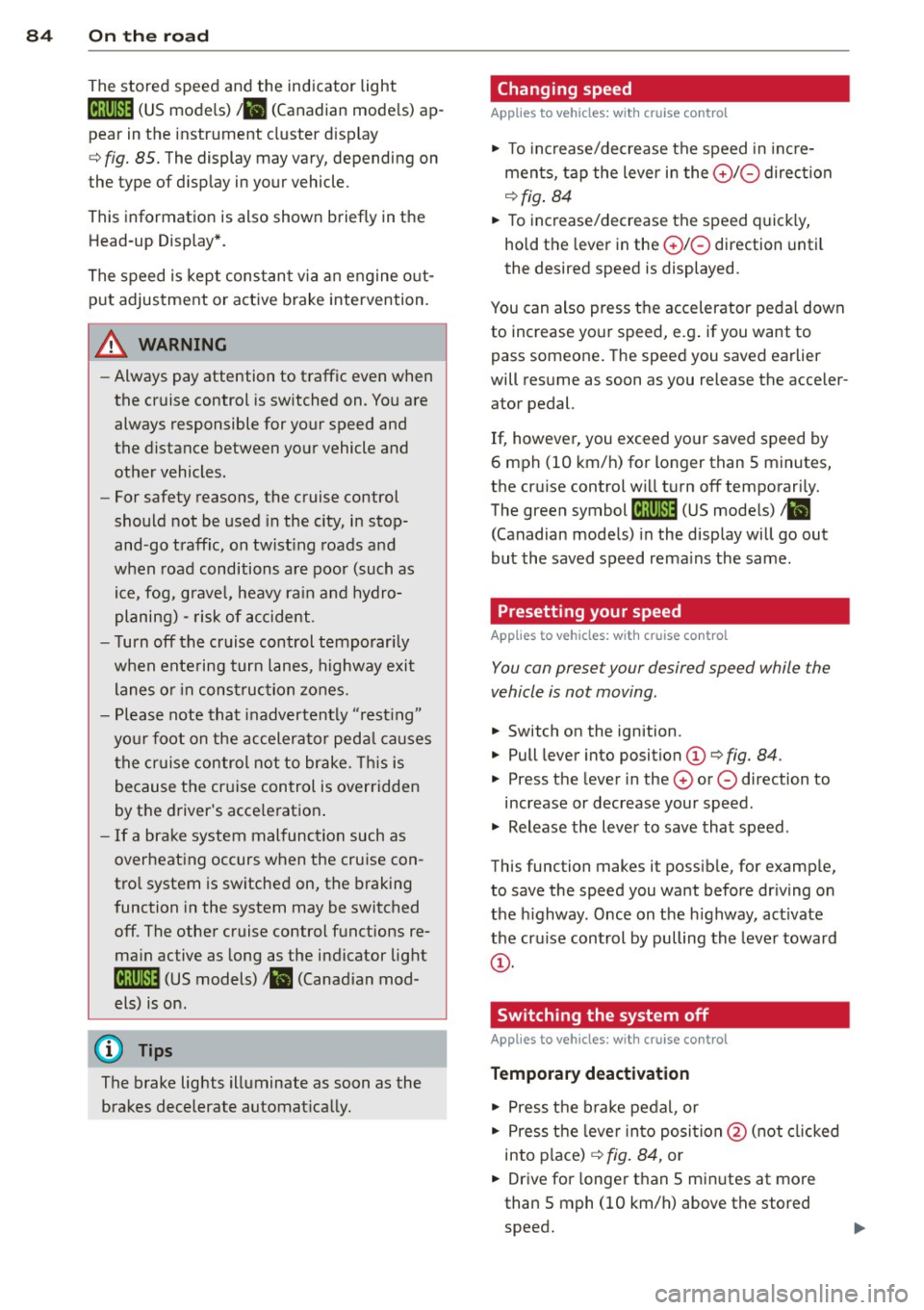
The stored speed and the ind icator light
A;(l)~i~ (US mo dels) 1,'I (Canadian mode ls) a p
pea r in the instrument cluster d isp lay
c::> fig. 85. The display may vary, depending on
the type of d isplay in your vehicle .
This informat ion is also shown briefly in t he
Head -up Display*.
The speed is kept constant v ia an engine o ut
put adjustment or active b rake intervention.
A WARNING
- Always pay attention to traffic even when
the cruise control is switched on. You are
always responsible for your speed and
the distance between your vehicle and
other vehicles .
- For safety reasons, the cruise control
should not be used in the city, in stop
and-go traff ic, on twist ing roads and
when road conditions are poor (such as ice , fog, gravel, heavy ra in and hydro
planing) -risk of accident.
- Turn
off the cruise control temporar ily
when entering turn lanes, highway exit lanes or in construc tion zones.
- Please note that inadvertently "rest ing"
yo ur foot on the accelerator peda l causes
the cruise control not to brake . T his is
because the cr uise control is overridden
by the d river's acce leration .
- If a brake system malfunction such as
overheating occurs when the cruise con
tro l system is switched on, the braking
function in the system may be switched
off. The other cruise control functions re
ma in active as long as the indicator light
[~;rn~i~ (US models) !Ill (Canad ian mod
els) is on .
(j) Tips
The brake lights illuminate as soon as the
brakes decelerate automat ica lly.
Changing speed
Applies to veh icles: w ith cru ise control
., To increase/decrease the speed in inc re
ments, tap the lever in the
0 10 direction
c::> fig . 84
., To increase/decrease the speed quick ly,
hold t he lever in the
0 10 direction until
the desired speed is displayed.
You can also press the accelerator pedal down
to increase your speed, e.g . if you want to
pass someone . The speed you saved earlier
will res ume as soon as you release the acceler
ator pedal.
If, however, you exceed your saved speed by
6 mph (10 km/h) for longer than 5 m inutes,
the cr uise control wi ll turn
off temporari ly.
The green symbol
A;(l)~i~ (US mode ls) 1,'I
(Canadian mode ls) in the display will go out
but the saved speed rema ins the same .
Presetting your speed
Applies to veh icles : w ith cru ise control
You can preset your desired speed while the
vehicle is not moving.
., Switch on the ignition.
., Pull lever into position
(D c::> fig . 84.
., Press the lever in the 0 or 0 direction to
increase or decrease your speed .
., Release the lever to save that speed .
This function makes it possible, for examp le,
to save the speed you want before dr iving on
the h ighway. Once on the h ighway, act ivate
the cru ise control by pulling the lever toward
(D .
Switching the system off
Applies to veh icles: w ith cruise control
Temporary deactivation
., Press the b rake pedal, or
., Press the leve r into posi tion @(n ot clicked
into place)
c::> fig. 84, or
... Drive for longer t han 5 min utes at more
than 5 mph (10 km/h) above the stored
speed.
Page 87 of 310
Switching off completely
"' Press leve r into posi tion @ (clicked in to
place), or
"' Switc h the ignition off.
The system reta ins the saved speed if y ou de
activa te t he cr uise con trol tem porarily. To re
sume the saved speed, release the b rake pe d
a l and pull the lever to position @.
Sw itch ing the ig nition o ff erases the saved
spee d.
& WARNING
You should only return to t he save d sp ee d
if it is not too fast fo r th e cur rent traffic
condi tions -risk of an accident !
On the road 85
Page 93 of 310
Audi adaptive cruise control and braking guard 91
then maintains the stored distance. If the ve
hicle ahead accelerates , adaptiv e cr uis e con
trol will also accelerate up to the stored
speed.
The higher the speed, the greater the distance
in yards (meters)
Q .&. . The Distance 3 setting
is recommended .
The distances prov ided are spec ified values.
Depending on the driving situation and the
how the vehicle ahead is driving, the actual
d istance may be more or less than these tar
ge t distances.
The various symbols for the time increments
appear briefly in the information line @
¢ fig. 91 when you change the settings.
~-~ --- Distance 1: This setting corre
sponds to a distance of 92 feet/28 meters
when traveling at 62 mph (100 km/h), or a
time interval of 1 second .
~-- ~-- Distan ce 2: This setting corre
sponds to a distance of 118 feet/36 meters
when traveling at 62 mph (100 km/h), or a
time interval of 1.3 seconds .
~--- ~-Distance 3: This setting corre
sponds to a distance of 164 feet/SO meters
when traveling at 62 mph (100 km/h), or a
time interval of 1.8 seconds .
~---- ~ Distance 4: This setting corre
sponds to a distance of 210 feet/64 meters
when traveling at 62 mph (100 km/h), or a
time interval of 2.3 seconds .
.&_ WARNING
Following other vehicles too closely in
creases the risk of co llisions and serious
personal injury.
- Setting short distances to the traffic
ahead reduces the t ime and distance
available to br ing your vehicle to a safe
stop and makes it even more necessary
to pay close attention to traffic.
-
-Always obey applicable traffic laws, use
good judgment, and select a safe follow
ing distance for the traffic, road and
weather conditions .
@ Tips
-Distance 3 is set automatically each time
you switch the ignition on.
- Your standard settings are automatically
stored and assigned to the remote con
trol key being used.
Selecting the driving mode
Applies to vehicles : wit h Audi adapt ive cr uise contro l
.,. Select the desired driving mode in drive se
lect
¢ page 102 .
@ Tips
Your settings are automatically stored and
assigned to the remote control key being
used.
Prompt for driver intervention
Applies to vehicles: with A ud i ada ptive cr uise contro l
Fig. 95 Ins trumen t cluster: req ues t fo r drive r inte rven
t io n
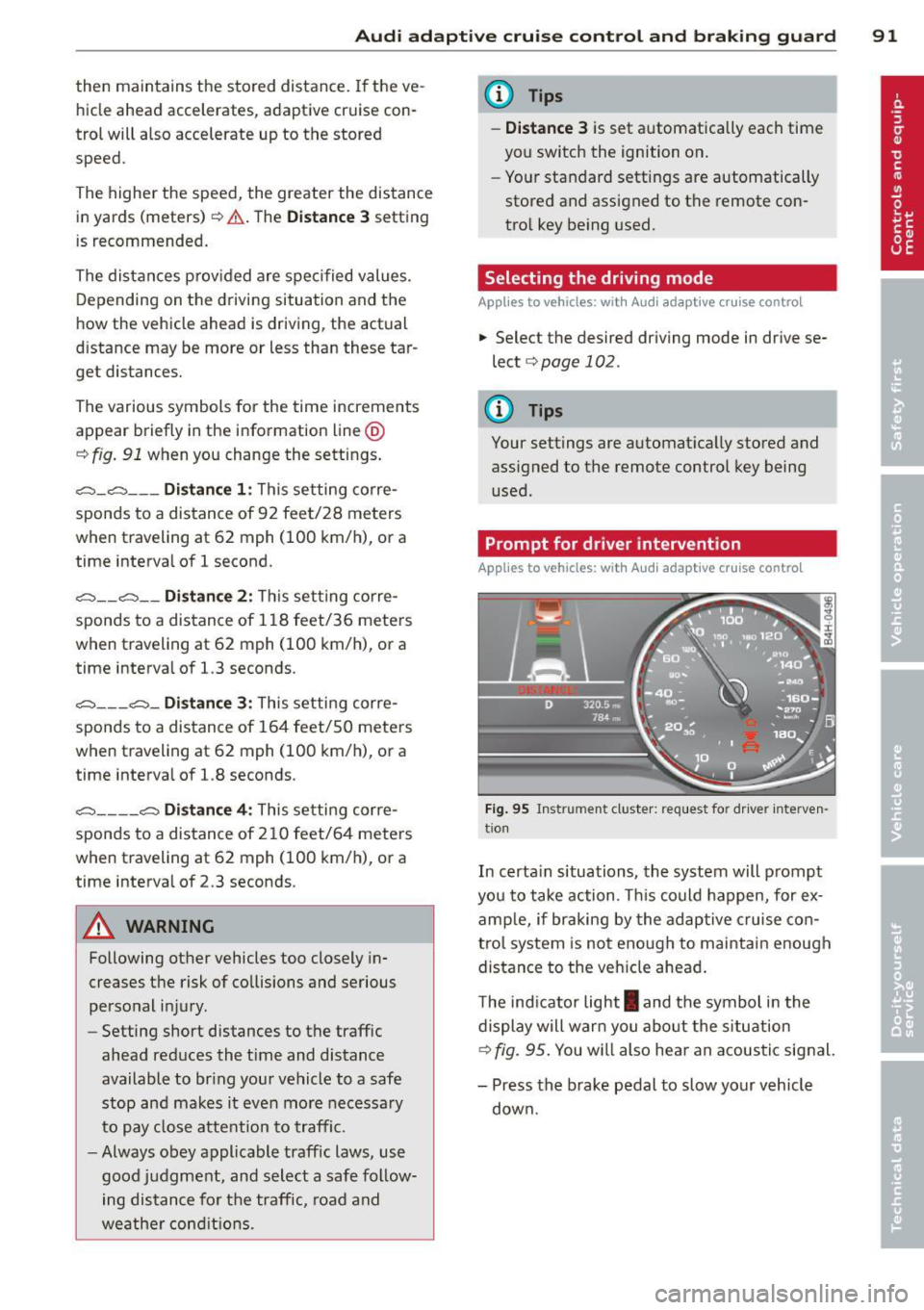
In certain situations, the system will prompt
you to take action . Thi s could happen, for ex
amp le, if braking by the adaptive cruise con
trol system is not enough to maintain enough
distance to the vehicle ahead .
T he ind icator light
I and the symbol in the
display will warn you about the s ituation
¢ fig. 95. You w ill also hea r an acoustic signal.
- Press the brake pedal to slow your vehicle
down.
Page 95 of 310
Audi adaptive cru ise control and brakin g guar d 93
(end of a traffic jam or veh icle t hat has
br oken down in traffic).
- Alw ays remember that the radar sensor
for the b raking guard works only within
defined detection and ra nge limits that
may prev ent the proper det ection of oth
er ve hicles.
- The ra dar sensor's function and range
can be reduced by rain, snow and heavy
spray. Moving vehicles up ahead may not
be promptly detected or may not be de
tected at al l.
- Reflective surfaces includ ing crash barr i
ers or tunnel ent rances may impair the
function of the radar sensor.
(0 Tips
- You can cance l the braking w ith increas
i ng fo rce that is initiated by the system
by braking yo urself, by accelerating no
ticeab ly or by swerving.
- Brak ing guard error messages
<=> page 93.
-Keep in mind that braking guard can
brake unexpectedly. Always secure any
ca rgo or objec ts that you are transport
i ng to reduce t he risk of d amage o r in
Ju ry.
Settings in the MMI
Appl ies to vehicles: with Audi adaptive cruise co ntrol
~ Se lect: ICARlf unct ion button> ( Car )* sys
tems
contro l button > D river assi st > Audi
braking guard .
System -
Switch braking g ua rd On and Off .
When you sw itch the ignition on, the message
Audi braking guard off appears if the system
is switched off.
Early warning -The distance and approac h
warn ings in the display can be switched
On /
Off .
(D Tips
- Your settings are automatically stored
and assigned to the remote control key being used at the time the settings
are
ma de.
- If you switch the ES C to spo rt mode,
braking g uard switches off a utomatica lly
<=>page 198.
- Switch braking guard off when you a re
loading the vehicle onto a vehicle carrier,
t rain, ship o r other type of transporta
t ion. This can prevent undesired warn
ings from the braking guard system.
Messages
App lies to vehicles : wit h Audi ada ptive c ruise contro l
ACC unavail able
ACC and braking guard: unavailable
T he system cannot detect mov ing vehicles up
ahead co rrec tly and is switched off. The sen
sors have been displaced or a re not worki ng
properly . The Audi pre sense func tions may a l
so be affected. Drive to yo ur autho rized Audi
dealer or authorized A udi se rvice facility im
med iate ly to have the malfunction corrected.
ACC: unavailable at this time. No sensor vi
sion
ACC and braking guide: unavailable at this
time . No sensor vision
Th is message appears if the senso r view is ob
structed, for examp le by leaves, snow, heavy
sp ray or d irt. C lean the sensors<=>
fig. 86 .
ACC: unava ilabl e at this time . Inclin e too
steep
The road exceeds the max imum possible an
gle for proper adaptive cru ise control opera
tion. Adaptive cru ise con tro l is switched off .
ACC: only selector lever positions D , S or M
available
Se lect t he D/S or M selector leve r pos ition.
ACC: unavailabl e at this time . Parking brake
s et
The adaptive cr uise cont rol system switches
off automatically if the park ing b rake is set. ..,.
Page 109 of 310
-they are not in an upright position, for
example if they are sitting, crouching
or lying down and/or
- if the outline in the display is incom
plete or interrupted, for example be
cause the person is partially hidden by
a parked vehicle .
(D Tips
-Pedestrian detection and the pedestrian
warming are limited to objects that are
detected as pedestrians. The system
does not detect animals . Even though
the shape and warmth radiated by each
object detected is evaluated, the system
does have limitations and it can give in
correct warnings.
- For technical reasons , the image pauses
in split second intervals.
Switching on and off
Appl ies to vehicles: with night vision assistant
Fig. 113 Area around the lig ht switch: night vis io n as
si st ant but ton
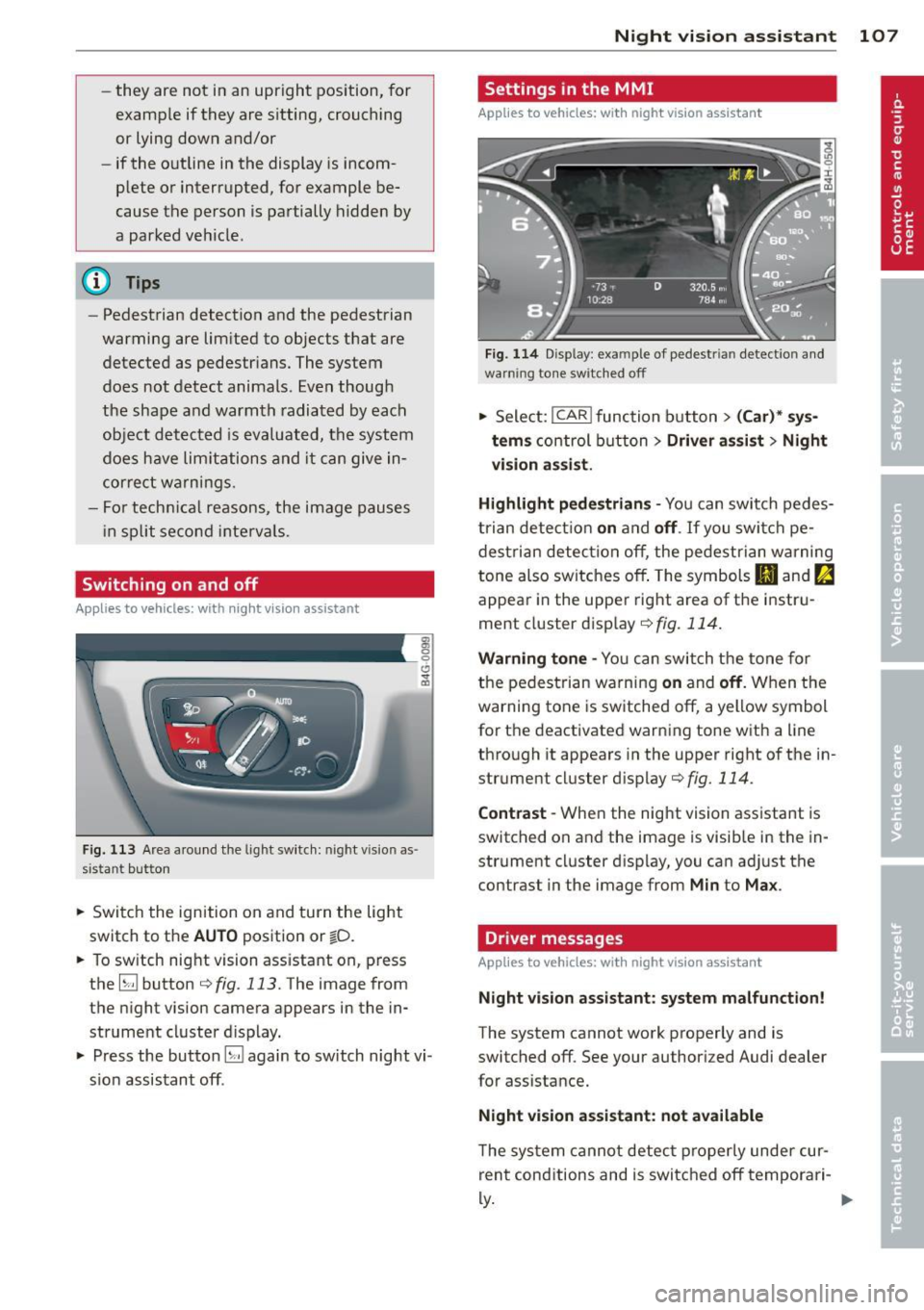
.. Switch the ignition on and turn the light
switch to the
AUTO position or io.
.. To switch night vision assistant on, press
the
EJ button <::> fig. 113. The image from
the night vision camera appears in the in
strument cluster display.
.. Press the button
EJ again to switch night vi
sion assistant off .
Night vision assistant 107
Settings in the MMI
Applies to vehicles: with night vision assistant
Fig. 114 Disp lay : exa mple of pedest rian detect io n and
warn ing tone sw itched off
.. Select: I CAR I function button > (Car)* sys
tems
control button > Driver assist> Night
vision assist.
Highlight pedestrians -
You can switch pedes
trian detection
on and off . If you switch pe
destrian detection off, the pedestrian warning
tone also switches off. The symbols
(II and ria
appear in the upper right area of the instru
ment cluster display ¢
fig. 114.
Warning tone -You can switch the tone for
the pedestrian warning
on and off. When the
warning tone is switched off, a yellow symbol
for the deactivated warning tone with a line
through it appears in the upper right of the in
strument cluster display¢
fig. 114.
Contrast -When the night vision assistant is
switched on and the image is visible in the in
strument cluster display, you can adjust the
contrast in the image from
Min to Max .
Driver messages
Applies to vehicles: with night vision assistant
Night vision assistant: system malfunction!
The system cannot work properly and is
switched off. See your authorized Audi dealer
for assistance.
Night vision assistant: not available
The system cannot detect properly under cur
rent conditions and is switched off temporari-
~ ~
Page 111 of 310
Automatic Transmission
S tronic ®, tiptronic
Introduction
Applies to vehicles: with S tronic/tiptronic
The automat ic transmission is controlled elec
tronically. The transmission upshifts or down
shifts automatically depending on which drive
program is se lected .
When a
moderate driving style is used, the
transmission selects the most economica l
driving mode. It will then change up ear ly and
de lay the downshifts to give better fuel econ
omy.
The transmission switches to a sporty mode
after a kick-down or when the driver uses a
sporty driving style characterized by quick ac
celerator pedal movements, heavy accelera
tion, frequent changes in speed and traveling
at the maximum speed.
If desired, the driver can also se lect the gears
manually (t iptronic mode ) i=> page 113.
Various automatic transmissions may be in
stalled, depending on the model:
S tronic® transmission
The 5 tronic ® is a dual-clutch transmission.
Power is transferred using two clutches that
work independently from one another . They
replace the torque converter used in conven
tional automatic transmissions and allow the
vehicle to accelerate without a noticeable in
terruption in traction .
tiptronic transmission
In the tiptronic transmission, power is trans
ferred by a torque converter .
Automatic Transmission 109
Selector lever positions
Applies to vehicles: with S tronic/tiptronic
Fig. 115 Disp lay in the instrument cluste r: selector
lever pos ition
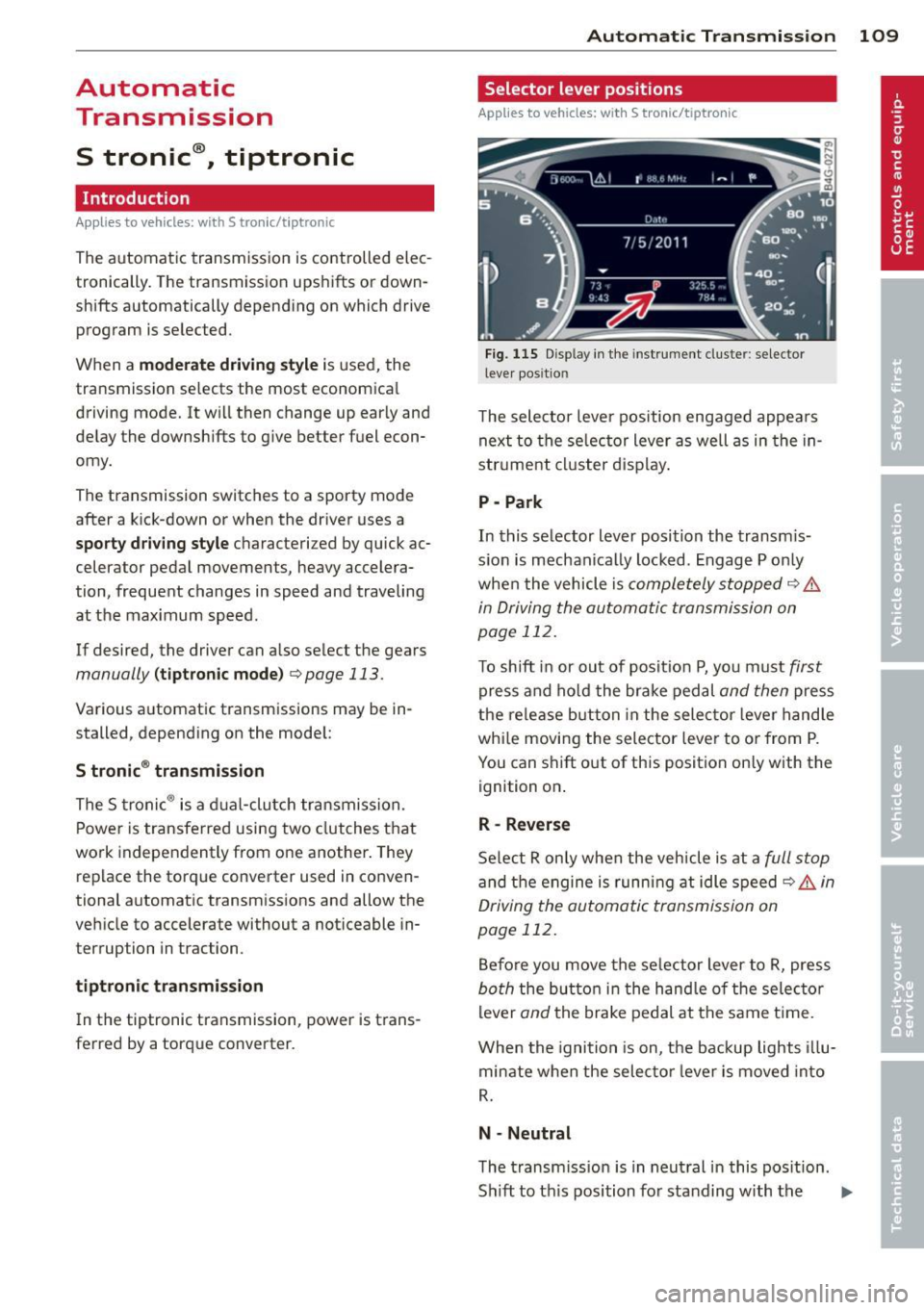
T he selector lever position engaged appears
next to the selector lever as well as in the in
strument cluster display.
P -Park
In this selector lever position the transmis
sion is mechanically locked. Engage P only
when the vehicle is
completely stopped q .&.
in Driving the automatic transmission on
page 112.
To shift in or out of position P, you must first
press and hold the brake pedal and then press
the release b utton in the selector lever handle
whi le moving the selector lever to or from P.
You can shift out of this position only with the
ignition on .
R- Reverse
Select R on ly when the vehicle is at a full stop
and the engine is running at idle speed c> .&, in
Driving the automatic transmission on
page 112.
Before you move the selector lever to R, press
both the button in the hand le of the selector
lever
and the brake pedal at the same t ime.
When the ignition is on, the backup lights illu
minate when the selector lever is moved into
R.
N -Neutral
The transmission is in neutral in this position.
Sh ift to th is position for standing with the ..,.
Page 112 of 310
110 Automatic Transmission
brakes applied ¢ & in Driving the automatic
transmission on page
112.
When the veh icle is stationary or at speeds
be low 1 mph (2 km/h), you must always apply
the footbrake before and while moving the
lever out of N.
D/S -Normal position for driving forward
In the D/S position, the transmiss io n can be
operated e ither in the normal mode Dor in
the sport mode S. To select the sport mode S,
pull the se lector lever back briefly . Pulling the
lever back again will select the normal mode
D. The instrument cluster display shows the
selected driving mode.
In the
normal mode D, the transmission auto
matica lly selects the suitab le gear ratio. It de
pends on engine load, vehicle speed and driv
ing style.
Select the
spo rt mode S for sporty driving.
The vehicle makes fu ll use of the engine's
power. Shifting may become noticeable when
accelerating.
When the vehicle is stationary or at speeds
be low 1 mph (2 km/h), you must always apply
the foot brake before and while moving the lever to D/S out of N.
A WARNING
Read and follow all WARNINGS¢ & in
Driving the automatic transmission on
page
112.
d) Note
-
Coasting downhill with the transmission in
N and the engine not running w ill result in
damage to the automatic transmission
and possibly the catalytic converter.
@ Tips
- Audi drive select: you can adjust the
sporty sh ift characteristics in the
Dy
namic driving mode.Swill appear in the
i nst rument cluste r d isplay instead of D.
-If you accidentally select N while driv ing,
take your foot off the acce lerator pedal immediately and wait
for the engine to
slow down to idle before selecting D/S.
-If there is a power failure, the selector
lever will not move out of the P position.
The emergency release can be used if
this happens
¢page 115.
Automatic Shift Lock (ASL)
Applies to vehicles : wit h S t ronic/tipt ro ni c
The Automatic Shift Lock safeguards you
against accidentally shifting into a forward or
the reverse gear and causing the vehicle to
move unintentionally.
( )
Fig. 116 Shi ft gate: selector leve r loc k pos it ions and
r e lease button highlighted
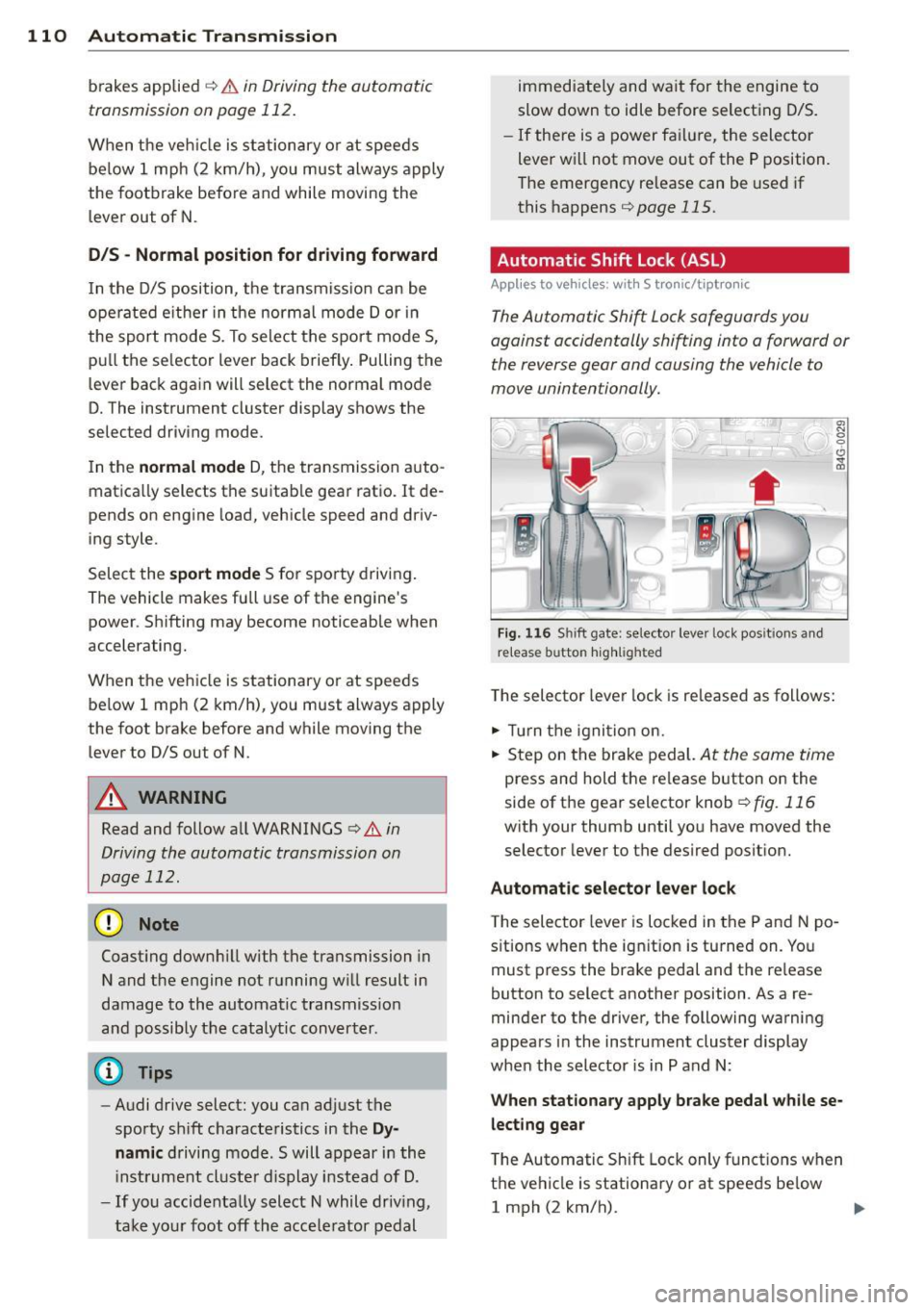
The selector lever lock is released as follows:
.,. Tu rn the ignition on.
.,. Step on the brake pedal.
At the same time
press and hold the release button on the
side of the gear selector knob
¢ fig. 116
with your thumb until you have moved the
selector lever to the desired position.
Automatic selector lever lock
The selector lever is locked in the P and N po
s itions when the ignit ion is tu rned on. You
must press the brake pedal and the re lease
button to select another position . As a re
minder to the driver, the following warning
appears in the instrument cluster display
when the selector is in P and N:
When stationary apply brake pedal while se
lecting gear
T he Automatic Shift Lock only functions when
the vehicle is stationary or at speeds be low
1 mph (2 km/h).
Page 117 of 310
![AUDI A7 2013 Owners Guide cannot engage the reverse gear. Drive to your
authorized Audi dealer or qualified repair fa
cility immediately to have the malfunction
corrected.
[O] Transmission malfunction: Sto](/img/6/57603/w960_57603-116.png "AUDI A7 2013 Owners Guide cannot engage the reverse gear. Drive to your
authorized Audi dealer or qualified repair fa
cility immediately to have the malfunction
corrected.
[O] Transmission malfunction: Sto")
cannot engage the reverse gear. Drive to your
authorized Audi dealer or qualified repair fa
cility immediately to have the malfunction
corrected.
[O] Transmission malfunction: Stop vehicle
and shift to P
Do not continue driving. Select the P selector
l eve r position and see your autho rized Aud i
dealer or qualified repair facility for assis
tance.
(D Note
If the transmission switches to emergency
mode, you should take the vehicle to an
authorized Audi dealership as soon as pos
sible to have the cond ition corrected.
Selector lever emergency release
Applies to vehicles: with S tro nic/t iptronic
If the vehicle's power supply fails, the selec
tor lever can be released in an emergency.
Fig. 120 F ront center co nsole: selecto r lever emergen
c y r elease
~ T o reach the emergency release mechanism,
remove the asht ray insert* .
~ Loosen and remove the small cap in the
ashtray mount
c:::> fig. 120.
~ You now have access to a bolt. Using a
screwdriver or simi lar, press the bolt down
and hold it down.
~ Now press the interlock and move the selec-
tor lever to the N pos ition.
The selector lever can only be moved from the P posit ion if the ignition is turned on . If the
veh icle has to be pushed or towed if the power
supply fails (e.g . battery is discharged), the
Automatic Transmission 115
selector lever must first be moved to the N
position using the emergency locking device.