instrument cluster AUDI A7 2016 Owner's Manual
[x] Cancel search | Manufacturer: AUDI, Model Year: 2016, Model line: A7, Model: AUDI A7 2016Pages: 294, PDF Size: 73.82 MB
Page 97 of 294

M N <( I.J "". rl I.O
"' N I.O rl
Switching on and off
Applies to vehicles: with Audi active lane assist
Fig. 100 Turn signal lever: active lane assist button
Fig. 101 Windshield: camera w indow for active lane assis t
... Press the¢ fig. 100 button to switch the sys
tem on and off. The. or. indicator light in
the instrument cluster turns on or off .
Indicator lights
• Ready:
The indicator light turns on when the
system is ready for use. The system can now be
operated .
• Not ready: The indicator light turns on if the
system is switched on but is inoperable . This may
be due to the following reasons :
- There is no lane marker line.
- The relevant lane marker lines are not detected
(for example, markings in a construction zone
or because they are obstructed by snow, dirt,
water or backlighting).
- The vehicle's speed is below the speed needed
to activate it, which is about 40 mph (65 km/
h).
- The lane is narrower than about 8 ft. (2.5 m) or
wider than 15
ft (4.5 m).
- The curve is too sharp.
Audi active lane assist
- The driver's hands are not on the steering
wheel.
(D Tips
Make sure the camera's field of view
¢
fig. 101 is not obstructed by stickers or any
thing else. For information on cleaning, refer
to ¢ page
205.
Lane assist display in the instrument
cluster
Applies to vehicles: wit h Audi active lane ass ist
Fig. 102 Instrument cluster: active lane assist is switched
on and providing warnings
Fig. 103 Instrumen t cluster: act ive lane assist is sw itched
on but not ready to provide warn ings
You can call up the active lane assist display using
the buttons in the multifunction steering wheel
¢ page
23.
An additional indicato r appears in the Head-up
display* .
95
Page 98 of 294

Audi active lane assist
White line(s)
Active lane assist is activated
and ready to provide warn ings.
Red line(s) Active lane assist warns you
(left or right) before leav ing a lane
¢fig . 102 . In addit ion, the
steering wheel vibrates lightly .
Gray line(s) Active lane assist is activated, but not ready to give warning
¢fig. 103.
Messages in the instrument cluster display
If the active lane assist switches off automatical
ly, the indicator light in the display turns off and
one of the following messages appears:
Audi active lane a ssist: Currently unavailable .
No camera view
This message appea rs if the came ra is unab le to
detect the lines . Thi s co uld happen if:
- The camera field of view ¢
page 95, fig. 101 is
dirty or covered in ice. Clean this area o n the
winds hield.
- The camera field of view is fogged over. Wait
until the fog has cleared before switching the
active lane assist on again.
- T he system has been unable to detect the lanes
for an extended period of time due to road con
ditions. Switch the active lane assist back on
when the lines are more visible.
Audi active lane assist : currently unavailable
There is a temporary active lane ass ist malfunc
tion . Try switching the active lane assist on again
later .
Audi active lane assist : system fault!
Drive to an a uthorized Aud i dea ler or authorized
Audi Service Faci lity immediately to have the
malfunct ion corrected.
Audi active lane assist: Please take over steering
This message appears if you are not steering by
yourse lf. If this is the case, active lane assist does
not swi tch off, but it is "not ready" to provide a
warn ing. The system can help you keep the vehi
cle in the lane. However, yo u are responsible for
driving the vehicle and must steer it yourself.
96
· Adjusting the vibration warning
Applies to veh icles: with Audi active lane assist
.,. Select: the I CARI function button > (Car) * Sys
tems
control button > Driver assistan ce > Audi
ac tive lane assist .
You can switch the add itiona l vibrating war ning
in the steering wheel on or off.
(D Tips
Your settings are automat ical ly stored and as
signed to the remote control key being used.
Page 106 of 294

Night visio n ass is t
Night vision assist
Night vision assist with
pedestrian and wild
animal highlighting
Description
A pp lies to veh icles : w ith night v isio n ass ist
The night vision assist can detect, highlight and,
if necessary, warn about pedestrians and large
wild animals.
Night vision assistant with pedestr ian and wild
animal detection assists you in darkness by using
an infrared camera to monitor the area in front of
your vehicle, within the limits of the system.
It
can display objects up to approximately
1000 feet (300 meters) away. The heat image de
tected by the camera is shown in the instrument
cluster display. Warm areas appear lighter and
cold areas appear darker.
Highlighting detected pedestrians and wild
animals
A pplies to veh icles: w ith night v isio n ass ist
F ig. 110 Instrument cluster: Yellow pedestr ian highl ight
i ng
Fig. 111 I n st rument cluster: symbol when infrared image
i s not visib le
104
Within the limits o f the system, night vision as
sistant can detect pedestrians and wild animals
that are within the detect ion range between ap
proximately 32 feet (10 meters) and 295 feet
(90 meters) in front of the vehicle. When it is
dark outside and the headlights are switched on,
detected pedestrians and w ild an imals are
marked in yellow ¢
fig. 110 within the limits of
the system ¢
page 105 . Wild animal detection is
not act ive in bu ilt-up areas . The system only de
tects large wild anima ls such as deer.
@ Tips
I f another display such as navigation rep laces
the image from the night v is ion assist the~ .. ,
symbol appears in a tab
r::!>fig . 111. You can
access night vision assist using the buttons in
the m ultifunction steering wheel¢
page 24 .
Pedestrian and wild animal warning
Applies to vehicles: wit h night vision assist
Fig . 112 Instrument cl uster: @Pedest rian warn ing ,®
w ild animal warning
Fig. 113 Instrument cl uste r: @ Pedestr ian warn ing/ @
wild an ima l warn ing , when the image from th e n ight vis ion
assist is not selected in t he instrument cluster display
Iii-
Page 108 of 294

Night visio n ass is t
- Night vision assist may not detect people or
wild animals and mark them if
- they are not in an upright position, for ex
ample if they are sitt ing or ly in g down
and/or
- the silhouette in the display appears in
comp lete or interrupted, for example be
cause the person is pa rtially covere d by a
veh icle or an animal by tall grass. This
could increase the risk of an accident.
- Never try to swerve around an imals if do ing
so wi ll endanger you or other road users, be
cause this increases the risk of an acc ident.
- E ven though the system eva lu ates the
shape and hea t given off by all detec ted ob
j ects, there are lim its to the system . There
may be false warnings .
- F or technica l reasons, the image pauses in
sp lit second interva ls.
Switching on/off
Applies to veh icles: w ith night vision assist
F ig. 11 5 Area arou nd t he ligh t switc h: n ig ht vis ion assist
butto n
Requirement : Switc h the ignition on and turn the
light switch to the
AUTO posit ion or .
.,. Press the~ button ¢
fig. 115. The heat image
from the night v is ion camera appears in the in
strument cluster d isplay .
.,. Press the~ button again to sw itch night vision
ass ist off .
If cond it ions are br ight enough, night v ision as
sist can be sw itched on without mov ing the light
switch to the
AUTO position . Pedestrian and w ild
106
anima l highl ighting and wa rnings are only active
whe n it is dark outside and the headlights are
switched on .
Adjusting the contrast
Applies to vehicles: with night vision assist
.,. Select: the I CARI function button > (Car )* Sy s
tem s
control button > Driver ass istan ce >
Night vi sion ass ist contrast .
When the night vis ion assist is switched on and
the image is v is ible in the instrument cluster dis
play, you can adjust the contrast in the image
from
Min to Ma x.
Driver messages
Applies to vehicles: with night vision assist
Night vision a ssis t: Sy stem fault
The system cannot guarantee cor rect function
and is switched off . See an authorized Audi dealer
or a uthorized Audi Service Facility for ass istance.
Night vis ion a ssist: Currentl y una vailable
The system cannot gua rantee cor rect function
temporar ily and is switched off .
Night vision a ssis t: Only available at night with
lights tu rned on
Night vision assist only works when it is da rk out
s ide and the headlights a re on.
Night vi sion a ssi st: Ped estrian marking current
l y unavailab le
The pedestrian and wild animal h ighlighting was
switched off by the system.
Page 109 of 294
M N <( I.J "". rl I.O
"' N I.O rl
Automatic transmission S tronic, tiptronic
Introduction
The automat ic transm iss ion is controlled elec
tronically. The transmission upshifts or down
shifts automatically depending on which drive
program is selected.
When a
moderate driving style is used, the
transmission selects the most econom ical driving
mode. The transmiss ion upshifts at a lower RPM
and downshifts at a higher RPM to improve fuel
efficiency.
The transmission switches to a sporty mode after a kick-down or when the driver uses a
sporty driv
ing style
cha racterized by quick accelerator pedal
movements, heavy acceleration, frequent
changes in speed and traveling at the maximum
speed.
If desired, the driver can also select the gears
manually (tiptronic mode) ¢ page 111.
Various automat ic tr ansm issions may be instal
led, depending on the model:
S tronic transmission
The S tronic is a dual -clutch transmission . Power
is transferred using two clutches that work inde
pendently from one another. They replace the
torque converter used in conventional automat ic
transmissions and a llow the vehicle to accelerate
without a noticeable interruption in traction.
tiptronic transmission
In the tiptronic transmission, power is transfer
r ed by a torque converter.
Automatic transmission
Selector lever positions
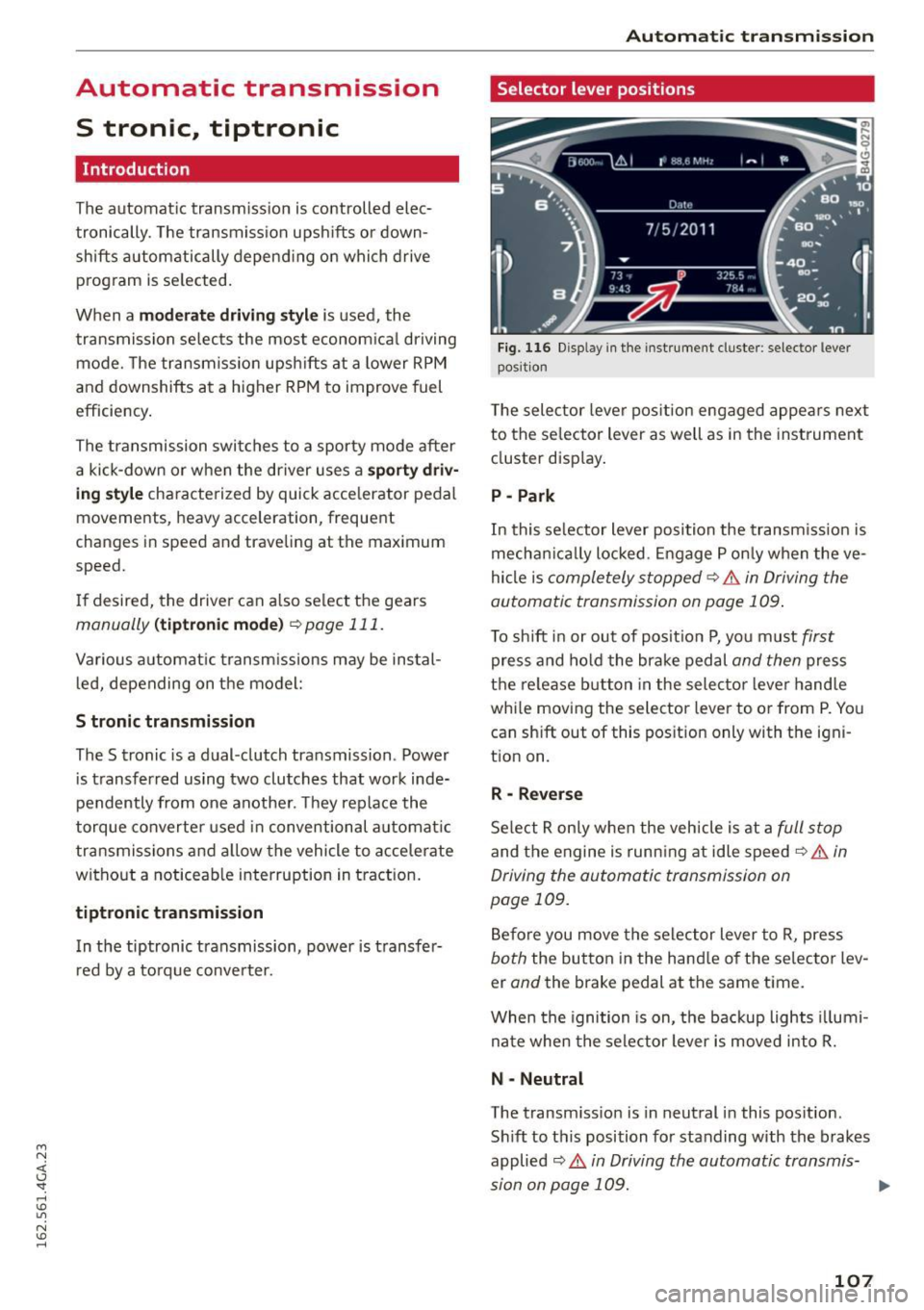
Fig. 116 Disp lay in the instrument cluste r: selector lever
posit ion
T he selec tor lever pos ition engaged appea rs next
to the se lector lever as well as in the instrument
cluster display.
P -Park
In this selector lever position the transmission is
mechanica lly locked . Engage P only when the ve
hicle is
completely stopped¢.& in Driving the
automatic transmission on page 109.
To shift in or out of posit ion P, you must first
press and hold the brake pedal and then press
the release button in the selector lever hand le
whi le moving the selector lever to or from P. You
can sh ift out of this position only with the igni
tion on.
R -Reverse
Select R only when the vehicle is at a full stop
and the engine is running at idle speed¢ .& in
Driving the automatic transmission on
page 109.
Before you move the selector lever to R, press
both the button in the hand le of the selector lev
er
and the brake pedal at the same time.
When the ignition is on, the backup lights illumi
nate when the selector lever is moved into R.
N -Neutral
The transm iss io n is in neutral in this pos ition.
Sh ift to this position for standing with the brakes
applied
¢ .& in Driving the automatic transmis-
sion on page 109. .,.
107
Page 110 of 294
Automatic transmission
When the vehicle is stationary or at speeds below
1 mph (2 km/h), you must always apply the foot
brake before and while moving the lever out of N.
DIS -Normal position for driving forward
In the D/S position, the transmission can be oper
ated either in the normal mode Dor in the sport
mode S . To select the sport mode S, pull these
lector lever back brief ly. Pulling the lever back
again will se lect the normal mode D . The inst ru
ment cluster display shows the selected driving
mode.
In the
normal mode D , the transmission auto
matically selects the suitable gear ratio . It de
pends on engine load, vehicle speed and driving
style.
Select the
sport mode S for sporty driving. The
vehicle makes full use of the engine 's power .
Shifting may become noticeable when accelerat
ing.
When the vehicle is stationary or at speeds below 1 mph (2 km/h), you must a lways apply the foot
brake before and while moving the lever to D/S
out of N.
A WARNING
Read and follow all WARNINGS¢.&. in Driv
ing the automatic transmission on
page 109.
(D Note
Coast ing downh ill with the transmission in N
and the engine not running will result in dam
age to the automatic transmission and possi
bly the catalytic converter.
@ Tips
- Audi drive select: you can adjust the sporty
sh ift characte ristics in the
Dynamic driv ing
mode .Sw ill appear in the instrument clus
ter display instead of D.
-If you accidentally select N while driving,
take you r foot off the accelerator pedal im
mediately and wait for the engine to slow
down to idle before selecting D/S.
108
-If there is a power fai lure, the selector lever
wi ll not move out of the P position. The
emergency release can be used if this hap
pens
¢ page 113.
Selector lever lock
The selector lever lock prevents you from select
ing a gear accidentally, causing the vehicle to
roll .
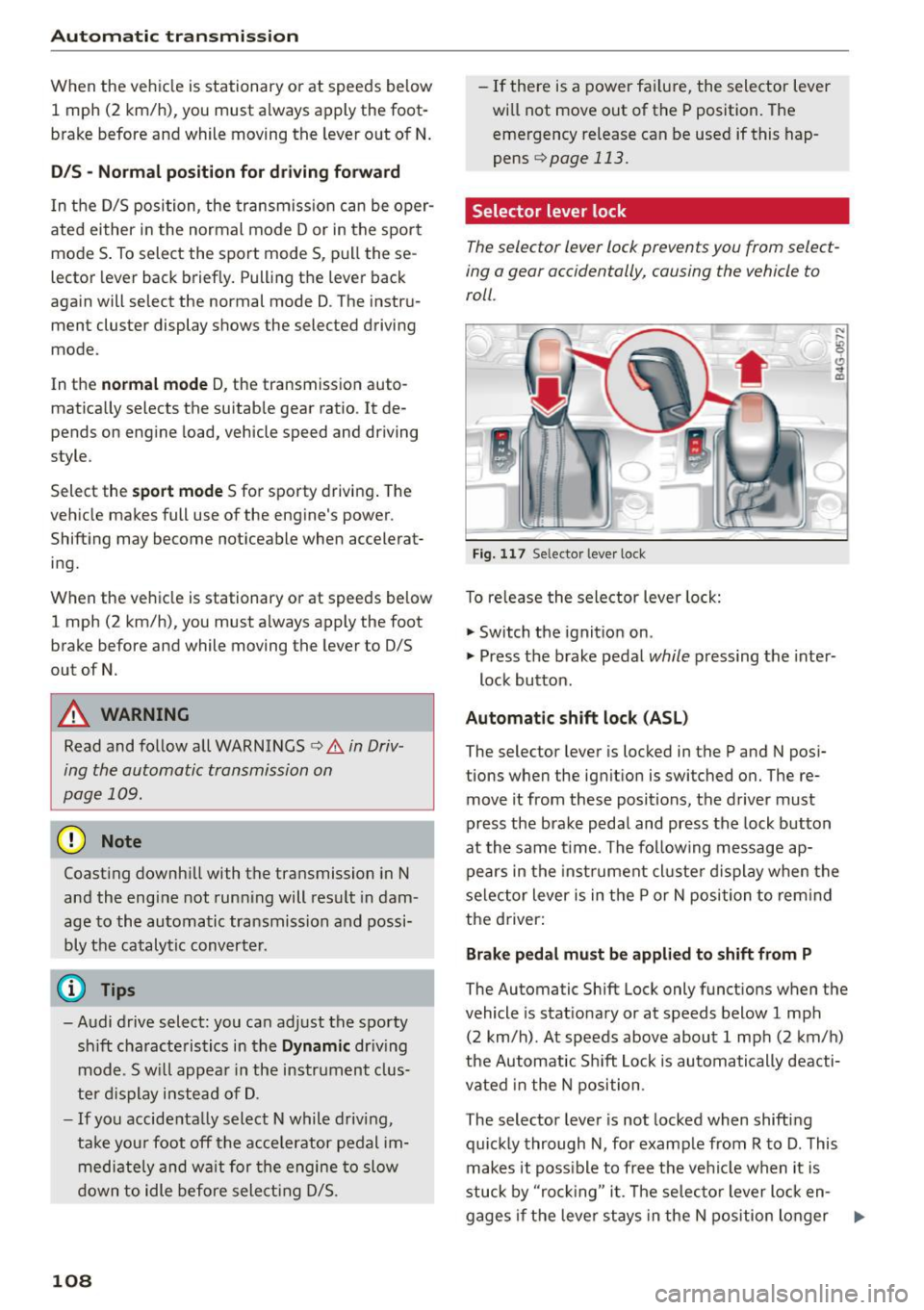
Fig. 117 Selector lever lock
T o re lease the selector lever lock:
"' Switch the ignition on .
)
"' Press the brake pedal while pressing the inter-
lock button.
Automatic shift lock (ASL)
The selector lever is locked in the P and N posi
tions when the ignition is switched on. The re
move it from these positions, the driver must
press the brake pedal and press the lock button
at the same time. The following message ap
pears in the instr ument cluste r display when the
selector lever is in the P or N position to rem ind
the driver:
Brake pedal must be applied to shift from P
The Automatic Shift Lock only functions when the
vehicle is stat ionary or at speeds below 1 mph
(2 km/h) . At speeds above about 1 mph (2 km/h)
the Automatic Sh ift Lock is automatically deacti
vated in the N position .
The selector lever is not locked when shifting
quickly through N, for example from R to D. This
makes it poss ible to free the vehicle when it is
stuck by "ro ckin g" it. The selector lever lock en-
gages if the leve r stays in the N position longer ..,.
Page 113 of 294
M N <( I.J "". rl I.O
"' N I.O rl
Manual shift program
Using the manual shift program you can man
ually select gears.
)
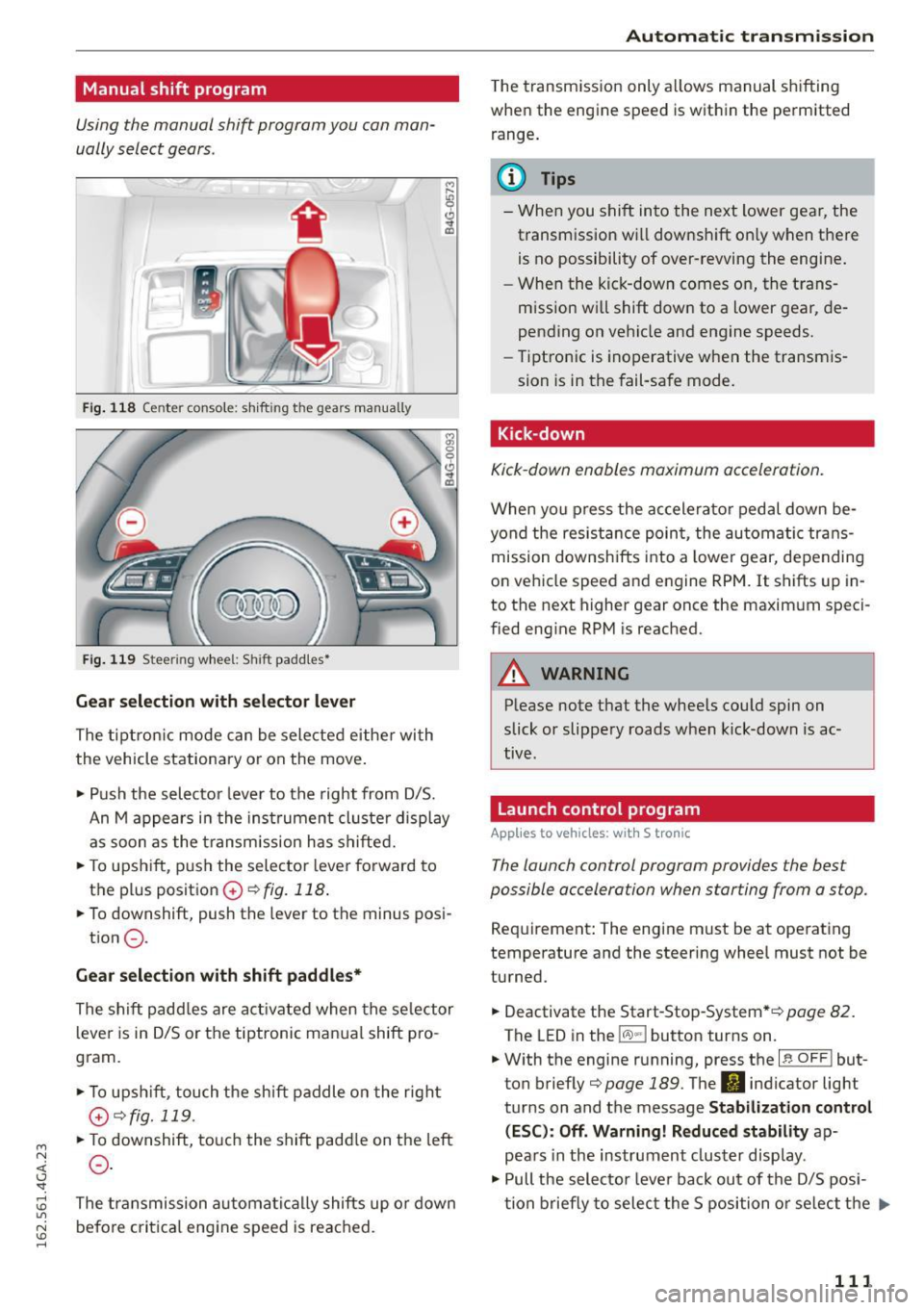
Fig. 118 Center console: shift ing t he g ears manually
Fig. 119 Stee ring whee l: Shi ft paddles•
Gear selection with selector lever
The tiptronic mode can be selected either with
the vehicle stationary or on the move.
• Push the selector lever to the right from D/S.
An M appears in the instrument cluster display
as soon as the transm ission has shifted.
• To upshift, push the selector lever forward to
the plus position
0 ~ fig. 118 .
• To downshift, push the lever to the minus posi-
tion
0 .
Gear selection with shift paddles*
The shift padd les are activated when the selector
lever is in D/S or the tiptronic manual shift pro
gram.
• To upshift , touch the shift paddle on the right
(v¢fig.119 .
• To downshift, touch the shift paddle on the left
0 .
The transmission automatically shifts up or down
before critical engine speed is reached.
Automatic transmission
The transmission only allows manual shifting
when the engine speed is within the permitted
range .
(D Tips
-When you shift into the next lower gear, the
transmission wi ll downshift on ly when there
is no possibility of over-revving the engine.
- When the kick-down comes on, the trans
mission wi ll shift down to a lower gear, de
pending on vehicle and engine speeds.
- Tiptronic is inoperative when the transmis
sion is in the fail-safe mode.
Kick -down
Kick-down enables maximum acceleration.
When you press the accelerator pedal down be
yond the resistance point, the automatic trans
mission downshifts into a lower gear, depending
on vehicle speed and engine RPM. It shifts up in
to the next higher gear once the maximum speci
fied engine RPM is reached.
A WARNING
-Please note that the whee ls could spin on
slick or slippery roads when kick-down is ac
tive .
Launch control program
Appl ies to vehicles: with S tronic
-
The launch control program provides the best
possible accelera tion when s tarting from a s top.
Requirement: The engine must be at operating
temperature and the steering wheel must not be
turned.
• Deactivate the Start-Stop-System* ¢
page 82.
The LED in the lCA.l .. l button turns on .
• With the engine running, press the
~ l~ -0-F F~ ! but
ton briefly¢
page 189 . The II indicator light
turns on and the message
Stabilization control
(ESC): Off. Warning! Reduced stability
ap
pears in the instrument cluster display .
• Pull the selector lever back out of the D/S posi
tion briefly to select the S position or select the .,.
111
Page 137 of 294
M N <( (.J
'SI: ,...., \!) 1.1"1
N \!) ,....,
Safety belts
General information
Always wear safety belts!
Wearing safety belts correctly saves lives!
This chapter exp lains why safety be lts are neces
sary, how they work and how to adjust and wear
them cor rectly.
~ Read a ll the information that fo llows and heed
all of the instructions and WARNINGS .
A WARNING
Not wearing safety belts or wearing them im
properly increases the risk of serious personal
injury and death.
- Safety belts are the sing le most effective
means availab le to reduce the risk of serious
injury and death in automobile accidents.
For yo ur protection and that of your passen
gers, always correct ly wear safety belts
when the veh icle is moving.
- Preg nant women, injured, or physically im
paired pe rsons must also use safety belts.
Lik e all ve hicle occupants, t hey are more
likely to be seriously injured if they do not
wea r safety belts . The best way to protect a
fetus is to protect the mother -througho ut
the entire pregnancy.
Number of seats
Your Audi has a total of four seating positions:
two in the front and two in the rear. In some
ve hicles, there are five seat ing positions: two in
the front and th ree in the rear . Each seat ing pos i
tion has a safety belt.
A WARNING
N ot wea ring safety bel ts or wearing them im
prope rly i ncrea ses the r is k of se rious person al
injury and death.
- Never st rap more than o ne pe rson, in cl ud
ing small c hildren, in to any bel t. It is espe
c ially dangerous to place a sa fety belt over a
child sitting on your lap.
Sa fety bel ts
- Never let more people ride in the vehicle
than there are safety belts available.
- Be s ure everyone riding in the vehicle is
properly restrained with a separate safety
belt or child restraint.
~ Safety belt warning light
Your vehicle has a warning system for the driver
and front seat passenger (on USA models only)
to remind you about the importance of buckling
up.
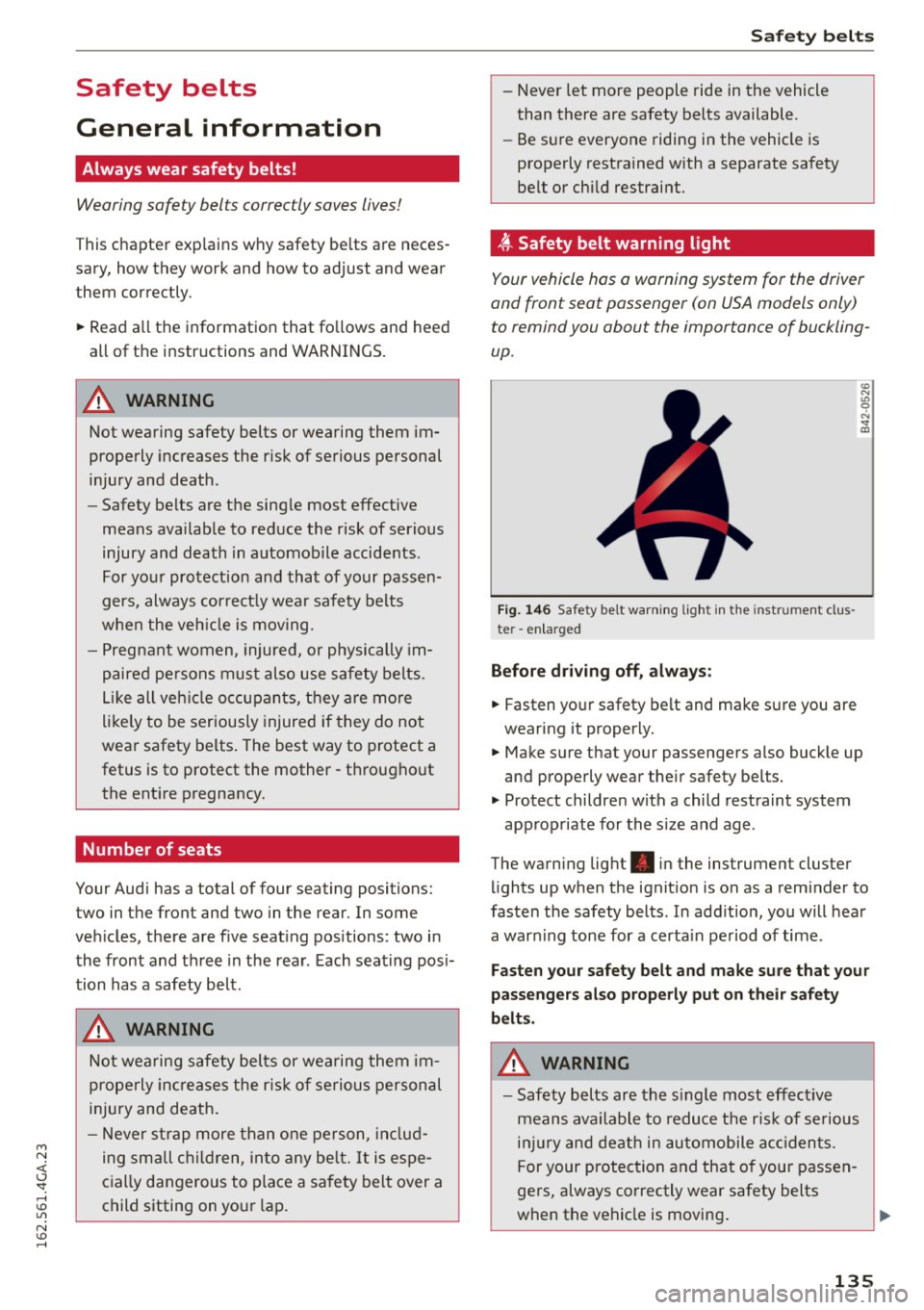
Fi g. 146 Safety belt warni ng light in the instr ument clus
te r -en larged
Befor e dr iv ing off , always :
~ Fasten yo ur safety belt and make su re you are
wearing it properly.
U) N
"' 0 ..:, .. m
~ Make sure that your passengers also buck le up
and properly wear their safety belts.
~ Protect childre n w ith a child restraint system
app rop riate for the s ize and age .
The warning lig ht . in the instrument cluster
li ghts up when the ignit ion is on as a reminder to
fasten the safety belts . In add ition, you will hear
a warn ing tone for a certa in pe riod of time .
Fasten your safety belt and make sure that your
passengers al so properly put on their safety
belts .
A WARNING
-
-Safety belts are the s ingle most effective
means ava ilable to reduce t he risk of se rious
inj ury and death in au tomobile acc iden ts.
F or your protec tion and that of your passen
ge rs, always correctly wear safety belts
when the vehicle is moving .
13 5
Page 153 of 294
-An Advanced Airbag with gas generator and
control valve for the driver inside the steering
wheel hub.
- An Advanced Airbag with gas generator and
control valve inside the instrument panel for
the front passenger .
- A capacitive passenger detection system under
neath the front passenger seat cover. This sys
tem measures the electrical capacitance of the
person in the seat. The information registered
is sent continuously to the electronic control
unit to regulate deployment of the front Ad
vanced Airbag on the passenger side .
- An airbag monitoring system and indicator
light in the instrument cluster~
page 154.
-A sensor in each front seat registers the dis
tance between the respective seat and the steering wheel or instrument panel. The infor
mation registered is sent continuously to the
electronic control unit to regulate deployment
of the front Advanced Airbags.
- The
PASSENGER AIR BAG OFF light comes on
and stays on in the center of the instrument
panel ~
page 155, fig. 160 and tells you when
the front Advanced Airbag on the passenger side has been turned
off.
- A sensor in the safety belt latch for the driver
and for the front seat passenger that senses
whether that safety belt is latched or not and
transmits this information to the electronic control unit.
A WARNING
Damage to the front passenger seat can pre
vent the front airbag from working properly.
- Improper repair or disassembly of the front
passenger and driver seat will prevent the
Advanced Airbag System from functioning properly.
- Repairs to the front passenger seat must be
performed by qualified and properly trained
workshop personnel.
- Never remove the front passenger or driver
seat from the vehicle.
~ - Never remove the upholstery from the front <(
~ passenger seat.
~ -Never disassemble or remove parts from the 1.1'1
N seat or disconnect wires from it. ID ......
Airbag system
-Never carry sharp objects in your pockets or
put them on the seat. The capacitive pas
senger detection mat in the front passenger
seat will not function properly if it is punc
tured.
- Never carry things on your lap or carry ob
jects on the front passenger seat . Such ob
jects can influence the capacitance regis
tered by the capacitive passenger detection
system, so that incorrect information is pro
vided to the airbag control unit.
- Never store items under the front passenger
seat. Parts of the Advanced Airbag System
under the passenger seat could be dam
aged, preventing them and the airbag sys
tem from working properly.
- Never place seat covers or replacement up
holstery that have not been specifically ap
proved by Audi on the front seats.
- Seat covers can prevent the Advanced Air
bag System from recognizing child re
straints or occupants on the front passenger
seat and prevent the side airbag in the seat
backrest from deploying properly.
- If a seat heater has been retrofitted or oth
erwise added to the front passenger seat,
never install any child restraint system on
this seat.
- Never use cushions, pillows, blankets, or
similar items on the front passenger seat .
The additional layers prevent the capacitive
passenger detection system from accurately
measuring the capacitance of the child safe
ty seat and/or the person on the seat and
thus keep the Advanced Airbag System from
working properly.
- Never place or use any electrical device
(such as a laptop, CD player, electronic
games device, power inverter or seat heater
for child seats) on the front passenger seat if the device is connected to the 12-volt
socket or the cigarette lighter socket. Such
devices can influence the capacitance regis
tered by the capacitive passenger detection
system, so that incorrect information is pro
vided to the airbag control unit.
- If you must use a child restraint on the front
passenger seat and the child restraint
~
151
Page 190 of 294
Intelligent Technology
shared, p le a se see yo ur contract with the
wireless telecomm unications provider and the
"About Aud i connect" tab in your vehicle's
MMI:
! MENUI button> Audi connect > About
Audi connect .
Electronic Stabilization
Control (ESC)
Description
ESC helps to improve road holding and vehicle
dynamics to help reduce the probability of sk id
d ing and loss of veh icle control.
It works only
when the engine is runn ing. ESC detects certa in
d ifficult d riving situations, including when the ve
h icle is beginn ing to sp in (yaw) o ut of control and
he lps you to ge t the veh icle back u nder cont ro l b y
selec tively braking the whee ls, and/or reduc ing
engine power and providing steering assistance
to help hold the vehicle on the driver's i ntended
course. The indicator light
DJ in the instrument
cluster blinks when ESC is taking action to help
you control t he veh icle.
ESC has lim itations. It is important to remember
that ESC cannot overcome the laws of physics. It
will not a lways be ab le to he lp out under all con
d itions you may come up against. For example,
ESC may not always be able to help you master
situations where there is a sudden change in the
coefficient of friction of the road surface. Whe n
there is a section of d ry road tha t is s udden ly cov
ere d wi th wa ter, s lush or snow, ESC ca nnot per
form the same way it wou ld on the d ry s urface . If
the vehicle hydroplanes ( rides on a cushion of wa
ter instead of t he road surface), ESC wi ll not be
ab le to he lp you steer the veh icle because contact
with the pavement has been i nterrupted and the
ve hicle cannot be b raked or steered. Dur ing fast
cor ne ring, particula rly o n w inding roads, ESC
cannot a lways deal as eff ect ively wi th d iff icu lt
d riving situat ions than at lowe r speeds.
Always ad just your speed and dr iv ing style to
road, traffic and weather conditions. ESC ca nnot
over ride the vehicle's physical limi ts, increase t he
ava ilab le tract io n, or keep a vehi cle on t he road if
roa d de pa rture is a res ult o f driver in att enti on.
I nstead, ESC improves the poss ibility of keeping
188
the veh icle unde r control and on the road dur ing
extreme maneuve rs by using the dr iver's stee ring
i nputs to help keep the vehicle going in the in
tended direction. If yo u are traveling at a speed
that causes you to run off the road before ESC
can p rov ide any assistance, you may not experi
ence the benefits of ESC.
ESC is switc hed on all the time. In certain s itua
tions when you need less tracti on, you can switch
off ASR by press ing the button
[ru c:> page 189,
fig . 178. Be sure to sw itch ASR on aga in when
you no longer need l ess traction.
The following systems are integrated in the ESC:
Anti -lock braking system (ABS )
ABS prevents the whee ls from locki ng when brak
i ng . T he veh icle can st ill be stee red even during
hard braking. App ly steady pressure to the brake
pedal. Do not pump the pedal. A puls ing in the
brake pedal indicates that the system is acting to
stab ilize the veh icle.
Brake assist sy stem
The bra ke ass ist system can decrease braking dis
tance. It increases bra king power when the driver
presses the brake peda l quickly in emergency sit
uat ions. You must press and hold the b rake peda l
u nt il the dange rous situat io n is over . In vehicles
with adaptive cruise co ntro l*, the brake ass ist
system is more sensitive if t he d ista nce detected
to t he veh icle a head is too sma ll.
Anti-slip regulation (ASR)
ASR red uces eng ine power when the drive wheels
begin spin ning and adapts the force to the road
cond it ions . Th is makes it eas ier to sta rt, acce ler
ate a nd dr ive up incl ines.
Electronic differential lock (EDL)
EDL applies t he brakes to a whee l that starts
sp inning a nd tra nsfe rs the d rive power to the
othe r drivi ng whee ls. This function is not ava ila
ble at hig he r speeds.
In extreme cases, EDL automatically sw itches off
to keep the brake o n the braked whee l from over
hea ting. The vehicle is st ill work ing cor rect ly. EDL ..,.