lights AUDI A7 2016 Owner's Guide
[x] Cancel search | Manufacturer: AUDI, Model Year: 2016, Model line: A7, Model: AUDI A7 2016Pages: 294, PDF Size: 73.82 MB
Page 59 of 294
M N <( I.J "". rl I.O
"' N I.O rl
Remote Memory button control key
Driver Driver Front passen-ger
Seat X X X
Stee ring wheel* X X
Both exterior X X
mirrors*
Remote control key
Applies to vehicles: with memory function
The
driver's seat profile can be assigned to the
remote control key when the vehicle is locked.
• Se lect: the ICARI function button > (Car)* Sys
tems
contro l button > Vehicle settings > Driv
er's seat
> Remote control key > On .
(D Tips
If you do not wish to have the seat profile for
another driver assigned to the remote control
key, switch the memory function off in the In
fotainment system or using the IOFFI button
r=;;,page 57.
Memory buttons
Applies to vehicles: with memory function
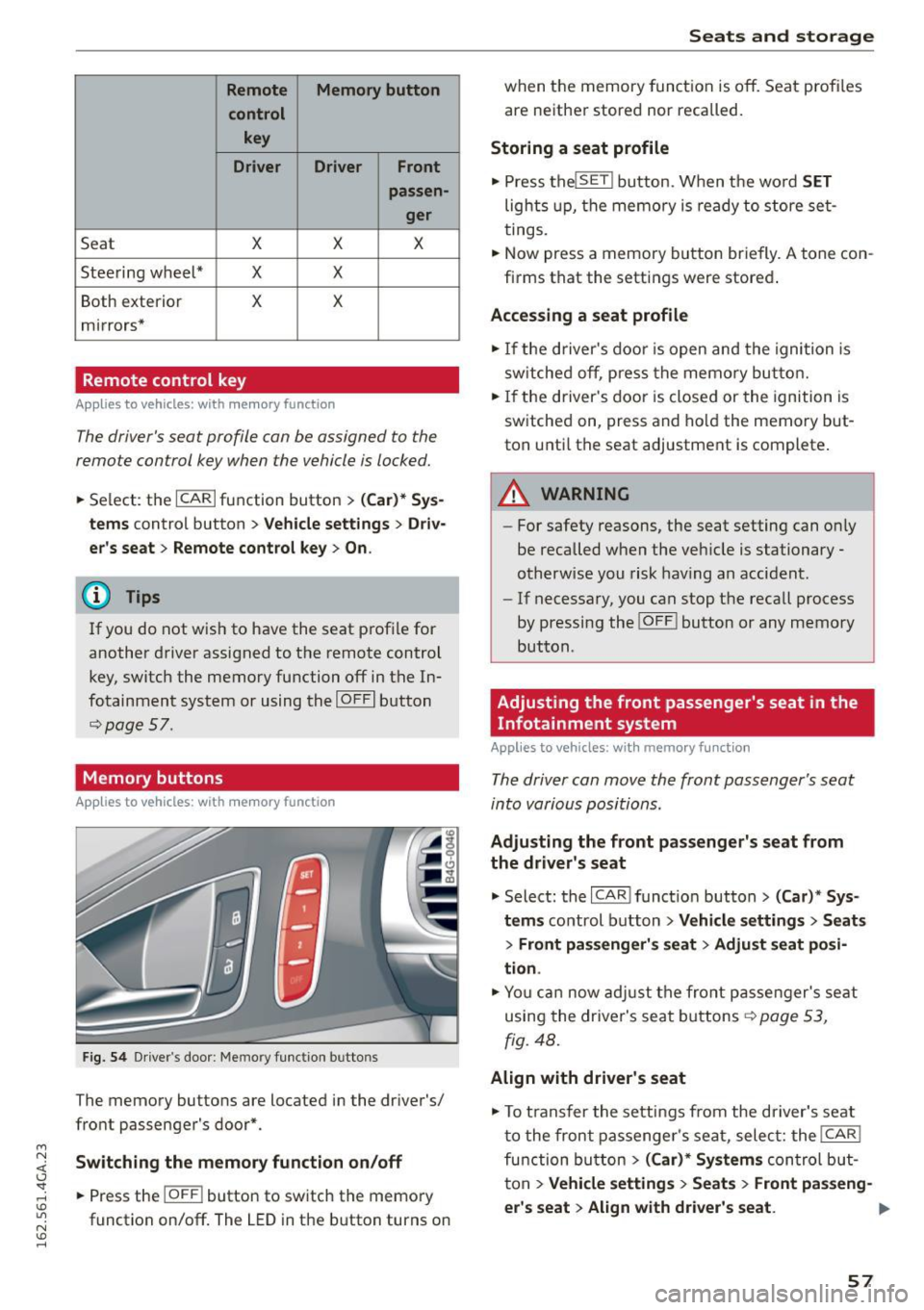
Fig. 54 Driver's door: Memory function buttons
The memory buttons are located in the dr iver's/
front passenger's door*.
Switching the memory function on/off
• Press the IOFF i button to switch the memory
function on/off. The
LED in the button turns on
Seats and storage
when the memory function is off. Seat profiles
are neither stored nor recalled.
Storing a seat profile
• Press the lSET I button. When the word SET
lights up, the memory is ready to store set
tings.
.. Now press a memory button briefly.
A tone con
firms that the settings were stored .
Accessing a seat profile
• If the driver's door is open and the ignition is
switched off, press the memo ry button.
• If the driver's door is closed or the ignition is
switched on, press and hold the memory but
ton unti l the seat adjustment is complete .
A WARNING
-For safety reasons, the seat setting can on ly
be recalled when the veh icle is stationary
otherwise you risk having an accident.
- If necessary, you can stop the recall process
by pressing the !O FF ! button or any memory
button .
Adjusting the front passenger's seat in the
Infotainment system
Applies to vehicles: with memory function
The driver can move the front passenger's seat
into various positions.
Adjusting the front passenger's seat from
the driver's seat
• Select: the I CAR I function button > (Car)* Sys
tems
control button > Vehicle settings > Seats
> Front passenger's seat > Adjust seat posi
tion .
• Yo u can now adjust the front passenger's seat
using the driver's seat buttons
r::;;, page 53,
fig. 48.
Align with driver's seat
• To transfer the settings from the driver's seat
to the front passenger's seat , select: the I CAR !
function button
> (Car)* Systems control but
ton
> Vehicle settings > Seats > Front passeng-
er 's seat > Align with driver 's seat. ...,
57
Page 80 of 294
Driving
"' Drive to an authorized Audi dealer or author
i z ed Audi Service Facility immediately to have
the malfunction corrected .
@ Tips
You can view the message again by pressing
the
I START ENGINE ST OPI button .
Electromechanical
parking brake
Operation
The electromechanical parking brake replaces
the hand brake.
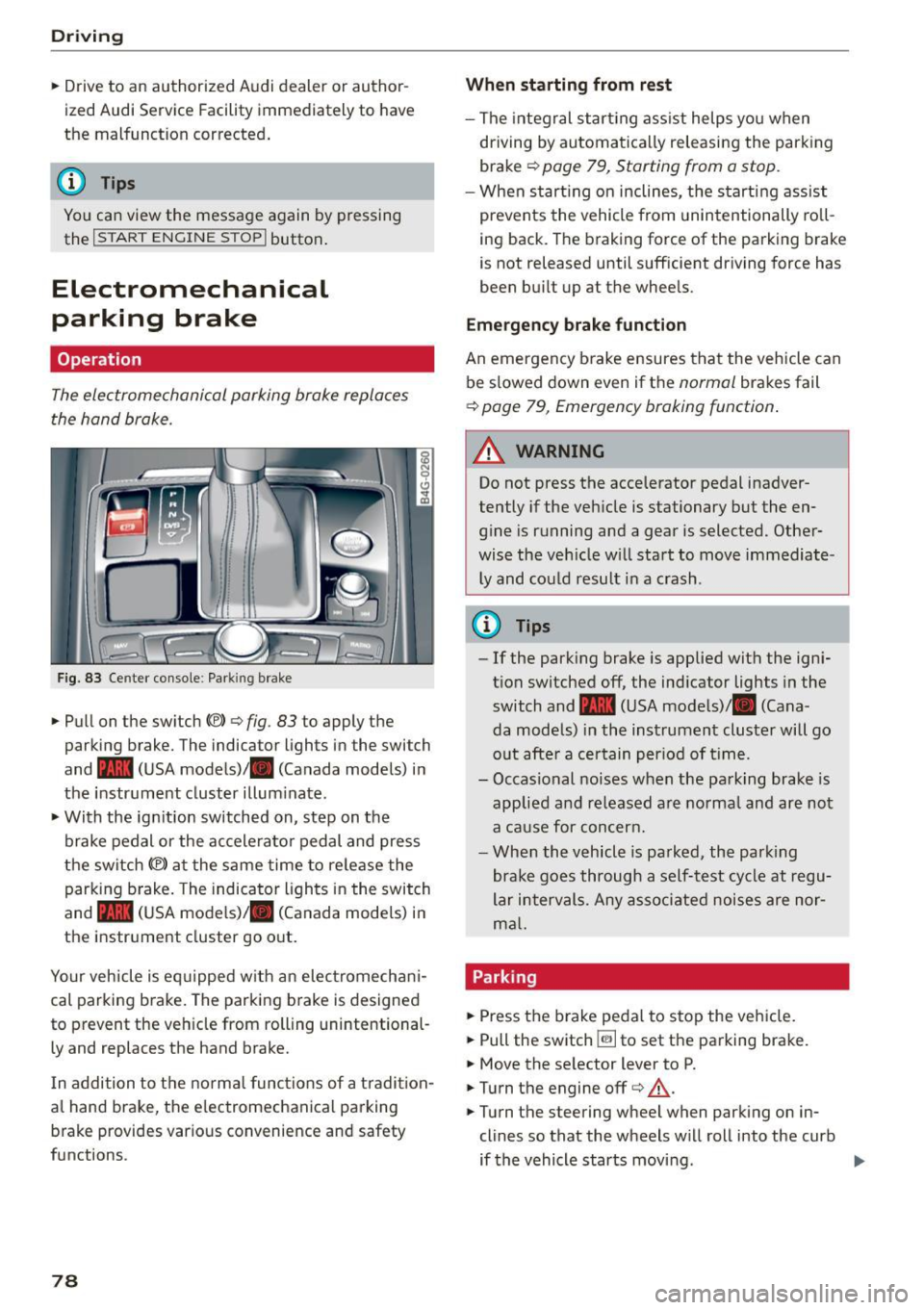
Fig. 83 Ce nter co nso le : Park ing brake
• Pull on the switch{®) ¢ fig. 83 to apply the
parking brake. The indica tor lights in the swi tch
and - (USA mode ls)/ . (Canada models) i n
the instr ument cluster illum inate .
• With the ig nition switched on, step on the
brake pedal or the ac celera to r pedal and press
the switch {®) at the same time to re lease the
parking b rake . The indicator ligh ts in the switch
and - (USA mode ls)/ . (Canada models) i n
the inst rument cluster go o ut.
Your veh icle is eq uipped w ith an elec tromechan i
cal parking b rake. The parking b rake is designed
to prevent the veh icle from rolling unintentional
ly and replaces the hand brake.
I n addition to t he normal func tions of a tradi tion
al hand brake, the e lectromechanica l parking
b rake provides var ious convenience and safety
functions.
78
When starting from rest
- The integral star ting ass ist helps you when
dr iving by automa tica lly releasing the park ing
brake ¢
page 79, Starting from a stop .
-When st art ing on inclines, the s tart ing assist
prevents the vehicle from unintentionally ro ll
i ng back. The braking force of the parking brake
is not released until sufficient dr iving force has
been bu ilt up at the whee ls .
Emergency brake function
An emergency b rake ensures tha t the vehicle can
be s lowed down even if the
normal brakes fail
¢ page 79, Emergency braking function .
_&. WARNING
-
Do not press the accelerator pedal inadver
tently if the veh icle is stationary but the en
g in e is running and a gear is selected. Other
wise the ve hicle w ill sta rt to move immediate
ly and could result i n a crash .
@ Tips
-If the park ing brake is applied with the ign i
t ion switched off, the ind icator lights in the
switch and -(USA mode ls)/ . (Cana
da models) in the instrument cluster will go
o ut afte r a ce rtain per iod of t ime.
- Occasional noises when the pa rking brake- is
applied a nd re leased a re norma l and are not
a ca use for concer n.
- Whe n the v ehicle is pa rked, the par king
brake goes through a self -test cycle at r egu
lar i nterval s. Any asso ciated noises are nor
m al.
Parking
• Press the brake peda l to stop the ve hicle.
"' Pull the switch ~ to set the pa rking brake.
• Move the se lector lever to P.
• Turn the engine off¢&_ .
• Turn the steering wheel when parking on in
clines so that the wheels w ill roll into the curb
if the vehicle starts movi ng .
Page 83 of 294
M N <( I.J "". rl 1.0
"' N 1.0 rl
-The ignition will turn off if you press the
I START ENGINE STOP I button during a stop
phase . The needle in the tachometer
moves
into the OFF position.
General information
Applies to vehi cles: with Start-Stop-System
The standard Start-Stop mode con be canceled
for different system-related reasons.
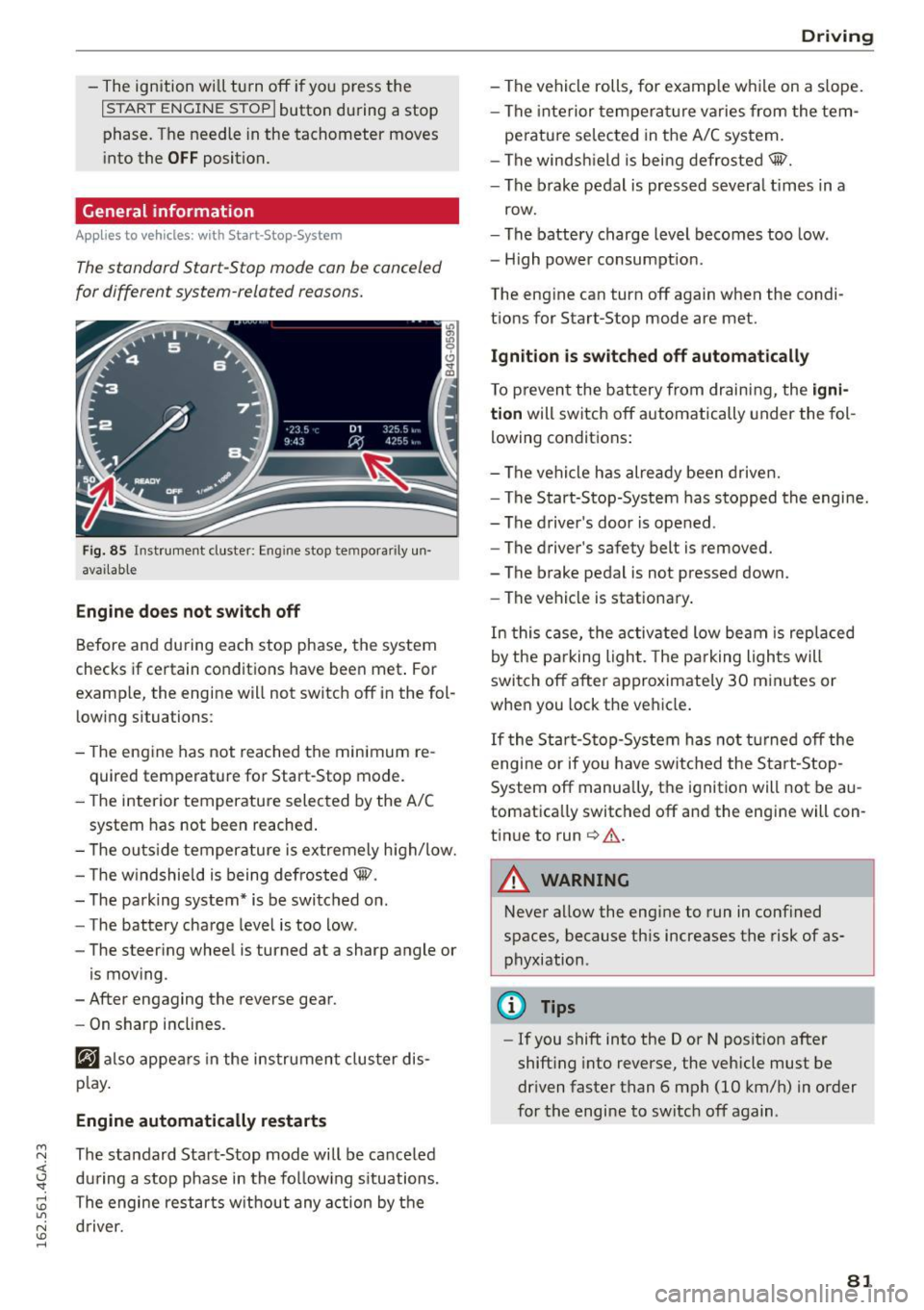
Fig. 85 Instrument cluster: Eng ine stop tempora rily un
avai lable
Engine does not switch off
Before and during each stop phase, the system
checks if certain conditions have been met . For
examp le, the engine will not switch off in the fol
lowing situations:
- The engine has not reached the minimum re
quired temperature for Start-Stop mode.
- The interior temperature selected by the A/C
system has not been reached.
- The outside temperature is extremely high/low.
- The windshield is being defrosted@.
- The parking system* is be switched on .
- The battery charge level is too low .
- The steering wheel is turned at a sharp angle or
is moving .
- After engaging the reverse gear.
- On sharp inclines.
@J also appears in the instrument cluster dis
play.
Engine automatically restarts
The standard Start-Stop mode will be canceled
during a stop phase in the following situations .
The engine restarts without any action by the driver.
Driving
- The vehicle rolls, for examp le while on a s lope.
- The interior temperature varies from the tem-
perature selected in the A/C system.
- The windshield is being defrosted@.
- The brake pedal is pressed severa l times in a
row.
- The battery charge level becomes too low.
- High power consumption.
The engine can turn off again when the condi tions for Start-Stop mode are met.
Ignition is switched off automatically
To prevent the battery from draining, the igni
tion
will switch off automatically under the fol
lowing conditions:
- The vehicle has already been driven.
- The Start-Stop-System has stopped the engine.
- The driver's door is opened .
- The driver's safety belt is removed.
- The brake pedal is not pressed down.
- The vehicle is stationary.
In this case, the activated low beam is replaced
by the parking light. The parking lights will
switch off after approximately 30 minutes or
when you lock the vehicle.
If the Start-Stop-System has not turned off the
engine or if you have switched the Start-Stop
System off manually, the ignition will not be au
tomatically switched off and the engine will con
tinue to run
c> .&. .
A WARNING
--Never allow the engine to run in confined
spaces, because this increases the risk of as
phyxiation .
@ Tips
-If you shift into the D or N position after
shifting into reverse, the vehicle must be
driven faster than 6 mph (10 km/h) in order
for the engine to switch off again .
81
Page 85 of 294
M N <( \,J
"". rl I.O
"' N I.O rl
Cruise control system
Switching on
Applies to vehicles: with cr uise contro l system
The cruise control system makes it possible to
drive a constant speed that is 30 km/h or higher.
0
f
®t
0
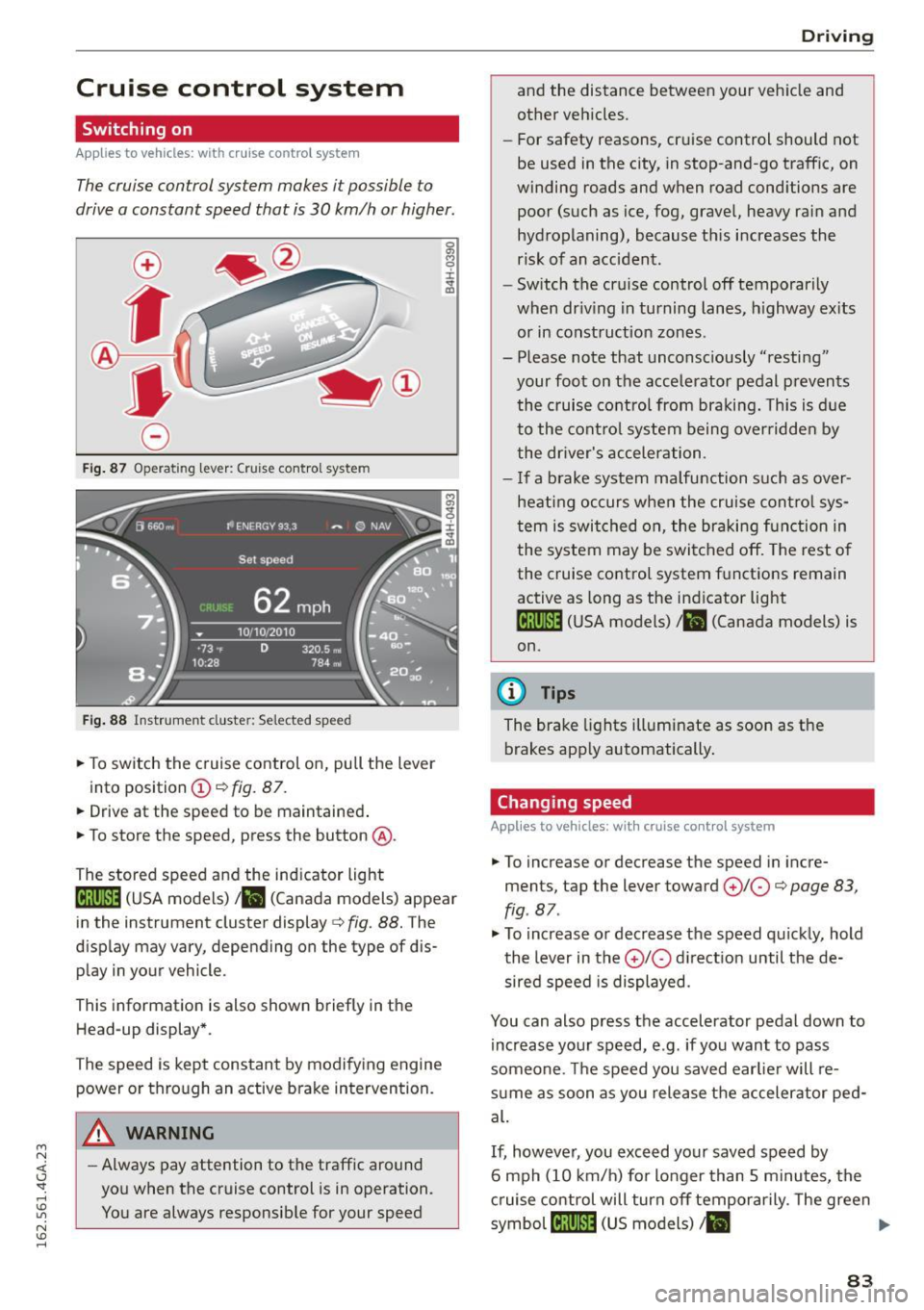
Fig. 87 Operating lever: Cruise control system
Fig. 88 Instrument cluster: Selected speed
.,. To switch the c ruise control on, pull the lever
into position
(D c:> fig. 87 .
.,. Drive at the speed to be maintained .
.,. To store the speed, press the button @.
The stored speed and the indicator light
lij;(l )~i~ (USA models) ,ii (Canada models) appear
in the instrument cluster display
c:> fig. 88. The
display may vary, depending on the type of dis
play in your vehicle.
This informat ion is also shown briefly in the
Head-up display*.
The speed is kept constant by modifying engine power or through an active brake intervention.
A WARNING
- Always pay attention to the traffic around
you when the cruise control is in operation.
You are always responsib le for your speed
-
Dr ivi ng
and the distance between your vehicle and
other vehicles.
- For safety reasons, cruise control should not
be used in the city, in stop-and-go traffic, on
winding roads and when road cond itions are
poor (such as ice, fog, gravel, heavy rain and
hydroplaning), because this increases the
risk of an accident.
- Switch the cruise control off temporarily
when dr iv ing in turning lanes, h ighway ex its
or in construction zones.
- Please note that unconsciously "resting" your foot on the accele rator pedal p revents
the cruise control from braki ng. This is d ue
to the contro l system being over ridden by
the dr iver's acceler ation.
- I f a brake system malfunction such as over
hea ting occurs when the cruise cont ro l sys
tem is swit ched on, the braking f unction in
the system may be switched off. The rest o f
the cruise co ntrol system f unctions remain
active as long as the indicator light
1ff;(i )~i~ (USA models) ,ii (Canada models) is
on.
{!) Tips
The brake lights illuminate as soon as the
brakes app ly automatically .
Changing speed
Applies to vehicles: wit h cruise co ntro l system
.,. To increase or decrease th e speed in incre
ments, tap the lever toward
(£)10 c:> page 83,
fig . 87 .
.,. To increase or decrease the speed quic kly, hold
the lever in the
0 10 d irect ion until the de
sired speed is displayed.
You can also press the accelerator pedal down to increase yo ur speed, e.g. if you want to pass
someone. The speed you saved earlie r will re
s u me as soon as you release the accelerator ped
al.
If, however, you exceed your saved speed by
6 mph (10 km/h) for longer than 5 m inutes, the
c ruise control will turn off temporarily. The green
symbol
cij;(l)~i~ (US models) I ii
83
Page 97 of 294

M N <( I.J "". rl I.O
"' N I.O rl
Switching on and off
Applies to vehicles: with Audi active lane assist
Fig. 100 Turn signal lever: active lane assist button
Fig. 101 Windshield: camera w indow for active lane assis t
... Press the¢ fig. 100 button to switch the sys
tem on and off. The. or. indicator light in
the instrument cluster turns on or off .
Indicator lights
• Ready:
The indicator light turns on when the
system is ready for use. The system can now be
operated .
• Not ready: The indicator light turns on if the
system is switched on but is inoperable . This may
be due to the following reasons :
- There is no lane marker line.
- The relevant lane marker lines are not detected
(for example, markings in a construction zone
or because they are obstructed by snow, dirt,
water or backlighting).
- The vehicle's speed is below the speed needed
to activate it, which is about 40 mph (65 km/
h).
- The lane is narrower than about 8 ft. (2.5 m) or
wider than 15
ft (4.5 m).
- The curve is too sharp.
Audi active lane assist
- The driver's hands are not on the steering
wheel.
(D Tips
Make sure the camera's field of view
¢
fig. 101 is not obstructed by stickers or any
thing else. For information on cleaning, refer
to ¢ page
205.
Lane assist display in the instrument
cluster
Applies to vehicles: wit h Audi active lane ass ist
Fig. 102 Instrument cluster: active lane assist is switched
on and providing warnings
Fig. 103 Instrumen t cluster: act ive lane assist is sw itched
on but not ready to provide warn ings
You can call up the active lane assist display using
the buttons in the multifunction steering wheel
¢ page
23.
An additional indicato r appears in the Head-up
display* .
95
Page 106 of 294

Night visio n ass is t
Night vision assist
Night vision assist with
pedestrian and wild
animal highlighting
Description
A pp lies to veh icles : w ith night v isio n ass ist
The night vision assist can detect, highlight and,
if necessary, warn about pedestrians and large
wild animals.
Night vision assistant with pedestr ian and wild
animal detection assists you in darkness by using
an infrared camera to monitor the area in front of
your vehicle, within the limits of the system.
It
can display objects up to approximately
1000 feet (300 meters) away. The heat image de
tected by the camera is shown in the instrument
cluster display. Warm areas appear lighter and
cold areas appear darker.
Highlighting detected pedestrians and wild
animals
A pplies to veh icles: w ith night v isio n ass ist
F ig. 110 Instrument cluster: Yellow pedestr ian highl ight
i ng
Fig. 111 I n st rument cluster: symbol when infrared image
i s not visib le
104
Within the limits o f the system, night vision as
sistant can detect pedestrians and wild animals
that are within the detect ion range between ap
proximately 32 feet (10 meters) and 295 feet
(90 meters) in front of the vehicle. When it is
dark outside and the headlights are switched on,
detected pedestrians and w ild an imals are
marked in yellow ¢
fig. 110 within the limits of
the system ¢
page 105 . Wild animal detection is
not act ive in bu ilt-up areas . The system only de
tects large wild anima ls such as deer.
@ Tips
I f another display such as navigation rep laces
the image from the night v is ion assist the~ .. ,
symbol appears in a tab
r::!>fig . 111. You can
access night vision assist using the buttons in
the m ultifunction steering wheel¢
page 24 .
Pedestrian and wild animal warning
Applies to vehicles: wit h night vision assist
Fig . 112 Instrument cl uster: @Pedest rian warn ing ,®
w ild animal warning
Fig. 113 Instrument cl uste r: @ Pedestr ian warn ing/ @
wild an ima l warn ing , when the image from th e n ight vis ion
assist is not selected in t he instrument cluster display
Iii-
Page 107 of 294
M N <( I.J "". rl I.O
"' N I.O rl
Disp lay in th e in st rum ent clu ste r/head-up
di splay *
If there are pedestrians or wild animals in an area
in front of your vehicle that is classified as criti
cal, the system will direct your attention to this:
- Pedestrians or wi ld animals are highlighted in
red and the corresponding symbol. or.
turns on
¢fig. 112.
-There is also a tone.
The area classified as cr itical is based on the vehi
cle speed and the steering w heel angle. Pedes
tr ian and wild animal warning encourages you to
pay more attention.
I f the nigh t vision assist image is replaced by an
o ther d isp lay (such as the on-board computer),
the red ind icator light . or. will appear if
there is a pedestrian or wild animal warning
¢ fig . 113.
If the head- up display* is sw itched on and the
n ight vision assist content is activated, . or.
will appear in the head-up display*.
Ma rking light*
To direct the driver's attention to a pedestr ian,
the headlights can flash on the pedestr ian th ree
times in a row when the re is a pedes trian warn
ing .
This happens at speeds above approximate ly
35 mph (60 km/h) when you are traveling ou t
side of we ll-lit areas and when flashing the head
lights will not create glare for a vehicle detected
in the oncoming lane. The marker light* is con
trolled by the high beam assist* ¢
page 44, High
beam assist.
The marking light is not used for wi ld animals .
Nig ht v is io n as sist
General information
App lies to vehicles : wit h night vision assist
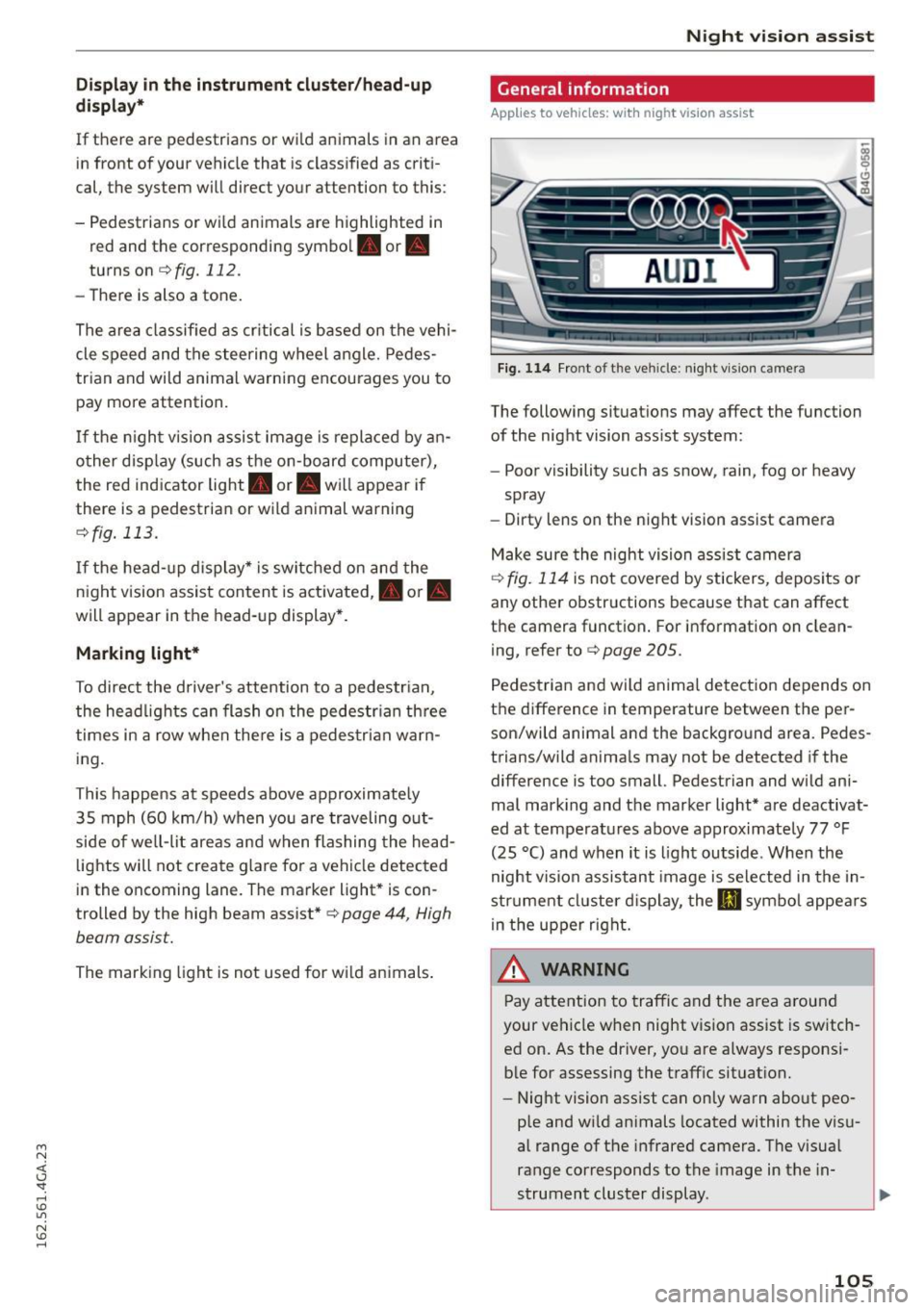
Fig. 114 Fro nt of the veh icle: night vi sion camera
The following situat ions may affect the function
of the night vision assist system:
- Poor visibility such as snow , rain, fog or heavy
spray
- Dirty lens on the night vision assist camera
Make sure the night vision ass ist camera
¢
fig. 114 is not covered by stickers, depos its or
any other obstructions because that can affect
the camera function . For information on clean
ing, refer to¢
page 205.
Pedestria n and wild anima l detect ion depends on
the difference in temperature between the per son/wild animal and the background area. Pedes
trians/wild anima ls may not be detected if the
difference is too small. Pedestrian and wild ani
mal mark ing and the marker light* are deactivat
ed at temperatures above approximately 77 °F
(25 °C) and when it is light outside . When the
night vision assistant image is selected in the in
str ument cl uster d isplay, the
Ill symbo l appears
i n the upper right.
A WARNING
Pay attention to traffic and the area a round
your vehicle when night vision assist is sw itch
ed on. As the driver, yo u are a lways responsi
ble for assessing the traffic situat ion.
- Night vision assist can only warn about peo
ple and wi ld animals located within the visu
al range of the infrared camera. The visual
range corresponds to the image in the in
strument cluster display .
-
105
Page 108 of 294

Night visio n ass is t
- Night vision assist may not detect people or
wild animals and mark them if
- they are not in an upright position, for ex
ample if they are sitt ing or ly in g down
and/or
- the silhouette in the display appears in
comp lete or interrupted, for example be
cause the person is pa rtially covere d by a
veh icle or an animal by tall grass. This
could increase the risk of an accident.
- Never try to swerve around an imals if do ing
so wi ll endanger you or other road users, be
cause this increases the risk of an acc ident.
- E ven though the system eva lu ates the
shape and hea t given off by all detec ted ob
j ects, there are lim its to the system . There
may be false warnings .
- F or technica l reasons, the image pauses in
sp lit second interva ls.
Switching on/off
Applies to veh icles: w ith night vision assist
F ig. 11 5 Area arou nd t he ligh t switc h: n ig ht vis ion assist
butto n
Requirement : Switc h the ignition on and turn the
light switch to the
AUTO posit ion or .
.,. Press the~ button ¢
fig. 115. The heat image
from the night v is ion camera appears in the in
strument cluster d isplay .
.,. Press the~ button again to sw itch night vision
ass ist off .
If cond it ions are br ight enough, night v ision as
sist can be sw itched on without mov ing the light
switch to the
AUTO position . Pedestrian and w ild
106
anima l highl ighting and wa rnings are only active
whe n it is dark outside and the headlights are
switched on .
Adjusting the contrast
Applies to vehicles: with night vision assist
.,. Select: the I CARI function button > (Car )* Sy s
tem s
control button > Driver ass istan ce >
Night vi sion ass ist contrast .
When the night vis ion assist is switched on and
the image is v is ible in the instrument cluster dis
play, you can adjust the contrast in the image
from
Min to Ma x.
Driver messages
Applies to vehicles: with night vision assist
Night vision a ssis t: Sy stem fault
The system cannot guarantee cor rect function
and is switched off . See an authorized Audi dealer
or a uthorized Audi Service Facility for ass istance.
Night vis ion a ssist: Currentl y una vailable
The system cannot gua rantee cor rect function
temporar ily and is switched off .
Night vision a ssis t: Only available at night with
lights tu rned on
Night vision assist only works when it is da rk out
s ide and the headlights a re on.
Night vi sion a ssi st: Ped estrian marking current
l y unavailab le
The pedestrian and wild animal h ighlighting was
switched off by the system.
Page 109 of 294
M N <( I.J "". rl I.O
"' N I.O rl
Automatic transmission S tronic, tiptronic
Introduction
The automat ic transm iss ion is controlled elec
tronically. The transmission upshifts or down
shifts automatically depending on which drive
program is selected.
When a
moderate driving style is used, the
transmission selects the most econom ical driving
mode. The transmiss ion upshifts at a lower RPM
and downshifts at a higher RPM to improve fuel
efficiency.
The transmission switches to a sporty mode after a kick-down or when the driver uses a
sporty driv
ing style
cha racterized by quick accelerator pedal
movements, heavy acceleration, frequent
changes in speed and traveling at the maximum
speed.
If desired, the driver can also select the gears
manually (tiptronic mode) ¢ page 111.
Various automat ic tr ansm issions may be instal
led, depending on the model:
S tronic transmission
The S tronic is a dual -clutch transmission . Power
is transferred using two clutches that work inde
pendently from one another. They replace the
torque converter used in conventional automat ic
transmissions and a llow the vehicle to accelerate
without a noticeable interruption in traction.
tiptronic transmission
In the tiptronic transmission, power is transfer
r ed by a torque converter.
Automatic transmission
Selector lever positions
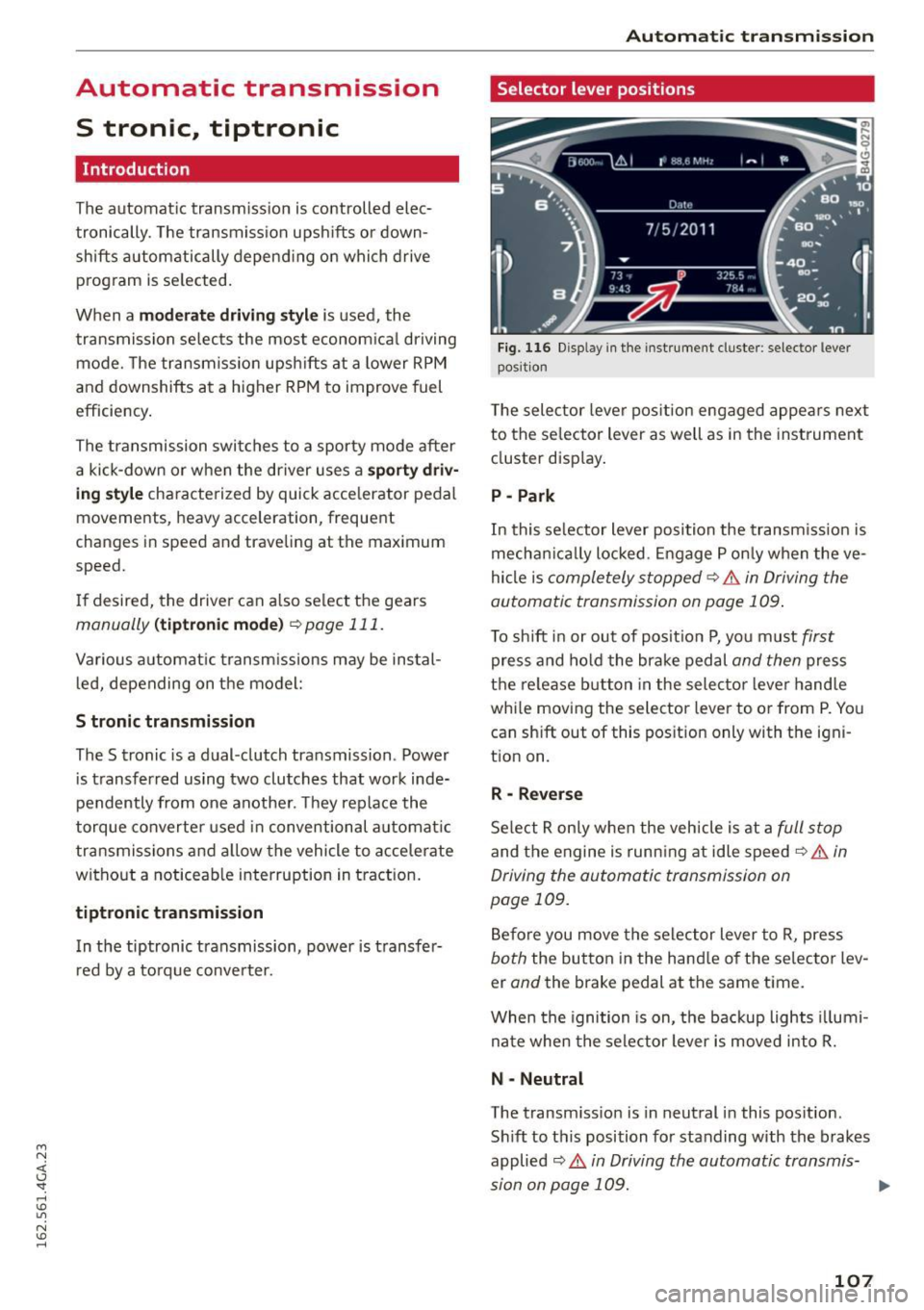
Fig. 116 Disp lay in the instrument cluste r: selector lever
posit ion
T he selec tor lever pos ition engaged appea rs next
to the se lector lever as well as in the instrument
cluster display.
P -Park
In this selector lever position the transmission is
mechanica lly locked . Engage P only when the ve
hicle is
completely stopped¢.& in Driving the
automatic transmission on page 109.
To shift in or out of posit ion P, you must first
press and hold the brake pedal and then press
the release button in the selector lever hand le
whi le moving the selector lever to or from P. You
can sh ift out of this position only with the igni
tion on.
R -Reverse
Select R only when the vehicle is at a full stop
and the engine is running at idle speed¢ .& in
Driving the automatic transmission on
page 109.
Before you move the selector lever to R, press
both the button in the hand le of the selector lev
er
and the brake pedal at the same time.
When the ignition is on, the backup lights illumi
nate when the selector lever is moved into R.
N -Neutral
The transm iss io n is in neutral in this pos ition.
Sh ift to this position for standing with the brakes
applied
¢ .& in Driving the automatic transmis-
sion on page 109. .,.
107
Page 111 of 294
M N <( (.J
'SI: ,...., \!) 1.1'1
N \!) ,....,
than 2 seconds when the brake pedal is not
pressed.
Lock button
The lock button in the selector lever handle pre
vents yo u from moving the se lector lever unin
tentionally while in some se lector lever positions .
The positions that require the lock button to be
pressed are marked in color in the illustration
¢fig. 117 .
Driving the automatic transmission
Starting the engine
.. The selector lever must be in P or N.
Starting off
.. Press and hold the brake pedal.
.. Press and ho ld the release button in the selec
tor lever handle, select the desired selector lev
er position such as D/S and release the button .
.. Wait briefly until the transmission has shifted
(you will feel a slight movement).
.. Remove your foot from the brake pedal and ac
celerate .
Stopping temporarily
.. Keep the vehicle stationary using the braking
pedal, for example at traffic lights.
.. Do not press the accelerator pedal when doing
th is.
.. To prevent the veh icle from rolling when you
start driving, set the parking brake when stop
ping on steep inclines¢,& .
.. Th e parking brake will re lease automatically
and the vehicle will start moving once you press
the accelerator peda l.
Stopping/parking
If the selector lever is not in the P position when
you open the driver 's door, the veh icle could roll.
The message
Transmi ssion : Car may roll! Shift
to park!
appears.
.. Press and ho ld the brake pedal unt il the vehicle
has come to a complete stop.
.. Apply the parking brake¢
page 78, Parking.
.. Select the P selector lever position ¢ ,&.
Automatic transmission
Stopping on an incline
.. Always press the brake pedal to hold the vehi
cle in place and prevent it from "ro lling back"
c::> ,& . Do not try to prevent the vehicle from
"rolling back" when a gear is engaged by in
creasing the engine speed ¢(D .
Starting on an incline
.. Activa te the parking brake.
.. With the driving gear selected, press the acce l
erator pedal carefu lly. The parking brake will re
lease automatica lly if your seat belt is fastened.
Under certain circumstances, such as driving in
the mountains, it may be useful to switch tempo
rarily to the manual shift program in order to ad
just the gears to the dr iv ing condit ions by hand
Q ,&. .
On s lopes, activate the parking brake first and
then move the selector lever to the P position.
This prevents too much stress from being placed
on the locking mechanism.
A WARNING
- The vehicle can also roll when the engine is
stopped.
- Unintended vehicle movement can cause se
rious injury .
- Never leave your vehicle with the engine
running while in gear. If you must leave your
vehicle when the engine is running, activate
the park ing brake and move the selector lev
er to P.
- Power is still transmitted to the wheels
when the engine is running at idle. To pre
vent the vehicle from "creep ing", you must
keep yo ur foot on the brake when the engine
is running and the se lector lever is in D/S or
R or "tiptronic" mode is selected.
- Do not press the accelerator pedal when
changing the se lector lever position while
the vehicle is stationary and the engine is
running .
- Never shift into R or P while driving.
- Before driving down a steep slope, reduce
your speed and shift into a lower gear with
"ti ptronic".
109