service AUDI A7 2017 Owner´s Manual
[x] Cancel search | Manufacturer: AUDI, Model Year: 2017, Model line: A7, Model: AUDI A7 2017Pages: 284, PDF Size: 72.29 MB
Page 98 of 284
Ass is t
The system cannot guarantee that it will detect
objects correctly and is switched off. The sensors
have been moved or are faulty. The pre sense
functions may also be affected. Dr ive to an au
thor ized Audi dealer or authorized Audi Service
Facility immediately to have the malfunction cor
rected .
ACC: Currentl y unav ailabl e. No senso r vis ion
ACC and Audi braking guard : Curre ntly un avail
a ble . No se nsor v ision
This message appea rs if the sensor view is ob
s truc ted, for example by leaves, snow, heavy
spray or d irt. C lean the sensors ¢
page 89,
fig. 91.
ACC: Curre ntly unavailable. Gradient too steep
The road exceeds the max imum possible angle
for safe adapt ive cruise control operation . Adap
tive c ruise contro l is switched off.
AC C: onl y availab le in D, S or M
Select the 0/5 or M selector lever position .
ACC: Currentl y unavailable . Parking brake ap •
pl ied
The adaptive c ruise contro l system switches off
automatically if the park ing bra ke is set.
ACC: Curre ntly unavail abl e. Stab ility control
( ESC) input .
This message appears if the Electronic Stabiliza
tion Control (ESC) is tak ing action to stabilize the
ve hicle . In this case, adapt ive cruise control
sw itches off automatically.
AC C off: Manual control!
This message appears when adaptive cr uise con
trol cannot set the parking brake . Press the brake
pedal to prevent the vehicle from rolling.
•••
Three white dots appear if a sett ing cannot be se
lected wi th the ope rating lever. For example, this
h a ppens if adaptive c ruise cont ro l canno t start
driving automatically in stop -and-go traffic be
cause the driver has not fastened their safety
be lt.
96
Door open
The adaptive cru ise cont rol system cannot switc h
o n when a door is open.
Stationary obj ect ah ead
This message appears if you wo uld like to switch
adaptive cruise control on and there is a station
ary object or obstacle direct ly ahead of your vehi
cle .
Audi active lane assist
Description
Appl ies to: vehicles with Audi act ive lane assist
Active lane assist detects lane marker lines with
i n the lim its of the system using a camera in the
windshield. If you are approach ing a detected
lane marker line and it appears like ly that you
will leave the lane, the system w ill warn you with
corrective steering. You can override this steering
at any time. If you pass over a line, the steering
whee l w ill vibrate lightly. In orde r fo r thi s warn
i ng vibration to occ ur, it must first be switched
on in the Infotainment system. Active lane ass ist
is ready for operation when the lane marker line
is detected on at least one side of the vehicle.
The system is des igned for driving on express
ways and highways and therefore on ly activates
at speeds above approximately 40 mph (65 km/
h) .
Applies to: vehicles with side assist
If you activate a turn s ignal when act ive lane as
s ist is ready and it classifies a lane change as crit
ica l because of vehicles traveling a longside you or
approach ing you, there wi ll be noticeable correc
tive steer ing shortly before you leave the lane.
This will attempt to keep your veh icle in the lane.
Applies to: vehicles without side assist
The system will not wa rn you befo re c ross ing a
l ane marke r line if you have act ivated the t urn
s ignal. In this case, it assumes that you are
changing lanes intentionally.
Applies to: vehicles with adaptive cru ise control
The corrective steer ing is targeted based on the
driv ing situation . In add it ion to the lane marke r .,.
Page 100 of 284

Ass is t
@ Tips
Make sure the camera's fie ld of view
¢
fig. 102 i s not obstructed by st ickers or any
thing else. For information on cleaning, refer
to¢
page 235.
View in instrument cluster display
A ppl ies to: ve hicles w ith Audi active lane assist
Fig . 1 03 Instrument cl uster: act ive lane ass ist is sw itc hed
on a nd prov id ing warn ings
Fi g. 10 4 Inst rument cluster: act ive la ne assist is sw itc hed
on but not ready to provide warnings
You can call up the active lane assist display us
ing the buttons in the multifunction steering
wheel ¢
page 21.
An addit iona l indicator appears in the Head -up
disp lay*.
White line(s) Active lane assist is activated and ready to p rov ide warnings.
Red line(s) Active lane assist warns you
(left or r ight) before leaving a lane
¢ fig. 103. In addit ion, the
steering wheel vibrates light ly.
Gray line(s) Active lane assist is activated,
b ut not ready to give warning
¢ fig . 104.
98
Messages in the instrument clu ster disp lay
If t he a ctive lane assist sw itches off automa tical
l y, the indicator light in the display turns off and
one of the fo llow ing messages appears:
Audi a ctive lane assi st : Currentl y unavailable.
No camera v iew
This message appears if the camera is unable to
de tect the lines. This could happe n if:
- The camera field of view¢
page 97, fig. 102 is
dirty or covered in ice . Clean th is area on the
w indshield.
- The camera fie ld of view is fogged over. Wait
until the fog has cleared before switch ing the
active la ne assist on aga in .
- T he system has been unable to detect the lanes
for an extended p eriod of t ime due to road con
ditions . Switch ac tive lane assist back on when
t he lines a re more visib le.
Audi a cti ve lane assi st: Currently unavailab le
There is a temporary act ive lane assist malfunc
tion. Try switc hing the active lane assist on again
later.
Audi a cti ve l ane assist: System fault!
D rive to an au thor ized A udi dealer or au thorized
Audi Service Facility immediate ly to have the
malfunction corrected.
Audi active lane a ssis t : Plea se take over steering
This message appears if you are not steer ing by
yourself .
If this is the case, active lane assist does
not switch off, b ut it is "not ready" to provide a
warning. The system can help you keep the vehi
cl e in the lane. However, you are responsible for
driv ing the vehicle and must steer it yourse lf .
Adjusting the vibration warning
App lies to: vehicles wit h Audi active la ne ass ist
.,. Select: the I CARI function button > (Car ) * Sys
tems
contro l button > Dri ver assistan ce > Audi
a ct ive lane assist .
Vibrat ion warning
You can swi tch the addit io nal vib ra ti on war ning
in the steering whee l on or off .
Ill-
Page 103 of 284

co
co
.... N
" N .... 0
00
<..:l 'SI"
-If vehicles are approaching or being l.eft
behind very quickly. The display may not
turn on in time.
- In poor weather conditions such as heavy
rain, snow or heavy mist.
- On very wide lanes, in tight curves, or if
there is a rise in the road surface. Vehicles
in the adjacent lane may not be detected
because they are outside of the sensor
range.
- Audi side assist cannot detect all vehicles
under all conditions, which can increase the
risk of accidents.
- Please note that side assist only displays ap
proaching vehicles or vehicles in your blind
spot if your vehicle is traveling at least 19 mph (30 km/h).
- In certain situations, the system may not
work or its function may be limited . For ex
ample:
- The display may not turn on at the right
time if vehicles are approaching or passing
very quickly.
- In poor weather conditions, such as heavy
rain, snow or fog.
- In very wide lanes, in tight curves or when
there are slopes in the roadway, vehicles
in the neighboring lanes may not be de
tected because they are outside of the
sensor range .
(D Note
The sensors can be displaced by impacts or
damage to the bumper, wheel housing and
underbody. This can impair the system. Have
an authorized Audi dealer or authorized Audi
Service Facility check their function.
(D Ti ps
If the window glass in the driver's door or
front passenger's door has been tinted, the
display in the exterior mirror may be incor
rect.
- For an explanation on conformity with the
FCC regulations in the United States and the
Industry Canada regulations, see
¢page 267.
Assist
Switching on and off
App lies to : vehicles wi th Audi side ass ist
Fig. 109 Driver 's door : side assist button
"' Press the button to switch the system on and
off ¢.&. in General information on page 100 .
The LED in the button turns on when side assist
is switched on.
Adjusting the display brightness
App lies to: vehicles wi th Audi side ass ist
The display brightness can be adjusted in the In
fotainment system .
"' Select: the I CAR I function button > (Car)* Sys
tems control button > Driver assistance > Audi
side assis t.
The display brightness adjusts automatically to
the brightness of the surroundings, both in the
information and in the warning stage. In very
dark or very bright surroundings, the automatic
adjustment will set the display to the minimum
or maximum level. In such cases, you may notice
no change when adjusting the brightness, or the
change may only be noticeable once the sur
roundings change.
Adjust the brightness to a level where the display
in the information stage will not disrupt your
view ahead. If you change the brightness, the dis
play in the exterior mirror will briefly show the
brightness level in the information stage. The
brightness of the warning stage is linked to the
brightness in the information stage and is adjust-
ed along with the information stage . ..,
101
Page 104 of 284

Ass is t
@ Tips
- Side assist is not active whi le you are mak
i ng the adjustment.
- Your settings are automatically stored and
assigned to the remote control key being
used.
Messages
Applies to: vehicles with Audi side assist
If side ass ist switches off by itself, the LED in the
button turns off and a message will appear in the
instrument cluster display:
Audi s ide assi st: Curr ently un availabl e. No
s enso r vi sion
The radar sensor vis ion is impaired. Do not cover
the area in front of the sensors with bike wheels,
stickers, dirt or other objects . Clean the area in
front of the sensors, if necessary ¢
page 100,
fig . 108.
Aud i side as sist: Currently un avail able
Side assist cannot be switched on at th is time be
cause there is a malfunction (for example, the
battery charge level may be too low).
Aud i side a ssist: S ys tem fault!
The system cannot guarantee that it will detect
vehicles correctly and it has switched off. The
sensors have been moved or are faulty . H ave the
system checked by an authorized Audi dealer or
authorized Audi Service Facility soon .
Audi side assi st : Unav ailable wh en towing
Side assist switches off automatically when a fac
tory-installed trailer hitch is connected to the
electrical connector on the trailer. There is no
guarantee the system will switch off when using
a retrofitted tra iler hitch. Do not use side ass ist
when towing a trailer.
102
Night vision assist with
pedestrian and wild
animal detection
Description
Applies to : vehicles with night vision assist
The night vision assist con detect, highlight and,
if necessary, warn about pedestrians and large
wild animals.
Night vision assist with pedestrian and wild ani
mal detection assists you at night by us ing an in
frared camera to monitor the area in front of
your vehicle, within the limits of the system. It
can display objects up to a distance of approxi
mately 1000 feet (300 m). The thermal image
detected by the camera is shown in the instru
ment cluster disp lay. Warm areas appear lighter
and cold areas appear darker.
Highlighting detected pedestrians and wild
animals
Applies to: vehicles with n ight vis ion assist
Fig . 110 In stru men t cl ust er: yellow highlighted pedes ·
trians
Fig. 111 Instrument cl uster: symbol when the infrared im
age is not visible
Within the limits of the system, the night v is io n
ass ist can detect pedestr ians and wild animals ..,..
Page 107 of 284

co
co
.... N
" N .... 0
00
\.J '
Applies to: vehicles with night vision assist
Night vision as sis t: Sy stem fau lt
The system cannot guarantee correct function
and is sw itched off . See an author ized Audi deal
er or authorized Audi Service Facility for assis
tance.
N ight vision a ssist : Currently una vailab le
The system cannot guarantee correct function at
this t ime and is switched
off.
N ight vision a ssist : Onl y av a ilable at night wi th
light s turned on
Night vision ass ist only wo rks when i t is dar k out
side and the head lights are on.
N ight vision as sis t: Pe destrian marking current
ly un availabl e
The pedestrian and wild animal marking was
switched
off by the system.
Audi drive select (drive
settings)
Introduction
Drive select makes it possible to experience dif
ferent types of vehicle settings in one vehicle.
The dr iver can select
Comfort , Au to a nd D ynamic
modes i n the Infota inment system to switch be
tween , fo r example, a sporty and a comfo rtable
driving mode .
Sett ings can be ad justed to your personal p refe r
e nces in
Ind ividual mode. Th is makes it poss ible
t o combine settings such as a sporty engine se t
ting w ith light steering .
Description
The following systems, among other things, are
infl uenced by drive select :
Engine and automatic transmission
Depending on t he mode, the e ng in e and auto
mat ic transmission respond more q uick ly o r in a
more balanced manner to accelerator pedal
Assist
movements . In the sporty dynamic mode, the
transmission shifts at higher speed ranges.
Adapt ive a ir suspension *
The adapt ive ai r suspension* is an e lectron ically
co ntro lled air suspens io n and dampi ng sys tem.
T he ad justmen t depends o n the dr iving mode se
l ected, steering movements, the driver's braking
and acce le ration, and as the road surface, veh icle
speed and load.
T he vehicle groun d clearan ce depends on t he
mode selected and the speed . When you are in
the
auto , the highway setting is activated when
yo u drive above 75 mph (120 km/h) for more
than 30 seconds. The g round clearance is in
creased automatically if the speed drops be low
44 mp h (70 km/h) for more than 120 seconds .
Suspension control*
With the Audi Dynamic Ride Control damping
contro l, dampening characteristics of the ve hicle
can be individually adjusted us ing drive select.
This makes it possible to satisfy the des ire for
sporty suspens ion
(DYNAMIC) and comfortable
s u spension (COMFOR T) without g iv ing up bal
anced tu ning (AUTO) .
Steering
The power steering adapts. Indirect steering that
moves easily as in comfort mode is espec ially
su ited to long drives on a highway . The Dynam ic
mode provides sporty, direct steering .
Applies to: vehicles with dynamic steering
The steering ratio changes based on veh icle
speed in order to maintain opt imum steer ing ef
fort fo r th e driver at all times . Thi s sets the s teer
i ng to be less sensitive at h igher speeds i n orde r
to provide improved ve hicl e con trol. At reduced
speeds, stee ring is more direct in orde r to keep
t h e s teer ing effort as minimal as possible when
t h e driver is maneuvering the ve hicle. At low and
average speeds, dynamic steering * additionally
provides more responsive steering performance.
Sport differential*
As a compone nt o f the all whee l dr ive system
(qua ttro)
~ page 124, the sport different ia l dis -
t ributes the driving power to the rear axle .,.
105
Page 110 of 284

Parking systems
Parking systems
General information
Applies to: vehicles with parking system plus/rearview cam
era/peripheral camera
Depending on your vehicle's equipment , various
parking aids will help you when parking and ma
neuvering.
The
parking system plus assists you when park
ing by audibly and visually indicating objects de
tected
in front of and behind the vehicle
¢page 109.
The
rearview camera shows the area behind the
vehicle in the Infotainment system display. This
display assists you when you are cross or parallel parking
¢ page 110. The parking system plus
functions are also available
¢ page 109.
The
peripheral cameras assist you with parking
and maneuvering. You are aided by various cam
eras depending on the vehicle equipment level
¢ page 113. The parking system plus functions
are also available
¢ page 109.
A WARNING
-Always look for traffic and check the area
around your vehicle by looking at it directly
as well. The parking system cannot replace
the driver's attention. The driver is always responsible when entering or leaving a park
ing space and during similar maneuvers.
- Please note that some surfaces, such as
clothing, are not detected by the system .
-
-Sensors and cameras have blind spots in
which people and objects cannot be detect ed . Be especially cautious of small children
and animals.
- The sensors can be displaced by impacts or
damage to the radiator grille, bumper,
wheel housing and the underbody . The park
ing system may be impaired as a result.
Have an authorized Audi dealer or author
ized Audi Service Facility check their func
tion .
- Make sure the sensors are not obstructed by stickers, deposits or other materials. If they
are, the sensor function could be impaired.
108
For additional information on cleaning, see
¢page 235.
(D Note
-Some objects are not detected or displayed
by the system under certain circumstances:
- Objects such as barrier chains, trailer draw
bars, vertical poles or fences
- Objects above the sensors such as wall ex
tensions
- Objects with certain surfaces or structures
such as chain link fences or powder snow
- If you continue driving closer to a low ob
ject, it may disappear from the sensor range. Note that you will no longer be
warned about th is obstacle .
- Keep enough distance from the curb to re
duce the risk of damage to the rims .
(D Tips
-The system may provide a warning even
though there are no obstacles in the cover
age area in some situations, such as :
- certa in road surfaces or when there is tall
grass.
- external ultrasonic sources such as from
cleaning vehicles .
- in heavy rain, snow, or thick vehicle ex
haust.
- We recommend that you practice parking in
a traffic-free location or parking lot to be
come familiar with the system . When doing
this, there should be good light and weath
er conditions.
- You can change the volume and pitch of the
signals as well as the display
¢ page 118.
- Please refer to the instructions for towing a
trailer located in
¢page 118.
- What appears in the infotainment d isplay is
somewhat time-delayed.
- Th e sensors must be kept clean and free of
snow and ice for park aid to operate .
Page 112 of 284
Parking system s
Rearview camera
Introduction
Applies to: ve hicles w ith rearview camera
, I
F ig. 119 Illustration : Cross parking
Fig. 120 Illustration : pa rallel parking
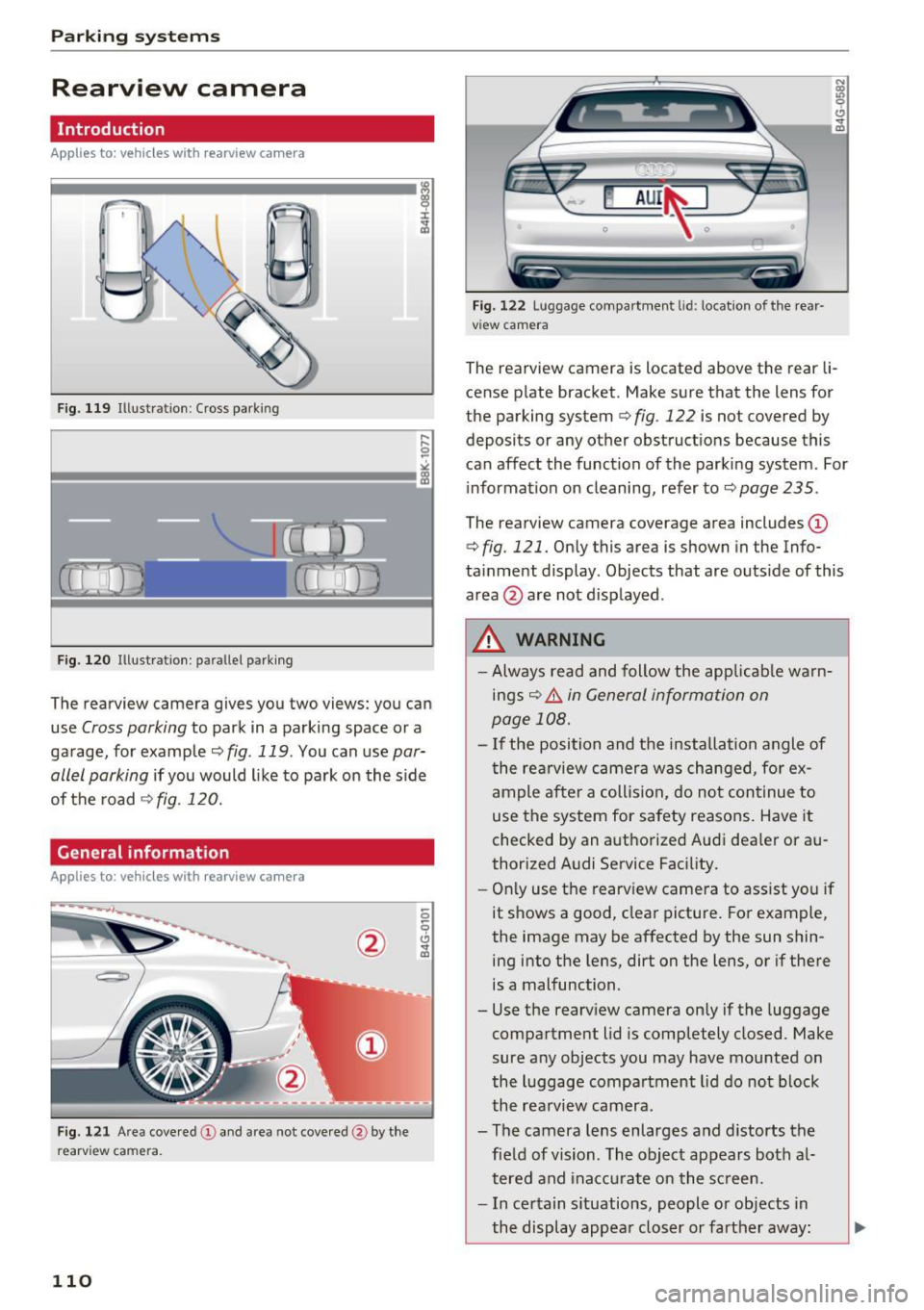
The rearview camera gives you two views: you can
use
Cross parking to park in a parking space or a
ga rage, for example ¢
fig. 119 . You can use par
allel parking
i f you would l ike to park on the s ide
of the road¢
fig. 120.
General information
Applies to: ve hicles with rearview camera
F ig . 121 Area cove red @ and area not cove red @ by the
r earv ie w ca mera .
110
Fig. 122 Lu ggage compartmen t lid : locatio n of the rear
v iew camera
N Cl)
"' 9 CJ ... m
The rearview camera is located above the rear li
cense p late bracket. Make sure that the lens for
the parking system
¢ fig . 122 is not covered by
deposits or any other obstructions because this
can affect the function of the parking system . For
information on cleaning, refer to ¢
page 235.
The rearview camera coverage area includes (D
¢ fig. 121. Only this area is shown in the Info
ta inment display . Objects that are outs ide of this
area @ are not disp layed .
.&_ WARNING
- Always read and follow the app licab le warn
ings¢ .&.
in General information on
page 108.
- I f the position and the installation angle of
the rea rview camera was changed, for ex
ample after a collision, do not cont inue to
use the system for safety reasons. Have it
checked by an authorized Audi dea ler or au
thorized Audi Service Facility.
- Onl y use the rearv iew camera to ass ist you if
it s hows a good, clear picture. For example,
the image may be affected by the sun shin ing into the lens, dirt on the lens, or if there
is a malfunction.
- Use the rearv iew camera on ly if the luggage
compartment lid is completely closed. Make
sure any objects you may have mounted on
the luggage compartment lid do not b lock
the rea rview camera .
- The camera lens enlarges and distorts the fie ld of vision . The object appears both a l
tered and ina ccu rate on the sc reen.
- In certain s ituations, people or objects in
the display appea r closer or farther away :
Page 120 of 284

Parking systems
displayed and it does not switch to the Front
mode when a forward gear is selected.
Adjusting the display
and the warning tones
Applies to: ve hicles w ith parking system plus/rearview cam
era/per ipheral came ra
The display and warning tones can be adjusted in
the Infotainment.
.,. Se lect: the ICARI function button > (Car)* Sys
tems
control button > Driver assistance > Park
ing aid.
Display
On* -
An optical disp lay is shown for the parking
system plus, a rearview camera image is shown
for the rearview camera*.
Off -When the parking system is switched off,
only audible signa ls are given.
Signal tones
Front volume -
volume for the front area
Rear volume -volume for the rear area
Front frequency-frequency for the front area
Rear frequency -frequency for the rear area
Music volume during nav . prompts -The volume
of the audio/video source is lowered when the
parking system is turned on.
The newly selected level is demonstrated briefly by the sound generator .
(D Tips
- The warning tones can also be adjusted di
rectly by the v isual display or the picture
from the camera. Simply press the
Settings
control button.
- Changed settings are activated when the
parking system is switched on aga in.
- The settings for volume and frequency are
automatically saved and assigned to the re
mote control key being used .
118
Error messages
Applies to: vehicles with parking system plus/rea rv iew cam
era/peripheral camera
There is an error in the system if the LED in the
P'11A button is blinking and you hear a continuous
alarm for a few seconds after switching on the
parking system or when the parking system is al
ready activated. If the error is not corrected be
fore you switch
off the ignition, the LED in the PwA
button will blink the next time you switch on the
parking system by shifting into reverse.
Parking system plus*
If a sensor is faulty, the.!¾ symbol will appear in
front of/behind the vehicle in the Infotainment
display. If a rear sensor is faulty, only obstacles
that are in areas @ and @ are displayed
c> page 109 , fig. 117. If a front sensor is faulty,
only obstacles that are in areas © and @are d is
played . There is also a system malfunction if all
segments around the vehicle are red or if no seg
ments are displayed.
Peripheral cameras*
There is a system malfunction if the~· symbol
appears and the corresponding display area is
shown in blue. The camera is not working in this
area.
Drive to an authorized Audi dealer or authorized
Audi Service Facility immediately to have the malfunction corrected .
Trailer hitch
Applies to: vehicles with parking system plus/rearv iew cam
era/peripheral cameras and t ra ile r hitch
For vehicles using the trailer socket, the parking
system rear sensors are not activated when you
shift into reverse gear or when you press the
PwA
button. Th is results in the following restrictions.
Parking system plus*
There is no distance warning for the rear. The
front sensors remain activated. The visual display
switches to trailer mode. ..,.
Page 125 of 284
co
co
.... N
" N .... 0
00
\.J '
the brakes in wet weather.
The braki ng effect can also be red uced if you are
driving on salted roads and you do not apply the b rakes for long periods of time . The layer of salt
on the brake rotors and pads must be worn off
f irst when the brakes are app lied.
Due to its surface, the ceramic bra ke rotor* ab
sorbs moisture in certa in situations. There fore,
there will temporarily be less braking force than
when the brakes are dry . You can compensate for
this by pressing the brake pedal harder.
Cor rosion
L eaving the vehicle parked fo r long periods of
time, low mi leage and avoiding heavy braking
can contribute to corrosion on the brake rotors
and to dirty brake pads.
I f you usually avo id heavy braking or if there is
corrosion present , occasional heavy braking at
high speeds is recommended to clean the brake
rotors and pads
q ,& .
Brak e system malfunct ion
if you notice that the brake pedal travel has sud
denly increased, then a brake c ircui t in the dual
circuit brake system may have malfunctioned. Drive to an authorized Audi dea ler or a uthorized
Aud i Service Facility immediately to have the
problem corrected. On the way there, drive with
reduced speed and keep in mind that you w ill
need a longer distance to stop and you w ill need
to p ress the b rake pedal harde r.
L ow brake fluid level
When the brake fl uid level is low, malfunct ions in
the brake system may occur . The brake f lu id level
is electronically monitored.
Br ak e boost er
The brake booster amplifies the pressure you ap
p ly to the brake peda l. It only works when the en
g ine is running.
A WARNING
- Only apply the brakes for the purpose of
cleaning the brake system whe n road and
-
Intellig ent Technology
traffic conditions permit. You must not en
danger other road users. This increases the
risk of an accident.
- Never let the vehicle roll while the engine is
stopped because this increases the risk of an
accident.
- New brake pads do not ach ieve the ir full
braking effect during the first 250 m i
(400 km). They m ust be "broken in" first.
The break-in per iod ca n be cons iderably lon
ge r fo r vehicles with ceram ic brake rotors* .
H owever, you can compensate fo r the
slightly reduced braking force by pressi ng
fi rm ly on the brake pedal. Avo id heavy b rak
ing du ring the break -in pe riod.
- Ce rtain weathe r and ope rating condi tions
such as driving through water, dr iv ing in
heavy rain o r driv ing after was hing your ve
hicle can impa ir the effect iveness of the
brakes. In the winter, ice may build up on
the brake pads, rotors and drums . Check
these components by braking carefully. Ap
p lyi ng the brakes carefully several times
d ries the b rakes and removes ice build-up .
- The efficiency of the brakes can also be im
pa ired by dr iv ing for long stretches on roads
covered with sa lt without using the bra kes .
You can remove salt deposits from the
b rake rotors and pads by carefully applying
t he brakes several times .
- I f the fron t spoiler is damaged o r yo u install
another spoi ler, make su re the front wheel
b rakes are ven tilated properly . Othe rw ise,
the brake system co uld overheat, which re
duces their effectiveness .
- Fa ilure of a brake circuit impairs brak ing
pe rformance, which increases b raking dis
tance. Avo id driving the vehicle and have it
towed it to the nearest a uthorized Audi
deale r or authorized Aud i Serv ice Facility.
- I f the brake booster is not working, yo u w ill
have to p ress much harder on the brake
pedal to compensate fo r the lack of the
booster.
Q) Note
- Never let the brakes "rub" by pressing the
peda l lightly when braking is not actually
123
Page 127 of 284
co
co
.... N
" N .... 0
00
<.,;) 'SI"
Winter tires
By using all wheel drive, your vehicle has good
forward motion with standard tires in winter con
ditions . However, in winter we recommend using
winter or all season tires on all four wheels, be
cause this will improve the braking effect.
Snow chains
If there are snow chain laws, snow chains must
also be used on vehicles with all wheel drive
¢ page 227, Snow chains.
Replacing tires
For vehicles w ith all whee l dr ive, only whee ls w ith
the same rolling circumference should be used .
Avoid using tires with different tread depths
¢ page 218, New tires or wheels.
Offroad vehicle?
Your Audi is not an offroad vehicle -there is not
enough ground clearance. For this reason, avoid
difficult terrain.
_& WARNING
-Also, in vehicles with a ll wheel drive, adapt
your dr iving style to the current road and
traff ic conditions. Do not let the increased
safety provided tempt you into taking risks,
because this increases the risk of an acci
dent .
- The braking ability of your vehicle is limited
to the traction of the wheels . In this way, it
is not different from a two wheel dr ive vehi
cle. Do not be tempted to accelerate to a
high speed when the road is slippery, be
cause this increases the risk of an accident .
- Note that on wet streets, the front wheels
can "hydroplane" if driving at speeds that
are too high. Unlike front wheel drive
vehicles, the engine does not rev higher sud
denly when the vehicle begins hydroplaning .
For this reason, adapt your speed to the
road conditions to reduce the risk of an acci
dent.
Intelligent Technology
Rear spoiler
The extendable rear spoiler increases driving sta
bility.
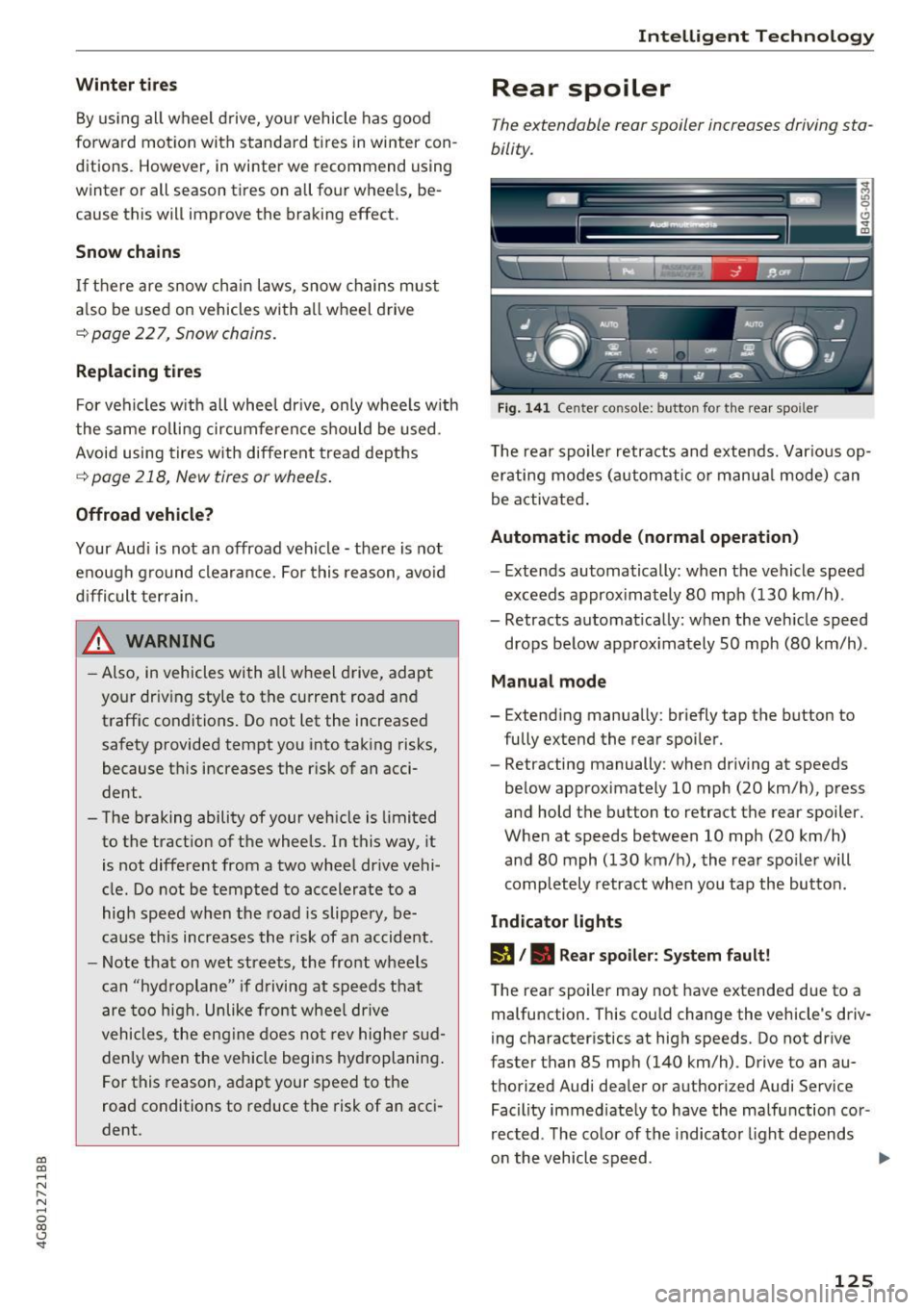
Fig. 141 Center console: button for the rear spoiler
T he rear spo iler retracts and extends. Var ious op
erating modes (automatic o r manua l mode) can
be activated .
Automatic mode (normal operation)
-Extends automatically: when the vehicle speed
exceeds approx imately 80 mph (130 km/h) .
- Retracts automat ically: when the vehicle speed
drops below approx imately SO mph (80 km/h).
Manual mode
- Extending manually: briefly tap the button to
fully extend the rear spoiler.
- Retracting manually: when driving at speeds
below approximately 10 mph (20 km/h), press
and hold the button to retract the rear spoiler.
When at speeds between 10 mph (20 km/h)
and 80 mph (130 km/h), the rear spoiler will
completely retract when you tap the button.
Indicator lights
lfa /. Rear spoiler: System fault!
The rear spoiler may not have extended due to a
malfunction . This cou ld change the vehicle 's driv
ing characteristics at high speeds. Do not drive
faster than 85 mph (140 km/h) . Drive to an au
thorized Audi dealer or authorized Audi Service Facility immed iately to have the malfunction cor
rected . The color of the indicator light depends
on the vehicle speed .
125