towing AUDI A8 2011 User Guide
[x] Cancel search | Manufacturer: AUDI, Model Year: 2011, Model line: A8, Model: AUDI A8 2011Pages: 302, PDF Size: 76.07 MB
Page 116 of 302

114 Automatic Tran sm iss io n
To shift from N to D when traveling at speeds
be low S km/h, press the brake pedal and se
lect the
D se lector lever posit ion ¢ & .
Under certain condi tions such as driving in the
mountains or when towing a trailer , it may be
he lpful to switch to manual mode temporarily
to sh ift
manually to adapt to the driv ing con
d itions
¢ page 115.
S · Sport
The S pos it ion can be selected for sporty driv
ing . Upshifting at a higher RPM makes full use
of the engine's power .
You can on ly select the
S se lector lever posi
tion when Dis engaged. Move the selector
l ever back to engage the
S se lector lever posi
tion . To select the
D selector lever position
again when
S is engaged , move the selector
lever back¢ &.
The
S selector lever position engages auto
matica lly when you select the dynamic mode
in Audi drive select .
A WARNING
-Never engage R or P while driving. It
cou ld cause a crash.
-
- Power is st ill transmitted to the whee ls
when the eng ine is running at idle. To
prevent the vehicle from "creeping", you
must keep your foot on the b rake in all
selector lever positions except
P and N
when the eng ine is running. Do not inad
vertent ly press the accelerator pedal
when the veh icle is stationary . Otherwise
the vehicle will start to move immediate
ly . T his cou ld happen even if the parking
brake is activated.
- Before opening the hood, select the
P se
lector lever position and set the parking
brake. Th is reduces the risk of a crash . Al
ways read and follow the applicable
warnings¢
page 216, Engine compart
ment .
-Never get out of the driver's seat when
the engine is runn ing . -
If you must get out of the vehicle, move
the selector lever secure ly into the P po
sition and apply the parking brake firmly.
@ Tips
- If you unintentionally shift into the N se
lector lever position whi le driving, take
your foot off the accelerator pedal and
wa it for the engine to slow down until it
is idling before you sh ift into Dor
S.
Driving tips
The gears shif t au toma tically.
Sta rting from a stop
.. Press and hold the brake peda l.
.. Start the engine ¢
page 79.
.. Press the b utton on the selector lever and
select the
D , Sor R selector lever position
¢page 112.
.. Wait a moment until the transmission
shifts . You will notice a slight movement
when the gear engages .
.. Release t he b rake peda l and press the acce l
erator pedal ¢,& .
Stopping temporarily
.. Press the brake pedal to stop the veh icle, for
example at a traffic l ight . Do not press the
accelerator peda l when do ing th is .
.. To prevent the vehicle from ro lling when you
s tart dr iving, set the par kin g b rake when
s topping on la rge incl ines ¢
A_.
.. The parking brake will release automatica lly
and the vehicle will start moving once you
press the acce lerator pedal.
Parking
.. Press and hold the bra ke peda l¢ ,& .
.. Set the parking brake .
.. To engage the
P selector leve r position,
press the button on the selector leve r and
shift into the
P position ¢ page 112.
When park ing on a level su rface, simp ly place
the se lector lever in the
P position. On slopes,
activate the par king brake first and then move
Iii>
Page 118 of 302
116 Automatic Transmission
The transmission temperature has increased
significantly due to the sporty driving manner.
Drive in a less sporty manne r until the tem
perat ure returns to the norma l range and the
indicator light switches of.
[O] Gearbo x malfunction: you can continue
driving
T here is a sys tem m alfu nction in the tr ansmis
sion. You may continue driving. Drive to your
authorized Audi dealer or qualified repair fa
cility soon to have t he mal function corrected .
[o]tli] Gearbox malfunction: you can contin
ue driving in D only until engine is off
There is a sy stem ma lf u nction in t he transmis
sion . T he tra nsmi ssion i s sw itch ing t o emer
gency mo de. If yo u t urn t he eng ine off, you
will not be a ble to se lect any other se lector
leve r positions after starting the engine again .
Drive to yo ur autho rized Audi dealer o r quali
f ied repair fac ility immediately to have the
malfunction cor rected.
[O] Gearbox malfunction: you can continue
driving (limited fun ction ality )
There is a sys tem m alfu nction in the tr ansmis
sion. The transmission is sw itching to emer
gency mo de. Th is mode only shifts into cer
tain gears or will not longer shift at all . The
engine may sta ll. Drive to your authori zed Au
d i dea ler or qualified repa ir facility immed i
ately to have the malfunction corrected.
[ojtli] Gea rbox malfunction: no reverse gear
(you can continue driving)
There is a sys tem ma lf u nction in t he transmis
sion. The transm issi on is sw itchi ng to emer
gency mode. Th is mode only sh ifts into cer
tain gea rs or will not longer sh ift at a ll. You
cannot engage the reverse gear . Drive to y our
author ized Audi dealer immed iately to have
the m alfu nct ion co rrected .
[O] Vehicle may roll! Cannot sh ift to P. Please
apply parking brake
- The pa rking lock was released using t he
eme rgency release
c:> page 116. Or -
The parking b rake canno t engage au toma ti
cally . Drive to yo ur a uth o rize d Audi deale r or
qua lified repair fac ility immediately to have
the ma lfu nction corrected .
[O] Gearbox malfunction: Stop and shift to P
Do not con tinue dr iving . S e lect the P sele ctor
l ever p osition and see your auth o riz ed A udi
de aler or qua lifi ed rep air fac ility for ass is
tance .
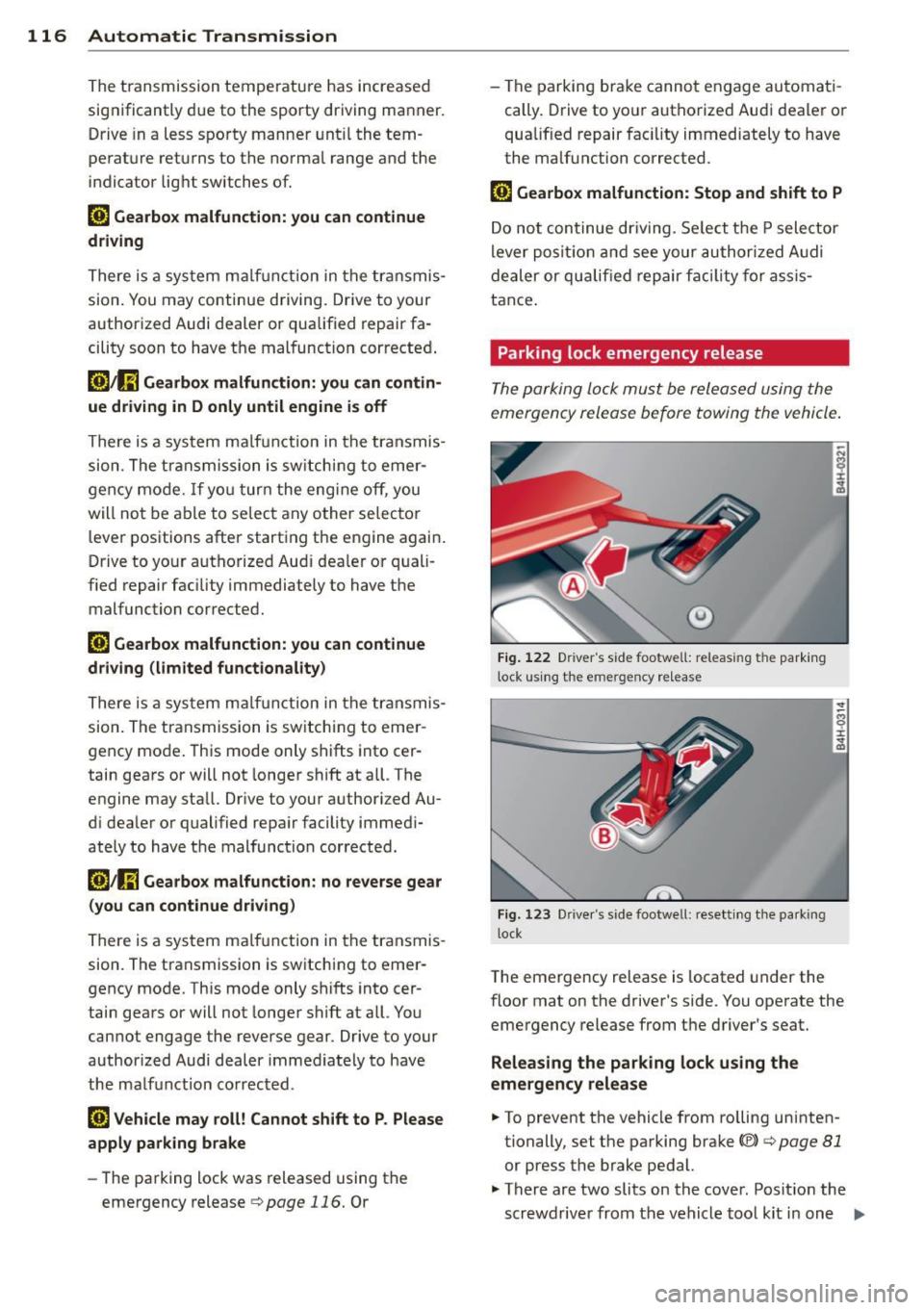
Parking lock emergency release
The p ark ing lock mu st be relea sed using the
emerge ncy release before towing the vehicle .
@)
Fig. 122 Driver 's s ide footwell: releas ing t he pa rk in g
l ock u sin g the eme rge ncy re lease
Fig . 1 2 3 Drive r's side foo twell: rese tt in g t he park ing
l ock
T he eme rgency release is located under the
floor mat on t he driver's side . You operate the
emergency release from t he d river 's seat.
Releasing the parking lock us ing the
emergency release
.. To prevent the vehicle from ro lling uninten
tionally, set the parking brake(®)
c:> page 81
or press t he brake pedal.
.. There are two slits on the cover. Posit io n the
scr ewdrive r from the vehicle too l kit i n one
IJI,
Page 135 of 302
Floor mats on the driver side
Always use floor mats that can be securely
attached to the floor mat fasteners and do
not interfere with the free movement of the
pedals.
"' Make sure that the floor mats are properly
secured and cannot move and interfere with
the pedals
9 &. -
Use only floor mats that leave the pedal area
unobstructed and that are firmly secured so
that they cannot slip out of position . You can
obtain suitable floor mats from your author
ized Audi Dealer .
Floor mat fasteners are installed in your Audi.
Floor mats u sed in your vehicle must be at
t ached to these fasteners. Properly securing
the floor mats will prevent them from sliding into positions that could interfere with the
pedals or impair safe operation of your vehicle
in other ways .
A WARNING
Pedals that cannot move freely can result
in a loss of vehicle control and increase the
risk of serious personal injury.
- Always make sure that floor mats are
properly secured.
- Never place or install floor mats or other
floor coverings in the vehicle that cannot
be properly secured in place to prevent
them from slipping and interfering with
the pedals or the ability to control the
vehicle .
- Never place or install floor mats or other
floor coverings on top of already instal
led floor mats . Additional floor mats and
other coverings will reduce the size of
the pedal area and interfere with the
pedals .
- Always properly reinstall and secure floor mats that have been taken out for clean
ing .
- Always make sure that objects cannot
fall into the driver footwell while the ve
hicle is moving. Objects can become
Driving Safely 133
trapped under the brake pedal and accel
erator pedal causing a loss of vehicle
control.
Stowing luggage
Loading the luggage compartment
All luggage and other objects must be prop
erly stowed and secured in the luggage
com
partment.
Loose items in the luggage compartment can
shift suddenly, changing vehicle handling
characteristics. Loose items can also increase
the risk of serious personal injury in a sudden
vehicle maneuver or in a collision.
"' Distribute the load evenly in the luggage
compartment.
"'Always place and properly secure heavy
items in the luggage compartment as far
forward as possible .
"'Secure luggage using th e tie-downs provid
ed
9 pag e 65, Luggag e compartment.
A WARNING
Improperly stored luggage or other items
can fly through the vehicle causing serious
personal injury in the event of hard brak
ing or an accident. To help reduce the risk
of serious personal injury:
- Always put objects, for example, luggage
or other heavy items in the luggage com
partment.
- Always secure objects in the luggage
compartment using the tie-down hooks
and suitable straps.
A WARNING
Heavy loads will influence the way your ve
hicle handles. To help reduce the risk of a
loss of control leading to serious personal
injury:
-Always keep in mind when transporting
heavy objects, that a change in the cen
ter of gravity can also cause changes in
vehicle handling : •
•
Page 192 of 302
190 Intelligent technology
Intelligent technology Notice about data
recorded by vehicle
control modules
Your veh icle is not equipped with an Event Da
ta Recorder (EDR), installed by some manu
facture rs for the express purpose of capturing
data for retrieval after an accident or crash
event . EDR's are sometimes ca lled "crash re
corders".
Some state laws restrict the retr ieval or down
loading of data stored by EDR's that were in
stalled in a vehicle for the express purpose of
retrieving data after an accident or crash
event without the owner's consent.
A lthough your vehicle is not equipped with an
EDR, it is equipped with a number of electron
ic control modules for various vehicle systems
such as, for example, eng ine function, em is
sion control, as well as for the airbags and
safety belts.
These electronic contro l modules also record
vehicle-re lated data during normal vehicle op
eration for diagnostic and repair purposes.
The recording capacity of the electronic con
trol modules is limited to data (no sound is re
corded) and only a small amount of data is ac
tually recorded over a ve ry limited pe riod of
time and stored when a system fault or other
cond ition is sensed by a control unit. Some of
the data then stored may re late to vehicle
speed, direction, braking as we ll as restraint
system use and performance in the event of a
crash or other condition. Stored data can only
be read and downloaded with special equip
ment.
Electronic stabilization
program (ESP)
Description
ESP helps to improve road holding and vehicle
dynamics to help reduce the probability of
skidd ing and loss of veh icle control. It works
only when the engine is running. ESP detects certain difficult driving situat
ions, including
when the vehicle is beginning to spin (yaw) out of control and helps you to get the veh icle
back under control by se lectively braking the
wheels, and/or reducing engine power and
providing steer ing assistance to help hold the
vehicle on the driver's intended course. The in
dicator light
liJ in the instrument cluster
blinks when ESP is taking action to help you
control the vehicle.
ESP has limitations.
It is important to remem
ber that ESP cannot overcome the laws of
physics. It will not always be able to help out
under all conditions you may come up against.
For example, ESP may not always be able to
help you master situations where there is a
sudden change in the coefficient of friction of
the road surface. When there is a section of dry road that is suddenly covered w ith water,
slush or snow, ESP cannot perform the same
way it wou ld on the dry surface . If the vehicle
hydroplanes (rides on a cushion of water in
stead of the road surface), ESP will not be
able to help you steer the vehicle because con
tact with the pavement has been interrupted
and the vehicle cannot be braked or steered.
During fast cornering, particularly on winding
roads, ESP cannot always deal as effectively
with difficult driving situations than at lower
speeds. When towing a trailer, ESP is not able
to help you regain control as it would if you
were not tow ing a trailer.
Always adjust your speed and driving style to road, traffic; and weather condit ions. ESP can
not override the vehicle's physical limits, in
crease the available traction, or keep a ve hicle
on the road if road departure is a result of
driver inattention. Instead, ESP improves the
poss ibility of keeping the vehicle unde r con
trol and on the road during extreme maneu
vers by using the driver's steering inputs to
help keep the vehicle going in the intended di
rection . If you are traveling at a speed that
causes you to run off the road before ESP can
provide any assistance, you may not experi
ence the benefits of ESP .
Page 195 of 302

road and the brakes are not used. Here too,
you shou ld clean off accumu lated salt coating
from brake discs and pads with a few carefu l
applications of the brake
c> ,&. .
Cor rosion
There may be a tendency for dirt to build up
on the brake pads and corrosion to form on
the discs if the car is not driven regularly or
only for short trips with little use of the brakes.
If the brakes are not used frequently, or if cor rosion has formed on the discs, it is advisable
to clean off the pads and discs by brak ing
f irmly a few times from a moderately high
speed
c> &, .
Fau lts in th e bra ke s ystem
If you should notice a sudden increase in
brake peda l travel, then one of the two brake
ci rcu its may have failed
c> ,&. .
Low brak e fluid l evel
Malfunct ions can occur in the brake system if
the brake fluid level is too low. The brake fluid
leve l is monitored electronically.
Brake lining w ear statu s
Brake lining wear may be checked by visual in
spection of the condition of the brake pads
through the openings in the whee l. If neces
sary, the wheel may be removed for this in
spection
c> page 262, Changing a wheel .
8_ WARNING
-You should perform braking maneuvers
for the purpose of clean ing the brake
system on ly if road condit ions permit.
Other road users must not be put at r isk -
you may cause an acc ident!
- Before descending a steep grade, reduce
speed and shift transmiss ion into a lower
gear or lower driving range . Do not ride
the brakes or hold the pedal down too lo ng or too often. This cou ld cause the
brakes to get hot and dimin ish b raking
effi ciency.
Int ellig ent technolog y 193
-Do not "ride the brakes" by resting your
foot on the pedal when you do not intend
to brake. This may cause the brakes to
overheat, premature wear and increased
stopping distance .
- Under certain cl imatic and operat ing
conditions such as passing through wa
ter, dr iv ing in heavy rain or after washing
the vehicle, the effectiveness of the
b rakes can be reduced. In winte r, ice can
accumulate on the brake pads , lin ings,
discs and drums . Carefu lly app ly brakes
for a test . Brakes will dry and ice coat
ings wi ll be cleaned off after a few care
fu l brake applications.
- Driving for an extended period of time on
salt-covered roads without using your
brakes can a lso affect braking efficiency.
Clean off accumu lated salt coating from
brake discs and pads with a few careful
brake applications .
- If you damage the front spoiler, or if you
install a different spoiler, be sure the air
f low to the front brakes is not obstruct
ed. Otherw ise the brake system could
overheat reduc ing the effectiveness of
the entire brake system.
- Failure of one b rake circuit will impai r
the braking capab ility result ing in an in
creased stopping distance. Avoid driving
the vehicle and have it towed to the near
est A udi dealer or qualified workshop .
Brake booster
The brake booster adds extra braking power.
The brake booster works with vacuum pres
su re which is created only whe n the engine is
runn ing
c> &, .
A WARNING
-Never let the vehicle roll to a stop with
the engine shut off.
-
- If the b rake booster is no t working, for
examp le when towing you r vehicle, or
because the brake booster has somehow
Ill>
•
•
Page 204 of 302
202 Trailer towing
Trailer towing
Driving with a trailer
General information
Your Audi was designed primarily for passen
ger transportation .
If you plan to tow a trai ler, please remember
that the additional load will affect durability,
economy and performance .
Trailer towing not on ly places more stress on
the vehicle, it also calls for more concentra
tion from the driver.
For this reason, always fo llow the operating
and driving instructions provided and use
common sense.
(D Note
If you are going to tow a trai ler, you must
activate the trailer operation mode
i::> page 202, Operating instructions .
Technical requirements
Trailer hitch
Use a weight-carrying hitch conforming to the
gross trailer weight. The hitch must be suita ble for your vehicle and trailer and must be
mounted securely on the veh icle's chassis at a
technically sound location. Use only a trailer
hitch with a removable ball mount. Always
check with the trailer hitch manufacturer to
make sure that you are using the correct
hitch.
Do not use a bumper hitch.
The hitch must be installed in such a way that
it does not interfere with the impact-absorb
ing bumper system. No modifications should
be made to the vehicle exhaust and brake sys
tems. From time to time, check that all hitch
mounting bolts remain securely fastened.
When you are not towing a trailer, remove the
trailer hitch ball mount. This prevents the
hitch from causing damage should your vehi
cle be struck from behind~ &.
Trailer brakes
If your trailer is equipped with a brak ing sys
tem, check to be sure that it conforms to all
regulations.
T he trailer hydraulic brake system must not be
direc tly connected to the vehicle's hydraulic
brake system .
Safety chains
Always use safety chains between your veh icle
and the tra iler.
Trailer lights
Trailer lights must meet all regulations. Be
sure to check with your Audi dealer for correct
wiring, switches and relays.
Mirrors
If you are unable to see the traffic behind you
using the regular outside mirrors, then you
must install extended mirrors. It is important
that you
always have clear v is io n to the rear .
A WARNING ,~ -
After removing the trailer hitch, do not
store it in your vehicle. In case of sudden
braking, the hitch could fly forward and in
jure you or your passengers.
Operating instructions
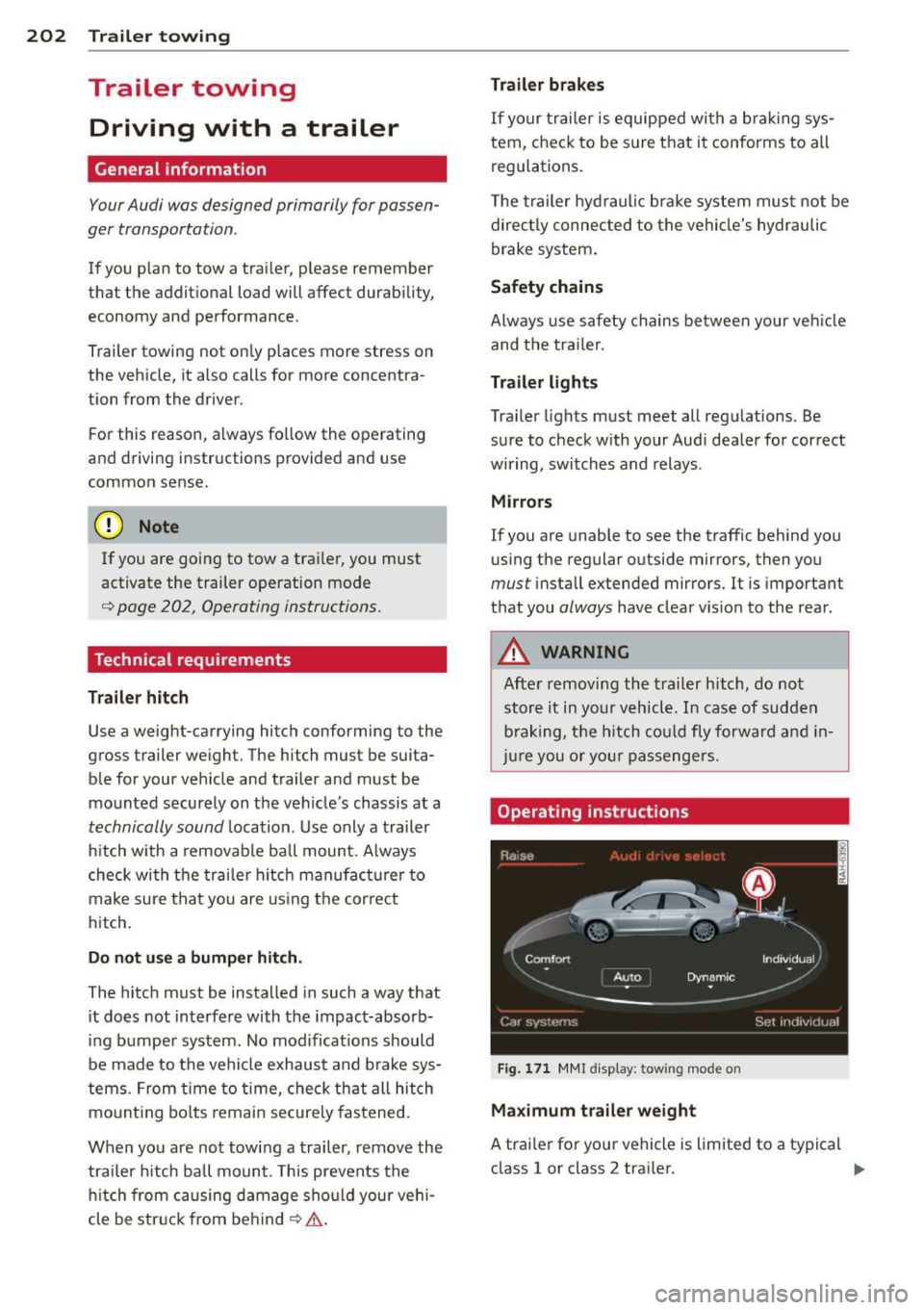
Fig. 171 MMI display : tow ing mode on
Maximum trailer weight
A trailer for your vehicle is limited to a typical
class 1 or class 2 trailer. .,.
Page 205 of 302
Trailer lo ad di stri bu tion
Be s ure the load in the trai ler is held securely
in place to prevent it from shifting forward,
backward or sideways.
N eve r allow a p assenger to rid e in a tr ailer
,=:, .&. in Driving instructions on page 204.
Engine cooling s ystem
Towing a tra iler makes the eng ine work hard
er . It is important that the cooling system's
pe rformance is up to the addit ional load .
Make sure that the cooling system has enough
fluid.
Tire p res sure
When tow ing a trailer, inflate the t ires of your
vehicle to the co ld tire pressure listed under
" Full load " on the label located on the dr iver's
side B-pillar (v is ible when the door is open).
I nflate trailer tires to tra iler and t ire manufac
turers' specifications.
Lights
Check to make sure both veh icle and trailer
lights are working properly .
Safety chain s
Be sure trailer safety cha ins are properly con
nected from the trailer to the hitch on the ve
h icle . Leave enough slack in the chains to per
mit turn ing corners . When you install safety
cha ins, make sure they w ill not drag on the
r oad when yo u are driving.
The chains should cross under the trailer
tongue to prevent it from dropping in case of
sepa rat ion from the hitch .
Adjusting the air su spens ion an d damping
s y stem
Ensure the follow ing b efore coupling the trai l
e r and
b efo re adjusting the tongue weight on
the trailer:
- For the veh icle to be at the normal level, the
A uto or Comfort driv ing mode must be se
lected
,=:, page 10 7, Selecting the driving
mode. The vehicle must a lso not be raised
,=:, page 108 .
Trailer to win g 203
-If the trailer was detected automatically, a
trailer hitch wi ll appear on the veh icl e@ in
the
Aud i dr ive se lect menu (MMI > ICARI
function button)
,=:, fig. 171. If this does no t
happen , turn the towing mode on in the
MMI. Select: I CAR I funct ion button>
C ar
sys tem s
control button > Vehicle setting s >
Air su sp en sion: t owing > O n.
- Turn towing mode off if you secure a carrier
system such as a bicycle rack on the trailer
hitch. Se lect in the M MI: ICAR !function but
ton >
Car syste m s control button > Vehi cle
se tting s
> Air su spen sion : towin g > Off.
If you must drive under poor road conditions,
you can raise the vehicle
aft er coupling the
tra iler or
aft er adjust ing the tongue we ight
,=:, page 108.
(D Note
If you a re going to tow a t railer, you must
activate the tra iler operation mode .
Driving instructions
Driving with a trailer always requires extra
care and consideration .
To obtain the best possible handling of vehicle and trailer, please note the follow ing :
.,. Do not tow a loaded trailer when your car it
self is no t loaded.
.,. Be especially careful when passing other ve
hicles .
.,. Obse rve speed limits .
.,. Do not dr ive at the max imum permissib le
speed.
.,. Always app ly brakes early .
.,. Monitor the temperature gauge.
Weight distribution
Towing a loaded t railer with an empty car re
s ul ts in a highly unstable distribution of
weight. If this cannot be avoided, dr ive at very
low speeds on ly to avoid the risk of losing
steering contro l.
A "balanced " rig is easier to operate and con
trol. This means tha t the tow vehicle should
be loaded to the extent possible and
IJI>
•
•
Page 206 of 302
204 Trailer towing
pe rmissible, while keep ing the trailer as light
as possible under the circumstances. Whenev
er possib le, transfer some cargo to the lug
gage compartment of the tow veh icle while
observing tongue load requirements and vehi
cle load ing considerations.
Spee d
The higher the speed, the more difficult it be
comes for the dr iver to control the rig . Do not
drive at the maximum permissible speed . Re
duce your speed even more if load, weather or
wind condit ions are unfavorable -part icu larly
when going downhill.
Reduce vehicle speed
immediately if the trail
er shows the slightest sig n of swaying.
Do not
try to stop the swaying by acc eler ating .
Observe speed limits. In some areas, speeds
for vehicles towing trailers are lower than for regular vehicles.
A lways apply brakes ear ly . When driving
downhill, shift into a lower gear to use the en
g ine braking effect to slow the vehicle. Use of
the brakes alone can cause them to overheat
and fail.
Coolant t emperatu re
The coolant temperature gauge¢ page 10
must be observed carefully. The coo lant tem
perature can increase if you drive on long in
clines in a low gear at high engine speeds . Re
duce your speed immed iate ly if the LEDs in
the top pa rt of the display turn o n.
For more informat ion about indicator lights,
refer to. ¢
page 15.
A WARNING
Anyone not p roperly restrained in a mov
ing veh icle is at a much greater risk in an
accident. Never let anyone r ide in your car
who is no t prope rly wear ing the restra ints
provided by Aud i.
-
Trailer towing tips
Important to know
You r ve hicle handles d ifferently when towing
a trai le r be cause of the additional weig ht and
differen t weigh t distr ib ution. Sa fety, per fo rm
ance and economy will great ly depend on how
carefully you load your trai ler and operate
your rig.
Be fore you act ua lly tow yo ur tra iler, p ract ice
tu rning, s topping and backing up in an area
away from t raffic . Keep practicing unti l yo u
have become completely familiar wit h the way
yo ur vehicle-tra ile r combination behaves and
responds.
Backing up is diffic ult and requires practice .
Bac king up w ith a trailer gene rally req uires
stee ring action opposite to that when backing
up your vehicle without a tra iler.
Maintain a greater d istance between your ve
hicle and the one in front of you . You wi ll need
more room to stop. To compensate for the
trailer, you w ill need a larger than normal
turning rad ius .
When passing, remember that you cannot ac ce lerate as fast as you norma lly would be
cause of the added load. Make sure you have
enough room to pass. After passing, a llow
plen ty of room for your t railer before cha ng
i ng lanes again .
Avoid jerky starts, sharp turns o r rapid lane
changes .
(D Tips
- Do not tow a trailer during the break-in
period of your vehicle.
- If you tow a trailer, your Audi may re
quire more frequent maintenance due to
the extra load ¢
page 283.
Page 207 of 302
Parking on a slope
Do not pork on a slope with a trailer. If it can
not be avoided, do so only ofter doing the fol
lowing:
When parking:
.. Apply the foot brake .
.,. Have someone place chocks under both the
vehicle and the trailer wheels .
.,. With chocks in place, slowly release the
brakes until the whee l chocks absorb the
load .
.. Turn the wheels towa rds the curb .
.. Apply the parking brake .
.. Se lect the
P se lector lever position.
When restarting after parking:
.. Apply the foot brake .
.,. Start the engine .
.. Select the
D se lector lever position .
.. Release the parking brake and slowly pull
out and away from the wheel chocks .
.. Stop and have someone retrieve the wheel
chocks.
If you move the selector lever of the auto
matic transmission to
P before applying
the parking brake and before blocking the
wheels, you may have to use more force
later to move the lever out of the
P posi
tion .
Trailer towing 205
•
•
Page 249 of 302
Determining correct load limit
Use the example below to cal
culate the total weight of the
passengers and luggage or oth
er things that you plan to trans
port so that you can make sure
that your vehicle will not be overloaded.
Steps for Determining
Correct Load Limit
1. Locate the statement "THE
COMBINED WEIGHT OF OC
CUPANTS AND CARGO
SHOULD NEVER EXCEED XXX KG OR XXX LBS" on your ve
hicle's placard (tire inflation
pressure label)
¢ page 242,
fig. 184.
2. Determine the combined
weight of the driver and pas
sengers that will be riding in
your vehicle.
3. Subtract the combined
weight of the driver and pas sengers from
"XXX" kilo
grams or
"XXX" pounds
shown on the sticker
¢ page 242, fig. 184.
4. The resulting figure equals
the available amount of car
go and luggage load capaci
ty. For example, if the
"XXX"
amount equals 1400 lbs.
Tires and wheels
and there will be five 150
lbs. passengers in your vehi
cle, the amount of available
cargo and luggage load ca pacity is 650 lbs. (1400-7 50
(5
X 150) = 650 lbs.)
5. Determine the combined
weight of luggage and cargo
being loaded on the vehicle.
That weight may not safely exceed the available cargo
and luggage load capacity
calcu lated in Step
4.
6. If your vehicle will be towing
a trailer, load from your trail
er will be transferred to your
vehicle. Consult this manual
to determine how this re
duces the available cargo
and luggage load capacity of
your vehicle.
,...Check the tire sidewall
(¢page 249, fig. 188) to de
termine the designated load rating for a specific tire.
247
•
• '