park assist AUDI A8 2014 Owners Manual
[x] Cancel search | Manufacturer: AUDI, Model Year: 2014, Model line: A8, Model: AUDI A8 2014Pages: 314, PDF Size: 78.47 MB
Page 4 of 314
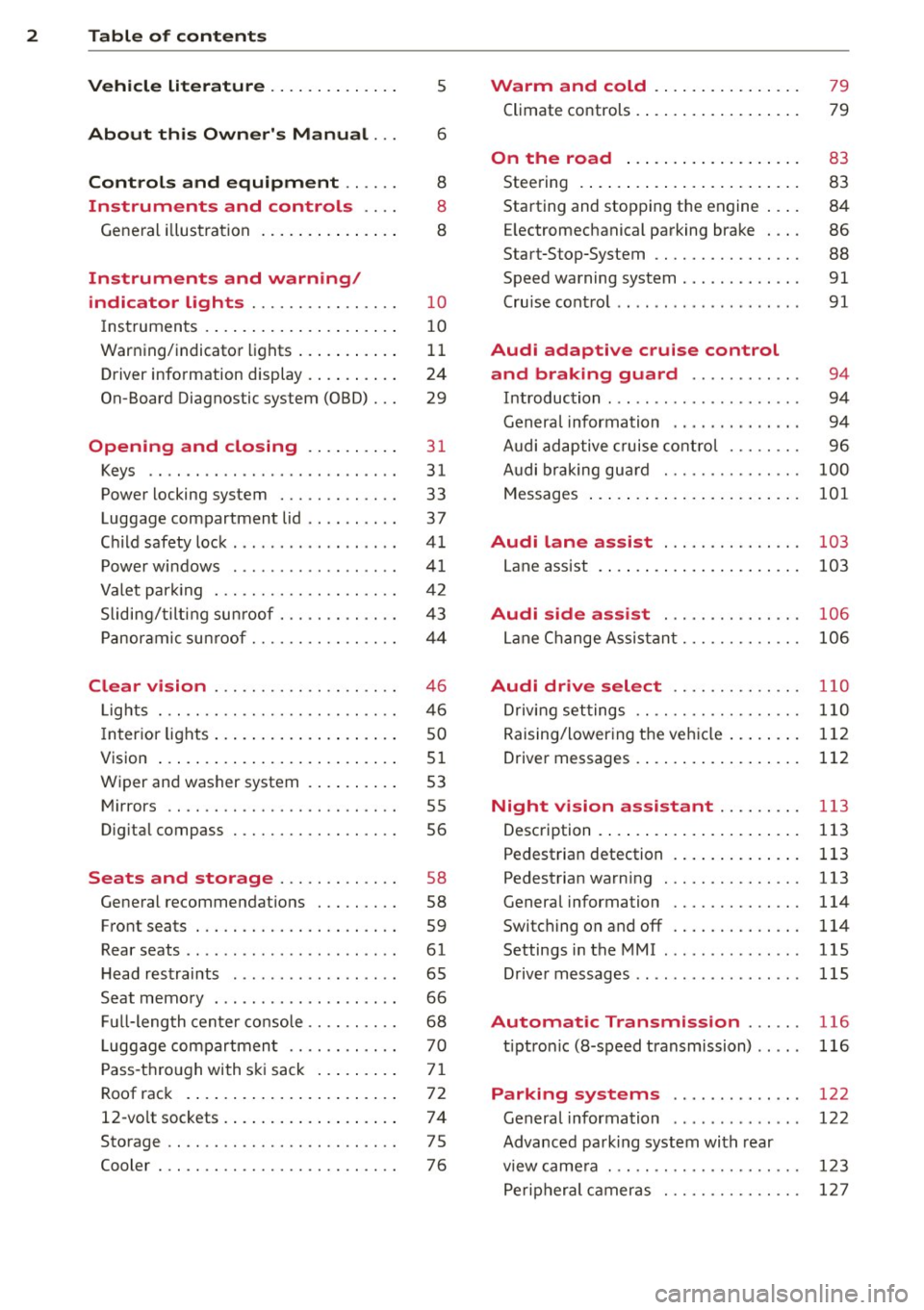
2 Table of contents Vehicle literature .. .. .. .. .. ... .
5
About this Owner's Manual . . . 6
Controls and equipment .. ... .
Ins truments and controls .. . .
General illustration ......... .. ... .
Instruments and warning /
indicator lights ........ .. .. .. . .
Instruments ............ ... .. ... .
Warning/indicator lights .......... .
Driver information display .. .. .. ... .
On-Board Diagnostic system (OBD) . . .
Opening and closing .. .. .... . .
Keys .. ...... ........... .. .. ... .
Power locking system ..... .. .. .. . .
Luggage compartment lid .. .. .. .. . .
Child safety lock . .......... ... .. . .
Power windows . .......... ... .. . .
Valet park ing . ........... .. .. ... .
Sliding/tilting sun roof ... .. .. .. .. . .
Panoramic sunroof ........ .. .. ... .
Clear vision .. ........ .. .. .. .. . .
Lights . .. .. ............. .. .. .. . .
I nterior lights .............. .. ... .
V1s1on ..... ... .... ......... .... .
Wiper and washer system ... ... .. . .
Mirrors ................. .. .. ... .
Digital compass .......... .... ... .
Seats and storage ....... .. .. . .
General recommendations ..... .. . .
Front seats ... ........... .... ... .
Rear seats .. ... .... ...... .. .. .. . .
H ead restraints .............. .. . .
Seat memory . ... ..... ... .. .. .. . .
Full-length center console .... .. ... .
L uggage compartment .. .. .. .. ... .
Pass-through with ski sack ........ .
Roof rack ....... ......... ... ... .
12-vo lt sockets ........ ... .. .. ... .
Storage .. .. .. . .......... .. .. ... .
Cooler ... .. .................... . 8
8
8
1 0
10
11
24
29
3 1
31
33
37
4 1
41
42
43
44
4 6
46
so
51
53
55
56
58
58
59
61
65
66
68 70
71
72
74
75
76
Warm and cold .......... ..... .
Climate controls . ............. ... .
79
79
On the road . . . . . . . . . . . . . . . . . . . 8 3
Steering . . . . . . . . . . . . . . . . . . . . . . . . 83
Starting and stopping the engine . . . . 84
E lectromechanical parking brake . . . . 86
Start-Stop-System . . . . . . . . . . . . . . . . 88
Speed warning system . . . . . . . . . . . . . 91
Cruise control . . . . . . . . . . . . . . . . . . . . 91
Audi adaptive cruise control
and braking guard . . . . . . . . . . . .
94
Introduction . . . . . . . . . . . . . . . . . . . . . 94
Genera l information . . . . . . . . . . . . . . 94
Audi adaptive cruise control . . . . . . . . 96
Audi braking gua rd . . . . . . . . . . . . . . . 100
Messages . . . . . . . . . . . . . . . . . . . . . . . 101
Audi lane assis t . . . . . . . . . . . . . . . 103
Lane assist . . . . . . . . . . . . . . . . . . . . . . 103
Audi side assist . . . . . . . . . . . . . . . 106
Lane Change Assistant. . . . . . . . . . . . . 106
Audi drive select . . . . . . . . . . . . . . 110
Driving settings . . . . . . . . . . . . . . . . . . 110
Raising/lowering the vehicle..... .. . 112
Driver messages . . . . . . . . . . . . . . . . . . 112
Night vision assistant . . . . . . . . . 113
Description . . . . . . . . . . . . . . . . . . . . . . 113
Pedestrian detection . . . . . . . . . . . . . . 113
Pedestrian warning . . . . . . . . . . . . . . . 113
General information . . . . . . . . . . . . . . 114
Switching on and off . . . . . . . . . . . . . . 114
Settings in the MMI . . . . . . . . . . . . . . . 115
D river messages .. ................ 115
Automatic Transmission . . . . . . 116
t iptron ic (8-speed transmission) . . . . . 116
Parking systems . . . . . . . . . . . . . . 122
General information . . . . . . . . . . . . . . 122
Advanced parking system with rear
view came ra . . . . . . . . . . . . . . . . . . . . . 123
Peripheral cameras . . . . . . . . . . . . . . . 127
Page 11 of 314
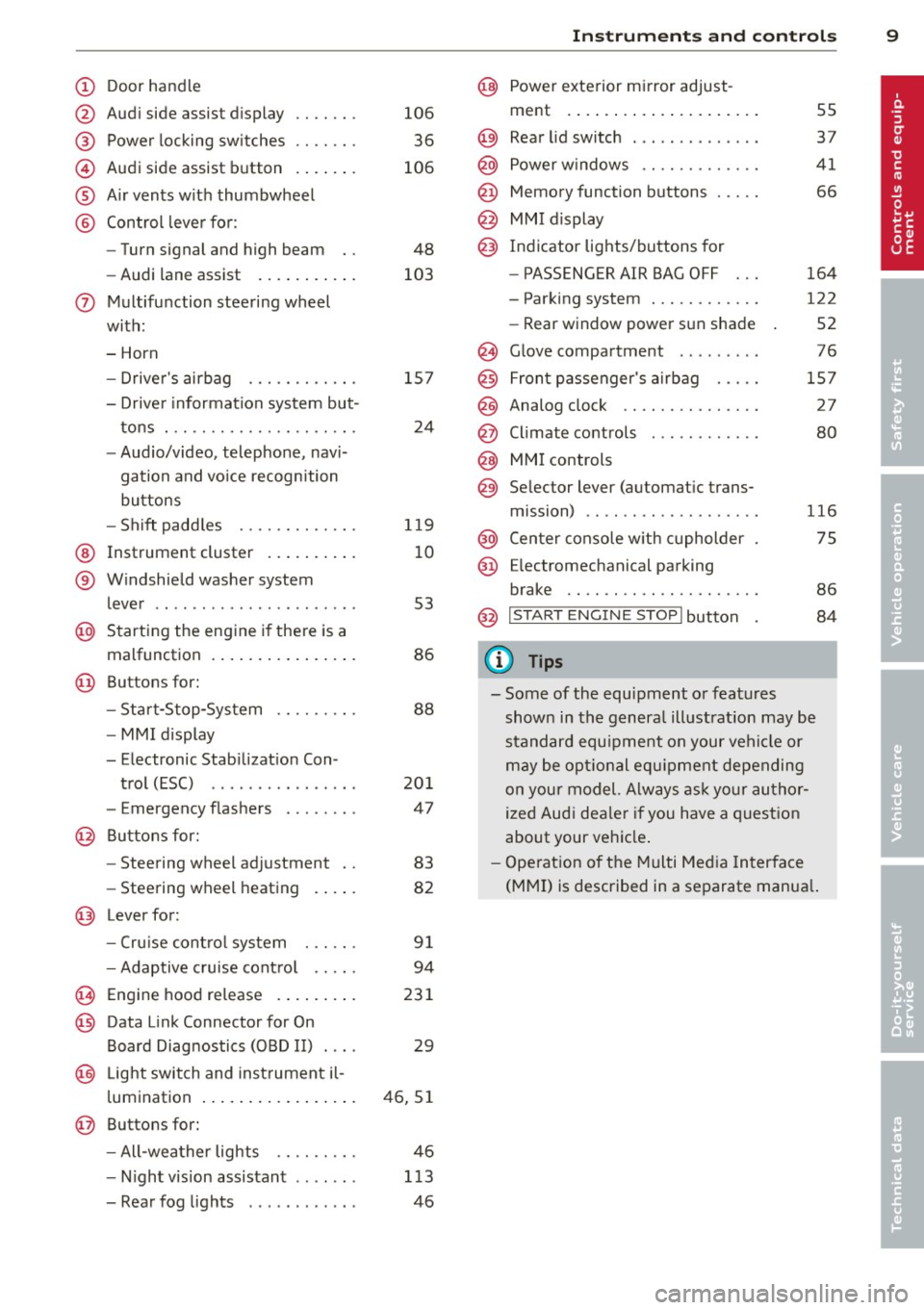
(!) Door handle
@
®
©
®
®
Audi side assist display
Power locking switches
Audi side assist button
Air vents with thumbwheel
Control lever for :
- Turn signal and high beam
- Audi lane assist .......... .
0 Multifunction steering wheel
with:
- Horn
- Driver's airbag
- Driver information system but-
tons . ............... .. .. .
- Audio/video, telephone, navi
gation and voice recognition
buttons
- Shift paddles ........ .. .. .
@ Instrument cluster ......... .
® Windshield washer system
lever ..................... .
@ Starting the engine if there is a
malfunction ............... .
@ Buttons for:
- Start-Stop-System
- MMI display
- Elec tronic Stab ilizat ion Con-
trol (ESC) ............... .
- Emergency f lashers ....... .
@ Buttons for:
- Steering wheel adjustment
- Steering wheel heating
@ Lever for:
- Cruise control system 106
36
106
48
103
157
24
119
10
53
86
88
201
47
83
82
91
- Adaptive cruise control . . . . . 94
(8) Engine hood release . . . . . . . . . 231
@ Data Link Connector for On
Board Diagnostics (OBD II) . . . . 29
@ Light switch and instrument il-
luminat ion ................ .
@ Buttons for:
- All-weather lights
- Night vision assistant .. .. .. .
- Rear fog lights ........... . 46,51
46
113
46
Instruments and controls 9
@ Power exterior mirror adjust-
ment .... .. .............. .
@) Rear lid switch ... . .. .. ..... .
@ Power windows ............ .
@ Memory function buttons .... .
@ MMI display
@) Indicator lights/buttons for
- PASSENGER AIR BAG OFF
- Parking system ........... .
- Rear window power sun shade
@ Glove compartment ... ..... .
@ Front passenger's airbag .... .
@ Analog clock .. .. .......... .
@ Climate controls ........... .
@ MMI controls
@ Selector lever (automatic trans-
mission) ....... ........... .
@ Center console with cupholder
@ Ele ctromechanical parking
brake .................... . 55
37
41
66
164
122
52
76
157
27
80
116
75
86
@ I S T ART ENGI NE STO PI button 84
(D Tips
-Some of the equipment or features
shown in the general illustration may be
standard equipment on your vehicle or
may be optional equipment depending
on your model. Always ask your author
ized Audi dealer if you have a question
about your vehicle.
- Operation of the Multi Media Interface
(MMI) is described in a separate manual.
Page 14 of 314
12 Instruments and warning/indicator lights
Some indicators lights in the disp lay can turn
on in several colors.
A WARNING
- Failure to heed warning lights and other
important vehicle information may result
in serious personal injury or vehicle dam
age.
- Whenever stalled or stopped for repair,
move the vehicle a safe distance off the
road, stop the engine, and turn on the
emergency flasher¢ page 47.
- The engine compartment of any motor
vehicle is a potentially hazardous area.
Before you check anything in the engine
compartment, stop the engine and let it
cool down. Always exerc ise extreme cau
t ion when work ing under the hood
¢ page 231, Working in the engine
compartment
(D Tips
Malfunctions or faults will be identified e i
ther with a red symbo l (pr iority 1 = Dan
ger!) or with a ye llow symbol (priority 2 -
Warning).
Overview
Some ind icator lights turn on briefly to check
the function of that system when you switch
the ign ition on . These systems are marked
with an../ in the follow ing tables . If one of
these ind icator lights does not turn on, there
is a malfunction in that system.
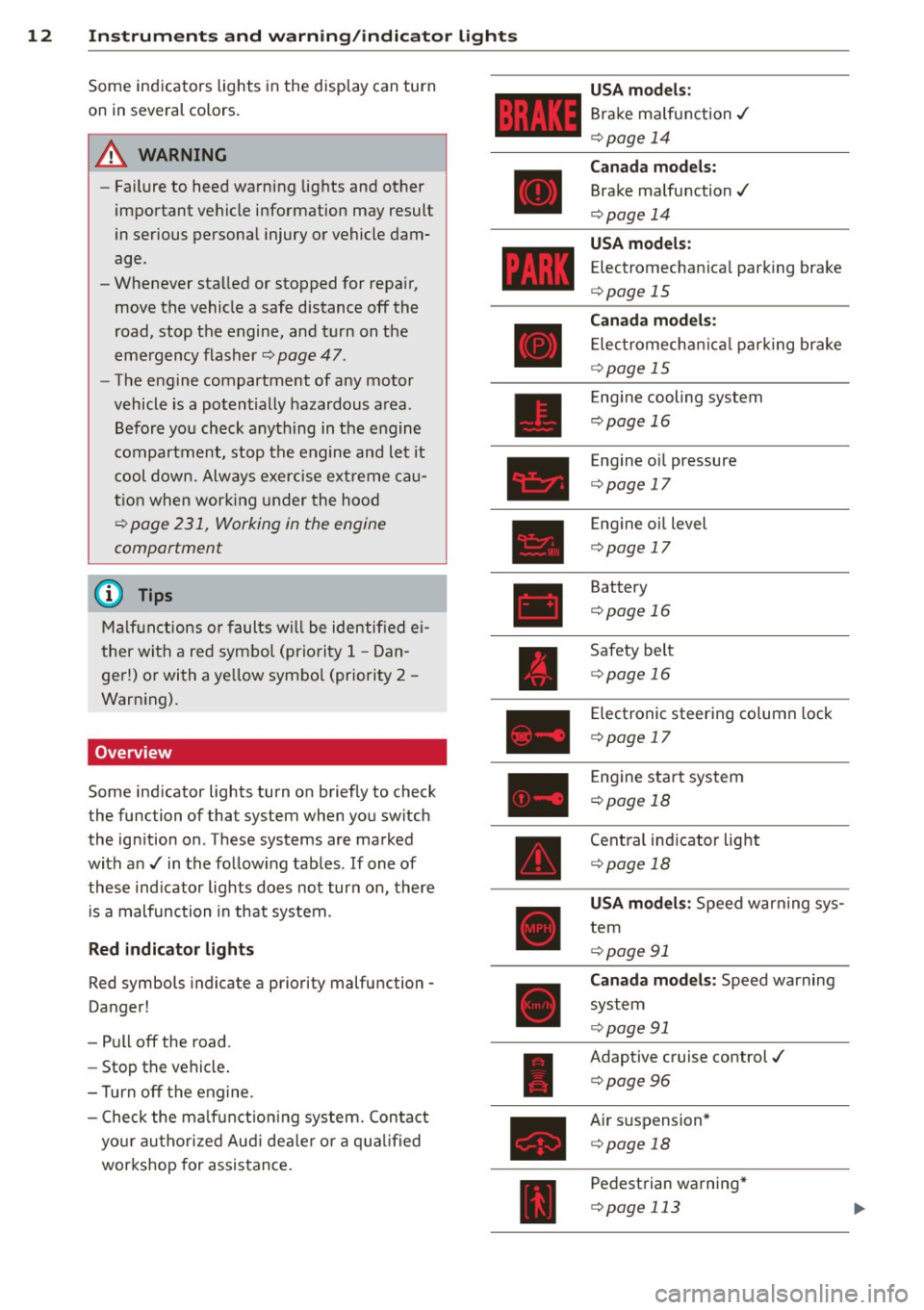
Red indicator lights
Red symbols indicate a priority malfunction -
Danger!
- Pull off the road .
- Stop the vehicle .
- T urn off the engine.
- Check the malfunctioning system. Contact
yo ur author ized Aud i dealer or a quali fied
workshop for assistance.
USA models :
Brake malfunction../
¢ page 14
Canada models:
Brake malfunction../
¢ page 14
USA models:
Electromechan ica l park ing brake
¢ page 15
Canada models:
Electromechan ical park ing brake
¢ page 15
Eng ine cooling system
¢ page 16
Eng ine o il pressure
¢ page 17
Eng ine o il level
¢ page 17
Battery
¢ page 16
Safety belt
¢page 16
Electronic steering column lock
¢ page 17
E ngine start system
¢ page 18
Central ind icator light
¢ page 18
USA models : Speed warning sys
tem
¢ page 91
Canada models: Speed warning
system
¢ page 91
Adaptive cruise control./
¢ page
96
Air suspension*
¢ page 18
Pedestrian warning*
¢ page 113
Page 17 of 314
Instrument s and warnin g/indic ator ligh ts 15
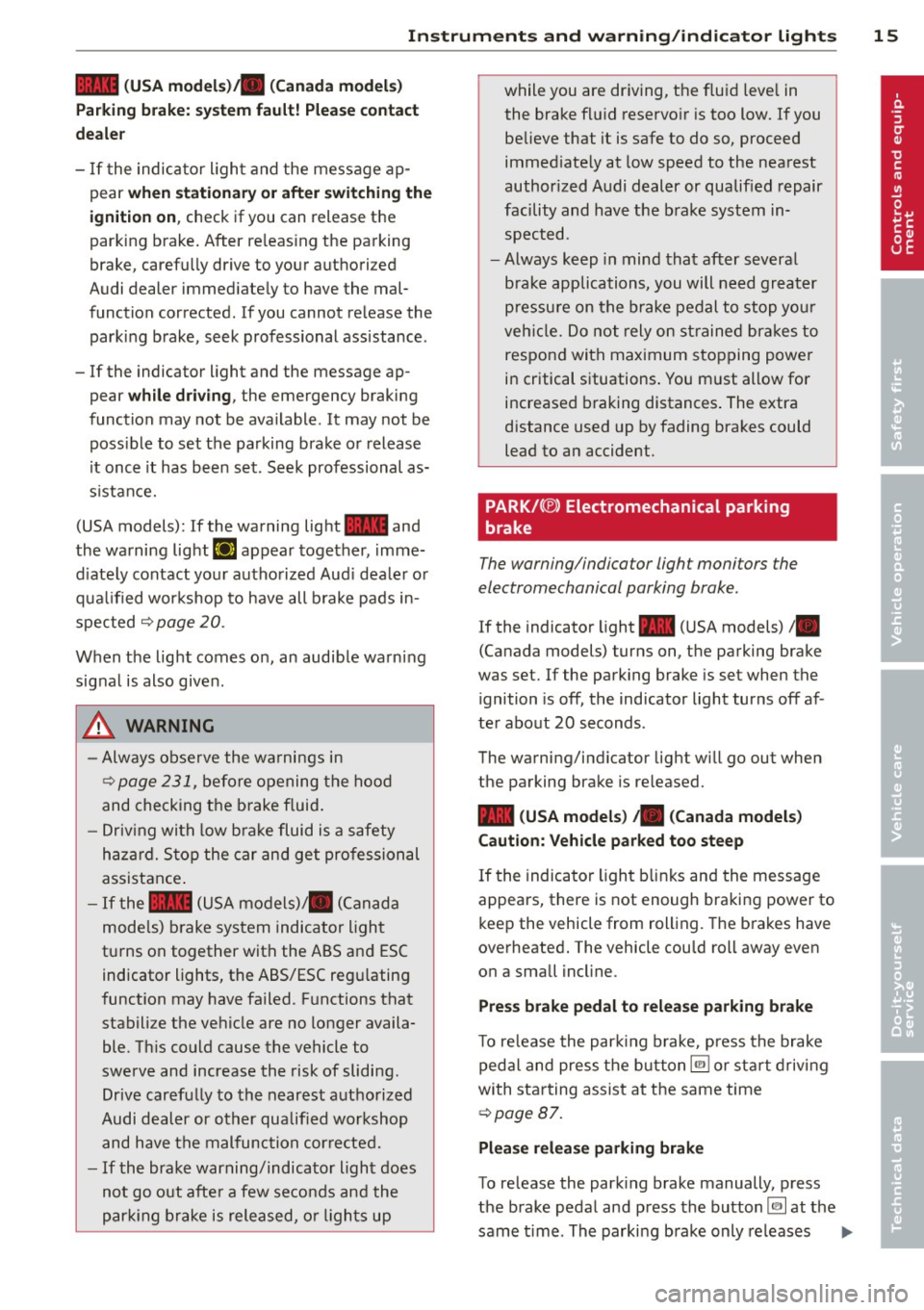
1111 (U SA m odels )/ . (Canada m odel s)
Pa rking br ake: syste m fault! Ple ase c ont act
deale r
-If the indicator ligh t and the message ap
pear
w hen stationar y or aft er sw itchin g the
ign it io n on ,
check if you can release the
park ing brake . After re leas ing the parking
brake, carefu lly drive to your authori zed
Audi dealer immed iately to have the mal
function corrected. If you cannot re lease the
parking brake, seek professional assistance .
- If the indicator light and the message ap
pear
w hile dr ivin g, the emergency braking
function may not be ava ilable . It may not be
poss ible to set the parking brake o r release
it once it has b een set. Seek professional as
s istance.
(USA models): If the warning light
1111 and
the warning light
EiJ appear together, imme
d iate ly contact your authorized Aud i dealer or
qua lified workshop to have all b rake pads in
spected
Q page 20 .
When the light comes on, an audible warning
signal is also give n.
A WARNING
- Always observe the wa rnings in
Q page 231, before opening the hood
and checking the brake fluid .
- Driv ing with low b rake fluid is a safety
haza rd. S top the car and get professional
assista nee .
- If the
1111 (USA models)/ . (Canada
mode ls) b rake system indicator light
turns on together with the ABS and ESC indicator lights, the ABS/ESC regu lating
function may have failed. F unctions that
stabilize the vehicle are no longer availa
ble. Th is could cause the vehicle to
swerve and increase the risk of sliding .
Drive carefully to the nearest authorized
Audi dealer or other qualified workshop
and have the malfunction cor rected.
- If the brake warning/indicator light does
not go out afte r a few seconds and the
par king brake is released, or ligh ts up while you are driving, the fluid leve
l in
the brake fl uid reservo ir is too low. If you
believe that it is safe to do so, proceed
immed iate ly at low speed to the nearest
author ized Audi dealer or qualified repair
facility and have the brake system in spected.
- Always keep in mind that after severa l
brake applications, you will need greater
pressu re on the brake pedal to stop you r
veh icle. Do not rely on st rained bra kes to
respond with maximum stopping powe r
in critical situations . You must allow for
increased braking distances . The extra
distance used up by fading brakes could
lead to an accident.
PARK/( ®) Electromechanical parking
brake
The warning/indicator light monitors the
electromechanical parking brake .
If the indicator light - (USA models) /.
(Canada models) turns on, th@ parking brake
was set. If the parking brake is set when the
ignition is off, the indicator light turns off af
ter about 20 seconds.
The warning/indicator light will go out when
the parking brake is re leased.
- (USA model s) ,. (Canada model s)
Caut io n: Vehicle parked too steep
If the indicator light blinks and the message
appears, there is not enough braking power to
keep the vehicle from rolling. The brakes have
overheated. The vehicle could roll away even
on a small incl ine .
Pre ss brak e ped al t o relea se p arking b rake
To re lease the park ing brake, press the brake
peda l and press the button~ or sta rt driv ing
with sta rting assist at the same time
Q page 87.
Plea se r ele as e parking brak e
To release the park ing brake manually, press
the brake pedal and press the button~ at the
same t ime . The parking b rake only releases ..,.
Page 33 of 314
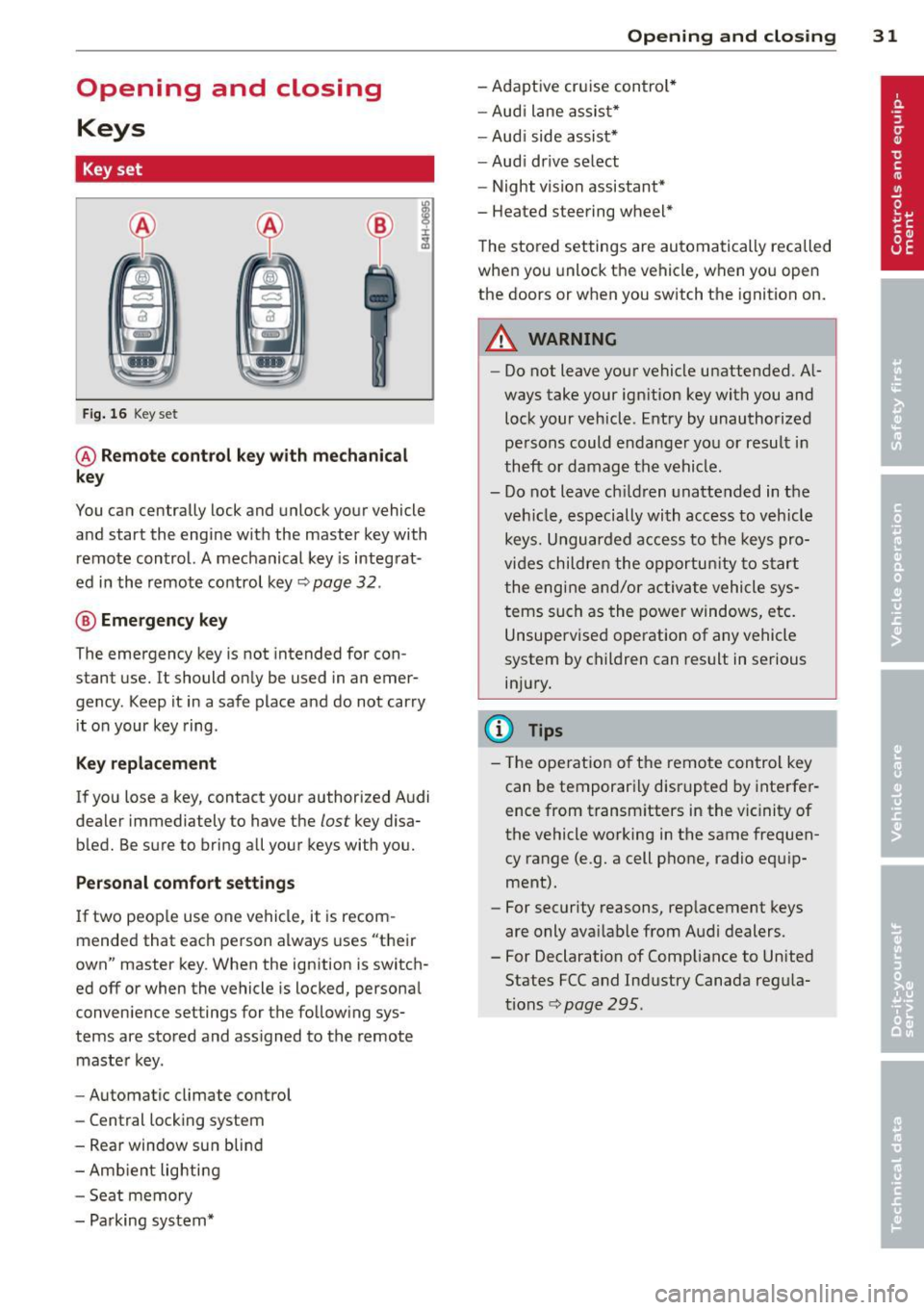
Opening and closing Keys
Key set
Fig. 16 Key set
@ Remote control k ey with mechanical
key
You can centrally lock and unlock your vehicle
and start the engine with the master key with
remote control. A mechanical key is integrat
ed in the remote control key¢
page 32.
® Emergency key
The emergency key is not intended for con
stant use.
It should only be used in an emer
gency. Keep it in a safe place and do not carry
it on your key ring .
Key replacement
If you lose a key, contact your authorized Audi
dealer immed iately to have the
lost key disa
bled. Be sure to bring all your keys with you.
Personal comfort settings
If two peop le use one vehicle, it is recom
mended that each person always uses "their
own" master key. When the ignition is switch
ed
off or when the vehicle is locked, personal
conven ience settings for the following sys
tems are stored and ass igned to the remote
master key.
- Automatic climate control
- Central locking system
- Rear window sun blind
- Amb ient lighting
- Seat memory
- Parking system*
Opening and closing 31
- Adaptive cruise control*
- Audi lane assist*
-Audi side assist*
-Audi drive select
- Night vision assistant*
- Heated steering wheel*
The stored settings are automatically recalled
when you unlock the vehicle, when you open
the doors or when you switch the ignition on.
A WARNING
---Do not leave your vehicle unattended. Al-
ways take your ignition key with you and
lock your vehicle . Entry by unauthorized
persons could endanger you or result in
theft or damage the vehicle.
- Do not leave ch ildren unattended in the
veh icle, especially with access to vehicle
keys. Unguarded access to the keys pro
vides children the opportun ity to start
the engine and/or activate vehicle sys
tems such as the power windows, etc.
Unsupervised operation of any vehicle
system by children can result in serious
injury.
(!} Tips
- Th e operation of the remote control key
can be temporarily disrupted by interfer
ence from transm itters in the vic inity of
the vehicle working in the same frequen
cy range (e.g. a cell phone, radio equip
ment).
- For security reasons, replacement keys
are only ava ilable from Audi dealers.
- For Declaration of Compliance to United States FCC and Industry Canada regula
tions¢
page 295.
Page 89 of 314

Emergency brake function
An emergency brake ensures that the vehicle
can be slowed down even if the
normal brakes
fail
c::> page 88, Emergency broking.
Ind icator light s
-If the par king b rake is closed w ith the igni
t ion
s wit ched on the indicator lights come
on - (USA models)/ . (Canada models)
in the instrument cluster and in the switch.
- If the par king brake is closed w ith the igni
tion
s witc hed off the indicator lights come
on - (USA models)/ . (Canada models)
in the instr ument cluster and in the switch
for about 20 seconds.
A WARNING
Do not press the accelerator peda l inadver
tently if the vehicle is stat ionary but the
eng ine is running and a gear is selected.
Otherw ise the vehicle will start to move
immediately and cou ld result in a crash.
(D Note
If the symbol . in the display or the ind i
cato r light
1111 (USA models) . (Cana
da models) in the instrument cluster flash
es, the re is a malfunction in the bra ke sys
tem. Please refer to t he detai led descr ip
t ion of the indicator lights¢
page 14.
- If the indicato r light - (USA mod-
els) . (Canada mode ls) or
IIJ t ur ns
on, there may be a malfunction in the
parking brake
r=> poge 15.
@ Tips
-You can apply the pa rking brake at any
time -even w ith the ignition swi tched
off. The ignition must be on and the
brake pedal must be pressed in order to
release the parking brake.
- Occasiona l noises when the parking
brake is applied and re leased are norma l
and are not a ca use for concern.
- When the vehicle is parked, the parking
brake goes through a se lf-test cycle at
On th e ro ad 87
regular inte rva ls. Any associated noises
are normal.
· Parking
.. Press the brake pedal to stop the veh icle.
.. Pull the switch(®) to set the parking brake.
.. Select the P selector lever posit io n
c::> poge 116.
.. Tu rn the engine off c::> .&_ .
.,. When on inclines o r declines, tur n the steer
ing wheel so that your veh icle w ill ro ll into
t he c urb if it beg ins to move.
A WARNING
-==
- When you leave your vehicle -even if on-
ly briefly -always take the ignition key
with you. This applies particularly when
children remain in the vehicle. Otherwise
the children cou ld start the engine, re
lease the parking brake or operate elec
trical equipment (e.g. powe r wi ndows).
T here is the r is k of an accident.
- When the veh icle is locked, no one -par
ticularly not children should rema in in
the vehicle. Locked doors ma ke i t mo re
diff icult for emergency wo rke rs to ge t in
to the veh icle -putt ing lives at risk.
Starting from rest
The starting assist function ensures that the
parking broke is released automatically upon starting.
Stopping and applying park ing brake
.. Pull the sw itch(®) to apply the parking
brake .
Starting and automatic ally releasing the
parking brake
.. When you sta rt to dr ive as usual, the park
ing brake is automatically released and your
veh icle begi ns to move.
When stopping at a traffic signal or stopping in city traff ic, the parking brake can be ap-
plied . The vehicle does not have to be he ld
IJ>-
Page 90 of 314

88 On the road
with the footbrake . The parking brake elimi
nates the tendency to creep with a drive range
engaged . As soon as you dr ive off as usual,
the park ing brake is released automatically
and the vehicle starts to move.
Starting on slop es
When starting on inclines, the starting assist
prevents the vehicle from unintentiona lly ro ll
ing back. The braking force of the parking
brake is not released until sufficient driving
force has been bu ilt up at the wheels.
For safety reasons, the park ing brake is re
leased automatically only when the dr iv
er's safety belt is engaged in the buckle.
Starting off with a trailer
To prevent rolling back unintentionally on an
incline, do the following:
.. Keep the switch(®) pulled and depress the
acce lerator. The parking brake stays applied
and prevents the vehicle from ro lling back
ward.
.. You can release the switch (®) once you are
sure that you are develop ing enough for
ward momentum at the wheels as you de
press the accelerator.
Depending on the weight of the r ig (vehicle
and tra iler) and the severity of the incl ine, you
may roll bac kwards as you sta rt. You can pre
vent roll ing backwards by holding the parking
b rake switch (®) p ulled out and acce lerat ing -
just as you would when starting on a hill with a conventional hand brake.
Emergency braking
In the event that the conventional brake sys
tem fails or locks .
.. In an emergency, pull the switch(®) and
contin ue to p ull it t o slow your vehicle down
with the parking brake.
.. As soon as you release the switch (®) or ac
ce lerate, the braking process stops.
If you pull the switch(®) and hold it above a
speed of about 5 mph (8 km/h), the emergen
cy bra king f unct ion is initiated. The vehicle is
braked at all four whee ls by activating the hy
draulic brake system. The brake performance
is simila r to making an emergency stop
c> .&. .
In order not to act ivate the emergency brak
ing by mistake, an audib le warning tone (buz
zer) sounds when the switch(®) is pulled. As
soon as the sw itch (®) is re leased, or the accel
erato r pedal is depressed, eme rgency braking
stops .
.&, WARNING
E mergency braking should only be used in
a n emergen cy, when t he norma l foot bra ke
has fa iled or the brake pedal is obstructed.
Using the par king brake to perform emer
gency b raking will s low your vehicle down
as if you had made a full brake application.
The laws of physics cannot be suspended
even with ESC and its associated compo nents (ABS, ASR, EDL). In corners and
when road o r weathe r cond itions are bad,
a full brake application can cause the v ehi
cle to s kid or the rear end to break away -
r isking an a cci den t.
Start-Stop-System
Description
Appl ies to vehicles : wit h Start-Stop-System
The Start-Stop-System can help increase fuel
economy and reduce CO2 emissions .
In the Start -Stop -mode, the engine shuts off
automat ica lly when the veh icle is stopped,
such as at a traffic light. The ignition remains
switched on during this stop phase. The en
gine wi ll be automat ica lly restarted when
needed .
The last Start-Stop-System setting (on/off us
ing the button
l 0a• I) will be restored when the
ignition is turned on. The LED in the !09 ~1 but
ton turns on when the Start-Stop-System is swit ched off manually.
IJ,,
Page 116 of 314

114 Night visi on assis tant
steering angle. The pedestrian warning
prompts you to pay even closer attention to
the area in front of the vehicle and to watch
out for pedestrians.
I f another display such as the tr ip computer
replaces the image from the night vision as
sistant , the ind icator light turns red when
there is a pedestrian warning .
¢fig. 118 .
@ Tips
The pedestrian marking and warning tone
can be adjusted in the MMI r::!)poge
115.
General information
Applies to vehicles: with night vision assistant
Fig. 119 Front of the vehi cle: n ig ht v ision ass istant
camera
The following s ituations may affect the func
tion of the night vision assistant system:
- poor vis ibility such as snow, ra in , fog or
heavy road sp ray
- dirty lens on the night vision ass istant cam -
era
M ake sure the night v ision assistant camera
¢ fig. 119 is not cove red by stickers, deposits
or any other obstruc tions because that can
p revent the camera from working p roperly.
F or information on cleaning the lens, refer to
r::!) page
216.
Pedestrian de tect ion depends on the differ
ence in temperat ure between the person and
the background. Pedestrians may not be de
tected if the temperature difference is too
smal l. The pedestrian highlighting feature is
deactivated at temperatures above 77 °F (25
0 () and when it is light outside.
A WARNING
--
Night vision ass istant has l imits and can
not always detect pedestrians . Always pay
close attention to traffic and the area
a round your vehicle even when night vision
assis tant is sw itched on.
- Night vision assistant can only warn
about people located within the v isual
range of the infrared camera. The vis ual
ra nge corresponds to the image in the in
strument cluster display.
- Night vision assistant may not detec t
peop le and highlight them if
- they are not in an upright posit ion, for
example if they are sitt ing, crouching
o r lying down and/or
- if the outline in the disp lay is incom
plete or interrupted, for example be
cause the perso n is part ial ly hidden by
a parked vehicle.
@ Tips
- Pedestrian detection and the pedestrian
warm ing are limited to objects that are
detected as pedest rians. The system
does not detect an imals. Even though
the shape and warmth radiated by each objec t detected is eval uated, the system
does have limitat io ns and it can g ive in
correct warnings .
- For technical reasons, the image pauses
in split second in tervals.
Switching on and off
Applies to vehicles: with night vision assistant
Fig. 120 Area aro und the light switc h: ni ght v is ion as -
s ista nt button
Ill>
Page 121 of 314
prevent the vehicle from "creeping", you
must keep your foot on the brake in all
selector lever positions except P and N
when the eng ine is running . Do not inad
vertently press the accelerator pedal
when the veh icle is stationary . Otherwise
the vehi cle will s tart to move immediate
ly, even if the park ing brake is set. This
cou ld result in a crash.
- Do not ride the brakes or p ress the brake
peda l too often or too long when dr iv ing
down a hill. Constant braking causes the
brakes to overheat and substant ially re
duces b raking performance, increases
braking distance or ca uses comp lete fail
ure of the brake system.
Hill descent control
The hill descent control system assists the
driver when driving down declines.
H ill descent control is activated when these
lector lever is in D/S and you press the brake
pedal. The transmission automatically se lects
a gear that is suitab le for the incline . Hill de
scent control tries to maintain the speed ach ieved at the time of brak ing, within physical
a nd techn ical limitations.
It may st ill be nec
essary to adjust the speed with the brakes.
H ill descent control switches off once the de
cline levels out or you press the accelerator
pedal.
Hill descent control is also activated when the
speed is set by starting the cru ise contro l sys
tem
r:::;, page 91.
A WARNING
H ill descent control can not overcome
phys ical limitations, so it may not be able
to main tain a constant speed under a ll
condi tions. Always be re ady to app ly the
br akes.
Automatic Tra nsmi ssi on 119
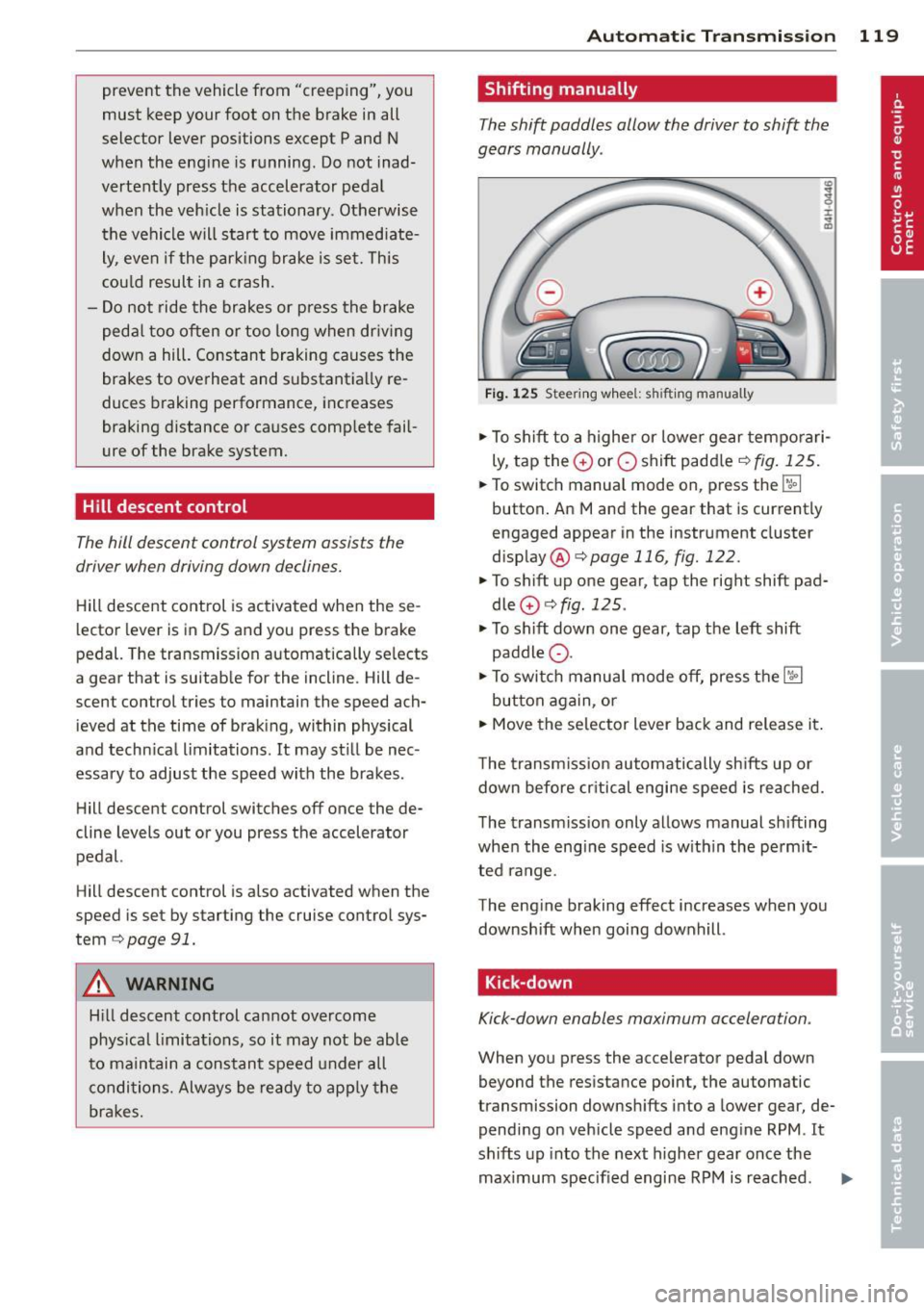
Shifting manually
The shift paddles allow the driver to shift the
gears manually .
Fig . 12 5 Steer ing w hee l: s hifting manually
.,.. To shift to a h igher or lowe r gear tempo rari
ly, tap the
0 or 0 shift paddler:::;, fig. 125 .
.. To switch manua l mode on, press the~
button . An Mand the gear that is currently
engaged appear in the inst rument cluster
disp lay @ ¢
page 116, fig. 122.
.. To shift up one gear, tap the righ t shift pad
dle
0 r:::;, fig . 125 .
.. To sh ift down one gear, tap the left shift
paddle Q.
.. To switc h manua l mode off, press the~
button aga in, or
.. Move the selector lever back and release it .
T he transm iss ion automatically sh ifts up or
down before cr itical engine speed is reached.
The transm iss ion only allows manual sh ifting
whe n the eng ine speed is w ith in the pe rmit
ted range .
The eng ine braking effect increases when you
downshift when going downhill .
Kick-down
Kick-down enables maximum acceleration .
When you press the accelerator pedal down
beyond the resistance point, the automatic
transmission downsh ifts into a lower gear, de
pending on veh icle speed and eng ine RPM .
It
shifts up into the next higher gear once the
maximum specified engine RPM is reached . ..,.
Page 124 of 314

122 Parking system s
Parking systems
General information
Applies to vehicles: with parking system plus/rear view
camera/peripheral cameras
Depending on your vehicle's equ ipment, vari
ous parking a ids wi ll help yo u when pa rk ing
and maneuve ring.
The
advanc ed park ing sy stem with r ear vi ew
cam era
ass ists you when parking by aud ibly
and v isua lly indicating objects detected
in
front of
and behind the veh icle. The rear view
camera shows the area behind the vehicle i n
the Infotainment disp lay. This disp lay assists
you when you are cross or parallel parking
co page 123.
The peripheral camera s assist yo u with pa rk
ing and maneuvering . You are aided by various
cameras depending on the vehicle equipment
leve l
co page 127. In add it ion, you are assist
ed by the functions from the sensors
co page 123, Sensors, co page 125, Visual
display.
A WARNING
- Always look fo r traff ic and check the area
around you r vehicle by looking at it di
rect ly as we ll. The parking sys tem canno t
rep lace t he drive r's a ttent ion. The dr iver
is a lways respons ible for safety during
par king and for all other maneuvers.
- Please note tha t some sur faces, such as
clothing, are not detected by the system .
- Sensors and cameras have blind spots in
wh ich peop le and objects cannot be de
tected . Be especially cautious of children
and animals.
- The sensors can be displaced by impacts or damage to t he radiato r grille, bumpe r,
wheel housing and the underbody. The park ing systems may become impaired
as a result. Have your authorized Audi
dealer or qualified workshop check their
f unction.
- Make sure the sensors are not covered by
stickers, deposits or any othe r obstruc
t ions as it may impair the senso r func- tion. Fo
r informat ion on cleaning, refe r
to
co page 216.
@ Note
- Some objects are not detected by the
system under certain ci rcumstances:
- Objects such as barrie r chains, trailer
draw bars, vertical poles or fe nces
- Objects above the sensors such as wall
extensions
- Objects w ith specific surfaces or struc
tures such as chain link fences or pow
de r snow.
- If you conti nue driving closer to a low- ly
ing object, it may disappea r from the
sensor range. Note that you w ill no lon
ger be warned about this obstacle.
0) Tips
- The system may provide a warning even
tho ugh there are no obstacles in the cov
erage a rea in some situations, such as:
- certain road s urfaces or for long grass .
- ex terna l ult raso nic sources e.g. from
cleaning vehi cles.
- h eavy ra in, s now or thick ve hicle ex
ha ust.
- We recommend tha t yo u pr actice park
ing in a t raff ic-free loca tion or par king
lot to become familiar w it h the system.
Whe n doi ng this, the re should be good
light and weathe r cond itions.
- Yo u can change the vo lume and pitch of
the s ignals as we ll as the disp lay
co page 132.
-Please refer to the instr uctions for tow
ing a t railer
co page 132.
-W hat appea rs in the infotainment dis
play is somewhat time-delayed.