ad blue AUDI A8 2017 User Guide
[x] Cancel search | Manufacturer: AUDI, Model Year: 2017, Model line: A8, Model: AUDI A8 2017Pages: 354, PDF Size: 88.68 MB
Page 148 of 354

Telephone
Telephone
Introduction
Applies to: vehicles with telephone
To make phone calls in your vehicle using the
f\1/11[, connect your cell phone to the /11/11[ via
8/uetooth.
Hand sfree
With this connection, you use the handsfree sys
tem and operate telephone functions through
the MMI. Phone calls are transmitted through
the antenna on your cell phone.
A WARNING
- Medical experts warn that cell phones can
interfere with the function of pacemakers .
Always mainta in a m inimum d istance of 20
cent imeters between the cell phone anten
na and the pacemaker.
- Do not carry the cell phone in a pocket di
rectly over the pacemaker when the phone
is switched on.
- Sw itch the cell phone off immediately if
you suspect it may be interfering w ith the
pacemaker.
- Do not use the voice recognition system
c:> page 141 in emergencies because your
vo ice may change in stressful situations. It
may take longer to dial the number or the
system may not be able to dial it at al l. Dial
the emergency numbe r manually.
- Switch your cell phone
off in areas where
there is a risk of an exp losion . These loca
tions are not always clea rly mar ked. This
may include gas stations, fuel and chemical
storage fa cilit ies or transpo rt ve hicl es, or lo
cations where fue l vapors (such as propane
or gaso line vapor in vehicles or bui ldings),
chemicals or large quantities of dust parti
cles (such as flour, sawd ust o r metal) may
be present in the air. This also applies to a ll
other locations where you would normally
turn yo ur vehicle engine
off .
-The demands of traffic requ ire your full at
tent ion. Read and follow the guidelines pro
vided in
c:> page 134 .
146
.
(D Note
Always follow the information found in c:> 0 in
Wi-Fi hotspot on page 160.
@ Tips
The B luetooth connection range is limited to
inside the vehicle. It can also be affected by
l ocal cond itions and interference with other
devices.
Setup
Connecting a cell phone using Bluetooth
Applies to: vehicles with telephone
Fig. 16 1 Searching for ce ll phones
Fi g. 162 D isp lay ing the PfN for en teri ng in t he cell p hone
Requirements
The vehicle must be stationary and the ignition
must be sw itched on .
The Bluetooth funct io n and visib ility of the MMI
c:> page 155 a nd cell phone must be sw itched on .
The MMI and the cell phone to be paired must not be actively connected to any other Bluetooth
devices.
IIJ,,
Page 149 of 354

C) C0 ....
"' " "' .... 0 0 :r
• Select the ITEL I button > Sea rc h for new cell
phone
¢ fig . 161 . The avai lab le Bluetooth devi
ces are shown in the Infotainment system dis
play.
Or : search for the MMI using the B lue
tooth device search on your cell phone.
• Select and confirm the desired cell phone from
the list of displayed Bluetooth devices.
.. Select and confirm
Hand sfre e. The MMI gener
ates a PIN for the connection setup¢
fig. 161 .
• Se lect and confirm Y es.
• Ente r th e PI N for connecting on your ce ll
phone.
Or : if the P IN is already d isp layed on
your ce ll phone, confirm it in the cell phone and
in the MMI. The time a llowed for entering the
PIN is limited to approximately 30 seconds .
P ay at ten tion to any additional system prompts
displayed on your cell phone, for example if the
system should connect automatically in the fu
ture . Depending on the cell phone, you may have
to conf irm download ing the directory separately.
After connec ting successfull y
After connecting successfully, the s ignal strength
symbo l® ¢
page 138, fig. 159 and the Blue
tooth symbo l@ appear i n the status line of the
Infotainment disp lay. In addition, the cell phone
contacts are automatically loaded in the MMI di rectory. This process can take several minutes,
depend ing on the number of contacts.
If all of the memory capacity is fi lled, you will be
asked to replace the contacts from one cell phone when connect ing another cell phone. With
the opt ion
Restri cted use of t ele ph one , only con
tacts in the cell phone and the local MMI memory
are available ¢
page 150.
0 Note
Always follow the informat ion found in ¢ (Din
Wi-Fi hotspot on page 160.
(D Tips
- You only have to pair your dev ice one t ime.
Bluetooth dev ices that a re already pa ired
a utomat ically connect to the MMI whe n
t h ey are within range and t he ignit ion is
swi tched on.
Teleph one
- Authoriz ing the MMI connection in your cell
phone wi ll speed up the a utomatic connec
tion .
- Several cell phones can be paired to the
MMI, but only one cell phone can be actively
connected.
- A B luetooth device that is already paired
with the MMI will be d isconnected if anoth
er device is paired .
- When leaving the veh icle, the Bluetooth
connect ion to the cell phone will automati
cally disconnect .
- You can obtain more information from your
cell phone service provider or from yo ur cell
phone user gu ide. For informat ion on us ing
the te lephone , visit
www .aud iusa .com /
bluetooth
or contact your authorized Audi
dea ler or authorized Audi Se rvice Facility .
Opening the telephone
Applies to: vehicles wit h telepho ne
Fig . 163 Telephone functions
Requirement: a ce ll phone must be connected to
the MMI
¢page 146.
.. Select the ITE LI button.
T he last ac tive te lephone menu is s hown in the
Infotainment display . Press the
ITEL ! button in
the
Telephone menu again to access the tele
phone functions .
T he following telephone functions are available
¢ fig. 163:
@ List of received calls .......... .
@ List of missed ca lls .. ... ...... .
@ List of d ialed numbers . .... ... .
@ Directory .... .. .. .. ..... ..... .
148
148
148
150 ..,_
147
Page 153 of 354

0 co .... N ,..._
N .... 0 0 :c '
- Selecting a contact :
select and confir m a con
t a ct from the direc tory. The address card is dis
played.
Contacts a re d isplayed in alphabetical order and
can be so rted according to fi rst or last name
¢
page 156 and are ident ified w ith a symbol to
tell the location where they are s tored
¢ fig. 17 0:
(D Private MMI directory: these co ntacts a re on
l y vis ible whe n the ce ll phone i s conn ected.
You can pair up to four different cell phones w ith
the M MI and ma nage up to fo ur private directo
ries.
@ Public MMI directory : these contacts are visi
b le to all users and can be used by all users re
g ar dless of the cell phone that is connec ted .
No cell phone connected : each new contact will
be stored in the p ublic d irectory
¢ page 153.
Cell phone connected : to store a contact in the
p ublic directory so that all users can access it, the
contact must be marked as a
Publ ic contact
¢page 152.
@ Cell phone : th ese contacts are stored in the
cell phone and are only v is ib le when the cor re
spond ing ce ll phone is connected.
I f all of the memory capacity is fi lled, you will be
asked to replace the contacts from one cell phone when connect ing another cell phone. With
the opt ion
Rest ricted use of telephone , only con
tacts in the ce ll phone and the local MMI memory
(pu blic) are ava ilable .
The directory can be opened through the
Tele·
phone *
menu as well as th rough the Navigation *
menu.
{!) Tips
-Check for a possible request to synchron ize
on your cell p hone. Requests to synchronize
the di recto ry must be confirmed so that
you r ce ll phone contacts can be loaded into
t he MM I.
- The contact display in the M MI depe nds on
the cell p hone us ed. For more informa tion
Telephone
on the supported cell phones, v is it
www .audiusa.com/bluetooth or contact an
authorized Audi dealer or authorized Au di
Service Facility.
- The contacts from the cell p hone may not
be t ransfe rred in a lphabetical order. If there
are too many entries, contacts with differ
ent first letters may be miss ing in the MMI.
- The p ublic contacts in the local MMI memo
ry are a lways v is ible and can be accessed by
ot her users.
Searching for a contact
App lies to : vehicles wit h telepho ne
~ Select: the ITEL I button> Directory .
-Select an d confirm Find contact . Enter the
name.
Or : select and conf irm the contact using
the
List .
Both the fi rst and last names are sea rched.
(D Tips
- Y ou c an s croll thro ugh lo ng lis ts qui ckly by
tu rni ng the cont rol knob qui ckly .
- Y ou can go dire ctly to th e fir st le tt er o f the
con tact you are se ar ching for by en tering
t he first letter on the MMI tou ch control
pad * using your finger¢
page 136 . Enterin g
add itiona l lette rs narrows down the list of
found contacts .
151
Page 157 of 354

Call options
Automati c redial :
when the func tion is swi tched
On , a phone number wi ll be au toma tic ally re
d ialed up to five times if it is busy. Automatic re
d ia l can be canceled with
End call . The function is
only active when the network gives a b usy signa l.
Auto answer : when the func tion is switche d On,
incom ing ca lls are automatically answered afte r
a brief t ime.
Three-way conference (GSM)
- On :
you can answe r an incoming call while an
othe r call is in progress by selecti ng
Answer.
T he fi rst call is pu t on hold. Using the Hold op
ti on, you c an also put an ac tive c all on hold and
sta rt an other call o r a con ference ca ll.
-Off : you can repla ce a c all w ith an in com ing c all
by se lecting
Replace. Yo u can ignore an in com
ing ca ll using the
Ignore op tion . You ca nnot
p ut an active ca ll on ho ld or sta rt a new ca ll.
Telephone settings
Volume settings
1
): fo r the Ring tone volume /
Call volume, refer to~ p age 20 5.
Voice mail : the voicemai l number can be en tere d
or ed ited i n the
Number in pu t fie ld using th e
spe ller. W hen a voicemail nu mber is stored, t he
voicema il c an be a cces se d wi th the ® sym bol in
the speller. The
Delete number func tion deletes
the stored voicemail number.
Invert call lists : the phone number s in t he call
l is ts ar e sorted accor ding to t he time the call
too k place . When the f unct io n is swi tched
On,
the so rting orde r is reverse d.
Bluetooth
Bluetooth :
the MMI Bluetoot h fu nct io n can be
sw itched
On or Off. The Blu etoo th symbol @
~page 138, fig. 159 appears in the In fo ta in
men t display when the fu nct ion is swi tched
on.
Visible :
the visibili ty of the MM I in cell phones o r
in B lu etoo th audio players ca n be switc hed
On o r
Off . When Auto is selec ted, the M MI w ill rema in
~ visib le for cell phones or a Blu etoo th a udio player .... N ,..._
N .... 0 0
~ 1) Depends on the conn ected cell phone.
Telephone
fo r ab out five minu tes when the vehicle is sta
t iona ry and the ignition is switched on. The visi
bility sw itches o ff after that. Howeve r, it is still
poss ible to estab lish a B luetooth connection with
ce ll phones or devices that have already been
paired when the vis ibility is switched off . The visi
bility of the MMI automatically swi tches
Off
wh en aud io fi les are be ing pla yed using a con
ne cted Bluetooth aud io player to avo id pro blems
du ring playb ack .
Bluetooth audio player : the Bluetooth audio
player
func tion must be switched On to be ab le
t o selec t th e
Bluetooth audio player as the
sou rce in t he
Media men u. S w itch the Bluetooth
audio player
f u nct io n Off if you are no t usi ng it
to preven t mal funct ions i n the
Telephone or Me
dia
men us.
Find Bluetooth devices : the system sea rches for
and lists Bluetooth devi ces th at are with in range .
Bonded Bluetooth devices : the Bluetoot h dev ic es
c o nn ecte d t o the MMI are lis ted. The cur rently
conn ecte d B lueto o th device is labele d wi th the
Bl uetoot h symbo l. To dele te con necte d Blu e
tooth devices individually, se lect the device and
delete it with the
Delete Bluetooth device func
t ion. To disconnect or connect pa ired cell phones
individ uall y, select the B luetoot h dev ice and
c h ange the profi le using the
Connect funct io n
wh ile the vehicle is stat io na ry . U se
Disconnect to
disco nnect the paired Bluetoot h dev ice.
Known Bluetooth devices : up to 50 known devi
ces can be listed. These Bluetooth dev ices may no
longer be in ra nge when searc hing to connect.
Bluetooth name : the Bluetooth name of the MMI
(for example, "AUDI M MI 2613") is shown and
can be cha nged.
Delete Bluetooth devices : all connected Blue
tooth devices can be deleted by confirming with
Yes .
Wi-Fi settings
See~ page 160.
155
Page 158 of 354
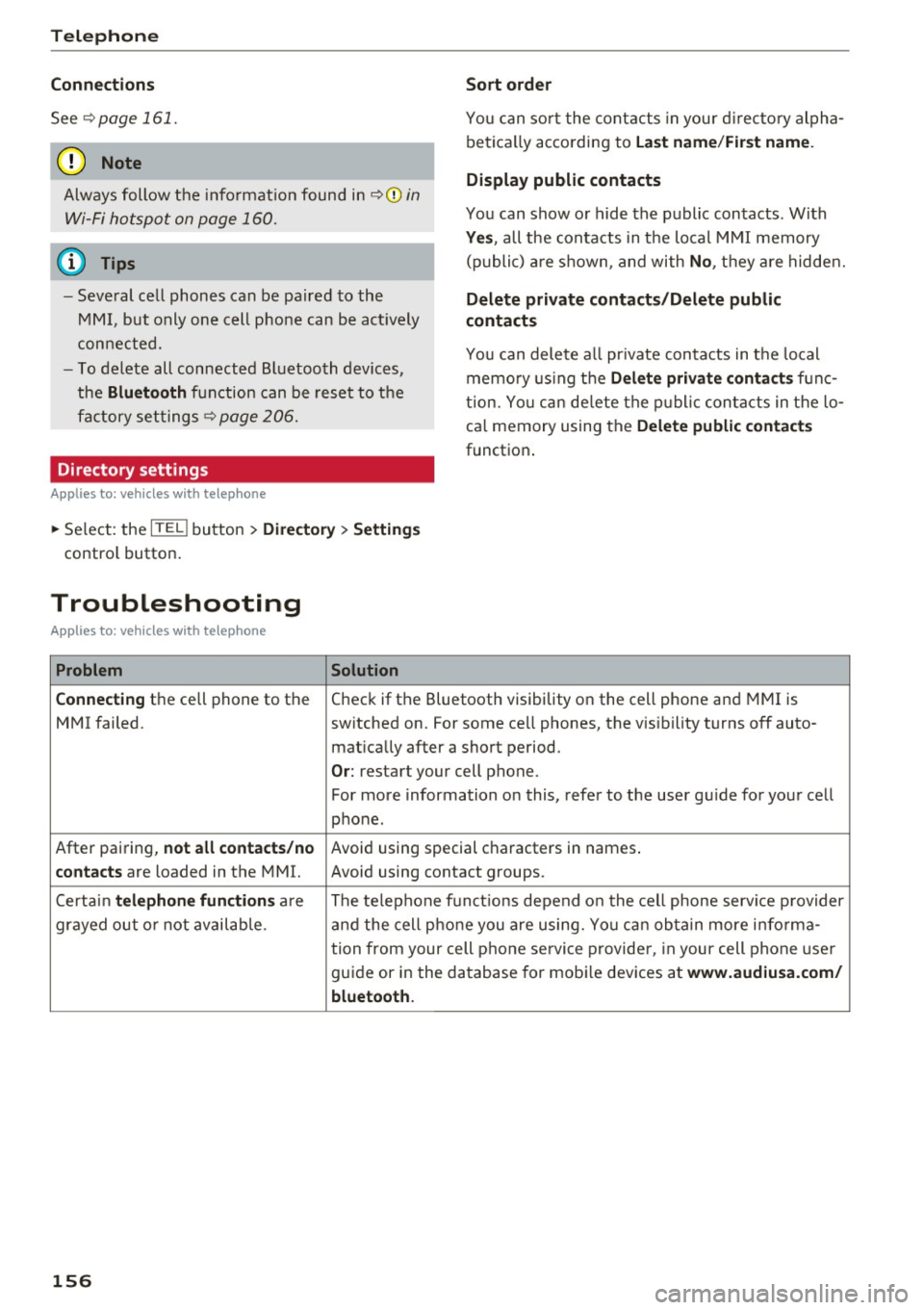
Telephone
Connection s
See ~page 161.
([) Note Sort order
You can so
rt the cont acts in you r d irec tory alpha
be tica lly acco rding to
Las t name /First name .
Always follow the info rmation found in ~CD in
Wi-Fi hotspot on page 160.
Display public contacts
You can show o r hide the public contacts . With
Yes , all the contacts in the local M MI memory
(p ubli c) a re s hown, and with
No , th ey a re hidde n. (D Tips
- Several ce ll phones can be paired to the
MM I, but only one cell p hone can be act ively
con nected. Delete private contacts /Delete public
contacts
You can delete a ll pr ivate contacts in t he local
memo ry using t he
Delete private conta ct s fu nc
tion. Yo u ca n de lete the p ublic con tacts in the lo
ca l memory using the
Delete public contacts
funct io n.
-
To delete all connected Bl uetooth devices,
the
Bluetooth f u nction can be reset to t he
fa ctory settings~
page 206.
Directory settings
Applies to: vehicles with telephone
~ Select: the ITEL ! button > Directory > Settings
contro l button .
Troubleshooting
Applies to: vehicles with telephone
Problem Solution
Connecting
t h e cell phone to the Check if the Bluetooth visibility o n the cell phone and MMI is
MMI failed. switched on. For some ce ll phones, the v is ibility turns off auto-
mat ically after a short period.
O r: restart your cell phone.
For more information on this, refe r to the user g uide for your cell
phone.
After pairing,
not all contact s/no Avoid using special characters in names .
contacts are loaded in the MMI. Avoid using contact groups.
Certai n
telephone functions are The te lephone f unctions depend o n the cell phone servi ce p rovider
grayed out o r not availab le. a nd the cell p ho ne you are using. Yo u can ob tain more i nfo rma -
tion from your cell p hone se rvi ce p rovide r, in your cell phone use r
guide or in the d atabase for mobi le devices at
www.aud iusa.com /
bluetooth.
156
Page 160 of 354

Audi connect
line with one or two symbols, depending on the
connection type@/(J)
~ page 138 , fig. 159 .
You can now use Aud i connec t.
"' Se lect : the
IMENU I button> Audi connect .
"'Confirm the prompt ask ing to co nnect to the
Interne t with
Yes .
Removing the Audi SIM card
"' Press on the Audi SIM card b rief ly . The card is
released from the slot . Remove the Aud i SIM
ca rd .
A WARNING
The c ard reade r mus t always be closed while
dr iv ing for safety re aso ns.
(D Note
- A udi connect is des igned for use on ly w ith
th e prov ided Audi SIM card . Au di AG is not
li a ble for the co nsequences of usi ng other
SI M ca rd s.
- If a SIM card of a different size is inserte d in
the S IM card re ad er ins tead of an Aud i SI M
c ar d, do not under any circums ta nc es re
move th is card yourse lf due to the r isk of
damag ing the SIM ca rd rea der. Contact yo ur
a uthorized Audi dea ler or authorized Audi
Service Fac ility.
@ Tips
To use your ce ll phone, yo u can co nnect your
it thro ugh the
Handsfree Bluetooth prof ile
~ page 146.
-Audi does not provide support for other SIM
ca rds .
-A udi recommends us ing o nly the provided
A udi S IM card .
- You can s pec ify when the MMI con nects to
the Internet ~
page 161. The Internet con
nection disconnects automatically once the
requested Audi connect service no longer re
q uires any data packets.
- The data connection for Audi connect serv
i ces is preconfig ured at the factory. You can
change t he data connection at any t ime if
158
yo u need to adjust the configura tion
~ page 161.
Operating the browser
Applies to: vehicles wit h Audi connect
Fig. 176 Disp lay of Audi con nect serv ices
Fig. 1 77 Disp lay of additio n al info rm atio n about a ttrac ·
tions or po ints of in terest
The browser can be used in various ways.
- Display of A udi connect services~
page 159
-Display of addi tional i nformatio n about a ttrac-
tions or points of i nte rest
The following func tions a re available w ith in the
brow se r ~
fig . 176:
(D Open ing the home page
@ Open ing or clos ing t he s ide menu
@ Zooming in on browser content (50-200%)
@ Stopping the page from loading
® Refreshing the curre nt browser content
@ Open ing the main menu
(J) C lo sin g the browser
@ Open ing the Destination details menu
® Prev ious point of interest or a ttract ion
@ Nex t point o f interest or attraction
Page 185 of 354

0 co .... N ,..... N .... 0 0 :c '
Requirement: the Jukebox must contain audio/
video fi les.
- Selecting fil es/fo ld ers : se lect the Settings con
t rol button
> De lete jukebo x > individual files
or folders.
Press the All control button to select
all fi les or folders.
Or : select and confirm a
fo lder and press and hold the control knob . A ll
files in the folder are se lected for de leting .
-Deleting files and folder s: select the Start de
leting
control button > Y es. T he status of the
deleting process is shown in the Infotainment
display. Jukebox playback stops dur ing the de
let ing process and starts again automatically
once the deletion is complete .
Showing m emory cap acity
Select: Setting s control b utton > Jukebo x memo
r y.
The used/free Jukebox memory as well as the
number of stored tracks appear in the Infotain
ment d isplay.
The Jukebox is started and operated through the MMI
¢ page 189.
@ Note
Do not import audio/video files when the en
gine is t urned off because this will drain the
veh icle battery.
@ Tips
- Tracks from audio CDs cannot be imported
to the Jukebox for legal reasons.
- Files already imported are recognized and will be grayed out when setting up a new i mport.
- It is not possible to play audio/v ideo files in
t h e DVD dr ive while importing them.
- The Jukebox does not provide an export
function due to lega l reasons .
- Files or tracks without stored information
are listed as
Unkno wn. Audi recommends
adding addit iona l information (s uch as 103
tags) to aud io files.
- Reset the Jukebox to the facto ry defau lt set
tings when selling your vehicle¢
page 206.
Media dr ives and conn ections
Bluetooth audio player
App lies to : vehicles wi th Blue toot h int erface
You can play music wirelessly from your cell
phone through the MMI using the Bluetooth au
dio player.
Requirement: the vehicle must be stationary. The
B luetooth function on the portab le aud io player
and the MMI
Aud io pla yer must be switched on
¢ page 155.
.,. Select the I MEDIAi button > Source control but
ton
> Bluetooth audio player> Find new Blue
tooth audio player .
The available Bluetooth au
dio players are d isplayed .
.,. Select and confirm the des ired Bluetooth audio
player from the l ist .
.,. Select and confirm
Audio player . The MMI gen
erates a PIN for the con nection.
.,. Sele ct and confirm
Yes .
.,. Enter the PIN for connecting on your cell
phone .
Or: if the PIN is a lready displayed on
your cell phone, confirm it in the ce ll phone and
in the MMI. The t ime allowed for enter ing the
PIN is limited to approximate ly 30 seconds.
The media are started and operated through the
portable device o r the MMI, depending on the de
vice being used
¢ page 189.
@ Tips
-Be sure to pay attention to any possible con
nection prompts on your Bluetooth audio
player.
- You only have to pai r your device one time .
Bl uetooth devices that are already paired
are automatically connected to the MMI as
soo n as they are in range.
- Severa l Bluetooth audio players can be con
nected to the MMI, but only one portab le
device can be active.
- Bluetooth A2DP and AVRCP (1.0/1.3) are
supported.
- The supported media fu nctions depend on
the Bluetooth aud io player being used.
- For more informat ion on the suppo rted de
vices, v is it
www .audi.com /bluetooth or
contact your authorized Aud i dea ler or a u
thorized Aud i Serv ice Fac ility.
183
Page 188 of 354

Media drive s and conn ections
- Other iPod versions s uch as the iPod shuffle
cannot be connected to the iPod adapter ca
ble (plus)* . Connect these devices using the
optional 3.5 mm stereo jack adapter cable*.
- For video p layback, you can also connect
your iPod using the AV adapter cable*. You
also need an Apple AV cable to do this. For
more information on the App le AV cable, re
fer to your iPod user guide .
- The Apple Lightning connector does not
support v ideo p layback. - iPod/
iPhone malfunctions a lso affect the
operation of the MMI. Reset your iPod/
iPhone if this happens.
- For impo rtant information on operating
your iPod/ iPhone, refer to the user guide for
the device. Audi recommends updating the
iPod/ iPhone software to the latest version.
- For more information about the Aud i mus ic
interface and supported devices, v is it
www .audi.com /bluetooth or contact an au
thorized Aud i dealer .
Supported media and file formats
Overview
The DVD drive , the Jukebox, the SD card reader
and the USB storage device* connection support
the following audio/v ideo file properties:
Audio files Video files
Supported SD cards:
with a capacity up to 32 GB
media DVD drive: audio CDs (up to 80 minutes); CD-RO Ms with a capacity up to 700 MB;
DVD±R/RW; standard video DVDs and audio DVDs that are compatible with DVD v id-
eo
Audi music interface : portable devices (such as iPods, USB storage dev ices*)
File system SD/SDHC/ MMC memory cards
USB storage device*:
FAT or FAT32 file system, maximum 4 partitions
DVD drive : Joliet (sing le session and multisess ion CDs; single sess ion DVDs only);
UD F
Metadata Album, track, artist, yea r, genre
and commentar ies for MP3-/
WMA-/M4A files
Embedded album covers up to
800x800 px. (GIF, JPEG, PNG)
Format MP EG- 1/-2
Windows MP EG 2/4 MPEG 1/2 ISO- ISO- W indows
Layer-3 Med ia Au- MPEG4; MPEG4 H. Media Vid-
dio 8 and 9 DivX 3, 4 264 eo 9
and S; Xvid (MPEG4
AVC)
File extension .m p3 .wma; .m4a; .mpg; .av 1 .mp4; .wmv;
.asf .m4b; .mpeg .m4v; .asf
.aac .mov
Play .M3U; .PLS; .WPL
lists
186
Page 190 of 354

Media drive s and conn ections
Troubleshooting
Problem Solution
Aud i music inte rface /Blueto oth
Refer to the information on the Audi music interface¢ page 185/
audio pla yer : the portab le aud io Bluetooth audio player*¢ page 183. You can learn about support-
device/Bluetooth aud io player is ed dev ices in the Audi database for mobile devices at
not supported.
www .aud i.com /b lue tooth .
Au di music interface :
When start- Adjust the volume of the portable device to approximate ly 70 per-
ing the p layback through the 3 .5 cent of the maximum output
( Input level )¢ page 190 .
mm stereo jack adapter cable*/AV
adapter cab le*, the volume is too
high.
Audi mu sic inte rface: the porta- F
or many ce ll phones or med ia p layers, playba ck is not possible
ble device is not recognized as a when the battery leve l is too low (less than 5% of its capacity).
source. The portable device will on
ly be recognized as a so urce in the MMI
after connecting if the battery charge is sufficient .
Audi music interface: malfunc- The Audio player function is switched On . Switch th is function Off
t ions du ring audio playback when yo u are not using the Bluetooth aud io player*.
through an iPod/ iPhone.
Aud i music in te rface: there is The Audi music interface source is already selected when connect-
static when connecting or discon- ing or disconnecting . Either mute the portable device or sw itch to
nect ing t he 3 .5 mm stereo jack*/ a nother audio source (such as the rad io
¢ page 177) before con-
AV adapter cable* or when con- necting or disconnecting the po rtable devi ce.
nect ing o r disconnect ing the port-
able device to the 3 .5 mm stereo
jack */AVadapter cable *.
Bluetooth audio pla yer: audio Only one interface should be act ively used at a time to ensure
playback inte rference . problem-free playback .
Jukebox: songs on the imported When importing
playlists, a ll of the files themselves must be im-
playlist are grayed out. ported.
Wi-Fi audio pla yer*: the audio/ To avoid in terruptions d uring aud io/video playback, deactivate the
video playback is inter rupted. power saving function o n the Wi -Fi med ia p layer* or connec t it to
a charger.
Wi-Fi hotspot *: your Wi-Fi device Make sure the network optim izat io n functions are sw itched off in
is d isconnected from the W i-F i the Wi-Fi settings or in the network settings for your W i-F i dev ice.
hotspot . For addit ional info rmation refer to the user guide for your Wi-Fi
dev ice.
188
Page 191 of 354

C)
Playing media
Accessing media
You can start and operat e various media drives
through the fv1fv1I control panel.
Fig. 198 Possible audio/v ideo sources
Fig. 199 Possible audio/v ideo sources
Requirement: a media drive must contain audio/
video files.
~ Select : I MEDIAi button .
The source overview or the last file that was play
ing is displayed after selecting Media.
-Selecting a source: press the Source control
button . Select and confirm a source from the
list .
-Playing audio/video files : select and confirm a
folder, song or chapter. The content of the
folder is displayed or a track or chapter is
played .
-Moving one level up in the folder structure :
press the I BACK I button. Or: select and confirm
Folder up.
~ -Moving to the highest level in the folder struc-
~ ture: press the I MEDIAi button .
...... 0
~ Possible sources are:
(D Jukebox ¢page 182
@ SD card reader ¢page 181
@ DVD drive c!:>page 181
© DVD changer* c!:>page 182
® Audi music interface* (for example, an iPod,
USB or an external audio/video input*)
c!:> page 185
® Bluetooth audio player* c!:> page 183
(!) Wi-Fi audio player* ¢ page 184
(!) Tips
-For safety reasons, the video image is only
displayed when the vehicle is stationary. On
ly the sound from the video plays while driv
ing.
- Video playback through an iPod/iPhone
does not continue after stopping and start
ing the vehicle .
- You can scroll through long lists of folders
or tracks quickly by turning the control knob
quickly . The scrolling speed depends on the
number of folders or tracks.
- When synchronizing a portable device with
"Cloud" services, playlists may display incor
rectly in the MMI. Use the media center in
the device.
- Some DVDs do not allow selections to be
made during playback, for example select
ing an audio track, subtitles or a track or
chapter.
189