window AUDI A8 2017 Owners Manual
[x] Cancel search | Manufacturer: AUDI, Model Year: 2017, Model line: A8, Model: AUDI A8 2017Pages: 354, PDF Size: 88.68 MB
Page 4 of 354
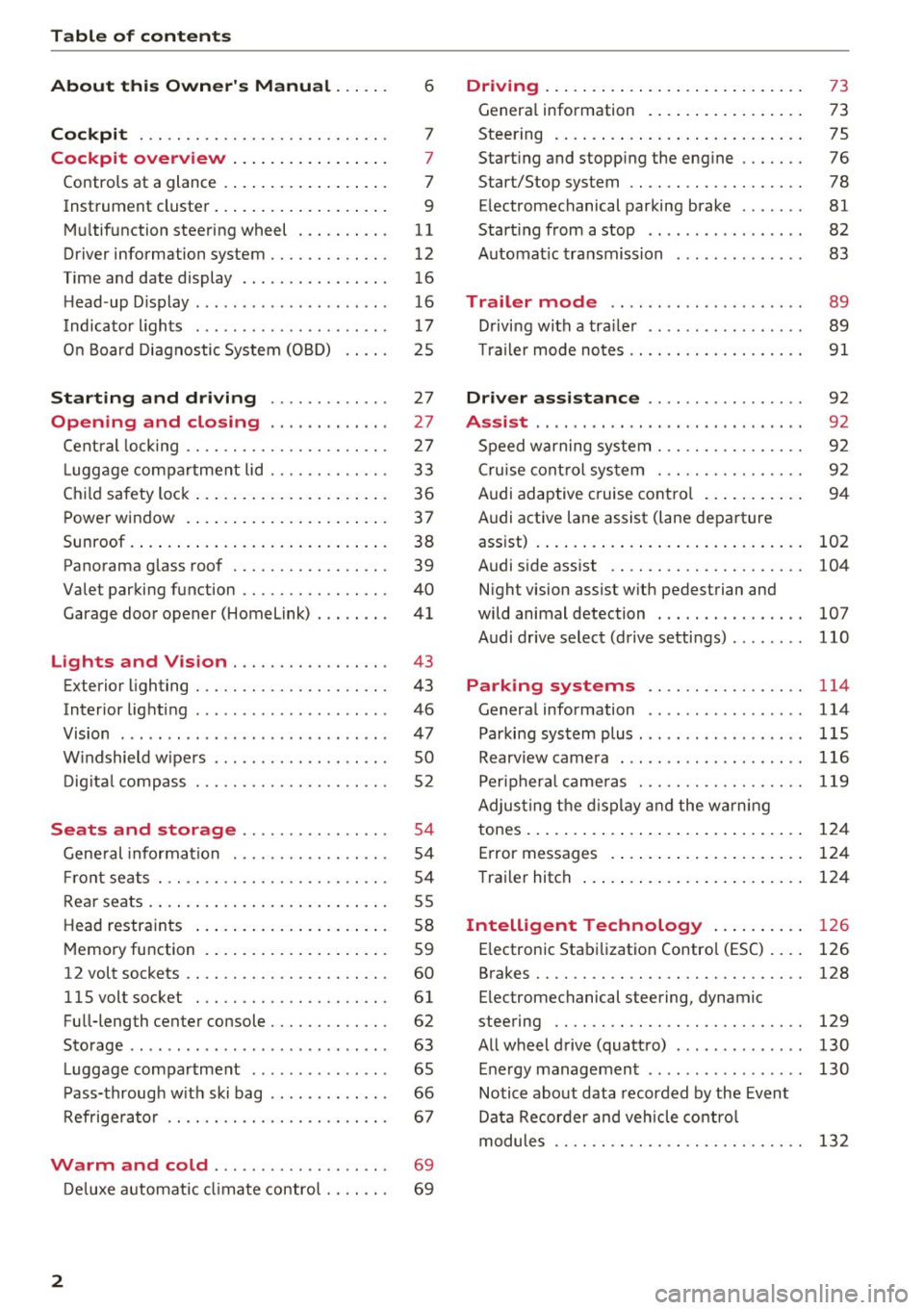
Table of contents
About this Owner's Manual ... .. .
Cockpit ... .. ............... .... .. .
Cockpit overview ................ .
Controls at a glance ... .......... .. .. .
Instrument cluster .. .......... .. .. .. .
Multifunction steering wheel ... .. .. .. .
Driver information system ............ .
Time and date display ...... ... .. .... .
H ead-up Display .... .. .. ..... ... .. .. .
Indicato r lights . ................ ... .
On Board Diagnostic System (OBD) .... .
Starting and driving ............ .
Opening and closing .. .... .... .. .
Central locking .... ........... .... .. .
L uggage compartment lid ...... .... .. .
Child safety lock ........... ..... .. .. . 6
7
7
7
9
11
12
16
16
17
25
27
27
27
33
36
Power
window . . . . . . . . . . . . . . . . . . . . . . 37
Sunroof. .. ... ... .. .......... .. .. .. . 38
Panorama glass roof . . . . . . . . . . . . . . . . . 39
Valet parking function . . . . . . . . . . . . . . . .
40
Garage door opener (Homelink) . . . . . . . . 41
L ights and Vision . . . . . . . . . . . . . . . . . 43
Exterior lighting . . . . . . . . . . . . . . . . . . . . . 43
Interior lighting . . . . . . . . . . . . . . . . . . . . . 46
V1s1on . . . . . . . . . . . . . . . . . . . . . . . . . . . . . 47
Windshield wipers . . . . . . . . . . . . . . . . . . . SO
Digital compass . . . . . . . . . . . . . . . . . . . . . 52
Seats and storage . . . . . . . . . . . . . . . . 54
General information . . . . . . . . . . . . . . . . . 54
Front seats . . . . . . . . . . . . . . . . . . . . . . . . . 54
Rear seats . . . . . . . . . . . . . . . . . . . . . . . . . . 55
Head restraints . . . . . . . . . . . . . . . . . . . . .
58
Memory function . . . . . . . . . . . . . . . . . . . . 59
12 volt sockets . . . . . . . . . . . . . . . . . . . . . . 60
llSvoltsocket .............. .... ... 61
Full-length center console. . . . . . . . . . . . . 62
Sto rage . . . . . . . . . . . . . . . . . . . . . . . . . . . . 63
Luggage compartment . . . . . . . . . . . . . . . 65
Pass-through with ski bag . . . . . . . . . . . . . 66
Refrigerator . . . . . . . . . . . . . . . . . . . . . . . . 67
Warm and cold . . . . . . . . . . . . . . . . . . . 69
Deluxe automatic climate control . . . . . . . 69
2
Driving ..... .. .. .. .. ... .......... . .
General information . .... .......... . .
Steering .......... .. .. . .......... . .
Start ing and stopping the eng ine ..... . .
Start/Stop system .. .. ............. . .
E le ctromechanical parking brake ...... .
Start ing from a stop .. ........ ..... . .
Automat ic transmission
Trailer mode .. .. .. ........ ..... . .
D rivin g with a trailer .. .............. .
T raile r mode notes .. .. ............. . .
Driver assistance .. .............. .
Assist .... .. .. .. .. .. ... .. ... ... .. . .
Speed warning system ... ........... . .
Cruise control system .... .......... . .
Audi adaptive cruise control .......... .
Audi active lane assist (lane departure 73
73
75
76
78
81
82
83
89
89
91
92
92
92
92
94
assist) . . . . . . . . . . . . . . . . . . . . . . . . . . . . . 102
Audi side assist . . . . . . . . . . . . . . . . . . . . . 104
N ight vision assist w ith pedestrian and
wild animal detection . . . . . . . . . . . . . . . .
107
Audi drive select (drive settings) . . . . . . . . 110
Parking systems . . . . . . . . . . . . . . . . . 114
General information . . . . . . . . . . . . . . . . . 114
Parking system plus ........ ....... ... 115
Rearv iew camera . . . . . . . . . . . . . . . . . . . . 116
Peripheral cameras . . . . . . . . . . . . . . . . . . 119
Adjus ting the display and the warning
tones. . . . . . . . . . . . . . . . . . . . . . . . . . . . . .
124
Error messages . . . . . . . . . . . . . . . . . . . . . 124
T railer hitch . . . . . . . . . . . . . . . . . . . . . . . . 124
Intelligent Technology . . . . . . . . . . 126
E lectronic Stabilization Control (ESC) . . . . 126
Brakes . . . . . . . . . . . . . . . . . . . . . . . . . . . . . 128
E lectromechanical steering, dynamic
steering . . . . . . . . . . . . . . . . . . . . . . . . . . .
129
All wheel drive (quattro) . . . . . . . . . . . . . . 130
Energy management . . . . . . . . . . . . . . . . . 130
Notice about data recorded by the Event
Data Recorder and vehicle control
modules . . . . . . . . . . . . . . . . . . . . . . . . . . .
132
Page 10 of 354
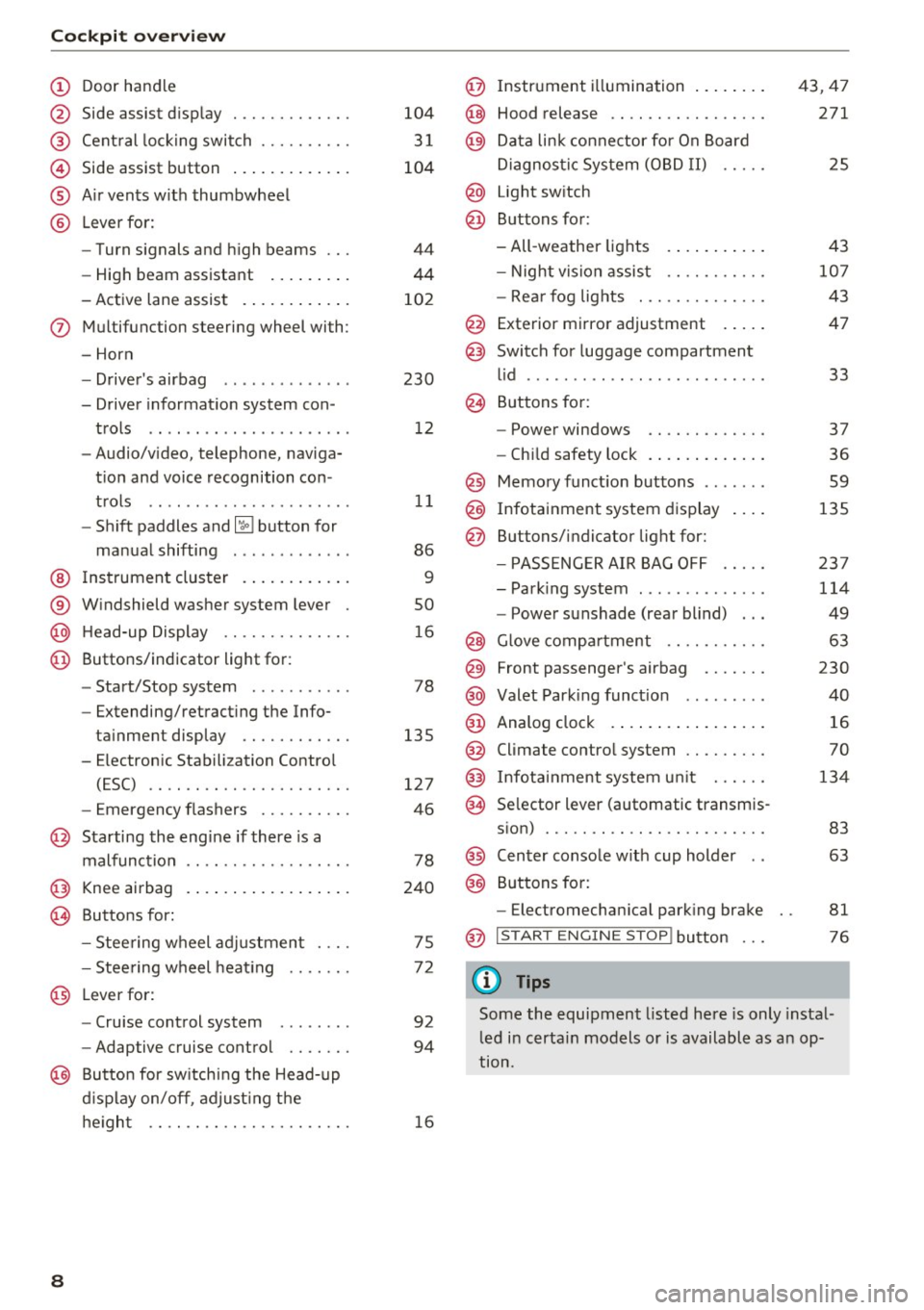
Cockpit over view
CD
@
®
©
®
®
Door hand le
S ide assist d isp lay
Cent ral locking switch ....... .. .
Side assist button .. ..... ... .. .
A ir vents w ith thumbwheel
L ever fo r:
- Turn signals and h igh beams
- High beam assistant ... ... .. .
- Active lane assist . ..... ... .. .
(J) Multifunction steering wheel with :
- Horn
D. ' . b - rivers air ag .... ... .. .. .. .
- Driver informat io n system con -
trols .. .... .......... ..... .
- Audio/v ideo, telephone, naviga
t ion and voice recognition con -
t rols .. .. .. ... ... ... .. .. .. .
- Shift paddles and~ button for
ma nual shifting .. .... .. .. .. .
@ Ins trument cluster . ..... ... .. .
® W indshield washer system lever
@ H ead-up Display ........... .. .
@ Buttons/ indicator light for :
- Start/Stop system . ..... .. .. .
- Extending/retracting the Info-
ta inment display ...... ..... .
- E lectron ic Stabili zation Contro l
(ESC) .. .. ............... .. .
- Emergency flashers ......... .
@ Starting the engine if there is a
malfunction
@ Knee airbag .. .. . .. ..... ... .. .
~ Buttons for :
- Stee ring wheel adjustmen t ... .
- Stee ring w heel heat ing
@ L everfor:
- Cru ise control system ....... .
- Adaptive cruise control .... .. .
@ Butto n for sw itching the Head-up
d isplay on/off , adjust ing t he
he igh t .. .. .. .. . .......... .. .
8
104
3 1
104
44
44
10 2
230 12
11
86
9
so
1 6
78
135
127
46
78
240
75
7 2
92
94
16
@ Instrument illumination ... .... .
@ Hood release .... .. .. ........ .
@ Da ta link co nne ctor for On Board
Di agnos tic Sys tem (OB D II) .....
@ Light sw itch
@ Buttons for:
- All -weather lights
- Night vision assist .......... .
- Rea r fog lights . .. .. ........ .
@ Exterior mirror adjustment .... .
@ Switch for luggage compartment
l id ........ ... ... ........... .
@ B uttons fo r:
- Power windows .. .......... .
- Ch ild safety lock .. .. . ... .... .
@ Memo ry funct ion buttons ...... .
@ Infotainment system d isplay
@ Buttons/indicator light for:
- PA SSE NG ER AIR BAG OFF .... .
- Park ing system ............. .
- Power sunshade (rear blind) .. .
@ Glove compartment ... ....... .
@) Front passenger 's airbag ...... .
@ Valet Park ing func tion ........ .
@ Analog clo ck .. .. .. .. .. .. .... .
@ Climate contro l system ........ .
@) Infotainment system u nit ..... .
@ Se lector lever (automatic transm is-
s ion) ... .. .. .. .. .. .......... .
@) Center conso le w ith cup holder ..
@) Buttons fo r:
- Electromechan ica l park ing brake
@ I START EN GINE STOP! button
(D Tips
43,47
271
25
4 3
10 7
43
47
33
37
36
59
135
23 7
114
49
63
230
40
16
70
134
83
63
81
76
Some the equipment listed here is only instal
l ed i n certa in models or is available as an op
tion.
Page 30 of 354

Opening and clo sin g
- You can stop the door from closing at any
time by pulling on the inside or outside
door handle.
@ Tips
-Do not leave valuables unattended in the ve
hicle . A locked vehicle is not a safe!
- The LE D in the driver's door rail blinks when
you lock the vehicle . If the LED lights up for
approximately 30 seconds after locking,
there is a malfunction in the central locking
system. Have the problem corrected by an
a uthorized Audi dea ler or authorized Audi
Service Fac ility .
Key set
Fig. 2 0 Your ve hi cle key set
@ Remote control key with integrated
mechanical key
You can unlock and lock your vehicle w ith the re
mote cont rol key . A mechanical key is integrated
i n the remote con trol key ~
page 29.
@ Separate mechanical key
This key is not intended for constant use. It
should only be used in an emergency . Do not car
ry it on your key r ing and do not store it in the ve
h icle .
Replacing a key
If a key is lost, see an authorized Audi dealer or
author ized Audi Service Facility. Have th is key de
activated . It is impo rtant to bring a ll keys with
you .
If a key is lost, you should report it to your
i n surance company.
28
Number of keys
You can chec k the number of keys assigned to
your vehicle i n the I nfota inment system. Se lec t:
the
I CAR I function button > Car systems control
button
> Servicing & c hecks > Programmed
keys .
This way, you can make sure that you have
all the keys when purchasing a used vehicle.
Electronic immobiliz er
The immobilizer p revents unauthorized use of
the ve hicle .
Under certai n circumstances, the vehicle may not
be a ble to start if there is a key from a d ifferen t
vehicle manufacturer on the key chain.
Data in the master key
When dr iving, service and ma intenance-re levant
da ta is cont inuo usly s to red in you r remo te con
tro l key . You r A udi se rvice advisor can read ou t
th is data and tell you abo ut the work yo ur vehicle
needs . This applies also to ve hicles with a con
venience key *.
Personal convenience settings
If two peo ple use one vehicle, it is recommended
that each person alw ays uses their own remote
contro l key. When the ignit ion is turned off or
when the vehicle is locked, personal convenience
settings for the follow ing systems are stored and
ass igned to the remote master key.
- Climate cont rol system
- Ce ntral loc king
- Window and rea r shade*
- Interior lighting*
- Memory function
- Park ing system *
- Adaptive cruise control *
- Ac tive la ne assist*
- Side assist*
- Dr ive se lect
- Night vis ion assist*
- Steering wheel heating*
The stored settings are a utomat ica lly recalled
when you unlock the vehicle, open the doo rs or
turn on the ignition.
II>
Page 31 of 354

C) C0 ....
"' " "' .... 0 0 :r
Always take the vehicle key with you when
leaving the vehicle, even for a short period of
time . This applies particularly when children
remain in the vehicle. Otherwise the children
could start the engine or operate electrical
equipment such as power windows .
(D Tips
-
-The operation of the remote control key can
be temporarily disrupted by interference
from transmitters in the vicinity of the vehi
cle work ing in the same frequency range
(such as a cell phone or radio equipment).
- Using the mechanical key, you can:
- Locking/unlocking the glove compartment
opage 63.
-Manually lock/unlock the vehicle
opage 32.
-Mechanically lock the doors o page 32.
-Unlock the luggage compartment lid us-
ing the emergency re lease
o page 36.
- For an explanation on conformity with the
FCC regulations in the United States and the
Industry Canada regulations, see
opage339.
@ Tips
Removing the integrated mechani cal key
Fig. 21 Re mote contro l maste r key : remov ing t he mechani
cal key
.. Press the release button @ o fig. 21.
.. Pull the mechanical key@ out of the remote
contro l key.
Open ing and closing
LED and battery in the remote control key
Fig. 22 Remote control key: removing the battery holder
LED in the remote control key
The LED @ informs you about the function of the
remote control key.
.. If you press a button briefly, the LED b links
once .
.. If the LED does not blink, the remote control
key battery is dead. The
Ill indicator light and
the message
Please change key battery ap
pear . Replace the battery in the remote control
key .
Replacing the remote control key battery
.. Remove the mechanical key opage 29.
.. Press the release button ® on the battery
holder and pull the battery holder out of the re
mote control key in the d irect ion of the arrow
at the same time .
.. Insert the new battery with the"+ " symbol fac
ing down .
.. Slide the battery holder carefully into the re
mote contro l key .
.. Insert the mechanical key .
@) For the sake of the environment
Discharged batteries must be disposed of us
ing methods that wi ll not harm the environ
ment. Do not d ispose of them in household
trash.
@ Tips
The replacement battery must meet the same
specificat ions as the origina l battery in the re
mote control key.
29
Page 38 of 354
Opening and clo sin g
- there is interference to the radio signal from
the vehicle key, such as from cell phones or re
mote controls.
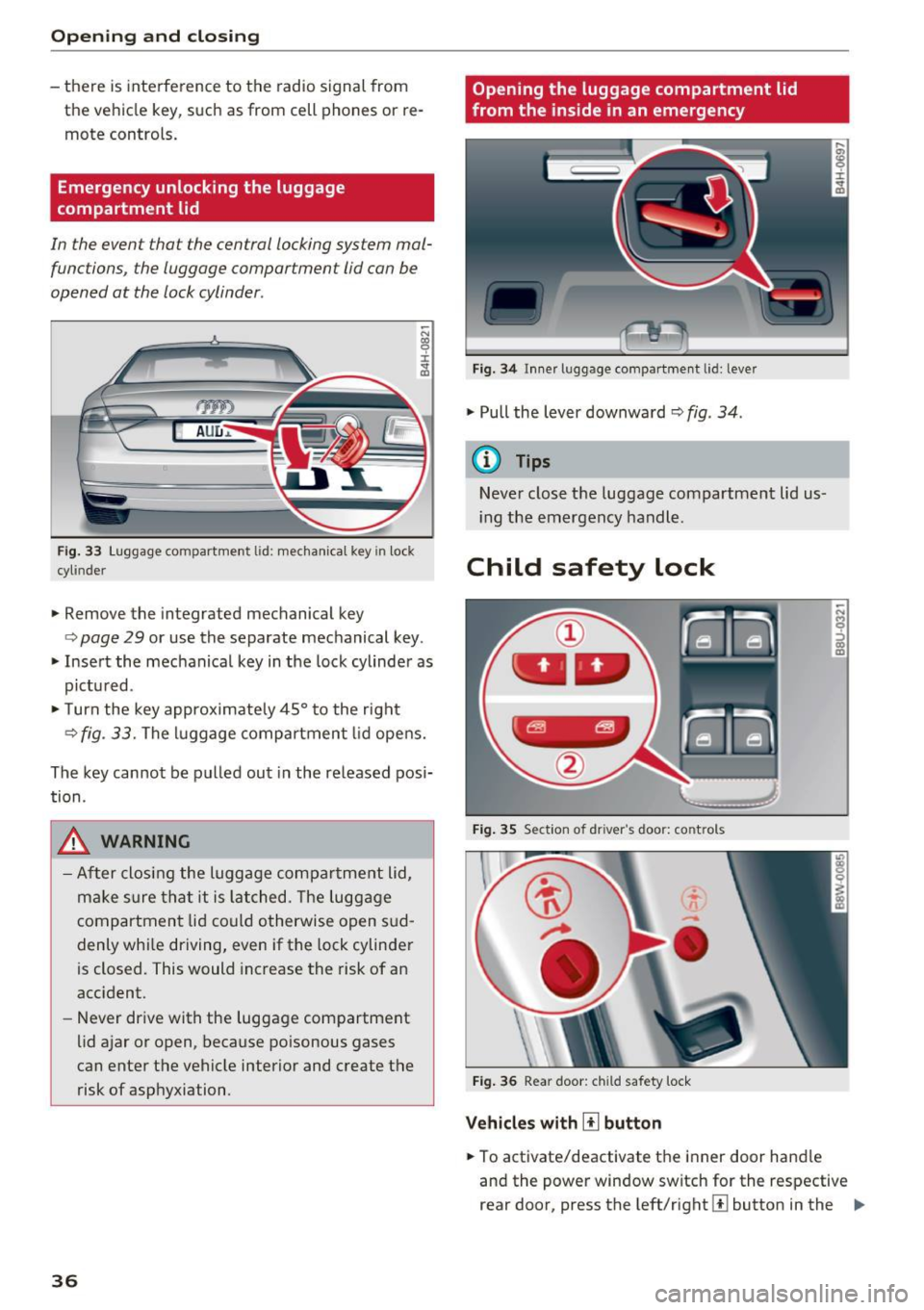
Emergency unlocking the luggage
compartment lid
In the event that the central locking system malfunctions , the luggage compartment lid can be
opened at the lock cylinder .
AUD .a.
Fig . 33 Luggage compartment l id: mechanica l key in lock
cyl inder
• Remove the integrated mechanical key
~ N CX) 0 ± .,.
"'
<=> page 29 or use the separate mechanical key .
• Insert the mechanical key in the lock cylinder as
pictu red .
.,. Turn the key approximate ly 45° to the right
<=> fig . 33. The luggage compartment lid opens.
The key cannot be pulled out in the released pos i
tion .
_& WARNING
-After closing the luggage compar tme nt lid,
m ake sure tha t it is lat ched. The lugg age
compartment lid could otherwise open s ud
denly while driving, even if the lock cylinder
is closed. This would increase the risk of an
acc ident.
- Never drive with the luggage compartment
lid ajar or open, because poisonous gases
can enter the vehicle interior and c reate the
risk of asphyxiation.
36
Opening the luggage compartment lid
from the inside in an emergency
Fig. 3 4 Inner luggage compart ment lid: leve r
.,. Pull the lever downward¢ fig . 34 .
(D Tips
Never close t he luggage compartment lid us
i ng the emergency handle.
Child safety lock
F ig . 35 Sect ion of dr iver 's door: co ntrols
F ig . 36 Rear door: child safety lock
Vehicle s w ith [!] button
.,. To activate/deactivate the inner door hand le
and the power window switch for the respective
rear door, press the left/right @ button in the ..,_
Page 39 of 354

C) C0 ....
"' " "' .... 0 0 :r
the button turns on/blinks.
.. To activate/deactivate the child safety lock on
both sides, you must press the
III buttons one
after the other.
Vehicles with~ button
.. To deactivate/activate the power window
switch in the rear doors, press the~ button in
the driver's
door @qfig . 35. The indicator light
in the button turns on/blinks .
.. To also deactivate/activate the inner door han
dle, open the respective rear door and turn the
key switch w ith the mechanical key in the d irec
t ion of the arrow or opposite the d irection of
the arrow
q fig. 36.
The follow ing funct ions are also turned off when
the child safety lock is activated :
- The buttons for the sun shade* in the rear win
dow .
- The buttons for the power sun shades* in the
side windows.
- The button for the front passenger seat adjust ment* (for vehicles with the
III button when the
child safety lock is activated for the rear door
on the passenger's side).
_&. WARNING
Always take the veh icle key with you when
leaving the vehicle, even for a sho rt pe riod of
time. This applies particular ly when children
remain in the vehicle. Otherwise children
cou ld start the engine or operate electrical
equipment (such as power windows), which
increases the r isk of an accident.
Open ing and closing
Power window
Controls
The driver can control all power windows.
Fig. 37 Sect ion of driver 's doo r: controls
All power window switches are equipped with a
two -stage function:
Opening and closing the windows
CD N M 0 :::, CD m
.,. To open or close the window completely, press
the switch down or pull the switch up brief ly to
the second level. The operat ion will stop if the
sw itch is pressed/pulled again.
.. To select a position in between opened and
closed, press/pull the switch to the first level
until the des ired window position is reached .
Power window switches
CD Left front door
@ Right front door
® Left rear door
@ Right rear door
A WARNING
-
-Always take the vehicle key with you when
leav ing the vehicle, even for a short period
of time. This applies part icularly when chil
dren remain in the vehicle. Otherwise the
children could start the engine or operate
electrical equipment such as power win
dows, which increases the risk of injury. The
power windows continue to function until
the driver's door or front passenger's door
has been opened.
- Pay careful attention when closing the win
dows. Pinching could cause serious injuries.
-
37
Page 40 of 354
Opening and clo sin g
- When locking the vehicle from outside, the
vehicle must be unoccupied since the win
dows can no longer be opened in an emer
gency .
(D Tips
-Using sw itches @ and @, the driver can a l
so operate the power sun shades* in the
side windows.
- After turning the ignition off you can still
open and close the windows for approxi
mately 10 minutes . The power windows do
not switch off until the driver's door or front
passenger's doo r has been opened .
Correcting power window malfunctions
You can reactivate the one-touch up/down func
tion if it malfunctions.
• Pull the power window sw itch up until the win
dow is comp letely ra ised.
• Release the sw itch and pull it up again for at
least one second.
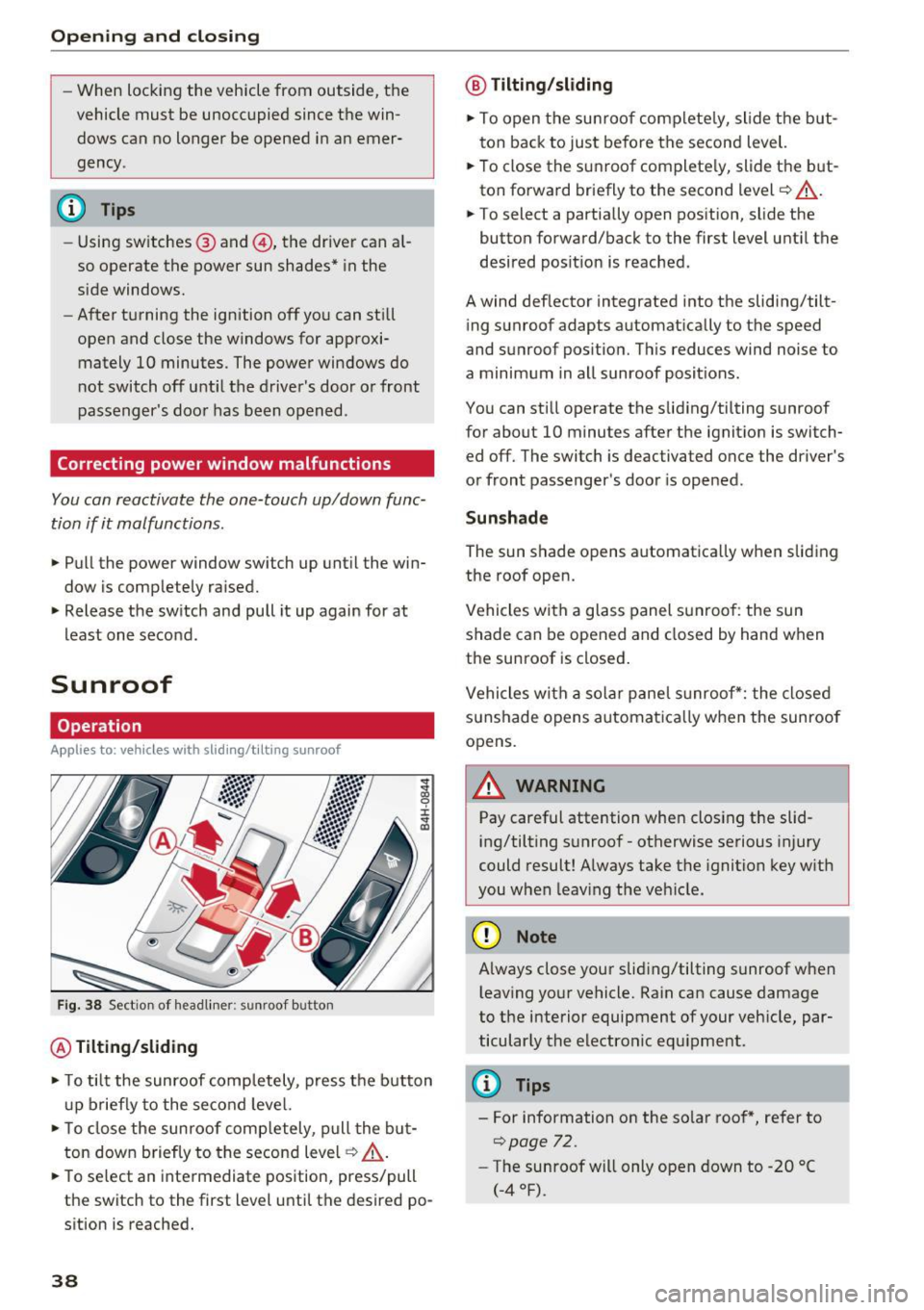
Sunroof
Operation
Applies to: vehicles with slid ing/tilting sunroof
Fig . 3 8 Sect ion of head liner: sunroof button
@ Tilting /sliding
• To tilt the sunroof comp letely, press the button
u p briefly to the second level.
• To close the sunroof comp letely, p ull the but
ton down briefly to the second level¢ .&_ .
• To se lect an intermediate pos ition, press/pull
the switch to the first level until the desired po
sition is reached.
38
@ T ilting /slidin g
• To open the sunroof complete ly, slide the but
ton back to just before the second level.
• To close the s unroof complete ly, slide the b ut
ton forward briefly to the second level¢.&_ .
• To select a partially open position, slide the
button forward/back to the first level until the
desired pos it ion is reached.
A wind deflector integrated into the sliding/tilt ing sunroof adapts automatically to the speed
and sunroof pos ition. Th is reduces wind noise to
a minimum in all sunroof posit ions.
You can still operate the sliding/tilting sunroof
for about 10 minutes after the ignit ion is switch
ed off. The switch is deactivated once the driver's
or front passenger's door is ope ned.
Sunshad e
The sun shade opens automatica lly when sliding
the roof open.
Vehicles with a glass panel sunroof : the sun
shade can be opened and closed by hand when
the sunroof is closed .
Vehicles with a solar panel s unroof*: the closed
sunshade opens automatica lly when the sunroof
opens.
11. WARNING
Pay careful attention when clos ing the slid
ing/tilting sunroof - otherwise serious injury
could result! Always take the ignition key w ith
you when leav ing the veh icle.
(D Note
-
Always close your sliding/tilting sunroof when
l eav ing yo ur vehicle. Rain can cause damage
to the interior equipment of your vehicle, par ticular ly the electronic equ ipment.
(D Tips
- For information on the so lar roof *, refer to
¢page 72.
- The sunroof w ill only open down to -20 °(
(-4°F).
Page 51 of 354
C) C0 ....
"' " "' .... 0 0 :r
seek medical attention.
- If electrolyte flu .id comes into contact with
the skin, flush the affected area with clean
water for at least 15 minutes and then clean
with soap and water and seek medical at
tent ion. Clean affected clothing and shoes
thoroughly before wear ing again.
- If the fluid was swallowed and the person is
conscious, flush the mouth with water for at
least 15 minutes. Do not induce vomiting
unless this is recommended by med ical pro
fessionals. Seek med ica l attent ion immed i
ately.
(D Note
The e lectrolyte fluid that leaks out of broken
m irror glass co rrodes plastic surfaces and the
pa int. Clean this liq uid as quickly as possible,
for examp le w ith a wet sponge .
(l) Tips
-If the light reaching the interior rearv iew
mir ror is obstr ucted (for examp le by the
sunshade*), the automatic d imm ing rear
v iew mirror w ill not f unction correctly.
- The au toma tic d imm ing mirrors do not dim
when the interior lighting is turned on or
the reverse gear is selected.
Sun visors
I 1
0
,
•
J "
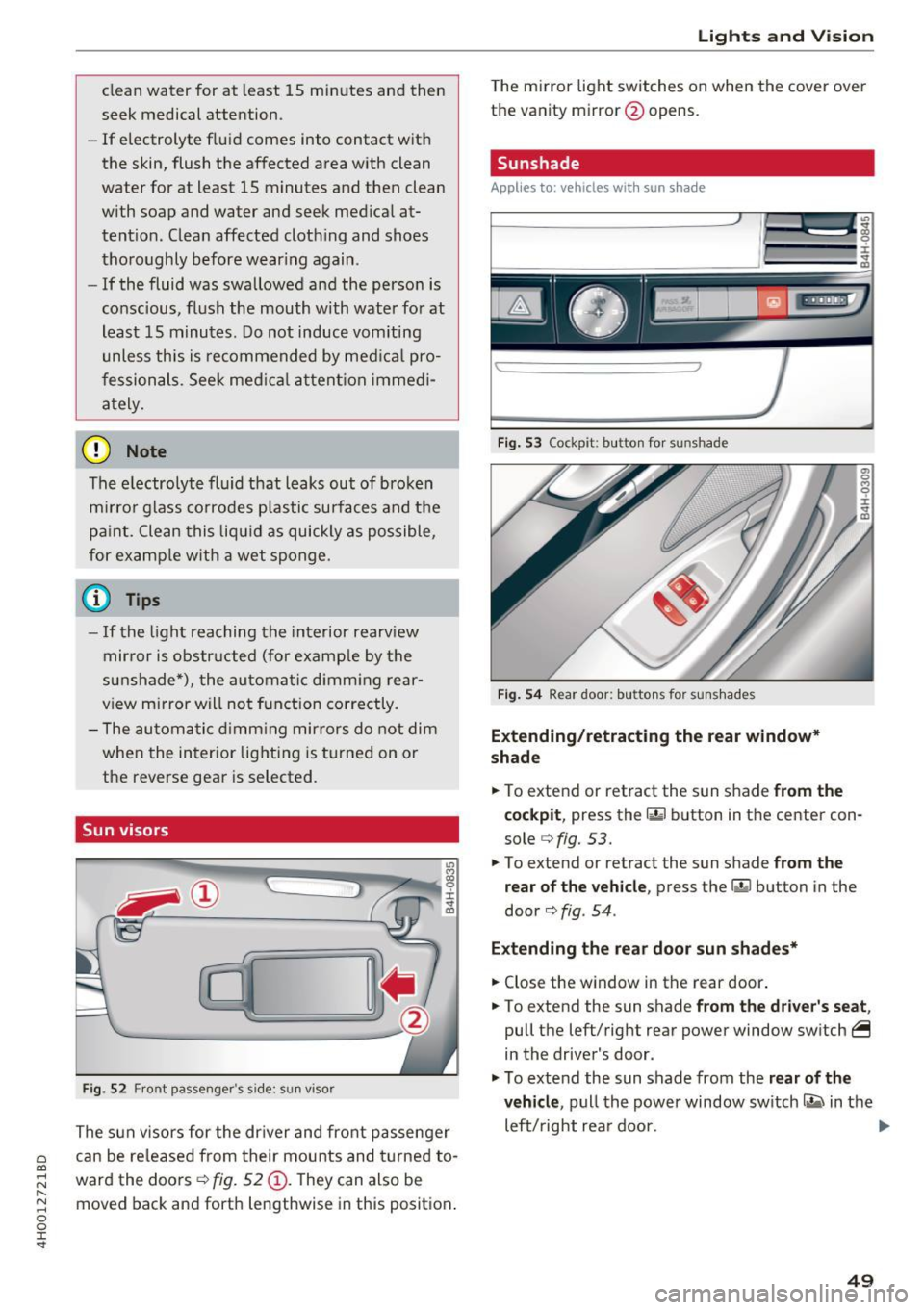
Fi g. 52 Front passenger 's side: sun v iso r
The sun visors for the dr iver and front passenger
can be re leased from their mounts and t urned to
ward the doors ¢
fig. 52 (D. They can also be
moved back and forth lengthwise in this posit ion .
Lights and V ision
The mirror light switches on when the cover over
the vanity mirror@opens.
Sunshade
Applies to : vehicles with sun s hade
Fig . 53 Cockpit: button for sunshade
Fig . 54 Rear door: bu ttons for sunshades
Extending /retract ing the rear window *
shad e
.,. To extend or retract the sun shade from the
c ockpi t,
press the ru button in the center con
sole ¢
fig. 53 .
.,. To extend or retract the sun shade
from the
r e ar o f the ve hicl e,
press the r.iil button in the
door ¢
fig. 54 .
Extending the rea r doo r sun sh ad es *
.,. Close the window in the rear door .
.,. To extend the sun shade
from the dr iver 's sea t,
pull the left/right rear power window switch~
in the driver's door .
.,. To extend the sun shade from the
rear of th e
ve hicle ,
pull the power window switch~ in the
left/right rear door.
Iii>-
49
Page 52 of 354

Lights and Vision
Retracting the rear door sun sh ades*
.. To re trac t the sun shade from the drive r's s eat ,
press the left/right rear powe r window switc h
~ in the driver's door .
.. To retract the sun shade from the
rear of the
vehicle ,
press the power window switch Q;;; in
the left/right rear door .
You can adjust the settings for the rear sun shade so the shade retracts automatically when you se
lect the reverse gear. Select:
CAR function button
> Car sy stem s control button > Vehicle settings
> Automatic rear blind > On. The settings are au
tomatically sto red and assigned to the remote
con trol key. The sun shade is extended again as
soon as the vehicle is trave ling fo rwa rd a t a speed
g rea ter than 9 mph (15 km/h) if the ignition has
not been swi tched o ff in the mean time .
.&_ WARNING
Always pay caref ul attention when closing the
sunshades . Pinching could ca use serio us inju
r ies.
@ Tips
- Pressing the l~•~ l b utton several t imes in a
r ow can trigger the overload protection. The
su n shade can only be extended/retracted
again after a br ief waiting period.
- The rear win dow sun shade on ly functions
when the vehicle interior is warmer than
14°F (-10°().
Vanity mirror in the rear
App lies to: veh icles with vanity mirrors in the rear
Fig. 55 Rea r head liner: va nity m irro r
50
.. Press the button to fold the mirror o pen . The
mirror lighting turns on automatically .
.. To change the mir ror's angle, move it forward/
back with your hand.
Windshield wipers
Switching the windshield wipers on
Fig. 56 W indsh ield w iper lever
Move the w indshie ld w iper lever to the co rre
sponding posi tion:
@ -wipers off
@-Rain sensor mode. The windshield wi pe rs
switch on once the vehicle speed exceeds appro x
i mately 2 mph (4 km/h) and it is raining. The
higher the rain sensor sensit iv ity is set (switch @
to t he right), the earlier the windshield wipers re
act to moisture on the windsh ie ld . You can deac
tivate the rain sensor mode in the I nfota inment
system, which swi tches the intermitten t mo de
o n. Sele ct:
!CARI function button> Car sy stem s
contro l bu tto n > Driver as sist > Rain sensor >
Off . In inte rmitten t mode, you can adjus t the in
te rval time using the switch @.
@-slow w iping
@ -fast w iping
@ -single wipe If you hold the lever in this pos i
t ion longer, the wipers switch from slow wiping
to fast wiping.
® -clean the wi ndshield The w ipers w ipe one
time a fter several seconds of driving to remove
water droplets. You can sw itch this function off
by moving the leve r to posit ion ® within
10 sec
o nds of the a fterwipe . The afterwipe function is ..,_
Page 66 of 354
Seats and storage
-Net in the front passenger footwell
- Glasses holder in the headliner (near the rear-
view mirror)
- Storage compartments under the center arm
rest
- Compartments* on the backrests of the front
seats
- Garment hooks above the rear doors
- Compartment behind the rear center armrest
(on vehicles without a pass-through* or refrig
erator*)
- Cell phone holder* in the right rear door
- Bag hooks* in the luggage compartment
A WARNING
- When driving, do not leave any hard objects
on the rear window shelf or allow your pet
to sit on the shelf. They could become a haz
ard for vehicle occupants in the event of
sudden braking or a crash.
- Any articles of clothing that you have hung
up must not interfere with the driver's view.
The coat hooks are designed only for light
weight clothing . Never hang any clothing
with hard, pointed or heavy objects in the
pockets on the coat hooks. During sudden
braking or in an accident -especially if the
airbag is deployed -these objects could in
jure any passengers inside the vehicle.
- To reduce the risk of personal injury in an
accident or sudden stop, always keep the glove compartment closed while driving.
- Read and follow all WARNINGS
~ page 244, Important safety instructions
on the side airbag system.
- Hang clothes in such a way that they do not
impair the driver's vision.
- The coat hooks must only be used for light
weight clothing. Do not leave any heavy or
sharp edged objects in the pockets which
may interfere with the side curtain airbag
deployment and can cause personal injury in
a crash .
- Do not use coat hangers for hanging cloth
ing on the coat hooks as this can interfere
with proper deployment of the side curtain
airbags in an accident.
64
- Do not hang heavy objects on the coat
hooks, as they could cause personal injury in
a sudden stop.
(D Note
Objects on the rear shelf that rub against the
rear window can damage the rear window de
fogger wires .
(D Tips
-A vent slot is located between the shelf and
the rear window. Do not block the vent with
any items you may place on the rear window
shelf .
- Do not place bulky items on the rear window
shelf as they could restrict or block the driv
er's vision in the rear view mirror.
Roof rack
App lies to : vehicles wit h roof rack
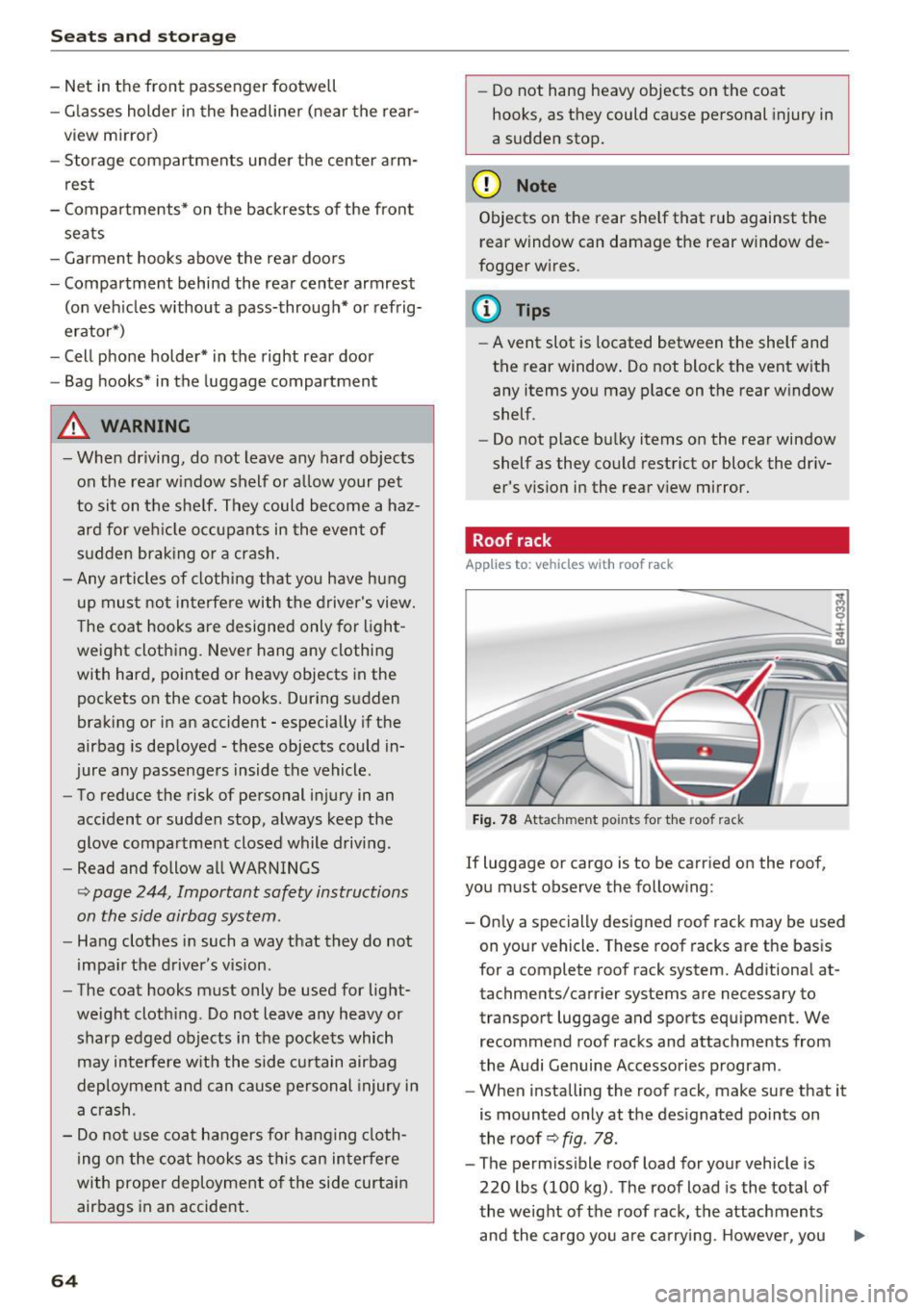
Fig. 78 Attachment po ints for the roof rack
If luggage or cargo is to be carried on the roof,
you must observe the following:
- Only a specially designed roof rack may be used
on your vehicle. These roof racks are the basis
for a complete roof rack system. Additional at
tachments/carrier systems are necessary to
transport luggage and sports equipment. We
recommend roof racks and attachments from
the Audi Genuine Accessories program .
- When installing the roof rack, make sure that it
is mounted only at the designated points on
the roof ~
fig. 78 .
-The permissible roof load for your vehicle is
220 lbs (100 kg) . The roof load is the total of
the weight of the roof rack, the attachments
and the cargo you are carrying . However, you ..,.