lane assist AUDI A8 2018 User Guide
[x] Cancel search | Manufacturer: AUDI, Model Year: 2018, Model line: A8, Model: AUDI A8 2018Pages: 356, PDF Size: 54.71 MB
Page 106 of 356
Ass is tance sy stem s
-For safety reasons, active lane assist must
not be used when there are poor road and/
or weather cond itions such as slippery
roads, fog, gravel, heavy rain, snow and the
potent ial for hydroplaning. Using act ive lane
assist under these conditions may increase
the risk of a crash .
Switching on/off
Applies to: veh icles with Audi active lane assist
•
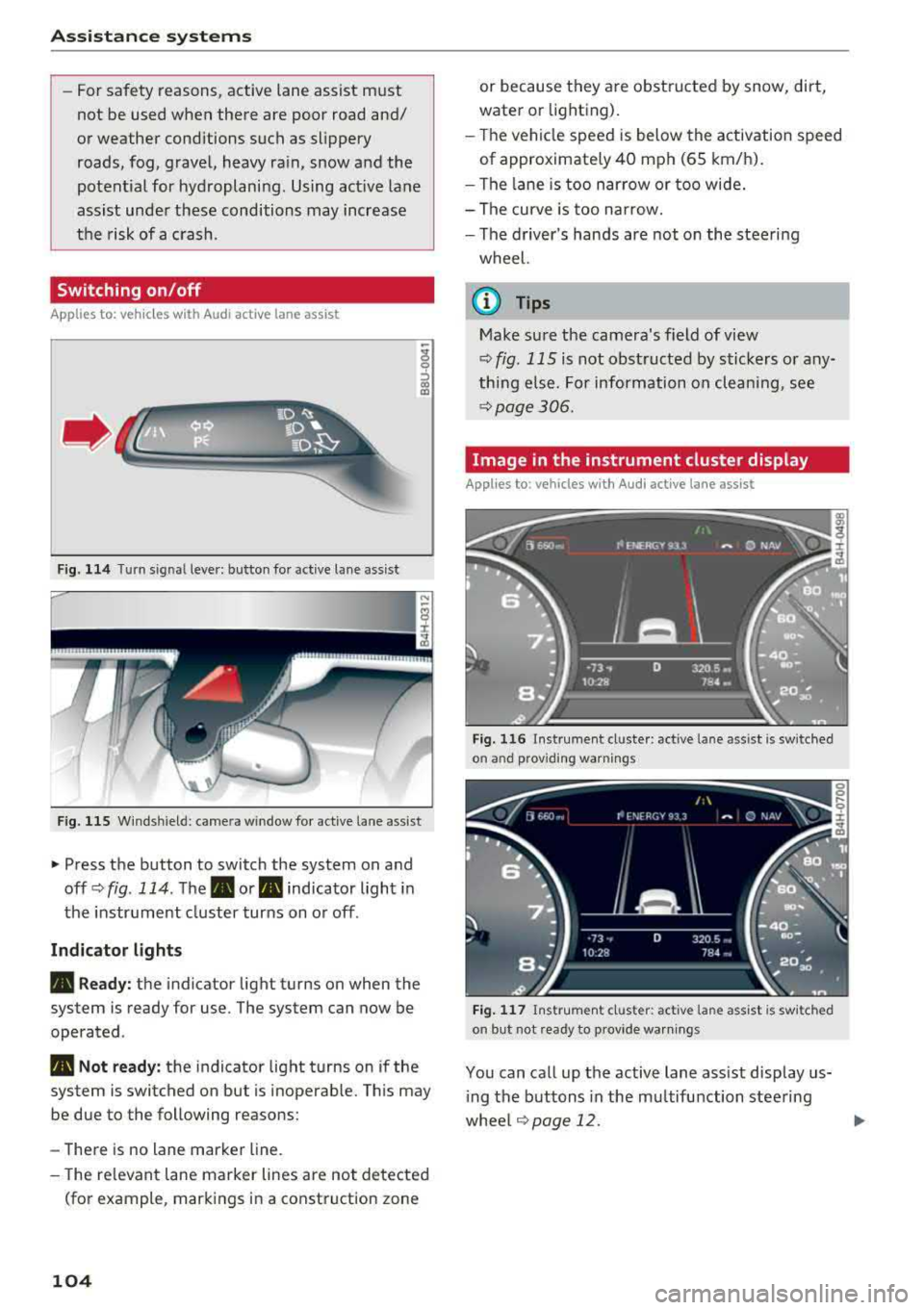
Fig. 114 Turn sig nal leve r: b utto n fo r active lane ass ist
F ig . 11 5 Wind sh iel d: came ra win d ow fo r active lane ass ist
"' Press the button to switch the system on and
off <=>
fig. 114 . The . or. indicator light in
the instr ument cluster turns on o r off .
Indicator light s
• Read y: the indicator light turns on when the
system is ready for use. The system can now be
operated .
• Not ready: the indicator light turns on if the
system is switched on but is inoperab le. Th is m ay
be due to the following reasons:
-There is no lane marker line.
- The re levant lane marker lines are not detected
(fo r example , mark ings in a construction zone
104
or because they are obstru cted by snow, dirt,
water or lighting).
- T he vehicle speed is below the activation speed
of approximate ly 40 mph (65 km/h).
- The lane is too narrow or too wide.
- The curve is too narrow.
- The d river's hands are not on the steering
wheel.
@ Tips
Make sure the camera's field of view
<=>
fig. 115 is not obst ructed by sticke rs or any
thing e lse. For information on cleaning, see
<=> page 306 .
Image in the instrument cluster display
Applies to: vehicles with Audi active lane assist
Fig. 11 6 Instrumen t cl uster: act ive la n e as sist is sw it ched
o n an d provid ing warn ings
Fig . 117 Ins trume nt cl ust er: act iv e l ane ass ist is sw it ched
on but not ready to p rov ide warn ings
You can call up the active lane ass ist display us
i ng the buttons in the mu ltifunction steering
whee l¢
page 12. .,..
Page 107 of 356
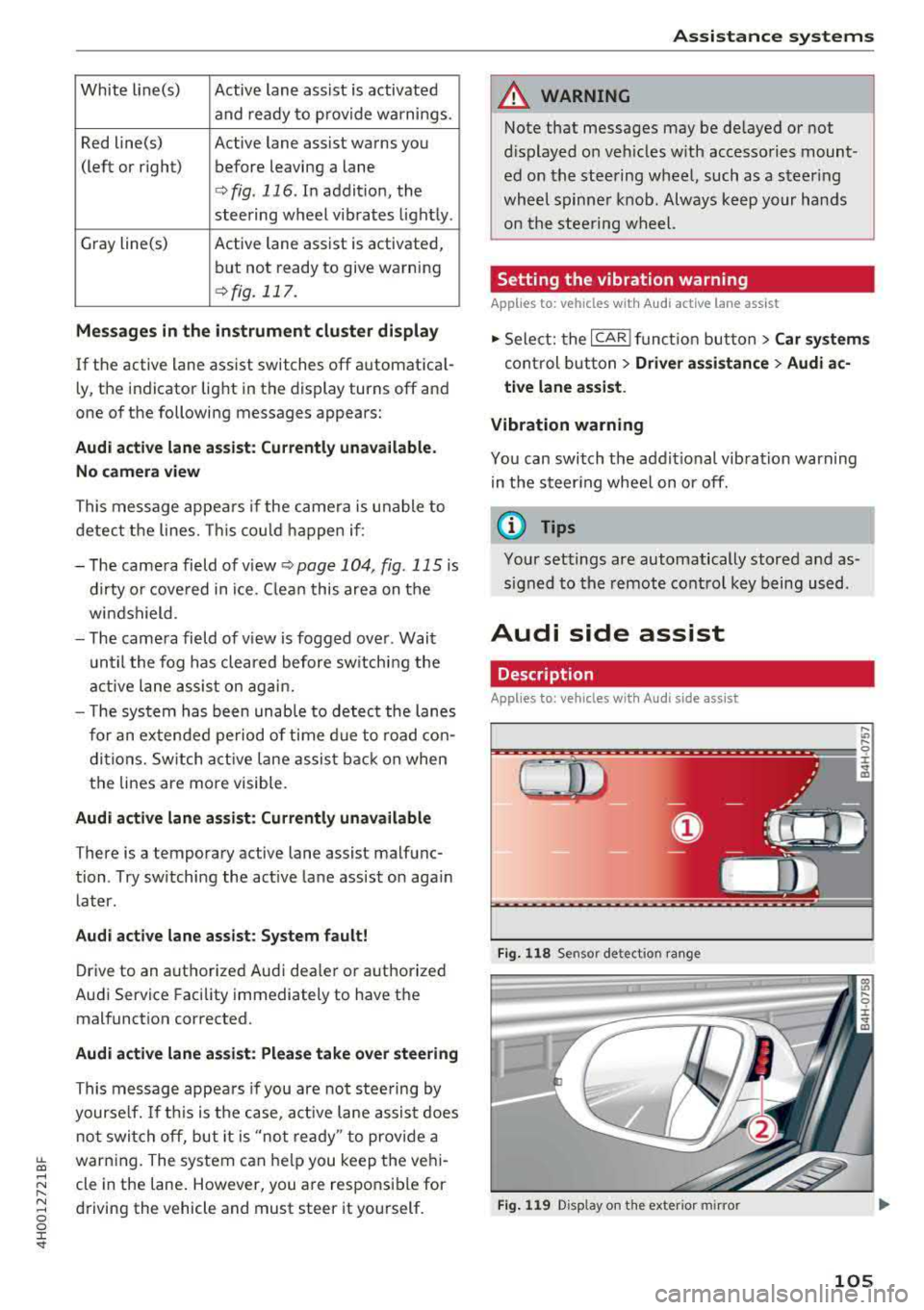
White line(s) Active lane assist is activated
and ready to provide warnings.
Red line(s) Active lane assist warns you
(left or right) before leaving a lane
¢ fig. 116. In addit ion, the
steering wheel vibrates light ly .
Gray line(s) Active lane assist is activated,
but not ready to give warning
¢ fig. 117.
Me ssages in the in strum ent clu ster di splay
If the active lane ass ist switches off automat ica l
l y, the indicator light in the display turns off and
one of the following messages appears:
Audi active lane a ssist: Cu rrentl y un available.
N o ca mera view
This message appea rs if the came ra is u nable to
detect the lines. This co uld happen if :
- The came ra field of v iew
<;;) page 104, fig. 115 is
dirty o r cove red in ice. C lean this area on the
wi ndshield .
- The came ra field of v iew is fogged over . Wait
u ntil the fog has cleared before sw itching the
active lane assis t on agai n.
- T he system has been unab le to detec t the lanes
for an extended period of time d ue to road con
di tions. Sw itch act ive lane assis t back on when
the lines are more visible.
Audi active lane a ssis t: Currently una vailabl e
There is a temporary active lane assist malfunc
tion . Try sw itch ing the active la ne assist on aga in
later.
Audi acti ve lane assist : Syste m f ault!
Drive to an authorized Audi dealer or a uthorized
Audi Service Facility immediately to have the
malfunct ion corrected.
Audi acti ve lane a ssis t: Pl ease take over steering
This message appea rs if you are not stee ring by
yourse lf. If th is is the case, act ive lane assis t does
not switch off, but it is
"not ready " to provide a
~ warn ing. The system can he lp you keep the veh i-...,
~ cle in the lane . However, you a re responsible for
~ driving the vehicle and must steer it yourself . 0 0 :c "
A WARNING
Note that messages may be de layed or not
d isplayed o n veh icles w ith accesso ries mount
ed on the stee ring wheel, such as a steer ing
whee l spinne r knob. Always keep your hands
on the s tee ring wheel.
Setting the vibration warning
App lies to : veh icles w ith Aud i act ive lane ass ist
11> Select: the ICAR I func tion but ton> C ar sy stem s
control b utt on > Driver assi stance > Audi a c
ti ve lane as sist .
Vibration warning
You can switch the addit io nal vibration warn ing
in the steer ing wheel on or off.
(D Tips
Your settings are automatically stored and as
s igned to the remote control key being used.
Audi side assist
Description
Applies to: vehicles w ith Audi s ide ass ist
Fi g. 1 18 Sensor detect ion ra n ge
F ig . 119 Disp lay on the exterio r m irror
,... .,,
9 ::c
"' co
105
Page 108 of 356
Ass is tance sy stem s
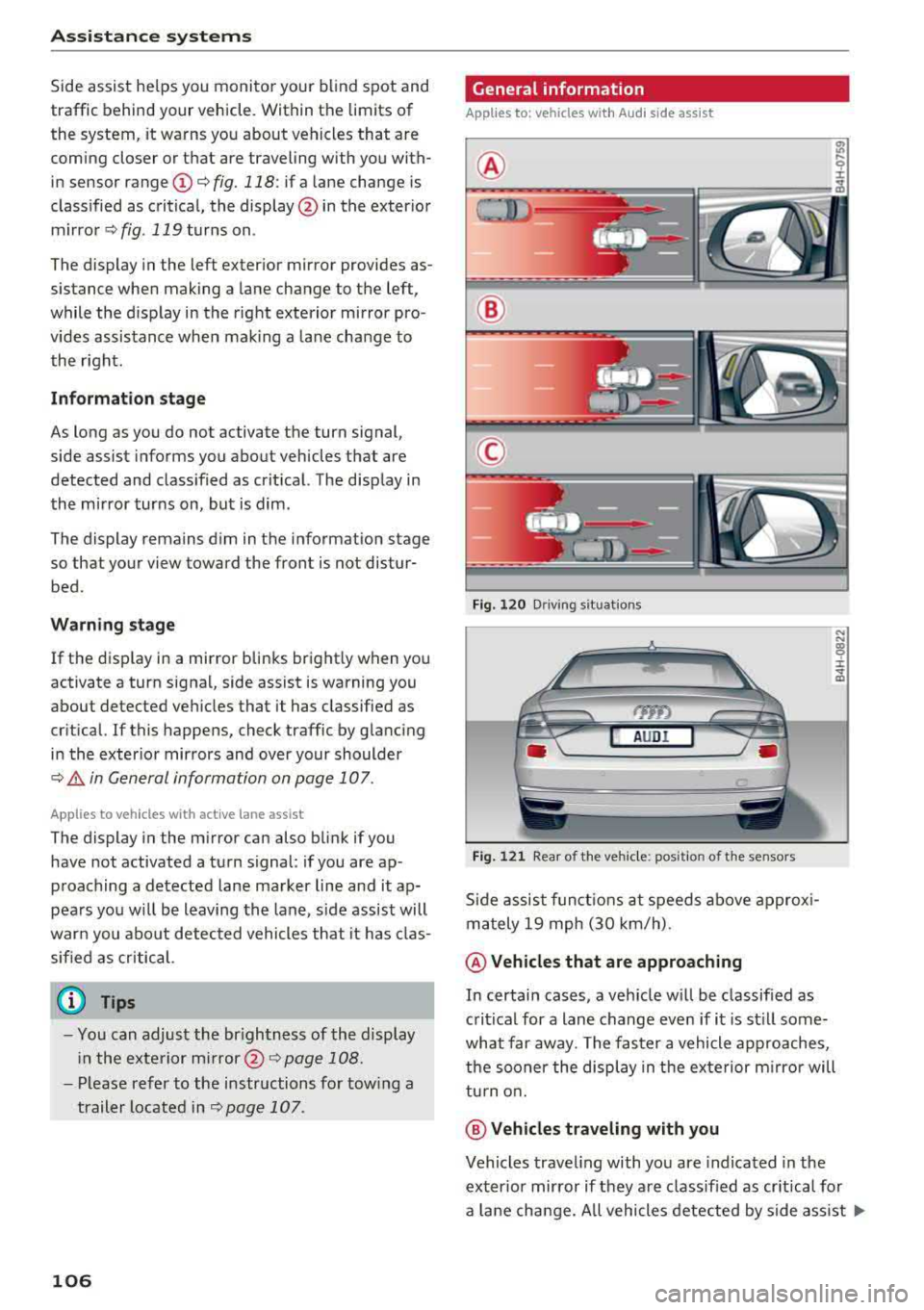
Side assist he lps you monitor your blind spot and
traffic behind your vehicle. Within the limits of
the system, it warns you about vehicles that are
coming closer or that are traveling with you with
in sensor
range ©¢ fig. 118: if a lane change is
classified as critical, the display @ in the exter ior
m irror ¢ fig. 119 turns on .
The display in the left exter ior mirror provides as
sistance when making a lane change to the left,
while the display in the right exterior mirror pro
vides assistance whe n mak ing a la ne cha nge to
the right .
Information stage
As long as you do not activate the turn signal,
side assist informs you about vehicles that are
detected and class ified as crit ical. The display in
the mirror turns on, but is dim.
The display remains dim in the information stage so that your view toward the front is not disturbed .
Warning stage
If the disp lay in a mirror blinks brightly when you
activate a turn signal, side assist is warning you
about detected vehicles that it has classified as
cr itical. If this happens, check traffic by glanc ing
i n the exter ior mirrors and over your shoulder
¢ .& in General information on page 107 .
Applies to veh icles with active lane assist
The display in the m irror can also blink if you
have not activated a turn signal : if you are ap
p roaching a detected lane marker line and it ap
pears you w ill be leaving the lane, side assist will
warn you abo ut detected vehicles that it has clas
sified as critical.
(D Tips
- You can adjust the br ightness of the display
i n the exte rior
mi rror @¢ page 108.
- Pl ease refer to the instructions fo r tow ing a
trailer located in
r::;, page 107 .
106
General information
Applies to : vehicles with A udi side assist
®
®
©
F ig. 12 0 Driving s it u ations
AUDI
Fi g. 12 1 Rear of the ve hicle: position of t he sensors
Side assist f unct ions at speeds above approx i
m ately 19 mph (30 km/h) .
@Vehicl es that are approaching
N N
:8 ± .., a,
In certain cases, a veh icle w ill be classified as
critical for a lane change even if i t is st ill some
what far away. The faster a vehicle approaches,
t h e sooner the display in the ex terior m irro r will
tu rn o n.
@ Vehicles traveling with you
Vehicles traveling with you are indicated in the
exter io r mirror if they are classified as cr it ica l fo r
a lane change. All vehicles detected by side ass ist
..,.
Page 109 of 356
u. co .... N
" N .... 0 0 :c '
spot", at the latest .
© Vehicles you are passing
If you slowly pass a veh icle that side assist has
detected (the d ifference in speed be twee n the
ve hicle and your ve hicle is less than 9 mph (15
km/h)), the disp lay in the exterior mirror turns
on as soon as the vehicle enters your blind spot .
The display will not tu rn on if you quic kly pass a
ve hicl e that side assist has detected (the diffe r
ence in speed is greater t han 9 mp h (1 5 km/h)).
Functional limitations
The rada r senso rs a re desig ned to detect the left
a n d right adjacent lanes when the road lanes a re
the normal wid th . In some s ituat ions, the d isplay
i n the exterior mir ror may turn on even tho ugh
there is no vehicle located in the area that is criti
cal for a lane change. For example:
- If the lanes a re n arrow o r if yo u are driv ing on
the edge of your lane . If this is the case, the
system may have detected a vehicle in another
l ane that is no t adjacent to your c urrent lane .
- If you are dr iving through a cu rve . Side assist
may react to a vehicle that is one lane over
from the adjacent lane .
-If side assist reacts to other objects (such as
high or displaced guard rails) .
- In poor weat her condit ions . The side assis t
functions are limited.
D o not cove r the rada r
senso rs ~ fig. 121 with
s tickers, deposi ts, bicycle whee ls o r othe r ob
jects , beca use they w ill impair the f unct ion . Do
not use side assist when towing a trailer . For in
formation on clean ing,
see ~ page 306 .
A WARNING
- Always pay atte ntion to traffic and to the
area around yo ur vehicle. Side assist cannot
replace a dr iver's attention . The dr iver alone
is a lways responsible for lane changes and
s imi lar d riving maneuvers .
- In some situat ions, the system may not
func tion or its funct io n may be lim ited . For
example:
-
A ss istance systems
- if vehicles are approach ing or being left
behind very q uick ly. The disp lay may not
turn o n in time.
- In poor weat her condit ions such as heavy
r ain, snow or heavy m ist .
- On very w ide lanes, in tight curves, or if
the re is a rise i n the road surface. Veh icles
i n the ad jacent lane may not be detected
because they are outside of the sensor
range.
- Aud i side assist cannot detect all vehicles
under all conditions, which can increase the
r isk of acc idents .
- Please note that s ide ass ist only d isp lays ap
proaching vehicles or vehicles in yo ur blind
spo t if your ve hicle is traveling a t least
19 mph (30 km/h).
- In ce rtain s ituations, the system may not
wo rk or its f unct io n may be lim ited . For ex
a m ple:
- The display may not turn on at the r ight
time if vehicles are approach ing or pass ing
very quickly.
- In poor weat he r con dit ions, such as heavy
rain, snow or fog .
- In very wide lanes, in tig ht c urves or whe n
there are slopes in the roadway, vehicles
i n the ne ighbor ing lanes may not be de
tected because they are o utside of the
senso r range.
@ Note
The sensors can be d isp laced by impacts or
damage to the bumper, wheel housing and u nderbody. This ca n impair the system. Have
an a uth or ized Audi dea ler or author ized Audi
Service Fac il ity check the ir fu nct io n.
(D Tips
- If the w indow glass i n the dr iver's door or
fro nt passenger's door has bee n tinted, the
disp lay in the ex ter ior m irro r may be inco r
rect .
- For an ex plana tion on co nform ity w ith the
FCC reg ulat io ns in the U nited S ta tes and the
Indus try Cana da regulat io ns, see
~page 339.
107
Page 343 of 356
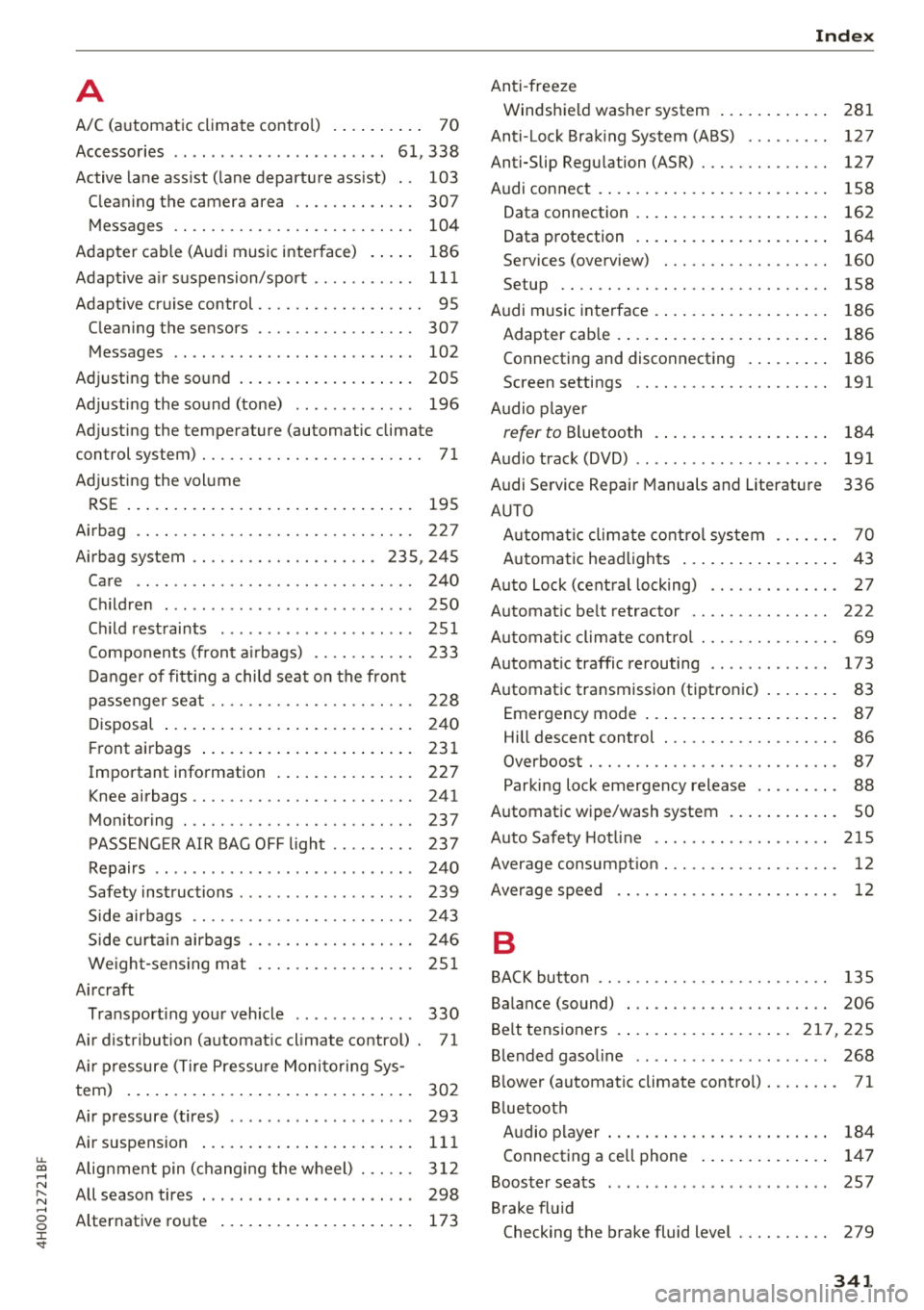
A
A/C (automatic climate control) . . . . . . . . . . 70
Accessories . . . . . . . . . . . . . . . . . . . . . . . 61 , 338
Active lane assist (lane departure assist) . . 103
Cleaning the camera area . . . . . . . . . . . . . 307
Messages . . . . . . . . . . . . . . . . . . . . . . . . . . 104
Adapter cable (Audi music interface) . . . . . 186
Adaptive air suspension/sport . . . . . . . . . . . 111
Adaptive cruise control. . . . . . . . . . . . . . . . . . 95
Cleaning the sensors . . . . . . . . . . . . . . . . . 307
Messages . . . . . . . . . . . . . . . . . . . . . . . . . . 102
Adjusting the sound . . . . . . . . . . . . . . . . . . . 205
Adjusting the sound (tone) . . . . . . . . . . . . . 196
Adjusting the temperature (automatic climate
control system) . . . . . . . . . . . . . . . . . . . . . . . . 71
Adjusting the volume RSE . . . . . . . . . . . . . . . . . . . . . . . . . . . . . . . 195
Airbag . . . . . . . . . . . . . . . . . . . . . . . . . . . . . . 227
Airbag system . . . . . . . . . . . . . . . . . . . . 235, 245
Care .. .. .. .. ............... .. .. .. . 240
Children . . . . . . . . . . . . . . . . . . . . . . . . . . . 250
Child restraints . . . . . . . . . . . . . . . . . . . . . 251
Components (front a irbags) . . . . . . . . . . . 233
Danger of fitting a child seat on the front
passenger seat . . . . . . . . . . . . . . . . . . . . . . 228
Disposal . . . . . . . . . . . . . . . . . . . . . . . . . . . 240
Front airbags . . . . . . . . . . . . . . . . . . . . . . . 231
Important information . . . . . . . . . . . . . . . 227
Knee airbags . . . . . . . . . . . . . . . . . . . . . . . . 241
Monitoring . . . . . . . . . . . . . . . . . . . . . . . . . 237
PASSENGER A IR BAG OFF light . . . . . . . . . 237
Repairs . . . . . . . . . . . . . . . . . . . . . . . . . . . . 240
Safety instructions . . . . . . . . . . . . . . . . . . . 239
Side airbags . . . . . . . . . . . . . . . . . . . . . . . . 243
Side curtain airbags . . . . . . . . . . . . . . . . . . 246
We ight-sensing mat . . . . . . . . . . . . . . . . . 2Sl
Aircraft Transporting your vehicle . . . . . . . . . . . . . 330
Air distribution (automatic climate control) . 71
Air pressure (Tire Pressure Monitoring Sys-
tem) . . . . . . . . . . . . . . . . . . . . . . . . . . . . . . . 302
Air pressure (tires) . . . . . . . . . . . . . . . . . . . . 293
Air suspension . . . . . . . . . . . . . . . . . . . . . . . 111
u. ~ Alignment pin (changing the wheel) . . . . . . 312
N ~ All season tires . . . . . . . . . . . . . . . . . . . . . . . 298 ......
g Alternative route . . . . . . . . . . . . . . . . . . . . . 173
:c '
Anti-freeze
Windshield washer system . . . . . . . . . . . . 281
Anti- Lock Braking System (ABS) . . . . . . . . . 127
Anti-Slip Regulation (ASR) . . . . . . . . . . . . . . 127
Audi connect . . . . . . . . . . . . . . . . . . . . . . . . . 158
Data connection . . . . . . . . . . . . . . . . . . . . . 162
Data protection . . . . . . . . . . . . . . . . . . . . . 164
Services (overview) . . . . . . . . . . . . . . . . . . 160
Setup . . . . . . . . . . . . . . . . . . . . . . . . . . . . . 158
Audi music interface . . . . . . . . . . . . . . . . . . . 186
Adapter cable . . . . . . . . . . . . . . . . . . . . . . . 186
Connecting and disconnecting . . . . . . . . . 186
Screen settings . . . . . . . . . . . . . . . . . . . . . 191
Audio player
refer to Bluetooth . . . . . . . . . . . . . . . . . . . 184
Audio track (DVD) . . . . . . . . . . . . . . . . . . . . . 191
Audi Service R epair Manuals and Literature 336
AUTO Automatic climate control system . . . . . . . 70
Automatic headlights . . . . . . . . . . . . . . . . . 43
Auto Lock (central locking) . . . . . . . . . . . . . . 27
Automatic belt retractor . . . . . . . . . . . . . . . 222
Automat ic climate control . . . . . . . . . . . . . . . 69
Automatic traffic rerouting . . . . . . . . . . . . . 173
Automatic transmission (tiptronic) . . . . . . . . 83
Emerg ency mode . . . . . . . . . . . . . . . . . . . . . 87
Hill descent control . . . . . . . . . . . . . . . . . . . 86
Overboost . . . . . . . . . . . . . . . . . . . . . . . . . . . 87
Parking lock emergency release . . . . . . . . . 88
Automatic wipe/wash system . . . . . . . . . . . . SO
Auto Safety Hotline . . . . . . . . . . . . . . . . . . . 215
Average consumption . . . . . . . . . . . . . . . . . . . 12
Average speed . . . . . . . . . . . . . . . . . . . . . . . . 12
B
BACK button . . . . . . . . . . . . . . . . . . . . . . . . . 135
Balance (sound) . . . . . . . . . . . . . . . . . . . . . . 206
Belt tensioners . ..... ............. 217,225
Blended gasoline . . . . . . . . . . . . . . . . . . . . . 268
Blower (automatic climate control) . . . . . . . . 71
Bluetooth Audio player . . . . . . . . . . . . . . . . . . . . . . . . 184
Connecting a cell phone . . . . . . . . . . . . . . 147
Booster seats . . . . . . . . . . . . . . . . . . . . . . . . 2 5 7
Brake fluid Checking the brake fluid level . . . . . . . . . . 279
341