lights AUDI A8 2018 User Guide
[x] Cancel search | Manufacturer: AUDI, Model Year: 2018, Model line: A8, Model: AUDI A8 2018Pages: 356, PDF Size: 54.71 MB
Page 26 of 356
Cockpit overv ie w
lig ht also turns on. Make sure t hat the speed
does not go above the speed displayed. Drive to
an author ized Audi dealer or authorized A udi
Serv ice Facility immediately to have the malfunc
tion corrected .
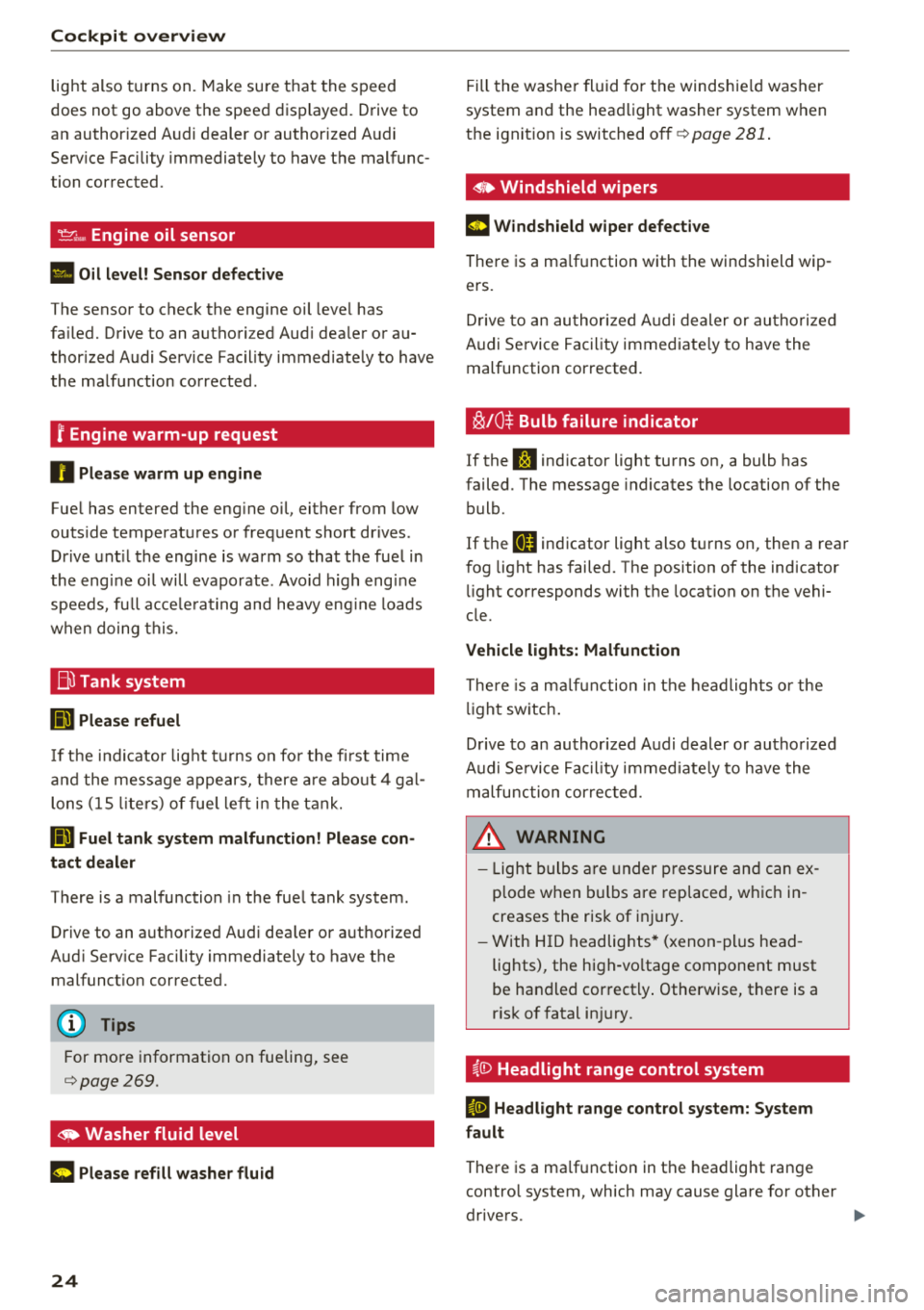
--... Engine oil sensor
• Oil l evel! Sen sor d efe ctiv e
The sensor to check the engine oil leve l has
fa iled. Drive to an authori zed Aud i dea ler or au
thor ized Audi Service Facility immed iate ly to have
the ma lfunction corrected .
f Engine warm-up request
0 Plea se warm up engine
Fue l has entered the eng ine oil, either from low
outside temperatures or frequent short drives .
Dr ive unt il the engine is warm so that the fuel in
the eng ine oi l will evaporate . Avo id h igh eng ine
speeds, fu ll acce le rating and heavy eng ine loads
when doing this.
jjl Tank system
Ill Plea se refuel
If t he i nd icator lig ht t urns on fo r the fi rst time
a nd the mess age appears, there a re abo ut 4 ga l
lons (15 lite rs) of fue l le ft in the tank.
D Fuel tank s ystem malfunction! Plea se con
tact dealer
There is a malfunction in the fue l tank system .
Drive to an a uthorized Audi dea ler or a uth orized
Aud i Serv ice Facility immediately to have the
malfunct ion corrected.
(D Tips
For more information on fueling, see
¢page 269 .
~ Washer fluid level
C Please refill washer flu id
24
Fill the washer fluid for the windshie ld washer
system and the head light washer system when
t h e ignit ion is switched
off ¢ page 281 .
• Windshield wipers
m Windshield wiper defective
There is a ma lfunction with the winds hield wip
ers .
D rive to an au thor ized A udi dealer or au tho riz ed
Audi Se rvice Facility immediate ly to have the
malfunction corrected.
~ /0~ Bulb failure indicator
If the S:$ ind icator light turns on, a bulb has
failed . The message indicates the location of the
bulb.
If the
II indicator light also t urns on, then a rear
fog light has failed. The position of the indicator
li ght corresponds with the location on the vehi
cle.
Vehicle light s: Malfunction
There is a m alfu nction in the headlights o r the
li gh t sw itch .
D rive to an author ized Audi dealer or autho rized
Audi Se rvice Fac il ity immed iate ly to have the
malfunction cor rec ted .
_& WARNING
-Light bulbs are under pressure and can ex
p lode when b ulbs a re rep laced, w hic h in
creases the ris k of in jury.
- With H ID headlig hts* (xenon -plus head
lights), the high-vo ltage component must
be handled correct ly . Otherwise, there is a
risk o f fatal in jury.
§.0 Headlight range control system
El He adlight range cont rol system: System
fault
There is a ma lfunction in the headlight range
contro l system, which may cause glare for other
drivers.
-
Page 27 of 356
u. co .... N
" N .... 0 0 :c '
Audi Service Facility immediately to have t he
mal funct ion corrected.
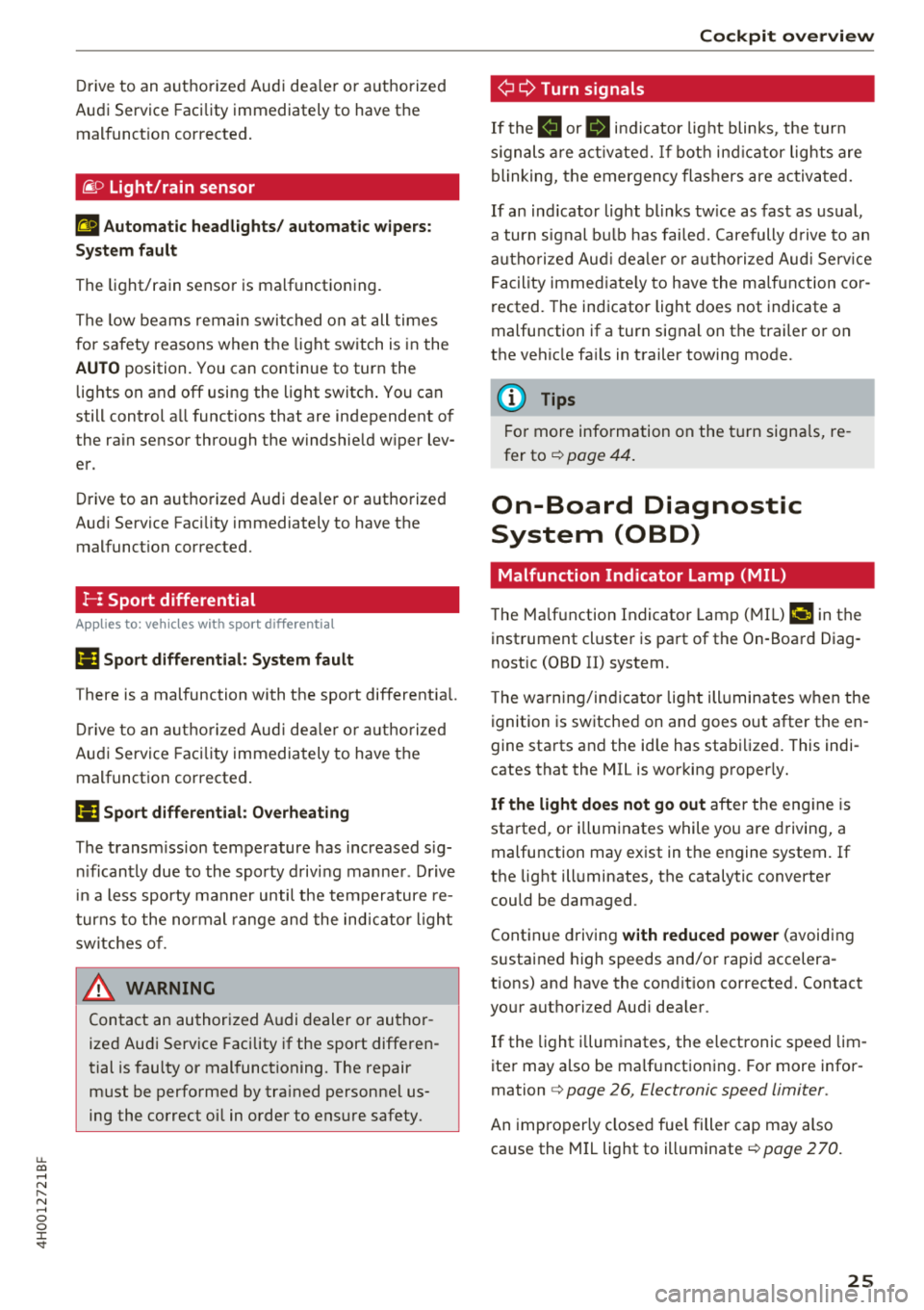
~ D Light/rain sensor
El Automatic headl ights / automatic wipe rs:
System fault
The light/rain sensor is malfunctioning.
The low beams remain swi tched on at all times
for safety reasons when the light switch is in the
AU TO position. You can continue to turn the
lights on and
off using the light switch . You can
still control all functions that are independent of
the ra in sensor through the w indshie ld w iper lev
er .
Drive to an aut horized Audi dea ler or a uth orized
Aud i Service Facility immediately to have the
malfunct ion corrected.
!-: Sport differential
Applies to: vehicles with sport differential
(I Sport differential : Sy stem fault
T here is a malfunction with the sport differentia l.
Dri ve to an authorized Aud i dea le r o r a uth orized
Audi Service Facility immediately to have t he
malfunction corrected.
I'll Sport differential : Ov erh eating
The transm iss ion temperature has increased s ig
ni ficantly due to the sporty driving manne r. D rive
in a less sporty manner until the temperature re
turns to the normal range and the ind icator ligh t
sw itches of .
A WARNING
Contact an author ized A udi dealer or au tho r
ized Aud i Serv ice Facility if the sport diffe ren
tial is fau lty or mal functioning. The repair
must be performed by tra ined personne l us
ing the correct oi l in order to ens ure safety .
Cockpit o ver view
¢¢Turn signals
If the B or 1B in d icator light blinks , the tur n
s ignals a re act ivated. If bot h ind icator lights are
blinking, the emergency flashers are activa ted.
If an ind icator light blinks tw ice as fast as usual,
a turn signal b ulb has fai led. Carefully d rive to an
a utho riz ed Aud i dea le r or autho rized Aud i Serv ice
F ac ility immed iate ly to have the ma lfunction co r
rected . The indicator light does not indicate a
malfunction if a turn signal on the trailer o r on
the vehicle fa ils in trailer towing mode.
(D Tips
F o r more information on the turn signa ls, re
fer
to~ page 44.
On-Board Diagnostic
System (OBD)
Malfunction Indicator Lamp (MIL)
The Ma lfunction Indicato r Lamp ( MIL) ¢..ijj in the
instrument cluster is part of the On -Board Diag
nostic (OBD II) system .
T he warning/indicator lig ht ill uminates w hen the
ignition is switched on and goes out after the en
gine starts and the id le has stabilized . This indi
cates that the MIL is wor king properly.
If the light doe s not go out after the eng ine is
started, or i lluminates while you are driving, a
malfunction may exist in t he engine system. If
the light ill uminates, the catalytic converter
could be damaged.
Continue driving
w ith reduced powe r (avoiding
s u stained high speeds and/or rapid accelera
tions) and have the condit ion corrected. Contact
your authori zed Aud i dea ler .
If the light i lluminates, the electronic speed lim
iter may also be malf unctioning. For more infor
mation
c> page 26, Electronic speed limiter .
An improperly closed fue l filler cap may also
ca use the M IL light to ill uminate
c> page 2 70.
25
Page 30 of 356
Opening and clo sin g
@ Tips
- Do not leave valuables unattended in t he ve
hicle . A locked vehicle is not a safe!
- The LED in the driver 's door rail blinks when
you lock the vehicle . If the LED lights up for
approximately 30 seconds after locking,
there is a ma lfunction in the central locking
system. Have the problem corrected by an
authorized Audi dealer or authorized Audi
Service Fac ility.
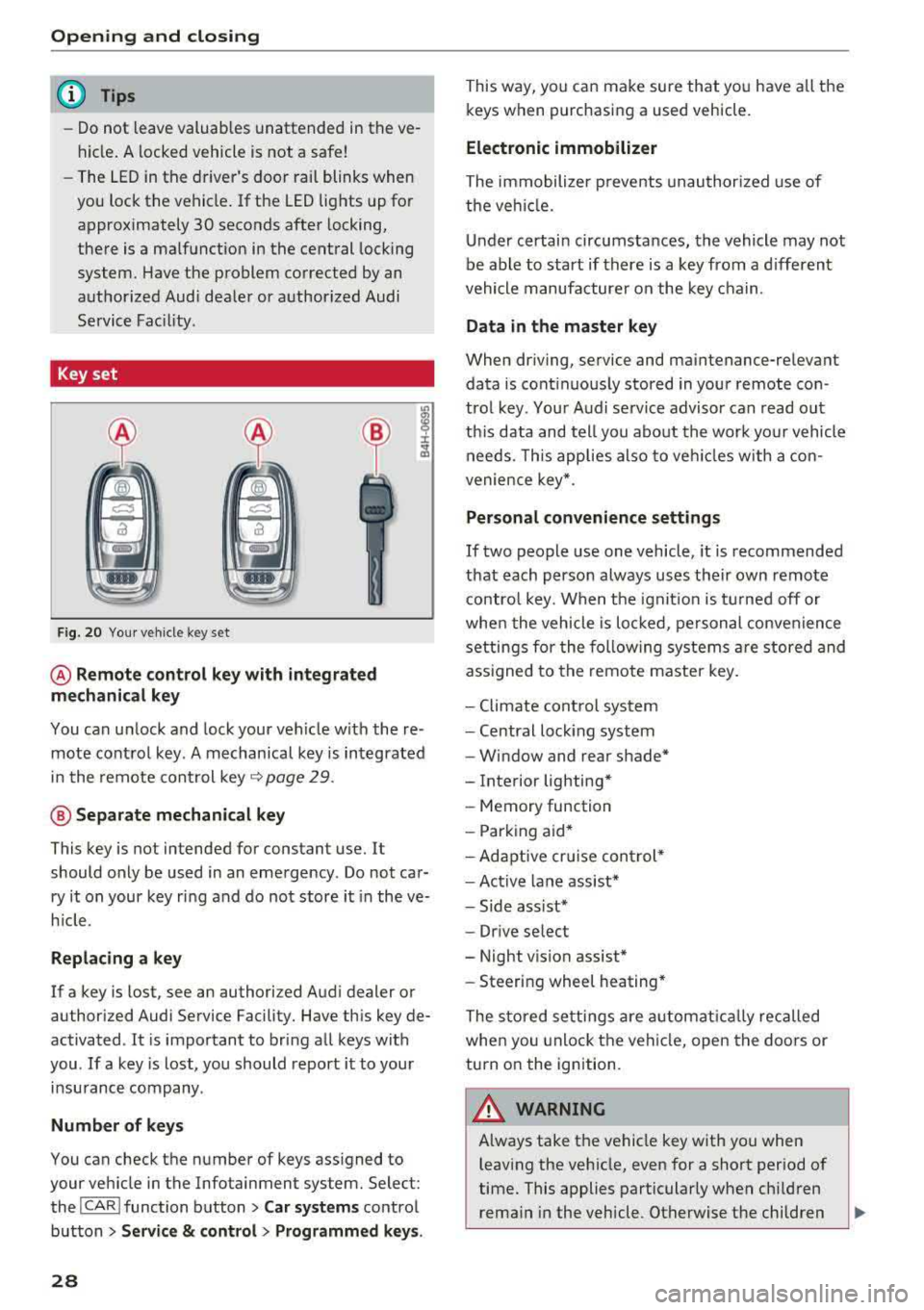
Key set
F ig. 20 You r veh icle key set
@ Remote control ke y with integr ated
mechanica l key
You can unlock and lock your vehicle w ith the re
mote control key . A mechanical key is integrated
in the remote control key
Q page 29 .
@ Separate mechanical ke y
This key is not intended for constant use. It
should only be used in an emergency . Do not car
ry it on your key ring and do not store it in the ve
h icle.
Rep lacing a ke y
If a key is lost, see an authorized Audi dealer or
authorized Audi Service Facility. Have this key de
activated . It is important to bring all keys with
you .
If a key is lost, you should report it to your
insurance company .
Number of keys
You can check the number of keys ass igned to
your veh icle in the Infotainment system. Select:
the
I CAR I function button > Car sy st e m s control
button
> Ser vice & cont rol > Pr ogrammed ke ys.
28
This way, you can make sure that you have all the
keys when purchasing a used vehicle.
Electronic immobilizer
The immobilizer p revents unauthorized use of
the ve hicle.
Under certain circumstances, the vehicle may not
be able to start if there is a key from a d ifferent
vehicle manufacturer on the key chain .
Data in the master ke y
When driving, service and maintenance-relevant
data is cont inuous ly stored in your remote con
trol key . Your A udi se rvice advisor can read out
th is data and tell you abo ut the work yo ur vehicle
needs . T his applies also to veh icles w ith a con
venience key *.
Personal convenience sett ings
If two people use one vehicle, it is recommended
that each person always uses their own remote contro l key. When the ignit io n is tu rned off or
whe n the vehicle is lo cked, pe rsonal convenience
settings for the following systems a re stored and
ass igned to the remote master key .
- Climate cont rol system
- Central lock ing system
- Window and rear shade*
- Interior lighting*
- Memory function
- Park ing aid*
- Adaptive cr uise control *
- Ac tive lane assist*
- Side ass ist*
- Dr ive select
- Night vision assist*
- Steeri ng wheel heating*
The stored settings are automat ica lly recalled
when you unlock the vehi cle, open the doors or
turn on the ignition.
A WARNING
A lways take the vehicle key with you when
leaving the vehicle, even for a short period of
time. This applies particularly when child ren
rema in in the vehicle . Otherwise the children
-
Page 43 of 356
lL t:0 ....
"' ......
"' .... 0 0 :c '
va let parking function is switched on :
-1""'1 button in the driver's door
-I ""' I button on the remote control key
- Handle in the rear lid
When the valet parking function is switched on,
the message
Valet parking activated appears in
the instrument cluster display when you switch
the ignition on.
Garage door opener (Homelink)
Description
Ap plies to: vehicl es with garage door opener (Homeli nk)
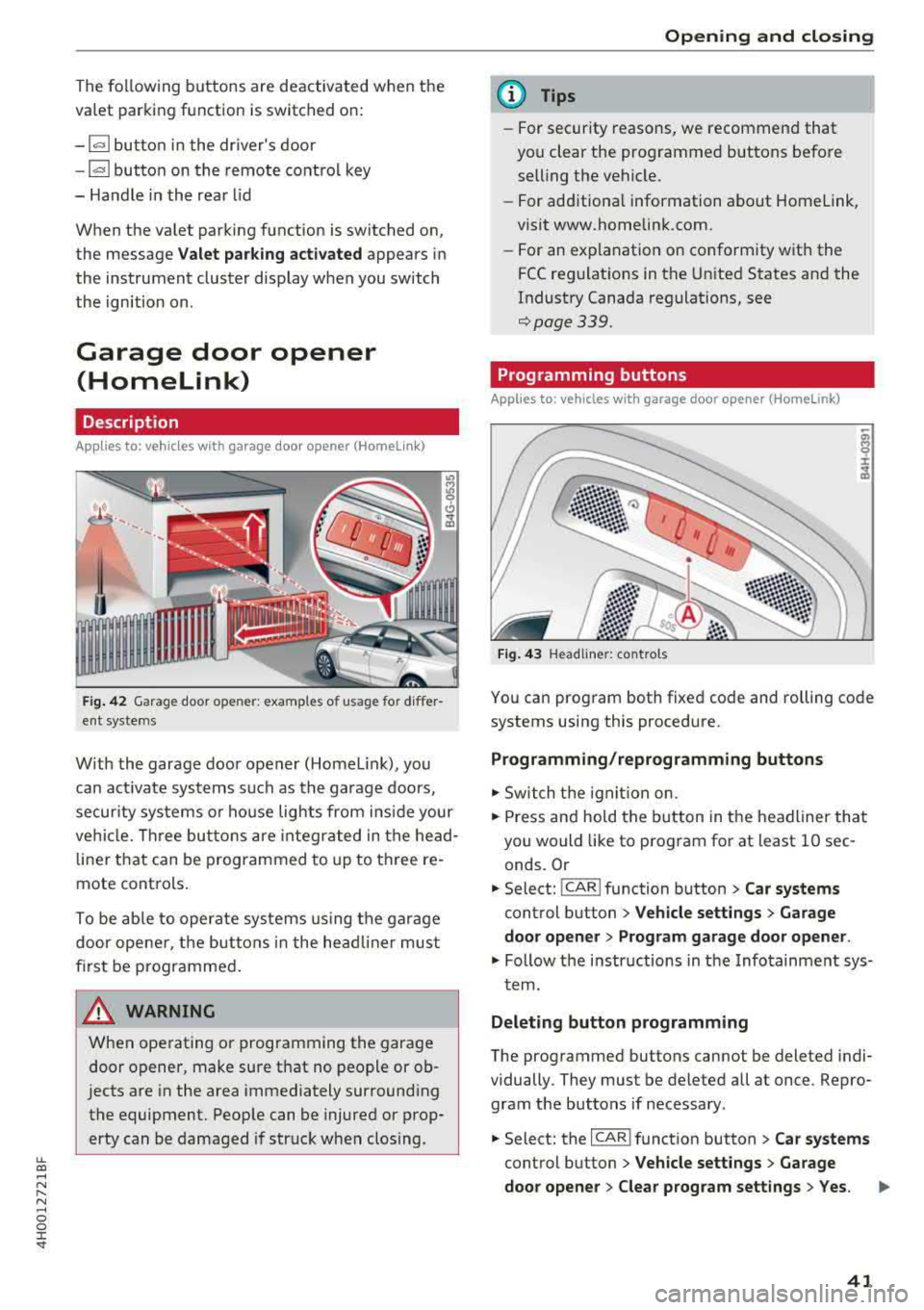
Fig. 42 Garage door opene r: examples o f usage for differ
ent systems
W ith the garage door opener (Homel ink), you
can activate systems such as the garage doors,
security systems or house lights from ins ide your
vehicle. Three buttons are integrated in the head
liner that can be programmed to up to three re
mote controls.
To be able to operate systems using the garage
door opener, the buttons in the headliner must
first be programmed .
A WARNING
When operating or programming the garage
door opener, make sure that no people or ob
jects are in the area immediately surrounding
the equipment. People can be injured or prop erty can be damaged if struck when closing.
Opening and closing
(D Tips
-For security reasons, we recommend that
you clear the programmed buttons before selling the vehicle.
- For add itiona l information about Homelink,
visit www.homelink.com.
- For an explanation on conformity with the
FCC regulations in the United States and the
Industry Canada regulations, see
¢page 339.
Programming buttons
App lies to: vehicles with garage door opener (Home link)
Fig. 43 Headliner: controls
You can program both fixed code and rolling code
systems using this procedure.
Programming/reprogramming buttons
.. Switch the ignit ion on.
.. Press and hold the button in the headliner that
you would like to program for at least 10 sec
onds. Or
.. Select: ! CAR ! function button> Car systems
control button > Vehicle settings > Garage
door opener > Program garage door opener.
.. Follow the instr uctions in the Infotainment sys-
tem.
Deleting button programming
The programmed buttons cannot be deleted indi
vidually. They must be deleted all at once. Repro
gram the buttons if necessary .
.. Select: the ICAR !function button> Car systems
control button > Vehicle settings > Garage
door opener > Clear program settings
> Yes.
41
Page 45 of 356
lL t:0 .-,
"' ......
"' .-, 0 0 :c "
Exterior Lighting
Switching the headlights on and off
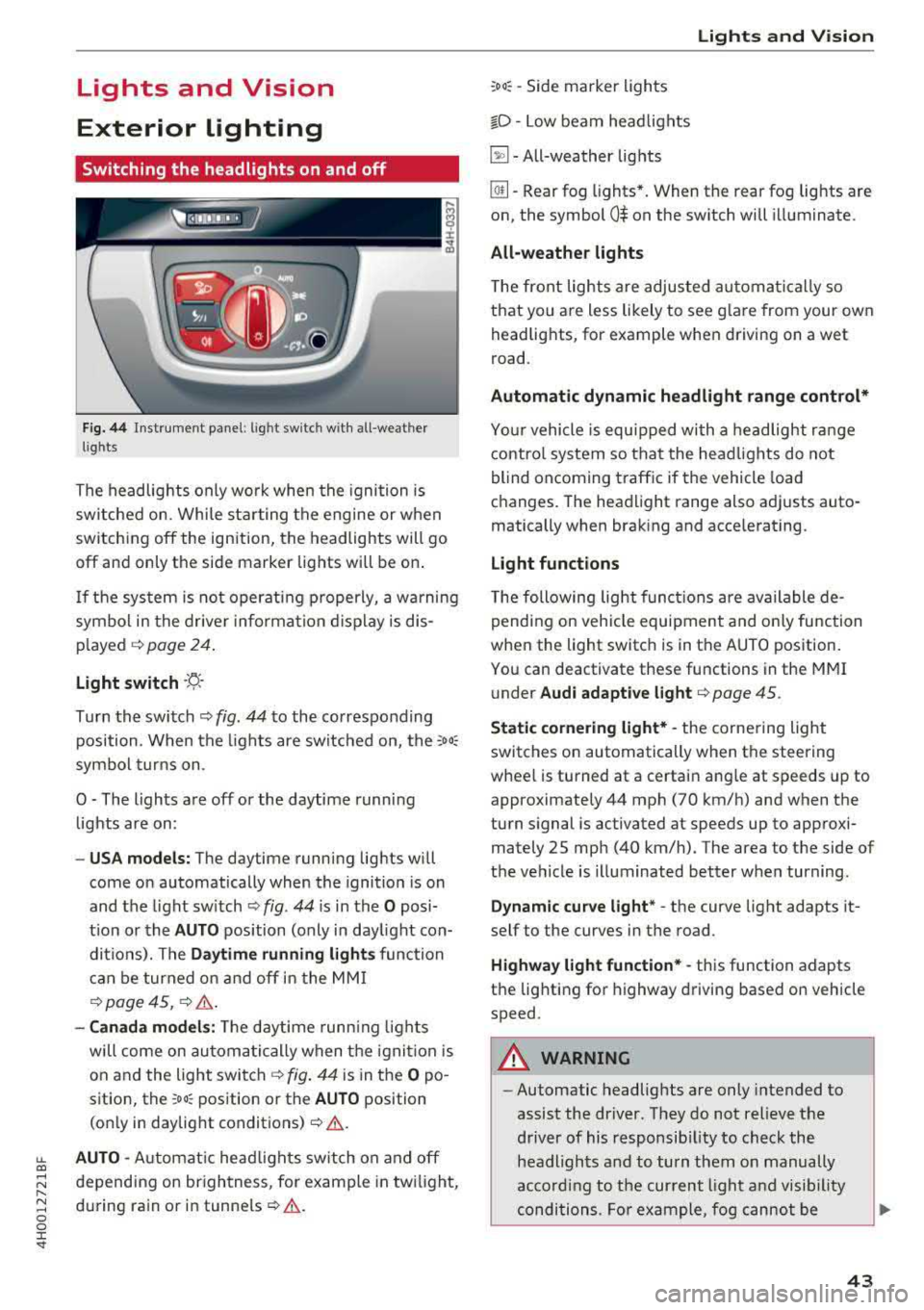
F ig . 44 Instrument panel: l ig ht switc h w ith all -weather
l ig hts
The headlights only wo rk when the ignition is
switched on. While sta rting the engine or when
switch ing off the ign ition, the headlights will go
off and only the side marker lig hts will be on .
I f the sys tem is not operating p roperly, a w arning
symbol in the dr ive r informa tion d isplay is dis
p layed .::>
page 24.
Light switch --r;_-
T u rn the switch .::> fig. 44 to the co rresponding
position . When the lights are switched on, the
:o o:
sym bol turn s on .
0 - The lights a re off or the daytime runni ng
lights are on :
-USA models: The daytime running lig hts will
come on automatically when the ignition is on
and the light sw itch .::>
fig. 44 is in the O posi
t ion or the
AUTO position (only i n day light con
di tions). The
Daytime running lights function
c an be turned o n and off i n the MM I
¢ page 45, i=> &..
-Canada model s: The dayt ime runn ing lights
will come on au toma tic ally when the igni tion is
on and the light swi tch .::>
fig. 44 is in the O po
s ition, the
:oo: pos ition or the AUTO position
(o nly in daylig ht
conditions) .::>&. .
AUTO -Automat ic head lig hts sw itch on and off
depend ing on br ightness, for example in tw ilight,
d uring rain or in
tunne ls ¢ &. .
Lights and V ision
:oo: -Side marker ligh ts
io -Low beam head lights
~ -All-weather lig hts
lw -Rear fog lights*. When the rear fog lights are
on, the symbol
0$ on the sw itch will i lluminate.
All-weather lights
The front lights are adjus ted au toma tica lly so
that you are less likely to see g lare from your ow n
head lig hts, for example when driving on a wet
road.
Automatic dynamic headlight range control*
Yo ur vehicle is equ ipped with a headlight r ange
contro l system so tha t the head lig hts do not
blind oncoming t raffic if the vehicle load
changes . T he hea dlight range also adj usts auto
matically when brak ing and acce lerating .
Light functions
The following light funct io ns are available de
pending on veh icle equipment and o nly fu nction
whe n the light switc h is in t he AUTO position.
You can deactivate these functions in the MMI
under
Audi adaptive light ¢ page 45.
Static cornering light* -the corne ring light
switches on automatically when the steering
wheel is turned at a certai n angle at s peeds up to
approximately 44 mph (70 km/h) and when the
turn s ignal is activated at speeds up to approxi
mately 25 mp h (40 km/h) . The area to t he side of
t h e ve hicle is illuminated better w hen turning.
Dynamic curve light * -the curve light adapts it
self to the curves in the road .
Highway l ight function* -this function adapts
t h e lig hting for highway driving based on vehicle
speed .
A WARNING ~ --Automatic headlights are only intended to
assist the driver. They do no t relieve the
driver of his responsib ility to check the
headligh ts and to turn them on manually
ac co rding to t he cur rent light a nd vis ib ili ty
conditions . Fo r example, fog cannot be
43
Page 46 of 356
Lights a nd Vis ion
detected by the light sensors. So a lways
switch on the headlights
§.D under these
weather conditions and when driving in the
dark .
- Crashes can happen when you cannot see
the road ahead and when you cannot be
seen by other motorists . Always turn on the
headlights so that you can see ahead and so
that others can see your
car from the back.
- The rear fog lights should only be turned on in accordance with traffic regulat ion, as the
lights are bright for following traffic.
- Please observe legal regulations when using
the light ing systems described .
@ Tips
-The light sensor* for automatic dynam ic
headlight range control* is located in the
rear view mirror mount . You should there
fore not apply any st ickers to the w indshield
i n this area in order to prevent malfunctions
or fail ures .
- In the event of a ligh t sensor malfunct ion,
the driver is not ified in the instrument clus
ter
d isplay~ page 25.
- You w ill hear a wa rning tone if you open the
driver door when the exter ior lights are
switched on .
- In cool or damp weather, the inside of the
headlights, turn s ignals and tail lights can
fog over due to the temperature difference between the inside and outside . They will
clear short ly after switching them on . This
does not affect the service life of the light
i ng .
44
Turn signal and high beam lever
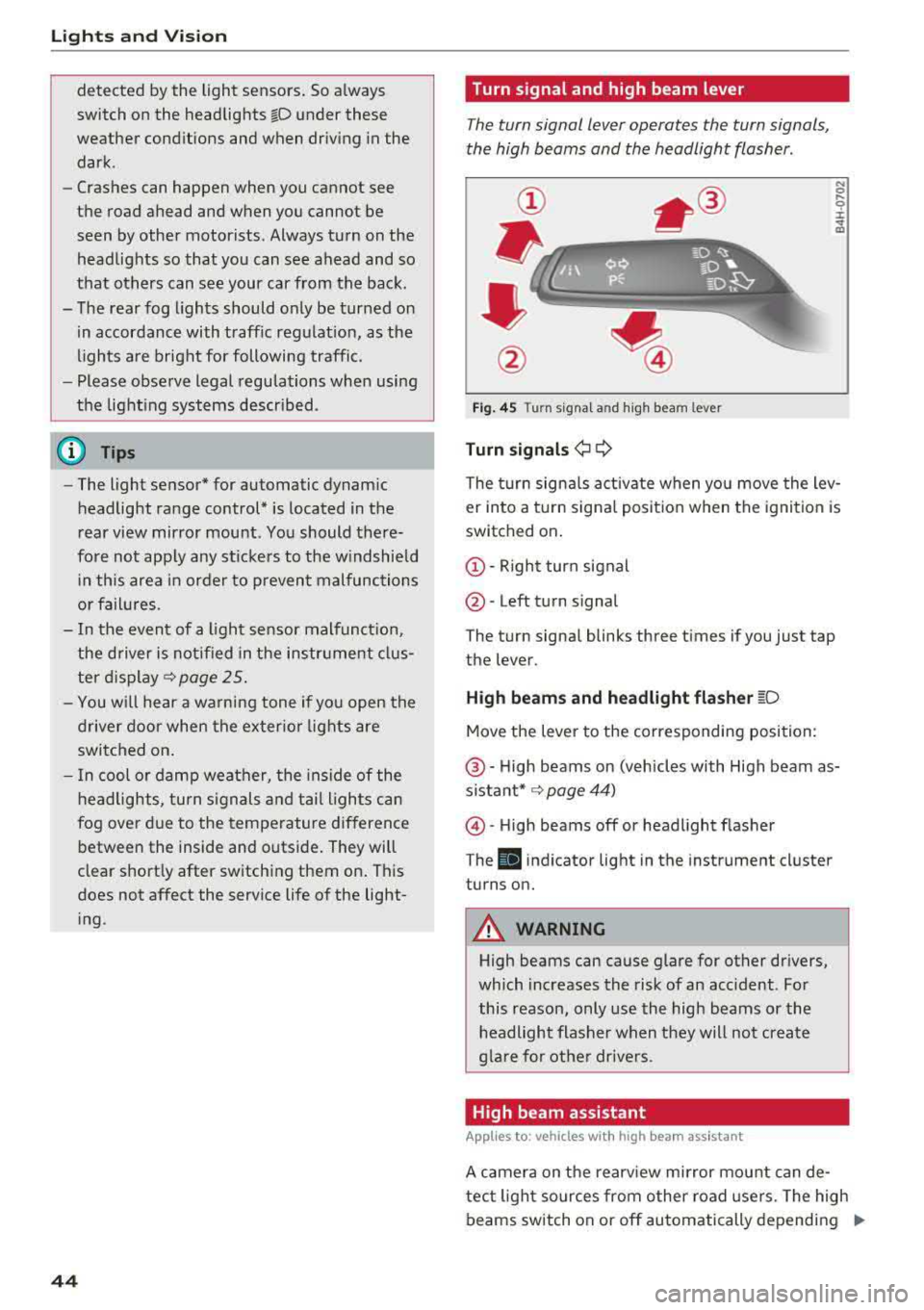
The turn signal lever operates the turn signals,
the high beams and the headlight flasher .
Fig. 45 T urn signa l an d high beam leve r
Turn signa ls¢ Q
N 0 .... 0 :i:
"' m
The t urn signa ls act ivate when you move the lev
er into a turn signa l position when the ignit ion is
switched on.
(D -Right turn signal
@ -Left turn signal
The turn signa l blinks three times if you just tap
the lever.
H igh be ams and h eadlight fla sh er ~D
Move the lever to the corresponding position:
@ -High beams on (vehicles with High beam as
sistant* ~ page 44)
@-High beams off or headl ight flasher
T he
El indicator light in the instrument cluster
turns on.
A WARNING
High beams can cause glare for other drivers,
which increases the risk of an accident . For
this reason, only use the high beams or the
headlight flasher when they will not create
g la re for othe r drive rs .
High beam assistant
App lies to: vehicles with high beam ass istant
A camera on the rearv iew mirror mount can de-
tect light sources from other road use rs. The high
beams switch on or off automatically depending
IJI>
Page 47 of 356
u. co .... N
" N .... 0 0 :c '
coming vehicles, the vehicle speed and other en
vironmenta l and traffic conditions.
Activating high beam assistant
Requirement: the light switch must be set to the
AUTO position and the high beam assistant must
be switched on in the Infotainment system
~ page 45 .
.,. To activate the high beam assistant , tap the
l ever forward @. T he
II ind icator light ap
pears in the instrument cluster display and the
high beam headlights are switched on/off auto
matically. The
ii indicator light also turns on if
the high beams are switched on.
Switching the high beams on/off manually
If the high beams did not switch on/off automat
ica lly as expected, you may switch them on or off
manually instead:
.,. To switch the high beams on manually, tap the
lever forward @. T he
ii indicator light turns
on .
.,. To switch the hig h beams off manua lly, pull the
lever
back @. The high beam assistant is deac
t ivated.
Operating the headlight flasher
.,. T o operate the headlight flasher when the high
beam assistant is activated and high beams are
switched off, pull the lever
back @. The high
beam assistant rema ins active.
Messages in the instrument cluster display
Headlight assist: System fault
Drive to an authorized Aud i dea ler or authorized
Audi Service Fac ility immediately to have the
malfunction corrected. You can still switch the
high beams on or off manually.
Headlight assist: Unavailable No camera view
The camera view is blocked, for example by a
sticker or debris .
The sensor is located between the interior rear
view mirror and the windshield. Do not place any
stickers in this area on the windshield.
Lights and Vision
A WARNING
--
High beam assistant is only intended to assist
the driver. The driver is still respons ible for
controlling the headlights and switching
them manually depend ing on light and visibil
it y conditions. It may be necessary to operate
them manually in situations such as:
- I n adverse weather conditions such as fog,
heavy rain, blowing snow or spraying water.
- On roads where oncom ing traffic may be
pa rtiall y obscured, such as expressways.
- When there are road users that do not have
sufficient lighting, such as b icyclers or
vehicles with dirty tail lamps.
- I n tight curves and on steep hills.
- In poorly lit areas.
- With strong reflectors, such as signs.
- If the area of the w indshield near the sensor
is fogged over, dirty, icy or covered with a
sticker .
Adjusting the exterior lighting
The functions are adjusted in the Infotainment
system.
.,. Select: I CAR ! function button > Car systems
control button > Vehicle settings > Exterior
lighting .
Automatic headlights
You can adjust the following sett ings in the Au
tomatic headlights
menu:
Headlights activation time -you can adjust if the
headlights switch on
Early, Medium or Late ac
cording to the sensitivity of the light sensor.
Auto-dimming high beams* -you can switch the
high beam assistant*
On and Off .
Daytime running lights*
USA models :
the daytime running lights can be
switched on/off. Select
On or Off.
Canada models:
this function cannot be switched
off. They activate automatically each time the ig -
nition is switched on .
IIJ>-
45
Page 48 of 356
Lights and Vision
Coming home, Leaving home
The coming home function illuminates the area
outside the vehicle when you turn the ignition off
and open the driver's door. To turn the function
on, select
Lights when leaving car > On.
The leaving home illuminates the area outside
the vehicle when you unlock the vehicle. To turn
the function on, select
Lights when unlocking
car> On.
The coming home and leaving home functions
only operate when it is dark and the light switch
is in the
AUTO position.
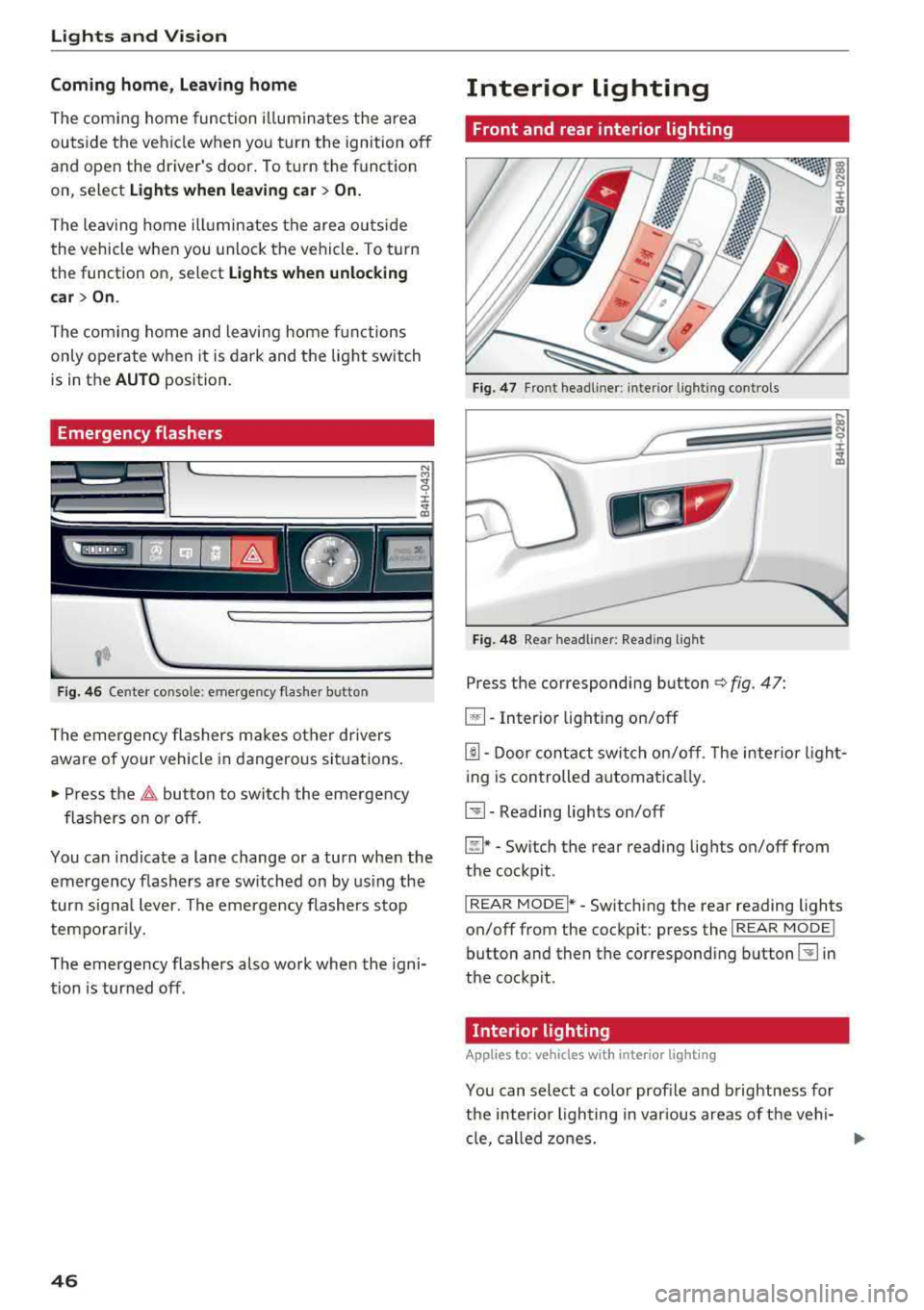
Emergency flashers
~ ~--·I
~ :cc-~--t
Fig. 46 Center console: emergency flasher button
The emergency flashers makes other drivers
aware of your vehicle in dangerous situations.
• Press the ~ button to switch the emergency
flashers on or off.
You can indicate a lane change or a turn when the
emergency flashers are switched on by using the
turn signal lever. The emergency flashers stop
temporarily.
The emergency flashers also work when the igni
tion is turned off.
46
Interior lighting
Front and rear interior lighting
Fig. 47 Front headliner: interio r light ing contro ls
Fig. 48 Rear headl iner : Reading light
Press the corresponding button ¢ fig. 47:
~ -Interior lighting on/off
[!J. Door contact switch on/off . The interior light
ing is controlled automatically.
~-Reading lights on/off
~* -Switch the rear reading lights on/off from
the cockpit.
I REAR MODEi* -Switching the rear reading lights
on/off from the cockpit: press the
I REAR MODE !
button and then the corresponding button~ in
the cockpit.
· Interior lighting
App lies to: vehicles wit h interior light ing
You can select a color profile and brightness for
the interior lighting in various areas of the vehi- cle, called zones.
ll>
Page 49 of 356
lL t:0 ....
"' " "' .... 0 0 :c '
.,. Select in the M MI: !CAR ! func tion button > Car
sy stems
cont rol button > Vehicle setting s > In
terior lighting
> On.
Adjusting the brightness /turning off
You can adj ust the brightness for the four zones
Front top , Front footwell , Rear top and Rear
footwell
or fo r All zone s at the same t ime .
.,. In the I nfota inment system, se lect: ICA Rlfunc
t io n button >
Car system s control b utton > Ve
hicle settings
> Interior lighting > Brightnes s .
.,. Turn the knob to the desi re d veh icle area and
press the knob . The bar that appears indicates
t h e se lected br ightness .
... To increase or red uce the br ightness, turn the
knob and p ress it.
Selecting a color profile*
You can se lect from the Ivory , Pol ar and Rub y/
Polar
color profi les .
.,. Se lect in the M MI: !CAR I func tion button> Car
systems
cont rol b utton > Vehicle s etting s > In
terior lighting
> Color profile.
The interior lig hti ng turns on when this function
i s t urned on in the Info tainmen t sys tem, and the
l ow be ams are tu rned on whe n the ign ition is
switched on.
(D Tips
T he set tin gs are autom atically store d and as
sig ned to the remo te con tro l key th at is i n
use.
Lights and V ision
Instrument lighting
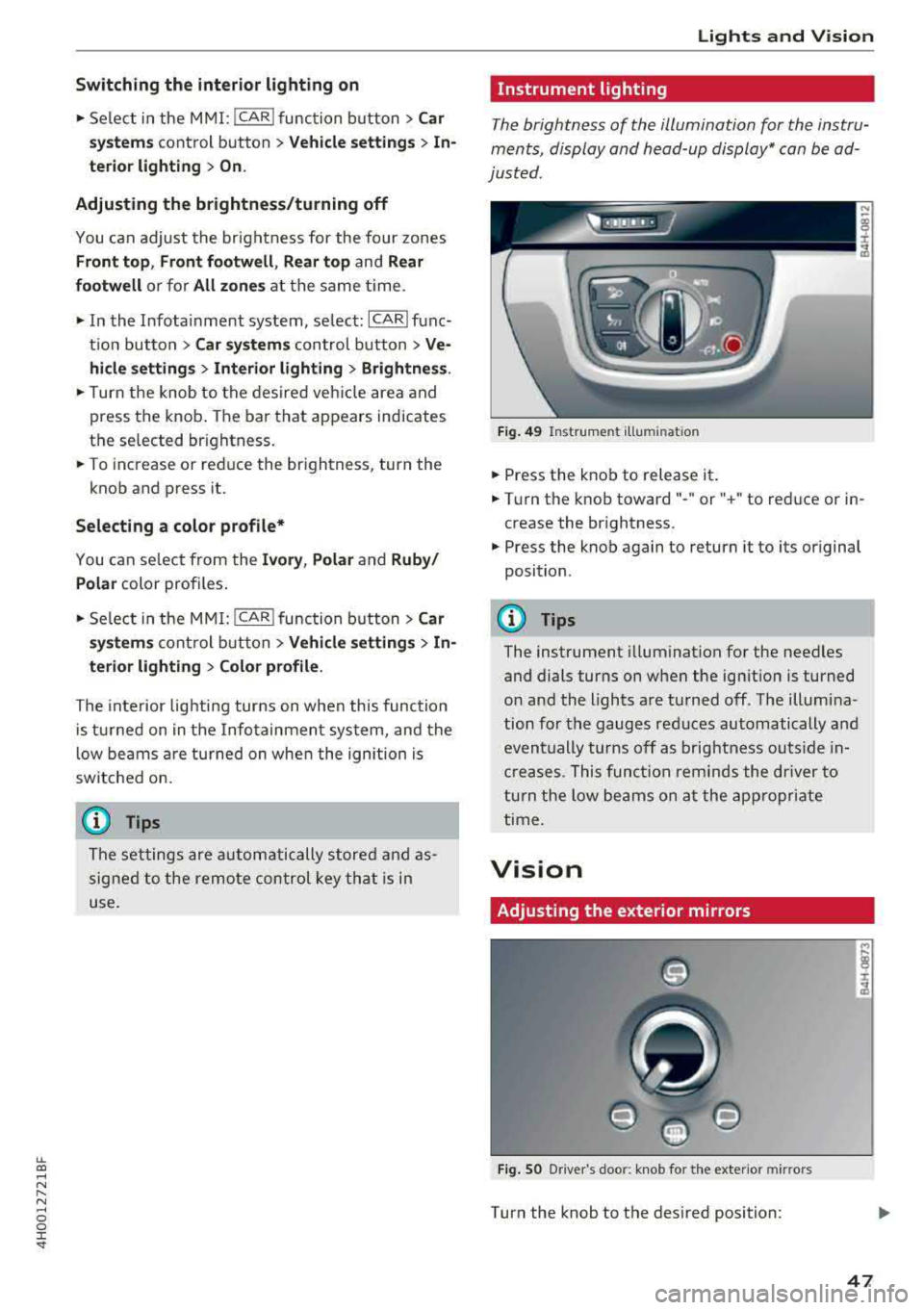
The brightness of the illumination for the instru
ments, display and head-up display* can be ad
justed .
Fig. 4 9 Instrume nt illumin ation
... Press the knob to release it .
... Tur n the knob toward" -" or" +" to reduce or in
crease the br ightness.
... P ress the knob again to return it to its or iginal
position .
(D Tips
The instrument illum ination for the needles
and dials turns on when the ign ition is turned
o n and the lights are tu rned off . The illum ina
tion for the gauges red uces automatically and
even tually turns off as brig htness ou ts ide in
cre ases. T hi s f unct ion remind s the dr ive r to
t urn the low beams on at the app ro priate
time.
Vision
Adjusting the exterior mirrors
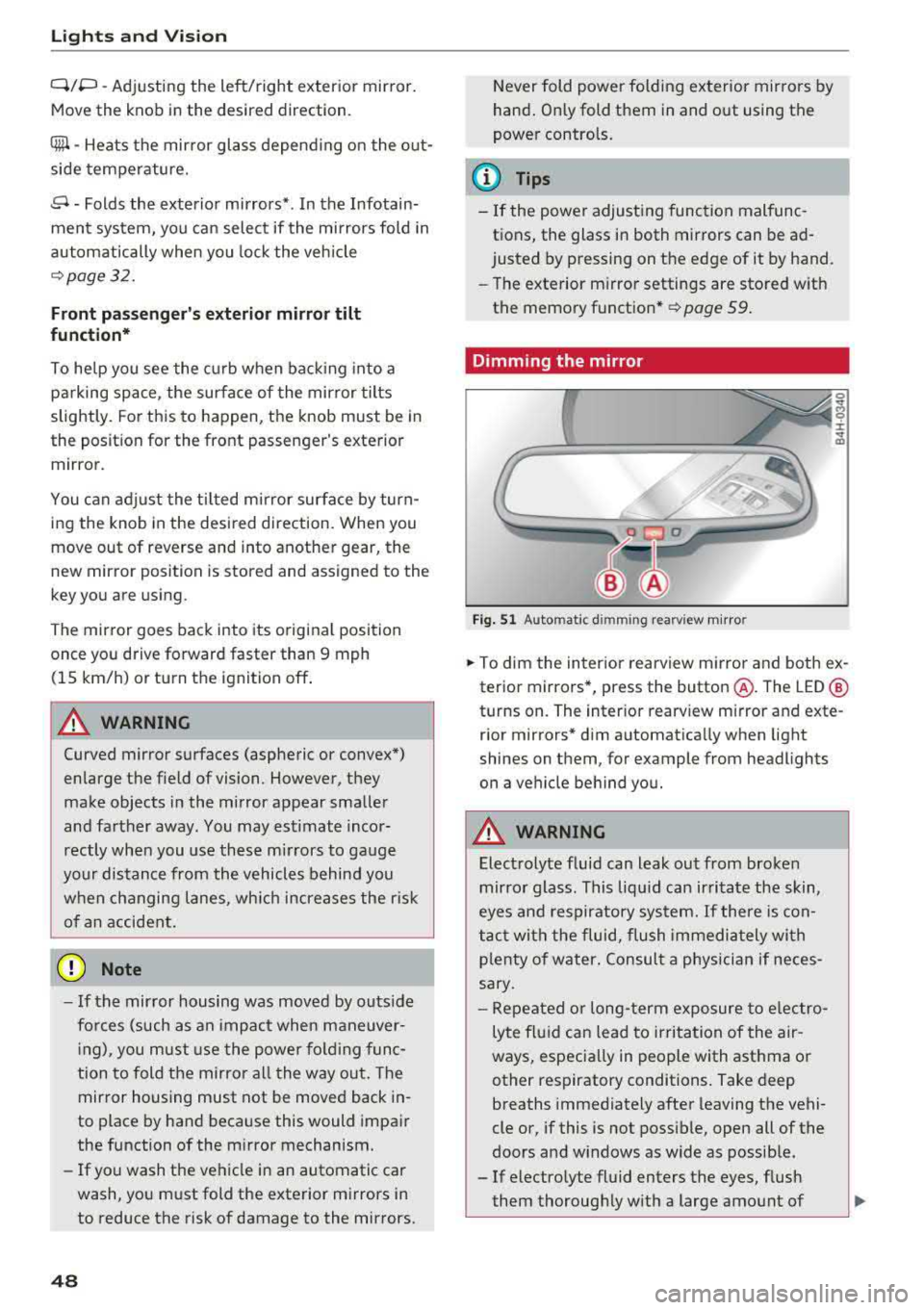
Fig. SO Driver 's doo r: k nob fo r the exter io r mir rors
Turn the knob to the des ired position:
47
Page 50 of 356
Lights and Vision
Q/P -Adjusting the left/right exterior mirror.
Move the knob in the desired direction.
4lll -Heats the mirror glass depending on the out
side temperature.
8 - Folds the exterior mirrors* . In the Infotain
ment system, you can select if the mirrors fold in
automatically when you lock the vehicle
¢page 32.
Front passenger's exterior mirror tilt
function*
To help you see the curb when back ing into a
parking space, the surface of the mirror tilts
slightly. For this to happen, the knob must be in
the position for the front passenger's exterior mirror.
You can adjust the tilted mirror surface by turn
ing the knob in the desired direction. When you
move out of reverse and into another gear, the
new mirror position is stored and assigned to the
key you are using.
The mirror goes back into its original position
once you drive forward faster than 9 mph
(15 km/h) or turn the ignition off .
A WARNING
Curved mirror surfaces (aspheric or convex*)
enlarge the field of vision. However, they
make objects in the mirror appear smaller
and farther away . You may estimate incor
rectly when you use these mirrors to gauge
your distance from the vehicles behind you
when changing lanes, which increases the risk
of an accident.
(D Note
- If the mirror housing was moved by outs ide
forces (such as an impact when maneuver
in g), you must use the power folding func
tion to fold the mirror all the way out. The
mirror housing must not be moved back in-
to place by hand because this would impair
the function of the m irror mechanism.
-If you wash the vehicle in an automatic car
wash, you must fold the exterior mirrors in
to reduce the risk of damage to the mirrors.
48
Never fold power fold ing exterior mirrors by
hand . Only fold them in and out using the
power controls.
(D Tips
-If the power adjusting function malfunc
tions, the glass in both mirrors can be ad
justed by pressing on the edge of it by hand.
-The exterior mirror settings are stored with
the memory function* ¢
page 59.
Dimming the mirror
Fig. 51 Automat ic d imming rearv iew m irro r
0
~ 0 :i: ~ m
.. To dim the interior rearview mirror and both ex
terior mirrors*, press the button @. The LED @
turns on. The interior rearview mirror and exte
rior mirrors* dim automatically when light
shines on them, for example from headlights
on a vehicle behind you.
A WARNING
Electrolyte fluid can leak out from broken
mirror glass. This liquid can irritate the skin,
eyes and respiratory system. If there is con
tact with the fluid, flush immediately with
p lenty of water . Consult a physician if neces
sary.
-
-Repeated or long-term exposure to electro
lyte fluid can lead to irritation of the air
ways, especially in people with asthma or
other respiratory conditions. Take deep
breaths immediately after leaving the vehi
cle or, if this is not possible, open all of the
doors and w indows as wide as possible.
-If electrolyte fluid enters the eyes, flush
them thoroughly with a large amount of