steering AUDI A8 2018 Owners Manual
[x] Cancel search | Manufacturer: AUDI, Model Year: 2018, Model line: A8, Model: AUDI A8 2018Pages: 356, PDF Size: 54.71 MB
Page 4 of 356
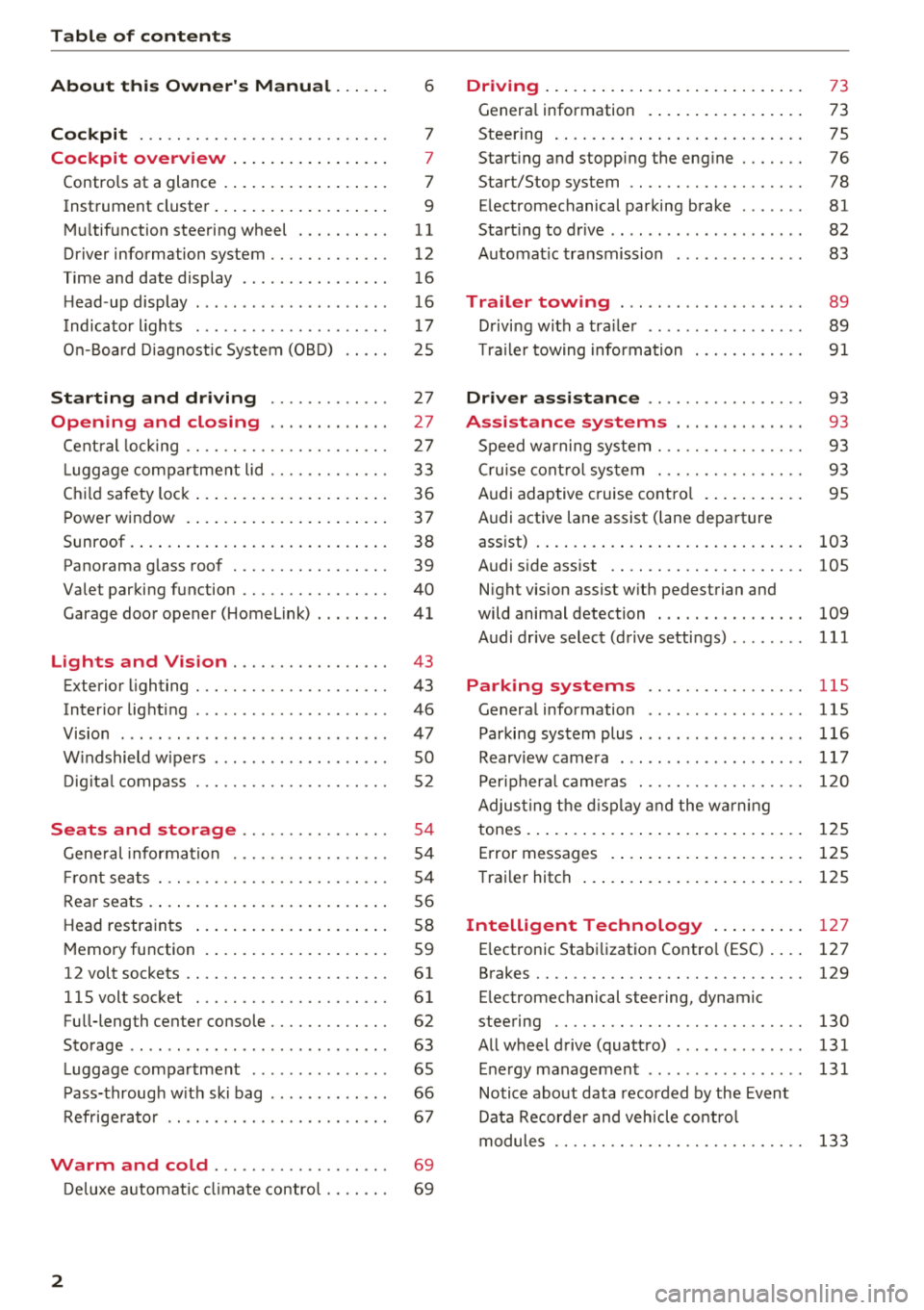
Table of contents
About this Owner's Manual. . . . . .
6
Cockpit . . . . . . . . . . . . . . . . . . . . . . . . . . . 7
Cockpit overview . . . . . . . . . . . . . . . . . 7
Controls at a glance . . . . . . . . . . . . . . . . . . 7
Instrument cluster . . . . . . . . . . . . . . . . . . . 9
M ultif unction steering wheel . . . . . . . . . . 11
Driver information system . . . . . . . . . . . . . 12
T ime and date display . . . . . . . . . . . . . . . . 16
H ead-up display . . . . . . . . . . . . . . . . . . . . . 16
Indicato r lights . . . . . . . . . . . . . . . . . . . . . 17
O n-B oard Diagnost ic System (OB D) . . . . . 25
Starting and driving . . . . . . . . . . . . . 27
Opening and closing . . . . . . . . . . . . . 27
Cent ral lock ing . . . . . . . . . . . . . . . . . . . . . . 27
L ugg age com pa rt ment lid . . . . . . . . . . . . . 33
Ch ild safety lock . . . . . . . . . . . . . . . . . . . . . 36
P ower window . . . . . . . . . . . . . . . . . . . . . . 37
Sunroof. . . . . . . . . . . . . . . . . . . . . . . . . . . . 38
Panorama glass roof . . . . . . . . . . . . . . . . . 39
Valet par king function . . . . . . . . . . . . . . . . 40
Garage doo r opener (Home Link) . . . . . . . . 41
Lights and Vision . . . . . . . . . . . . . . . . . 43
Exterior lighting . . . . . . . . . . . . . . . . . . . . . 43
Interior lighti ng . . . . . . . . . . . . . . . . . . . . . 46
V1s1on . . . . . . . . . . . . . . . . . . . . . . . . . . . . . 47
W indshield w ipe rs . . . . . . . . . . . . . . . . . . . 50
D ig ita l compass . . . . . . . . . . . . . . . . . . . . . 52
Seats and storage . . . . . . . . . . . . . . . . 54
Gene ral information . . . . . . . . . . . . . . . . . 54
Fr ont seats . . . . . . . . . . . . . . . . . . . . . . . . . 54
Rear seats . . . . . . . . . . . . . . . . . . . . . . . . . . 5 6
Head restraints . . . . . . . . . . . . . . . . . . . . . 58
M emory function . . . . . . . . . . . . . . . . . . . . S9
12 volt sockets . . . . . . . . . . . . . . . . . . . . . . 61
llSvoltsocket . ............. .... .. . 61
Fu ll-length center console. . . . . . . . . . . . . 62
Storage . . . . . . . . . . . . . . . . . . . . . . . . . . . . 63
L uggage compartment . . . . . . . . . . . . . . . 65
P ass-throug h w it h ski bag . . . . . . . . . . . . . 66
R efrige rato r . . . . . . . . . . . . . . . . . . . . . . . . 67
Warm and cold . . . . . . . . . . . . . . . . . . . 69
D eluxe a utomat ic cli ma te contro l . . . . . . . 69
2
Driving ... .. .. .... .. ... .. ..... ... . .
Genera l information . .... .. ..... ... . .
Steering . ... .. .... .. ... .. ..... ... . .
Start ing and stopping the eng ine ..... . .
Start/Stop system .. .. ............. . .
E lectromechanical parking brake ...... .
Start ing to drive .. .. .. .............. .
A utomat ic transmission
Trailer towing ... .. .............. .
D rivi ng with a tra ile r .. .............. .
T ra ile r towing information .......... . .
Driver assistance .. .............. .
Assistance systems .. .. ..... ... . .
S peed warning system . ............. . .
Cru ise cont rol sys tem . ............. . .
Audi adaptive cruise contro l ...... ... . .
Audi active lane assist (lane departure 73
73
7 5
76
78
81
82
83
89 89
9 1
93
93
93
93
95
assist) . . . . . . . . . . . . . . . . . . . . . . . . . . . . . 103
Audi s ide ass ist . . . . . . . . . . . . . . . . . . . . . 105
N ight vision assist w ith pedestrian and
wild animal detection . . . . . . . . . . . . . . . . 109
Audi drive select (drive setti ngs) ........ 111
Parking systems . . . . . . . . . . . . . . . . . 115
General information . . . . . . . . . . . . . . . . . 115
Parking system plus ... ............... 116
Rearv iew camera . . . . . . . . . . . . . . . . . . . . 117
Per iphera l came ras . . . . . . . . . . . . . . . . . . 120
Adjus ting the d isp lay and the wa rn in g
tones. . . . . . . . . . . . . . . . . . . . . . . . . . . . . . 125
Error messages . . . . . . . . . . . . . . . . . . . . . 125
T raile r hitch . . . . . . . . . . . . . . . . . . . . . . . . 125
Intelligent Technology . . . . . . . . . . 127
E lectronic Stabi lization Contro l (ESC). ... 127
Brakes .... .. .. .. .. .. ............. .. 129
E lectromechanical steering, dynamic
steering . . . . . . . . . . . . . . . . . . . . . . . . . . . 130
All wheel drive (quattro) . . . . . . . . . . . . . . 131
Energy management . . . . . . . . . . . . . . . . . 131
Notice about data recorded by the Event
Data Recorder and veh icle co ntro l
modules . . . . . . . . . . . . . . . . . . . . . . . . . . . 133
Page 10 of 356
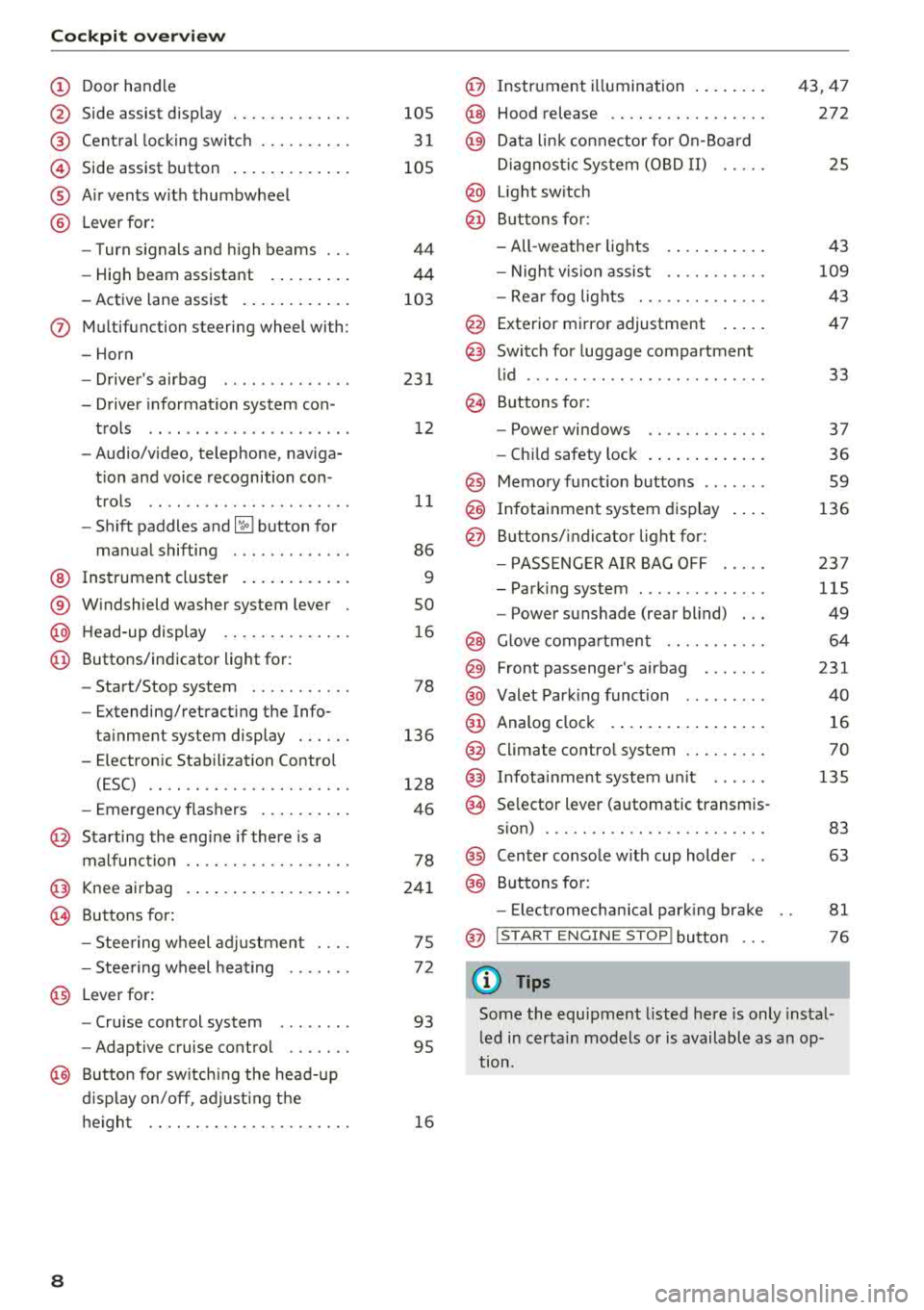
Cockpit overv ie w
CD
@
®
©
®
®
Door hand le
S ide assist d isp lay
Cent ral lock ing switch ....... .. .
Side assist button .. ..... ... .. .
A ir vents w ith thumbwheel
L ever fo r:
- Turn signals and h igh beams
- High beam assistant ... ... .. .
- Active lane assist . ..... ... .. .
(J) Multifunction steering wheel with :
- Horn
- Drive r's airbag ............. .
- Drive r informat io n system con -
trols .. .. .. ............... .
- Audio/v ideo, telephone, naviga
t ion and voice recognition con -
t rols .. .. .. ............... .
- Shift paddles
and ~ button for
manual shifting ............ .
@ Ins trumen t cluster . ..... ... .. .
® W indshield washer system lever
@ H ead-up display ........... .. .
@ Buttons/ indicator light for :
- Start/Stop system .......... .
- Extending/retract ing t he Info-
ta inment system display . .. .. .
- E lectron ic Stabili zation Contro l
(ESC) .. .. .. ............. .. .
- Emergency flashers ....... .. .
@ Starting the eng ine if there is a
malfunct ion
@ Knee airbag
~ Buttons for :
- Stee ring wheel adjustmen t ... .
- Stee ring wheel heat ing
@ Lever for:
- Cru ise control system ....... .
- Adaptive cruise control .... .. .
@ Butto n for sw itch ing the head- up
d isp lay on/off , adjust ing t he
h e igh t .. .. .. ............. .. .
8
105
3 1
105
44
44
103
23 1
1 2
11
86
9
so
1 6
78
136
128
46
78
24 1
75
7 2
93
95
1 6
@ Instr ument i llumination .. ..... .
@ Hood release .. .. .. .......... .
@ Data lin k co nne ctor fo r On-Board
Di agnos tic Sys tem (OB D II) .....
@ Light sw itch
@ Buttons for:
- All -weather lights
- Night v is ion assis t .......... .
- Rea r fog lights . .. .......... .
@ Exterior mi rror adjustment .... .
@ Switch for luggage compartment
l id ........ ... .. .. .......... .
@ B uttons for:
- Powe r windows .. .......... .
- Ch ild safety lock . .... .. ..... .
@ Memory funct io n buttons ...... .
@) Infotainment system d isplay
@ B uttons/indicator light for:
- PA SSE NG ER AIR BAG OFF .... .
- Park ing system ... .......... .
- Power sunshade (rear blind) .. .
@ Glove comp artment .......... .
@) Front passenger's airbag ...... .
@ Valet Park ing funct ion ........ .
@ Analog cloc k .... .. ... .. ..... .
@ Climate contro l system ........ .
@ Infota inment system u nit ..... .
@ Se lector lever (automatic transmis -
s ion) ... .. .. .. .. .. .......... .
@ Center conso le w ith cup holder ..
@ Buttons for:
- Electromechan ica l park ing bra ke
@ I START EN GINE STO P! button
(D Tips
43,47
272
25
43
109
43
47
33
37
36 59
136
23 7
115
49
64
231
40
16
70
135
83 63
81
76
Some the equipment l isted here is only instal
l ed i n certa in models or is available as a n op
tion.
Page 13 of 356
lL t:0 ....
"" ......
"" .... 0 0 :c '
wheel
Operating
A pp lies to: ve hicles with mult ifunction steering wheel
You can opera te various MM I functions and the
driver information sys tem, change the volume,
and turn the voice reco gnition system * on and
off with the multifunction steering wheel.
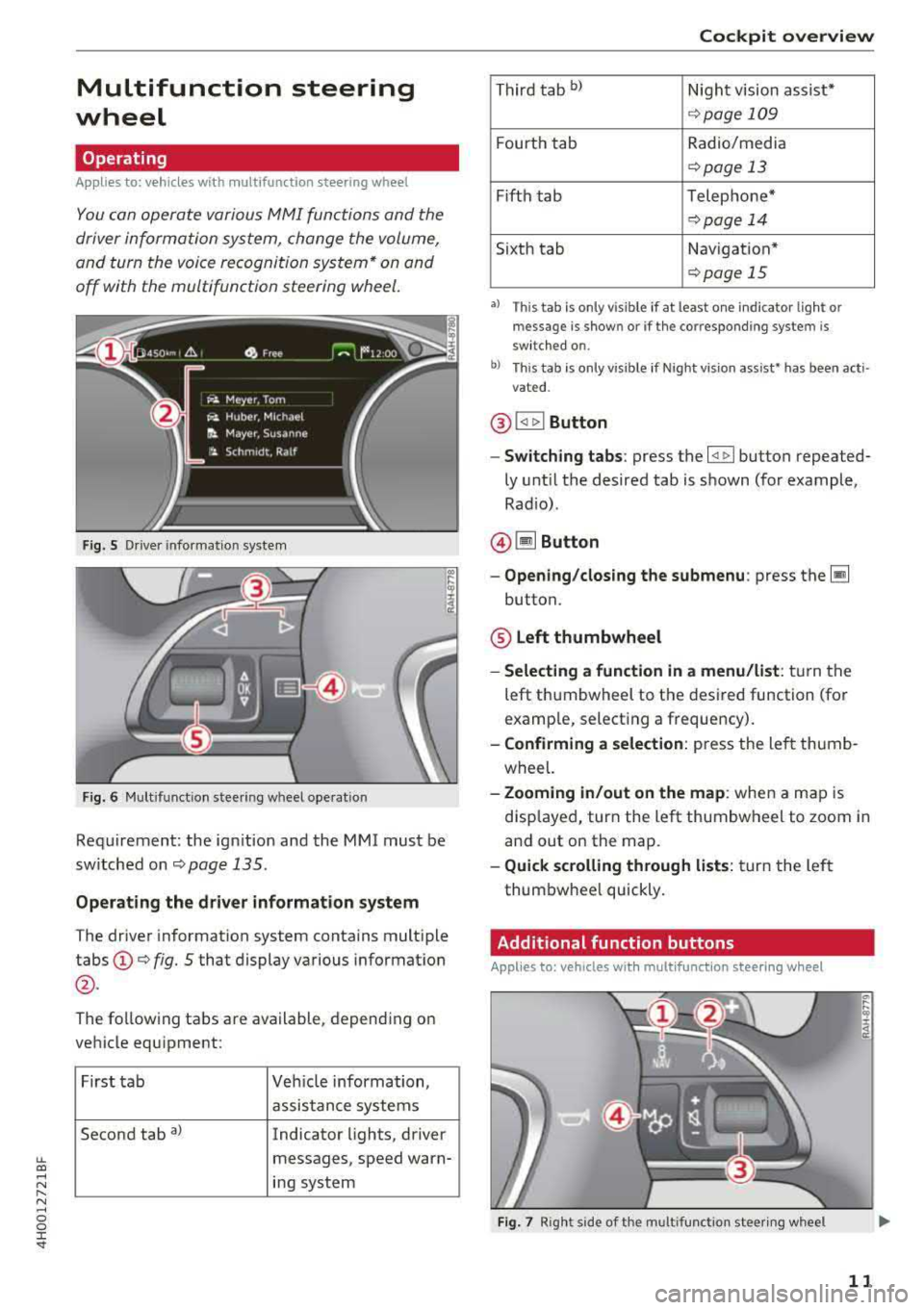
F ig. 5 Driver info rmat ion sys te m
Fig . 6 M ult ifunct ion steer ing w heel operat ion
Requ irement: the ign it ion and the MMI must be
sw itche d on
<=:>page 135.
Operating the driver information system
The drive r information system contains mult iple
tabs @<=:> fig. 5 that display various informat ion
@ .
The fo llow ing tabs are available, depending on
ve hicle equ ipment:
First ta b Vehicle information,
assis tance systems
Second tab
a) Indicator lights, driver
messages, speed warn-
i n g system
Cockpit overview
T hir d t ab bl Nigh t vision assist*
<=:> page 109
Fourt h tab Radio/media
<=:> page 13
Fifth tab Telephone*
<=:> pag e 14
Sixth tab Navigation *
<=:>page 15
•l Thi s tab is only v is ible if at least o ne in dica tor lig ht or
messa ge is show n or if t he co rr espo nding syste m is
sw it c h ed on .
b) Thi s tab is on ly v is ib le if Night vis io n ass ist• has been act i
vat ed .
@ !<1 t> ! Button
- Switching tabs : press the l<1 1> I button repeated
ly unt il t he desired tab is shown (for example,
Rad io) .
@ lil Button
-Opening /closing the submenu : press the~
button.
® Left thumbwheel
-Selecting a function in a menu/list : tur n the
left t humbwheel to the desired function (for
examp le, select ing a frequency).
- Confirming a selection : press the left thumb
wheel.
- Zooming in/out on the map : when a map is
disp layed, turn the left thumbwheel to zoom i n
and out on the map.
- Quick scrolling through lists : tur n t he le ft
thum bwhee l quickly .
Additional function buttons
Applies to: vehicles wit h mult ifunct ion stee rin g w hee l
Fig. 7 Rig ht s ide of t he mult ifun ctio n stee rin g wheel
11
Page 15 of 356

lL t:0 ....
"' " "' .... 0 0 :c '
Applies to: ve hicles with effic ie n cy program
Fig. 9 Instrument cluster : en ergy consumers
Fig. 10 Inst rument cluster: economy t ip
The efficiency program can help you to use less
fuel. It shows other consumers that are us ing
fuel and economy tips give advice on how to drive
efficiently. The efficiency prog ram receives dis
tance and cons umption data from the on-board
computer.
To disp lay the efficiency program, open the
Vehi
cl e fun cti ons
menu and se lect the Efficien cy pr o
gram
menu item .
Other consum ers
The Energ y con sum ers view lists other equip
ment that is currently affecting fuel consump
tion. The display shows up to three other equip
ment items
@ c:::> fig. 9. The equipment using the
most power is listed first. If more than three
items using power are sw itched on, the equip
ment that is currently using the most power is
displayed.
A gauge @also shows the current total con
sumpt ion of all other consumers.
Coc kpit o verview
E conom y tips
In certain situations, economy tips appear auto
matically for a short time in the efficiency pro
gram
c:::> fig. 10 . If you follow these economy tips,
yo u can reduce your vehicle's fuel consumption.
T o turn an economy tip off immediately after it
appea rs, press any button on the mu ltifunction
steering wheel.
(D Tips
- If
you erase the data in the eff icien cy pro
gram, the va lues in the on-board computer
w ill also be reset.
- Once yo u have turned an economy tip off, it
will only appear again after you turn the ig
nition on again.
- T he economy tips are not disp layed in
every
instance, but rather in interva ls over a peri
od of time .
Radio
Applies to: vehicles wit h mult ifu nction stee rin g w hee l
Fig . 11 Radio me nu
Requirement: radio mode must be started
c:::> page 178 and the radio/media tab must be
displayed.
.,. Press the ~ button on the multifunction steer
ing wheel.
- Sele cting the fr equenc y band : select and con
fi rm a frequency band.
- Select ing a sta tion from th e statio n list: select
and confirm a radio station.
- Sel ect ing a stat ion fr om th e pre set s l is t : select
and confirm
Pre sets and then select a radio sta
tion .
13
Page 16 of 356
Cockpit overv iew
Media
App lies to: vehicles w ith mu ltifunction steering wheel
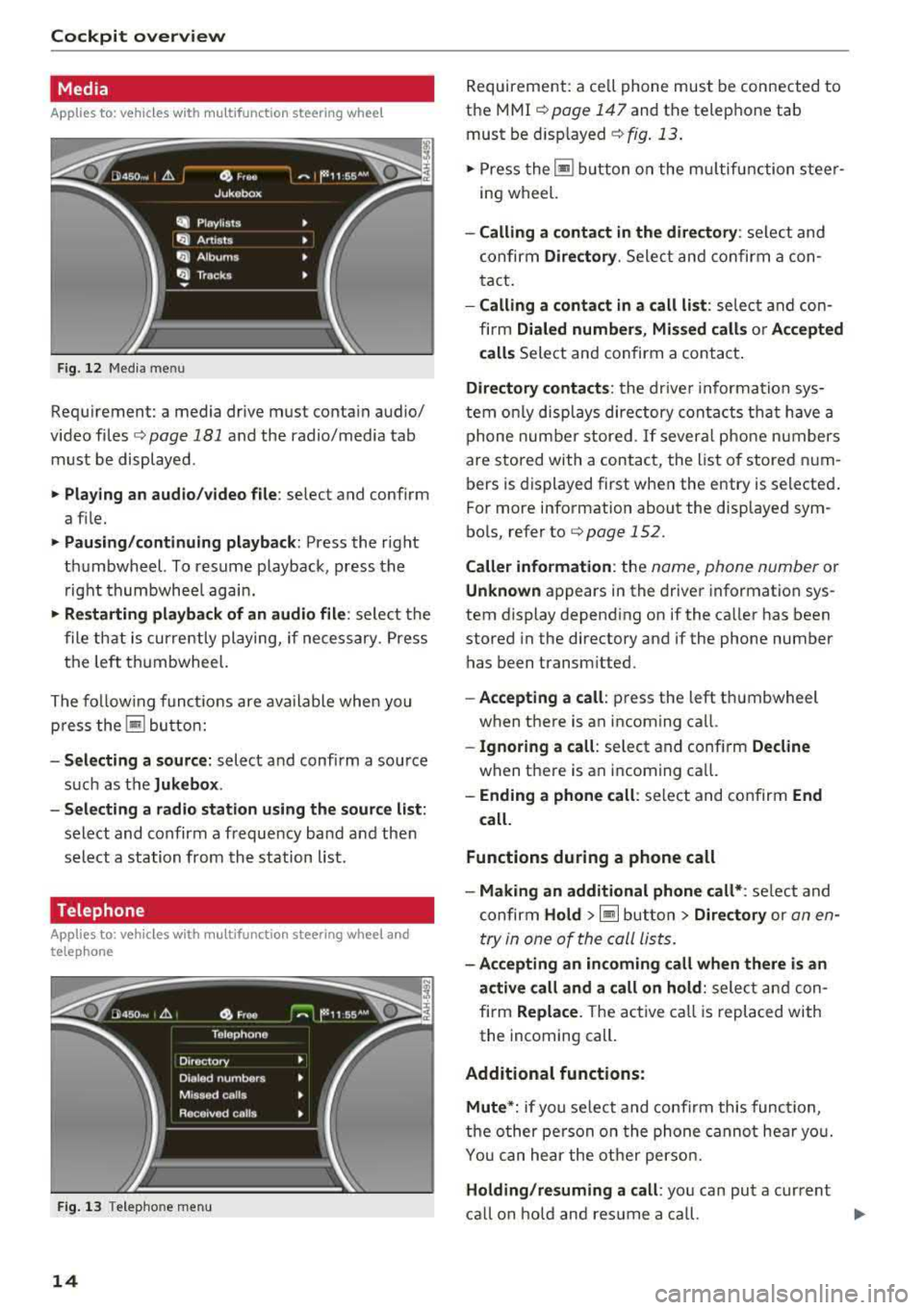
Fig. 12 Media men u
Requirement: a media drive must conta in audio/
video files
Q page 181 and the radio/media tab
must be displayed .
• Playing an audio /video file : select and confirm
a f ile.
• Pau sing /continui ng p layb ack: Press the right
thumbwheel. To resume playback, press the right thumbwhee l again.
• Re starting playba ck of an audio file : select the
file that is curre ntly playing, if necessary. Press
the left thumbwheel.
The fo llow ing funct ions are available when you
p ress the
Iii bu tton:
-S electing a source : select and confirm a source
such as the
Jukebo x.
-Sele cting a radio station using the sour ce l ist :
select and confirm a frequency band and then
select a station from the station list.
Telephone
A pp lies to: vehicles with multifunction steering wheel and
telep hone
Fig . 1 3 Telepho ne menu
14
Requirement: a ce ll phone must be connected to
the
MMI Q poge 147 and the telephone tab
must be d isp layed
Q fig . 13.
"'Press the ~ button on the mu ltifunction steer
ing wheel.
-Calling a conta ct in the dire ctory : select and
confirm
Dir ector y. Select and confirm a con
tact.
- Calling a conta ct in a call li st : select and con
firm
Dialed number s, Mi ssed call s or A ccept ed
c alls
Select and confirm a contact .
Directory contacts : the drive r information sys
tem on ly disp lays directory contacts t hat have a
phone number stored .
If several phone numbers
are stored with a contact, the list o f stored num
bers is displayed first when the entry is selected .
For more information about the displayed sym
bo ls, refer to
Q page 152 .
Caller information : the name, phone number or
Unknown appears in the driver information sys
tem display depend ing on if the ca ller has been
stored in the directory and if the phone number
has been transm itted.
- Accepting a call : press the left thumbwheel
when there is an incoming ca ll.
-Ig noring a call : select and confirm Decline
when there is an incoming ca ll.
-Ending a phone call : select and confirm End
call.
Functions during a phone call
-M aking an additional phone call* : select and
confirm
Ho ld >~but ton > Direct ory or an en
try in one of the call Lists.
-Acc epting an in coming call when th ere is an
a ct ive call and a call on hold :
select and con
firm
Replace . The active call is replaced with
the incoming call.
Additional funct ions :
Mute *:
if you se lect and confirm this function,
the o ther pe rson on the phone cannot hea r yo u.
You can he ar the other person.
Holding /res uming a call : you can put a current
ca ll on hold and res ume a ca ll.
.,.
Page 17 of 356

lL t:0 ....
'"" " '"" .... 0 0 :c '
calls at the same time. One of the calls will be on hold.
End call ends the active phone call. A call
that was placed on hold stays on hold and can be
taken off hold with
Resume.
Conference*:
a call on hold and up to five active
parties (depending on the network) can be added
to a conference call. To make an additional call,
put all participants in the current conference call
on hold using
Hold . If you press the~ button,
you can make an additional calls from the direc
tory or one of the call lists .
Resume takes all par
ties off hold.
@ Tips
- The telephone functions can only be con
trolled with the multifunction steering
wheel if the telephone equipment was in
stalled
at the factory.
-The telephone and call options depend on
the cell phone service provider and the cell
phone . You can obtain more information
from your cell phone service provider.
- The call options depend on the cell phone
and service provider. You can obtain more
information from your cell phone service
provider.
- The
Call waiting function must be activated
in your cell phone and in the
MMI to be
alerted when there is an incoming call dur
ing an active call.
Navigation
Applies to: vehicles with multifunction steering wheel and
nav igation system
Fig. 14 Lane d ispl ay
Cockpit overview
Fig. 15 Turn display
Requirement: a destination or a route plan must
be entered
¢ page 166, route guidance must be
started
c> page 171 and the navigation tab must
be displayed.
Depending on the vehicle equipment, the active
route guidance will be displayed in the street
view* in the driver information system:
(D Total mileage to the destination or stopover
@ Displaying an expressway, highway or main
road as preparation for an upcoming change
in direction
@ Distance to the next maneuver
@ The name of the expressway, highway or
main road onto which you will be turning
® Additional information (on-board computer)
@ Calculated arrival time
0 A bar graph appears when a direction arrow
is displayed . The fewer bars are shown, the
shorter the distance is until the turn.
@ Direction arrow for the upcoming maneuver
® Current vehicle position
The following functions are also available when route guidance is active :
-Repeating the last navigation prompt: press
the
QJ button.
- Changing the voice guidance volume: turn the
right thumbwheel up or down during voice
guidance.
- Selecting Street view/Arrow view: press the §]
button and select and confirm Street view or
Arrow view.
If you have not started route guidance, a com
pass will display in the navigation tab.
15
Page 19 of 356
Display content
In t he Info tainment system, yo u can specify
which informa tion should be displayed: This
could be Navigation information* or Nig ht vision
assist *, for examp le.
The display of certa in inf ormat ion and some of
the red indicator lights cannot be h idden in the
I nfotainment system .
Display brightness
You can adjust the display br ight ness in the Info
tainment system. The display b rig htn ess decreas
es au toma tically as the amo un t of ligh t dec reas
es. The backgro und brightness is adjusted with
the instrument
i ll umination ¢ page 47.
@ Note
To preven t scratches on t he g lass cove ring the
head -up d isp lay, do not place any obje cts in
the projection opening .
(D Tips
-Su ng lasses w it h polar izat ion fi lte rs a nd un
favorab le lighting conditions can have a
negative effect on the display.
- An optim um display depends on the seat
position and the height adjustment of the
head -up display .
- A specia l windshield is needed for the head
u p disp lay function.
- Fo r informa tion on cleaning,
see¢ table on
page 308.
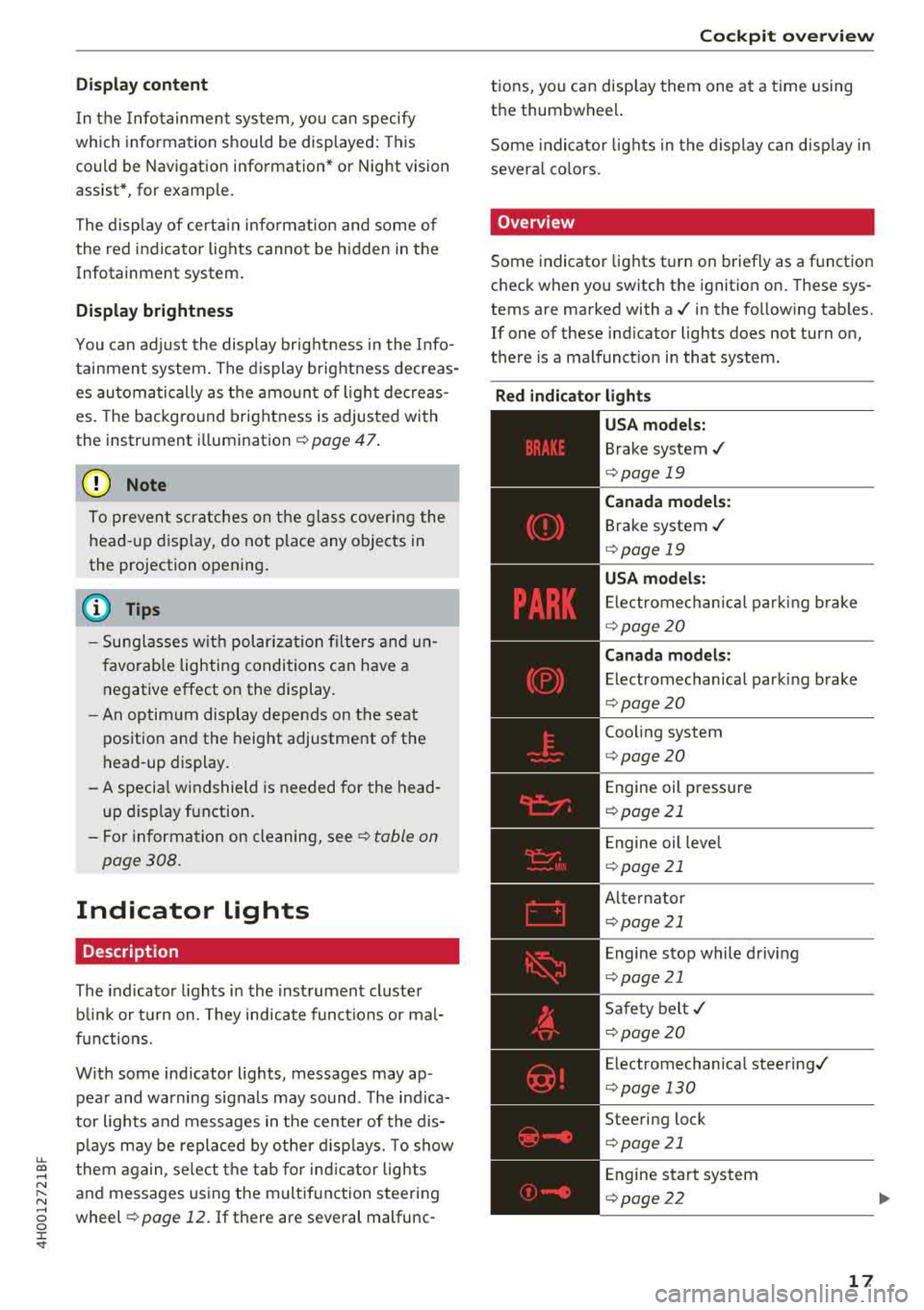
Indicator lights
Description
The indicato r lights in the inst rument cluste r
b lin k or t urn on. They ind icate funct ions or mal
f u nctions.
W ith some ind icator lights, messages may ap
pear and wa rning signals may sound . The ind ica
tor lights and messages in the center of the dis p lays may be replaced by other d isplays. To show
u.
~ them again, se lect the tab for ind icator lights
N ~ and messages using the multif unction steering
...... g wheel ¢ page 12. If there are several malfunc -
:c '
tions, you can disp lay them one at a time using
the thumbwheel.
Some indicato r lights in the display ca n disp lay in
severa l co lors.
Overview
Some indicator lights turn on brief ly as a function
check when you switch the ignition on . These sys
tems are marked with a./ in the fo llow ing tab les.
If one of these ind icator lights does not turn on,
there is a malfunct io n in that system.
Red indicator light s
-------------
US A models:
Brake system./
¢ page 19
Canada model s:
Brake system ./
¢ page 19
USA models:
Electromechan ica l park ing b rake
¢ pag e 20
Canada models:
Electromechan ical parki ng brake
¢ page 20
Coo ling system
¢ page 20
Engine oil pressure
¢ page 21
Engine oil leve l
¢ page 21
Alte rnator
¢ page 21
E ngine stop while driv ing
¢ page 21
Safety belt ./
¢ page 20
Electromechanical steering./
¢ page 130
Steering lock
¢ page 21
Engine start system
¢ page 2 2
17
Page 21 of 356

u. co .... N
" N .... 0 0 :c '
¢ page 21
Eng ine start system
¢ page22
Brake booster
¢page23
Electromechanical power steer
i ng, dynam ic
steering*../
¢ page 130
Air s uspension
¢ page 22
Sport differe ntia l*
¢ page 25
Other indic ator lights
-------------
Tur n signa ls
¢ page 25
USA mod els:
C ruise control system
¢ page 93
Canada models:
Cruise contro l system
¢ page 93
Adaptive c ruise contro l*
¢ page 97
Adaptive c ruise contro l*
¢ page 97
Adaptive c ruise contro l*
¢page 97
Active lane assist*
¢page 104
Start/Stop system*
¢page 78
Start/Stop system*
¢page 78
High beam assistant
¢page44
High beams
¢ page 44, ¢ page 44
BRAKE/( ©) Brake system
If t his ind icator lig ht tu rns on, the re is a ma lfu nc
tion in the brake system.
Coc kpit o ver view
llll
Stop t he veh icle a nd check t he b rake fl uid level.
See a n author ized A udi dealer or author ized A udi
Se rvice Facility for assistance if necessary.
1111 (USA model s) /. (Canad a mod els)
Brake s: malfunction! Stop v ehicl e safely
If the ABS ind icator light llll) (USA models) /
~ (Canada models), the ESC ind icator light DJ .
and the b rake system indicato r light 1111 (USA
models)/ . (Can ada models) all tu rn o n and
t hi s message appea rs, then the ABS, ESC and
braking d istribution are
ma lfunctioning ¢&. .
Do not continue dr iv ing . See a n author ized Audi
dealer or author ized A udi Se rvice Fac il ity for as
s istance ¢&. .
1111 (USA model s) /. (C anad a model s) Park
ing brak e system fault! See owner' s manual
- If the ind icator light and the message appear
when the vehicle is stationary or after switch
ing the ignition on ,
check if you can release the
pa rk ing bra ke. If you cannot release t he pa rk
ing b rake , see a n author ized A udi dealer or au
t hor ized A udi Se rvi ce Fac ility. If you can release
the parking brake and the message sti ll ap
pears, see an authorized Audi dealer or author
ized Aud i Service Faci lity immediately to have
the malfunction corrected.
- If the indicator lig ht and message appear
while
dri ving ,
the hill start ass ist or emergency brak
ing function may be ma lfunctioning. It may not
be possible to set the parking brake or release
it once it has been set . Do not park your vehicle
on hills . See an authorized Aud i deale r or au
thor ized A udi Service Fac ility for assistance.
Applies to: USA models
If the 1111 and rlJ turn on at the same time, the
brake pads are worn out
r=;, page 23 .
A WARNING
-Read and follow the warnings in
¢ page 2 72, Working in the engine com
partment
befo re opening the hoo d and
checking the brake fluid level.
19
Page 23 of 356
u. co .... N
" N .... 0 0 :c '
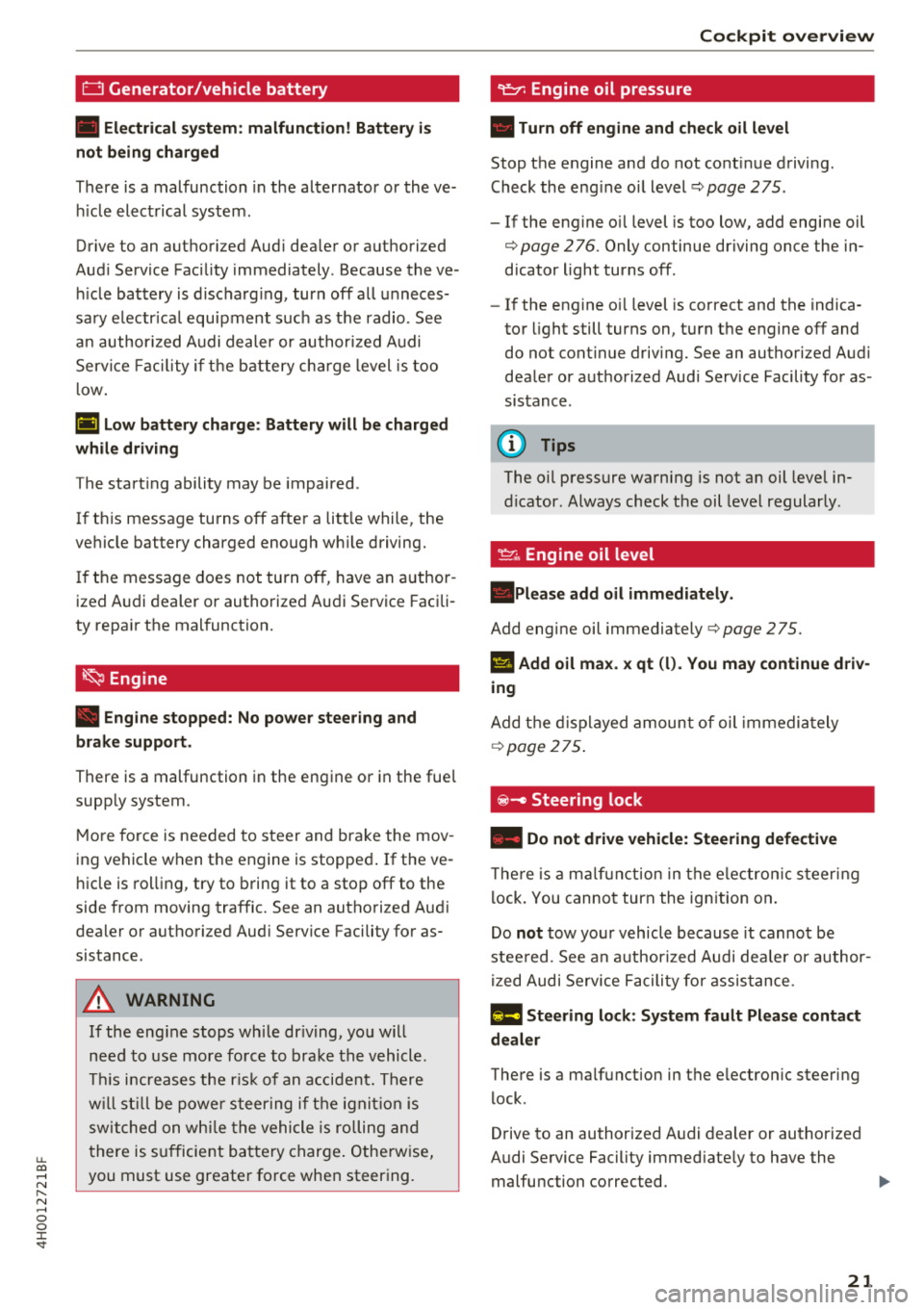
• Electrical system: malfunction! Battery is
not being charged
There is a malfunction in the alternator or the ve
hicle electrical system .
Drive to an autho rized Audi dea ler or authorized
Aud i Service Facility immediately. Because the ve
hi cle battery is discharg ing, turn off all unneces
sary electrical equipment s uch as the radio . See
a n author ized A udi dealer or authorized Audi
Service Facility if the battery charge level is too
l ow .
(•) Low battery charge : Battery will be charged
while driving
The start ing ability may be impaired .
If th is message turns off after a litt le while, the
vehicle battery charged enough wh ile driving.
If the message does not turn off, have an author
ized Audi dealer or authorized Audi Service Facili
ty repair the malfunction.
~ Engine
• Engine stopped: No power steering and
brake support.
There is a malfunction in the engine or in the fue l
supp ly system.
M ore force is needed to steer and brake the mov
ing vehicle when the engine is stopped .
If the ve
hicle is rolling, try to bring it to a stop off to the
side from moving traffic. See an authorized Aud i
dealer or authorized Aud i Serv ice Facility for as
sistance .
A WARNING
-
If the engine stops while driving, you will
need to use more force to brake the vehicle.
This inc reases the risk of an accident. There
will still be power steering if the ignition is
switched on while th e vehicle is rolling and
there is sufficient battery charge. Otherwise,
you must use greater force when steering .
Cockpit overview
"1:::7: Engine oil pressure
• Turn off engine and check oil level
Stop the engine and do not cont inue driving .
Check the eng ine o il level
¢pag e 275.
- If the engine o il level is too low, add engine oil
¢ page 2 76. Only continue driving once the in
dicator light turns off .
-If the engine o il level is correct and the indica
tor light still turns on, turn the engine off and
do not cont inue driving. See an authorized Audi
dealer or authorized Audi Service Facility for as
sistance.
(D Tips
The o il pressure warning is not an oil leve l in
dicator. Always check the oil level regular ly.
~ , Engine oil level
.Please add oil immediately.
Add engine oil immediately ¢page 275.
l'I Add oil max . x qt (l). You may continue driv
ing
Add the displayed amount of oil immediately
¢page 275.
@ -Steering lock
• Do not drive vehicle: Steering defective
The re is a malfunction in the electron ic steer ing
loc k. You canno t turn the ign ition on.
Do
not tow your vehicle because it cannot be
stee red. See an authorized Audi dealer or author
ized Audi Service Facility for assistance.
!I! Steering lock: System fault Please contact
dealer
There is a malfunction in the e lectron ic steering
lock .
Drive to an authorized Audi dealer or authorized
Audi Service Facility immed iate ly to have the
malfunction corrected.
IJ>
21
Page 24 of 356
Cockpit overview
A WARNING
Do not tow your veh icle when there is a mal
function in the electronic steering lock
-this
increases the risk of an accident.
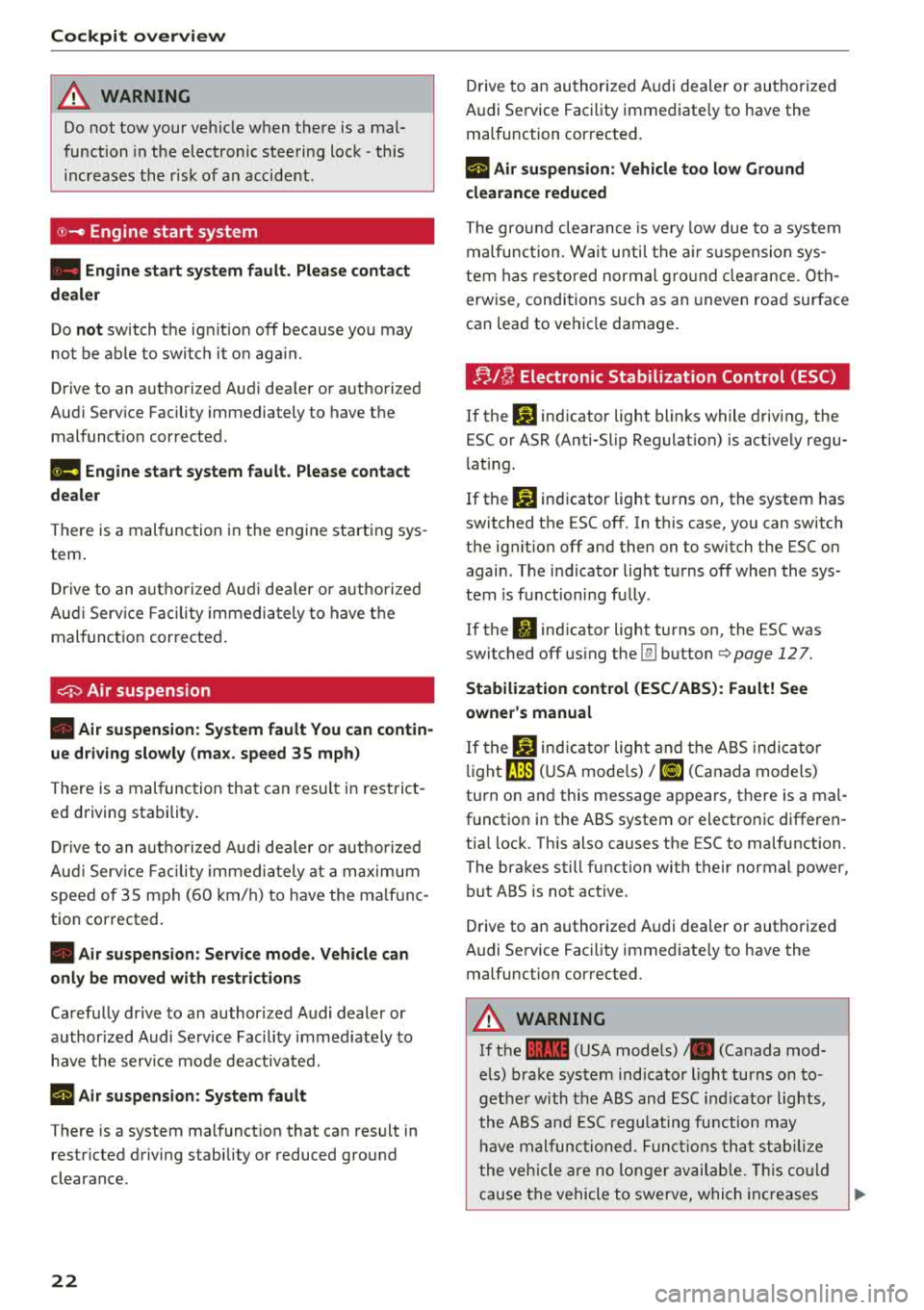
@-Engine start system
-
• Engine start system fault. Please contact
dealer
Do not switch the ignit ion off because you may
not be able to switch it o n aga in .
Drive to an authorized Audi dea ler or authorized
Aud i Serv ice Facility immediately to have the
malfunct io n corrected.
ml Engine start system fault. Please contact
dealer
There is a malfunction in the engine starting sys
tem .
Drive to an authorized Aud i dea le r or authorized
Aud i Service Facility immediately to have the
malfunction corrected .
0 Air suspension
• Air suspension: System fault You can contin
ue driving slowly (max. speed 35 mph)
There is a malfunction that can result in restrict
ed driving stability .
Drive to an autho rized Aud i dea le r or authorized
Aud i Service Facility immediately at a maximum
speed of 35 mph (60 km/h) to have the ma lf unc
tion corrected.
• Air suspension: Service mode. Vehicle can
only be moved with restrictions
Carefully drive to an author ized Audi dealer or
author ized Audi Service Facility immed iate ly to
have the serv ice mode deactivated.
rl Air suspension : System fault
There is a system malfunction that can result in
restricted driving stability or reduced ground
clearance.
22
Drive to an authorized A udi dealer or authorized
Audi Service Facility immediate ly to have the
malfunction corrected.
rl Air suspension: Vehicle too low Ground
clearance reduced
The ground clearance is very low due to a system
malfunction . Wait u ntil the air su spension sys
tem has restored normal gro un d clearance. Oth
erwise, conditions s uch as an uneven road surface
can lead to ve hicle damage.
;;.I C; Electronic Stabilization Control (ESC)
If the bl indicator light blinks while driving, the
ESC or ASR (Anti-Slip Regulation) is act ively regu
lating.
If the
Jjj indicator light turns on, the system has
switched the ESC off. In this case, you can switch
the ignit ion off and then on to switch the ESC on
again. The indicator light turns off when the sys
tem is functioning fully .
If the
II indicator light turns on, the ESC was
switched off using the
Im button Q page 12 7.
Stabilization control (ESC/ ABS): Fault! See
owner's manual
If the bl ind icat or light and the ABS indicato r
li ght
fJ] (U SA mode ls)/ [iJ (Canada models)
turn on and this message appears, there is a mal
function in the ABS system or electronic differen
tia l lock. This also causes the ESC to malfunction .
The brakes still function with their normal power, but ABS is not active .
Drive to an authorized Audi dealer or authorized
Audi Service Facility immediately to have the malfunction corrected.
A WARNING
If the la (USA mode ls) . (Canada mod
els) brake system indicator light turns on to
gethe r with the ABS and ESC indicator lights,
the ABS and ESC r egulating function may
ha ve malfunctioned. Functions that stabilize
the vehicle are no longer available. This could
cause the vehicle to swerve, which increases