power steering AUDI A8 2020 User Guide
[x] Cancel search | Manufacturer: AUDI, Model Year: 2020, Model line: A8, Model: AUDI A8 2020Pages: 360, PDF Size: 95.38 MB
Page 134 of 360

Driving dynamic
& Steering: malfunction! Please stop vehicle.
Pay attention to distance at side
The rear axle steering may have failed. More
space on the road may be needed at the side of
the vehicle. Slow down immediately, and stop
your vehicle as soon as possible in a safe location
with enough space at the sides of the vehicle. Do
not continue driving. See an authorized Audi
dealer or authorized Audi Service Facility for as-
sistance.
BS Steering: malfunction! Please stop vehicle
There is a malfunction in the electronic steering
lock. You cannot turn the ignition on. Do not tow
your vehicle because it cannot be steered. See an
authorized Audi dealer or authorized Audi Service
Facility for assistance.
a Steering: malfunction! You can continue
driving
There is a malfunction. Steering may be more dif-
ficult or more sensitive. Adapt your driving style.
Have the steering system checked immediately
by an authorized Audi dealer or authorized Audi
Service Facility. Please note that the red indicator
light may turn on after restarting the engine. Do
not continue driving if it does.
a Steering: malfunction! Adapt driving style.
Larger turning radius
The rear axle steering may have failed. The vehi-
cle will have a larger turning radius, and the sta-
bility when driving around curves will be compa-
rable to a vehicle without rear axle steering. Drive
carefully to an authorized Audi dealer or author-
ized Audi Service Facility to have the malfunction
corrected.
BS Steering lock: malfunction! Please contact
Service
There is a malfunction in the electronic steering
lock. Drive immediately to an authorized Audi
dealer or authorized Audi Service Facility to have
the malfunction repaired.
Dynamic steering: correcting steering wheel
position
132
The steering is reinitializing. The steering wheel
will move easily after starting the vehicle. Reiniti-
alization might be necessary if the steering wheel
was moved while the engine was switched off.
The display turns off if the initialization was suc-
cessful.
Z\ WARNING
Do not tow your vehicle if there is a malfunc-
tion in the electronic steering lock because
this increases the risk of an accident.
@ Tips
— If there is a malfunction, the steering wheel
may be crooked when driving straight.
—Ifthe a or a indicator light only stays on
for a short time, you may continue driving.
ALL wheel drive (quattro)
Applies to: vehicles with all wheel drive
The all-wheel drive system distributes the driving
power variably to the front and rear axle to im-
prove the driving characteristics. It works togeth-
er with selective wheel torque control, which can
activate when driving through curves
> page 134.
The all-wheel drive system is designed for high
engine power. Your vehicle is exceptionally pow-
erful and has excellent driving characteristics
both under normal driving conditions and on
snow and ice. Always read and follow safety pre-
cautions > A\.
Z\ WARNING
— Even in vehicles with all wheel drive, you
should adapt your driving style to the cur-
rent road and traffic conditions to reduce
the risk of an accident.
— The braking ability of your vehicle is limited
to the traction of the wheels. In this way, it
is not different from a two wheel drive vehi-
cle. Do not drive too fast because this in-
creases the risk of an accident.
— Note that on wet streets, the front wheels
can “hydroplane” if driving at speeds that >
Page 135 of 360
4N0012721BD
Driving dynamic
are too high. Unlike front wheel drive
vehicles, the engine RPM does not increase
suddenly when the vehicle begins hydro-
planing. Adapt your speed to the road condi-
tions to reduce the risk of an accident.
Sy Telamelaielcls
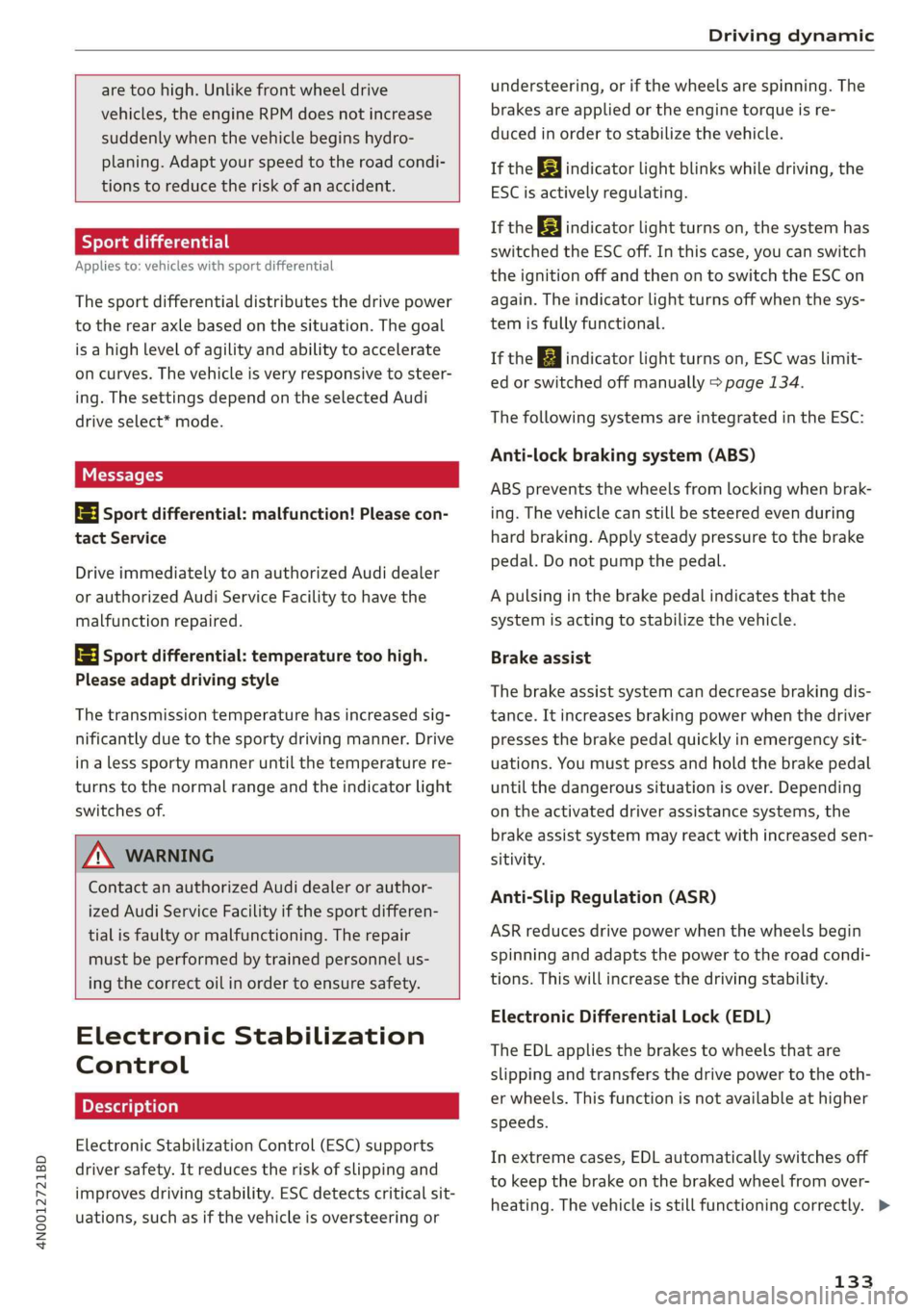
Applies to: vehicles with sport differential
The sport differential distributes the drive power
to the rear axle based on the situation. The goal
is a high level of agility and ability to accelerate
on curves. The vehicle is very responsive to steer-
ing. The settings depend on the selected Audi
drive select* mode.
Messages
Hi Sport differential: malfunction! Please con-
tact Service
Drive immediately to an authorized Audi dealer
or authorized Audi Service Facility to have the
malfunction repaired.
it} Sport differential: temperature too high.
Please adapt driving style
The transmission temperature has increased sig-
nificantly due to the sporty driving manner. Drive
in a less sporty manner until the temperature re-
turns to the normal range and the indicator light
switches of.
Z\ WARNING
Contact an authorized Audi dealer or author-
ized Audi Service Facility if the sport differen-
tial is faulty or malfunctioning. The repair
must be performed by trained personnel us-
ing the correct oil in order to ensure safety.
Electronic Stabilization
Control
Electronic Stabilization Control (ESC) supports
driver safety. It reduces the risk of slipping and
improves driving stability. ESC detects critical sit-
uations, such as if the vehicle is oversteering or
understeering, or if the wheels are spinning. The
brakes are applied or the engine torque is re-
duced in order to stabilize the vehicle.
If the [i indicator light blinks while driving, the
ESC is actively regulating.
If the B&B indicator light turns on, the system has
switched the ESC off. In this case, you can switch
the ignition off and then on to switch the ESC on
again. The indicator light turns off when the sys-
tem is fully functional.
If the B indicator light turns on, ESC was limit-
ed or switched off manually > page 134.
The following systems are integrated in the ESC:
Anti-lock braking system (ABS)
ABS prevents the wheels from locking when brak-
ing. The vehicle can still be steered even during
hard braking. Apply steady pressure to the brake
pedal. Do not pump the pedal.
A pulsing in the brake pedal indicates that the
system is acting to stabilize the vehicle.
Brake assist
The brake assist system can decrease braking dis-
tance. It increases braking power when the driver
presses the brake pedal quickly in emergency sit-
uations. You must press and hold the brake pedal
until the dangerous situation is over. Depending
on the activated driver assistance systems, the
brake assist system may react with increased sen-
sitivity.
Anti-Slip Regulation (ASR)
ASR reduces drive power when the wheels begin
spinning and adapts the power to the road condi-
tions. This will increase the driving stability.
Electronic Differential Lock (EDL)
The EDL applies the brakes to wheels that are
slipping and transfers the drive power to the oth-
er wheels. This function is not available at higher
speeds.
In extreme cases, EDL automatically switches off
to keep the brake on the braked wheel from over-
heating. The vehicle is still functioning correctly. >
133
Page 136 of 360
Driving dynamic
EDL will switch on again automatically when con-
ditions have returned to normal.
Power steering
The ESC can also support vehicle stability
through steering.
Selective wheel torque control
Selective wheel torque control is used when driv-
ing on curves. Braking is targeted toward the
wheels on the inside of the curve as needed. This
allows more precise driving in curves.
Automatic post-collision braking system
The automatic post-collision braking system can
help to reduce the risk of sliding and of addition-
al collisions after an accident. If the airbag con-
trol module detects a collision, the vehicle is
braked by the ESC.
The vehicle does not brake automatically if one of
the following occurs:
— The driver presses the accelerator pedal, or
— The braking force generated by the pressed
brake pedal is greater than the braking force
that
would be initiated by the system
— The ESC, the brake system, or the vehicle elec-
trical system is not functioning
Z\ WARNING
— The ESC and its integrated systems cannot
overcome the limits imposed by natural
physical laws. This is especially important on
slippery or wet roads. If the systems begin
acting to stabilize your vehicle, you should
immediately alter your speed to match the
road and traffic conditions. Do not let the in-
creased safety provided tempt you into tak-
ing risks. This could increase your risk of a
collision.
— Please note the risk of a collision increases
when driving fast, especially through curves
and on slippery or wet roads, and when driv-
ing too close to objects ahead. There is still
a risk of accidents because the ESC and its
integrated systems cannot always prevent
collisions.
134
— Accelerate carefully when driving on
smooth, slippery surfaces such as ice and
snow. The drive wheels can spin even when
these control systems are installed and this
can affect driving stability and increase the
risk of a collision.
@) Tips
— The ABS and ASR only function correctly
when all four wheels have a similar wear
condition. Different tire sizes can lead to a
reduction in engine power.
— You may hear noises when the systems de-
scribed are working.
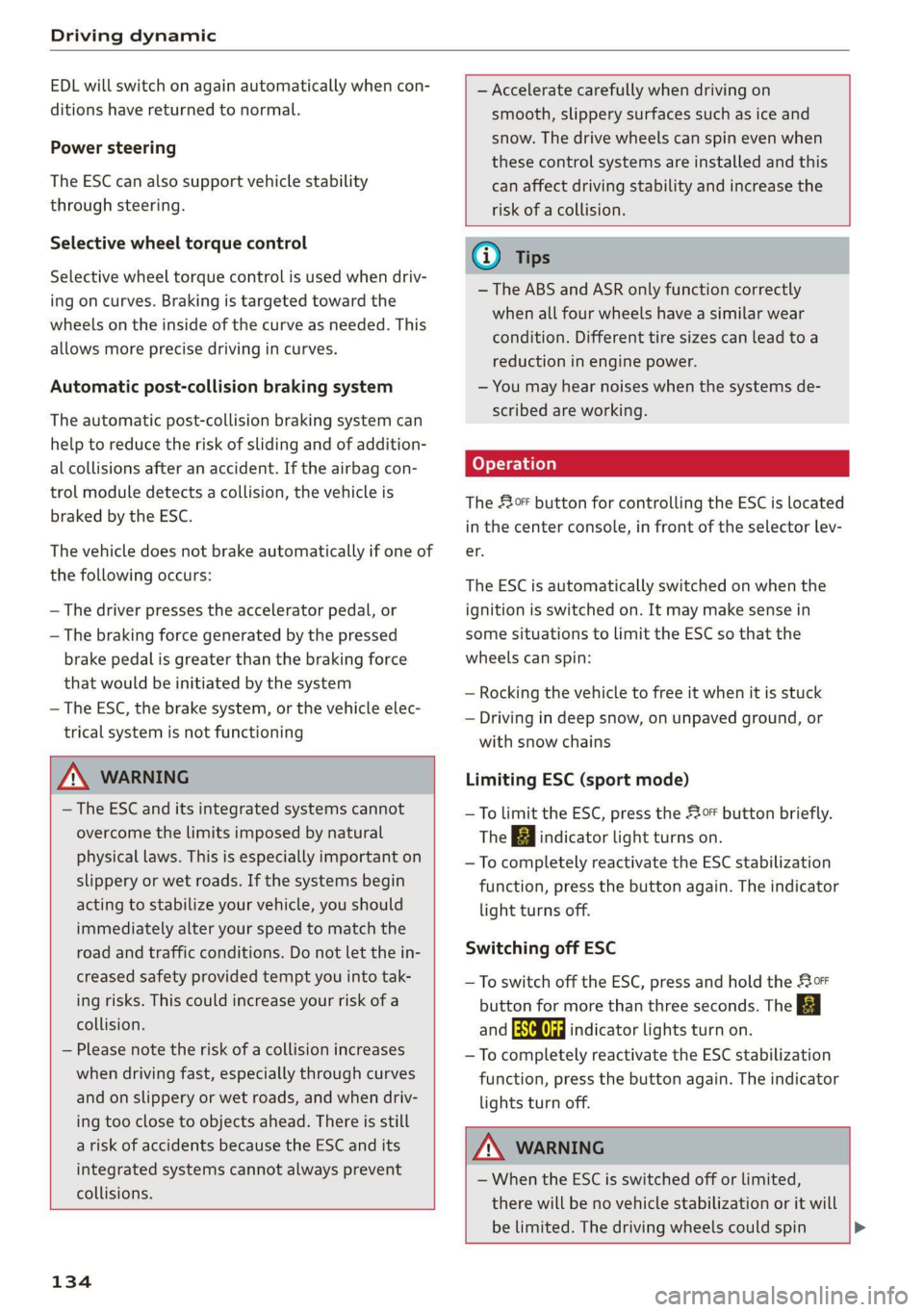
The So button for controlling the ESC is located
in the center console, in front of the selector lev-
er.
The ESC is automatically switched on when the
ignition is switched on. It may make sense in
some situations to limit the ESC so that the
wheels can spin:
— Rocking the vehicle to free it when it is stuck
— Driving in deep snow, on unpaved ground, or
with snow chains
Limiting ESC (sport mode)
—To limit the ESC, press the oF button briefly.
The B indicator light turns on.
— To completely reactivate the ESC stabilization
function, press the button again. The indicator
light turns off.
Switching off ESC
— To switch off the ESC, press and hold the Sor
button for more than three seconds. The B
and Ea indicator lights turn on.
— To completely reactivate the ESC stabilization
function, press the button again. The indicator
lights turn off.
Z\ WARNING
- When the ESC is switched off or limited,
there will be no vehicle stabilization or it will
be limited. The driving wheels could spin >
Page 174 of 360

Driver assistance
— The adaptive cruise assist does not respond to
people, animals, or objects that are crossing or
approaching from the opposite direction.
Z\ WARNING
Follow the safety precautions and note the
limits of the assist systems, sensors, and
cameras > page 154.
Display overview
Applies to: vehicles with adaptive cruise assist
3] S|
me Ny Iz G3
Fig. 128 Instrument cluster: driver assistance display
Indicator lights and messages in the speedome-
ter @ -@) inform you about the driving situation
and the settings. In the Driver assistance display
@- ©, you can find more detailed information
about the system. The displays depend on the
country and equipment.
Display in the speedometer
The display in the speedometer is not available in
all layouts*.
@ Marking for the set speed
@ Current vehicle speed
@® Available speed range for adaptive cruise as-
sist (example)
172
Image in the Driver assistance display
The display only appears when the Driver assis-
tance display is open in the on-board computer
=> page 16.
Messages and settings
Detected vehicle driving ahead
Set target distance
If you fall below the set distance, the dis-
tance bars turn red from the bottom upward.
Your vehicle
©®
CO©®
Availability of lane departure warning
= page 180 and lane guidance
© Lane guidance for adaptive cruise assist is ac-
tive 1 or not active
Indicator lights
A - The speed/distance control is active. No
vehicles were detected ahead. The stored speed
is maintained.
Ba - The speed/distance control is active. A vehi-
cle was detected ahead. The adaptive cruise as-
sist controls the speed and distance from the ve-
hicle driving ahead, and accelerates and brakes
automatically.
A - The speed/distance control is active but the
vehicle is not ready to drive. A vehicle was de-
tected ahead. Your vehicle is stationary and will
not start driving automatically.
BS - The speed/distance control is active but the
vehicle is not ready to drive. No vehicles were de-
tected ahead. Your vehicle is stationary and will
not start driving automatically.
aA - The automatic braking is not enough to
maintain a sufficient distance to a vehicle driving
ahead. You must intervene > page 177, Driver in-
tervention request.
& This indicator light appears if steering activity
is no longer detected. Always keep your hands on
the steering wheel so you can be ready to steer at
any time. The indicator light will also turn off, for
example if the steering power from the system is
not sufficient and adaptive cruise assist is can-
celed > page 175.
Page 177 of 360

4N0012721BD
Driver assistance
— The driver's hands are not on the steering
wheel
Steering intervention request
If no steering activity is detected or the steering
power is not sufficient, the driver steering inter-
vention request will alert the driver using audio
and visual signals. Take over the steering and
keep your hands on the steering wheel so that
you will be ready to steer at any time. The system
will become inactive after a short time and will
only be active again later.
If the driver does not take over steering, adaptive
cruise assist will be canceled. If the vehicle is
equipped with emergency assist and it is ready to
function, it will be activated > page 190.
ZA WARNING
Follow the safety precautions and note the
limits of the assist systems, sensors, and
cameras > page 154.
@ Tips
— Always keep your hands on the steering
wheel. The driver is always responsible for
adhering to the regulations applicable in
the country where the vehicle is being oper-
ated.
— It is recommended to only switch on lane
guidance on well-constructed roads.
— Certain settings are stored automatically in
the active personal profile.
—The & fig. 131 button switches lane guid-
ance availability and the lane departure
warning on or off simultaneously, if lane
guidance is preset in the adaptive cruise as-
sist settings.
Setting the distance
Applies to: vehicles with adaptive cruise assist
B4M-0234
Fig. 132 Operating lever: setting the distance
If you adjust the speed, you must also change the
time gap to the vehicle driving ahead. The higher
the speed, the greater the distance that is need-
ed.
> Tap the rocker switch to display the distance
that is currently set.
> To increase or decrease the distance in incre-
ments, tap the switch again toward G) or ().
The newly-set distance will be shown briefly, for
example with the indicator light. In the Driv-
er assistance display, a graphic display is shown
instead of the indicator lights > page 172,
fig. 128. The display matches the functions of
the indicator lights.
When approaching a vehicle driving ahead, the
adaptive cruise assist brakes to the set speed and
then maintains the set distance. If the vehicle
driving ahead accelerates, then the adaptive
cruise assist will also accelerate up to the speed
that you have set.
The following distances can be set:
175
Page 180 of 360
Driver assistance
The display @ only appears when the Driver as-
sistance display is open in the on-board
computer > page 16.
ZA WARNING
Follow the safety precautions and note the
limits of the assist systems, sensors, and
cameras > page 154.
Adjusting the adaptive cruise assist
Applies to: vehicles with adaptive cruise assist
You can adjust the adaptive cruise assist to your
own preferences. The settings depend on the ve-
hicle equipment.
> Applies to: MMI: Select on the home screen:
VEHICLE > Driver assistance > (<3) > Adaptive
cruise assist.
Possible settings:
Lane guidance - If lane guidance is also active
when adaptive cruise assist control is active, you
can switch it on or off.
Driving program - Depending on the driving pro-
gram and the distance that are set, the vehicle
handling will be adjusted from Sport to Moder-
ate and the lane guidance haptic feedback will be
adjusted.
Store last distance - The last distance that was
set will be stored after the ignition is switched
off. If the distance is not stored, distance
(time distance of approximately 1.8 seconds) is
automatically preset every time the ignition is
switched on.
Applies to: vehicles with efficiency assist
Predictive control - When predictive control is
switched on, the system reacts automatically to
situations > page 169.
G) Tips
Certain settings are stored automatically in
the active personal profile.
178
Messages
Applies to: vehicles with adaptive cruise assist
a | or is displayed when there is a malfunc-
tion, the adaptive cruise assist functions may be
unavailable or limited.
A message that indicates the cause and possible
solution may appear with some displays. The
weather conditions may be too poor or a sensor
may be covered. Clean the area in front of the
sensors > page 156, fig. 117, > page 156,
fig. 118 and try to turn on the systems again lat-
er.
If the malfunction remains, drive to an author-
ized Audi dealer or authorized Audi Service Facili-
ty immediately to have the malfunction correct-
ed.
Applies to: vehicles with narrowed road assist
Narrow area
Depending on vehicle equipment, this message
appears in the Driver assistance display if the
adaptive cruise assist is adjusting the speed ina
narrow area, for example a construction zone.
Adaptive cruise assist: Please take over!
This message appears if the vehicle rolls back
when starting ona slight incline, even though the
systems are active. Press the brake pedal to pre-
vent the vehicle from rolling or starting to move.
The message will also appear, for example if the
steering power from the system is not sufficient
and adaptive cruise assist is switched off.
Adaptive cruise assist: limited availability.
See owner's manual
This message appears when the sensor view is
limited, for example, when weather conditions
are too poor or a sensor is covered. You can
switch on the adaptive cruise assist, but certain
functions such as assistance in narrow areas will
not be available. Under certain circumstances,
some objects may be detected late or may not be
detected at all. Be especially careful. However,
cleaning the area in front of the sensors
=> page 156, fig. 117, > page 156, fig. 118 may
correct the malfunction.
Page 183 of 360

4N0012721BD
Driver assistance
Display or in- | Meaning on the corresponding
dicator light side
@ White The lane departure warning is
lines switched on but not ready to pro-
vide warnings.
@ Green Lane departure warning is
line switched on and ready to provide
warnings on that side.
@ Red The lane departure warning will
line warn you with corrective steering
before exiting the lane.
The steering wheel can also vi-
brate to warn you if lane bounda-
ries are detected during a pass-
ing maneuver.
The lane departure warning is ready to provide
warnings if an object is detected on at least one
side of the individual lane.
If the Hi indicator light turns on, the lane depar-
ture warning is not ready to provide warnings.
This may be due to the following reasons:
— The necessary lane marker lines have not been
detected (for example, in a construction zone
or because the lines are obstructed by snow,
dirt, water, or lighting)
— The speed is below the activation speed
— The lane is too narrow or too wide
— The curve is too narrow
— The driver's hands are not on the steering
wheel
— Visibility is obstructed by a rise or dip.
Steering intervention request
If no steering activity is detected or the steering
power from the system is not sufficient, the driv-
er steering intervention request will alert the
driver using audio and visual signals. Take over
the steering and keep your hands on the steering
wheel so that you will be ready to steer at any
time. The system will become inactive after a
short time and will only be active again later.
If the driver does not take over steering, the lane
departure warning will be switched off. If the ve-
hicle is equipped with emergency assist and it is
ready to function, it will be activated > page 190.
ZA WARNING
— Follow the safety precautions and note the
limits of the assist systems, sensors, and
cameras > page 154.
— The system warns the driver that the vehicle
is leaving the lane using corrective steering.
The
driver is always responsible for keeping
the vehicle within the lane.
— Corrective steering may not occur at all in
certain situations, such as during heavy
braking. Always be ready to intervene.
(i) Tips
— Always keep your hands on the steering
wheel. The driver is always responsible for
adhering to the regulations applicable in
the country where the vehicle is being oper-
ated.
— The system does not provide any corrective
steering or steering wheel vibrations if it de-
tects that you are passing another vehicle.
Ode mM Ke lad Claire)
Applies to: vehicles with lane departure warning
You can switch the optional steering wheel vibra-
tion warning for the lane departure warning on
and off. The settings depend on the vehicle
equipment.
— Applies to: MMI: Select on the home screen:
VEHICLE > Driver assistance > (<3) > Lane de-
parture warning > Vibration warning.
@ Tips
Certain settings are stored automatically in
the active personal profile.
Applies to: vehicles with lane departure warning
ry or is displayed when there is a malfunc-
tion, the lane departure warning and lane guid-
ance functions of the adaptive cruise functions
may be unavailable or limited.
A message that indicates the cause and possible
solution may appear with some displays. The
weather conditions may be too poor or the
181
>
Page 327 of 360

4N0012721BD
Emergency assistance
bar is not available. Use a towing cable made of
synthetic elastic cable similar elastic material.
Z\ WARNING
— Towing highly increases the risk of an acci-
dent, for example from colliding with the
towing vehicle.
— To reduce the risk of an accident, do not al-
low anyone to remain inside the vehicle
when it is being transported by a tow truck
or a special transporter.
@) Note
— If normal towing is not possible, for exam-
ple if the transmission is faulty or if the
towing distance is greater than 30 miles
(50 km), then transport the vehicle on a
special carrier.
— If the vehicle is towed by a tow truck at the
axle that is not permitted, this can cause se-
vere damage to the transmission.
— The vehicle must not be tow started for
technical reasons.
@ Tips
— If the power supply is interrupted, then it
will not be possible to move the selector
lever out of the "P" position. The parking
lock must be released using the emergency
release before towing the vehicle
=> page 116.
— Switch Audi pre sense* off > page 185 when
loading the vehicle onto a vehicle carrier,
train, ship, or other type of transportation,
or when towing the vehicle. This can prevent
an undesired intervention from the pre
sense* system.
— Follow the local legal regulations for tow-
ing.
Read and follow the important information under
=> page 324.
Preparations
> Only secure the towing cable or tow bar at the
designated towing loops > page 325,
=> page 326.
> Make sure the towing cable is not twisted. Oth-
erwise it could disconnect from the towing loop
while towing.
> Switch the emergency flashers on in both
vehicles > page 64. However, do not do this if it
prohibited by law.
Towing vehicle (front)
> Only start to drive when the towing cable is
taut.
> Press the brake pedal very carefully.
> Avoid sudden braking or driving maneuvers.
Vehicle being towed (rear)
> Make sure the ignition is switched on so that
the steering wheel is not locked and so that you
can use the turn signals, the horn, and the
windshield wipers if needed > A\.
> Switching it off before the vehicle has stopped
may impair the function of the brake booster
and power steering. You would then need to
use more force to steer and brake the vehicle.
> Release the parking brake > page 124.
> Select the “N” selector lever position.
> Make sure the towing cable is always taut.
ZA WARNING
Never tow a vehicle using a tow bar or towing
cable if the vehicle does not have electrical
power.
Front towing loop
BFV-0305
Fig. 207 Front bumper: installing the towing loop
325
Page 348 of 360

Index
Demo mode
refer to Presentation mode............. 239
Destination onthe map................. 230
Details. « ence ox sens © 0 weenwe 0 seme © m omnoes 230
Determining correct load limit........... 303
Digital COMPASS swiss cs veces oo owas eS ee 70
Dime@nSiOnS's « « ssw » s sows x & awe ¥ o awe 3 341
Dimming the exterior mirrors............. 67
Dimming the rearview mirror............. 67
Directory
S@LUINGS cus s seve « & wen © x Bee & o ewe E 2d
also refer to ContactS.............0005 205
Display
Cleaning. .... 2... cee eee eee eee 312
Disposal... 02.0... c cece eee eee eee 336
DiStaMCO bwin
Doors
Child safety lock......... 0.0.0 eee eee 53
Door contact switch. ............0.0000. 64
Mechanically unlocking and locking....... 46
Power closing/closing aid............... 43
Driver information system................ 13
Drives
refer to Media.............000005 250, 255
Drive select
refer to Audi drive select............... 128
Drive systeM.... cece eee ee eee 118, 122
Audi GIVE SELECE’s see 2s came ye een ss 128
Driving down hills.............2--0000- 126
Driving program..............0005 114,178
Driving through water...............005 126
Driving time... .. 2... eee eee eee eee 16
Driving tips
Driving through water................. 126
EMiCienyCrivinig
« ews « « sews 4 x cows oo ew 124,
Uphilland downhill................... 126
Drivingup hills. + & seis 6 sre @ 6 aera & 0 sees 126
Dust filter
refer to Pollutant filter..............0. 108
DVD changer (media drives)............. 251
DVD drive (media drives) ............0.05 251
Dynamic all-wheel steering.............. 131
346
E
E-mail
Message options...........0eee evens 209
SOECIAGS secsses x wssne © ¥ owes +H emcunte 6 a oeeuone 209
SECON MOTO rien & anion a = amuev wo w mnsome 2 2 eI 119
EDL
refer to Electronic Differential Lock...... 133
EDR
Event Data Recorder...............0.. 332
Efficiency assist... 1... eee eee 167
Electricalisystenmiss « snes » seven 2 > eveano «2 284
Electric FAN ge wwe. + sswas + x sone 2 0 arate o seen 236
Electromechanical parking brake......... 124
Electronic Differential Lock.............. 133
Electronic immobilizer 2x: 2 s wes sy ewes 9 es 48
Electronic Stabilization Control........... 133
Embedded SIM card............000000ee 217
Emergency assist...........00-.00 eee ee 190
Emergency assistance..............000. 316
Emergency braking function............. 125
Emergencyi¢allscin oa miwew 6 wamen @ 0 ivacs 207, 223
Emergency flashersii: + woos « 2 wows as ween s 64
Emergency mode.............---0e eee 117
Emergency operation
DOOMSic + wens 2 6 wed 2 same ao wa ao wie Do 46
Fuel filler door............0 000000000 273
Luggage compartment lid............... 52
Panoramic glass roof................... 56
Emissions control system.............05 274
Energy CONSUMETSina + wasewa + neue oy Me eee 17
Energy flow display..............0000ee 119
Energy management................05 121
Energy recovery ..... 0.2... .e eee e eee ee 118
Engine
BréakiniGiins = xsay ¢ > scree % 5 coms 7 e Hees ee 118
GOOLENE «sess 3 a wee ox ese wo seme ¥ eaWoR 281
EMMeNnGeney SEOPLens » 0 wissen « 6 cesnnie s meses a 6 6 TL
Jump starting.....................0. 322
Start/StOpisysteM « ceo « 2 waves x s aus g es 121
Starting/stopping.................04. ary
Engine braking effect
refer to Recuperation..............005 118
Page 353 of 360
4N0012721BD
Online services
refer toconnect.........c cece eee eee 216
Online system update.................. 267
Online traffic information............... 238
OPeNiiG se « swesius © o cxouens « eteweas we euseoue ao eemeoe 43
Automatic luggage compartment lid...... 51
Convenience opening..............02005. 54
Fuel-filler:door's « s sis +o wave © wane aes 271
HOOd .. 1... cece eee 276
Luggage compartment lid............... 50
Luggage compartment lid with foot motion . 52
Panoramic glass roof................00. 55
Rear window sunshade...............-. 56
Sunshade (root) « secon oo scone 2 x omens e 2 soc 55
Sunshade (windows) ..............0000- 54
Windows ......... 000s 54
Opening and closing
refer to Unlocking and locking........ 43,48
Opening the charging port door.......... 139
Operating
AUGitaBlet scars a « aren oo mews 4 » eee 2 18, 33
Head-up display................002200. 37
Instrument cluster........-...02-.005- 13
Multifunction steering wheel............ 13
Multi Media Interface............... 18,21
Rear Seat Remote.............00008 18,27
Textinputss « ses ¢ 2 ces « + sews ¢ ee x 8 oe 24
Touch displays. « « scvssne sv carers x sean wna 18
Voice recognition system............... 38
Operating mode................02-000. 119
Optional equipment number............. 341
Options
Media... ... cece eee eee eee 259
Navigation: « = savas 5 2 anes x ¥ eras eo Ree 239
RadiOves. cs scans x awccane w cecteee wv cmeemes
« wc ss wise so arate 4 x oe 120
Overview (Cockpit). » swe: ¢ 2 news s ¢ sees + 2 oes 6
P
Paint damage’ « « sews « ¢ mews 2 wows go pees 311
PAltMUMBER: sees = a wees = x eee Fy eee SY 341
Panic button. ........ 20.0.0... eee ee eee 47
PANIC button....... 0... cee eee eee eee 47
Panic function ............... 0000 cece 47
Panoramic glass roof................200. 55
Convenience opening and closing......... 54
Emergency closing. .........seeeseeeees 56
Quick opening and closing.............. 56
Parental control
AUGitablett « scccozs oo: omeseis a v wee » wiotwas 6 sei 35
DVD... 0... eee eee 260
Rear Seat Remote: «cic ss cies se ncen ses 28
Parking Sides s < eves x x ewes x mes « 2 pee 192
Cleaning the sensors and camera........ 310
Peripheral cameras.................-. 194
RearvieW CaMEraeuy. & ¢ ews 4 s aweas a ew 194
Parking and maneuvering..............- 192
Parking
brake
refer to Electromechanical parking brake. 124
Parking heater
refer to Auxiliary climate control........ 108
Parking lightSici 2s mene + wae os were as eee 60
Parking lock emergency release.......... 116
Parking system
Adjusting the volume................. 193
Automatic activation.................. 192
Deactivating rear cross-traffic assist... . . 198
Parking systems
Parking system plus...............00. 192
PasS=through ses x & news & & eawey xe veiw soa 101
PathSis = eras 2 sees 5 2 eee EE ER ee eR YO Re 19
Pause (media files) ..............200000. 255
Pedals... 0. cee eee eee eee 115
Pedestrian detection................... 163
Perchlorate’. «ices ow aeeiue « « semis « sustonne © a 336
Peripheral cameras............---0000- 194
Personal route assistance. ...........4.. 233
Phone
Answering/endingacall............... 207
Connecting a second mobile device...... 201
Connecting with the MMI.............. 212
Disconnecting a mobile device.......... 202
Settings.......... 0.00. e eee eee eee 210
Phonebook
refer to Contact’ ss < s esa% i sean st roan 205
Playback (media) ............000000000. 255
Plug-in-hybrid drive
POWer Meter es « s sews x o news 3 o cae oe ew 15
351