instrument cluster AUDI A8 2020 Workshop Manual
[x] Cancel search | Manufacturer: AUDI, Model Year: 2020, Model line: A8, Model: AUDI A8 2020Pages: 360, PDF Size: 95.38 MB
Page 306 of 360
Wheels
exceed the available cargo and
luggage load capacity calculat-
ed in Step 4.
6. If your vehicle will be towing a
trailer, load from your trailer
will be transferred to your vehi-
cle. Consult this manual to de-
termine how this reduces the
available cargo and luggage
load capacity of your vehicle.
> Check the tire sidewall
(=> page 290, fig. 189) to deter-
mine the designated load rating
for a specific tire.
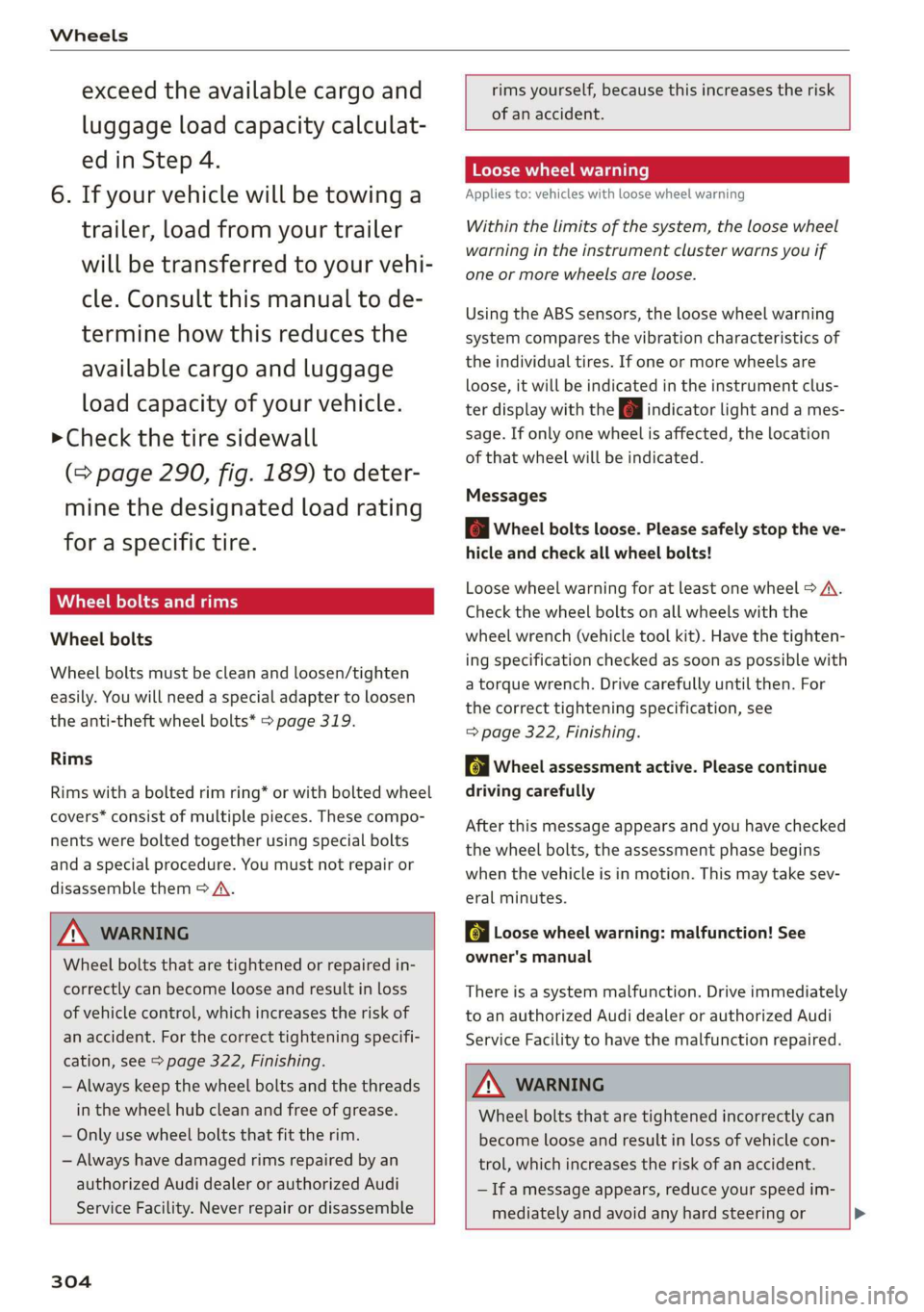
Wheel bolts and rims
Wheel bolts
Wheel bolts must be clean and loosen/tighten
easily. You will need a special adapter to loosen
the anti-theft wheel bolts* > page 319.
Rims
Rims with a bolted rim ring* or with bolted wheel
covers* consist of multiple pieces. These compo-
nents were bolted together using special bolts
and a special procedure. You must not repair or
disassemble them > A\.
ZA WARNING
Wheel bolts that are tightened or repaired in-
correctly can become loose and result in loss
of vehicle control, which increases the risk of
an accident. For the correct tightening specifi-
cation, see > page 322, Finishing.
— Always keep the wheel bolts and the threads
in the wheel hub clean and free of grease.
— Only use wheel bolts that fit the rim.
— Always have damaged rims repaired by an
authorized Audi dealer or authorized Audi
Service Facility. Never repair or disassemble
304
rims yourself, because this increases the risk
of
an accident.
Loose wheel warning
Applies to: vehicles with loose wheel warning
Within the limits of the system, the loose wheel
warning in the instrument cluster warns you if
one or more wheels are loose.
Using the ABS sensors, the loose wheel warning
system compares the vibration characteristics of
the individual tires. If one or more wheels are
loose, it will be indicated in the instrument clus-
ter display with the fi indicator light and a mes-
sage. If only one wheel is affected, the location
of that wheel will be indicated.
Messages
fi Wheel bolts loose. Please safely stop the ve-
hicle and check all wheel bolts!
Loose wheel warning for at least one wheel > A\.
Check the wheel bolts on all wheels with the
wheel wrench (vehicle tool kit). Have the tighten-
ing specification checked as soon as possible with
a torque wrench. Drive carefully until then. For
the correct tightening specification, see
=> page 322, Finishing.
fi Wheel assessment active. Please continue
driving carefully
After this message appears and you have checked
the wheel bolts, the assessment phase begins
when the vehicle is in motion. This may take sev-
eral minutes.
& Loose wheel warning: malfunction! See
owner's manual
There is a system malfunction. Drive immediately
to an authorized Audi dealer or authorized Audi
Service Facility to have the malfunction repaired.
ZA\ WARNING
Wheel bolts that are tightened incorrectly can
become loose and result in loss of vehicle con-
trol, which increases the risk of an accident.
— If a message appears, reduce your speed im-
mediately and avoid any hard steering or >
Page 309 of 360

4N0012721BD
Wheels
AN WARNING
The traction grade assigned to this tire is
based on straight-ahead braking traction
tests, and does not include acceleration, cor-
nering, hydroplaning or peak traction charac-
teristics.
ZA\ WARNING
The temperature grade for this tire is estab-
lished for a tire that is properly inflated and
not overloaded. Excessive speed, underinfla-
tion, or excessive loading, either separately or
in combination, can cause heat buildup and
possible tire failure.
Z\ WARNING
Temperature grades apply to tires that are
properly inflated and not over or underinflat-
ed.
Tire pressure monitoring
system
(1) General notes
Each tire, including the spare (if provided),
should be checked monthly when cold and inflat-
ed to the inflation pressure recommended by the
vehicle manufacturer on the vehicle placard or
tire
inflation pressure label. (If your vehicle has
tires of a different size than the size indicated on
the vehicle placard or tire inflation pressure la-
bel, you should determine the proper tire infla-
tion pressure for those tires).
As an added safety feature, your vehicle has been
equipped with a tire pressure monitoring system
(TPMS) that illuminates a low tire pressure tell-
tale when one or more of your tires is significant-
ly under-inflated. Accordingly, when the low tire
pressure telltale illuminates, you should stop and
check your tires as soon as possible, and inflate
them to the proper pressure. Driving on a signifi-
cantly under-inflated tire causes the tire to over-
heat and can lead to tire failure. Under-inflation
also reduces fuel efficiency and tire tread life,
and may affect the vehicle's handling and stop-
ping ability.
Please note that the TPMS is not a substitute for
proper tire maintenance, and it is the driver's re-
sponsibility to maintain correct tire pressure,
even if under-inflation has not reached the level
to trigger illumination of the TPMS low tire pres-
sure telltale.
Your vehicle has also been equipped with a TPMS
malfunction indicator to indicate when the sys-
tem is not operating properly. The TPMS mal-
function indicator is combined with the low tire
pressure telltale. When the system detects a
malfunction, the telltale will flash for approxi-
mately one minute and then remain continuously
illuminated. This sequence will continue upon
subsequent vehicle start-ups as long as the mal-
function exists.
When the malfunction indicator is illuminated,
the system may not be able to detect or signal
low
tire pressure as intended. TPMS malfunctions
may occur for a variety of reasons, including the
installation of replacement or alternate tires or
wheels on the vehicle that prevent the TPMS
from functioning properly. Always check the
TPMS malfunction telltale after replacing one or
more tires or wheels on your vehicle to ensure
that the replacement or alternate tires and
wheels allow the TPMS to continue to function
properly.
ee emule Melle
appears
Applies to: vehicles with Tire Pressure Monitoring System
The tire pressure indicator in the instrument
cluster informs you if the tire pressure is too low
or if there is a system malfunction.
Using the ABS sensors, the tire pressure monitor-
ing system compares the tire tread circumference
and vibration characteristics of the individual
tires. If the pressure changes in one or more
tires, this is indicated in the instrument cluster
display with an indicator light @ and a message.
If only one tire is affected, the location of that
tire will be indicated.
The tire pressures must be stored again each
time you change the pressures (switching be-
tween partial and full load pressure) or after
307
>
Page 314 of 360

Care and cleaning
Component Situation Solution
Plastic parts Deposits Damp cloth
Heavier deposits Mild soap solution ®), detergent-free plastic cleaning solu-
tion, if necessary
Water-based deposits
such as coffee, tea,
blood, etc.
Displays/instru- | Deposits Soft cloth with LCD cleaner; dust in the lower area of the
ment cluster instrument cluster can be removed using a soft brush.
Controls Deposits Soft brush, then a soft cloth with a mild soap solution®)
Safety belts Deposits Mild soap solution ®), allow to dry before letting them re-
tract
Textiles, Deposits adhering to | Vacuum cleaner
artificial leather, |the surface
Alcantara Absorbent cloth and mild soap solution®
Oil-based deposits
such as oil, make-up,
etc.
Apply a mild soap solution ®), blot away the dissolved oil or
dye, treat afterward with water, if necessary
Certain types of de-
posits such as ink,
nail polish, latex
paint, shoe polish,
etc.
Special stain remover, blot with absorbent material, treat
afterward with mild soap solution, if necessary®)
Natural leather
Fresh stains Cotton cloth with a mild soap solution®
Water-based deposits
such as coffee, tea,
blood, etc.
Fresh stains: absorbent cloth
Dried stains: stain remover suitable for leather
Oil-based deposits
such as oil, make-up,
etc.
Fresh stains: absorbent cloth and stain remover suitable
for leather
dried stains: Oil cleaning spray
Certain types of de-
posits such as ink,
nail polish, latex
paint, shoe polish,
etc.
Spot remover suitable for leather
Care
Regularly apply conditioning cream that protects from
light and penetrates into the material. Use special colored
conditioning cream, if necessary.
312
Page 316 of 360
Care and cleaning
—To reduce the risk of damage, do not use
any rough powder or abrasive cleaning
products.
—To reduce the risk of damage, do not pol-
ish decorative decals that have a matte or
printed finish.
— Due to the risk of damage, do not use an
ice scraper to remove snow and ice on win-
dows with decorative decals on them.
— Displays and instrument cluster
— Make sure that the display and instrument
cluster are switched off and have cooled
down before cleaning. To switch off the
upper and lower display, select on the
MMI home screen: SETTINGS > Display &
brightness > MMI > Screen cleaning.
— Displays, the instrument cluster, and the
trim surrounding it must not be cleaned
with dry cleaning methods because they
could become scratched.
— Make sure no fluids enter the spaces be-
tween the instrument cluster and the
trim, because that could cause damage.
— Controls
— Make sure that no fluids enter the con-
trols, because this could cause damage.
— Safety belts
— Do not remove the safety belts to clean
them.
— Never clean safety belts or their compo-
nents with chemicals or with corrosive flu-
ids or solvents and never allow sharp ob-
jects to come into contact with the safety
belts. This could cause damage to the belt
webbing.
—If there is damage to the webbing, the
connections, the retractors, or the buck-
les, have them replaced by an authorized
Audi dealer or authorized Audi Service Fa-
cility.
— Textiles, artificial leather, and Alcantara
— Never treat artificial leather or Alcantara
with leather care products, solvents, floor
polish, shoe polish, spot remover, or simi-
lar products.
— Have a cleaning specialist remove stub-
born stains to reduce the risk of damage.
314
— Never use steam cleaners, brushes, hard
sponges, etc. when cleaning.
— Do not turn on the seat heating* to dry
the seat.
— Objects with sharp edges, such as zippers
or rivets on clothing or belts, can cause
damage to the surface.
— Open hook and loop fasteners, for exam-
ple on clothing, can damage seat covers.
Make sure hook and loop fasteners are
closed.
— Natural leather
— Never treat leather with solvents, floor
polish, shoe polish, spot remover or simi-
lar products.
— Objects with sharp edges, such as zippers
or rivets on clothing or belts, can cause
damage to the surface.
— Never use steam cleaners, brushes, hard
sponges, etc. when cleaning.
— Do not turn on the seat heating* to dry
the seat.
— To help prevent the leather from fading,
do not leave the vehicle in direct sunlight
for long periods of time. If leaving the ve-
hicle parked for long periods of time, you
should cover the leather to protect it from
direct sunlight.
— Refrigerator
— Do not try to speed up the defrosting
process by applying heat.
—To help prevent health risks or damage to
the refrigerator, do not use any abrasive
cleaners, solvents, wax, or strongly scent-
ed or aggressive cleaning products.
— Do not clean the refrigerator with rough
cleaning tools such as steel wool.
— Wall mount clip
— Do not us any abrasive cleaning products
or any that contain alcohol, because these
increase the risk of discoloration.
G) Tips
— Insects are easier to remove from paint that
has been freshly waxed.
— Regular waxing can prevent rust spots from
forming.
Page 330 of 360
Fuses and bulbs
This can cause damage to the electrical sys-
tem and increases the risk of fire.
(G) Note
If a new fuse burns out again shortly after you
have installed it, have the electrical system
checked as soon as possible by an authorized
Audi dealer or authorized Audi Service Facili-
- The following table does not list fuse loca-
tions that are not used.
— Some of the equipment listed in the follow-
ing tables applies only to certain model ver-
sions or certain optional equipment.
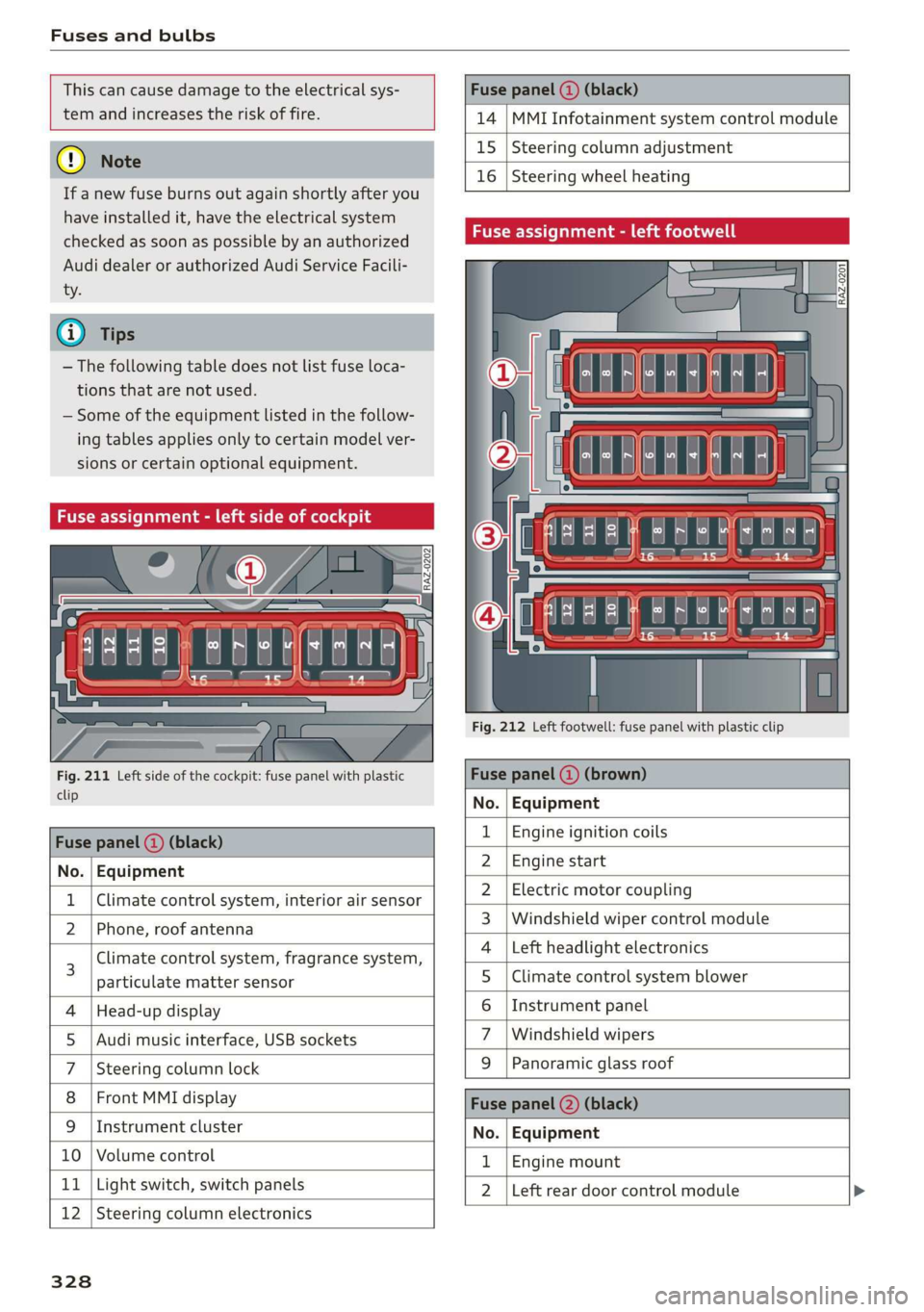
Fuse assignment - left side of cockpit
Fig. 211 Left side of the cockpit: fuse panel with plastic
clip
Fuse panel (2) (black)
No. | Equipment
Climate control system, interior air sensor
N Phone, roof antenna
Climate control system, fragrance system,
particulate matter sensor
Head-up display
Audi music interface, USB sockets
Steering column lock
Front MMI display
Instrument cluster
Ol/aOIN/uys
10 | Volume control
11 | Light switch, switch panels
12 | Steering column electronics
328
Fuse panel (@ (black)
14 MMI Infotainment system control module
15 Steering column adjustment
16
Steering wheel heating
Fuse assignment - left footwell
lo} | He
ia i, L
. | Equipment
Engine ignition coils
Engine start
Electric motor coupling
Windshield wiper control module
Left headlight electronics
Climate control system blower
Instrument panel
Windshield wipers
OND)
OMA)
WININI]
eR
Panoramic glass roof
Fuse panel (2) (black)
No. Equipment
Engine mount
Left rear door control module
Page 345 of 360
4N0012721BD
Index
A
A/C cooling mode.............. eee eee ee 105
Accelerator pedal..............--000005 115
also refer to Accelerator pedal.......... 115
AccessorieS .. 0.00... cece eee eee ee 338
Active lane assist
refer to Lane departure warning......... 180
refer to Lane guidance................ 180
Active suspensioniicss + « sss so sasusia vs ssuen s o 129
Adaptive cruise assist................00. 170
Cleaning the sensors..............000- 310
Predictive control.................... 169
Adaptive speed assist
refer to Adaptive cruise assist........... 170
Adjusting the air distribution............ 105
Adjusting the brightness................. 65
Adjusting the sound..............-...0- 266
Adjusting the temperature.............. 105
Adjusting the volume..............000005 40
Adjusting the volume (announcements) .... 266
Adjusting the welcome sound............ 266
AirbagisySteM « + aims x eaen 3 = seme se OE a Zs 86
Ait GUality displayie. sy ees x s eeu 5 e wee a 108
Airsuspension...........2...0.00.0005 129
Airtransport................0.00.00005 136
Alarm system
refer to Anti-theft alarm system.......... 46
Alignment pin (changing the wheel)....... 316
All-weather lights...............-.00000. 60
Allseason tires... 2.2.00... 22020 305
All wheel drive
refer to quattro... 2... eee eee eee 132
Amazon Alexa integration
Média playback’: ¢ sos s ¢ wees ¢ 4 orem b eae 253
Operation « sion ss aac sv rere © omen wa ar 39
AMI
refer to Audi music interface....... 253,254
Android Auto
refer to Audi smartphone interface...... 264
Anti-freeze
Windshield washer system............. 287
Anti-lock braking system. ........-....-. 133
Anti-Slip Regulation.................0.. 133
Anti-theft alarm system...........-..00-- 46
Anti-theft wheel bolts................0. 319
Apple CarPlay
refer to Audi smartphone interface...... 264
Aspect ratio (video) ..........-..00. 258, 259
ASR
refer to Anti-Slip Regulation............ 133
Audi adaptive light.................0005. 60
Audi connect
refer to CONNECt:. « s ccascs seas ieeeee oe 216
Audi connect Remote & Control
refer to Vehicle control services......... 218
Audirdrive seletticy: « + sven « x cee x ¢ neem ¢ 2 2 128
Audi e-tron compact charging system..... 144
Adjusting the charging power level...... 145
Changing or attaching the power cable... 149
S@CUTING . 6... eee eee eee eee 150
Status and malfunction indicators....... 145
Audi music interface ioc. . ies. een ea ee 253
AUGIO TINGS crx = ¢ ces & ¢ cee £ & aeee Fc eS 25S
Audi phone box...........0.-. cee eee eee 202
Audi presense.... 6.6... 0. cece ee eee eee 182
MESSAGES vcr « 5 wey § 2 eee Fs eee 8 6 Ree 185
Audi pre sense front.............-..000- 183
Audi side assist
refer to Side assist............-..20--5 186
Audi smartphone interface.............. 264
Legal information: ¢ css os vei se owen oe 269
Auditableties « «cei + 2 some a 2 awa 3 eee ¢ 29
Device setup... 2.0... cece eee eee eee 30
Device test... 2.2... cece cece eee 35
Legal information's swe ss eae se eee oa 269
LIGENSES: scsi 6 0 cites 6 o veces © eeemeni © aperetne 269
Menus and symbols.............02+-00- 33
Operating’: « « wss6 s secu ss see ss eee s 18, 33
Regulatory information................ 269
Audi virtual cockpit
refer to Instrument cluster.............. 12
AUTO
Automatic headlights.................- 60
Climate control system ............005- 105
Auto Lock (central locking) ............... 43
Automatic climate control system
refer to Climate control system......... 104
Automatic luggage compartment lid.... 51,52
Automatic transmission............-.455 113
Parking lock emergency release......... 116
Automatic wipe/wash system............. 68
343
Page 347 of 360
4N0012721BD
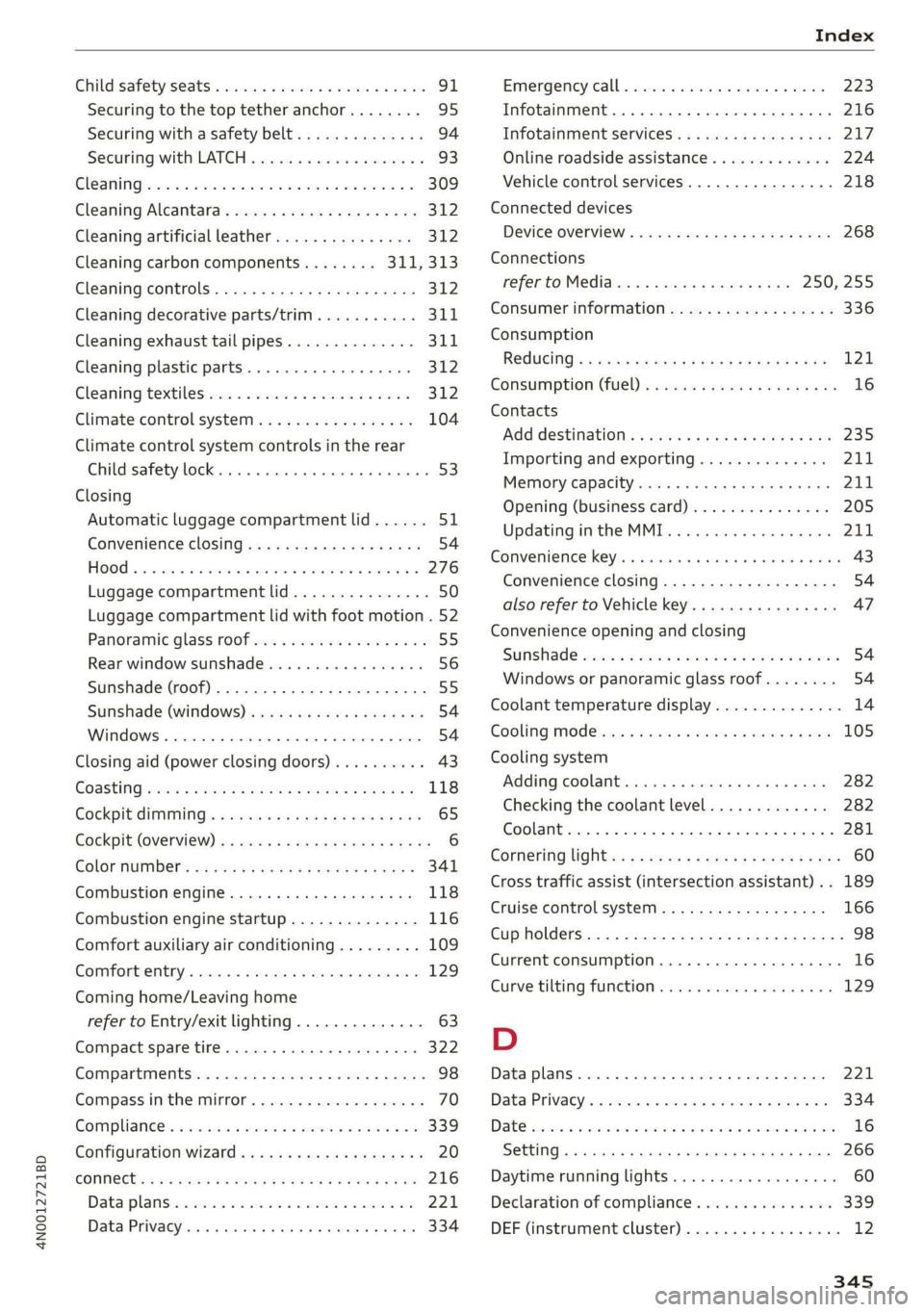
Child:safety:seats © wc cs cnc so wane ov emcee 91
Securing to the top tether anchor........ 95
Securing with a safety belt.............. 94
Securing with LATCH...............0--5 93
GIGANING was: «2 wesc a 2 wee 2 2 er ee oe a 2 309
Cleaning Alcantara............2-.00000- 312
Cleaning artificial leather............... 312
Cleaning carbon components........ 311,313
Cleaning controls..............00 ee eee 312
Cleaning decorative parts/trim........... 311
Cleaning exhaust tail pipes.............. 311
Cleaning:plastio parts: 5 2 sacs + ssn « 4 sex 312
Cleaming:textiles cision a x saves x a noms v x onan 312
Climate control system..............0.. 104
Climate control system controls in the rear
Childisafety lO¢Kiisne » + iscsi © © snemoss a o ammuaue w 4 53
Closing
Automatic luggage compartment lid...... 51
Convenience closing...........eeeeeaee 54
HOO « wissen oo scawiee a vane v4 ames ao oie a a 276
Luggage compartment lid............... 50
Luggage compartment lid with foot motion . 52
Panoramic glass roof...............204. 55
Rear window sunshade..............005 56
Sunshade (roof) ................00.0005 55
Sunshade (windows) .............0.0005 54
WENGOWS « ssncsie = s cosmsne % « cosmins o coanees wo a seme 54
Closing aid (power closing doors).......... 43
COASTING sam s wen «ore ao wee ae re a 118
Cockpit diMMING « « sss + ¢ wows se ces +e oes 65
Cockpit (OVERVIEW) « = aims se swag s pase a x res 6
GOlGFNUMBEr: ¢ sess sy poem 5 eae 5 e eRR « 341
Combustion engine.................005 118
Combustion engine startup.............. 116
Comfort auxiliary air conditioning......... 109
Comfort entry...... 0.00... eee eee eee ee 129
Coming home/Leaving home
refer to Entry/exit lighting.............. 63
Compact spare tire................0.00. 322
COMPAFEMENESS « sccwn « 0 wince 2 6 eeewene @ 0 ommete 98
Compass inthe mirror............-....-- 70
Compliance. « seve ss wesw sv exces 2 ora ¥ os 339
Configuration wizard.................00. 20
CONNMEGts ¢ 2 wwe x y meme 2 eRe ty eee Re 216
Data plans: « win os wesc vo cman o mane oe 221
Data Privacy. ...... eee eee eee eee eee 334
Emergency/calll «sci © wens e ¥ een 2 3 esecoee 223
Infotainment.......... 0. cece eee eee 216
Infotainment’services. . ci. . evew a ee 217
Online roadside assistance............. 224
Vehicle control services................ 218
Connected devices
Device overvieW.........-..02- 00s eee 268
Connections
fefer to Médidies: = s sews s ¢ news + eee 250, 255
Consumer information.................. 336
Consumption
Reducing « « cas « wows « + wees o x pew so me 121
Consumption (fuel) ........ 2... e eee ee eee 16
Contacts
‘Add destinations « sscis a sass 6 & avian « & a0 235
Importing and exporting.............. 211
MGITIONY: CAPaCity cu s & saces 2 & nas 4 £ Sana 211
Opening (business card)............... 205
Updating inthe MMI.................. 211
Convenience key’: «sini ee eye ev ere as owe 43
Convenience closing.................-. 54
also refer to Vehicle key.............00. 47
Convenience opening and closing
SSUNSHAPE secre «a wine a & siemens
Coolant temperature display.............. 14
Cooling MOC iis. ce ssw ee eevee ov eevee oo oe 105
Cooling system
AddING
COOLANT: cies a + essing © 1 erecnse nw nome 282
Checking the coolant level............. 282
GOGLANE evccs 2 owe ov samen 2 o ome 7 o eR 281
Cornering light <. « «ees : s sews se eee se es 60
Cross traffic assist (intersection assistant) .. 189
Cruise control system..........-...00-5 166
Cup holders......... 0... cece eee eee 98
Current consumption.................005 16
Curve tilting function..............0000. 129
D
Data plans cosces x « smones x 5 sweets a 6 ononens © ot ones 221
Data: PrivaGy’. 2 sien a sree x x vessieie 6 3 oooueue ¥ 6 334
DAtG cence. is comsas 2 2 rocuow vo nae + 8 Bee = RR 16
SOLE Gh + sucseie « senna ou snenene # 6 ecewse oo) asus 266
Daytime running lights.................. 60
Declaration of compliance............... 339
DEF (instrument cluster)...............0. 12
Page 350 of 360

Index
Glossary of tire and loading terminology... 292
Glove compartment.............0000 98,99
Valet parking........... 02. eee e eee eee 56
Gross Axle Weight Rating (GAWR)........ 342
Gross Vehicle Weight Rating (GVWR)...... 342
GVWR
refer to Gross Vehicle Weight
Ratifig (GVWR) « sas ¢ suene ¢ ¢ eet 8 o nee 342
H
Handset
refer to Rear Seat Remote............... 25
Handstrees « seve x s wasn a ¢ wom § ze oe A ee 201
Hands Free) Profile... sc.ua cine aaiean es 201
Head-up display
AGJUStING aes = s gee = e eee s berg e wees as 37
Adjusting the brightness................ 65
Operating...............0.. 2.00 eee eee 37
Headlight range control..............0005 60
Headlights
Cleaning......... 06. e eee eee eee 310
Headlight range control................ 60
Washer system.......... 0.0.00 eee eee 68
Head restraints
Adjusting ............ 2c cece e eee 81
Removing and installing................ 81
Heated rear window.............-..005- 106
Heated steering wheel...............0-. 108
Heating... . 0. cece eee cece 104
HFP
refer to Hands Free Profile............. 200
High-voltage battery................05. 136
Audi e-tron compact charging system.... 144
CHarginGiicns so sessive oo arene ow amen © 137,139,
Charging display on the vehicle......... 140
Charging equipment.............ee08- 143
Charging methods.................... 137
Charging ports on the vehicle........... 137
Charging times: = x sees ss eees se ewes ee 137
Connecting the charging cable.......... 139
Messages while driving
Not running for long periods of time..... 138
Opening the charging port door......... 139
Quick charging...............002 eee 137
Setting the timer............0. ee eeaee 141
Transporting charging equipment....... 144
348
High-voltage system............-..00-- 136
High beams
High beam assistant................... 61
Highway lights..................000000. 60
Hill.descent:control... . «ese se ese ve eee « 126
HilLHold:assistss scccww + acon ee mason oo eves & 113
Home
refer to Home address................ 234
Home. address: «ssc a wenn ¥ 0 een ov one 234
HomeLink
refer to Garage door opener............. 57
HOMESGRCE isn « « sxeriw + comune + ormmnes a 5 wana © 19
HOMME: « cece w x sneer 2 eames we meReD Ze HONE GH ae 6
Hotspot
refer to Wi-Fi.... 0.0... cece eee eee ee 221
I
Ignition
Switching on and off...............06- iT
Imbalance (wheels) ............0 eee eee 298
Immobilizer
refer to Electronic immobilizer........... 47
Indicator lights... 2... 0. . eee eee 7
Inspection interval..............000000e 287
Instrument cluster............00 00 eee ee 12
Adjusting the layout................... 13
GLEAMING is: ¢ + mw 3 v new s wows oe mame do 312
Engine code.......... 20... eee eee eee 269
Failure... 2... ee eee eee 12
On-board computer .........2.+e0eee eee 16
Operating’: = = sere © = swans + x cuenise n coven «© 13
Personal profile................0000005 12
Service interval display...............- 287
Software information..............005 269
Switching tabs..................000005 13
Switching the VieWs. + ecw. se ees ce ees se 13
Vehicle functions. « sii xo evan +o amen +e ae 16
Version information..............000- 269
Instrument illumination................. 65
Integrated assistance................0-. 20
Intelligent search
Navigation........ 0.0.0 c eee eee eee eee 227
Interference-Causing Equipment Standard
(ICES)... eee eee eee eee 340
Interior lighting..................00- 64,65
Interior monitoring.............-.0-005- 46
Page 352 of 360
Index
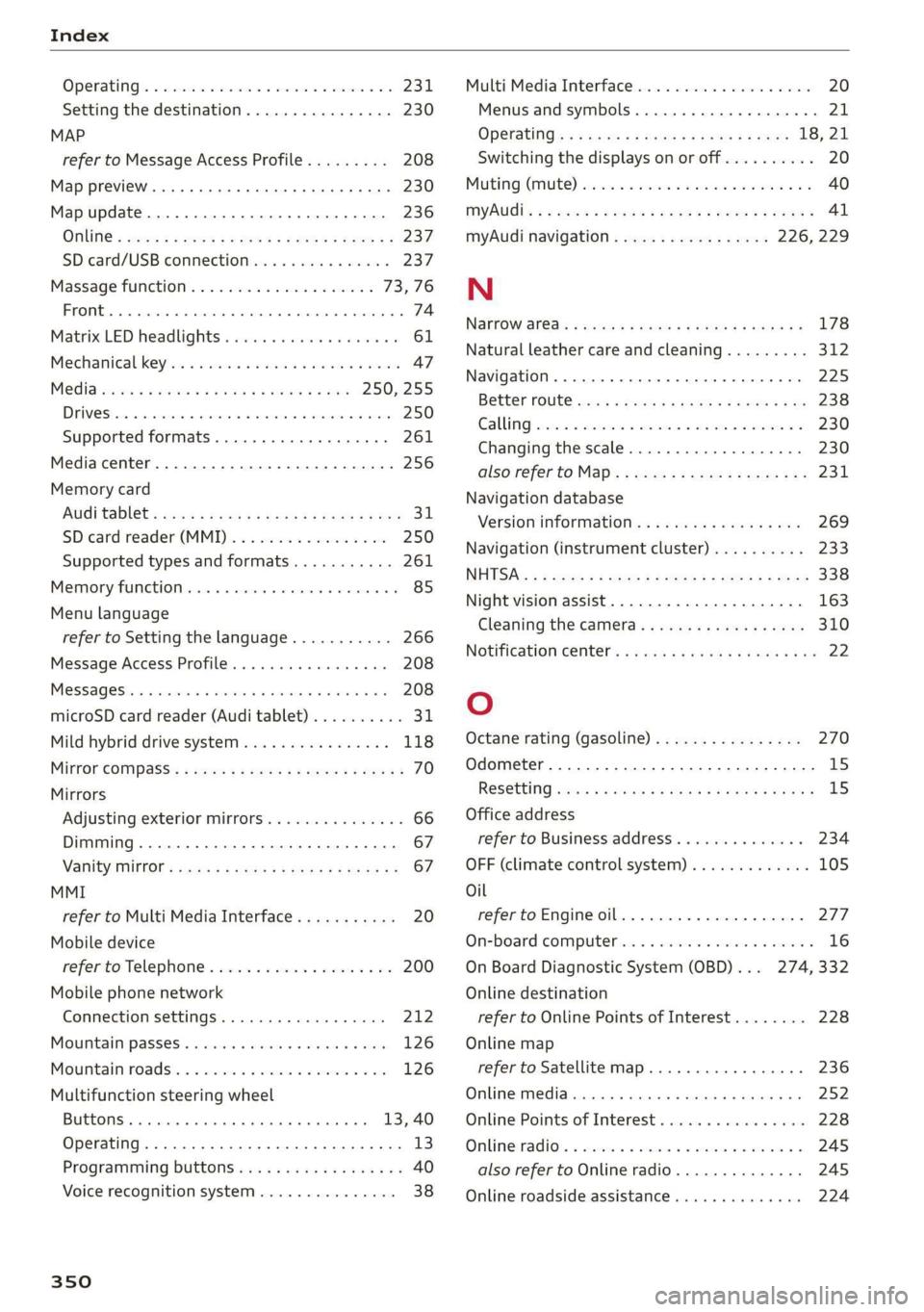
OPeRatiG’s « exssses wo emcee so cmsnoes ov comes 2 o 2311.
Setting the destination................ 230
MAP
refer to Message Access Profile......... 208
Map preview. .... 00... cece ee ee eee eee 230
Map update........... 0... e eee eee eee 236
ONLINE = sep s » sewn se eee o eR ex ee ee 237.
SD card/USB connection............... 237
Massage function.................00. 73,76
FROME. 6: wissers « oi wean © ovamene a 8 sceceun a 8 emma es 74
Matrix LED headlights .............0e.eee 61
Mechanicalkeyios «+ scauia 6 awa @ 6 scans a © asi 47
Media erase: sy casas & 2 navos x 5 nous 8 2 new 250, 255
DIV OSkec. a 5 were x ures wn ramets 0 8 acannon 250
Supported formats............-000 eee 261
Media center.....................00005 256
Memory card
AUGISDIEt = exes ¢ eas 2 i paws s 3 Ream sc eR 31
SD card reader (MMI). « « wes « » sa ss we 250
Supported types and formats........... 261
Memory PUmetiomcncce « s cmeree « 0 amivive « waveren » « 85
Menu language
refer to Setting the language........... 266
Message Access Profile............00005 208
Messages so cssne » « saanins w s anecams 6 0 sauce 6 a a 208
microSD card reader (Audi tablet).......... 31.
Mild hybrid drive system.............0.. 118
Mirror eompass's « zqes ss sees 5 wows § ew 70
Mirrors
Adjusting exterior mirrors.............-. 66
Dimming..............0 000 e ee eee eee 67
Vanity Mirror’: sens « s cows ¢ 2 eee x tees ae 67
MMI
refer to Multi Media Interface........... 20
Mobile device
refer to Telephone..............2.-00- 200
Mobile phone network
Connection settings ..............00. 212
Mountain passes. « vsenes « ceneus © + ances 6 evens 126
Mountain toads:: + asec
BUEEOMS.. « sccsene so stisous @ weno « wroteas wo 13, 40
Operating...............2..2..0-0000. 13
Programming buttons.................. 40
Voice
recognition system............... 38
350
Multi Media Interface...............0085 20
Menus and symbols............0.2e-008 21
OPECAtING: « x naw « ¢ wows 4 2 wares 5 8 eae 18, 21
Switching the displays on or off.......... 20
MUNG) (MULE), sews 2 3 seems oe eee o re Yai 40
MYAUIs ss aces s cen + pews ss Herwe ov Hews = 41
myAudi navigation................. 226, 229
N
Narrow areas : ssysu a 3 mas 5 # saupe oF aeree Fs 178
Natural
leather care and cleaning......... 312
Navigation ..... 0.0.00. cece eee eee 225
Better fOUtE ssa< 2 yarn 2 2 new se momD § eo 238
GAULIING) scons = eamais ov omases Gs x aaaete x eam 230
Changing thescale.................0. 230
also refertoMap...........--0eee eee 231
Navigation database
Version information...............05- 269
Navigation (instrument cluster) .......... 233
NHITSAc: « 2 sxene x x gems © 2 eee 2s eee 2s see 338
Night vision assist. ............2.-0000- 163
Cleaning the camera.........0eeseeuee 310
Notification center.............. 0s eee aes 22
O
Octane rating (gasoline)................ 270
Odometer............. 00 eee eee eee 15
RESEtEING sous: ¢ « mown 2 » mewn yee e eee 8 15
Office address
refer to Business address.............. 234
OFF (climate control system)............. 105
Oil
referto Engine oil..................4. 277
On-board computer... .. 0.0... 000ee eee ee 16
On Board Diagnostic System (OBD)... 274, 332
Online destination
refer to Online Points of Interest........ 228
Online map
refer to Satellite map...............4. 236
Online media.................02.0000. 252
Online Points of Interest.............0.. 228
Onlinerradio:. « sven 2 = wasn +o esses vv enews # 245
also refer to Online radio.............. 245
Online roadside assistance.............. 224
Page 353 of 360
4N0012721BD
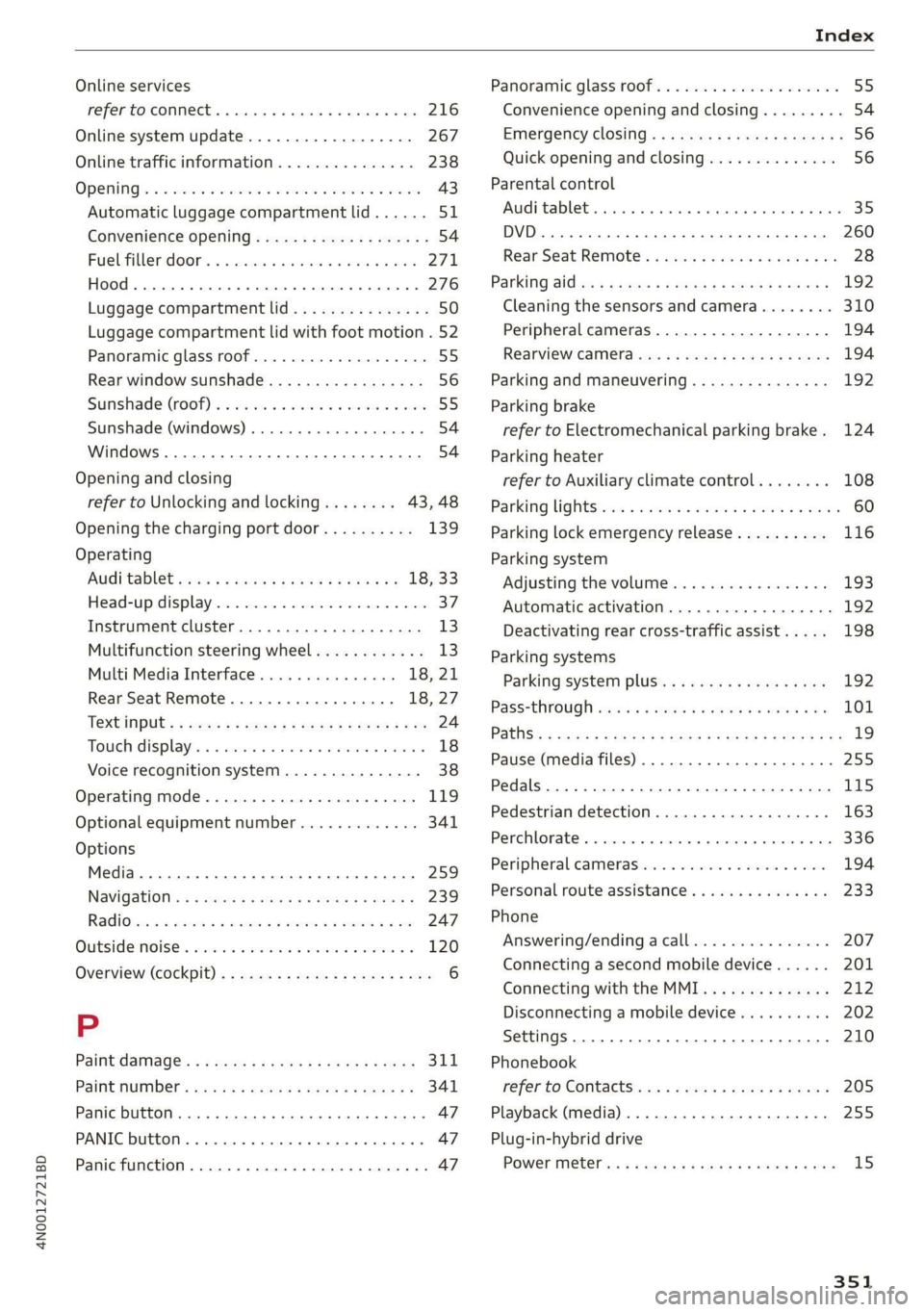
Online services
refer toconnect.........c cece eee eee 216
Online system update.................. 267
Online traffic information............... 238
OPeNiiG se « swesius © o cxouens « eteweas we euseoue ao eemeoe 43
Automatic luggage compartment lid...... 51
Convenience opening..............02005. 54
Fuel-filler:door's « s sis +o wave © wane aes 271
HOOd .. 1... cece eee 276
Luggage compartment lid............... 50
Luggage compartment lid with foot motion . 52
Panoramic glass roof................00. 55
Rear window sunshade...............-. 56
Sunshade (root) « secon oo scone 2 x omens e 2 soc 55
Sunshade (windows) ..............0000- 54
Windows ......... 000s 54
Opening and closing
refer to Unlocking and locking........ 43,48
Opening the charging port door.......... 139
Operating
AUGitaBlet scars a « aren oo mews 4 » eee 2 18, 33
Head-up display................002200. 37
Instrument cluster........-...02-.005- 13
Multifunction steering wheel............ 13
Multi Media Interface............... 18,21
Rear Seat Remote.............00008 18,27
Textinputss « ses ¢ 2 ces « + sews ¢ ee x 8 oe 24
Touch displays. « « scvssne sv carers x sean wna 18
Voice recognition system............... 38
Operating mode................02-000. 119
Optional equipment number............. 341
Options
Media... ... cece eee eee eee 259
Navigation: « = savas 5 2 anes x ¥ eras eo Ree 239
RadiOves. cs scans x awccane w cecteee wv cmeemes
« wc ss wise so arate 4 x oe 120
Overview (Cockpit). » swe: ¢ 2 news s ¢ sees + 2 oes 6
P
Paint damage’ « « sews « ¢ mews 2 wows go pees 311
PAltMUMBER: sees = a wees = x eee Fy eee SY 341
Panic button. ........ 20.0.0... eee ee eee 47
PANIC button....... 0... cee eee eee eee 47
Panic function ............... 0000 cece 47
Panoramic glass roof................200. 55
Convenience opening and closing......... 54
Emergency closing. .........seeeseeeees 56
Quick opening and closing.............. 56
Parental control
AUGitablett « scccozs oo: omeseis a v wee » wiotwas 6 sei 35
DVD... 0... eee eee 260
Rear Seat Remote: «cic ss cies se ncen ses 28
Parking Sides s < eves x x ewes x mes « 2 pee 192
Cleaning the sensors and camera........ 310
Peripheral cameras.................-. 194
RearvieW CaMEraeuy. & ¢ ews 4 s aweas a ew 194
Parking and maneuvering..............- 192
Parking
brake
refer to Electromechanical parking brake. 124
Parking heater
refer to Auxiliary climate control........ 108
Parking lightSici 2s mene + wae os were as eee 60
Parking lock emergency release.......... 116
Parking system
Adjusting the volume................. 193
Automatic activation.................. 192
Deactivating rear cross-traffic assist... . . 198
Parking systems
Parking system plus...............00. 192
PasS=through ses x & news & & eawey xe veiw soa 101
PathSis = eras 2 sees 5 2 eee EE ER ee eR YO Re 19
Pause (media files) ..............200000. 255
Pedals... 0. cee eee eee eee 115
Pedestrian detection................... 163
Perchlorate’. «ices ow aeeiue « « semis « sustonne © a 336
Peripheral cameras............---0000- 194
Personal route assistance. ...........4.. 233
Phone
Answering/endingacall............... 207
Connecting a second mobile device...... 201
Connecting with the MMI.............. 212
Disconnecting a mobile device.......... 202
Settings.......... 0.00. e eee eee eee 210
Phonebook
refer to Contact’ ss < s esa% i sean st roan 205
Playback (media) ............000000000. 255
Plug-in-hybrid drive
POWer Meter es « s sews x o news 3 o cae oe ew 15
351