lock AUDI ALLROAD 2000 Workshop Manual
[x] Cancel search | Manufacturer: AUDI, Model Year: 2000, Model line: ALLROAD, Model: AUDI ALLROAD 2000Pages: 306, PDF Size: 9.95 MB
Page 127 of 306
CONTROLS
AND EQUIPMENT---------------------
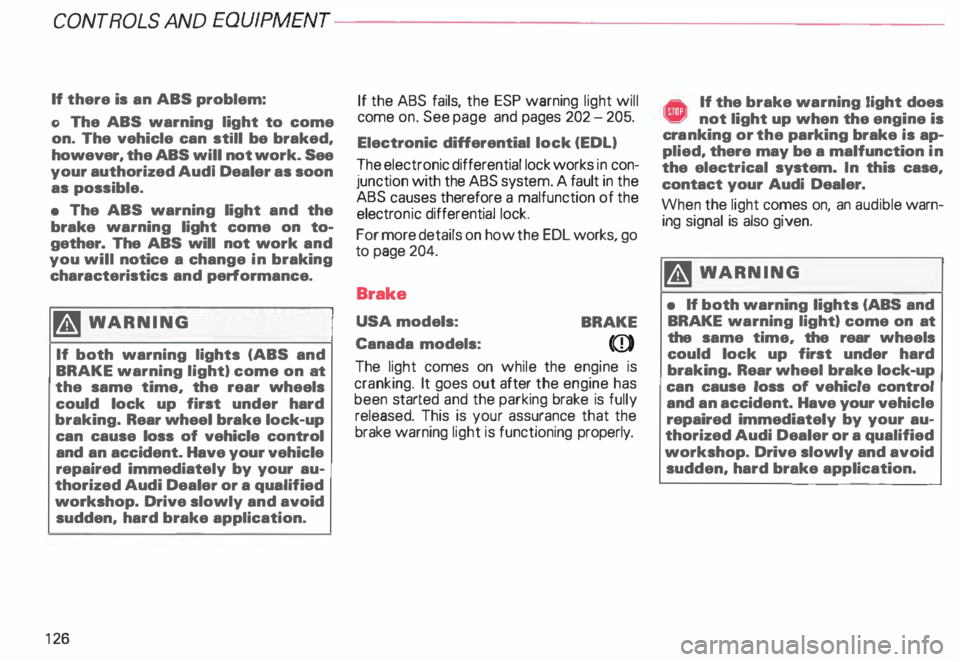
If there is an ABS problem:
o The ABS warning light to come
on. The vehicle can still be braked,
however, the ABS will not work. See
your authorized Audl Dealer as soon
as possible.
• The ABS warning light and the
brake warning light come on to
gether. The ABS will not work and
you will notice a change in braking
characteristics and performance.
�W ARNING
If both warning lights (ABS and
BRAKE warning light) come on at
the same time, the rear wheels
could lock up first under hard
braking. Rear wheel brake lock-up
can cause loss of vehicle control
and an accident. Have your vehicle
repaired immediately by your au
thorized Audi Dealer or a qualified
workshop. Drive slowly and avoid
sudden, hard brake application.
12 6 If
the ABS fails, the ESP warning light will
come on. See page and pages 202 -205.
Electronic differential lock (EDL)
The electronic differential lock works in con
junction with the ABS system. A fault in the
ABS causes therefore a malfunction of the
electr onic differential lock.
For more details on how the EDL works, go
to page 204.
Brake
USA models:
BRAKE
Canada models:
(Q))
The light comes on while the engine is
cranking. It goes out after the engine has
been started and the parking brake is fully
released. This is your assurance that the
brake warning light is functioning properly. A If the brake warning light does ¥ not light up when the engine is
cra nking or the parking brake is ap
plied, there may be a malfunction in
the electrical system. In this case,
contact your Audi Dealer.
When the light comes on, an audible warn
ing signal is also given.
�W ARNING
• If both warning lights (ABS and
BRAKE warning light) come on at
the same time, the rear wheels
could lock up first under hard
braking. Rear wheel brake lock-up
can cause loss of vehicle control
and an accident. Have your vehicle
repaired immediately by your au
thorized Audi Dealer or a qualified
workshop. Drive slowly and avoid
sudden, hard brake application.
Page 136 of 306
Go
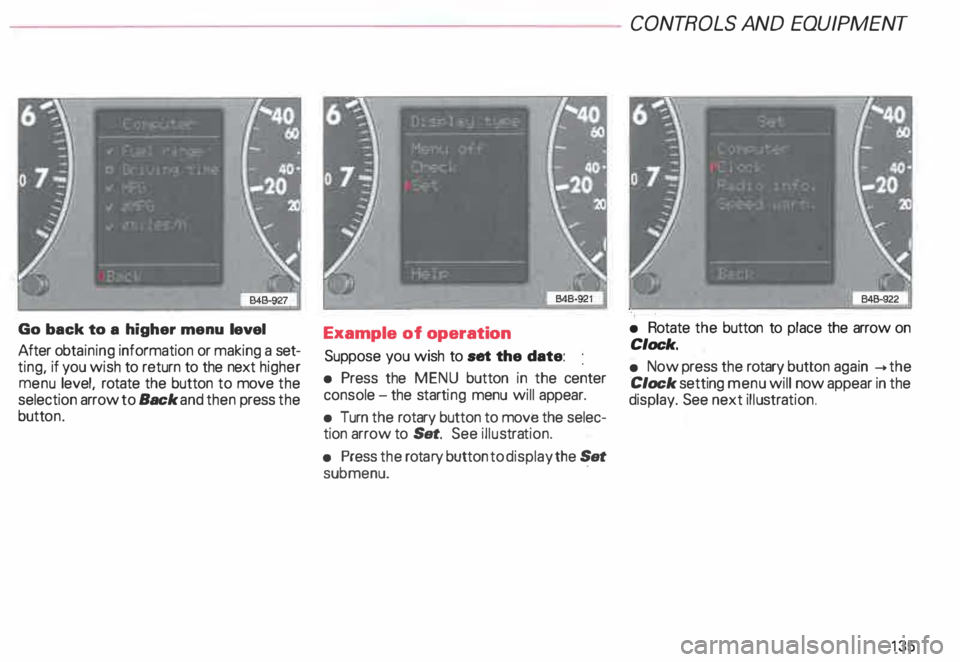
back to a higher menu level
After obtaining information or making a set
ting, if you wish to return to the next higher
menu level, rotate the button to move the
selection arrow to Back and then press the
butt on. Example
of operation
Suppose you wish to set the date:
• Press the MENU button in the center
console -the starti ng menu will appear.
• Turn the rotary button to move the selec
tion arrow to Set. See illustra tion.
• Press the rota ry button to display the Set
submenu. · CONT
ROLS AND EQUIPMENT
• Rotate the button to place the arrow on
Clock.
• Now press the rotary button again __.the
Clock setting menu will now appear in the
display. See next illustra tion.
135
Page 137 of 306
CONT
ROLS AND EQUIPMENT---------------------
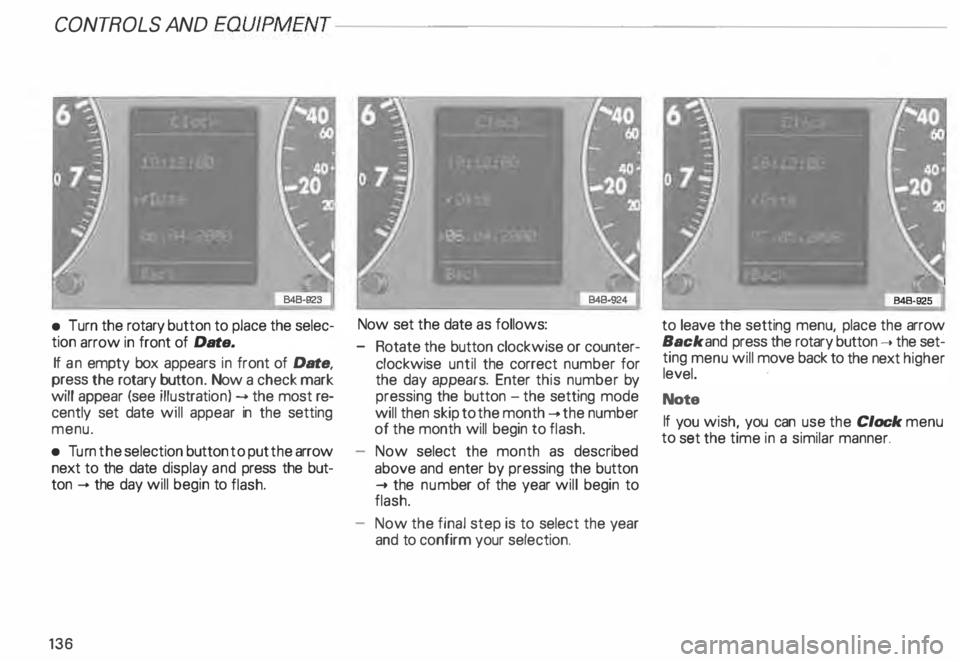
•
Turn the rotary button to place the selec
tion arrow in front of Date.
If an empty box appears in front of Date,
press the rotary button. Now a check mark
will appear (see illustrati on) --> the most re
cently set date will appear in the setting
menu.
• Turn the selection button to put the arrow
next to the date display and press the but
ton -+ the day will begin to flash.
136 Now set
the date as follows:
- Rotate the button clockwise or counter
clockwise until the correct number for
the day appears. Enter this number by
pressing the button -the setting mode
will then skip to the month -+ the number
of the month will begin to flash.
Now select the month as described
above and enter by pressing the button
..... the num ber of the year will begin to
flash.
Now the final step is to select the year
and to confirm your selection. to
leave the setting menu, place the arrow
Back and press the rotary button ..... the set�
ting menu will move back to the next higher
level.
Note
If you wish, you can use the Clock menu
to set the time in a similar manner.
Page 143 of 306
CONT
ROLS AND EQUIPMENT---------------------
�W ARNING
• The engine compartment of any
motor vehicle is a potentially haz
ardous area. Before you check any
thing in the engine compartment,
stop the engine and let it cool
down. Always exercise extreme
caution when working under the
engine hood. Heed all of the
WA RNINGS on page 232.
• To reduce the risk of being
burned, never open the hood if you
see or hear steam or coolant es
caping from the engine compart
ment. Wait until no steam or cool
ant can be seen or heard before
carefully opening the hood.
• Never touch the radiator fan.
The auxiliary fan is temperature
controlled and can switch on sud
denly.
14 2 �
WARNING continued
• Reduce the risk of scalding from
hot coolant by following these
steps:
If the coolant reservoir cap must
be removed. wait until the en
gine has cooled down.
- Protect face, hands. and arms
from escaping fluid and steam
by cov ering the cap with a large.
thick rag.
Tu rn the cap slowly and very
carefully in a counter-clockwise
direction while applying light.
downward pressure on the top
of the cap.
- To help avoid being burned. do
not spill antifreeze or coolant on
the exhaust system or hot en
gine parts. Under some condi·
tions. the ethylene glycol in en·
gine coolant can catch fire. •
If a visual check shows the coolant level
and the V-belt normal, and the warning light
still does not go out, do not continue
driving. See your authorized Audi Dealer.
• If the coolant level and the V-belt are nor
mal, the malfunc tion may be in the auxiliary
radiator fan. You can continue driving to the
nearest authorized Audi Dealer. The wind
from the moving vehicle and the main radia
tor fan driven by the V-belt will be enough to
keep the angine cool. However, avoid idling
for a long time or driving very slowly.
If the V-belt is torn, the main radiator fan, the
power steering and the gener ator will also
not work.
Obtain expert assistance.
Refer to "Coolant temperature gauge" on
page 118 for detai ls.
Page 150 of 306
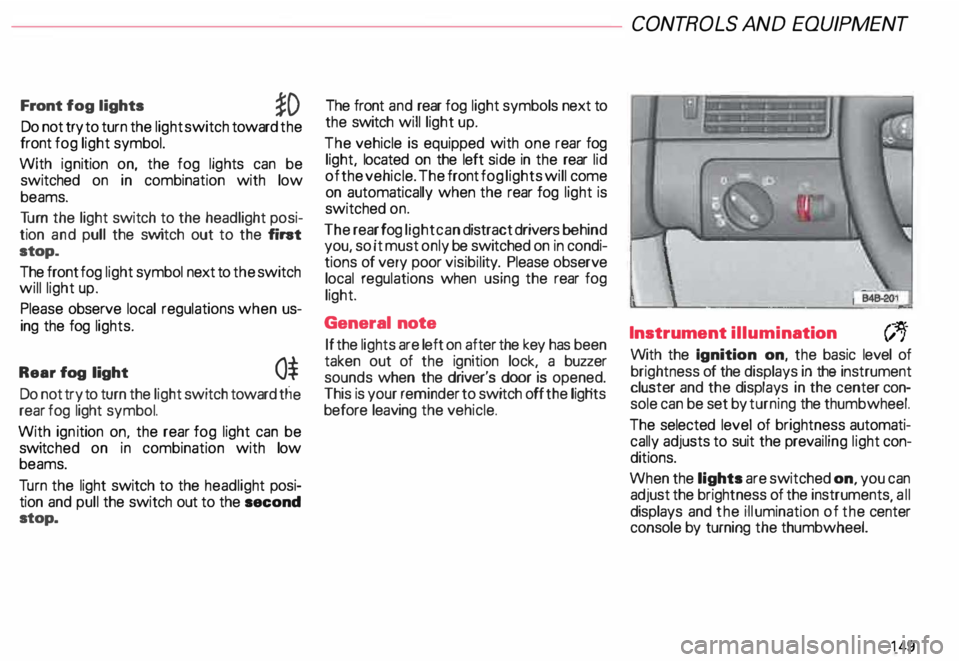
Front
fog lights
�D
Do not try to turn the light switch toward the
front fog light symbol.
With ignition on, the fog lights can be
switched on in combination with low
beams.
Tu rn the light switch to the headlight posi
tion and pull the switch out to the fint
stop.
The front fog light symbol next to the switch
will light up.
Please observe local regulations when us
ing the fog lights.
Rear fog light
0$
Do not try to turn the light switch toward tlie
rear fog light symbol.
With ignition on. the rear fog light can be
switc hed on in combination with low
beams.
Tu rn the light switch to the headlight posi
tion and pull the switch out to the second
stop. The front
and rear fog light symbols next to
the switch will light up.
The vehicle is equipped with one rear fog
light, located on the left side in the rear lid
of the vehicle. The front fog lights will come
on automatically when the rear fog light is
switched on.
The rear fog light can distract drivers behind
you, so it must only be switched on in condi
tions of very poor visibil ity. Please observe
local regulations when using the rear fog
light.
General note
If the lights are left on after the key has been
taken out of the ignition lock, a buzzer
sounds when the driver's door is opened.
This is your reminder to switch off the ligHts
before leaving the vehicle. CONT
ROLS AND EQUIPMEN T
Instrument illumination
(;,.
With the Ignition on, the basic level of
brightness of the displays in the instrument
cluster and the displays in the center con
sole can be set by turning the thumbwheel.
The selected level of brightness automati
cally adjusts to suit the prevailing light con
ditions.
When the lights are switched on, you can
adjust the brightness of the instruments all
displays and the illumination of the ce�ter
console by turning the thumbwheel.
149
Page 165 of 306
CONTROLS AND
EQUIPMENT---------------------
C... -Air recirculation
In the air recirculation mode, the supply of
outside air is blocked and the air in the pas
senger compartment is recirculated. This
helps to prevent pollutant-conta ining out
side air from entering the passenger
compartment. It is best not to use this set
ting for exte nded periods of time.
If the windows begin to fog or ice
up, select the ® program setting as
soon as possible.
�W ARNING
• You will not receive any fresh
outside air when air recirculation
is on. Do not use this setting over
long periods of time because stale
air contributes to fatigue and re
duced driver alertness.
• If the windows fog up, press the
air recirculation button again im
mediately to switch off the air re
circulation function or select de
frost.
16 4 ECON -
Economy
The air conditioner compressor can be
turned off to save fuel. However, the com
fort level that the system can achieve in this
mode limited.
If the interior of the vehicle gets too hot, or
if the windows begin to fog or ice up, press
the ECON button again to tum the compres
sor on again and switch back to AUTO .
OFF -Switching air conditioner oft
The air conditioner can be switched off by
pressing the button briefly. This cuts off the
supply of air from the outside.
To reactivate the air conditioner,
press the AUTO button or one of the blower,
temperature or air distribution selector but
tons, or press OFF again.
It is not normally necessary to switch off the
air condition er.
- + Fan speed
The automatically selected fan speed (vol
ume of air delivery) can be reduced or in
creased manually by operati ng these but
tons. The selected fan speed is shown by a
segment display above the buttons. 4iiJ
-Rear window defogger
See page 151.
Air distribution selector
buttons
The automatically programmed air distribu
tion can be altered manually with the but
tons {},� . and {).. The buttons can be op
erated singly or in combination.
To return to the automatically programmed
air distribution, switch off the selected
manual functions separately or by pressing
the "AUTO" or ® butto ns.
iJ -Air directed to windows
Unlike setting ®, this setting directs all
the air to outlets 1 and 2.
1 :s::
1 -
Air
from dashboard outlets
-
and rear of center console
All the air comes from outlets 3 and 4.
0 -Air to footwall&
All the air comes from outlets 5 and from
the outlets under the front seats.
Page 170 of 306
;
\ I
\. ,. _
---________.)
---------� =::�1
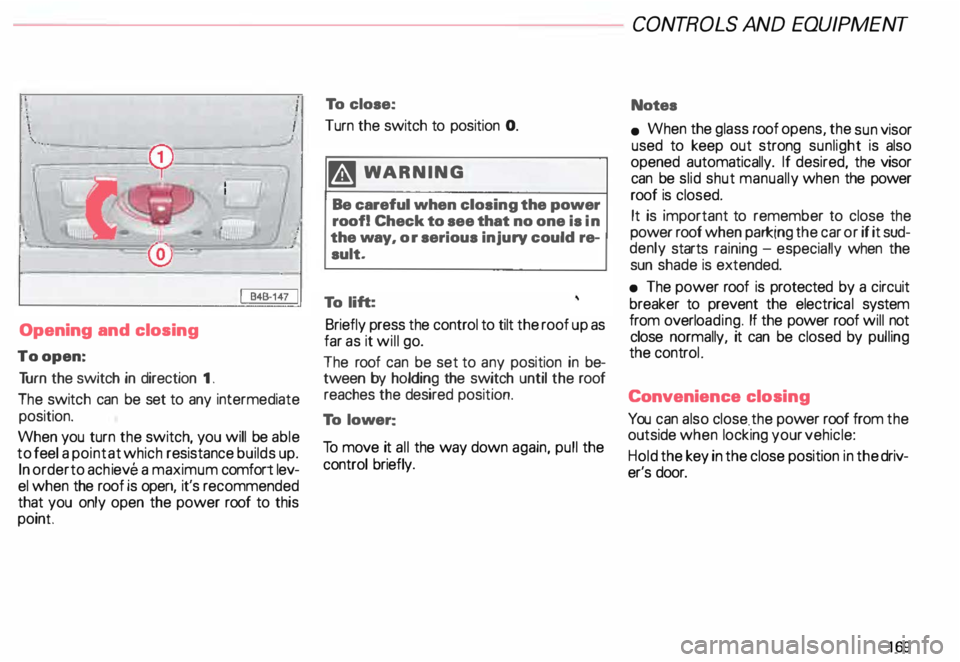
Opening and closing
To open: Tu rn the switch in direction 1.
The switch can be set to any intermediate
position.
When you turn the switch, you will be able
to feel a point at which resistance builds up.
In order to achieve a maximum comfort lev
el when the roof is operi, it's recommended
that you only open the power roof to this
point To
close:
Turn the switch to position 0.
�W ARNING
Be careful when closing the power
roof! Check to see that no one is in
the way, or serious injury could re
sult.
To lift:
Briefly press the control to tilt the roof up as
far as it will go.
The roof can be set to any position in be
tween by holding the switch until the roof
reaches the desired position.
To lower:
To move it all the way down again, pull the
control briefly. CONT
ROLS AND EQUIPMENT
Notes
• When the glass roof opens, the sun visor
used to keep out strong sunlight is also
opened automatically. If desired, the visor
can be slid shut manually when the power
roof is closed.
It is important to remember to close the
power roof when parking the car or if it sud
denly starts raining -especially when the
sun shade is extended.
• The power roof is protected by a circuit
breaker to prevent the electrica l system
from overlo ading. If the power roof will not
close normally, it can be closed by pulling
the controL
Conv enience closing
You can also close . the power roof from the
outside when locking your vehicle:
Hold the key in the close position in the driv
er's door.
169
Page 172 of 306
---------------------CONTROLS
AND EQUIPMENT
Interior lights, reading lights
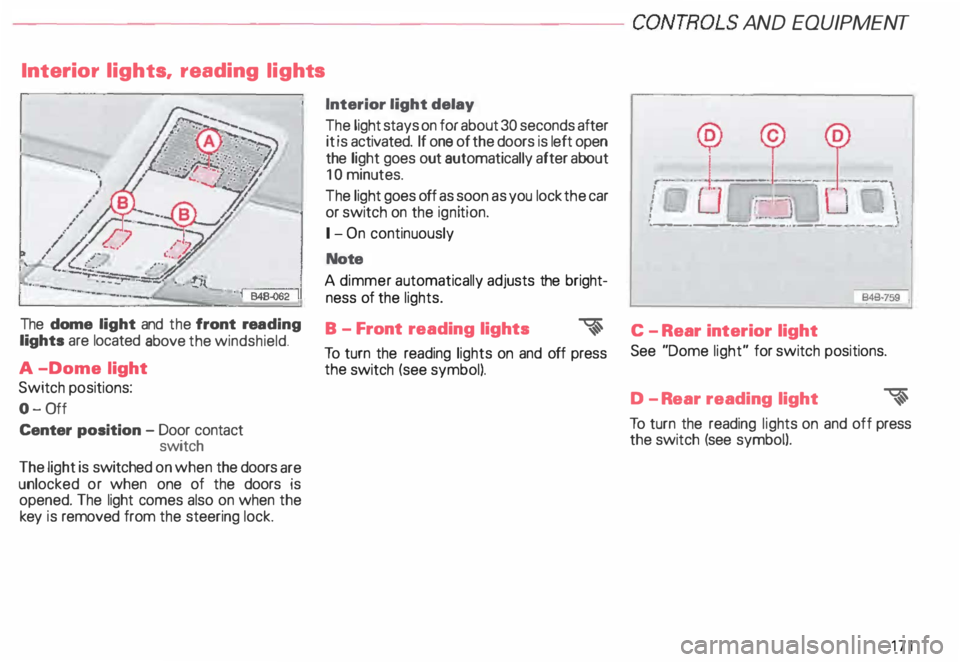
The dome light and the front rea ding
lights are located above the windshield.
A -Dome light
Switch positions:
0- 0ff
Center position -Door contact
switch
The light is switched on when the doors are
unlocked or when one of the doors is
opened. The light comes also on when the
key is removed from the steering lock. Interior light
delay
The light stays on for about 30 seconds after
it is activated. If one of the doors is left open
the light goes out automatically after about
10 minutes.
The light goes off as soon as you lock the car
or switch on the ignition.
1- On continuously
Note
A dimmer automatically adjusts the bright
ness of the lights.
B - Front reading lights
�
To turn the reading lights on and off press
the switch (see symbol). --
--� J: ___ ! __
\
I
Ot.:-= � :UJ,-.
i ·��-_:]
: \
·- ------- -···----·--- --·
846·759
'
C - Rear interior light
See "Dome light" for switch positions.
D -R ear reading light
�
To turn the reading lights on and off press
the switch (see symbol).
171
Page 174 of 306
-------------�-------CONTROLS AND
EQUIPMEN T
Audi Homelink ® Uni versal Transm itter*
-� ....... ..
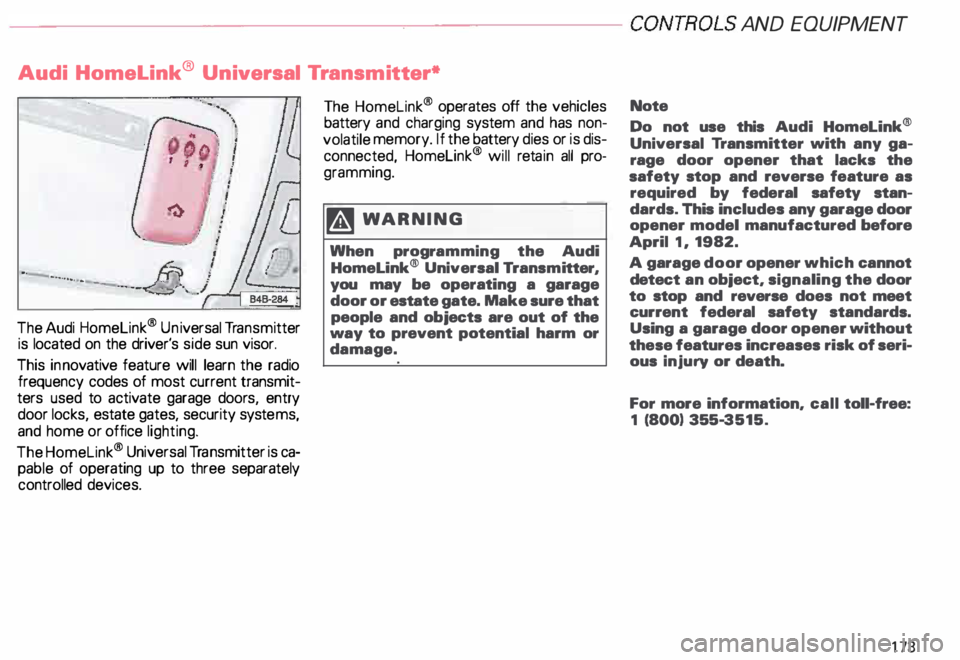
The Audi Homelink ® Un iversal Transm itter
is located on the driver's side sun visor.
This innovative feature will learn the radio
frequency codes of most current transmit
ters used to activate garage doors, entry
door locks, estate gates, security systems,
and home or office lighting.
The Homelink ® Universal Transmitter is ca
pable of operating up to three separately
controlled devices. The
Homelink ® operates off the vehicles
battery and charging system and has non
volatile memory. If the battery dies or is dis
connected, Homelink® will retain all pro
gramming.
�W ARNING
When programming the Audi
Homelink® Universal Transm itter,
you may be operating a garage
door or estate gate. Make sure that
people and objects are out of the
way to prevent potential harm or
damage. Note
Do not
use this Audi Homelink®
Universal Transmitter with any ga
rage door opener that lacks the
safety stop and reverse feature as
required by federal safety stan
dards. This includes any garage door
opener model manufactured before
April 1, 1982.
A garage door opener which cannot
detect an object, signaling the door
to stop and reverse does not meet
current federal safety standards.
Using a garage door opener without
these features increases risk of seri
ous injury or death.
For more information, call toll-free:
1 (800) 355-3515.
173
Page 176 of 306
Training a Garage Door
Equip ped with Rolling Code
To train your rolling code garage door
opener to operate from your Homelink®
Universal Transmi tter, follow these steps
after completing the "Program
ming" portion of this text (the aid of a sec
ond person may make the training quicker
and easier):
1 - Locate and press and relaaaa the
training (or "learning") button on the
garage door opener motor head unit.
(Exact location and color of the button
may vary by garage door opener brand.)
If there is difficulty locating the training
button, reference the garage door
opener owner's manual or call toll free:
1- 800-355- 3515.
2 - Return to the vehicle and press and re
lease the progr ammed Homelink ®
channel. Press and release the
Homelink ® channel a second time to
complete the progra mming process.
(Some garage door openers may re
qu i· re you to do this procedure a thir d
ti me.) The
garage door opener should now recog
nize the Audi Homelink ® Un iversal Trans
mitter. You may use either the hand-held
transmitter or the Audi Home link® Univer
sal Transmi tter to activate the garage door.
Oper ating the Audi HomeLink ®
Uni versal Transmitter
1 - Tum the ignition switch on.
2 - Select and firmly press and release the
appropriate channel (1, 2, or 3) to acti
vate the trained device (e.g. garage
door, estate gate, home security sy
stem, entry door lock, or home or office
lighting). CONTROLS
AND EQUIPMENT
Erasing the Audi HomeLink ®
Universal Transm itter's Pro
gramming
1 - Turn the ignition switch on.
2 - Simult aneously press and hold chan
nels 1 and 3 until the indicator light be
gins to flash after 20 seconds.
3 - Release both buttons.
This process will erase the trained codes of
the three channels or erase the factory set
default codes.
The Audi Homelink ® Un iversal Transmitter
is now in the train (or progra mming) mode
and can be progra mmed at any time follow
ing steps 3 through 5 in the "Progr amming"
portion of this text.
175