AUX AUDI E-TRON 2020 Owners Manual
[x] Cancel search | Manufacturer: AUDI, Model Year: 2020, Model line: E-TRON, Model: AUDI E-TRON 2020Pages: 316, PDF Size: 85.96 MB
Page 4 of 316
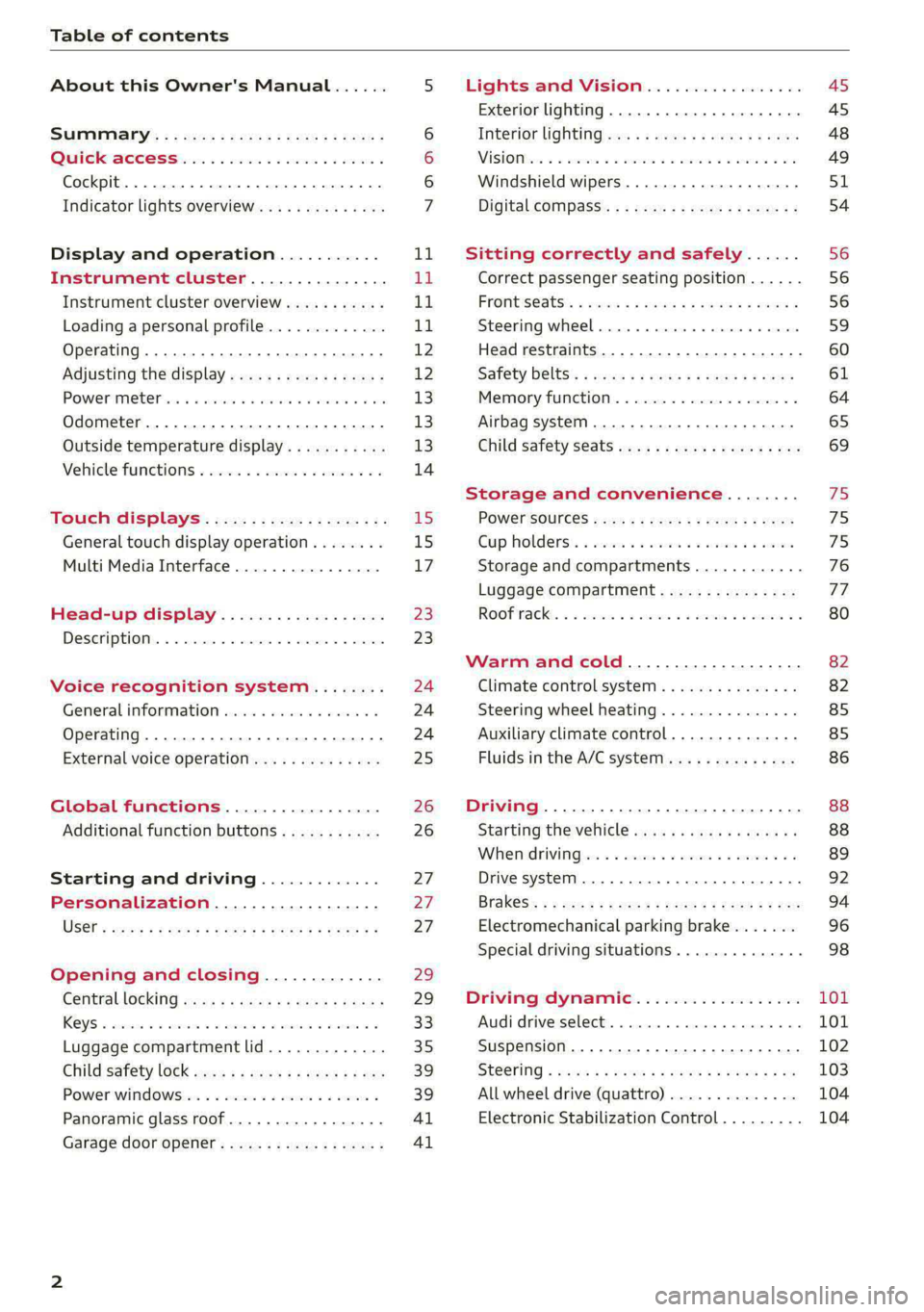
Table of contents
About this Owner's Manual......
SUMIMAry: < = exe : eens: Seen cs sens
QutckeaeCe ssh: «i esis se ois a eaves @
Cockpit. ...... 0... eee eee eee eee
Indicator lights overview...........4..
Display and operation...........
Instrument cluster...............
Instrument cluster overview...........
Loading a personal profile.............
Operating......... 2.00. cece eee eee
Adjusting the display.................
POWEP IMGT cis 6s. sxcwsue o svanens ow shaun 6 a 80a
Odometer.............. cee eee eee ee
Outside temperature display...........
Vehicle functions « ss... seen ve ome ee
TOUCH GISBIAYS): cscs « : wows st eens:
General touch display operation........
Multi Media Interface................
Head-up display..................
DeSGrIPELOIN:. « + asowies « a seen < awtine » coven
Voice recognition system........
General information 00. coe. wen es
Operating..................0..0000.
External voice operation..............
Global functions.................
Additional function buttons...........
Starting and driving.............
Personalization..................
Opening and closing.............
Centrablocking gas « x saws < # aene « naunes
KEYS « sscesus oo oases va aamies wot aeons v Be
Luggage compartment lid.............
Child’satety lOCK sms ¢ ¢ semw se cease ¢ een
Power windowsSec oo vase x a mwas ¥ a arasws ¥
Panoramic glass roof.................
Garage door opener............0.00..
NOD
OO
11
ga:
11
11,
12 12 13 13
13
14
15
15
17
Z3
23
24 24 24
25
26
26
27 27 27
29;
29
33 35
39 39
41 Al
Lights and Vision................. 45
Exterior lighting...............0000ee AS
Interior lightingissss « ¢ ews + ¢ ees es eee 48
MiSIOM iss +o seas os aroma oo ewe wo eS wars 49
Windshield wipers................05- S51
Digital compass’ « < sces ss sees sz wees ae 54
Sitting correctly and safely...... 56
Correct passenger seating position...... 56
PROMUSCStS: + wares x x nouns 6 e RawER ye eae 8 56
Steering wheel. ...........00.- ee ee ee 59
Head restraints...................00. 60
Safety belts’: ¢ esas ss mean ¢ o cere oe ee 61
Memory function..............-.0004 64
Airbag system. .... 2. ee eee eee eee 65
Child safety seats.................000- 69
Storage and convenience........ 75
PoW6r SOUICES scx ¢ x sous x sees x foes 75
Cup holdersss « seiwse + «cnn sw senses + = enue 75
Storage and compartments............ 76
Luggage compartment............... oe
ROOF PACK « + iannce 4 o amiss oo mses ao omamau ¥ 6 80
Warm and cold................... 82
Climate control system............... 82
Steering wheel heating............... 85
Auxiliary climate control.............. 85
Fluids in the A/C system.............. 86
Driving................. 0.00.00 000. 88
Starting the vehicle. ..........eee cues 88
Whenrdrivingser. sess os eeu oe emcee ves 89
Drive system... 02... ee eee eee 92
Brak@Sk: « » seg « eae e + neem © x seme ee ee 94
Electromechanical parking brake....... 96
Special driving situations.............. 98
Driving dynamic.................. 101
Audi drive:seleets, . scvceie «0 assne oo mien oo 101
Suspension..............0 2.020000 ee 102
SEGELING « weg w 5 saree a & wane 5 4 wee 2 Ee 103
All wheel drive (quattro) .............. 104
Electronic Stabilization Control......... 104
Page 87 of 316

4KE012721BE
Warm and cold
— Only use the fragrance function* in modera-
tion and take any other passengers and ani-
mals into consideration when using the
function. An overlap of different scents or
odors could cause discomfort. If there is
discomfort, reduce the intensity or switch
the fragrance function* off. Only use fra-
grances that are approved by Audi.
Adjusting the vents
You can open and close the vents using the
thumbwheels. The levers adjust the direction of
the airflow from the vents.
Additional settings
You can adjust additional settings.
> Applies to: MMI: Select on the home screen:
VEHICLE > Climate control > ©.
Fragrance
Applies to: vehicles with fragrance system
Using Fragrance selection, you can select the fra-
grance and see the fill level of the fragrance.
You can select the strength of the scent with Fra-
grance level.
Footwell temperature*
You can adjust the footwell temperature for the
driver and front passenger.
Steering wheel heating
ics meol
Applies to: vehicles with steering wheel heating
> Press @ to switch steering wheel heating on or
off.
You can also operate the steering wheel heating
using the multifunction steering wheel
=> page 26.
Messages
Applies to: vehicles with steering wheel heating
@ Steering wheel heating: on/Steering wheel
heating: off
This message appears if you have switched the
steering wheel heating on or off.
Steering wheel heating: malfunction! See own-
er's manual
If this message appears, there is a malfunction.
Drive immediately to an authorized Audi dealer
or authorized Audi Service Facility to have the
malfunction repaired.
Auxiliary climate control
Applies to: vehicles with auxiliary climate control
The auxiliary climate control system warms or
cools the vehicle interior. The vehicle will turn on
the auxiliary climate control system if needed,
depending on the last temperature that was set
with the climate control system controls. This
function can be used when the drive system is
switched off.
You can turn the auxiliary climate control system
on and off immediately in the MMI or set a timer.
Requirement: the charge level of the high-volt-
age battery must be sufficient.
@ Tips
— Using the auxiliary climate control while
charging can also reduce the charge level of
the high-voltage battery.
— Starting or stopping the vehicle will not
switch off the auxiliary climate control auto-
matically.
Applies to: vehicles with auxiliary climate control
Applies to: MMI: Select on the home screen: VE-
HICLE > Climate control > f.
Immediate start
You can immediately switch the auxiliary climate
control on and off using the f button. When this
function is switched on, a colored bar lights up
over the button and the remaining time is dis-
played.
8s
Page 88 of 316

Warm and cold
The auxiliary climate control will run for a maxi-
mum of 30 minutes after the immediate start.
Timer programming
You can set up to two timers for the departure
time. Each one of the timers can be activated.
> Select one timer.
> Set the date and press Next.
> Set the time (departure time) and press OK.
> Activate the timer with CD.
By setting the departure time, you determine
when your vehicle should reach the desired tem-
perature. The departure time can be a maximum
of six days in the future. The auxiliary climate
control will continue to run approximately ten
minutes after the departure time is reached.
After switching off the ignition
Information about the active timer(s) will appear
on the upper display after switching off the igni-
tion. You can start the set climate control set-
tings immediately with the § button, or go to the
auxiliary climate control menu with the > button.
@) Tips
— Make sure the time and date match in the
system settings so that the timer can func-
tion correctly > page 236.
— The auxiliary climate control can also be
switched on and off immediately when a
timer is set.
— You can operate the climate control in the
vehicle interior when the high-voltage bat-
tery is charging using the charging timer
= page 114. The climate control output de-
pends on the power supply capacity.
Additional settings
Applies
to: vehicles with auxiliary climate control
> Applies to: MMI: Select on the home screen:
VEHICLE > Climate control > f > ©.
Start air conditioning after unlocking
If this function is activated, the climate control
will continue to run for five minutes after the ve-
hicle has been unlocked.
86
Comfort aux. A/C
Applies to: vehicles with comfort auxiliary air conditioning
You can set if the steering wheel heating* and
seat heating* or seat ventilation* should also be
automatically activated with auxiliary climate
control. You can select the respective zones.
Window and mirror heating*
Applies to: vehicles with comfort auxiliary air conditioning
You can set if the rear window and mirrors should
also be heated during auxiliary climate control.
Messages
Applies to: vehicles with auxiliary climate control
2— There is a malfunction in the auxiliary air
conditioning.
If this message appears, there is a system mal-
function. Drive immediately to an authorized
Audi dealer or authorized Audi Service Facility to
have the malfunction repaired.
Fluids in the A/C system
Refrigerant in the A/C system
The sticker in the motor compartment provides
information about the type and amount of refrig-
erant used in the vehicle’s A/C system. The stick-
er is located in the front section of the motor
compartment or at the front or back of the hood.
Symbol
A
Meaning
Warning: the A/C system must only
be serviced by qualified technicians.
Refrigerant type
Lubricant type
ae
at
Refer to the service information
(only available for authorized Audi
dealers or authorized Audi Service
Facilities)
The A/C system must only be serv-
e
Bi) iced by qualified technicians. >
Page 114 of 316
High-voltage system
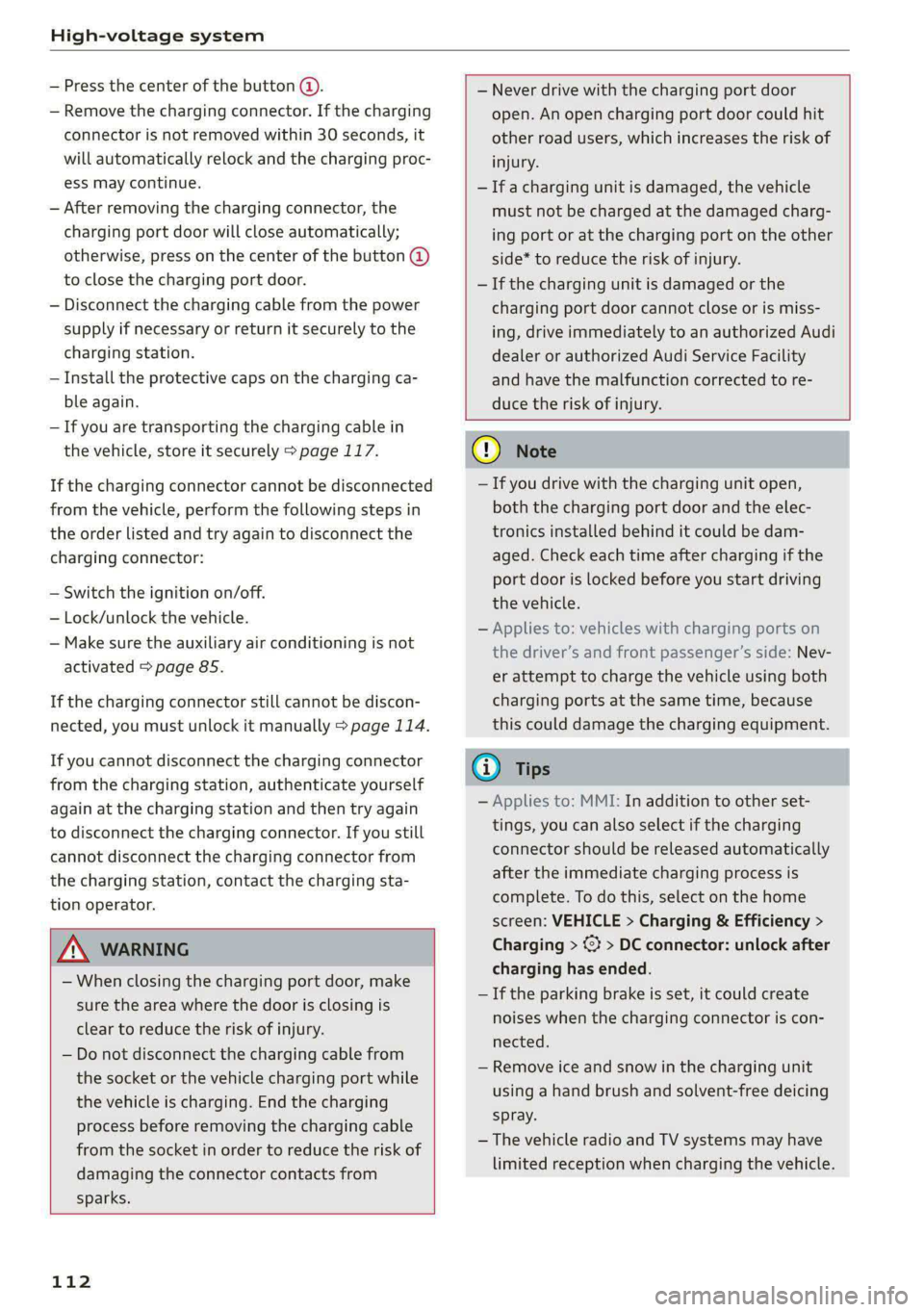
— Press the center of the button @.
— Remove the charging connector. If the charging
connector is not removed within 30 seconds, it
will automatically relock and the charging proc-
ess may continue.
— After removing the charging connector, the
charging port door will close automatically;
otherwise, press on the center of the button (@)
to close the charging port door.
— Disconnect the charging cable from the power
supply if necessary or return it securely to the
charging station.
— Install the protective caps on the charging ca-
ble again.
—If you are transporting the charging cable in
the vehicle, store it securely > page 117.
If the charging connector cannot be disconnected
from the vehicle, perform the following steps in
the order listed and try again to disconnect the
charging connector:
— Switch the ignition on/off.
— Lock/unlock the vehicle.
— Make sure the auxiliary air conditioning is not
activated > page 85.
If the charging connector still cannot be discon-
nected, you must unlock it manually > page 114.
If you cannot disconnect the charging connector
from the charging station, authenticate yourself
again at the charging station and then try again
to disconnect the charging connector. If you still
cannot disconnect the charging connector from
the charging station, contact the charging sta-
tion operator.
— Never drive with the charging port door
open. An open charging port door could hit
other road users, which increases the risk of
injury.
— Ifa charging unit is damaged, the vehicle
must not be charged at the damaged charg-
ing port or at the charging port on the other
side* to reduce the risk of injury.
— If the charging unit is damaged or the
charging port door cannot close or is miss-
ing, drive immediately to an authorized Audi
dealer or authorized Audi Service Facility
and have the malfunction corrected to re-
duce the risk of injury.
ZA\ WARNING
— When closing the charging port door, make
sure the area where the door is closing is
clear to reduce the risk of injury.
— Do not disconnect the charging cable from
the socket or the vehicle charging port while
the vehicle is charging. End the charging
process before removing the charging cable
from the socket in order to reduce the risk of
damaging the connector contacts from
sparks.
112
@) Note
— If you drive with the charging unit open,
both the charging port door and the elec-
tronics installed behind it could be dam-
aged. Check each time after charging if the
port door is locked before you start driving
the vehicle.
— Applies to: vehicles with charging ports on
the driver’s and front passenger’s side: Nev-
er attempt to charge the vehicle using both
charging ports at the same time, because
this could damage the charging equipment.
(i) Tips
— Applies to: MMI: In addition to other set-
tings, you can also select if the charging
connector should be released automatically
after the immediate charging process is
complete. To do this, select on the home
screen: VEHICLE > Charging & Efficiency >
Charging > %} > DC connector: unlock after
charging has ended.
— If the parking brake is set, it could create
noises
when the charging connector is con-
nected.
— Remove ice and snow in the charging unit
using a hand brush and solvent-free deicing
spray.
— The vehicle radio and TV systems may have
limited reception when charging the vehicle.
Page 192 of 316

Audi connect
services. The cell phone network, for exam-
ple, must be available to use these services.
Applies to: vehicles with Audi connect vehicle control
> Register at my.audi.com.
> Set the key user > page 28.
> Install the myAudi app on your mobile device
and log in with your access information.
G) Tips
It may also be necessary to enter your 4-digit
PIN set at my.audi.com when accessing some
Audi connect vehicle control services.
Services
Applies to: vehicles with Audi connect vehicle control
Depending on the country and the vehicle equip-
ment, the following services may be available:
Locking and unlocking the vehicle by remote
control
Requirement: the vehicle must be parked and the
ignition must be switched off.
This service allows you to unlock or lock your ve-
hicle.
Vehicle status report
This service transfers driver information system
data to a server. Depending on the vehicle equip-
ment, certain data may be accessed, such as the
remaining range or mileage. The values may dif-
fer from the values displayed in the vehicle.
Car Finder
This service transmits the parking location to a
server when the ignition is switched off. The vehi-
cle location, your location, or the route to your
vehicle can be displayed. The new parking loca-
tion cannot be determined with this service if the
vehicle is moved after shutting the vehicle off
and without switching the ignition on and off
again, for example if the vehicle is towed or sto-
len.
190
Online Audi service request
Requirement: the service must be activated on-
line at my.audi.com and an authorized Audi deal-
er or authorized Audi service facility must be se-
lected.
This service transmits service-relevant data to
your selected authorized Audi dealer or author-
ized Audi service facility. They will contact you
before your next service appointment.
Stolen Vehicle Locator
This service assists you in locating your vehicle if
it is stolen.
— Contact the police. You receive a Case ID.
— Call the service hotline and give your Case ID.
The service hotline will forward the established
data to the police. You receive the Audi Service
hotline number when you purchase your vehicle.
Trip data
Depending on the vehicle equipment, certain
driver information system data is transmitted to
a server. An overview of your trips with the values
from the short-term memory/long-term memory
can be displayed, for example, the driving dura-
tion. The values may differ from the values dis-
played in the vehicle.
Remote charging
Requirement: the ignition must be switched off
when changing the charging mode.
You can control and monitor the charging process
remotely with the service.
— Charging mode: immediate charging or delayed
charging (timer)
— Program the timer
— Deactivate or activate the timer
For additional information, see > page 108.
Auxiliary climate control
Requirement: the ignition must be switched off
when starting or stopping climate control.
You can control the climate control in your vehi-
cle remotely using these services.
Page 289 of 316
4KE012721BE
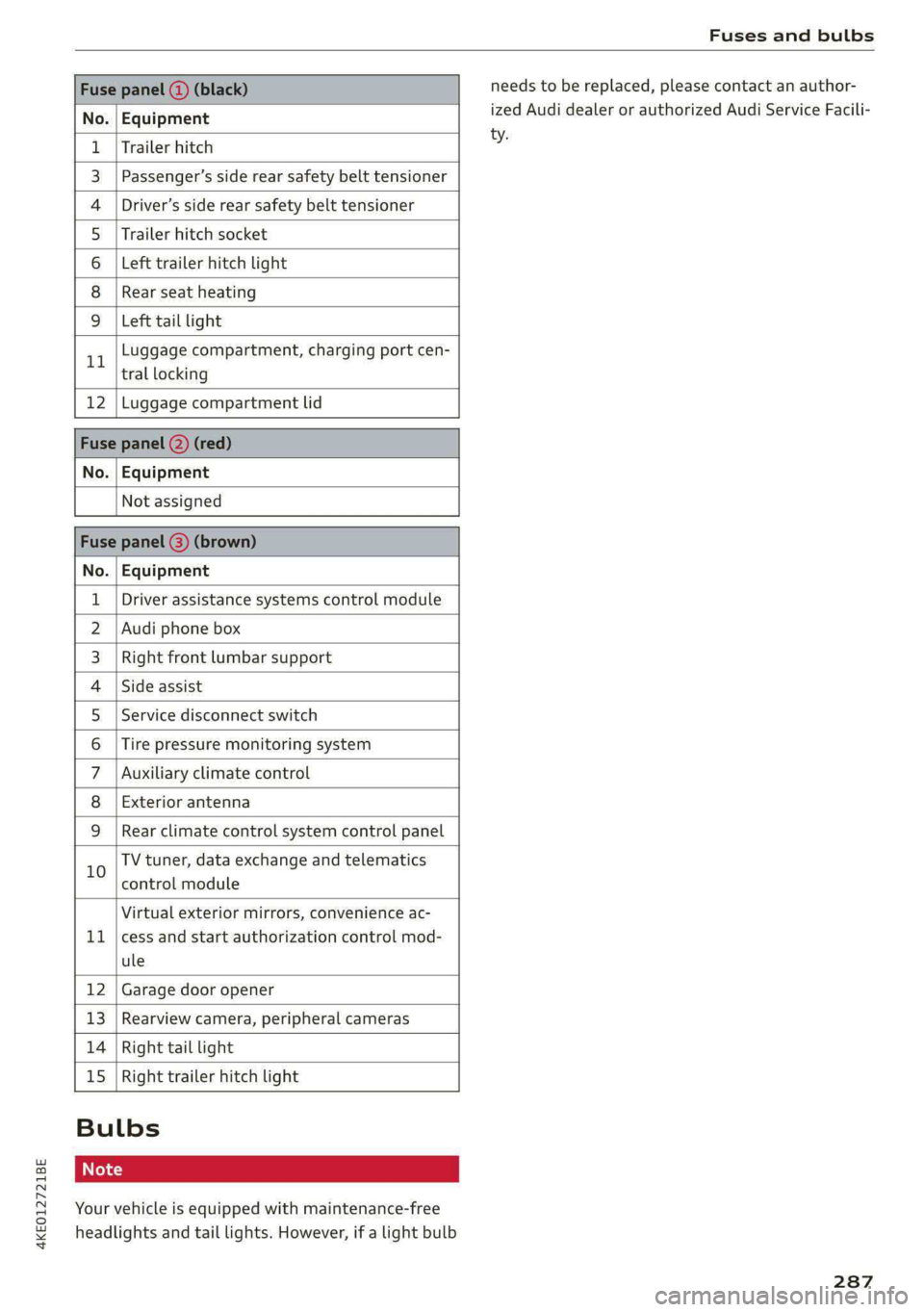
Fuses and bulbs
Fuse panel (3) (black)
No. Equipment
Trailer hitch
Passenger’s side rear safety belt tensioner
Driver’s side rear safety belt tensioner
Trailer hitch socket
Left trailer hitch light
Rear seat heating
Ola;
AD)
M/A]
W]e
Left tail light
Luggage compartment, charging port cen-
11 tral locking
12 | Luggage compartment lid
Fuse panel @) (red)
No. | Equipment
Not assigned
Fuse panel (8) (brown)
No. | Equipment
1 | Driver assistance systems control module
2 | Audi phone box
3 | Right front lumbar support
4 | Side assist
5 | Service disconnect switch
6 |Tire pressure monitoring system
7 |Auxiliary climate control
8 | Exterior antenna
9 | Rear climate control system control panel
Bb oO
TV tuner, data exchange and telematics
control module
LL
Virtual exterior mirrors, convenience ac-
cess and start authorization control mod-
ule
12 Garage door opener
13. Rearview camera, peripheral cameras
14 Right tail light
15
Right trailer hitch light
Bulbs
Your vehicle is equipped with maintenance-free
headlights and tail lights. However, if a light bulb
needs to be replaced, please contact an author-
ized Audi dealer or authorized Audi Service Facili-
ty.
287
Page 301 of 316

4KE012721BE
Index
A
A/C cooling mode..........-. eee eee eee ee
Accelerator pedal.............--0000 000
also refer to Accelerator pedal...........
AccessorieS ...... 0.0000 c ee eee eee 75,
Active lane assist
refer to Lane departure warning.........
refer to Lane guidance................
Adaptive cruise assist................00.
Cleaning sensors... ... 0... cee eee eee
Predictive control....................
Adaptive cruise control
refer to Adaptive cruise assist..........
Adaptive dampers « wea sv saws ss meme : 2 oe
Adjusting the air distribution.............
Adjusting the brightness.................
Adjusting the sound..............-..00-
Adjusting the temperature...............
Adjusting the vents ............0eceee eee
Adjusting the volume...............00005
Adjusting the volume (announcements) .. . .
Adjusting the welcome sound............
Airbag SySteM « » seme s eeu s = oem et Sa Eee
Air suspension..............0..00.000.
Alarm system
refer to Anti-theft alarm system..........
Alignment pin (changing the wheel).......
All-weather lights .............. eee eee ee
Allseason tires. ..... 00. .2.000200200005
All wheel drive
FOfEF TO QUAL eis << scces cs wees ce eee
Amazon Alexa integration
Media playback.............--.0-+-05
QPeration « anes «6 cases © o cusses » x ceotane ¥ # ee¥ve
AMI
refer to Audi music interface...........
Android Auto
refer to Audi smartphone interface......
Anti-freeze
Windshield washer system.............
Anti-lock braking system .............00.
Anti-Slip Regulation.................04.
Anti-theft alarm system ..........--..00--
Anti-theft wheel bolts..................
Apple CarPlay
refer to Audi smartphone interface...... 234
Aspect ratio (video) ..........-...-. 228, 230
ASR
refer to Anti-Slip Regulation............ 104
Audi adaptive light..................005. 45
Audi connect
referto CONNECt. . .c..s cc ives esas ae ss 187
Audi connect Remote & Control
refer to Vehicle control services......... 189
Audidrive'selecticn, « + sau oz scum « x newe yoo 101
Audi e-tron compact charging system..... 117
Adjusting the charging power level...... 118
Changing or attaching the power cable... 122
S@CUTING . 6... eee eee eee eee 122
Status and malfunction indicators....... 118
Audi musicinterface...........000 0c ee 225
AUGIG TINGS css = ¢ cans & ¢ eee 5s eee £ eee 226
Audi phone box. ..........00-.00 eevee 175
Audi presens@... 2.0... 0. c cece eee eee 154
M@SSAQES vcers « 5 ery § 2 eae Fe ERGY Fd eee 158
Audi pre sense front..............eeeee 155
Audi side assist
refer to Side assist............--.-+--5 158
Audi smartphone interface.............. 234
Legalinformation ¢ cscs os wae ae ewes «2 238
Audi virtual cockpit
refer to Instrument cluster.............. 11
AUTO
Automatic headlights................0- 4S
Climate control system..............0-5 83
Auto Lock (central locking) ............... 29
Automatic climate control system
refer to Climate control system.......... 82
Automatic luggage compartment lid.... 37,38
Automatic wipe/wash system............. 51
Auxiliary climate control................. 85
Average consumption.............00000. 14
Average speed .... 2.0... . cee eee eee eee 14
B
Bag hooks ......... 00 eee eee eee eee 76
Battery
Charge level display.................0.. 11
Charging (12 Volt vehicle battery)....... 246
High-voltage battery.................. 107
Page 303 of 316

4KE012721BE
Climate control system controls in the rear
Child safety lock... . 0... ccc eee eee eee 39
Closing
Automatic luggage compartment lid...... 37
Convenience closing..............-.... 40
HOO « sess eu oxsanne no seman ow eatetess cence 241
Luggage compartment lid............... 36
Luggage compartment lid with foot motion . 38
Panoramic glass roof................... 41
Sunshade (roof) ..............00 sees Al
WINOWS « nore » ¢ soyee 5 2 ewe x saueR 5 2 Re 39
Closing aid (power closing doors).......... 29
COckPIEGIMIMING s = secs ¢ & caiwes + © Hanes + Fee 49
Cockpit (overview) ..............0 000s eee 6
Collapsible sparetire................0.. 280
Collapsible tire
refer to Collapsible spare tire........... 280
Color code... 22.6... cece ee eee eee eee 297
Comfort auxiliary air conditioning.......... 86
Coming home/Leaving home
refer to Entry/exit lighting.............. 47
Compartments...........0 002. e eee eee 76
Compass inthe mirror..............00005 54
Compliance. ....... eee eee eee eee 295
Configuration wizard . ccc... eww eae es 17
CONMCCb is oo somes 2c cence 3 sewn 2 8 ee @ 8 aS 187
Data plans... ..... eee eee eee 192
Data Phivaty'ax s «meee sv oem s bees s gee 290
Emergency: call sscsss ¢ 0 west sv wawa » wenn x 194
Infotainment....................000. 187
Infotainment services. . ..0... ce. s eae 188
Online roadside assistance............. 195
Vehicle control services............005- 189
Connected devices
Device overvieW........--..00-- eee eee 237
Connections
referto Media................--- 222,226
Consumer information.................. 292
Consumption
REGUGING = gaan = 2 game
Contacts
Add destination ¢ sce x ¢ nea «a eases 4 2 cee 207
Importing and exporting.............. 184
Memory capacity. .... 0.0... cee eee eae 184
Opening (business card)............... 178
Updating imthe:MMI:. « «cece « sane © werose 184
Convenience key). «2 esse ov eis ov ema ee ee 29
Convenience closing................005 40
also refer to Vehicle key..............-. 33
Convenience opening and closing
Windows or panoramic glass roof........ 40
Cooling Mode:w« ss ceca ss eee ve pee ee eR 83
Cooling system
Coolant sesess oo serene « o sonme ao eens a 8 eee o 242
Coolant level. ........ 0. cece eee eee ee 243
Cornering light....... 2.0.0... cee eee eae 45
Cross traffic assist (intersection assistant) .. 162
Cruise controlisystemis « « icasis + « wares + weve 139
Gup holders cies s & scien 9 & eases oe ars os RE 75
Current consumption so. «esc s s eee es ces 14
D
Data plans see: « 2 ees go ewe v Seen ce eee 192
Data PRIVACY « cass 4 s eames fc See oa ee 290
Date... eee eee eee eee 14
SOtting’: + wean « x uome se ees a 2 BOE ge ee 236
Daytime running lights.................. 45
Declaration of compliance............... 295
DEF (instrument cluster)................. 11
Demo mode
refer to Presentation mode............. 211
Destination onthe map................. 202
Details... 6.0.2... eee eee 201
Determining correct load limit........... 262
Digital compass.............0 eee eee eee 54
DiMeMSIONS!. + sis a cessans 6 2 seawiiee ow ave 6 297
Dimming the exterior mirrors............. 50
Dimming the rearview mirror............. 50
Directory
SOTHINGS: cosine « i: sess + mewsnw & srnees we 0 suouses 184
also refer to Contacts..............0.. 178
Display
Cleaning « < ¢ swas + > ses yo eees te wees eo: 270
Disposal. ... 0.0.0... cee eee eee eee eee 292
Distance... 2.2.2... eee eee eee 14
Distance warning............-+..eee0ee 152
Doors
Child safety lock. ........ 0. sce eee ee 39
Door cofitact’Switch » + sews + s says x ae = 48
Mechanically unlocking and locking....... 32
Power closing/closing aid............... 29
301
Page 308 of 316
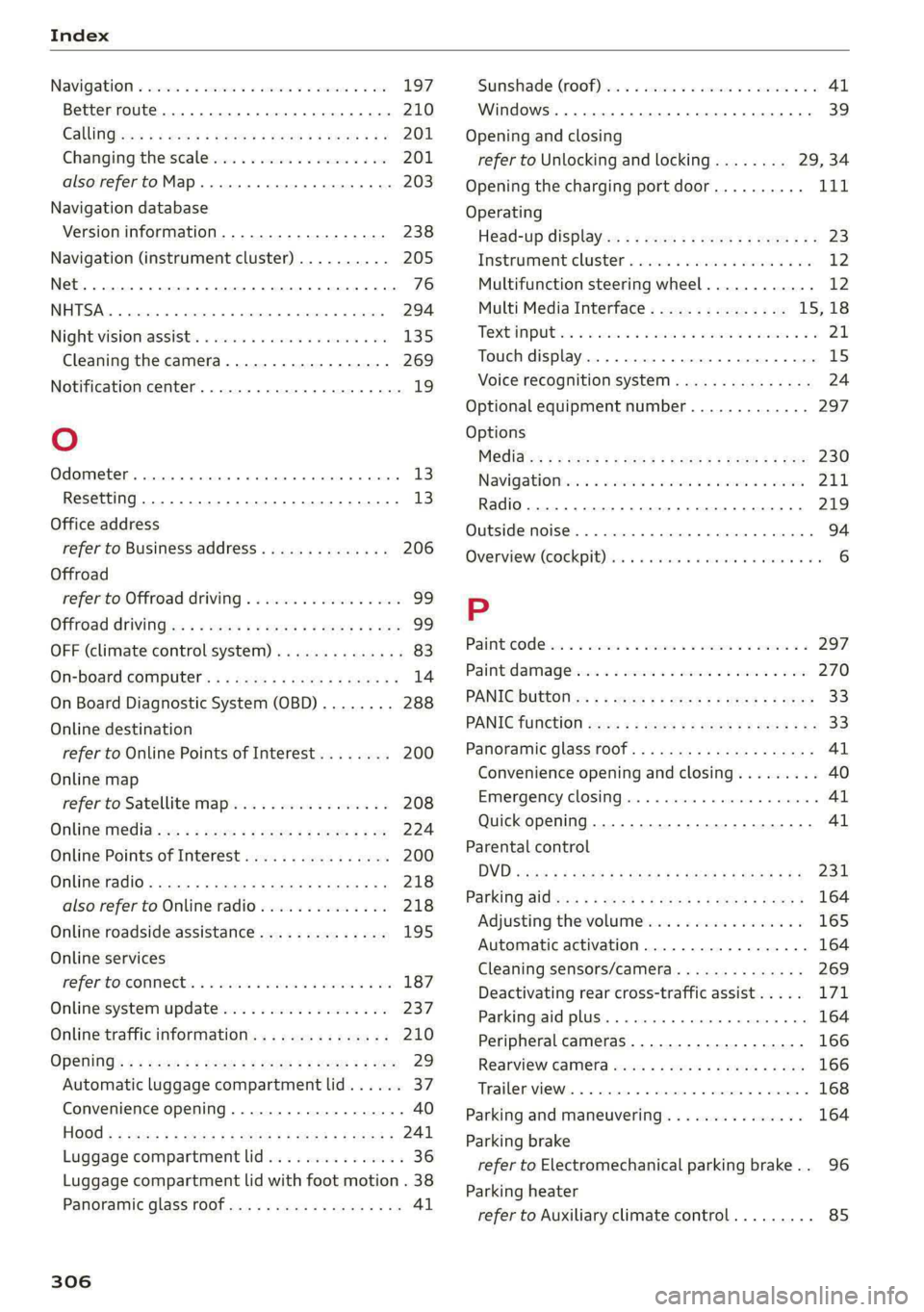
Index
Navigatlon «cscs o 2 comes ws succes ¥ x soneees wo one 197
Better route......... 2... eee eee 210
CalinGtesys s x ees x eeeey x BEER Fe ROR See 201
Changing the scale iw-ia se cain ae cece oo ove 201
also refertoMap..........0..ee eee eee 203
Navigation database
Version information................-- 238
Navigation (instrument cluster) .......... 205
Net... ieee eee eee 76
SY 294
Night:visioniassists. « cess ss cave oo cscs o ove 135
Cleaning the camera.............-.0.. 269
Notification center.................-000- 19
Oo
Odometer... ... ccc cece cee eee eee 13
Resetting............0..0..0 2.002000 ee 13
Office address
refer to Business address.............. 206
Offroad
refer to Offroad driving...............4. 99
Offroad drivingies «2 cas + ¢ sew x 2 gees 2 2 yee 99
OFF (climate control system) .............. 83
Ofi-board computer's ss cau s x ees sy tems 14
On Board Diagnostic System (OBD)........ 288
Online destination
refer to Online Points of Interest........ 200
Online map
refer to Satellite map...............-. 208
Online: media... = s ese: =v cee se see se oe 224
Online Points of Interest................ 200
OMUMETAGIO = ses x ¢ aewe x ¥ Seems te Seas ZS 218
also refer to Online radio.............. 218
Online roadside assistance.............. 195
Online services
refer torConnects « scx o wiwr ee oem ao we 187
Online system update...............00. 237
Online traffic information............... 210
OPSHING’: « + seen ¢ = eeuee se eee se ees ee ee 29
Automatic luggage compartment lid...... 37
Convenience opening................... 40
HOGG « = wens x = eee ¥ 2 em Fe ew 2 2 ew 241
Luggage
compartment lid............... 36
Luggage compartment lid with foot motion . 38
Panoramic glass roof...............0005 41
306
Sunshade (roof) + « cocie x a ascoane wo mewees 9 0 41
Windows ...... 0. e eee eee eee 39
Opening and closing
refer to Unlocking and locking........ 29, 34
Opening the charging port door.......... i
Operating
Head-up display..............-..2-005- 23
Tnstrumentclusten « seas ¢ savior » oncom a 9 ee 12
Multifunction steering wheel............ 12
Multi Media Interface............... 15,18
TEXtIN PUB sis 2 sane » ewe es ween «6 ese a ¥ 21
Touch display...........-..00 0.00 e eee 15
Voice recognition system............... 24
Optional equipment number............. 297
Options
Medidton = 2 gaws ss meee s Hoon 4 + neue os oe 230
Navigationices « wees + even 6+ nase sv mewn 211
Radio... 2.6... ce eee eee eee eee eee 219
QUBSIASHMOISES. 5 craters vo sxnsee am enszede a «seme 94
Overview: (COCKPID) Hine x & sens + eee oo enaren w a0 6
P
Paint icOde ia 2 2 ccwiane wo wie = oom wm ams 297
Paint damages = 2 scare owen so ewe 2 wee 270
PANICG bUttOlins ¢ ¢ cewe 2 » eee 2s Hem 2 9 eee 33
PANIC TUNCCION cence 2 x see x 2 nem =u wwe + we 33
Panoramic glass roof..............00000- 41
Convenience opening and closing......... 40
Emergency closing..............eee eee 41
Quick opening...............002- 000 41
Parental control
DVD sess x = says 5 2 gee x & gate so ae cE
Parking aid was ¢ « awe ¢ o eens ¢ 8 eee y Fees a
Adjusting the volume
Automatic activation
Cleaning sensors/camera....
Deactivating rear cross-traffic assist... . . LV
Parking aid plus...............00-000- 164
Peripheral cameras...........---000-5 166
Rearview Caimiera sacs ss ces ss mews se eee 166
Trae reviews a + sicnoas oo weve < mime = = xen 168
Parking and maneuvering..............- 164
Parking brake
refer to Electromechanical parking brake.. 96
Parking heater
refer to Auxiliary climate control......... 85
Page 313 of 316
4KE012721BE
Index
Wheelibollts ascscs sv scm a 5 ammunne oo mex w 3 ane 262
anti-theft... 0... 2... cece 277
Tightening specification............... 279
WIGEIS 5 sus & saves @ males a aR DE aI SE 248
Gleaning « = sees oe eww oo een oo see Yo Oe 270
Glossary of tire and loading terminology... 251
Loose wheel warning.............-.... 263
Replacing) san 3 + wees 2 x mows « v uews 2 ous 276
Tire pressure monitoring system........ 266
Tires and vehicle load limits............ 260
Wheelwrench....................0.00. 274
Wi-Fi
HOtspOt'Settings:. <= cscs ce ceeus eres se 192
Online Media « sires sx sess op aonoses @ a comes « 224
Using ahotspot.............00--00 eee 188
Wild animal recognition................ 135
Window and mirror heating............... 86
Windows
Child safety lock........ 2... .. ee eee eee ee 39
Cleaning and removing ice............. 270
Convenience opening and closing......... 40
Defrosting......... 0... cece ee eee ee 84
Opening and closing................5-. 39
Power Windows: « = sss = y sees & 2 ewe & oo 39
Windshield
Cleaning « « cesses a x sumer: wo 2 amwies vx ane x x ce 51
also refer to Windshield................ 51
Windshield washer system........... 51, 246
Reservoir capacity.................... 298
Windshield wipers...............-000005 51
Winter operation
Auxiliary climate control...............5 85
Car washes season «a anise s a aneuase so anonane «0 268
Cooling systeM........-...0-.00 ee eee 242
Defrosting windows.................05- 84
Rear window defogger...........-....- 84
Removing ice from windows............ 270
Seat heating............ 2... cee eee eee ee 84
SNOW CHalNS sss ss news oe woes o gee 6 = HO 264
Steering wheel heating................. 85
Tir€S oe eee ee 263
Vehicle battery (12 Volt)............... 245
Windshield washer system............. 246
Winter tinesSiccoc << aime oo oie a a omen oo one 263
Wireless CarPlay
refer to Audi smartphone interface...... 234
Wireless charging
Audi phone box
311