roof AUDI Q2 2021 Owner´s Manual
[x] Cancel search | Manufacturer: AUDI, Model Year: 2021, Model line: Q2, Model: AUDI Q2 2021Pages: 364, PDF Size: 87.77 MB
Page 166 of 364
Speech dialogue system
Speech dialogue system
How to use the speech
dialogue system
Applies to: vehicles with speech dialogue system
You
can operate many infotainment functions
conveniently by voice.
Important: The ignition and the MMI system
must be switched on
^>page
152, you must not
be talking on the phone, and the parking aid
must not be active.
•
To switch on: Briefly press the
0
button (J)
^>page
17, Fig. 12/(3)
^>page
18, Fig. 14 on
the multi-function steering wheel and give a
spoken command after the beep signal.
*•
To switch off: Press and hold the
0
button for
several seconds. Or: Press the
0
button.
•
To pause: Say the command Pause. To end the
pause,
press the
S
button.
•
To make a correction: Say the command Cor
rection.
Input help
The system guides you through the input routine
with cues and messages.
- Input help messages on screen: After the
speech dialogue system is switched on, a selec
tion of possible commands will be shown. The
command display can be switched on or off as
required.
Select:
|MENU|
button
>
Settings >
left control button > MMI settings
>
Speech
dialogue system.
- Spoken input help
cues:
To have the system
play the commands currently possible, switch
on the speech dialogue system and say Help.
How to help the system understand you
Speak clearly in a normal volume. Speak louder if
you are driving fast.
Speak in a normal tone without long pauses.
Close doors, windows and sun roof* to reduce
background noise. Make sure that passengers are
not talking when you say a command.
Keep the air outlets of the air distribution system
pointed away from the microphone, which is fit
ted in the vicinity of the front interior lights in
the headliner.
The system should only be operated by the driv
er, since the handsfree microphone is directed
towards the driver.
Other settings
Refer to
^>page
262.
© No
-The dialogue is paused when an incoming
telephone call is received; you can continue
the dialogue by ignoring the
call.
If
you
an
swer the
call,
the dialogue will be cancelled.
- No navigation cues* or traffic announce
ments are played when a dialogue is
run
ning.
- You can select an entry from a list both via
the speech dialogue system and using the
rotary pushbutton.
- The speech dialogue system does not sup
port commands in Arabic, Norwegian or
Hungarian.
Notes on the overviews
of commands
Applies to: vehicles with speech dialogue system
The following overviews show you the commands
that you can give to operate the MMI via the
speech dialogue system. •
A WARNING
- Please direct your full attention to the road
at all times! As the driver, you have full re
sponsibility for the safety of the vehicle and
other road users.
For
this reason, you should
only use the functions in a manner that al
lows you to maintain control of the vehicle
in all situations - accident risk!
- The speech dialogue system must not be
used in cases of emergency, since the voice
changes in stressful situations. This could
result in a failed or delayed telephone
con
nection.
Always dial emergency numbers
manually!
164
Page 291 of 364

Airbag system
CO
< o rN
iv
rN
•-i
•H
00
The head-protection airbag system is triggered in
certain types of side collision
^>Fig.
235. Further
airbag systems may also be triggered, depending
on the circumstances.
When the system is triggered, the airbag fills
with a propellant gas and covers the entire area
in front of the side windows, including the door
pillars. The head-protection airbag inflates to
soften the impact if an occupant strikes parts of
the interior or objects outside the vehicLe with
their head. By reducing the head impact and re
straining uncontrolled movement of the head,
the airbag also reduces the forces acting on the
neck.
In order to provide the desired extra protection in
an accident, the airbags have to inflate extremely
rapidly (within fractions of
a
second).
Important safety notes on the head-
protection airbags
There
are a number of safety points concerning
the airbag system which you should remember.
This will help to reduce the risk of injury in an ac
cident.
A WARNING
- It is important to ensure that the area
around the openings for the head-protec
tion airbags remains unobstructed at all
times,
so that the airbags can infLate prop
erly if needed.
- The built-in coat hooks should only be used
for lightweight clothing. Do not leave any
heavy or sharp-edged objects in the pockets.
When using the coat hooks, do not hang the
clothes on coat hangers.
- The space between the passengers and the
head-protection airbags must never be oc
cupied by children, other passengers or
pets.
Passengers should never lean out or
put
a
hand
or
arm out of the window while
the vehicle is in motion.
- Do not move the sun visors out to cover the
side windows if there is anything attached
to them (such as pens or
a
garage door
opener). These objects could cause injury if
the head-protection airbag is triggered.
The sensors for the airbags are Located in
the front doors. You must therefore not
make any modifications to the doors or door
trim (e.g. retrofitting loudspeakers),
as
this
could impair the function of the side air-
bags.
Any damage to the front doors could
Lead to faults in the system. Repairs or any
other work on the front doors must there
fore always be carried out by
a
qualified
workshop.
Sun blinds fitted on the rear doors must not
obstruct or impair the airbags in any way.
If unsuitable accessories are installed near
the head-protection airbag, the protection
afforded by the airbag can be seriously im
paired if the system is triggered. When the
head-protection airbag opens, parts of
these accessories could be thrown into the
vehicle and injure passengers
^>page
340.
Any work involving the head-protection air-
bags,
or removal and installation of the air-
bag components for other repairs (such as
repairs to the roof liner), must always be
performed by
a
qualified workshop. Other
wise the airbag system may fail to work
properly.
287
Page 316 of 364
Care of vehicle and cleaning
Care of vehicLe and
cleaning
General notes
Regular and careful care helps to maintain the
value of the vehicLe. This may also be one of the
requirements for upholding any warranty claims
in the event of corrosion or paint defects.
Qualified workshops carry stocks of suitable car
care products. PLease
foLLow
the instructions for
use on the packaging.
A WARNING
- Cleaning products and other materials used
for car care can damage health if misused.
- Car care products can contain toxic substan
ces and must always be kept in a safe place
out of reach of children.
+) For
the sake of the environment
- Please choose care products that are not
harmful to the environment.
- Surplus cleaning materials should not be
disposed of together with ordinary house
hold waste.
Washing the vehicle
The longer residues like insects, bird droppings,
resinous tree sap or road salt are alLowed to re
main on the vehicle, the more damage they can
do to the paintwork. High temperatures (for in
stance in direct sunlight) further intensify the
damage.
Before washing, soak heavy dirt with plenty of
water.
Stubborn dirt, such as bird droppings or resinous
tree sap, is best removed with plenty of water
and a micro-fibre cloth.
After the period when salt is put on the roads,
have the underside of the vehicLe washed thor
oughly.
High-pressure cleaners
When cleaning the vehicle with a high-pressure
cleaner, always follow the operating instructions
for the equipment. This applies particularly to
the operating pressure and the spraying dis
tance.
Do not point the spray jet directly at the
seals on the windows, doors, boot lid, bonnet or
panorama sun roof*, or at the tyres, rubber ho
ses,
insulating material, sensors* or camera
len
ses*.
Maintain a distance of at least 40 cm.
Do not use a high-pressure cleaner to remove
snow and ice.
Never use high-pressure cleaners with a round-
jet nozzle or "dirt blasters".
The water must not be hotter than 60 °C.
Automatic car washes
Spray the vehicle with water before washing.
Ensure that the windows and panorama sun roof*
are closed and that the windscreen wipers are
switched off. Follow the car wash operator's rules
and recommendations, especially if any accesso
ries are attached to your vehicle.
If possibLe use a brushless car wash.
Washing by hand
Clean the car with a soft sponge or brush, start
ing on the roof and working down. Use solvent-
free cleaning agents.
Washing matt-painted vehicles by hand
To avoid damaging the paintwork when washing
the car, first remove any dust, sand and grit. In
sects,
grease stains and fingerprints are best re
moved using a special cleaning agent for matt-
painted surfaces.
Apply the product with a micro-fibre cloth. Do
not apply too much pressure to avoid damaging
the paintwork.
Rinse the car thoroughly with water. Then clean
the car with a neutral shampoo and a soft micro-
fibre cloth.
Rinse the car with lots of water again and then
let it dry in the air. Remove any water stains with
a chamois. •
312
Page 337 of 364
Fuses and bulbs
: -•.
-
i:i
m
R2 R3
F22
F-XII
F31
F30
:-:-.'
'.,
FM F43
F49
F!)3
F52
F51
R!,
a
R6
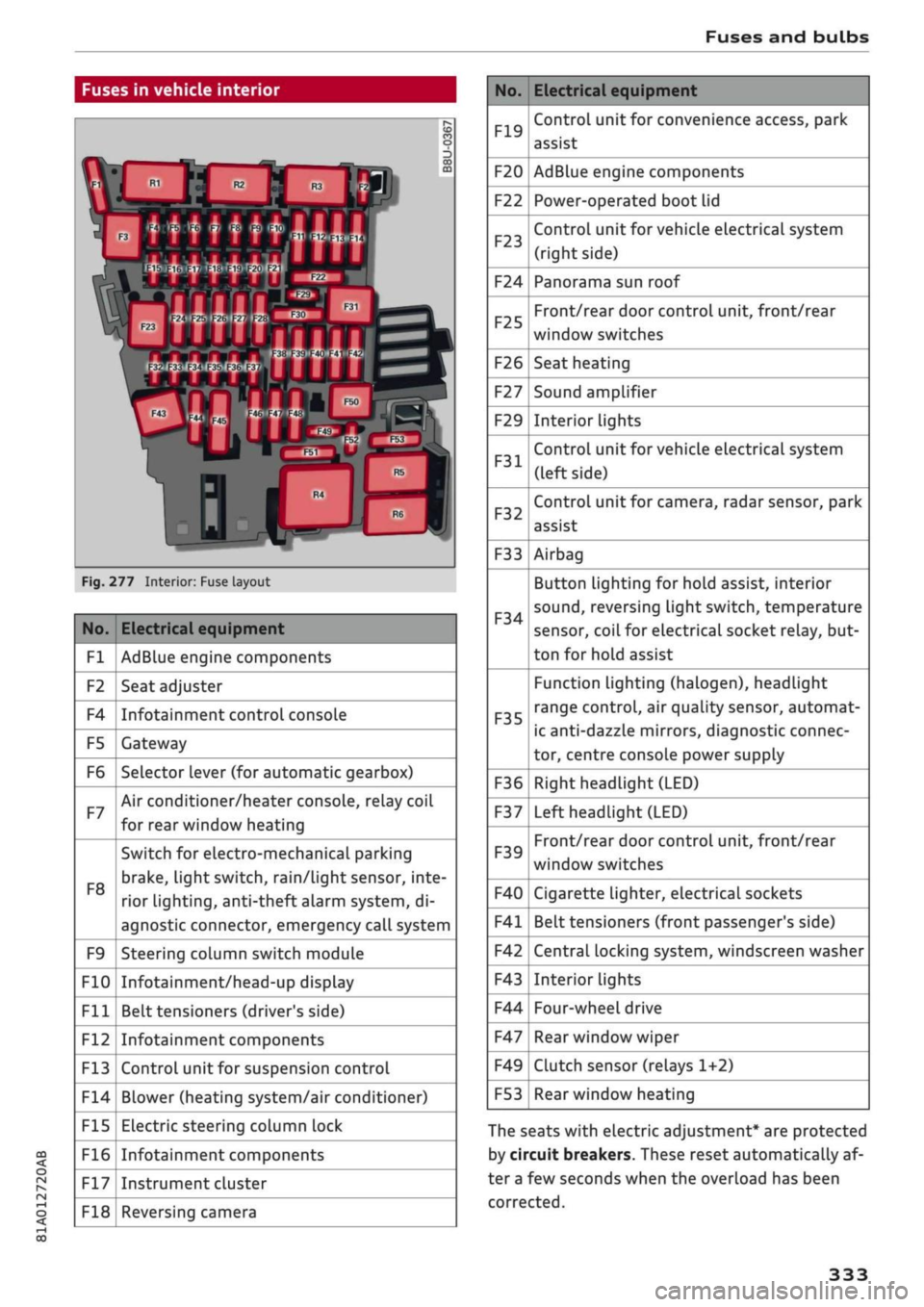
Fig.
277 Interior: Fuse layout
No.
Fl
F2
F4
F5
F6
F7
F8
F9
F10
Fll
F12
F13
F14
F15
F16
F17
F18
Electrical equipment
AdBlue engine components
Seat adjuster
Infotainment control console
Gateway
Selector lever (for automatic gearbox)
Air conditioner/heater console, relay coil
for rear window heating
Switch for electro-mechanical parking
brake,
light switch,
rain/Light
sensor, inte
rior lighting, anti-theft
aLarm
system, di
agnostic connector, emergency call system
Steering column switch module
Infotainment/head-up display
Belt tensioners (driver's side)
Infotainment components
Control unit for suspension control
Blower (heating system/air conditioner)
Electric steering column lock
Infotainment components
Instrument cluster
Reversing camera
No.
F19
F20
F22
F23
F24
F25
F26
F27
F29
F31
F32
F33
F34
F35
F36
F37
F39
F40
F41
F42
F43
F44
F47
F49
F53
Electrical equipment
Control unit for convenience access, park
assist
AdBlue engine components
Power-operated boot lid
Control unit for vehicle electrical system
(right side)
Panorama sun roof
Front/rear door control unit, front/rear
window switches
Seat heating
Sound amplifier
Interior lights
Control unit for vehicle electrical system
(left side)
Control unit for camera, radar sensor, park
assist
Airbag
Button Lighting for hold assist, interior
sound,
reversing light switch, temperature
sensor, coiL for electrical socket reLay, but
ton for hold assist
Function lighting (halogen), headlight
range control, air quality sensor, automat
ic anti-dazzle mirrors, diagnostic connec
tor, centre console power supply
Right headlight (LED)
Left headlight (LED)
Front/rear door control unit, front/rear
window switches
Cigarette lighter, electrical sockets
Belt tensioners (front passenger's side)
Central locking system, windscreen washer
Interior lights
Four-wheel drive
Rear window wiper
Clutch sensor (relays 1+2)
Rear window heating
The seats with electric adjustment* are protected
by circuit breakers. These reset automatically af
ter a few seconds when the overload has been
corrected.
333
Page 347 of 364
Technical data
In cases where technical data are not listed,
the figures were not available at time of pub
lication.
CO
< o rN
iv
rN
t-H
o < 00
Dimensions
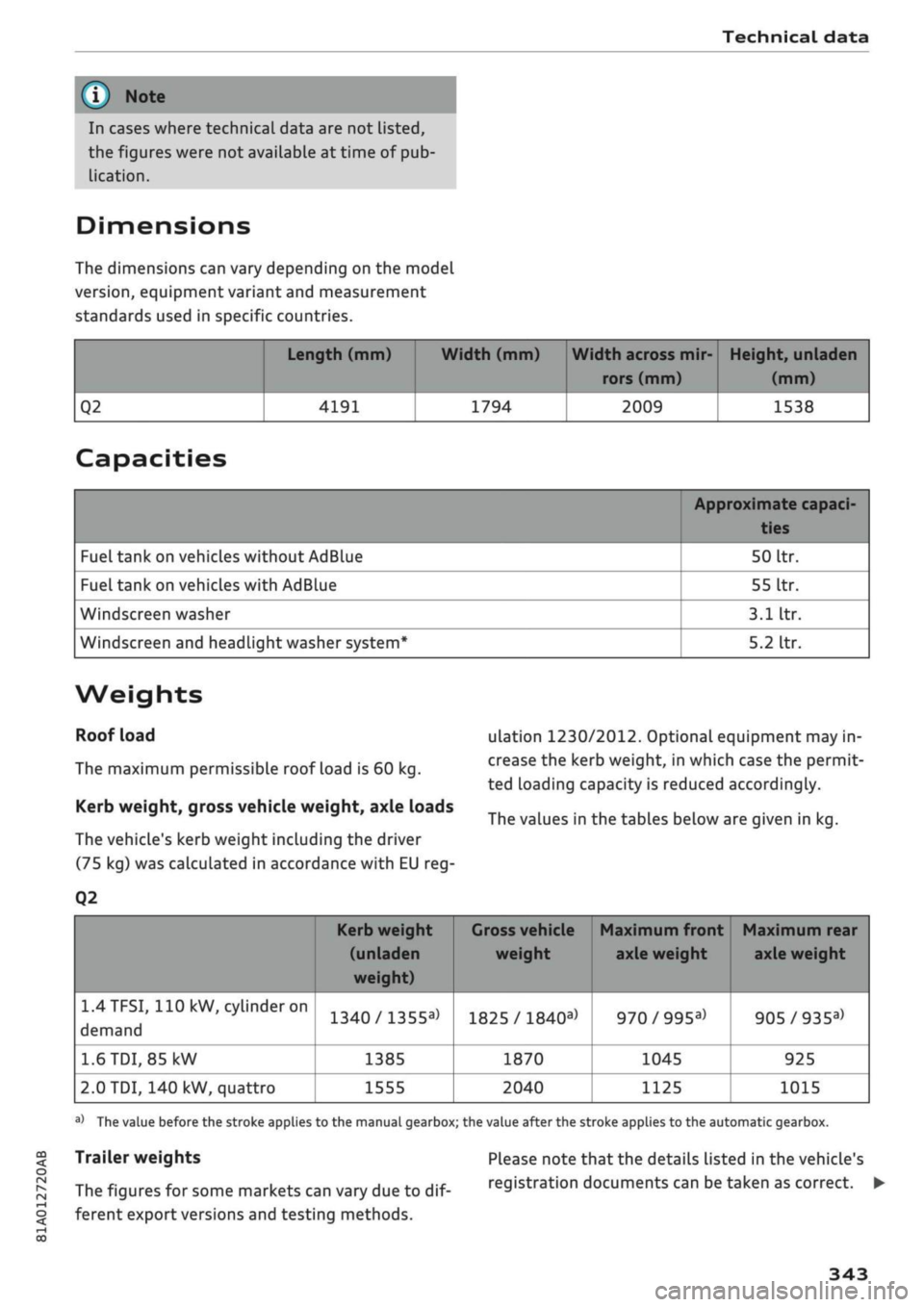
The dimensions can vary depending on the model
version,
equipment variant and measurement
standards used in specific countries.
Q2
Length (mm)
4191
Width (mm)
1794
Width across mir
rors (mm)
2009
Height, unladen
(mm)
1538
Capacities
Fuel tank on vehicles without AdBlue
Fuel tank on vehicles with AdBlue
Windscreen washer
Windscreen and headlight washer system*
Approximate capaci-
50
Itr.
55
Itr.
3.1
Itr.
5.2
Itr.
Weights
Roof load
The maximum permissible roof load is 60 kg.
Kerb weight, gross vehicle weight, axle loads
The vehicle's kerb weight including the driver
(75 kg) was calculated in accordance with EU reg-
Q2
ulation 1230/2012. Optional equipment may in
crease the kerb weight, in which case the permit
ted loading capacity is reduced accordingly.
The values in the tables below are given in kg.
1.4TFSI,
110 kW,
cylinder
on
demand
1.6
TDI,
85 kW
2.0 TDI, 140 kW, quattro
Kerb weight
(unladen
weight)
1340/1355a>
1385
1555
1
Gross vehicle Maximum front Maximum rear
weight axle weight axle weight
1825 /
1840a)
1870
2040
970/995a)
1045
1125
905/935a)
925
1015
a)
The value before the stroke applies to the manual gearbox; the value after the stroke applies to the automatic gearbox.
Trailer weights
The figures for some markets can vary due to
dif
ferent export versions and testing methods.
Please note that the details listed in the vehicle's
registration documents can be taken as correct. •
343
Page 351 of 364

Index
CO
< o rN
iv
rN
t-H
o <
•H
00
Emergency braking function 82
New brake pads 147
Browser
see Media centre 244
Bulb failure
Changing bulbs 334
Bulbs,
changing 334
Buttons
Assigning functions (multi-function steering
wheel) 17
Multi-function steering wheel 15, 18
Operating unit (MMI) 152
C
Cables (USB adapter/AUX adapter) 240
Calling up media 243
Call
list 179
CalL
options 187
Capacities
AdBlue 292
Fuel
tank 343
Washer fluid reservoir 343
Caps for wheel bolts, removing 321
Car care
Washing/cleaning 312
Care
see Cleaning 312
Car phone
172,188
Catalytic converter 295
CD drive 236
Central locking system 37
Cetane number (diesel) 289
Changing settings for additional dispLay .... 19
Charging
see Power sources 60
Charging battery 242
Charging battery (mobile devices) 241
Chassis number 342
Child lock 46
DVD 246
Child seats 267
Fitting 270
Cigarette Lighter 60
Classic view 17
Cleaning 312
Cleaning/de-icing windows 314
Cleaning/treating leather 315
Cleaning Alcantara 315
Cleaning carbon parts 314, 315
Cleaning controls and displays 314
Cleaning fabrics 315
Cleaning leatherette 315
Cleaning plastic parts 314
Closing
Panorama sun roof 48
Windows 46
see also Unlocking/locking 39, 40
Closing/opening
see Unlocking/locking 39, 40
Coasting mode 91
Coat hooks 61
Colour code 342
Coming home/leaving home
see Entry/exit lights 51
Commands (speech dialogue system) 164
Compact temporary spare wheel 324
Compartments 61
Conference calls 180
Connection manager 257
Connections
see Media 234, 243
Consumption (fuel) 19, 20, 342
Contacts 185
From another directory 258
Importing/exporting 187
Memory capacity 189
Storing as a destination
216
Control buttons (MMI operation) 154
Controls and displays (overview) 10
Control units 150
Convenience key
Manual operation 79
Starting/stopping the engine 76
Unlocking/locking 39
Convenience open/close 47
Cooling mode
Automatic air conditioner 69
Manual air conditioner 67
Cooling system
Anti-freeze 299
Checking coolant level 300
347
Page 353 of 364
Index
CO
< o rN
iv
rN
•-i
•H
00
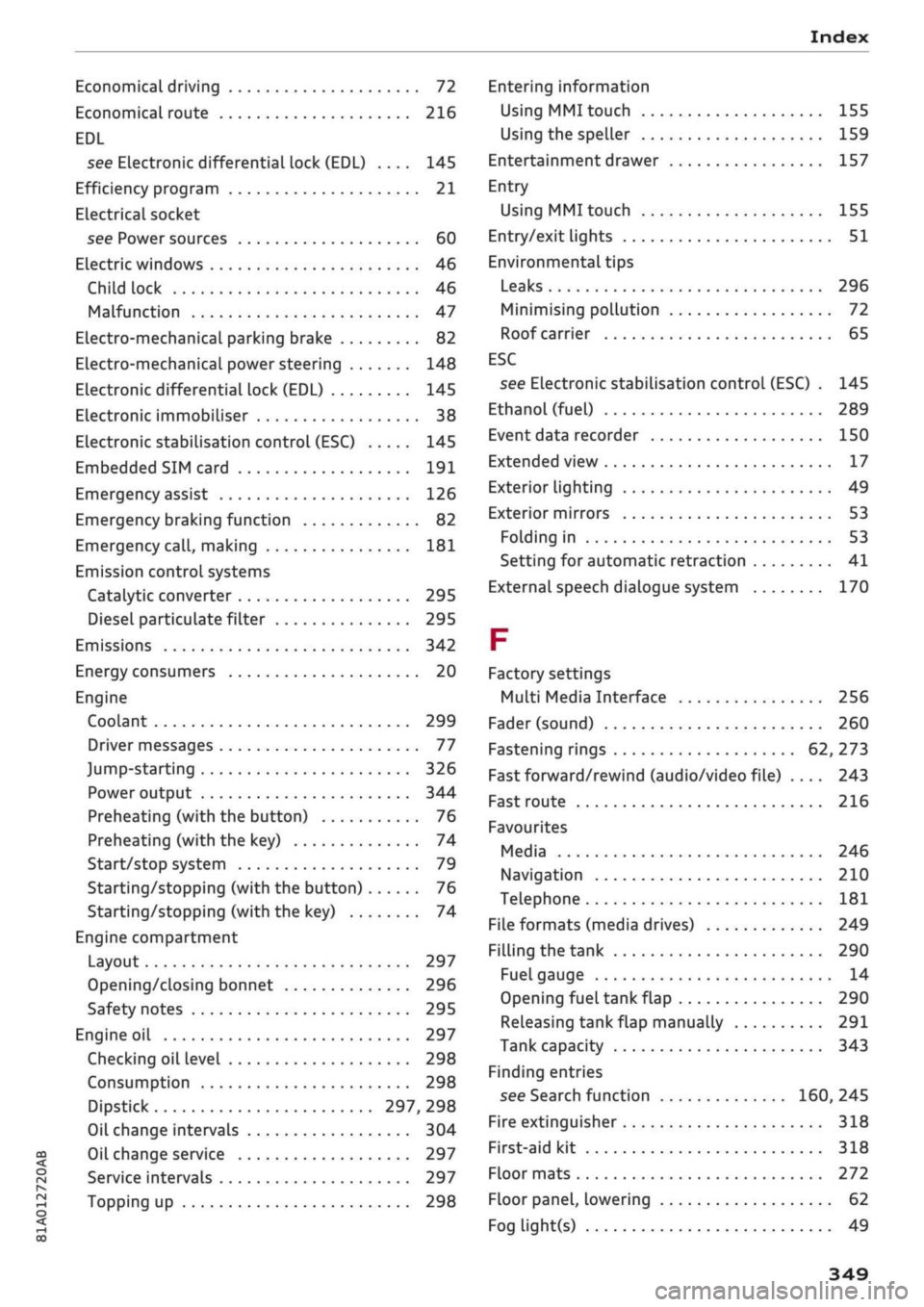
Economical driving 72
Economical route 216
EDL
see Electronic differential lock (EDL) .... 145
Efficiency program 21
ELectrical socket
see Power sources 60
Electric windows 46
Child lock 46
Malfunction 47
Electro-mechanical parking brake 82
Electro-mechanical power steering 148
Electronic differential lock (EDL) 145
Electronic immobiliser 38
Electronic stabilisation control (ESC) 145
Embedded SIM card 191
Emergency assist 126
Emergency braking function 82
Emergency
call,
making 181
Emission controL systems
Catalytic converter 295
Diesel particulate filter 295
Emissions 342
Energy consumers 20
Engine
Coolant 299
Driver messages 77
Jump-starting 326
Power output 344
Preheating (with the button) 76
Preheating (with the key) 74
Start/stop system 79
Starting/stopping (with the button) 76
Starting/stopping (with the key) 74
Engine compartment
Layout 297
Opening/closing bonnet 296
Safety notes 295
Engine oil 297
Checking oil level 298
Consumption 298
Dipstick 297, 298
Oil change intervals 304
Oil change service 297
Service intervals 297
Topping up 298
Entering information
Using MMI touch
155
Using the speller 159
Entertainment drawer 157
Entry
Using MMI touch 155
Entry/exit lights 51
Environmental tips
Leaks 296
Minimising pollution 72
Roof carrier 65
ESC
see Electronic stabilisation control (ESC) . 145
Ethanol (fuel) 289
Event data recorder 150
Extended view 17
Exterior lighting 49
Exterior mirrors 53
Folding in 53
Setting for automatic retraction 41
External speech dialogue system 170
F
Factory settings
Multi Media Interface 256
Fader (sound) 260
Fastening rings 62, 273
Fast forward/rewind (audio/video file) .... 243
Fast route 216
Favourites
Media 246
Navigation 210
Telephone 181
File formats (media drives) 249
Filling the tank 290
Fuel gauge 14
Opening fuel tank flap 290
Releasing tank flap manually 291
Tank capacity 343
Finding entries
see Search function 160, 245
Fire extinguisher 318
First-aid kit 318
Floor mats 272
Floor panel, lowering 62
Fog light(s) 49
349
Page 356 of 364
Index
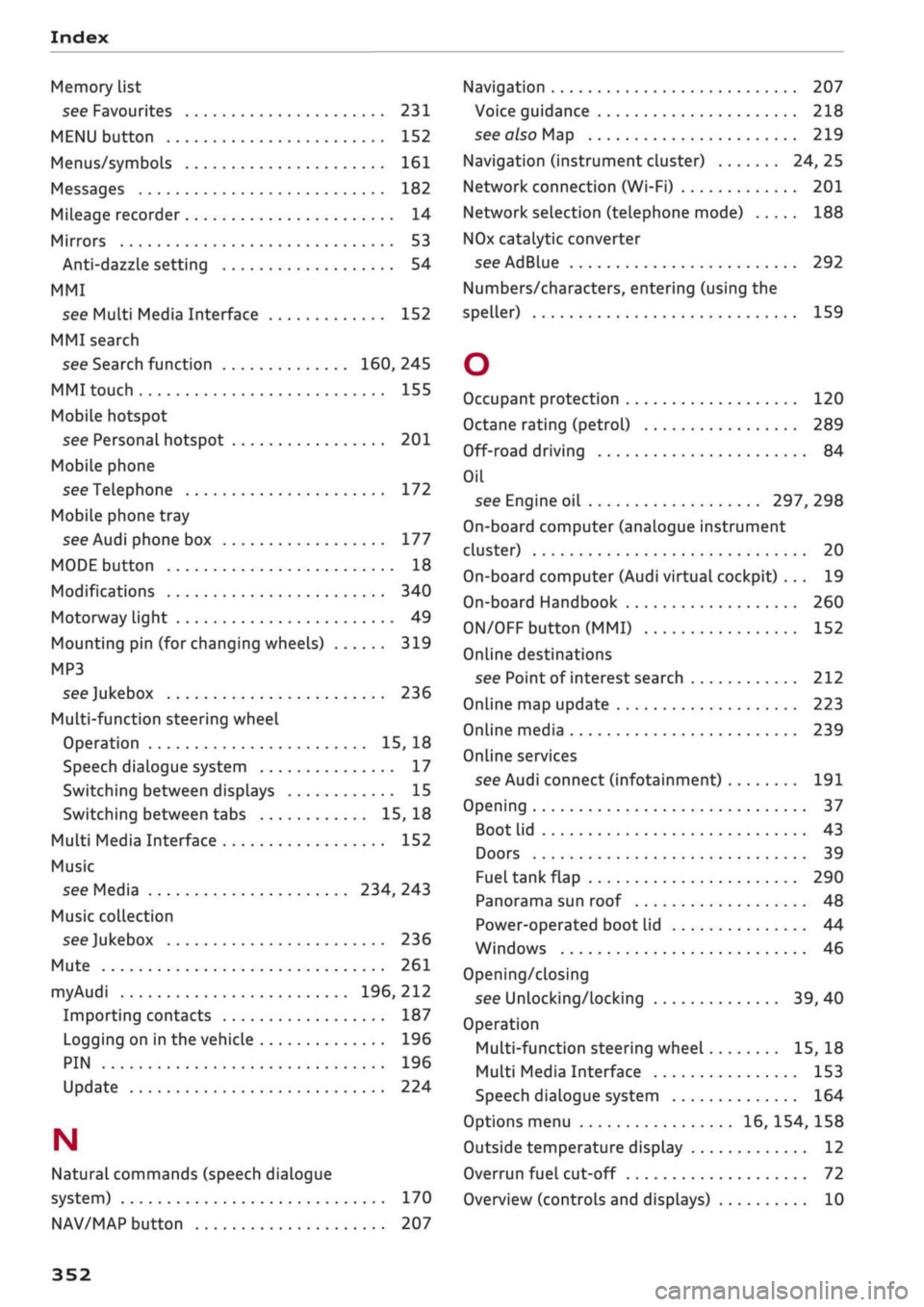
Memory list
see Favourites 231
MENU button 152
Menus/symbols 161
Messages 182
Mileage recorder 14
Mirrors 53
Anti-dazzle setting 54
MMI
see Multi Media Interface 152
MMI search
see Search function 160, 245
MMI touch 155
Mobile hotspot
see Personal hotspot 201
Mobile phone
see Telephone 172
Mobile phone tray
see Audi phone box 177
MODE button 18
Modifications 340
Motorway light 49
Mounting pin (for changing wheels) 319
MP3
see
Jukebox 236
Multi-function steering wheel
Operation 15, 18
Speech dialogue system 17
Switching between displays 15
Switching between tabs 15, 18
Multi Media Interface 152
Music
see Media 234, 243
Music collection
see
Jukebox 236
Mute 261
myAudi 196, 212
Importing contacts 187
Logging on in the vehicle 196
PIN 196
Update 224
N
Natural commands (speech dialogue
system) 170
NAV/MAP button 207
Navigation 207
Voice guidance 218
see also Map 219
Navigation (instrument cluster) 24, 25
Network connection (Wi-Fi) 201
Network selection (telephone mode) 188
NOx
catalytic converter
see AdBlue 292
Numbers/characters, entering (using the
speller) 159
O
Occupant protection 120
Octane rating (petrol) 289
Off-road driving 84
Oil
see Engine oil 297, 298
On-board computer (analogue instrument
cluster) 20
On-board computer (Audi virtual cockpit) ... 19
On-board Handbook 260
ON/OFF button (MMI) 152
Online destinations
see Point of interest search 212
Online map update 223
Online media 239
Online services
see Audi connect
(infotainment)
191
Opening 37
Boot lid 43
Doors 39
Fuel tank flap 290
Panorama sun roof 48
Power-operated boot lid 44
Windows 46
Opening/closing
see Unlocking/locking 39, 40
Operation
Multi-function steering wheel 15, 18
Multi Media Interface 153
Speech dialogue system 164
Options menu 16, 154, 158
Outside temperature display 12
Overrun fuel cut-off 72
Overview (controls and displays) 10
352
Page 357 of 364
Index
CO
< o rN
iv
rN
t-H
o <
•H
00
P
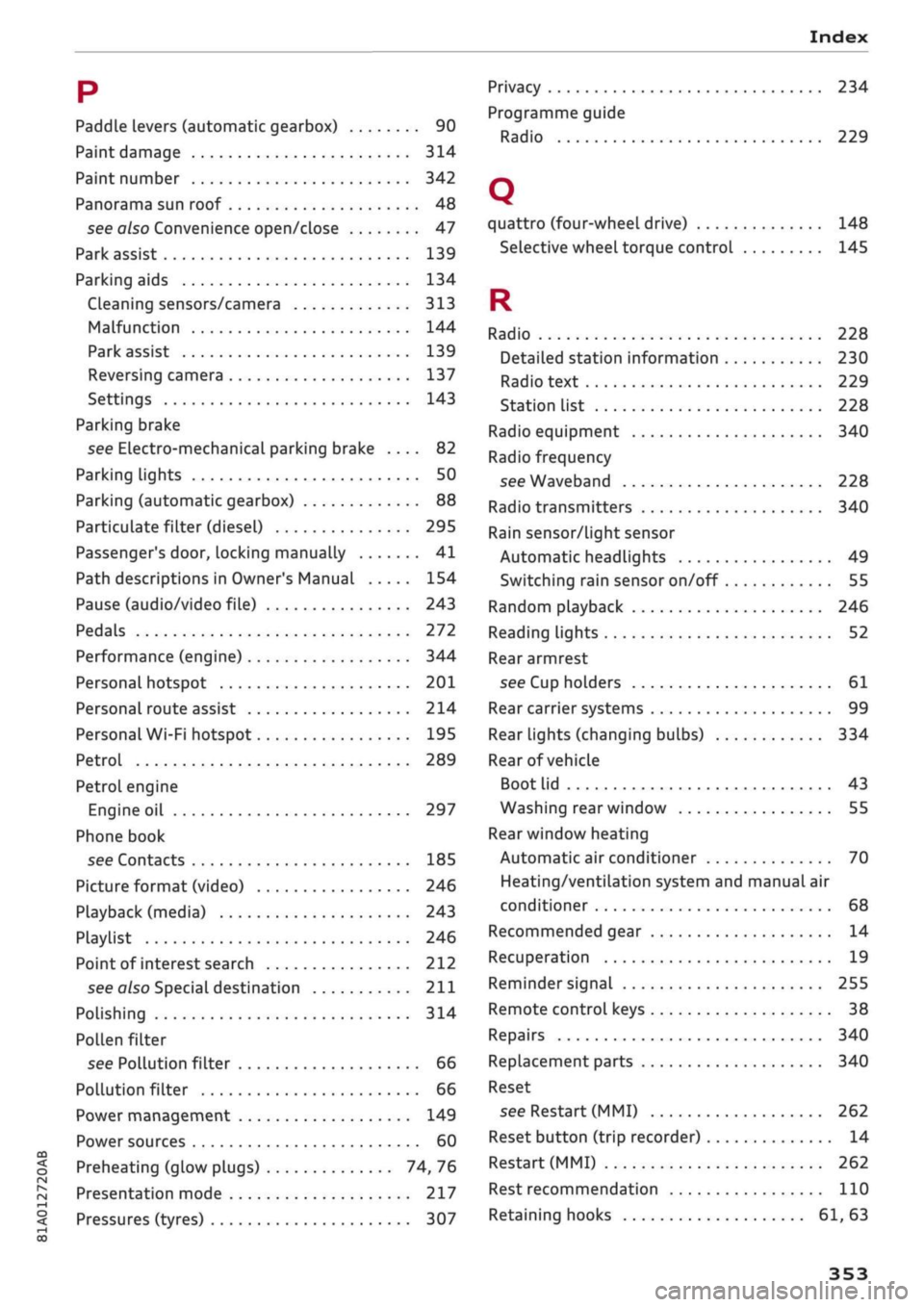
Paddle levers (automatic gearbox) 90
Paint damage 314
Paint number 342
Panorama sun roof 48
see also Convenience open/close 47
Park assist 139
Parking aids 134
Cleaning sensors/camera 313
Malfunction 144
Park assist 139
Reversing camera 137
Settings 143
Parking brake
see Electro-mechanical parking brake .... 82
Parking lights 50
Parking (automatic gearbox) 88
Particulate filter (diesel) 295
Passenger's
door,
locking manually 41
Path descriptions in Owner's Manual 154
Pause (audio/video file) 243
Pedals 272
Performance (engine) 344
Personal hotspot 201
Personal route assist 214
Personal Wi-Fi hotspot 195
Petrol 289
Petrol engine
Engine oil 297
Phone book
see Contacts 185
Picture format (video) 246
Playback (media) 243
Playlist 246
Point of interest search 212
see
also
Special
destination 211
Polishing 314
Pollen filter
see Pollution filter 66
Pollution filter 66
Power management 149
Power sources 60
Preheating (glow plugs) 74, 76
Presentation mode 217
Pressures (tyres) 307
Privacy 234
Programme guide
Radio 229
Q
quattro (four-wheel drive) 148
Selective wheel torque control 145
R
Radio 228
Detailed station information 230
Radio text 229
Station list 228
Radio equipment 340
Radio frequency
see Waveband 228
Radio transmitters 340
Rain sensor/light sensor
Automatic headlights 49
Switching rain sensor on/off 55
Random playback 246
Reading lights 52
Rear armrest
see Cup holders 61
Rear carrier systems 99
Rear lights (changing bulbs) 334
Rear of vehicle
Boot lid 43
Washing rear window 55
Rear window heating
Automatic air conditioner 70
Heating/ventilation system and manual air
conditioner 68
Recommended gear 14
Recuperation 19
Reminder signal 255
Remote control keys 38
Repairs 340
Replacement parts 340
Reset
see Restart (MMI) 262
Reset button (trip recorder) 14
Restart (MMI) 262
Rest recommendation 110
Retaining hooks 61, 63
Page 358 of 364
Index
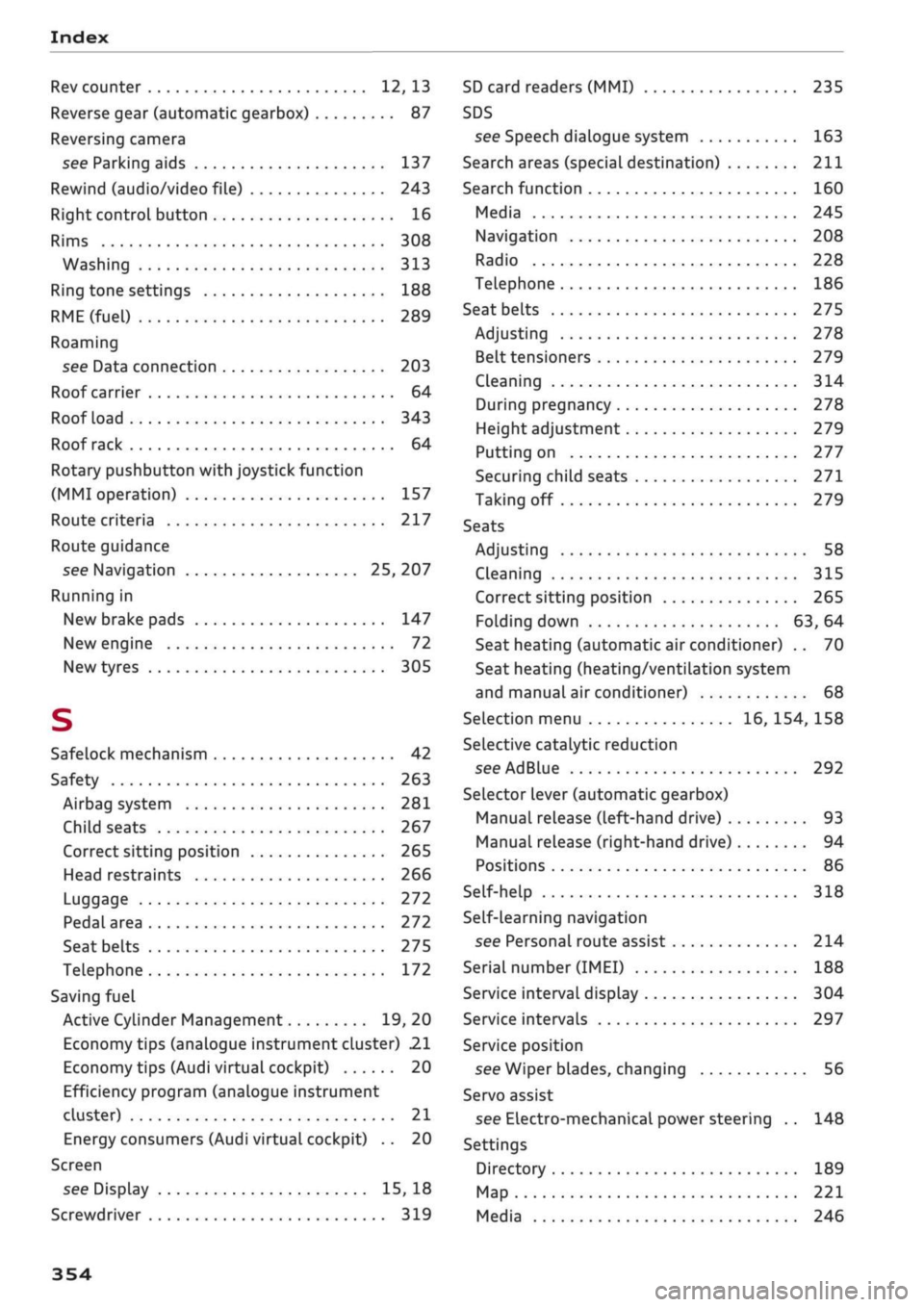
Rev counter 12, 13
Reverse gear (automatic gearbox) 87
Reversing camera
see Parking aids 137
Rewind (audio/video file) 243
Right control button 16
Rims 308
Washing 313
Ring tone settings 188
RME(fuel)
289
Roaming
see Data connection 203
Roof carrier 64
Roof load 343
Roof rack 64
Rotary pushbutton with joystick function
(MMI operation) 157
Route criteria 217
Route guidance
see Navigation 25, 207
Running in
New brake pads 147
New engine 72
New tyres 305
S
Safelock mechanism 42
Safety 263
Airbag system 281
Child seats 267
Correct sitting position 265
Head restraints 266
Luggage 272
Pedal area 272
Seat belts 275
Telephone 172
Saving fuel
Active Cylinder Management 19, 20
Economy tips (analogue instrument cluster) 21
Economy tips (Audi virtual cockpit) 20
Efficiency program (analogue instrument
cluster) 21
Energy consumers (Audi virtual cockpit) .. 20
Screen
see Display 15, 18
Screwdriver 319
SD card readers (MMI) 235
SDS
see Speech dialogue system 163
Search areas (special destination) 211
Search function 160
Media 245
Navigation 208
Radio 228
Telephone 186
Seat belts
275
Adjusting 278
Belt tensioners 279
Cleaning 314
During pregnancy 278
Height adjustment 279
Putting on 277
Securing child seats 271
Taking off 279
Seats
Adjusting 58
Cleaning 315
Correct sitting position 265
Folding down 63, 64
Seat heating (automatic air conditioner) .. 70
Seat heating (heating/ventilation system
and manual air conditioner) 68
Selection menu 16, 154, 158
Selective catalytic reduction
see AdBlue 292
Selector lever (automatic gearbox)
Manual release (left-hand drive) 93
Manual release (right-hand drive) 94
Positions 86
Self-help 318
Self-learning navigation
see Personal route assist 214
Serial number
(IMEI)
188
Service interval display 304
Service intervals 297
Service position
see Wiper blades, changing 56
Servo assist
see Electro-mechanical power steering .. 148
Settings
Directory 189
Map 221
Media 246
354