Passenger airbag AUDI Q2 2021 Owner´s Manual
[x] Cancel search | Manufacturer: AUDI, Model Year: 2021, Model line: Q2, Model: AUDI Q2 2021Pages: 364, PDF Size: 87.77 MB
Page 3 of 364
Foreword
Thank you for choosing an Audi.
Your new Audi is a combination of superb craftsmanship and state-of-the-art
technology. We recommend that you read this Owner's Manual carefully so that
you quickly become familiar with your vehicle and can take full advantage of all
its functions in everyday use.
In addition to information on how to use the controls and equipment, this Man-
uaL
also contains important information on looking after your vehicle. This is
rel
evant
for your
safety and will help preserve your car's value. The Manual also of
fers useful driving tips and advice, together with some suggestions on how to
drive your car with minimum impact on the environment.
We wish you safe and enjoyable motoring with your Audi.
AUDI AC
Please read the important safety information about the front passenger's
airbag
<=>page
282
Page 6 of 364
Table of Contents
Audi smartphone interface 253
Setting up
253
How to use 254
Troubleshooting 254
System settings 255
Setting the time and date 255
MMI settings 255
Connection manager 257
System update 259
On-board Handbook 260
Sound settings 260
Volume settings 261
Restarting the MMI system 262
Notes on software licences 262
Safety 263
Safe driving 263
General notes 263
Correct sitting positions 265
Child seats 267
Fitting child seats 270
Pedal area 272
Stowing luggage safely 272
Seat belts 275
Why is it so important to use seat belts? . 275
Forces acting in a collision 276
How to wear seat belts properly 277
Belt tensioners 279
Airbag system 281
Description of airbag system 281
Front airbags 282
Side airbags 285
Head-protection airbags 286
Deactivating the front passenger's airbag 288
Service and care 289
Checking and topping up fluids . 289
Fuel 289
Filling the tank 290
Selective catalytic reduction (AdBlue/
DEF) 292
Emission control systems 295
Engine compartment 295
Engine oil 297
Cooling system 299
Brake fluid 301
Battery 302
Windscreen washer 303
Service interval display 304
Wheels 305
Tyres and rims 305
Tyre pressure loss indicator 309
Care of vehicle and cleaning 312
General notes 312
Washing the vehicle 312
Notes on cleaning and care 313
Taking the vehicle out of service 317
Self-help 318
Mobility 318
General notes
318
Equipment 318
Tyre repair kit 319
Changing a wheel 321
Spare wheel 324
Jump-starting 326
Tow-starting / towing away 328
Fuses and bulbs 332
Fuses 332
Bulbs 334
Changing headlight bulbs 336
Changing bulbs for rear lights 339
Technical data and accessories .. 340
Accessories and modifications
to the vehicle 340
Accessories, replacement parts and
repairs 340
Modifications 340
Radio transmitters and business
equipment 340
Technical data 342
Vehicle identification data 342
Explanation of technical data 342
Dimensions 343
Capacities 343
Weights 343
Engine data 344
4
Page 13 of 364
Instruments and controls
CO
<
o
IV
tN
t-H
o <
(D
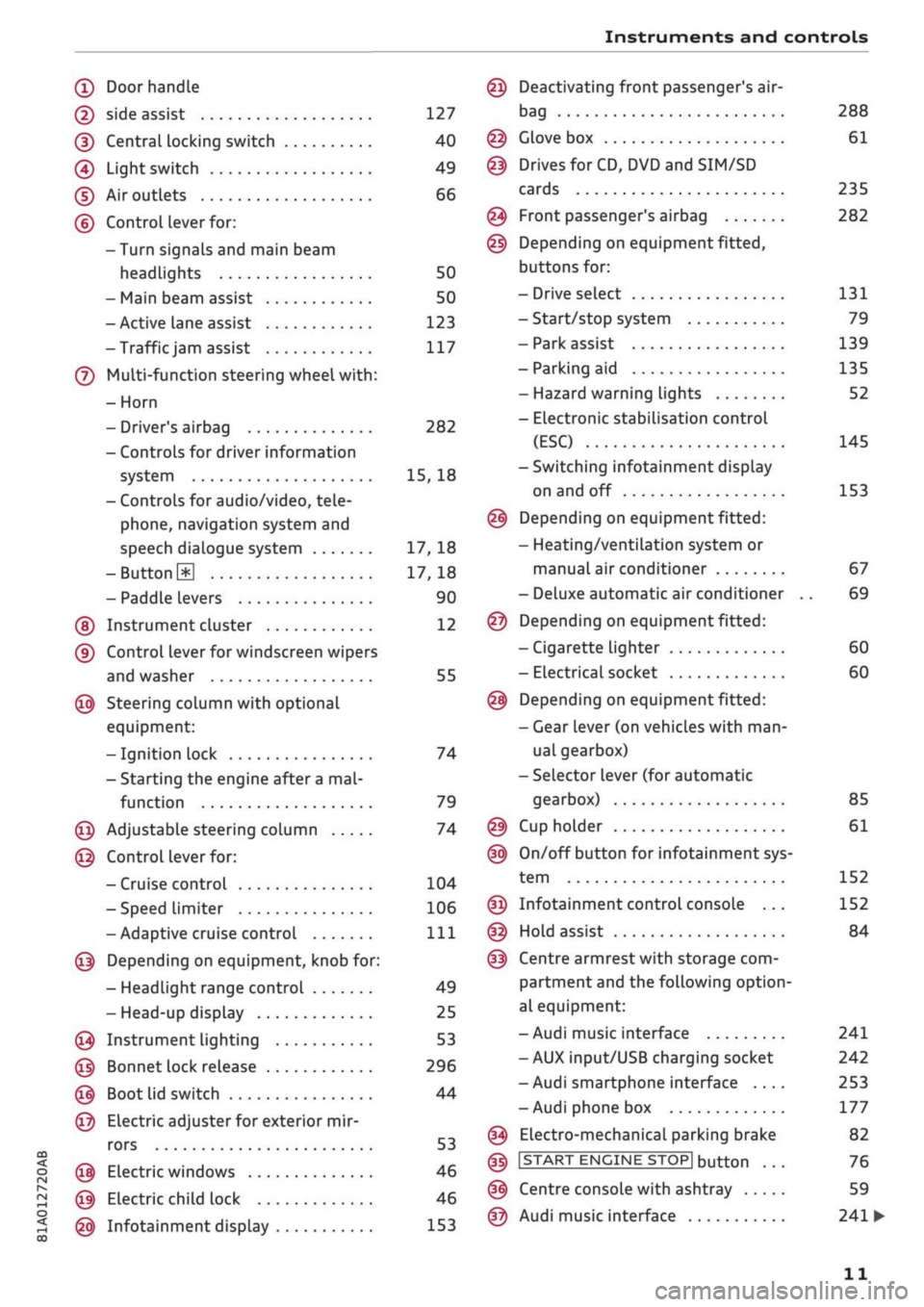
Doorhandle
(D side assist 127
(D CentraL
locking switch 40
@
Light switch 49
(D Air outlets 66
(?) Control lever for:
- Turn signals and main beam
headlights 50
- Main beam assist 50
- Active lane assist 123
-Trafficjam
assist 117
(7) Multi-function steering wheel
with:
- Horn
- Driver's airbag 282
- Controls for driver information
system 15, 18
- Controls for audio/video, tele
phone,
navigation system and
speech dialogue system 17, 18
-ButtonH
17,18
- Paddle levers 90
(5) Instrument cluster 12
(?) Control lever for windscreen wipers
and washer 55
@
Steering column with optional
equipment:
- Ignition lock 74
- Starting the engine after a
mal
function 79
@
Adjustable steering column 74
@
Control lever for:
- Cruise control 104
- Speed limiter 106
-Adaptive cruise control
Ill
@
Depending on equipment, knob for:
- Headlight range control 49
- Head-up display 25
@
Instrument lighting 53
@
Bonnet lock release 296
@
Boot lid switch 44
@
Electric adjuster for exterior mir
rors 53
@
Electric windows 46
@
Electric child lock 46
@
Infotainment display 153
Deactivating front passenger's air-
bag
Glove box
Drives for CD, DVD and
SIM/SD
cards
Front passenger's airbag
Depending on equipment fitted,
buttons for:
- Drive select
- Start/stop system
- Park assist
- Parking aid
- Hazard warning lights
- Electronic stabilisation control
(ESC)
-Switching infotainment display
on and off
Depending on equipment fitted:
- Heating/ventilation system or
manual air conditioner
- Deluxe automatic air conditioner
Depending on equipment fitted:
- Cigarette lighter
- Electrical socket
Depending on equipment fitted:
- Gear lever (on vehicles with
man
ual gearbox)
- Selector lever (for automatic
gearbox)
Cup holder
On/off button for infotainment sys
tem
Infotainment control console ...
Hold assist
Centre armrest with storage com
partment and the following option
al equipment:
- Audi music interface
- AUX input/USB charging socket
- Audi smartphone interface ....
- Audi phone box
Electro-mechanical parking brake
|START
ENGINE STOP] button
Centre console with ashtray
Audi music interface
288
61
235
282
131
79
139
135
52
145
153
67
69
60
60
85
61
152
152
84
241
242
253
177
82
76
59
241
•
11
Page 42 of 364
Doors and windows
Unlocking the vehicle
•
Take hold of the driver's/front passenger's door
handle. The
door
will be unlocked automatical-
iy-
•
To open the door, pull the door handle.
Locking the vehicle
• Automatic gearbox: Move the selector lever to
position P; otherwise it will not be possible to
lock the vehicle.
•
To lock the vehicle, close the door and touch
the sensor on the door handle once
^>Fig.
24,
•=>
A.-
Do
not
take hold of the door handle
while doing so.
The vehicle can be locked/unlocked from the
front doors only. The remote control key should
be within a range of about 1.5 metres from the
door handle. It does not matter where you carry
the key, for instance whether it is in your jacket
pocket or in a handbag or briefcase.
The Locking function may be affected if
you
grasp
the door handle while the vehicle is being locked.
Once the doors have been locked, they cannot be
opened again immediately. This will enable you
to check that the driver's door is properly closed.
The system will unlock either all the doors or only
one of the doors, depending on the settings you
have chosen on the infotainment system
•=>
page 41.
A\
WARNING
- Read and follow all the warnings
<=>
A
in
De
scription on page 37.
- Applies to vehicles with anti-theft alarm
system:
Do not leave anyone (especially
chil
dren) in the car if it is locked from the out
side and the safelock mechanism* is activa
ted:
the doors and windows cannot then be
opened from the inside
opage
42. Locked
doors could delay assistance in an emergen
cy, potentially putting lives at risk.
® Note
•
To save electrical power, the proximity
sen
sors are switched off after
a
few days. You
will then need to pull the door handle once
to unlock the vehicle, and a second time to
open it.
•
To prevent the vehicle battery from becom
ing discharged and thus maintain the
vehi
cle's starting ability for as long as possible,
the power management system will gradu
ally switch off convenience functions that
are not required. In this case you may not
be able to unlock the vehicle with this
con
venience function.
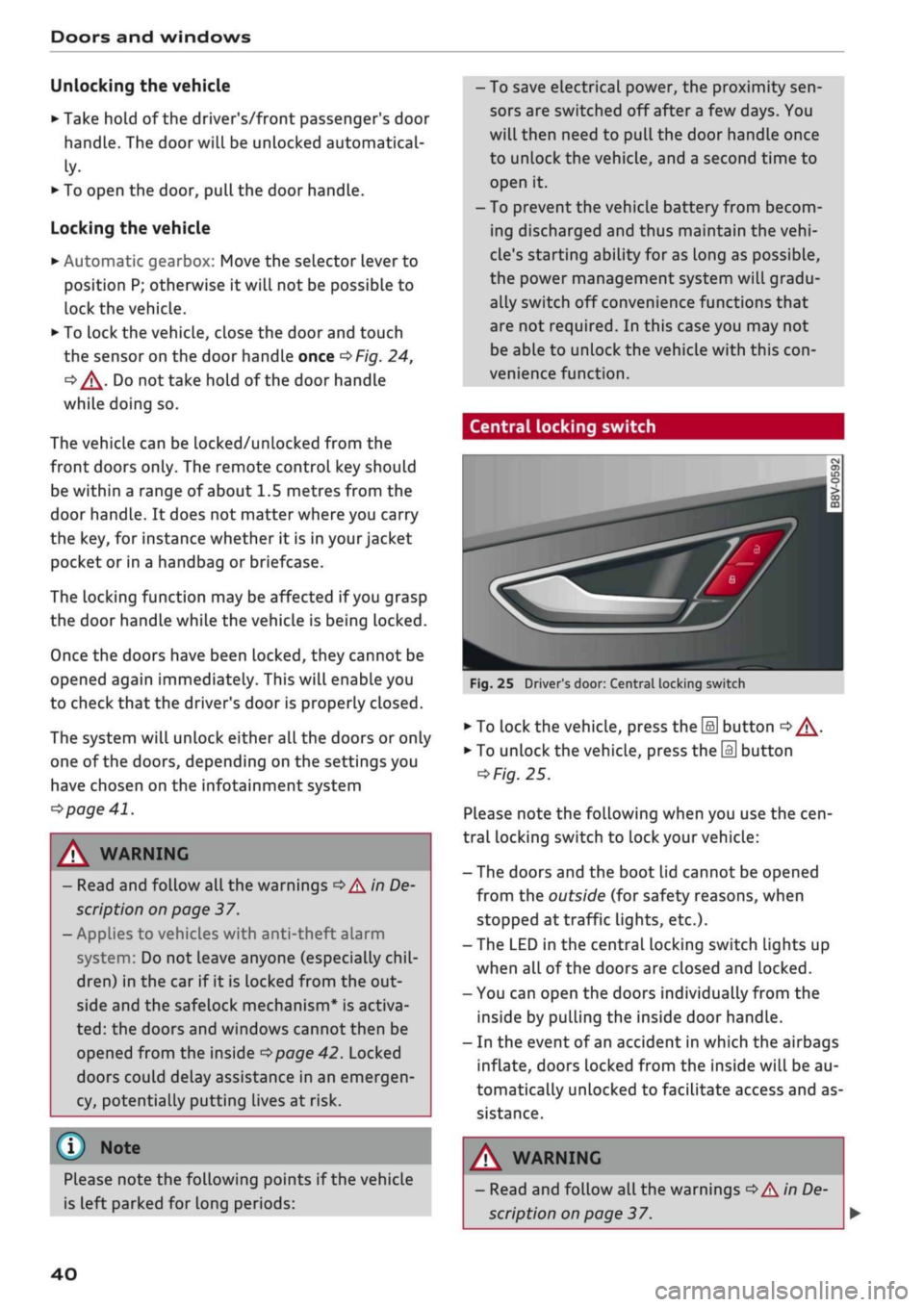
Central locking switch
Fig.
25 Driver's door: Central locking switch
•
To lock the vehicle, press the [a] button
o A-
•
To unlock the vehicle, press the
M
button
=>
Fig.
25.
Please note the following when you use the
cen
tral locking switch to lock your vehicle:
- The doors and the boot lid cannot be opened
from the outside (for safety reasons, when
stopped at traffic lights, etc.).
- The LED in the central locking switch Lights up
when all of the doors are closed and locked.
- You can open the doors individually from the
inside by pulling the inside door handLe.
- In the event of an accident in which the airbags
inflate,
doors Locked from the inside will be au
tomatically unlocked to facilitate access and as
sistance.
Please note the following points if the vehicle
is left parked for long periods:
A WARNING
- Read and follow all the warnings
•=>
A in De
scription on page 37.
40
Page 60 of 364
Seats and storage
Seats and storage
General notes
A WARNING
The Safe driving chapter
^>page
263, Safe
driving contains important information, tips,
suggestions and warnings that you should
read and observe for your own safety and the
safety of your passengers.
Front seats
Manual adjustment of seats
Applies to: vehicles with manual seat adjustment
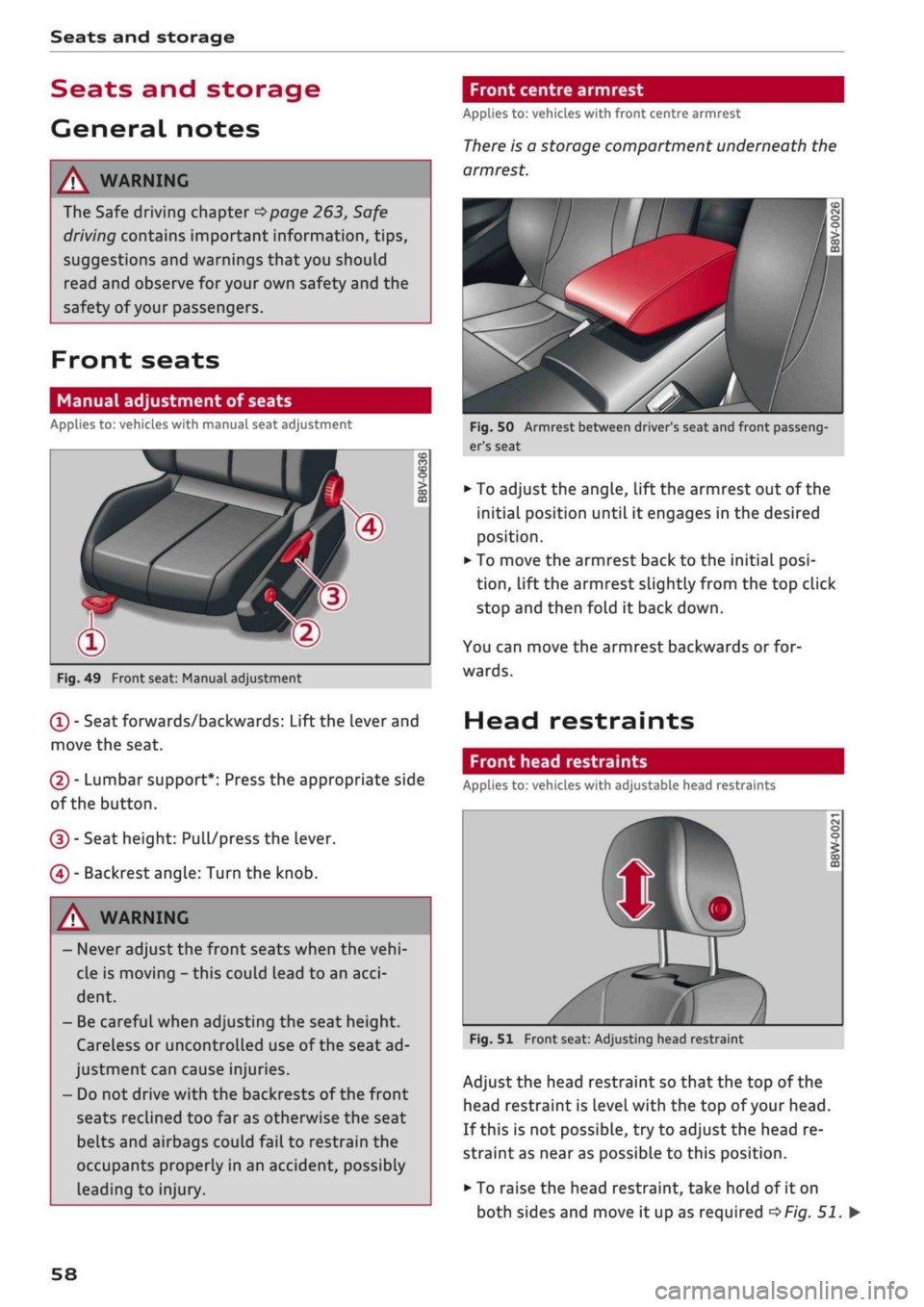
Fig.
49 Front seat: Manual adjustment
(T)
- Seat forwards/backwards: Lift the Lever and
move the seat.
(2) - Lumbar support*: Press the appropriate side
of the button.
(D - Seat height: Pull/press the lever.
(4) - Backrest angle: Turn the knob.
[A WARNING
- Never adjust the front seats when the
vehi
cle is moving - this could lead to an
acci
dent.
- Be careful when adjusting the seat height.
Careless or uncontrolled use of the seat ad
justment can cause injuries.
- Do not drive with the backrests of the front
seats reclined too far as otherwise the seat
belts and airbags could fail to restrain the
occupants properly in an accident, possibly
Leading to injury.
Front centre armrest
Applies to: vehicles with front centre armrest
There
is a storage compartment underneath the
armrest.
Fig.
50 Armrest between driver's seat and front passeng
er's seat
• To adjust the angle, lift the armrest out of the
initial position until it engages in the desired
position.
• To move the armrest back to the initial
posi
tion,
lift the armrest slightly from the top click
stop and then fold it back down.
You can move the armrest backwards or for
wards.
Head restraints
Front head restraints
Applies to: vehicles with adjustable head restraints
Fig.
51 Front seat: Adjusting head restraint
Adjust the head restraint so that the top of the
head restraint is
Level
with the top of your head.
If this is not possible, try to adjust the head re
straint as near as possible to this position.
• To raise the head restraint, take hold of it on
both sides and move it up as required
^>Fig.
51. •
58
Page 122 of 364
Driver assist systems
This message appears if the radar sensor vision is
impaired,
e.g. by leaves, snow, heavy road spray
or dirt. Clean the sensor
<^>page
112, Fig. 101.
Distance warning: currently unavailable. See
owner's manual
This driver message will appear if the system
fails temporarily. If the fault occurs repeatedly,
drive to a qualified workshop and have the fauLt
rectified.
Fasten seat belt
The system is not fully available when the driver's
seat belt is unfastened.
Stationary object ahead
This message appears if
you
try to switch on the
system when a stationary object is located imme
diately in front of your car.
Door open
The system is not available when the vehicle is
stationary and the driver's door is open.
Audi pre sense
Introduction
Applies to: vehicles with Audi pre sense
The pre sense functions can take action to pro
tect the vehicle occupants and other road users in
certain hazardous conditions within the system
limits.
- Because the different on-board systems are
networked,
pre sense basic can detect critical
situations and take preventive action to protect
the occupants.
- The pre sense front uses the data of the radar
sensor to calculate the probability of an
acci
dent
opage
112. It can detect an impending
collision with vehicles or
pedestrians1^
(subject
to general system limitations). In this case, the
system warns the driver visually, acoustically
and,
if necessary, with a short, sharp brake ap
plication.
If necessary, it can initiate a partial or
fuLl
brake application in order to reduce the im
pact speed or, in certain circumstances, to
avoid a collision. In conjunction with pre sense
basic, the reversible tensioners on the front
seat belts are also applied if necessary. Pre
sense front is active even when the adaptive
cruise control* is switched off.
Please observe the general safety warnings
•=>
A in General notes on page 112.
© Note
- Certain pre sense functions are deactivated
when reversing.
- The functions of the pre sense system may
also be unavailable if
a
fault develops in the
ESC
system or airbag control unit.
- Please note that, if the front passenger's
airbag has been deactivated, the reversible
belt tensioner on the passenger's side will
be deactivated as
well.
- Switch off pre sense on private roads and
while the vehicle is being loaded onto a car
transporter, train or ferry, etc. This prevents
the pre sense system from taking action in
an inappropriate situation.
Audi pre sense basic
Description
Applies to: vehicles with Audi pre sense basic
The pre sense basic functions are activated at
speeds above approximately 30 km/h.
The system can activate the following functions
in certain situations:
- Seat belt tensioning (e.g. during hard braking):
The seat belts on the front seats have reversi
ble tensioners. Provided an accident does not
occur, the belts are loosened again slightly and
kept ready for activation.
- Initiation of the closure process for the
win
dows and panorama sun roof* (e.g. if the
vehi
cLe understeers or oversteers).
Audi drive select*: the activation threshold
dif
fers according to the mode selected.
x)
Not available on vehicles for some markets.
120
Page 269 of 364
Safe driving
CO
<
O
rN
iv
rN
•-i
00
Correct sitting positions
Correct driving position
The
correct driving position is important for safe
driving.
25cm
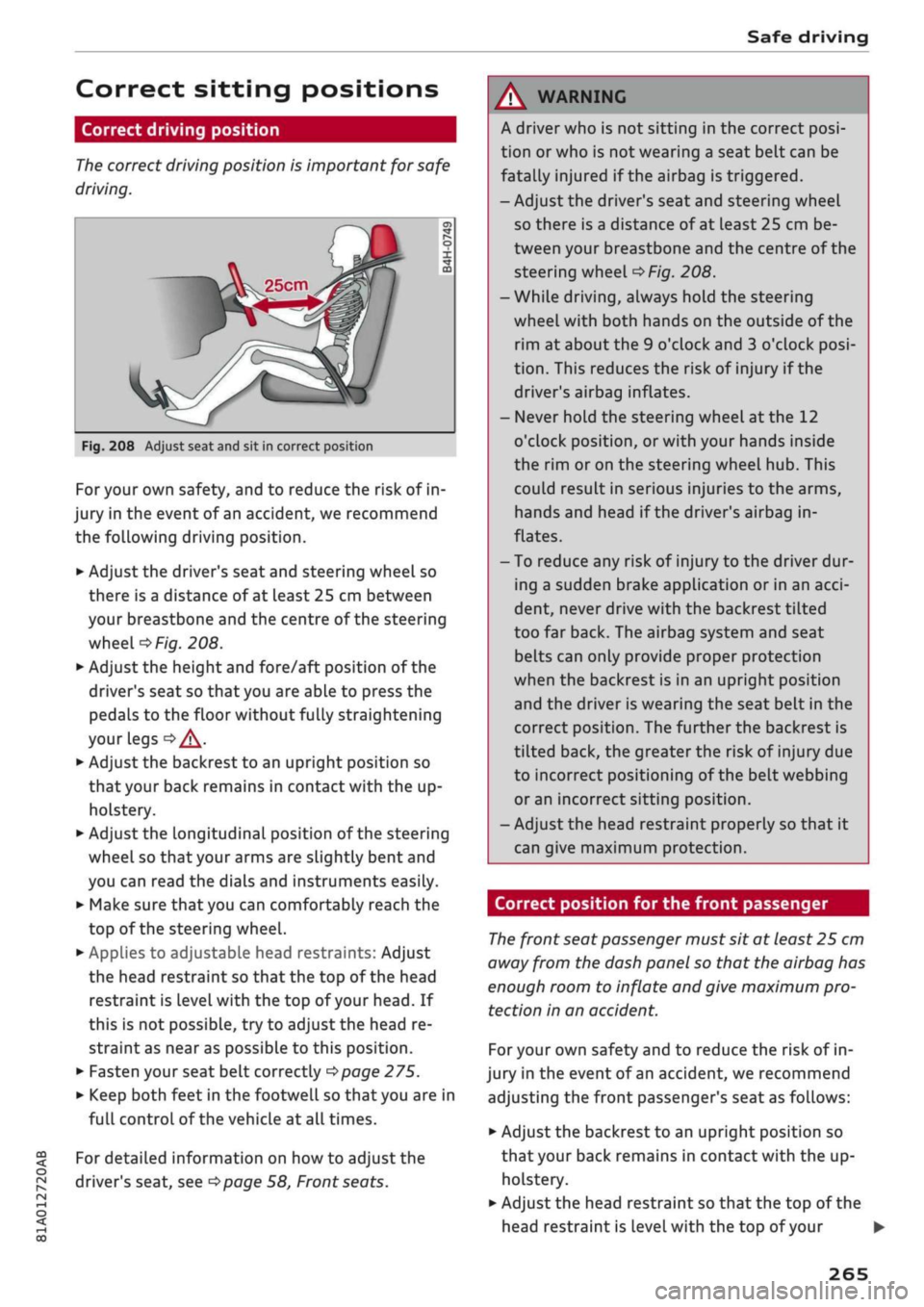
Fig.
208 Adjust seat and sit in correct position
For your own safety, and to reduce the risk of in
jury in the event of an accident, we recommend
the following driving position.
•
Adjust the driver's seat and steering wheel so
there is a distance of at least 25 cm between
your breastbone and the centre of the steering
wheel
o>F/g.
208.
•
Adjust the height and fore/aft position of the
driver's seat so that you are able to press the
pedals to the floor without fully straightening
your legs
oA.
•
Adjust the backrest to an upright position so
that your back remains in contact with the up
holstery.
*•
Adjust the longitudinal position of the steering
wheel so that your arms are slightly bent and
you can read the dials and instruments easily.
•
Make sure that you can comfortably reach the
top of the steering wheel.
•
AppLies to adjustable head restraints: Adjust
the head restraint so that the top of the head
restraint is
level
with the top of your head. If
this is not possible, try to adjust the head re
straint as near as possible to this position.
•
Fasten your seat belt correctly
^>page
275.
•
Keep both feet in the footwell so that you are in
full controL of the vehicle at all times.
For detailed information on how to adjust the
driver's seat, see
^>page
58, Front seats.
A WARNING
A driver who is not sitting in the correct
posi
tion or who is not wearing a seat belt can be
fatally injured
if
the airbag is triggered.
- Adjust the driver's seat and steering wheel
so there is a distance of at least 25 cm be
tween your breastbone and the centre of the
steering wheel
^>Fig.
208.
-While driving, always hold the steering
wheel with both hands on the outside of the
rim at about the 9 o'clock and 3 o'clock
posi
tion.
This reduces the risk of injury if the
driver's airbag inflates.
- Never hold the steering wheel at the 12
o'clock position, or with your hands inside
the rim or on the steering wheel hub. This
could result in serious injuries to the arms,
hands and head if the driver's airbag in
flates.
- To reduce any risk of injury to the driver dur
ing a sudden brake application or in an
acci
dent, never drive with the backrest tilted
too far back. The airbag system and seat
belts can only provide proper protection
when the backrest is in an upright position
and the driver is wearing the seat belt in the
correct position. The further the backrest is
tilted back, the greater the risk of injury due
to incorrect positioning of the belt webbing
or an incorrect sitting position.
- Adjust the head restraint properly so that it
can give maximum protection.
Correct position for the front passenger
The
front seat passenger must sit at least 25 cm
away from the dash panel so that the airbag has
enough room to inflate and give maximum pro
tection in an accident.
For your own safety and to reduce the risk of in
jury in the event of
an
accident, we recommend
adjusting the front passenger's seat as follows:
•
Adjust the backrest to an upright position so
that your back remains in contact with the up
holstery.
•
Adjust the head restraint so that the top of the
head restraint is level with the top of your
265
Page 270 of 364
Safe driving
head.
If this is not possible, try to adjust the
head restraint as near as possible to this
posi
tion.
•
Keep both feet in the footwell in front of the
seat.
•
Fasten your seat belt correctly
^>page
277.
In exceptional cases you can disable the front
passenger's airbag via the key-operated switch*
^>page
288.
For detailed information on how to adjust the
front passenger's seat, see
^page
58, Front
seats.
A WARNING
A passenger who is not sitting in the correct
position or who is not wearing a seat belt can
be fatally injured if the airbag is triggered.
- Adjust the front passenger's seat so there is
a distance of at least 25 cm between your
breastbone and the dash panel.
- Always keep your feet on the floor when the
vehicle is moving; never rest them on the in
strument panel, out of the window or on the
seat. If
you
sit in an incorrect position, you
increase your risk of injury in the event of
sudden braking or an accident. If the airbag
is triggered, you could sustain potentially
fatal injuries by sitting out of position.
- To reduce the risk of injury to the front pas
senger in the case of sudden braking or an
accident, the passenger should never travel
in a moving vehicle with the backrest re
clined.
The airbag system and seat belt can
only provide proper protection when the
backrest is in an upright position and the
passenger is wearing the seat belt in the
correct position. The further the backrest is
tilted back, the greater the risk of injury due
to incorrect positioning of the belt webbing
or
an incorrect sitting position.
- Always adjust the head restraints properly
for maximum protection.
Correct position for rear passengers
Rear seat passengers should sit upright with
both feet on the floor and wear their seat belts
properly whenever the vehicle is moving.
To reduce any risk of injury in the event of sudden
braking or an accident, passengers in the rear
seats must observe the following:
•
Before carrying passengers on the rear seats,
puLl
the head restraints on the occupied seats
all the way up
^>page
59.
• Keep both feet in the footwell in front of the
rear seat.
•
Fasten your seat belt correctly
^page
278.
•
Use appropriate child restraint systems for
chil
dren travelling in the vehicle
^>page
267.
/K
WARNING
Rear passengers sitting out of position can
suffer severe injuries.
- Always adjust the head restraints to the
fully raised position for maximum protec
tion.
- Seat belts only offer maximum protection
when the backrest is in an upright position
and the passengers are wearing the seat
belts properly. By not sitting upright, rear
passengers increase the risk of injury due to
incorrect positioning of the seat belt web
bing.
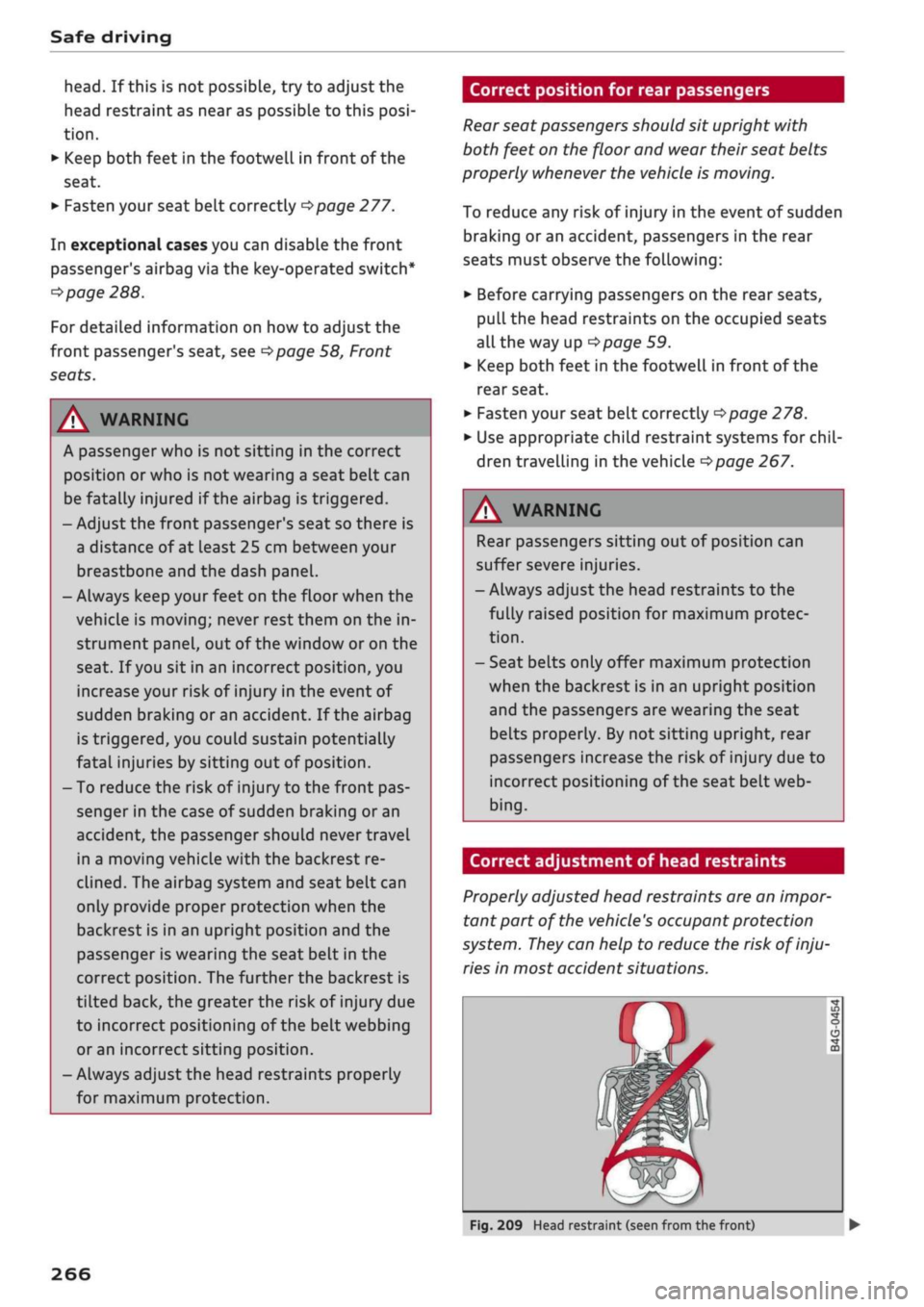
Correct adjustment of head restraints
Properly adjusted head restraints are an
impor
tant part of the vehicle's occupant protection
system.
They
can help to reduce the risk of inju
ries in most accident situations.
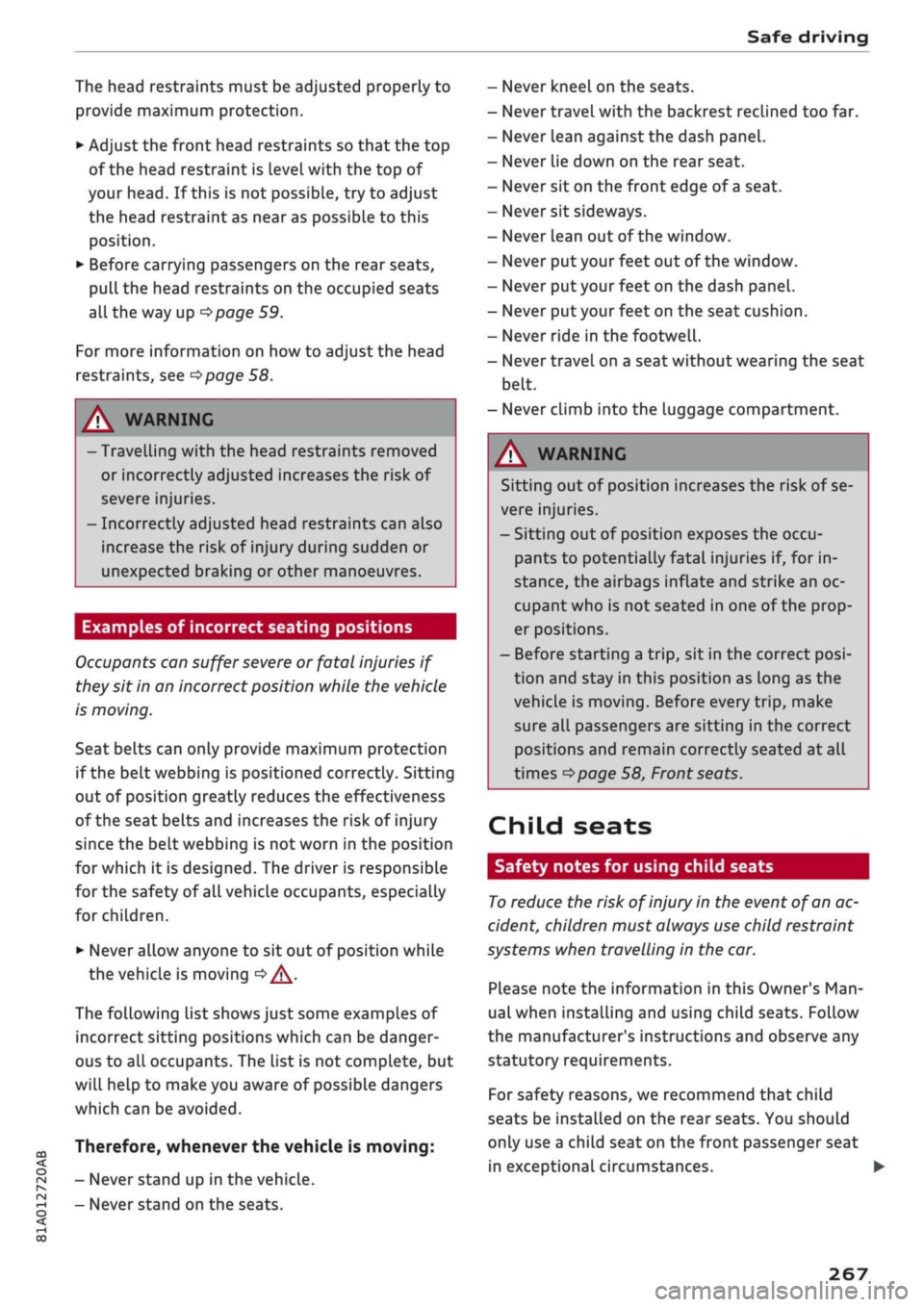
Fig.
209 Head restraint (seen from the front)
266
Page 271 of 364
Safe driving
CO
< o rN
iv
rN
t-H
o < 00
The head restraints must be adjusted properly to
provide maximum protection.
•
Adjust the front head restraints so that the top
of the head restraint is level with the top of
your head. If this is not possibLe, try to adjust
the head restraint as near as possibLe to this
position.
•
Before carrying passengers on the rear seats,
pull
the head restraints on the occupied seats
all the way up
^>page
59.
For more information on how to adjust the head
restraints, see
^page
58.
A WARNING
- Travelling with the head restraints removed
or incorrectly adjusted increases the risk of
severe injuries.
- Incorrectly adjusted head restraints can also
increase the risk of injury during sudden or
unexpected braking or other manoeuvres.
Examples of incorrect seating positions
Occupants can suffer
severe
or fatal injuries if
they sit in an incorrect position while the vehicle
is moving.
Seat belts can only provide maximum protection
if the belt webbing is positioned correctly. Sitting
out of position greatly reduces the effectiveness
of the seat belts and increases the risk of injury
since the belt webbing is not worn in the position
for which it is designed. The driver is responsible
for the safety of all vehicle occupants, especially
for children.
•
Never allow anyone to sit out of position while
the vehicle is moving
•=>
A..
The following list shows just some examples of
incorrect sitting positions which can be danger
ous to all occupants. The List is not complete, but
will help to make you aware of possible dangers
which can be avoided.
Therefore, whenever the vehicle is moving:
- Never stand up in the vehicle.
- Never stand on the seats.
- Never kneel on the seats.
- Never travel with the backrest reclined too far.
- Never lean against the dash panel.
- Never lie down on the rear seat.
- Never sit on the front edge of
a
seat.
- Never sit sideways.
- Never lean out of the window.
- Never put your feet out of the window.
- Never put your feet on the dash panel.
- Never put your feet on the seat cushion.
- Never ride in the footwell.
- Never travel on a seat without wearing the seat
belt.
- Never climb into the luggage compartment.
WARNING
Sitting out of position increases the risk of se
vere injuries.
- Sitting out of position exposes the occu
pants to potentially fatal injuries if, for in
stance, the airbags inflate and strike an oc
cupant who is not seated in one of the prop
er positions.
- Before starting a trip, sit in the correct
posi
tion and stay in this position as Long as the
vehicle is moving. Before every trip, make
sure all passengers are sitting in the correct
positions and remain correctly seated at all
times
^page
58, Front seats.
Child seats
Safety notes for using child seats
To
reduce the risk of injury in the event of
an
ac
cident, children must always use child restraint
systems when travelling in the car.
Please note the information in this Owner's
Man
ual when installing and using child seats. Follow
the manufacturer's instructions and observe any
statutory requirements.
For safety reasons, we recommend that child
seats be installed on the rear seats. You should
only use a child seat on the front passenger seat
in exceptional circumstances. •
267
Page 272 of 364
Safe driving
A WARNING
To avoid serious or fatal injury, children trav
elling in the vehicle must always be protected
with child restraint systems appropriate to
their height, weight and age.
- Children under 1.50 m tall or younger than
12 must not travel in the vehicLe if there are
no suitable child seats. Please observe any
other applicable regulations in the country
in which you are travelling.
- Babies and children must never travel on an
other occupant's lap.
- Never allow more than one child to occupy
one child seat.
- Never leave a child without supervision in a
child seat.
- Never allow a child to travel unrestrained or
to stand up or kneel on a seat while the car
is moving. In an accident, the child could be
catapulted through the car, causing possibly
fatal injuries to itself and other occupants.
- To ensure proper protection by the child re
straint, it is important to wear the seat belts
in the correct position
^>page
277. Always
check that the belt is properly positioned ac
cording to the instructions provided by the
manufacturer of the child seat. Incorrectly
worn seat belts can give rise to injuries even
in a minor collision.
- If children are out of position when the car
is moving, they are at greater risk of injury
during a sudden braking manoeuvre or in an
accident. This is particularly the case if the
child is travelling on the front passenger's
seat and the airbag system is triggered in an
accident. This incorrect sitting position can
result in serious or even fatal injury.
- Make sure there is sufficient clearance in
front of the child sitting in the child seat. If
necessary, adjust the seat position and
backrest angle of the seat in front of the
child seat.
- If
you
are using a child seat on the front
passenger seat in which the child faces the
direction of
travel,
you should move the
front passenger seat as far back as possible.
- Child seats in which the child faces the rear
of the car are located directly in the path of
the front passenger's airbag if it inflates. In
this case, the child could sustain serious or
fatal injuries if the airbag were to be de
ployed.
- Applies to vehicles on which the front pas
senger's airbag cannot be deactivated: Do
NOT use a rearward-facing child seat on
the front passenger's seat.
- Applies to vehicles with key-operated
switch for deactivating the front passeng
er's airbag: Do NOT use a rearward-facing
child seat on the front passenger's seat
while the front passenger's airbag is ac
tive.
If
you
have no alternative but to use a
rearward-facing child seat on the front
passenger's seat, the front passenger's
airbag must be deactivated beforehand via
the key-operated switch*
^>page
288.
Make sure that the front passenger's air-
bag is reactivated by means of the key-op
erated switch* as soon as the child seat is
no Longer needed on the front passenger's
seat.
- Always replace the child seat with a new one
after an accident as damage not externally
visible may have occurred.
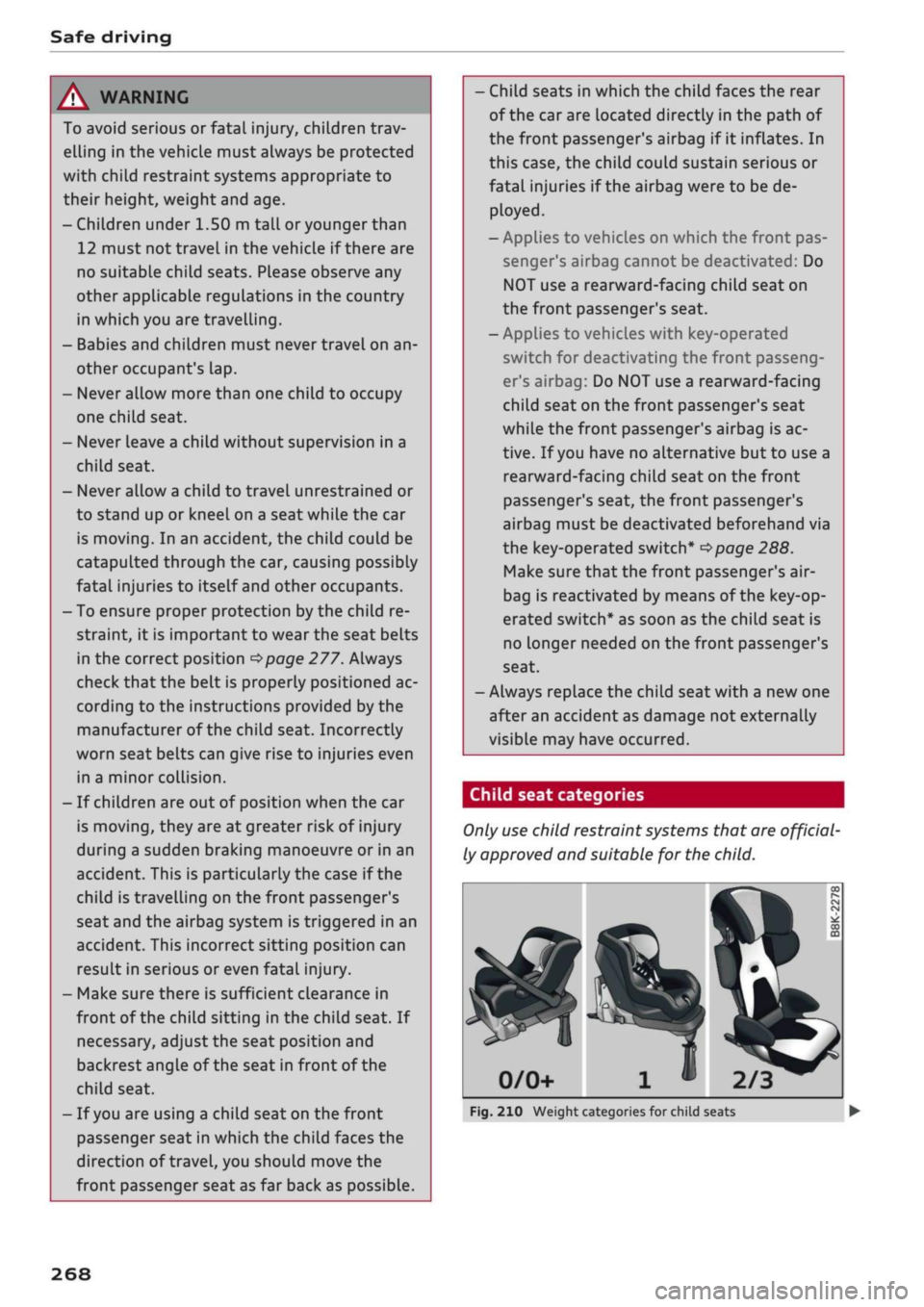
Child seat categories
Only
use
child restraint systems that are official
ly approved and suitable for the child.
2/3
Fig.
210 Weight categories for child seats
268