service AUDI Q2 2021 Owner´s Manual
[x] Cancel search | Manufacturer: AUDI, Model Year: 2021, Model line: Q2, Model: AUDI Q2 2021Pages: 364, PDF Size: 87.77 MB
Page 5 of 364
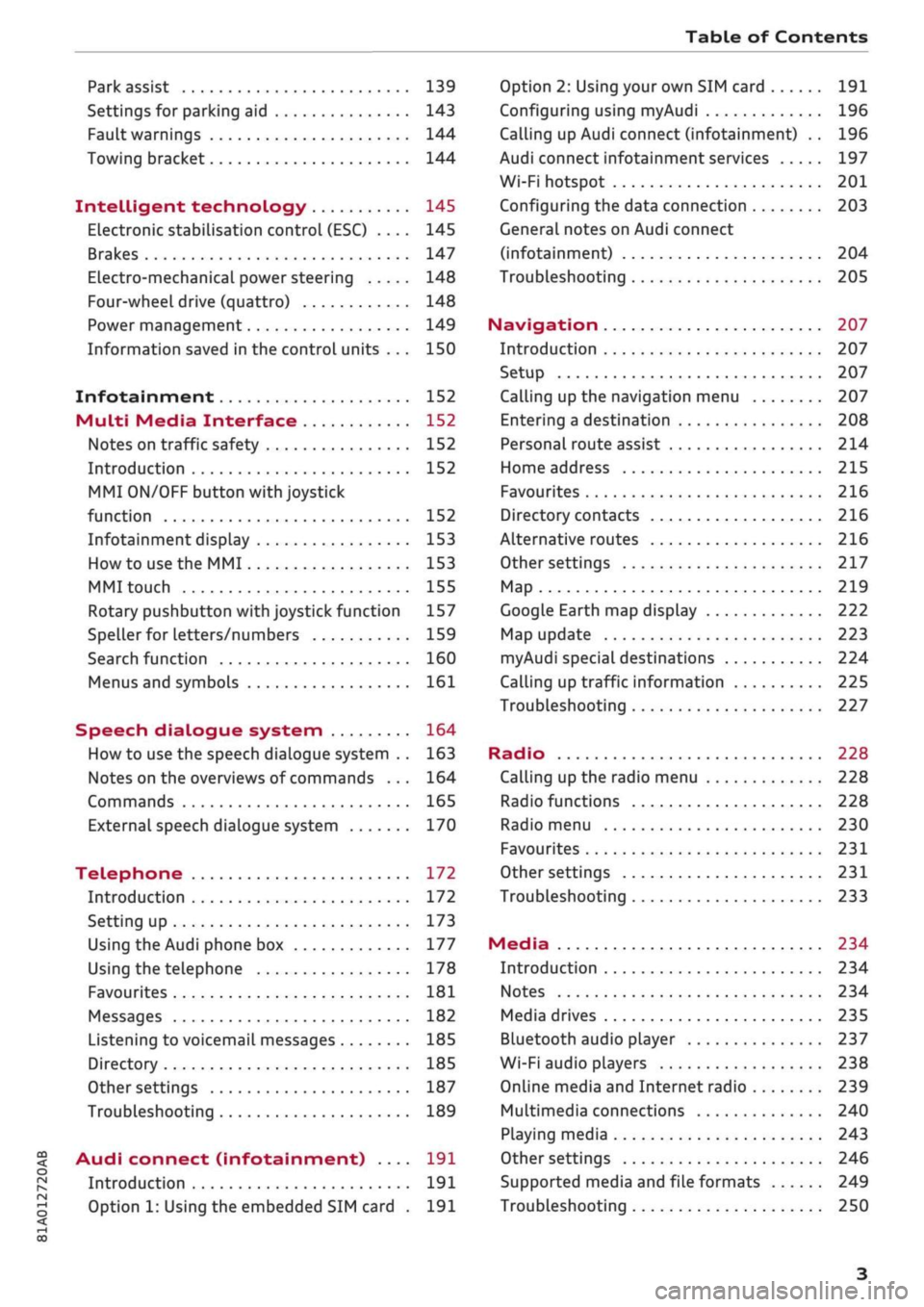
Table of Contents
CO
< o
rN
r^
rs
t-H
O
<
•H
00
Park assist 139
Settings for parking aid 143
Fault warnings 144
Towing bracket 144
Intelligent technology 145
Electronic stabilisation control (ESC) .... 145
Brakes 147
Electro-mechanical power steering 148
Four-wheel drive (quattro) 148
Power management 149
Information saved in the control units . . . 150
Infotainment 152
Multi
Media Interface 152
Notes on traffic safety 152
Introduction 152
MMI
ON/OFF button with joystick
function 152
Infotainment display 153
How to use the MMI 153
MMI touch 155
Rotary pushbutton with joystick function 157
Speller for letters/numbers 159
Search function 160
Menus and symbols 161
Speech dialogue system 164
How to use the speech dialogue system .. 163
Notes on the overviews of commands ... 164
Commands 165
External speech dialogue system 170
Telephone 172
Introduction 172
Setting up 173
Using the Audi phone box 177
Using the telephone 178
Favourites 181
Messages 182
Listening to voicemail messages 185
Directory 185
Other settings 187
Troubleshooting 189
Audi connect (infotainment) .... 191
Introduction 191
Option 1: Using the embedded SIM card . 191
Option 2: Using your own SIM card 191
Configuring using
myAudi
196
Calling up Audi connect (infotainment) .. 196
Audi connect infotainment services 197
Wi-Fi hotspot 201
Configuring the data connection 203
General notes on Audi connect
(infotainment) 204
Troubleshooting 205
Navigation 207
Introduction 207
Setup 207
Calling up the navigation menu 207
Entering a destination 208
Personal route assist
214
Home address 215
Favourites 216
Directory contacts 216
Alternative routes 216
Other settings 217
Map 219
Google Earth map display 222
Map update 223
myAudi special destinations 224
Calling up traffic information 225
Troubleshooting 227
Radio 228
Calling up the radio menu 228
Radio functions 228
Radio menu 230
Favourites 231
Other settings 231
Troubleshooting 233
Media 234
Introduction 234
Notes 234
Media drives 235
Bluetooth audio player 237
Wi-Fi audio players 238
Online media and Internet radio 239
Multimedia connections 240
Playing media 243
Other settings 246
Supported media and file formats 249
Troubleshooting 250
Page 6 of 364
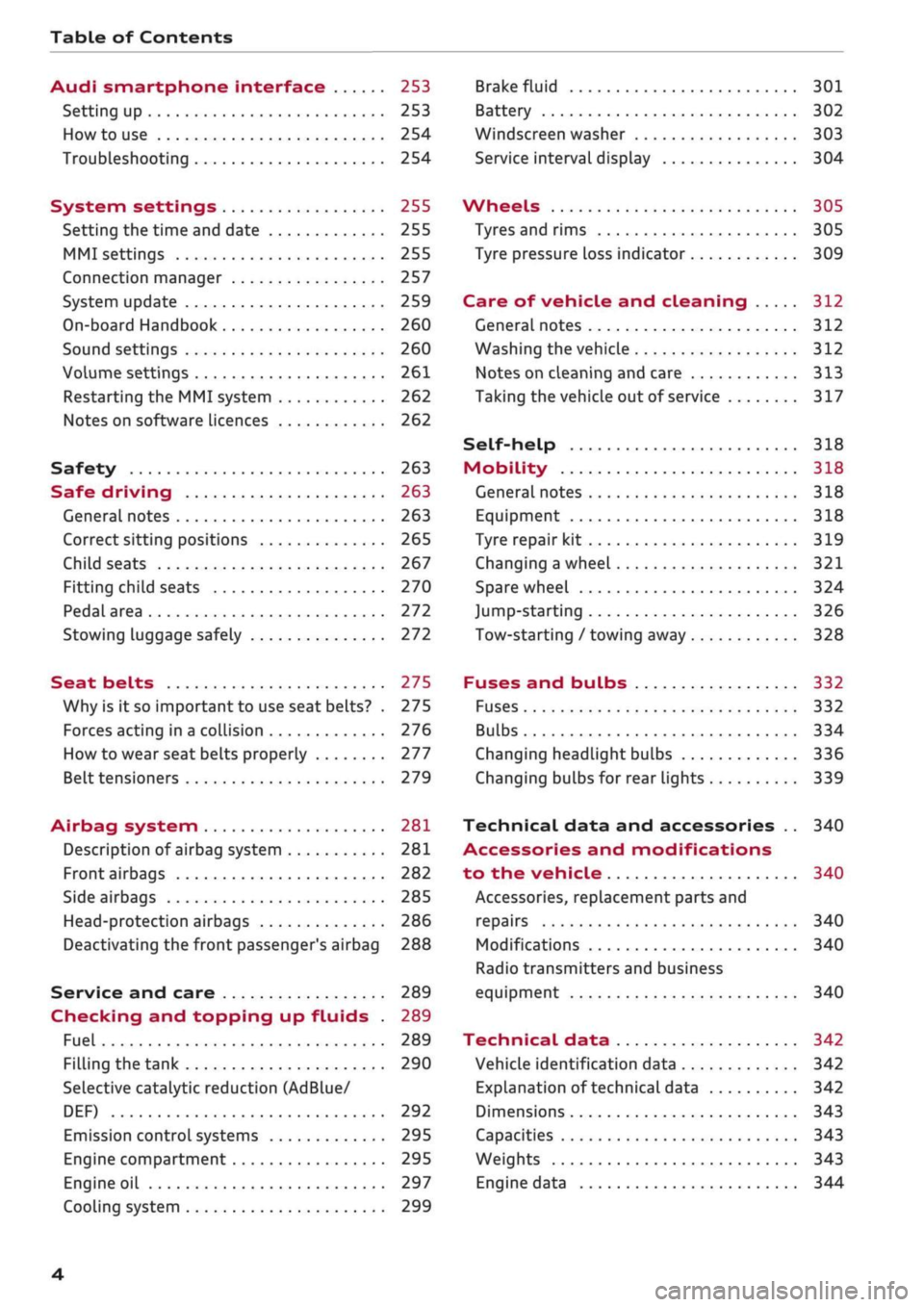
Table of Contents
Audi smartphone interface 253
Setting up
253
How to use 254
Troubleshooting 254
System settings 255
Setting the time and date 255
MMI settings 255
Connection manager 257
System update 259
On-board Handbook 260
Sound settings 260
Volume settings 261
Restarting the MMI system 262
Notes on software licences 262
Safety 263
Safe driving 263
General notes 263
Correct sitting positions 265
Child seats 267
Fitting child seats 270
Pedal area 272
Stowing luggage safely 272
Seat belts 275
Why is it so important to use seat belts? . 275
Forces acting in a collision 276
How to wear seat belts properly 277
Belt tensioners 279
Airbag system 281
Description of airbag system 281
Front airbags 282
Side airbags 285
Head-protection airbags 286
Deactivating the front passenger's airbag 288
Service and care 289
Checking and topping up fluids . 289
Fuel 289
Filling the tank 290
Selective catalytic reduction (AdBlue/
DEF) 292
Emission control systems 295
Engine compartment 295
Engine oil 297
Cooling system 299
Brake fluid 301
Battery 302
Windscreen washer 303
Service interval display 304
Wheels 305
Tyres and rims 305
Tyre pressure loss indicator 309
Care of vehicle and cleaning 312
General notes 312
Washing the vehicle 312
Notes on cleaning and care 313
Taking the vehicle out of service 317
Self-help 318
Mobility 318
General notes
318
Equipment 318
Tyre repair kit 319
Changing a wheel 321
Spare wheel 324
Jump-starting 326
Tow-starting / towing away 328
Fuses and bulbs 332
Fuses 332
Bulbs 334
Changing headlight bulbs 336
Changing bulbs for rear lights 339
Technical data and accessories .. 340
Accessories and modifications
to the vehicle 340
Accessories, replacement parts and
repairs 340
Modifications 340
Radio transmitters and business
equipment 340
Technical data 342
Vehicle identification data 342
Explanation of technical data 342
Dimensions 343
Capacities 343
Weights 343
Engine data 344
4
Page 11 of 364
- How can I call up information online?
^>page
191, Audi connect (infotainment).
- How can I use the Wi-Fi hotspot?
•=>page
201.
Navigation
- What ways are there to enter
a
navigation des
tination?
^>page
208.
- How do I operate the map functions?
•=>
page 219.
- How can I display traffic information?
=>
page 225.
Entertainment
- How can I listen to the radio?
^>page
228.
- How can I play media?
^page
243.
- How can I play music from my mobile phone via
the
infotainment
system?
•=>page
237, Blue
tooth audio
player.
Tips and tricks
- How can I unlock my vehicle from inside to let
passengers in?
=t>page
40.
- How can I open all the windows from outside
using the remote control key?
•=>page
47,
Convenience
open/close function.
- How can I operate both sides of the air condi
tioner together?
^page
69.
- How can I deactivate the front passenger's air-
bag?
•=>
page 288.
- How do I secure a child seat?
^>page
270.
- What do I have to be aware of when driving
through an automatic car wash?
<$page
312.
- How can I drive (more) economically?
^>page
72.
- How can I see when the next service date is?
^page
304.
Page 25 of 364
Instruments and controls
CO
<
O
rN
r>
I-I
00
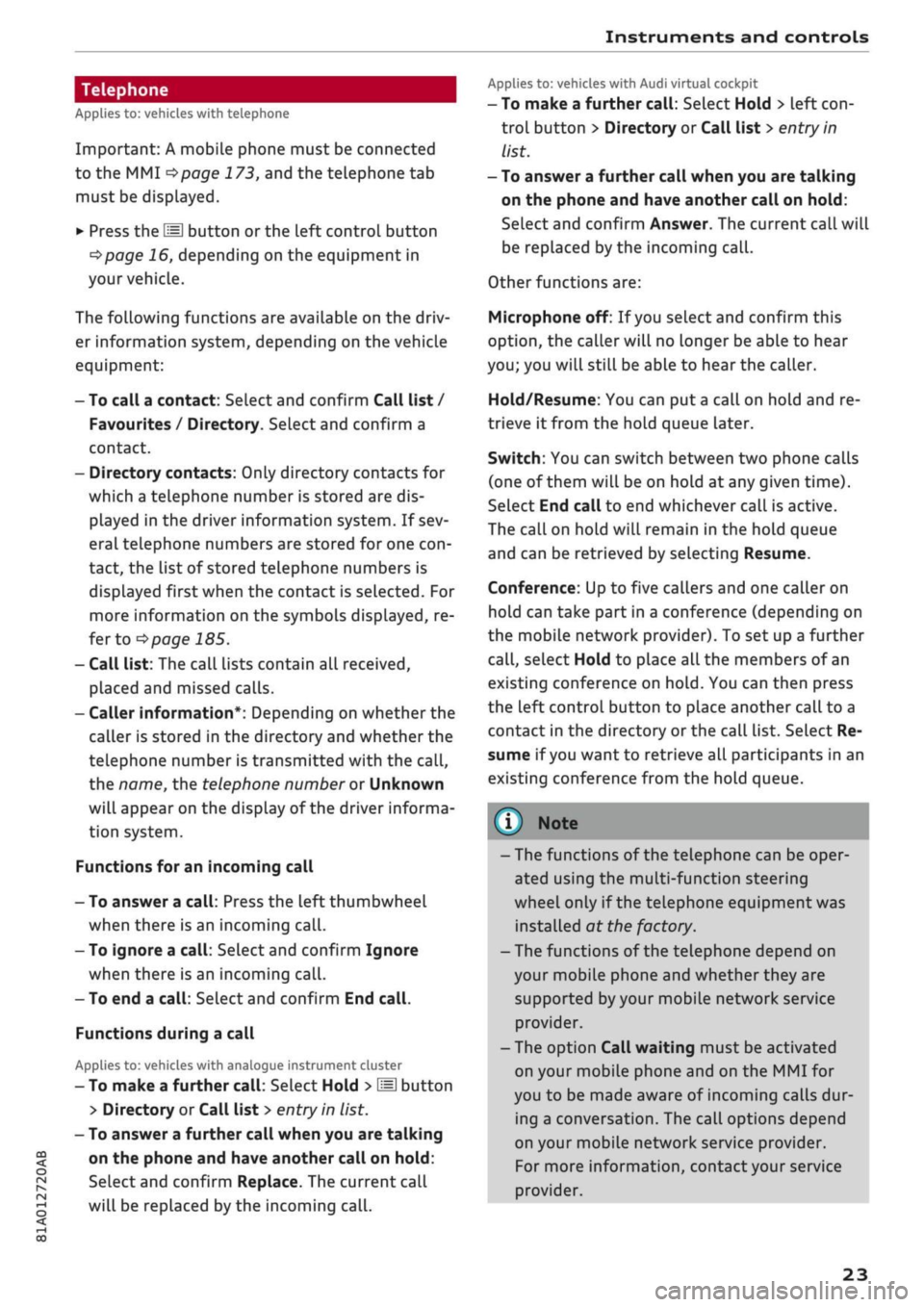
Telephone
Applies to: vehicles with telephone
Important: A mobile phone must be connected
to the MMI
^>page
173, and the telephone tab
must be displayed.
•
Press the
\M
button or the left control button
^>page
16, depending on the equipment in
your vehicle.
The following functions are available on the driv
er information system, depending on the vehicle
equipment:
- To call a contact: Select and confirm Call list /
Favourites / Directory. Select and confirm a
contact.
- Directory contacts: Only directory contacts for
which a telephone number is stored are dis
played in the driver information system. If sev
eral telephone numbers are stored for one
con
tact, the list of stored telephone numbers is
displayed first when the contact is selected. For
more information on the symbols displayed, re
fer to
^>page
185.
- Call list: The call lists contain all received,
placed and missed calls.
- Caller information*: Depending on whether the
caller is stored in the directory and whether the
telephone number is transmitted with the
call,
the name, the telephone number or Unknown
wilL
appear on the display of the driver informa
tion system.
Functions for an incoming call
- To answer a
call:
Press the left thumbwheel
when there is an incoming
call.
- To ignore a
call:
Select and confirm Ignore
when there is an incoming
call.
- To end a
call:
SeLect and confirm End
call.
Functions during a call
Applies to: vehicles with analogue instrument cluster
- To make a further
call:
Select Hold >
\M\
button
> Directory or Call list
>
entry in
list.
- To answer a further call when you are talking
on the phone and have another call on hold:
Select and confirm Replace. The current call
will be replaced by the incoming
call.
Applies to: vehicles with Audi virtual cockpit
- To make a further
call:
Select Hold > left
con
trol button > Directory or Call list
>
entry in
list.
- To answer a further call when you are talking
on the phone and have another call on hold:
Select and confirm Answer. The current call will
be replaced by the incoming
call.
Other functions are:
Microphone off: If
you
select and confirm this
option,
the caller will no longer be able to hear
you;
you will still be able to hear the caller.
Hold/Resume: You can put
a
call on hold and re
trieve
it
from the hold queue later.
Switch:
You can switch between two phone calls
(one of them will be on hold at any given time).
Select End call to end whichever call is active.
The call on hold will remain in the hold queue
and can be retrieved by selecting Resume.
Conference: Up to five callers and one caller on
hold can take part in a conference (depending on
the mobile network provider). To set up a further
call,
select Hold to place all the members of an
existing conference on
hold.
You can then press
the left control button to place another call to a
contact in the directory or the call list. Select Re
sume if
you
want to retrieve all participants in an
existing conference from the hold queue.
- The functions of the telephone can be oper
ated using the multi-function steering
wheel only if the telephone equipment was
installed at the factory.
- The functions of the telephone depend on
your mobile phone and whether they are
supported
by
your mobile network service
provider.
- The option Call waiting must be activated
on your mobile phone and on the MMI for
you to be made aware of incoming calls dur
ing a conversation. The call options depend
on your mobile network service provider.
For more information, contact your service
provider.
23
Page 40 of 364
Doors and windows
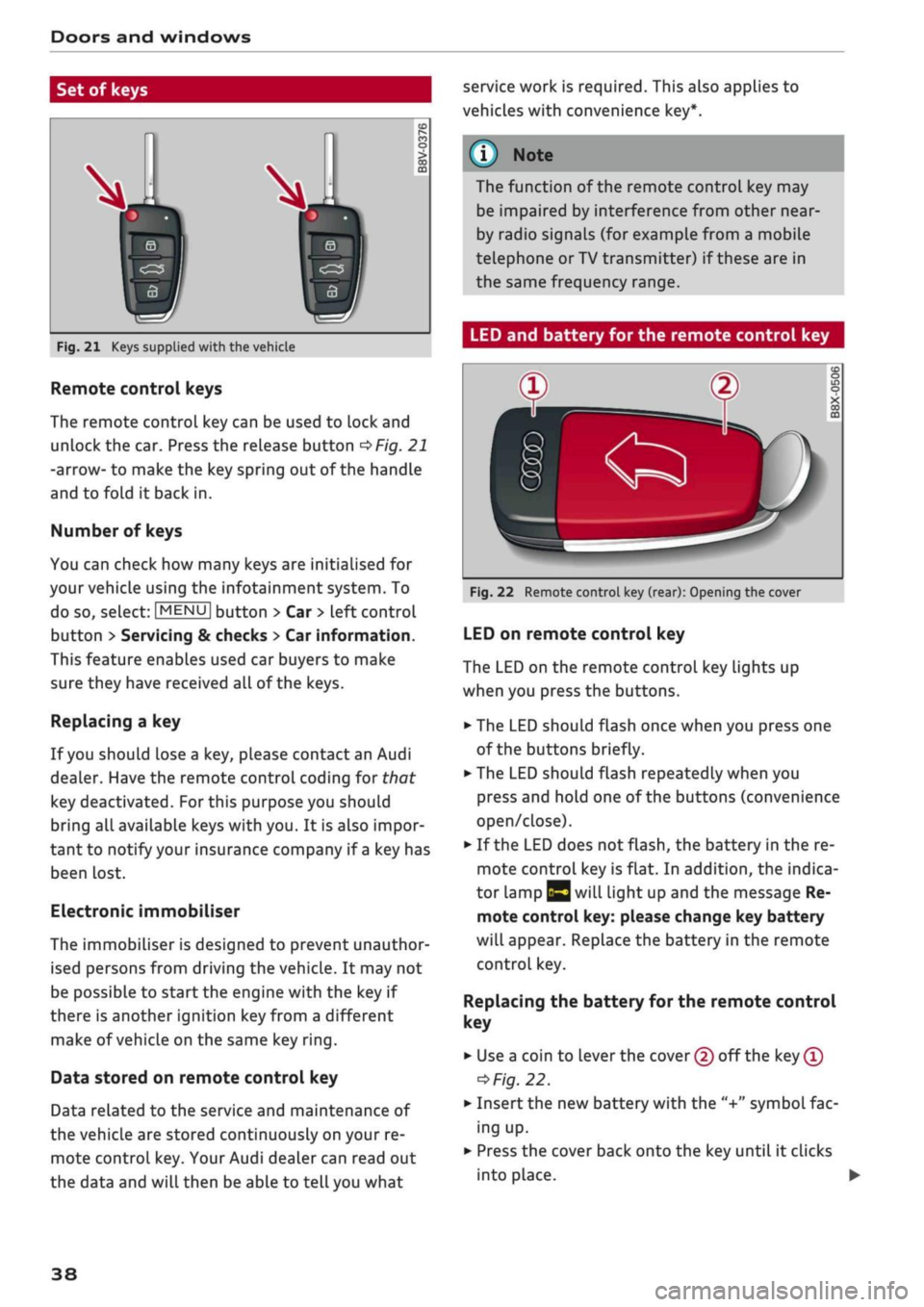
Set of keys
service work is required. This also applies to
vehicles with convenience key*.
Fig.
21 Keys supplied with the vehicle
Remote control keys
The remote control key can be used to lock and
unlock the car. Press the release button
OFig.
21
-arrow- to make the key spring out of the handle
and to fold it back in.
Number of keys
You can check how many keys are initialised for
your vehicle using the infotainment system. To
do so, select:
|MENU|
button > Car
>
left control
button
>
Servicing & checks
>
Car information.
This feature enables used car buyers to make
sure they have received all of the keys.
Replacing a key
If
you
should lose a key, please contact an Audi
dealer. Have the remote control coding for that
key deactivated.
For
this purpose you should
bring all available keys with you. It is also impor
tant to notify your insurance company if
a
key has
been lost.
Electronic immobiliser
The immobiliser is designed to prevent unauthor
ised persons from driving the vehicle. It may not
be possible to start the engine with the key if
there is another ignition
key
from a different
make of vehicle on the same key
ring.
Data stored on remote control key
Data related to the service and maintenance of
the vehicle are stored continuously on your re
mote control key. Your Audi dealer can read out
the data and will then be able to tell you what
The function of the remote control key may
be impaired by interference from other
near
by radio signals (for example from a mobile
telephone or TV transmitter) if these are in
the same frequency range.
LED and battery for the remote control key
Fig.
22 Remote control key (rear): Opening the cover
LED on remote control key
The LED on the remote control key lights up
when you press the buttons.
•
The LED should flash once when you press one
of the buttons briefly.
•
The LED should flash repeatedly when you
press and hold one of the buttons (convenience
open/close).
•
If the LED does not flash, the battery in the re
mote control key is flat. In addition, the indica
tor lamp |y will light up and the message Re
mote control key: please change key battery
will appear. Replace the battery in the remote
control key.
Replacing
the battery for the remote control
key
• Use a coin to lever the cover (2) off the key
®
=>
Fig.
22.
•
Insert the new battery with the "+"
symbol
fac
ing up.
•
Press the cover back onto the key until it clicks
into place. •
38
Page 58 of 364

Lights and vision
© CAUTIO © CAUTION
- In icy conditions, check that the wiper
blades are not frozen to the windscreen. If
the wiper blades are frozen to the
wind
screen when you switch on the windscreen
wipers, this could damage the wiper blades.
- Make sure you switch off the windscreen
wiper system (lever in position
@)
before
you use an automatic car wash. This will
avoid inadvertent triggering of the wipers
and possible damage to the wiper system.
© Note
- The windscreen wipers are deactivated
when the ignition is switched off. You can
activate the windscreen wipers after switch
ing the ignition on again by moving the
windscreen wiper lever to any position.
- Worn or dirty wiper blades can cause smear
ing on the glass. This can also impair the ef
fectiveness of the rain sensor. Please check
the wiper blades regularly.
-The windscreen washer jets are heated*
when the ignition is switched on if the out
side temperature is low.
- If
you
stop briefly, e.g. at traffic lights, the
wiper speed setting will automatically be re
duced
by
one level.
Cleaning the wiper blades
Clean the wiper blades if the wipers leave smear
ing on the glass. Use a soft cloth and glass clean
ing solution.
Windscreen wipers
• Set the wiper arms to the service position
^>page
56.
• Lift the wiper arms away from the glass.
Rear window wiper
• Lift the rear wiper arm away from the glass.
/\
WARNING
Dirty wiper blades can impair the driver's view
- risk of accident!
If the wipers still Leave smearing on the glass
after they have been cleaned, the wiper
blades should be replaced
<=>page
56.
Changing the windscreen wiper blades
Fig.
47 Removing the wiper blades
Service position / wiper change position
• To move the windscreen wipers into the service
position,
switch off the ignition and move the
windscreen wiper lever to position (3) for at
least 2 seconds
<^page
55, Fig. 45.
• To move the windscreen wipers back to their
original position, switch on the ignition and
move the windscreen wiper lever to position (4)
for at least 2 seconds.
Taking off the wiper blade
• Lift the wiper arm away from the glass.
• Press the release button
(T)
on the wiper blade
^>Fig.
47. Keep hold of the wiper blade while
doing so.
• Take off the wiper blade in the direction of the
arrow.
Fitting the wiper blade
• Fit the new wiper blade into the mounting on
the wiper arm (5). You should hear it engage in
the wiper arm.
• Fold the wiper arm back down onto the
wind
screen.
• Switch off the service position again.
A
WARNING
For safety, the wiper blades should be
changed once or twice a year.
56
Page 59 of 364
Lights and vision
© CAUTION
- The wipers must be in the service position
before lifting them off the windscreen!
Oth
erwise the wiper motor or the paintwork on
the bonnet may be damaged.
- Never drive your vehicle or operate the
windscreen wiper Lever while the wiper arms
are off the glass in a raised position. The
wipers will otherwise automatically return
to their park position and may damage the
bonnet and windscreen.
© Note
- You can also use the service position, for ex
ample,
if
you
want to fix
a
cover over the
windscreen in the winter to keep it clear of
ice.
- You cannot activate the service position
when the bonnet is open.
A
WARNING
For safety, the wiper blades should be
changed once or twice a year.
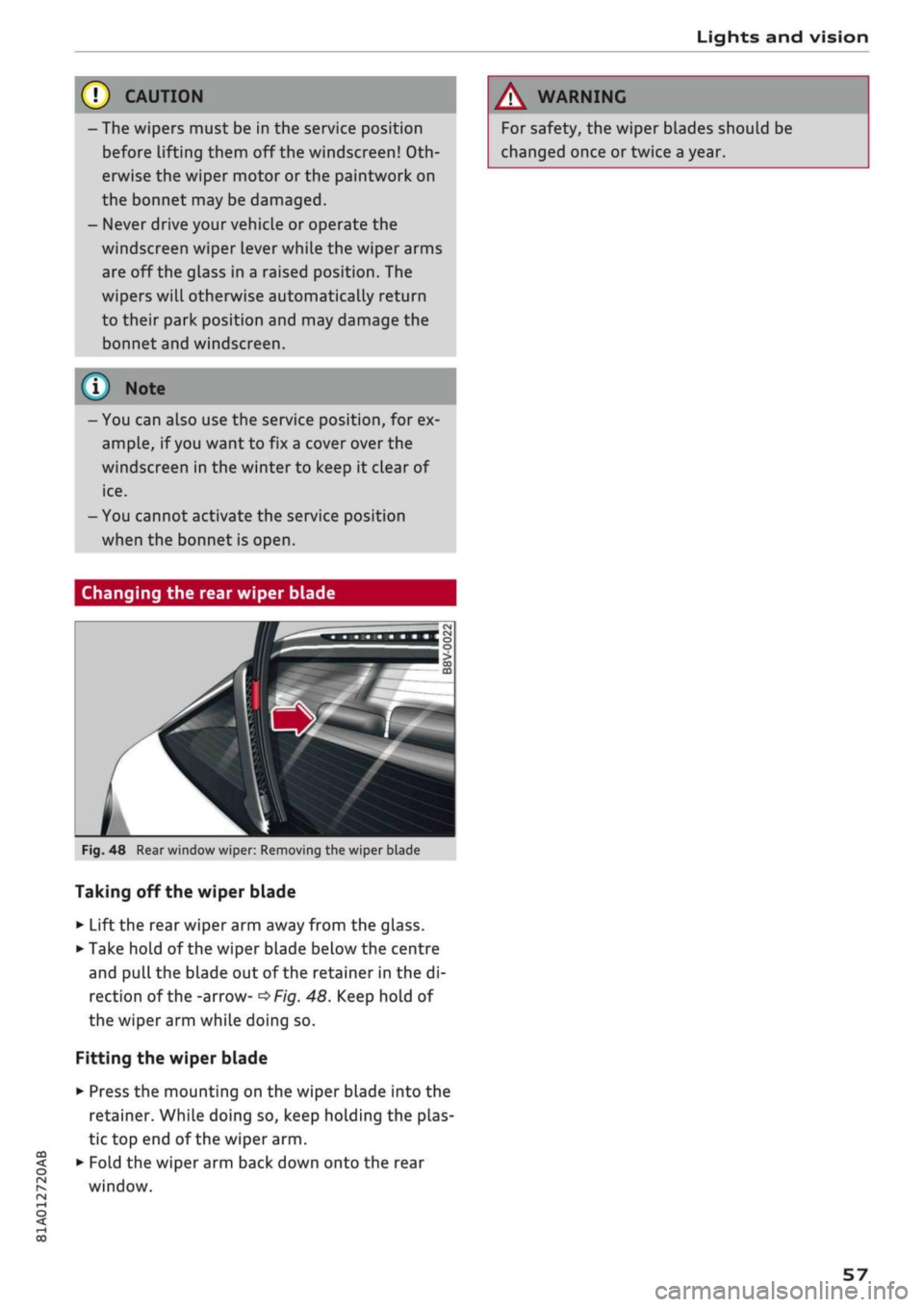
Changing the rear wiper blade
CO
<
O
rN
iv
rN
•-i
00
Fig.
48 Rear window wiper: Removing the wiper blade
Taking off the wiper blade
• Lift the rear wiper arm away from the glass.
• Take hold of the wiper blade below the centre
and
pull
the blade out of the retainer in the di
rection of the -arrow-
^Fig.
48. Keep hold of
the wiper arm while doing so.
Fitting the wiper blade
• Press the mounting on the wiper blade into the
retainer. While doing so, keep holding the plas
tic top end of the wiper arm.
• Fold the wiper arm back down onto the rear
window.
57
Page 75 of 364

Driving
instance when you can see that the next traffic
lights are red. This takes advantage of the engine
braking effect, reducing wear on the brakes and
tyres.
Emissions and fuel consumption will drop
to zero due to the overrun fuel cut-off.
Change gear early to save fuel
An effective way of saving fuel is to change up
quickly through the gears. Running the engine at
high rpm in the lower gears uses an unnecessary
amount of
fuel.
Applies to: vehicles with manual gearbox
Shift up to second gear as soon as possible. If
possible, we recommend shifting up to the next
gear at approx. 2,000 rpm.
Applies to: vehicles with automatic gearbox
Press the accelerator slowly and avoid using the
"kick-down"
feature.
Avoid driving at high speed
Avoid travelling at top speed. Fuel consumption,
exhaust emissions and noise Levels all increase
very rapidly at higher speeds. Driving at moder
ate speeds will help to save
fuel.
Do not let the engine idle for longer than
necessary
Engine idling periods are automatically reduced
on vehicles with start/stop system*. On vehicles
without a start/stop system, it is worthwhile
switching off the engine at level crossings, for in
stance, or at traffic lights with a long red phase.
The fuel saved after about 5 seconds can be
greater than the amount of fuel needed to re
start a warm engine (the exact fuel saving de
pends on the engine version).
The engine takes a very long time to warm up
when it is running at idling speed. Mechanical
wear and pollutant emissions are also especially
high during this initial warm-up phase. It is
therefore best to drive off immediately after
starting the engine. Avoid running the engine at
high speed.
o
Regular servicing
Regular servicing can establish a basis for good
iS
fuel economy before you start driving. A
well-
serviced engine gives you the benefit of im
proved fuel efficiency as well as maximum relia
bility and an enhanced resale value. A poorly
maintained engine can consume up to ten per
cent more fuel than necessary.
Avoid short trips
The engine and emission control system need to
reach their proper working temperature in order
to minimise fuel consumption and emissions.
A cold engine uses disproportionately more
fuel.
The engine only reaches its working temperature
after about four kilometres, when fuel consump
tion will return to a normal level.
Check tyre pressures
Always make sure the tyres are inflated to the
correct pressures
•=>page
306 to save
fuel.
If the
tyre pressures
are
just 0.5
bar
too Low, this can
increase the fuel consumption by as much as 5
%. Due to the greater rolling resistance, under-
inflation also increases tyre wear and impairs
handling.
Do not use winter tyres all through the year; they
will increase fuel consumption by up to 10 %.
Avoid carrying unnecessary loads
Every kilo of extra weight will increase the fuel
consumption, so it is worth checking the Luggage
compartment occasionally to make sure that no
unnecessary loads are being transported.
The roof carrier increases the air resistance of the
vehicle and should be removed when not in use.
This will save about 12 % of fuel at speeds of be
tween 60 and 75
mph.
Save electrical energy
The engine drives the alternator to generate elec
tricity. This means that fuel consumption rises
when more power is required for electrical equip
ment. Switch off electrical equipment when it is
not needed. Electrical equipment which uses a
lot of electricity includes the blower (at a high
setting), the rear window heating and the seat
heating*.
73
Page 99 of 364
Towing a trailer
Tyre pressure
Check the tyre pressures on your car, and adjust
for "full
load"
conditions (refer to the sticker list
ing the tyre pressures)
^>page
307. It may also
be necessary to adjust the tyre pressures on the
trailer according to the recommendations of the
trailer manufacturer.
Exterior mirrors
Check whether you can see enough of the road
behind the trailer with the standard mirrors. If
this is not the case you should have additional
mirrors fitted. Both exterior mirrors should be
mounted on hinged extension brackets. Adjust
the mirrors to give sufficient vision to the rear.
Headlights
Before starting
a
journey, check the headlight
beam settings with the trailer hitched up. Adjust
the headlight settings if necessary.
On vehicles with halogen headlights, the
head
light range control must be adjusted, see
tapage
49.
The headlight range control will be adjusted au
tomatically if your vehicle is equipped with LED
headlights*.
Power supply
To ensure that the engine can be started again
after the ignition is switched off, the power
man
agement system
^>page
149 controls the distri
bution of electrical power and gradually switches
off unnecessary electrical equipment. The trailer
is supplied with power during this period. The
power supply to the trailer is interrupted while
the engine is being started.
Removable ball joint coupling
Vehicles with a factory-fitted towing bracket are
equipped with a removable
ball
joint coupling.
This is stored in the spare wheel well or in a sepa
rate bag on the floor of the luggage compart
ment, together with the necessary fitting instruc
tions.
We recommend having the car serviced be
tween the normal inspection intervals if it
used frequently for towing a trailer.
Trailer stabilisation system
Applies to: vehicles with towing bracket
Trailer stabilisation helps to reduce the risk of
the vehicle skidding when towing a
trailer.
When is the trailer stabilisation
system1'
activated?
Trailer stabilisation is active when the following
requirements are met:
- The ESC must be switched on
^>page
146 and
fully functional (no ESC malfunction).
- The trailer connector must be properly secured
in the vehicle socket.
- The vehicle speed must be higher than approx.
60 km/h.
How trailer stabilisation works
In many cases, the driver can stabilise a swaying
trailer by manually braking the vehicle.
However, if the ESC detects that the trailer is
swaying and this is affecting the towing vehicle,
it will automatically brake the vehicle in order to
stabilise the trailer. The indicator
Lamp Hi
will
flash in the instrument cluster. If possible, do
not turn the steering wheel at this stage.
In order to warn traffic behind you, the brake
lights will come on during this automatic braking
operation.
A trailer may sway quite considerably without the
trailer stabilisation system intervening.
If the system for activating the trailer brake
lights is defective, this will be indicated in the in
strument cluster display
opage
35,
:&
Bulb
monitor.
•
CO
rN
rN
t-H
o <
x)
Not available on vehicles for some markets.
97
Page 168 of 364

Speech dialogue system
Function
Dialling a phone number when an
address card is open
Calling a contact from the favour
ites list
Displaying the call list
Calling the last number dialled
Dialling a telephone number
Correcting an entered phone num
ber
Displaying contact information
Listening to voice mail messages
Entering the SIM PIN code
Correcting an entered PIN
Correcting an entry
Closing the full List of commands
Say:
Call / Call business number / Call private number / Call land
line / Call business mobile
Telephone favourites
>
desired contact when requested
>
Dial
Call list
Redial
Enter number
>
enter phone number in blocks of individual dig
its when requested, e.g. 07441 234
567
> Dial
Correction / Delete number
Directory
>
desired contact when requested,
e.g.
John Smith
Call mailbox
Enter PIN
>
enter PIN in individual digits when requested >
Store
Correction / Delete PIN
No,
I meant (XY)
Close
© Note
- If
you
have a mobile phone that transmits
first names and surnames separately, you
can select directory contacts both by enter
ing the full name
("first
name, surname" or
"surname, first name") and by saying only
the first name or surname.
- Please note that commands can only be
spoken for the main teLephone*
^>page
173.
- For more information on which mobile
phones are supported, please go online
(e.g.
www.audi.com/bluetooth) or contact
an Audi dealer.
Audi connect (infotainment)
Applies to: vehicles with speech dialogue system and Audi connect (infotainment)
Important: The requirements for Audi connect
(infotainment) must be met
^>page
191.
Function
Calling up an Audi connect infotain
ment service
Audi connect infotainment services
Search areas for Audi connect info
tainment services
Correcting an entry
Say:
Audi connect
>
follow the directions given by the system
Weather / Online news / Fuel prices / Parking information /
Travel information / Twitter / Online traffic information / City
events / Flight information / Train information
In vicinity of destination / In immediate vicinity / In new town
No,
I meant (XY)
166