light AUDI Q3 2016 User Guide
[x] Cancel search | Manufacturer: AUDI, Model Year: 2016, Model line: Q3, Model: AUDI Q3 2016Pages: 252, PDF Size: 62.81 MB
Page 19 of 252
.... N
ci ::, co ....
of brake pads on an axle must a lways be replaced
at the same time.
A WARNING
Dr iv ing with bad brakes can ca use a co llision
and ser ious personal in jury.
- If the warning light
EiJ and the wa rning
light
11111> w it h the message Brake pads!
comes o n in the inst rument cluste r display,
immediately contact your authorized Audi
dealer or qualified workshop to have all
bra ke p ads checke d or rep lace d if necessary.
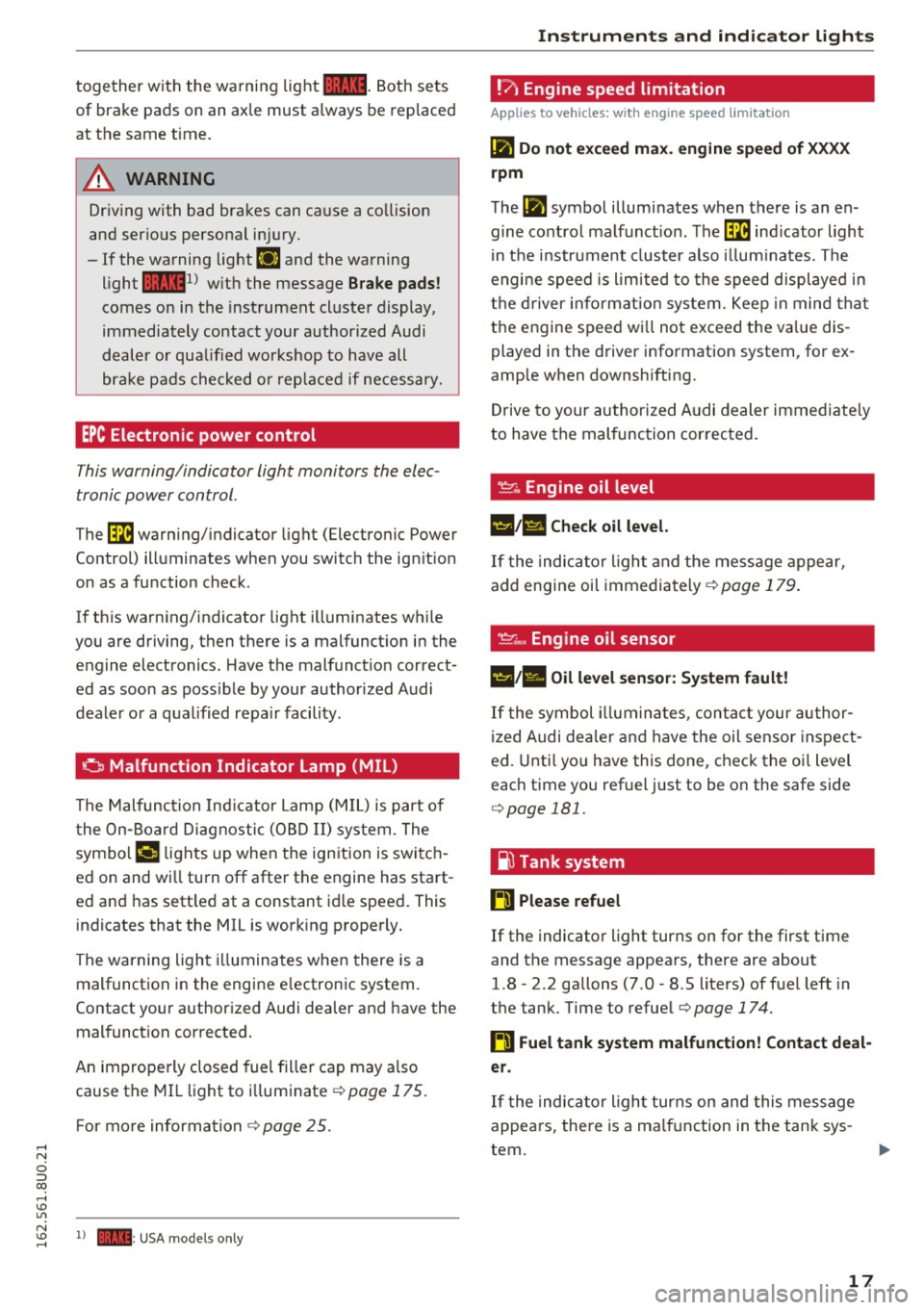
EPC Electronic power control
This warning/indicator light monitors the elec
tronic power control .
-
The [m warning/ indicator light (Electronic Power
Control) ill uminates when you switch the ig nition
on as a function check.
I f th is wa rn ing/indicator light illuminates w hile
you are driving, then there is a malfunct io n in the
engine electronics . Have t he malfunct io n correct
ed as soo n as poss ible by your authorized A udi
deale r or a qua lified re pair facili ty.
o Malfunction Indicator Lamp (MIL)
The Malfu nction Ind icator Lamp (M IL) i s part of
t he On-Boar d Diag nostic (O BD II) syste m. T he
symbo l¢• lights up when the ign ition is swi tc h
ed on and wi ll tu rn off afte r the engine has sta rt
ed an d has sett le d at a constant idle speed. This
ind icates that the MIL is work ing properly.
The warning ligh t illuminates when there is a
malfunct ion in the eng ine e lectron ic system.
Contact your author ized Audi dealer an d have the
mal funct ion corrected.
An imprope rly closed fuel fille r cap may a lso
cause the MIL li ght to illum inate
c:; page 175 .
For mo re informa tio n ¢ page 25.
N
:=: 1) - : USA mode ls onl y
Instruments and ind icator lights
!'? , Engine speed lim itation
Applies to vehicles: with engine speed limitation
II! Do not exceed max. engine speed of XXXX
rpm
The II! symbol illumi nates when t here is an en
gine co ntro l ma lf u nct io n. Th e
[m indicator light
i n th e i nstr ument clus ter also illumi nates. The
engi ne speed is l imited to the speed displ aye d in
t h e d river informat ion sy stem . K eep in min d that
t h e engine speed w ill not exceed the va lue dis
played in the d river info rmation system, for ex
amp le when downshifting.
Dr ive to your authori zed A udi dea ler imme diate ly
to have t he mal func tion cor rec ted.
~ -Engine oil level
1!1;111 Check oil level.
If the indic ator ligh t an d the message appea r,
add engi ne oil immedi ately
c:; page 17 9.
~e, Engine oil sensor
•• Oil level sensor: System fault!
If the symbol illumi nat es, c onta ct yo ur au th or
ized Audi de aler a nd h ave the oil sensor ins pect
ed. Unti l yo u have this done, check the oi l leve l
each time you ref uel j ust to be on the safe side
c:; page 181.
~ Tank system
ti Please refuel
If the indicato r light turns on for the first time
and t he message appea rs, the re are about
1.8 - 2.2 gallons (7.0 -8.5 liters) of fuel left in
the tan k. Time to refue l
c:;page 174.
ti Fuel tank system malfunction! Contact deal
er.
If t he indic ator ligh t turns on and this message
appea rs, there is a ma lf u nction in the tan k sys
tem .
17
Page 20 of 252
Instruments and indicator lights
Drive to your authorized Audi dea ler immediately
to have the ma lfunction corrected .
c:> Windshield washer fluid level
Ill Please refill washer fluid.
If the symbol ill uminates, add w indshield was her
fluid to the w indshield washer system .
~ Engine start system
€·I ~ngine start system: Malfunction! Plea se
con tact dealer.
If th e indicator light t urns on and the message
appears, do
not switch the ign ition off because
you may not be ab le to sw itch it on again.
Drive to yo ur a uthorized Aud i dea le r i mmediately
to have the ma lf u nct ion corrected .
Engine start sy stem: Malfunction . Plea se con
tact dealer .
There is a malfunction in the eng ine start system .
Drive to you r authori zed Aud i dea ler immediately
to have the malfunct ion corrected.
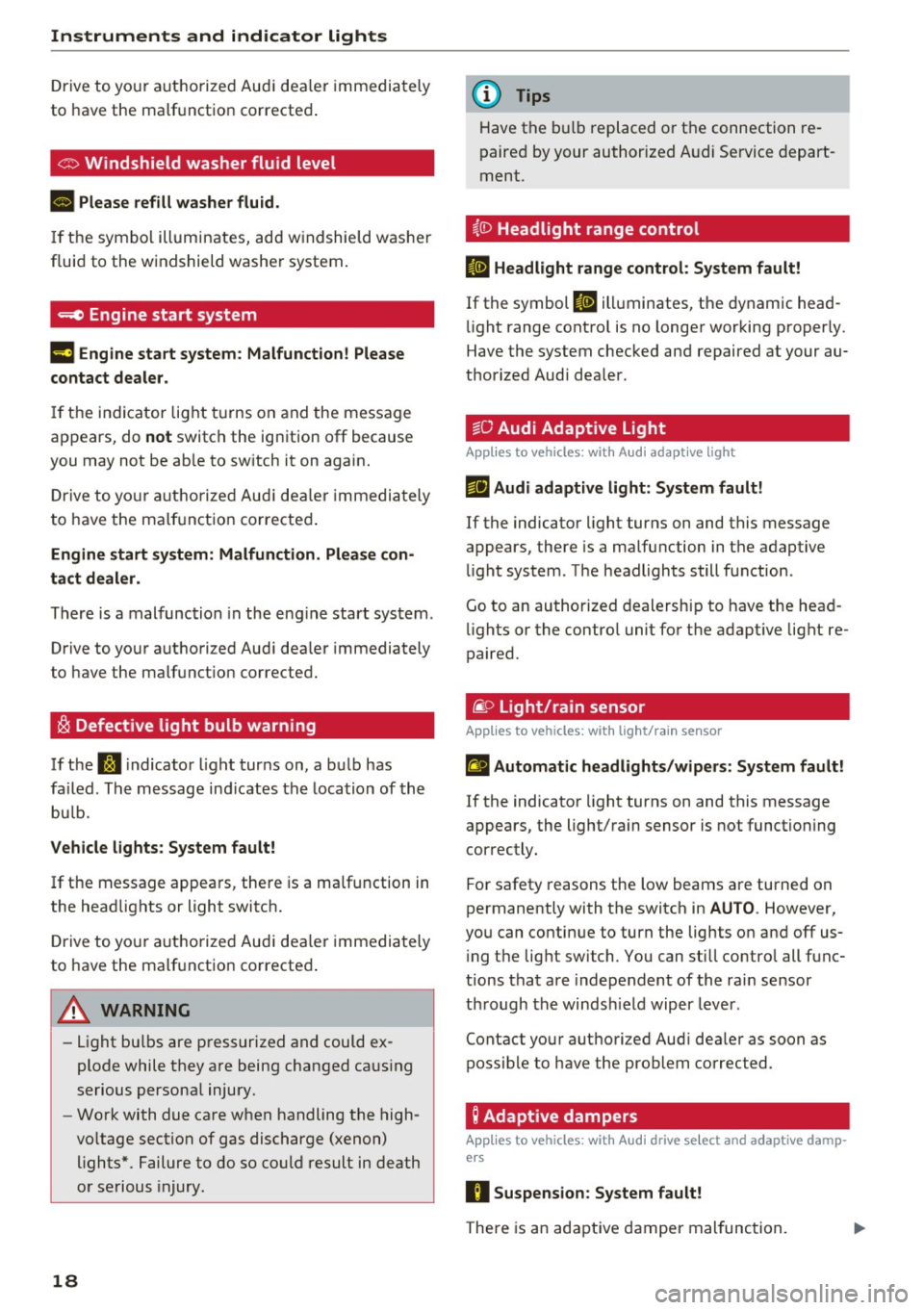
~ Defective light bulb warning
If the rtl i ndicato r light turns on, a bulb has
fa iled. The message ind icates the location of the
bu lb.
V ehicle lights: Sy stem f ault!
If the message appears, there is a ma lfunction in
the headlights or light switch.
Drive to yo ur autho rized Audi dea le r i mmedia tely
to have the malf unction corrected .
A WARNING
-Light bu lbs are p ressurized and could ex
plode while they a re being changed caus ing
serious persona l injury.
- Work with due ca re when handling the high
vo ltage section of gas discharge (xenon)
lights* . Failure to do so could result in death
or serious injury.
18
(D Tips
Have the bu lb replaced or the connection re
paired by your authorized A udi Se rvice depart
ment.
i,0 Headlight range control
fl H ea dlight range control: Sy stem fault!
If the symbol II ill uminates, the dynamic head
li ght range contro l is no longer working properly.
Have the system checked and repaired at your au
thorized Audi dea ler .
~O Audi Adaptive Light
App lies to vehicles: wit h Audi adapt ive light
rlJ Audi adaptive light : System fault!
If the indicator light turns on and this message
appears, there is a ma lfunction in the adaptive
li ght system . The headlights still function .
Go to an authorized dealership to have the head
li ghts or the contro l unit for the adapt ive light re
paired.
@:) Light/rain sensor
App lies to vehicles : wit h lig ht/ ra in sensor
£1 Automat ic headlights /wipers: System fault!
If the indicator light turns on and this message
appears, the light/rain sensor is not functioning
correctly.
For safety reasons the low beams are turned on
permanently with the switch in
AUTO . However,
you can continue to turn the lights on and off us
i ng the lig ht switch . You can still contro l all func
tions that are independent of the rain sensor
through the windsh ield wiper lever .
Contact your authori zed Aud i dea ler as soon as
possible to have the problem corrected.
g Adaptive dampers
App lies to vehicles: wit h Audi drive se lect and a daptive damp
ers
R Suspension : System f ault!
The re is an adaptive dampe r mal func tion.
Page 21 of 252
Drive to an authorized Audi dea ler or a uthorized
Audi Service Facility immediately to have the
malfunct ion corrected.
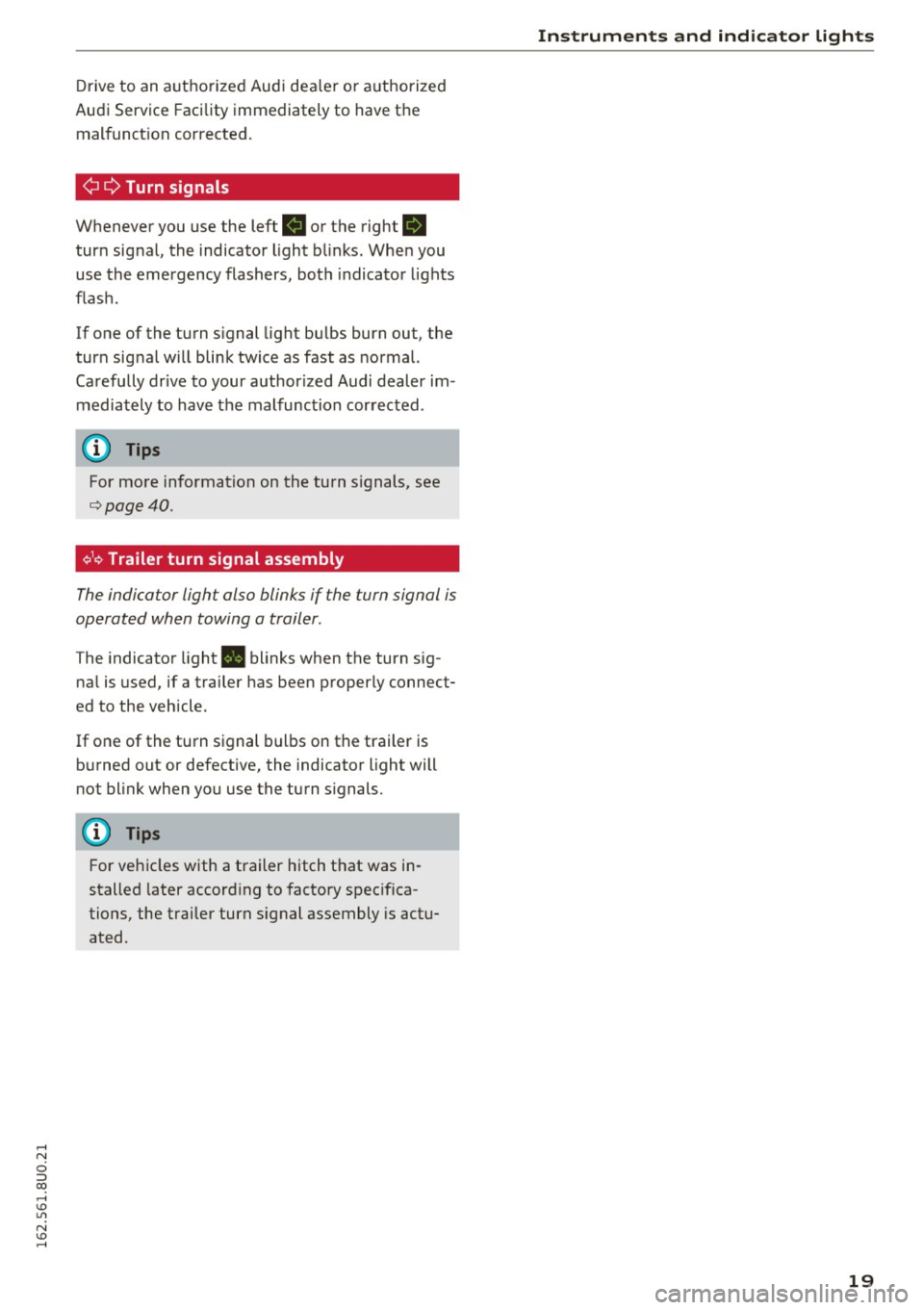
¢ Q Turn signals
Whenever you use the left R or the right B
turn signal, the indicator light blinks. When you
use the emergency flashers, both indicator lights
flash.
If one of the turn signal light bulbs burn out, the
turn signal will blink twice as fast as normal.
Carefully drive to your author ized Audi dealer im
mediately to have the malfunction corrected .
(D Tips
For more information on the turn signals, see
¢page 40.
¢1¢ Trailer turn signal assembly
The indica tor light also blinks if the turn signal is
operated when towing a trailer .
The indicator light. blinks when the turn sig
nal is used, if a trailer has been properly connect
ed to the vehicle .
If one of the turn signal bulbs on the trailer is
burned out or defective, the indicator light will
not blink when you use the turn signals.
(D Tips
For vehicles with a trailer hitch that was in
stalled later according to factory specifica
tions, the trailer turn signal assembly is actu
ated.
Instruments and indicator lights
19
Page 22 of 252
Driver i nf orm ati on sy stem
Driver information
system
Overview
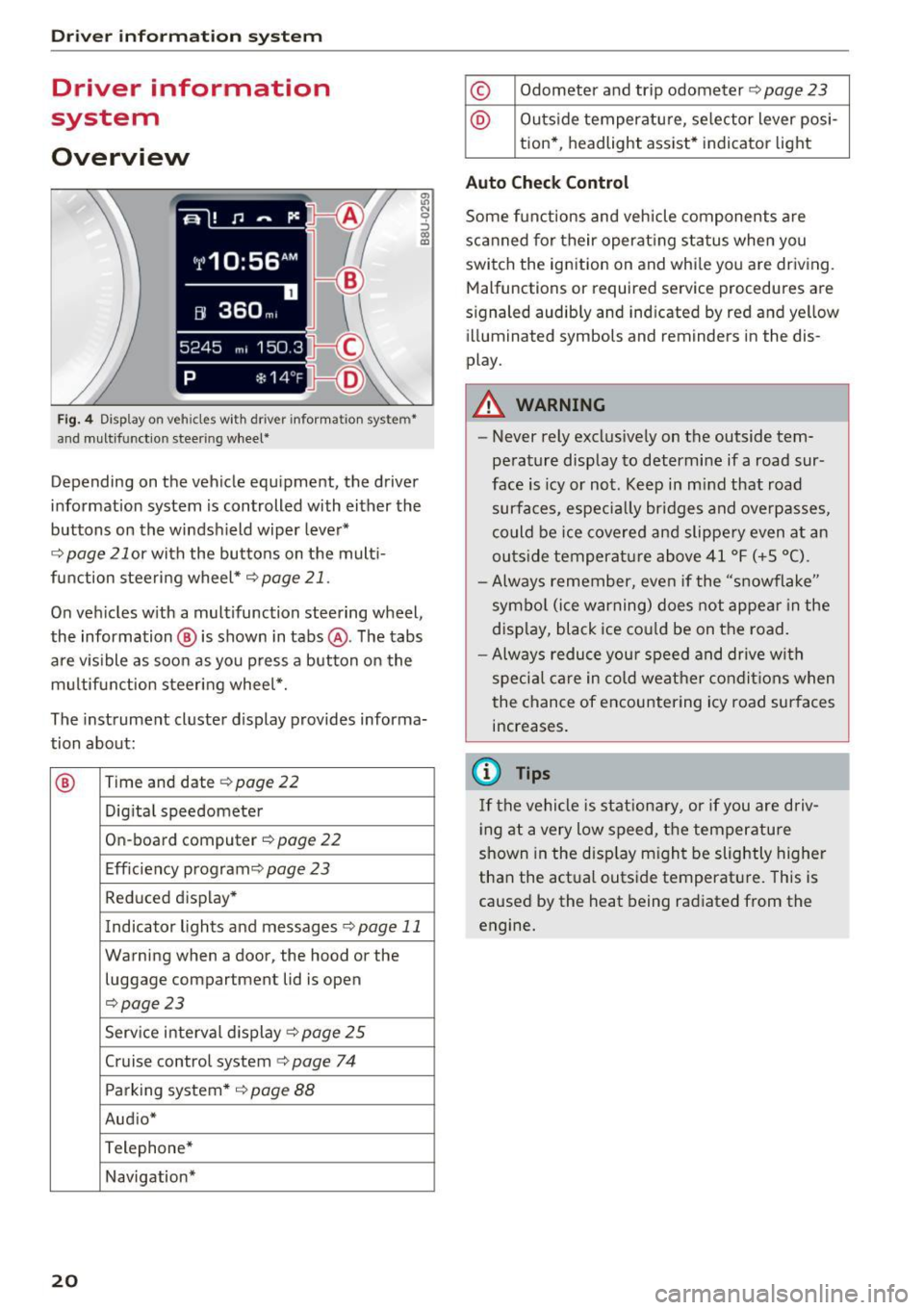
Fig. 4 Disp lay on vehicles with driver information system*
and multifunction steering wheel*
~ N 0 :::, 00 m
Depending on the vehicle equipment, the driver
information system is controlled with either the
buttons on the windshield wiper lever*
r='.> page 21 or wi th the buttons on the mult i
function steering wheel*
r='.> page 21 .
On vehicles w ith a multifunction steering wheel,
the information @ is shown in tabs @. The tabs
are v isible as soon as you press a button on the
multifunct ion steering wheel*.
The instrument cluster display provides informa
tion about:
® Time and date r='.> page 22
Digi tal speedometer
On-board computer
r='.> page 22
Eff iciency program ¢
page 23
Reduced display *
Indicator lights and messages
r='.>p age 11
Warning when a door, the hood or the
luggage compartment lid is open
r='.>page 23
Service interval display ¢ page 25
Cruise control system¢
page 74
Parking system* ¢
page 88
Aud io*
Telephone*
Navigation*
20
© Odometer and trip odometer r='.> page 23
@ Outside temperature, se lector lever posi -
tion* , headlight assist* indicator light
Auto Chec k Contro l
Some functions and vehicle components are
scanned for their operat ing status when you
switch the ignition on and while you are driving.
Malfunctions or requ ired service procedures are
s ignaled audibly and indicated by red and yellow
illuminated symbols and reminders in the dis
play.
A WARNING
-
- Never rely exclus ively on the outside tem
perature display to determine if a road sur
face is icy or not. Keep in m ind that road
surfaces, especially br idges and overpasses,
co uld be ice covered and slippe ry even at an
outs ide temperature above 41 °F (+ S °C).
- Always remember, even if the "snowflake"
symbol (ice warning) does not appear in the
display, black ice co uld be on the road.
- Always reduce you r speed and drive with
special care in cold weather condit ions when
the chance of encountering icy road surfaces
increases.
(D Tips
If the vehicle is stationary, or if you are driv
i ng at a very low speed, t he temperature
shown in the disp lay m ight be slightly higher
than the actual outside temperature. This is
caused by the heat being radiated from the
engine.
Page 23 of 252
...... N
c:i :::J CX)
...... I.Cl U"I
N I.Cl ......
Operation
Operating using the windshield wiper lever
Applies to vehicles: without multifunction steering wheel
--- ®
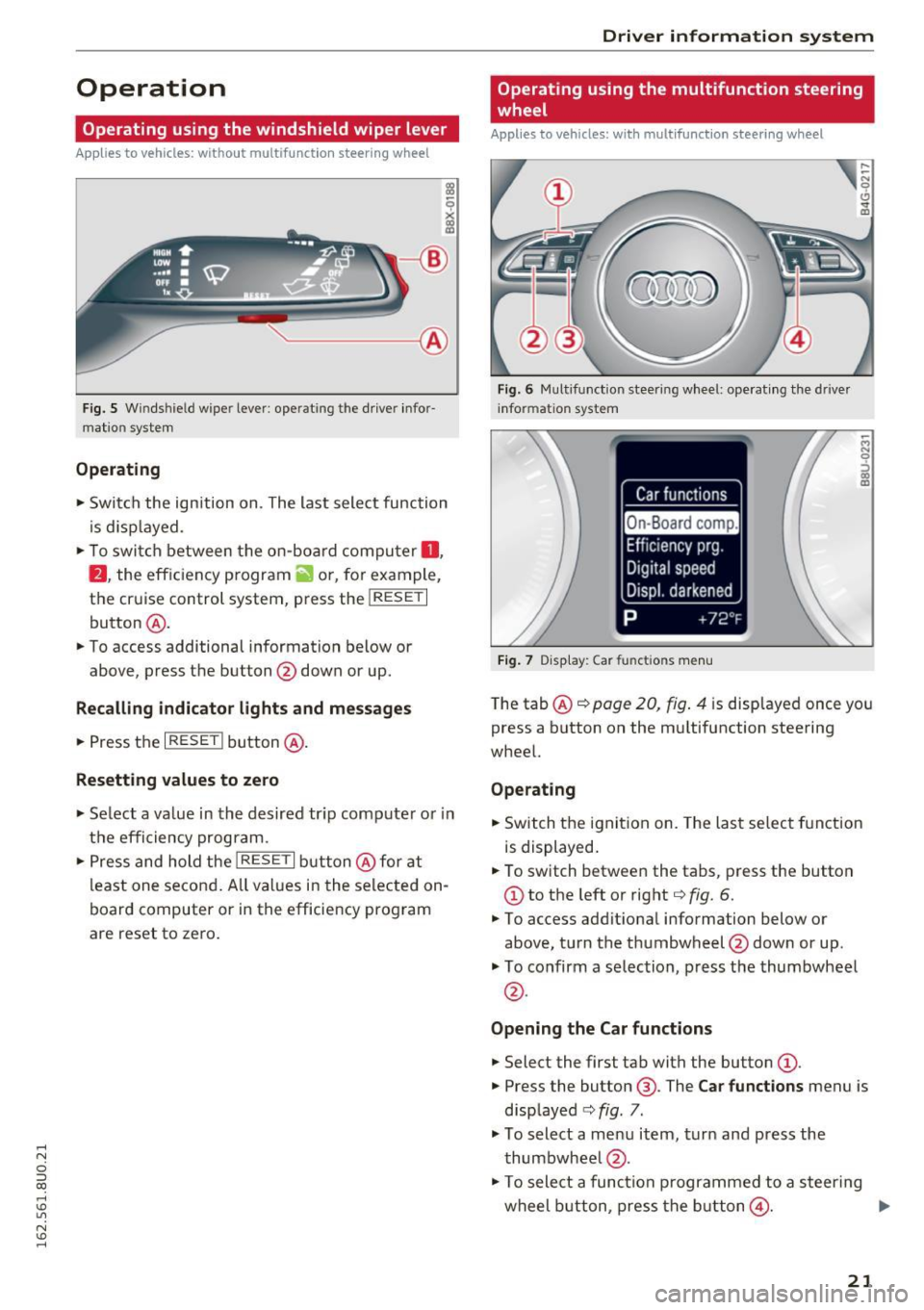
Fig . 5 Wi nds hield w iper lever : ope rating th e drive r info r
mat io n syste m
Operating
.. Swi tch the ign ition on . The last select function
is d is pl ayed.
,. To swi tch between the on-board compu ter
0 ,
fJ , the eff ic ien cy p rogram ii o r, fo r ex am ple,
the cr uise control system, p ress the
!RESE T I
button @ .
.. To access additional inf ormation below or
above, press the button @down or up.
Recalling indicator lights and messages
.. Press the I RESE TI button @.
Resetting values to zero
,. Se lect a va lue in the desired tr ip comp ute r o r i n
t h e efficiency prog ram .
.. Press and hold the
!RESE T I button @ for at
l east one secon d. All va lues i n the selected on
board computer or in the efficie ncy pro gram
are reset to ze ro .
Driver in forma tion system
Operating using the multifunction steering
wheel
Applies to vehicles: with multifunct ion steering wheel
Fig. 6 Multifu nct io n stee ring w heel: o perat ing th e d rive r
in fo rm atio n system
Fig. 7 D isplay : Car functio ns me nu
~ M N 9 ::> co m
The tab @~ page 20, fig . 4 is disp layed once yo u
press a button on the mu ltifunction steering
whee l.
Operating
.. Switch the ignit ion on. The las t selec t fu nction
is displayed .
.. To switch between the tabs, p ress the button
CD to t he left or right q fig. 6.
.,. To access addit ional information below o r
above, t urn the th umbwheel @down or up .
.,. To confirm a selection, p ress the thumbwheel
@ .
Opening the Car functions
.. Select the first tab with the button (D .
.,. Press the button @. The Car functions menu is
disp layed
q fig. 7 .
.,. To select a me nu item , tu rn and press the
thumbwhee l@ .
.,. To sele ct a func tion p rogra mmed to a steer ing
w heel button, press the but to n
@ . IJ,,
21
Page 24 of 252
Driver information system
Resetting values to zero
.. In the Ca r functions me nu, selec t On-board
computer or Efficiency program.
.. Se lect a va lue in the desired trip comp uter or in
the efficiency program.
.. To reset the values in a memory , press and ho ld
the thumbwheel @for one second.
Assigning a function to a programmable
steering wheel button
.. Se lect the ICAR I button> (Car ) systems *> Ve-
hicle sett ings
> Steering wheel button .
Recalling indicator lights and m essage s
.. Se lect the II ta b.
T he
II tab is only v is ible when there is a t lea st
one ind icator light o r message displaye d. Other
folders a re only visib le if the applicable system is
switched on.
On-board computer
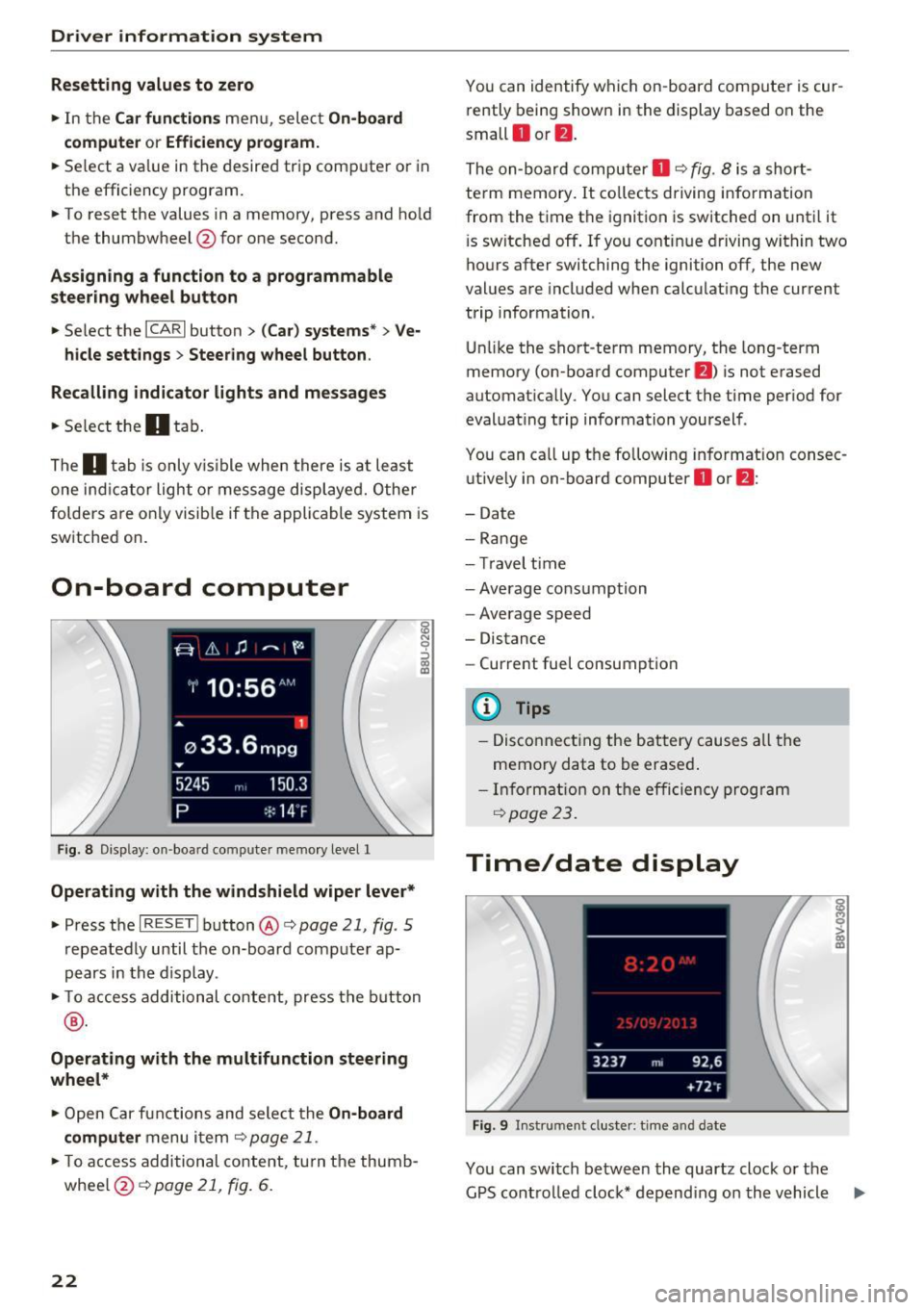
F ig . 8 Disp lay: on -boa rd comp uter mem ory level 1
Operating with the windshield wiper lever*
.. Press t he I R ES ET ! button @ c::, page 21, fig . 5
repeatedly until t he on-board co mputer ap
pears in the display .
.. To ac cess additional con tent, press the b utton
® ·
Operating with the multifunction steering
wheel*
.. Open Car f unct ions and sele ct the On -board
computer
menu i tem c::, page 21 .
.. To access addition al content, tu rn t he thumb
whee l@ c::>page
21, fig. 6 .
22
You can identify which on-board compute r is cur
rently being show n in the display based on the
small
O or fJ .
The on-board computer O c::, fig . 8 is a short
term memory . It co llects driving info rmation
from the time the ignition is switched on until it
i s sw itche d off . If you contin ue dr iving w ith in two
ho urs after switching the ignition off, the new
values are included when calculat ing the current
trip information .
Unlik e the sho rt-term memory, the long -term
memo ry (on-board computer
f) ) is not e rased
automat ica lly . You can select the time per iod for
evaluat ing trip information yoursel f .
You can ca ll up t he follow ing in fo rmat ion consec
u tive ly in on-board computer
O or f) :
-Date
- Ran g e
- Tr avel ti me
- Average cons umption
- Average speed
- Distance
- Current fuel consumption
@ Tips
-Disco nnect ing the bat tery c auses all the
memory data to be erased .
- Inf orma tion on the e ffic iency program
c::, page 2 3.
Time/date display
Fig . 9 In strum ent cluster: t ime a nd date
You can switch between the quartz clock o r the
G PS cont ro ll ed cloc k* depend ing on the vehicle ..,.
Page 27 of 252
Service interval display
The service interval display detects when your ve
hicle is due for service.
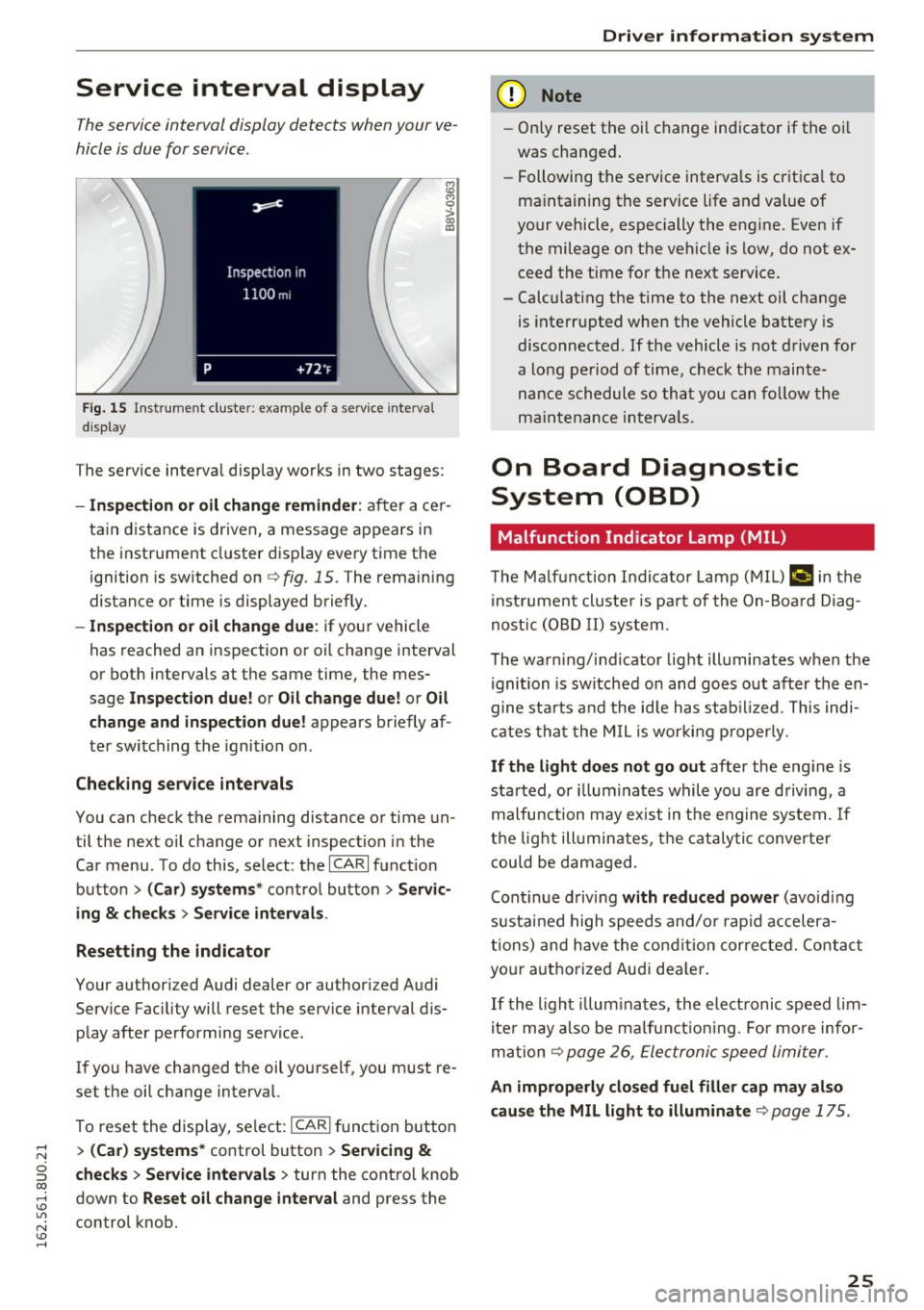
F ig. 15 I n st ru m ent cluster: example of a service interva l
d is p lay
i;i M 0
> CX) a,
The service interva l display works in two stages:
- Inspection o r oil change reminder : after ace r
ta in distance is driven, a message a ppears in
t h e instr ument cluster d isp lay eve ry time the
ignition is sw itched on
q fig. 15 . The remain ing
distance or time is displayed briefly.
-Inspection or oil change due : if your vehicle
has reached an inspection or o il change interval
or both intervals at the same time, the mes
sage
Inspection due! or Oil change due! or Oil
change and in spection due!
appears brie fly af
te r swi tching the igni tion on.
Check ing service intervals
You can check the rema ining distance or time un
til the next oil change or next inspection in the
Car menu. To do this, select: the
I CA RI fu nction
button
> (Car) systems * contro l bu tton > Servic
ing
& checks > Service intervals .
Resetting the indicator
Your author ized Audi dealer or author ized Audi
Service Faci lity will reset the service interval dis
p lay after pe rforming service.
If yo u have changed the oil you rsel f, you must re
set the oil change interva l.
To reset the display, se lect:
I CARI fu nct ion but ton
> (Car) systems * control button > Servicing &
checks > Service intervals > turn the cont ro l knob
down to
Reset o il change interval and press the
control knob.
Driver information system
(D Note
- Only reset the oi l ch ange ind icator if the oi l
was changed.
- Following the se rvice interva ls is cr it ica l to
ma intaining the se rvice life and value of
yo ur vehicle, especially the eng ine. Even if
the mileage on t he ve hicle is low, do not e x
ceed the time fo r the next service.
- Calculat ing the time to the next oil change
is inte rru pted when the vehicle battery is
disconnected . If the vehicle is not d riven for
a lo ng pe riod of time, check t he main te
nance schedule so tha t you can fo llow the
maint enance in terva ls.
On Board Diagnostic
System (OBD)
Malfunction Indicator Lamp (MIL)
The M alfunction Indicator Lamp ( MIL) ¢'4 in the
i nst ru m en t cl uste r is p art o f the On-Boa rd Di ag
n os tic ( OBD I I) system .
T he wa rn ing/i nd icator lig ht ill uminates w hen the
ignition is sw itch ed on and goes out after th e en
gine sta rts and the id le h as stab ilized. This indi
ca tes tha t the M IL is wor kin g p roperly.
If the light does not go out after the eng ine is
sta rted, or illum inates while you are d riving, a
malfu nction may ex ist in the e ngine sys tem. If
t h e lig ht illumin ates, the c ata ly tic converte r
cou ld be d amaged.
Cont inue d riv in g
with reduced power (avoid ing
s u st ain ed high speeds and/o r rap id accelera
ti ons ) and have the co nditi on corre cte d. Cont act
yo ur aut ho rize d Aud i dea le r.
If th e li ght il lum inates, the ele ct ronic speed lim
i te r may also be ma lf u nct io ni ng. Fo r more inf or
m at ion
q page 26, Ele ct ronic speed limi ter.
An improperly closed fuel filler cap may also
cause the MIL light to illuminate
q page 175.
25
Page 28 of 252
Driver information system
On-Board Diagnostics
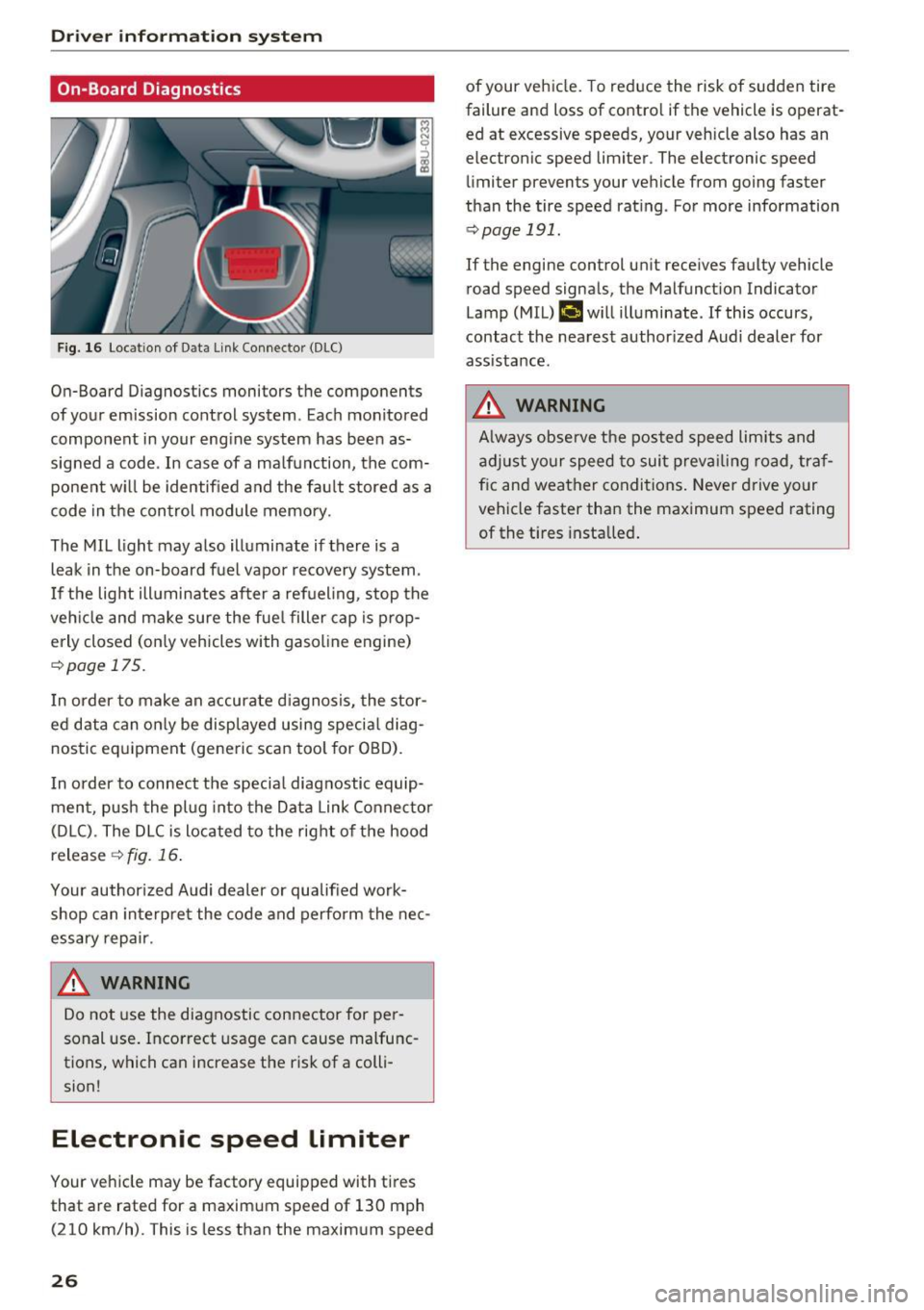
F ig. 16 Locat ion of Data Link Connector (DLC)
On-Board Diagnostics monitors the components
of your emission control system. Eac h monitored
component in your engine system has been as
signed a code. In case of a ma lfunction, the com
ponent w ill be identified and the fault stored as a
code in the control module memory.
The MIL light may also illuminate if there is a
leak in the on-board fuel vapor recovery system.
I f the light ill uminates after a refueling, stop the
veh icle and make sure the fuel filler cap is prop
erly closed (on ly vehicles with gasol ine engine)
r::!> page 17 5.
I n order to make an accurate diagnosis, the stor
ed data can only be displayed using special diag
nostic equipment (generic scan tool for OBD).
I n order to connect the specia l diagnostic equip
ment, push the plug into the Data Link Connector
(D LC). The DLC is located to the right of the hood
release
¢ fig. 16.
Your author ized Audi dealer or qualified work
shop can interpre t the code and perform the nec
essary repair .
.&_ WARNING
-
Do not use the diagnostic connector for pe r
sonal use. Incorrect usage can cause malfunc
tions, which can increase the risk of a colli
sion!
Electronic speed Limiter
Your vehicle may be factory equipped with tires
that are rated for a maximum speed of 130 mph (210 km/h). This is less than the maximum speed
26
of your veh icle. To reduce the risk of sudden tire
failure and loss of contro l if the vehicle is operat
ed at excessive speeds, your vehicle also has an
electronic speed limiter . The electronic speed
limiter prevents your vehicle from going faster
than the tire speed rating . For more information
r::!> page 191.
If the engine control un it receives faulty vehicle
road speed signals, the Malfunct ion Indicator
Lamp (MIL)
(,ij will illuminate. If this occurs,
contact the nearest author ized Audi dealer for
assistance.
.&_ WARNING
A lways observe the posted speed limits and
adjust your speed to suit prevailing road, traf
f ic and weather conditions. Never drive your
vehicle faster than the maximum speed rating
of the t i res installed .
-
Page 33 of 252
..... N
c:i ::J CX)
..... I.Cl U"I
N I.Cl ......
off unnecessary convenience functions. It is
possible that you will not be able to unlock
your vehicle using these convenience func tions .
- For Declaration of Compliance to United
States FCC and Industry Canada regulations
¢ page 235.
Locking and unlocking the vehicle from
inside
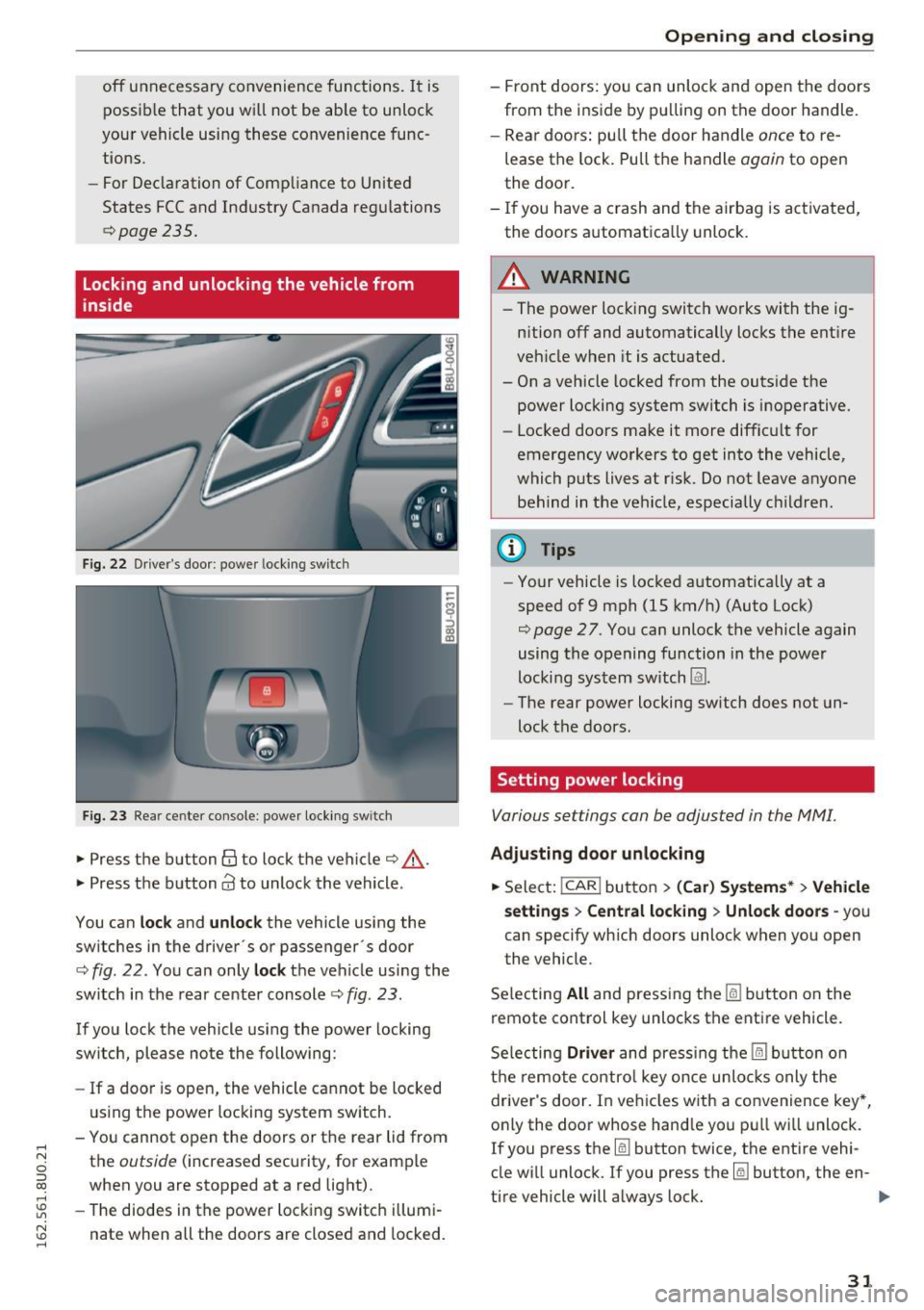
Fig. 22 Driver's door : power locking switc h
Fig. 23 Rear ce nter console: power locking switc h
• Press the button@ to lock the vehicle¢.&_.
• Press the button
Cd to unlock the vehicle .
You can
lock and unlock the vehicle using the
switches in the driver's or passenger· s door
¢
fig. 22. You can only lock the vehicle using the
switch in the rear center console
c:> fig. 23 .
If you lock the vehicle using the power locking
switch , please note the following:
- If a door is open, the vehicle cannot be locked
using the power locking system switch.
- You cannot open the doors or the rear lid from
the
outside (increased security, for example
when you are stopped at a red light).
- The diodes in the power locking switch illumi
nate when all the doors are closed and locked.
Opening and closing
-Front doors: you can unlock and open the doors
from the inside by pulling on the door handle.
- Rear doors: pull the door handle
once to re
lease the lock. Pull the handle
again to open
the door.
- If you have a crash and the airbag is activated,
the doors automatically unlock.
A WARNING
-- The power locking switch works with the ig-
nition off and automatically locks the entire
vehicle when it is actuated.
- On a vehicle locked from the outside the power locking system switch is inoperative.
- Locked doors make it more difficult for
emergency workers to get into the vehicle,
which puts lives at risk. Do not leave anyone
behind in the vehicle, especially children.
(D Tips
-Your vehicle is locked automatically at a
speed of 9 mph (1S km/h) (Auto Lock)
¢
page 27. You can unlock the vehicle again
using the opening function in the power
locking system switch
Im.
- The rear power locking switch does not un
lock the doors.
Setting power locking
Various settings can be adjusted in the MM!.
Adjusting door unlocking
• Select: !CAR ! button> (Car) Systems*> Vehicle
settings
> Central locking > Unlock doors -you
can specify which doors unlock when you open
the vehicle .
Selecting
All and pressing the~ button on the
remote control key unlocks the entire vehicle.
Selecting
Driver and pressing the~ button on
the remote control key once unlocks only the
driver's door. In vehicles with a convenience key*,
only the door whose handle you pull will unlock.
If you press the
[ru button twice, the entire vehi
cle will unlock. If you press the~ button, the en-
tire vehicle will always lock. ..,.
31
Page 36 of 252
Opening and clo sin g
Automatic luggage compartment lid
Applies to veh icles: w ith automat ic luggage compartme nt lid
The luggage compartment lid can be opened and
closed automatically .
•
~ al
--
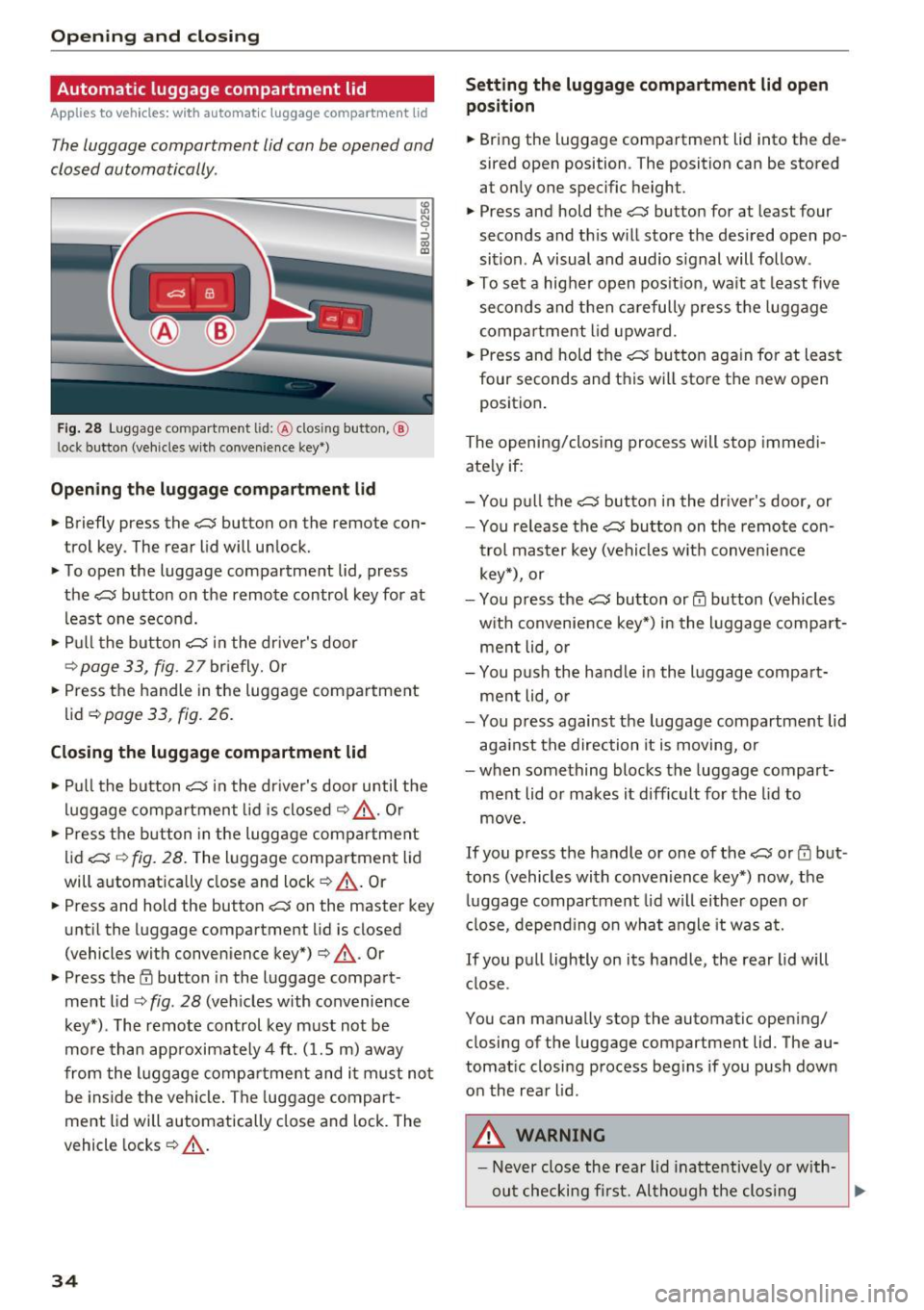
F ig . 28 Luggage co mpartment lid: @clos ing button, @
l ock button (vehicles w ith conve nience key *)
Open ing th e lug gage comp artment lid
N 9 :::, GO ID
.. Briefly press the c:;; button on the remote con
trol key . The rear lid will unlock.
.. To open the luggage compartment lid, press
the
c:J button on the remote control key for at
least one second.
.. Pull the button
c:;; in the dr iver's door
r::::> page33, fig. 27briefly. Or
.. Press the handle in the luggage compartment
lid ¢
page 33, fig . 26.
Closing the lugg age compartment lid
.. Pu ll the button c:J in the dr iver's door until the
luggage compartment lid is closed
r::::> &_ . Or
.. Press the b utton in the luggage compartment
lid
c:;; r::::> fig. 28. The luggage compartment lid
will automat ically close and lock
r::::> _A . Or
.. Press and hold the button
c::; on the master key
unt il the luggage compartment lid is closed
(vehicles with conven ience key*) ¢
_A. Or
.. Press t he
E'.l button in the luggage compart
ment lid
r::::> fig . 28 (veh icles with convenience
key*) . The remote control key must not be
more than app roximately 4 ft. (1.5 m) away
from the l uggage compartme nt and i t must not
be inside the vehicle . The luggage compart
ment lid will automatically close and lock. The
vehicle locks ¢
_A.
34
Setting the luggage c omp artment lid open
posit ion
.. Bring the luggage compartment lid into the de
sired open position . The position can be stored
at only one specific height .
.. Press and hold the
c:;; button for at least four
seconds and th is will store the des ired open po
sition . A visual and audio s ignal will follow .
.,. To se t a higher open pos it ion, wa it at least
five
seconds and then carefully press the luggage
compa rtment lid upward .
.. Press and hold the
c:;; bu tton again fo r at least
four seconds and this will sto re the new open
position .
The opening/clos ing process will stop immedi
ate ly if:
- You p ull the
c::; button in the dr iver's door, or
- You release the
c:;; button on the remote co n-
trol master key (vehicles w it h convenience
key*), or
- You press the
c:;; button or@ button (vehicles
w ith convenience key*) in the luggage compa rt
ment lid, o r
- You p ush the handle in the l uggage compa rt
ment lid, o r
- You p ress against the luggage compartment lid
aga inst the direction it is moving, or
- when something blocks the luggage compart ment lid or makes it difficult for the lid to
move .
If you press the handle or one of the c:;; or rfl but
tons (vehicles with convenience key*) now, the
luggage compartment lid will either open or
close, depend ing on wha t angle it was at.
If you pull lightly on its handle, the rear lid will close .
You can manually stop the automatic open ing/
closing of the luggage compartment lid. The au
tomat ic closing process beg ins if you push down
on the rear lid .
,8. WARNING
- Never close the rear lid inattentive ly or w ith-
out checking fi rst. Al tho ugh the clos ing
~