ECO mode AUDI Q3 2016 Owners Manual
[x] Cancel search | Manufacturer: AUDI, Model Year: 2016, Model line: Q3, Model: AUDI Q3 2016Pages: 252, PDF Size: 62.81 MB
Page 5 of 252
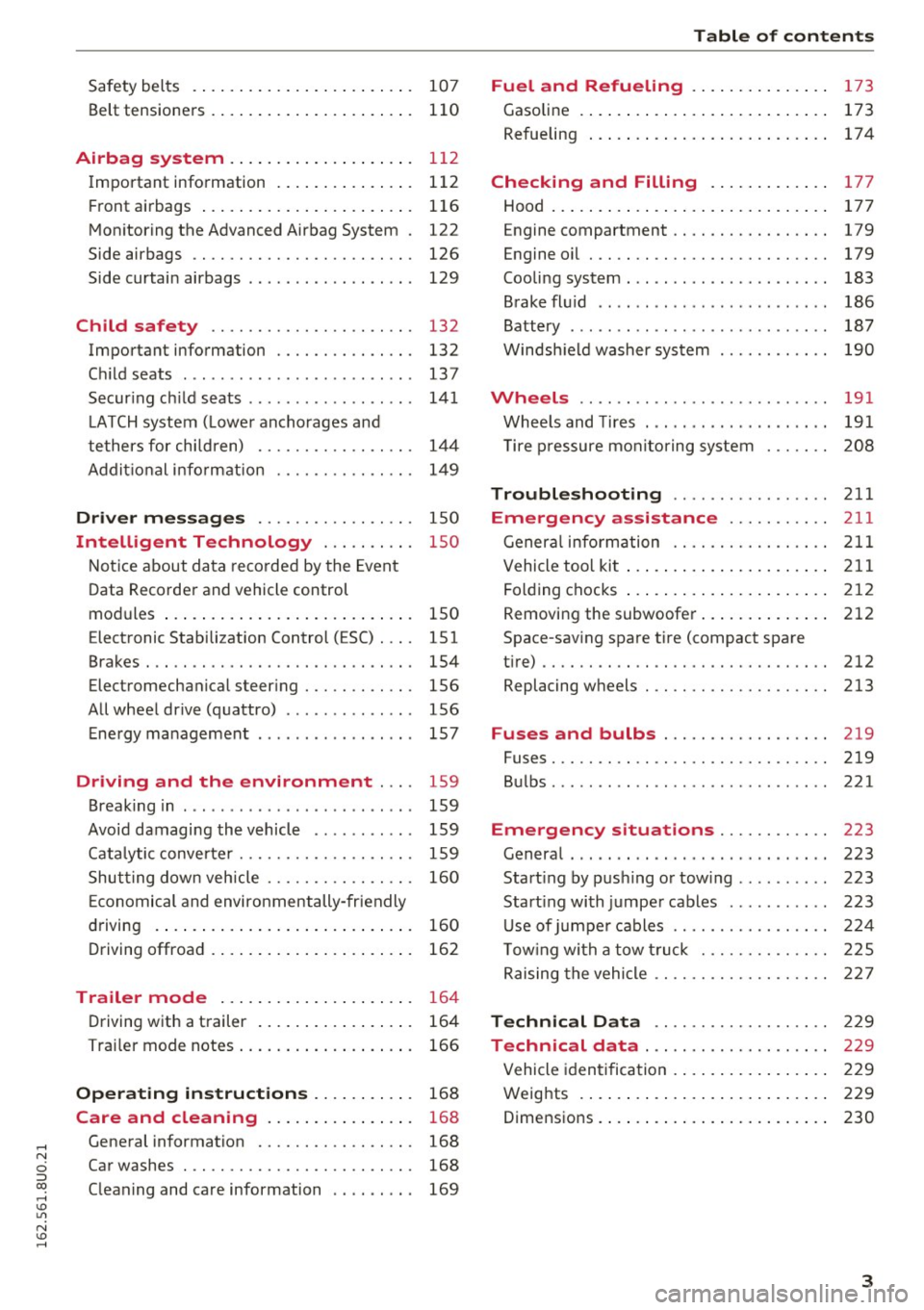
Safety belts . . . . . . . . . . . . . . . . . . . . . . . . 107
Belt tensioners . . . . . . . . . . . . . . . . . . . . . . 110
Airbag system ............... .... . 112
Important information . . . . . . . . . . . . . . . 112
Front airbags ...................... . 116
Monitoring the Advanced Airbag System . 122
Side airbags . . . . . . . . . . . . . . . . . . . . . . . . 126
Side curtain airbags . . . . . . . . . . . . . . . . . . 129
Child safety . . . . . . . . . . . . . . . . . . . . . . 132
Important information . . . . . . . . . . . . . . . 132
Child seats ............... ...... ... . 13 7
Securing child seats . . . . . . . . . . . . . . . . . . 141
LATCH system (Lower anchorages and
tethers for children) . . . . . . . . . . . . . . . . .
144
Addit ional information 149
Driver messages . . . . . . . . . . . . . . . . . 150
Intelligent Technology . . . . . . . . . . 150
Notice about data recorded by the Event
Data Recorder and vehicle control
modul es . . . . . . . . . . . . . . . . . . . . . . . . . . .
150
Electronic Stabilization Control ( ESC) . . . . 151
Brakes . . . . . . . . . . . . . . . . . . . . . . . . . . . . . 154
Electromechanical steering . . . . . . . . . . . . 156
All wheel drive (quattro) . . . . . . . . . . . . . . 156
Energy management . . . . . . . . . . . . . . . . . 157
Driving and the environment . . . . 159
Breaking in . . . . . . . . . . . . . . . . . . . . . . . . . 159
Avoid damaging the vehicle . . . . . . . . . . . 159
Catalytic converter . . . . . . . . . . . . . . . . . . . 159
Shutting down vehicle . . . . . . . . . . . . . . . . 160
Economical and environmentally-friendly
driving . . . . . . . . . . . . . . . . . . . . . . . . . . . .
160
Driving offroad . . . . . . . . . . . . . . . . . . . . . . 162
Trailer mode . . . . . . . . . . . . . . . . . . . . . 164
Driving with a trailer . . . . . . . . . . . . . . . . . 164
Trailer mode notes . . . . . . . . . . . . . . . . . . . 166
Operating instructions . . . . . . . . . . . 168
Care and cleaning . . . . . . . . . . . . . . . . 168
General information . . . . . . . . . . . . . . . . . 168
Car washes . . . . . . . . . . . . . . . . . . . . . . . . . 168
Cleaning and care information . . . . . . . . . 169
Table of contents
Fuel and Refueling . . . . . . . . . . . . . . .
173
Gasoline . . . . . . . . . . . . . . . . . . . . . . . . . . . 173
Refueling . . . . . . . . . . . . . . . . . . . . . . . . . . 17 4
Checking and Filling . . . . . . . . . . . . . 177
Hood . . . . . . . . . . . . . . . . . . . . . . . . . . . . . . 177
E ngine compa rtment . . . . . . . . . . . . . . . . . 179
Engine oil . . . . . . . . . . . . . . . . . . . . . . . . . . 179
Cooling system . . . . . . . . . . . . . . . . . . . . . . 183
Brake fluid . . . . . . . . . . . . . . . . . . . . . . . . . 186
Battery . . . . . . . . . . . . . . . . . . . . . . . . . . . . 187
Windshield washer system 190
Wheels ........ .. ................. 191
Wheels and Tires . . . . . . . . . . . . . . . . . . . . 191
Tire pressure monitoring system 208
Troubleshooting ............. .. .. 211
Emergency assistance . . . . . . . . . . . 211
General information . . . . . . . . . . . . . . . . . 211
Vehicle tool kit . . . . . . . . . . . . . . . . . . . . . . 211
Folding chocks . . . . . . . . . . . . . . . . . . . . . . 212
Removing the subwoofer............. . 212
Space-saving spare tire (compact spare
tire).. .. .. .. .. .. .. .... ... .. .. .. .. ..
212
Replacing wheels . . . . . . . . . . . . . . . . . . . . 213
Fuses and bulbs . . . . . . . . . . . . . . . . . . 219
Fuses. .... .. .. .. .. ....... ........ .. 219
Bulbs . . . . . . . . . . . . . . . . . . . . . . . . . . . . . . 221
Emergency s ituations . . . . . . . . . . . . 223
General . . . . . . . . . . . . . . . . . . . . . . . . . . . . 223
Starting by pushing or towing . . . . . . . . . . 223
Start ing with jumper cables ........... 223
Use of jumper cables . . . . . . . . . . . . . . . . . 224
Towing with a tow truck . . . . . . . . . . . . . . 225
Raising the vehicle . . . . . . . . . . . . . . . . . . . 227
Technical Data . . . . . . . . . . . . . . . . . . . 229
Technical data . . . . . . . . . . . . . . . . . . . . 22 9
Vehicle identification . . . . . . . . . . . . . . . . . 229
Weights . . . . . . . . . . . . . . . . . . . . . . . . . . . 229
D . . 1mens1ons
.. .. . ... ................ . 230
3
Page 11 of 252
,....,
N
ci ::, co ,....,
@
®
©
®
®
(J)
®
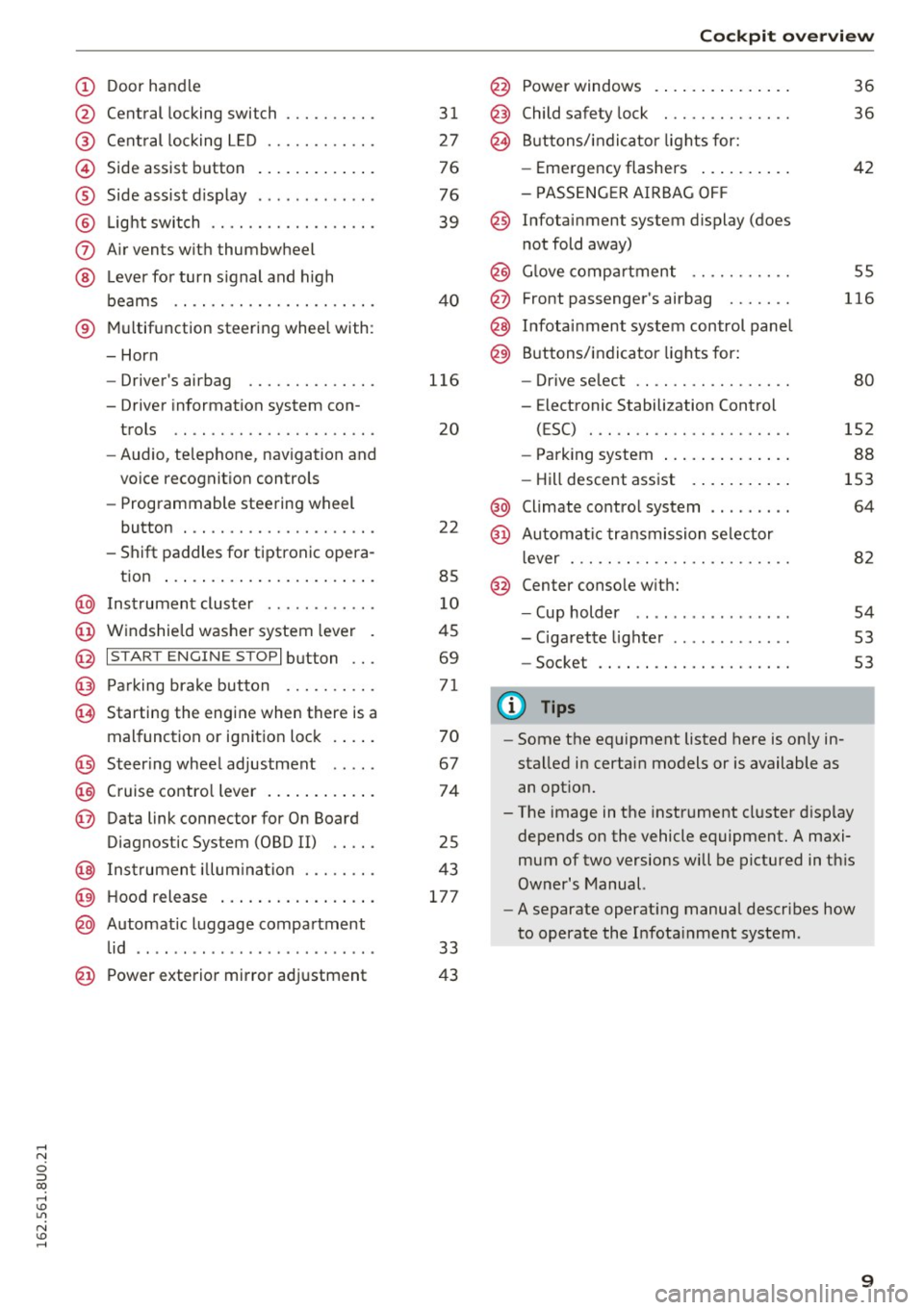
Central locking switch
Cent ral locking L ED ......... .. .
Side assist button
Side assist d isplay
L ig ht swit ch .... . .......... .. .
A ir vents with thumbwheel
L ever for turn s ignal and h igh
beams .. .. .... . .......... .. .
® Multifunction ste ering wheel with :
- Horn
- Driver's airbag ........... .. .
- Driver information system con-
trols .. .. ............... .. .
- Audio , te lephone, nav igation and
vo ice recognit ion controls
- Programmable steering wheel
button . .. .. ........... .. .. .
- Shift paddles for tiptronic opera-
tion ... .. .. ... ..... ... .. .. .
@ Instrument cluster ........... .
@ Windshield washer system lever
@ I S TART EN GIN E ST OPI button .. .
@ Pa rking brake button ....... .. .
~ Starting the engine when there is a
malfunction or ignition lock . ... .
@ Steer ing whee l adjustment .... .
@ Cruise contro l lever .... ... .. .. .
@ Data link connector for On Board
Diagnostic System (OBD II) .. .. .
@ Inst rument illum ina tion ... .. .. .
@ Hood r ele as e .... ..... ... .. .. .
@ Automat ic luggage compartment
lid .. .. ... ............. ..... .
31
27
76
76
39
40
116
20
22
85
10
45
69
71
70
67
74
25
43
177
33
@ Power exterior mirror adjustment 43 Coc
kpit o ve rv iew
@ Power windows . .. .. .. ..... .. .
@ Child safety lock ............. .
@ Buttons/indi cator lights for:
- Eme rgency flashers .. ..... .. .
- PASSENG ER AIRBAG OF F
@ Infotainment system display (does
not fold away)
@ Glove compartment .......... .
@ Front passenger's airbag ...... .
@ Infota inment system control panel
@ Buttons/indicator lights for:
- Drive se lect .. .. ............ .
- E lectronic Stabilization Control
( E SC) . .. .. .. .. ....... ..... .
- Park ing system .... .. ..... .. .
- Hill descent ass ist . .. ..... .. .
@ Climate contro l system .. ...... .
@ Automa tic tr an smission se lector
lever ... .. .. .. .. ....... ..... .
@ Center conso le w ith:
- Cup holder .. .. ............ .
- Cigarette lighter ............ .
- Socket
0) Tips
-Some the eq uipment listed here is on ly in
stalled in certain models or is available as
an opt ion.
36
36
42
55
116
80
152
88
153
64
82
54
53
53
- The image in the instrument cluster d isplay
depends on the vehicle equipment. A maxi
mum of two versions will be pictured in th is
Owner's Manual.
- A separate operat ing manua l describes how
to operate the Infota inment system .
9
Page 16 of 252
Instruments and indicator lights
-If the indicator light and the message appear
while d riving , the emergency braking function
may not be ava ilab le . It may not be possib le to
set the parking brake or release it once it has been set. Seek professiona l assistance.
(USA models) : If the warning light
1111 and the
warn ing light
[I] appear together, immed iate ly
contact your authori zed Audi dealer or qualified
workshop to have all brake pads inspected
,:::;, page 16.
When the light comes on, an audib le wa rning sig
na l is also given.
A WARNING
- Always observe the warnings in
,:::;, page 177, before opening the hood and
check ing the b rake fl uid .
- Driving with low brake fl uid is a sa fety haz
ar d. Stop the car and get professional ass is
tance.
- If the 1111 (USA models) ;III (Canada mod
els) brake system i ndicator lig ht t urns on to
ge th er wit h the ABS an d ESC indica to r
l igh ts, the ABS/ ESC regulating functi on may
have failed. Func tions tha t st abilize the ve
hicle are no longe r available. This cou ld
ca use the vehicle to swerve and increase the
risk of sliding . Stop the car and get profes
sional assistance .
- If the bra ke warn ing/indicator light does
not go o ut after a few seconds and the park
ing brake is released, or lights up while you
are driving, t he flu id leve l in the brake fluid
rese rvoir is too low. If you believe that it is
safe to do so, proceed immediately a t low
speed to the nearest au thori zed Audi dealer
o r qualifie d works hop and have the brake
sys tem inspe cte d.
- Always keep in min d that afte r sev era l brake
applica tions, you w ill need greate r pressure
on the brake pedal to stop yo ur vehicle. Do
not rely on straine d brakes to respond w ith
ma ximum stopping power in critical situa
t ions . You must allow for increased braking
distances. The extra distance used up by
fading b rakes could lead to an acc ident.
14
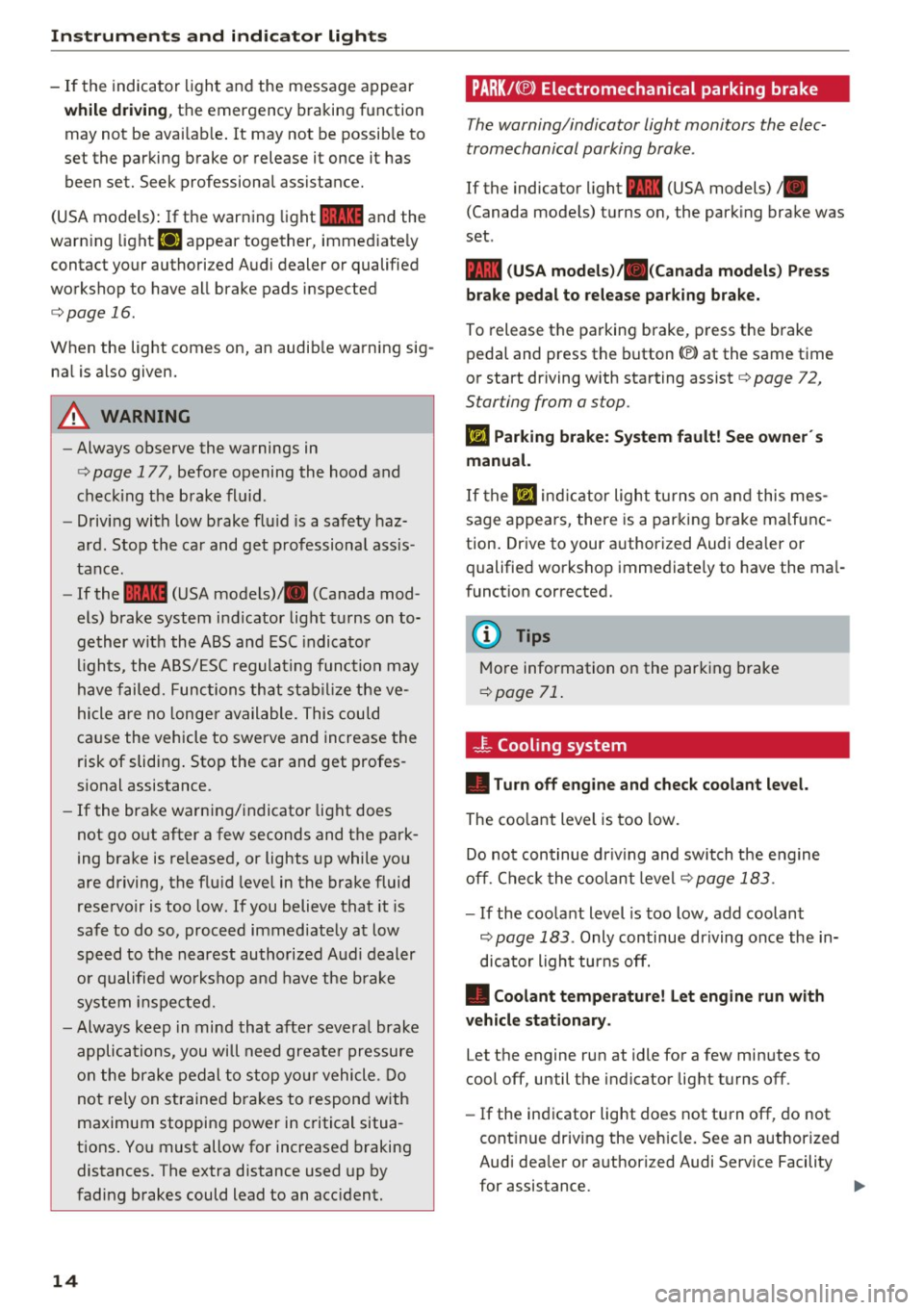
PARK!< ®> Electromechanical parking brake
The warning/indicator light monitors the elec
tromechanical parking brake .
If the indicator light - (USA models) ;Ill
(Canada mode ls) tu rns on, the park ing brake was
set .
- (USA models);lll (Canada models) Press
brake pedal to release parking brake.
To release the parking b rake, press the brake
pedal and press the button(®) at the same time
or start driving with starting assist
c::;, page 72,
Starting from a stop.
Ill Parking brake: System fault! See owner 's
manual.
I f the Ill ind ic a tor light turns on and t his mes
sage appea rs, there is a par king bra ke m alfu nc
tion . Drive to your authorized Audi dea ler or
qualified workshop imme diate ly to have the ma l
funct ion corrected.
(D Tips
M ore information on the par king brake
c::;, page 71 .
-F-Cooling system
• Turn off engine and check coolant level.
The coo lant level is too low.
Do not con tinue dr iving and swit ch t he engine
off. Che ck the coolan t l evel
c::;, page 183 .
-If the coo lant level is too low, add coolant
c::;, page 183 . Only continue dr iving once the in
dicato r light turns off.
• Coolant temperature! Let engine run with
vehicle stationary .
Let the engine run at idle fo r a few min utes to
cool off, until the indicator lig ht turns off .
- If the ind icator light does not turn off, do not
cont inue driving the veh icle. See an a uthorized
Audi dea le r or a uthorized Audi Service Facility
for assistance. ..,.
Page 18 of 252
Instruments and indicator lights
@-Steering column lock
• Steering fault! Do not driv e vehicle!
If the indicator light turns on and the message
appears, there is an electro nic steer ing colum n
lock malf unct ion . You cannot switch the ign it ion
on.
Do
not tow your vehicle because it cannot be
steered . Seek profess ional assistance .
m Steering lock: System fault ! Plea se contact
d e aler.
If the indicator lig ht turns on and the message
appears, there is an electronic steer ing column
lock malfunct ion.
D rive to yo ur authorized Aud i dea le r i mmediately
to have the ma lfunction corrected .
A WARNING
Your vehicle must not be towed in the event
of a malfunction in the elect ronic steering
co lumn lock because it cannot be steered due
to the locked steering. If it is towed with the
steering locked, there is the r isk of an acci
de nt.
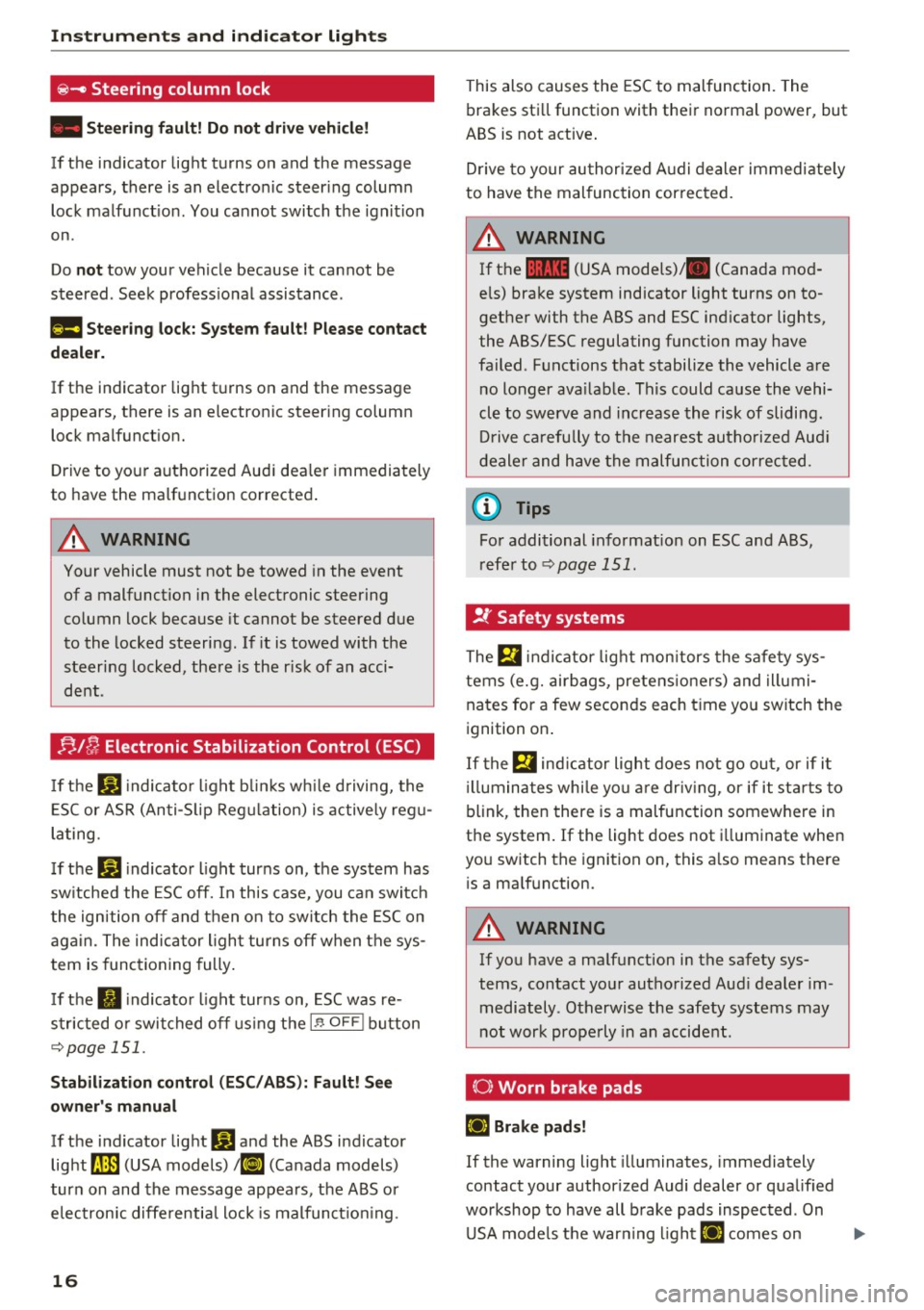
;;,I C; Electronic Stabilization Control (ESC)
If the GI indicato r light b lin ks w hile driving, the
E S C or ASR (Anti-S lip Reg ulat ion) is actively reg u
lating.
I f the
GI indicato r light turns on, the system has
sw itched the ESC off. In this case, you can switch
the ig nition off and t hen o n to switch the ESC on
aga in. The indica tor ligh t turns off when the sys
tem is func tioning fully .
I f the
II indicato r light turns on, ESC was re
s tricted o r swit ched off using the
I .$ OF FI button
~ page 151.
Stabilization control (ESC /ABS): Fault! See
owner 's manual
If the ind icator lig ht I) and the ABS i ndicator
light
D (USA models) ; tlJ (Canada models)
turn on and the message appea rs, the A BS or
e lec tron ic diffe rentia l lock is malfunct io ni ng .
16
This also causes the ESC to malfunc tion. The
bra kes sti ll function with their norma l power, but
ABS is not active .
Drive to your au thor ized A udi d ealer immedi ate ly
to have the mal function cor rected.
A WARNING
If t he 1111 (USA mode ls)/ . (Canada mo d
e ls) bra ke system indicator light turns on to
gethe r with the ABS and ESC ind icator lights,
the ABS/ESC regulating function may have
failed. F unctions that stabilize the vehicle a re
n o longer ava ilab le. This could ca use the vehi
cle to
swerve and increase the risk of slidi ng.
Dr ive ca refully to the nearest au tho riz e d Au di
deale r and h ave the m alfunction correc ted.
© Tips
Fo r addi tional in format ion on ESC and ABS,
r efe r to ~
page 151 .
!I.: Safety systems
The E,I indi cato r light mon itors the safe ty sys
tems (e.g. airbags, pretens io ners) and illumi
nates for a few seconds each t ime yo u switch the
i gnition on .
I f the
E,i ind ic a tor light does not go ou t, or if it
ill umina tes whi le yo u are driv ing , or if it st arts to
blink, the n there is a malfunction somewhere in
the system . If the light does not i lluminate when
yo u sw itch the ignition on, this a lso means there
i s a ma lfunction.
A WARNING
If you have a ma lfunction in the safety sys
tems, contact yo ur authorized Aud i dealer im
mediately. Otherwise the safety sys tems may
not work prope rly in an accident.
(0) Worn brake pads
ll] Brake pads!
If the warning light illuminates, immediately
contact your author ized Audi dealer or qua lified
workshop to have all b rake pads inspected . On
U SA mode ls t he war ning l ight
ll] comes on ..,.
Page 41 of 252
Lights and Vision
Exterior Lighting
Switching lights on and off
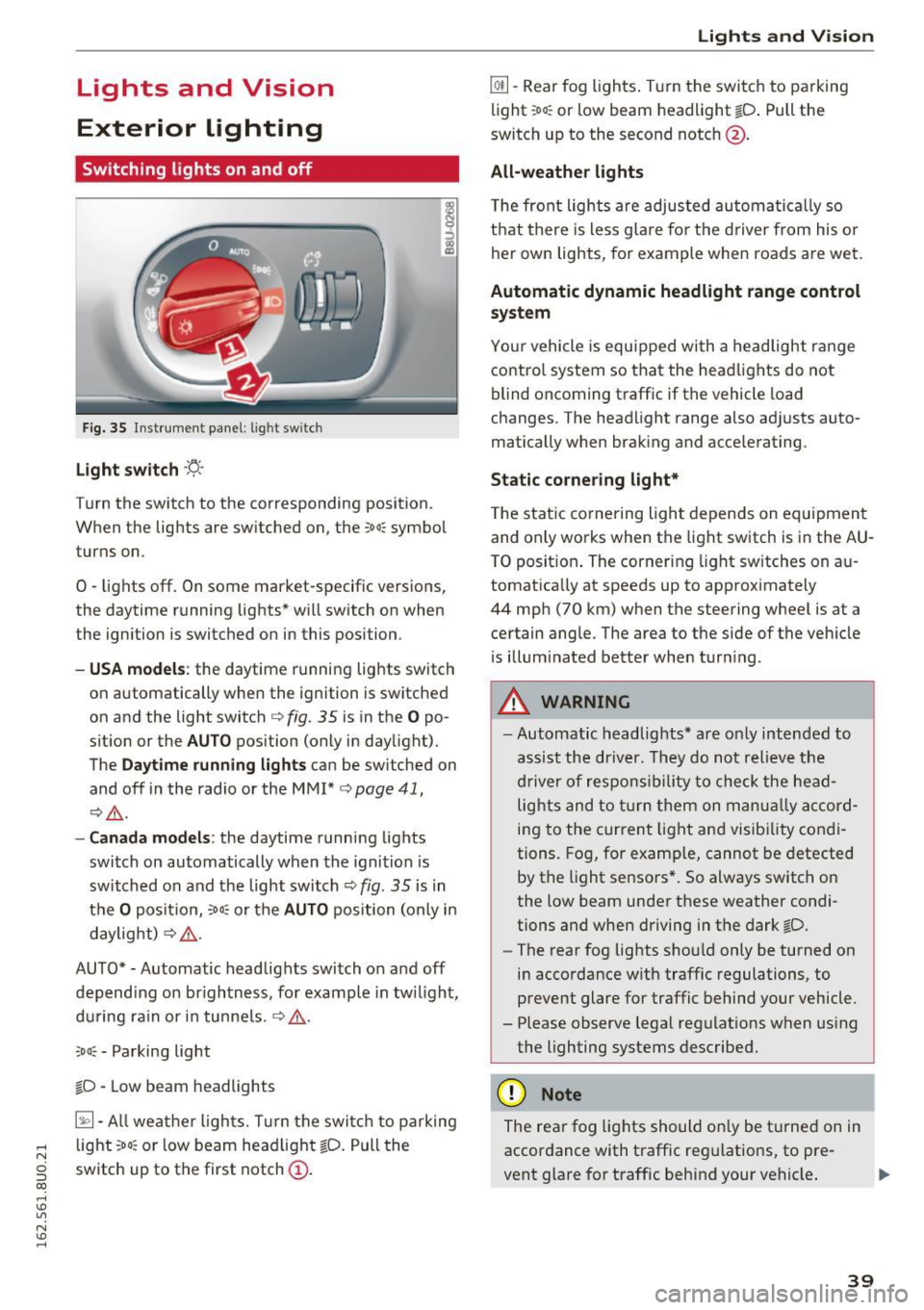
Fig. 35 Instrument panel: l ig ht switc h
Light switch ·'!;5-·
Turn the switch to the corresponding position.
When the lights are switched on, the ;oo: symbol
turns on.
0 -lights off. On some market-specific vers ions,
the daytime running lights* will switch on when
the ignition is switched on in this position .
-USA model s: the daytime running lights switch
on automatically when the ignition is switched
on and the light switch
c::> fig. 35 is in the O po
s it ion or the
AUTO position (only in daylight).
The
Daytime running lights can be switched on
and off in the radio or the MMI*
c::> page 41,
i:::> A .
-Canada models : the daytime runn ing lights
switch on automatically when the ignition is
switched on and the light switch
c::> fig. 35 is in
t h e
O positio n, :oo: or the AUTO position (only in
daylight)
i:::> A .
AUTO*· Automatic headlights switch on and off
depend ing on br igh tness, fo r example in tw ilight,
du ring rain or in tunne ls .
c::> A .
coo: - Parking light
~D · Low beam headlights
~· All weat her ligh ts. T urn the swi tc h to parking
.... light :oo: or low beam head light ~D. Pull the
N
g switch up to the first notch (D.
CX)
.... I.Cl U"I
N I.Cl ....
Lights and V ision
@ii -Rear fog ligh ts. T urn the swi tch to parking
light ;oo : or low beam headlight
tD . Pull the
switch up to the second notch@.
All -weather lights
T he front lights a re adjusted au toma tica lly so
t h at there is less g lare fo r the d river from his o r
her ow n lights, for example whe n roads are we t.
Automatic dynamic headlight range control
system
Yo ur vehicle is equ ipped wi th a headligh t range
contro l system so that the head lig hts do not
blind oncoming traff ic if the vehicle load
changes . The head light range also ad justs auto
matically when brak ing and accelerating .
Static corne ring light*
T he stat ic co rnering light depe nds on equipmen t
and on ly works when the light switch is in the AU
T O posit ion . The corner ing light sw itches on a u
tomat ically at speeds up to approximately
44 mp h (70 km) when the steering wheel is at a
ce rtain ang le . The area to the side of the vehicle
is illum inated better when tur ning .
.,&. WARNING ,~ -- Automatic headlights* are o nly inten ded to
assist the driv er. They do no t reli eve t he
dr iver of resp onsib ility to check the hea d
light s and to tur n them on m anual ly a ccord
i n g to the curren t light an d visib ility condi
tion s. Fog, for examp le, cannot be detected
by the light se nsors *. So always switch o n
the low beam under these weather condi
tions and when driving in the dark ~D.
- The rear fog lights sho uld only be turned on
in acco rdance w ith traffic regulations, to
prevent glare for traffic behind your vehicle.
- Please observe lega l reg ulat ions w hen us ing
the lighting systems desc ribe d.
(D Note
The rea r fog lights shou ld on ly be t urne d on in
accordance with traffic reg ulations, to pre
vent glare for traffic behind your vehicle .
39
Page 47 of 252
The mirror lighting* switches on when the cover
over the vanity mirror@opens.
Windshield wipers
Switching the windshield wipers on
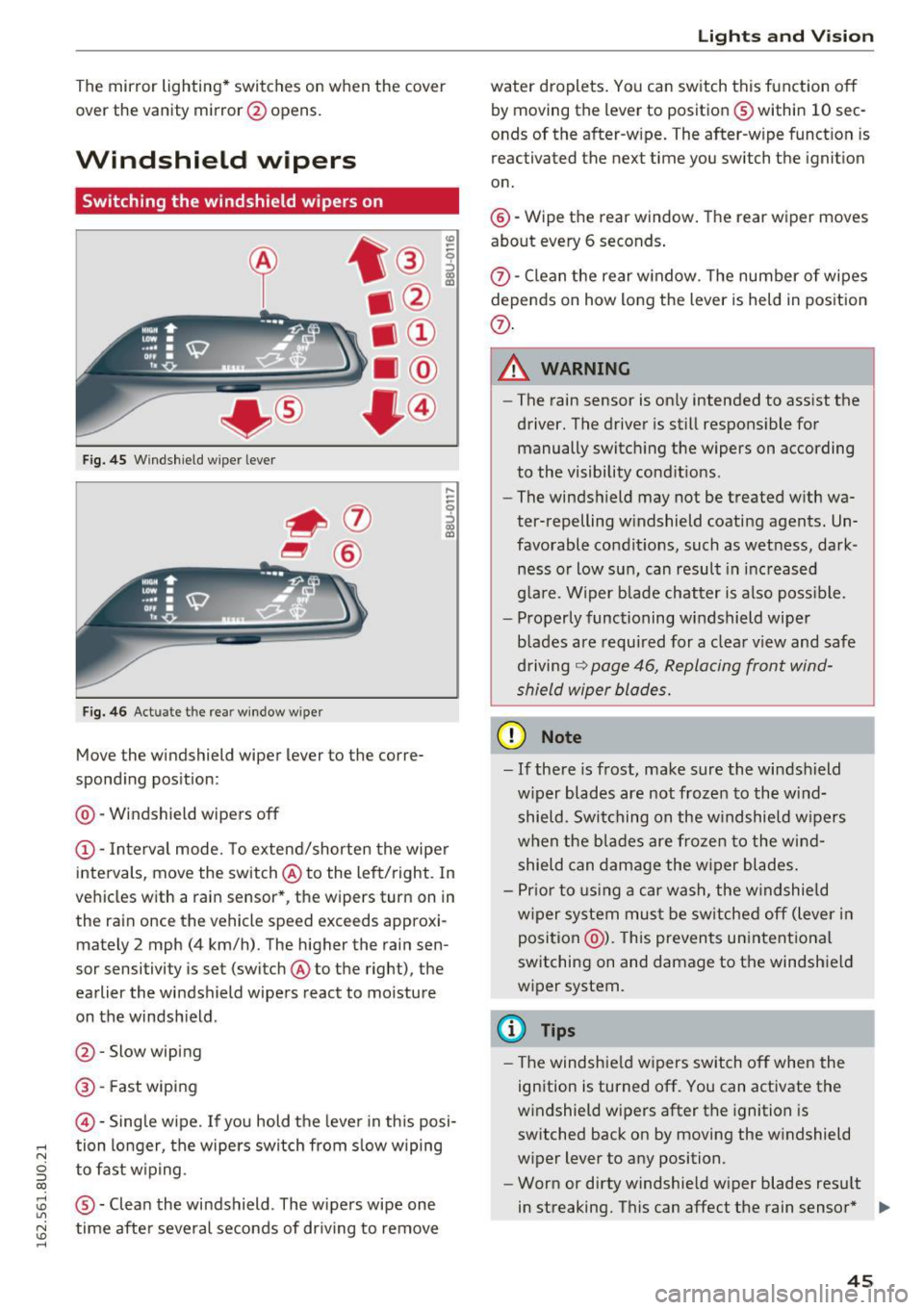
Fig. 45 Windshie ld wiper lever
Fig. 46 Act uate the re ar window w iper
Move the windshield wiper lever to the corre
sponding position:
@ -Windshield wipers off
@ -Interva l mode. To extend/shorten the wipe r
intervals, move the switch @to the left/right. In
vehicles with a rain sensor *, the wipers turn on in
the rain once the vehicle speed exceeds approxi mately 2 mph (4 km/h). The higher the rain sen
sor sensitivity is set (switch @to the right), the
earlier the windshield wipers react to moisture
on the windsh ield .
@ -Slow wiping
@ -Fast wiping
©-Sing le wipe. If yo u hold the leve r in th is posi-
,.... tion longer, the wipers switch from s low wiping
N
g to fast w ip ing.
CX)
~ ® -Clean the windshield . The wipers wipe one U"I
~ time afte r severa l seconds of dr iving to remove
......
Lights and V ision
water droplets . You can switch this function o ff
by moving the lever to position ® within 10 sec
onds of the after-w ipe. The after-wipe funct ion is
reactivated the next time you switch the ignit ion
on.
@ -Wipe the rear window . The rear wiper moves
about every 6 seconds .
{J)-Clean the rear w indow . T he number of wipes
depends on how long the lever is held in position
{J) .
.&_ WARNING
-
-The rain sensor is on ly intended to ass ist the
driver. The driver is still respons ible for
manually switch ing the wipers on according
to the visibility cond it ions .
- The winds hield may not be treated w ith wa
ter-repelling w indshield coating agents. Un
favorable condit ions, such as wet ness, dark
ness o r low sun, can result in inc reased
g lare. Wiper b lade chatter is also poss ible.
- Properly functioning windshield wiper
blades are requ ired for a clea r view and safe
d riving
~ page 46, Replacing front wind
shield wiper blades.
(D Note
- If there is frost, make sure the wi ndshield
w iper blades are not frozen to the wind
shield. Swi tching on the w indshield w ipers
when the blades are frozen to the wind shield can damage the w iper blades.
- Pr ior to using a car wash, the w indshield
w iper system mus t be sw itched off (lever in
position @). This prevents un intentional
switching on and damage to the windshield
wiper system.
(D Tips
- T he windshie ld w ipers switch off when the
ignition is turned off. You can activate the
w indshield wipers after the ignition is
switched back on by moving the w indshield
wiper lever to any position.
- Worn or dirty windshie ld wiper blades resu lt
in streaking. This can affect the rain sensor * .,.
45
Page 50 of 252
Lights and Vision
Adjusting the magnetic zone
Applies to vehicles: with digital compass
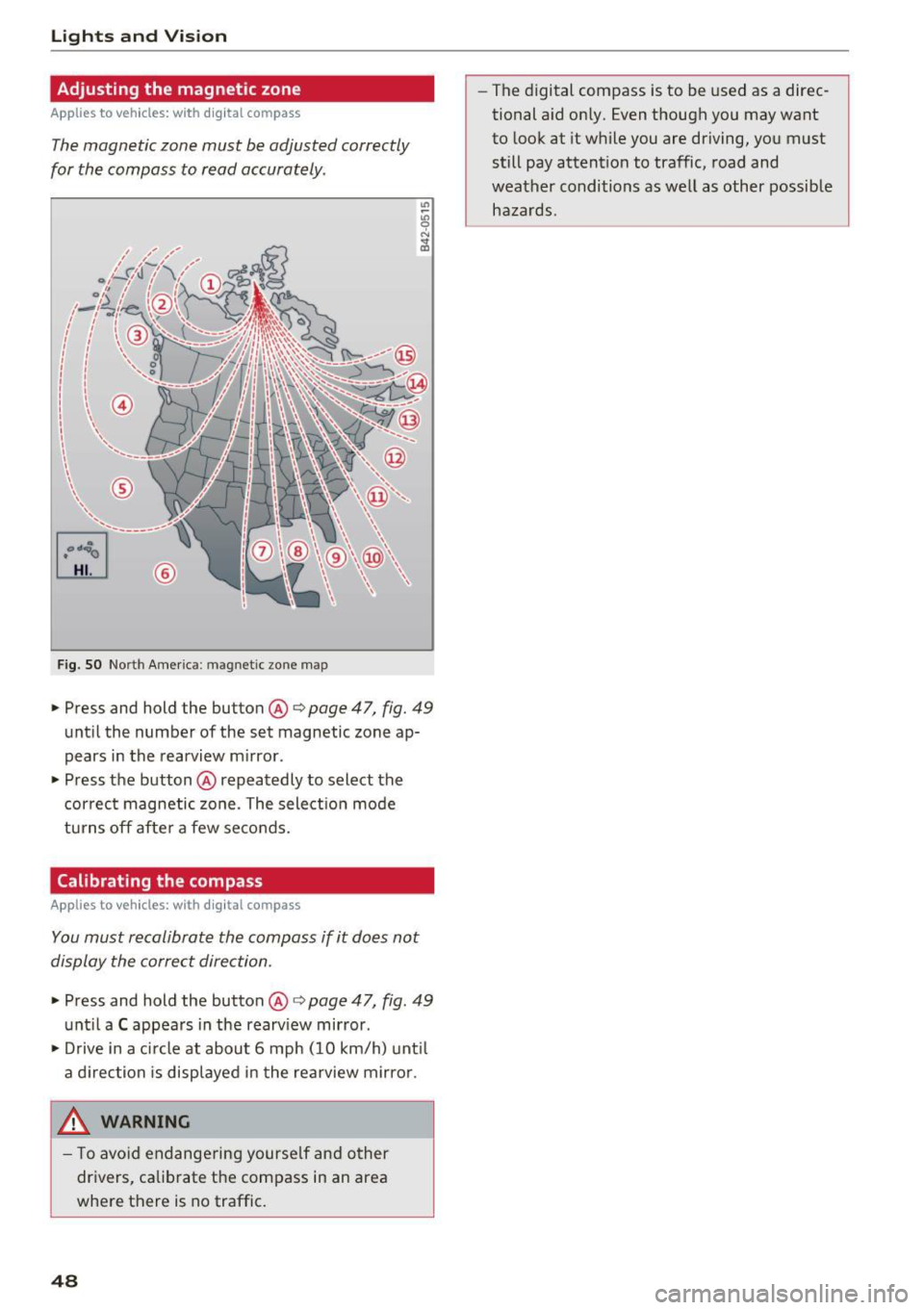
The magnetic zone must be adjusted correctly
for the compass to read accurately .
~
LIU ®
Fig . SO No rt h Amer ica : ma gnetic zo ne m ap
.. Press and hold the button @ q page 47, fig. 49
until the number of the set magnetic zone ap
pears in the rearview m irror .
.. Press the button @ repeatedly to select the
cor rec t magnetic zone . The select ion mode
turns off afte r a few seco nds.
Calibrating the compass
Applies to vehicles: with digital compass
You must recalibrate the compass if it does not
display the correct direction .
.. Press and hold the button @ q page 47, fig. 49
unt il a C appea rs in the rearv iew mirror .
.. Drive in a c ircle at about 6 mph ( 10 km/h) unt il
a d irection is displ ayed in the rea rview mirro r.
,8. WARNING
- T o avo id end ange ring yourse lf an d other
dr ivers, ca librate t he compass in an area
whe re there is no traffic.
48
- The digital compass is to be used as a direc
tional a id on ly. Even though you may want
to look at it while you are driving, you must
still pay attent ion to traffic, road and
weather conditions as well
as other possible
hazards .
Page 58 of 252
Seats and storage
To switch the cooling off
.,. Turn the rotary switch @clockwise to switch
the cooling off.
The cooling box works only in the cooling mode.
If the climate control is in the heating mode, we
recommend switching the cooling box off.
& WARNING
To reduce the risk of personal injury in an acci
dent or sudden stop, always keep the glove
compartment closed while driving.
Additional storage
There are a variety of storage compartments and
fasteners in various places in the vehicle.
- In the front center console.
- At the front end of the front seats*. You can
store objects weighing up to 3.3 lbs (1.5 kg) in
the drawer and objects weighing up to 2.2 lbs (1 kg) in the hinged compartment.
- In the door trim.
- Coat hooks next to and above the rear doors.
- Nets* on the backrests of the front seats.
- Coat hooks/retaining hooks in the luggage
compartment.
& WARNING
- When driving, do not leave any hard objects
on the rear window shelf or allow your pet
to sit on the shelf. They could become a haz
ard for vehicle occupants in the event of
sudden braking or a crash.
- Always remove objects from the instrument
panel. Any items not stored could slide
around inside the vehicle while driving or
when accelerating or when applying the
brakes or when driving around a corner.
- When you are driving make sure that any
thing you may have placed in the center con
sole or other storage locations cannot fall
out into the footwells. In case of sudden
braking you would not be able to brake or
accelerate.
- Any articles of clothing that you have hung
up must not interfere with the driver's view.
56
The coat hooks are designed only for light
weight clothing. Never hang any clothing
with hard, pointed or heavy objects in the pockets on the coat hooks. During sudden
braking or in an accident - especially if the
airbag is deployed - these objects could in
jure any passengers inside the vehicle.
- To reduce the risk of personal injury in an
accident or sudden stop, always keep the
glove compartment closed while driving.
- Read and follow all WARNINGS
~ page 128, Important safety instructions
on the side airbag system.
-Hang clothes in such a way that they do not
impair the driver's vision.
- The coat hooks must only be used for light
weight clothing. Do not leave any heavy or
sharp edged objects in the pockets which
may interfere with the side curtain airbag
deployment and can cause personal injury in
a crash.
- Do not use coat hangers for hanging cloth
ing on the coat hooks as this can interfere
with proper deployment of the side curtain airbags in an accident.
- Do not hang heavy objects on the coat
hooks, as they could cause personal injury in
a sudden stop.
- Always keep the compartment above the
rearview mirror closed while driving to re
duce the risk of injury in the event of sudden
braking maneuvers or a collision.
(D Note
Objects located on the rear shelf that rub
against the rear window could damage the heating wires for the rear window defogger.
(D Tips
-A vent slot is located between the shelf and
the rear window. Do not block the vent with
any items you may place on the rear window
shelf.
- Do not place bulky items on the rear window shelf as they could restrict or block the driv
er's vision in the rear view mirror.
Page 65 of 252
.... N
c:i ::J CX)
.... I.Cl U"I
N I.Cl ......
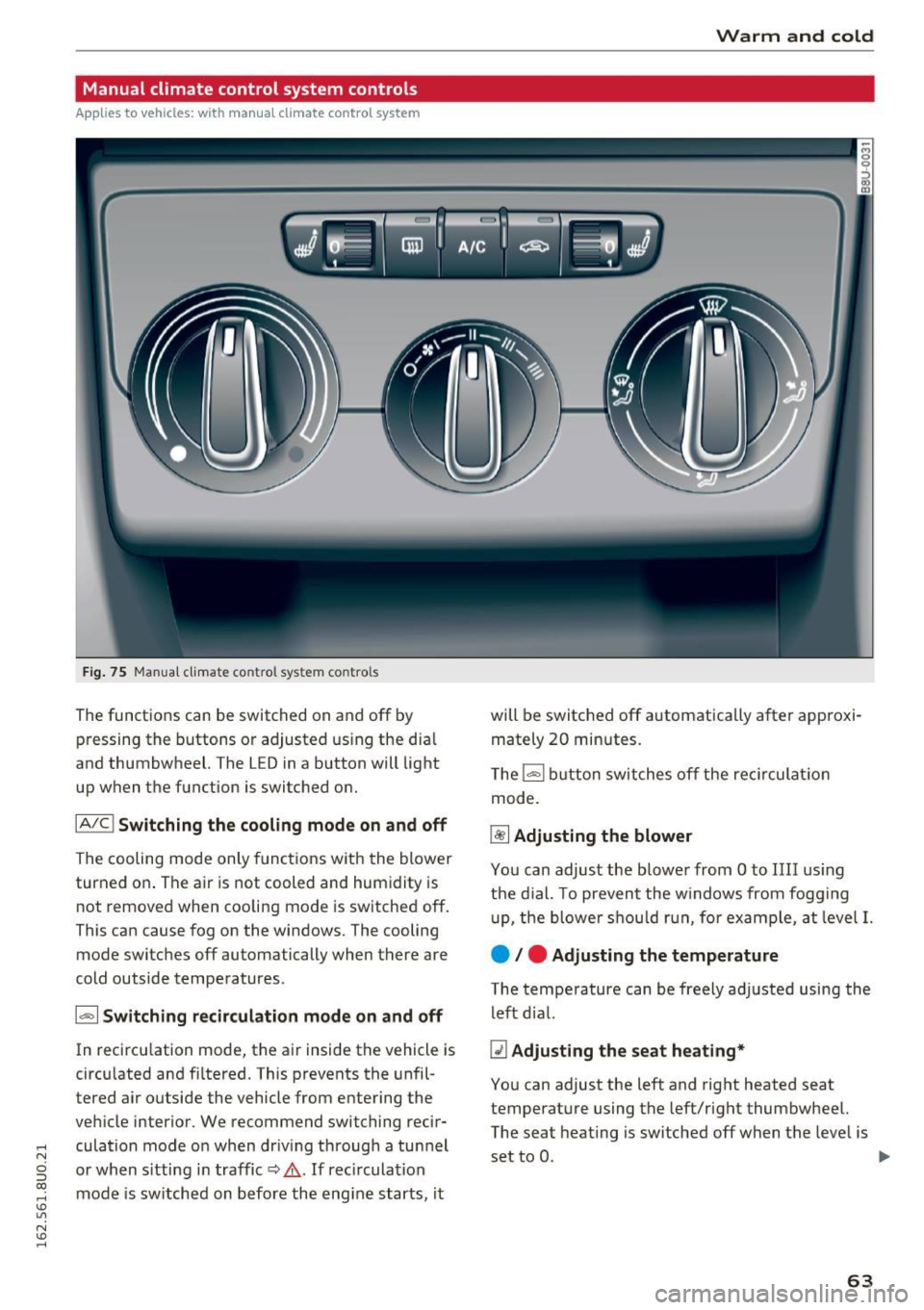
Manual climate control system controls
Applies to vehicles: with manual climate control system
Fig . 75 Manua l clima te co ntro l sys tem contro ls
The functions can be sw itched on and off by
pressing the buttons or adjusted us ing the dia l
and thumbwheel. The L ED in a button will light
up when the function is switched on.
IA/C l Switchin g the coolin g mod e on and off
The cooling mode only functions with the blower
turned on . The air is not cooled and humidity is
not removed when cooling mode is sw itched off.
This can cause fog on the windows. The cooling
mode switches off automatically when there are
cold outside temperatures .
1- 1 Sw itching recircul ation m ode on and off
In recircu lation mode, the air ins ide the vehicle is
circu lated and filtered. This prevents the unfil
tered air outside the vehicle from entering the
vehicle interior . We recommend switching recir
culation mode o n when driv ing through a tun nel
or when s itting in traffic
c::, .&. . If rec irculat ion
mode is sw itched on before the eng ine starts, it
Warm and cold
will be switched off automatically after approxi
mately 20 minutes.
T he
l= I button switches off the rec irculat ion
mode.
~ Adjusting the blower
You can adjust the blowe r from Oto IIII us ing
the d ia l. T o prevent the w indows from fogging
u p, the blowe r sh ou ld r un, for example, at level
I.
e / e Adjusting the temperature
The temperature can be freely adjusted using the
left dial.
Q1 Adju sting the seat heating *
You can adjust the left and right heated seat
temperature using the left/right thumbwheel.
The seat heat ing is switched off when the level is
set to 0.
ll-
63
Page 67 of 252
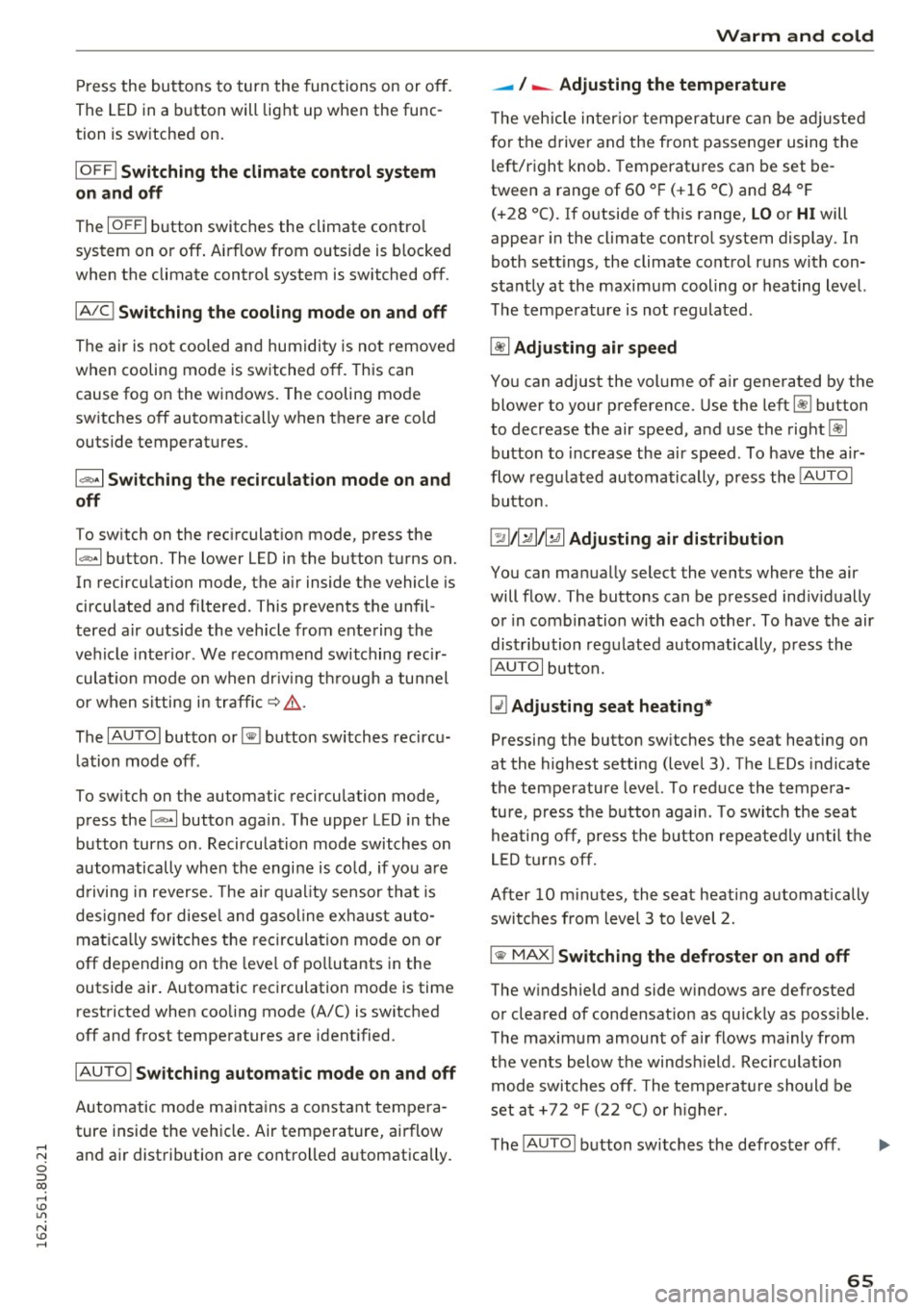
Press the buttons to turn the functions on or off.
The LED in a button will light up when the func
tion is sw itched on.
IOF FI Switching the climate control system
on and off
The
I O FF I button switches the climate contro l
system on or off. Airflow from outside is b locked
when the climate control system is switched off .
IAJC! Switching the cooling mode on and off
The air is not cooled and humidity is not removed
when cooling mode is switched off. This can
cause fog on the windows. The cooling mode
switches off automatically when there are cold
outside temperatures .
l= I Switching the recirculation mode on and
off
To switch on the recirculat ion mode, press the
1 ... ,.1 button. The lower LED in the button turns on.
In recirculation mode, the air inside the vehicle is
circulated and filtered . This prevents the unfil
tered air outside the vehicle from entering the
vehicle interior. We recommend switching recir
culation mode on when dr iv ing th rough a tunnel
or when sitting in traffic~ ,&.
The
IAUTOI button or~ button switches recircu
l ation mode off .
To switch on the automatic recirculation mode,
press the
l""> •I button again . The upper LED in the
button turns on . Recirculation mode switches on
automatically when the engine is co ld, if you are
driving in reverse. The ai r quality sensor that is
des igned for diese l and gasoline exha ust auto
matica lly switches the recirculation mode on or
off depending on the leve l of pollutants in the
outside air. Automatic recirculation mode is time
restricted when cooling mode (A/C) is switched
off and frost temperatures are identified.
IAUTO I Switching automatic mode on and off
Automatic mode maintains a constant tempera
ture inside the vehicle. Air temperature, airflow
,....,
"' and air distribution are controlled automatically. ci ::, co ,....,
-I -Adjusting the temperature
T he vehicle inter ior temperature can be adjusted
f or the driver and the front passenger using the
left/right knob. Temperatures can be set be
tween a range of 60 ° F (+ 16 °C) and 84 ° F
(+28 °C). If outside of this range,
LO or HI will
appear in the climate contro l system display . In
both settings, the climate control runs with con
stantly at the maximum cooling or heating level.
The temperature is not regulated.
~ Adjusting air speed
You can adjust the volume of air generated by the blower to your preference . Use the left~ button
to decrease the air speed, and use the right~
button to increase the air speed . To have the air
flow regulated automatically, press the
!AUTOI
button.
[!il l~/~ Adjusting air distribution
You can manually select the vents where the air
will flow. The buttons can be pressed individually
or in comb ination with each other. To have the air
distribution regulated automatically, press the
IAUTOI button.
~ Adjusting seat heating*
Pressing the button switches the seat heating on
at the highest setting (level 3) . T he LEDs indicate
the temperature level. To reduce the tempera
ture, press the button again . T o switch the seat
hea ting off, press the button repeatedly until the
LED tur ns off.
After 10 minutes, the seat heating automatically
switches from level 3 to level 2.
IIIW MAX ! Switching the defroster on and off
The windshield and side windows are defrosted or cleared of condensat ion as quickly as poss ible.
The maximum amount of air flows mainly from
the vents below the windsh ield. Recirculation
mode switches off. The temperatu re should be
set at +72 °F (22 °() or h igher.
The
! AUTOI button switches the defroster off .
65