brakes AUDI Q3 2016 Owners Manual
[x] Cancel search | Manufacturer: AUDI, Model Year: 2016, Model line: Q3, Model: AUDI Q3 2016Pages: 252, PDF Size: 62.81 MB
Page 5 of 252
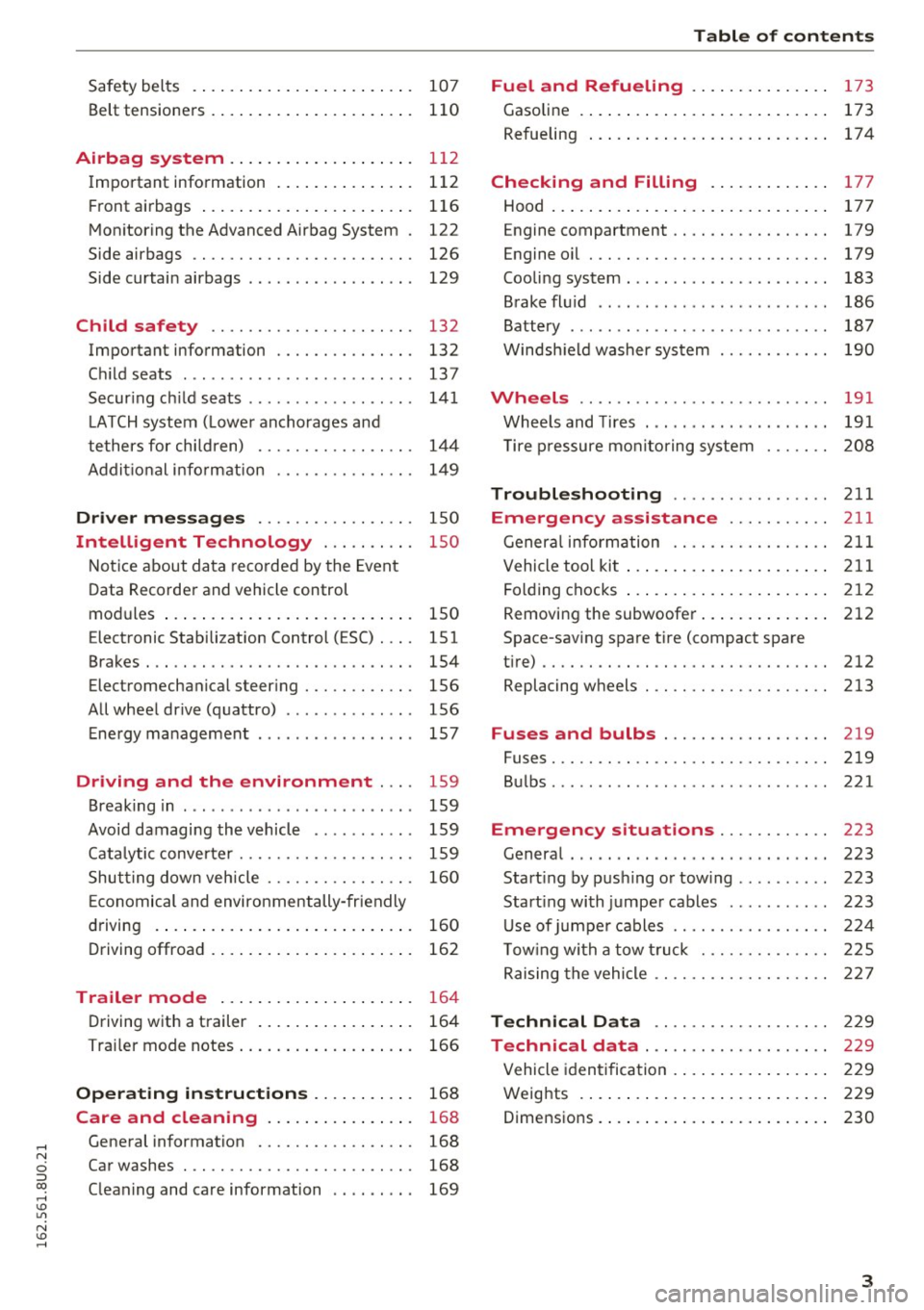
Safety belts . . . . . . . . . . . . . . . . . . . . . . . . 107
Belt tensioners . . . . . . . . . . . . . . . . . . . . . . 110
Airbag system ............... .... . 112
Important information . . . . . . . . . . . . . . . 112
Front airbags ...................... . 116
Monitoring the Advanced Airbag System . 122
Side airbags . . . . . . . . . . . . . . . . . . . . . . . . 126
Side curtain airbags . . . . . . . . . . . . . . . . . . 129
Child safety . . . . . . . . . . . . . . . . . . . . . . 132
Important information . . . . . . . . . . . . . . . 132
Child seats ............... ...... ... . 13 7
Securing child seats . . . . . . . . . . . . . . . . . . 141
LATCH system (Lower anchorages and
tethers for children) . . . . . . . . . . . . . . . . .
144
Addit ional information 149
Driver messages . . . . . . . . . . . . . . . . . 150
Intelligent Technology . . . . . . . . . . 150
Notice about data recorded by the Event
Data Recorder and vehicle control
modul es . . . . . . . . . . . . . . . . . . . . . . . . . . .
150
Electronic Stabilization Control ( ESC) . . . . 151
Brakes . . . . . . . . . . . . . . . . . . . . . . . . . . . . . 154
Electromechanical steering . . . . . . . . . . . . 156
All wheel drive (quattro) . . . . . . . . . . . . . . 156
Energy management . . . . . . . . . . . . . . . . . 157
Driving and the environment . . . . 159
Breaking in . . . . . . . . . . . . . . . . . . . . . . . . . 159
Avoid damaging the vehicle . . . . . . . . . . . 159
Catalytic converter . . . . . . . . . . . . . . . . . . . 159
Shutting down vehicle . . . . . . . . . . . . . . . . 160
Economical and environmentally-friendly
driving . . . . . . . . . . . . . . . . . . . . . . . . . . . .
160
Driving offroad . . . . . . . . . . . . . . . . . . . . . . 162
Trailer mode . . . . . . . . . . . . . . . . . . . . . 164
Driving with a trailer . . . . . . . . . . . . . . . . . 164
Trailer mode notes . . . . . . . . . . . . . . . . . . . 166
Operating instructions . . . . . . . . . . . 168
Care and cleaning . . . . . . . . . . . . . . . . 168
General information . . . . . . . . . . . . . . . . . 168
Car washes . . . . . . . . . . . . . . . . . . . . . . . . . 168
Cleaning and care information . . . . . . . . . 169
Table of contents
Fuel and Refueling . . . . . . . . . . . . . . .
173
Gasoline . . . . . . . . . . . . . . . . . . . . . . . . . . . 173
Refueling . . . . . . . . . . . . . . . . . . . . . . . . . . 17 4
Checking and Filling . . . . . . . . . . . . . 177
Hood . . . . . . . . . . . . . . . . . . . . . . . . . . . . . . 177
E ngine compa rtment . . . . . . . . . . . . . . . . . 179
Engine oil . . . . . . . . . . . . . . . . . . . . . . . . . . 179
Cooling system . . . . . . . . . . . . . . . . . . . . . . 183
Brake fluid . . . . . . . . . . . . . . . . . . . . . . . . . 186
Battery . . . . . . . . . . . . . . . . . . . . . . . . . . . . 187
Windshield washer system 190
Wheels ........ .. ................. 191
Wheels and Tires . . . . . . . . . . . . . . . . . . . . 191
Tire pressure monitoring system 208
Troubleshooting ............. .. .. 211
Emergency assistance . . . . . . . . . . . 211
General information . . . . . . . . . . . . . . . . . 211
Vehicle tool kit . . . . . . . . . . . . . . . . . . . . . . 211
Folding chocks . . . . . . . . . . . . . . . . . . . . . . 212
Removing the subwoofer............. . 212
Space-saving spare tire (compact spare
tire).. .. .. .. .. .. .. .... ... .. .. .. .. ..
212
Replacing wheels . . . . . . . . . . . . . . . . . . . . 213
Fuses and bulbs . . . . . . . . . . . . . . . . . . 219
Fuses. .... .. .. .. .. ....... ........ .. 219
Bulbs . . . . . . . . . . . . . . . . . . . . . . . . . . . . . . 221
Emergency s ituations . . . . . . . . . . . . 223
General . . . . . . . . . . . . . . . . . . . . . . . . . . . . 223
Starting by pushing or towing . . . . . . . . . . 223
Start ing with jumper cables ........... 223
Use of jumper cables . . . . . . . . . . . . . . . . . 224
Towing with a tow truck . . . . . . . . . . . . . . 225
Raising the vehicle . . . . . . . . . . . . . . . . . . . 227
Technical Data . . . . . . . . . . . . . . . . . . . 229
Technical data . . . . . . . . . . . . . . . . . . . . 22 9
Vehicle identification . . . . . . . . . . . . . . . . . 229
Weights . . . . . . . . . . . . . . . . . . . . . . . . . . . 229
D . . 1mens1ons
.. .. . ... ................ . 230
3
Page 16 of 252
Instruments and indicator lights
-If the indicator light and the message appear
while d riving , the emergency braking function
may not be ava ilab le . It may not be possib le to
set the parking brake or release it once it has been set. Seek professiona l assistance.
(USA models) : If the warning light
1111 and the
warn ing light
[I] appear together, immed iate ly
contact your authori zed Audi dealer or qualified
workshop to have all brake pads inspected
,:::;, page 16.
When the light comes on, an audib le wa rning sig
na l is also given.
A WARNING
- Always observe the warnings in
,:::;, page 177, before opening the hood and
check ing the b rake fl uid .
- Driving with low brake fl uid is a sa fety haz
ar d. Stop the car and get professional ass is
tance.
- If the 1111 (USA models) ;III (Canada mod
els) brake system i ndicator lig ht t urns on to
ge th er wit h the ABS an d ESC indica to r
l igh ts, the ABS/ ESC regulating functi on may
have failed. Func tions tha t st abilize the ve
hicle are no longe r available. This cou ld
ca use the vehicle to swerve and increase the
risk of sliding . Stop the car and get profes
sional assistance .
- If the bra ke warn ing/indicator light does
not go o ut after a few seconds and the park
ing brake is released, or lights up while you
are driving, t he flu id leve l in the brake fluid
rese rvoir is too low. If you believe that it is
safe to do so, proceed immediately a t low
speed to the nearest au thori zed Audi dealer
o r qualifie d works hop and have the brake
sys tem inspe cte d.
- Always keep in min d that afte r sev era l brake
applica tions, you w ill need greate r pressure
on the brake pedal to stop yo ur vehicle. Do
not rely on straine d brakes to respond w ith
ma ximum stopping power in critical situa
t ions . You must allow for increased braking
distances. The extra distance used up by
fading b rakes could lead to an acc ident.
14
PARK!< ®> Electromechanical parking brake
The warning/indicator light monitors the elec
tromechanical parking brake .
If the indicator light - (USA models) ;Ill
(Canada mode ls) tu rns on, the park ing brake was
set .
- (USA models);lll (Canada models) Press
brake pedal to release parking brake.
To release the parking b rake, press the brake
pedal and press the button(®) at the same time
or start driving with starting assist
c::;, page 72,
Starting from a stop.
Ill Parking brake: System fault! See owner 's
manual.
I f the Ill ind ic a tor light turns on and t his mes
sage appea rs, there is a par king bra ke m alfu nc
tion . Drive to your authorized Audi dea ler or
qualified workshop imme diate ly to have the ma l
funct ion corrected.
(D Tips
M ore information on the par king brake
c::;, page 71 .
-F-Cooling system
• Turn off engine and check coolant level.
The coo lant level is too low.
Do not con tinue dr iving and swit ch t he engine
off. Che ck the coolan t l evel
c::;, page 183 .
-If the coo lant level is too low, add coolant
c::;, page 183 . Only continue dr iving once the in
dicato r light turns off.
• Coolant temperature! Let engine run with
vehicle stationary .
Let the engine run at idle fo r a few min utes to
cool off, until the indicator lig ht turns off .
- If the ind icator light does not turn off, do not
cont inue driving the veh icle. See an a uthorized
Audi dea le r or a uthorized Audi Service Facility
for assistance. ..,.
Page 19 of 252
.... N
ci ::, co ....
of brake pads on an axle must a lways be replaced
at the same time.
A WARNING
Dr iv ing with bad brakes can ca use a co llision
and ser ious personal in jury.
- If the warning light
EiJ and the wa rning
light
11111> w it h the message Brake pads!
comes o n in the inst rument cluste r display,
immediately contact your authorized Audi
dealer or qualified workshop to have all
bra ke p ads checke d or rep lace d if necessary.
EPC Electronic power control
This warning/indicator light monitors the elec
tronic power control .
-
The [m warning/ indicator light (Electronic Power
Control) ill uminates when you switch the ig nition
on as a function check.
I f th is wa rn ing/indicator light illuminates w hile
you are driving, then there is a malfunct io n in the
engine electronics . Have t he malfunct io n correct
ed as soo n as poss ible by your authorized A udi
deale r or a qua lified re pair facili ty.
o Malfunction Indicator Lamp (MIL)
The Malfu nction Ind icator Lamp (M IL) i s part of
t he On-Boar d Diag nostic (O BD II) syste m. T he
symbo l¢• lights up when the ign ition is swi tc h
ed on and wi ll tu rn off afte r the engine has sta rt
ed an d has sett le d at a constant idle speed. This
ind icates that the MIL is work ing properly.
The warning ligh t illuminates when there is a
malfunct ion in the eng ine e lectron ic system.
Contact your author ized Audi dealer an d have the
mal funct ion corrected.
An imprope rly closed fuel fille r cap may a lso
cause the MIL li ght to illum inate
c:; page 175 .
For mo re informa tio n ¢ page 25.
N
:=: 1) - : USA mode ls onl y
Instruments and ind icator lights
!'? , Engine speed lim itation
Applies to vehicles: with engine speed limitation
II! Do not exceed max. engine speed of XXXX
rpm
The II! symbol illumi nates when t here is an en
gine co ntro l ma lf u nct io n. Th e
[m indicator light
i n th e i nstr ument clus ter also illumi nates. The
engi ne speed is l imited to the speed displ aye d in
t h e d river informat ion sy stem . K eep in min d that
t h e engine speed w ill not exceed the va lue dis
played in the d river info rmation system, for ex
amp le when downshifting.
Dr ive to your authori zed A udi dea ler imme diate ly
to have t he mal func tion cor rec ted.
~ -Engine oil level
1!1;111 Check oil level.
If the indic ator ligh t an d the message appea r,
add engi ne oil immedi ately
c:; page 17 9.
~e, Engine oil sensor
•• Oil level sensor: System fault!
If the symbol illumi nat es, c onta ct yo ur au th or
ized Audi de aler a nd h ave the oil sensor ins pect
ed. Unti l yo u have this done, check the oi l leve l
each time you ref uel j ust to be on the safe side
c:; page 181.
~ Tank system
ti Please refuel
If the indicato r light turns on for the first time
and t he message appea rs, the re are about
1.8 - 2.2 gallons (7.0 -8.5 liters) of fuel left in
the tan k. Time to refue l
c:;page 174.
ti Fuel tank system malfunction! Contact deal
er.
If t he indic ator ligh t turns on and this message
appea rs, there is a ma lf u nction in the tan k sys
tem .
17
Page 56 of 252
Sea ts and stor age
of injuries, never leave ch ildren unattended in
the vehicle with the veh icle key.
(D Note
- To reduce the risk of damage to the vehicle
electrica l system, never attempt to charge
the vehicle battery by connecting accesso
ries that prov ide power , such as solar panels
or battery chargers, to the 12 Volt sockets
or the cigarette lighter .
- To reduce the risk of damage to the sockets,
only use plugs that fit correct ly.
{!) Tips
The vehicle battery drains when accessories
are turned on but the engine is off.
Storage
General overview
A WARNING
- Always remove objects from the instrument panel. Any items not put away could slide
around inside the vehicle wh ile driving or
when accelerat ing or when applying the
brakes or when drivi ng a round a corner .
- When you are dr iving make sure that any
thing you may have placed in the center con
so le or othe r storage locations cannot fall
o ut into the footwells. In case of sudden
br ak in g you would not be able to brake or
acce lerate .
- Any pieces of cloth ing that you have hung
up mus t not in te rfe re with the driver 's view.
The coat hooks a re designed only fo r light
weight clothing. Never hang any clothing
with hard, pointed or heavy objects in the
pockets on the coat hooks. Dur ing sudden
braking or in an accident- especially if the
airbag is deployed -these objects could in
jure any passengers inside the vehicle .
54
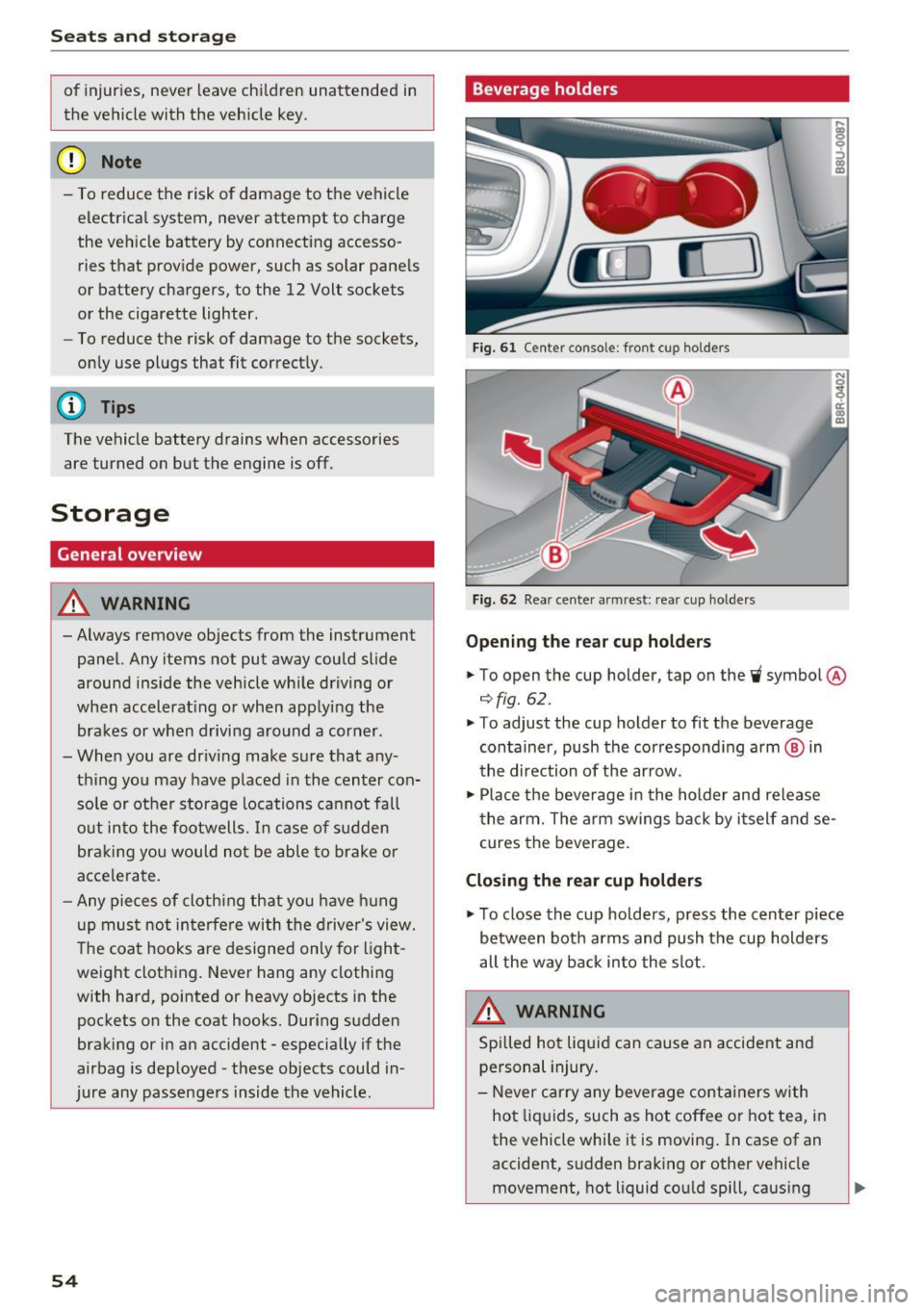
Beverage holders
Fig. 61 Center consol e: fr ont cup holders
Fi g. 62 Rea r cen te r armrest : rea r cup ho lde rs
Opening the re a r cup ho lder s
.. To open the cup holder , tap on the~ symbol @
¢fig. 62.
.. To adjust the cup holder to fit the beverage
container, push the correspond ing arm ® in
the direction of the ar row .
.,. Place the beverage in the holder and release
t he arm. The a rm swings ba ck by i tself and se
cures the beverage .
Closing the rear cup holders
.,. To close the cup holders , press the center piece
between both arms and push the cup holders
all the way back into the slot.
A WARNING
Spilled ho t liqui d can cause a n accident and
personal injury .
- Never carry any beverage containers with
ho t liquids, such as hot coffee or hot tea, i n
the vehicle while it is moving . In case of an
accident, s udden braking or other vehicle
movement, hot liquid cou ld spill , causing
-
Page 58 of 252
Seats and storage
To switch the cooling off
.,. Turn the rotary switch @clockwise to switch
the cooling off.
The cooling box works only in the cooling mode.
If the climate control is in the heating mode, we
recommend switching the cooling box off.
& WARNING
To reduce the risk of personal injury in an acci
dent or sudden stop, always keep the glove
compartment closed while driving.
Additional storage
There are a variety of storage compartments and
fasteners in various places in the vehicle.
- In the front center console.
- At the front end of the front seats*. You can
store objects weighing up to 3.3 lbs (1.5 kg) in
the drawer and objects weighing up to 2.2 lbs (1 kg) in the hinged compartment.
- In the door trim.
- Coat hooks next to and above the rear doors.
- Nets* on the backrests of the front seats.
- Coat hooks/retaining hooks in the luggage
compartment.
& WARNING
- When driving, do not leave any hard objects
on the rear window shelf or allow your pet
to sit on the shelf. They could become a haz
ard for vehicle occupants in the event of
sudden braking or a crash.
- Always remove objects from the instrument
panel. Any items not stored could slide
around inside the vehicle while driving or
when accelerating or when applying the
brakes or when driving around a corner.
- When you are driving make sure that any
thing you may have placed in the center con
sole or other storage locations cannot fall
out into the footwells. In case of sudden
braking you would not be able to brake or
accelerate.
- Any articles of clothing that you have hung
up must not interfere with the driver's view.
56
The coat hooks are designed only for light
weight clothing. Never hang any clothing
with hard, pointed or heavy objects in the pockets on the coat hooks. During sudden
braking or in an accident - especially if the
airbag is deployed - these objects could in
jure any passengers inside the vehicle.
- To reduce the risk of personal injury in an
accident or sudden stop, always keep the
glove compartment closed while driving.
- Read and follow all WARNINGS
~ page 128, Important safety instructions
on the side airbag system.
-Hang clothes in such a way that they do not
impair the driver's vision.
- The coat hooks must only be used for light
weight clothing. Do not leave any heavy or
sharp edged objects in the pockets which
may interfere with the side curtain airbag
deployment and can cause personal injury in
a crash.
- Do not use coat hangers for hanging cloth
ing on the coat hooks as this can interfere
with proper deployment of the side curtain airbags in an accident.
- Do not hang heavy objects on the coat
hooks, as they could cause personal injury in
a sudden stop.
- Always keep the compartment above the
rearview mirror closed while driving to re
duce the risk of injury in the event of sudden
braking maneuvers or a collision.
(D Note
Objects located on the rear shelf that rub
against the rear window could damage the heating wires for the rear window defogger.
(D Tips
-A vent slot is located between the shelf and
the rear window. Do not block the vent with
any items you may place on the rear window
shelf.
- Do not place bulky items on the rear window shelf as they could restrict or block the driv
er's vision in the rear view mirror.
Page 74 of 252
Driving
When start ing from a stop
- T he in tegr al hi ll sta rt as sis t helps y ou when
driving by automatically releasing the park ing
brake¢
page 72, Starting from a stop.
- When starting on incl ines, the hill start assist
prevents the vehicle from unintentionally roll
ing back . The braking force
of the parking brake
is only released if sufficient drive power has
been built up at the wheels.
Em erg enc y bra ke f unction
An emergency braking functions ens ures that the
vehicle can be s lowed down even if the
normal
brakes fail¢ page 73, Emergency braking
function.
,&. WARNING
- Do not press the accelerator pedal inadver
tently when the veh icle is stationary and the
engine is running and a gear is selected.
Otherwise t he vehicle w ill start to move im
med iate ly and could result in a c rash.
- If the power supply fa ils, the released park
ing bra ke can no longe r engage. In th is
case, pa rk the veh icle on leve l ground and
sec ure it by placing the selector lever in the
P position. See an author ized Audi dealer or
authorized Aud i Service Faci lity for assis
tance .
(D Tips
-If the parking b rake is set while the ignition
i s sw itched off, the. indicator light in the
b utton and -(USA models) /. (Cana
da models) will turn off after a certain
amount of time.
- Occasiona l noises when the parking brake is
set and re leased are normal and are not a
cause for concern.
- When the vehicle is parked, the parking
brake goes thro ugh a self-test cycle at reg u
l ar intervals. Any no ises assoc iated with this
are normal.
- If there is a power fa ilure, the parking brake
will not set if it is re leased, and it will not
release if it is set¢,&. See an authorized
72
-
Audi dealer or author ized Audi Service Fa
cility for assistance.
Parking
.. Press the brake pedal to stop the veh icle.
.. To set the park ing brake, pull on the© switch.
.. Select the P position .
.. Turn the engine off¢,& .
.. Turn the steering wheel when par king on in
cl ines so that the wheels w ill roll into the cu rb
if the vehicle starts moving.
,&. WARNING
- Always take the veh icle key with yo u when
leaving the vehicle, even for a short period
of time. This applies part icularly when chil
dren remain in the vehicle. Otherwise chil
dren could start the engine, release the
parking brake or operate electrical equip
ment such as power w indows, which in
creases the risk of an accident.
-
- No one should remain in the veh icle w hen it
is locked, especially ch ild ren. Locked doors
make it more difficult for emergency work
ers to get into the veh icle, wh ich puts lives
at risk.
Starting from a stop
The start assist function ensures that the park
ing broke is released automatically upon start
ing.
Stopping and setting the parking brake
.. To set the park ing brake, pull on the(®) switch.
Starting and automat ically r elea sing the
parking brake
.. When you press the acce lerator pedal, the
parking brake is automat ica lly re leased and
your vehicle beg ins to move .
When stopping at a traffic signa l or stopping in
c ity traff ic, the parking brake can be applied . The
vehicle does not have to be held with the brake pedal. The park ing brake elim inates the tendency
to c reep when a se lector lever position is engag-
ed. As soon as yo u press t he accelerator pedal,
1J1>
Page 75 of 252
the parking brake releases automatically and the
vehicle starts to move.
Starting on hills
When start ing on inclines, the hill start ass ist
prevents the vehicle from unintentionally roll ing
back. The braking force of the parking brake is
only released if sufficient drive power has been
bui lt up at the whee ls.
(D Tips
For safety reasons, the parking brake is re
leased automatically only when the driver's
safety belt is fastened and the driver's door is
locked.
Starting to drive with a trailer
To prevent rolling back unintentionally on an in
cline, do the following:
.. Keep pulling the<®> switch and press the acce l
erator pedal. The parking brake stays applied
and prevents the vehicle from ro lling backward.
.. You can re lease the<®> switch once you are sure
that you are transferring enough dr iving force
to the whee ls by pressing the accelerator pedal.
Depending on the weight of the rig (vehicle and
trailer) and the severity of the incline, you may
roll backwards as you start.
Hill hold
A ppl ies to vehicles: with H ill Hol d
Hill hold makes it easier to start on hills .
Requirement: The driver's door must be closed,
the seat belt must be buckled and the engine
must be running.
The system is activated when the brake pedal is
p ressed
for a few seconds.
To prevent the vehicle from roll ing back when
starting, the brake power is held for a brief mo
ment after releasing the brake pedal. During this
~ time, you can easi ly begin to move you r vehicle .
ci ::, co ,....,
A WARNING
- The intelligent technology of Hill Hold can
not overcome the limitat ions imposed by
natural physical laws. The increased comfort
offered by Hill Hold should not cause you to
take safety risks.
- Hill Hold cannot hold the vehicle in all hill
start situations (for example, if the g round
is slippery or icy).
- If you do not beg in moving immediately af
ter releasing the brake peda l, the vehicle
could begin to roll backward under certain
circumstances . Press the brake pedal or set
the parking brake immediately.
-If the engine "stalls", press the brake pedal
or set the parking bra ke immediate ly.
- To prevent the vehicle from roll ing back un
intentionally when starting in s top-and-go
traffic, keep the brake pedal pressed for a
few seconds before driving off .
(D Tips
You can find out if your vehicle is eq uipped
wi th Hill Hold by checking at an authorized
Audi dealer or authorized Audi Service Facili
ty.
Emergency braking function
This is used if the conventional brake system
fails or locks up.
.,. To brake your veh icle using the parking brake in
an emergency, pu ll the(®) switch and keep it
pulled.
.. The braking stops as soon as you release the<®>
switch or acce lerate .
If you pu ll the(®) switch and hold it above a
speed of about 5 mph (8 km/h) , the emergency
braking function is activated. The vehicle brakes
at all four whee ls by activating the braking hy
draulics. The brake performance is similar to
heavy brak ing .
c::> .&.
In order not to activate the emergency brake
function by mistake, a warning tone (buzzer)
sounds when the(®) switch is pulled. As soon as .,.
73
Page 86 of 252
Automatic transmissio n
Stopp ing temporarily
.,. Press the b rake peda l to stop the vehicle, fo r
example at a traffic light. Do not press the ac
ce lerator peda l when doing this.
... To prevent the vehicle from rolling when you
start driving, set the parking brake when stop
ping on steep inclines ¢
,&..
.,. The park ing brake w il l release automatically
and the vehicle will start moving once you press
the accelerator pedal.
Stopp ing /park ing
If the selector lever is not in the P posit ion when
you open the driver's door, the vehicle could roll.
The message
S hift to P and turn off ign it ion ,
otherwi se vehicle can roll awa y
appears.
.,. Press and hold the brake pedal
c> ,&. .
.,. Set the parking brake.
.,. To engage the P selector lever posit ion, press
the button on the selector lever and sh ift into
the P position
i:> page 82.
Stopp ing on an incline
.,. Always press the brake peda l to hold the vehi
cle in place and prevent it from "rolling back"
c> ,&. . Do not try to prevent the vehicle from
"ro lling back" when a gear is engaged by in
c reasing the eng ine speed
i:> 0.
Starting on a hill
.,. Set the parking brake.
.,. Se lect the D posit ion .
.,. Press t he accelerator pedal carefully . If you r
safety belt is fastened, the pa rking brake is au
tomat ica lly released a nd your ve hicle beg ins to
move .
Unde r ce rtain c ircumstances, such as driv ing in
the mountains, it may be usef ul to sw itch tempo
rarily to the manua l shift program in o rde r to ad
just the gea rs to the d riving conditions by hand
i:>page 85 .
On inclines, act ivate the park ing brake first and
then move the se lector lever to the P pos it ion
c>page 72. This prevents the lo cking mechanism
from being loaded too heav ily and w ill make i t
easier to move the se lec tor lever out of the P po
sition.
84
A WARNING
- The vehicle can also ro ll when the eng ine is
stopped.
- Unintended vehicle movement can cause se
rious injury.
- Never leave your veh icle with the engine
running while in gear. If you must leave
your veh icle w hen the engine is r unning, ac
tivate t he pa rking brake a nd move the selec
tor lever to P .
- Power is still transmitted to the wheels
when the engine is running at idle . To p re
vent the vehicle from "creeping", yo u m ust
keep your foo t on t he b rake when the en
g in e is ru nning and the selector lever is in D/
Sor R or "tiptronic" mode is se lected .
- Do not press the a cce le ra to r peda l when
changing the se lec to r l ever posi tion while
the vehicle is s ta tionary and the engine is
r u nning .
- Never sh ift into R or P whi le driving.
- Before d riving down a s teep sl ope, redu ce
your spee d and sh ift into a lower gea r w ith
"t i ptronic" .
- Do not ride the brakes or press the bra ke
pedal too of ten o r too long when dr iv ing
down a hi ll. Constant braking ca uses the
brakes to ove rheat and substantially re
duces brak ing performance, increases b rak
ing d istance or causes comp lete failure of
the brake system.
- To prevent the veh icle from rol ling back
when stopp ing on inclines, always hold it in
place with the brake peda l or park ing brake .
- Never hold the vehicle on an incline with a
slipping clutch. The clutch opens automati
cally when it becomes too hot from the
overload. An ind icator lam p. illumina tes
and a dr iver message appears¢
page 86
w hen t he clu tch is overloade d.
- If the e ngine must rema in running, never
have a ny driving posi tion engaged when
checking unde r th e hood. Make s ure these
lec to r l ever has secu rely eng aged an d is
loc ked in P with the parking b rake set
Page 87 of 252
.... N
c:i ::J CX)
.... I.Cl U"I
N I.Cl ......
c> page 177. Otherwise, any increase in en
gine speed may set the vehicle in motion,
even with the parking brake applied.
(D Note
- When stopping on an incline, do not try to
hold the vehicle in place by pressing the ac
celerator pedal whi le a driv ing gear is se
lected. This can cause the automatic trans
mission to overheat and can damage it . Set
the parking brake or press the brake pedal
to prevent the vehicle from ro lling.
- Allow ing the vehicle to roll when the eng ine
i s stopped and the selector lever is in
N po
s ition w ill damage the automatic transm is
s ion because i t is not lubricated under those
ci rc u ms tances.
- The transmiss ion can over heat and be dam
aged under certain driving and traffic co ndi
t ions s uch as frequent starts, creeping for a
l ong time, or stop -and -go traffic. When the
• indicator light turns on, stop the vehicle
at the next opportunity and let the trans
mission cool down
c> page 86.
@ Tips
For safety reasons, the parking brake is re
leased automatically only when the driver 's
safety belt is fastened and the dr iver 's door is
locked.
Hill descent control
Hill descent control assists the driver when dr iv
ing down hills.
Hill descent contro l is activated wh en th e se lec
tor lever is in the D or S position and you p ress
the b rake pedal. The transm ission automat ically
select s a gear that i s suitable for the incline . H ill
descent control tries to maintain the speed ach
ieved at the time of braking, within phys ical and
techn ical limitations . If may st ill be necessary to
adj ust the speed with the b rake pedal.
Hill descent control switches off once the hill lev
e ls out or you press the accelerator pedal.
Aut oma tic tr ansm iss ion
A WARNING
-Hill descent control cannot overcome physical
limitat io ns, so it may not be able to ma intain
a constant speed under all conditions . Always
be ready to app ly the brakes .
Shifting manually (tiptronic mode)
The tiptronic allow the driver to shi~ the gears
manually.
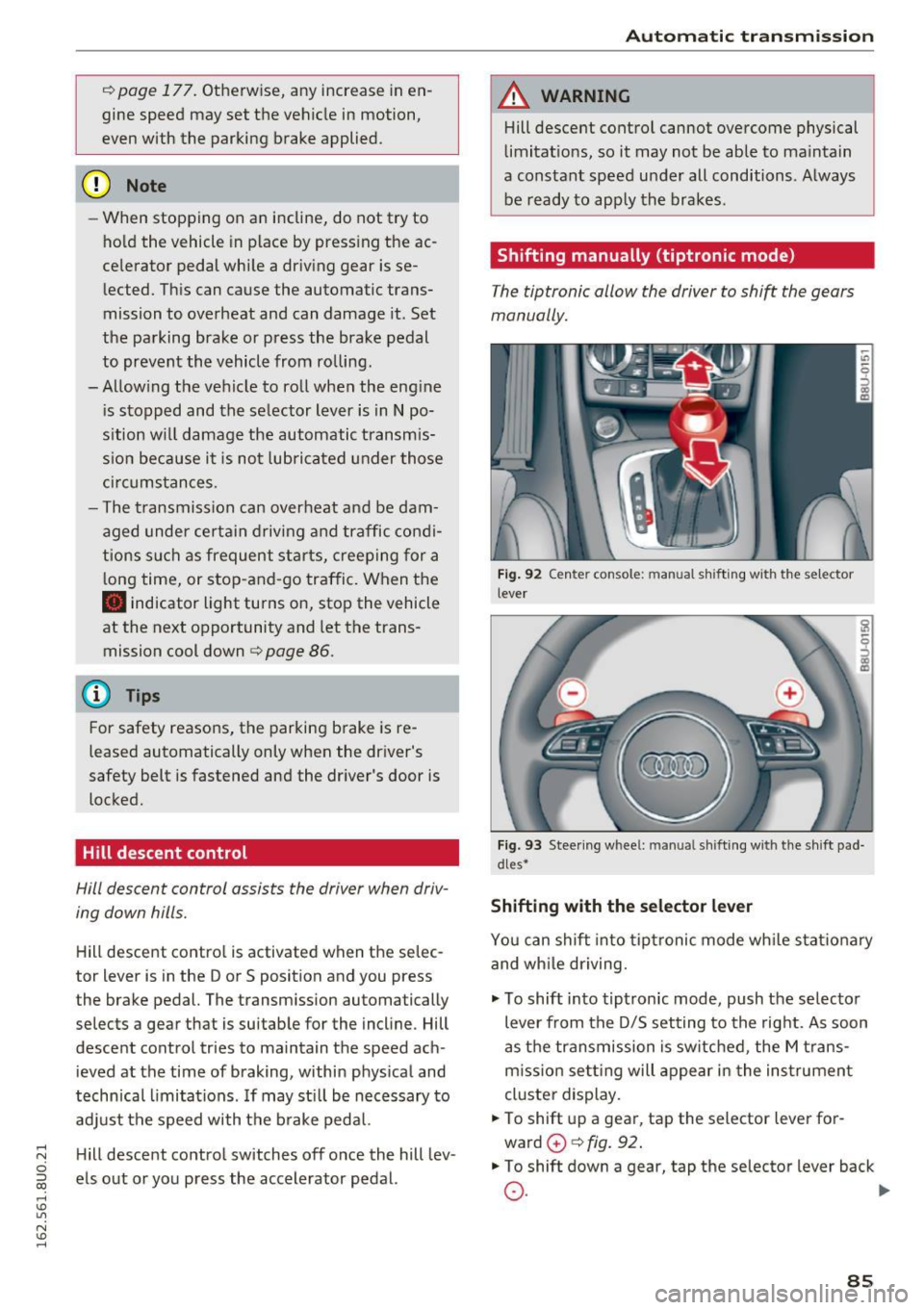
F ig. 92 Cente r con so le: m anu al shi ft ing w ith t he sel ect or
leve r
Fig . 93 Stee ring w hee l: manual s hift ing w ith the shi ft pad
d les•
Shifting with the selector lever
You can shift into tip tronic mode wh ile stat iona ry
and wh ile driving.
"' To shift into tiptronic mode, push the selecto r
lever from the D/S setting to the right. As soon
as the transmission is switched , the M trans
m iss ion se tting will appear in the ins trument
cluste r display.
"' To shift up a gea r, tap the selector lever for
ward
0 c> fig . 92 .
"'To shift down a gea r, tap the se lector lever back
0 . ~
85
Page 153 of 252
shared, please see your contract with the
wireless telecommunications provider and the
"About Aud i connect" tab in your vehicle's
MMI:
! MENUI button> Audi connect > About
Audi conn ect.
Electronic Stabilization
Control (ESC)
Description
ESC helps to improve road ho ld ing and vehicle
dynamics to help reduce the probability of skid
d ing and loss of vehicle control. It works only
when the engine is runn ing . E SC detects certain
d ifficult dr iving sit uat ions, including when t he
ve hicl e is begin ning to spin (yaw) out of contro l
and helps you to ge t the veh icle back under con
tro l by se lective ly braking the wheels, and/or re
ducing engine powe r and provid ing steering as
sistance to help hold the vehicle on the dr iver's
intended course. The indicator light
GJ in the in
strument cluster blinks when ESC is taking action
to help you co ntrol the vehicle.
ESC has limitations. It is important to remember
that ESC cannot overcome the laws of physics. It
will not a lways be able to help out under all con
d itions you may come up aga inst. For example,
ESC may not always be able to help you master
situations where there is a sudden change in the
coeff icient of friction of the road surface. When
there is a section of dry road that is sudde nly cov
e red with water, slush o r snow, ESC cannot pe r
form the same way it wo uld on the dry s urface . If
the vehicle hydrop lanes (rides on a cushion of wa
ter i nstead of the road su rface), ESC wi ll not be
ab le to he lp you steer the veh icle because contact
with the pavement has been interrupted and the
ve hicle cannot be braked or steered. Dur ing fast
cornering, pa rticula rly on w inding roads, ESC
cannot always deal as effect ively w it h difficult
d riving si tuations tha n at lowe r speeds. When
tow ing a t raile r, ESC is not able to help you re
ga in con trol as it would if you we re not towing a
tra iler .
A lways adjust yo ur speed and driving sty le to
road, traffic and weathe r cond itions. ESC cannot
override the vehicle's physical lim its, increase the
Intellig ent Technology
available t ract ion, or keep a vehicle on the road if
road departure is a resu lt of driver inattention .
Instead, ESC improves the possib ility o f keeping
the vehicle under contro l and on the road d uring
extreme maneuvers by us ing the driver's steer ing
i nputs to help keep the veh icle go ing in the in
tended direction.
If you are traveling at a speed
that causes you to run off the road before ESC c an p rovide any assistance, you may not exper i
en ce the benefi ts of ESC.
ESC is switched o n all the time . In certa in s itua
t ions when you need less tract ion, you can sw itch
off AS R by press ing the button
[fil c:> page 152,
fig. 141. B e sure to switc h ASR on again whe n
you no longer need less tract ion .
T he following systems are integrated in the ESC:
Anti-lock brak ing system (ABS )
ABS prevents the wheels from locking when brak ing . The vehicle can still be steered even dur ing
hard braking. Apply steady pressure to the brake
pedal. Do not pump the pedal. A pulsing in the
brake pedal ind icates that the system is acting to
stab ilize the ve hicle.
Brake assist system
The brake assist system can decrease braking dis
tance. It increases braking powe r when the dr iver
presses the brake peda l quickly in emergency sit
uat io ns. You must press a nd ho ld the bra ke pedal
u nt il the dange rous situation is over.
Anti-slip regulation (ASR)
ASR reduces engine power whe n the dr ive wheels
begin spin ning and adapts the force to the road
co ndit ions. This makes it eas ier to s tart, acce ler
ate and d rive up incl ines.
Electronic differential lock (EDL)
The EDL brakes wheels that are spinning and
transfers the drive power to the other dr ive
wheel or wheels if the vehicle is equ ipped with all
whee l drive*) . This function is not available a t
highe r speeds .
In extreme cases, EDL automat ica lly switches off
to keep t he brake o n the braked wheel from over
hea ting . T he veh icle is still working co rrectly. EDL.,.
151