display AUDI Q5 2013 Repair Manual
[x] Cancel search | Manufacturer: AUDI, Model Year: 2013, Model line: Q5, Model: AUDI Q5 2013Pages: 316, PDF Size: 78.89 MB
Page 204 of 316
202 Intelligent technology
authorized Audi dealer or other qualified re
pair facility for assistance.
'I-ij Dynamic steering: System fault! You can
continue driving
If the indicator light turns on and the mes
sage appears, the steer ing may be more diffi
cul t to move or mo re sensitive than usual. The
steer ing may also be at an angle when driving
straight.
Drive slowly to your author ized Audi dealer or
qualified workshop to have the malfu nction
cor rected.
(;:r,ij Dynamic steering : Initializing
Aud i drive select": if the indicator light blinks
and the driver message appears, the dynam ic
steering* is reinitialized. Once you start the
engine after this is finished, the steering
wheel will be easy to move. Re-initialization might be necessary if the steering wheel was
moved hard to the left and right while the ve
hicle was not moving. The display turns off if
the initialization was successfu l.
(D Tips
-If the . or 'Tj indicator light only stays
on for a short time, yo u may continue
driving.
- The dynamic steering* stability systems
opoge 197 are not ava ilable in the event
of a system malfunction.
- For additional information on dynamic
steering*
o page 120 .
Driving with your
quattro ®
With all-wheel drive, all four wheels are driv
en .
General information
With all-wheel dr ive, power is distributed to
all four wheels. This happens automatically
depending on your dr iving style and the road
conditions at the time . See also ¢
page 197.
A center different ial distr ibutes the dr iv ing
power var iably to the front and rear axle.
It
works together with selective wheel torque
control, which activates when driving through
curves
¢ page 198.
The all-wheel drive concept is des igned for
high engine power. Your veh icle is exception
ally powerfu l and has excellent driving charac
teristics both under normal driving conditions
and on snow and ice. Always read and follow
safety precaut ions¢ &.
Winter tires
When driving in the winter, yo ur vehicle with
all -wheel drive has an advantage, even with
regular tires. In winter road conditions it may
be advisable to mount winter tires (or all-sea
son tires) for improved driveability and brak
ing: these tires must be mounted o n
all four
wheels .
See also¢ page 263, Winter tires.
Tire chains
Where tire chains are mandatory on certain
roads, this normally also app lies to veh icles
with all-wheel drive¢
page 264, Snow
chains.
Replacing wheels/tires
Vehicles with all -wheel drive must always
have tires of the same s ize. A lso avoid tires
with different tread depths. For deta ils see
page
o page 2 59, New tires and replacing
tires and wheels.
A WARNING
-Always adjust your dr iv ing to road and traf-
fic conditions. Do not let the extra safety
afforded by all-wheel drive tempt you into
taking extra risks.
- Altho ugh the all-wheel drive is very ef
fective, always remember that braking
capacity is limited by tire traction. You
should therefore not d rive at excessive
speeds on icy or slippery road surfaces.
- On wet road surfaces, be careful not to
drive too fast because the front wheels
could begin to slide on top of the water
(aquaplaning). If this should occur, you
Page 206 of 316
204 Intelligent technology
With the engine turned off
If you listen to the radio, for example, with
the engine turned off or use othe r MMI* func
tions, the battery is being discharged .
If sta rting capability is jeopardized due to en
e rgy consumption, the following warning ap
pears in the radio or MMI* display:
Please start engine, otherwise system will
switch off in 3 minute s.
The warning ind icates that the system will be
turned off automatically after 3 m inutes .
If
you wish to continue using the functions , you
have to start the engi ne.
With the engine running
Although electrical energy is generated when
the vehicle is being driven, the battery can be
come discharged . This happens most ly when
l ittle energy is be ing generated and a great
deal consumed and the battery's state of
cha rge is not optimal.
To br ing the energy balance back into equili
brium, consumers which require especially
l arge amounts of energy are tempo rari ly cut
back or switched off. Heating sys tems in par
ticular requi re a great dea l of energy . If you
notice, for example , that the heated seats* or
the heated rear window are not heating, they
have been temporar ily cut back or switched
off. These systems will be ava ilable again as
soon as the energy balance has bee n restored.
You will a lso notice that engine idle speed has
been increased slightly. This is norma l and not
a cause for concern . By increasing engine idle
speed the add itional energy required is gener
ated and the battery is charged .
Page 225 of 316
& WARNING
Too much undercoating in the wrong pla
ces can cause a fire.
- Do not apply additional undercoating or
rustproofing on or near the exha ust
manifold, exhaust pipes, cata lytic con
verter or heat shie lds . Wh ile driving, the
substance used for undercoating could overheat and cause a f ire.
- Always read and heed all WARNINGS and other information
c:> page 216.
Exhaust tail pipes
-
Road sa lt and other corros ive materia ls will
damage the mater ial in the exhaust tail p ipes
if they are not cleaned regula rly . Do not clean
the ta il p ipes with whee l cleaner, paint polis h,
chrome polish or othe r abrasive cleane rs.
C lean the tail p ipes wi th car care prod ucts
that are s uitab le for stain less stee l.
Your authori zed Audi dealer can provide clean
in g p roducts t hat have been tested and ap
p roved for you r vehi cle.
Care of interior
Radio and MMI* display
.,. Clean the d isp lay w ith a soft clea n cloth and
an LCD cleane r.
The display can be cleaned w ith a professio
na lly available "LCD cleaner". The cloth shou ld
be slightly dampened with the clean ing flu id
to clean the display .
(D Note
To avoid scratching the display, you should
never clean it dry .
MMI control console
Applies to vehicles: with MMI
.. First clean the MMI control console with a
brus h to remove dust from the hous ing .
.,. The n w ipe the MMI con tro l c onso le w ith a
cl ean, soft, s ligh tly damp cloth .
Cleaning and protec tion 223
The M MI contro l console sho uld be cleaned
with a brush first so that no dirt is t rapped be
tween the buttons and the housing . We rec
ommend giving the MMI control conso le a fi
nal wipe with a cloth moistened with water
and dish washing detergent .
(D Note
To prevent damage, make s ure that no flu
i d ever gets into t he MMI contro l conso le.
Aluminum trim
Use only neutral-pH products to remove spots
and deposits from aluminum surfaces .
Chrome care products a nd a lkaline cleaners
will attack a luminum surfa ces and ca n dam
age them over t ime .
& WARNING ~
Always read and heed all WARN INGS and
other info rmation
c:> page 216.
Fabrics and fabric coverings
Fabrics and fab ric coverings (e.g . seats, door
trim pane ls, etc .) sho uld be cleaned at regular
intervals w ith a vacuum cle aner. This removes
su rface dirt particles which could become em
bedded in the fabric through use . Steam
cleaners sho uld not be used , because the
steam te nds to p ush the dirt deeper into the
fabric and lo ck it the re.
Normal cleaning
Generally, we recommend us ing a soft sponge
o r a lint -free microfibe r clo th to t he clean fab
r ic. B rushes s hou ld only be used for carpets
and floo r mats, since othe r fabr ic surfa ces
cou ld be harmed by br ushes.
Normal su rface stains can be cleaned using a
comme rc ially availab le foam cleaner . Spread
the foam o n the su rface of t he fabric with a
soft sponge and wo rk it in gently . D o no t satu
ra te the f abric. Then pat the foam dry using
absorbent, dry cloths (e .g . m icrofi ber cloth)
and vac uum it after it has dried compl etely .
Ill>
•
•
Page 239 of 316
Detergent additives in the oil will make fresh
oil look dark after the engine has been run
n ing for a short time . This is norma l and is not
a reason to change the o il more often than
recommended.
D amage o r m alfu nctions due to lac k of
m ainten ance
It is essen tial that yo u change your oil at the
recommended inte rva ls using only engine oil
that complies with A udi oil standard
VW 502 00 . Your Lim ited New Vehicle War
ranty does not cover damage or malfunctions
due to failure to follow recommended mainte nance and use requ ireme nts as set forth in
the Audi Owner 's Manual and Warranty
&
M aintenance book let . Your dea ler will have to
deny warranty coverage u nless you p resent to
the dea ler proof in the form of Serv ice or Re
pa ir Orde rs that all scheduled maintenance
was performed in a timely manner.
Engine oil consumption
The engine in your vehicle depends on an ade
quate amount of oil to lubricate and cool all
of its moving ports.
I n o rder to prov ide effective l ubr ication and
cooling of internal engine components, a ll in
ternal comb ustion engines consume a certain
amo unt of oi l. Oi l cons umption varies from
engine to engine and may change significantly
over the life of the eng ine . Typ ically, eng ines
with a specified break-in per iod (see
c:> page 205) consume more o il during the
break-in per iod than they consume after oil
consumption has stab ilized .
Under normal conditions, the rate of oil con
sumpt io n depends on the quality and viscosity
of the oil, the RPM (revolutions per m inute) at
which the engine is ope rated, the ambient
temperature and road condi tions. Furt her fac
tors are the amo unt of oil d ilution from wate r
condensation or fuel residue and the oxida
tion level of the oi l. As any engine is subject to
wear as mileage bui lds up, the oil consump
tion may increase over time until rep lacement
of worn components may become necessary.
Checkin g and fillin g 237
With a ll these variab les coming into p lay, no
standard rate of oil consumption can be es
tab lished or spec ified . There is no alte rnative
to regular and frequent check ing of the o il lev
el, see
Note .
If the yellow engine oil leve l warning symbo l
in the instrument cluster
Ill li ghts up, you
sho uld check the oil leve l as soon as possib le
c:> page 238. Top off the oil at your earliest
convenience
c:> poge 238.
A WARNING
Before you check anything in the eng ine
compartment, always read and heed all
WAR NINGS
c:> & in Working in the engine
compor tment on page 233.
(D Note
D riving w it h an insufficient o il level is like
l y to cause severe damage to the engine.
© Tips
- The oil pr essur e warn ing display. i s
not an indicator of th e oil level. Do not
rely on it. Instead, check the oil level in
your engine at regu lar int erval s, pr ef
erably e ach time you refu el, and alway s
before going on a long trip .
-If you have the impression yo ur engi ne
c ons umes excess ive amoun ts of oil , we
recommend that you consu lt an author
ized Audi dea ler to have the cause of
your conce rn properly d iagnosed. Keep in
mind that the accurate measurement of
oil consumption requ ires great care and
may take some t ime . An authorized Aud i
deale r has instructions about how to
measu re oi l consumption accurate ly .
-
•
•
Page 240 of 316
238 Checking and filling
Checking the engine oil level
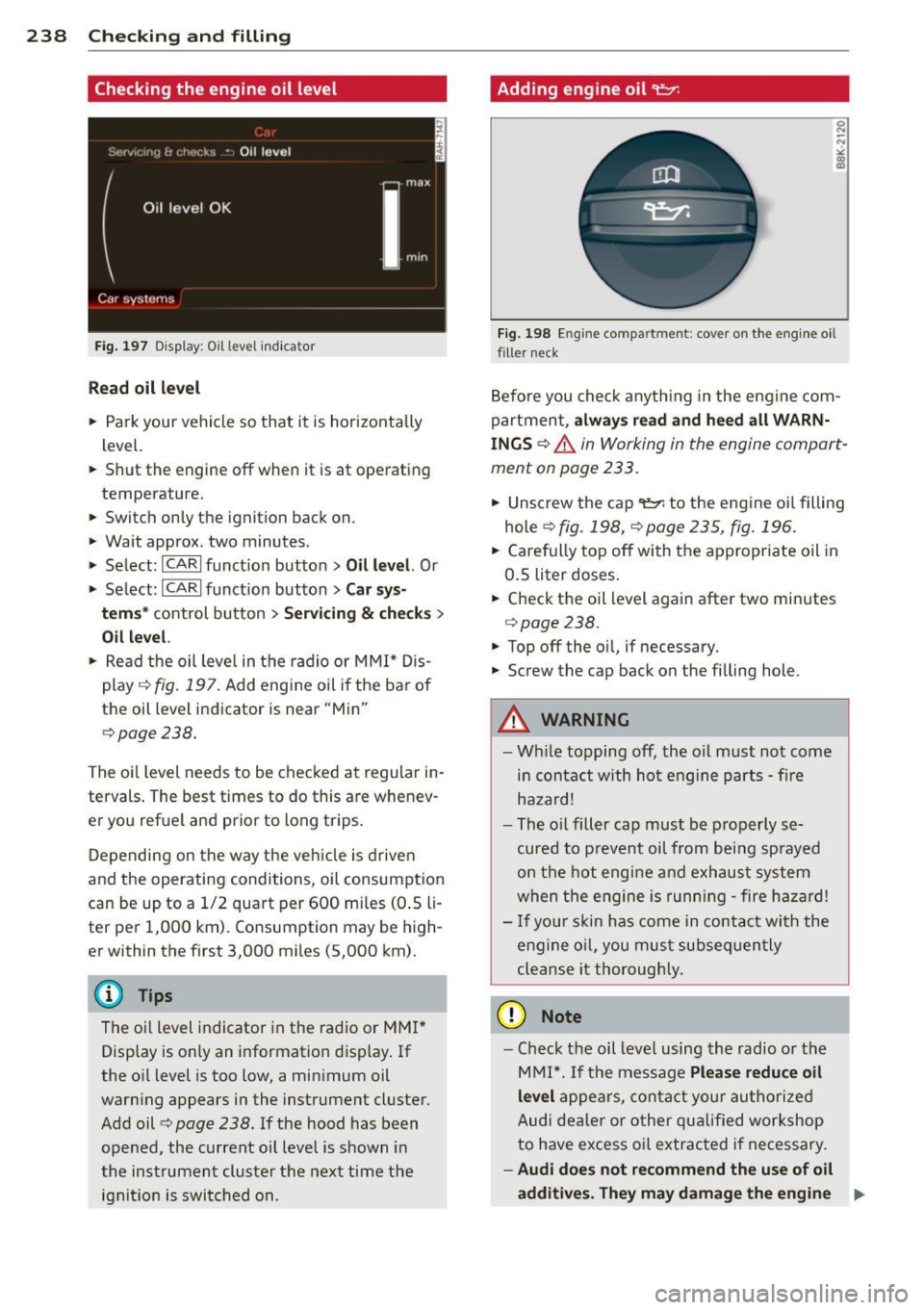
Fig. 197 Disp lay: Oi l level indicator
Read oil level
• Park your vehicle so that it is horizontally
level.
.. Shut the engine off when it is at operating
temperature.
.. Switch only the ignition back on.
• Wait approx. two minutes.
> Select: ICARI function button> Oil level. Or
> Select: ICARI function button> Car sys-
tems *
control button > Servicing & checks >
Oil level.
• Read the oil leve l in the radio or MMI* Dis
play
r::;:, fig. 197. Add engine oil if the bar of
the oil level indicator is near "Min"
r::;:,page 238.
The oil level needs to be checked at regular in
tervals . The best times to do this are whenev
er you refuel and prior to long trips .
Depending on the way the vehicle is driven
and the operating conditions, oil consumption
can be up to a 1/2 quart per 600 miles (0.5
li
ter per 1,000 km). Consumption may be high
er within the first 3,000 miles (5,000 km).
@ Tips
The oil level indicator in the radio or MMI*
Display is only an information display. If
the oil level is too low, a minimum oil
warning appears in the instrument cluster.
Add oil
r::;:, page 238. If the hood has been
opened, the current oil level is shown in
the instrument cluster the next time the
ignition is switched on.
Adding engin e oil 't:::r.
Fig. 198 En gine compart men t: cover on the engine oil
fille r neck
Before you check anything in the engine com
partment,
always read and heed all WARN
INGS
r::;:, .&. in Working in the engine compart
ment on page 233.
"' Unscrew the cap 't=1'l to the engine oil filling
hole ¢
fig. 198, r::;:, page 235, fig. 196 .
• Carefully top off with the appropriate oil in
0.5 liter doses.
.. Check the oil level again after two minutes
r::;:,page238 .
"'Top off the oil, if necessary.
"' Screw the cap back on the filling hole.
A WARNING
=
-While topping off, the oil must not come
in contact with hot engine parts - fire
hazard!
- The oil filler cap must be properly se
cured to prevent oil from being sprayed
on the hot engine and exhaust system
when the engine is running -fire hazard!
- If your skin has come in contact with the
engine oil, you must subsequently
cleanse it thoroughly.
(D Note
- Check the oil level using the radio or the
MMI*. If the message
Please reduce oil
level
appears, contact your authorized
Audi dealer or other qualified workshop
to have excess oil extrac ted if necessary.
-Audi does not recommend the use of oil
additives. They may damage the engine ..,..
Page 269 of 316
When the malfunction indicator is illuminat
ed, the system may not be able to detect or
signal low tire pressure as intended. TPMS
malfunctions may occur for a variety of rea
sons, including the installation of replace
ment or alternate tires or whee ls on the veh i
cle that prevent the TPMS from funct io ni ng
p roperly . Always check the T PMS malfunct ion
tellta le afte r replacing one or more t ires or
wheels on your veh icle to ensure that the re
p lacement or a lternate tires and wheels allow
the TPMS to continue to function properly .
Tire pressure indicator appears
Applies to vehicles: with tire pressure monitoring system
The tire pressure indicator in the instrument
cluster informs you if the tire pressure is too
low or if there is a system malfunction.
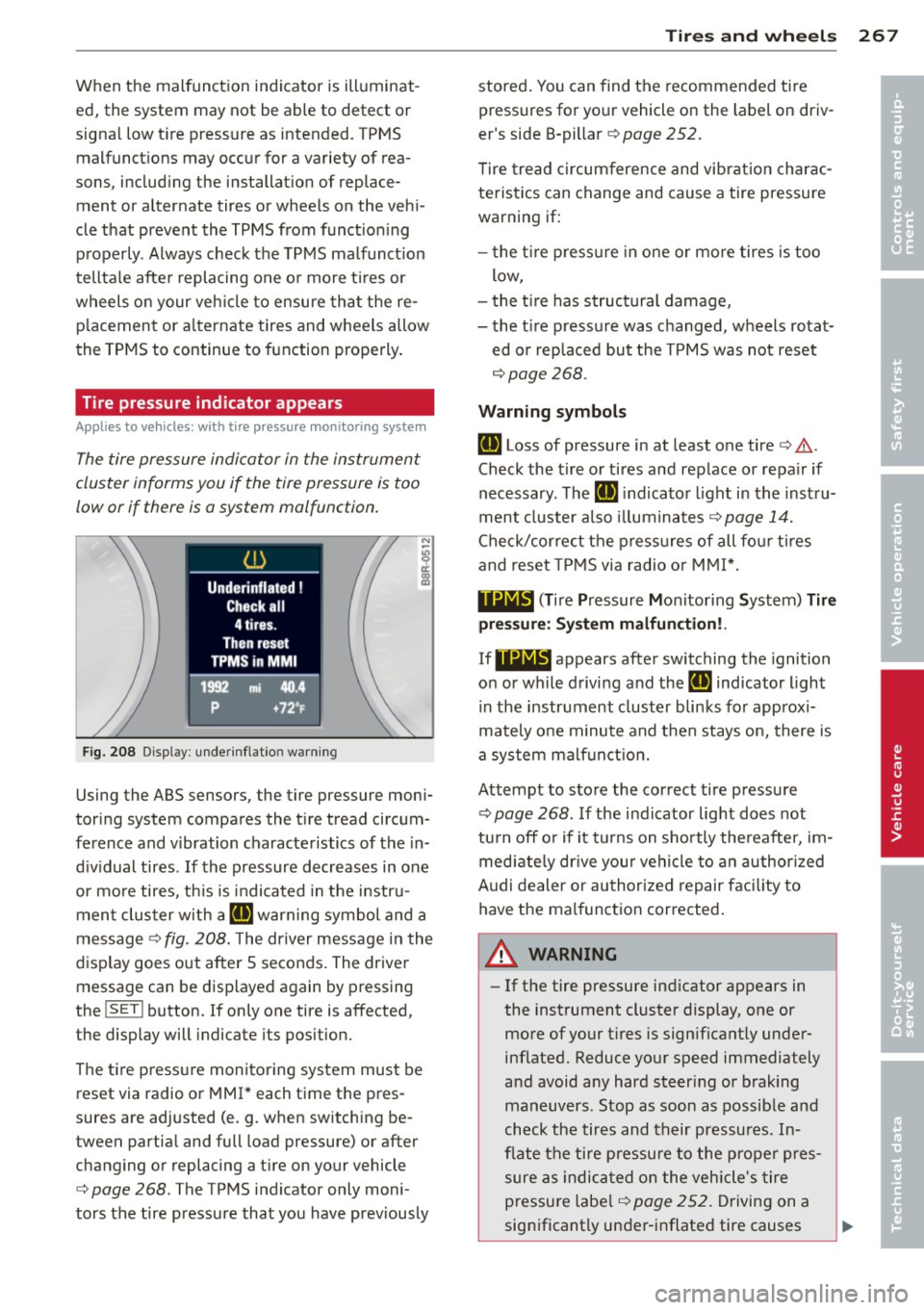
Fig. 208 Display : underinflatio n warning
Using the ABS sensors, the tire pressure moni
toring system compares the t ire tread circum
ference and vibration characteristics of the in
d iv idual tires . If the pressure decreases in one
or mo re tires, th is is indica ted in the instru
ment clus ter with a
IE warning symbol and a
message ¢
fig. 208. The driver message in the
display goes out after 5 seconds. The driver message can be displayed again by pressing
the
! SET ! button. If only one tire is affected,
the display will indicate its pos ition.
The ti re press ure monitoring system must be
reset via radio or MMI* each time the pres
sures are adjusted (e.g . when switching be
tween partia l and full load pressure) or after
changing or replacing a t ire on your vehicle
¢
page 268 . The TPMS indicator only moni
tors the tire pressure that you have prev iously
Tire s an d wheel s 267
stored . You can find the recommended t ire
pressures for yo ur vehicle on the label on driv
er's side B-pillar ¢
page 252.
Tire tread circum ference and vibration charac
teristics can change and cause a tire pressure
warning if:
- the t ire p ress ure in one or more tires is too
low,
- t he t ire has structural damage,
- the t ire pressure was changed, wheels rotat-
ed or replaced but the TPMS was not reset
¢ page 268.
Warning symbo ls
IE Loss of pressure in at least one tire¢.&,.
Check the tire or tires and replace or repa ir if
necessary. The
IE indicato r light in the inst ru
ment cluster a lso illuminates
c::!;> page 14.
Check/correct the press ures of all fou r tires
and reset TPMS via radio o r MMI*.
119;~, (T ir e Pressure Mon itoring System) Tire
pre ssure: Syst em malfun ction!.
If 11Nlf:1 appears afte r switching the ignition
on or while driving and the
IE indicator light
i n the instrument cluster blinks fo r approx i
mately one minute and then stays on, there is
a system malf unct ion.
Attempt to store the correct tire pressure
¢ page 268 . If the ind icator light does not
tu rn off o r if it turns on sho rtly the reafter, im
med iate ly dr ive your vehicle to a n author ized
Audi dealer or au thorized repair faci lity to
have the malfunc tion corrected .
A WARNING
-=
-If the tire pressure indicator appears in
the instrument cluster display, one or
more of your t ires is significant ly under
inflated. Reduce your speed immediately
and avoid any hard steer ing or braking
maneuvers. Stop as soon as possible and
check the tires and their pressures. In
flate the tire p ressure to the prope r pres
sure as indica ted on the vehicle's tire
pressu re labe l
¢page 252. Driving on a
significantly under-i nflated tire causes
•
•
Page 292 of 316
2 90 General information
General information Explanation of
technical data
Some of the technical data listed in this man
ual requires further explanation .
The technical data for your vehicle is listed in
the charts starting on
r:::> page 292. This sec
tion provides general information, notes and restrictions which apply to this data .
Vehicle identification
The key data is given on the vehicle identifica
tion number (VIN) plate and the vehicle data
sticker.
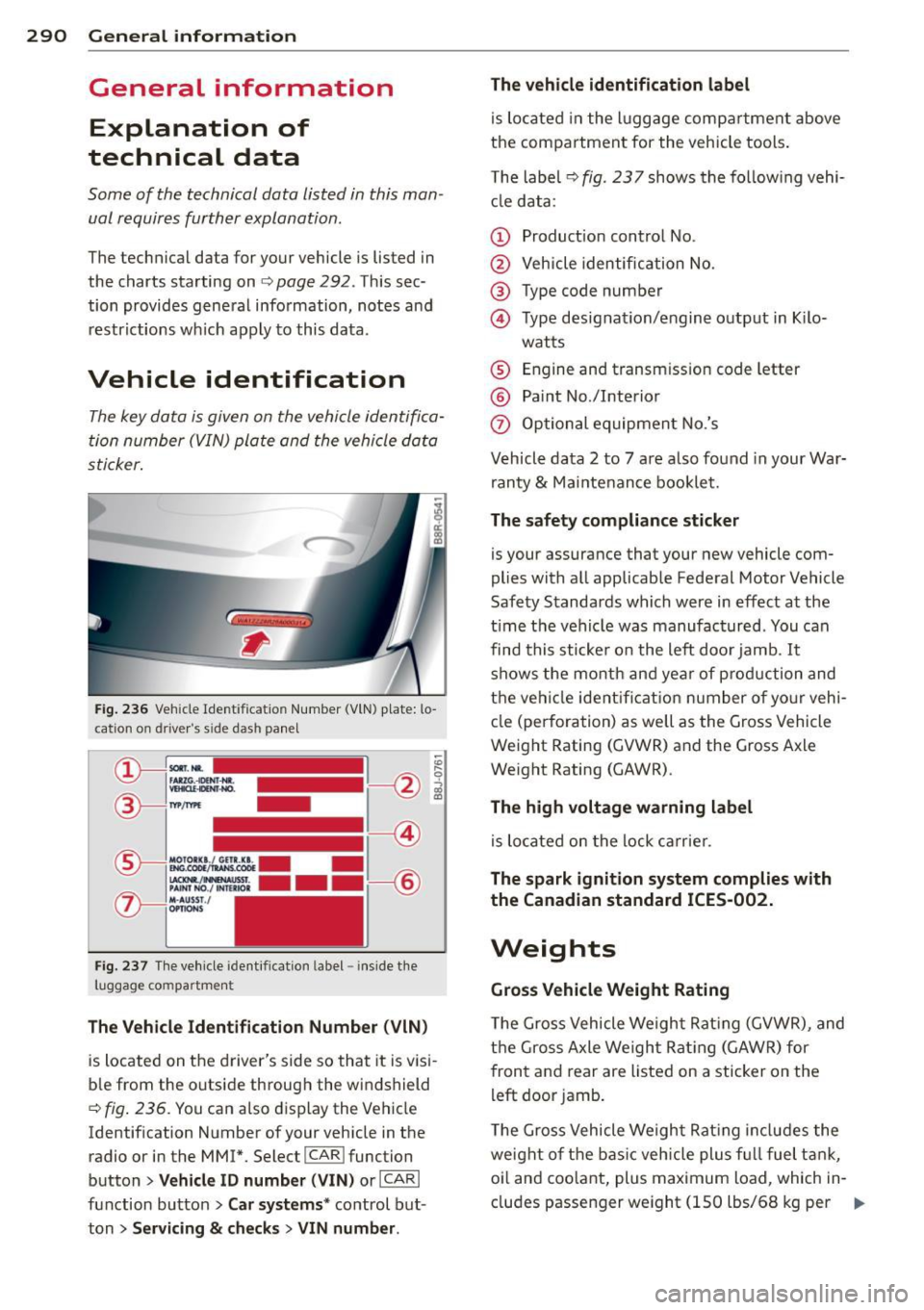
Fig. 236 Veh icle Ide ntific atio n Number (VlN) p late: lo
cation on driver 's sid e das h panel
Fig. 237 The vehicle identi fication label -inside the
luggage co mpa rtmen t
The Vehicle Identification Number (VIN)
is located on the driver's side so that it is visi
b le from the outside through the windshield
r:::> fig . 236. You can also display the Vehicle
Identification Number of your vehicle in the
radio or in the MM!*. Select
! CAR ! function
button>
Vehicle ID number (VIN) or !CARI
function button> Car systems* control but
ton >
Servicing & checks > VIN number . The
vehicle identification label
is located in the luggage compartment above
the compartment for the vehicle tools.
The label¢
fig. 23 7 shows the follow ing vehi
cle data :
(D Production control No.
@ Vehicle identification No.
® Type code number
@ Type designation/engine output in Kilo-
watts
® Engine and transmission code letter
@ Paint No./Interior
(f) Optional equipment No.'s
Vehicle data 2 to 7 are also found in your War
ranty
& Maintenance booklet.
The safety compliance sticker
is you r assurance that your new vehicle com
plies with all applicable Federal Motor Vehicle
Safety Standards which were in effect at the
t ime the vehicle was manufactured . You can
find this sticker on the left door jamb .
It
shows the month and year of production and
the vehicle ident ification number of your vehi
cle (perforation) as well as the Gross Vehicle
Weight Rating (GVWR) and the Gross Axle
Weight Rating (GAWR) .
The high voltage warning label
is located on the lock carrier.
The spark ignition system complies with
the Canadian standard ICES-002.
Weights
Gross Vehicle Weight Rating
The Gross Vehicle Weight Rating (GVWR), and
the Gross Axle Weight Rating (GAWR) for
front and rear are listed on a sticker on the
left door jamb.
The Gross Vehicle Weight Rating includes the
weight of the basic vehicle plus fu ll fuel tank,
oi l and coolant, plus maximum load , which in
cludes passenger weight (150 lbs/68 kg per
Ill>
Page 304 of 316
302 Index
Chassis Undercoating
Chec king
222
Eng ine coolant leve l ................ 240
Tire pressure ...................... 254
Child restra ints
Danger of us ing ch ild restra ints in the
front seat ... ............ .. .. .. .. .
158
System anchors .......... .. .. .... . 191
Where can I get add it ional information
about child restraints and their use? ..
196
Ch ild safety .................... ... . 178
Conve rtible locking retracto r .. .. .. .. . 188
Important safety instructions for using
chi ld safety seats ..................
181
Important things to know when driving
with chi ldren .. .. ..... ... .. .. .... .
178
Installing a child restraint using the
LATCH system .. ............ .. .... .
193
Mount ing and releasing the anchorage
hook .. .. .... ........ ...... .... ..
193
Tether anchors ................ .... 194
Tether straps ................. .... 194
Chi ld safety locks
Rear doors ... ........... .. .. .... ..
46
Child safety seats .. ..... ... .. .. .... . 184
Booster seats .... ..... ... .. .. .... . 186
Convertible c hild seats .. .. .. ... ... . 185
Convertible locking retractor .. .. ..... 188
Danger of us ing child restra ints in the
front seat ................. .. .... .
158
How do I properly install a child safety
seat in my vehicle? ..... ... .. .. .. .. .
18 1
Infant seats ... .......... .. .. .. .. . 184
Install ing .. ............. .. .. .... . 188
LA T CH system ..................... 193
Lower anchorages ..... ... .. .. .... . 192
Safety instructions ..... ... .. .. .... . 181
Unused safety belts on the rear seat . . 183
C igare tte lighte r ............. .. .... .. 75
Cleaning
Eng ine compartment ........... ....
226
Exhaust tail p ipes .......... .... .... 223
Fabrics and fabr ic coverings ......... 223
Ins trument panel .................. 224
In ter ior .. .. ... .......... .. .. .. .. . 223
Leather .... ... .. ..... ... .. .. .... . 225
Matte finish paint ..... ... .. .. .... . 219
MMI control console . .. ..... .... . .. 223
MMI display ..... ... .. ..... ... .. .. 223
Plastic and vinyl . .... ....... ... .. .. 220
Plastic parts ... .. ............. .... 224
Radio display ..................... 223
Safety belts ..... ................ . 226
Trim strips . . . . . . . . . . . . . . . . . . 220,221
Climate control .... ... .. ..... ... .. .. . 79
Air vents .......................... 81
Automatic recirculation ........... .. . 81
Operation . . . . . . . . . . . . . . . . . . . . . . . . . 80
Setup ...... .. .. .. ... ....... ... .. . 81
Supplementary .. ................ .. 82
Sync hronizing ...................... 81
Cli matized cupholder . . . . . . . . . . . . . . . . . 7 4
Clock . ... .. .... .. .. ... ..... ... .. .. .
12
Closing
Panoramic sliding sunroof ........ .... 4 7
Coat hooks ..... .. ............. .... .
78
Cold tire inflation pressure ..... ... .. .. 252
Compass mirror . . . . . . . . . . . . . . . . . . . . . 59
Compliance ..... .. .. ... ..... ... .. .. 298
Consumer Informa tion . . . . . . . . . . 146, 295
Contac ting NHTSA . ............. .... 146
Convenience
Closing ... .... .. ... .. ..... .... . .. .
47
Opening .. .. .. .. ............. ..... 47
Convenience key . . . . . . . . . . . . . . . . . . . . . 40
Indicator lights ... .............. .. . 88
Locking and unlock ing vehicle .. .. .. .. . 40
Starting engine (START ENGINE STOP
button) ...........................
86
Stopping the engine (START ENGINE
STOP button) ......................
87
Switching on ignition ................ 86
Convertib le child safety seats ... .. .. .. 185
Convertib le loc king ret ractor
A t· t· c 1va mg ... .. .. .... ......... .... 190
D t' . eac 1vatmg . . . . . . . . . . . . . . . . . . . . . . 191
U sing to secure a child sa fety seat lB8, 190
Coolant system . ... .. ... ....... ... .. 240
Cooled cupholder .. ... .......... ..... 7 4
Cooling box in glove compartment . .. .. . 77
Cooling mode (climate control) ...... .. .
80
Cooling System
Expansion tank ... .. ... ..... ...... .
240
Cornering l ight . . . . . . . . . . . . . . . . . . . . . . 51
Page 305 of 316
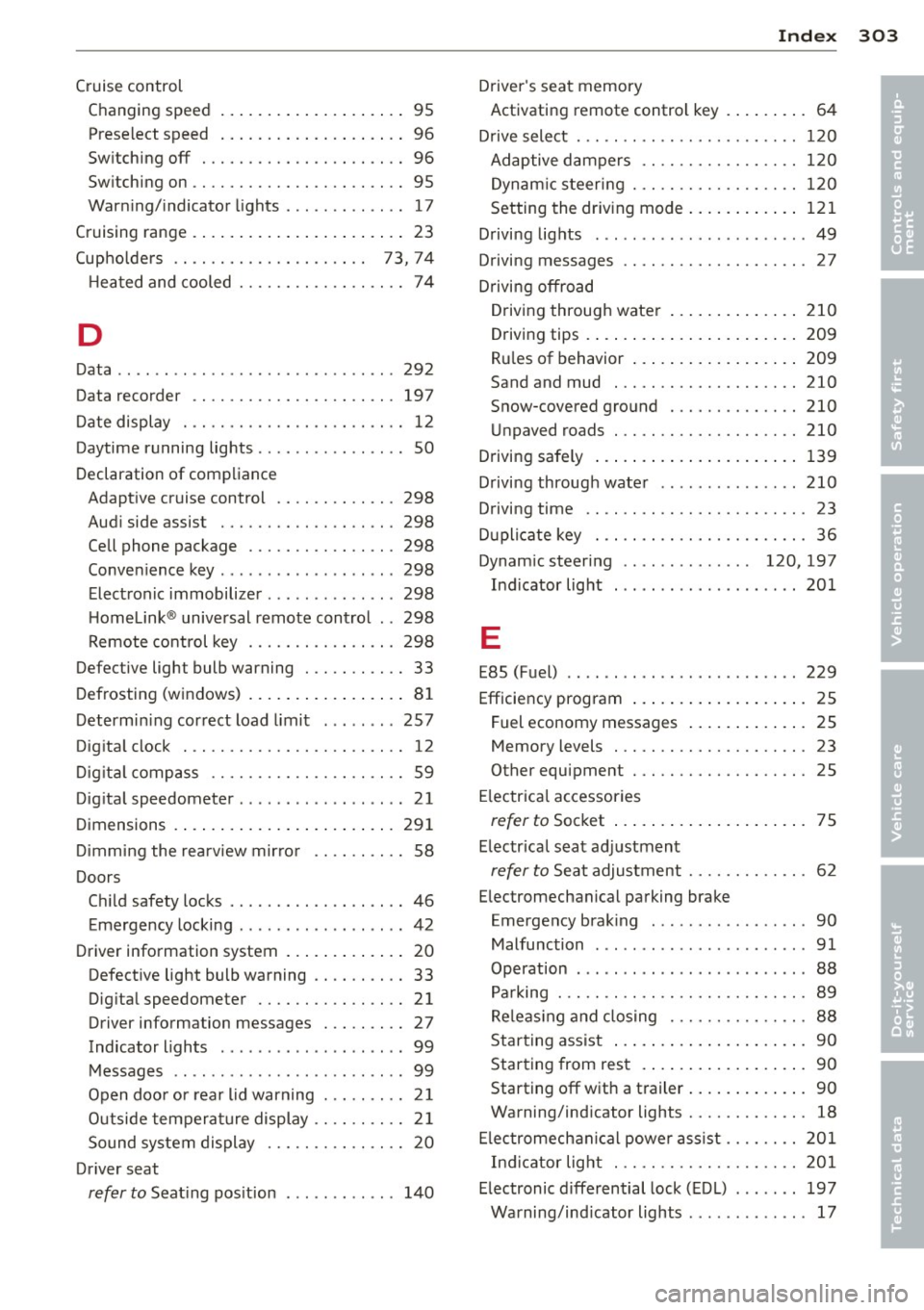
Index 303
-----------------------------------.......
Cruise control
Changing speed .. ..... ... .. .. .. .... 95
Prese lect speed . . . . . . . . . . . . . . . . . . . . 96
Sw itching off ..... ....... .... .. .... 96
Sw itching on ............. .... .. .... 95
Warn ing/ indicator lights ........ .... . 17
Cruising range . . . . . . . . . . . . . . . . . . . . . . . 23
(upholde rs . . . . . . . . . . . . . . . . . . . . . 73, 74
H ea ted and cooled ........ .. .. .. .. .. 74
D
Data ....... ... ................ .... 292
Data recorde r ............. .... .. ... 197
D ate display . .... ......... .... .. .. .. 12
Daytime running lights ........... .... . SO
Declaration of compliance Adapt ive cr uise control .... .. .. .. .. . 298
Aud i side assist .......... .. .. .. .. . 298
Cell phone package ....... .. .. .. .. . 298
Conve nience key ............. .... .. 298
E lect ronic immobilize r ..... .. .. .. .. . 298
H omelink ® universal remote contro l .. 298
Remote control key ....... .. .. .. .. . 298
Defective light bulb warning . .. .. .. .. .. 33
D efrosting (w indows) .... ... .. .. .. .. .. 81
Determin ing cor rect load limit ... ... .. 257
Dig ita l clock . .. ........... .. .. .. .... 12
D ig it al compass ........... .. .. .. .. .. 59
Dig ita l speedometer ............ ... ... 21
Dimensions .. .. ... ..... ... .. .. .. ... 291
D immi ng the rearview mir ro r . . . . . . . . . . 58
Doors Chi ld safety locks .. ....... .. .. .. .. .. 46
Emergency locking ............. .... . 42
Driver information system . . . . . . . . . . . . . 20
Defective light bulb warning .. .. .. .. .. 33
Dig ita l speedometer ...... .. .. .. .. .. 21
Driver information messages . .. .. .. .. 27
Indicator lights . . . . . . . . . . . . . . . . . . . . 99
M essages .. .. ..... ...... .. .. .. .. .. 99
Open doo r o r r ear lid warning . . . . . . . . . 2 1
Outside tempera ture display .. .. .. .. .. 2 1
Sound system display . . . . . . . . . . . . . . . 20
Dr iver seat
refer to Seat ing pos ition ....... ... .. 14 0 Driver
's seat memory
Activating remote contro l key . . . . . . . . . 64
D rive select . .. .. .. ................. 120
Adaptive dampers .... ......... .. .. 1 20
D ynam ic steer ing . ............. .... 12 0
Setting the dr iv ing mode ..... ... .. .. 121
D rivi ng lights ..... .. ................ 49
Driving messages . . . . . . . . . . . . . . . . . . . . 27
Drivi ng offroad
D riving through wate r ....... ... .. .. 210
Driving tips . ..... .. . .. .. ..... ... .. 209
Ru les of behavior ... . .. ..... ... .. .. 209
Sand and mud . .. ................. 210
Snow-covered gro und . ............. 210
Un paved roads . .. ............. .. .. 210
D riving safely ..... ... .. .. ..... ... .. 139
Driving through wate r .............. . 210
Driving time .. .. .. ... ............ .. . 23
D uplicate key . .. .. ................. . 36
Dynam ic steering . . . . . . . . . . . . . . 120, 197
Ind icator light ... .. .......... .... . 201
E
E85 (Fuel) .. .. .. .. ... ... ...... ..... 229
Efficiency program .... .. .. ..... ... .. . 25
Fuel economy messages ..... ... .. .. . 25
Memory levels . . . . . . . . . . . . . . . . . . . . . 23
Other equipment . ................. . 25
El ectrical accessories
refer to Soc ket ... .. . ... ...... ... .. . 75
E lectrica l seat ad justment
refer to Seat adjustment ........ .. .. . 62
E lectromechanical parking brake
Emergency brak ing .. .. .... .... .. .. . 90
Malfunction ..... .. ..... ........... 91
Operation . . . . . . . . . . . . . . . . . . . . . . . . . 88
Pa rking ... .. .. .. .. .. ........... .. . 89
Re le as ing and closing .......... .. .. . 88
Star ting ass ist ... .. . .. ... .... ... .. . 90
Star ting from res t .. . ... ...... ... .. . 90
Starting off w ith a t railer ..... ... .. .. . 90
Warning/ind icator lights .......... .. . 18
El ec tromech anic al powe r as sis t .... .. .. 201
In dicator lig ht . .. ............. .. .. 201
E lectronic differential lock ( EDL) ...... . 197
Warning/ind icator lights .. .. ... ... .. . 17
•
•
Page 310 of 316
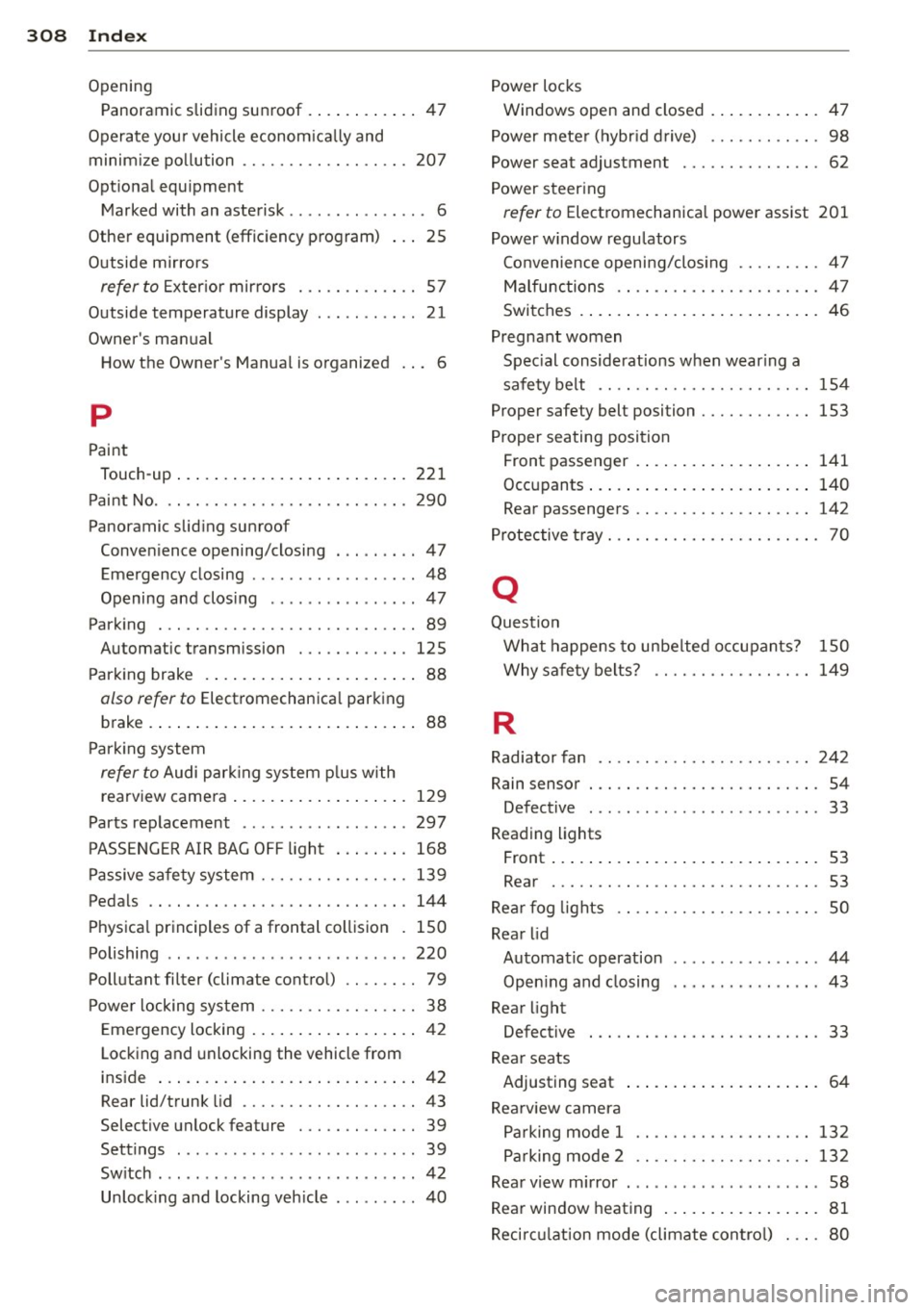
308 Index
Opening Panoramic sliding sunroof .. .. ... ... .. 47
Operate your vehicle econom ically and
minim ize po llution .. ... .. .. .. .. .. .. . 207
Opt ional equ ipment
Marked with an asterisk . . . . . . . . . . . . . . . 6
Other equipm ent (efficiency program)
Outside mirrors 25
refer
to Exterior mirrors . .. .. .. .. .. . . 57
Outside temperature display ..... .. .... 21
Owner's manual How the Owner's Manua l is organized . . . 6
p
Paint
Touch-up ................. ... .... . 221
Paint No ... ........ ..... .. .. .. .. .. . 290
Pano ramic sliding sunroo f
Conven ience opening/closing . .. .... .. 47
Emergency closing ........... ... .... 48
Opening and clos ing ......... ... .... 47
P ar king ... ........ ......... .. .. .. .. 89
Au tom atic tran smi ssion ... .. .. .. .. . 125
Parking brake ............... .. .... .. 88
also ref er to Electromechanica l parking
brake .. .... ............... .. .... .. 88
Parking system
refer to Audi park ing system plus with
rearview camera .............. .... . 129
Parts replacement .......... .... .... 297
PASSENGER AIR BAG OFF light . . . . . . . . 168
Passive safety system ..... .. .. .. .. .. . 139
Pedals ...... ............ ..... .. .. . 144
Physical principles of a frontal collision . 150
Polishing .. .. ................ ... ... 220
Pollutant filter (climate control) .. ...... 79
Power locking system . . . . . . . . . . . . . . . . . 38
Emergency locking .......... .. .... .. 42
Locking and unlocking the vehicle from
ins id e ... .. ................ ..... .. 42
Rea r lid/trunk lid .. ......... .. .. .. .. 43
Selective unlock feature ... .. .. .... .. 39
Settings ... ... ... ... .... .. .. .. .. .. 39
Switch ... .. ................ ... ... . 42
Unlock ing and locking veh icle .... ..... 40 Power
locks
W indows open and closed ............ 47
Power meter (hybrid drive) ....... .... . 98
Power sea t adjustmen t ... ....... .... . 62
Power steering
refer to Electromechanical power assist 201
Power window regulators
Convenience opening/clos ing .... .... . 47
Malfunctions .. .. ... .. .... .... .. .. . 47
Switches . . . . . . . . . . . . . . . . . . . . . . . . . . 46
Pregnant women
Spec ial considerations when wearing a
safety belt . . . . . . . . . . . . . . . . . . . . . . . 154
Proper safe ty belt position .......... .. 153
Proper seating position
Front passenger .. ................. 141
Occupants ..... .. ............. .... 140
Rear passengers . . . . . . . . . . . . . . . . . . . 142
Protective tray . . . . . . . . . . . . . . . . . . . . . . . 70
Q
Question
What happens to unbelted occupants? 150
Why safety belts? ....... ...... .... 149
R
Radiator fan .. .. .. ... ... .... ....... 242
Rain sensor . . . . . . . . . . . . . . . . . . . . . . . . . 54
Defective ... .. .. ....... ...... .. .. . 33
Reading lights
Front ......... .. .................. 53
Rear . .... .. .. .. ...... ....... .... . 53
Rear fog lights .... ....... .... ...... . SO
Rear lid
Automatic operation . . . . . . . . . . . . . . . . 44
Opening and closing ... ... ... .. .. .. . 43
Rear light
Defective . . . . . . . . . . . . . . . . . . . . . . . . . 33
Rear seats
Adjusting seat . . . . . . . . . . . . . . . . . . . . . 64
Rearview camera Parking mode 1 ... .......... .... .. 132
Parking mode 2 .. ... ... .... ..... .. 132
Rear view mirror . .. .......... ...... .. 58
Rear window heating ................. 81
Recirculation mode (climate control) ... . 80