120 AUDI Q5 2013 Owners Manual
[x] Cancel search | Manufacturer: AUDI, Model Year: 2013, Model line: Q5, Model: AUDI Q5 2013Pages: 316, PDF Size: 78.89 MB
Page 4 of 316
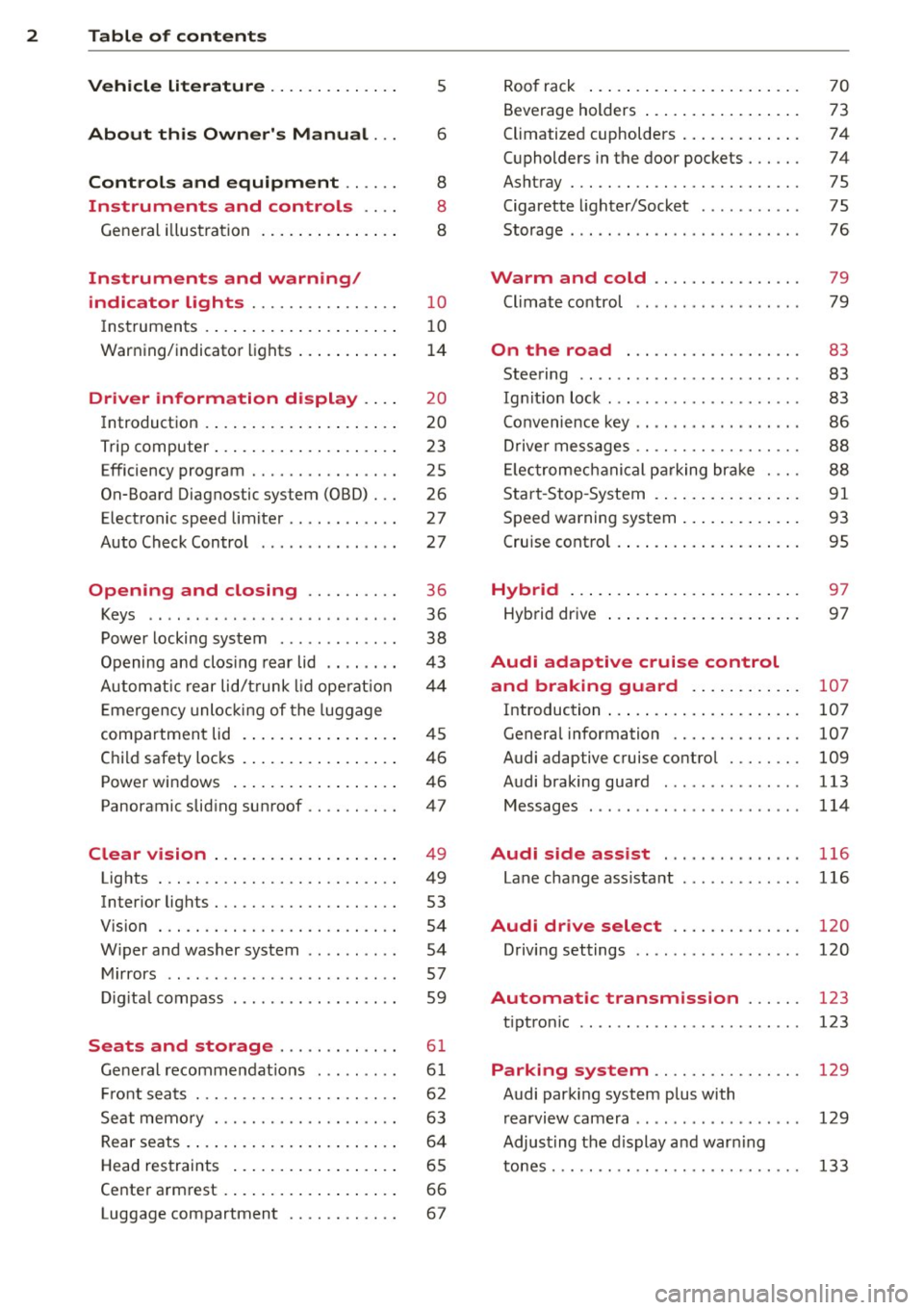
2 Table of contents Vehicle literature .. .. .. .. .. ... .
About this Owner's Manual ...
Controls and equipment .. ... .
Ins truments and controls .. . .
General illus tration .... ... .. .. ... .
Instruments and warning /
indicator lights ........ .. .. .. . .
Ins truments . .. .. ..... ... .. .. ... .
War ning/ indi cator lights ... .. ... .. .
Driver information d isplay .. . .
Introduct ion . .. .. ..... ... .. .. ... .
Trip computer .. .. ..... ... .. .. ... .
Efficiency program ........ .. .. ... .
On-Board Diagnostic system (OBD) .. .
Elect ronic speed limiter ........ .. . .
Auto Check Control ........ .... .. .
Opening and closing .... .. .. . .
Keys .. .. .. ... .... ...... .. .. .. . .
P owe r locking system ............ .
Opening an d clos ing rear lid .. .. .. . .
Automatic rear lid/t runk lid ope rat io n
E mergency unloc king of the lug gage
compartment lid . ..... ... .. .. ... .
C hil d safety locks . ..... ... .. .. ... .
Power win dows .. ..... ... .. .. ... .
Panoramic slid ing sun roof .. .. .. ... .
Clear vision .. .. ..... ... .. .. ... .
Lights ... .. .. . .......... .. .. ... .
Inter ior lights ................ ... .
V 1s 1on . ...... ........... .... ... .
W iper and washer system . ... .. .. . .
Mi rrors .. .. ................ ... . .
D ig ita l compass ................. .
5
6
8
8
8
10
10
14
20
20
23
25
26
27
27
36
36
38
4 3
44
45
46
46
47
49
49
53
54
54
57
59
Seats and storage . . . . . . . . . . . . . 61
Ge ne ral recomme ndat ions ... .. .. . .
Fr ont sea ts . ... .......... .. .. .. . .
Se at memo ry ............ .... ... .
Rear seats .. .. . .. ..... ... .. .. ... .
Head res traints .. ..... ... .. .. ... .
Ce nte r arm rest ... ..... ... .. .. ... .
Luggage compartment ........... . 61
6 2
63
6 4
65
66
67
R oo f rack ..... .. ... .. ..... .... . .
Beverage holders ... ... ..... ... .. .
Climatized cupholders .. ..... ... .. .
( upholders in the door pockets ... .. .
Ashtray ... .... .. ............. .. .
Cigarette lighter/Socket .......... .
Storage ..... .. .. .. ... ....... ... .
Warm and cold .......... ..... .
Climate co ntrol
On the road ................ .. .
Steering ......... .... .......... .
Ig nitio n loc k .. ... ............... .
Co nvenience key .. ... ... .... ... .. .
Dr ive r messages ................. .
El ectromec hani cal p arking br ake . .. .
S tar t-Sto p-System . .... ..... ... .. .
S peed warning system ... .... ... .. .
Cruise cont ro l .. .. ... .. ..... .... . .
Hybrid ... .... .. .. ... ..... ... .. .
Hyb rid drive ..... .. ... ..... ... .. .
Audi adaptive cruise control
and braking guard ...... ... .. .
Introduction ..... .. .... .... ... .. .
Genera l information ........... .. .
Audi adaptive cruise control ..... .. .
Audi braking guard .............. .
Messages ........ .... .......... .
Audi side assist ... ...... ..... .
Lane change ass ista nt
Audi dr ive select ........... .. .
Driving settings .. ... .. ....... ... .
Automatic transmission ..... .
tipt ron ic ..... .... .... .......... .
70
73
74
74
75
75
76
79
79
83
83
83
86
88
88
91
93
95
97
97
107
107
107
109
113
114
116
116
120
120
123
123
Parking system . . . . . . . . . . . . . . . . 129
Audi park ing system plus with
r earv1ew camera . . . . . . . . . . . . . . . . . .
129
Adjust ing the d isplay a nd warn ing
tones. . . . . . . . . . . . . . . . . . . . . . . . . . .
133
Page 11 of 316
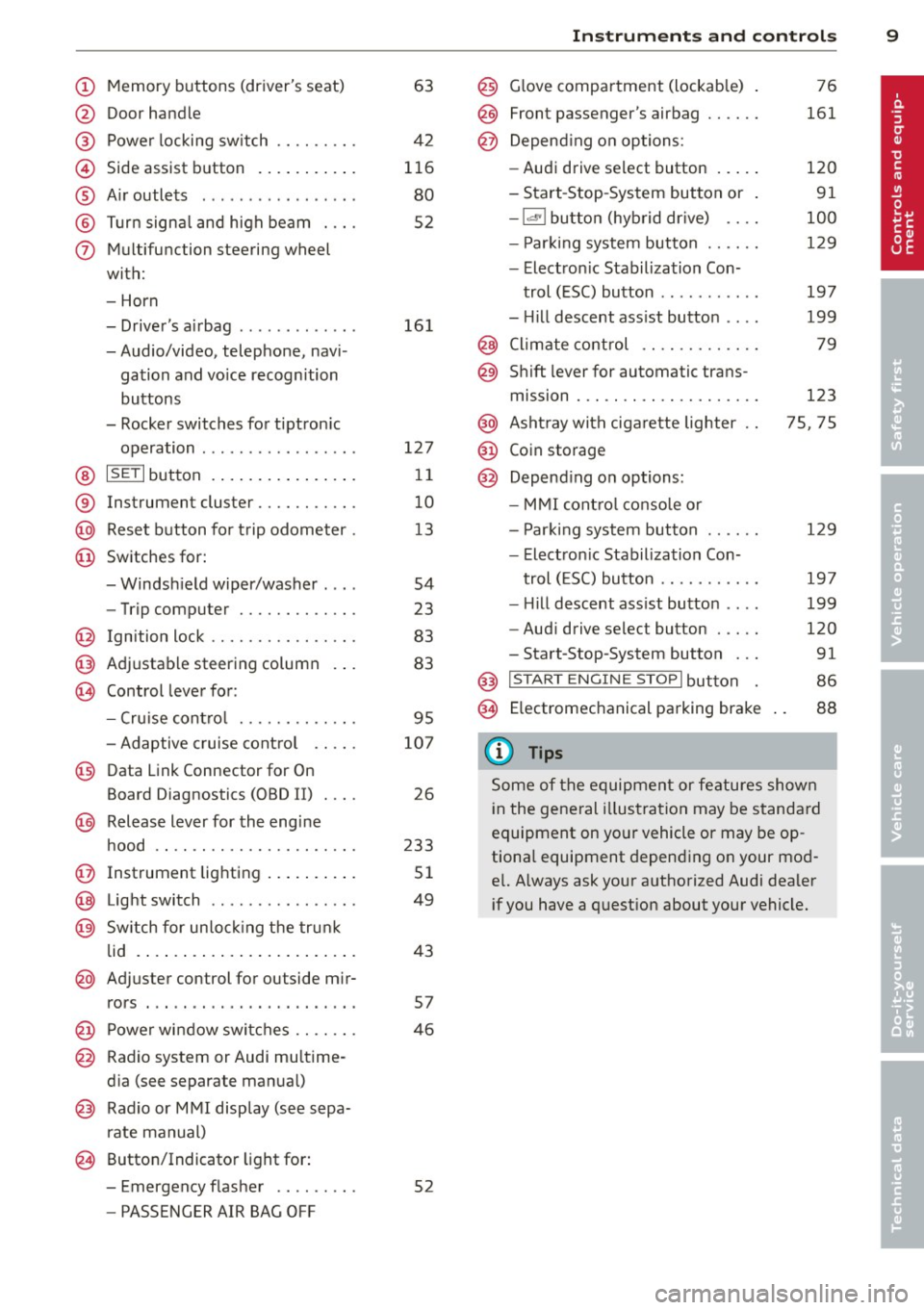
(!) Memory buttons (driver's seat)
@ Door handle
@ Power locking switch ........ .
© Side assist button ....... ... .
® A ir outlets .... .. ... ... .. .. .
@ Tu rn signa l and high beam . .. .
(j) Multifunction steering wheel
with:
- Horn
- Driver's airbag ............ .
- Audio/video, telephone, navi-
gation and vo ice recognition
buttons
- Rocker switches for tiptron ic
operation ................ .
@ ISETI button ... ..... ... ... . .
® Instrument cluster .......... .
@ Reset button for trip odometer .
@ Switches for:
- Windsh ield wiper/washer . .. .
- Trip computer ............ .
@ Ign ition lock ............... .
@ Adjustable steering column
€3J Control lever for:
- Cru ise contro l ........ .. .. .
- Adaptive cruise contro l .. .. .
@ Data Link Connector for On
Board Diagnostics (OBD II) . .. .
@ Release lever for the engine
hood .. .. .... ............. .
@ Instrument lighting .. ... .. .. .
@ Light switch ... .. ... ... .. .. .
@ Sw itch for un loc king the trunk
lid .... .. .. .... .. .... ... .. .
@ Adjuster control for outside mir-
63
42
116
80
52
16 1
127 11
10
1 3
54
23
83
83
95
107
26
233
51
49
43
rors . . . . . . . . . . . . . . . . . . . . . . . 57
@ Power wi ndow switches . . . . . . . 46
@ Radio system or Audi mu ltime-
d ia (see separate manual)
@ Radio or M MI display (see sepa
rate manual)
@ Button/Indicator light for:
- Emergency flasher . . . . . . . . . 52
- PASSENGER AIR BAG OFF
Instrument s and control s 9
@) Glove compartment (lockab le)
@
@
Front passenger's airbag ..... .
Depend ing o n options:
- Audi drive select button
- Start -Stop-System button or
- 1.cl •I butto n (hybrid drive) ... .
- Par king system button ..... .
- Electron ic Stabilization Con-
trol (ESC) button .......... .
- Hill descent ass ist button ... .
@ Climate control .... ........ .
@ Shift lever for automatic trans-
mission . .. .. .. .... ........ .
@ Asht ray with ciga rette lighter
@ Coin storage
@ Depend ing on options:
- MMI cont ro l conso le or
- Park ing system button ..... .
- Electron ic Stabilization Con-
trol ( ESC) button .......... .
- Hill descent ass ist button ... .
- Aud i drive select button .... .
-Start-Stop-System button .. .
@) I S T ART ENGI NE STOPI button
§) Electromechanical parking brake
{!) Tips
76
161
120
91
100
129
197
199
79
123
75, 75
129
19 7
199
120
91
86
88
Some of the equipment or features shown
in the general illustration may be standa rd
equipment on yo ur vehicle or may be op
tiona l equipment depending o n your mod
e l. Always ask your authorized Audi dealer
i f you have a quest ion about your vehicle.
Page 78 of 316
76 Seats and storage
The 12-volt sockets can be used for electrical
accessories. The power input must not exceed
120 watts.
There is an additional 12-volt socket in the
center console. Before you purchase any accessories, always
read and follow the information in
~ page 29 7, Additional accessories and parts
replacement.
A WARNING
The power outlets and therefore the elec
trical accessories connected to them oper ate only with the ignition on. Improper use
of the outlets or of electrical accessories
can lead to serious injuries or cause a fire.
For this reason, children should never be
left unattended in the vehicle -they could
be injured!
(D Note
To avoid damaging the socket, only use
plugs that fit properly .
{D) Tips
When the engine is off and accessories are
still plugged in and are on, the vehicle bat
tery can still be drained .
Storage
General overview
There are numerous places to store items in
your vehicle.
Glove compartment 9 page 76
Cooling box in glove compart-
9 page 77
ment
Storage compartment in the
roof
Multi-use attachment
Coat hooks
Storage in the door panels
Storage net in footwell
9page 77
9page 77
9page 78
-
Storage net in the front seat
backs
Storage net in luggage com
partment
A WARNING
--
- Always remove objects from the instru
ment panel. Any items not put away
could slide around inside the vehicle
while driving or when accelerating or
when applying the brakes or when driv ing around a corner.
- When you are driving make sure that
anything you may have placed in the cen
ter console or other storage locations
cannot fall out into the footwells. In case
of sudden braking you would not be able
to brake or accelerate.
- Any pieces of clothing that you have
hung up must not interfere with the driv
er's view. The coat hooks are designed
only for lightweight clothing. Never hang
any clothing with hard, pointed or heavy
objects in the pockets on the coat hooks .
During sudden braking or in an accident -
especially if the airbag is deployed -
these objects could injure any passen
gers inside the vehicle.
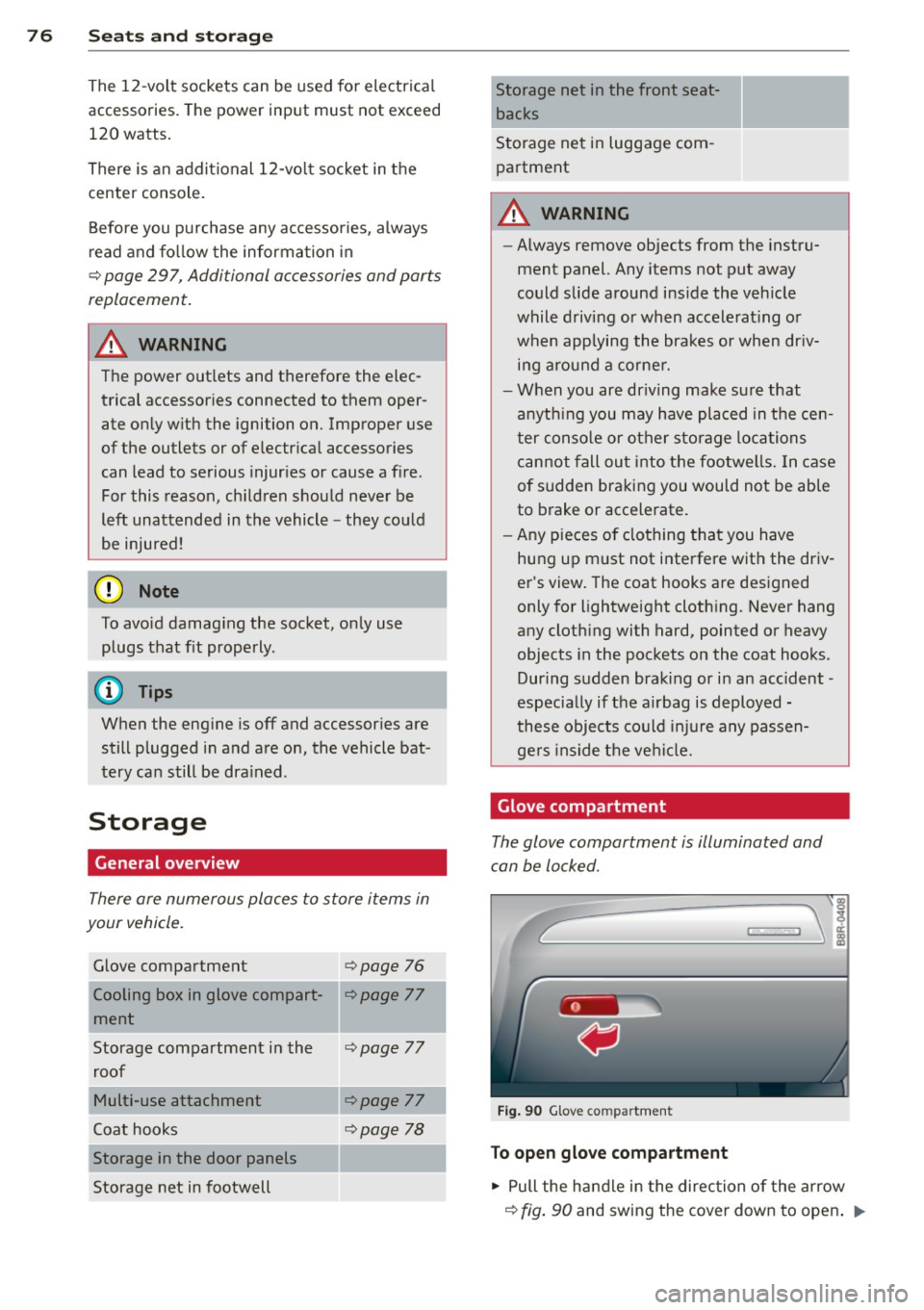
Glove compartment
The glove compartment is illuminated and
can be locked .
Fig. 90 Glov e co mpartm ent
To open glove compartment
.,. Pull the handle in the direction of the arrow
9 fig. 90 and swing the cover down to open . ..,.
Page 112 of 316
110 Audi adaptive cruise control and braking guard
@ Indicator lights
r• 1 -A dap tive crui se control is switched on . No
ve hicl es are detected up ahead. The stored
speed is ma intained.
I -A mov ing vehicle is detec ted up ahe ad.
T he ad aptive cruise co ntro l sys tem regulates
the spee d and d istance to the moving vehicle
a head and acce le rates/brakes automat ica lly.
I -W hen a utoma tic br aking is no t ab le to
keep enough distance to a previously detec ted
moving vehicle up ahead, you m ust ta ke co n
trol and brake <=:>
page 112, Request for driver
intervention .
© Display
If ad aptive cruise co ntr ol is n ot shown in the
d ispl ay, you c an call it up with the
I RESET !
button ¢ page 20.
Based on the symbo ls in the display, you can
dete rm ine if the system is main taini ng a dis
tance to the vehicle ahead and w hat tha t di s
tance is .
No vehicle -No vehicle a head wa s de te cted.
White vehicle -A vehicle ahead was detected.
Red vehicle -Prompt for the driver to take ac
tion
<=:> page 112.
Both arrow s on the sc ale © indicate the dis
tance to the vehicle ahead. No ar row appears
when t he vehicle is on an open road and there
is no object ahead. If an object is detected
a head, the arrow moves on the scale.
The green zone on the scale s hows the sto red
distance . For information on changing the
stored distance, refer to <=:>
page 111. If the
d istance selected is too close or may soon be
come too close, the arrows move into the red
zo ne on the scale .
A WARNING
Improper use of the adaptiv e cruis e con
trol can ca use c oll is io ns, ot he r acc iden ts
a n d s eriou s pers onal i njuries.
- P re ss ing th e
ISETI button when driving at
sp eeds below 20 mp h (30 km/h), will a u- tomatically accelerate the vehicle to
20 mph (30 km/h), w hich is the mini
m um speed that can be set.
(D Tips
- If you switch t he ig nitio n or the adaptive
cruise contro l off, t he set speed is e rased
from the system memory.
- Th e Electronic Stabilization Control (ESC)
is a utomat ica lly turned on when the
adaptive cru ise contro l is turned on. You
cannot switc h the ESC into ESC Offroad
mode w hile the adapt ive cr uise c ontrol is
t ur ne d on
<=:> pag e 198 .
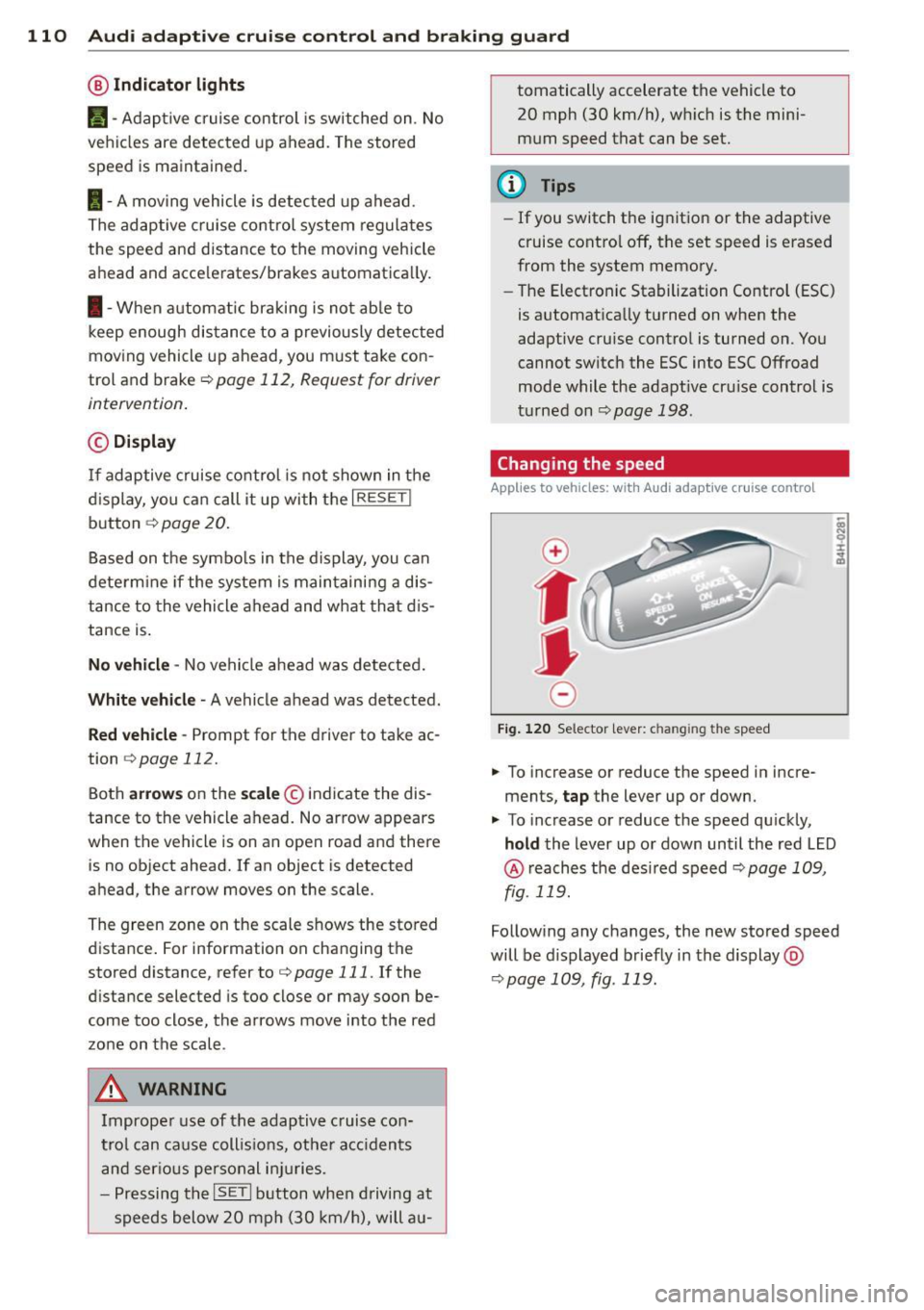
Changing the speed
Applies to veh icles: w ith Audi adaptive cruise co ntro l
0
f
• 0
Fig. 120 Selec tor lever: c han gin g the speed
.,. To increase or reduce the speed in incre
ments,
tap the lever up or down .
.,. To increase or reduce the speed qu ickly,
hold the Lever up o r down un til the red L ED
@ reaches t he des ired speed <=:> page 1 09,
fig . 119.
Follow ing any changes, the new sto red speed
will be d isplayed briefly in the display @
<=:>page 109, fig . 119.
Page 122 of 316
120 Audi drive select
Audi drive select
Driving settings
Introduction
App lies to vehicles: with Audi drive select
Drive select provides the possib ility to exper i
e nce diffe ren t types of vehi cle sett ings in o ne
ve hicl e. For ins tance, us ing t he three
Com
fort , Auto and Dynamic modes, the driver can
switch from a sporty to a comfortab le drivi ng
mode with the press of a b utton.
A ddit ionally, in veh icles wi th MM I*, the vehi
cle setup for
Individual* mode can be c us
tom ized by you. This makes it possib le to
comb ine settings such as a sporty engine tun
ing with comfortable steering.
A WARNING
Improper use of the drive select can cause
co llisions, other accide nts and ser ious per
sonal injury.
Description
App lies to vehicles: with Audi drive select
The vehicle setup in each mode depends on
the veh icle's features . However, the engin e,
automa tic t ransmissio n and steeri ng a re a l
ways involved.
Engine and automatic transmission
Depending on the mode , the e ng ine and the
automatic t ransm ission respond quicke r or i n
a more ba la nced manne r to a cce le rator pedal
move ments. In t he sporty dynam ic mode, the
a ut om at ic t ra nsmissio n shifts at h igher R PMs.
Steering
The steering adapts in terms of stee ring effort
and steering ra tios . Ind irect steer ing that
moves easi ly, l ike the stee rin g in comfort
mode, is best su ite d t o long dr ive s on a high
way. In co ntr ast, dynam ic mo de p rov ides
sporty, direct steering .
T he fo llow ing applies to vehicles with dynam ic
steer ing*: the stee ring ratio changes based on
ve hicl e spee d in order to maint ain op timum steering effort
for the drive r at all times . This
sets the stee ring to be less sens itive at higher
speeds in order to provide improved vehicle
control. At reduced speeds, however, steer ing
is more d irect in order to keep the steering ef
fort as minima l as poss ible when the driver is
mane uveri ng the veh icle. At low and ave rage
speeds, dynamic steering addit iona lly pro
vides more respon sive stee rin g pe rforma nce.
Adaptive dampers*
The adaptive dampers* use se nsors to record
informa tion regard ing steer ing movemen ts,
braking and acceleration o perations by the
drive r, road surfac e, d riv in g speed, and load.
T his makes it poss ible to adapt damp ing to
the driving si tua tion v irtu ally in real t ime.
Dr ive sele ct also makes i t possib le to sa tisfy
t h e desire fo r spo rty suspension ( Dynamic)
and comfortab le suspension (Comfort) with
o ut giving up ba lanced tuning (Auto) .
Adaptive cruise control*
The be havior when accelera ting can be adju st
ed from comforta ble to sporty, depending on
the d rive select mode . Adaptive cr uise contro l
also responds to the driv ing behavior of the
vehicle ahead in a more conservative or spo rty
manner.
(D Tips
- In some mo dels, t he maximum vehicle
speed can only be reached in the
Auto
and Dynamic mo des.
- Selecting the
Dynamic mode resu lts in
sporty shifting cha racte ristics. The S
gear position engages aut omatically.
- In vehicles that have dynamic stee ring *,
operating noise is heard when start ing or
stopping the e ngine. This does not indi
cate a problem .
Page 149 of 316
(NHTSA) in addition to notify
ing Audi of America, Inc.
If NHTSA receives similar com
plaints, it may open an investi
gation, and if it finds that a
safety defects exists in a group
of vehicles, it may order a recall
and remedy campaign. Howev
er, NHTSA cannot become in
volved in individual problems between you, your dealer, or
Audi of America, Inc.
To contact the NHTSA, you may
either call:
Tel.: 1-888-327-4236 (TTY: 1-800-424-9153)
or
1-800-424-9 3 9 3
or you may write to: NHTSA
U.S. Department of Transporta
tion 1200 New Jersey Ave., S. E.
West Building
Washington, DC 20590
You can also obtain other infor
mation about motor vehicle
safety from:
http:/ /www.safercar.gov
Driving Safely 147
Applicable to Canada
If you live in Canada and you believe that your vehicle has a
defect that could cause a crash,
injury or death, you should im
mediately inform Transport
Canada, Defect Investigations
and Recalls. You should also no
tify Volkswagen Group Canada, Inc.
Canadian customers who wish
to report a safety-related de
fect to Transport Canada, De
fect Investigations and Recalls,
may either call Transport Cana
da toll-free at:
Tel.: 1-800-333-0510 or
Tel.: 1-819-994-3328 (Ottawa region and from other coun
tries)
TTY for hearing impaired: 1-888-675-6863
or contact Transport Canada by
mail at:
Transport Canada Motor Vehicle Safety Investiga
tions Laboratory
80 Noel Street
Gatineau, QC
J8Z 0Al
•
•
'
Page 180 of 316
178 Child Saf ety
Child Safety
Important things to
know
Introduction
The rear seat is generally the safest place in a
collision.
The physical principles of what happens when
your veh icle is in a crash app ly also to chi ldren
~ page 150, What happens to occupants not
wearing safety belts?.
But unlike adults and
teenagers, their muscles and bones are not
fu lly developed. In many respects children are
at greater risk of serious injury in crashes than
adults.
Because children's bodies are not fully deve l
oped, they require restraint systems especial
ly designed for their size, weight, and body
structure. Many countries and all states of the
United States and provinces of Canada have
laws requiring the use of approved child re
straint systems for infants and small ch ildren.
In a fronta l crash at a speed of 20 -35 mph
(30-56 km/h) the forces acting on a 13-pound
(6 kg) infant w ill be more than 20 t imes the
weight of the child. This means the weight of
the child would suddenly be more than 260 pounds (120 kg). Under these conditions,
only an appropriate ch ild restraint properly
used can reduce the risk of ser ious injury.
Child restraints, like adult safety belts, must
be used properly to be effective. Used improp
erly, they can increase the risk of serious in
jury in an accident.
Consult the child safety seat manufacturer's instructions in order to be sure the seat is
right for your ch ild's size ~
page 181, Impor
tant safety instructions for using child safety
seats.
Please be sure to read and heed all of
the important information and WARNINGS
about child safety, Advanced A irbags, and the
installation of child restraints in this chapter .
There is a lot you need to know about the Ad
vanced Airbags in your vehicle and how they
work when infants and children in child re- straints are on the front passenger seat
. Be
cause of the large amount of important infor
mation, we cannot repeat it all here . We urge
you to read the detailed information in th is
owner's manual about airbags and the Ad
vanced Airbag System in your vehicle and the
very important information about transport
ing children on the front passenger seat.
Please be sure to heed the WARNINGS -they
are extremely important for your safety and
the safety of your passengers, especially in
fants and small children.
A WARNING
-Accident statistics have shown that chil
dren are generally safer in the rear seat
area than in the front seating position.
Always restrain any child age 12 and un
der in the rear.
- All vehicle occupants and especially chil
dren must be restrained properly when
ever riding in a vehicle. An unrestrained
or improperly restrained chi ld could be
injured by str iking the i nterior or by be
ing ejected from the vehicle during a
sudden maneuver or impact. An unre
strained or improperly restrained chi ld is
also at greater risk of injury or death
through contact with an inflating airbag.
- A suitable chi ld restraint properly instal
led and used at one of the rear seating positions provides the highest degree of
protection for infants and small children
in most accident situations.
A WARNING ,_
Children on the front seat of any car even
with Advanced Airbags can be ser iously in
jured or even killed when an airbag in
flates. A child in a rearward-facing child
safety seat installed on the front passen
ger seat will be seriously injured and can
be killed if the front airbag inflates.
- The inflating airbag will hit the child
safety seat or infant carrier with great
force and will smash the child safety seat and child against the backrest, center
armrest, or door.
II>-
Page 204 of 316
202 Intelligent technology
authorized Audi dealer or other qualified re
pair facility for assistance.
'I-ij Dynamic steering: System fault! You can
continue driving
If the indicator light turns on and the mes
sage appears, the steer ing may be more diffi
cul t to move or mo re sensitive than usual. The
steer ing may also be at an angle when driving
straight.
Drive slowly to your author ized Audi dealer or
qualified workshop to have the malfu nction
cor rected.
(;:r,ij Dynamic steering : Initializing
Aud i drive select": if the indicator light blinks
and the driver message appears, the dynam ic
steering* is reinitialized. Once you start the
engine after this is finished, the steering
wheel will be easy to move. Re-initialization might be necessary if the steering wheel was
moved hard to the left and right while the ve
hicle was not moving. The display turns off if
the initialization was successfu l.
(D Tips
-If the . or 'Tj indicator light only stays
on for a short time, yo u may continue
driving.
- The dynamic steering* stability systems
opoge 197 are not ava ilable in the event
of a system malfunction.
- For additional information on dynamic
steering*
o page 120 .
Driving with your
quattro ®
With all-wheel drive, all four wheels are driv
en .
General information
With all-wheel dr ive, power is distributed to
all four wheels. This happens automatically
depending on your dr iving style and the road
conditions at the time . See also ¢
page 197.
A center different ial distr ibutes the dr iv ing
power var iably to the front and rear axle.
It
works together with selective wheel torque
control, which activates when driving through
curves
¢ page 198.
The all-wheel drive concept is des igned for
high engine power. Your veh icle is exception
ally powerfu l and has excellent driving charac
teristics both under normal driving conditions
and on snow and ice. Always read and follow
safety precaut ions¢ &.
Winter tires
When driving in the winter, yo ur vehicle with
all -wheel drive has an advantage, even with
regular tires. In winter road conditions it may
be advisable to mount winter tires (or all-sea
son tires) for improved driveability and brak
ing: these tires must be mounted o n
all four
wheels .
See also¢ page 263, Winter tires.
Tire chains
Where tire chains are mandatory on certain
roads, this normally also app lies to veh icles
with all-wheel drive¢
page 264, Snow
chains.
Replacing wheels/tires
Vehicles with all -wheel drive must always
have tires of the same s ize. A lso avoid tires
with different tread depths. For deta ils see
page
o page 2 59, New tires and replacing
tires and wheels.
A WARNING
-Always adjust your dr iv ing to road and traf-
fic conditions. Do not let the extra safety
afforded by all-wheel drive tempt you into
taking extra risks.
- Altho ugh the all-wheel drive is very ef
fective, always remember that braking
capacity is limited by tire traction. You
should therefore not d rive at excessive
speeds on icy or slippery road surfaces.
- On wet road surfaces, be careful not to
drive too fast because the front wheels
could begin to slide on top of the water
(aquaplaning). If this should occur, you
Page 302 of 316
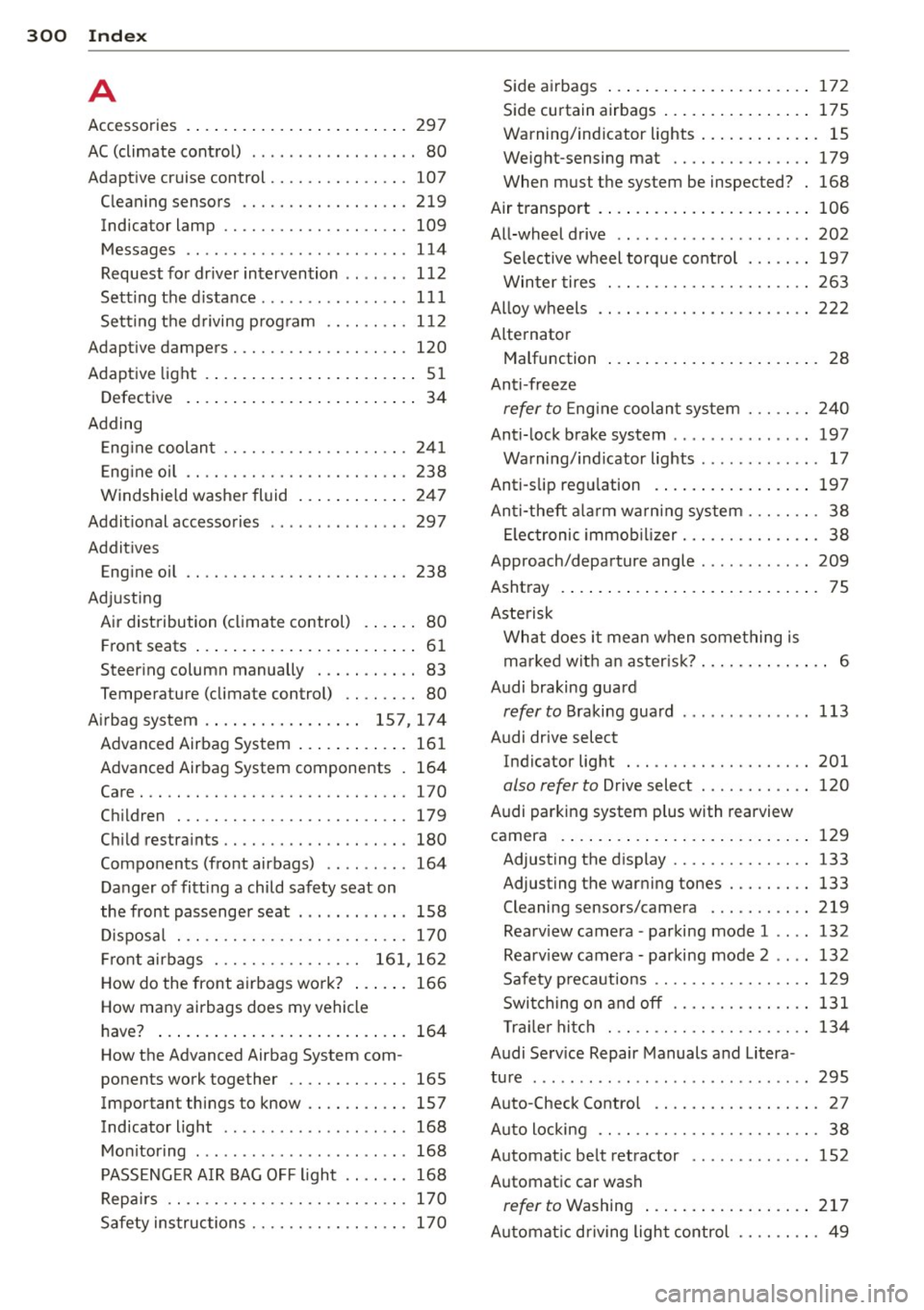
300 Index
A
Accessories 297
AC (climate control) . . . . . . . . . . . . . . . . . . 80
Adaptive cruise control . . . . . . . . . . . . . . . 107
Cleaning sensors ......... .. .. .... . 219
Indicator lamp . . . . . . . . . . . . . . . . . . . . 109
Messages .. ..... ........... ... .. . 114
Request for dr iver intervention . . . . . . . 11 2
Setting the d istance ........ ... .. ... 111
Setting the d riving p rog ram .. .. .... . 112
Adapt ive dampers . . . . . . . . . . . . . . . . . . . 120
Adaptive light . .. . ...... ... ... ..... .. 51
Defective . . . . . . . . . . . . . . . . . . . . . . . . . 34
Adding
E . l ngine coo ant ........... .. .. .... . 241
E ng ine oi l ............... .. .. .. .. . 238
W indshie ld washer fluid ... .. .. .... . 247
Addit ional accesso ries ... ... .. .. .. .. . 297
Additives
Eng ine oil .... ........... .. .. .... .
238
Adjusting
A ir dist ribution (climate control) . .... .
80
Front seats .... .. ..... ... .. .. .... .. 6 1
Steer ing column manually . .. .. .... .. 83
Temperature (climate control) .. .. .. . . 80
A irbag system . . . . . . . . . . . . . . . . . 157, 174
Advanced Airbag System ... .. .. .... . 161
Advanced Airbag System components . 164
Care . .. .. ............... .. .. .... . 170
Chi ldren . ............... .... .... . 179
Ch'ld t .
1 res ra 1nts ........... .. .. .. .. . 180
Components (front airbags) .. .. .. .. . 164
Danger of fitting a child safety seat on
the front passenger seat . .. .. .. .... .
158
Disposa l ..... ........... .. .. .. .. . 170
Fr ont airbags . . . . . . . . . . . . . . . . 16 1, 16 2
How do the front airbags work? ..... . 166
How many airbags does my vehicle
have? ..... ... .. ..... ... .. .. .... .
164
How the Advanced Airbag System com-
ponents work together ...... .. .... .
165
Important things to know .. .. .. .. .. . 157
Ind icator light ..... ...... .. .. .. .. . 168
Monitoring . ................ ... ... 168
PASSENG ER A IR BAG OFF light .. .. .. . 168
Repa irs .. .. .. . .......... .. .. .. .. . 170
Safety ins tructions ........ .. .. .. .. . 170
S ide a irbags ..... ... .. ..... .... . .. 172
Side curtain airbags .... ..... ... .. .. 175
Warning/ind icator lights ..... ... .. .. . 15
w. ht .
e1g -sensing mat . . . . . . . . . . . . . . . 179
When must the system be inspected? . 168
Air t ransport . ..... .. ... ..... ... .. .. 106
All-wheel drive .. .. ................ . 202
Selective wheel torque co ntrol . . . . . . . 19 7
Winter tires ... .. ............. .... 2 63
Al loy wheels .... .. ... .......... .... 222
Alternator
Malfunction . . . . . . . . . . . . . . . . . . . . . . .
28
Anti-free ze
refer to E ng ine coolan t sys tem ... .. .. 2 40
Anti- lock brake system .............. . 197
Warning/ind icator lights .. ... ..... .. . 17
Anti-slip reg ulation . .. .. ..... .... . .. 197
An ti-theft a la rm warn ing system . .. .. .. . 38
El ectronic immob il iz er .......... .... . 38
Approach/depa rture angle ........... . 209
Ashtray .... .... .. .. ... .. ..... ... .. . 75
Aste risk
What does it mean when something is
ma rked wit h an as ter isk? ..... ... .. .. .. 6
Audi braking guard
refer to Braking gua rd ............. . 113
Audi drive select
Indicator lig ht . .. ............. .. ..
201
also refer to Drive select .. ...... .... 120
Audi parking system plus with rearview
camera . ... .... .. .. ... .. ..... ... ..
129
Adjusting the d isplay ............. .. 133
Adjusting the war ning tones ..... .... 133
Cleaning sensors/camera ... .... .. .. 219
Rearv iew camera -parking mode 1 ... . 132
Rea rv iew camera -parking mode 2 .. .. 132
Safety p recautio ns ............. .... 129
Swi tch ing on a nd off ........... .... 131
Tra ile r hi tch . .. .. ... .......... .... 134
Audi Serv ice Repair Manuals a nd Litera -
ture . .. ... ... .. .. .. ... ... ... .. .. ..
295
Auto-Check Contro l . . . . . . . . . . . . . . . . . . 27
A ut o locking . . . . . . . . . . . . . . . . . . . . . . . . 38
Automat ic be lt retractor . .. ... ..... .. 152
Automatic car wash
refer to Washing ... ... ..... ... .. .. 217
A utomat ic d riving light control ...... .. . 49
Page 305 of 316
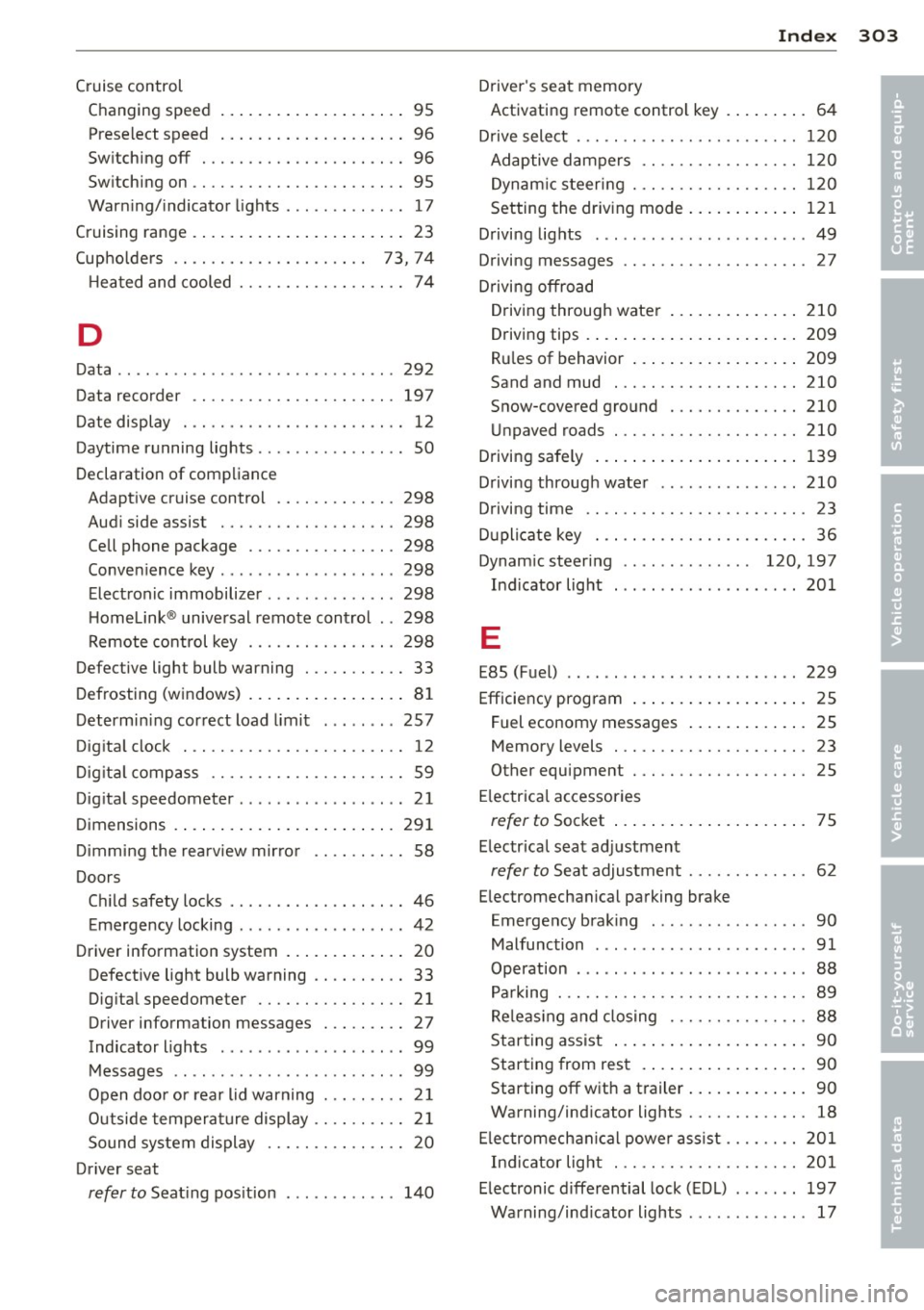
Index 303
-----------------------------------.......
Cruise control
Changing speed .. ..... ... .. .. .. .... 95
Prese lect speed . . . . . . . . . . . . . . . . . . . . 96
Sw itching off ..... ....... .... .. .... 96
Sw itching on ............. .... .. .... 95
Warn ing/ indicator lights ........ .... . 17
Cruising range . . . . . . . . . . . . . . . . . . . . . . . 23
(upholde rs . . . . . . . . . . . . . . . . . . . . . 73, 74
H ea ted and cooled ........ .. .. .. .. .. 74
D
Data ....... ... ................ .... 292
Data recorde r ............. .... .. ... 197
D ate display . .... ......... .... .. .. .. 12
Daytime running lights ........... .... . SO
Declaration of compliance Adapt ive cr uise control .... .. .. .. .. . 298
Aud i side assist .......... .. .. .. .. . 298
Cell phone package ....... .. .. .. .. . 298
Conve nience key ............. .... .. 298
E lect ronic immobilize r ..... .. .. .. .. . 298
H omelink ® universal remote contro l .. 298
Remote control key ....... .. .. .. .. . 298
Defective light bulb warning . .. .. .. .. .. 33
D efrosting (w indows) .... ... .. .. .. .. .. 81
Determin ing cor rect load limit ... ... .. 257
Dig ita l clock . .. ........... .. .. .. .... 12
D ig it al compass ........... .. .. .. .. .. 59
Dig ita l speedometer ............ ... ... 21
Dimensions .. .. ... ..... ... .. .. .. ... 291
D immi ng the rearview mir ro r . . . . . . . . . . 58
Doors Chi ld safety locks .. ....... .. .. .. .. .. 46
Emergency locking ............. .... . 42
Driver information system . . . . . . . . . . . . . 20
Defective light bulb warning .. .. .. .. .. 33
Dig ita l speedometer ...... .. .. .. .. .. 21
Driver information messages . .. .. .. .. 27
Indicator lights . . . . . . . . . . . . . . . . . . . . 99
M essages .. .. ..... ...... .. .. .. .. .. 99
Open doo r o r r ear lid warning . . . . . . . . . 2 1
Outside tempera ture display .. .. .. .. .. 2 1
Sound system display . . . . . . . . . . . . . . . 20
Dr iver seat
refer to Seat ing pos ition ....... ... .. 14 0 Driver
's seat memory
Activating remote contro l key . . . . . . . . . 64
D rive select . .. .. .. ................. 120
Adaptive dampers .... ......... .. .. 1 20
D ynam ic steer ing . ............. .... 12 0
Setting the dr iv ing mode ..... ... .. .. 121
D rivi ng lights ..... .. ................ 49
Driving messages . . . . . . . . . . . . . . . . . . . . 27
Drivi ng offroad
D riving through wate r ....... ... .. .. 210
Driving tips . ..... .. . .. .. ..... ... .. 209
Ru les of behavior ... . .. ..... ... .. .. 209
Sand and mud . .. ................. 210
Snow-covered gro und . ............. 210
Un paved roads . .. ............. .. .. 210
D riving safely ..... ... .. .. ..... ... .. 139
Driving through wate r .............. . 210
Driving time .. .. .. ... ............ .. . 23
D uplicate key . .. .. ................. . 36
Dynam ic steering . . . . . . . . . . . . . . 120, 197
Ind icator light ... .. .......... .... . 201
E
E85 (Fuel) .. .. .. .. ... ... ...... ..... 229
Efficiency program .... .. .. ..... ... .. . 25
Fuel economy messages ..... ... .. .. . 25
Memory levels . . . . . . . . . . . . . . . . . . . . . 23
Other equipment . ................. . 25
El ectrical accessories
refer to Soc ket ... .. . ... ...... ... .. . 75
E lectrica l seat ad justment
refer to Seat adjustment ........ .. .. . 62
E lectromechanical parking brake
Emergency brak ing .. .. .... .... .. .. . 90
Malfunction ..... .. ..... ........... 91
Operation . . . . . . . . . . . . . . . . . . . . . . . . . 88
Pa rking ... .. .. .. .. .. ........... .. . 89
Re le as ing and closing .......... .. .. . 88
Star ting ass ist ... .. . .. ... .... ... .. . 90
Star ting from res t .. . ... ...... ... .. . 90
Starting off w ith a t railer ..... ... .. .. . 90
Warning/ind icator lights .......... .. . 18
El ec tromech anic al powe r as sis t .... .. .. 201
In dicator lig ht . .. ............. .. .. 201
E lectronic differential lock ( EDL) ...... . 197
Warning/ind icator lights .. .. ... ... .. . 17
•
•