radio AUDI Q5 2014 Owner's Manual
[x] Cancel search | Manufacturer: AUDI, Model Year: 2014, Model line: Q5, Model: AUDI Q5 2014Pages: 316, PDF Size: 78.41 MB
Page 116 of 316

114 Audi adaptive cruise control and bra king guard
- Always remember t hat t he radar sens or
fo r the b raking guard wo rks only within
defined detection and range limits that
may preve nt the proper detection of oth
er v eh icles.
- The radar senso r's fu nction and range
can be reduced by rain, s now a nd heavy
spray. Mo ving v ehicle s up a head may not
b e pr omptly dete cte d or may not be de
te cte d at al l.
- Reflective surfaces in cl udi ng c ras h ba rri
ers or t unnel ent ran ces may impair the
f unc tion of the r ad ar se nso r.
(D Tips
- You can cance l th e braking tha t is initiat
ed by the system by braking you rs e lf, by
a cce lerati ng noticeab ly o r by swerving.
- Bra king guard er ror messages
¢pag e
114.
- Keep in mi nd that braking gua rd can
brake u nexpect edly . Always secure any
ca rgo or objects that you are tr ansport
i ng to reduce the risk of d amage or in
ju ry.
Settings in the radio/MM!*
Applies to vehicles: with Audi adaptive cruise control
• Se lect : ICAR !f u nct ion button> Audi braking
guard .
Or
• Se lect : ~I C-A-R~ I funct ion button >
Car systems*
control button > Driver assist > Audi brak
ing guard .
System -
Switch bra kin g g uard On and Off .
When you sw itch the ignition on, the message
Brak ing guard: Off appears if the system is
switched off .
Early warning -The d istance and approach
warn ings in the disp lay can be switched
On /
Off .
(D Tips
-Your settings are automatica lly sto red
and ass igned to the remote control key
being used at the t imes t he settings are
made¢ page
36.
- If you restric t the E SC, the br aking gua rd
also sw itc hes itself off~ page
198.
-Switch braking guar d off when you a re
loading the vehicle onto a veh icle car rier,
train, s hip o r othe r type of t ransporta
tion. This can prevent undesired warn
ings from the braking gua rd system.
Messages
Applies to vehicles: with Aud i adaptive cruise control
Braking guard : Off
T his dr iver mess age a ppears if t he system is
tu rned off via the radio/MM I*. Ot herw ise, if
t h e system is turned off, the information ap
pears every t ime shortly after the start of the
trip.
T he driver messa ge a lso appears if the system
is not available due to a malfunct io n or if the
ESC is not switched on¢ page
198. If th is is
t h e case, the system w ill not p rov ide warnings
about a poss ible collision.
Braking guard : Activated
T h is dr iver mess age appears if sharp b rake
pressure was applie d due to a n acu te warning.
•••
Three white dots appear if a sett ing cannot be
selected w ith the operating lever . For exam
ple, this happens if you wa nt to raise/low er
the speed even thoug h there was no previous
l y saved speed.
ACC: Sensor blocked
This message appears if the sensor v iew is ob
structed, for examp le by leaves, snow, heavy
sp ray or d irt . Clean the sensor¢ page
107,
fig .
113.
ACC: Unav ailable
The driver mess age appe ars if, for ex ample,
the b rake tempera ture is too high . The adap
tive cr uise contro l is temporar ily u nava ila ble .
A chime sounds as a reminder.
ACC: Not available
Page 120 of 316
118 Audi sid e as sist
- Improper reliance on the side ass ist sys
tem can cause co llisions and serious
persona l injury:
- Never rely only o n side assist when
ch anging lanes.
- Always check rear view m irrors to make
sure that it is safe to change lanes.
- Side ass ist cannot detect a ll vehicles un
der all cond it ions -danger of ac cident!
- Please note that side assist indicates
there are approachi ng veh icles, o r
vehicles in your blind spot, on ly afte r
yo ur vehicle has rea ched a driving speed
of at least 19 mph (30 km/h).
- In certain s ituations, the system may not
f unc tion o r its fun ct io n may be lim ite d.
For example:
- if veh icles are approaching or being left
behind very quick ly . The display may
not turn on in time.
- in poor weather co ndit ions such as
heavy ra in, snow or heavy m ist .
- on very wide lanes, in tight curves or if
there is a rise in the road surface.
Vehicles in the adjacent lane may not be detected because they are outside
of the sensor range.
(D Note
The sensors ca n be displaced by impacts or
damage to the bumpe r, wheel housing and
unde rbody . This can affect the system.
Have your author ized Audi dealer or au
thori zed A udi Se rvice Facility check the ir
function.
@ Tips
- If the window g lass in the driver 's door
o r fro nt passenger's door has been tin t
ed, the disp lay in the exterior mirror may
be misinterp reted.
- Fo r De clarat ion of Compliance to Uni ted
Sta tes FCC and Industry Canada regu la
tions¢
page 296.
Activating and deactivating
Applies to vehicles: with A udi side assist
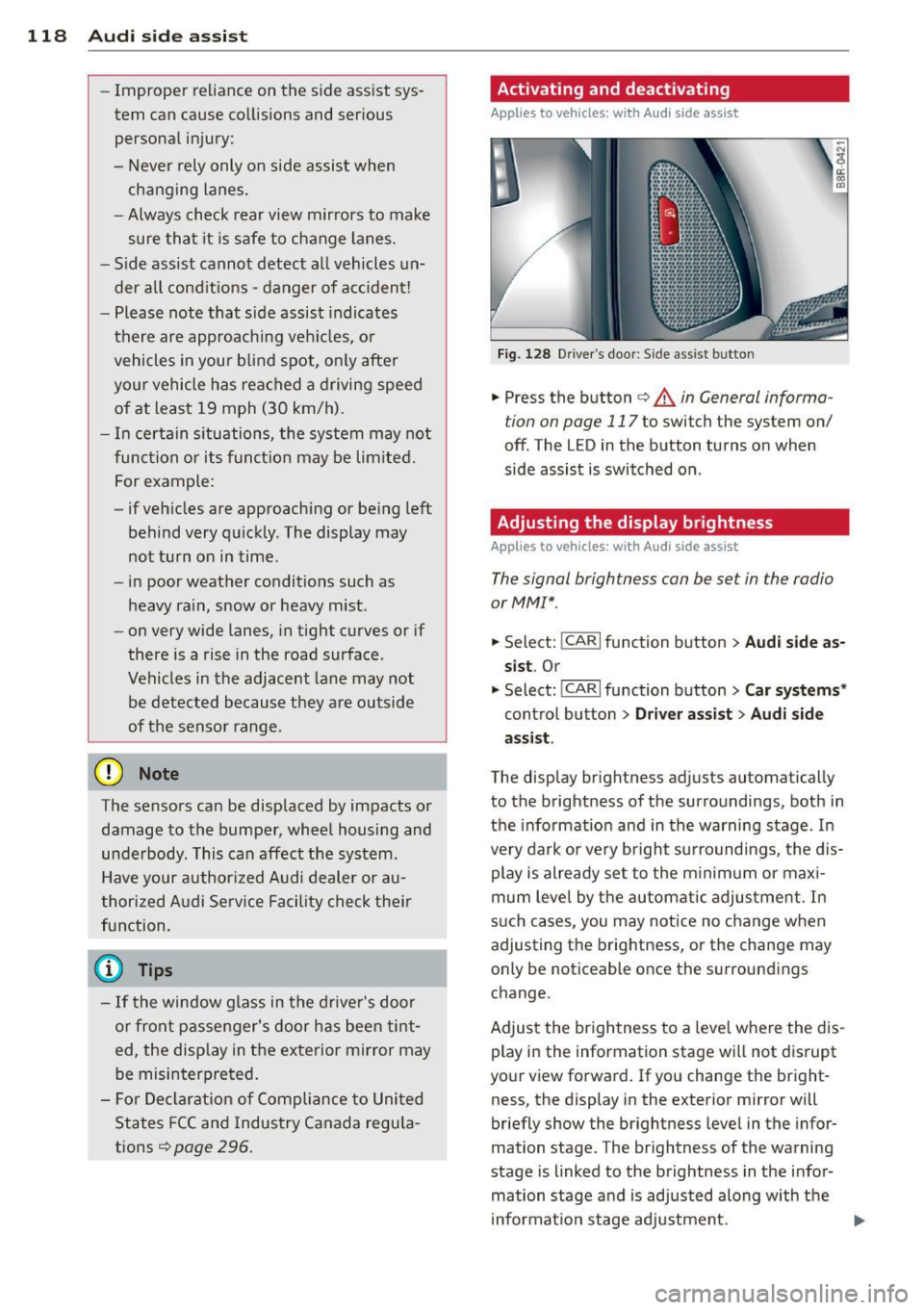
F ig. 128 D river 's doo r: Side ass ist butto n
.. Press the button c> A in General informa
tion on page 117
to switch the system on/
off. The LED in the button turns on when
side assist is switched on .
Adjusting the display brightness
Applies to vehicles: with Audi side assist
The signal brightness con be set in the radio
or MM!* .
-"' ~ a: co a,
.. Select: I CAR I function button > Audi side a s
s ist .
Or
.. Select: l~c -A ~R~ I function button > C ar systems *
control button > Driver a ss ist > Audi sid e
a ss ist .
The display br ightness adjusts automatical ly
to the brightness of the surroundings, both in
the info rmation and in the warning stage . In
very dark or very bright su rroundi ngs, the dis
play is already se t to the m inimum or maxi
mum leve l by the automatic adjus tme nt. In
s u ch cases, you may notice no change when
adjusting the brightness, or the change may only be noticeable once the surroundings
change.
Adjust the br ightness to a leve l whe re the dis
play in the information stage wi ll not d isrupt
your view forward. If you change the bright
ness, the display in the exterior mirror will
briefly show the br ightness level in the infor
mation stage. The brightness of the warning
stage is linked to the brightness in the infor
mation stage and is adjusted along with the
i nformation stage adjustment.
Page 138 of 316

136 Homelink
• To open the garage door, press the p rogram
med button . The LED @will light up or
flash.
• To close the garage door, pre ss the button
again.
@ Tips
To open the garage door, press the button,
but do not press it for longer ten seconds
or the Homelink module will switch to
programming mode.
Programming the transmitter (version A)
Appl ies to vehicles: with Home link and MMI
Fig. 149 Dista nce between t he ra d iato r grille and t he
hand tran sm itter
You can p rogram the fixed code and ro lling
code systems using the descr ibed procedure.
Programming the button
• Turn the ign ition on .
• The re a re two ways to program the button :
P res s the but ton ¢
page 135, fig. 148 tha t
you wou ld like to p rogram. Use the instruc
tions that appear in the MM I* to pe rform
the p rogramming. Or
• Se lect : ICAR ifunct ion button>
Car sy stems*
con trol but ton > Vehicle sett ing s> Garage
door opener
> Program garage door open·
er .
If this path is not ava ilable, program
Homelink as desc ribed in vers ion B
.;, page 137.
• Se lect t he button t hat yo u wo uld like to pro
gram.
• Fo llow the ins tructions in the MMI* .
• If the garage door open ing must also be
synchronized w it h the Homel ink modu le, refer to the owner
's manua l for the garage
door opener .
Remote con tro l unit s fo r garage door ope ne rs
in Canada are se t to stop t ransmi tting radio
frequency signa ls afte r two seconds . This time
may not be sufficient for the Homelink sys
tem to learn the radio frequency signa l. Per
form all other steps as described above.
Erasing /Clearing the programmed button
s etting s
• To erase all of the programmed buttons at
the same time, select : ICAR !function b utton
> Car systems * control button > Vehicle set·
tings
> Garag e door opener > Clear pro·
gram setting s> Yes .
The prog rammed but·
tons can not be erased individua lly. Repro·
gram the buttons if ne cess ary.
• Reprogram an individua l bu tton in the same
manner that you wou ld for the one-time
programming .
Displaying the version /status /country
code
• Sele ct: !CAR I function button > Car sy ste m s*
contro l but to n > Vehicle setting s > Garage
door opener
> Version information .
(D Tips
- Programming through the MMI* is not
possible with all infotainment systems.
If this is the case , program Homelink as
descr ibed in version B
c:) page 137.
-The required distance betwee n the hand
transm itter and the Homelink module in
the radiator gr ille¢
fig. 149 depends on
the system that you are prog ramming .
- Depending on the mode l of the garage
door opener, you may need to release the
butto n on the remote and press it again
w hen programming. When program ·
m ing a new device, keep the butto n
presse d for at least 15 seconds before
t ry ing ag ain w ith the transmit ter in a dif
fere nt posi tion. W atch o ut for the emer
gency flasher during tha t time.
Page 139 of 316
Programming the transmitter (version B)
A pplies to vehicles: with Horne link and radio
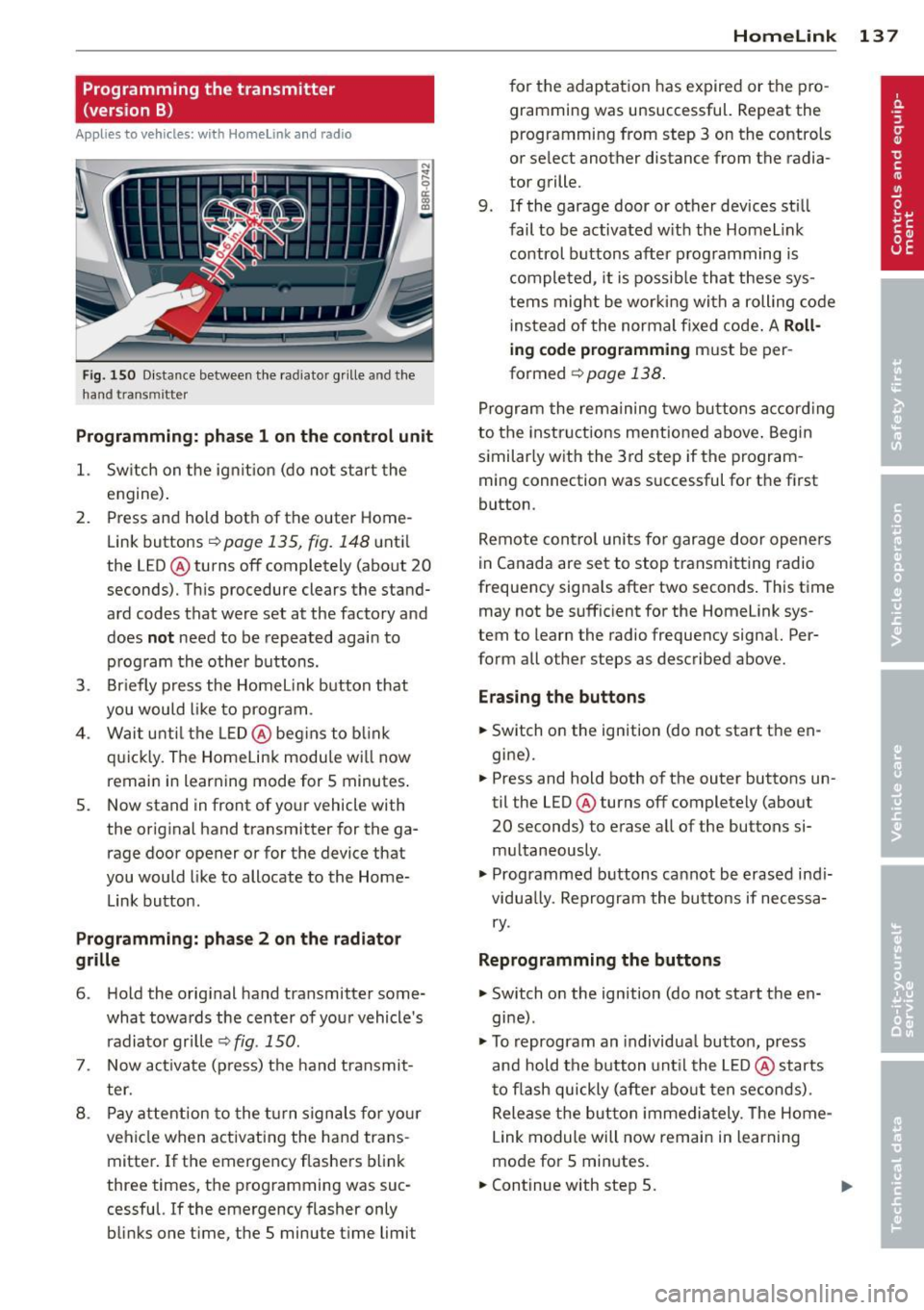
Fig. 150 D istance between t he rad ia to r gr ille a nd the
h and trans mitter
Programming: phase 1 on the control unit
1. Sw itch on the ig nit io n (do no t start the
engine) .
2. Press and hold both of the outer Home
Link buttons
r=>page 135, fig. 148 until
the LED @ turns off completely (about
20
seconds). Th is procedure clears the stand
ard codes that were set at the factory and
does
not need to be repeated agai n to
p rog ram the othe r buttons.
3 . Briefly press the Homelink button that
you would like to prog ram .
4. Wai t u nti l the LED @ beg ins to blink
q ui ckly . The Home Lin k modu le wi ll now
remai n in learning mode for
5 minutes .
5. Now stand in front of your vehicle with
the original hand transmitter for the ga
rage door opener or for the device that
you would like to allocate to the Home
Link button.
Programming: pha se 2 on the radiator
grille
6 . Hold the orig inal hand t ransmitter some
what towa rds the center o f you r vehicle 's
radiato r gr ille
r=> fig . 150.
7. Now activate (p ress) t he hand transmit
ter.
8 . Pay a ttention to the t urn signals for yo ur
vehicle when activating the ha nd trans
mitter . If t he emergency flashers blink
three times, the programming was suc
cessful. If the emergency flasher only bli nks one t ime, the 5 minute t ime limit
Homelink 13 7
for the adaptat ion has expired or the pro
gram ming was unsuccessful. Repeat the
programming from step 3 on the controls
o r se lect another distance from the radia
tor grille.
9. If the garage door or other devices sti ll
fail to be activated w it h the Homelin k
control buttons after p rogramming is
comple ted, it is possib le tha t these sys
tems might be w ork ing wi th a roll ing code
ins tead of the normal fixed co de.
A Roll
ing code programming must be per
formed
r=> page 138 .
Program the rema ining tw o bu ttons a ccord ing
to the instructions mentioned above . Beg in
similar ly w ith the 3rd step if the program
m ing connection was successful for t he fi rst
button .
Remote con trol units fo r garage door opene rs
in Canada are set to stop tra nsmitting radio
frequency signa ls after two seconds . This t ime
may not be suffic ient for the Homelink sys
tem to learn the radio frequency signa l. Per
form all other steps as described above.
Erasing the buttons
.,. Switch on the ignition (do not sta rt the en
gi ne).
.,. Press and hold both o f the outer buttons un
til the LED@ turns off completely (abo ut
20 seconds) to erase a ll of the buttons si
m ultaneously .
.,. Programmed b uttons ca nnot be erased ind i
vidua lly. Reprogram the buttons if necessa
ry .
Reprogramming the buttons
.,. Switch o n the ignition (do not start t he en
gine) .
.,. To reprogram an individua l bu tto n, press
and hold the button unt il the LED @ starts
to f lash quickly (a fter abo ut ten seconds) .
Release t he bu tton imme dia tely. The Home
L ink module will now remain in learning
mo de for 5 minutes.
.,. Continue with step 5.
Page 173 of 316
There are some important things you have to know to make sure that the effectiveness of
the system will not be impaired and that dis
carded components do not cause injury or pol
lute the environment.
A WARNING
Improper care, servicing and repair proce
dures can increase the risk of personal in
jury and death by preventing an airbag from deploying when needed or deploying an airbag unexpectedly:
- Never cover, obstruct, or change the
steering wheel horn pad or airbag cover
or the instrument panel or modify them
in any way.
- Never attach any objects such as cu
pholders or telephone mountings to the
surfaces covering the airbag units.
- For cleaning the horn pad or instrument
panel, use only a soft, dry cloth or one
moistened with plain water. Solvents or
cleaners could damage the airbag cover
or change the stiffness or strength of the
material so that the airbag cannot de
ploy and protect properly.
- Never repair, adjust, or change any parts
of the airbag system.
- All work on the steering wheel, instru
ment panel, front seats or electrical sys
tem (including the installation of audio
equipment, cellular telephones and CB
radios, etc.) must be performed by a
qualified technician who has the training
and special equipment necessary.
- For any work on the airbag system, we
strongly recommend that you see your
authorized Audi dealer or qualified work
shop.
- Never modify the front bumper or parts
of the vehicle body.
- Always make sure that the side airbag
can inflate without interference:
- Never install seat covers or replace
ment upholstery over the front seat
backs that have not been specifically
approved by Audi.
Airbag system 171
-Never use additional seat cushions that
cover the areas where the side airbags
inflate.
- Damage to the original seat covers or
to the seam in the area of the side air
bag module must always be repaired
immediately by an authorized Audi
dealer.
- The airbag system can be activated only
once. After an airbag has inflated, it
must be replaced by an authorized Audi
dealer or qualified technician who has
the technical information, training and
special equipment necessary.
- The airbag system can be deployed only
once. After an airbag has been deployed, it must be replaced with new replace
ment parts designed and approved espe
cially for your Audi model version. Re placement of complete airbag systems
or airbag components must be per
formed by qualified workshops only.
Make sure that any airbag service action
is entered in your Audi Warranty
& Main
tenance booklet under
AIRBAG REPLACE
MENT RECORD.
- In accidents when an airbag is deployed,
the vehicle battery separates the alterna
tor and the starter from the vehicle elec
trical system for safety reasons with a
pyrotechnic circuit interrupter.
- Work on the pyrotechnic circuit inter
rupter must only be performed by a
qualified dealer - risk of an accident!
- If the vehicle or the circuit interrupter
is scrapped, all applicable safety pre
cautions must be followed.
{® For the sake of the environment
Undeployed airbag modules and preten
sioners might be classified as Perchlorate Material -special handling may apply, see
www.dtsc .ca.gov/hazardouswaste/per-
ch lorate. When the vehicle or parts of the
restraint system including airbag modules
safety belts with pretensioners are scrap ped, all applicable laws and regulations
must be observed. Your authorized Audi .,..
•
•
Page 205 of 316
speeds which are suited to the road con
ditions -risk of crash.
Energy management
Starting ability is optimized
Energy management controls the distribution
of electrical energy and thus optimizes the
availability of electrical energy for starting
the engine .
If a vehicle with a conventional energy system
is not driven for a long period of time , the bat
tery is discharged by idling cu rrent consumers
(e.g. immobilizer). In ce rtain c ircumstances it
can result in there being insuff icient ene rgy
avai lab le to s tart the engine .
I ntelligent energy management in your vehi
cle hand les the d ist ribution of electrical ener
gy. Starting ab ility is marked ly imp roved and
the life of the battery is extended.
Basically , energy management consists of
b atter y dia gno sis, idling curr ent manag e
m ent
and dynami c en ergy m anag emen t.
Battery diagnosis
Battery d iagnosis continuously determ ines
the state of the battery . Sensors determ ine
battery vo ltage, battery curren t and battery
temperature. This dete rm ines the current
state of charge and the power of the battery .
Idling current management
Idling current management reduces energy
consumpt ion wh ile the veh icle is stand ing .
W ith the ignition switched off, it cont ro ls the
energy s upply to the va rio us electr ical compo
nents. Data from battery diagnosis is consid
ered.
D epending on the batte ry's state of charge,
i nd ividual consumers are grad ua lly turned off
to p revent excessive discharge of the battery
and thus maintain starting capability .
Dynamic energy management
W hil e the vehicle is being driven, dynamic en
e rgy management dist ributes t he energy gen-
Int ellig ent technolog y 203
erated according to the needs of the individ u
al components. It regulates consumption, so
that more electrical energy is not being used
than is being generated and ensures an opti
mal state of charge for the battery.
(D Tips
- But even energy management cannot
negate the limits of physics. Consider
that the power and life of a battery are
limited.
- If start ing ability is t hreatened, the indi
cator light(•] appears¢
page 34 .
What you should know
The highest priority is given to maintaining
star ting capability.
The battery is severe ly taxed in short-distance
driving, in city traff ic and during the cold time
of year. Abundant elect rical energy is re
quired, but only a lit tle is generated . It is also
crit ical if the engine is not running and electri
cal components are turned on. In this in
stance ene rgy is be ing consumed but none is
being genera ted .
It is in precisely these situations that you will
not ice energy management actively regulat
ing the d istribution of ene rgy.
Vehicle stand s for an e xtended period
If you do not drive your vehicle over a period
of several days or weeks, e lectr ical compo
nents are gradually cut back or switched off.
This reduces energy consumption and ma in
ta ins start ing capability over a longer pe riod .
Some of the convenience func tions may not
opera te , such as the interior ligh ts or the
power seat adjustment. The convenience
funct ions w ill be available again when you
switch on the ignition and start the engine.
With the en gine turn ed off
If you listen to the radio, for exam ple, w ith
the engine turned off or use other MMI* func-
tions, the battery is being discharged .
11>-
•
•
Page 206 of 316
204 Intelligent technology
If starting capability is jeopa rdized due to en
ergy consumption, the following warning ap
pears in the radio or MMI* display:
Please start engine, otherwise system will
switch off in 3 minutes.
The warning ind icates that the system will be
turned off automatically after 3 minutes. If
you wish to continue using the functions, you
have to start the engine .
With the engine running
Although electrical energy is generated when
the vehicle is be ing driven, the battery can be
come discharged . Thi s happens mostly when
little ene rgy is being generated and a great
deal consumed and the battery's state o f
charge is not optima l.
To bring the energy balance back into equili
brium, consumers which require especially
l arge amounts of energy are temporarily cut
back or switched off. Heating systems in par
ticular require a great dea l of energy. If you
notice, for example, that the heated seats* or
the heated rear window are not heating, they
have been temporar ily cut back or switched
off. These systems will be ava ilable again as
soon as the energy balance has been restored.
You will also notice that engine idle speed has been increased slightly. This is normal and not
a cause for concern . By increas ing engine idle
speed the add it iona l energy required is gener
ated and the battery is charged.
Page 238 of 316
236 Checking and filling
(D Note
Driving with an insufficient oi l level is like
ly to ca use seve re damage to the eng ine.
@ Tips
- The oil pressure warning display. is
not an indicator of the oil level. Do not
rely on it. Instead , check the oil level in
your engine at regular intervals, pref
erably each t ime you refuel, and always
before going on a long trip .
-If you have the impression your engine
consumes excessive amo unts of oi l, we
r ecommend that yo u consult an author
i zed Audi dealer to have the cause of
you r concern p rope rly diag nosed. Keep in
mi nd t hat t he ac curat e measure ment of
oi l co nsu mp tion re q uires grea t care and
may ta ke some time. A n author ize d Audi
dea ler has inst ructions about how to
measure oil consum ptio n accurately.
Checking the engine oil level
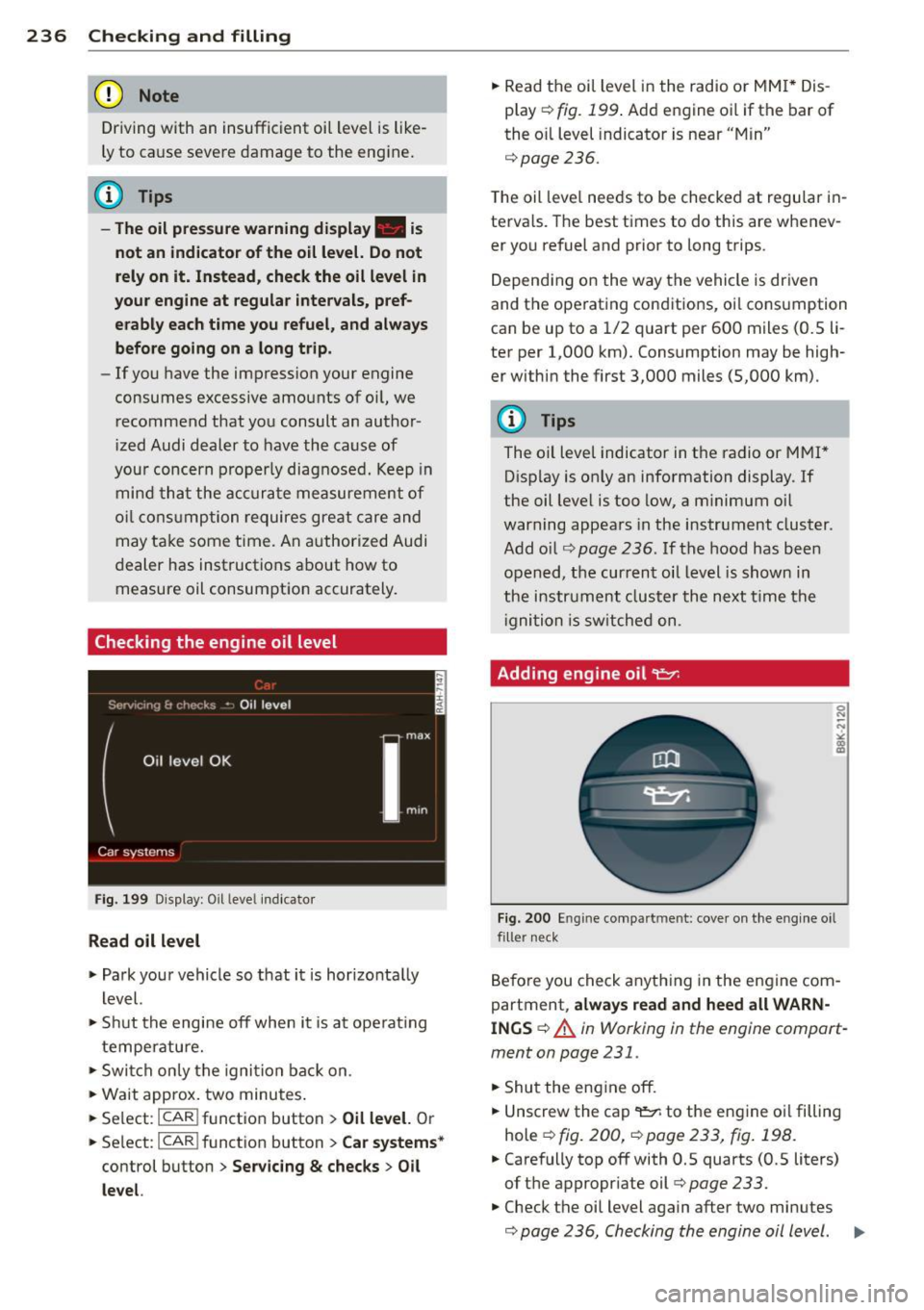
Fig . 199 Di splay: O il leve l in dica tor
Read oil level
.. Park you r vehicle so that i t is hor izo nta lly
l evel.
.. Shu t the engine off when i t is at ope ra ti ng
temperature .
.. Swi tch on ly th e igni tion bac k on .
.. Wa it approx. two minutes .
.. Se lect :
I CAR ! funct io n button > Oil level. Or
.. Se lect :
ICAR ! function button> Car systems*
control button > Servicing & checks > Oil
level.
.. Read the oil level in the radio or MM I* Dis
p lay
r=> fig. 199 . Add engine o il if the bar of
the o il level indicato r is near "Mi n"
r=>page236.
The oil leve l needs to be checked at regu lar i n
terva ls. The best times to do this are whenev
er you refuel and prio r to long trips .
D epend in g on the w ay the vehicle is driven
and the ope rat ing cond itio ns, oi l cons umption
can be up to a 1/2 quart per 60 0 miles (O.S li
ter per 1,000 km). Consumption may be high
er withi n the first 3,000 miles (5,000 km).
(!} Tips
The oil leve l indicator in t he radio or M MI*
D isplay is on ly an information display . If
the oil leve l is too low, a m inimum o il
war ning appea rs in the instrument cluster.
A dd oil ¢
page 236. If the hood has bee n
opened , the cur ren t oi l level is shown in
t he i nstr ume nt cl uster the next t ime t he
i gni tion is sw itche d on.
Adding engine oil 't:::r.
Fig. 2 00 Eng ine co mpa rtm ent : cove r on t he e ng in e o il
f il le r ne ck
B efo re you check anyth ing in the en gine com
partment ,
always read and heed all WARN
INGS
¢ A in Working in the engine compart
ment on page 231 .
.. Shu t the eng ine off .
.. Unscrew the cap
9::7; to the eng ine o il filling
hole ¢
fig. 200, r=> page 233, fig . 198 .
.. Carefully top off with 0.5 quarts (0.5 liters)
of t he appropr iate oil¢
page 233.
.. Check the oi l level again after two minutes
¢ page 2 36 , Checking the engine oil l evel. II>
Page 239 of 316
~ Top off the oil, if necessary.
~ Screw the cap back on the filling hole.
A WARNING
- While topping off, the oil must not come in contact with hot engine parts - fire
hazard!
- The oil filler cap must be properly se cured to prevent oil from being sprayed
on the hot engine and exhaust system
when the engine is running - fire hazard!
- If your skin has come in contact with the
engine oil, you must subsequently
cleanse it thoroughly .
(D Note
-Check the oil level using the radio or the
MM!*. If the message
Please reduce oil
level
appears, contact your authorized
Audi dealer or other qualified workshop
to have excess oil extracted if necessary.
-Audi does not recommend the use of oil
additives. They may damage the engine
and adversely affect your New Vehicle
Warranty.
@ For the sake of the environment
- Under no circumstances can the oil come
in contact with the sewage network or
the soil.
- Observe and follow legal regulations
when disposing of empty oil containers.
Changing the engine oil
We recommend that have your oil changed by
an authorized Audi dealer or a qualified serv
ice station .
Before you check anything in the engine com
partment,
always read and heed all WARN
INGS
c::> .&. in Working in the engine compart
ment on page 231.
The engine oil must be changed according to
the intervals specified in your Warranty
&
Maintenance booklet. This is very important
because the lubricating properties of oil di
minish gradually during normal vehicle use.
Checking and filling 237
Under some circumstances the engine oil
should be changed more frequently. Change
oil more often if you drive mostly short dis
tances, operate the vehicle in dusty areas or
under predominantly stop-and-go traffic con
dition s, or have your vehicle where tempera
tures remain below freezing for extended pe
riods.
Detergent addi tives in the oil will make fresh
oil look dark after the engine has been run
ning for a short time . This is normal and is not
a reason to change the oil more often than recommended.
Because of the problem of proper disposal,
along with the special tools and necessary ex
pertise required, we strongly recommend that
you have your oil changed by an authorized
Audi dealer or a qualified service station.
If you choose to change your oil yourself ,
please note the following important informa
tion:
A WARNING
To reduce the risk of personal injury if you
must change the engine oil in your vehicle
yourself:
- Wear eye protection.
- To reduce the risk of burns from hot en-
gine oil, let the engine cool down to the
touch.
- When removing the oil drain plug with
your fingers, stay as far away as possible.
Always keep your forearm parallel to the
ground to help prevent hot oil from run ning down your arm.
- Drain the oil into a container designed
for this purpose, one large enough to
hold at least the total amount of oil in
your engine.
- Engine oil is poisonous. Keep it well out
of the reach of children.
- Continuous contact with used engine oil
is harmful to your skin. Always protect
your skin by washing oil
off thoroughly
with soap and water.
•
•
Page 247 of 316
-Always follow the operating instructions
provided by the battery charger manu
facturer when charging your battery.
- Never charge a frozen battery.
It may ex
plode because of gas trapped in the ice.
Allow a frozen battery to thaw out first.
- Do not reuse batteries which were fro
zen. The battery housing may have
cracked and weakened when the battery
froze.
- Charge the battery in a well ventilated
area. Keep away from open flame or elec
trical spark. Do not smoke . Hydrogen gas
generated by the battery is explosive.
- To reduce the danger of explosion, never
connect or disconnect charger cables
while the charger is operating.
- Fast charging a battery is dangerous and
should only be attempted by a compe
tent technician with the proper equip
ment.
- Battery acid that may spill during charg
ing should be washed off with a solution
of warm water and baking soda to neu
tralize the acid.
(D Note
Never use a fast charger as a booster to
start the engine. This will seriously dam
age sensitive electronic components, such
as control units, relays, radio, etc., as well
as the battery charger.
Battery replacement
The new battery must have the same specifi
cations and dimensions as the original equip
ment battery.
Intelligent energy management in your vehi
cle is responsible for distributing the electri
cal energy throughout your vehicle
¢ page 203. The intelligent energy manage
ment system will keep the engine battery
charged better then vehicles without this sys
tem . To make sure the additional electrical en
ergy is available once again after you have
changed the battery, we recommend that you
Checking and filling 245
install batteries of the same type and manu
facture only (the same as those installed at
the time your vehicle was delivered). Specifi cations are listed on the battery housing . Your
authorized dealer must code the battery in
the energy management system to enable you
to use the energy management functions cor
rectly after replacing the battery .
If it is not possible to use a battery of this
type , the new battery must have the same ca
pacity, voltage (12 volts), amperage, con
struction and plug sealing .
When installing the battery, make sure the ig nition and all electrical consumers are turned
off .
(D Note
-Make sure the ventilation hose on the
side of the battery is connected, other
wise fumes or battery acid can leak out .
- Vehicles with the Start-Stop-System* are
equipped with a special cycle-proof AGM
battery. Installing a different type of
battery can cause problems in the vehi
cle electrical system. When replacing the
vehicle battery, always install one with
the same specifications as the original
battery.
@ For the sake of the environment
Because of the problem of proper disposal
of a battery, we recommend your author
ized Audi dealer change the battery for
you. Batteries contain sulfuric acid and
lead and must always be disposed of prop
erly in compliance with all environmental
regulations. Disposing of vehicle batteries
improperly is very dangerous to the envi
ronment. •
•