lock AUDI Q5 2015 User Guide
[x] Cancel search | Manufacturer: AUDI, Model Year: 2015, Model line: Q5, Model: AUDI Q5 2015Pages: 302, PDF Size: 75.01 MB
Page 32 of 302
Driver information system
CJ) Note
Do not continue driving if the. symbo l ill u
m inates. There is a malfunct ion in the engine
cooling system -you could damage your en
gine.
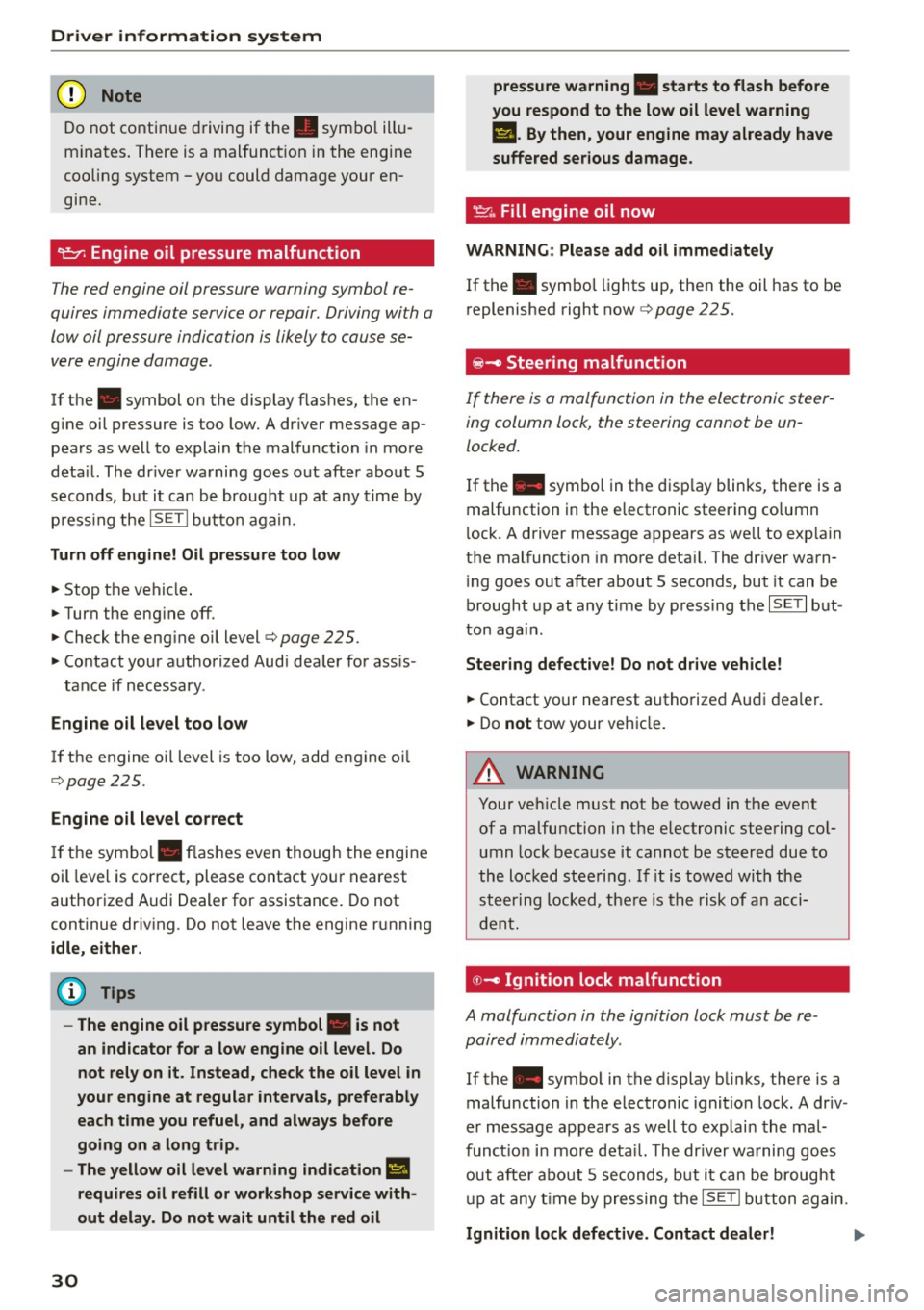
9=:;r: Engine oil pressure malfunction
The red engine oil pressure warning symbol re
quires immediate service or repair. Driving with a
low oil pressure indication is likely to cause se
vere engine damage .
If the . symbol on the display flashes, the en
g ine oil pressure is too low. A driver message ap
pears as well to explain the malfunction in more
deta il. The dr iver warning goes out after about 5
seconds, but it can be brought up at any time by
p ress ing the
ISETI but to n again.
Turn off engine! Oil pressure too low
• Stop the vehicle .
• Turn the eng ine off .
• Check the eng ine oil level
c::, page 225.
• Contact your authorized Audi dealer for ass is -
tance if necessary.
Engine oil level too low
If the engine o il level is too low, add engine oi l
c::, page 225.
Engine oil level correct
If the symbol . flashes even though the engine
oil level is correct, please contact your nearest
authorized Audi Dealer for assistance. Do not
continue driving . Do not leave the engine running
idle, either.
(D Tips
- The engine oil pressure symbol. is not
an indicator for a low engine oil level. Do
not rely on it. Instead, check the oil level in
your engine at regular intervals, preferably each time you refuel, and always before
going on a long trip.
- The yellow oil level warning indication
Ill
requires oil refill or workshop service with
out delay. Do not wait until the red oil
30
pressure warning • starts to flash before
you respond to the low oil level warning
II. By then, your engine may already have
suffered serious damage.
~ ... Fill engine oil now
WARNING: Please add oil immediately
If the . symbol lights up , then the oil has to be
replenished right now
c::, page 225.
@-Steering malfunction
If there is a malfunction in the electronic steer
ing column lock, the steering cannot be un
locked.
If the . symbol in th e disp lay blinks, there is a
malfunction in the electronic steering co lumn
l ock. A driver message appears as well to exp lain
the malfunct ion in more deta il. The dr iver warn
i ng goes out after about 5 seconds, but it can be
brought up at any time by pressing the
ISE TI but
ton again .
Steering defective! Do not drive vehicle!
• Contact your nearest authorized Audi dealer.
• Do
not tow your vehicle .
A WARNING
Your vehicle must not be towed in the event
of a malfunction in the electronic steering co l
umn lock because it cannot be steered due to
the locked steering. If it is towed with the
steering locked, there is the risk of an acci
dent.
© -Ignition lock malfunct ion
A malfunction in the ignition lock must be re
paired immediately.
If the . symbo l in the display blinks, there is a
malfunction in the electronic ignition lock. A driv
er message appears as well to explai n the mal
funct ion in more deta il. The driver warning goes
out after about 5 seconds, but it can be brought
up at any time by pressing the
ISETI button again.
Ignition lock defective. Contact dealer! ll-
Page 34 of 302
Driver inform ation system
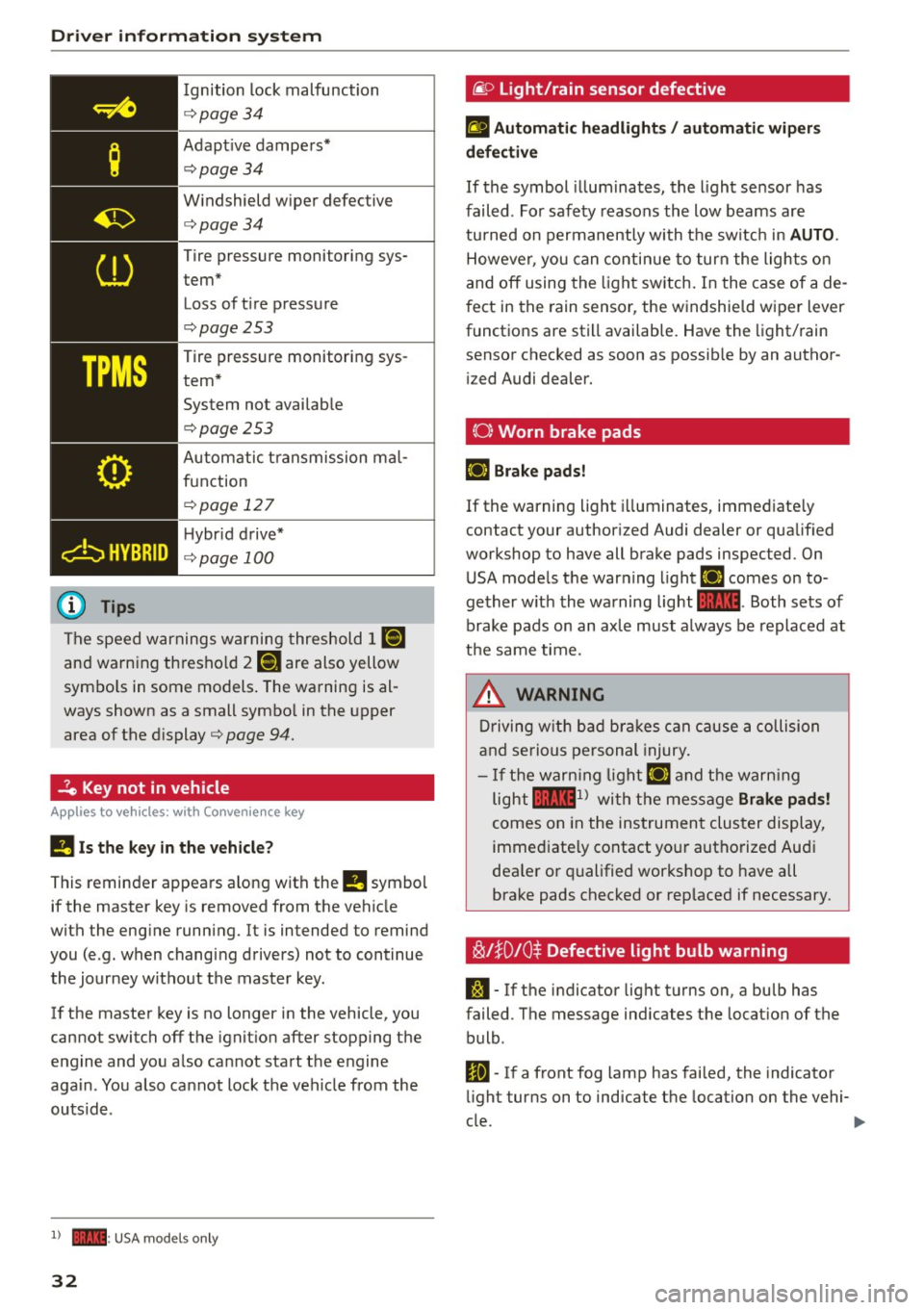
Ignition lock malfunction
<=>page 34
Adapt ive dampers*
c:> page 34
W indshield wiper defective
c:>page34
Tire pressure monitoring sys
tem*
Loss of t i re pressure
c:>page253
Tire pressure monitoring sys
tem* System not avai lab le
c:>page253
Automatic t ransmission ma l
function
c:> page 12 7
H ybr id drive*
<=> page 100
The speed warnings warning threshold J IIIIJ
and warning thresho ld 2 llH are also yellow
symbo ls in some models . The warning is al
ways shown as a small symbo l in the upper
area of the d isplay
c:> page 94.
-?e Key not in vehicle
Applies to veh icles: w ith Convenience key
II Is the key in the vehicle ?
This reminder appears along with the II symbol
if the master key is removed from the vehicle
with the eng ine running. It is intended to remind
you (e .g. when changing drivers) not to continue
the journey without the master key .
If the master key is no longer in the vehicle, you
cannot switch off the ignit ion after stopping the
e ngine and you a lso cannot start the engine
aga in . You also cannot lock the veh icle from the
outsid e.
l ) - : USA models only
32
@ Light/rain sensor defective
£1 Automati c he adlight s/ auto mati c wi per s
defective
If the symbol illum inates, the light sensor has
failed. For safety reasons the low beams are
tu rned on permanently with the sw itch in
AUTO .
However, you can contin ue to turn the lights on
and off using the light sw itch. In the case of a de
f ect in the rain sensor, the windshie ld wiper lever
functions are still available. Have the light/rain
sensor checked as soon as possib le by an author
i zed Audi dealer.
(0) Worn brake pads
E+J Brake pad s!
If the warning light i lluminates, immediate ly
contact your author ized Audi dealer or qualified
workshop to have all brake pads inspected. On
USA mode ls the warning light
E+J comes on to
gether w ith the warning light
1111 . Both sets of
brake pads on an axle must always be replaced at
t h e same time.
.&_ WARNING
Driving w ith bad bra kes can cause a collision
and serious personal injury.
- If the warn ing lig ht E+J and the warn ing
light
llll1l with the message Brake pad s!
comes on in the instrument cluster display,
immed iate ly contact yo ur authorized Aud i
dea le r or q ualified workshop to have all
brake pads checked or rep laced if necessary.
~l}D10$ Defective light bulb warning
S:1 -If the indicator light turns on, a bulb has
failed. The message indicates the location of the
bulb .
Im-If a front fog lamp has fai led, the indicator
li ght turns on to indicate the location on the vehi-
cle.
~
Page 36 of 302
Driver inform ation system
the dr iver information system . Keep in mind that
the engine speed will not exceed the va lue dis
p layed in the driver information system, for ex
ample when downshifting.
P lease go to an autho rized Audi dea le r or other
qualified workshop to have the malfunction re paired.
,m.. Diesel particulate filter clogged
Ap plies to veh icles: w ith diesel e ngi ne and d iesel pa rticu late
f ilt e r
II Particul ate filter Se e owne r's manu al
When the II symbol illum inates, you can alte r
your driving style to assist the fi lter self-clean ing
process . Drive for approximately 15 minu tes wi th
the selector lever in the S position at a minimum
speed of 37 mph (60 km/h) and an engine speed
of approximately 2,000 RPM. The temperature
increase that will result from this can burn off
the soot in the fi lter. The symbol will sw itch off
when the clean ing is successful. After a success
ful cleaning, there is no need to b ring the car to
an author ized deal er or qualified wo rkshop be
cause this is part of normal ve hicle operation.
If the symbo l
II does not switch off, see your
author ized dealer or other qualif ied wo rkshop to
have the problem corrected.
For more information on the d iesel particulate
fi lter, refer to
<=> page 199 .
A WARNING
Always adapt yo ur speed to the current
weather, road and traffic condit ions. You
should never disobey traffic laws in order to
follow driving recommendat ions.
~()) Headlight range control defective
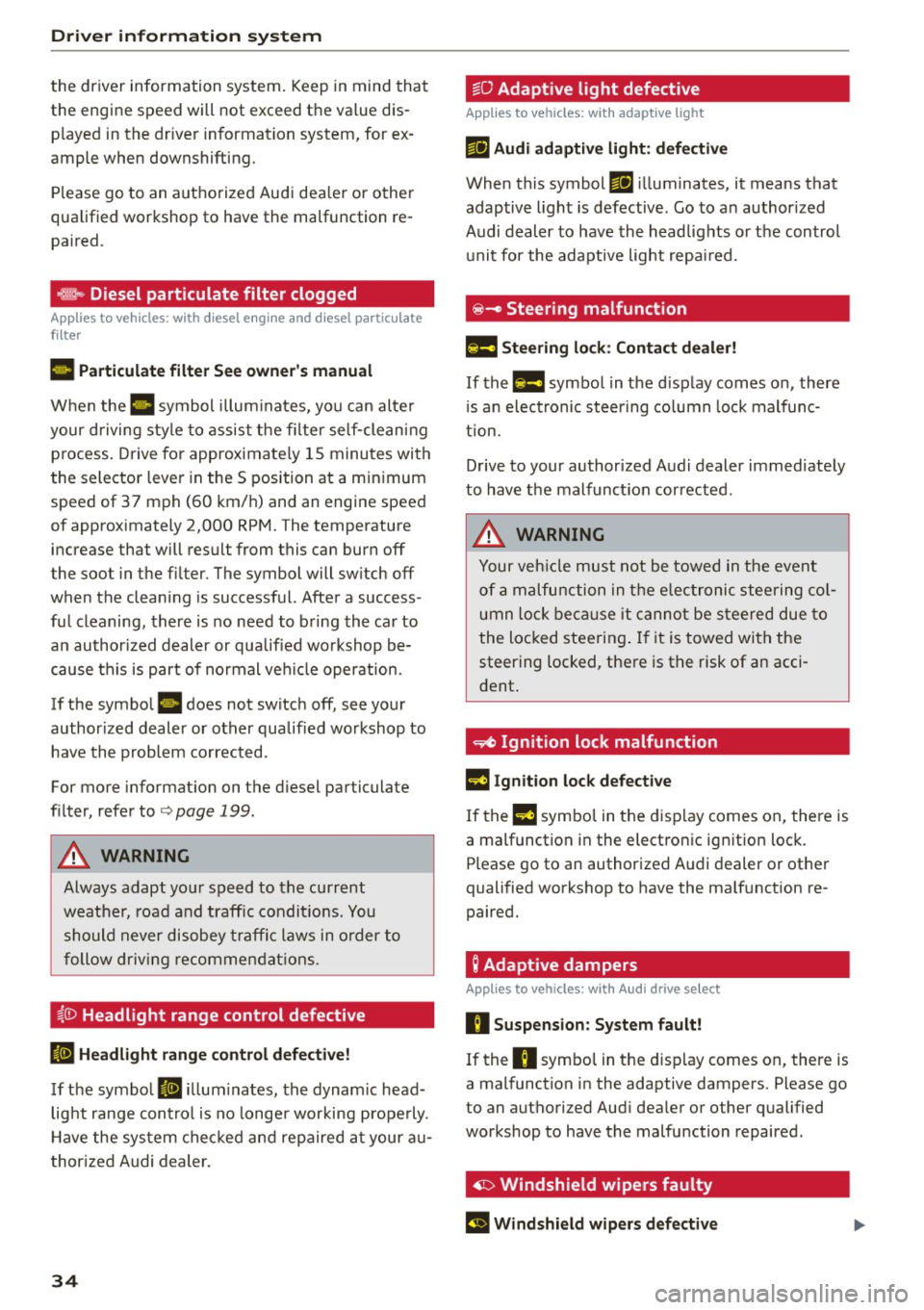
II Headlight range contr ol d efec tiv e!
If the symbol II ill um inates, the dynam ic head
light range con trol is no longe r working prope rly .
H ave the system checked and repaired a t your au
thor ized Audi dealer.
34
~O Adaptive light defective
App lies to vehicles: wit h adaptive light
mil Audi adaptiv e light : defe ctiv e
When this symbol mil illuminates, it means that
adaptive light is defective. Go to an author ized
Audi dealer to have the headlig hts o r the control
unit for the adaptive light repa ired.
@ -Steering malfunction
El! Steering lock: Contact deal er!
If the El! symbol in the d isplay comes on, there
i s a n elect ronic steering co lumn lock malfunc
tion.
Drive to your authorized Audi dealer immed iately
to have the malfunct ion corrected.
A WARNING
Your veh icle must not be towed in the event
of a malfunction in the elec tronic steering co l
umn lock be ca u se it canno t be s teered due to
the locked steering . If it is towed with the
steering locked, there is the risk of an acci
dent .
~ Ignition lock malfunction
m Ignition lock defective
If the l3 symbo l in the d isplay comes on, there is
a malfunction i n the electronic ignition lock.
Please go to an authorized A udi dealer or other
qualified workshop to have the ma lf u nction re
paired.
; Adaptive dampers
App lies to vehicles: with Aud i drive se lect
R Suspension : Sy stem fault!
If the R symbo l in the disp lay comes on, there is
a mal function in the adaptive dampers. Please go
to an authorized Aud i dea ler or other qualified
workshop to have the malfunction repaired .
· ~ Windshield wipers faulty
El Windshield wipers d efective
Page 38 of 302
Opening and closing
Opening and closing
Keys
Key set
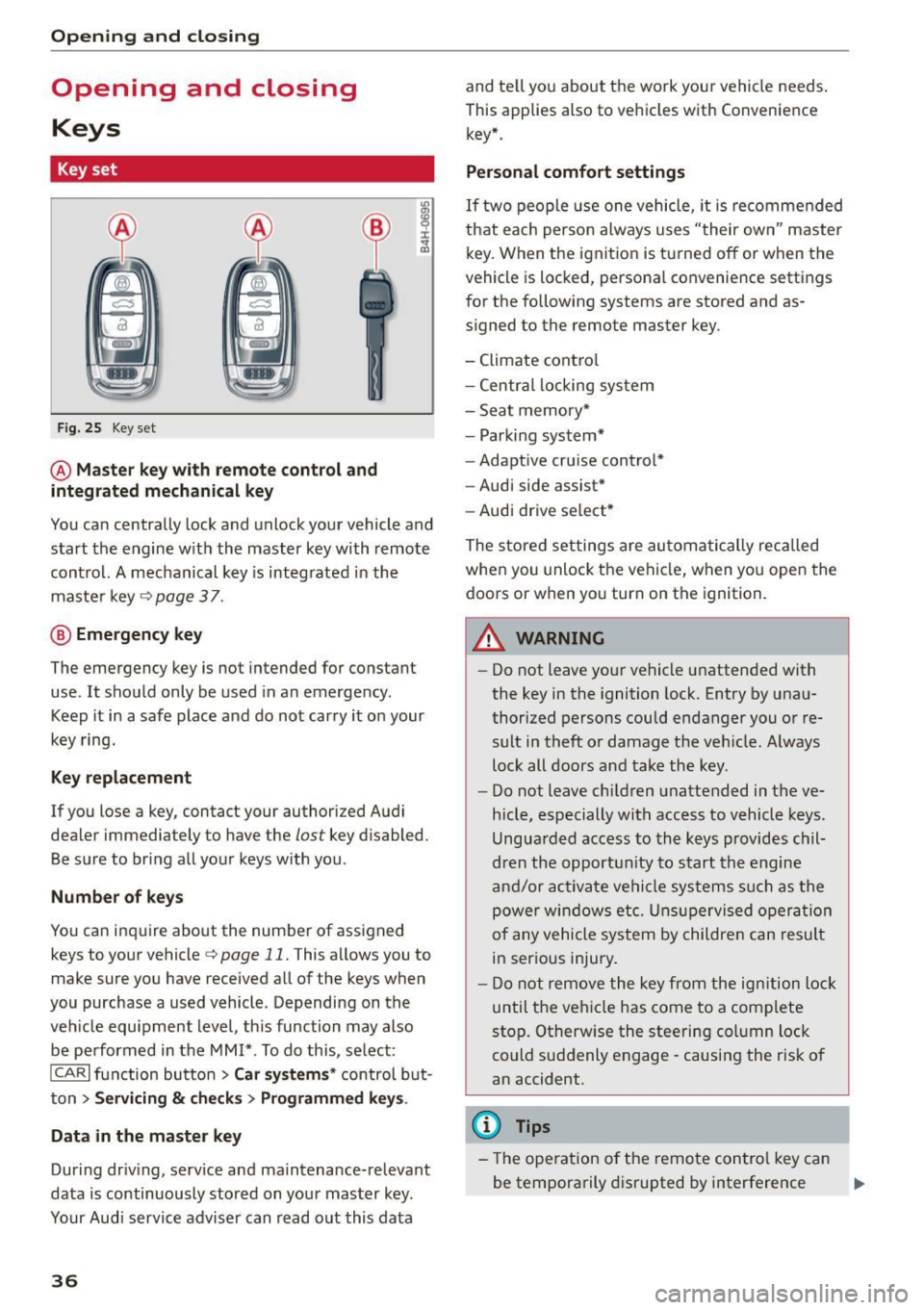
F ig . 25 Key set
@ Master key with remote control and
integrated mechanical key
You can centrally lock and unlock your vehicle and
start the engine w ith the master key with remote
contro l. A mechanical key is integ rated in the
maste r key
¢page 37 .
@ Eme rgency key
The emergency key is not intended for constant
use . It shou ld only be used in an emergency .
Keep it in a safe place and do not carry it on your
key ring.
Key replacement
If you lose a key, contact your authorized Audi
dealer immediately to have the
lost key disabled.
Be sure to bring all your keys with you .
Number of key s
You ca n inquire about the number of assigned
keys to your vehicle¢
page 11. This allows you to
make sure you have received all of the keys when
you purchase a used vehicle . Depending on the
veh icle equ ipment level , th is function may also
be performed in the
MM I* . To do this, se lect:
ICARI function button > Car systems * control b ut
ton
> Servicing & c h eck s> Programmed key s.
Data in the master key
During dr iv ing, serv ice and ma intenance-relevant
data is continuously stored on you r mas ter key.
Your Audi service adviser can read o ut this data
36
and te ll yo u about the work you r vehicle needs .
This applies also to vehicles with Convenience key* .
Personal comfort settings
If two people use one vehicle, it is recomme nded
that each perso n always uses "their own" master
key. When the ignition is tu rne d off or when the
vehicle is locked, persona l convenience settings
for the following systems are stored and as
signed to the remote master key.
- Climate cont ro l
- Centra l locking system
- Sea t memory*
- Parki ng system*
- Adaptive cru ise cont rol*
- Audi side assist*
- Aud i drive se lect *
The store d settings are au toma tic ally reca lled
when you unlock the vehi cle, when yo u open the
doors or when yo u turn on the ignition.
A WARNING
-
- Do not leave your ve hicle unattended with
the key in the ignition lock. Entry by una u
thorized persons could endanger you or re
sult in theft or damage the ve hicle. Always
loc k all doors and take the key .
- Do not leave ch ild ren unattended in the ve
hicle, especially with access to vehicle keys .
Ungua rded access to the keys provides chil
dren the opportu nity to s tart the engine
a nd/or ac tiva te ve hicle sys te m s su ch as the
power w ind ow s etc. Unsup ervised op eration
of any vehicle system by childre n can resul t
in ser ious injury.
- Do not remove the key fr om the ign ition lock
until the ve hicle has come to a com plete
sto p. Otherwise the steering co lumn lock
could suddenly engage -causing the risk of
an accident.
(D Tips
- The operation o f the remote con trol key ca n
be temporarily d isrupted by interference .,..
Page 39 of 302
from transmitters in the v icinity of the vehi
cle working in the same frequency range
(e.g . a cell phone, rad io equipment).
- If you open the driver's door with the key
l eft in the ign ition lock, a chime will sound .
This is your reminder to remove the key and
l ock the door.
- For security reasons, replacement keys are
on ly available from Audi dea lers.
- For Declarat ion of Compliance to United
States FCC and Industry Canada regulations
¢page 284.
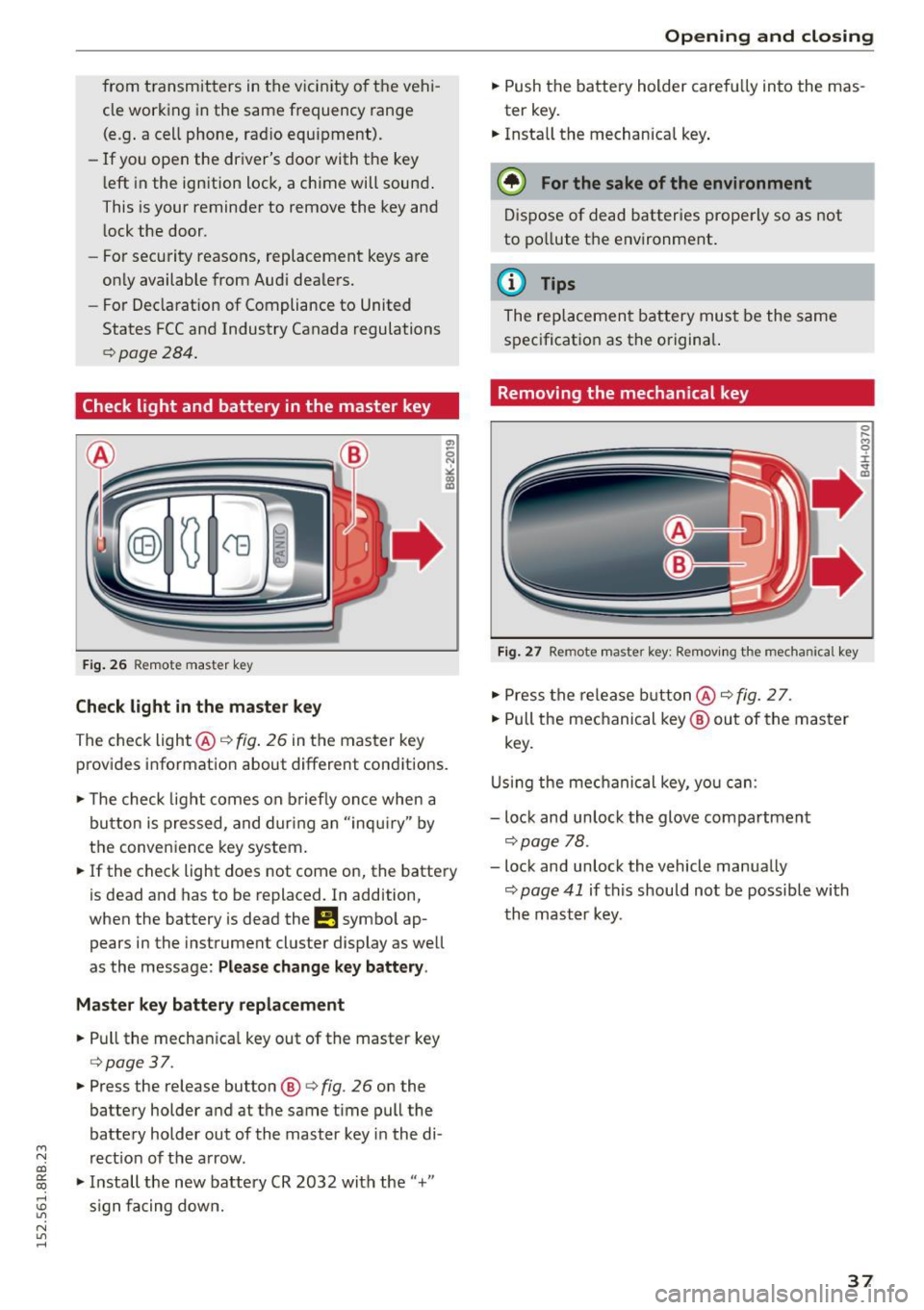
Check light and battery in the master key
F ig . 26 Remote master key
Check light in the maste r key
The check light @¢ fig. 26 in the master key
provides informat ion about different conditions.
.,. The check light comes on b riefly once when a
button is pressed, and dur ing an "inqui ry" by
the conven ience key system.
.,. If the check light does not come on, the battery
is dead and has to be replaced. In addition,
when the battery is dead the
!I symbo l ap
pears in the instrument cluster display as well
as the message:
Please change k ey battery .
Ma ster key b attery repl ace ment
.,. Pull the mechan ica l key out of the master key
¢ page 37 .
.,. Press the release button ®¢ fig. 26 on the
battery holder and at the same time pull the
battery holder out of the master key i n the di-
M
N rect ion of the a rrow. co
~ .,. Install the new battery CR 2032 with the"+"
; s ign fa cing down.
N l/1 ......
Open ing and clo sing
.,. Push the battery holder carefully into the mas
ter key .
.,. Insta ll the mechanical key .
@ For the sake of the en vironment
D ispose of dead batter ies prope rly so as not
to po llute the environment .
@ Tips
The replacement battery must be the same
specification as the origina l.
Removing the mechanical key
Fig . 27 Remote master key: Re mov ing the mechanical key
.,. Press the release b utton @¢ fig. 2 7.
.,. Pull the mechanical key ® out of the master
key.
U sing the mec hanical key, you can:
- lock and unlock the glove compartment
¢page 78.
- lock and unlock the vehicle manually
¢ page 41 if this should not be possible with
th e mast er key.
37
Page 40 of 302
Opening and closing
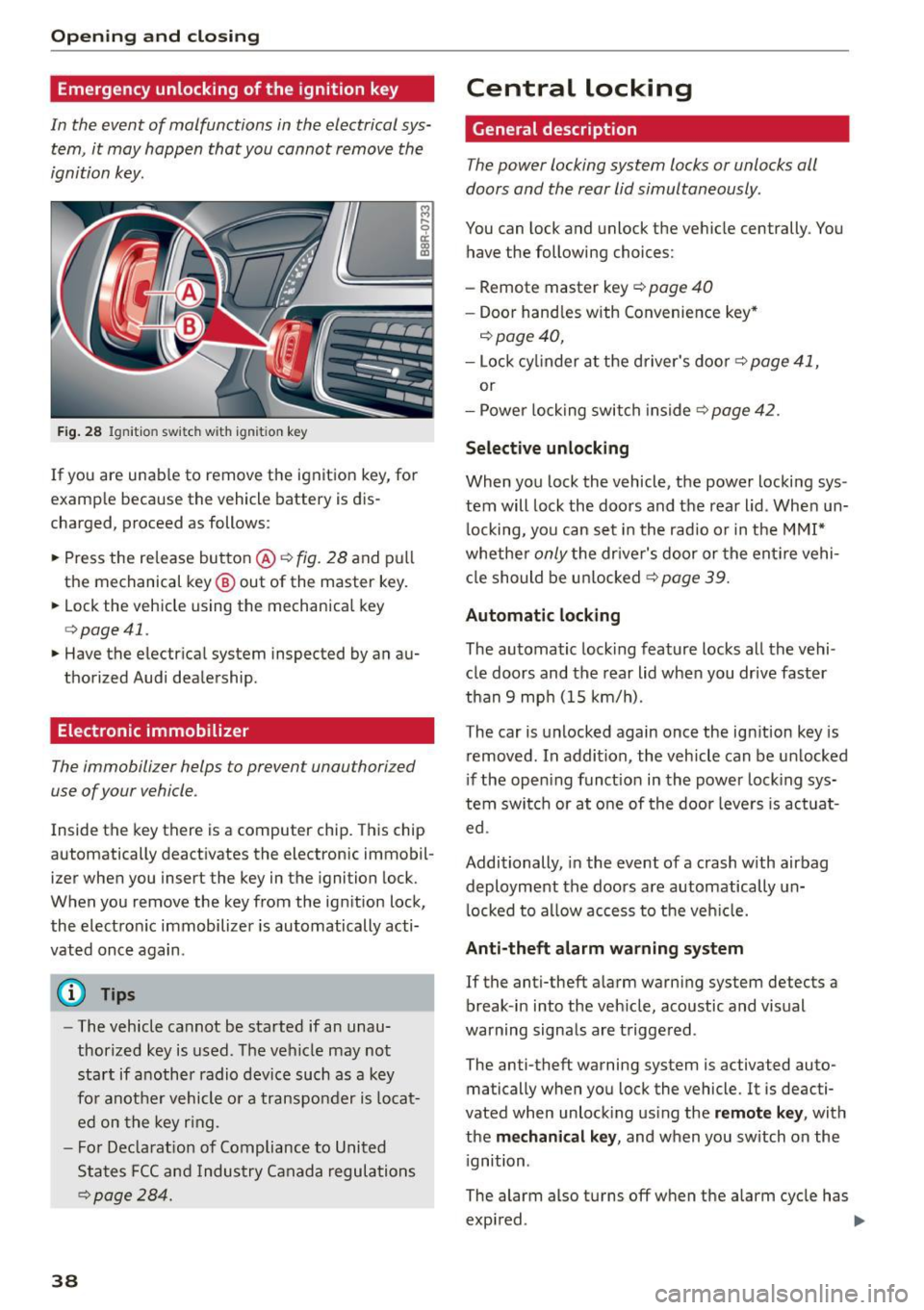
Emergency unlocking of the ignition key
In th e event of malfunctions in the electrical sys
tem, it may happen that you cannot remove the
ignition key.
F ig. 28 Ig nit io n sw it ch w it h ig nition key
If you are unab le to remove the ignition key, for
examp le because the vehicle battery is d is
charged, proceed as follows:
.. Press the re lease button @~
fig. 28 and pull
the mechanical key @ out of the master key .
.. Lock the vehicle using the mechanical key
q poge 41.
.. Have the electr ical system inspected by an au
thorized Audi dealership .
Electronic immobilizer
The immobilizer helps to prevent unauthorized
use of your vehicle .
Inside the key there is a computer chip . This ch ip
automatically deact ivates the electronic immobil
izer when you insert the key in the ignition lock.
When you remove the key from the ig nition lock,
the electro nic immobilizer is automatically acti
vated once again .
(D Tips
-The vehicle cannot be started if an unau
thorized key is used . T he vehicle may no t
start if another radio device such as a key
fo r anot her vehicle o r a transpo nder is locat
ed on the key r ing.
- F or De clarat io n of Compliance to United
States FCC and Indus try Canada regula tio ns
~ page 28 4 .
38
Central locking
General description
The power locking system locks or unlocks oil
doors and the rear lid simultaneously .
You can lock and unlock the ve hicle centrally . You
have the following choices:
- Remote master key
c::> page 40
- Doo r hand les with Convenie nce key *
c::> page 40,
-Lock cy linder at the d river's doo r c::> page 41,
or
- Power lo ck ing swit ch inside
~page 42.
Selective unlocking
When you lock the vehicle, the power locki ng sys
tem will lock the doors and t he rear lid . When un
l ocking, yo u can set in the rad io or in the MMI*
whethe r
only the dr iver's door or the ent ire vehi
cl e should be u nlocked
c::> page 39.
Automatic locking
The automatic locking feature locks all the vehi
cle doors and the rear lid whe n you drive faster
than
9 mp h (15 km/h).
The car is unlocked again once the ig nition key is
removed . In a ddi tion, the vehicle can be un locked
i f the open ing funct ion in th e power lock ing sys
tem swit ch or at o ne of the door leve rs is act uat
ed .
Additionally , in the event of a crash with airbag
deployment the doors a re automatically un
l ocked to a llow access to t he veh icle.
Anti-theft alarm w arning system
If the anti-theft a larm warning system detects a
break -in i nto the veh icle, acoustic and visual
warning signals are t rigge red .
The anti-theft warning system is activated auto ma tically when you lock the vehicle. It is deacti
vated when unloc king us ing the
remote key , with
the
me chanical key , and when you switch on the
i gnition .
The alarm also turns off w hen the alarm cycle has
expi red. ..,.
Page 41 of 302
M N
co
a:
co
...... \!) 1.1'1
N 1.1'1 ......
Turn signals
When you unlock the vehicle, the turn signa ls
flash twice. When you lock the vehicle, the turn
signals flash once. If they do not flash, one of the
doors, the rear lid or the hood is not locked.
Unintentionally locking yourself out
In the following cases there safeguards to pre
vent yo u locking yo ur remote master key in the
vehicle:
- Th e veh icle does not lock with the power lock
ing switch ~
page 42 if the dr iver's door is
open .
- On vehicles with Convenience key*, if the most
recently used master key is in the luggage com
partment, the rear lid is automatically un locked
again after it is closed.
Do not lock your vehicle with the
remote master
key or Convenience key*
until all doors and the
rear lid are closed . In this way you avoid locking
yourself out accidenta lly.
& WARNING
- When you leave the vehicle, always remove
the ignition key and take it with you. This
will prevent passengers (children, for exam
ple) from accidentally being locked in the
vehicle should they acc identally press the
power locking switch in the front doors .
- Do not leave children ins ide the veh icle un
supervised . In an emergency it wou ld be im
poss ible to open the doors from the outside
without the key.
(D Tips
-In the event of a crash with airbag deploy
ment all locked doors will be automatically
unlocked to give access to the vehicle occu
pants from the outside.
- If the power locking system should mal
function, you can lock the dr iver's door us
in g the mechanical key~
page 42.
-If the power locking system should fail, you
can still open the fuel tank flap in an emer
gency~
page 217.
- You are we ll advised not to keep valuables
insi de an unattended vehicle, vis ible or not.
Opening and closing
Even a properly locked vehicle cannot pro
vide the security of a safe.
- If the LED in the upper edge of the driver's
door pane l comes on for about 30 seconds
after the vehicle is locked, there is a mal
function in the power locking or the ant i
theft warning system. Have the malfunction corrected by an authorized Audi dealership
or qualified repair facility .
Setting power locking
The driver can determine the functions for power
locking in the radio or in the MMI*.
.. Select: !CARI function button> Cent ral locking .
Or
.,. Select:
!CARI function button > Car systems*
control button > Vehicle settings > (Central
locking )*.
Unlocking single door/Unlock doors -
you can
specify wh ich doors unlock when you open the ve
hicle .
- Select ing Off /All and press ing the ~ button on
the remote control key unlocks the entire vehi
cle .
- Select ing
On /Driver and press ing the ~ button
on the remote control key once unlocks only the
driver's door. In vehicles with a convenience
key*, only the door whose handle you pull will
unlock. If you press the
[ru butto n twice, the en
tire vehicle will unlock. If you p ress the~ but
ton, the entire vehicle will always lock.
Trunk lid/tailgate /Lock exterior trunk handle -if
you select
On , the rear lid handle locks
~ page 43, fig. 35. In this case, the rear lid can
be opened with the
l""'I button on the master key
Q page 40, fig. 29 or with the~ button in the
driver's door~
page 43, fig . 34.
Fold mirrors * -if you select On , the outside mir
rors will fold in automatically when you press the
~ button on the remote control key Q page 59.
Confirmation tone /Tone when locking -if you
select
On , a tone w ill sound when you lock the ve
hicle.
39
Page 42 of 302
Opening and closing
Unlocking and locking the vehicle with the
remote control
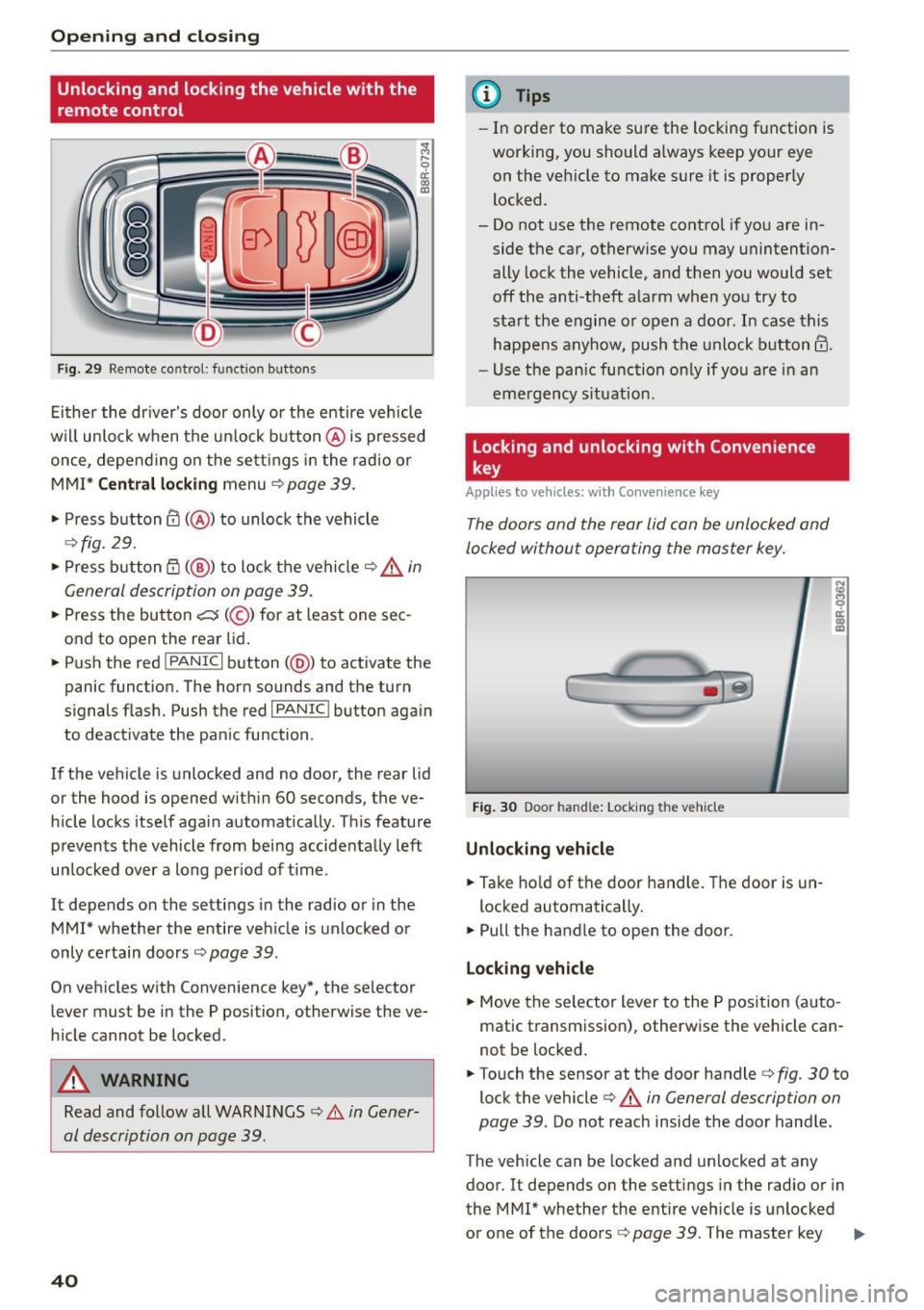
Fig. 29 Remote co n trol: fun ctio n but ton s
Either the driver's door only or the entire veh icle
will unlock when the un lock button @ is pressed
once, depend ing on the sett ings in the radio or
MMI*
Central locking menu c::> page 39.
• Press button @(@ ) to unlock the vehicle
¢fig. 29.
• Press button CT) (@ ) to lock the vehicle c::> &_ in
General description on page 39.
• Press the button c:5 (@ ) for at least one sec
ond to open the rear lid.
• Push the red
l PAN ICI button( @) to activate the
panic function. The horn sounds and the turn
signals flash. Push the red
I PANIC I button again
to deactivate the pan ic function .
If the vehicle is unlocked and no door, the rear lid
or the hood is opened within 60 seconds, the ve
h icle locks itself again automatically . T his feature
prevents the vehicle from being accidentally left
un locked over a long per iod of time .
It depends on the settings in the radio or in the
MMI* whether the entire veh icle is unlocked or
only ce rtain doors
¢ page 39 .
On vehicles w ith Convenience key*, the selector
lever must be in the P posi tion, otherwise the ve
h icle cannot be locked .
A WARNING
Read and follow all WARNINGS c::> Li::. in Gener
al description on page 39.
40
@ Tips
- In order to make sure the locking function is
working, you should a lways keep your eye
on the vehicle to make sure it is properly
locked .
- Do not use the remote contro l if you are in
side the car, otherwise you may unintention
ally lock the vehicle, and then you would set
off the anti -theft alarm when you try to
start the engine o r open a door. In case this
happens anyhow, push the unlock button@.
- Use the panic function on ly if you are in an
emergency situation.
Locking and unlocking with Convenience
key
Applies to vehicles: wi th Convenience key
The doors and the rear lid can be unlocked and
locked without operating the master key.
Fig. 30 Door handle: Locking th e vehicle
Unlocking vehicle
• Take hold of the door handle. The door is un-
locked automatically.
• Pull the handle to open the door .
Locking vehicle
• Move the selector lever to the P position (auto
matic transmission), otherwise the vehicle can
not be locked .
• Touch the sensor at the door handle¢
fig. 30 to
lock the vehicle
c::> .&. in General description on
page 39 .
Do not reach inside the door handle .
The vehicle can be locked and unlocked at any
door. It depends on the settings in the radio or in
the MMI* whether the entire vehicle is unlocked
or one of the doors
c::> page 39 . The master key .,,_
Page 43 of 302

M N
co ~ co
rl I.O
"' N
"' rl
must be within a range of about 5 feet (1.5 me
ters) from the appropriate door or the rear lid.
It
makes no difference whether the master key is in
your jacket pocke t or in your brief case .
I f you grip the door handle while locking, this can
adversely affect the locking function.
It is not possible to re-open the door for a brief
period direc tly after closing it. This allows yo u to
ens ure that t he doors are properly locked .
WARNING .!!!!!!!!!!.. -
Read and follow a ll WARNINGS ¢ & in Gener-
al description on page 39.
@ Tips
I f your vehicle has been stand ing for an ex
tended period, please note the fol low ing :
- The proxim ity sensors are de act ivated after
a few days to save power. Yo u then have to
pull on the door handle once to unlock the
vehicle and a second time to open the vehi
cle.
- To prevent the battery from being dis
charged and to preserve your veh icle's abili
ty to start for as long as possib le, the ener
gy management system gradually switc hes
off unnecessary convenience functions . It is
possible that you w ill not be able to unloc k
you r vehicle using these convenie nce func
tions.
- Fo r Decla rat ion of Compliance to United
Sta tes FCC and Industry Canada regulations
¢ page 284.
Open ing and clo sing
Operating locks with the mechanical key
In the event of a failure of the power locking sys
tem, the driver's door con locked and unlocked
with the mechanical key at the lock cylinder .
Fig . 31 Key turn s for openin g an d clos ing
To unlock the vehicle
""I nsert the mechan ica l key into the lock o f the
driver's door.
.. Turn the mechanical key to position @
¢fig. 31.
To lock th e vehicle
"" Move the selector lever to the P pos it ion ( auto
matic t ransm ission).
.. Close a ll windows and doors properly.
.. Tur n the mechanica l key in th e lock of the driv
er's door to the lock position
@ ¢A in Gener
al description on page 39.
If the power locking system fails, there is emer
gency locking for the passenger's door and the
rear doors
¢ page 42 .
A WARNING
Read and follow all WAR NINGS ¢ & in Gener
al description on page 39 .
(D Tips
-After the ignition is switched on, the power
locking system sw itch and the unlocking
butto n for the rear lid~ in the door are en
abled.
41
Page 44 of 302
Opening and closing
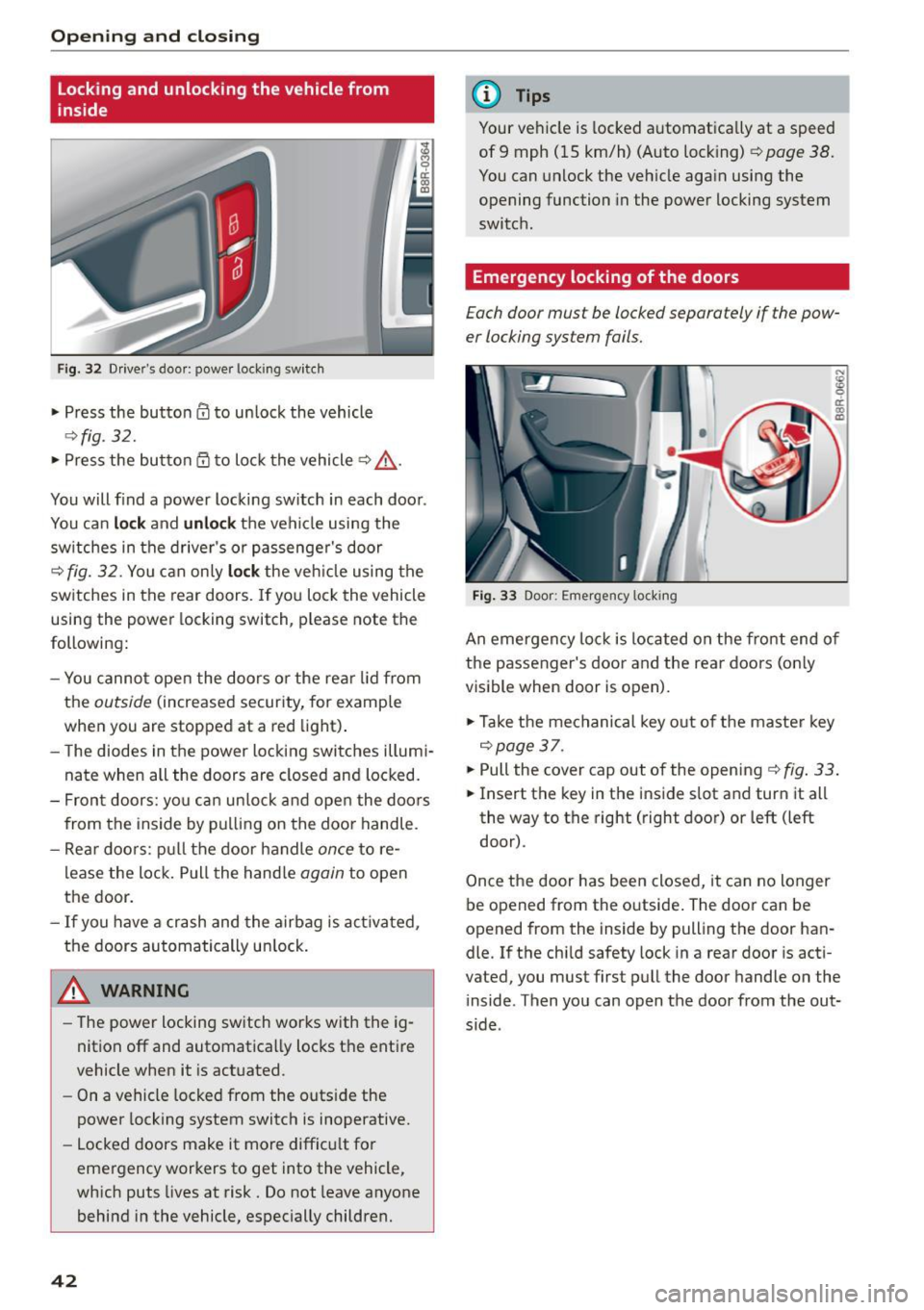
Locking and unlocking the vehicle from
inside
Fig. 32 Drive r's door : power lo ckin g sw it ch
• Press the button 0 to unlock the vehicle
~ fig. 32.
• Press the button Qj to lock the vehicle ~.&, .
You will find a power locking switch in each door .
You can
lo ck and unlock the veh icle using the
sw itches in the driver's or passenger's door
¢
fig. 32. You can only lo ck the veh icle using the
switches in the rear doors. If you lock the vehicle
using the power locking switch , please note the
following:
- You cannot open the doors o r the rear lid from
the
outside (increased security, for example
when you are stopped at a red light) .
- The diodes in the power locking switches illumi
nate when all the doors are closed and locked.
- Front doors: yo u can un lock and open the doors
from the inside by pulling on the door handle.
- Rear doo rs: pull the door handle
once to re
lease the lock. Pull the hand le
again to open
the door.
- If you have a crash and the airbag is act ivated,
the doors automatically un lock.
A WARNING
- The power locking sw itch works with the ig
nition off and automatically locks the entire
vehicle when it is actuated.
- On a vehicle locked from the outs ide the
power locking system switch is inoperative.
- Locked doors make it more difficu lt for
emergency workers to get into the vehicle,
which puts lives at risk. Do not leave anyone
behind in the vehicle, especially children.
42
@ Tips
Your vehicle is locked automatica lly at a speed
of 9 mph ( 15 km/h) (Auto locking)¢
page 38.
You can unlock the vehicle again using the
opening function in the power locking system
switch .
Emergency locking of the doors
Each door mus t be locked separately if the pow
er locking sys tem fails.
Fig. 33 Door : Emerge ncy lo ckin g
An emergency lock is located on the front end of
the passenger's door and the rear doors (only
visible when door is open).
• Take the mechanical key out of the master key
¢page 37 .
• Pull the cover cap out of the opening ¢ fig. 33.
• Insert the key in the inside slot and turn it all
the way to the right (right door) or left (left
door) .
Once the door has been closed, it can no longer
be opened from the outside. The door can be
opened from th e inside by pulling the door han
dle. If the child safety lock in a rear door is acti
vated , you must first pull the door handle on the
inside . T hen you can open the door from the out
s ide .