warning light AUDI Q5 2015 Workshop Manual
[x] Cancel search | Manufacturer: AUDI, Model Year: 2015, Model line: Q5, Model: AUDI Q5 2015Pages: 302, PDF Size: 75.01 MB
Page 114 of 302
Audi adapt ive cru ise control and brak ing gu ard
c::::, ___ c::::,_ Distan ce 3: This setting corresponds
to a distance of 164 feet/SO meters when travel
ing at 62 mph (100 km/h), or a t ime interval of
1.8 seconds.
c::::, ___ _ c::::, Di stan ce 4: This setting corresponds
to a distance of 210 feet/64 meters when travel
ing at 62 mph (100 km/h), or a t ime interval of
2 .3 seconds.
_&. WARNING
Following other vehicles too closely increases
the risk of collisions and ser ious personal in
jury .
- Setting short distances to the traffic ahead
reduces the time and d istance available to
br ing your vehicle to a safe stop and makes
it eve n mo re necessa ry to pay close atten
t ion to traffic.
- Always obey applicable traffic laws, use
good judgment, and select a safe followi ng
distance for the traffic, ro ad an d wea ther
cond itio ns.
¢j) Tips
- Distance 3
is set automatically each time
you sw itch the ignit ion on.
- Your standard settings are automatically
stored and assigned to the remote contro l
k ey being used
~ page 36.
Setting the driving program
A ppl ies to veh icles: w ith Audi adaptive cruise co ntrol
Depending on the se lected dr iv ing program and
distance, driving behavior when acce le rat ing will
vary from dynamic to comfortab le .
Setting the driving program for vehicles
w ithout Audi dr ive s elect*
~ In the radio/MM! *, select: I CAR ! function but
ton
> adaptive cruise control > Dri ving pro
gram
> C omfort , Stan dard or Dynamic . Or
~ Select : ICARI funct ion button > Car s ystems *
control button > Driver ass ist > Adap tive crui se
contro l> Driving program > Comfort , Stand
ard or Dynamic .
112
Setting the driving mode for vehicles with
Audi drive se lect*
Refer to r:!> page 121.
(D Tips
Your settings are automat ica lly stored and as
signed to the remote control key being used
r:!> page 36 .
Request for driver intervention
App lies to vehicles: wit h Aud i adapt ive c ru ise contro l
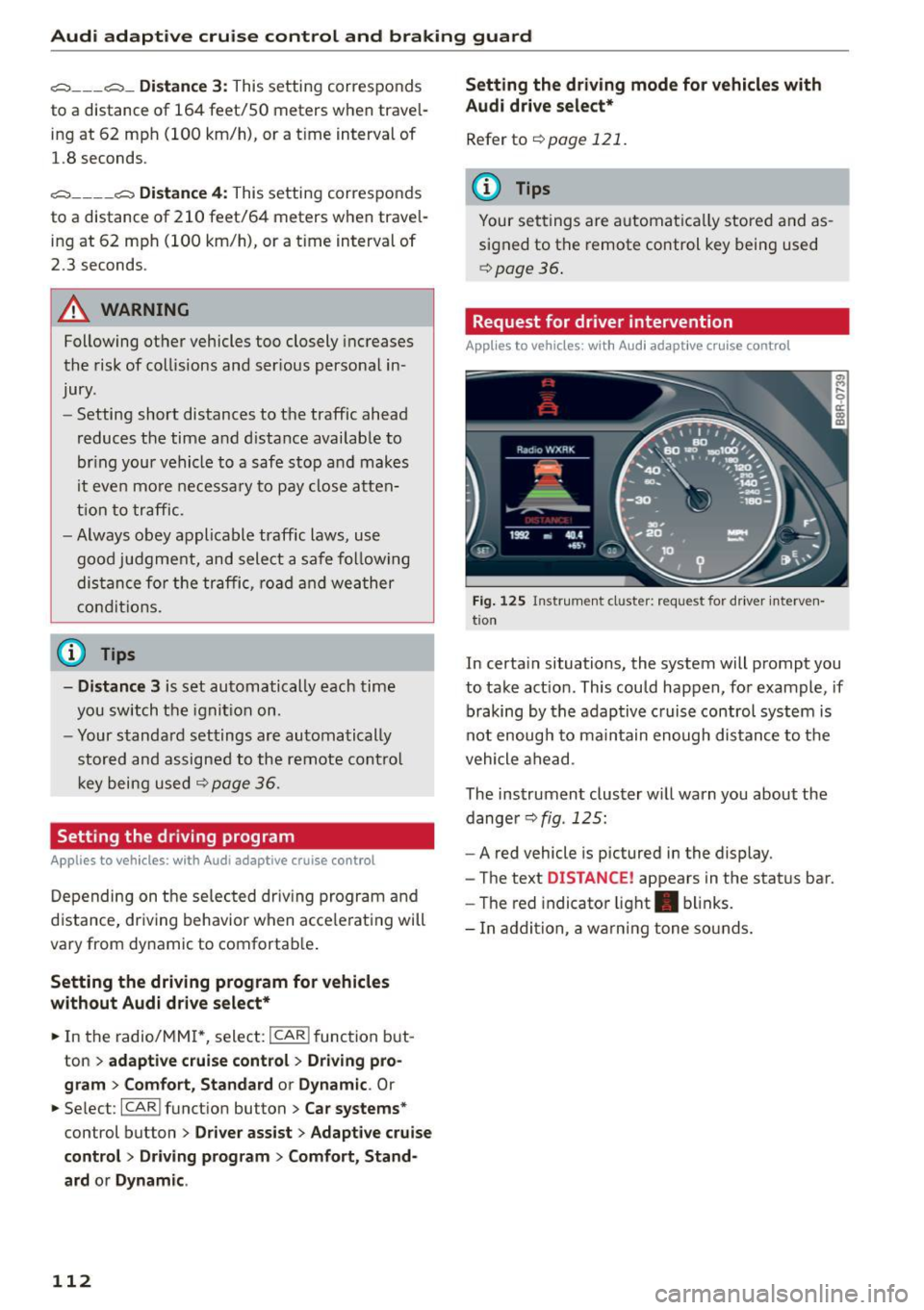
Fig. 125 Instr um ent cl uster: reque st for driver interven
t io n
In certa in situations, the system will prompt you
to take act ion . This could happen, for example , if
braking by the adaptive c ruise control system is
not enough to maintain enough distance to the
vehicle ahead .
The instrument cluster w ill warn you about the
dange r
r:!> fig. 125:
-A red vehicle is pictured in the display.
- The text
DISTANCE! appears in the status bar.
- The red indicator light . blinks.
- In addition, a wa rn ing tone so unds.
Page 115 of 302

Audi adapt ive crui se cont rol and bra king gu ard
Audi braking guard
Description
Applies to vehicles: with Audi adaptive cruise co ntrol
F ig. 126 Instrument cluste r: app roac h warn ing
Braking guard uses a radar sensor. It also func
tions within the limits of the system when adap tive cruise control is switched off .
What can bra king gu ard do ?
When detected in time, the system can assess
situations when a vehicle ahead brakes suddenly
or if your own veh icle is traveling at a high speed
and approaching a vehicle up ahead that is mov
ing more slowly . Braking guard does not react if it
cannot detect the s ituation.
The system advises you of various situations:
- The
di sta nce wa rning is given if you are too
close to the vehicle ahead for a long time.
If the
vehicle ahead brakes sharply, you will not be
able to avoid a collision. The indicator light .
in the d isplay comes o n.
- The
app roach warning is g iven when a detected
vehicle up ahead in your lane is moving much
more slowly than you are or if it brakes sharply .
When this warning is g iven, it may only be pos
s ible to avoid a co llision by swerving or braki ng
sharp ly. The indicator light . and indicator in
t h e d isplay w ill warn yo u about the danger
¢ fig. 126. You wi ll also hear an acoust ic signa l.
If you do not react fast enough or do not react at
all to the situation, braking guard will intervene by bra king and the message
Br aking guard : A cti-
~ vat ed will appear. co ~ co
rl I.O
"' N "' 11
This is not ava ilable in som e count ries. rl
- If a collision is imminent, the system wi ll first
provide an
a cute war ning by brief ly and sharply
app ly ing the brakes.
- If you do not react to the acute warning, brak
ing guard can brake within the limits of the sys
tem. This reduces the veh icle speed in the event
of a collision.
- At speeds under 20 mph (30 km/h), the system
can initiate a comp lete deceleration shortly be
fore a collisionl).
- If the braking guard senses that you are not
braking hard enough when a collision is immi
nent, it can increase the braking force.
Which function s can b e cont roll ed ?
You can switch braking guard and the distance/
approach warning on or off in the radio/MMI*
¢ page 114, Settings in the radio/MM!*.
A WARNING
-
Lack of attention can cause collisions, other
accidents and serious personal injuries. The b raking guard is an ass ist system and cannot
p revent a coll is ion by itself. The dr iver must
a lways intervene. The driver is always respon
s ib le for b ra ki ng at the corre ct time.
- Always pay close attent ion to traffic, even
when the b rak ing guard is switched on. Be
ready to intervene and be ready to take com
p lete control whenever necessary . Always
keep the safe a nd legal distance between
your vehicle and vehicles up ahead.
- Braking guard works within limits and will not respond outside the system limits, for
examp le when approaching a stopped vehi
cle or stationary obstacle (end of a traffic
jam or vehicle that has broken down in traf f ic).
- Always remember that the radar sensor for
the braking guard works on ly w ithin defined
detection and range limits that may prevent
the prope r detection of other vehicles.
- The radar sensor's funct ion and range can
be reduced by ra in, snow and heavy spray.
Moving vehicles up ahead may not be
,.
113
Page 126 of 302
Automatic transmission
brake before and while moving the lever to D/S
out of N.
A WARNING
Read and follow all WARNINGS c:> &_in Driv
ing the automatic transmission on
page 125.
(D Note
Coasting downhill with the transmission in N
and the engine not running will result in dam
age to the automatic transmission and possi
bly the catalytic converter .
{!) Tips
-On vehicles with Audi drive select*, you can
adjust the sporty shift characteristics in the
Dynamic driving mode.Swill appear in the
instrument cluster display instead of D .
- If you accidentally select N while driving,
take your foot off the accelerator pedal im·
mediately and wa it for the engine to slow
down to idle before select ing D/S .
- Hybrid drive* : if the
1~1 button c:> page 101
is pressed while in sport mode S, the trans
mission switches automatically to the nor·
mal mode D.
- If there is a power failure, the selector lever
will not
move out of the P pos ition. The
emergency release can be used if this hap
pens
c:> page 128.
124
.
Automatic Shift Lock (ASL)
T he Automatic Shift Lock safeguards you against
occidentally shifting into a forward or the re· verse gear and causing the vehicle to move unin
tentionally.
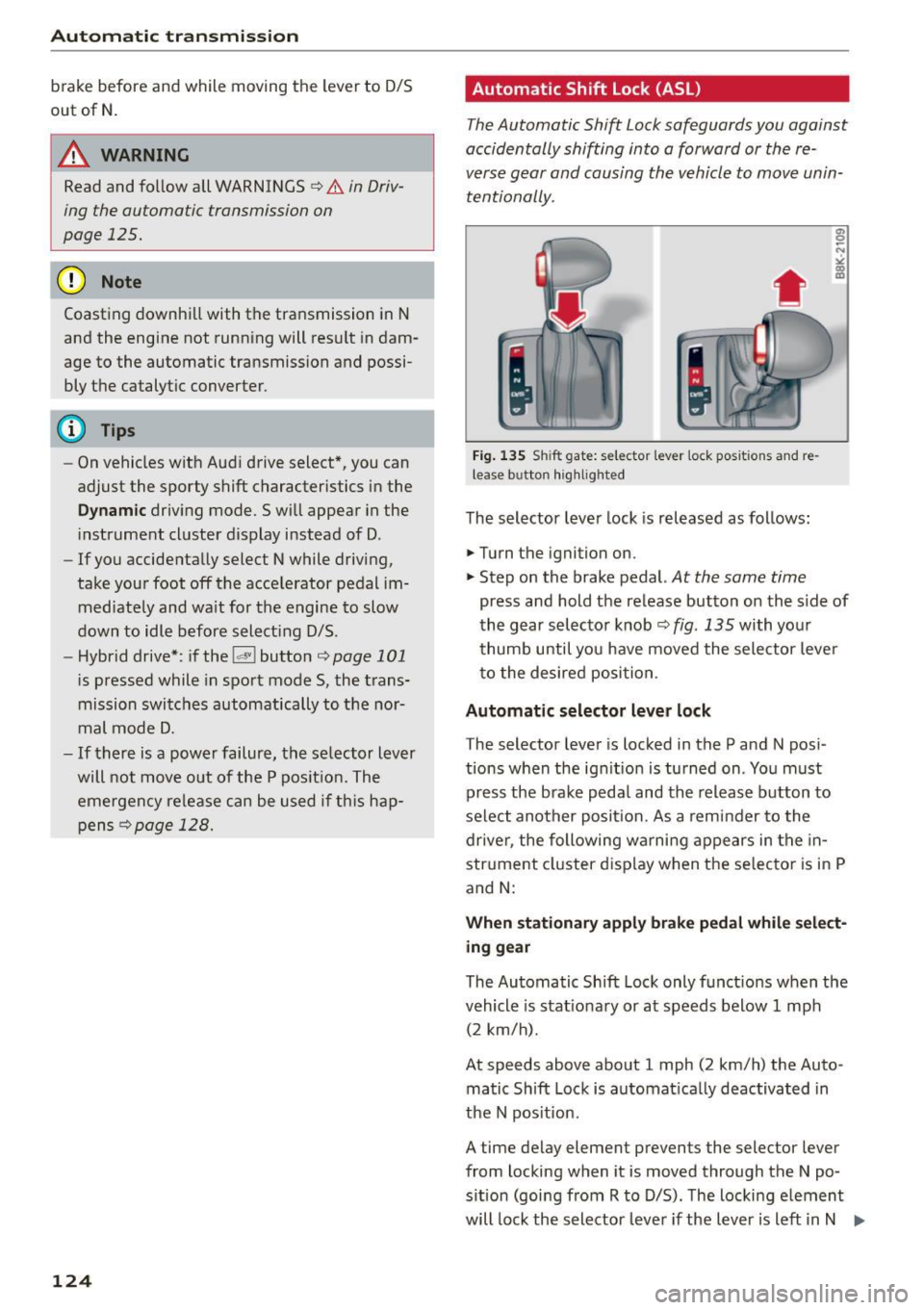
' Fig. 135 S hi ft gate: selector lever lock posit ions and re
lease b utton highlighted
The selector lever lock is released as fol lows:
.,. Turn the ignition on.
.,. Step on the brake pedal.
At the some time
press and hold the release button on the side of
the gear selector knob
c:> fig. 135 with your
thumb until you have moved the selector lever
to the desired position.
Automatic selector lever lock
The selector lever is locked in the P and N pos i
tions when the ignit ion is turned on. You must
press the brake peda l and the release button to
select another position. As a reminder to the
driver, the following warni ng appears in the in
str ument cluster display when the selector is in P
and
N:
When stationary apply brake pedal while select
ing gear
The Automatic Shift Lock only funct ions when the
vehicle is stat ionary or at speeds below 1 mph
(2 km/h).
At speeds
above about 1 mph (2 km/h) the Auto
matic Shift Lock is automat ica lly deactivated in
the N pos ition.
A time delay element prevents the selector lever
from locking when it is
moved through the N po
s ition (going from R to D/S) . The locking e lement
will lock the selector lever if the lever is left in N .,..
Page 127 of 302
M N
co
a:
co
,...., \!) 1.1"1
N 1.1"1 ,....,
(Neutral) for more than approximately 1 second,
without the brake pedal being pressed.
Release button
The release button on the selector lever prevents
the lever from be ing acc identally shifted into cer
tain positions. Pressing this button deactivates
the selector lever lock . Depending on the direc
tion of the shift, the se lector lever locks at differ
ent positions. The positions are highlighted in
the illustration¢
fig. 135.
Ignition key safety interlock
The key cannot be removed from the igni tion un
l ess the se lector lever is in the P park position .
When the ignition key is removed, the selector
l ever will be locked in the P position.
Driving the automatic transmission
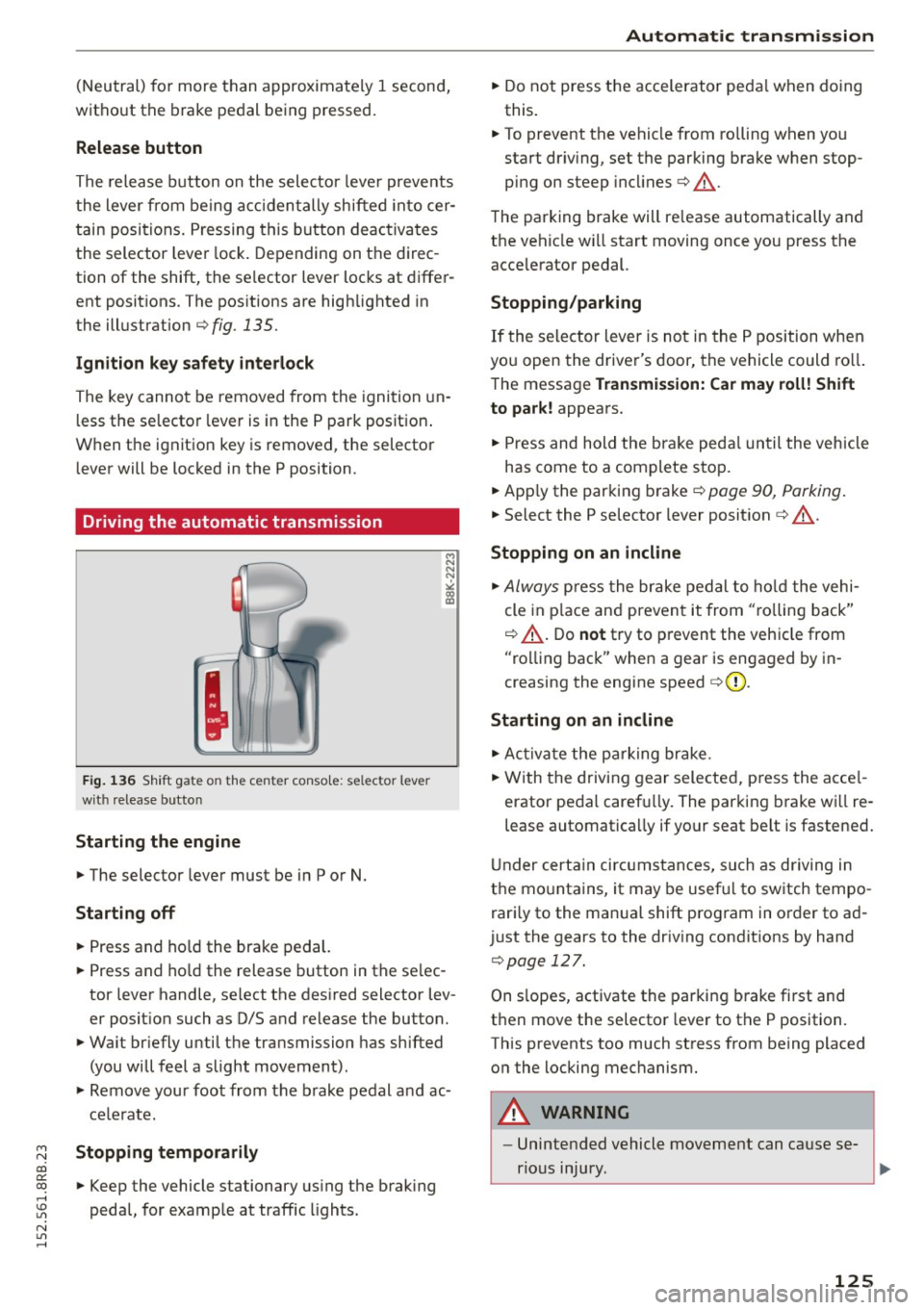
Fig. 136 Shift gate on the center conso le: selector lever
with release button
Starting the engine
.,. The selector lever must be in P or N.
Starting off
.,. Press and hold the brake pedal.
.,. Press and ho ld the release button in the se lec
tor lever handle, select the desired selector lev
er position such as D/S and release the button.
.,. Wait br iefly until the transmission has shifted
(you will feel a slight movement).
.,. Remove your foot from the brake pedal and ac
celerate.
Stopping temporarily
.,. Keep the vehicle stationary using the brak ing
pedal, for example at traffic lights.
Automatic transmission
.,. Do not press the accelerator peda l when doing
this.
.,. To prevent the vehicle from rolling when you
start dr iv ing, set the parking brake when stop
ping on steep incl ines¢ &_.
The parking brake will re lease automatically and
the vehicle wi ll start moving once you press the
acce lerator pedal.
Stopping/parking
If the selector lever is not in the P position when
you open the driver's door, the vehicle could roll.
The message
Transmission: Car may roll! Shift
to park!
appears.
.,. Press and hold the brake pedal until the vehicle
has come to a complete stop.
.,. App ly the parking brake¢
page 90, Parking .
.,. Select the P se lector lever position ¢ &_ .
Stopping on an incline
.,. Always press the brake pedal to hold the vehi
cle in place and prevent it from "ro lling back"
¢ &_ . Do
not try to prevent the vehicle from
"rolling back" when a gear is engaged by in
creasing the engine speed
c> (D .
Starting on an incline
.,. Activate the parking brake .
.,. With the driving gear selected, press the acce l
erator pedal carefu lly. The parking brake wi ll re
lease automatically if your seat belt is fastened.
Under certain circumstances, such as driving in
the mountains, it may be usefu l to switch tempo
rari ly to the manual shift program in order to ad
just the gears to the driving conditions by hand
¢page 127 .
On s lopes, activate the parking brake first and
then move the selector lever to the P position .
This prevents too much stress from being placed on the locking mechanism .
A WARNING ,_
-Unintended vehicle movement can cause se-
rious injury.
~
125
Page 132 of 302
Parkin g sys tem
Rearview camera cover age area
The MM I disp lay shows the area cove red by the
rearview camera
c::> fig . 143 (D. Objects that are
not in the area covered @are not shown on the
MMI disp lay.
We recommend that yo u practice par king with
the rearview camera in a traffic-free location o r
parking lot to become familiar with the system,
the orientation lines, and their f unction . When
doing this, there should be good light and weath
er cond itions.
I n the MMI disp lay, objects or vehicles appear
closer o r further away if:
- yo u are driving in reverse gear from a level su r
face onto an incl ine, or a downward slope,
- you are driving in reverse gear toward protrud
ing obje cts,
- the ve hicl e i s ca rrying too much load in the
rear.
The accuracy of the or ientat ion lines and blue
surfac es dimin ishes if:
- the rearv iew camera does not provide a reliab le
image, for examp le, in poor visibility cond itions
or if the lens is d irty,
- the image on the screen is not visible due to
su n g la re and reflect ion .
Caring for the rearview camera lens
The rearview camera is located above the rear li
cense plate bracket. For the parking system to
operate, the lens
c::> fig. 144 must be kept clean:
- Dampen the lens with a house ho ld alcoho l-
based glass cleaner, and then wipe the lens
clean with a dry cloth
c::> Q) .
-Remove snow with a hand brush and ice pref
erably with a de- ic ing spray
c::> Q).
A WARNING
-The parking system ca nnot rep lace the driv
er's attenti on . T he d rive r alone is responsi
ble fo r parki ng a nd s imilar dr iv ing ma neu
vers.
- Senso rs have b lind spots in which objects
cannot be detected . Pay special atte ntion to
130
sma ll children and an imals beca use the sen
sors cannot always detect them.
- Always keep your eyes on the vehicle 's s ur
round ings, using the rearview mirror as
wel l.
- Do not allow yourself to be distracted from
traffic by the rearview camera pict ures.
- If the position and t he installation angle of
the camera has changed, for e xamp le, after
a rear end collision, do not continue to use
the system for safety reaso ns. Have it
checked by a qualified dealersh ip.
(D Note
- Low obstacles a lready s ignaled by a warn ing
can disappear from the system's detection
range as they are approached and w ill n ot
cont in ue to be signaled. Objects such as
bar rier cha ins, trailer draw ba rs, thi n pa int
ed vert ica l poles or fences may not be de
t e cted by the system, posi ng ris k of dam
a ge.
- N ever use wa rm o r hot wate r to remove
s now or ice from the rea rv iew came ra lens ·
t h is could cause the lens to crac k!
- Whe n cleani ng the len s, neve r use produ cts
th at ar e abra s ive.
Page 133 of 302
M N
co ~ co
rl I.O
"' N
"' rl
Switching on and off
Applies to vehicles: with Audi parking system p lus w ith rear
view came ra
The reorview camera switches on automatically
together with the acoustic and visual park assist
when you put the vehicle in reverse.
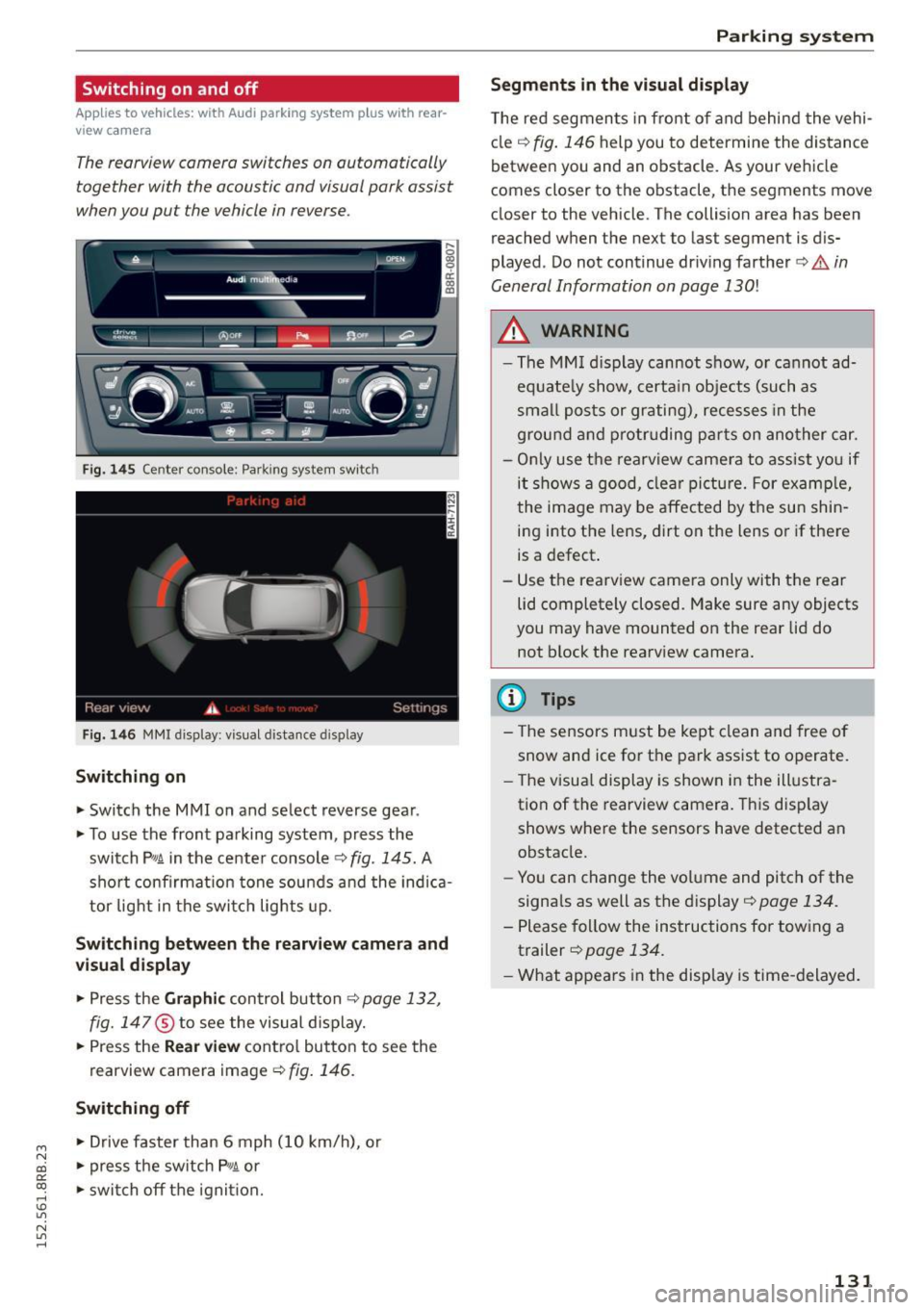
Fig. 145 Center console: Parking system switch
Fig. 1 46 MMI display: visual dista nce display
Switching on
.. Switch the MMI on and select reverse gea r.
.. To use the front parking system, press the
switch
P' "A in the center console c::> fig . 145. A
sho rt confirmat ion tone sou nds a nd the indica
tor light in the switc h lights up.
Switching betwe en th e re arview camera and
v is ual display
.. Press the Gr aphic control button c::> page 132,
fig. 147
® to see the visual d isplay .
.. Press the
Rear view cont ro l button to see the
rearview camera image
c::> fig . 146 .
Switching off
.. Drive faster than 6 mph ( 10 km/h), or
.. press the sw itch P
11JA or
.. swi tch off the ignit ion.
Par king system
Segm ents in th e vi sual display
T he red segmen ts in front of and behind the vehi
cle
c::> fig. 146 help you to determine the distance
between you and an obstacle. As your vehicle
comes closer to the obstacle, the segments move
closer to the vehicle. The collision area has been
reached when the next to last segment is dis
played. Do not continue dr iv ing farther ¢.&.
in
General Information on page 130!
A WARNING
--The MM I display cannot show, or cannot ad-
equate ly show, certa in objects (such as
smal l posts or grating), reces ses in the
ground a nd protr uding p arts on ano ther car.
- Only use t he rearview came ra to ass ist you if
it shows a good, clear picture. For examp le,
the image may be affected by the su n shin
ing into the lens, dirt on the lens or if there
is a defect.
- Use the rearv iew camera only with the rear
lid completely closed. Make sure any objects
you may have mounted on the rear lid do
not block the rearview camera.
(D Tips
-The sensors m ust be kept clean and free o f
snow and ice for t he park assist to operate.
- The visua l display is shown in the ill ustra
tion of the rearview camera. This disp lay
shows whe re the sensors have detected an
obstacle.
- Yo u can change the volume and pitch of the
signa ls as well as the display ¢
page 134.
-Please fo llow the instruc tions for tow ing a
trailer ¢
page 134.
-What appears in the disp lay is time -delayed .
131
Page 137 of 302
M N
co
a:
co
Driving safety
Basics
Safe driving habits
Please remember -safety first!
This chapter contains important information,
tips, instructions and warnings that you need to
read and observe for your own safety, the safety
of your passengers and others . We have summar
ized here what you need to know about safety
belts, airbags , chi ld restraints as well as child
safety. Your safety is for us
priority number 1. Al
ways observe the informat ion and warn ings in
this section - for your own safety as well as that
of your passengers .
The information in this section app lies to all
model ve rsions of your vehicle . Some of the fea
tures described in this sections may be standard
equipment on some models, or may be optional
eq uipment on others .
If you are not sure, ask
your authorized Audi dealer.
A WARNING
- Always make sure that you follow the in
struct ions and heed the WARNINGS in this
Manual. It is in your interest and in the in
terest of your passengers.
- Always keep the complete Owne r's Litera
ture in your Aud i when you lend or sell your
vehicle so that this important info rmation
will always be ava ilable to the driver and
passenge rs.
-
- Always keep the Owner's literature handy so
that you can find it easily if you have ques
tions.
Safety equipment
The safety features are part of the occupant re
straint system and work together to help reduce the risk of injury in a wide variety of accident sit
uations.
Your safety and the safety of your passenge rs
should not be left to chance. Advances in tec h-
; nology have made a var iety of fea tures available
~ to help reduce the r isk o f injury in an accident. ,....,
Dr ivin g sa fet y
The following is a list of just a few of the sa fety
features in your A udi:
- sophisticated s afety be lts fo r drive r and a ll pas-
senger seat ing pos itions,
- be lt fo rce limi ters for the front seats,
- belt pretensioners for the seats,
- be lt he ight adjustment for the front seats,
- head restra ints for each seating posit ion,
- front airbags,
- side airbags in the front seats and outer rear
seats *,
- side curtain airbags,
- specia l LATCH anchorages for child rest raints,
- adjustab le steering colum n.
These ind iv idual safety features, can work to
gether as a system to help protect you and your
passengers in a w ide range of accidents . T hese
features cannot work as a system if they are not always cor rect ly adjusted and co rrectly used.
S afet y is ev erybod y's re sponsibil it y !
Important things to do before driving
Safety is everybody 's job! Vehicle and occupant
safety always depends on the informed and care
ful driver .
For your safety and the safety of your passen
gers,
before driv ing alway s:
.,. Make s ure that all lights and signals are operat
ing correctly .
.,. Make sure that the tire pressure is correct .
.,. Make sure that all windows are clean and afford
good vis ibility to the outs ide .
.,. Secure all luggage and other items carefully
Q page 77 .
.,. Ma ke s ure that nothing can inte rfere wi th the
peda ls .
.,. Adjust front seat, head restraint and mirrors
correctly for your height.
.,. Instruct passengers to adjust the head re
straints according to the ir height.
.,. Make sure to use the r ight child restraint cor
rectly to protect ch ildren
Q page 172, Child
safety.
1 3 5
Page 138 of 302
Driving safet y
• Sit properly in your seat and make sure that
your passengers do the same
c:> poge 63,
General information .
• Fasten your safety belt and wear it properly. Al
so instruct your passengers to fasten their safe
ty be lts properly
c:> page 144 .
What impairs driving safety?
Safe driving is directly related to the condition of
the vehicle, the driver os well as the driver 's abili
ty to concentrate on the rood without being dis
tracted .
The driver is responsible for the safety of the ve
hicle and all of its occupants . If your ab ility to
drive is impaired, safety r isks for everybody in the
veh icle increase and you also become a hazard to
eve ryone else on the road
c:> .& . Therefo re:
• Do not let yourself be distracted by passengers
or by us ing a cellular te lephone .
• NEVER drive when your driv ing ability is im
paired (by medicat ions, alcohol, drugs, etc.).
• Observe all traffic laws, ru les of the road and
speed limits and pla in common sense.
• ALWAYS adjust your speed to road, traffic and
weather cond itions.
• Take frequent breaks on long trips. Do not drive
for more than two hours at a stretch .
• Do NOT drive when you are t ired, under pres
sure or when you are stressed.
A WARNING
Impaired d riving safety increases the risk of
ser ious personal inju ry and death whenever a
vehicle is being used.
136
Correct passenger
seating positions
Proper seating position for the drive r
The proper driver seating position is important
for safe, relaxed driving.
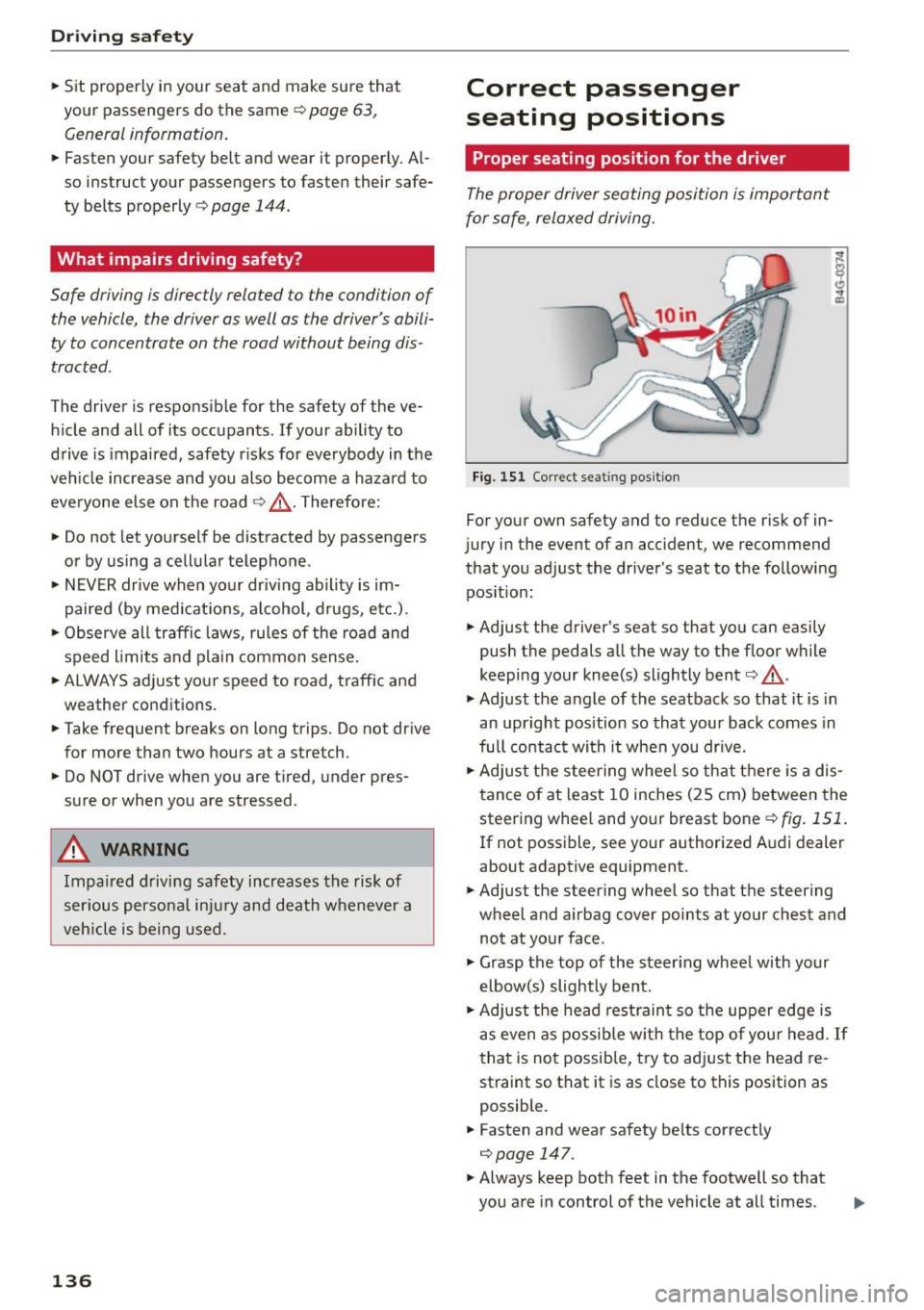
Fig. 151 Co rrect seat ing posit ion
For your own safety and to reduce the risk of in
jury in the event of an accident, we recommend
that you adjust the driver's seat to the following pos ition:
• Adjust the driver 's seat so that you can easily
push the pedals all the way to the floor while
keeping your knee(s) slightly bent
c:> & -
• Adjust the angle of the seatback so that it is in
an upright position so that your back comes in
full contact with it when you dr ive.
• Ad just the steering wheel so th at t here is a dis
tance of at least 10 inches (25 cm) between the
steer ing whee l and your breast bone
c:> fig. 151.
If not possible, see your authorized A udi dealer
about adaptive equipment.
• Adjust the steering wheel so that the steering
wheel and airbag cover points at your chest and
not at your face.
• Grasp the top of the steer ing wheel with your
elbow(s) slightly bent.
• Ad just the head rest rain t so the upper edge is
as even as possib le w ith the top of you r head .
If
that is not possib le, try to adjust the head re
straint so that it is as close to this position as
possible.
• Fasten and wear safety belts correctly
<=>page 147.
• Always keep both feet in the footwell so that
you are in control of the vehicle at all times .
Page 146 of 302
Safety belt s
Safety belts
General information
Always wear safety belts!
Wearing safety belts correctly saves lives!
This chapter explain s why safety be lts are neces
sary, how they work and how to adjust and wear
them correctly.
.. Read all the information that fo llows and heed
all of the instructions and WARNINGS.
&_ WARNING
Not wearing safety belts or wearing them im
properly increases the risk of serious personal
injury and death.
- Safety belts are the single most effective
means available to reduce the risk of serious
injury and death in automobile accidents.
For your protection and that of your passen
gers, always correct ly wear safety belts
when the vehicle is moving.
- Pregnant women, injured, or physically im
paired persons must also use safety belts.
L ik e all veh icle occupants, they are more
likely to be seriously injured if they do not
wear safety be lts . The best way to protect a
fetus is to protect the mother - throughout
the ent ire pregnancy.
Number of seats
Your Audi has a total of five seating positions:
two in the front and three in the rear. Each seat
ing position has a safety belt .
&_ WARNING
Not wearing safety belts or wearing them im
properly increases the risk of serious personal
injury and death.
- Never strap more than one person, includ
ing small ch ildren, into any belt. It is espe
cially dangerous to place a safety belt over a
child sitting on your lap.
- Never let more people ride in the vehicle
than there are safety belts available.
144
-Be sure everyone riding in the vehicle is
properly restrained with a separate safety
belt or child restraint.
Safety belt warning light
Your vehicle has a warning system for the driver
and (on USA models only) front seat passenger
to remind you about the importance of buckling
up .
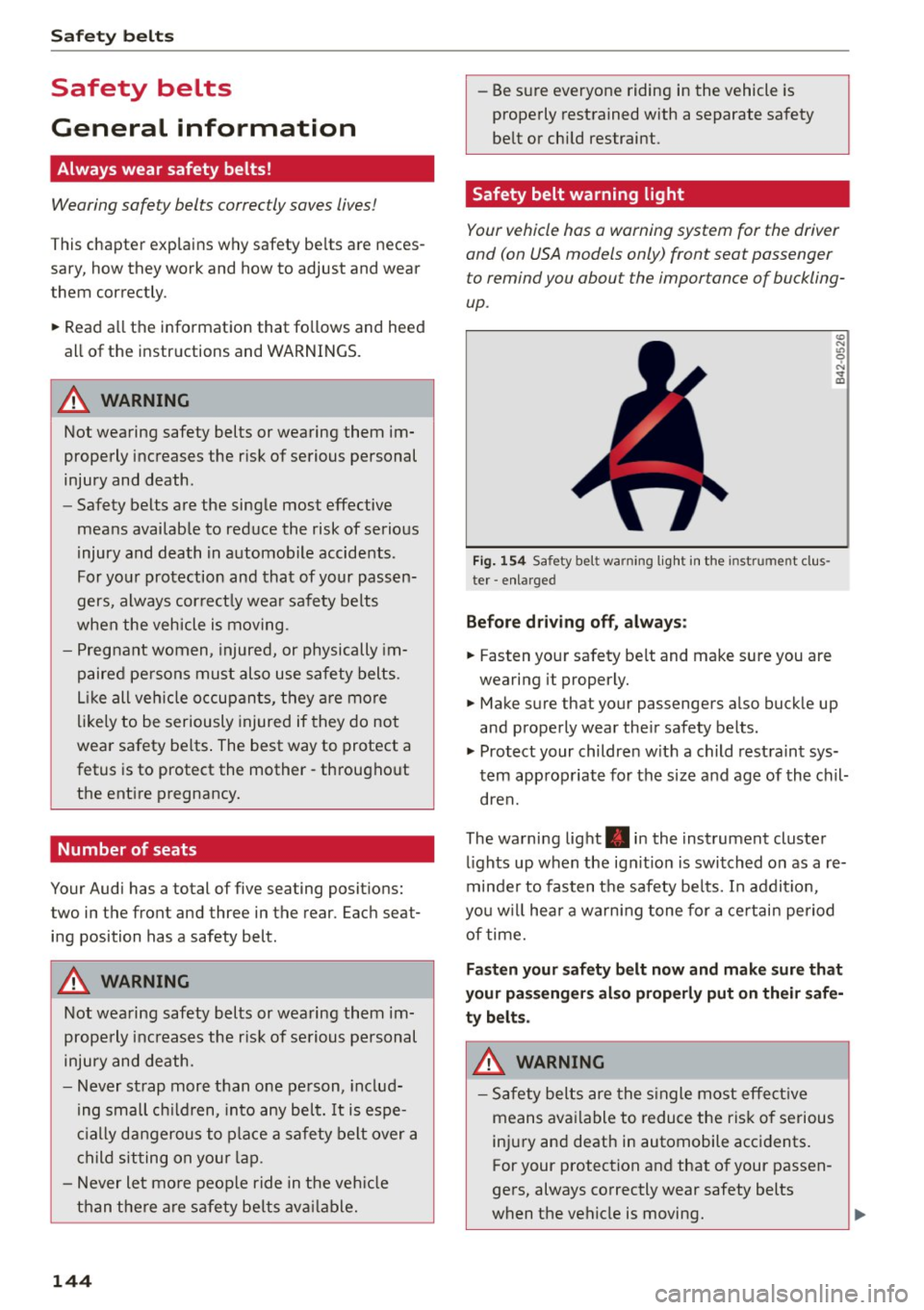
Fig. 154 Safety belt warning light in the instrument cl us
ter -enlarged
Before driving off, always:
.. Fas ten your safety belt and make sure you are
wearing it properly .
(0
"'
"' 0 N
and properly wear the ir safety belts .
.. Protect your children w ith a child restraint sys
tem appropriate for the siz e and age of the chil
dren.
The warning light . in the instrument cluster
lights up when the ign it ion is switched on as a re
minder to fasten the safety be lts. In addit io n,
you w ill hear a warning tone for a certain period
of time.
Fasten your safety belt now and make sure that
your passengers also properly put on their safe
ty belts.
&_ WARNING
-Safety belts are the single most effective
means ava ilable to reduce the risk of serious
injury and death in automobile accidents.
For your protection and that of your passen
gers, always correctly wear safety belts
when the vehicle is moving.
-
Page 147 of 302
M N
co ~ co
rl I.O
"' N
"' rl
- Failure to pay attention to the warning light
that come on, could lead to personal injury.
Why use safety belts?
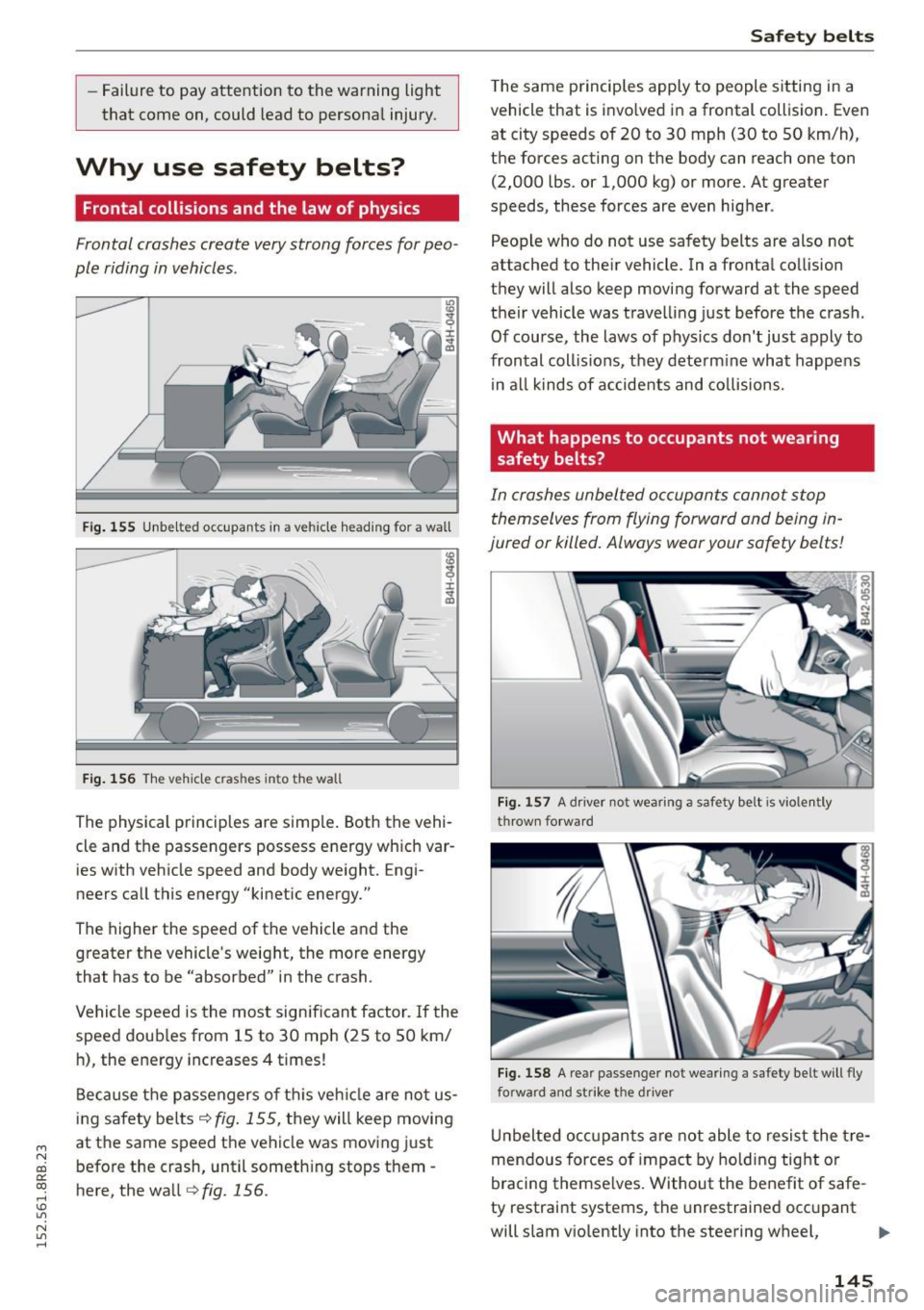
Frontal collisions and the law of physics
Frontal crashes create very strong forces for peo
ple riding in vehicles .
Fig. 155 Unbelted occupants in a vehicle heading for a wall
Fig. 156 The vehicle crashes into the wall
The physical principles are simp le. Both the vehi
cle and the passengers possess energy wh ich var
ies with vehicle speed and body weight. Engi
neers call this energy "kinetic energy."
The higher the speed of the vehicle and the
greater the vehicle's weight, the more energy
that has to be "absorbed" in the crash.
Vehicle speed is the most signif icant factor. If the
speed doubles from 15 to 30 mph (25 to SO km/
h), the energy increases 4 times!
Because the passengers of this vehicle are not us
ing safety belts¢
fig. 155, they will keep moving
at the same speed the vehicle was moving just
before the crash, until something stops them -
here, the wall¢
fig. 156.
Safety belts
The same principles apply to people sitting in a
vehicle that is invo lved in a frontal collision. Even
at city speeds of 20 to 30 mph (30 to 50 km/h),
the forces acting on the body can reach one ton
(2,000 lbs. or 1,000 kg) or more. At greater
speeds, these forces are even higher .
People who do not use safety belts are also not
attached to their vehicle. In a frontal collision
they will also keep moving forward at the speed
their vehicle was travelling just before the crash .
Of course, the laws of physics don't just apply to
frontal collisions, they determine what happens
in all kinds of accidents and co llisions.
What happens to occupants not wea ring
safety belts?
In crashes unbelted occupants cannot stop
themselves from flying forward and being in
jured or killed. Always wear your safety belts!
Fig. 157 A driver no t wearing a safety belt is violen tly
thrown forward
Fig. 158 A rear passenger not wearing a safety belt will fly
forward and strike the dr iver
Unbelted occupants are not able to resist the tre
mendous forces of impact by holding tight or
bracing themselves. Without the benefit of safe
ty restraint systems, the unrestrained occupant
will slam violently into the steering wheel, ..,_
145