brake AUDI Q5 2015 Owners Manual
[x] Cancel search | Manufacturer: AUDI, Model Year: 2015, Model line: Q5, Model: AUDI Q5 2015Pages: 302, PDF Size: 75.01 MB
Page 5 of 302
M N
co
a:
co
,...., \!) 1.1'1
N 1.1'1 ,....,
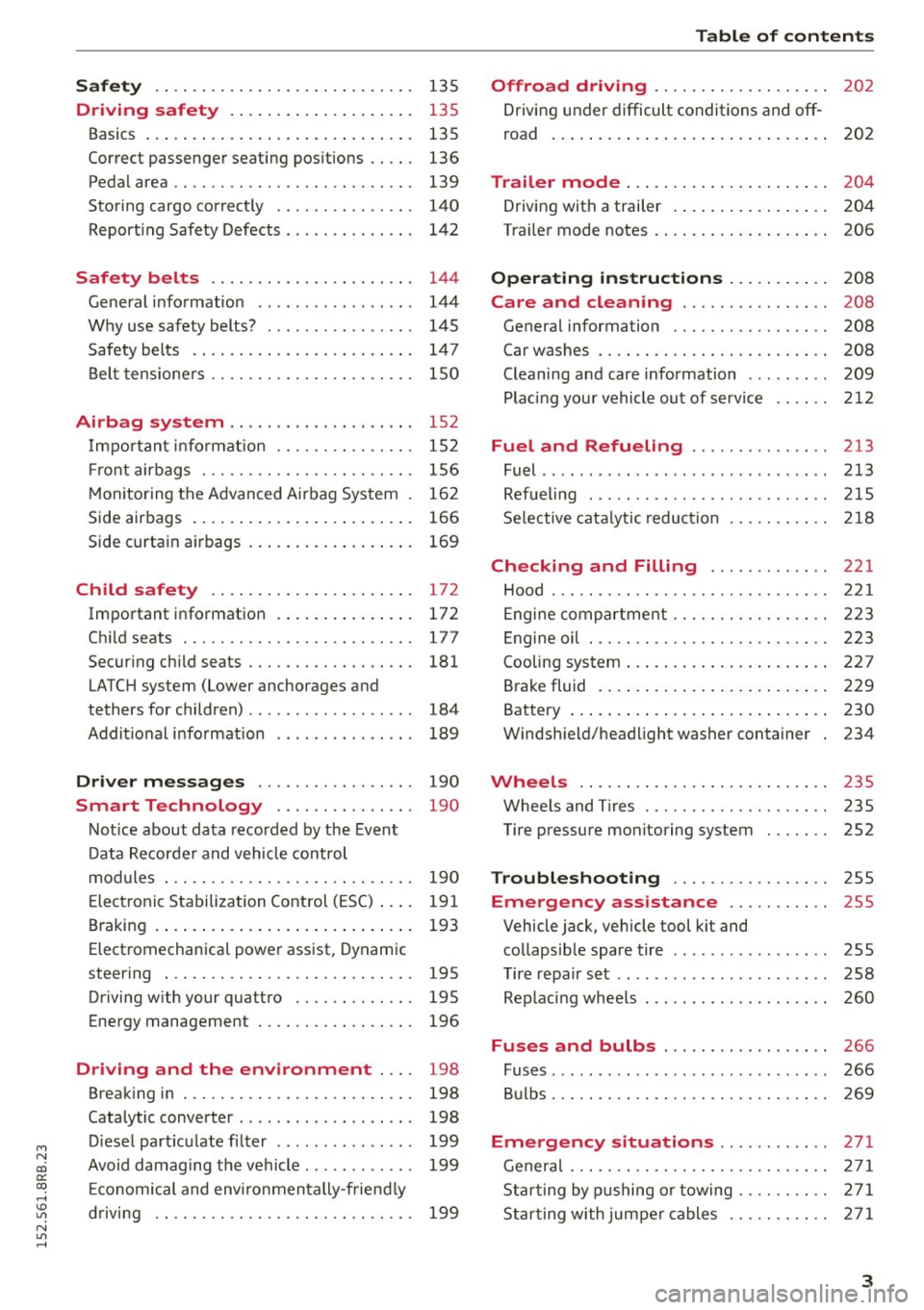
Safety . . . . . . . . . . . . . . . . . . . . . . . . . . . . 135
Driving safety . . . . . . . . . . . . . . . . . . . . 135
Basics . . . . . . . . . . . . . . . . . . . . . . . . . . . . . 135
Correct passenger seat ing positions . . . . . 136
Pedal area . . . . . . . . . . . . . . . . . . . . . . . . . . 139
Storing cargo correct ly . . . . . . . . . . . . . . . 140
Reporting Safety Defects . . . . . . . . . . . . . . 142
Safety belts . . . . . . . . . . . . . . . . . . . . . . 144
General information . . . . . . . . . . . . . . . . . 144
Why use safety belts? . . . . . . . . . . . . . . . . 145
Safety belts . . . . . . . . . . . . . . . . . . . . . . . . 147
Belt tensioners . . . . . . . . . . . . . . . . . . . . . . 150
Airbag system . . . . . . . . . . . . . . . . . . . . 152
Important information . . . . . . . . . . . . . . . 152
Front airbags . . . . . . . . . . . . . . . . . . . . . . . 156
Monito ring the Advanced Airbag System . 162
Side airbags . . . . . . . . . . . . . . . . . . . . . . . . 166
Side curtain airbags . . . . . . . . . . . . . . . . . . 169
Child safety . . . . . . . . . . . . . . . . . . . . . . 172
Important information . . . . . . . . . . . . . . . 172
Child seats .............. .... .. .. ... 177
Secur ing ch ild seats . . . . . . . . . . . . . . . . . . 181
LATCH system (Lower anchorages and
tethers for children) . . . . . . . . . . . . . . . . . . 184
Addit ional info rmation . . . . . . . . . . . . . . . 189
Driver messages . . . . . . . . . . . . . . . . . 190
Smart Technology . . . . . . . . . . . . . . . 190
Notice about data recorded by the Event
Data Recorder and vehicle control
modules . . . . . . . . . . . . . . . . . . . . . . . . . . . 190
E lect ronic Stabilization Control (ESC) . . . . 191
B raking . . . . . . . . . . . . . . . . . . . . . . . . . . . . 193
Electromechanica l power assist, Dynamic
steering . . . . . . . . . . . . . . . . . . . . . . . . . . . 195
Driving with your quattro . . . . . . . . . . . . . 195
Energy management . . . . . . . . . . . . . . . . . 196
Driving and the environment . . . . 198
Breaking in . . . . . . . . . . . . . . . . . . . . . . . . . 198
Cata lytic converter . . . . . . . . . . . . . . . . . . . 198
Diesel particu late filter . . . . . . . . . . . . . . . 199
Avoid damaging the vehicle . . . . . . . . . . . . 199
Econom ical and environmentally-friend ly
driving . . . . . . . . . . . . . . . . . . . . . . . . . . . . 199
Table of contents
Offroad driving . . . . . . . . . . . . . . . . . . .
202
Driving under difficult conditions and off-
road . . . . . . . . . . . . . . . . . . . . . . . . . . . . . . 202
Trailer mode . . . . . . . . . . . . . . . . . . . . . . 204
Driving with a trailer . . . . . . . . . . . . . . . . . 204
Tra iler mode notes . . . . . . . . . . . . . . . . . . . 206
Operating instructions . . . . . . . . . . . 208
Care and cleaning . . . . . . . . . . . . . . . . 208
General information . . . . . . . . . . . . . . . . . 208
Car washes . . . . . . . . . . . . . . . . . . . . . . . . . 208
Cleaning and care information . . . . . . . . . 209
Placing your vehicle out of service . . . . . . 212
Fuel and Refueling .......... ... .. 213
Fuel .. ..... ... .. .. ........ ...... ... 213
Refueling ... .. .. .. ... .. ... ..... .. .. 215
Selective catalytic reduction 218
Checking and Filling . . . . . . . . . . . . . 221
Hood . . . . . . . . . . . . . . . . . . . . . . . . . . . . . . 221
Eng ine compartm ent . . . . . . . . . . . . . . . . . 223
En gine oil . . . . . . . . . . . . . . . . . . . . . . . . . . 223
Cooling system . . . . . . . . . . . . . . . . . . . . . . 227
Brake fluid . . . . . . . . . . . . . . . . . . . . . . . . . 229
Battery . . . . . . . . . . . . . . . . . . . . . . . . . . . . 230
Windshield/headlight washer container 234
Wheels .. .... .. .. ... ........ .. .. .. 235
Wheels and Tires . . . . . . . . . . . . . . . . . . . . 235
Tire pressure monitoring system . . . . . . . 252
Troubleshooting . . . . . . . . . . . . . . . . . 255
Emergency assistance . . . . . . . . . . . 255
Vehicle jack, vehicle tool kit and
collapsib le spare tire . . . . . . . . . . . . . . . . . 255
Tire repair set . . . . . . . . . . . . . . . . . . . . . . . 258
Replacing wheels . . . . . . . . . . . . . . . . . . . . 260
Fuses and bulbs . . . . . . . . . . . . . . . . . . 266
Fuses. ...... .. .. .. ... .. ... ..... .. .. 266
Bulbs. . . . . . . . . . . . . . . . . . . . . . . . . . . . . . 269
Emergency situations . . . . . . . . . . . . 271
General . . . . . . . . . . . . . . . . . . . . . . . . . . . . 271
Starting by pushing or towing . . . . . . . . . . 271
Starting with jumper cables . . . . . . . . . . . 27 1
3
Page 11 of 302
M N
co
a:
co
,...., \!) 1.1"1
N 1.1"1 ,....,
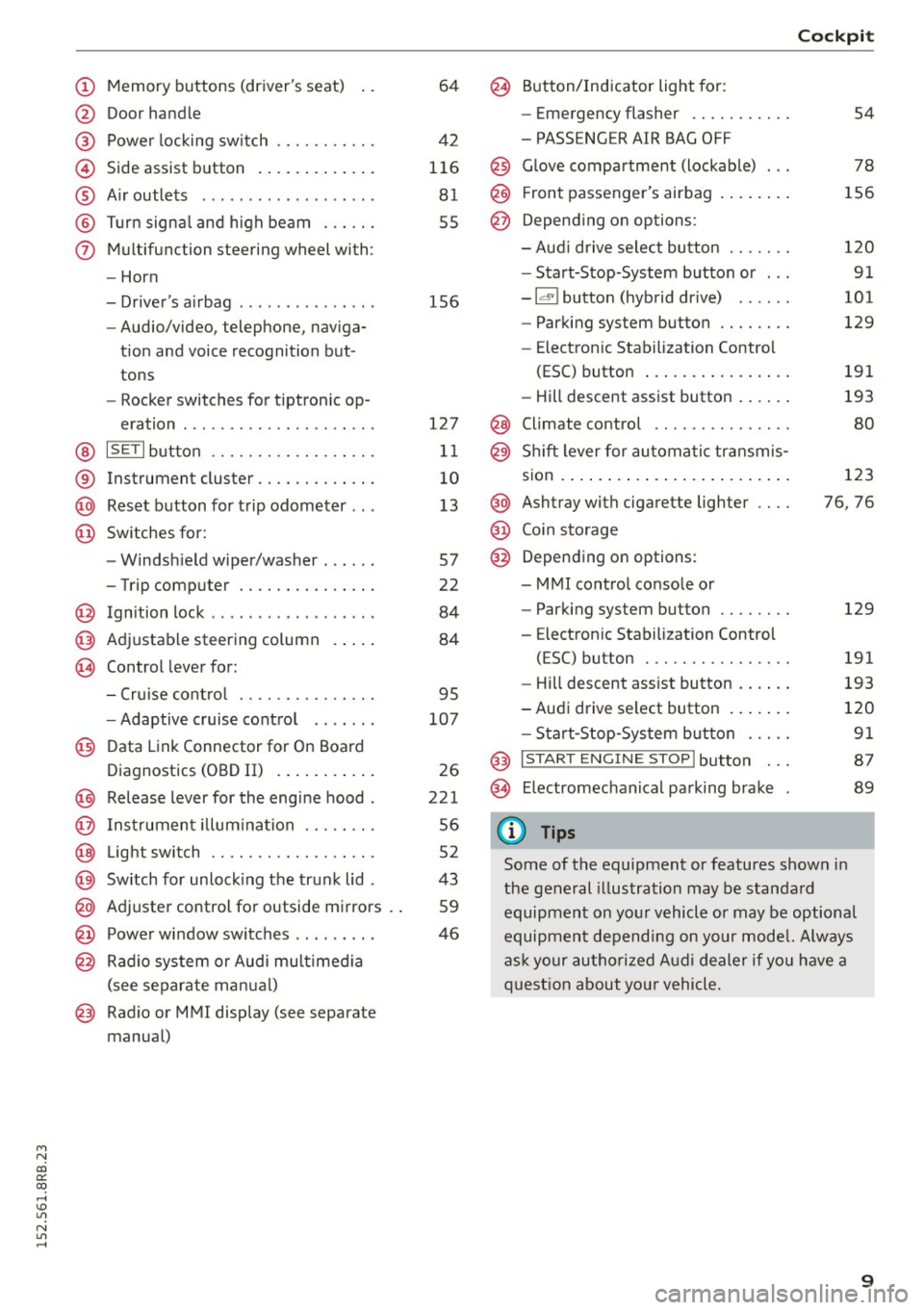
(!) Memory buttons (driver's seat)
@ Door handle
@ Power locking switch ........ .. .
© Side assist button ............ .
® Air outlets ............ .. .. .. .
@ Turn signal and high beam ..... .
(j) Multifunction steering wheel with:
- Horn
- Driver's airbag ........ .. .. .. .
- Audio/video, telephone, naviga-
tion and voice recognition but
tons
- Rocker switches for tiptron ic op-
eration ... ........... .. .. .. .
@ ISETI button ............... .. .
® Instrument cluster ............ .
@ Reset button for trip odometer .. .
@ Switches for:
- Windshield wiper/washer ..... .
- Trip computer .............. .
@ Ignition lock ........... .. .. .. .
@ Adjustable steering column
~ Control lever for: 64
42
116
81
55
156
127
11
10
13
57
22
84
84
- Cruise control . . . . . . . . . . . . . . . 95
- Adaptive cruise control . . . . . . . 107
@ Data Link Connector for On Board
Diagnostics (OBD II) . . . . . . . . . . . 26
@ Release lever for the engine hood . 221
@ Instrument illumination . . . . . . . . 56
@ Light switch . . . . . . . . . . . . . . . . . . 52
@ Switch for unlocking the trunk lid . 43
@ Adjuster control for outside mirrors . . 59
@ Power window switches . . . . . . . . . 46
@ Radio system or Audi multimedia
(see separate manual)
@ Radio or MMI display (see separate
manual)
@ Button/Indicator light for:
- Emergency flasher .......... .
- PASSENGER AIR BAG OFF
@ Glove compartment (lockable) .. .
@ Front passenger's airbag ....... .
@ Depending on options:
- Audi drive select button ...... .
- Start-Stop-System button or .. .
- Id'! button (hybrid drive) .... . .
- Parking system button ....... .
- Electron ic Stabilization Control
(ESC) button ............... .
- Hill descent assist button ..... .
@ Climate control ............. . .
@ Shift lever for automatic transmis-
sion ........................ .
@ Ashtray with cigarette lighter
@ Coin storage
@ Depending on options:
- MMI control console or
- Parking system button ....... .
- Electron ic Stabilization Control
(ESC) button ............... .
Cockpit
54
78
156
120 91
101
129
191
193
80
123
76, 76
129
191
- Hill descent assist button . . . . . . 193
-Audi drive select button . . . . . . . 120
- Start-Stop-System button . . . . . 91
@ I START ENGINE STOPI button . . . 87
@> Electromechanical parking brake 89
(D Tips
Some of the equipment or features shown in
the general illustration may be standard
equipment on your vehicle or may be optional
equipment depending on your model. Always
ask your authorized Audi dealer if you have a
question about your vehicle.
9
Page 16 of 302
Instruments and indicato r Lights
Indicator lights
Overview
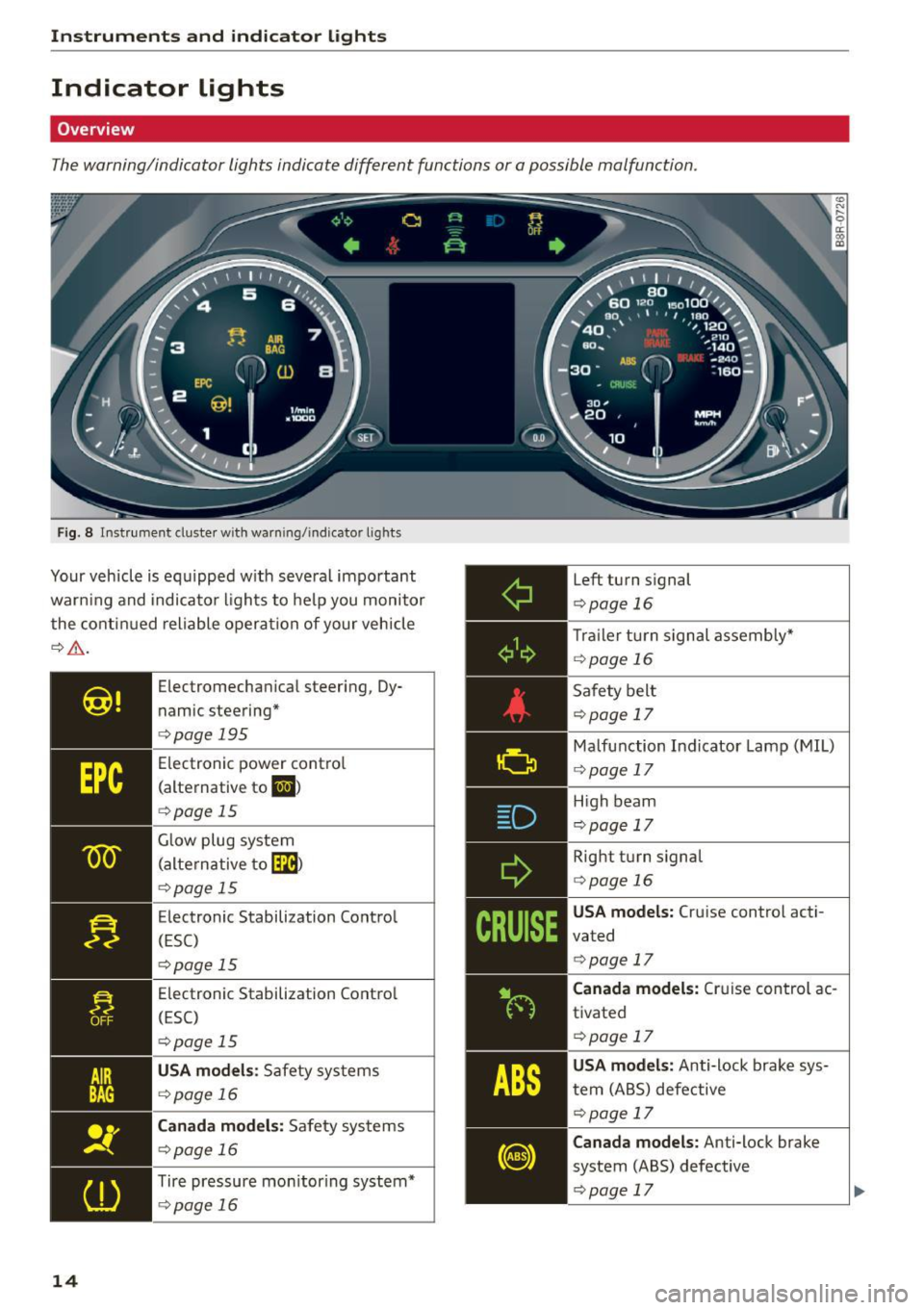
The warning/indicator lights indicate different functions or a possible malfunction.
Fig. 8 Instrument cluster with warn ing/indicator lights
Your vehicle is equipped w ith several important
warn ing and indicator lights to help you monitor
the continued reliable operation of your vehicle
¢,&. .
14
Electromechan ical steering, Dy
n amic steering*
¢page 195
Electronic power control
(alternative to
li,I )
¢page 15
Glow plug system
(alternative to
[m)
¢p age 15
Electronic Stabilization Control
(ESC)
¢pag e 15
Electronic Stabilization Contro l
(ESC)
¢ page 15
USA models : Safety systems
¢page 16
Canada models: Safety systems
¢page 16
Tire pressure mon itor ing system*
¢ page 16
Left turn signal
¢page 16
Trailer turn signal assembly"
¢page 16
Safety belt
¢page 17
Malfunction Indicator Lamp (MIL)
¢ page 17
High beam
¢page 17
Right turn signal
¢page 16
USA models: Cruise control acti
vated
¢ page 17
Canada models: Cruise control ac
tivated
¢page 17
USA models: Anti-lock brake sys
tem (ABS) defective
¢page 17
Canada models: Anti-lock brake
system (ABS) defective
¢page 17
Page 17 of 302
M N
co
a:
co
,...., \!) 1.1'1
N 1.1'1 ,....,
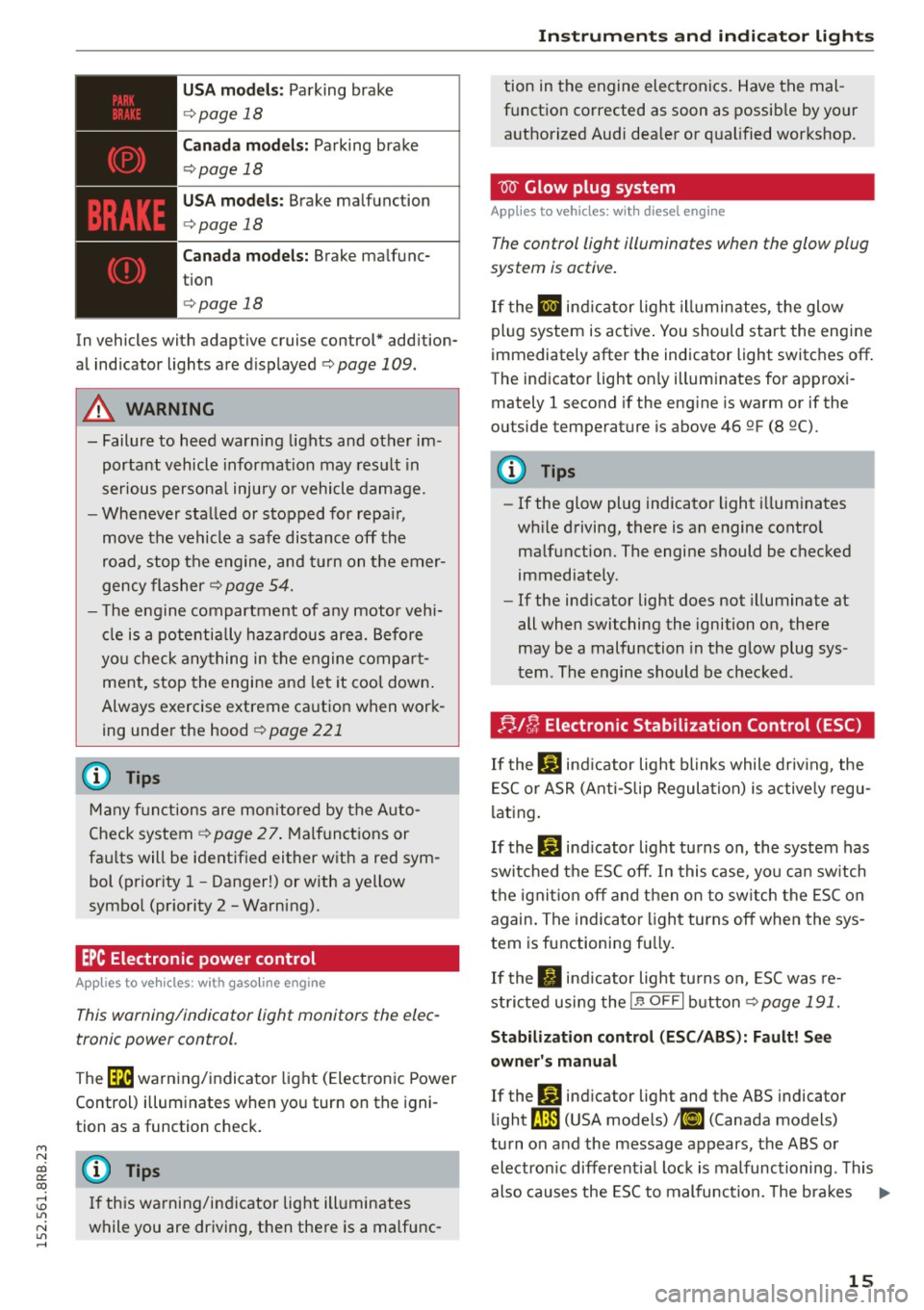
USA models: Parking brake
¢page 18
Canada models: Parking brake
¢page 18
USA models: Brake malfunction
¢page 18
Canada models: Brake malfunc
tion
c> page 18
In vehicles with adaptive cruise control* addition
al indicator lights are displayed
c>page 109.
A WARNING
- Failure to heed warning lights and other im
portant vehicle information may result in
serious personal injury or vehicle damage.
- Whenever stalled or stopped for repair,
move the vehicle a safe distance off the
road, stop the engine, and turn on the emer
gency flasher
c> page 54.
- The engine compartment of any motor vehi
cle is a potentially hazardous area. Before
you check anything in the engine compart
ment, stop the engine and let it cool down.
Always exercise extreme caution when work
ing under the hood
c> page 221
@ Tips
Many functions are monitored by the Auto
Check system
c> page 2 7. Malfunctions or
faults will be identified either with a red sym
bol (priority 1 - Danger!) or with a yellow
symbol (priority 2 -Warning).
EPC Electronic power control
App lies to vehicles: with gaso line engine
This warning/indicator light monitors the elec
tronic power control .
The Ga warning/indicator light (Electronic Power
Control) illuminates when you turn on the igni
tion as a function check.
@ Tips
If this warning/indicator light illuminates
while you are driving, then there is a malfunc-
Instruments and indicator lights
tion in the engine electronics. Have the mal
function corrected as soon as possible by your
authorized Audi dealer or qualified workshop.
W Glow plug system
Applies to vehicles: wit h diese l eng ine
The control light illuminates when the glow plug
system is active.
If the II indicator light illuminates, the glow
plug system is active. You should start the engine
immediately after the indicator light switches off.
The indicator light only illuminates for approxi mately 1 second if the engine is warm or if the
outside temperature is above 46 QF (8 Q().
(D Tips
-If the glow plug indicator light illuminates
while driving, there is an engine control
malfunction. The engine should be checked
immediately.
- If the indicator light does not illuminate at
all when switching the ignition on, there
may be a malfunction in the glow plug sys
tem. The engine should be checked.
;;.ll/4 Electronic Stabilization Control (ESC)
If the Bl indicator light blinks while driving, the
ESC or ASR (Anti-Slip Regulation) is actively regu
lating.
If the
Bl indicator light turns on, the system has
switched the ESC off. In this case, you can switch
the ignition off and then on to switch the ESC on
again. The indicator light turns off when the sys
tem is functioning fully.
If the. indicator light turns on, ESC was re
stricted using the
!.P-O FF I button c> page 191.
Stabilization control (ESC/ABS): Fault! See
owner's manual
If the Bl indicator light and the ABS indicator
light
LtB (USA models) 1iJ (Canada models)
turn on and the message appears, the ABS or
electronic differential lock is malfunctioning . This
also causes the ESC to malfunction. The brakes ..,.
15
Page 18 of 302
Instruments and indicator lights
still fu nction with their normal power, but A BS is
not active .
D rive to y our a uthorize d Au di d eale r o r q ual ified
wo rkshop immediately to have the ma lf u nction
corrected .
A WARNING
If the .. (USA models) . (Canada mod
els) brake system indicator light turns on to
gether with the ABS and ESC indicator lights ,
the ABS/ESC regulating function may have
failed . Functions that stabilize the vehicle are
no longer available . Th is could cause the vehi
cle to swerve and increase the risk of sliding .
Dr ive caref ully to the nearest autho rized Aud i
de aler or o ther qualified wor kshop and have
t he malfunction corrected .
(D Tips
For addit iona l information on ESC and ABS,
refer to
¢ page 191.
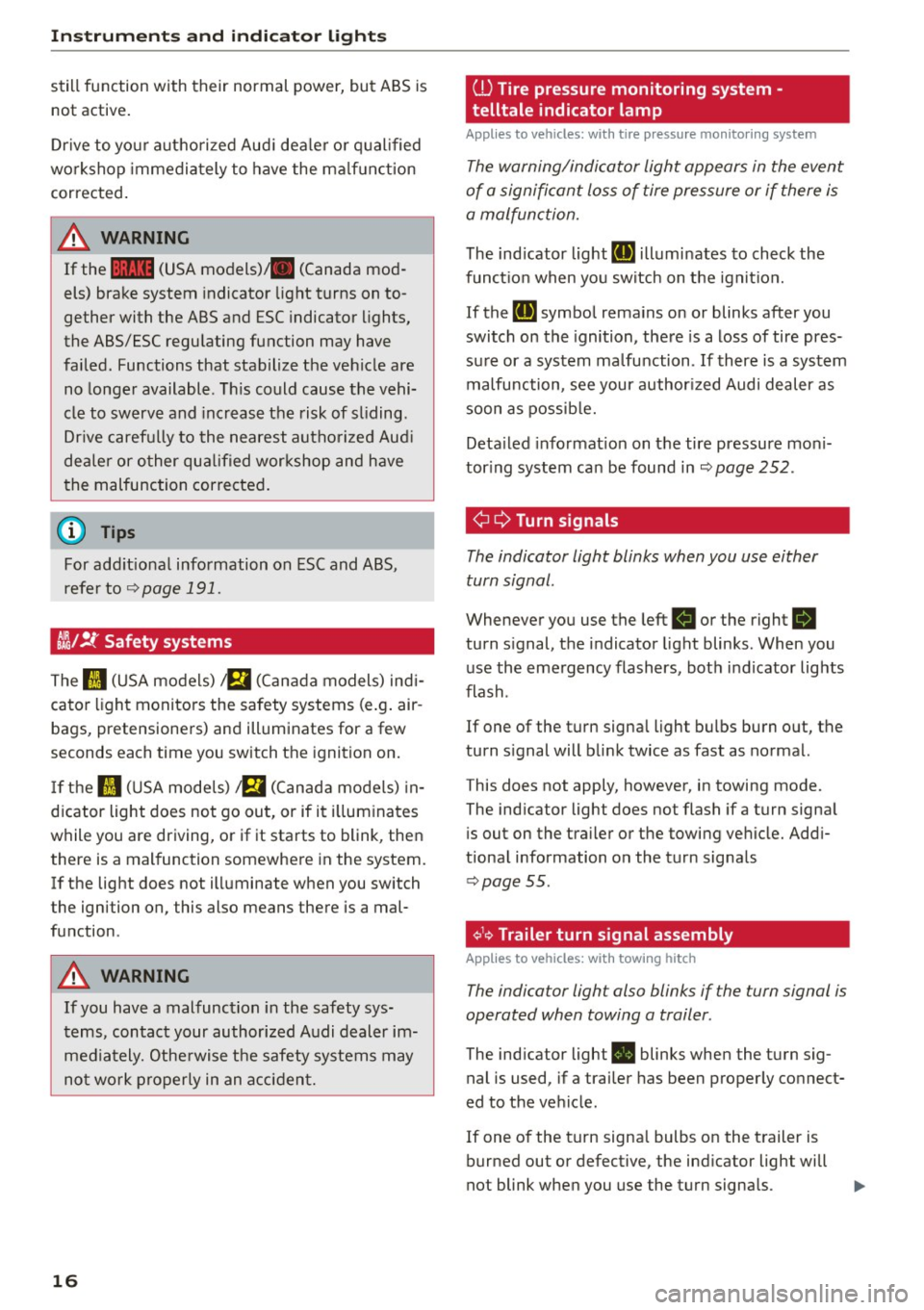
CJ};/ !f Safety systems
-
The II (USA models) a (Cana da models) indi
cator light monito rs the safety systems (e .g . air
bags, pretensione rs) and illuminates for a few
seconds each time you switch t he ignition on.
If t h e II (U SA mode ls) a (Canad a models) in
d icator light does not go out, or if it i llum inates
while you are driving, or if it starts to blink, then
there is a malfunction somewhe re in the system.
I f the light does not ill uminate when you switch
the igni tion on, this also means there is a mal
function .
A WARNING
If you have a mal func tion in the safety sys
t ems, contact your authorized A udi dealer im
media tely. Othe rwise the safety system s may
no t w or k properly in an a cci den t.
16
ill Tire pressure monitoring system -
telltale indicator lamp
Applies to vehicles: with tire pressure monitoring system
The warning/indicator light appears in the event
of a signifi cant loss of tire pressure or if there is
a malfunction.
The ind icator light RI] illumi nates to check the
func tion when yo u sw itch on t he ign it io n.
If the
RI] symbo l rema ins on or blinks after you
switch on the ignition, the re is a loss of tire pres
su re or a system ma lfunction .
If there is a system
malfunction, see your author ized Audi dealer as
soon as possib le.
Deta iled info rmat ion on the tire pressure mo ni
tor ing system ca n be found in
¢page 252.
¢¢Turn signals
The indicator light blinks when you use either
turn signal .
Whenever you use the left B or the right R
turn s ignal, the indicator light blinks . When you
use the eme rgency flashers, bot h in d icator lights
flash .
If one of the turn signa l ligh t bulbs burn out, the
turn s ignal will b link twice as fast as normal.
This does not apply, however, in towing mode.
The ind icator light does not flash if a turn signa l
i s out on the tra iler or the towing veh icle. Add i
tiona l information on the turn signa ls
¢ page 55.
¢1.~ Trailer turn signal assembly
Applies to vehicles: with towing hitch
The indicator light also blinks if the turn signal is
operated when towing a trailer .
The indicator light . blinks when the t urn s ig
nal is used, if a trai ler has been properly co nnect
ed to the ve hicle .
If one of the tu rn signa l bulbs on the t railer is
burned out or defective, the ind icator light will
not blink when you use the turn signa ls.
Page 19 of 302
M N
co
a:
co
,...., \!) ..,.,
N ..,., ,....,
@ Tips
For vehicles with a factory installed towing
hitch or a trailer hitch that was installed later
according to factory specifications, the trailer
turn signal assembly is actuated.
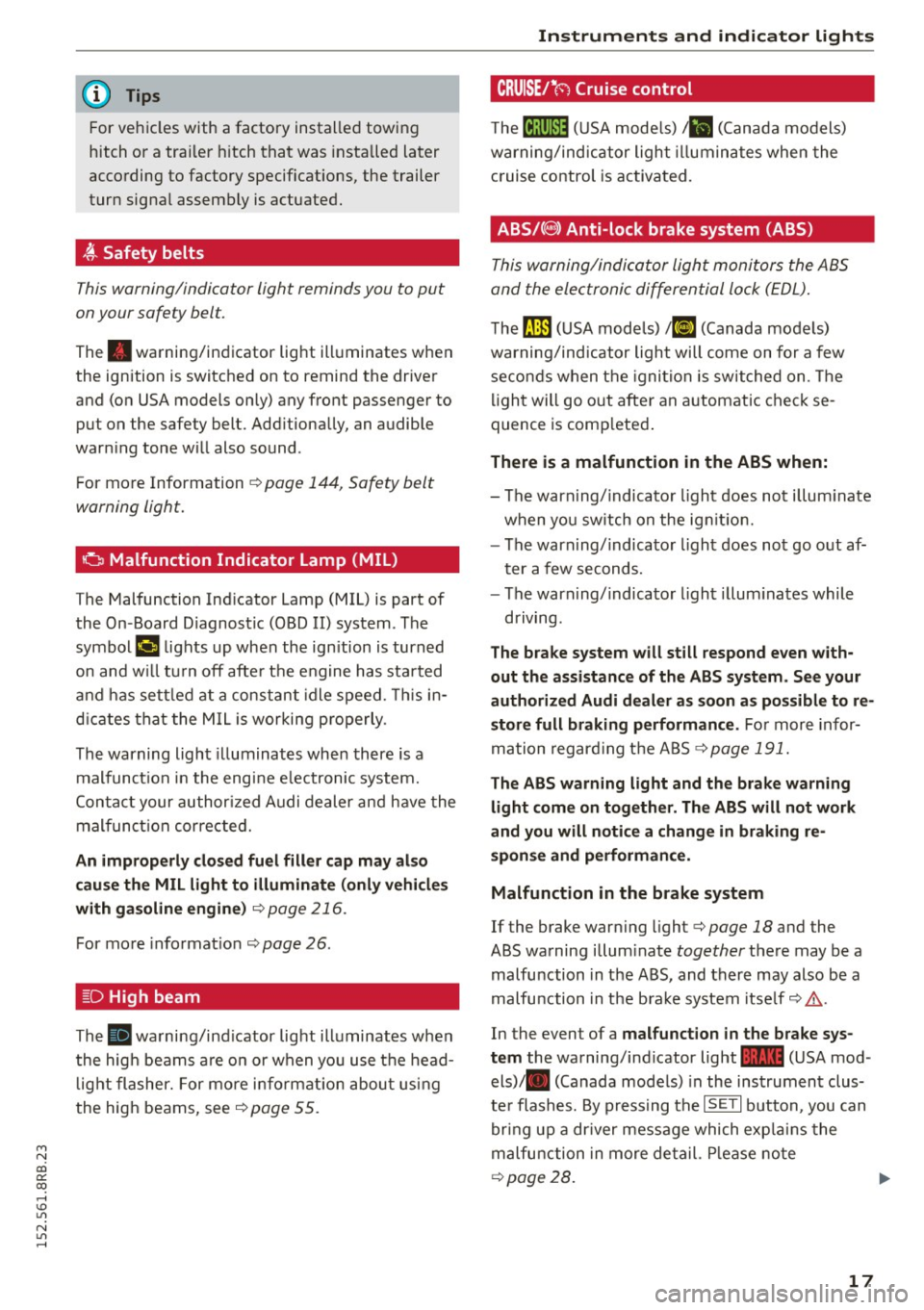
~ Safety belts
This warning/indicator light reminds you to put
on your safety belt.
The . warning/indicator light illuminates when
the ignition is switched on to remind the driver
and (on USA models only) any front passenger to
put on the safety belt. Additionally, an audible
warning tone will also sound .
For more Information ¢
page 144, Safety belt
warning light.
o Malfunction Indicator Lamp (MIL)
The Malfunction Indicator Lamp (MIL) is part of
the On -Board Diagnostic (OBD II) system . The
symbol ¢4 lights up when the ignition is turned
on and w ill turn off after the engine has started
and has settled at a constant idle speed. This in
dicates that the MIL is working properly .
The warning light illuminates when there is a
malfunction in the engine electronic system.
Contact your authorized Audi dealer and have the
mal funct ion corrected.
An improperly closed fuel filler cap may also
cause the MIL light to illuminate (only vehicles
with gasoline engine)
¢page 216.
For more informat ion ¢ page 26.
[D High beam
The . warning/ind icator light illuminates when
the high beams are on or when you use the head
light flasher. For more info rmation about using
the high beams, see
~ page 55.
Instruments and indicator lights
CRUISE/•(-) Cruise control
The (~jll)~i* (USA models) ;Bl (Canada models)
warning/ind icator light illuminates when the
cruise control is activated.
ABS/{ @) Anti-lock brake system (ABS)
This warning/indicator light monitors the ABS
and the electronic differential lock (EDL).
The~ (USA models) !(iJ (Canada mode ls)
warning/indicator light will come on for a few
seconds when the ignition is switched on. The
light will go out after an automatic check se
quence is comp leted .
There is a malfunction in the ABS when:
-The warning/indicator light does not illum inate
when you sw itch on the ignit ion.
- The warning/indicator light does not go out af
ter a few seconds.
- The warning/ indicator light illum inates while
driving .
The brake system will still respond even with·
out the assistance of the ABS system. See your
authorized Audi dealer as soon as possible to re
store full braking performance.
For more infor
mation regarding the ABS
~page 191.
The ABS warning light and the brake warning
light come on together . The ABS will not work
and you will notice a change in braking re
sponse and performance.
Malfunction in the brake system
If the brake warning light¢ page 18 and the
ABS warning illum inate
together there may be a
malfunction in the ABS, and there may also be a
malfunction in the brake system itself~ ,&..
In the event of a
malfunction in the brake sys
tem
the warning/ind icator light 1111 (USA mod
els)/ . (Canada mode ls) in the instrument clus
ter flashes. By press ing the
!SE TI button, you can
bring up a dr iver message which exp lains the
malfunction in more detail. Please note
~page 28.
17
Page 20 of 302
Instruments and indicator lights
Malfunction in th e electronic diffe rential
lock (EDL )
The EDL works together with the ABS . The ABS
warning light wi ll come on if there is a malfunc
t ion in the EDL system
q page 191 . See your au
t hor ized Audi dealer as soon as possible.
A WARNING
- If the Lil3 (USA models) ;[IJ (Canada mod
els) warning light does not go out , or if it
comes on while d riving, the ABS system is
not working properly. The vehicle can the n
be stopped only with the standard brakes
(without ABS) . You wi ll not have the protec
tion ABS p rovides . Contact your authorized
Audi dealer as soon as possible .
- If the
1111 (USA models)/ . (Canada mod
els) brake system indicator light t urns on to
gether wit h the ABS and ESC indicator
lights , the ABS/ESC regulating function may
have failed. Funct ions that stab ilize the ve
hicle are no longer availab le. This could
cause the vehicle to swerve and increase the
risk of sliding . Driv e ca refully to the nea rest
autho rized Aud i dealer o r othe r qualified
wor kshop and have the malfunction correc t
ed.
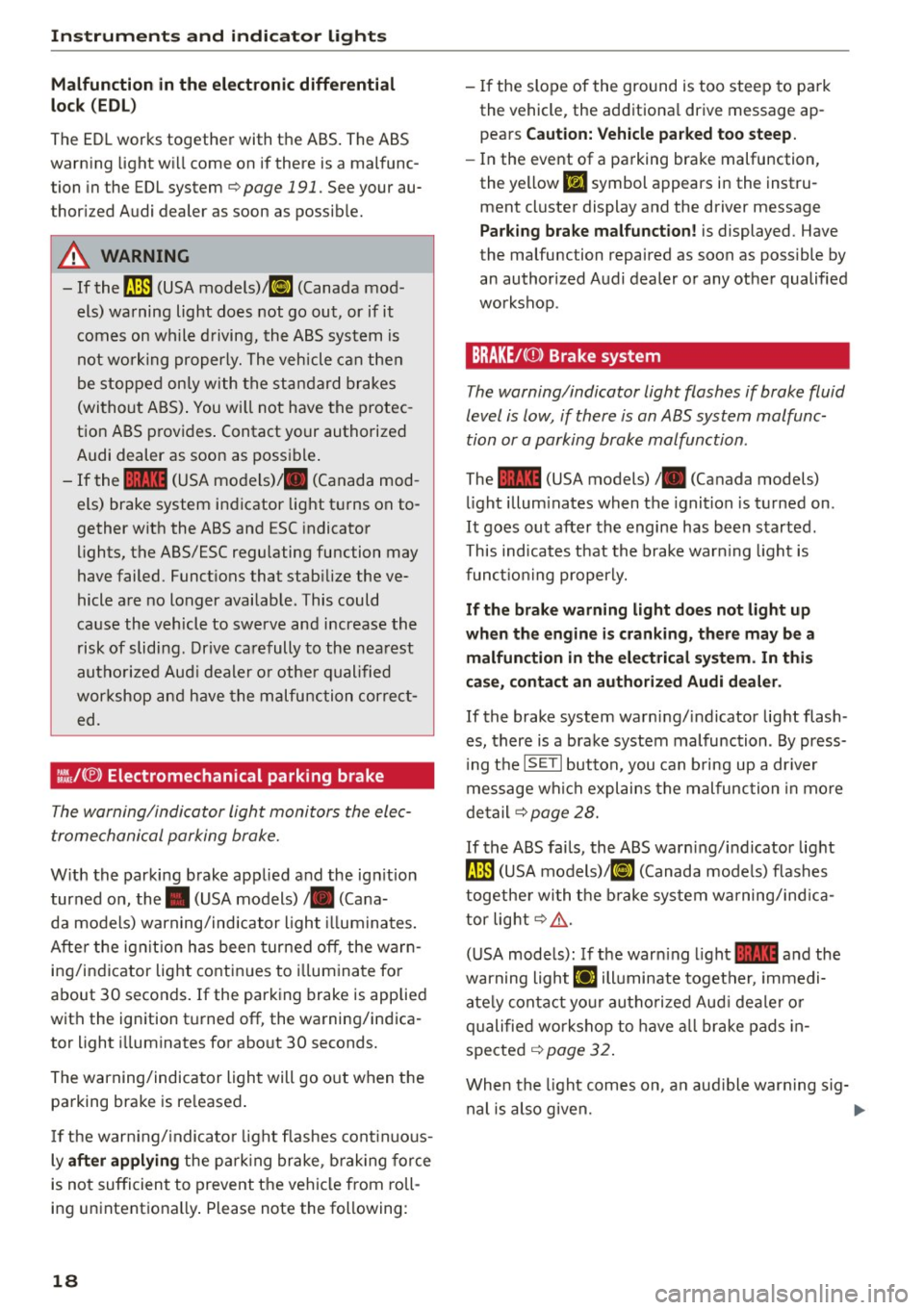
:fil .lC® ) Electromechanical parking brake
The warning/indicator light monitors the elec
trome chanical parking brake.
W ith the parking brake applied and the ign it ion
turned on, the. (USA models)/ . (Cana-
da models) warning/indicator light illuminates.
Afte r the ig nitio n has been turned off , the warn
ing/indicator light continues to illum inate fo r
about 30 seconds . If the parking brake is applied
w ith the ignition t urned off, the warning/indica
tor light illuminates for abo ut 30 seconds.
The warning/indicator ligh t will go o ut when t he
parking brake is re leased .
-
If the war ning/ indicato r light flashes cont inuous
ly
after applying the p ark ing brake , brak ing fo rce
is no t sufficient to prevent the vehicle from roll
ing unintentiona lly . Please note the following:
18
- I f the slope of the ground is too steep to pa rk
the vehicle, the add itiona l driv e message ap
pears
Caution: Vehicle parked too steep.
- In the event of a pa rking brake malfunction ,
the yellow
Ill symbol appears in the instru
ment cluster display and the driver message
Pa rk ing brake malfunction! is displayed. Have
the malfu nction repaired as soon as possible by
an authorized A udi dealer or any other qualified
workshop .
BRAKE/C(D) Brake system
The warning/indicator light flashes if brake fluid
level is low, if there is an ABS system malfunc
tion or a parking brake malfunction .
The 1111 (USA models)/ . (Canada models)
l ight illum inates when the ignition is turned on .
It goes out after the engine has been started.
This ind icates that the brake warn ing light is
fun ct io ni ng properly.
If th e brake warning light does not light up
when the engine is cranking, there may be a
malfunction in the electrical system. In this
case, conta ct an authorized Audi dealer .
If the brake system warning/indicator light flash
es, there is a brake system malfunction . By press
i ng the
IS ET I button , you can b ring up a dr iver
message wh ich explains the malfunction in mo re
d etail
q page 28.
If the ABS fails, the ABS wa rn ing/ indicator lig ht
9 (USA models)! IIJ (Canada mode ls) flashes
togethe r wi th the b rake system wa rning/ind ica
tor lig ht
q ,&. .
(USA mode ls): If the war ning light 1111 a nd the
warning
light Ei'I illuminate together, immedi
ate ly conta ct yo ur autho rized Aud i dea le r or
q ualifie d workshop to have all brake pads in
spected
q page 32 .
When the light comes on , a n aud ible warn ing sig-
nal is also given. .,.
Page 21 of 302
M N
co
a:
co
,...., \!) ..,.,
N ..,., ,....,
A WARNING ,~
- If the 1111 (USA models)/ . (Canada mod
els) brake system indicator light turns on to
gether with the ABS and ESC indicator
lights, the ABS/ESC regulating function may
have failed. Functions that stabilize the ve
hicle are no longer available. This could
cause the vehicle to swerve and increase the
risk of sliding. Drive carefully to the nearest
authorized Audi dealer or other qualified
workshop and have the malfunction correct
ed.
- If the brake warning/indicator light does
not go out after a few seconds and the park
ing brake is released, or lights up while you
are driving, the fluid level in the brake fluid reservoir is too low. If you believe that it is
safe to do so, proceed immediately at low
speed to the nearest authorized Audi dealer
or qualified repair facility and have the
brake system inspected.
- Always keep in mind that after several brake
applications, you will need greater pressure
on the brake pedal to stop your vehicle. Do
not rely on strained brakes to respond with
maximum stopping power in critical situa
tions. You must allow for increased braking
distances. The extra distance used up by
fading brakes could lead to an accident.
Instruments and indicator lights
19
Page 29 of 302
M N
co ~ co
rl I.O
"' N
"' rl
Lamp (MIL) ¢..ffi will il luminate. If this occurs,
contact the nea rest authorized Audi dea ler for as
sistance.
.&_ WARNING
Always observe the posted speed limits and adjust your speed to suit prevailing road, traf
fic and weather cond it ions . Never drive your
vehicle faster than the maximum speed rating
of the tires installed .
Auto Check Control
Introduction
The Auto-Check control monitors the function of
certain vehicle features and components .
It sim
ply makes sure these features and components
are working properly . The Auto-Check control
works as long as the ignition is on, as well as
whenever the veh icle is driven .
-
If a component is malfunctioning or if the need
for an urgent repair has been detected, this will appear in the instrument cluster display . You w ill
also hear an audible warning tone . The displays
are color coded in either red or ye llow depending
on their level of prior ity.
A red symbol means
Danger , a yellow symbol in
dicates
Warning . In certain situations, informa
tion message for the dr iver appear in addition to
the red and yellow symbols.
Note about automatic transmission
The Auto-Check Control will automat ically per
form a test each time you switch o n the ignition .
With the selector lever in P or N, the following
message appears in the display :
When stationary apply brake pedal while select
ing gear
When you select a different gear (for example: R,
D, etc.), the message will disappear and the Au
to -Check function is d isplayed.
If there is a malfunction, then the malfunction
message will appear about 15 seconds after you
start the vehicle. At the same time you will hear a
warning tone.
Dri ver information system
Dr iver information messages
Driver information messages are shown in the in
strument cluster display in addition to symbols .
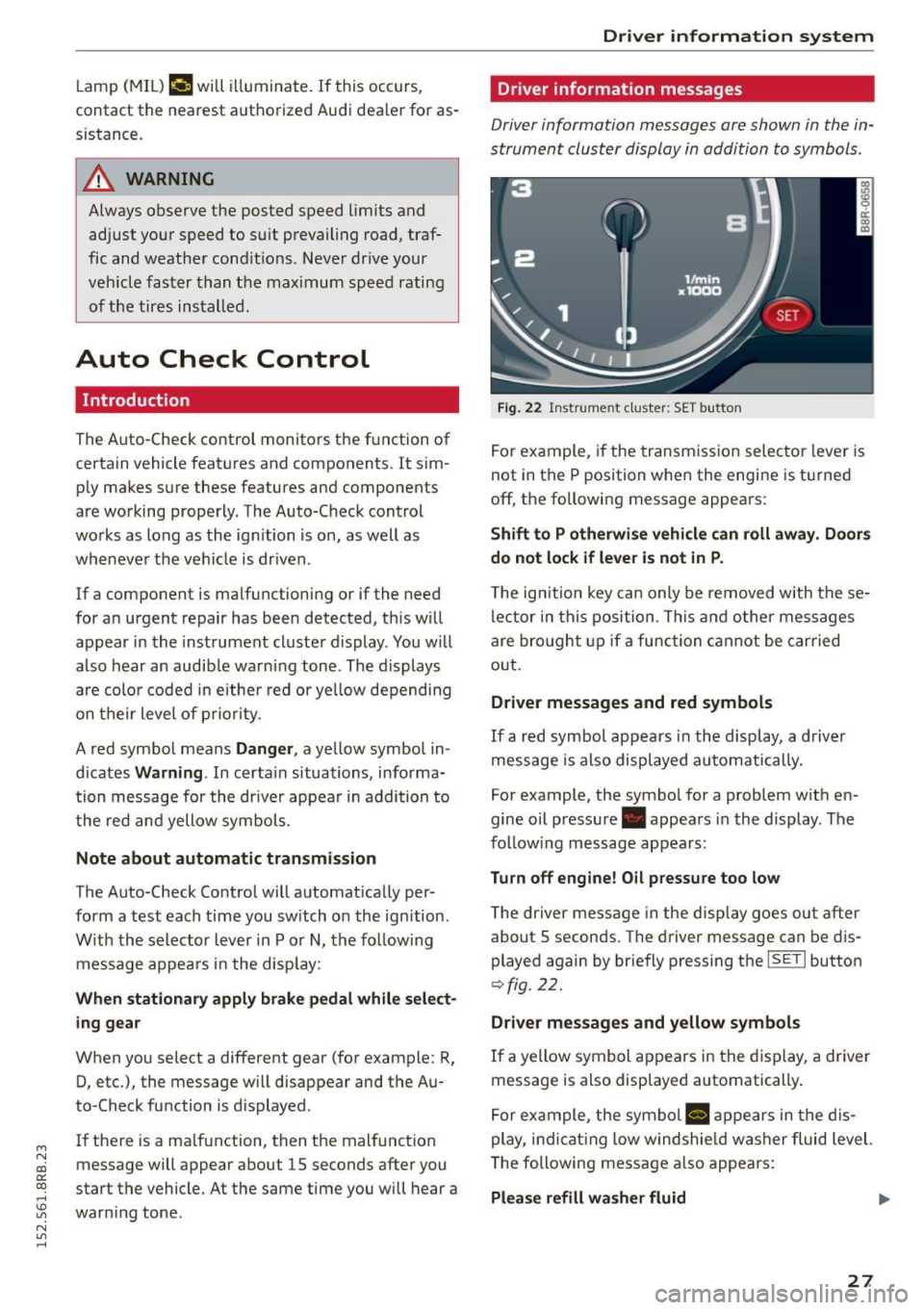
Fig. 22 Inst rume nt clust er: SET button
For example, if the transmission selector lever is
not in the P position when the engine is turned
off, the following message appears :
Shift to P otherwise vehicle can roll away. Doors
do not lock if lever is not in P .
The ign ition key can only be removed w ith these
lector in this position . This and other messages
are bro ught up if a function cannot be carried
out .
Driver messages and red symbols
If a red symbol appears in the display, a driver
message is also displayed automatically.
For example, the symbol for a problem w ith en
gine oil pressure . appears in the display . The
fo llow ing message appears:
Turn off engine! O il pressure too low
T he driver message in the display goes out after
about S seconds . The dr iver message can be dis
played again by briefly press ing the
ISETI button
9 fig . 22.
Driver messages and yellow symbols
If a yellow symbol appears in the display, a driver
message is also displayed automatically .
For example, the symbol
Ill appears in the dis
play, indicat ing low windshie ld washer fluid level.
The following message also appears :
Please refill washer fluid ..,_
27
Page 30 of 302

Driver inform ation system
The driver message disappears after a few sec
onds. The driver m essage can be displayed again
by briefly pressing the
I SETI button.
Red symbols
F ig. 23 Display: Dang er symbol
W ith a priority 1 malfunction, a red symbol ap
pears in the upper center area of the disp lay
0 ~
"' 0 ci: a, al
¢ fig . 23. A driver message appears as well to ex
p lain the ma lfunction in more detail. When this
symbo l appears,
three warning tones sound in
success ion . The symbol continues to flash until
the fault has been corrected .
If
several pr iority 1 malfunctions are present, the
symbo ls appear in succession and remain for
about 2 seconds.
The driver warning goes out after about 5 sec
onds, but it can be brought up again at any time by pressing the
! SET ! button ¢ page 2 7.
28
Alternator fa i Lu re
¢ page28
Electromechanica l steering
¢ page 195
USA m odels : Brake system
malfunct ion
¢ page28
Canada models: Brake system
malfunct ion
¢page28
E ng ine coolant leve l too low/
engine coolant temperature
too high
¢ page29
Eng ine oi l pressure too low
¢ page30
Refi ll eng ine oi l now
¢ page 30
Refill Ad Blue*
¢ page 218
AdBlue malfunction*
¢ page 218
Steering malfunction
¢page30
Ign it ion lock malfunction
¢ page 30
Hybrid dr ive*
¢ page 100, ¢ page 1 OS
0 Alternator malfunction
If the . symbo l in the instr ument pane l display
flashes, then there is a malf unction in the alter
nator or the vehicle electronics . A warning to t he
driver will appear, too . The driver warning goes
out after about 5 seconds, but it can be brought up at any t ime by pressing the
ISE TI button again.
Usually, yo u can sti ll drive to the next dealership.
Turn off a ll but the most necessary electrica l con
sumers, s ince these dra in the veh icle 's battery .
CJ) Note
If the . warning symbo l (coo lant system
malfunction) also lights up on the instrument
panel during the trip
¢ page 29, then you
have to stop immediately and turn off the en
gine . The coolant pump is not working a ny
more -da nger of damage to the eng ine !
BRAKE /C(D ) Brake system malfunction
A malfunction in the brake sy stem mus t be re
paired as soon as possible .
If the warning/indicator light 1111 (USA mod
els)/ . (Canada models) in the instrument clus
ter flashes, there is a brake system malfunction .
A d river message appea rs as well to expla in the
malfunction in more detail. The d river war ning
goes out after about S seconds, but it can be
brought up a t any time by pressing the
ISE TI but-
ton again. .,.