ECO mode AUDI Q5 2016 Owner's Manual
[x] Cancel search | Manufacturer: AUDI, Model Year: 2016, Model line: Q5, Model: AUDI Q5 2016Pages: 300, PDF Size: 75.02 MB
Page 95 of 300
..... N
co ~ CX)
..... I.Cl U"I
..... I.Cl .....
engine will no t be switched off in the following
situations:
- The eng ine has not reached the m in imum re
quired temperature for Start-Stop-mode.
- T he interior temperature selected by the A/C
system has not been reached.
- The outs ide temperatu re is ext remely h igh/low.
- The w indshield is being defrosted
¢ page 82.
-The parking system* is switched on.
- The battery charge level is too low.
- The steering whee l is sharply turned or there is
a steering movement.
- After engaging the reverse gear.
- On sharp inclines .
IIJ appears in the instrument cluster display and
§ii;Ff&Ff ~lso appears in the tr ip comp ute r.
Engine automatically re starts
The stop phase is interrupted in the following sit
uations, for example . The eng ine restarts without
any action by the driver .
- The interior temperature varies from the tem
perature se lected in the A/C system .
- The windshield is beeing defrosted
¢ page 82.
- The brake pedal is pressed several times in a
row.
- The battery charge level becomes too low.
- High power cons umption .
IIJ appears in the instrument cluster display and
H§;Ff&Fii ~lso appears in the tr ip comp ute r.
Switching the ignition off autom atically
To prevent the battery from draining, the ignition
will switch off
automati cally when all of the fol
lowing cond itions have been met:
- The veh icle has already been driven.
- The eng ine has been turned off by the Start-
Stop-System .
- The driver's door is opened .
- T he dr iver's seat bel t is removed.
- The brake pedal is not pressed down.
- T he veh icle is stationary .
In this case, the activated low beam will be re
placed by the s ide marker lights . The side marker
D rivi ng
lights will switch of f after approximate ly 30 m i
nutes or when you lock the veh icle.
If t he Start-S top-System has not turned off the
engine or if you have swi tched the S tart -Stop
System off manually, the ignition will
not be au
tomatica lly switched off and the eng ine wi ll con
t in u e to run¢& .
A WARNING <= -
Never allow the engine to run in confined
spaces -danger of asphyx iation.
(D Tips
If you shift into the 0/S or N positions after
shifting into reverse, the vehicle must be dr iv
en faster than 6 mph (10 km/h) in order for
the engine to switch off again .
Switching the Start-Stop -System on /off
manually
App lies to vehicles: wi th Start -S top-Syste m
If you do not wish to use the system, you can
switch it off manually.
= , __ (A)Off _ --"'-- f'~-.::a-----
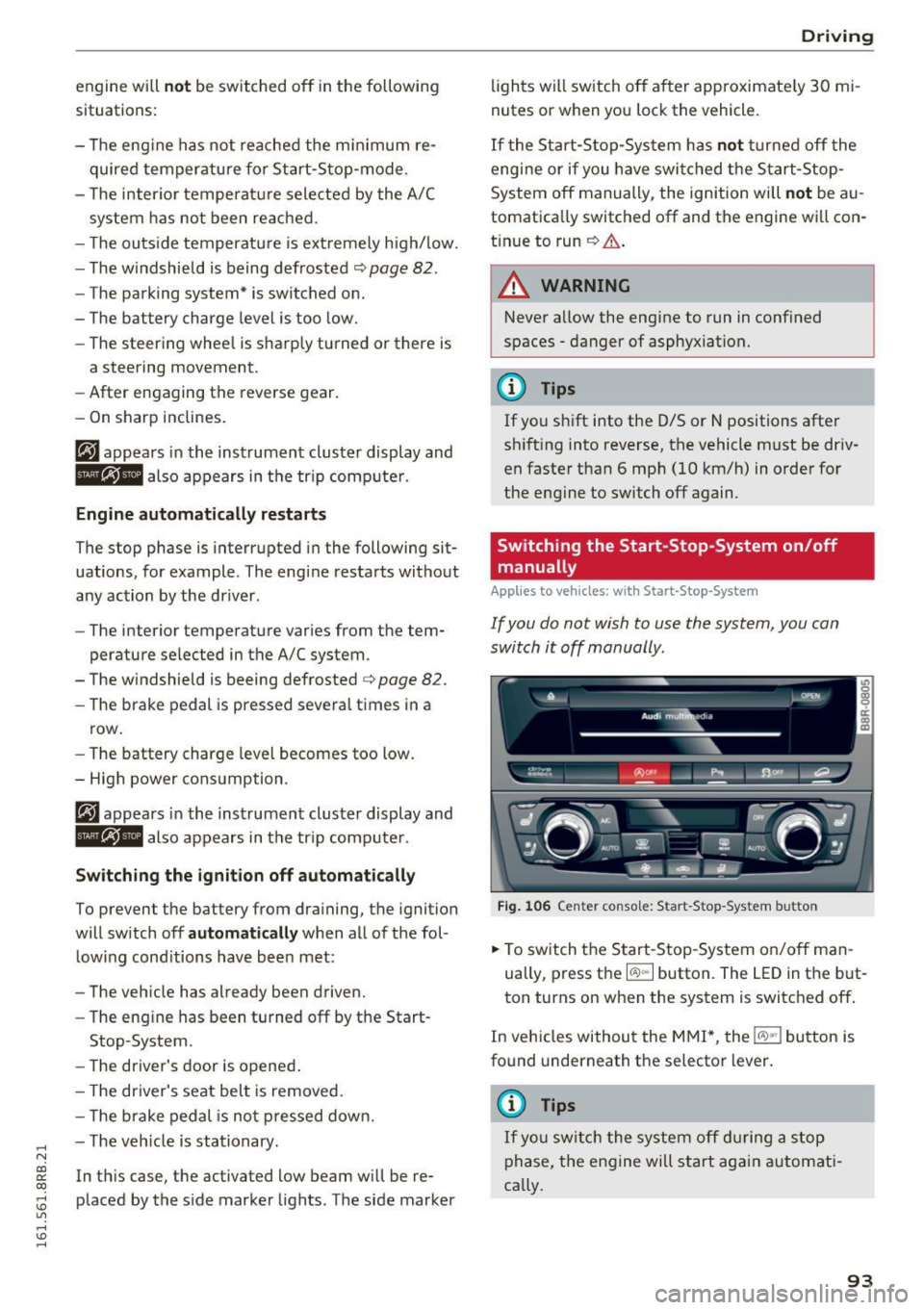
Fig . 10 6 Cen ter co nsole: S ta rt -Stop -System button
.. To switch the Start -Stop-System on/off man
ually, press the
I CAJ ,,.I button. The LED in the b ut
ton turns on when the system is switched off .
In vehicles without the M MI*, the
!CA.> "'! button is
found underneath the se lector lever.
(D Tips
If y ou swit ch the system off d uring a stop
phase, the engine will st art aga in automati
ca lly.
93
Page 96 of 300
Driving
Messages in the instrument cluster display
Applies to vehicles: with Start-Stop-System
Start-stop system: deactivated. Please
restart engine manually
This message appears when specific conditions
are not met during a stop phase and the Start
Stop -System wi ll
not be able to restart the en
gine. The engine must be started with the key or
with the
! START ENGINE STOPI* button .
Start-stop system: system fault. Function
unavailable
There is a malfunction in the Start-Stop-System .
Drive the vehicle to an authorized repair facility
for servicing as soon as possible to correct the malfunction.
Transmission: Car may roll! Shift to pa rk!
This message appears if the selector lever is not
in the
P position when the driver's door is
opened. You will also hear a warning tone. Shift
the selector lever to the
P position. Otherwise,
the vehicle could roll.
Speed warning system
Overview
The speed warning system helps you to keep your
driving speed below a set speed limit.
The speed warning system warns if the driver ex
ceeds a prev ious ly stored maximum speed. A
warn ing tone w ill sound as soon as the vehicle
speed exceeds the set speed by about
3 mph
(3 km/h). At the same time, a wa rning symbo l
appears in the display. The symbol's appearance
might be different in some models.
The speed warning system has
two warning
thresholds that function independently of each
other and that have somewhat different purpos
es:
Speed warning 1
You can use speed warning 1 to set the maximum
speed while yo u are driving. This setting will re
main in effect unti l yo u turn off the ignition, as-
94
suming that you have not changed or reset the
setting .
The speed warning symbol. (USA models)/ .
(Canada models) in the warning 1 disp lay ap
pears when you exceed the maxim um speed. It
goes out when the speed falls below the stored
max imum speed .
The speed warning symbol will also go out if the
speed
exceeds the stored maximum speed by
more than about 2S mph (40 km/h) for at least
10 seconds . The stored maximum speed is delet
ed.
Setting speed warning 1
¢page 95.
Speed warning 2
Storing warning 2 is recommended if you always
want to be reminded of a ce rtain speed, for ex
amp le when you are traveling in a country that
has a genera l maximum speed limit, or if you do
not want to exceed a specified speed for winter
tires.
The speed warning 2 symbol ,. (USA mode ls)/
• (Canada models) appears in the display when
you exceed the stored speed limit. Unlike warn
ing 1, it will not go out until the vehicle speed
drops below the stored speed limit.
Setting speed wa rning 2
¢page 95.
(D Tips
Even though your vehicle is eq uipped with a
speed warning system, you should still watch
the speedometer to make sure you are not
driving faster than the speed limit.
Page 97 of 300
..... N
co ~ CX)
..... I.Cl U"I
..... I.Cl .....
Speed warning 1: setting a speed limit
Warning threshold 1 is set by the IS ET I button .
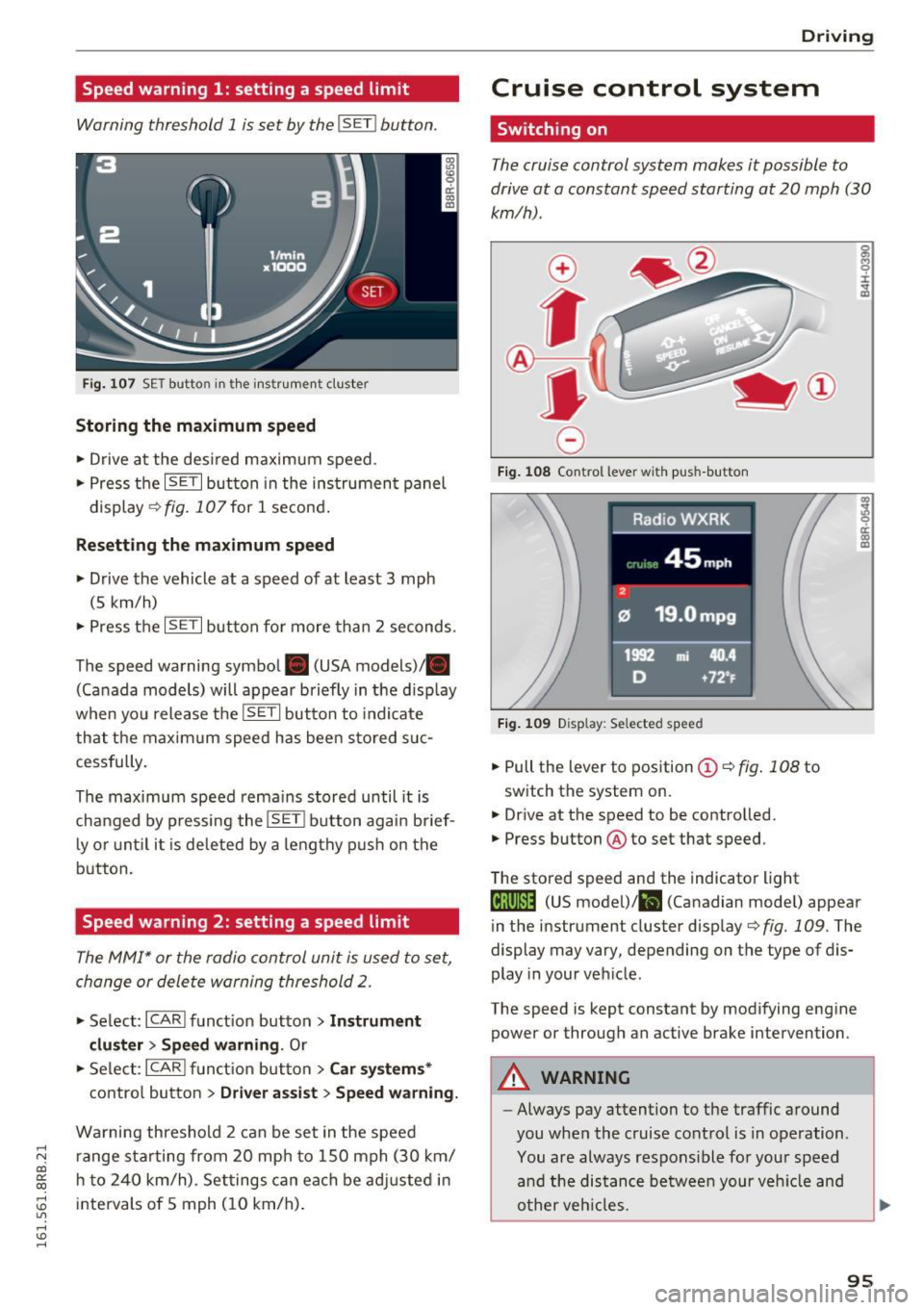
Fig. 107 SET butto n in t he inst rume nt cluster
Storing the maximum speed
.. Drive at the desired maximum speed.
.. Press the
ISE TI button in the instrument panel
display ¢fig .107for 1 second .
Resetting the maximum speed
.. Drive the vehicle at a speed of at least 3 mph
(5 km/h)
.. Press the
~ IS- ET~I button for more than 2 seconds .
The speed warning symbol. (USA models)/ .
(Canada models) will appear briefly in the d isp lay
when you release the
ISE TI button to indicate
that the maxim um speed has been sto red suc
cessfully.
The maximum speed rema ins stored until it is
changed by pressing the
I S ET I button aga in brief
l y o r until it is deleted by a lengthy p ush on the
button.
Speed warning 2: setting a speed limit
The MMI* or the radio control unit is used to set,
change or delete warning threshold
2.
.. Se lect: I CARI f u nct ion button > Instrum ent
clu ster > Sp eed warning .
Or
.. Se lect: ICARI funct ion but ton> C ar sys tem s*
contro l button > Dri ver a ssist > Speed warning.
Wa rning threshold 2 can be set in the speed
r ange sta rting from 20 mp h to 150 mph (30 km/
h t o 240 km/h) . Settings can each be ad justed i n
intervals of 5 mph ( 10 km/h) .
Drivi ng
Cruise control system
Switching on
The cruise control system makes it possible to
drive at a constant speed starting at 20 mph (30
km/h) .
0
f
~
0
Fig . 108 Co ntrol lever w it h push -b utton
F ig . 1 09 Disp la y: Se lected speed
.. Pull the lever to position ©¢ fig. 108 to
switch the system on.
.,. Dr ive at the speed to be controlled.
.. Press button @to set that speed.
The stored speed and the indicator light
g M 0 :i:
;A
..
~ a: .. m
@;\l)M4 (US model) !&I (Canadian mode l) appear
in the instrument cluster display
¢fig. 109 . The
display may vary, depending on the type of dis
play in your veh icle .
The speed is kept constant by modifying engine power or through an active brake intervention .
A WARNING
--
-Always pay attention to the traffic around
you when the cruise control is in operation .
You are always respons ible for your speed
a nd the distance between your veh icle and
o ther veh icles.
95
Page 100 of 300
Hybrid
Starting the vehicle
Applies to vehicles: with hybrid drive
The vehicle is started and turned off either with
the ignition key~
page 84 or w it h the
I S T AR T ENG INE S TOPI button* ¢ page 87 in the
same way as a conven tional vehicle .
When start ing the veh icle, the needles in the in
s trumen t clus ter move upward briefly . When the
veh icle enters drive ready mode, the status mes
sage
hybrid ready appears briefly in the instru
ment cluster display and the needle in the power
meter points to
READ Y¢ page 98 .
Depending on the operation mode of the hybrid
system, there are two possible drive ready modes
after the vehicle has been started:
Driv e re ady mode with combustion engine
If the operat ing req uirements ¢page l00for
elec tric drive mode are n ot met, the combust ion
Power meter overview
Applies to vehicles: with hybrid drive
engine starts the vehicle as usual. You can start
driving as usual.
Drive ready mod e with the el ectric motor
If the operating requirements ¢ page 100 for
the e lec tric dr ive mode are met, the comb ustion
engine rema ins off after starting the vehicle .
(D Tips
To prevent the 12 volt batte ry from discharg
i ng , never leave the vehicle parked in t he d rive
r eady mode . Remove the key from the igni
tion or press the
I S TAR T ENGINE STOP ! but
ton* . When leaving the ve hicle always take
the key with you.
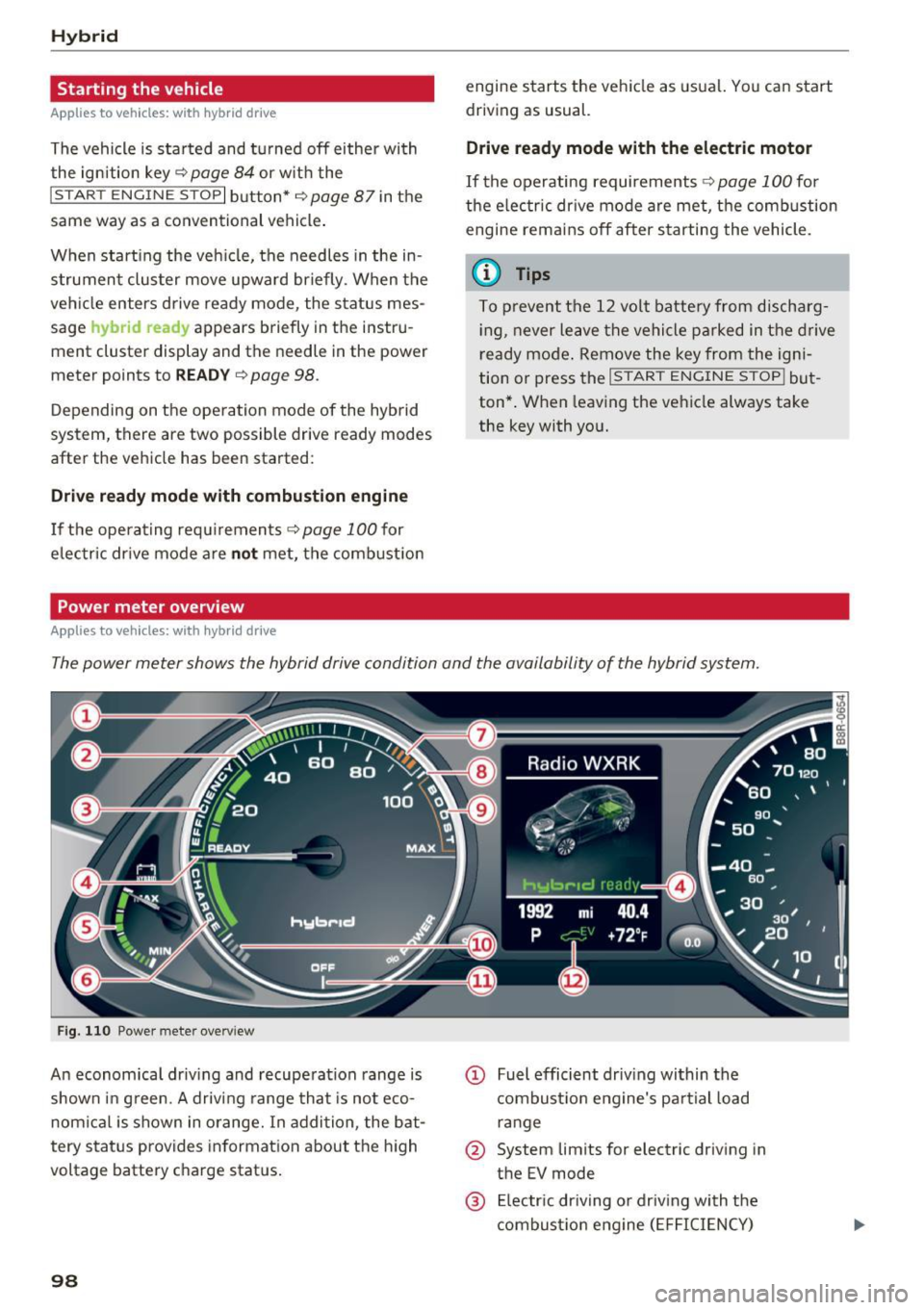
The power meter shows the hybrid drive condition and the availability of the hybrid system.
Fi g. 11 0 Power meter overv iew
An economica l driv ing and recuperation range is
shown in g reen. A driving range that is not eco
nom ical is shown in o range. In addition , the bat
tery status provides informat ion a bout the h igh
voltage battery charge stat us.
98
@ Fuel efficient dr iv ing within the
combust io n eng ine's pa rtial load
r an ge
@ System lim its for electr ic driving in
the EV mode
@ El ectr ic dr iving o r driving with the
combustio n eng ine ( EFFICIENCY)
Page 103 of 300
,....,
N
co
er::
co
,....,
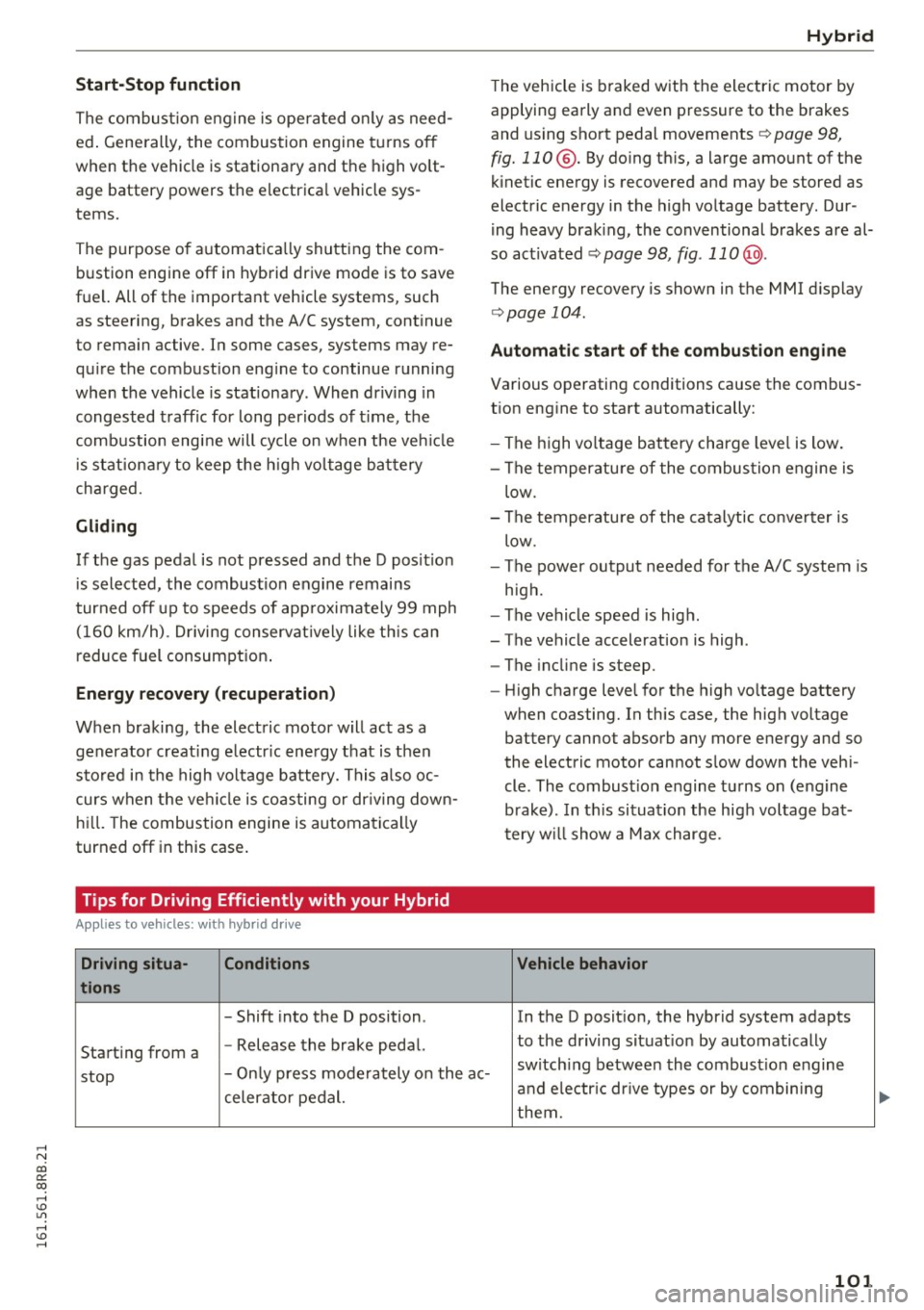
The combustion engine is operated on ly as need
ed . Gene rally, the combustion engine turns off
when the vehicle is stationary and the high vo lt
age battery powers the electrical vehicle sys
tems.
The purpose of automatica lly shutting the com
bustion engine off in hybrid drive mode is to save
fuel. All of the important vehicle systems, such
as steering, brakes and the A/C system, continue
to rema in active. In some cases, systems may re
qu ire the combustion eng ine to continue running
when the vehicle is stationary . When dr iving in
congested traffic for long periods of t ime, the
combustion engine will cycle on when the veh icle
is stat iona ry to keep the h igh voltage battery
charged.
Gliding
If the gas pedal is not pressed and the D posit ion
is selected, the combustion engine remains
turned off up to speeds of app roximately 99 mph
(160 km/h) . D riving conservat ively like th is can
reduce fuel c:on5umption .
Energy recovery (recuperation )
When braking, the electric motor will act as a
generator creating electr ic energy that is then
sto red in the high voltage battery. This also oc
curs when the ve hicle is coasting or dr iving down
hill. The combustion engine is automatica lly
turned off in this case.
Tips for Driving Efficiently with your Hybrid
A ppl ies to vehicles: with hybr id drive
Driving situa- Conditions
tions
- Shift into the D position .
Starting from a -
Release the brake pedal.
Hybrid
The vehicle is braked with the electric motor by
applying early and even pressure to the brakes
and using short pedal movements~
page 98,
fig. 110 @. By doing this, a large amount of the
kinetic energy is recovered and may be stored as
electric energy in the high voltage battery. Dur
i ng heavy brak ing, the conventional brakes are al
so act ivated
~ page 98, fig . 11 0@ .
The energy recovery is shown in the MMI d isplay
~ page 104 .
Automatic start of the combustion engine
Various operating conditions cause the combus
t ion eng ine to start automatically:
- The high vo ltage battery charge level is low.
- The temperatu re of the combustion engine is
low.
- The temperature of the catalytic converter is
low.
- The power output needed for the A/C system is
high.
- The vehicle speed is high .
- The vehicle acceleration is high .
- The incline is steep .
- High charge level for the high voltage battery
when coasting. In this case, the high voltage battery cannot absorb any more energy and so
the electric motor cannot slow down the veh i
cle . The combust ion engine turns on (engine
brake). In th is situation the high voltage bat
tery will show a Max charge.
Vehicle behavior
In the D posit ion, the hybrid system adapts
to the dr iving situat ion by automatically
stop -
Only press moderately on the ac- switch
ing between the combust ion engine
and e lectr ic dr ive types or by combining
celerator pedal.
them.
101
Page 104 of 300
Hybrid
Driving situa- Conditions Vehicle behavior
tions
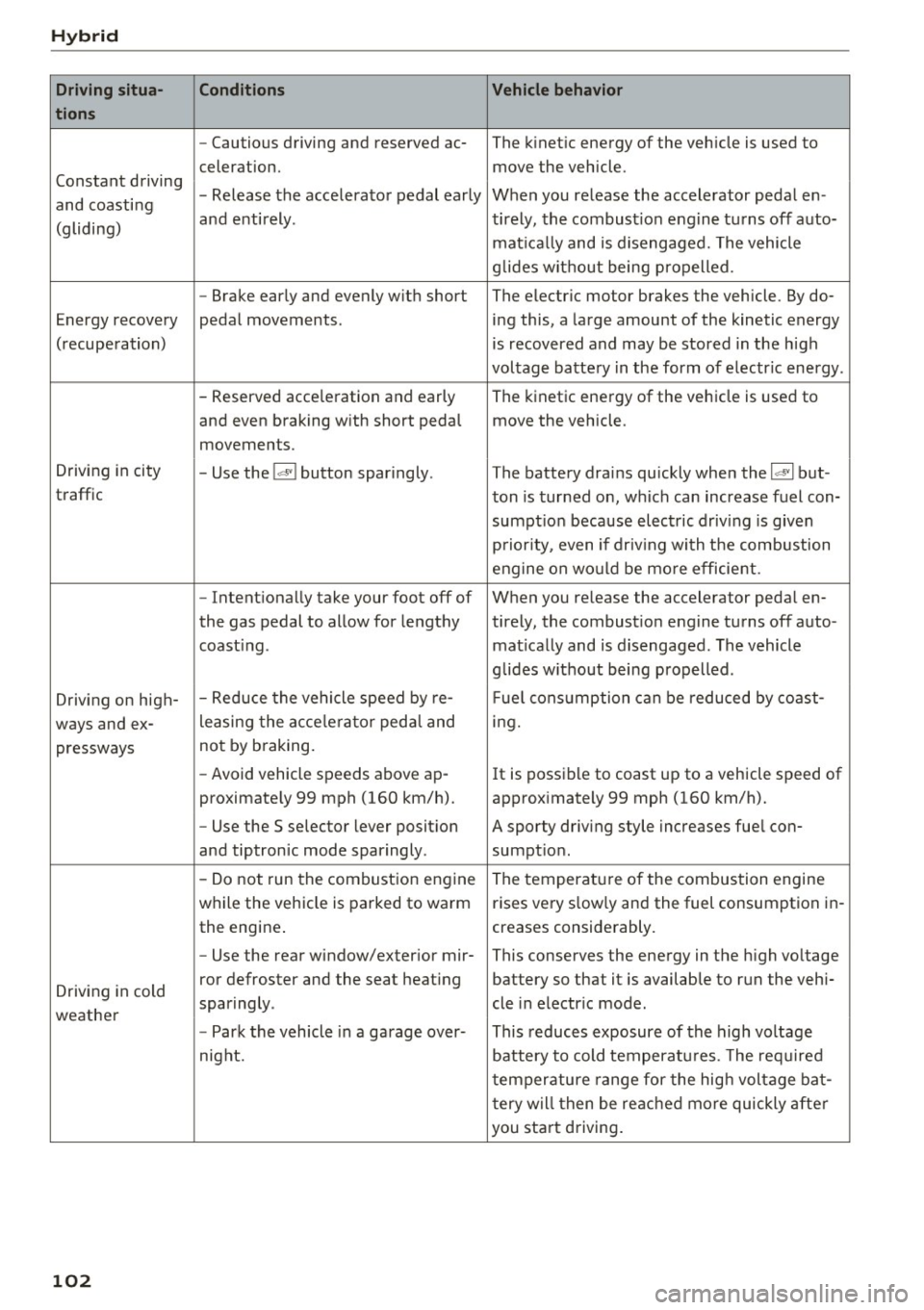
- Cautious driving and reserved ac- The kinetic energy of the vehicle is used to
celeration. move the vehicle.
Constant driving - Release the accelerator pedal early When you release the accelerator pedal en-
and coasting
and entirely. tirely, the combust ion engine turns off auto-
(gliding)
matically and is disengaged. The vehicle
g lides without being propelled.
- Brake early and evenly with short The electric motor brakes the vehicle . By do-
Energy recovery pedal movements. ing this, a large amount of the kinetic energy
(recuperation) is recovered and may be stored in the high
voltage battery in the form of electr ic energy .
- Reserved acce leration and early The kinetic energy of the vehicle is used to
and even braking w ith short pedal move the vehicle .
movements.
Driving in city
- Use the
l~I button sparingly. The battery drains quickly when the 1~ 1 but -
traffic ton is turned on, which can increase fuel con-
sumpt ion because electric driv ing is given
priority, even if driv ing with the combustion
engine on would be mo re efficient.
- Intentionally take your foot off of When you release the accelerator pedal en-
the gas pedal to allow for lengthy ti rely, the combustion engine turns off auto-
coast ing . matically and is disengaged. The vehicle
glides w ithout being propelled .
Driving on high- - Reduce
the vehicle speed by re- Fuel consumption can be reduced by coast-
ways and ex- leasing
the acce lerato r peda l and ing.
pressways not
by braking.
- Avoid vehicle speeds above ap -
It is possible to coast up to a vehicle speed of
proximately 99 mph (160 km/h). approximately 99 mph (160 km/h).
- Use the S selector lever posit ion A sporty driving style increases fuel con-
and tiptronic mode sparingly . sumption .
- Do not run the combustion engine
The temperature of the combustion engine
while the vehicle is parked to warm rises very s
low ly and the fuel consumption in-
the engine . creases considerably.
- Use the rear window/exterior
mir-This conserves the energy in the high voltage
Driving in cold ror defroster and the seat
heating battery so that it is available to run the vehi-
sparingly . cle in electric mode .
weather
-Park the vehicle in a garage over- This reduces exposure of the high voltage
night. battery to cold temperatures. The required
temperature range for the high voltage bat-
tery will then be reached more quickly after
you start driving.
102
Page 111 of 300
..... N
co ~ CX)
..... I.Cl U"I
..... I.Cl .....
Audi adaptive cruise control and braking guard
@ Indicator lights
Ill-Adaptive cru ise control is switched on. No
vehicles are detected up ahead. The stored speed
is maintained.
• -A moving vehicle is detected up ahead. The
adaptive cruise control system regulates the
speed and distance to the moving vehicle ahead
and accelerates/brakes automatically.
• -When automatic braking is not ab le to keep
enough distance to a previously detected moving
vehicle up ahead, you must take control and
brake
~ page 111, Request for driver interven
tion.
© Display
If adaptive cruise control is not shown in the dis
play, you can call it up with the
I RESETI button
¢page 20.
Based on the symbols in the display, you can de
termine if the system is maintaining a distance to
the vehicle ahead and what that distance is.
No vehicle -No vehicle ahead was detected.
White vehicle -A vehicle ahead was detected.
Red vehicle -Prompt for the dr iver to take action
¢page 111.
Both arrows on the scale © indicate the distance
to the vehicle ahead . No arrow appears when the
vehicle is on an open road and there is no object
ahead . If an object is detected ahead, the arrow
moves on the scale .
The green zone on the scale shows the stored dis
tance. For information on changing the stored
distance, refer to
¢page 110. If the distance se
lected is too close or may soon become too close,
the arrows move into the red zone on the scale.
A WARNING
Improper use of the adaptive cruise control
can cause collis ions, other acc idents and seri
ous personal injur ies.
- Pressing the
!SET ! button when driving at
speeds below 20 mph (30 km/h), will auto
matically accelerate the vehicle to 20 mph (30
km/h), which is the minimum speed
that can be set.
(D Tips
- If you switch the ignition or the adaptive
cruise control off, the set speed is erased
from the system memory.
- Th e Electronic Stabilization Control (ESC) is
automatically turned on when the adaptive
cruise control is turned on . You cannot
switch the ESC into offroad mode while the
adaptive cru ise control is turned on
¢page 191.
Changing the speed
Applies to vehicles: with Audi adapt ive cru ise control
0
f
•
0
Fig. 122 Selector lever: ch an gin g the speed
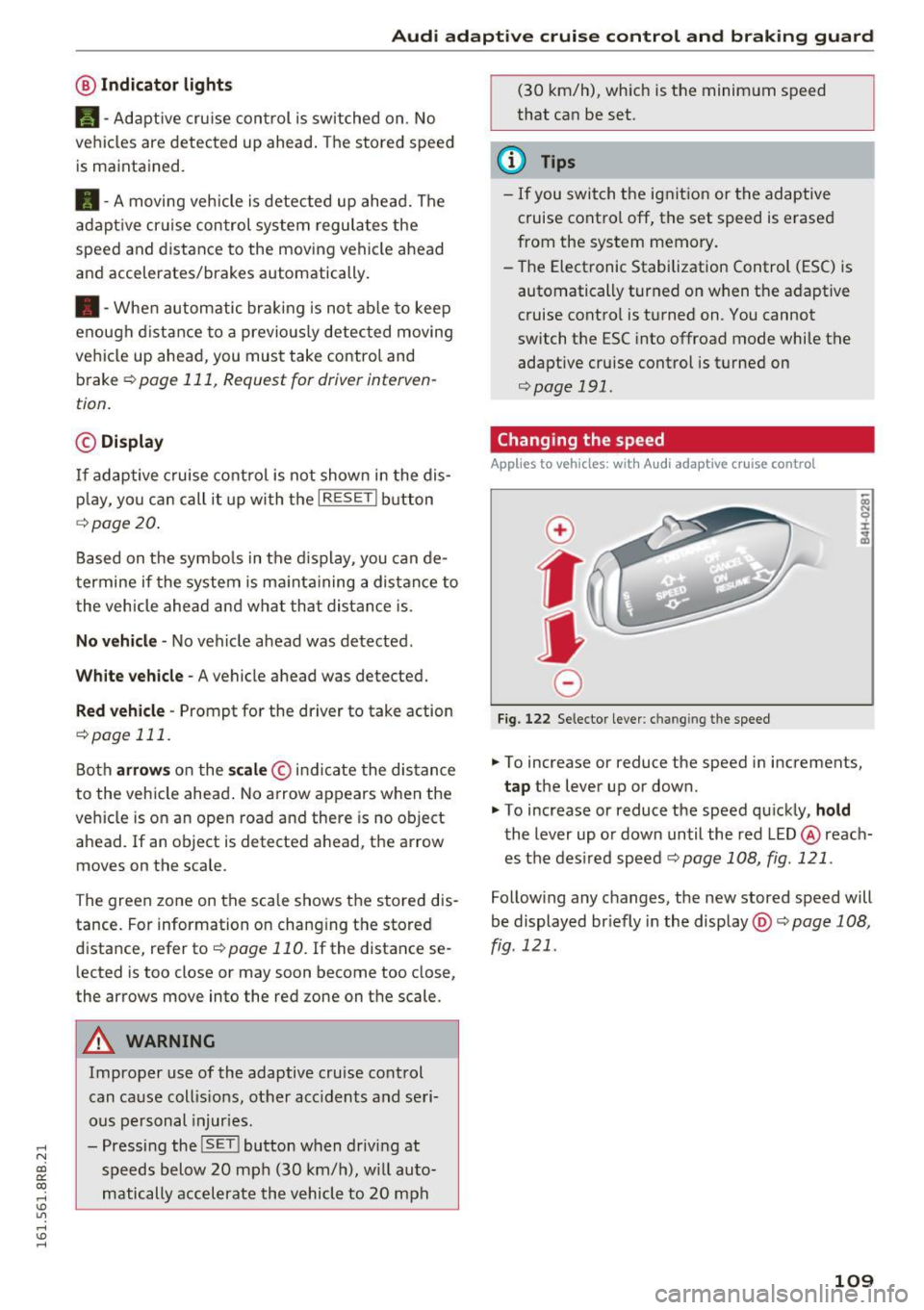
.,. To increase or reduce the speed in increments,
tap the lever up or down.
" To increase or reduce the speed quickly,
hold
the lever up or down until the red LED @ reach
es the des ired speed c::>
page 108, fig. 121 .
Following any changes, the new stored speed will
be displayed br iefly in the display @c::>
page 108,
fig. 121 .
109
Page 113 of 300
..... N
co ~ CX)
..... I.Cl U"I
..... I.Cl .....
Audi adaptive cruise control and braking guard
~--- ~-Di stance 3: This setting corresponds
to a distance of 164 feet/SO meters when travel
ing at 62 mph (100 km/h), or a time interval of
1.8 seconds.
~ ---- ~ Distance 4: This setting corresponds
to a distance of 210 feet/64 meters when travel
ing at 62 mph (100 km/h), or a time interval of
2 .3 seconds.
A WARNING
Following other vehicles too closely increases
the risk of collisions and ser ious personal in
jury.
- Setting short distances to the traffic ahead
reduces the time and distance available to
br ing your vehicle to a safe stop and makes
it even more necessary to pay close atten
tion to traffic.
- Always obey applicable traffic laws, use
good judgment, and select a safe following
distance for the traffic, road and weather
conditions.
¢j) Tips
- Distance 3
is set automatically each time
you switch the ignition on.
- Your standard sett ings are automat ically
stored and assigned to the remot e control
k ey be ing used
<=> page 36.
Setting the driving program
Applies to vehicles: with Audi adaptive cruise control
Depending on the selected dr iv in g program and
d istance, driving behavior when accelerating w ill
vary from dynamic to comfortable.
Setting the driving program for vehicles
without Audi drive select*
~ In the radio/MM!*, select: !CARI funct ion but
ton >
adaptive cruise control > Driving pro
gram > Comfort, Standard or Dynamic .
Or
~ Select: ICARI function button> Car systems*
contro l button > Driver ass ist > Adaptive cruise
control > Driving program > Comfort, Stand
ard or Dynamic . Setting the driving mode for vehicles with
Audi drive select*
Refer to c!:>poge 120 .
(D Tips
Your settings are automatically stored and as
s ig ned to the remote control key being used
c!:> page 36.
Request for driver intervention
Applies to vehicles: with Audi adaptive cruise control
Fig. 125 Instrument cluster: req uest for driver interven
tion
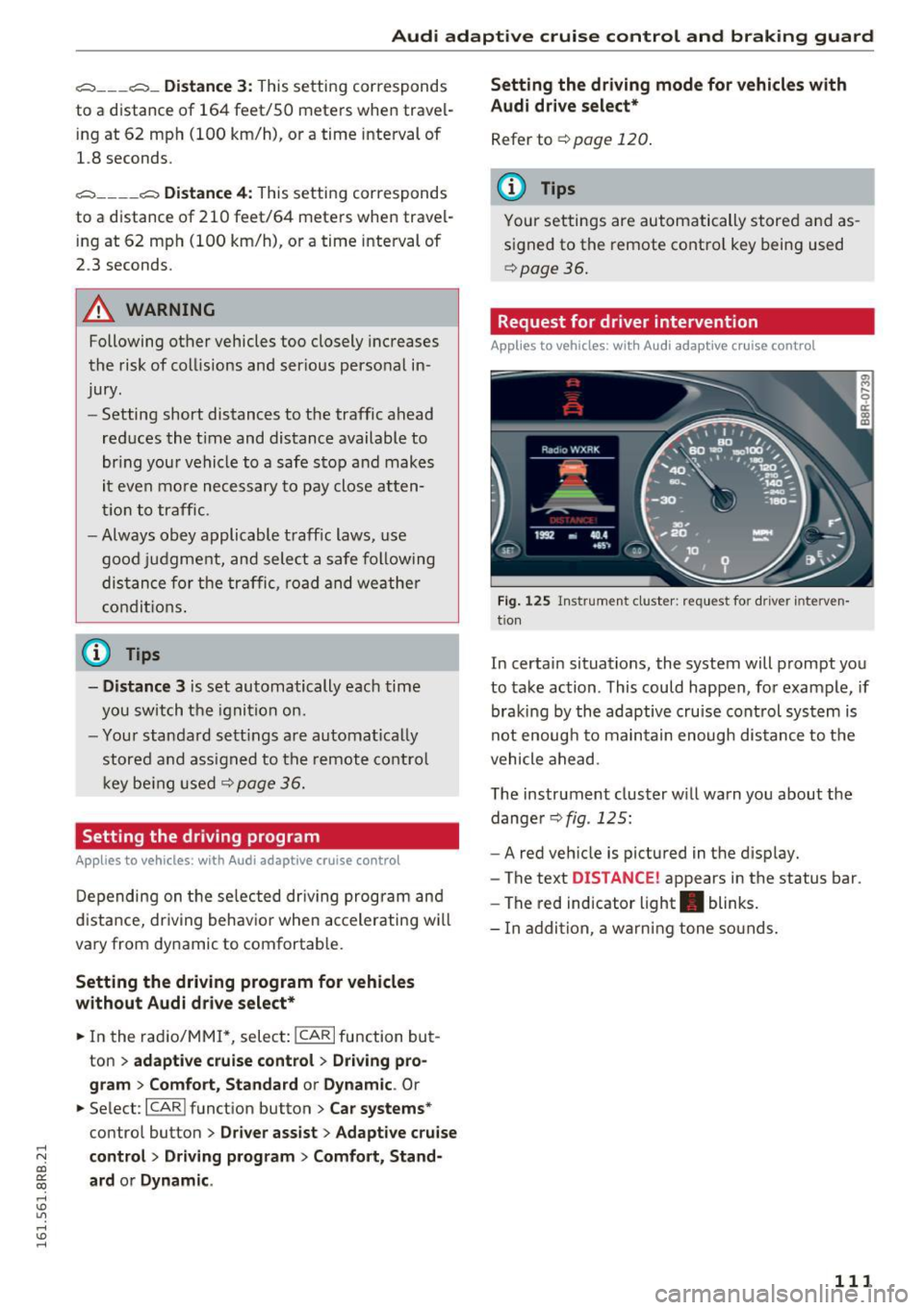
In certain situations, the system will prompt you
to take action . This could happen, for example, if
braking by the adaptive cruise control system is
not enoug h to maintain enough distance to the
vehicle ahead.
The instrument cluster w ill warn you about the
dange r
c!:>fig . 125:
-A red vehicle is pictured in the display.
- The text
DISTANCE! appears in the status bar.
- The red indicator light . blinks.
- I n addition, a warning tone sounds.
111
Page 121 of 300

,....,
N
co
er::
co
,....,
Introduction
Applies to vehicles: with Audi drive select
Drive select provides the possibility to experience
d iff erent types of vehicle settings in one veh icle.
F or instance, using the three
Comfort, Auto and
Dynamic modes, the driver can switch from a
sporty to a comfortab le driving mode with the
press of a button.
Addit ionally, in vehicles with MM I*, the vehicle
setup for
Individual* mode can be customized by
you. This makes it possible to combine settings
such as a sporty engine tuning with comfortable
steering.
A WARNING
-
Improper use of the drive select can cause
collisions, other accidents and serious person
al injury.
Description
App lies to vehicles: with Audi drive select
The vehicle setup in each mode depends on the
veh icle's features . However, the engine, auto
matic transmission and steering are always in
volved.
Engine and automatic transmission
Depending on the mode, the engine and the au
tomatic transm ission respond quicker or in a
more balanced manner to accelerator pedal
movements . In the sporty dynam ic mode, the au
tomatic transmission shifts at higher RPMs .
Steering
The steering adapts in terms of steering effort
and steering ratios . Indirect steer ing that moves
eas ily, like the steering in comfort mode, is best
suited to long drives on a highway. In contrast,
dynamic mode provides sporty, direct steering.
The follow ing applies to vehicles with dynam ic
steering*: the steering rat io changes based on
vehicle speed in order to ma inta in optim um
steering effort for the driver at all times. This
Audi drive select
sets the steering to be less sensitive at higher
speeds in order to provide improved vehicle con
tro l. At reduced speeds, however, steering is
more direct in order to keep the steering effort as
minimal as possible when the driver is maneuver
ing the vehicle. At low and average speeds, dy
nam ic steering additionally prov ides more re
sponsive steering performance .
Adaptive dampers*
The adaptive dampers* use sensors to record in
formation regarding steering movements, brak ing and acceleration operations by the driver,
road surface, driving speed, and load . This makes
it possible to adapt damping to the driving situa
t ion virtua lly in real time. Drive select also makes
it possible to sat isfy the desire for sporty suspen
sion (Dynamic) and comfortable suspension
(Comfort) without giving up balanced tuning (Au
to).
Engine sound*
T he sound of the eng ine is adapted to the select
ed mode and ranges from subtle to spo rty.
Adaptive cruise control*
The behavior when accelerating can be adjusted
from comfortable to sporty, depending on the drive select mode. Adaptive cruise control also
responds to the driv ing behavior of the vehicle
ahead in a more conservative or sporty manner.
(D Tips
- In some models, the maximum vehicle
speed can only be reached in the
Auto and
Dynamic modes.
- Selecting the
Dynamic mode results in spo r
ty shift ing characteristics. The S gear posi
tion engages automatically.
- In vehicles that have dynamic steering*, op
erating noise is heard when starting or stop
ping the engine . This does not indicate a
prob lem.
119
Page 124 of 300
Automatic transmissio n
Automatic transmission
tiptronic
Introduction
The automat ic transmission is controlled e lec
tron ically . The transmission upshifts or down
shifts automatically depending on wh ich dr ive
p rogram is selected. The powe r is transferred by
a torque converter .
When a
moderate driving style is used, the
transmission se lects the most economical d riving
mode .
It will then change up early and de lay the
downshifts to give better fuel economy .
The transm ission switches to a spo rty mode afte r
a kick-down or when the drive r uses a
sport y
d riv ing sty le
charac ter ized by quick accelerator
pedal movements, heavy acce leration, frequent
changes in speed and traveling at the maximum
speed.
If desired, the dr iver can a lso select the gears
manually ( tiptronic mod e) ¢ page 126.
Selector lever positions
0 ;:t 0 ct CX) a,
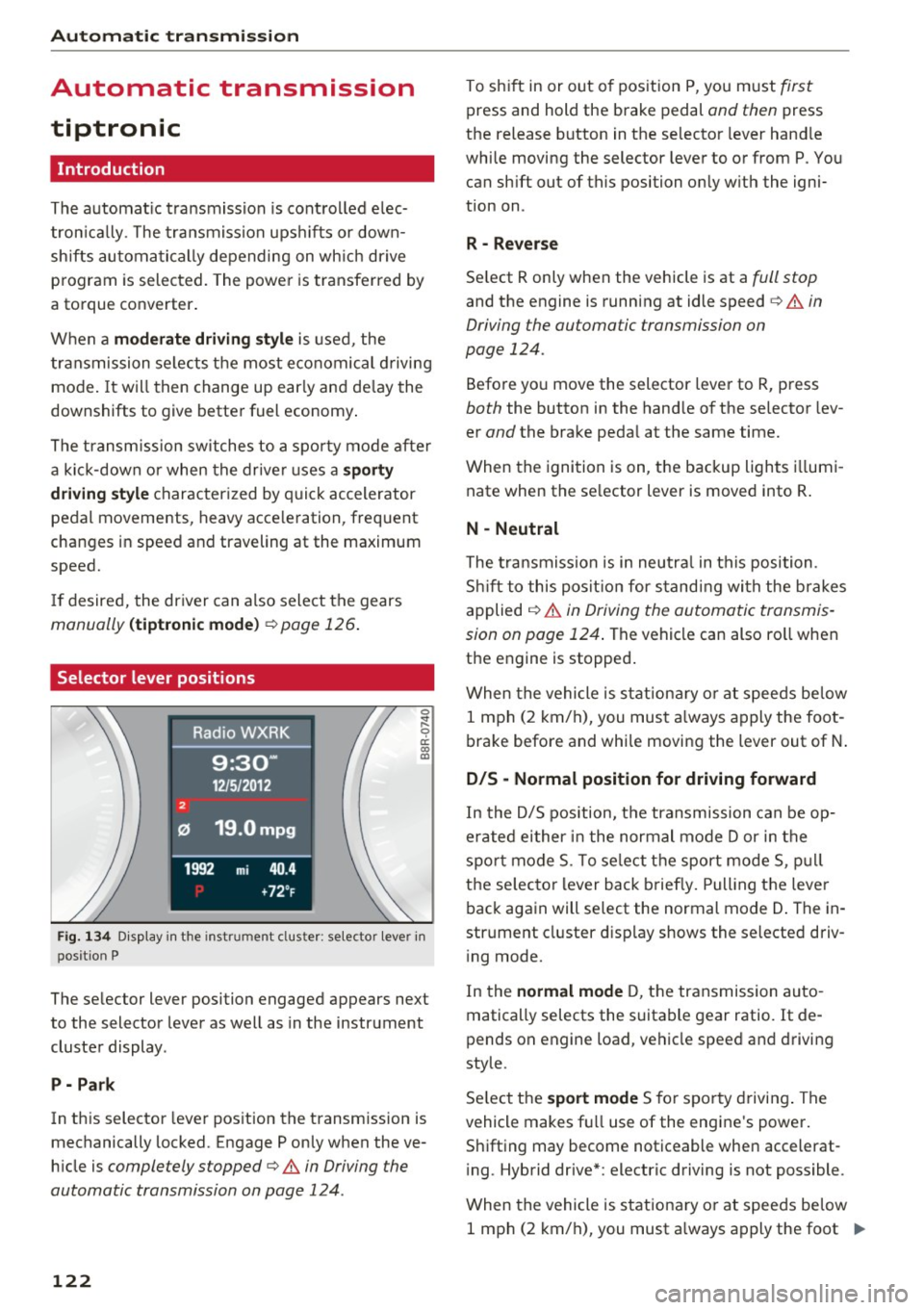
Fig. 1 34 Disp lay in the instrument cl uster: selector lever in
position P
The selector lever position engaged appears next
to the selector lever as well as in the instrument
cluster display .
P -Pa rk
In this selector lever position the transmission is
mechanically locked. Engage P only when the ve
h icle is
completely stopped¢.& in Driving the
automatic transmission on page 124 .
122
To shift in or out of pos ition P, you m ust first
press and hold the brake pedal and then press
the release button in the selector lever hand le
while moving the selector lever to or from P. You can sh ift out of this position on ly w ith the igni
tion on .
R -Reve rse
Se lect R only when the vehicle is at a full stop
and the engine is running at idle speed c> .& in
Driving the automatic transmission on
page 124.
Befo re yo u move the selector lever to R, press
both the button in the hand le of the se lector lev
er
and the brake peda l at the same time.
When the ignition is on, the backup lights i llumi
nate when the se lector lever is moved into R .
N -Neutral
The t ra nsmission is in neutra l in this position .
S hi ft to this pos it ion for s tand ing wi th the brakes
applied
¢ .&. in Driving the automatic transmis
sion on page 124 .
The vehicle can also ro ll when
the engine is stopped .
When the vehicle is stationa ry o r at speeds be low
1 mph (2 km/h), you must a lways apply the foot
brake before and whi le moving the lever out of N .
D/S -Normal position for driving forward
In the D/5 position, the transmission can be op
erated either in the normal mode Dor in the
spo rt mode 5. To se lect the sport mode 5, p ull
t h e se lecto r lever back briefly. Pulling the leve r
back again will select the normal mode D . The in
strument cluster d isplay shows the se lected driv
i ng mode.
In the
normal mode D, t he transmission auto
matically selects the suitable gear ratio . It de
pends on engine load, vehicle speed and d riving
style.
Se lect t he
sport mode 5 for sporty drivi ng . The
vehicle makes fu ll use of the engine 's power.
Shifting may become noticeable when accelerat
i ng . Hybrid drive* : electric driving is not possible .
When the vehicle is stationary o r at speeds be low
1 mph (2 km/h), you must a lways apply the foot ..,.