door lock AUDI Q5 2016 Owners Manual
[x] Cancel search | Manufacturer: AUDI, Model Year: 2016, Model line: Q5, Model: AUDI Q5 2016Pages: 300, PDF Size: 75.02 MB
Page 4 of 300
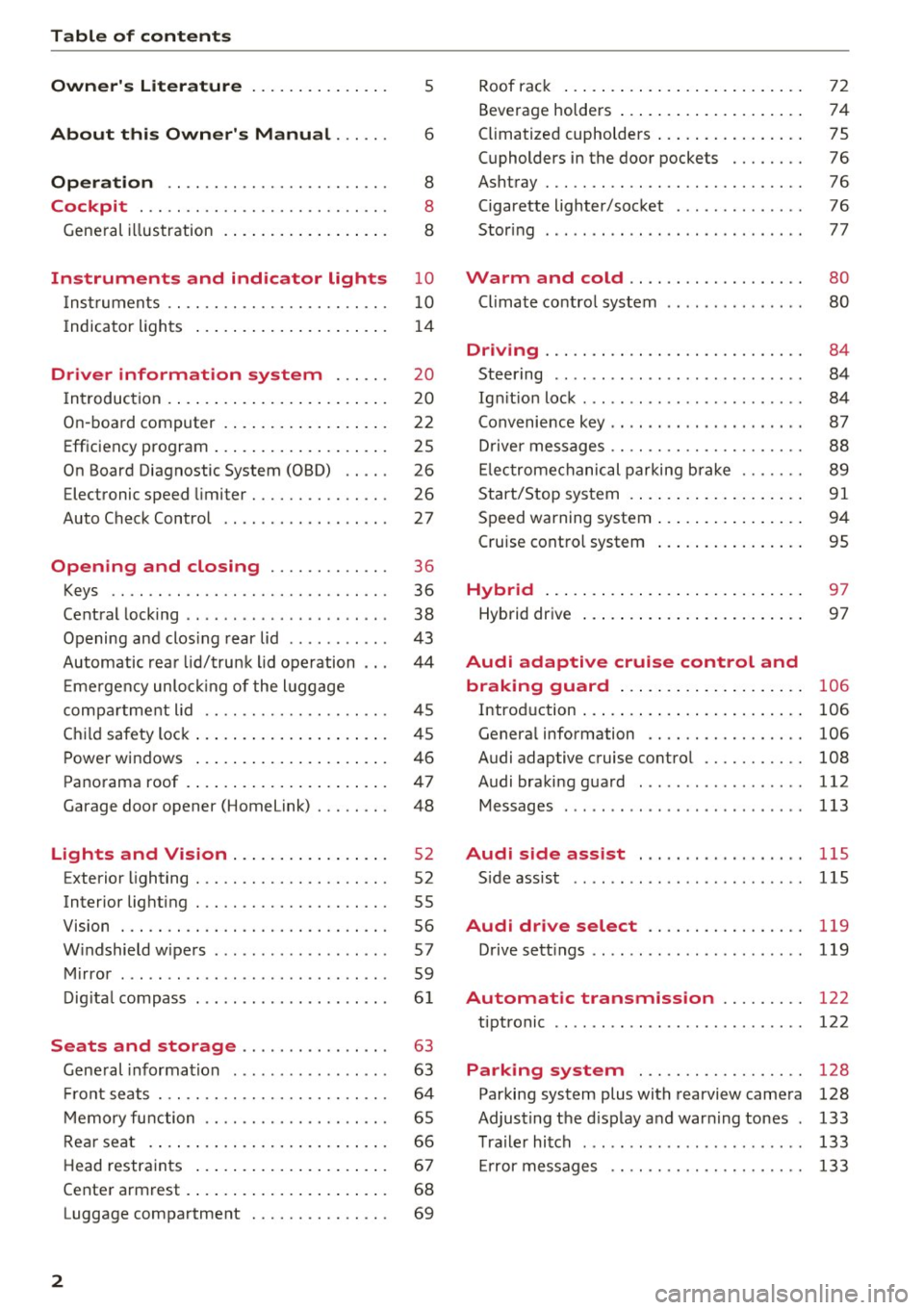
Table of contents
Owner's Literature
5
About this Owner's Manual . . . . . . 6
Operation . . . . . . . . . . . . . . . . . . . . . . . . 8
Cockpit . . . . . . . . . . . . . . . . . . . . . . . . . . . 8
General illustration . . . . . . . . . . . . . . . . . . 8
Instruments and indicator lights 10
Instruments . . . . . . . . . . . . . . . . . . . . . . . . 10
Indicator lights . . . . . . . . . . . . . . . . . . . . . 14
Driver information system . . . . . . 20
I n tr oduction . . . . . . . . . . . . . . . . . . . . . . . . 20
On -board computer . . . . . . . . . . . . . . . . . . 22
Efficiency program . . . . . . . . . . . . . . . . . . . 25
On Board Diagnostic System (OBD) . . . . . 26
Electronic speed limiter . . . . . . . . . . . . . . . 26
Auto Check Contro l . . . . . . . . . . . . . . . . . . 27
Open ing and closing . . . . . . . . . . . . . 36
Keys . . . . . . . . . . . . . . . . . . . . . . . . . . . . . . 36
Central locking . . . . . . . . . . . . . . . . . . . . . . 38
Opening and clos ing rear lid . . . . . . . . . . . 43
Automatic rear lid/trunk lid operation 44
Em ergency unlo cking of the luggage
compa rtment lid . . . . . . . . . . . . . . . . . . . . 45
Ch ild safety lock . . . . . . . . . . . . . . . . . . . . . 45
Power windows . . . . . . . . . . . . . . . . . . . . . 46
Panorama roof . . . . . . . . . . . . . . . . . . . . . . 47
Garage door opener (Home link) . . . . . . . . 48
Lights and Vision . . . . . . . . . . . . . . . . . 52
Exterior lighting . . . . . . . . . . . . . . . . . . . . . 52
Interior lighting . . . . . . . . . . . . . . . . . . . . . 55
V1s1on . . . . . . . . . . . . . . . . . . . . . . . . . . . . . 56
Windshield wipers . . . . . . . . . . . . . . . . . . . 57
Mirror . . . . . . . . . . . . . . . . . . . . . . . . . . . . . 59
Digital compass . . . . . . . . . . . . . . . . . . . . .
61
Seats and storage . . . . . . . . . . . . . . . . 63
Gene ral information . . . . . . . . . . . . . . . . . 63
Front seats . . . . . . . . . . . . . . . . . . . . . . . . . 64
Memory function . . . . . . . . . . . . . . . . . . . . 65
Rear seat . . . . . . . . . . . . . . . . . . . . . . . . . . 66
Head restraints . . . . . . . . . . . . . . . . . . . . . 67
Cente r armrest . . . . . . . . . . . . . . . . . . . . . .
68
Luggage compartment . . . . . . . . . . . . . . . 69
2
Roof rack ... .. .. .. .. ... .......... . .
Beverage holders ... .. .. ........... . .
Climatized cupholders ... . .......... . .
(upholders in the door pockets ...... . .
Ashtray ....... .. .. .. ............. . .
Cigarette lighter/socket ............. .
Stor ing ... .. .. .. .. .. ........ ..... . .
Warm and cold .. .. ... .. ..... ... . .
Climate control system ........ ..... . .
Dnv1ng ....... .. .. .. ............. . .
Steering ........ ... ............. .. .
Ig niti on lock ...... ... .............. .
Convenience key .. .. .. ... .. ... ... .. . .
Driver messages .. .. .. .. ........... . .
Electromechanical parking brak e ..... . .
Start/Stop system .... .. . .......... . .
Speed warning system .. .. .......... . .
Cruise control system
Hybrid ..... .. .. .. .. ... .......... . .
Hybrid dr ive ... .. .. .. .. ........... . . 72
74
75
76
76
76
77
80
80
84
84
84
87
88
89
91
94
95
97
97
Audi adaptive cruise control and
braking guard . . . . . . . . . . . . . . . . . . . .
106
Introd uction . . . . . . . . . . . . . . . . . . . . . . . . 106
Genera l information . . . . . . . . . . . . . . . . . 106
Audi adaptive cruise contro l . . . . . . . . . . . 108
Audi braking guard . . . . . . . . . . . . . . . . . . 112
Messages . . . . . . . . . . . . . . . . . . . . . . . . . . 113
Audi side assist . . . . . . . . . . . . . . . . . . llS
S ide assist .. .. .. .. .. ........ ..... .. 115
Audi drive select . . . . . . . . . . . . . . . . . 119
Drive sett ings . . . . . . . . . . . . . . . . . . . . . . . 119
Automatic transmiss ion . . . . . . . . . 122
tiptronic . . . . . . . . . . . . . . . . . . . . . . . . . . . 122
Parking system . . . . . . . . . . . . . . . . . . 128
Parking system plus with rearview camera 128
Adjusting the display and warn ing tones 133
Trailer hitch . . . . . . . . . . . . . . . . . . . . . . . . 133
Er ror messages . . . . . . . . . . . . . . . . . . . . . 133
Page 11 of 300
.... N
co
er::
co
....
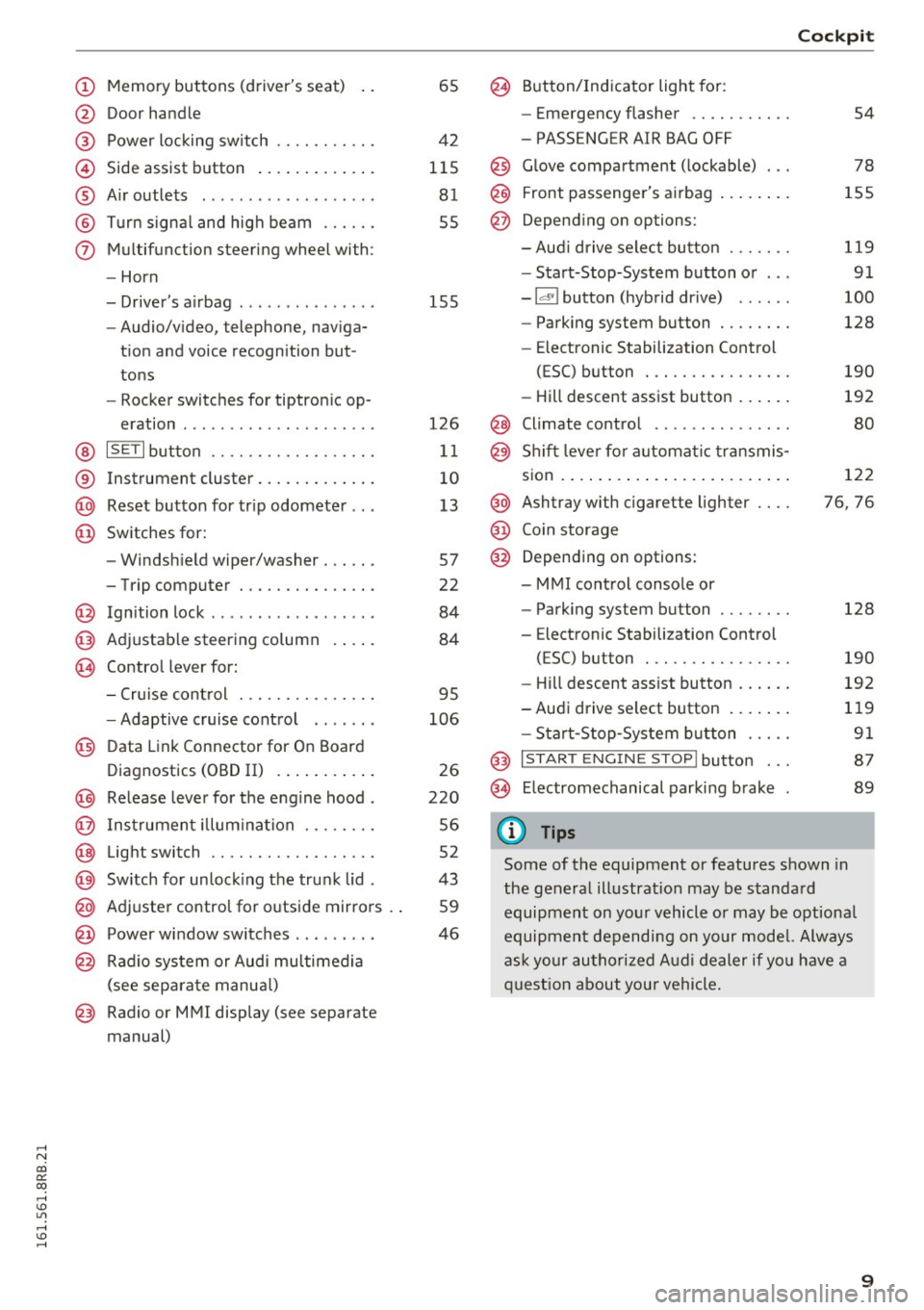
@ Door handle
@ Power locking sw itch .......... .
© Side assist button ............ .
® Air outlets ..... ........ .... . .
@ Turn signal and high beam ... .. .
(j) Multifunction steering wheel with:
- Horn
- Driver's airbag ..... ..... ... . .
- Audio/video, telephone, naviga-
tion and voice recognition but
tons
- Rocker switches for tiptronic op-
eration ............... ..... .
@ ISETI button ............... .. .
® Instrument cluster .......... .. .
@ Reset button for trip odometer .. .
@ Switches for:
- Windshield wiper/washer . .... .
- Trip computer ............ .. .
@ Ignition lock ................. .
@ Adjustable steering column
@ Control lever for:
65
42
115 81
55
155
126
11
10
13
57
22
84
84
- Cruise control . . . . . . . . . . . . . . . 95
- Adaptive cruise control . . . . . . .
106
@ Data Link Connector for On Board
Diagnostics (OBD II) . . . . . . . . . . .
26
@) Release lever for the engine hood . 220
@ Instrument illumination . . . . . . . . 56
@ Light switch . . . . . . . . . . . . . . . . . . 52
@) Switch for unlocking the trunk lid . 43
@ Adjuster control for outside mirrors . . 59
@ Power window switches . . . . . . . . . 46
@ Radio system or Audi multimedia
(see separate manual)
@ Radio or MMI display (see separate
manual)
@ Button/Indicator light for:
- Emergency flasher .......... .
- PASSENGER AIR BAG OFF
@ Glove compartment (lockable) .. .
@ Front passenger's airbag ....... .
@ Depending on options:
- Aud i drive select button ...... .
- Start-Stop-System button or .. .
- Id'! button (hybrid drive) ..... .
- Parking system button ....... .
- Elect ronic Stabilization Control
(ESC) button . .............. .
- Hill descent assist button ..... .
@ Climate control .. ............ .
@ Shift lever for automat ic transmis-
sion ..... ..... .. ............ .
@ Ashtray with cigarette lighter ... .
@ Coin storage
@ Depending on options:
- MMI control console or
- Parking system button ....... .
- E lectronic Stabilization Control
(ESC) button . .. ............ .
Cockpit
54
78
155
119
91
100
128
190
192
80
122
76, 76
128
190
- Hill descent assist button . . . . . . 192
-Audi drive select button . . . . . . . 119
- Start-Stop -System button . . . . . 91
@ I START ENGINE STOP! button . . . 87
@> Electromechanical parking brake 89
(D Tips
Some of the equipment or features shown in
the general illustration may be standard
equipment on your vehicle or may be optional
equipment depending on your model. Always
ask your authorized Audi dealer if you have a
question about you r vehicle.
9
Page 14 of 300
Instruments and indicator lights
The number of keys programmed to the vehicle is
also displayed. The display
L2 3/3 in dicates that
three keys have been programmed. This a llows
you to make sure you have received all of the keys
when you purchase a used vehicle.
For examp le, if you on ly receive two keys, you
should take those keys to your authorized Audi
dealer to have the missing key deactivated so it
cannot be used. You should also report the miss
ing key to your insurance company .
Calling up the driver information
A yellow or red symbol appears in the instrument
cluster display, usually with a driver message.
The driver message display disappears after
about 5 seconds. The dr iver message can be dis
played again by briefly pressing the
ISETI button.
Setting the speed warning
By pressing the !SET ! button briefly, you can set
thresho ld 1 of the speed warning while you are
driving
c::;, page 95. By maintaining pressure on
the
! SET I button, you delete the warning thresh
old.
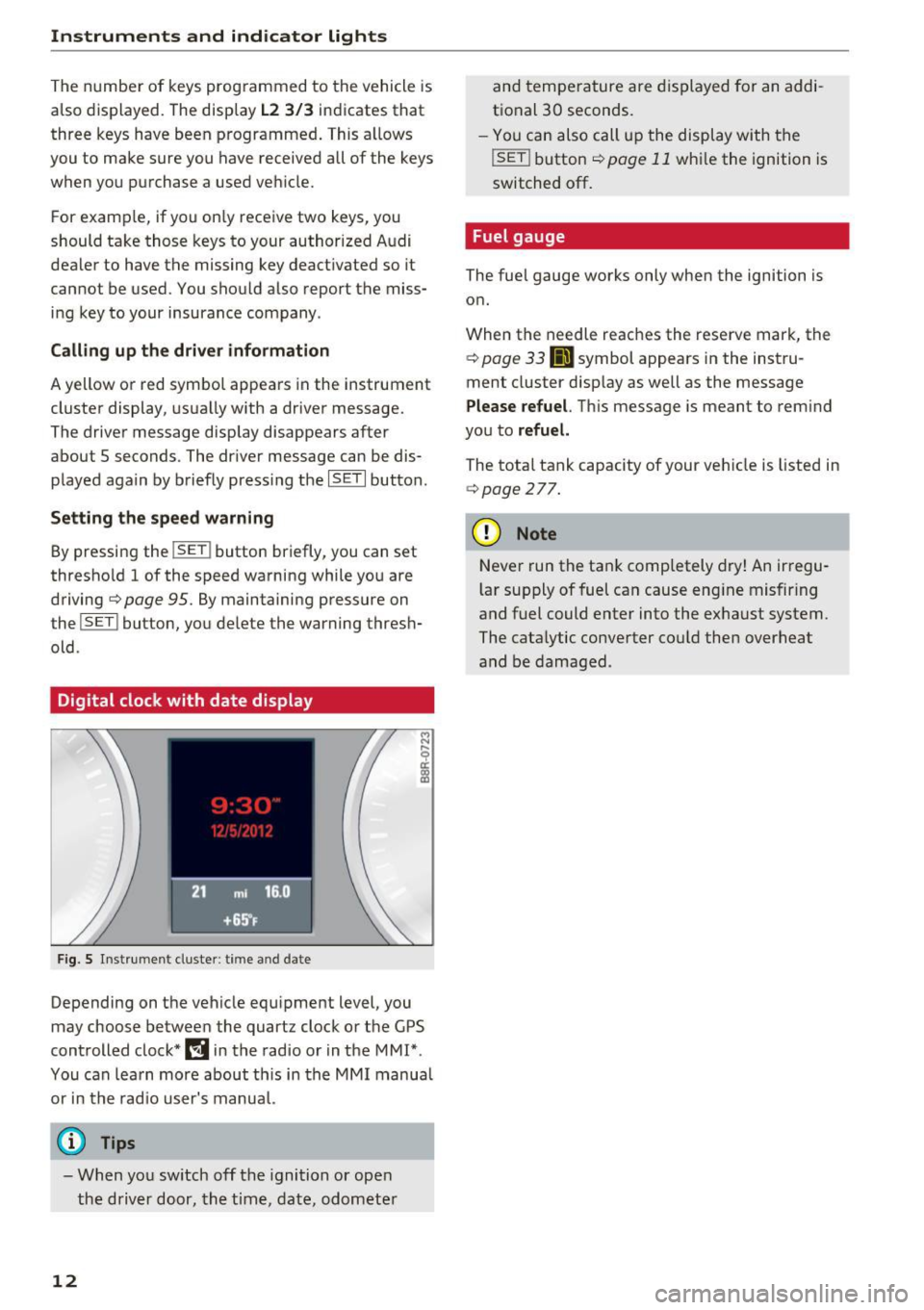
Digital clock with date display
F ig. 5 Instrument cluster: time and date
Depending on the vehicle equipment level, you
may choose between the quartz clock or the GPS
controlled clock*
l!j in the radio or in the MMI*.
You can learn more about th is in the MMI manual
or in the radio user's manual.
@ Tips
- When you switch off the ignition or open
the driver door, the time, date, odometer
12
and temperature are displayed for an addi
tional 30 seconds.
- You can also call up the display with the
!SET ! button c::;, page 11 while the ignition is
switched
off.
Fuel gauge
The fuel gauge works only when the ignition is on.
When the needle reaches the reserve mark, the
c::;, page 33 Ji] symbol appears in the instru
ment cluster display as well as the message
Please refuel. This message is meant to remind
you to
refuel.
The total tank capacity of your veh icle is listed in
c::;, page 2 77.
(D Note
Never run the tank comp letely dry! An irregu
l ar supply of fuel can cause eng ine misfiring
and fuel could enter into the exhaust system.
The catalytic converter cou ld then overheat
and be damaged .
Page 22 of 300
Drive r inf orm ati on sy stem
Driver information
system
Introduction
General notes
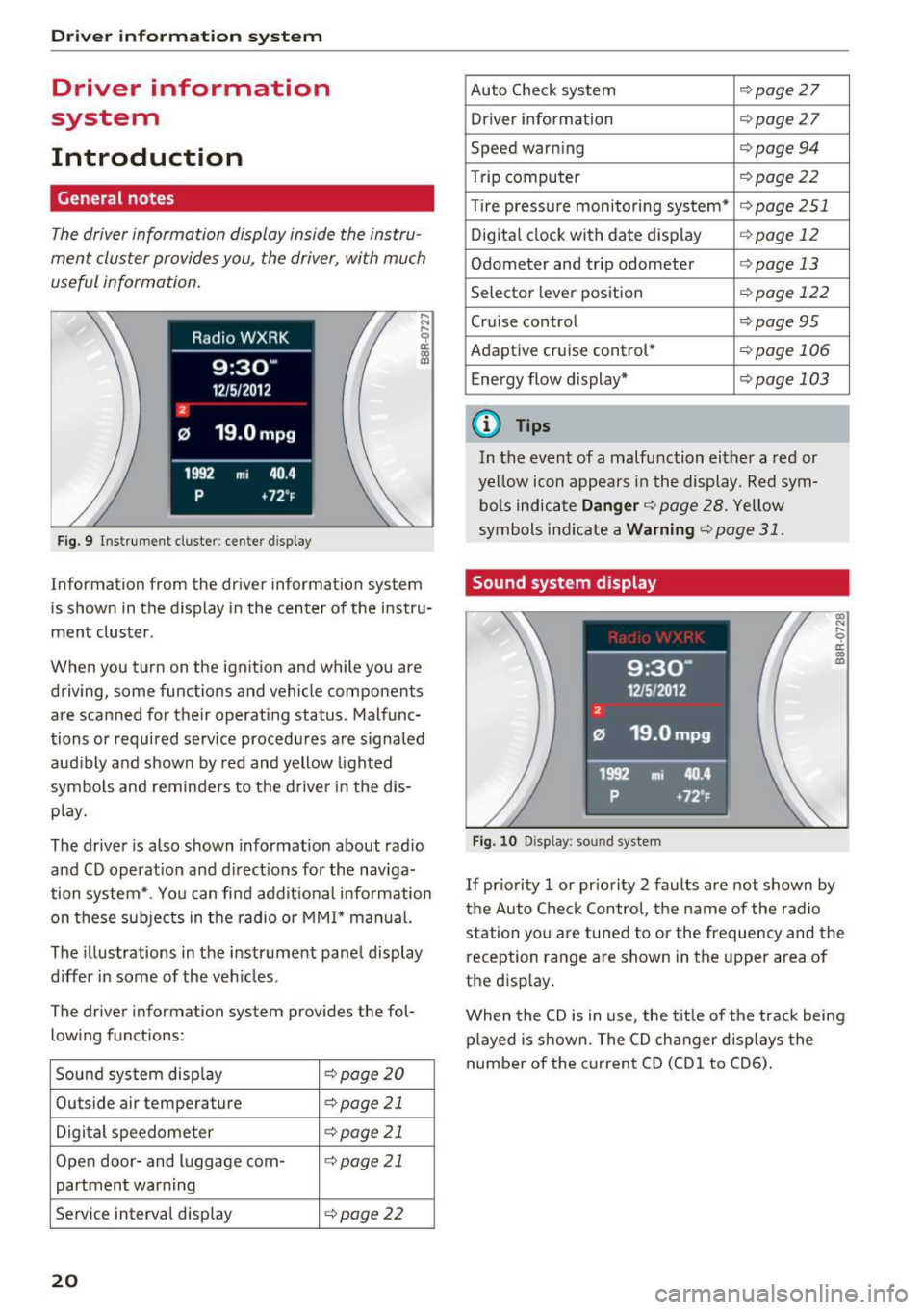
The driver information display inside the instru
ment cluster provides you, the driver, with much
useful information .
Fig. 9 Instrumen t cl uster: ce nter display
Information from the driver information sys tem
is shown in the display in the center of the instru
ment cluster .
When you turn on the ignition and while you a re
driving, some functions and vehicle components
are scanned for their operating status. Malfunc
tions or required service procedures are signaled
aud ibly and shown by red and yellow lighted
symbo ls and reminders to the d river in the dis
p lay.
The driver is also shown informat ion about rad io
and CD operat ion and direct ions for the naviga
tion system* . You can find addit ional information
on these sub jects in t he radio or MMI* manual.
The illustrations in the instrument panel display
differ in some of the veh icles .
The driver information system provide s the fol
lowing functions:
Sound system disp lay
¢ page20
Outside air tempera ture c:> page 21
Digital speedometer c:>page 21
Open door- and luggage com-¢page 21
partment warning
Service interval display
¢ page22
20
Auto Check system ¢page 27
Driver information c:>page 27
Speed warning c:>page 94
Trip computer ¢page22
Tire pressure monitoring system* c:> page 251
Digital clock with date display ¢ page 12
Odometer and trip odometer ¢page 13
Selector lever position ¢ pag e 122
Cruise control ¢ page 95
Adaptive cruise control * ¢page 106
Ene rgy flow d isplay* ¢ page 103
{D Tips
In the event of a malfu nction either a red or
ye llow icon appears in the display. Red sym
bo ls indicate
Danger ¢ page 28. Yellow
symbols ind icate a
Warning ¢ page 31.
Sound system display
Fig. 10 Disp lay : soun d system
If pr io rity 1 or pr iority 2 faults are not shown by
the Auto Check Control, the name of the radio
station yo u are tu ned to or the frequency and the
reception range are shown in the upper area of
the disp lay .
When the CD is in use , the tit le of the track being
played is shown. The CD changer d isp lays the
numbe r of the c urrent CD (CDl to CD6).
Page 29 of 300
..... N
co ~ CX)
..... I.Cl U"I
..... I.Cl ..... L
amp
(MIL ) ¢..ffi will i lluminate. If this occurs,
contact the nearest authorized Audi dealer for
assistance.
.&_ WARNING
Always observe the posted speed limits and
adjust your speed to suit prevailing road, traf
fic and weathe r cond it io ns. Never drive you r
vehicle fas ter than t he max imum speed rat ing
o f th e tires installed .
Auto Check Control
Introduction
The Auto-Check contro l monitors the funct io n of
certa in vehicle features and components. It sim
p ly makes sure these features and components
a re working properly . T he Auto-Check control
works as long as the ignition is on, as well as
wheneve r the ve hicle is driven .
-
If a component is ma lfunctioning or if the need
for an urgent repa ir has been detected, this will
a p pear in the ins trument cluste r display . You w ill
a lso hear an audib le wa rning tone . T he disp lays
a re color coded in e ithe r re d or yellow depe nding
o n their level of p rior ity .
A red symbol means
Danger , a yellow symbo l in
d icates
Warning . In ce rtain s ituations, informa
tion message for the dr ive r appea r in a ddi tion to
the re d and yellow sym bols.
Note about automatic transmission
The Auto -Check Co ntrol w ill automatically pe r
form a test each time you switch o n the ignition .
W it h the selector lever in P o r N, the fo llow ing
m essage appe ars in t he disp lay :
When stationary apply brake pedal while select
ing gear
When you select a different gear (for example: R ,
D , etc.), the message w ill disappea r and the A u
to -Check fu nction is d isplayed .
If th e re is a malfunct io n, then the malfunction
message will appear about 15 seconds afte r yo u
start the ve hicle. At the same time you w ill hear a
war ning tone.
Driver in forma tion system
Driver information messages
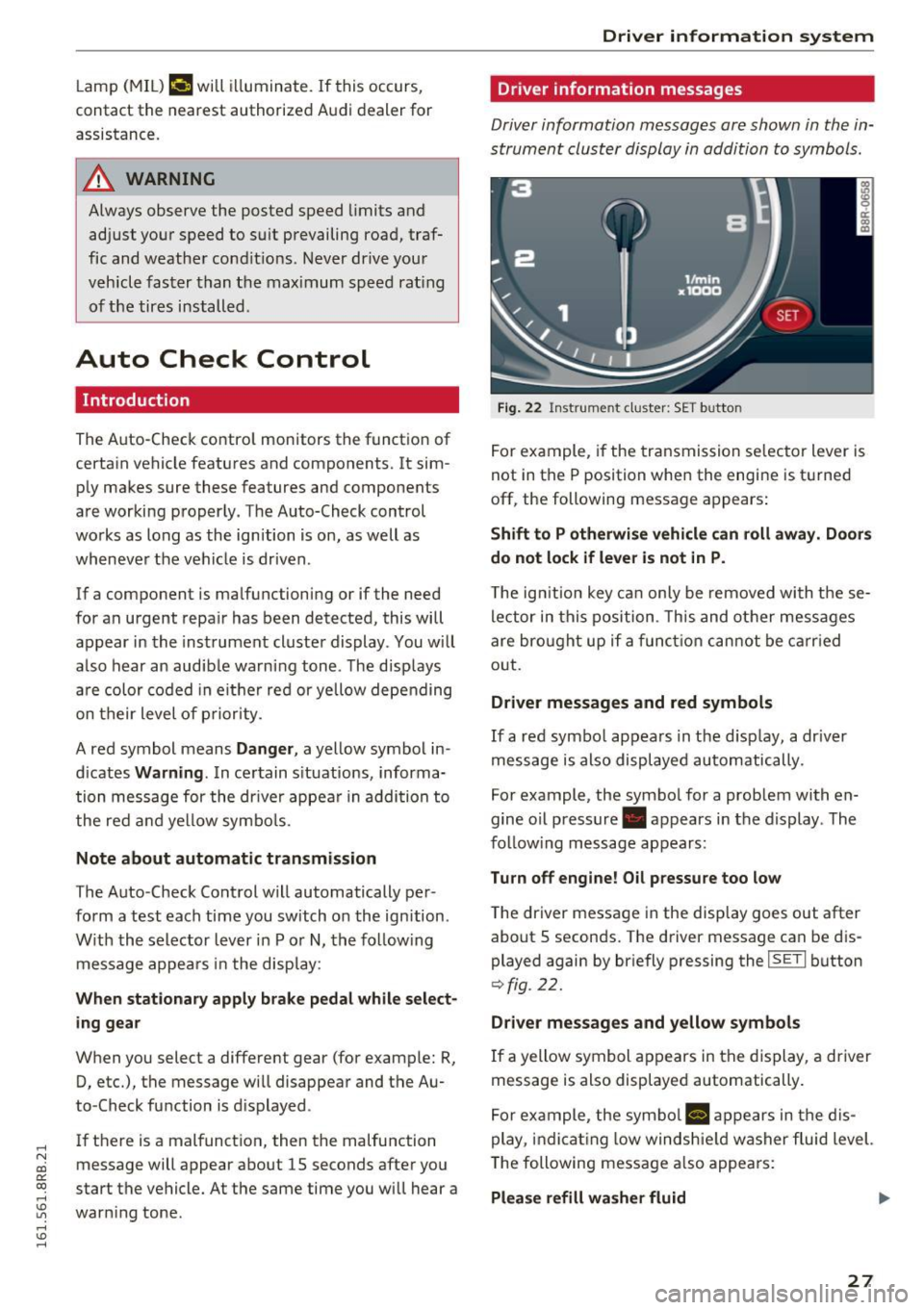
Driver information messages are shown in the in
strument cluster display in addition to symbols .
F ig. 22 Instrume nt cl uster: SET b utto n
Fo r example, if the tr ansmission se lec tor lever is
not in the P position whe n the engi ne is t urne d
off, the following message a ppears:
Shift to P otherwise vehicle c an roll away. Doors
do not lock if lever is not in P.
T he ig nition key c an only be removed wi th t hese
le ctor in this positi on . T h is and ot her mess ages
are bro ugh t up if a funct io n ca nno t b e car ried
o ut.
Driver messages and red symbols
If a re d symbo l appears in the d isp lay, a dr ive r
mess age is also displayed au tom atically.
For example, the symbo l for a prob lem with en
gine oil pressure . appears in the display . The
fo llow ing messag e ap pears:
Turn off engine! Oil pressure too low
The driver message in the disp lay goes out a fter
about S seconds. T he driver message can be d is
played again by br iefly pressing the
ISE TI b utton
9 fig . 22.
Driver messages and yellow symbols
If a yellow symbol a ppears in the dis play, a driver
message is also displayed automatically .
F or ex ample, the sym bol
8 app ears in the dis
play , ind ic a tin g low wi ndsh ie ld washer fluid level.
T he following message a lso appe ars:
Please refill wa sher fluid .,..
27
Page 38 of 300
Opening and closing
Opening and closing
Keys
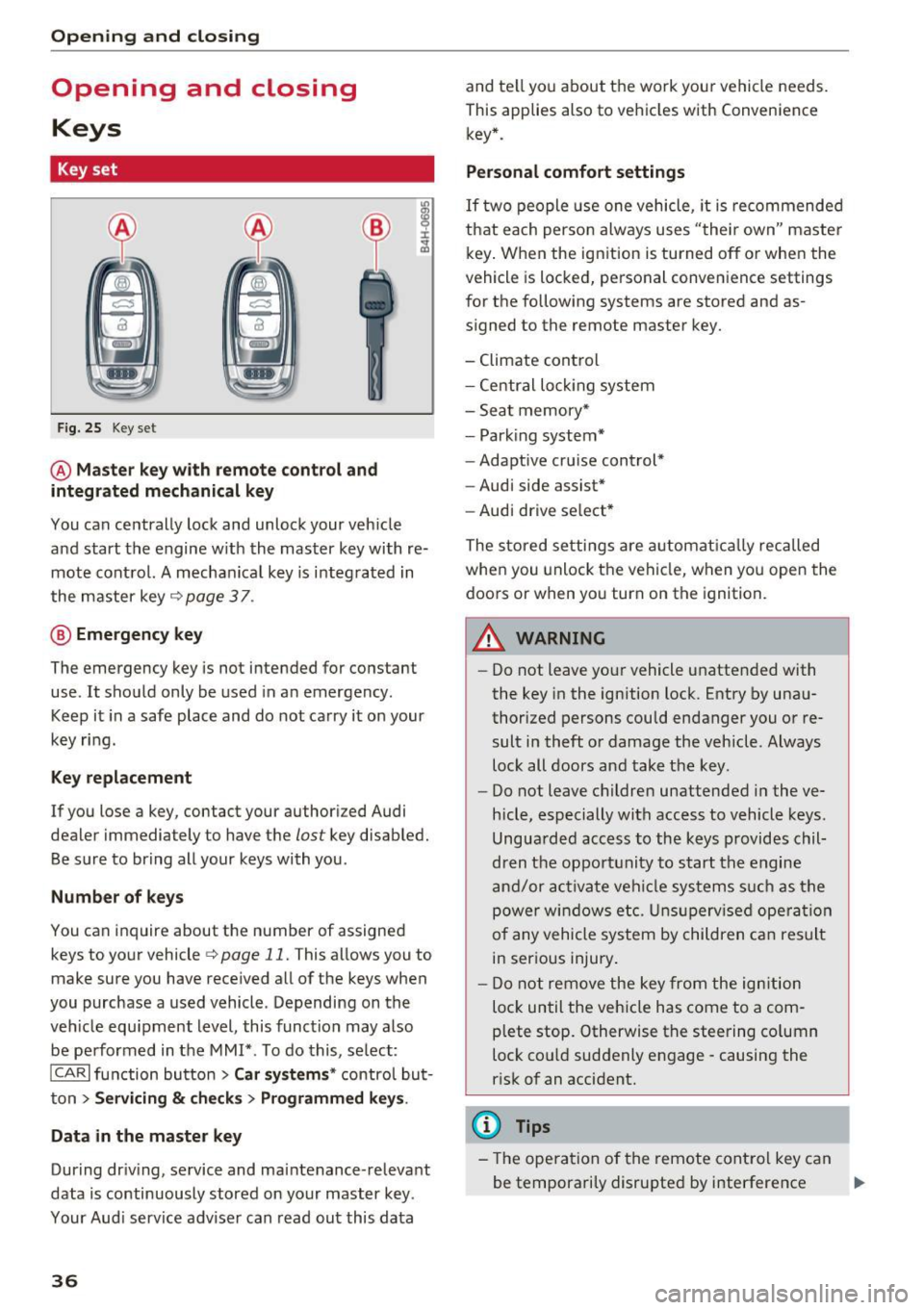
Key set
Fig. 25 Key set
@ Master key with remote control and
integrated mechanical key
You can centrally lock and unlock your veh icle
and start the engine w ith the master key with re
mote control. A mechanical key is i ntegrated in
the master key
c> page 3 7 .
@ Emergency key
The emergency key is not intended for constant
use . It should only be used in a n emergency.
Keep it in a safe place and do not carry it on your
key ring.
Key replacement
If you lose a key, contact your authori zed Audi
dealer immediately to have the
lost key disabled.
Be su re to bring all your keys with you .
Number of keys
You can inquire about the number of assigned
keys to your vehicle
c> page 11. This allows you to
make sure you have received all of the keys when
you purchase a used vehicle . Depending on the
veh icle equ ipment level, this function may also
be performed in the MMI*. To do this, select:
ICARI function button > Car systems* control but
ton
> Servicing & checks> Programmed keys .
Data in the master key
Dur ing dr iv ing, service and ma intenance -relevant
data is continuously stored on your master key .
Your Aud i service adviser can read out this data
36
and te ll you about the work your vehicle needs.
This applies also to vehicles with Convenience key* .
Personal comfort settings
If two people use one vehicle, it is recommended
that each person always uses "the ir own" master
key. When the ignition is turned off or whe n the
vehicle is locked, personal convenience settings
for the following systems are stored and as
signed to the remote master key.
- Climate control
- Central loc king system
- Seat memory*
- Park ing system*
- Adaptive cru ise cont rol*
- Audi side assist*
- Audi drive se lect *
The stored settings are automatically recalled
when you unlock the vehicle, when you open the
doors or when yo u turn on the ignition.
A WARNING
-
-Do not leave your vehicle unattended with
the key in the ignition lock. Entry by unau
thorized persons could endanger you or re
sult in theft or damage the vehicle . Always
lock all doors and take the key.
- Do not leave children unattended in the ve
hicle, especially with access to vehicle keys.
Unguarded access to the keys provides chil
dren the opportunity to start the engine
and/or activate vehicle systems s uch as the
power windows etc. Unsupervised operation
of any vehicle system by children can result
in serious injury.
- Do not remove the key from the ignition
loc k until the veh icle has come to a com
plete stop. Otherwise the steering co lumn
lock co uld suddenly e ngage -causing the
risk of an accident.
(D Tips
-Th e operation of the remote control key can
be temporarily disrupted by interference ..,.
Page 39 of 300
from transmitters in the vicinity of the vehi
cle work ing in the same frequency range
(e .g . a cell p hone, radio equipment) .
- If yo u open the dr iver's doo r with t he key
l eft in the ignition Lock, a chime w ill sound.
This is your remi nder to remove the key and
l ock the door.
- Fo r security reasons, replacement keys are
on ly availab le from Audi dealers.
- Fo r De claration of Comp liance to U nite d
States FCC and Ind ustry Canada reg ulations
r:=> page283 .
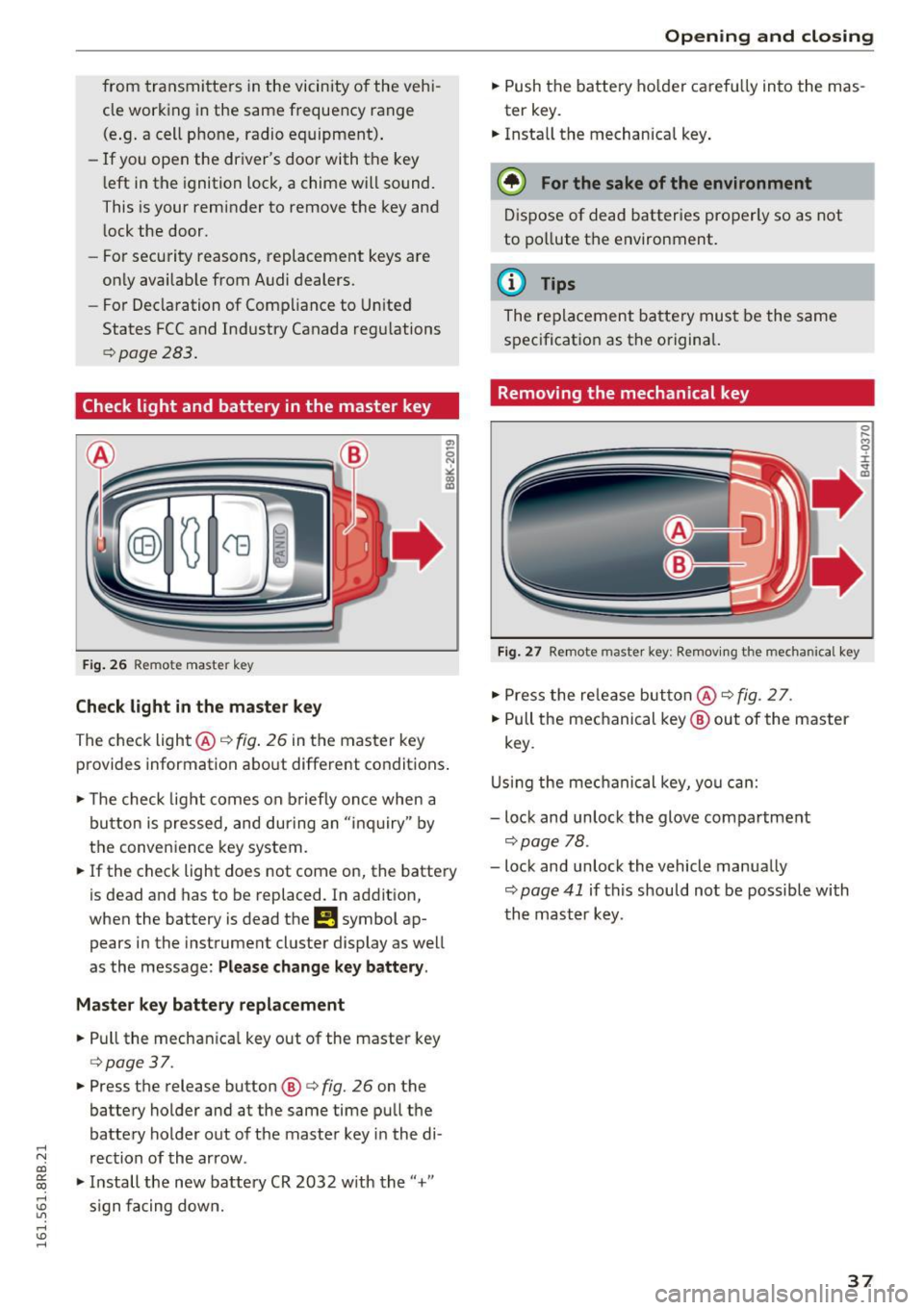
Check light and battery in the master key
Fig. 26 Re mote mast er key
Check light in the master key
The check light@q fig. 26 in t he master key
p rovides information abo ut different condit ions .
.,. The check light co m es on briefly on ce when a
button is pressed, and dur ing an " in qu iry" by
the conven ience key system .
.,. If the check light does not come on, the batte ry
is dead and has to be replaced. In ad dition,
when the battery is dead
the m symbol ap
pears in the instrument cluster display as well
as the message :
Please change key battery .
Master key battery replacement
.,. Pull the mechan ica l key out of the master key
c=> page 37 .
.,. Press the release button @ r=> fig. 26 on the
batte ry holder and at the same time pu ll th e
batte ry holder out of t he maste r key in the di-
.....
'"" rection of the arrow . co
~ .,. In stall the new battery CR 2032 w ith the "+"
; s ign f acing dow n.
Open ing and closing
.,. Push the batt ery ho lder caref ully into the mas
ter key.
.,. Insta ll the mechanical key .
@ For the sake of the environment
Dis pose of dead batter ies properly so as not
to po llute t he environment.
@ Tips
The re placeme nt ba tte ry mus t be the same
s p ec ificat ion as t he o rigina l.
Removing the mechanical key
Fig. 27 Remote maste r key: Re mov ing the mecha nical key
.,. Press the re le a se but ton @ r=> fig. 2 7.
.,. Pull the me chanical key @ out of the master
key .
U sing th e mec hanical key, yo u ca n:
- lock and unlock the glove compartment
c=> page 78 .
-lock and unlock the vehicle manua lly
c=> page 41 if this should no t be possible with
t h e m aster k ey .
37
Page 40 of 300
Opening and clo sin g
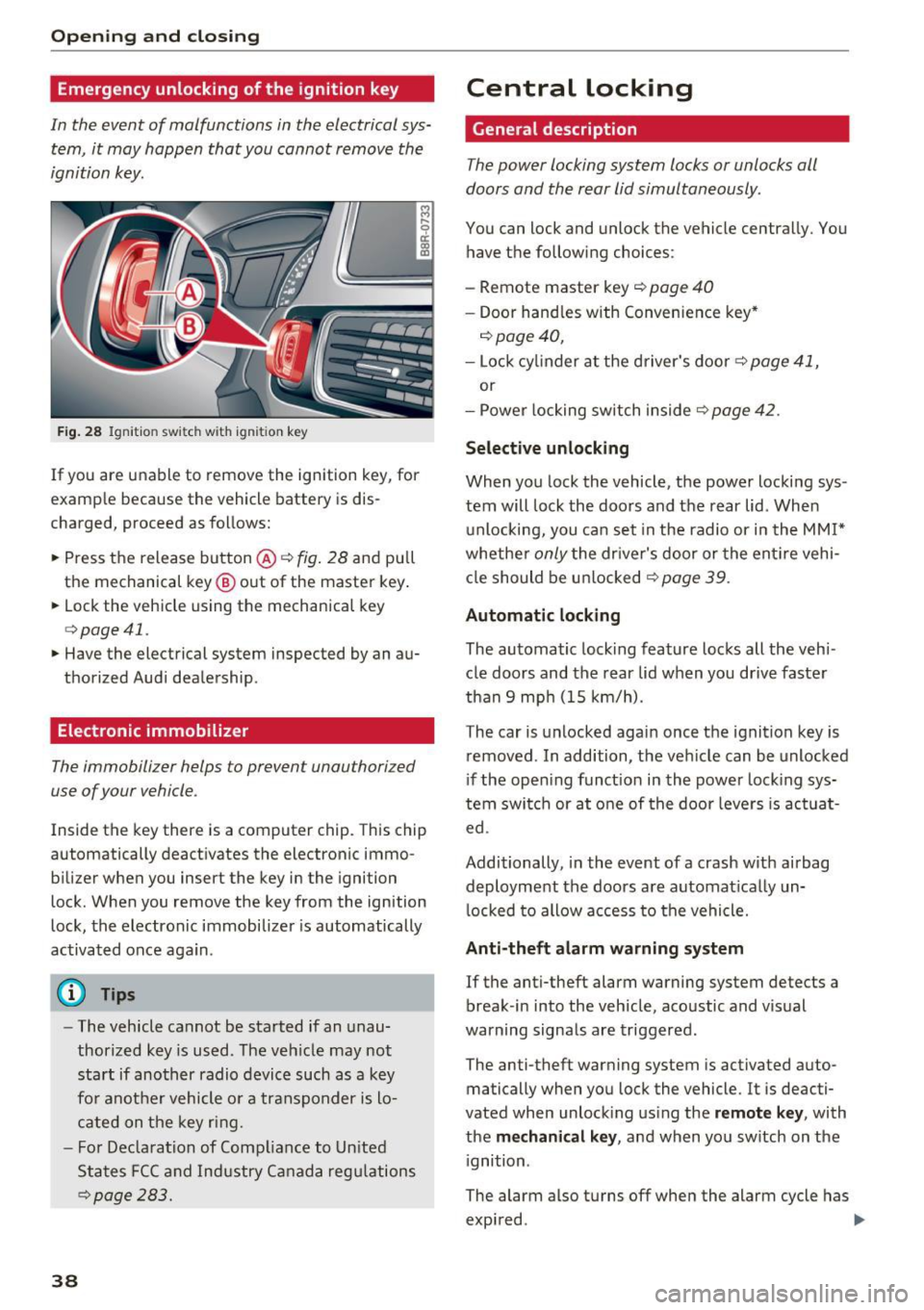
Emergency unlocking of the ignition key
In the event of malfunctions in the electrical sys
tem, it may happ en that you cannot remove the
ignition key.
Fig . 28 Ignit ion switch with ignition key
If you are unable to remove the ignition key, for
example because the vehicle battery is dis
charged, proceed as follows:
.. Press the release button @
c::> fig. 28 and pull
the mechanical key ® out of the master key .
.. Lock the vehicle using the mechanica l key
c::> page 41.
.. Have the electrical system inspected by an au
thorized Audi dealership.
Electronic immobilizer
The immobilizer helps to prevent unauthorized
use of your vehicle.
Inside the key there is a computer chip. This chip
automatically deact ivates the electronic immo
bilizer when you insert the key in the ignition
lock. When you remove the key from the ignition
lock, the electronic immobilizer is automatically
activated once again.
(D Tips
- The vehicle cannot be started if an unau
thorized key is used. The veh icle may not
start if another radio device such as a key
fo r anot her vehicle o r a transponder is lo
cated on the key ring.
- F or Declara tion of Comp liance to Un ited
States FCC and Industry Ca nada regu lations
c::> page 283.
38
Central Locking
General description
The power locking system locks or unlocks all
doors and the rear lid simultaneously.
You can lock and unlock the vehicle centrally. You
have the following choices:
- Remote master key
c::> page 40
- Doo r hand les w ith Convenience key*
c::> page 40,
- Lock cy linder a t the d river's door c::> page 41,
or
- Power locking switch inside
c::> page 42.
Select ive unlocking
When yo u lock the vehicle, the power locki ng sys
tem will lock the doo rs and the rear lid. When
u nlocking, you ca n set in the radio or i n the
MM I*
whethe r only the driver's door or the ent ire vehi
cl e should be u nlocked
c::> page 39.
Automatic locking
The automatic locking feature locks all the veh i
cle doors and the rear lid when you drive faster
than 9 mp h (15 km/h).
The car is unlocked agai n once the ignition key is
removed . In addition, the ve hicle can be unlocked
i f the open ing funct ion in the power lock ing sys
tem switch or at o ne of the door leve rs is act uat
ed.
Additionally, in the event of a crash w ith airbag
deployment the doors a re automat ica lly un
l ocked to allow access to the vehicle.
Anti-theft alarm warning system
If the anti-theft alarm warning system detects a
break-in into the veh icle, aco ustic and vis ual
warning signals are triggered.
The anti-theft warning system is activated auto
matically when you lock the vehicle. It is deacti
vated when unlock ing us ing the remote k ey , with
the
me chan ical key , and when yo u sw itch on the
i gnition.
The alarm also turns off when the alarm cycle has
expi red . .,..
Page 41 of 300
,....,
N
co
er::
co
,....,
When you unlock the vehicle, the turn signa ls
flash twice. When you lock the vehicle, the turn
signals flash once. If they do not flash, one of the
doors, the rear lid or the hood is not locked .
Unintentionall y loc king your self out
In the following cases there safeguards to pre
vent you locking yo ur remote master key in the
veh icle:
- T he veh icle does not lock with the power lock
ing switch ~
page 42 if the dr iver's door is
open .
- On vehicles with Co nvenience key*, if the most
recently used master key is in the luggage com
partment, the rear lid is automatically un locked
again after it is closed.
Do not lock you r vehicle with the
remot e ma st e r
ke y or C onvenience key *
unti l all doors and the
r ear lid are closed . In t his way you avoid locking
yourse lf out accidentally.
& WARNING
- When you leave the vehicle, always remove
the ignition key and take it with you. This
will prevent passengers (children, for exam
ple) from accidentally being locked in the
vehicle should they acc identally press the
power locking switch in the front doors.
- Do not leave children inside the vehicle un
su perv ised. In an emergency it wou ld be im
poss ible to open the doors from the outs ide
withou t the key.
(D} Tips
- In the event of a crash with airbag deploy
ment all locked doors w ill be automatically
unlocked to give access to the veh icle occu
pants from the outside.
- If the power lock ing system should mal
funct ion, you can lock the dr iver's door us
i ng the me chanical key~
page 42.
- If the power lock ing system should fail, you
ca n still open the fuel tan k flap in an eme r
gency
~page 216.
-You are well adv ised not to keep valuables
:;;: inside an unattended vehicle, v is ible or not.
,....,
Op ening and cl osing
Even a properly locked vehicle cannot p ro
vide the security of a safe.
- If the LED in the upper edge of the driver's
door pane l comes on for about 30 seconds
after the vehicle is locked, there is a mal
function in the power locking or the anti
theft warning system. Have the malfunction
corrected by an authorized Aud i dealership
or qualified repair fac ility.
Setting power locking
The driver can determine the functions for power
locking in the radio or in the MMI* .
.. Select: !CAR I function button> Cent ral locki ng .
Or
.,. Select:
!CAR I function button > Car syst ems *
control button > Vehicl e setting s> (Ce ntr al
loc king )* .
Unloc king single door /Unloc k doo rs -
you can
specify which doors unlock when you open the ve
hicle .
-Select ing Off /All and pressing the IQ] button on
the remote control key unlocks the entire vehi
cle .
- Select ing
On /Dri ver and pressing the IQ] button
on the remote control key once unlocks only
the dr iver's door. In vehicles w ith a convenience
key*, only the door whose handle you pull will
un lock. If you press the
Im button tw ice, the en
tire veh icle w ill unlock.
If you press the I:@ but
ton, the entire ve hicl e w ill always lock .
Trunk lid/tailgate /lock e xterior trunk handle -if
you select
On , the rea r lid handle locks
c=> page 43, fig. 35 . In this case, the rear lid can
be opened with the
l asl bu tto n on the master key
c=> page 40, fig. 29 or with the~ button in the
driver's door
c:> page 43, fig . 34 .
Fold mirrors * -if you se lect On , the outside m ir
rors w ill fold i n autom atic ally when you press the
Im but ton on the remote control key c:> page 59.
Confirmation ton e/Tone wh en lo cking -if you
select
On , a tone w ill sound when you lock the ve
hicle.
39
Page 42 of 300
Opening and clo sin g
Unlocking and locking the vehicle with the
remote control
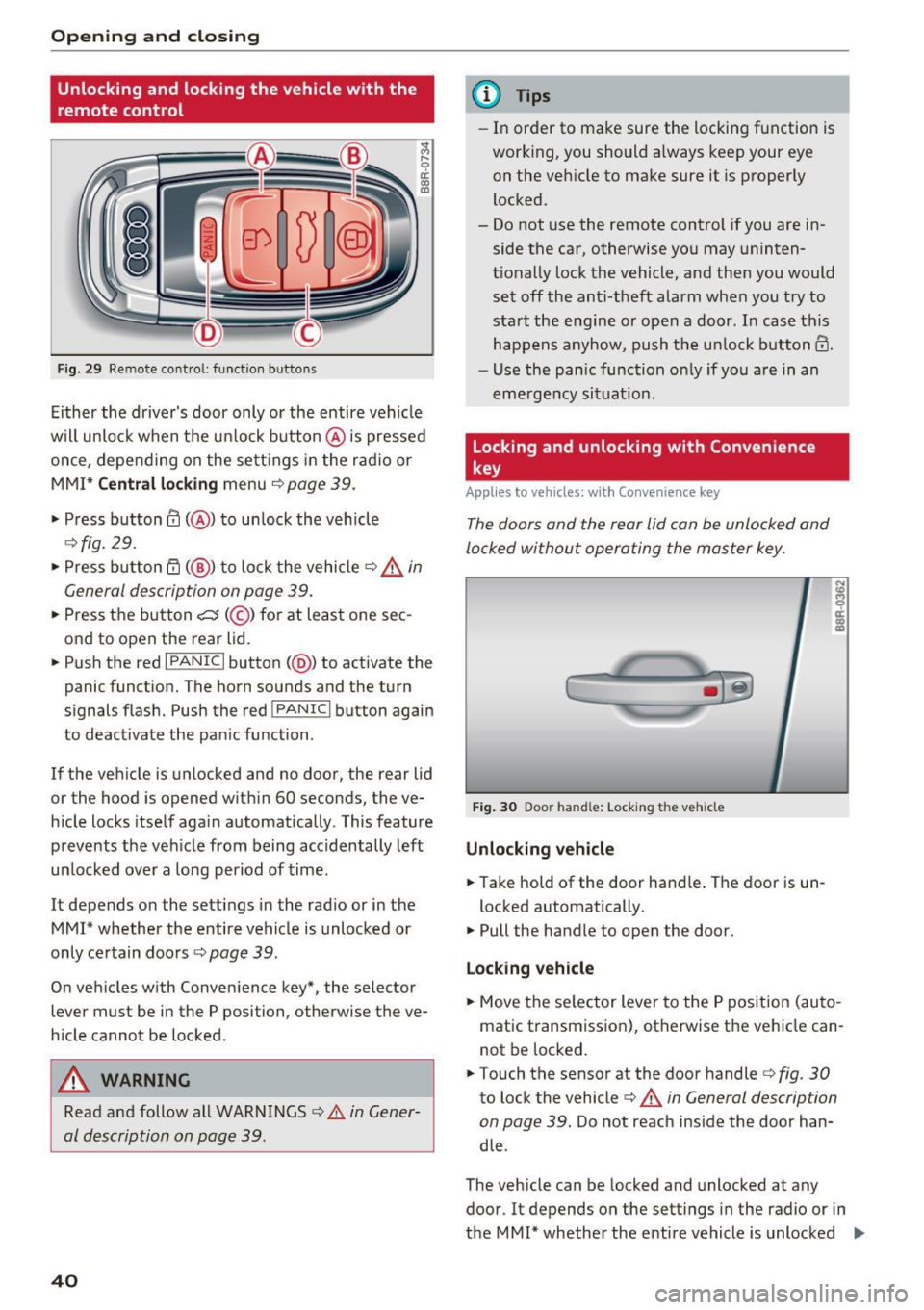
Fig. 29 Remo te cont ro l: function b uttons
Ei ther the driver's door only or the entire vehicle
wil l unlock when the u nlock button @is pressed
once, depe nd ing on the sett ings in the radio or
MMI*
C entral l ocking menu ¢page 39.
• Press button@( @) to un lock the vehicle
¢ fig. 29.
• Press button rfl (@ ) to lock the vehicle ~.&. in
General description on page 39.
• Press the button c::5 (@ ) for at least one sec
ond to open the rear lid.
• Push the red
I PANIC I button (@ ) to act ivate the
panic funct ion. The horn sounds and the turn
signals flash. Push the red
! PANIC I button again
to deactivate the pan ic function .
If the veh icle is unlocked and no door, the rear lid
or the hood is opened with in 60 seconds, the ve
h icle locks itself aga in automatically. This feature
prevents the veh icle from being accidentally left
un locked over a long period of time.
It depends on the settings in the rad io or in the
MMI* whether the entire vehicle is unlocked or
only ce rtain doo rs
r:!> page 39.
On veh icles w ith Conven ience key*, the selector
lever must be in the P position, otherw ise the ve
h icle cannot be locked .
A WARNING
Read and follow all WARNINGS ¢ A in Gener
al description on page 39.
40
@ Tips
- In order to make sure the locking function is
working, you should a lways keep your eye
on the vehicle to make sure it is properly
locked.
- Do not use the remote control if you are in side the car, otherwise you may uninten
tionally lock the vehicle, and then you would
set off the anti-theft alarm when you try to
sta rt the eng ine or open a door. In case this
happens anyhow, push the un lock button@.
- Use the pan ic function on ly if you are in an
eme rgency situat io n.
Locking and unlocking with Convenience
key
App lies to vehicles : wi th Convenience key
The doors and the rear lid can be unlocked and
locked without operating the master key.
Fig . 30 Door ha nd le: Lock ing the vehicle
Unlocking vehicle
• Take hold of the door hand le . The door is un -
locked automatically.
• Pull the handle to open the door .
Lo ck ing v ehicle
• Move the se lector lever to the P pos ition (au to
matic transmission), otherwise the vehicle can
not be locked.
• Touch the sensor at the door handler:!>
fig. 30
to lock the vehicle c:> A in General description
on page 39.
Do not reach inside the door han
dle .
The vehicle can be locked and unlocked at any
door. It depends on the sett ings in the radio or in
the MMI* whether the entire vehicle is unlocked
II>-