rear light AUDI Q5 2018 User Guide
[x] Cancel search | Manufacturer: AUDI, Model Year: 2018, Model line: Q5, Model: AUDI Q5 2018Pages: 392, PDF Size: 60.56 MB
Page 54 of 392
Lights and Vision
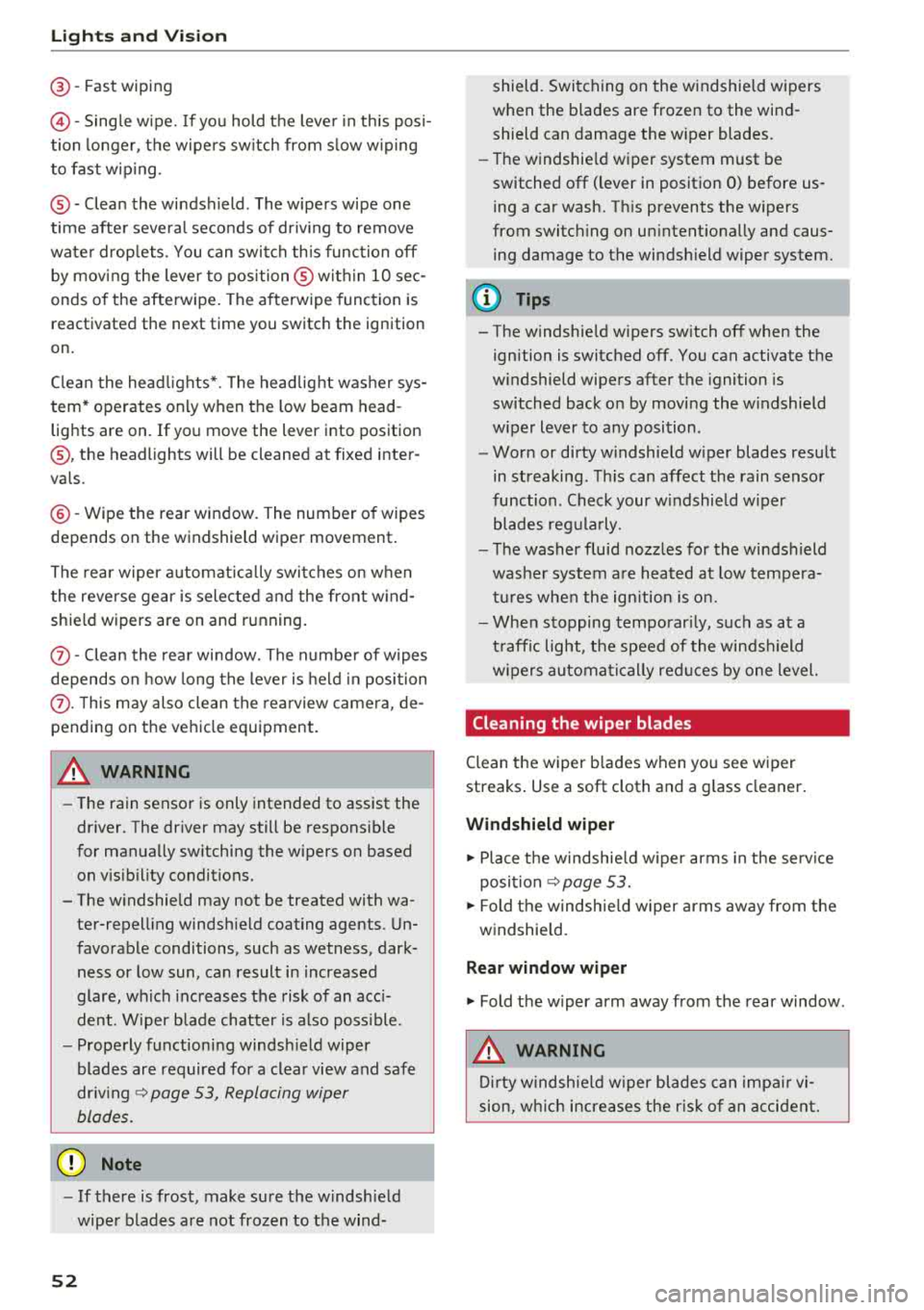
@-Fast wiping
©-Single wipe. If you hold the lever in this posi
tion longer, the wipers switch from slow wiping
to fast wiping .
®-Clean the windshield . The wipers wipe one
time after several seconds of driving to remove
water droplets . You can switch this function off
by moving the lever to position ® within
10 sec
onds of the afterwipe. The afterwipe function is
r e activated the next time you switch the ignition
on.
Clean the headlights*. The headlight washer sys
tem* operates only when the low beam head
lights are on. If you move the lever into position
@, the headlights will be cleaned at fixed inter
vals .
@-Wipe the rear window. The number of wipes
depends on the windshield wiper movement.
The rear wiper automatically switches on when
the reverse gear is selected and the front wind
shield wipers are on and running.
(j) -Clean the rear window. The number of wipes
depends on how long the lever is held in position
(z). This may also clean the rearview camera, de
pending on the vehicle equipment.
A WARNING
- The rain sensor is only intended to assist the
driver. The driver may still be responsible
for manually switching the wipers on based on visibility conditions.
- The windshield may not be treated with wa ter-repelling windshield coating agents . Un
favorable conditions, such as wetness, dark
ness or low sun, can result in increased
glare, which increases the risk of an acci
dent. Wiper blade chatter is also possible.
- Properly functioning windshield wiper
blades are required for a clear view and safe
driving ~ page 53, Replacing wiper
blades .
«1j) Note
-If there is frost, make sure the windshield
wiper blades are not frozen to the wind-
52
shield. Switching on the windshield wipers
when the blades are frozen to the wind shield can damage the wiper blades.
- The windshield wiper system must be
switched off (lever in position 0) before us
ing a car wash. This prevents the wipers
from switching on unintentionally and caus ing damage to the windshield wiper system.
(D Tips
- The windshield wipers switch off when the
ignition is switched off. You can activate the
windshield wipers after the ignition is
switched back on by moving the windshield
wiper lever to any position .
- Worn or dirty windshield wiper blades result
in streaking. This can affect the rain sensor
function . Check your windshield wiper
blades regularly.
- The washer fluid nozzles for the windshield
washer system are heated at low tempera
tures when the ignition is on.
- When stopping temporarily, such as at a
traffic light, the speed of the windshield
wipers automatically reduces by one level.
Cleaning the wiper blades
Clean the wiper blades when you see wiper
streaks. Use a soft cloth and a glass cleaner.
Windshield wiper
.,. Place the windshield wiper arms in the service
position
~ page 53.
.,. Fold the windshield wiper arms away from the
windshield.
Rear window wiper
.,. Fold the wiper arm away from the rear window.
A WARNING
Dirty windshield wiper blades can impair vi
sion, which increases the risk of an accident.
-
Page 55 of 392
u co ..... N r-N .....
~ 0 co
Replacing wiper blades
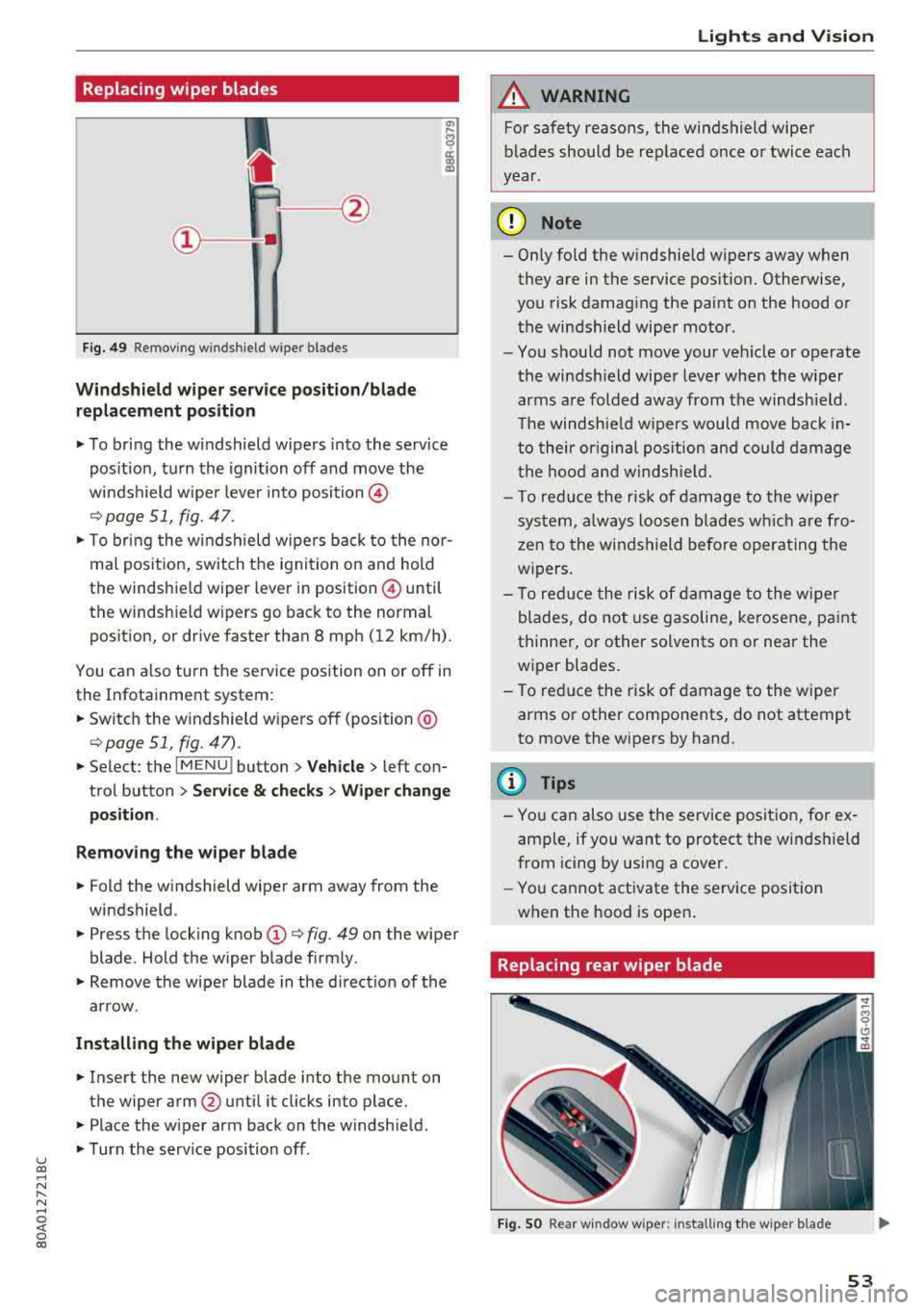
Fig. 49 Remov ing w indshi el d w iper blades
Windshield wiper serv ice po sition /blade
replacement position
"' To bring the windshield wipers into the service
pos ition, turn the ignition off and move the
windshield wiper lever into position @
¢ page 51, fig. 47.
"'T o bring the windshield wipers back to the nor
mal pos ition, switch the ignition on and hold
the windshie ld wiper lever in posit ion @ until
the windshie ld wipers go back to the normal
pos ition, or d rive faster than 8 mph (12 km/h) .
You can a lso tu rn the service position on or off in
the Infotainment system :
"'Switch the windshield wipers off (position @
¢page 51 , fig. 47) .
"'Select : the I MENU ! button> Vehicle> left con
trol button >
Service & checks > Wiper change
position .
Removing the wiper blade
"'Fold the windshield wiper arm away from the
windshield .
"' Press the locking knob (D ¢ fig. 49 on the wiper
blade . Hold the wiper blade firmly .
"'Remove the wiper blade in the direct ion of the
arrow .
Installing the wiper blade
"'Insert the new wiper blade into the mount on
the wiper arm
@ until it clicks into place.
"'Place the wiper arm back on the windshield .
"'Turn the serv ice position off.
Lights and Vision
A WARNING
For safety reasons, the windshield wiper
blades should be replaced once or twice each
year .
(D Note
- Only fold the windshield wipers away when
they are in the service pos ition. Otherwise,
you risk damaging the paint on the hood or
the windshield wiper motor .
- You should not move your veh icle or operate
the windsh ield wiper lever when the wiper
arms are folded away from the windshield .
Th e windshield wipers would move back in
to their or iginal pos ition and could damage
the hood and windshield.
- T o red uce the risk of damage to the wiper
system, always loosen blades wh ich are fro
zen to the windshield before operating the
w ipers.
- To reduce the risk of damage to the wiper
blades, do not use gasoline, kerosene, paint
thinner, or other solvents on or near the
wiper blades.
- To reduce the risk of damage to the wiper
arms or other components, do not attempt
to move the wipers by hand.
(D Tips
- You can also use the service position, for ex
ample, if you want to protect the windshield
from icing by using a cover .
- You cannot activate the service posit ion
when the hood is open .
Replacing rear wiper blade
Fig . SO Rear w indow wiper : installing the w ip er blade
53
Page 56 of 392
Lights and Vision
Removing the wiper blade
• Fo ld the wiper arm away from the rear window .
• Remove the wiper blade from its holder.
Installing the wiper blade
• Press the wiper b lade mount into the retainer.
• Fo ld the window wipe r arm bac k onto the rear
window.
WARNING
F or safety reasons, the windshie ld wiper
blades sho uld be replaced once or twice each
year .
Digital compass
Switching the compass on and off
App lies to: ve hicles w ith digital compass
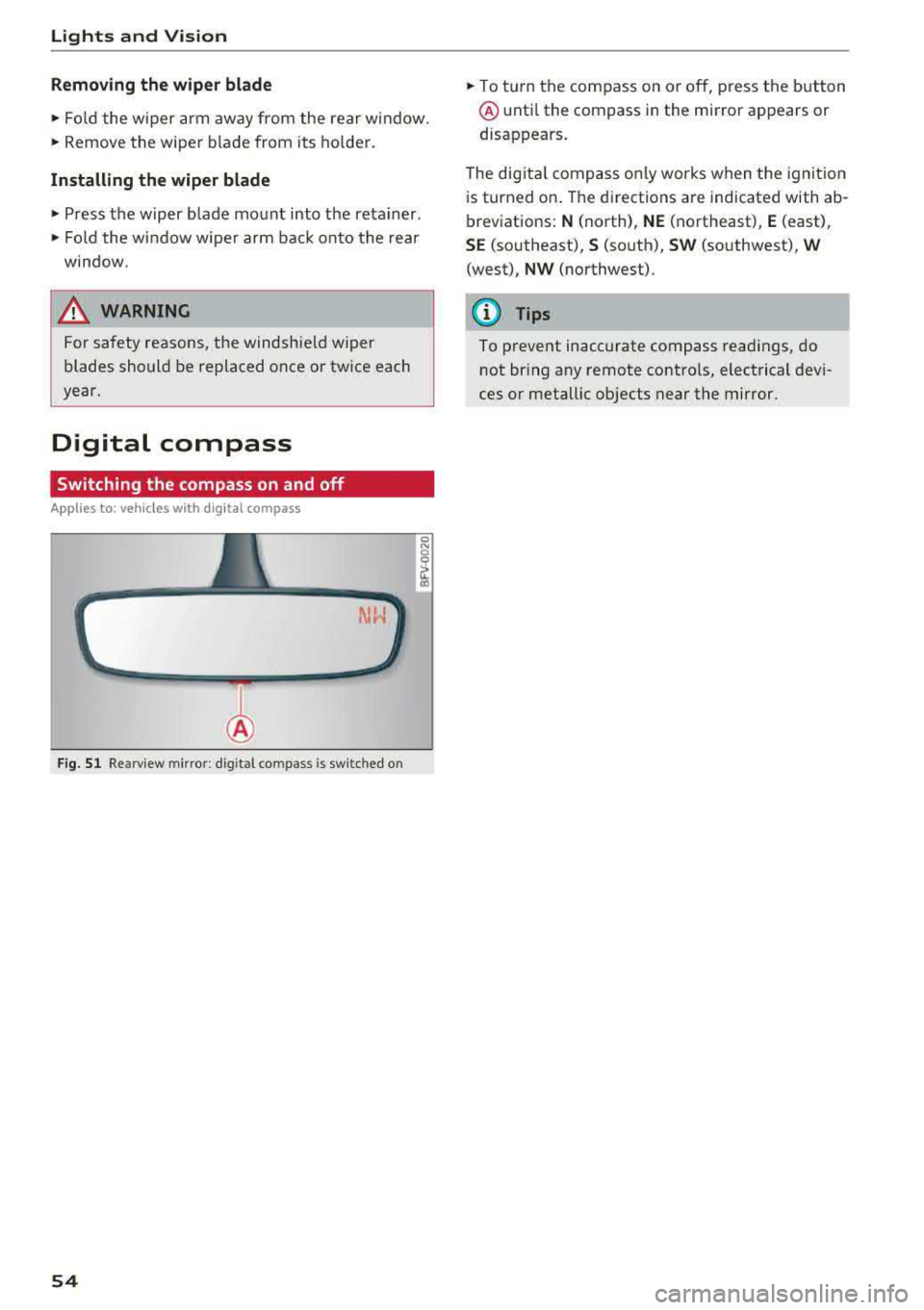
F ig . 51 Re arview m irror : dig it al co mpass is sw itc hed o n
54
• To turn the compass on or o ff, press the button
@ unti l the compass in the mi rror appears or
disappears.
The dig ita l compass o nly works when the ignit ion
i s turned on . T he directions a re indicated with ab
breviations:
N (north), NE (northeast), E (east),
SE (so utheast), S (so uth), SW (southwest), W
(west), NW (northwest) .
(D Tips
To prevent inaccurate compass readings, do
not br ing any remote contro ls, electrical devi
ces or metallic objects near the mirror.
Page 57 of 392
u co ..... N r-N .....
~ 0 co
Lights and Vision
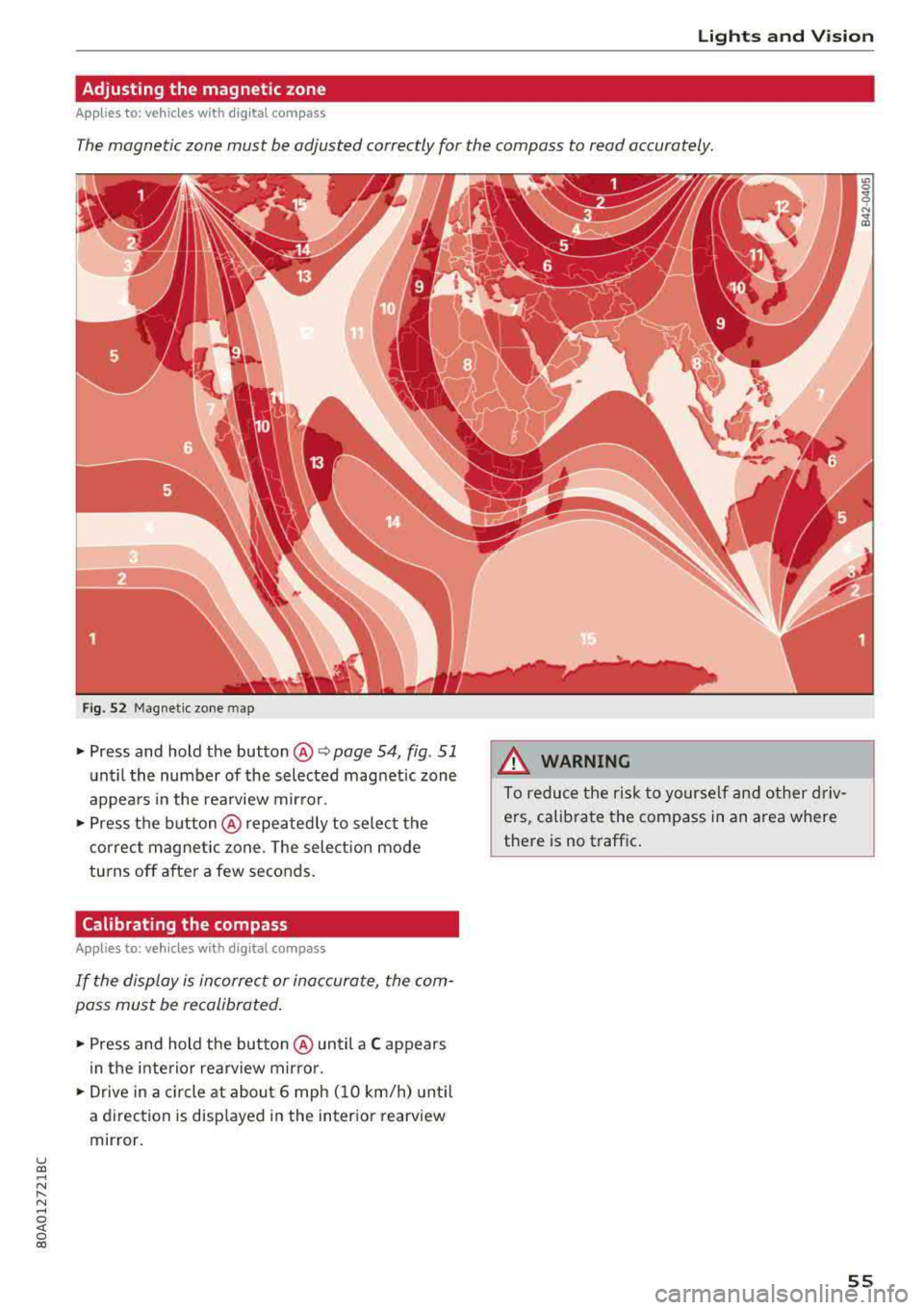
Adjusting the magnetic zone
Applies to: ve hicles with d ig ital compass
The magnetic zone must be adjusted correctly for the compass to read accurately.
Fig . 52 Magnetic zone map
• Press and hold the button @ Q page 54, fig . 51
until the number of the selected magnetic zone
appears in the rearview mirror .
• Press the button@repeatedly to select the
correct magnetic zone . The selection mode
turns off after a few seconds.
Calibrating the compass
A ppl ies to: ve hicles w ith d ig ital compass
If the display is incorrect or inaccurate, the com
pass must be recalibrated.
• Press and hold the button @ until a C appears
in the interior rearview mirror .
• Drive in a circle at about 6 mph (10 km/h) until
a direction is displayed in the interior rearview
mirror.
A WARNING
To reduce the risk to yourself and other driv
ers, calibrate the compass in an area where
there is no traffic.
.
55
Page 59 of 392
u co ..... N r-N .....
~ 0 co
• To select a seat setting, turn the multifunction
button
CD in the corresponding direction until
the desired seat setting is outlined in red.
• The arrows @ represent the possible adjust
ments . For example, to lower the lumbar sup
port , press the multifunction button
CD down.
The corresponding arrow @ lights up.
The following seat sett ings @are possible:
Massage function* -select the massage type
Wave , Stretch, Knead or Off You can adjust the
intensity of each massage from 1 to 3. You can
switch the selected massage on/off using the button @¢
fig. 55 .
lumbar support -you can adjust the lumbar sup
port up/down and to be stronger/weaker.
@ Tips
The massage function switches off automati cally after approximately 10 minutes.
Center armrest
There is a storage compartment under the arm
rest.
Fig . 56 Comfort cente r armr est between t he driver 's sea t
and front passenger 's seat
• T o adjust the angle, raise the armrest from the
starting position notch by notch.
• To bring the armrest back into the starting po
sit ion, ra ise it out of the top notch and fold it
back down.
The armrest can slide forward and back.
Seats and storage
Rear seats
Adjusting the seats
Fig. 57 Adjust ing the angle of the backrest*
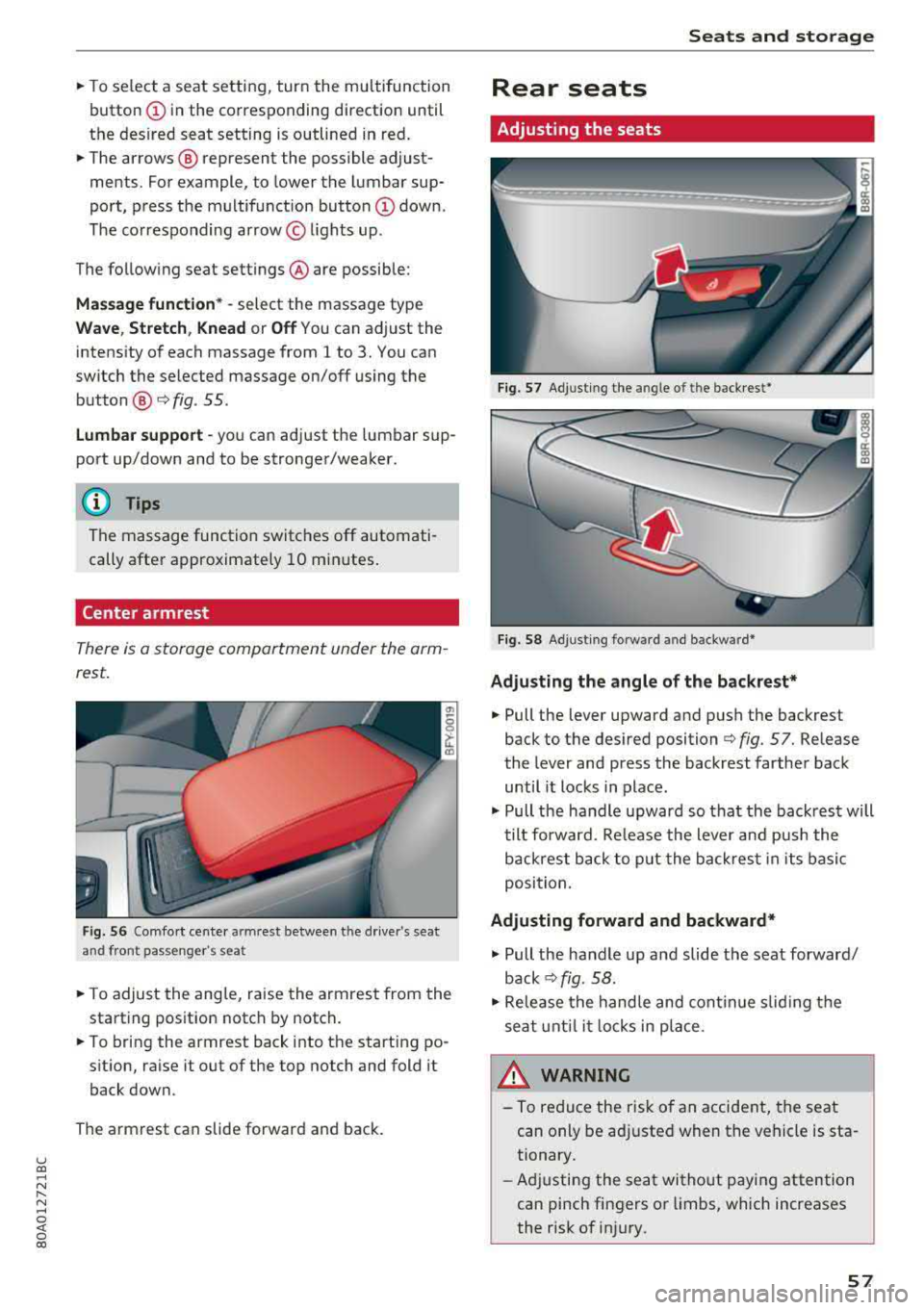
Fig. 58 Adj usting forw ard and backwa rd*
Adjusting the angle of the backrest*
• Pull the lever upward and push the backrest
back to the des ired position ¢
fig. 57. Release
the lever and press the backrest farther back
until it locks in place .
• Pull the handle upward so th at the back rest will
tilt forward. Release the lever and pus h the
backrest back to put the back rest in its basic
position.
Adjusting forward and backward*
• Pull the handle up and slide the seat forward/
back ¢fig. 58.
• Release the handle and continue sliding the
seat until it locks in place.
_& WARNING ~
-To reduce the risk of an accident, the seat
can only be adjusted when the vehicle is sta
tionary.
- Adjusting the seat without paying attention
can pinch fingers or lim bs, which increases
the risk of injury.
-
57
Page 64 of 392
Seats and stor age
-In the doo r trim pane ls
-Stor age compartment under t he front cente r
armrest
-Garment hooks above the rear doo rs
-Nets* on the left/right luggage compartment
trim pane l
-Tie-downs* on the left/right luggage compart
ment t rim pa nel
-Bag hooks* in the luggage compartment
A WARNING
-
- Always keep t he g love compartment lid
cl osed while driving to reduce the r is k of in
Jury.
-Only use the storage compartments in the
doo r trim pa ne ls to s to re small objects that
will not st ick o ut of t he compa rtment and
impa ir the range of t he side a irbags.
-Due to strength reasons, only secure objec ts
up to 11 lbs (5 kg) with the tie-downs* .
Heav ier objects are not adequately sec ured .
There is risk of persona l injury.
-Make s ure that the view to the rear is not
obstructed by hanging garments.
-Hang on ly lightwe ight cloth ing and be su re
t h at there a re no heavy or sha rp -edged ob
jects in the pockets.
-Do n ot use coat hangers to h ang the cloth
ing because t his could impair the effective
ness of the side cu rtain airbags .
Luggage compartment
General information
A WARNING
Read and follow t he important safety p recau
tions in
q poge 257 , Storing cargo correctly.
62
Luggage compartment cover
Applies to: vehicles with luggage compartment cover
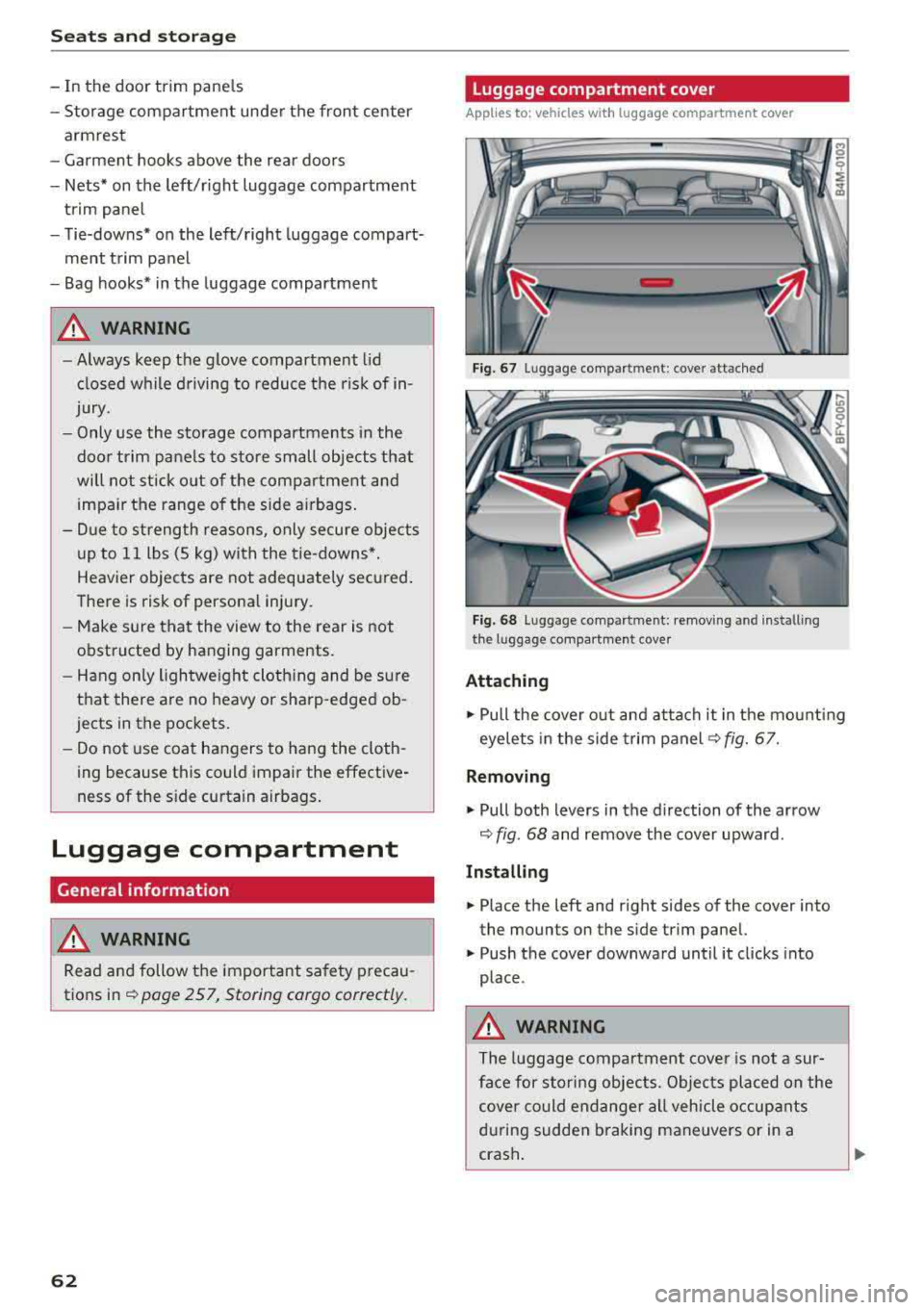
Fig. 67 Lugga ge compar tme nt: c ove r attac hed
Fi g. 68 Lu gga ge compartme nt: remov ing and ins tall ing
t he lu ggage com part ment c ove r
Attaching
.,. Pull the cover o ut and attach it in the mo unt ing
eyelets in the side trim panel
q fig. 67.
Removing
... Pull both levers in the direction of the arrow
q fig . 68 and remove the cover upward.
Installing
... Place the left and right sides of the cover into
the moun ts on the s ide trim panel.
... Push the cover downward until it clicks into
place .
A WARNING
The luggage compar tment cover is not a sur
fa ce for sto rin g objec ts. O bjects pl aced on the
cover could endange r a ll veh icle occup ants
d ur ing sudden braking maneuvers or in a
crash .
-
Page 76 of 392

Drivin g
engaged, for examp le when you notice that the
next traffic light is red . This produces an engine
braking effect, which helps to protect the brakes
and tires and reduces the emissions and fuel con
sumpt ion to zero (fuel shut-off during decelera
tion) .
Shift effici entl y
Upshifting earlier is an effective way to save fuel.
Staying in a gear too long uses fue l unnecessari
ly .
Press down on the acce lerator peda l slowly and
avoid "kick -down".
Avoid full acceleration
You shou ld rare ly t ravel at the maximum vehicle
speed. High speeds cause a d isp ropor tionately
high increase in fuel consumption, emissions and
traffic noise . Driving more slowly saves fue l.
Reduce idling time
The Start/Stop system* helps to reduce the idling
time automatically. In vehicles witho ut the Start/
Stop system* , it is
efficient to switch the eng ine
off when stopped at rai lroad crossings and long
red lights . Stopping the engine for
30 -40 sec
onds already saves more fu el than the amount of
extra fuel needed to restart the engine.
It t akes a very long time in idle to wa rm the en
gine up to operating temperature . Wear and
emissions are especially high in the warm -up
phase. Therefore, you should begin driving im
mediately after starting the engine. Avoid high
RPMs while do ing th is .
Ha ve mainten anc e performed regularly
By having maintenance performed regu lar ly on
your veh icle, you can he lp to reduc e fuel con
sumpt ion before you even start to dr ive. The
maintenance condition of your vehicle not only
affects traffic safety and long -term value but al
so impacts fuel consumption . A poorly main
tained engine can lead to fuel consumpt ion that
is
1 0% hi gher tha n normal.
74
Avoid short trip s
The engine and exh aust clean ing system mus t
reach their optima l operating temperature to ef
fective ly reduce consumption and emissions.
A cold engine uses a d isp roportionately high
amoun t of fue l. The eng ine re aches opera ting
temperat ure and cons umption norma lizes on ly
after approximate ly 2.5 mi les (4 km) .
Check the tire pressure
To save fue l, ma ke sure the t ires are always in
flated to the correct
press ure~ page 335. The
fuel consumpt ion can increase by
5% if the pres
sure is on ly
0 .5 bar too low. Due to t he increased
rolling resistance, low tire pressures wi ll also
l ead to greater tire wear and will affect driving
behavior.
Do not drive on winter tires year -round, as this
will consume up to
10% more fue l.
Eliminat e unnecessary weight
Since eve ry po und of ext ra weight increases f uel
consump tion, a quick inspec tion of the luggage
compartment may be worth it to avoid unneces
sary weight .
When not be ing used , a roof rack sho uld be re
moved to decrease the w ind resis tance of the ve
hicle . This will save you approx imately
12% fue l
at speeds from
6 2 -75 mph (100 -120 km/h) .
Save energy
The eng ine d rives the generator, which generates
electr ic ity; the f uel consumpt ion also inc reases
wi th the demand for e lec tricity . T he refore, sw itch
electrica l eq uipment o ff when you no longe r
need it . Examples of eq uipment that uses a lot of
energy are air blowers at a high setting, the rear
window defogger and seat heating* .
@ Note
Do not leave engine idling unattended after
starting. If warning lights s houl d come on to
i ndicate improper operation, they would go
unheeded. Extended idling also produces
h eat, which could result in overheating or
other damage to the veh icle or othe r proper
ty .
Page 93 of 392
u co .... N r--N .... 0 <( 0 00
Releasing the parking lock using th e
e m erg enc y re leas e
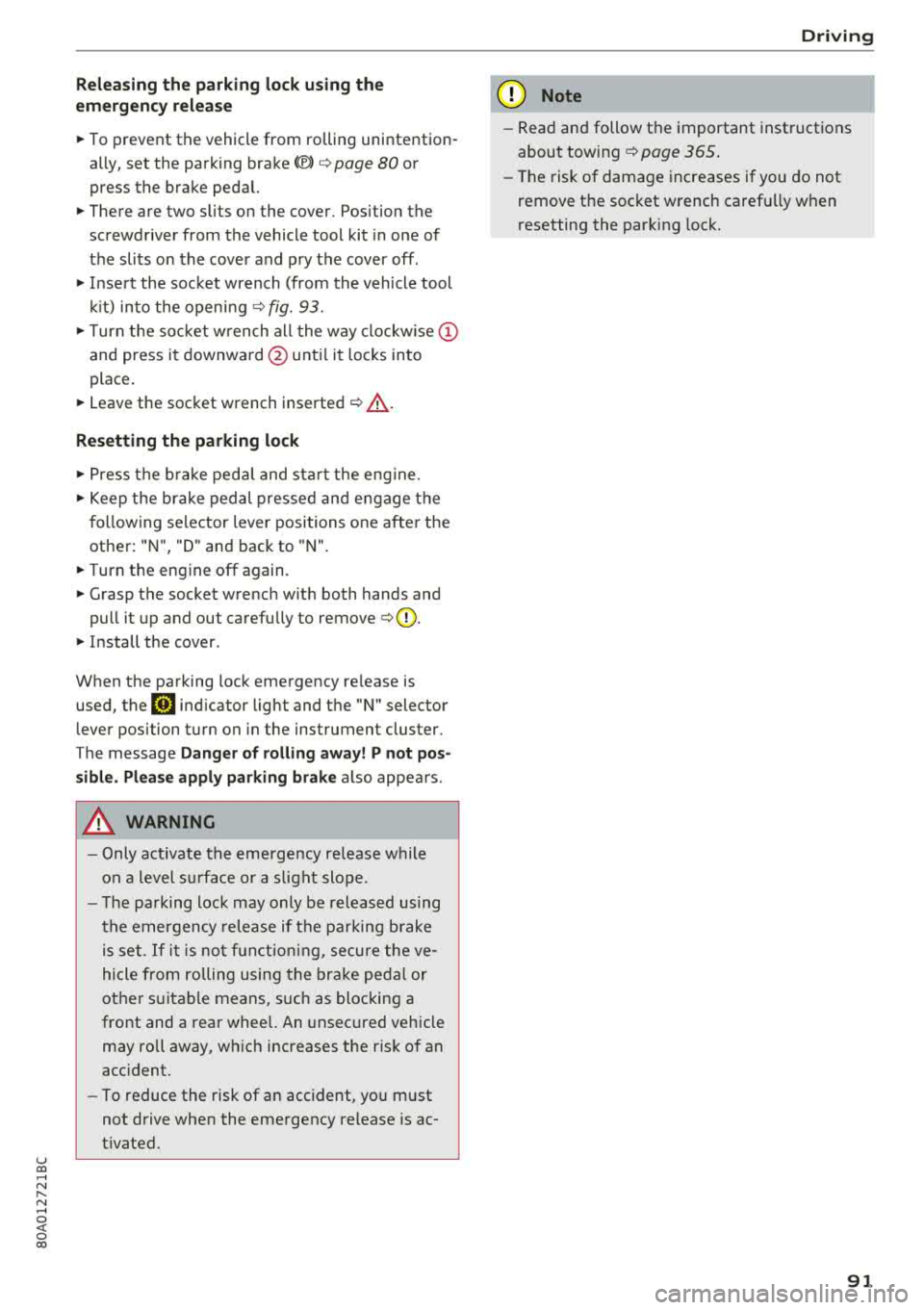
~ To prevent the vehicle from ro lling unintention
ally, set the parking brake(®}
c> page 80 or
press the brake pedal.
~ There are two slits o n the cover . Position the
screwdriver from the vehicle tool kit in one of
the slits on the cover and pry the cover off .
~ Insert the socket wrench (from the vehicle tool
ki t) into the openi ng
c> fig. 93.
~ T urn the soc ket wrench all the way clockw ise (!)
and press it downward @unti l it locks into
place .
~ Leave the socket wrench inserted i::> .&_.
Re setting the parking lock
~ Press t he b rake peda l and sta rt the eng ine.
~ Keep the brake pedal pressed and engage the
f o llowing se lector lever positions one afte r the
other : "N", "D" and back to "N" .
~ Turn the engine off again .
~ Grasp the socket wrench w ith both hands and
pull it up and out carefully to remove
c> (D .
~ Install the cover .
When the parking lock emergency re lease is
used, the
[O] ind icator light and the "N" selector
lever position turn on in the instrument cluster.
The message
D ang er of rolling a way! P not pos
s ible . Plea se apply parking brake
also appears .
A WARNING
-Only activate the eme rgency re lease while
on a level s urface o r a s light slope.
- T he pa rking lock may only be released us ing
the emergency release if the parking brake
is set.
If i t i s no t fu nct ion ing, secure the ve
hicle from rolling using the brake ped al or
ot her s uitab le means, such as blocking a
front and a rear whee l. An unsec ured vehicle
may roll away, wh ich increases the r isk of an
acc ident.
- To reduce the risk of an accident, you m ust
not drive when the emergency re lease is ac
t ivated.
-
Driving
@ Note
- Read and follow the important instructions
about
tow ing ¢ page 365 .
-The risk of damage increases if yo u do not
remove the socket wrench caref ully w hen
resetting the parking lock.
91
Page 117 of 392
u co .... N ,..._
N .... 0 <( 0 00
this. H ave an authorized A udi deale r or a u
thorized A udi Service Faci lity check their func
tion.
(D Tips
-The pre sense rear functions switc h off
when towing a trai ler .
-The pre sense rear functions may also
switch off if there is a malfunction in the
side assist* system.
Audi pre sense city
A ppl ies to: ve hicles w ith Audi p re se nse c ity
D esc ription
Wit hin the limits of the system, pre sense city
can warn you of impending coll is ions w ith
ve hicles and pedestrians and initiate the applica
b le brak ing maneuver if needed. Pre sense city is
active at speeds of approximate ly 6 mph (10 km/
h) and h igher .
A pedestrian warning can occu r at speeds up to
SO mph (85 km/h), and vehicle warn ings ca n oc
cur at speeds up to 155 mph (250 km/h) . A pre
sense city braking maneuver is poss ible at speeds
up to SO mph (85 km/h).
Warnings
The system recogni zes var ious dangerous situa
tions . The
early warning occurs if:
-a vehicle driving ahead brakes s uddenly
-yo ur own vehicle approaches a significantly
s lower vehicle or stationary vehicle in the direc
t ion of travel
-a pedestrian is standing in the lane or is moving
into the lane
When t his wa rn in g oc curs, it may on ly be poss i
b le to avoid a co llision by swerv ing or braking
strong ly . T he message
Audi pre sense.
~ page 113, fig . 113 and a warning tone will
warn you about the danger .
Addit iona lly, a jerk on the brakes may occur as an
acute warning when there is an impending colli
sion. If you do not react to the acut e warning, pre
sense city can brake to the point of comp lete de
celerat ion w it hi n the lim its of the system. This
A ss istance systems
red uces the vehicle speed in the event o f a co lli
sio n. The message
Audi pre sense. also ap
pears .
T he following fu nctions a re trigge red in con junc
t ion w it h pre sense bas ic/rear :
-Reversible tens ion ing of the front safety belts
-Clos ing the windows and sunroof*
Audi drive select*: the function is not act ive de
pending on the mode selected.
A WARNING
-
-Pre sense city ca nnot overcome the laws of
p hys ics .
It is a sys tem designed to ass ist and
it cannot preven t a coll is io n in every circ um
s tance . The dr iver m ust a lw ays in terve ne.
T he d rive r is always responsible fo r brakin g
a t t he co rre ct time . Do not let the in cr eased
safety prov ided tempt you into taking r isks.
This could inc rease your r is k of a col lision .
-The system can dep loy incorrectly due to
system -specific limits.
-T o redu ce the r is k of an accident, please
note that the camera does not a lways detect
eve ry o bject.
-Pre sense city does not reac t to an ima ls,
crossing or oncoming ve hicles, objects such
as bars, ra ilings or railcars, and ob jects that
are difficult to detect
c> A in General infor
mation on page 103.
-In trailer mode, the bra king behavior o f the
tra ile r can be d ifferent than usual du ring au
tomatic braking.
A WARNING
--
Pre sense city may be restr icted or not ava ila
b le in the fo llow ing example s ituations:
-in heavy fog, ra in, spray, or snow
- when there are v isua l obst ruct ions, such as
g lare, reflections or variations in light
-when it is dar k
-if the camera window or the windshield is
d irty, iced over, damaged or cove red
-when dr iv ing o n snow, ice o r loose groun d
-in c urve s
-if the ESC was rest ricted or sw itched off
-when towing a trailer
115
Page 127 of 392
u co ..... N r--N ..... 0 <( 0 00
(D Tips
-You can cancel the automatic brake activa
tion w ith increasing braking fo rce if you ap
ply the brakes yourse lf or accelerate cons id
erab ly.
- In some situations, rea r cross-traffic assist
may warn you even if there is no cross traffic
i n a cr itical area , for examp le when back ing
i nto a parking space or maneuver ing .
- The rea r cross-traffic ass ist also switches off
when you switch off the ESC.
- The system is not available when towing a
trailer.
Messages
Applies to: vehicles with Audi side assist
A message appears in the inst rumen t cluste r dis
p lay if the s ide ass ist swi tches off automatically .
@t Audi side assist: malfunction! Please contact
Service
@j Audi side assist and exit warning: malfunc
tion! Please contact Service
The system cannot guarantee that it w ill detec t
ve hicles co rrectly a nd it has sw itched off. The
sensors have been mov ed o r are faulty. Have t he
system checked by an a uthori zed Audi dea ler or
author ized Audi Se rvice Facility soon.
@j Audi side assi st: cur rently unavailable. Sen
sor vision restricted due to surroundings . See
owner 's manual
e, Audi side as sis t and e xit warning: currently
unavailable. Sensor vision restricted due to sur
roundings
The rad ar senso r vis io n i s impa ire d. The area in
fron t of the senso rs must no t be covered by b ike
rac ks, st ic kers, leaves, snow or any othe r ob jects.
C lea n the area i n front of th e sensors, if necessa
ry¢ page 121, fig. 121.
e, Audi side as sis t: currentl y unavailable. See
owner 's manual
et Audi side a ssist and exit warning : currently
unavailable. See owner 's manual
A ss istance systems
S id e ass ist cannot be switched on at this time be
ca use there is a ma lfunction (for example, the
batte ry c harge leve l may be too low).
et Audi side assist : unavailable in towing mode
e, Audi side assist and exit warning: currently
unavailable . Towing mode
S ide ass ist switches off automatically when the
electrica l connec to r i n t he factory-installed t rail
er hitch is connec ted . There is no guarantee the
syste m will sw itch o ff when us ing a ret rofitted
t railer h itch . Do no t use side a ssist an d the ex it
war nin g when tow ing a tra ile r.
Ill Rear parking aid: obstacle detect ion restrict
ed
The rear cross-traffic ass ist is not available . E i
ther the ESC is sw itched off, or the rada r senso rs
may be cove red by a b ike rac k, st ic ke rs , leaves,
snow o r othe r objects . Swit ch the ESC on, o r
cl ea n the area in fron t of the senso rs if necess ary
¢page 12 1, fig . 12 1. If thi s message con tinues
to be displayed, dr ive imme dia tely to an author
ized Audi dea ler or author ized Audi Service Facili
ty to have the ma lf u nction repaired.
Audi drive select
Introduction
Applies to: vehicles with Audi drive select
Dr ive sele ct m akes i t possible to exper ien ce d if
f erent types of vehi cle se ttings in one veh icle.
Yo u can select the driv in g modes
Offroad* or
Lift / Offroad *, Allroad* , Comfort , Auto and Dy
namic
i n the Infota inme nt system, fo r example
to switch from a spo rty to a comfo rtable d riving
mode. In the
Individual mode, the settings can
be adjusted to you r persona l preferences. This
makes it possible to combine sett ings such as a
spo rty engine setting wi th light steer ing .
Description
Applies to: vehicles with Audi drive select
The following systems, among ot her th ings, a re
in fluenced by dr ive se lect:
.,.
125