lights AUDI Q7 2009 Owner´s Manual
[x] Cancel search | Manufacturer: AUDI, Model Year: 2009, Model line: Q7, Model: AUDI Q7 2009Pages: 426, PDF Size: 97.13 MB
Page 25 of 426

Malfun ction in the ele ctroni c diff erential lo ck (EDL )
The EDL wor ks to get her w ith t he ABS . T he ABS warn ing l ig ht will
come on if there is a ma lfunction in the EDL system=> page
290. See
you r author ized Aud i dea ler as soon as poss ible.
& WARNING
• If the J.. S (USA models l/ .J (Canada models ) warning light
does not go out , or if it comes on while driving , the ABS system is
not working properly. The vehicle can then be stopped only with
the standard brakes (without
ABS) . You will not ha ve the protec
tion ABS provides. Contact your authorized Aud i dealer as soon a s
possible.
• USA model s: If the
BRAKE warning light and the B" warning
light come on together , the rear wheel s could lock up fir st under
hard braking . Rear wheel lock-up can cause loss of vehicle control
and an acc ident. Have your vehicle repaired immed iately by your
authorized Audi dealer o r a qualified workshop . Drive slowly and
avoid sudden , hard br ake applications .
• Canada models: If the brake warning light ID and the ABS
warning light come on together, the rear wheels could lock up
first under hard br aking . Rear wheel lock-up can cause loss of
vehicle control and an accident. Have your vehicle repaired imme
diately by your authorized Audi dealer or a qualified workshop .
Drive slowly and avoid sudden , hard brake applications. •
Parking brake
~E (USA models) /(®) (Canada models)
T he in dicat or li ght m onito rs the parking broke.
When the park ing brake is app lied and the ignition is switched on,
the indicator lig ht comes on
©l . The indicator light must go out
whe n the park ing brake is released. •
Controls and equip
ment
Instruments and warning /indi cator lights
Brake system BRAKE (USA models ) /(©) (Canada
models)
T he warning/indicator light fl ashe s if br oke flui d level is
low, if there is on A BS sys tem m alfunc tion o r a parkin g
br oke malfunction.
The lig ht illu min a tes w hen the igniti on is tur ned o n. I t goes out after
the engine has been started. Th is indicates that the brake warning
ligh t is functioni ng prope rly.
If the br ake warning light does not light up when the engine is
cranking , there may be a malfunction in the electrical system . In this
case , contact your Audi dealer .
I f the brake system warning/indicator light f lashes, there is a brake
sys tem malfunc tion. By p ressing t he
I CHECK ] button, you can br ing
up a driver message which explains the malfunction in more detail
=> page
32.
If the ABS fa ils, t he ABS warn ing/i ndicator light,.. (USA
mode ls)/ (Canada mode ls) flashes together with the brake system
warn ing/ind icator light~ .&,.
(USA models): If the warning light
BRAKE and the warning light,,.
il lumina te toge the r, im media tely co ntact y our auth orized Au di
dea ler or qua lified workshop to have all brake pads inspected
~ page 37.
W hen the l ight comes on, an audib le warni ng signal is a lso given.
& WARNING
• USA model s: If the BRAKE warning light and the warning
light come on together, the rear wheels could lock up first under
hard b raking . Rear wheel lock -up can cause loss of vehicle control
and an accident . Have your veh icle repaired immediately by your
authorized Audi dealer or a qualified workshop. Drive slowly and
avoid sudden , hard brake appli cations . .,_
I • •
Page 26 of 426

Instruments and warning/indicator lights
& WARNING (continued)
• Canada models: If the brake warning light «D> and the ABS
warning light come on together, the rear wheels could lock up
first under hard braking . Rear wheel lock-up can cause loss of
vehicle control and an accident. Have your vehicle repaired imme diately by your authorized Audi dealer or a qualified workshop .
Drive slowly and avoid sudden, hard brake applications.
• If the brake warning/indicator light does not go out after a few
seconds and the parking brake released, or lights up while you are
driving, the fluid level in the brake fluid reservoir is too low . If you
believe that it is safe to do so, proceed immediately at low speed
to the nearest authorized Audi dealer or qualified repair facility
and have the brake system inspected.
• Always keep in mind that after several brake applications, you
will need greater pressure on the brake pedal to stop your vehicle. Do not rely on strained brakes to respond with maximum stopping
power in critical situations. You must allow for increased braking
distances . The extra distance used up by fading brakes could lead
to an accident. •
Page 29 of 426

Digital speedometer
Fig. 11 Display: Digital
speedometer
Current speed appears in the display . Speed is shown in 1 mph
measures (USA models) or 1 km/h measures (Canada models).
You can switch the display from miles to kilometers and vice versa
via the MMI. •
Open door or trunk lid warning
The pictogram alerts you when doors or the rear lid have
been left open.
Fig . 12 Display: open
door or rear
lid
warning
With the ignition switched on, the open door or rear lid warning illu
minates when at least
one door or the hood or the trunk lid is not
Con tro ls and eq uip
ment
Driver information display
closed. The symbol also shows you which door(s) or lid is not
closed.
In the illustration=> fig. 12 it is the driver's door, the left rear door
and the rear lid. As soon as all the doors, the hood, the rear lid and
the fuel filler cap are properly closed, the door and rear lid warning
turns off and the Driver Information System functions selected are
displayed again .•
Defective light bulb warning
The defective light bulb warning tells you when a vehicle
light bulb has become defective.
Fig. 13 Display: defec
tive light bulb warning
The defective light bulb warning monitors the function of the light
bulbs . If this symbol illuminates, a brake light, a turn signal (front
or rear), a headlight, the backup light, a fog light or a rear fog light
has failed.
& WARNING
• Light bulbs are pressurized and could explode while they are
being changed causing serious personal injury.
• Work with due care when handling the high-voltage section of
gas discharge (xenon) lights. Failure to do so could result in death
or serious injury . ..,
Vehicle care I I Technical data
Page 34 of 426

Driver information display
• Speed warnings threshold 1 8 (USA modelsl/8 (Canada
models) and threshold
2 e , (USA modelsl/ 8 (Canada models) are
also shown as red symbols. The warning is always shown as a small
symbol in the upper area of the display=>
page 38. •
Alternator malfunction 0
If the O symbol in the instrument panel display flashes, then there
is a malfunction in the alternator or the vehicle electronics. A
warning to the driver will appear, too. The driver warning goes out
after about
5 seconds, but it can be brought up at any time by
pressing the
( CHECK ] button again.
Usually, you can still drive to the next dealership. Turn off all but the
most necessary electrical consumers, since these drain the vehicle's
battery.
0 Note
If the _t warning symbol (coolant system malfunction) also lights
up on the instrument panel during the trip=>
page 33, then you
have to stop immediately and turn off the engine. The coolant pump
is not working anymore -danger of damage to the engine! •
Brake system malfunction
A malfunction in the brake system must be repaired as
soon as possible.
If the warning/indicator light BRAKE (USA models)/ (©)
(Canada models) in the instrument cluster flashes, there is
a brake system malfunction. By pressing the [ CHECK]
button, you can bring up a driver message which explains
the malfunction in more detail.
Stop vehicle and check brake fluid level
-Pull off the road.
- Stop the vehicle.
- Turn off the engine.
- Check the brake fluid level=>
page 341.
-Contact your nearest authorized Audi dealer or qualified
workshop if necessary.
Warning! Fault in ABS brake system. Contact
workshop
- Drive carefully to the nearest authorized Audi dealer or
qualified workshop and have the malfunction corrected
=> & .
If the ABS system malfunctions, the ABS warning/indicator light illu
minates together with the brake system malfunction warning/indi
cator light=>& .
& WARNING
• Always observe the warnings in => page 324, "Engine compart
ment", before opening the hood and checking the brake fluid .
• Driving with low brake fluid is a safety hazard. Stop the car and
get professional assistance .
• USA models: If the BRAKE warning light and the .-..-warning
light come on together, the rear wheels could lock up first under
hard braking. Rear wheel lock-up can cause loss of vehicle control
and an accident . Have your vehicle repaired immediately by your
authorized Audi dealer or a qualified workshop. Drive slowly and
avoid sudden, hard brake applications.
• Canada models: If the brake warning light
warning light come on together, the rear wheels could lock up
first under hard braking. Rear wheel lock-up can cause loss of _.,
Page 35 of 426
& WARNING (continued)
vehicle control and an accident. Have your vehicle repaired immediately by your authorized Audi dealer or a qualified workshop.
Drive slowly and avoid sudden, hard brake applications. •
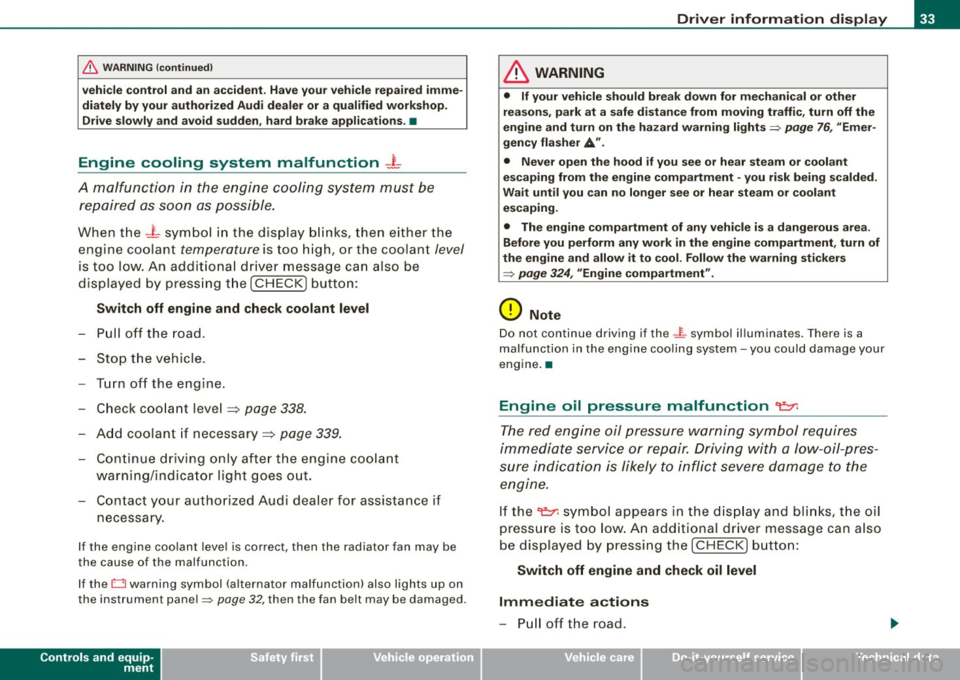
Engine cooling system malfunction -L
A mo/function in the engine cooling system must be
repaired as soon as possible.
When the _ t symbol in the display blinks, then either the
engine coolant temperature is too high, or the coolant level
is too low. An additional driver message can also be
displayed by pressing the [ CHECK] button:
Switch off engine and check coolant level
- Pull off the road .
- Stop the vehicle.
- Turn off the engine.
- Check coolant level => page 338.
- Add coolant if necessary => page 339.
- Continue driving only after the engine coolant
warning/indicator light goes out.
- Contact your authorized Audi dealer for assistance if
necessary.
If the engine coolant level is correct, then the radiator fan may be
the cause of the malfunction.
If the O warning symbol (alternator malfunction) also lights up on
the instrument panel~
page 32, then the fan belt may be damaged .
Controls and equip
ment
Driver information display
& WARNING
• If your vehicle should break down for mechanical or other
reasons, park at a safe distance from moving traffic, turn off the
engine and turn on the hazard warning lights
~ page 76, "Emer
gency flasher
A".
• Never open the hood if you see or hear steam or coolant
escaping from the engine compartment -you risk being scalded.
Wait until you can no longer see or hear steam or coolant
escaping.
• The engine compartment of any vehicle is a dangerous area.
Before you perform any work in the engine compartment, turn of
the engine and allow it to cool. Follow the warning stickers
~ page 324, "Engine compartment".
0 Note
Do not continue driving if the _f_ symbol illuminates. There is a
malfunction in the engine cooling system -you could damage your
engine. •
Engine oil pressure malfunction "l::;r.
The red engine oil pressure warning symbol requires
immediate service or repair. Driving with a low-oil -pres
sure indication is likely to inflict severe damage to the
engine.
If the 'l::::11 symbol appears in the display and blinks, the oil
pressure is too low. An additional driver message can also
be displayed by pressing the [CHECK] button:
Switch off engine and check oil level
Immediate actions
- Pull off the road.
I • •
Page 38 of 426
Driver information display
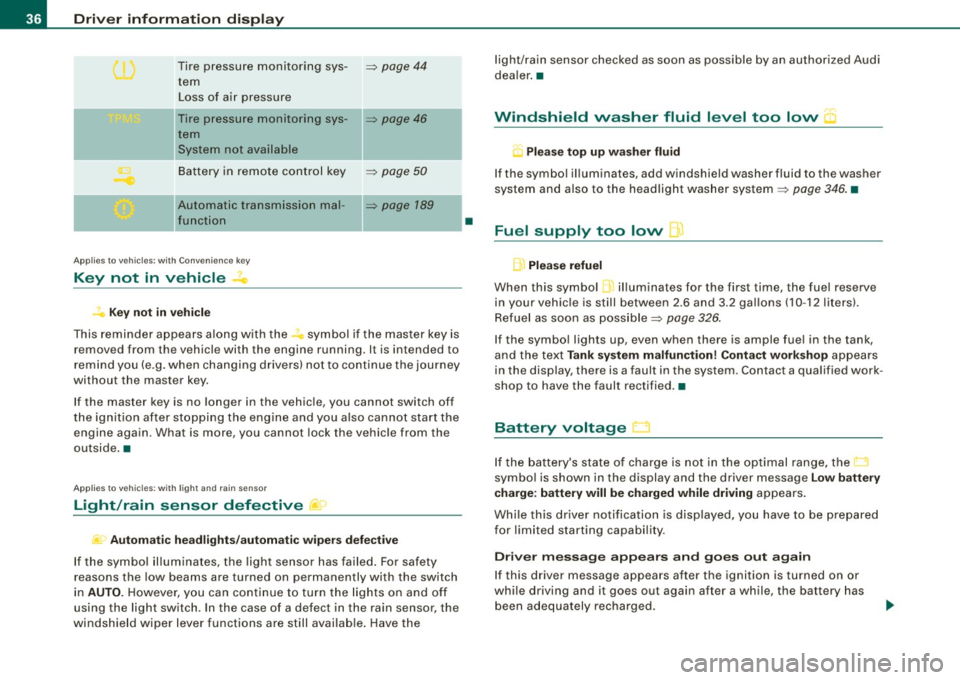
Tire pressure monitoring sys-=> page 44
tern
Loss of air pressure
- -
Tire pressure monitoring sys-=> page 46
tern
System not available
Battery in remote control key
=> page 50
- -
Automatic transmission mal-=> page 789
function
Applies to veh icles: with Conven ience key
Key not in vehicle
? Key not in vehicle
This reminder appears along with the -symbol if the master key is
removed from the vehicle with the engine running. It is intended to
remind you (e.g. when changing drivers) not to continue the journey
without the master key.
If the master key is no longer in the vehicle, you cannot switch off
the ignition after stopping the engine and you also cannot start the
engine again. What is more, you cannot lock the vehicle from the
outside. •
Applies to vehicles: w ith light and ra in sensor
Light /rain sensor defective )
Automatic headlights/automatic wipers defective
If the symbol illuminates, the light sensor has failed. For safety
reasons the low beams are turned on permanently with the switch
in
AUTO. However, you can continue to turn the lights on and off
using the light switch . In the case of a defect in the rain sensor, the
windshield wiper lever functions are still available. Have the
•
light/rain sensor checked as soon as possible by an authorized Audi
dealer. •
Windshield washer fluid level too low "'·
Q Please top up washer fluid
If the symbol illuminates, add windshield washer fluid to the washer
system and also to the headlight washer system=>
page 346. •
Fuel supply too low I]
Please refuel
When this symbol ...1 illuminates for the first time, the fuel reserve
in your vehicle is still between 2.6 and 3 .2 gallons (10 -12 liters) .
Refuel as soon as possible=>
page 326.
If the symbol lights up, even when there is ample fuel in the tank,
and the text
Tank system malfunction! Contact workshop appears
in the display, there is a fault in the system . Contact a qualified work
shop to have the fault rectified. •
Battery voltage
If the battery's state of charge is not in the optimal range, the
symbol is shown in the display and the driver message
Low battery
charge: battery will be charged while driving
appears.
While this driver notification is displayed, you have to be prepared
for limited starting capability.
Driver message appears and goes out again
If this driver message appears after the ignition is turned on or
while driving and it goes out again after a while, the battery has
been adequately recharged.
Page 40 of 426

Driver information display
When this symbol illuminates, it means that Adaptive Light is
defective . Go to an authorized Audi dealer to have the headlights or
the control unit for the Adaptive Light repaired.•
Ignition lock malfunction ~
If the symbol in the display comes on, there is a malfunc-
tion in the e lectronic ignition lock. An additional driver
message can be displayed by pressing the [ CHECK) button:
Ignition lock defective
-Drive to an authorized Audi dealer or qualified workshop
at your earliest convenience to have the malfunction
corrected. •
Windshield wipers faulty --->
....... Windscreen wiper defective !
When this symbol ' illuminates, it means that the electronics for
the windshield wipers are defective. P lease go to an authorized Audi
dea ler or qua lified workshop to have the windshield wiper system
repaired .•
Speed warning system
Overview
The speed warning system helps you to keep your driving
speed below a set speed limit.
The speed warning system warns the driver if he exceeds a previ
ously stored maximum speed. A warning tone wi ll sound as soon as the vehicle speed exceeds the set speed by about 3 mph (3 km/h). At
th
e same time, a warning symbol appears in the display.
The speed warning system has
two warning thresholds that func
tion independently of each other and that have somewhat different
purposes:
Speed warning 1
You can use speed warning 1 to set the maximum speed while you
are driving. This setting will remain in effect until you turn off the
ignition, assuming that you have not changed or reset the setting.
Th e speed warning symbol
9 (USA models)/ 8 (Canada models) in
the warning 1 display appears when you exceed the maximum
speed . It goes out when the speed falls below the stored maximum
speed.
The speed warning symbol will also go out if the speed
exceeds the
stored maximum speed by more than about 25 mph ( 40 km/h) for at
least 10 seconds. The stored maximum speed is deleted.
Setting speed warning 1
~ page 39 .
Speed warning 2
Storing warning 2 is recommended if you always want to be
reminded of a certain speed, for example when you are traveling in
a country that has a general maximum speed limit, or if you do not
want to exceed a specified speed for winter tires.
The speed warning 2 symbol,
8, (USA modelsl/ 8, (Canada models)
appears in the display when you exceed the stored speed limit.
Un like warning 1, it wil l not go out unti l the vehicle speed drops
below the stored speed limit.
Setting speed warning 2
~ page 39.
[ i ] Tips
Even though your vehicle is equipped with a speed warning system,
you should still watch the speedometer to make sure you are not
driving faster than the speed limit. •
Page 54 of 426
Openin g a nd clo sin g
When the function is switched on, the buttons for opening the rear
lid and glove compartment have no function . However, please note
the following exceptions:
E xc epti ons
If the ignition has been switched on using the master key, you can
sti ll open the glove compartment and the rear lid.
As long as the ignition is switched off, you can still open the rear lid
using the rear lid button on the
master keyc:s. The same holds true
for using the rear lid release handle in conjunction with the Conve
nience key *.
For this reason, be sure to only hand over the
valet key to the person
who wil l take charge of your vehicle .
[ i ) Tip s
Be sure to activate the function before handing over the valet key to
someone else . T he valet key only fits the lock in the driver's door and
the ignition lock .•
Power locking system
General description
The power locking system locks or unlocks all doors and
the rear lid simultaneously.
The power locking system in your vehicle incorporates the following
functions:
• Central locking function
• Selective unlock feature=>
page 55
• Remote contro l feature=> page 49
• Convenience key * => page 67
• Anti -theft alarm system=> page 63
All the doors and the rear lid are locked by the central locking
system when you lock the vehicle. You can set whether genera lly
only the driver's door or all doors and the rear lid should be
unlocked when you open the vehicle in the MMI menu
Central
lock ing
to suit your individual desires=> page 55.
Unlocking the vehicle
You can unlock the vehicle from outside either by using the remote
control or by inse rting and turning the key in the driver's door lock .
When you
unl ock your vehicle:
• The anti -theft alarm system is deactivated briefly .
• The vehicle interior lights i lluminate for approximate ly 30
seconds.
• All turn signal lights will flash twice when the car is unlocked .
• After un lock ing the vehicle, you have 60 seconds to open a door
or the rear lid . After 60 seconds, the vehicle automatically locks and
the a nti -theft a larm system activates again.
The rear lid can be locked or unlocked either by using the remote
control
or by inserting and turning the key in the driver's door lock.
Un locking the vehicle with the remote control w ill only
unlock the
rear lid, to
open it, the lid handle needs to be pressed.
L oc kin g th e vehicle
You can lock the vehic le from outside either by using the remote
control
or by inserting and turning the key in the drivers's door lock .
When you
lo ck the vehicle :
• All doors and the rear lid are locked.
• All turn signal lights will flash once when the car is locked .
• The anti-theft alarm system is activated. The horn of the anti
theft alarm system wi ll sound and the anti -theft alarm system readi
ness light, located in the upper part of the driver's door panel , wi ll
start to blink .
• The vehicle interior lights turn off.
Page 56 of 426
Opening and closing
- Press button @
two times within tw o secon ds to unlock
all doors and the rear lid .
To lock the vehicl e 6
Press button @ ~ & in "General description" on
page 52.
Watch that all turn signal lights flash once .
To unlock re ar lid only
C:J
- Press button @for approx im ate ly one seco nd.
PANIC Button Pu sh the red b utto n@ to act ivate the panic f unction. The
horn sounds and the turn signals flash .
- Pu sh the button @ again to deactiva te the panic f unc
t ion.
On vehicles wi th Convenience key* , the selector lever must be in the
P position , otherwise the vehicle cannot be locked .
& WARNING
Read and foll ow a ll WARNING S => & in "General de scription " on
page 52.
[ i ] Tips
• In o rder to make sure the locking function is working , you should
a lways keep your eye on the vehicle to make sure it is properly
locked .
• Do not use the remote control if you are inside the car, otherwise
you may unintentionally lock the vehic le, and then you would set off
the anti-theft alarm when you try to start the engine or open a door.
In case this happens anyhow, push the unlock button
0 .
• Use the panic function only if you are in an emergency
situation. •
Operating locks with the key
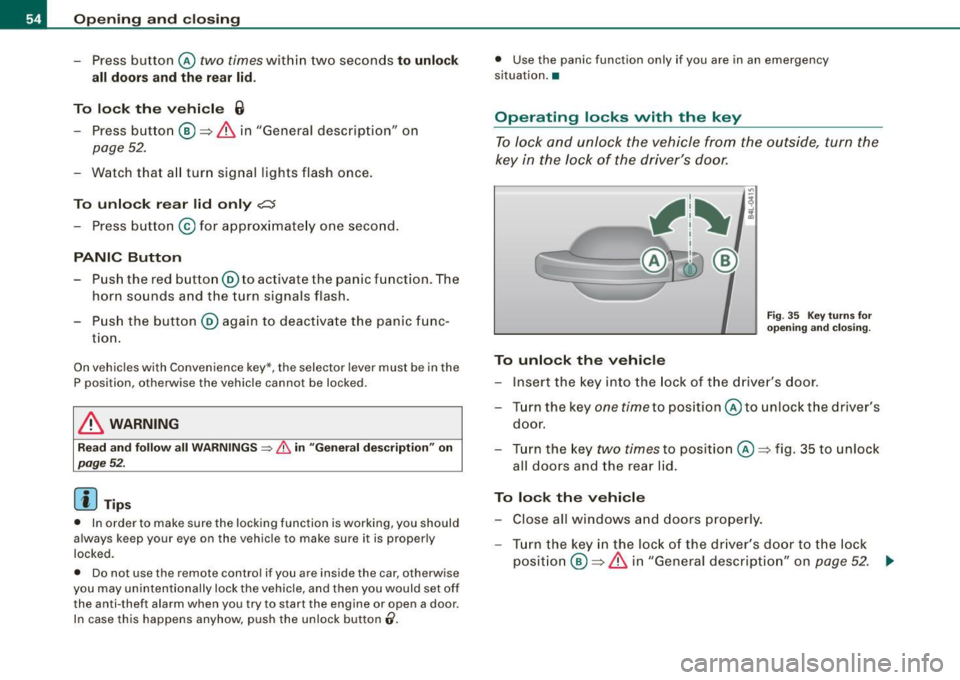
To lock and unlock the vehicle from the outside, turn the
key in the lock of the driver's door.
To unlock the vehicle
Fi g. 3 5 Key turn s for
o pening and clo sing .
-Ins ert the k ey into the lock of the drive r's door.
- T urn th e key
one time to pos iti on @ to unlock the d river's
do or.
- Tur n the key
two times to positio n @ ~fig . 35 to unlock
all doors and the rea r lid .
To lock the vehicle - Close all windows and doors properly.
- Tur n the key in the l ock of the driver's door t o th e lo ck
p o sit io n @ ~
& in "Gen eral d escri ption" on p age 52. ..,
Page 75 of 426

Clear vision
Lights
Switching the headlights on and off ·'t!-·
In the "AUTO" position, a light sensor* automatically
switches the head- and taillights on and off in response to
light conditions.
Fig. 60 Instrument
panel : light switch
The light switch must not be overturned past the stops in
either direction.
Switching on automatic headlight control
-Turn the light switch to AUTO=> fig. 60.
Switching on the side marker lights
-Turn the light switch to ~oo:.
Switching on the headlights and high beam
-Turn the light switch to ~D.
- Push the high beam lever forward towards the instru-
ment panel=>
page 77.
Contro ls and eq uip
ment
Switching off the lights
- Turn the light switch to 0. Clear vision
The headlights only work when the
ignition is switched on . While
starting the engine or when switching off the ignition, the head
lights will go off and only the side marker lights will be on.
After starting the engine, the headlights are automatically adjusted* to the load and angle of the vehicle (for example, during
acceleration, braking). This prevents oncoming traffic from experi
encing unnecessary headlight glare from your headlights.
If the system is not operating properly, a warning symbol in the
Auto -Check Control is displayed
=> page 37.
With the side marker lights or headlights switched on, the symbol
next to the light switch illuminates
coo:.
Daytime running lights
• USA models:
On vehicles with xenon lights the daytime running
lights will come on automatically when the ignition is turned on and
the light switch=> fig. 60 is in the
O position or the AUTO position
(only in daylight conditions). The
Daytime running lights function
can be turned on and off in the MMI menu
Exterior lighting
=> page 74. On vehicles with halogen fights, daytime running lights
can be activated by your authorized Audi dealer=>
f.1.
• Canada models: The daytime running lights will come on auto
matically when the ignition is turned on and the light switch
=> fig. 60 is in the O position or the AUTO position (only in daylight
conditions)
=> /.1 .
Automatic headlight control*
In the switch position AUTO the automatic headlight control is
turned on . The low beams and tail lights are turned on automatically
through a light sensor as soon as ambient brightness (e.g . when
driving into a tunnel) falls below a value preset at the factory. When ..,_
Vehicle care I I irechnical data