instrument cluster AUDI Q7 2009 Owner´s Manual
[x] Cancel search | Manufacturer: AUDI, Model Year: 2009, Model line: Q7, Model: AUDI Q7 2009Pages: 426, PDF Size: 97.13 MB
Page 166 of 426
• ..__A_ d_a...: p:,..._ ti_v _ e_ C_ ru_ is_ e_ C_ o_n_ t_ r_ o _ l ___________________________________________ _
tained. The ACC system is not switched off, and increased attention
to the traffic situation is absolutely necessary. The following may be
reasons why the message
ACC functionality limited appears:
• The ACC sensor is dirty . The ACC system is not reacting, or is not
reacting correctly, to moving vehicles up ahead in your lane of
travel.
• There may be very light traffic on and there is nothing that marks
the side of the road (for example, guard rails, traffic signs, trees). As
soon as a moving vehicle up ahead is detected again, ACC becomes
active again and the message disappears .
The ACC sensor is located behind the area to the right of the front
license pla te . If the ACC sensor is dirty or blocked, clean the area to
restore system operation.
Parking brake !
The text message Parking brake ! appears, when the parking brake
is applied. ACC is turned off. A warning tone sounds as a reminder.
Stationary object ahead
The text messag e Stationary object ahead appears, when you want
to activate the system and there is a stationary vehicle or an object
immediately in front of you.
Gradient too steep
The text message Gradient too steep appears when the maximum
gradient for proper ACC operation has been exceeded. Adaptive
Cruise Control is turned off. A warning tone also sounds as a
reminder.
ACC off: manual control!
The text message ACC off: manual control! appears after the vehicle
has been brought to a standstill by the Adaptive Cruise Control. In
this case you must depress the brake pedal to prevent the vehicle
from rolling. A warning tone sounds as a reminder .
Selector lever position!
The text message Selector lever position! appears when the
selector lever is moved to position
N. In this position, Adaptive
Cruise Control is not available. •
Applies to vehi cles : wi th Ad aptive Cr uise Co ntro l
Driver intervention prompt
The driver intervention prompt calls on the driver to take
over the situation.
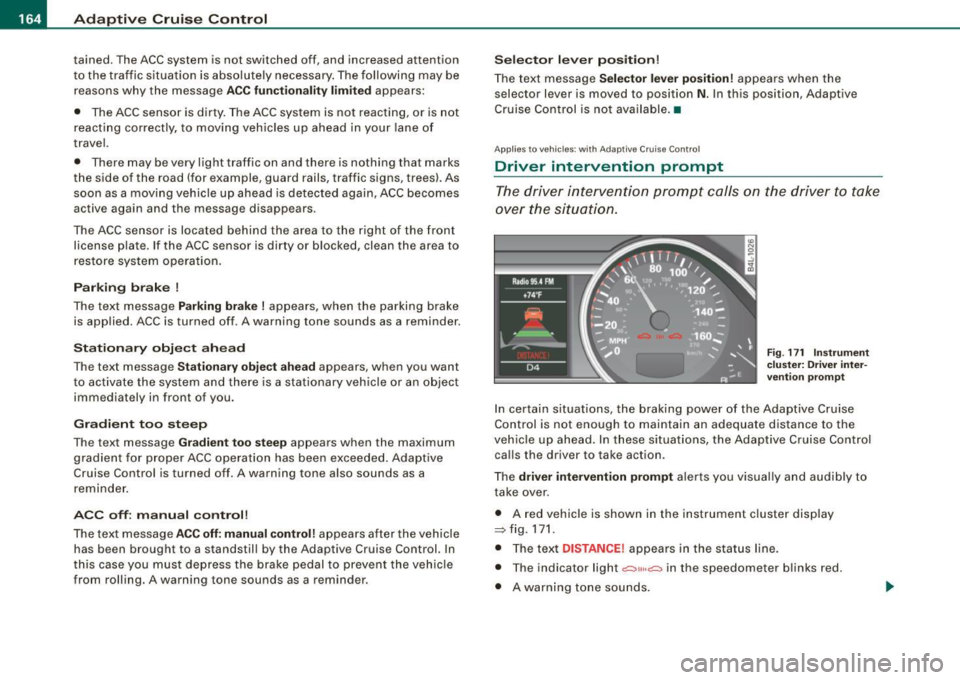
Fig. 171 Instrument
cluster: Driver inter
vention prompt
In certain situations , the braking power of the Adaptive Cruise
Control is not enough to maintain an adequate distance to the
vehicle up ahead. In these situations, the Adaptive Cruise Control
calls the driver to take action .
The
driver intervention prompt alerts you visually and audibly to
take over .
• A red vehicle is shown in the instrument cluster display
::::::,fig.171.
• The text DISTANCE! appears in the status line .
• The indicator light
.:=:,1,, ,.:=:> in the speedometer blinks red.
• A warning tone sounds.
Page 170 of 426
• .___A_ d_a_ p:- t_i v_ e_ C_ r_u _is _ e_C_ o_ n_ t_ r_ o_ l --------------------------------------------
Audi braking guard
App lies to vehicles: with Adaptive Cruise Contro l
Description
Audi braking guard warns you of a possible collision with
a moving vehicle up ahead.
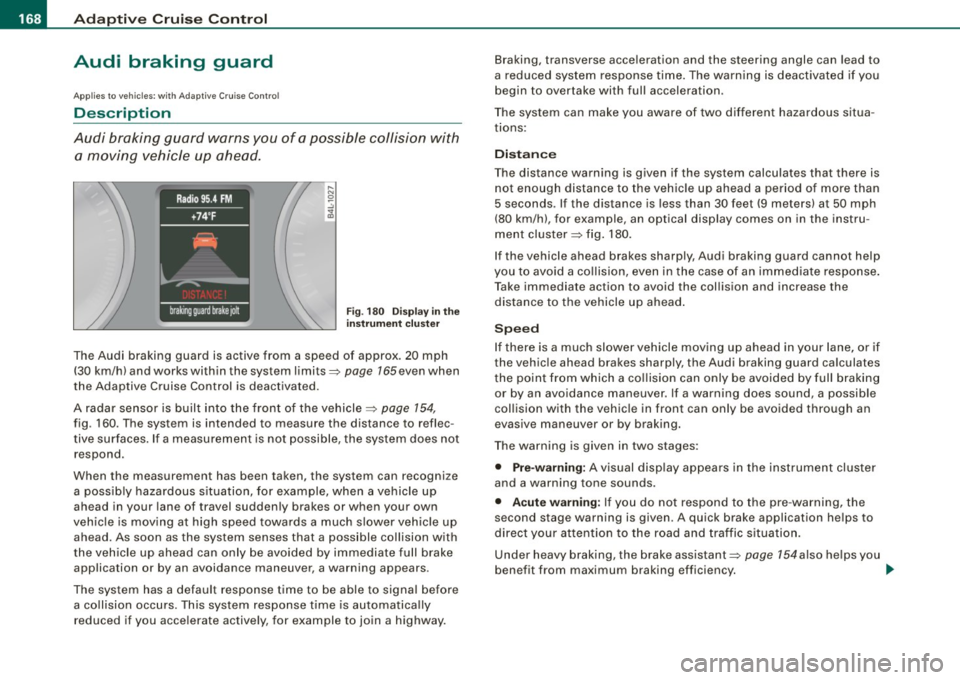
F ig. 180 Disp lay in t he
i nstrumen t cluster
The Audi braking guard is active from a speed of approx. 20 mph
(30 km/h) and works within the system limits=>
page 165 even when
the Adaptive Cruise Control is deactivated.
A radar sensor is built into the front of the vehicle=>
page 154,
fig. 160. The system is intended to measure the distance to reflec
tive surfaces. If a measurement is not possible, the system does not respond.
When the measurement has been taken, the system can recognize a possib ly hazardous s ituation, for example, when a vehicle up
ahead in your lane of travel sudden ly brakes or when your own
vehic le is mov ing at high speed towards a much s lower vehic le up
ahead. As soon as the system senses that a possible collision with
t he vehicle up ahead can only be avoided by immediate full brake
application or by an avoidance maneuver, a warning appears.
The system has a default response time to be able to signal before a co llision occurs. This system response time is automatica lly
reduced if you acce lerate actively, for example to join a highway. Braking, transverse acceleration and the steering angle can lead to
a reduced system response time. The warning is deact
ivated if you
begin to overtake with full acceleration.
The system can make you aware of two different hazardous situa
t ions:
Distan ce
The distance warning is g iven if the system calculates that there is
not enough distance to the vehic le up ahead a period of more than
5 seconds . If the distance is less than 30 feet (9 meters) at 50 mph
(80 km/h), for example, an optical display comes on in the instru
ment cluster=> fig. 180.
If the vehicle ahead brakes sharply, Audi braking guard cannot help
you to avoid a co llision, even in the case of an immed iate response .
T ake immediate action to avoid the collision and increase the
distance to the vehicle up ahead .
Speed
If there is a much slower vehicle moving up ahead in your lane, or if
the vehic le ahead brakes sharply, the Aud i braking guard calculates
t he point from which a co llision can only be avoided by full braking
or by an avoidance maneuver. If a warning does sound, a possible
collision with the vehicle in front can only be avoided through an
evasive maneuver or by braking.
The warning is given in two stages :
• Pre-warning: A visual disp lay appears in the instrument cl uster
and a warning tone sounds.
• Acut e warning : If you do not respond to the pre -warning, the
second stage warning is given . A quick brake application helps to
direct your attention to the road and traffic situation .
Under heavy braking, the brake assistant::::>
page 154also he lps you
benefit from maximum braking efficiency. _..
Page 172 of 426
• .___A_ d_a_ p:- t_iv _ e_ C_ r_u _is _ e_C_ o_ n_ t_ r_ o_ l --------------------------------------------
- Select Audi braking guard. The Audi braking guard menu
appears.
Select
Early warning on to switch the acoustic and visual
warning on or
off to switch the system off.
[ i] Tips
When handing over the keys to another person, the previous
settings are adopted if the Audi braking guard is activated
=> page 53. •
Applies to vehicles: with Adaptive Cruise Contro l
Driver's information in the instrument cluster
display
braking guard brake jolt
This message appears when the Audi braking guard applies the
brakes during a second stage (acute) warning.
braking guard off
This message appears when the system has been deactivated via
the MMI. This message also appears briefly at each beginning of a
trip if the system is switched off.
This message also appears when the system is not available
because of a malfunction or if ESP is switched to the Offroad
mode :::>
page 288. The system can no longer warn of an impending
collision. •
Page 173 of 426
Audi lane ass is t -
-------------------------
Audi lane assist
Lane assist
Applies to veh icles : with lane assist
Description
Lane a ssist helps you keep y our vehicle in your lane .
Lane assist uses a camera to detect lane boundary lines. If the
system detects that your vehicle is about to leave a lane boundary
line, the steering wheel
vibrates to alert the driver. If lane assist
detects boundary lines on both sides of the vehicle's lane, the
system enters active standby mode, which is indicated by the green
indica tor light /: on the instrument cluster .
I f the system is in active standby mode and the turn signal is acti
vated before driving ov er the boundary line, the warning does not
occur since the sys tem allows for intenti onal lane changes.
The system is designed for driving on freeways and expanded high
ways and t hus works on ly at speeds of 40 mph (65 km/h) or mo re .
& WARNING
• Lane ass ist will not k eep your vehicle in your lane. The sy stem
only warns the d riv er w hen t he vehicle i s le av ing the lan e. The
driv er is alway s re spon sible for keeping the vehicle in the lane.
• The camera is not able to d ete ct all lane boundary lines and in
s o me cases might al so dete ct lane str ucture s or objects as
boundary lines . This c an le ad to in corre ct wa rning s or warnings
that fa il to go off at all .
• The camer a's visibili ty ca n be i mpaired by vehi cle s ahe ad of
you , for instan ce, or by rain , snow , h eavy spray or li ght shining into
th e cam era lens . Thi s can ca use lane as sis t to f ail to d ete ct
boundary line s. •
Con tro ls and eq uip
ment
Ap plies to vehi cles : wi th la ne assi st
Activating and deactivating
Fig . 1 82 Turn signal
l ev er: La ne assis t
butt on
F ig . 1 83 Win dshie ld:
L ane assist ca mera
v iewing win dow
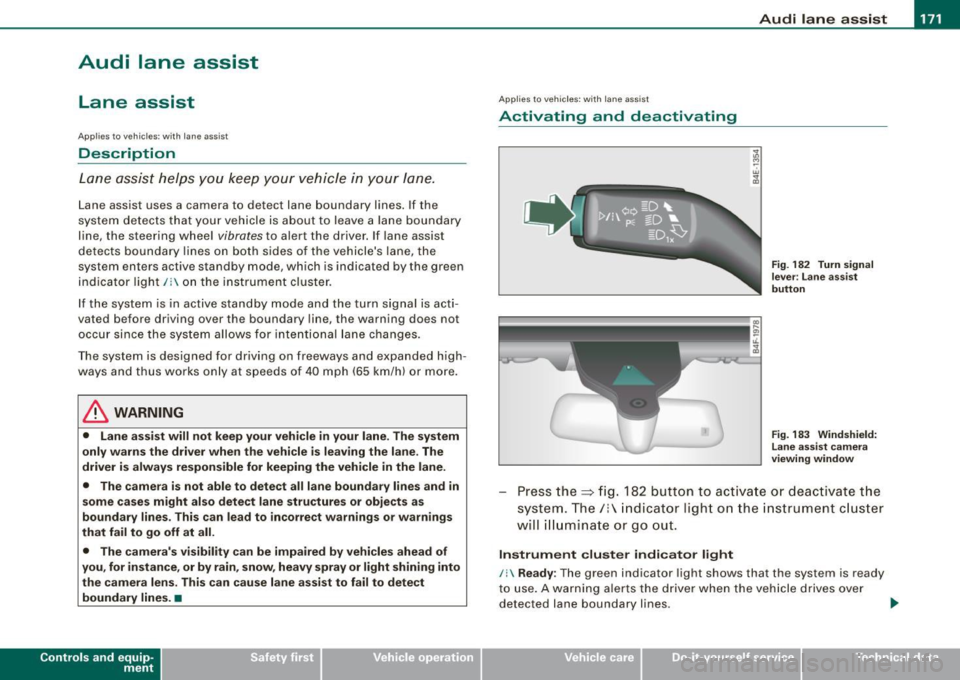
Press the :::> fig. 182 button to activa te or deactivate the
syst em . T he/ : in dica tor ligh t on t he i nstrument c luster
will illuminate or go out.
Instrument c lu ster indi ca tor light
/: Ready:
The green indicator light shows that the system is ready
to use . A warning a lerts the drive r when the veh icle drives over
dete cted lane boundary l ines. .,.
Vehicle care I I irechnical data
Page 174 of 426
-Audi lane
assist --------------------
I Not ready: The yellow indicator light shows that the system is
turned on but unable to send a warn ing. This can be due to the
following:
• There are no boundary lines, or there is on ly one boundary line
present .
• The boundary lines are not detected (e.g. due to snow, dirt, wet
conditions or light shining into the camera lens).
• More than two boundary lines (such as at construction sites) are
located in the vehicle's lane.
• The vehicle's speed is below the speed needed to activate it,
which is about 40 mph (65 km/h).
• The lane is narrower than about 8 ft . (2.5 ml, or wider than about
16 ft. (5 ml.
• The curve is too sharp.
Notes on the instrument cluster display
When the lane assist turns off automatically, the instrument cluster
indicator goes out and one of the following messages appears on
the display:
Audi lane assist not available: Currently no sensor vision
This message appears when the camera can no longer function
because it cannot detect the boundary lines. This may be due to the
following :
• The exterior s ide of the camera viewing window=>
page 171,
fig. 183 is covered with dirt or ice. Clean this part of the windshield.
• The camera v iewing window is fogged up on the inside. In this
case, wait until the fog disappears before turning lane assist on
again.
• The system was unable to detect boundary lines over an
extended period of time due to road conditions (such as snow
covered lanes). Do not turn lane assist on again until the lines can
be more easily detected.
Audi lane assist not available
A temporary malfunction is preventing lane assist from operating .
Try turning on lane assist again a t a later time.
Audi lane assist: system fault
The system should be checked by an authorized Audi dealer or other
qualified workshop .
[ i ] Tips
• Make sure that the camera viewing window:::> page 171, fig. 183
is not covered by stickers or similar objects .
• Always keep the camera viewing window clean. This can usually
be done by operating the windshield wipers. •
Applies to vehicles: with lane assist
MMI settings
You can use the MM/ to adjust the warning time and
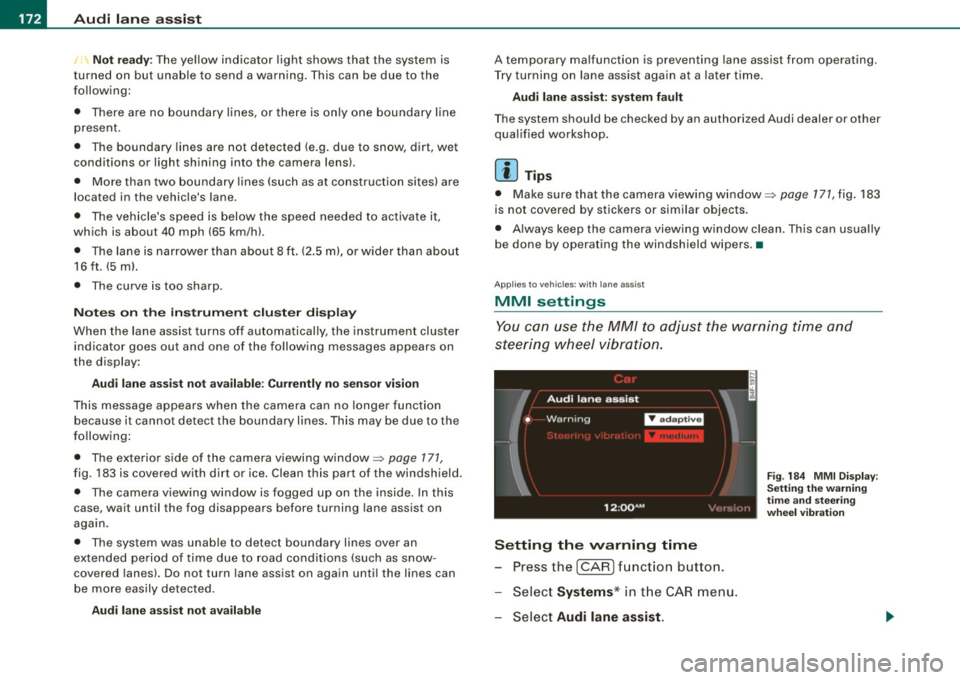
steering wheel vibration.
Setting the warning time
Press the I CAR] function button.
- Select
Systems * in the CAR menu .
- Select
Audi lane assist.
Fig. 184 MMI Display :
Setting the warning
time and stee ring
wheel vibration
Page 183 of 426
___________________________________________________ A_u_ d_i_ s_ id_e_ a_ s_s _i_s _t _ __._
Ap plies to vehicle s: with side assist
General information
Side assist has lim its and cannot detect vehic les under all road and
weather conditions. P lease remember system limitations and
never
rely on the system, especially when:
• driving through curves=>
page 181,
• lanes are of different widths=> page 181. •
Ap plie s to vehicles: with side ass ist
When driving through curves
Side assist cannot detect vehicles in curves with a turning radius of
less than 328 feet (100 m).
When driving through a curve , it is possible that side assist may
register a vehicle two lanes
over, and the signal on the outside
m irror will ligh t up .•
A pplies to vehicle s: with side ass is t
Lane width
Controls and eq uip
ment
,
' ' ' '
• •
Fi g. 19 5 Lanes o f a
n orm al w idth are in
d etec tion a re a
Fig . 19 6 Narrow l anes:
Si de ass is t m ay d etec t
v ehicle s tw o la n es
a w ay
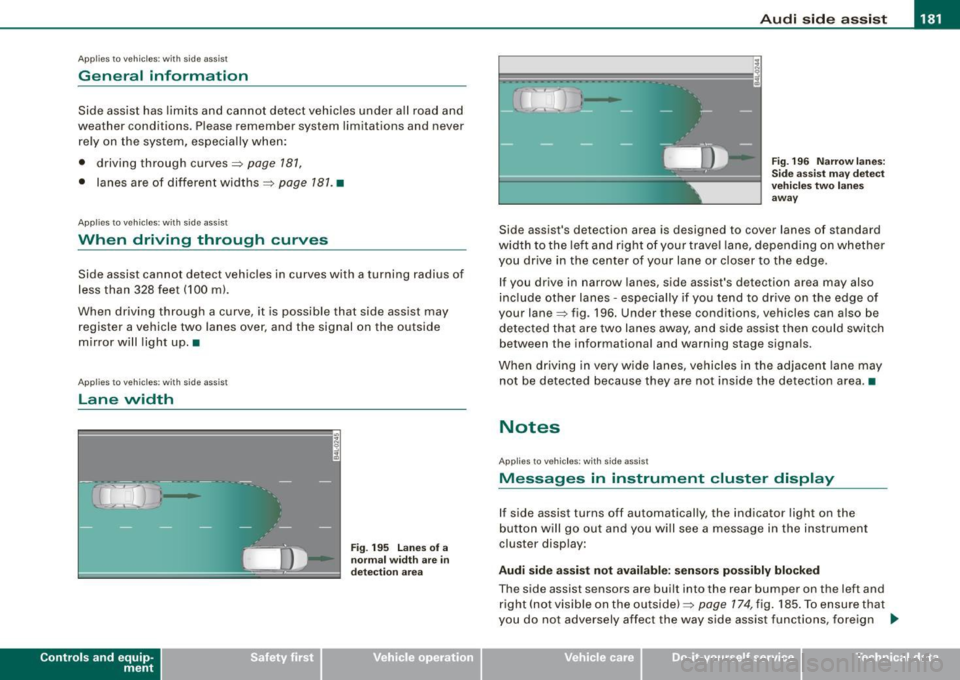
Side assist's detection area is designed to cover lanes of standard
width to the le ft and right o f your trave l lane, depending on whethe r
you drive in the center of your lane or c loser to the edge.
If you drive in narrow lanes, side assist's detection area may also
inc lude other lanes -especially if you tend to dr ive on the edge o f
your lane=> fig . 196. Under these conditions, vehicles can also be
de tected tha t are two lanes away, and s ide assist then could switch
between the informational and warning stage signa ls.
When d riving in very wide lanes, vehicles in the adjacent lane may
not be detected because they are not inside the detection area. •
Notes
Applies to veh ic les : with side assist
Messages in instrument cluster display
If side assist turns off automatically, the indicator light on the
button will go out and you will see a message in the instr ument
cluster display:
Audi side a ssist not available : sensors po ssibly blocked
The side assist sensors are built into the rear bumper on the left and
right ( not visible on the outside) =>
page 174, fig. 185 . To ensure that
you do not adversely affect the way side assist functions, foreign .,_
Vehicle care I I irechnical data
Page 187 of 426

_______________________________________________ A-- u_t :..:o _ m_ a-- ti _c __ t_r _a _n_ s-- m.,;,,;_: is:..s::.. i :..:o:.. n ---""
T he selector lever must be in Nor P. If one of the driving positions
is engaged a safety switch w ill preven t the eng ine from being
started. See also=>
page 143.
Before you move the selector lever from the P position, you must
a lways apply the brake pedal before and while depressing the
button in the hand le of the se lector lever .
_& WARNING
• Unintended v ehicle movement c an cause serious injury .
- When the selector lever i s in a driving po sition , the vehicle
ma y creep, even at idle speed . Therefore do not release the
parking brake or foot brake until you are ready to move ,
be cau se power is tran smitted to the wheel s as soon as a
driving po sition i s engaged.
- Do not accelerate while selecting a driving pos ition . At this
time the engine must be at idle speed so that undue stress is
not placed on the clut che s in the t ransmi ssion .
-Remember : - even when stopped briefly with the automatic
transmi ssion in "D ", "S " or "R ", eng ine power is being trans
mitted to the wheels. Your vehicle could "creep " forward or
b ac kwa rd . When stopped , keep the brake pedal fully depre ssed
and u se the parking brake if nece ssary to keep the veh icle from
rolling .
• If the selector lever i s unintentionally moved into N while you
are dr iving , take your foot off the ac cele rator pedal and wait for
the engine to return to idle speed before selecting a driving posi
tion .
• Never shift into "R " or "P " when the vehicle i s in motion .
• Never get out of the driver 's seat when the engine is running .
• If you mu st get out of the vehi cle , move the selector le ver
s ecurel y into the P po sition and apply the park ing brake firmly.
• If the engine must rem ain runn ing , neve r have any dr iving p osi
tion engaged when che cking under the hood . M ake sure the
s elector le ver ha s securel y engaged and i s loc ked in "P " with the
Controls and equip
ment
& W ARNING (continued )
park ing brake firmly set=> page 324 , "Engine compartment ".
Otherwi se , any increa se in engine speed may set the vehi cle in
motion , even with the parking b rake appl ied . •
Selector lever positions
T his secti on describes t he select or lever positions an d
driving ranges.
F ig . 198 D ispla y in th e
instrument clu ste r:
sele ctor lev er in pos i
ti on D
The instrument cluster display shows the current selector lever
position and current gear .
P -Park
In this selector lever pos it ion the transmission is mechanica lly
locked . Engage
P on ly when the vehicle is completely stopped=> &
in "Driving the automatic transm ission" on page 184 .
To shift in or out of position P, you must first press and hold the
brake peda l
and then press the re lease bu tton in t he se lecto r leve r
handle while moving the selector lever to or from
P . You can shift
out of this position only with the ignit ion on.
R -Re ver se
The transmission wi ll au tomatically select the lowest gear ratio
when you shift into reverse .
I • •
Page 189 of 426
_______________________________________________ A_ u_t _o _ m_ a_ t _i_ c_ t_r _a _n _ s_ m __ is_s_ i _o _ n __ !II
Autom ati c selec to r l eve r lock
The se lector lever is locked in the P and N positions when the igni
tion is turned on. To move the lever from these positions the driver
must depress the brake pedal. As a reminder to the driver, the
follow ing warning appears in the instrument cluster disp lay when
the selector is in
P and N:
When stationary app ly foot brake while s electing gear
A time delay e lement prevents the selector lever from locking when
it is moved through the
N position (going from R to Dl. The locking
e lement will lock the selector lever if the lever is left in N (Neutral)
for more than approximately 1 second, without the brake peda l
being pressed.
At speeds above about 3 mph (5 km/h) the Automatic Shift Lock is
automatically deactivated in the
N posi tion .
Interl ock button
The lock button on the selector lever prevents the lever from being
accidentally shifted into certain positions. Pressing this button
deactivates the selector leve r lock. Dependi ng on the direction of
the shift, the selector lever locks at different positions. The positions
are highligh ted in the illus trati on =>
page 186, fig . 199.
Igniti on k ey saf ety in te rlo ck
The key canno t be removed from the ignition un less the selector
lever is in the
P park position. When the ignition key is removed, the
selector lever wil l be l ocked in the
P posi tion .•
Kick -down
T he kick-down feature allows the vehicle to genera te
maximum accelera tion.
When you press the acce lerator pedal beyond the resistance point
that is reached at ful l throttle, the transmission wi ll select a lower
gear ratio based on vehic le speed and engine RPM . The engine RPM
wil l be control led to produce maximum vehic le acceleration as long
Controls and equip
ment
as you continue to press the acce lerator pedal beyond this resis
t ance poin t.
& WARNING
Be careful when u sing the ki ck -down feature on slippery road s.
Rapid acceleration ma y cause the vehicle to skid . •
Dynamic shift program (DSP)
T he aut omatic tr ans mission is electro nically c ontrolle d.
The transmission is se lf adapting and will automaticall y select the
b est shi ft program su ited to the driving conditio ns and driving style.
The transmission will select one of the
e conomy programs when
you drive at a s teady speed or a g radually changing speed without
heavy acceleration. This achieves optimum fuel efficiency, with ear ly
upshifting and delayed downshifting .
The trans mission will au tomatically select the
sporty shift progra ms
when you drive at higher speeds, or with heavy acce leration and
frequent ly cha nging speeds . Upshifts ar e delayed t o make f ull use
of engine power . Downshifting takes place at higher engine speeds
than in t he ec onomy p rograms .
The selection of the most su itable shift program is a continuous,
automatic process . The driver can a lso make the transmission
sw itch to a sporty progra m by
quickly pressing down the gas peda l.
This causes the transmission to shift down to a lower gear to
achiev e rapid acc elerati on, e.g . fo r q uickly pass ing another vehicle .
You do not need to press the gas pedal into the kick-down range.
After the transm ission has upshifted, the original progra m is
selected according to your driving sty le.
An additiona l shift program allows the automatic transmission to
select the proper gear fo r uph ill and downhi ll gradients.
This keeps the transmission from shifting up and down unneces sari ly on hi lls. The transmissio n will shift down t o a lowe r gear when _,.
I • •
Page 209 of 426
____________________________________________ A_ d_a--' p=-- t_iv _e_ A_ ir_ S_u_ s-=- p_e _ n_ s _ io_ n __ lll
Ap plies to vehicl es: with Adap tive Air Su sp ension
Chassis controls
Fi ve differen t driving modes can be set by the driver.
The automatic contro l processes are speed -and time -dependent.
For example, it is not possible to raise the suspension to a high level
above certain speeds.
When a speed of about 75 mph (120 km/hl is exceeded for more than 30 seconds, the vehicle is automatically lowered to
low level when
in com fort and automatic mode . Ground clearance is about 0 .6 inch
(15 mm) less, compared to the
normal level.
When a speed of about 100 mph (160 km/h) is exceeded for more
than 20 seconds, the vehicle is automatically lowered to
highway
/eve/when in automatic and dynamic mode. Ground clearance is
about 1.4 inches (35 mm) less, compared to the
normal level. Road
holding is optimized as a resu lt of the lower center of gravity, and
fue l consumpt ion is reduced as a result of reduced wind resistance .
Level adjustment
high level 2
normal level
highway level
Ground clearance
about 9 .4 inches (240 mml
a bout 8 inches (205 mm)
about 7 inches (180 mm)
about 6.5 inches ( 165 mml
a bou t 5.3 inches (135 mm)
The segment display
G) ~ page 208, fig. 225 in the MMI Display
~ page 208 or in the instrument cluster display~ page 209 shows
the current vehicle level.
a ut omati c
Select the automatic mode if you prefer a ba lanced, comfortable
suspension se tt ing. The damp ing characteristics are adjusted
accordingly.
Controls and equip
ment •
Aut omatic l ower ing :
When a speed of about 75 mph (120 km/h)
is exceeded for more than 30 seconds, the vehicle is automatica lly
lowered by about 0 .6 inch (15 mm) to the
low level, which is more
suitable for highway speeds . Road holding is opt im ized as a result
of the lower center of gravity and fuel consumption is reduced as a
result of reduced wind resistance. When a speed of about 100 mph
(160 km/h) is exceeded for more than 20 seconds, the vehicle is
automatically lowered by an additional 0 .8 inch (20 mm) to
highway
level.
• Automatic rai sing: When the vehicle is at highway level and the
speed fa lls be low about 80 mph (130 km/h) for more than 20
seconds, the vehic le is automatica lly raised to
low level. The vehicle
is automatically raised again to
normal level if the speed fa lls be low
about 44 mph (70 km/h) for a period of 2 minutes. The vehicle is
ra ised immediate ly when speed fa lls below about 22 mph (35 km/h).
dynamic
Select the dynamic mode if you prefer a sporty suspension sett ing.
I n this mode, the vehic le is lowered to
/ow level while it is sti ll
stationary and sporty damping characteristics are selected . The
warning light~ in the instrument cluster will come on for a few
seconds jus t to remi nd you of the reduced ground clearance .
I f you switch off the engine while the vehicle is in the dynamic mode
and then switch on the ignition once again, the~ warning light
wi ll also come on again for a few seconds as a reminder.
• Automatic lowering : When a speed of about 100 mph (160 km/h)
is exceeded for more than 20 seconds, the ve hicle is auto matica lly
lowered by 0.8 inch (20 mm) to
highway level.
• Automatic rai sing: The vehic le is automatically raised to low level
again, if the speed falls below about 80 mph (130 km/h) for a period
o f 20 secon ds. The ve hicle is ra ised i mmediately whe n speed falls
below about 22 mph (35 km/h). .,_
I • •
Page 210 of 426
IIIII..__A_ d_ a--=- p_t _iv _ e_ A_ i _r_ S _ u_ s_ p ,.._ e_ n_ s _ io_ n _____________________________________________ _
comfort
Select the comfort mode if you desire a suspension setting with a
special emphasis on comfort . Damping characteristics with a clear
emphasis on comfort are selected in this mode .
• Automatic lowering: When a speed of about 75 mph (120 km/h)
is exceeded for more than 30 seconds , the vehicle is automatically
lowered by 0.6 inch (15 mm) to /ow level.
• Automatic raising: The vehicle is automatically raised to normal
level again, if the speed falls below about 44 mph (70 km/h) for a
period of 2 minutes . The vehicl e is raised immediately when speed
falls below about 22 mph (35 km/h).
offroad
Select the offroad mode when you have to travel over poor quality
sections of road (e.g . trails). In this mode, th e vehicle is rais ed to
high level 1, and damping characteristics for poor road stretches are
selected. When switching to offroad mode, th e Adaptive Air Suspen
sion indicator appears automatically in the instrument cluster
display => page 209 .
• Automatic lowering: When a speed of about 62 mph (100 km/h)
is exceeded , the vehicle is lowered by 1 inch (25 mm) to normal level.
• Automatic raising: The vehicle is ra ised to high level 1 again
when the speed falls below about 43 mph (70 km/h).
lift
Select the lift mode when exceptionally high ground clearance is
needed at a reduced speed. In this mode, the vehicle is raised to
high level 2 . When switching to lift mode, the Adaptive Air Suspen
sion indicator appears automatically in the instrument cluster
display=> page 209.
The lift mode can be activated only a t spe eds b elow 12 mph (20
km/h). When a speed of about 25 mph (40 km/h) is exceeded, the
system automatically leaves lift mode and the offroad mode is acti
vated. The instrument cluster display automatically switches the
display to Adaptive Air Suspension to indicate reduced ground
clearance.
[ i] Tips
Please note that driving at high speeds on paved roads while in
offroad mode for extended periods of time leads to increased tire
wear. •
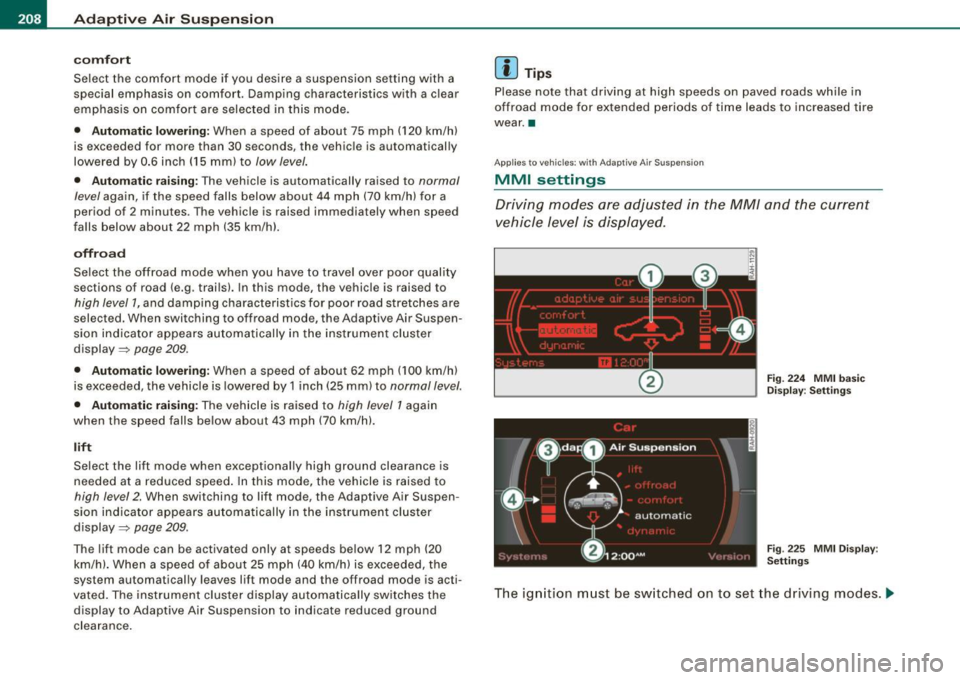
App lies to vehicles : with Adap tive Air Su spens io n
MMI settings
Driving modes ore adjusted in the MM/ and the current
vehicle level is displayed.
Fig. 224 MMI basic
Display : Settings
Fig . 225 MMI Display :
Settings
The ignition must be switched on to set the driving modes . .,,,