instrument cluster AUDI Q7 2009 Owner´s Manual
[x] Cancel search | Manufacturer: AUDI, Model Year: 2009, Model line: Q7, Model: AUDI Q7 2009Pages: 426, PDF Size: 97.13 MB
Page 60 of 426
Opening and closing
- The rear lid unlocks automatically and opens slightly .
- Lift the rear lid .
Closing the rear lid
Pull the rear lid down and allow it to drop gently . The lid
is then closed automatically=>& .
& WARNING
• After closing the rear lid, always pull up on it to make sure that
it is properly closed. Otherwise it could open suddenly when the
vehicle is moving .
• To help prevent poisonous exhaust gas from being drawn into
the vehicle, always keep the rear lid closed while driving. Never
transport objects larger than those which fit completely into the
luggage area, because then the rear lid cannot be fully closed .
• Never leave your vehicle unattended especially with the rear lid
left open. A child could crawl into the car through the luggage
compartment and pull the lid shut, becoming trapped and unable
to get out . To reduce the risk of personal injury, never let children
play in or around your vehicle. Always keep the rear lid as well as
the vehicle doors closed when not in use.
• Always ensure that no one is within range of the rear lid when
it is moving, in particular close to the hinges -fingers or hands can
be pinched.
[ i ] Tips
• If the rea r lid is open or not properly clo sed when the ignition is
turned on , th e door and r ear l id warn ing~
pag e 27 appears in th e
instrument cluster display.
• Should y ou no t be abl e to open th e re a r lid as d esc ribed , mak e
sure the valet key function is not activated~
page 51. •
App lies 10 vehic les: w ith automatic rear lid/trun k lid ope rat ion
Automatic rear lid /trunk lid operation
The trunk lid can be opened and closed automatically.
Opening rear lid
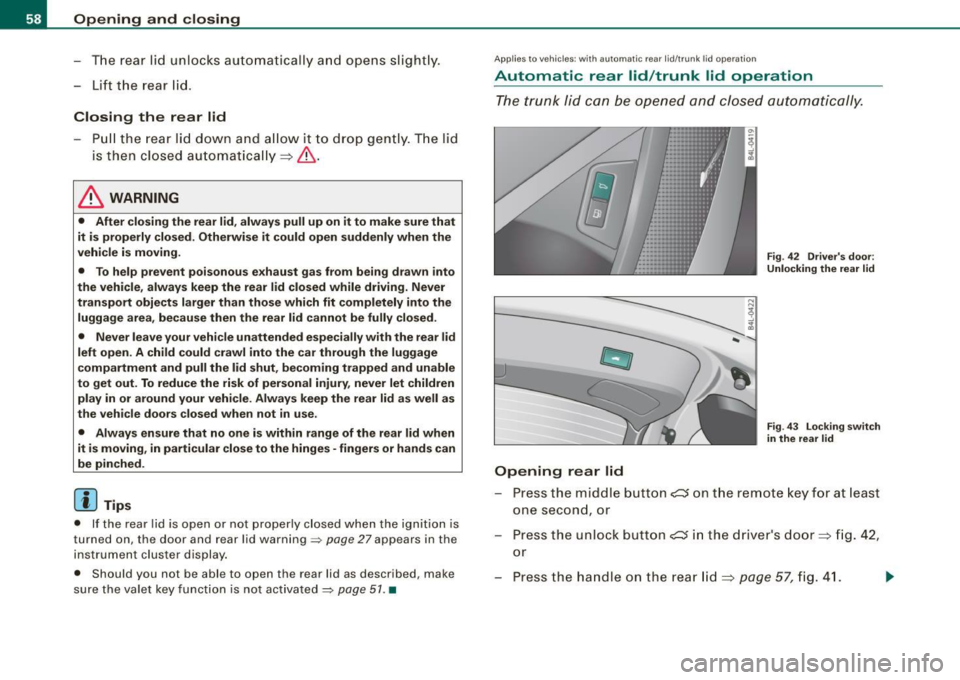
Fig. 42 Driver's door:
Unlocking the rear lid
Fig. 43 Locking switch
in the rear lid
Press the m iddle button c:s o n the remote key for at least
one second, or
- Press the unlock button
e::5 in the driver's door=> fig. 42,
or
Press t he handle on the rear lid=>
page 57, fig. 41.
Page 61 of 426
-The opening process is stopped immediately if the
middle button
,c:::J on the remote key is pressed again for
at least one second or the unlock button
,c:::J in the
driver's door is pressed again or the handle in the rear lid
is pressed again.
- Middle button in the remote key and unlock button in the
driver's door:
The opening process is continued by
pressing one of the buttons again.
- Handle in the rear lid: the rear lid is closed again by
pressing the handle again=>,& .
Closing rear lid/trunk lid
-Press the close button in the open rear lid=> page 58,
fig. 43. The trunk lid moves to the closed position by
itself and soft close locks it automatically=> ,&.
-The closing process is stopped immediately if the close
button in the rear lid is pressed again.
- By pushing the button again, the rear lid is opened again.
Saving the opening angle of the rear lid
-Bring the rear lid manually or automatically to the
desired opening position and leave it in this position.
- Press the button in the rear lid=>
page 58, fig. 43 for at
least four seconds in order to save the desired opening
position . The position can only be saved starting at a
certain level.
& WARNING
• Never close the rear lid inattentively or without checking first.
Although the closing force of the rear lid is limited, you can still
seriously injure yourself or others.
Controls and equip
ment
Opening and closing
& WARNING (continued)
• Always ensure that no one is within range of the rear lid when
it is moving, in particular close to the hinges and the upper and
lower edges -fingers or hands can be pinched.
• To help prevent poisonous exhaust gas from being drawn into
the vehicle, always keep the rear lid closed while driving. Never
transport objects larger than those which fit completely into the
luggage area, because then the rear lid cannot be fully closed.
• Never leave your vehicle unattended especially with the rear lid
left open. A child could crawl into the car through the luggage
compartment and pull the lid shut, becoming trapped and unable
to get out . To reduce the risk of personal injury, never let children
play in or around your vehicle. Always keep the rear lid as well as
the vehicle doors closed when not in use.
• If there is a luggage rack or bicycle rack mounted on the rear lid,
it may not be able to open completely or an opened rear lid may
close by itself because of the added weight. So the open rear lid
must be supported or the weight must be removed from the
luggage rack first.
[ i] Tips
• If the rear lid is open or not properly locked when the ignition is
turned on, the door and rear lid warning::::;,
page 27 appears in the
instrument cluster display.
• The automatic rear lid opening/closing process can be stopped
by holding the rear lid with your hand. The lid can then be further
opened/closed by hand.
• If there is a mechanical problem with the automatic rear lid
opening process or there is an obstruction, the process is stopped
immediately.
• If there is a mechanical problem with
automatic closing for the
rear lid or there is an obstruction, it opens again slightly right away.
Check to see why the rear lid could not be closed before attempting
to close it again. ..,_
I • •
Page 78 of 426
Clear vision
[ i J Tips
With the switch in AUTO front fog lights and rear fog lights cannot
be turned on in addition.•
App lies to veh icles: with Adaptive Ligh t
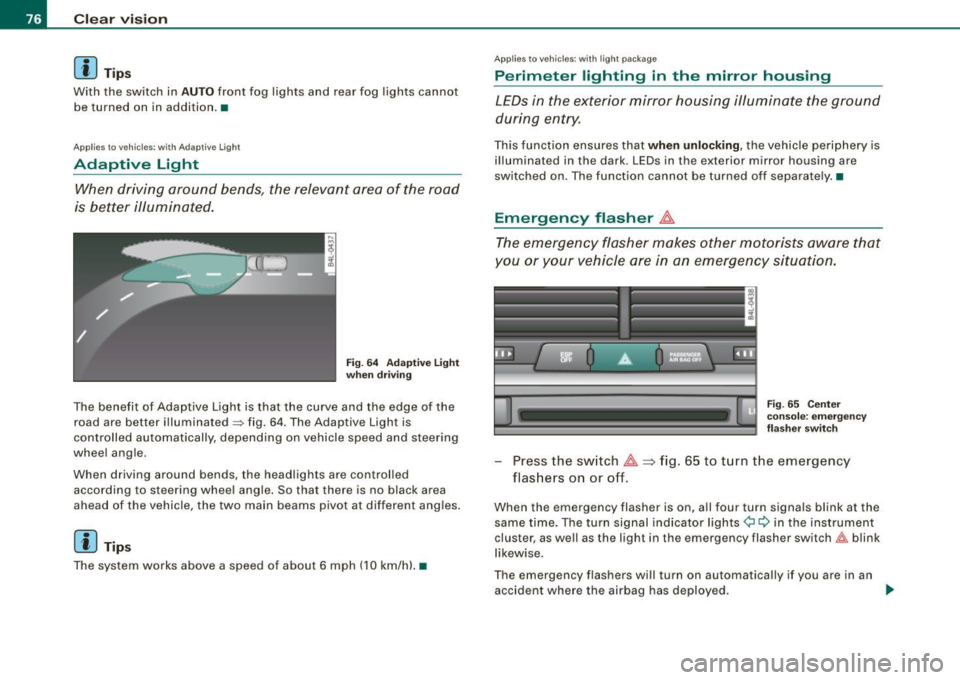
Adaptive Light
When driving around bends, the relevant area of the road
is better illuminated.
Fig. 64 Adaptive light
when driving
The benefit of Adaptive Light is that the curve and the edge of the
road are better illuminated~ fig. 64. The Adaptive Light is
controlled automatically, depending on vehicle speed and steering
wheel angle.
When driving around bends, the headlights are controlled
according to steering wheel angle. So that there is no black area
ahead of the vehicle, the two main beams pivot at different angles.
[ i J Tip s
The system works above a speed of about 6 mph (10 km/h) .•
Appl ies to vehicles: with light package
Perimeter lighting in the mirror housing
LEDs in the exterior mirror housing illuminate the ground
during entry.
This function ensures that when unlocking, the vehicle periphery is
illuminated in the dark. LEDs in the exterior mirror housing are
switched on. The function cannot be turned off separate ly .•
Emergency flasher J1.
The emergency flasher makes other motorists aware that
you or your vehicle are in an emergency situation.
Fig. 65 Center
console: emergency
flasher switch
-Press the switch J1. => fig. 65 to turn the emergency
flashers on or off.
When the emergency flasher is on, all four turn signals blink at the
same time. The turn signal indicator lights¢ Q in the instrument
cluster, as well as the light in the emergency flasher switch&:, blink
likewise.
The emergency flashers will turn on automatically if you are in an
accident where the airbag has deployed.
~
Page 79 of 426
[ i J Ti ps
You should turn on the emergency flashers when:
• you are the last vehicle standing in a traffic jam so that any other
vehicles coming can see you, or when
• your vehicle has broken down or you are in an emergency s itua
tion, or when
• your vehicle is being towed by a tow truck or if you are towing
another vehicle behind you .•
Turn signal ¢ ¢ and high beam ~D lever
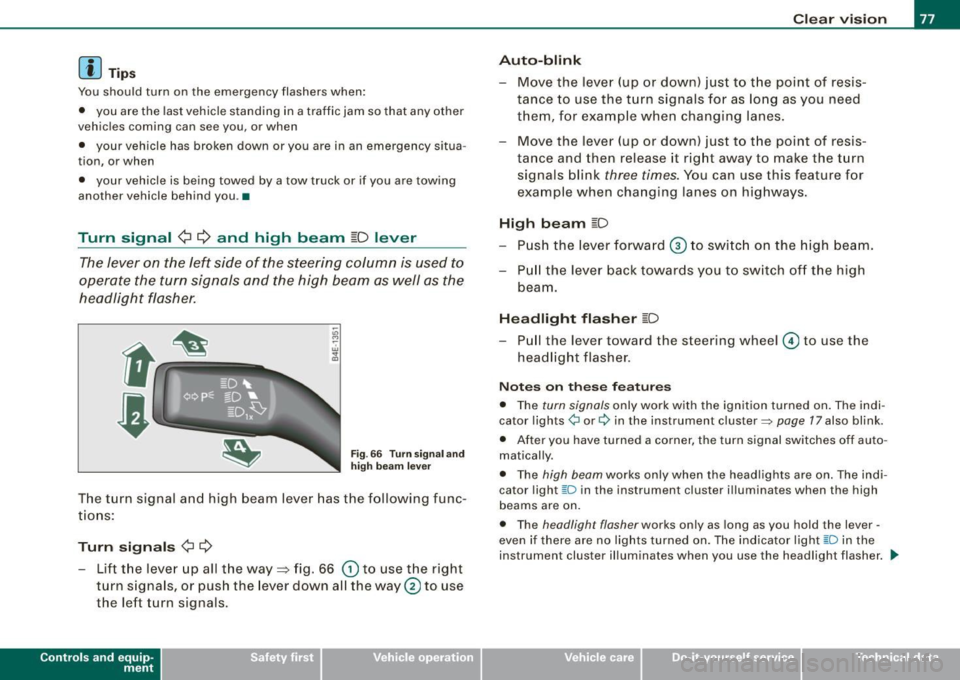
The lever on the left side of the steering column is used to
operate the turn signals and the high beam as well as the
headlight flasher .
-"' M
-w ... m
Fig. 66 Tu rn sign al and
hig h bea m lever
The turn signal and high beam lever has the following func
tions:
Turn sign als ¢ ¢
- Lift the lever up all the way=> fig. 66 (D to use the right
turn s ignals, or push the lever down all the way@ to use
the left turn signals.
Con tro ls and eq uip
ment
C lea r v is ion
Au to-blink
- Move the lever (up or down) just to the point of resis
tance to use the turn signals for as long as you need
them, for example when changing lanes .
- Move the lever (up or down) just to the point of resis
tance and then release it right away to make the turn signals blink
three times . You can use this feature for
example when changing lanes on highways.
High b eam ~D
- P ush the lever forward ® to switc h on the high beam.
- P ull the lever back towards you to switch off the high
beam.
H ea dlight fl asher ~D
Pull the lever toward the steering wheel © to use the
headlight flasher.
N otes o n these fea tures
• The turn signals only work with the ignition turned on . The indi
cator lights ¢ or¢ in the instrument cluster=> page 17 also blink.
• After you have turned a corner , the turn signal sw itches off auto
matically .
• The high beam works only when the head lights are on . The indi
cator light [D in the instru ment cluster i llum inates when the high
beams are on.
• The headligh t flash er works only as long as you hold the lever -
even if there are no lights turned on. The indicator light [0 in the
instrument cluster illuminates when you use the headlight flasher . .,,_
Vehicle care I I Technical data
Page 140 of 426
• ..__w_ a_ r_m _ a_ n_d_ c_ o_ ld __________________________________________________ _
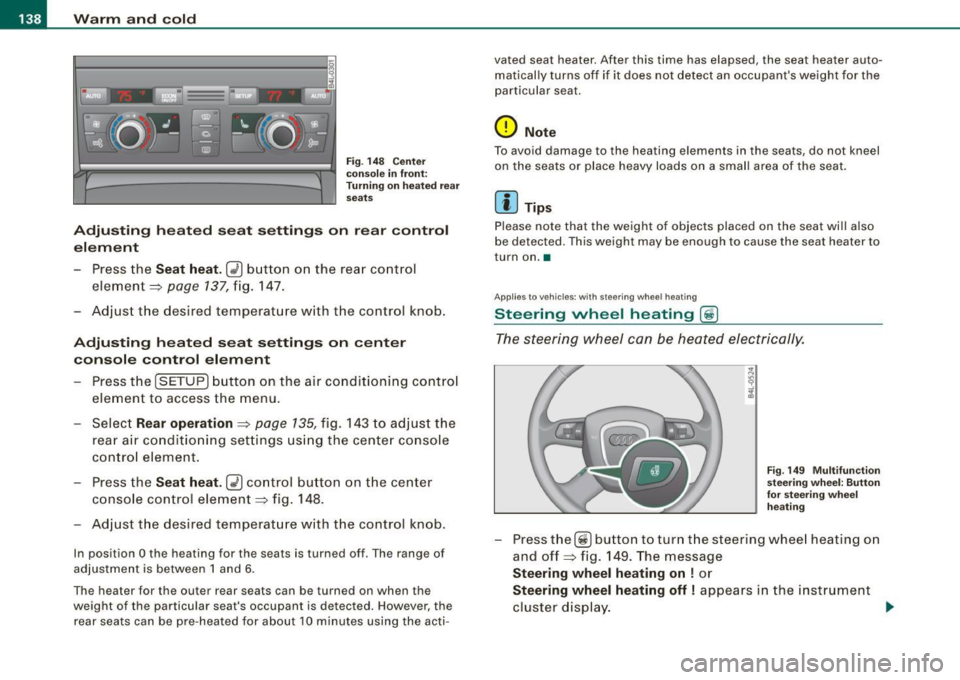
Fig. 14 8 Center
conso le in fron t:
T urni ng on hea te d rea r
sea ts
Adju sting h eat ed sea t settin gs on rear control
e le m ent
- Press the
Seat heat . Ii_] button on the rear control
element ~
page 137, fig. 147.
Adjust the desired temperature with the control knob .
Adjustin g he ated seat settings on center
console control element
Press the
I SETUP] button on the air conditioning control
element to access the menu.
- Select
Rear operation ~ page 135, fig. 143 to adjus t the
rear a ir condit io ning settings usi ng the center console
control element.
- Press the
Sea t he at. [i_] co ntrol button on the center
console control element~ fig.
148.
Adjust t he desired temperature with the control knob.
In position O the heating for the seats is turned off . The range of
adjustment is between 1 and 6 .
The heater for the outer rear seats can be turned on when the
weight of the particu lar seat's occupant is detected. However, the
rear seats can be pre-heated for about 10 minutes using the acti- vated seat heater. After this time has elapsed, the seat heater auto
matically turns off if it does not detect an occupant's weight for the
particular seat.
0 Note
T o avoid damage to the heating elements in the seats, do not kneel
on the seats or place heavy loads on a small area of the seat.
[ i ] Tips
Please note that the weight of objects placed on the seat will also
be detected. This weight may be enough to cause the seat heater to
turn on. •
Applies t o vehicles: with steering whee l heating
Steering wheel heating (j)
The s teering wheel can be heated electrically.
F ig . 149 Mult ifun ction
ste ering wheel : Bu tto n
for stee ring w hee l
h ea ting
- Press the[~] button to turn t he steering whee l heating on
and off~ fig .
149. The message
Steering wh eel h eating on ! or
Ste ering wheel hea ting off I appears in the instrument
cluster display.
~
Page 148 of 426

• .___O_ n_ t_h _e _ r_o _a_ d __________________________________________________ _
& WARNING
• Never turn off the engine until the vehicle has come to a
complete stop.
• The brake booster and servotronic only work when the engine
is running. With the ignition turned off, you have to apply more
force when steering or braking. Since you cannot steer and stop
normally, this can lead to accidents and serious injuries.
• For safety reasons, you should always park your vehicle with
the selector lever in P. Otherwise, the vehicle could inadvertently roll away.
• After the engine has been switched off, the radiator fan can
continue to run for up to 10 minutes -even with the ignition
switched off. It can also switch on again after some time if the
coolant temperature rises as the result of a heat buildup or if the
engine is hot and the engine compartment is additionally heated
by the sun's rays.
0 Note
If the engine has been under heavy load for an extended period,
heat builds up in the engine compartment after the engine is
switched off -there is a risk of damaging the engine. Allow the
engine to run at idle for about 2 minutes before switching it off. •
Applies to vehicles: w ith Conven ience key
Driver messages in the instrument cluster
display
If a function is not present, a driver message appears.
No key identified
This message appears when the [STAR T) button is pressed if there
is no master key inside the vehicle or if the system does not recog
nize it . For example, the master key cannot be recognized if it is
covered by an object (e.g. aluminum brief case) which
screens the radio signal. Electronic devices such as cell phones can also inter
fere with the radio signal.
Press brake pedal to start engine
This message appears if you press the [ START) button to start the
engine and do not depress the brake pedal. The engine can only be
started if the brake pedal is depressed.
Engage N or P to start engine
This message appears when the engine is started if the selector
lever for the automatic transmission is not in the P or N position.
The engine can only be started with the selector in these positions.
? Key not in vehicle
This message appears along with the symbol if the master key is
removed from the vehicle with the engine running. It is intended to
remind you (e.g. when changing drivers) not to continue the journey
without the master key.
If the master key is no longer in the vehicle, you cannot switch off
the ignition after stopping the engine and you also cannot start the engine again. Moreover, you cannot lock the vehicle from the
outside with the key.
Shift to P, otherwise vehicle can roll away. Doors do not lock if lever
is not in
P.
This message appears for safety reasons along with a warning
buzzer if the selector lever for the automatic transmission is not in
the P position when the ignition is switched off with the
[STOP)
button and the driver's door is opened. Move the selector lever to
the P position, otherwise the vehicle is not secured against rolling
away. You also cannot lock the vehicle using the locking button on
the door handle or using the remote key.
To engage steering lock, press and hold STOP button
This message appears for safety reasons if the engine and the igni
tion have been switched off by pressing the [
STOP) button once, .,,_
Page 149 of 426
_________________________________________________ O_ n_ t_h _e _ ro_ a_d _ __._
and then the driver's door is opened. In this instance, the steering is
not locked . The steering is locked :
• If you press the
I STOP ] button aga in for more than 1 second.
• If you c lose the driver's door and lock your vehicle from the
outside .•
Parking brake
Operation
The parking brake replaces the handbrake.
Applying parking brake
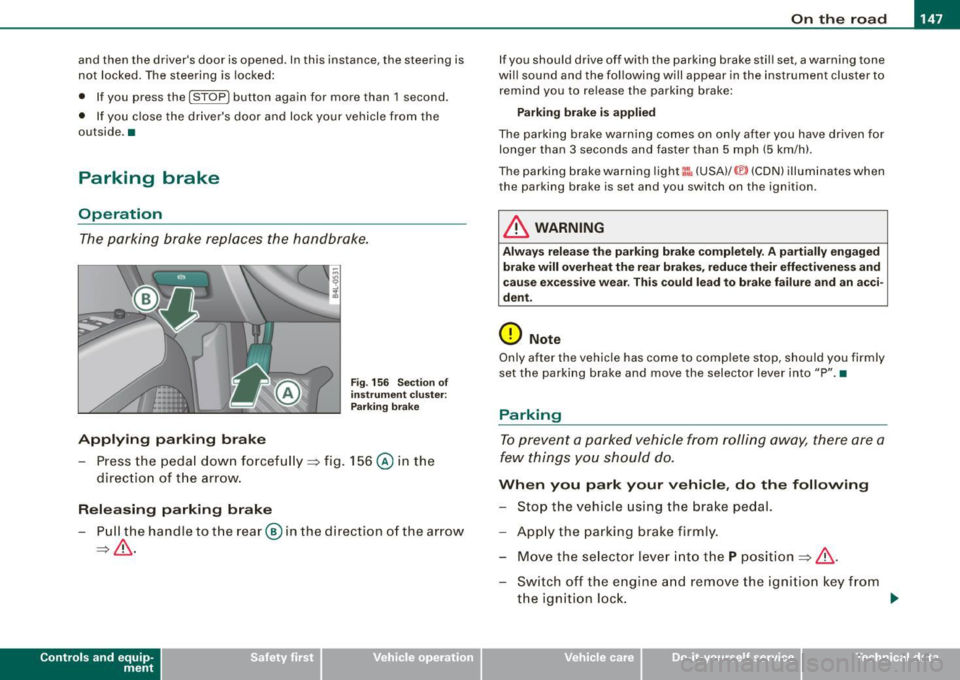
F ig . 156 Sec tion of
in strum ent clu ster:
P ark in g brake
- Press the peda l down forcefu lly ~ fig. 156 @ in the
direc tio n of the arrow.
Releasing parking brake
- Pull the handle to t he rear @ in the direction of the a rrow
~ & .
Con tro ls and eq uip
ment
I f you should drive off with the parking brake stil l set, a warning tone
wi ll sound and the following will appear in the instrument cluster to
remind you to release the parking brake:
Parking bra ke i s applied
The parking brake warning comes on on ly after you have driven for
longer than 3 seconds and faster than 5 mph (5 km/h).
The pa rking brake warning light
I:: , (USA) /© (CDN) illum inates when
the parking brake is set and you switch on the ignition .
& WARNING
Always relea se t he parking brake completely. A p artially engaged
brake will overh eat th e rea r brake s, reduce their effe ctiven ess and
ca use e xcessive w ear. Thi s co uld lead to brake failure and an a cci
dent .
(D Note
Only after the vehicle has come to comp lete stop, should you firmly
set the parking bra ke and move the selector lever into "P ". •
Parking
To prevent a parked vehicle from roll ing away, there are a
few things yo u should do.
Wh en you park your vehicle , do the following
- Stop the vehicle using the brake pedal.
- App ly the parking brake firmly.
- Mov e the se lector l ev er in to th e
P pos ition ~ & .
- Switch off the engine a nd remove the ig nitio n key from
the ignition loc k. ..,_
Vehicle care I I irechnical data
Page 160 of 426
• ..__A_ d_a"'"' p:,..._ ti_v_ e_ C_ ru_ is_ e_ C_ o_n_ t_ r_ o_ l ___________________________________________ _
Reactivating control
-To resume the speed and distance control, release the
brake pedal and press the lever in the direction of the
arrow (D.
Display in the speedometer
© Current vehicle speed => page 7 57, fig. 165
@ Saved speed
As long as a speed is saved the set desired speed will be displayed in the LED display in the speedometer by one or two illuminated red
light diodes. When the control function is resumed the Adaptive
App lies to vehicles: with Adaptive Cruise Cont rol
How is the distance (time interval) set?
Distance can be set in four stages.
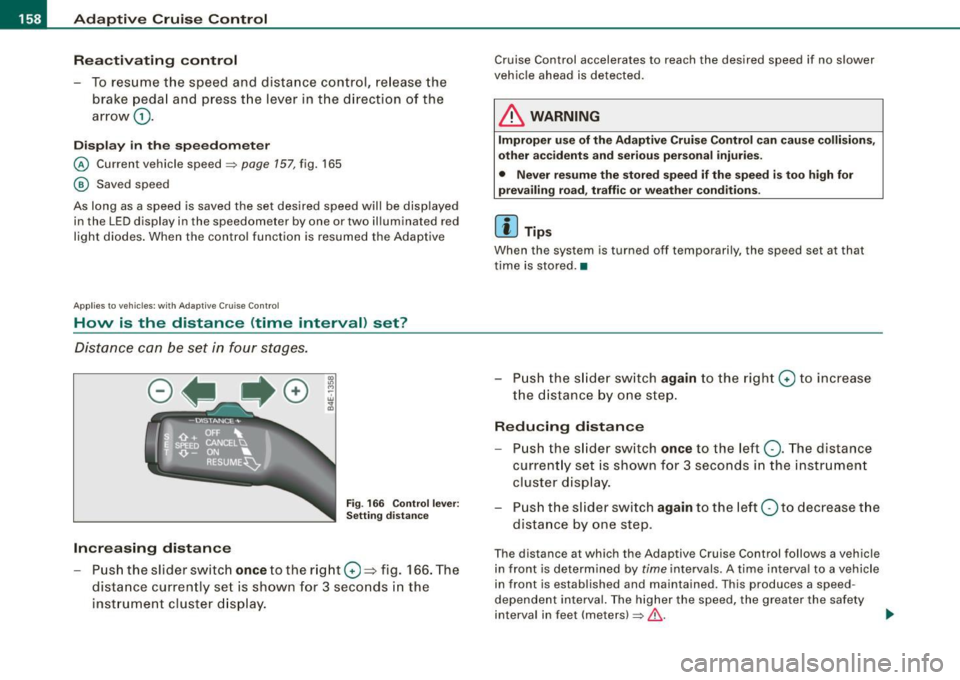
Fig . 166 Control lever:
Setting distance
Increasing distance
-Push the slider switch once to the right 0 ~ fig. 166. The
distance currently set is shown for 3 seconds in the instrument cluster display.
Cruise Control accelerates to reach the desired speed if no slower
vehicle ahead is detected.
& WARNING
Improper use of the Adaptive Cruise Control can cause collisions,
other accidents and serious personal injuries.
• Never resume the stored speed if the speed is too high for
prevailing road, traffic or weather conditions.
[ i ] Tips
When the system is turned off temporarily, the speed set at that
time is stored. •
- Push the slider switch again to the right 0 to increase
the distance by one step.
Reducing distance
Push the slider switch once to the left Q. The distance
currently set is shown for 3 seconds in the instrument
cluster display.
- Push the slider switch
again to the left Oto decrease the
distance by one step .
The distance at which the Adaptive Cruise Control follows a vehicle
in front is determined by
time intervals. A time interval to a vehicle
in front is established and maintained . This produces a speed
dependent interval. The higher the speed, the greater the safety
interval in feet (meters)
=> &- _,.
Page 162 of 426
• ..__A_ d_ a-:.. p_t _iv _ e_ C_r_ u_ i _s _ e_ C_ o_n_ t_ r_ o_ l _____________________________________________ _
& WARNING
Following other vehicles too closely increases the risk of a crash
and serious personal injury .
• Following other vehi cles too closely , particularly at h igher
speeds increases the risk of colli sions and serious personal injury.
• Setting short distances to the traffic ahead reduces the time
and distance available to bring your vehicle to a safe stop and
makes it even more necessary to pay close attention to traffic .
• Always select a speed and distance to traffic ahead that is safe
and appropriate under the prevailing traffic , road , weather and
lighting conditions .
• Never rely on the distan ce control feature of ACC alone to
prevent rear-end collisions. Always be prepared to brake and take
evasive action to avoid collisions and other acc ident situations .
• Never allow the closing speed between you and other vehicles
to be so h igh that the Adaptive Cruise Control may not be able to
slow your vehicle safely. If closing speed is too high , you must
apply the brakes yourself to reduce the risk of a rear-end crash .
• Always select a greater following distance to the vehicle ahead
on wet roads than on dry roads .
• Always re ad and heed the informat ion and WARNINGS ::::>
& in
"Description" on
page 152.
[ i J Tips
The distance setting i s re set to the factory default DISTANCE 3 the
next time the i gnition is turned on. •
Driver information
Applies to veh icles : w ith Adapt ive Cru ise Cont rol
Displays in the instrument cluster
Depen din g o n the driving si tuati on, driver inf ormation is
dis played in the ins trumen t clus ter.
@ Spe ed om eter and indicator lig ht displ ay
@ Display in the instru ment clu ster
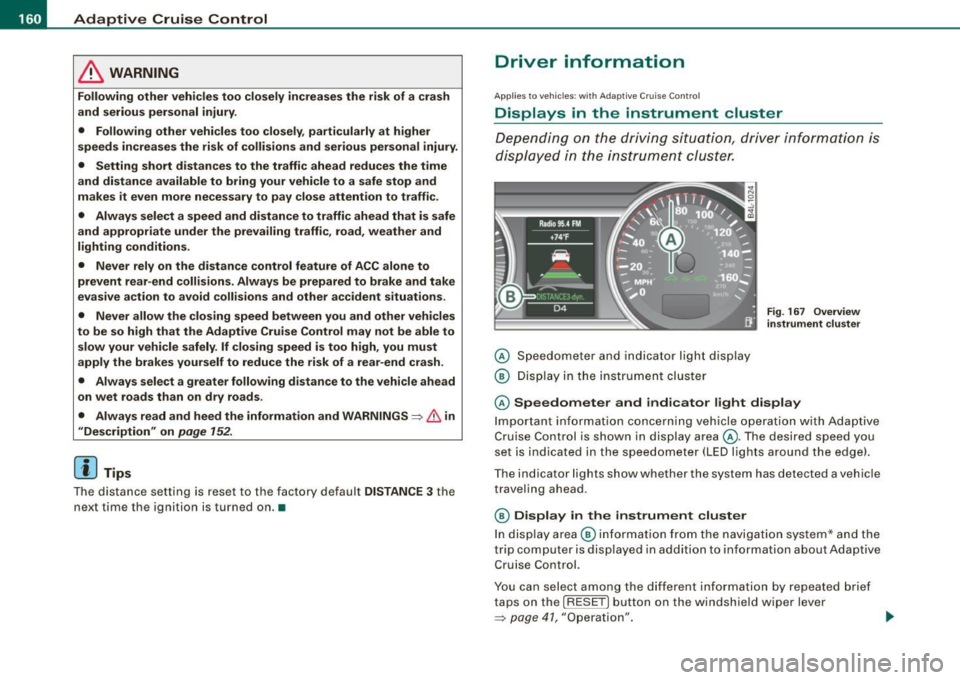
Fig . 16 7 Overview
in strument clu ste r
© Speedometer and ind icator light display
Im por tan t in fo rm ati on co ncerni ng veh icle ope ration w ith Ada ptiv e
Cruise Control is shown in display area@. T he desired speed you
s et is in dica te d in the spee dome ter (LED l igh ts aro un d t he edg e).
T he indicator lights show whether the system has detected a v ehic le
trave ling ahead .
© Display in the instrument cluster
In di sp lay area @ informati on fr om the navigati on syste m* a nd t he
trip computer is disp layed in addition to information about Adaptive
Cru ise Control.
You can s ele ct amo ng th e di ffer ent i nformati on by repeat ed br ief
taps on the [R ESET] button on the windshield wiper lever
=> p ag e 41 , "O peration". ~
Page 164 of 426
• ..__A_ d_a...: p:,..._ ti_v _ e_ C_ ru_ is_ e_ C_ o_n_ t_ r_ o _ l ___________________________________________ _
Applies to veh ic les: with Adapt ive Cruise Contro l
Display in the instrument cluster
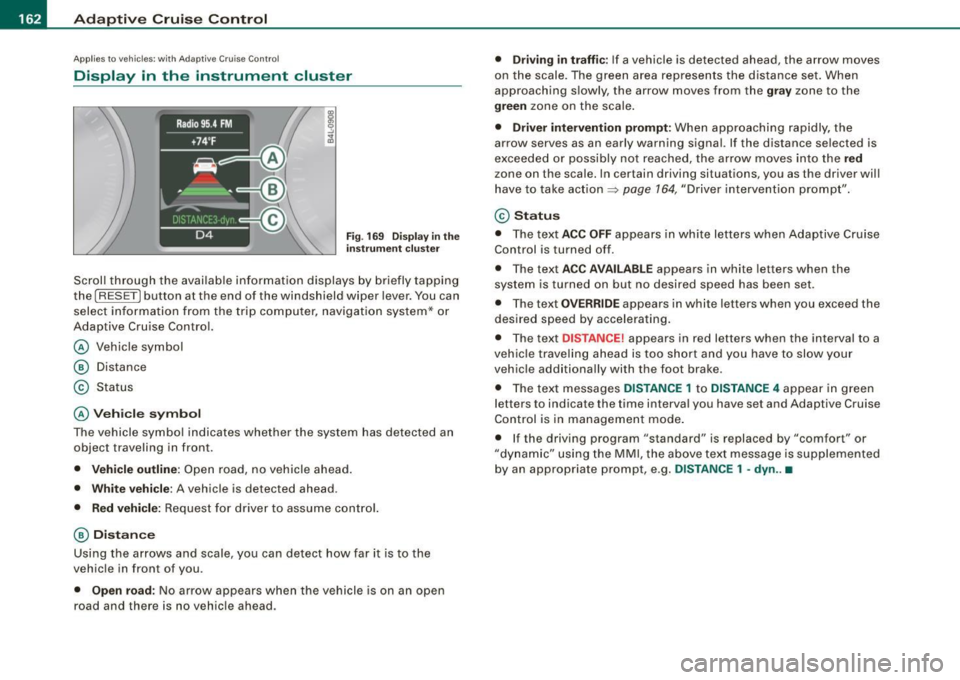
Fig . 169 Displ ay in the
in strumen t cluster
Scroll through the avai lab le information displays by briefly tapping
the
I RESET] button at the end of the windshield wiper lever. You can
select information from the trip compu ter, navigation system* or
Adaptive Cruise Contro l.
@ Vehicle symbol
@ Dis tance
© Status
@ Veh icle sy mbol
The vehicle symbol indicates whether the system has detected an
object traveling in front.
• Vehicle outl in e: Open road, no vehicle ahead .
• Whit e vehi cle : A vehicle is detec ted ahead .
• Red vehicle: Request for driver to assume contro l.
@ Distance
Using the arrows and scale, you can detect how far it is to the
vehic le in front of you .
• Open road: No arrow appears when the vehicle is on an open
road and there is no vehicle ahead .
• Driving in traff ic: If a vehicle is detected ahead, the arrow moves
on the scale . The green area represents the d istance set . When
approaching s lowly, the arrow moves from the
gray zone to the
green zone on the scale .
• Driver intervention prompt : When approaching rapidly, the
arrow serves as an early warning signal. If the distance selected is
exceeded or possibly no t reached, the arrow
moves into the red
z one on the scale. In certain driving situations, you as the driver will
have to take action ::::,
page 764, "Driver interventio n prompt" .
© Status
• The tex t ACC OFF appears in white letters when Adaptive Cruise
Control is turned off.
• The text
ACC AVAILABL E appears in white letters when the
system is turned on but no desired speed has been set .
• The text
OVE RRIDE appears in white letters when you exceed the
desired speed by accelerating .
• The text
DISTANCE! appears in red letters when the interval to a
vehic le trave ling ahead is too short and you have to slow y our
vehic le additionally with the foot brake .
• The text messages
DISTANCE 1 to DISTANCE 4 appear in green
letters to indicate the time interval you have set and Adaptive Cruise
Control is in management mode .
• I f the driving program "standard" is replaced by "comfor t" or
"dynamic" using the MMI, the
above text message is supplemented
by an appropriate prompt, e .g.
DISTANCE 1 -dyn .. •