ECU AUDI Q7 2010 Owner´s Manual
[x] Cancel search | Manufacturer: AUDI, Model Year: 2010, Model line: Q7, Model: AUDI Q7 2010Pages: 390, PDF Size: 93.04 MB
Page 131 of 390
_________________________________________________ O_ n_ t_ h_ e_ r _o_ a_d _ __.ffl'I
A ppli es to veh icl es: wi th Conven ie nc e key
Driver messages in the instrument cluster
display
If a function is not present, a driver message appears.
No key identified
This message appears when the [START] button is pressed if there is
no master key inside the vehicle or if the system does not recognize
it. For example, the master key cannot be recognized if it is covered
by an object (e.g. aluminum brief case) which
screens the radio
signal. Electronic devices such as cell phones can also interfere with
the radio signal.
Press brake pedal to start engine
This message appears if you press the I ST ART ] button to start the
engine and do not depress the brake pedal. The engine can only be
started if the brake pedal is depressed.
Engage Nor P to start engine
This message appears when the engine is started if the selector lever
for the automatic transmission is not in the P or N position . The
engine can only be started with the selector in these positions.
Key not in vehicle
This message appears along with the ' symbol if the master key is
removed from the vehicle with the engine running . It is intended to
remind you (e.g. when changing drivers) not to continue the journey
without the master key.
If the master key is no longer in the vehicle, you cannot switch off the
ignition after stopping the engine and you also cannot start the
engine again. Moreover, you cannot lock the vehicle from the outside
with the key.
Con tro ls a nd e quip
m en t Vehicle
OP-eration
Shift to P otherwise vehicle can roll away. Doors do not lock if you
are not in P.
This message appears for safety reasons along with a warning buzzer
if the selector lever for the automatic transmission is not in the P
position when the ignition is switched off with the
[STOP] button and
the driver's door is opened. Move the selector lever to the P position,
otherwise the vehicle is not secured against rolling away. You also
cannot lock the vehicle using the locking button on the door handle
or using the remote key.
To engage steering lock, press and hold STOP button
This message appears for safety reasons if the engine and the ignition
have been switched off by pressing the
[STOP] button once, and then
the driver's door is opened. In this instance, the steering is not
locked. The steering is locked:
• If you press the
[STOP] button again for more than 1 second.
• If you close the driver's door and lock your vehicle from the
outside. •
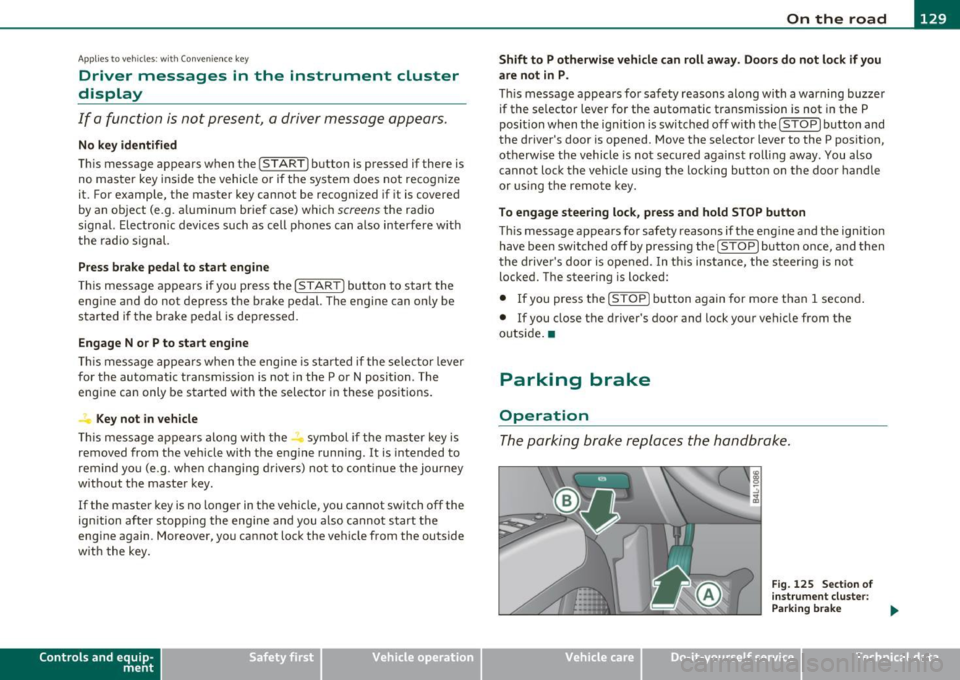
Parking brake
Operation
The parking brake replaces the handbrake.
Vehicle care
Fig. 125 Section of
instrument cluster:
Parking brake
~
Do-it-yourselt service iTechnical data
Page 139 of 390
__________________________________________ A_ d_ a_,_ p_t _iv _ e_C_ r_u _i _ s _e _C_ o_n_ t_ r_ o_ l __ ffl'II
preparation. Th is function does not p erfo rm any e mergency braki ng
man eu ver s by its elf; th e dr iver m ust alway s app ly the b ra kes .
& WARNING
If ACC initiates a braking maneuver, the brake pedal will be
retracted . Interference with the brake pedal can prevent ACC from
slowing the vehicle down and cause a crash and serious personal
injury .
• Never put anything
in the driver's footwell or let anything fall
into it. An object in the driver 's footwell can interfere with the
pedals and prevent the accelerator from being used to override
ACC or prevent ACC from being switched off when the brake pedal
is depressed and also prevent the vehicle from being slowed down
or stopped.
• Only use floor mats that keep the area around the pedals free
and that can be securely fastened to the footwell.
• Never drive with your foot underneath the brake pedal.
• Always read and heed the information and WARNINGS~
& in
" Description " on
page 134.
& WARNING
• Never rely on the distance control feature of ACC alone to
prevent rear-end collisions. Always be prepared to brake and take
evasive action to avoid collisions and other accident situations.
• Never allow the closing speed between you and other vehicles
to be so high that the Adaptive Cruise Control may not be able to slow your vehicle safely. If closing speed is too high , you must
apply the brakes yourself to reduce the risk of a rear-end crash.
[I] Tips
Please note tha t the amount of accelerat ion the Adaptive Cr uise
Control uses depends on t he D istance sett ing se lected. DIS TA NCE 1
give s yo u acc eler ation th at is dy namic and sport y. DI STANC E 4, on th e
Controls and equip
ment Safety first
o
ther hand , gives more moderate acce lera tion . For more info rmation
a b out t he tim e inte rvals ~
page 14 0, "Ho w is the di stanc e (tim e
interval) se t?".
• P lease no te th at if the A dapt ive Cruis e Con trol has b egun braking
t he vehicle a nd the dr ive r ch oos es to brake the vehicle addit io nally,
th e bra kes m ay feel "h ard". Thi s is s imply due to th e p res sur e buil d
up of th e initia l braking.
• Adaptive Cr uise C ontr ol is sw itche d off aft e r p ressing the foot
bra ke. T he speed saved up this poin t can be resumed . To resume the
s aved s peed, rele ase the b rake ped al and pull th e control lever
t oward you~
page 139, "Turning Adaptive Cr uise Contro l off
tempora rily" .•
A pp lies to ve hicle s: with Ad apti ve Cru ise Con tro l
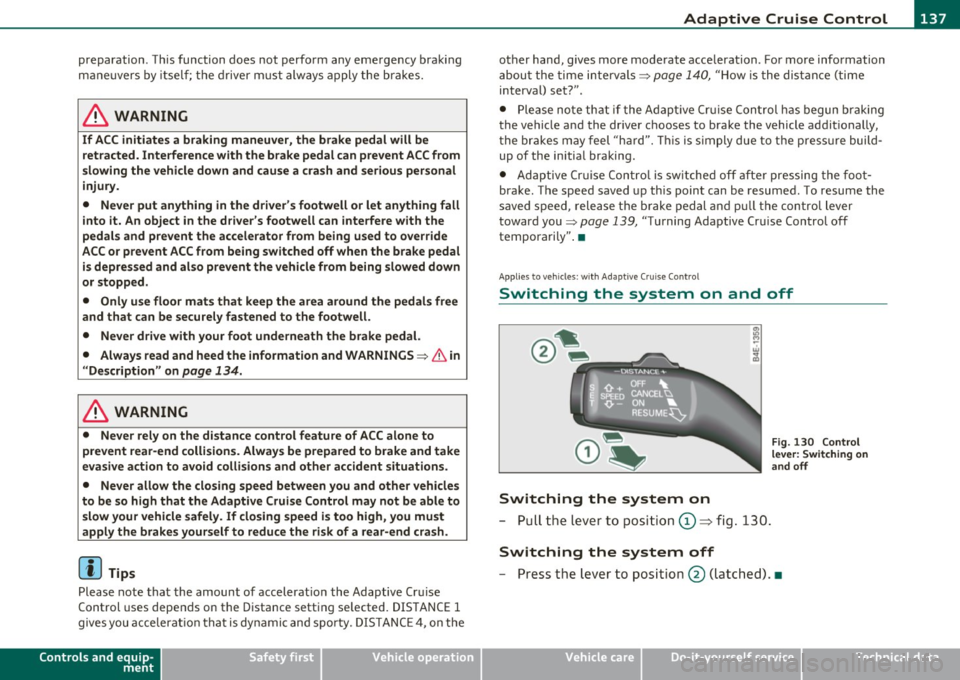
Switching the system on and off
Switching the system on
- P ull th e lever t o posit ion © => fig . 130.
Switching the system off
Fig . 130 Control
lever: Switch ing on
an d off
- P ress t he lever to posit io n @ (latc hed). •
Vehicle care Technical data
Page 164 of 390
1111 ...... _A_ u_ t_o _m_ a_ t_ic _ t_ r_ a_ n_s _ m __ is_s_ , _·o _ n ____________________________________________ _
The selector lever must be in Nor P. If one of the driv ing positions is
eng aged a sa fety swi tch will p reven t the eng ine fr om being s tarted.
See also=>
page 125.
Before you move t he selecto r lever from t he P position, yo u m ust
a lw ay s a pply the brake ped al befo re a nd whi le de press ing the bu tton
in the handle of the selector lever.
& WARNING
• Unintended vehicle movement can cause serious injury.
- When the selector lever is in a driving position, the vehicle
may creep , even at idle speed. Therefore do not release the
parking brake or foot brake until you are ready to move,
because power is transmitted to the wheels as soon as a driving
position i s engaged .
- Do not accelerate while selecting a driv ing position . At this
time the engine must be at idle speed so that undue stre ss is
not placed on the clutches in the transmission .
- Remember: • even when stopped briefly with the automatic
transmission in "D", "S " or "R", engine power is being trans·
mitted to the wheels . Your vehicle could "creep " forward or
backward. When stopped, keep the brake pedal fully
depre ssed and use the parking brake if necessary to keep the
vehicle from roll ing .
• If the selector lever is unintentionally moved into N while you
are driving, take your foot off the accelerator pedal and wait for
the engine to return to idle speed before selecting a driving posi
tion .
• Never shift into "R" or "P " when the vehicle is in motion.
• Never get out of the d riv er 's seat when the engine is running.
• If you must get out of the vehicle, move the selector lever
securely into the P position and apply the parking brake firmly.
• If the engine must remain running, nev er have any driving
position engaged when checking under the hood. Make sure the
s e lector lever has securely engaged and is locked in "P " with the
& WARNING (co ntinued )
parking brake firmly set=> page 286, "Engine compartment".
Otherwise, any increa se in engine speed may set the vehicle in
motion, even with the parking brake applied. •
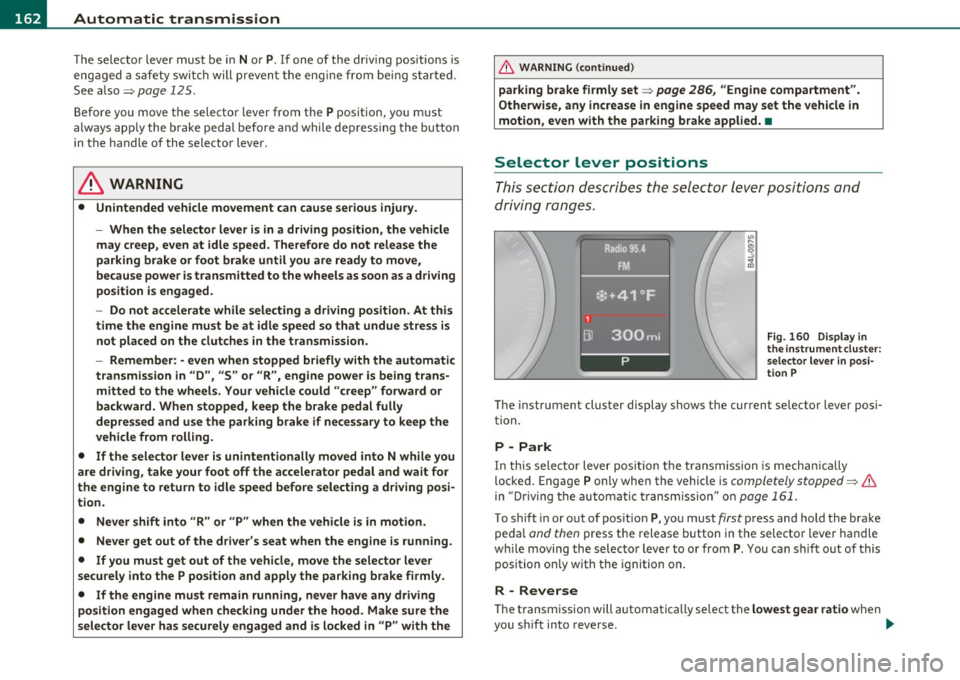
Selector Lever positions
Thi s sec tion describes the select or le ver p osit io ns and
driving ranges.
Fig. 160 Di spl ay in
th e in strument clu ster :
s elect or lever in posi·
t ion P
The instrument cluster display shows the current se lector lever posi
t ion.
P -Park
In th is selector lever posi tion t he transmission is mecha nically
loc ked. Engage P only when th e vehicle is
completely stopped=> &
in "Driving t he automatic transm ission" o n page 161.
To shift in or out of pos ition P, yo u must first press and hold the brake
pe dal
and then press t he release button in the selector leve r handle
w hil e moving the selec to r lever to or from P. Y ou ca n shi ft out of this
position on ly w it h the ignition o n.
R -Reverse
Th e transm ission will automatica lly select the lowest gear ratio when
you s hift into reverse . _,,
Page 178 of 390
lfflJ.___A_ d_ a__,__ p_t_ i_v _e _ A_ i_ r_ S _ u_ s__. p ,_ e_n_ s _ io_ n __________________________________________ _
Adaptive Air Suspension
Air suspension and damping
Applies to veh icles : w ith Adap tive Air Suspens ion
Description
Air suspensi on and damping can be regulated as desired
by driver, and they adapt automatically to the driving
situation at the time.
Adaptive Air Suspens ion is an e lectro nically controlled springing and
damping system . This chass is system makes it eas ie r on the d river by
adapting to the particular situation through imperceptible contro l
processes .
The
Adapt ive Air Suspension component regu lates ground clearance
depending on vehi cle speed and driver input .
It fu nc tions in depen
dently from the load cond itio n. Accele rating to a speed above a
predetermined limi t will ma ke the vehicle lower itse lf . On the other
hand, driv ing more slowly res ults in the vehicle ra is ing again at
specific s peeds.
T he
damping component provides individua l control of the damping
forces. For example, with damping characterist ics set to provide
greater comfort, damp ing is se t somewh at harder for a br ief period
only as req uired, for example, whe n going aro und a curve or when
bra king.
Settings
Ad aptive Air Suspension provides the drive r wi th the opportu nity to
set the chass is characterist ics also to their individual preference.
With the driving modes
Comfort, Au tomatic an d Dynamic the dr ive r
has three chassis sett ings available, ranging from comfort to spo rty.
Th e
Offroad mode c an be selected for dr iv ing on poor qu ality
st retches of road . In addition,
Li~ provides a f ifth mode, w hich can be
selecte d when exceptionally high ground clearance is needed
:::;, page 177, "C hass is controls" . The modes are set
in MM I:::;,
page 178.
& WARNING
The height of the parked vehicle can change due to temperature
fluctuation s or changes in load .
0 Note
• Whenever you park yo ur vehicle, always make sure there is
adeq uate clearance above and below the ve hicle . T he heig ht of the
parked vehicle can change as the res ult of temperature fluctuations,
changes in load condition and changes in the dr iv ing mode (ground
clearance).
• If the veh icle is be ing transported (e .g. by tow truck, train, ship,
etc.) , mount the tie-down cha ins/cables over the r unning s urface
(c ircumfere nce) of the tires. Never sec ure the vehicle by the ax le, the
suspension struts or the front or rear tow line eye. For technical
reaso ns, the p ressure in t he suspension st ru ts m ay change dur ing the
transport, w hic h could result in the vehicle no longer being secured
pro perly.
• If you are going to tow a trailer w ith a tra iler hitch that was
not
ins talled accor ding t o fac tory spe cifica tion s, you mus t activa te t he
trai ler operation mode manually :::;,
page 180.
[ i ] Tips
• Before you ca n raise your vehicle using the vehicle jack (for
examp le, when changi ng a flat tire) o r a veh icle lift , yo u m us t a ct iv a te
the jacki ng mode:::;,
page 180.
• O n some mo dels, the vehicle can reac h its m aximum spee d on ly in
the
Automatic and Dynamic modes .•
Page 188 of 390
1111....__H_ o_ m __ e_L_ i_n _k_ ®_ • _________________________________________________ _
-Press th e ap pro priate programmed button G) , @ or@
to activate the desired remote control function ::::>
& in
"Genera l informat io n" on
page 183. •
Applies to ve hicles : w ith Hom eli nk® univer sa l rem ote c ont rol
Reprogramming a single button
A Homelink ® button can be reprogrammed individually
without affecting the other button allocations.
Programming the ov erh ead keypad
- Press the appropriate Homelink ® button until the indi-
cator light begins flashing slowly .
Programming the bumper mounted transmit
ter
1. Hold the original remote control at a distance between 0 -
6
in . (0 -15 cm) from the bumper below the appropriate
headlight for your vehicle (use the shortest distance
possible).
2. Aim the remote control just below the
driver side head
light .
3 . Press and hold the ac tivation button on the remote
control.
4 . The emergency flashers will flash
three times (after about
15 -60 seconds) when the programm ing is successful.
N ow release the b utton on the remote control.
- If the device utilizes a rolling code , please follow phase 3
of =>
page 184 , "Programming the Homelink ® trans
mitter" for rolling code programming.
This pro cedur e will caus e th e ex is ting pr ogramming on th e
Homelink ® button to be era sed !•
Ap plies to veh icles: w ith Ho meli nk® un ive rsa l rem ote c ont rol
Erasing the programming of the
Homelink ® tr ansmitter
When you erase the programming, the programming on
all three of the transmitter channels with be lost!
- Perform steps 1 to 4 as described on ::::> page 184, "Phase
1 : programming the overhead keypad".
When completed , the Homel ink ® system will be in the programm ing
mode and is then ready to learn the codes for remote controlled
devices .
[I) Tips
• Programmed buttons cannot be erased individually.
• For security reasons you are advised to erase the programming of
the Homelink ® system before you sell your veh icle .•
Page 191 of 390
______________________________________________ D_ ri_v _ i_n _,,g ,c.._ S_a_ f_ e_ l..:: y __ _
Important things to do before driving
Safety is everybody's job! Vehicle and occupant safety always depends on the informed and careful driver.
For your safety and the safety of your passengers, before
driving always:
- Make sure that all lights and signals are operating
correctly.
- Make sure that the tire pressure is correct.
- Make sure that all windows are clean and afford good visi-
bility to the outside.
- Secure all luggage and other items carefully::::>
page 105.
-Make sure that nothing can interfere with the pedals.
- Adjust front seat, head restraint and mirrors correctly for your height .
- Instruct passengers to adjust the head restraints according to their height.
- Make sure to use the right child restraint correctly to
protect children ::::,
page 231, "Child Safety".
- Sit properly in your seat and make sure that your passen gers do the same::::,
page 83, "General recommenda
tions".
- Fasten your safety belt and wear it properly. Also instruct
your passengers to fasten their safety belts properly
=:> page 199. •
Controls and equip
ment Safety first Vehicle operation
What impairs driving safety?
Safe driving is directly related to the condition of the
vehicle, the driver as well as the driver's ability to concen
trate on the road without being distracted .
The driver is responsible for the safety of the vehicle and all
of its occupants. If your ability to drive is impaired, safety
risks for everybody in the vehicle increase and you also
become a hazard to everyone else on the road::::,,& . There
fore:
Do not let yourself be distracted by passengers or by using
a cellular telephone.
NEVER drive when your driving ability is impaired (by
medications, alcohol, drugs, etc.).
- Observe all traffic laws, rules of the road and speed limits
and plain common sense .
- ALWAYS adjust your speed to road, traffic and weather
conditions.
- Take frequent breaks on long trips. Do not drive for more than two hours at a stretch.
- Do NOT drive when you are tired, under pressure or when
you are stressed .
& WARNING
Impaired driving safety increases the risk of serious personal
injury and death whenever a vehicle is being used.•
Vehicle care Do-it-yourself service Technical data
Page 194 of 390
• ....__D_ r_iv _i_ n_, g=-- S_ a _ f_e _,Ly _ ______________________________________________ _
& WARNING (continued)
• Always make sure that there are at least 10 inches (25 cm)
between the front passenger's breastbone and the instrument
panel.
• Each passenger must always sit on a seat of their own and
properly fasten and wear the safety belt belonging to that seat.
• Before driving, always adjust the front passenger seat and
head restraint properly.
• Always keep your feet on the floor in front of the seat. Never
rest them on the seat, instrument panel, out of the window, etc.
The airbag system and safety belt will not be able to protect you properly and can even increase the risk of injury in a crash.
• Never drive with the backrest reclined or tilted far back! The
farther the backrests are tilted back, the greater the risk of injury
due to incorrect positioning of the safety belt and improper
seating position.
• Children must always ride in child safety seats=>
page 231.
Special precautions apply when installing a child safety seat on
the front passenger seat =>
page 209. •
Proper seating positions for passengers in
rear seats
Rear seat passengers must sit upright with both feet on
the floor consistent with their physical size and be prop·
erly restrained whenever the vehicle is in use.
To reduce the risk of injury caused by an incorrect seating
position in the event of a sudden braking maneuver or an
accident, your passengers on the rear bench seat must
always observe the following :
- Make sure that the seatback is securely latched in the
upright position =>
page 94.
-Keep both feet flat in the footwell in front of the rear seat.
- Fasten and wear safety belts properly=>
page 203.
- Make sure that children are always properly restrained in a
child restraint that is appropriate for their size and age
=>
page 231.
& WARNING
Passengers who are improperly seated on the rear seat can be seri
ously injured in a crash.
• Each passenger must always sit on a seat of their own and
properly fasten and wear the safety belt belonging to that seat.
• Safety belts only offer maximum protection when the seatback
is securely latched in the upright position and the safety belts are
properly positioned on the body. By not sitting upright, a rear seat
passenger increases the risk of personal injury from improperly
positioned safety belts!
• Always adjust the head restraint properly so that it can give
maximum protection. •
Page 196 of 390
•L-----=D=-:.. r.:....iv .:....i:..:. n.:..: g~ S=- a =--:.. f-=e ~Ly ,!_ ______________________________________________ _
examples will make you more aware of seating positions that are
dangerous.
Therefore, whenever the vehicle is moving:
• never stand up in the vehicle
• never stand on the seats
• never kneel on the seats
• never ride with the seatback reclined
• never lie down on the rear seat
• never lean up against the instrument panel
• never sit on the edge of the seat
• never sit sideways
• never lean out the window
• never put your feet out the window
• never put your feet on the instrument panel
• never rest your feet on the seat cushion or back of the seat
• never ride in the footwell
• never ride in the cargo area
& WARNING
Improper seating positions increase the risk of serious personal
injury and death whenever a vehicle is being used.
• Always make sure that all vehicle occupants stay
in a proper
seating position and are properly restrained whenever the vehicle is being used. •
Pedal area
Pedals
The pedals must always be free to move and must never
be interfered with by a floor mat or any other object.
Make sure that all pedals move freely without interference and that
nothing prevents them from returning to their original positions.
Only use floor mats that leave the pedal area free and can be secured
with floor mat fasteners.
If a brake circuit fails, increased brake pedal travel is required to bring
the vehicle to a full stop.
& WARNING
Pedals that cannot move freely can cause loss of vehicle control
and increase the risk of serious injury .
• Never place any objects in the driver's footwell. An object could
get into the pedal area and interfere with pedal function. In case
of sudden braking or an accident, you would not be able to brake
or accelerate!
• Always make sure that nothing can fall or move into the
driver's footwell. •
Floor mats on the driver side
Always use floor mats that can be securely attached to
the floor mat fasteners and do not interfere with the free
movement of the pedals.
-Make sure that the floor mats are properly secured and
cannot move and interfere with the pedals~& .
Page 197 of 390
________________________________________________ D_ r_ i_ v _i_n ""'g "-- S_a_ f_ e_ l _,,y'-- __
Use only floor mats that leave the pedal area unobstructed and that
are firmly secured so that they cannot slip out of position . You can
obtain suitable floor mats from your authorized Audi dealer.
Floor mat fasteners are installed in your Audi.
Floor mats used in your vehicle must be attached to these fasteners.
Properly securing the floor mats will prevent them from sliding into
positions that could interfere with the pedals or impair safe opera
tion of your vehicle in other ways .
& WARNING
Pedals that cannot move freely can result in a loss of vehicle
control and increase the risk of serious personal injury.
• Always make sure that floor mats are properly secured.
• Never place or install floor mats or other floor coverings in the
vehicle that cannot be properly secured in place to prevent them
from slipping and interfering with the pedals or the ability to
control the vehicle.
• Never place or install floor mats or other floor coverings on top
of already installed floor mats. Additional floor mats and other
coverings will reduce the size of the pedal area and interfere with
the pedals.
• Always properly reinstall and secure floor mats that have been
taken out for cleaning.
• Always make sure that objects cannot fall into the driver foot
well while the vehicle is moving. Objects can become trapped under the brake pedal and accelerator pedal causing a loss of
vehicle control. •
Controls and equip ment Safety first Vehicle operation
Stowing luggage
Loading the luggage compartment
All
luggage and other objects must be properly stowed
and secured in the luggage compartment.
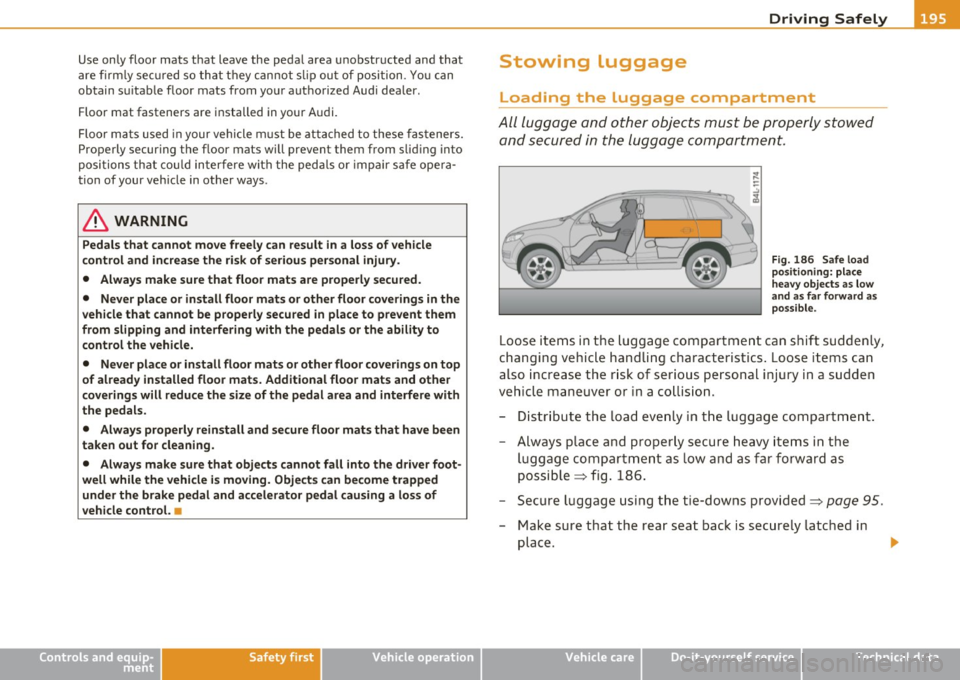
Fig . 186 Safe load
positioning: place
heavy objects as low
and as far forward as
possible.
Loose items in the luggage compartment can shift suddenly,
changing vehicle handling characteristics. Loose items can
also increase the risk of serious personal injury in a sudden
vehicle maneuver or in a collision.
- Distribute the load evenly in the luggage compartment.
- Always place and properly secure heavy items in the
luggage compartment as low and as far forward as
possible => fig. 186.
- Secure luggage using the tie-downs provided=>
page 95.
- Make sure that the rear seat back is securely latched in
place .
Vehicle care Do-it-yourself service Technical data
Page 198 of 390
• ....__D_ r_iv _i_ n_, g=-- S_ a _ f_e _,Ly _ ______________________________________________ _
in. WARNING
Improperly stored luggage or other items can fly through the
vehicle causing serious personal injury in the event of hard braking
or an accident. To help reduce the risk of serious personal injury:
• Always put objects, for example, luggage or other heavy items
in the luggage compartment .
• Always secure objects in the luggage compartment using the
tie-down eyelets and suitable straps.
& WARNING
Heavy loads will influence the way your vehicle handles. To help
reduce the risk of a loss of control leading to serious personal
injury:
• Always keep in mind when transporting heavy objects, that a
change in the center of gravity can also cause changes in vehicle
handling:
-Always distribute the load as evenly as possible.
- Place heavy objects as far forward in the luggage compart-
ment as possible.
• Never exceed the Gross Axle Weight Rating or the Gross Vehicle
Weight Rating specified on the safety compliance sticker on the
left door jamb . Exceeding permissible weight standards can cause
the vehicle to slide and handle differently.
• Please observe information on safe driving
=> page 188 .
in. WARNING
To help prevent poisonous exhaust gas from being drawn into the
vehicle, always keep the rear lid closed while driving.
• Never transport objects larger than those fitting completely
into the luggage area because the rear lid cannot be fully closed.
& WARNING (continued)
• If you absolutely must drive with the rear lid open , observe the
following notes to reduce the risk of poisoning:
-Close all windows,
- Close the Panoramic sliding sunroof*,
- Open all air outlets in the instrument panel,
- Switch off the air recirculation,
- Set the fresh air fan to the highest speed.
in. WARNING
Always make sure that the doors, all windows, the Panoramic
sliding sunroof* and the rear lid are securely closed and locked to
reduce the risk of injury when the vehicle is not being used .
• After closing the rear lid, always make sure that it is properly
closed and locked.
• Never leave your vehicle unattended especially with the rear lid
left open. A child could crawl into the vehicle through the luggage
compartment and close the rear lid becoming trapped and unable
to get out. Being trapped in a vehicle can lead to serious personal
injury.
• Never let children play in or around the vehicle.
• Never let passengers ride in the luggage compartment. Vehicle
occupants must always be properly restrained in one of the
vehicle's seating positions .
(I) Tips
• Air circulation helps to re du ce win dow fogging. Stale air escap es
to the outside th rough vents in the trim panel. Be sure to keep t hese
slots free and open.
• Th e tire pressure must correspond to the load . The tire pressure is
shown on the tir e pressure label. The tire pressure label is located on .,_