fuel AUDI Q7 2010 Owner´s Manual
[x] Cancel search | Manufacturer: AUDI, Model Year: 2010, Model line: Q7, Model: AUDI Q7 2010Pages: 390, PDF Size: 93.04 MB
Page 40 of 390
Driver information display
(I) Tips
• Fuel consumptions (average and current), range and speed are
displayed in metric units on Canadian models .
• All stored values will be lost if the vehicle battery is
disconnected. •
Memories
The trip computer is equipped with two fully automatic
memories.
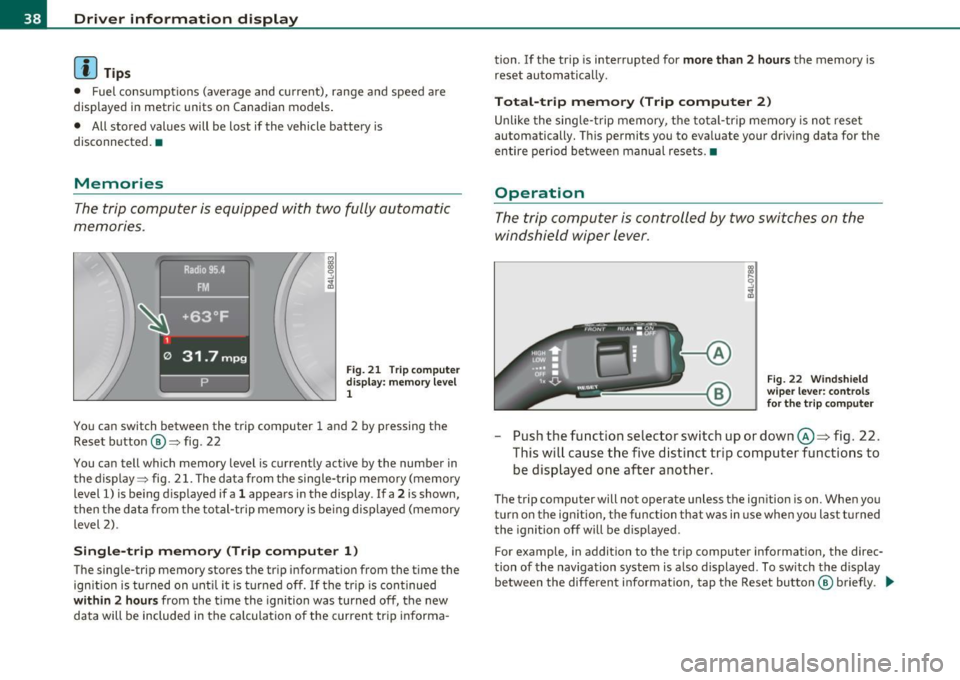
Fig . 21 T rip comp uter
display: memory level
1
You can switch between the trip computer 1 and 2 by pressing the
Reset button @=> fig. 22
You can tell which memory level is currently active by the number in
the display :::> fig. 21. The data from the single-trip memory (memory
level 1) is being displayed if a
1 appears in the display . If a 2 is shown,
then the data from the total-trip memory is be ing displayed (memory
level 2).
Single-trip memory (Trip computer 1)
The single-trip memory stores the trip information from the time the
ignition is turned on until it is turned off. If the trip is continued
within 2 hours from the time the ignition was turned off, the new
data will be included in the ca lculation of the current tr ip informa - tion. If the trip
is interrupted for
more than 2 hours the memory is
reset automatically.
Total-trip memory (Trip computer 2)
Unlike the single-trip memory, the total-trip memory is not reset
automatically. This permits you to evaluate your driving data for the
entire period be tween manual resets. •
Operation
The trip computer is controlled by two switches on the
windshield wiper lever .
Fig. 22 Windshield
wiper lever: controls
for the trip computer
-Push the function selector switch up or down@~ fig. 22.
This will cause the five distinct trip computer functions to be displayed one after another.
The trip computer will not operate unless the ign ition is on. When you
turn on the ign ition, the function that was in use when yo u last t urned
the ignition off will be displayed .
For example, in addition to the trip computer information, the direc
tion of the navigation system is also displayed . To sw itch the display
between the different information, tap the Reset button ® briefly . .,_
Page 41 of 390
Setting values to zero
To delete one current va lue from the trip computer, select the
desired funct ion and press the Reset button @for at least one
second. The follow ing values can be set to zero
individually using the
Reset button:
• Average fuel mileage
• Average speed
• Elapsed time
• Distance
In addit ion,
all the values in the single-trip or the total-trip memory
can be deleted simultaneously=>
page 39 .
[ i J Tips
All stored values will be lost if the vehicle battery is disconnected. •
MMI settings
Basic settings for the trip computer can be made in the
MMI.
-Select: Function button I CAR ]> Systems* > Instrument
cluster > On-board computer 1 or On-board computer 2.
The val ues in the single-trip or the total-trip memory can all be reset
to zero at the same time under
Reset in the menu.
In addition, you can determine what information from the trip
computer should be shown in the instrument cluster display . If one
of the p ieces of driver information is turned
Off, that driver informa
tion will not be shown in the display. The in format ion will continue to
be ca lculated by the trip computer and can be turned back
On at any
time. •
Controls and equip
ment Safety first
Driver information display
Vehicle care
Technical data
Page 47 of 390
without a key using the lock ing button. Eac h door has a prox imity
senso r and a lock ing b utton.
Automatic locking
Th e a utomat ic lo ck ing feature locks a ll the veh icle doors and the rear
lid when you drive faster than 9 mph (15 km/h). This function can be
tu rne d on and off in the MMI
Central locking Men u~ page 47.
You can unlock the vehicle from the ins ide by:
• removing the key from the ign ition switch (the vehicle w ill auto
matically un lock itself) o r
• press ing the unlock part of the powe r lock switch
63 or
• pulling the door handle (tw ice to open the rear doors).
& WARNING
• When you lock y our veh icle from outs ide, nobody -especiall y
c hildren· should remain in side th e vehicle . Remember , when you
lock the vehicle from the outside the window s cannot be opened
from the inside .
• When you leave the vehicle, alwa ys remove the ignit ion key
and take it with y ou. This will prevent pa ssenger s (children, for
e x ample ) from accidentally be ing locked in the veh icle should
they ac cidentally pre ss the power lo cking swit ch in the front
door s.
• Do not leave children inside the vehicle unsup ervi sed . In an
emergency it would be impossible to op en the doors from the
out side without the ke y.
[ i ] Tips
• In the event of a cras h w ith airbag deployment all loc ked doors
will be a utomatically unlocked to give access to the veh icle occupants
from t he outside.
• If the power locking system should malfunction, you can lock each
door ind ividually using the ve hicle key ~
page 48.
Con tro ls a nd e quip
m en t Vehicle
OP-eration
Opening and closing
• If the power lock ing system should fail, you can still open the fuel
tank flap in a n emergency ~
page 292.
• You are well advised not to keep valuables inside an unattended
vehicle , visib le or no t. Even a properly locked veh icle c annot p rovide
the security of a safe .•
Unlocking and locking the vehicle with the
remote control
How the remote control works .
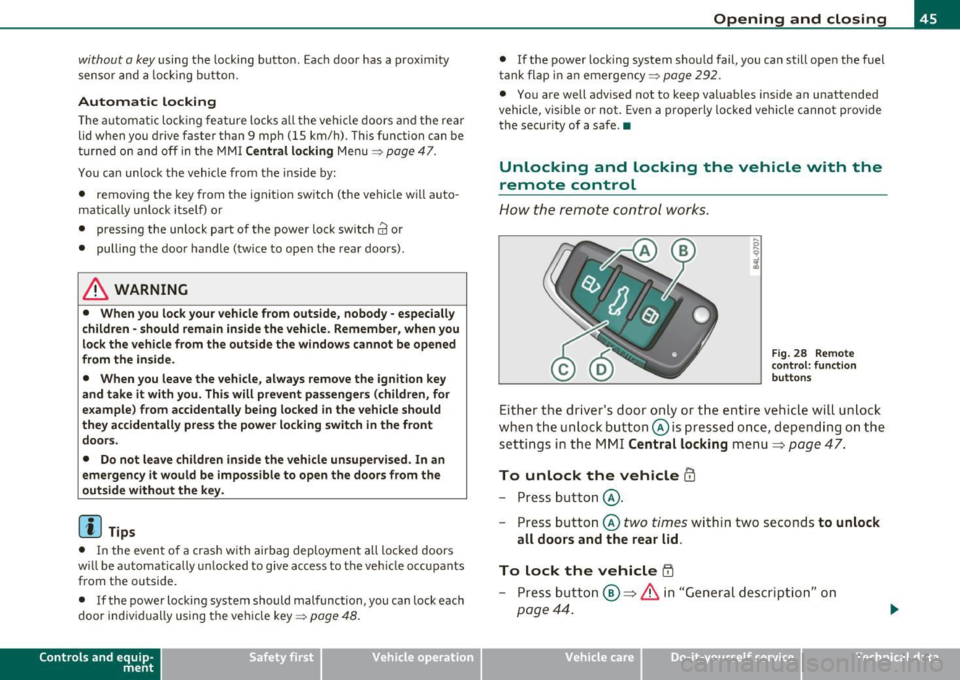
Fig. 28 Rem ote
con trol: functi on
button s
Eit he r the driver's door only or the entir e vehicle wi ll unlock
when the unlock button© is pressed once, de pend ing on the
settings in the MMI
Central locking menu ~ page 47.
To unlock the vehicle CD
- Press button @.
- P ress button @
two times with in two seconds to unlock
all doors and the rear lid .
To lock the vehicle ffi
-Press button @~ & in "General d escrip tion" on
page 44 .
Vehicle care Do-it-yourselt service iTechnical data
Page 102 of 390
llffl!I.___S_ e_a _t_ s_ a_ n_ d_ s_t _o _r_ a...: g,,._ e ______________________________________________ _
Roof rack
First things first
A roof rack can be fitted to carry additional luggage on
the roof.
- A lways read and follow the instruct io ns prov ided by the
roof rack manufacturer when the roof rack system m ust
be installed .
If you are tra nspo rting l uggage or other objects on the roof, please
note the following:
• Your vehicle has specially designed aerodynamic roof rails. Only
install a roof rack specifica lly designed fo r you r model. Contact the
nearest authorized Audi dea ler for information on approved mod ular
roof rac ks for your vehicle .
• T hese approved roof racks a re the basis for a complete roof rack
system. Add itiona l attachments for the basic roof rack are necessary
to safe ly transport luggage, bicycles, surf boa rds, skis or sma ll boats .
All necessary hardwa re for these systems is ava ilable at yo ur a utho
r ized Audi dealer .
• We recommend that you keep t he installat ion inst ruct ions for
your roof rack system together with your Owner's literature in the
vehicle.
When should the roof rack be remo ved?
• Before going through an automat ic car wash (it is best to ask the
car wash operator for advice) .
• When not in use, to reduce fuel consumption, wind noise and to
guard against theft .
& WARNING
• Use of an unapproved roof rack or incorrect mounting of an
approved roof r ack can cau se the roof rack or the items atta ched
to it to fall off the roof onto the road.
• Object s falling from the roof of a v ehicle can cau se a crash and
personal injury .
• Only mount the system b etween the markings shown in
=> page 101, fig. 96.
• The roof rack sy stem must be in stall ed e xactly ac cording to the
instructions provided.
0 Note
• Your vehicle warranty does not cover any damages to the vehicle
caused by using roof ra ck s or mounting s truc tures not appr oved by
Audi for your veh icle . The same applies to damage result ing from
incor re ct roof rac k ins tallat io n.
• Always check the roof rack mountings and hardware before each
t rip and dur ing a trip to ma ke sure everyth ing is sec urely tig htened. If
necessary, ret ighten the mountings and check the entire system from
t ime to time.
• After mounting a roof rack system, or when yo u transport objects
on the roof of your veh icle, t he heigh t of the vehicle is natura lly
increased . Be careful whe n driving under low br idges or in park ing
g ar ages for ex ample . This could ca use damage to the lo ad and even
the vehicle itself .•
Page 103 of 390
_______________________________________________ S_ e_ a_t _s_ a_n_ d_ s_ t_ o _ r_a """g::;. e _ __._
Roof rack mounting locations
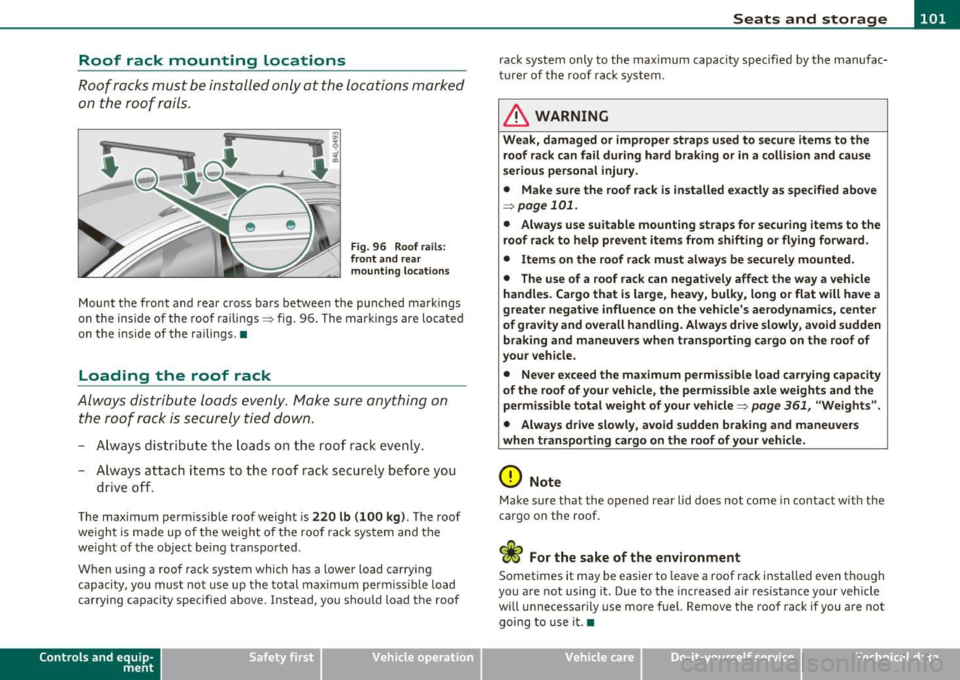
Roof racks must be installed only at the locations marked
on the roof rails .
Fig. 96 Roof ra ils :
fr ont and rear
m ounting l ocations
Mount the front and rear cross bars betwee n the punched markings
on the inside of the roof railings :::> fig. 96. The marki ngs are lo cate d
on t he inside of the railings .•
Loading the roof rack
Always dist ribu te loads evenly . Make sure anything on
the roof rack is securely tied down.
- A lways distr ibu te the loads o n the roof rack even ly.
- A lways attach items to the roof rack secure ly before you
drive o ff.
The maximum permiss ible roof weight is 220 lb (100 kg ). The roof
we ight is made up o f the weight of the roof rack system and the
we ight of the object being transported .
When using a roof rack system which has a lower load carry ing
capacity, you must not use up th e total max imum permiss ible load
carrying capac ity specified above. Instead, you should load the roof
Con tro ls a nd e quip
m en t Vehicle
OP-eration
rack system only to the max imum capacity specified by the manufac
tu rer of the roof ra ck system.
& WARNING
Weak, damaged or improper straps u sed to secure item s to the
roof rack can fail during hard braking or in a colli sion and cause
s e riou s personal injury .
• Make sure the roof rack is i nstalled e xactly as spe cified abo ve
~ page 101 .
• Always u se suitable mounting strap s fo r se curing items to the
roof rack to help pre vent items from shifting or fl ying forward .
• Item s on the roof rack mu st alwa ys be secu rel y mounted.
• The use of a roof rac k can negati vely affect the way a vehicle
handle s. Cargo that i s large , he avy , bulky, long or flat will have a
greater negative influence on the vehicle 's a erodynami cs, center
of gr avit y and overall h andling . Alway s drive slowl y, avoid sudden
braking and maneuvers when tran sporting cargo on the roof of
your veh icle .
• Never e xceed the maximum permi ssible load carr ying capacity
of the r oof of your vehicle , the permi ssible a xle weight s and the
permis sible tot al weight of your v ehicl e=>
page 361, "W eights ".
• Alway s drive slowly , avoid sudden braking and maneuver s
when t ran sport ing cargo on th e ro of of y our veh icle.
0 Note
Make sure that the opened rear lid does not come in contact with the
cargo on the roof .
c£> For the sake of the environment
Sometimes it may be easier to leave a roof rack installed even tho ugh
you a re not using i t. Due to the inc reased air res istance your vehicle
will unnecessarily use more fuel. Remove the roof rack if you are not
going to use it. •
Vehicle care Do-it-yourselt service iTechnical data
Page 114 of 390
![AUDI Q7 2010 Owner´s Manual -Warm and cold .,,, ___________________ _
Air Conditioner On /Off !AC]
Switching off the air conditioner saves fuel.
- Press the [AC] button to switch the air conditioner on or](/img/6/40275/w960_40275-113.png "AUDI Q7 2010 Owner´s Manual -Warm and cold .,,, ___________________ _
Air Conditioner On /Off !AC]
Switching off the air conditioner saves fuel.
- Press the [AC] button to switch the air conditioner on or")
-Warm and cold .,,, ___________________ _
Air Conditioner On /Off !AC]
Switching off the air conditioner saves fuel.
- Press the [AC] button to switch the air conditioner on or
off.
When the air conditioner is switched on, the indicator lamp in the
button will illuminate and the heating/ventilation system is
controlled automatically.
Please keep in mind that with the air conditioner switched off, the
interior temperature cannot be lower than the outside temperature.
The air will not be cooled or dehumidified. The windows can fog up.•
Automatic mode !AUTO]
The automatic mode is the standard setting for all
seasons.
- Select temperature between 60 °F (+16 °() and 84 °F
(+28 °().
- Press the [AUTO] button.
Automatic operation ensures constant temperatures in the interior
and dehumidifies the air inside the vehicle. Air temperature, volume
and distribution are controlled automatically to reach or maintain the
desired interior temperature as quickly as poss ible. Fluctuations in
exterior temperature and the effects of temperature from the posi
tion of the sun are compensated for automatically.
This operating mode works only in the adjustable temperature range,
from
60 °F (+16 °() to 84 °F ( + 28 °() . If a temperature below 60 °F
( + 16 °C) is selected, LO appears in the display. At temperatures above
84 °F (+28 °C) , HI is displayed. At both extreme settings , climate
control runs continuously at maximum cooling or heating power.
There is no temperature regulation. •
Setting the temperatur e
Separate temperatures can be selected for the driver's
and front passenger's side.
- Rotate the regulator to the left to reduce the tempera-
ture, or to the right to increase the temperature.
The selected temperature appears on the climate control display . The
temperature setting will also appear for a few seconds in the MMI
display .•
Fan @
The automatically preset fan speed can be reduced or
increased.
- Press the I~] button.
- Rotate the regulator to the desired fan speed.
The climate control system automatically regulates fan speed
depending on interior temperature. You can adjust the volume of air
produced by the fan to your own requirements.
The fan speed setting will appear for a few seconds in the MMI display.
[ i] Tips
It is possible that the fan speed may change automatically. This
occurs to ensure that the desired temperature setting is reached as
quickly as possible.•
Page 116 of 390
llffl..__w __ a _r _m __ a_n _ d_ c_ o_ ld ________________________________________________ _
The rear window defogger works only when the engine is running . The
light in the switch will illum inate when the defogger is on.
The rear window defogger will switch off automatically after a short time . The time the rear window defogger remains on will vary
depending on the outs ide temperature.
At very low outside temperatures, the rear window defogger can be switched on continuously by pushing the QW button for mo re than 2
seconds. This remains stored until the ign ition is switched off .
A rear window defogger that was switched on also remains stored for 1 5 minutes afte r th e ign itio n is switched off. If the engine is
restarted within these 15 minutes, the rear window defogger is also
act ivated , depending on outside tempe rature. With a vehicle that is
parked for a short time, the rear w indow defogger does not need to
be manua lly a ct ivated aga in.
'£> For the sake of the environment
T urn the defogger off when the rear window is clear. When you save
electricity, you save fuel. •
Air outlets
Air distribution determines the air flow to the individual
vents.
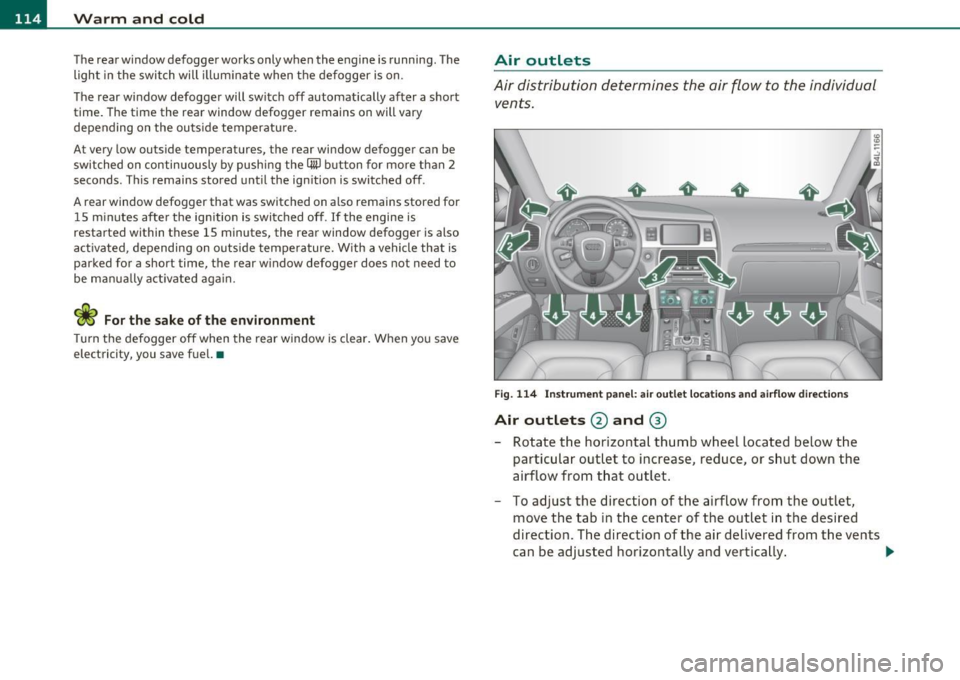
Fi g. 114 I nst rum ent pa nel: air o ut let locat ion s a nd airfl ow directi ons
Air outlets @ and ®
-Rotate the horizontal thumb wheel located below the
particular outlet to increase, reduce , or sh ut down the
airflow from t hat outlet .
- To adjust the direction of the airflow from the outlet,
move the tab in t he center of the outlet in the desired
direction. The direction of the air delivered from the vents
can be adj usted horizontally and vertically . ..,
Page 117 of 390
Warm and cold Ill
----------------
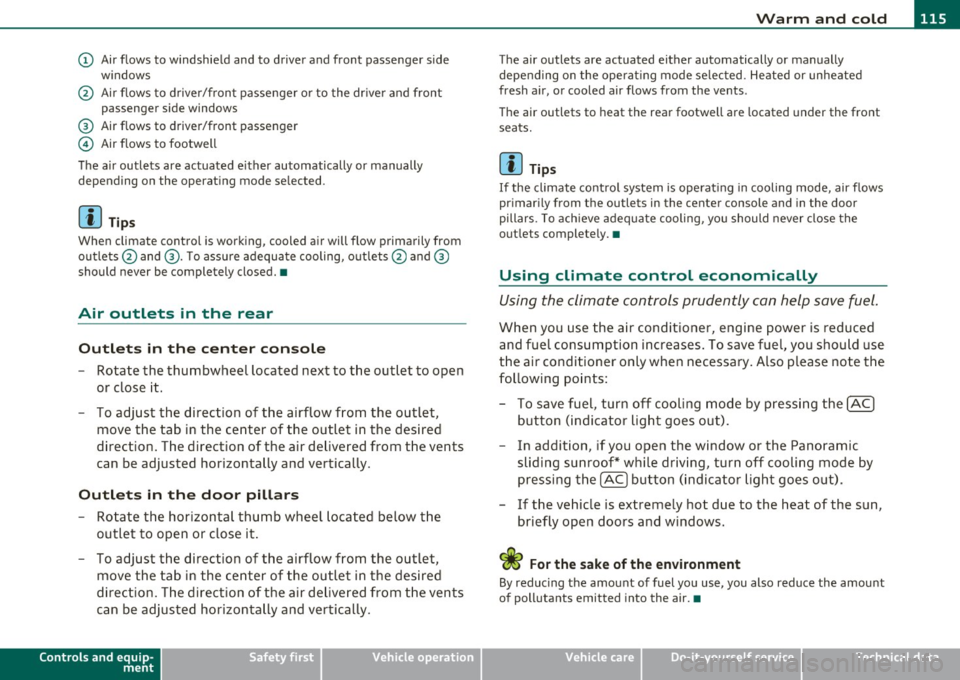
(D Air flows to windshield and to driver and front passenger side
w indows
@ Air flows to driver/front passenger or to the dr iver and front
passenger side windows
® Air flows to driver/front passenger
© Air flows to footwell
The air outlets are actuated e ither automatically or manually
depending on the operating mode selected.
[ i ] Tips
When climate control is working, cooled air will flow primarily from
outlets @and ®· T o assure adequate cooling, outlets @and ®
should never be completely closed. •
Air outlets in the rear
Outlets in the center console
-Rotate the thumbwheel located next to the outlet to open
or close it.
- To adjust the direction of the airflow from the outlet,
move the tab in the center of the outlet in the desired
direction. The direction of the air delivered from the vents
can be adjusted horizontally and vertically .
Outlets in the door pill ars
- Rotate the horizontal thumb wheel located below the
outlet to open or close it .
- To adjust the direction of the airflow from the outlet,
move the tab in the center of the outlet in the desired
direction. The direction of the air delivered from the vents
can be adjusted horizontally and vertically.
Controls and equip
ment Safety first
The air
outlets are actuated either automatically or manually
depending on the operat ing mode se lected. Heated or unheated
fresh air, or cooled air flows from the vents.
T he air outlets to heat the rear footwell are located under the front
seats.
[I) Tip s
If the climate cont rol system is operat ing in cooling mode, air flows
primarily from the outlets in the center console and in the door
pillars . To ach ieve adequate cooling, you should never close the
outlets completely. •
Using climate control economically
Using the climate controls prudently can help save fuel.
When you use the air conditioner, engine power is reduced
and fuel consumption increases . To save fuel, you should use
the air conditioner only when necessary . Also p lease note the
following points:
- To save fuel, turn off cooling mode by pressing the
[AC)
button (indicator light goes out).
- In addition, if you open the window or the Panoramic
sliding sunroof* while driving, turn off cooling mode by
pressing the
[AC] button (indicator light goes o ut).
- If the vehic le is extremely hot due to the heat of the sun,
briefly open doors and windows.
<£' For the sake of the environment
By reducing the amount of fuel you use, you also reduce the amount
of pollutants emitted into the air.•
Vehicle care Technical data
Page 132 of 390

IIIIL-_O.::...:. n.:....: t:.:.h.:.. e::....: r...: o:.. a .::..: d,;__ ________________________________________________ _
Applying parking brake
- Press the pedal down forcefully=> page 129, fig. 125 @
in the direc tion of the a rrow.
Releasing parking brake
- Pull the handle to the rear @in the d irection of the arrow
=> & .
If yo u shou ld drive off w it h the pa rking brake still set, a warning tone
w ill sou nd and the following will appear in t he instrument cluste r to
remind you to release the parking brake:
Parking brake i s applied
The park ing brake warning comes on only after you have driven for
longer than 3 seconds and fas ter than 5 mph (5 km/h).
Th e parking b rake wa rni ng light
:Ill , (USA)/ © (CON ) illuminates when
the parking brake is set and you switch on the ignition .
& WARNING
Always release the pa rking brake completely . A partially engaged
brake will overheat the rear brakes, reduce th eir effectivene ss and
c ause ex cessive we ar. This could lead to brake failure and an acci·
dent .
0 Note
Only af ter the veh icle h as come to complete stop, sho uld you firmly
set the park ing brake and move the se lector lever into "P". •
Parking
To p re vent a p arked vehicle f ro m rolling away, th ere ar e
a fe w things you sh ould do.
When you park your vehicle, do the following
- Stop the veh icle using the brake pedal.
- Apply the pa rking brake firm ly .
- Mov e the selector lever i nto the
P posi tion =>& .
- Switch o ff the e ngi ne and remove t he ignition key from
the ig nition loc k.
When you park your vehicle on hills, do the
following
- Stop the veh icle us ing t he brake pedal.
- Apply the par king b rake firm ly .
- If you are par king h eaded downhill , turn th e fro nt wheels
toward th e curb.
- If you are parking headed
uphill , turn the front wheels
away from the cu rb .
- M ove the selector lever i nto the
P position.
- Swit ch off t he engine and remove t he ig nition key from
the ignit ion loc k.
& WARNING
This i s how you can reduce the risk of injury when leaving your
vehicle.
• Never park the vehicle where it can come in contact with dry
grass, spilled fuel or any othe r flammable materials.
Page 166 of 390

1111....__A_ u_ t_o _m_ a_ t_ic _ t_ r_ a_ n_s _m_ i _s_ s_ i_ o_ n ____________________________________________ _
Automatic selector lever lock
The selector lever is locked in the P and N positions when the ignition
is turned on . To move the lever from these positions the driver must
depress the brake pedal. As a reminder to the driver, the following
warning appears in the instrument cluster display when the selector
is in
P and N:
When stationary apply foot brake while selecting gear
A time delay element prevents the selector lever from locking when
it is moved through the
N position (going from R to D). The locking
element will lock the selector lever if the lever is left in N (Neutral) for
more than approximately 1 second, without the brake pedal being
pressed .
At speeds above about 3 mph (5 km/h) the Automatic Shift Lock is
automatically deactivated in the
N position.
Interlock button
The lock button on the selector lever prevents the lever from being
accidentally shifted into ce rtain positions. Pressing this button deac
tivates the selector lever lock. Depending on the direction of the
shift, the selector lever locks at different positions . The positions are
highlighted in the illustration ~
page 163, fig. 161.
Ignition key safety interlock
The key cannot be removed from the ignition unless the selector lever
is in the
P park position . When the ignition key is removed, the
selector lever will be locked in the
P position. •
Kick-down
The kick-down feature allows the vehicle to generate
maximum acceleration.
When you press the accelerator pedal beyond the resistance point
that is reached at full throttle, the transmission will select a lower
gear ratio based on vehicle speed and engine RPM. The engine RPM
will be controlled to produce maximum vehicle acceleration as long as you continue to press the accelerator pedal beyond this
resistance
point .
& WARNING
Be careful when using the kick-down feature on slippery roads.
Rapid acceleration may cause the vehicle to skid. •
Dynamic shift program (DSP)
The automatic transmission is electronically controlled.
The transmission is self adapting and will automatically select the
best shift program suited to the driving conditions and driving style.
The transmission will select one of the
economy programs when you
drive at a steady speed or a gradually changing speed without heavy
acceleration . This achieves optimum fuel efficiency, with early
upshifting and delayed downshifting.
The transmission will automatically select the
sporty shift programs
when you drive at higher speeds, or with heavy acceleration and
frequently changing speeds. Upshifts are delayed to make full use of
engine power . Downshifting takes place at higher engine speeds than
in the economy programs.
The selection of the most suitable shift program is a continuous ,
automatic process. The driver can also make the transmission switch
to a sporty program by
quickly pressing down the gas pedal.
This causes the transmission to shift down to a lower gear to achieve rapid acceleration, e .g. for quickly passing another vehicle. You do
not need to press the gas pedal into the kick -down range . After the
transmission has upshifted, the original program is selected
according to your driving style.
An additional shift program allows the automatic transmission to
select the proper gear for uphill and downhill gradients.
This keeps the transmission from shifting up and down unnecessarily
on hills. The transmission will shift down to a lower gear when the .,_