display AUDI Q7 2010 Owner´s Manual
[x] Cancel search | Manufacturer: AUDI, Model Year: 2010, Model line: Q7, Model: AUDI Q7 2010Pages: 390, PDF Size: 93.04 MB
Page 38 of 390
Driver information display
Speed warning 1
You can use speed warning 1 to set the maximum speed whi le you are
dr iving. This setting will remain in effect until you turn off the igni
tion , assuming that you have not changed or reset the setting.
Th e speed warning symbol
'8 (USA models) /8 (Canada models) in
the warning 1 display appears when you exceed the maximum speed .
It goes out when the speed falls below the stored maximum speed.
The speed warning symbol will also go out if the speed
exceeds the
stored maximum speed by more than about 2S mph (40 km/h) for at
least 10 seconds . The stored maximum speed is deleted .
Setting speed warning 1
=> page 36.
Speed warning 2
Storing warning 2 is recommended if you a/wayswantto be reminded
of a certa in speed , fo r example when you are traveling in a country
that has a general maximum speed limit, or if you do not want to
exceed a specified speed for winter tires.
The speed warning 2 symbol,
e (USA models)/ 8, (Canada models)
appears in the display when you exceed the stored speed limit. Unlike
warning 1, it will not go out unt il the vehicle speed drops below the
stored speed limit.
Setti ng speed warning 2
=> page 3 7.
[I] Tips
Even though your vehicle is eq uipped w ith a speed war ning system,
you should still watch the speedometer to make sure you are not
dr iving faster than the speed limit.•
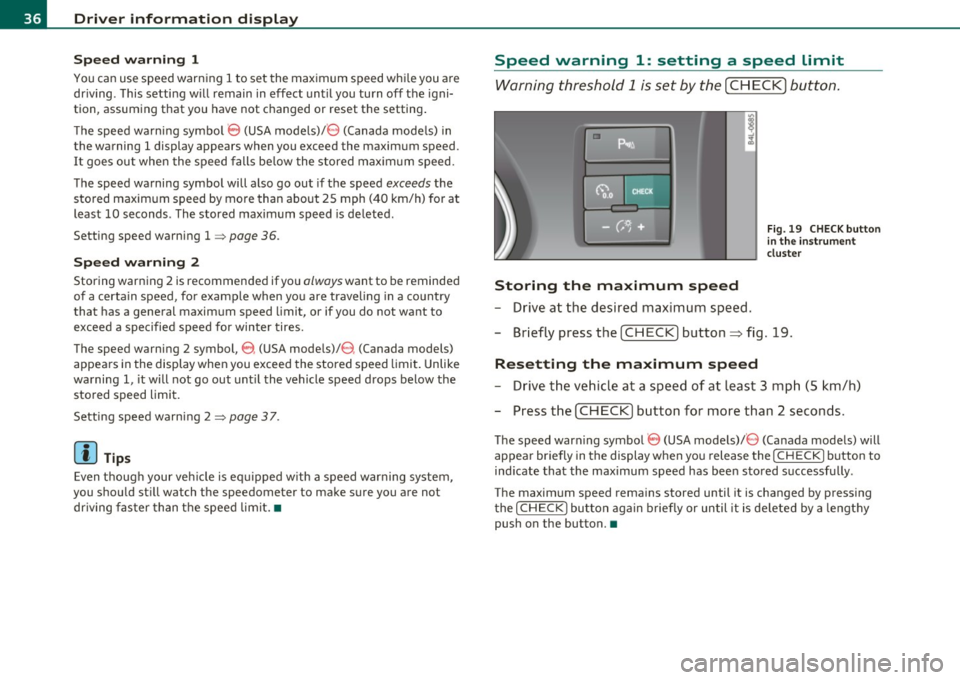
Speed warning 1: setting a speed limit
Warning threshold 1 is set by the [ CHECK] button.
Storing the maximum speed
-Drive at the desired maximum speed.
Fig. 19 CHECK button
in the instrument
cluster
- Briefly press t he [CHECK] button :::;, fig. 19 .
Resetting the maximum speed
-Drive the vehicle at a speed of at least 3 mph (5 km/h)
- Press the
I CHECK ] button for more than 2 seconds.
The speed warning symbol 8 (USA models)/ 8 (Canada models) will
appear briefly in the display when you release the
I CH ECK] button to
ind icate that the maximum speed has been stored successfully .
The maximum speed remains stored until it is changed by pressing
the
I CHECK ] button again briefly or until it is deleted by a lengthy
push on the button. •
Page 39 of 390
![AUDI Q7 2010 Owner´s Manual Speed warning 2: setting a speed limit
Warning threshold 2 is set, changed and deleted in the
fv1fv1I.
- Select: Function button I CAR]> Systems* > Instrument
cluster > Spee d warni](/img/6/40275/w960_40275-38.png "AUDI Q7 2010 Owner´s Manual Speed warning 2: setting a speed limit
Warning threshold 2 is set, changed and deleted in the
fv1fv1I.
- Select: Function button I CAR]> Systems* > Instrument
cluster > Spee d warni")
Speed warning 2: setting a speed limit
Warning threshold 2 is set, changed and deleted in the
fv1fv1I.
- Select: Function button I CAR]> Systems* > Instrument
cluster > Spee d warning .
Warning thresho ld 2 can be set in the speed range starting from
20 mph to 150 mph (30 km/h to 240 km/h) . Settings can each be
adjusted in interva ls of 5 mph ( 10 km/h). •
Trip computer
Introduction
The trip computer gives you information on current and
average fuel mileage, average speed, fuel range and
driving time .
Fig. 20 Trip c ompu te r
dis play: Avera g e fue l
m ile ag e
The fo llow ing driving information is continuously ev aluated by the
trip computer and can be displayed sequentially in the instrument
cl uster d isp lay.
Controls and equip
ment Safety first
Dri
ver information display
Fuel rang e
The estimated cruising range in miles (km) appea rs in the display.
T his tells you how far your veh icle w ill be able to travel on the current
tank
of f u e l and with the same dr iv ing style. The display changes in
increments of 6 miles (10 km).
The cruising range is calculated based on the fuel consumption for
t he last 18 miles (30 km). If yo u drive co nse rvat ively, the cruis ing
range will increase.
Average fuel mileage
The average fuel economy in MPG (l/100 km) since you last cleared
t he memo ry appea rs in t his d isp lay. Yo u can use this display to adjust
your dr iv ing techn ique to achieve a desired mileage.
Current fu el mileage
The instantaneous fuel consumption in miles per ga llon (l/100 km) is
show n in this d isp lay. Yo u can use this display to adjust your driving
technique to achieve
a desired m ileage.
Fuel consumption is reca lculated at intervals
of 33 yards (30 mete rs) .
Whe n the vehicle is stat ionary, the most recent fuel consumption is
displayed .
Average speed
The average speed in m ph (km/h) since the last t ime the disp lay was
reset appears i n the display .
Elapsed time
The length of time that you have been driving s ince you last reset the
memory appe ars in this display.
Distance
Th e distance that has been cove red since t he last time the memory
was cleared appears in the display. _,,
Vehicle care Technical data
Page 40 of 390
Driver information display
(I) Tips
• Fuel consumptions (average and current), range and speed are
displayed in metric units on Canadian models .
• All stored values will be lost if the vehicle battery is
disconnected. •
Memories
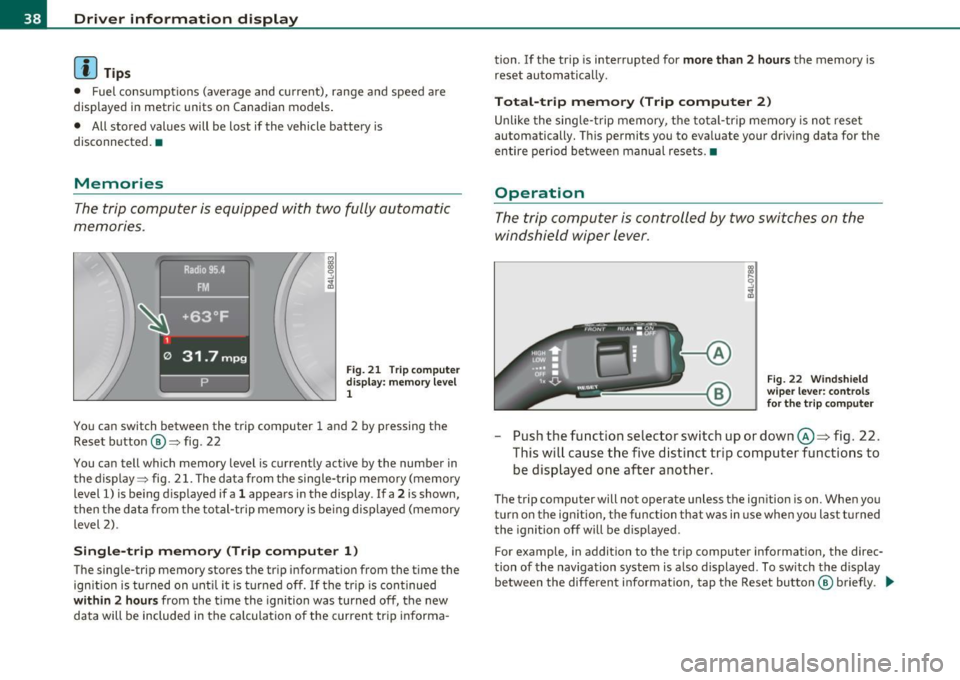
The trip computer is equipped with two fully automatic
memories.
Fig . 21 T rip comp uter
display: memory level
1
You can switch between the trip computer 1 and 2 by pressing the
Reset button @=> fig. 22
You can tell which memory level is currently active by the number in
the display :::> fig. 21. The data from the single-trip memory (memory
level 1) is being displayed if a
1 appears in the display . If a 2 is shown,
then the data from the total-trip memory is be ing displayed (memory
level 2).
Single-trip memory (Trip computer 1)
The single-trip memory stores the trip information from the time the
ignition is turned on until it is turned off. If the trip is continued
within 2 hours from the time the ignition was turned off, the new
data will be included in the ca lculation of the current tr ip informa - tion. If the trip
is interrupted for
more than 2 hours the memory is
reset automatically.
Total-trip memory (Trip computer 2)
Unlike the single-trip memory, the total-trip memory is not reset
automatically. This permits you to evaluate your driving data for the
entire period be tween manual resets. •
Operation
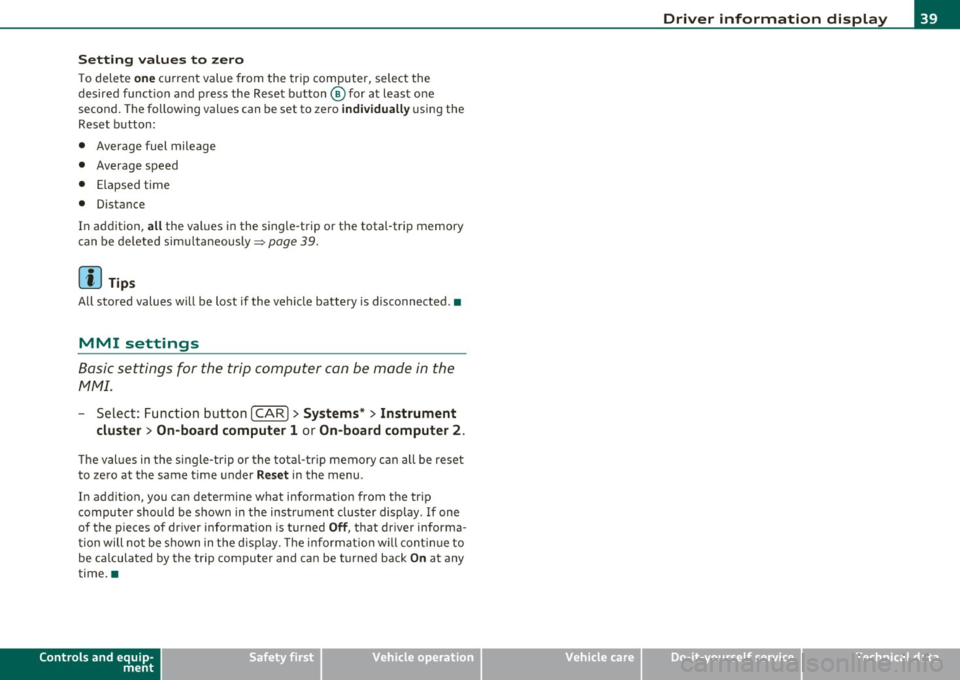
The trip computer is controlled by two switches on the
windshield wiper lever .
Fig. 22 Windshield
wiper lever: controls
for the trip computer
-Push the function selector switch up or down@~ fig. 22.
This will cause the five distinct trip computer functions to be displayed one after another.
The trip computer will not operate unless the ign ition is on. When you
turn on the ign ition, the function that was in use when yo u last t urned
the ignition off will be displayed .
For example, in addition to the trip computer information, the direc
tion of the navigation system is also displayed . To sw itch the display
between the different information, tap the Reset button ® briefly . .,_
Page 41 of 390
Setting values to zero
To delete one current va lue from the trip computer, select the
desired funct ion and press the Reset button @for at least one
second. The follow ing values can be set to zero
individually using the
Reset button:
• Average fuel mileage
• Average speed
• Elapsed time
• Distance
In addit ion,
all the values in the single-trip or the total-trip memory
can be deleted simultaneously=>
page 39 .
[ i J Tips
All stored values will be lost if the vehicle battery is disconnected. •
MMI settings
Basic settings for the trip computer can be made in the
MMI.
-Select: Function button I CAR ]> Systems* > Instrument
cluster > On-board computer 1 or On-board computer 2.
The val ues in the single-trip or the total-trip memory can all be reset
to zero at the same time under
Reset in the menu.
In addition, you can determine what information from the trip
computer should be shown in the instrument cluster display . If one
of the p ieces of driver information is turned
Off, that driver informa
tion will not be shown in the display. The in format ion will continue to
be ca lculated by the trip computer and can be turned back
On at any
time. •
Controls and equip
ment Safety first
Driver information display
Vehicle care
Technical data
Page 44 of 390
Opening and closing
Check Light in the master key
The check light in the master key provides information
about different conditions.
Check light functions in the master key:
Vehicle within range of the key
Fig. 25 Check light in
the master key
If the vehicle is within range of the key, the check light comes on
briefly once when a button is pressed.
Vehicle outside the range of the key
If the vehicle is outside the range of the key, the check light comes on
briefly once and then shows the status of the vehicle door locks:
• If the light is flashing quickly, the vehicle is not locked.
• If the light is flashing slowly, the vehicle is locked.
State of master key battery
If the check light does not come on, the battery is dead and has to be
replaced. In addition, when the battery is dead the symbol appears
in the instrument cluster display as well as the message:
Please change key battery
Battery replacement=:> page 42.
[I] Tips
Please note that the current state of the vehicle door locks can only
be recalled with the master key that was last used to lock the vehicle.
It is possible that a different state is shown for the door locks on the
other master key which is not the same as that of the vehicle. •
Master key battery replacement
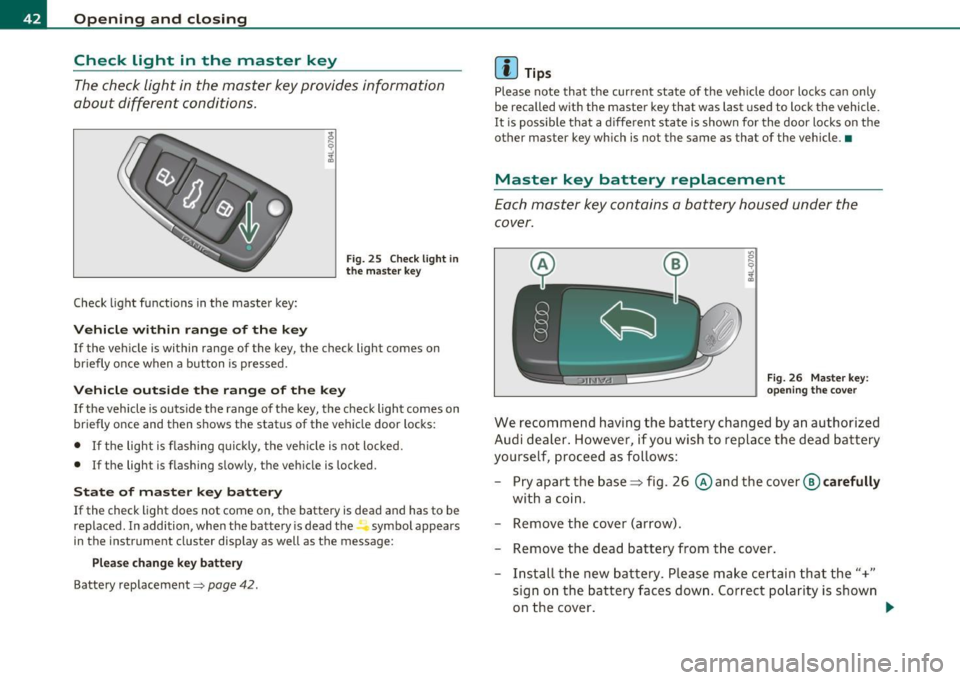
Each master key contains a battery housed under the
cover.
Fig. 26 Master key:
opening the cover
We recommend having the battery changed by an authorized
Audi dealer. However, if you wish to replace the dead battery
yourself, proceed as follows:
- Pry apart the base~ fig. 26
© and the cover @ carefully
with a coin.
- Remove the cover (arrow).
- Remove the dead battery from the cover.
- Install the new battery. Please make certain that the"+"
sign on the battery faces down. Correct polarity is shown
on the cover. _..
Page 52 of 390

Open ing and closing
(I) Tip s
• If the rear lid is open or not properly closed when the ignition is
turned on, the door and rear lid warning ~
page 24 appears in the
instrument cluster display.
• Should you not be able to open the rear lid as described, make sure
the valet key function is not activated
~ page 43. •
App lies to veh icles: with automatic rear lid /trunk lid ope rat ion
Automatic rear lid/trunk lid operation
The trunk lid can be opened and closed automatically.
F ig. 35 Drive r's door:
Unlocking the re ar lid
F ig. 36 Lock ing sw itch
i n t he rear lid
Op ening rear lid
- Press the middle button e:> on the remote key for at least
one second, or
- Press the unlock button
e:> in the driver's door=> fig . 35,
or
- Press the hand le on the rear lid =>
page 49, fig. 34.
- The opening process
is stopped immediate ly if the middle
button
e:> on the remote key is pressed again for at least
one second or the unlock button
e:> in the driver's door is
pressed again or the handle in the rear lid is pressed again .
-Middle button in the remote key and unlock button in the
driver's door:
The opening process is continued by
pressing one of the buttons again .
Handle in the rear lid: the rear lid is closed again by
pressing the hand le again =>& .
Closing rear lid /trunk lid
Press the close button in the open rear lid=> fig . 36. The
trunk lid moves to the closed position by itself and soft
close locks it automatically =>& .
- The closing process
i s stopped immediately if the close
button in the rear lid is pressed again.
- By pushing the button again, the rear lid is opened again.
Saving the opening angle of the rear lid
- Bring the rear lid manually or automatically to the desired
opening position and leave it in this position. ..,_
Page 53 of 390
- Press the button in the rear lid => page 50, fig. 36 for at
least fo ur seconds in o rder to save the desired opening
pos it ion . T he posi tio n ca n on ly be saved s tarting at a
certai n level.
& WARNING
• Never clo se the rear lid inattentively or without che cking fi rst.
Although the closing forc e of the r ear lid is limited, you can still
seriously injure you rself or others .
• Always ensure that no one i s within range of the rear l id when
it i s moving, in particular clo se to the hinge s and the upper and
lower edge s -finger s or hands can be pinched .
• To help prevent poisonous exhaust ga s from being drawn into
the vehicl e, always keep the rear lid closed while driving. Never
transport objects larger than tho se which fit completely into the
luggage ar ea, b eca use then the rear lid cannot be fully clo sed.
• Never leave your vehicle unattended e specially with the rear lid
l e ft open . A child could crawl into the car through the luggage
c ompartment and pull the lid shut , be coming trapped and unable
to get out. To reduce the r isk of per sonal injury, never let children
play in o r around your vehicle. Always keep the rear lid as well a s
the v ehicle doors closed when not in u se.
• If there i s a luggage rack or bicycle rack mounted on the rear
lid, it may not be able to open completely or an opened rear lid
may close by itself because of the added weight. So the open rear
lid must be supported or the we ight must be removed from the
luggage rack fir st.
[I) Tips
• If the rea r lid is open or not properly loc ked when the ig nit ion is
tur ned on, t he doo r and rear lid warning=>
page 24 appears in t he
instrument cluster display.
Controls and equip
ment Safety first
Opening and closing
•
The a utomat ic rear lid ope ning/closing process can be stopped by
holdi ng the re ar l id w it h your h and. The lid can the n be f urther
opened/closed by hand.
• If the re is a mech anic al prob lem wi th the au tomatic re ar lid
opening process or there is a n obstruction, the process is stopped
immedia tely.
• If there is a mechanical problem with
automati c closing for the
re ar lid or there is an o bst ru ct io n, i t opens ag ain slightly righ t aw ay .
Check to see why the rea r lid could not be closed before attempting
t o close it again .
• If the rea r lid on a locked vehicle is unlocked w ith the midd le
bu tton .::::so n the remo te key, the rear l id is au tom atically loc ke d
again immediately after closing. T his is indicated by the tur n signa ls
blinking.
• The following app lies to veh icles equipped with the Convenience
key * fea ture: if t he re mote cont rol key is left in the l ugg age compart
me nt, luggage compartment will automatically un lock itself after
you lock the vehicle. This prevents yo u from unin tentionally lock ing
your key in the luggage compartment .
• If the veh icle ba tte ry c ha rge drops be low a cer tain level, you c an
st ill open or close the rear lid manually, however, you will need to
apply more fo rce to close it.
• As soon as the elect rical connec tion to the t railer socket is
c omple ted o n veh icles with a fa cto ry ins talled towing hi tch , or a
trai ler hitch that was installed later accord ing to factory spec ifica
ti ons, the a utoma tic rear li d fu nct io n can only be opera ted v ia the
hand le in the rear lid .•
Vehicle care Technical data
Page 55 of 390

If the child safety lock has been activated on the left and on the right
side, t he rear cont rols are locke d on veh icles wi th re ar a ir-c ondi
tioning* . Dashes" ---" are shown in the displays for the rear climate
controls, and t he rear ai r-conditioning can only be operate d from the
cl imate contro ls in the cabin ::::;, page 116 .
[I) Tips
• In order to activate t he child safety lock on the left and the r ight
side, yo u have to press the two safety b uttons in success ion.
• Make certain that the c heck light comes on in t he correspondi ng
safety switch when the c hild safety loc k is activated. •
Convenience key
App lies to vehicl es: w ith Conven ience key
Description
A ccess and vehicl e opera tion based on: Mas ter key
remains in driver 's pocket.
Th e Conve nience key vehicle a uth o rization syste m allows keyless
unlocking, lock ing and start ing of the vehicle. You only have to car ry
th e master key on your perso n.
It makes no d ifference whether the master key is i n your jacke t pocke t
or in your br ief case . As soon as you approach yo ur vehicle, the Conve
nie nce key recog nizes the reques t fo r access, checks for author izat io n
and enab les the fo llow ing functions:
• Unlo cking the vehicle ::::;, page 54.
• Locking the vehicle ::::;, page 54.
• Switching on ignition and start ing the eng ine by press ing the
[ S T ART ] button; the master key does not have to be in t he ign it ion
switch::::;, page 12 7.
Controls and equip
ment Safety first
Opening and closing
& WARNING
•
When you lock your vehicle from outside, nobody -especially
children - should remain in side the vehicle . Remember, when you
lock the vehicle from the outside the windows cannot be opened
from the inside .
• When you leave the vehicle, always remove the ignition key
and take it with you. This will prevent pa ssenger s (children, for
example ) from accidentally being locked in the vehicle should
they accidentally press the power locking switch in the front
doors .
• Do not leave children in side the vehicle unsupervised. In an
emergency it would be impossible to open the doors from the
outside w ithout the key .
[ i ] Tips
• In order for the Convenience key to function , you must a lways
carry the master key with yo u.
• In order to be able to unloc k or loc k the vehicle, the a utho rized
master key must be within a range of about S feet (1.5 meters) from
the door o r the rear lid.
• Of course, you can still unlock and lock your veh icle using the
buttons on the master key . T he se lecto r lever must be in the P posi
tion .
• F or Declar ation o f Compliance to Uni ted St ates FCC a nd I ndu stry
Canada regulations::::;, page 369 . •
Vehicle care Technical data
Page 59 of 390

Opening the windows
-Push the s witch to the first stop and hold it t here u ntil t he
win dow has lowered to the desired posi tio n.
- Push t he switch briefly to the
second stop : the window
w ill automa tically o pen all t he way .
Closing the windows
-Pull t he swi tch up to the first stop and h old it th ere until
the wi ndow has risen to th e desired pos it ion .
- P ull the swit ch quickly to the
second position: the window
wi ll auto matically c lose all th e way ~
& in "Co ntrols" .
Activating/deactivating the rear windows
- P ress the left (!) switch ~ page 56, fig . 42 to deactivate
on ly the window regulator in the left door. The indicator
light in t he switch illu minates .
-Press t he r ight ff) switch~ page 56, fig . 42 to deactivate
only t he window reg ulator in the right door. The ind icator
li ght in the switch illuminates.
- Press the
ff) sw itch again to reac tivate t he win dow reg u-
lator. The indicator lig ht in the switch goes ou t.
If you press both(!) switches ® in succession, the fo llowing func
t ions are switc hed off in the rea r of the ve hicle:
• The window reg ulator sw itches in the rear doors.
• The buttons fo r th e Pano ram ic s liding su nroof *.
• On vehicles with rear climate cont rol *, ope ration from the rear is
blocked . Dashes" ---" are shown in the displays fo r the rear climate
controls, a nd the rear air -conditioning can only be operate d from the
cl ima te contro ls in th e cabin:::::,
page 116 .
Controls and equip
ment Safety first
Opening and closing
•
If only the left (!)switc h was pressed, t he window regulator in the
left rear door an d t he buttons in the re ar for the Panoramic sli ding
sunroof* are deactivated. In addition, the door is locked.
• If
only the right(!) switch wa s presse d, the win dow regu lator in
the
right rear door and the buttons in the rear for the Pa noramic
sliding s unroof * are dea ctiva ted. In addi tion, the door is locked .
T hi s fea ture has been provided for the safety of sma ll chi ldren r iding
in the rear of the vehicle .
[ i ] Tips
• T he windows can st ill be opened and closed for about ten minutes
after the ign ition has been tu rned off. The power w indows are no t
shut off unt il one of the front doors is opened.
• In order to ac tivate the child safe ty lock on the left and the rig ht
side, you have to p ress the two safety switches in succession. Make
c ertain that t he check light comes on the co rrespond ing safe ty sw itch
when the child safety lock is activated. •
Switch in the front passenger's door and on
the rear doors
Fig. 43 Swit ch loc a
t ion fr ont pa ssenge rs
door
The pow er window switc h has a two-position function:
Vehicle care Technical data
Page 67 of 390
Clear vision
Lights
Switching the headlights on and off -'t!-
In the "AUTO" position, a light sensor* automatically
swit ches the head- and tai llights on and off in response
to light condition s.
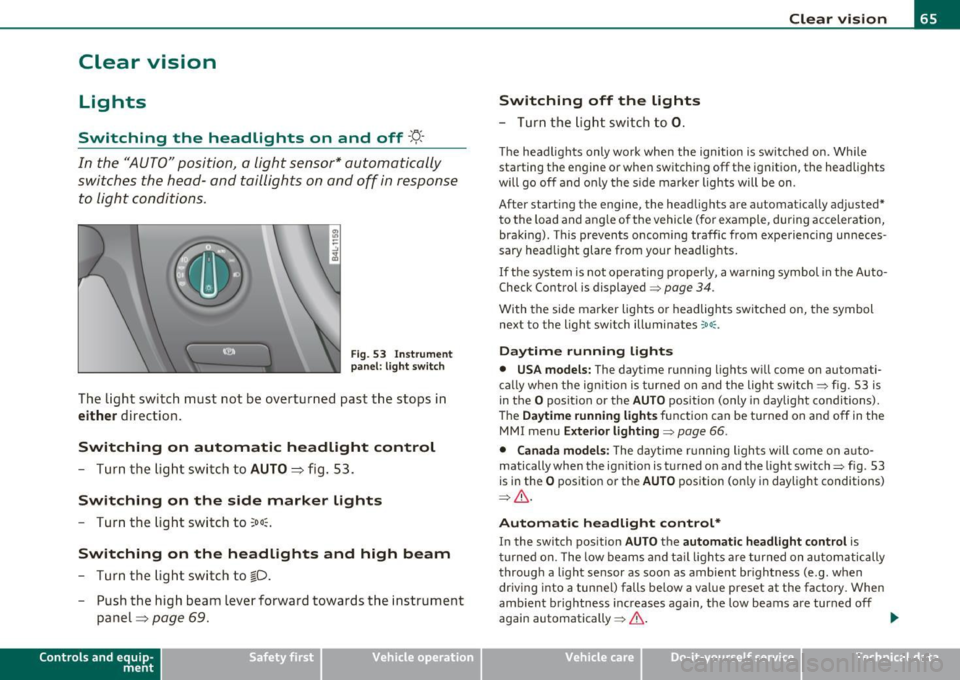
F ig . 5 3 Inst rum ent
pan el: li ght swit ch
The light switch must not be overturned past the stops in
either direction.
Switching on automatic headlight control
-Turn the light swi tch to AUTO ::::, fig. 53.
Switching on the side marker lights
-Tur n the light sw itch to 300~.
Switching on the headlights and high beam
- Turn the light swi tch to ~D.
- Push the high beam lever forward towards the instrume nt
panel=>
page 69.
Con tro ls a nd e quip
m en t Vehicle
OP-eration
Switching off the lights
-Turn the lig ht swit ch to 0.
Clear vision
The headligh ts only work when the ignition is switched on. Whi le
sta rting the engine or when switchi ng off the ignition, the headlights
will go off and o nly the s ide marker lights will be on.
After start ing th e engine, the headlights are automatically adjusted*
to the load and a ng le of the vehicle (fo r example, during acceleration,
braking) . This prevents oncoming traffic from experiencing unneces
sary head light glare from your head lig hts.
If the system is not operati ng p roperly, a warning symbol in t he Auto
Check Control is displayed =>
page 34.
With the side marker lights o r headlights switched on, the symbol
next to the light switch illuminates
coo:.
Daytime running lights
• USA models: The daytime running lights w ill come on automati
ca lly when the ign ition is turned on and the light switch => fig. 53 is
in the
O position or the AUTO position (only in daylight conditions).
Th e
Daytime running light s function can be tu rned on and off in the
MMI menu
Exterior lighting=> page 66.
• Canada model s: The d ay time r unning ligh ts w ill come on a uto
matically when the ig nitio n is turned on and the light switch=> fig. 53
is in the
O pos itio n or the AUTO position (on ly in daylight conditions)
=> & .
Automatic headlight control *
In the switch pos ition AUTO t h e automatic headlight control is
tu rned on. The low beams and tail lights a re turned on au tomatically
throug h a light sensor as soon as ambient br ightness (e .g . when
driving into a tunnel) falls below a va lue preset at the factory . When
amb ient b rightness increases again, the low beams are turned off
again automatically =>& . ..,_
Vehicle care Do-it-yourselt service iTechnical data