light AUDI Q7 2010 Owner´s Manual
[x] Cancel search | Manufacturer: AUDI, Model Year: 2010, Model line: Q7, Model: AUDI Q7 2010Pages: 390, PDF Size: 93.04 MB
Page 34 of 390
Driver information displ ay
If there is a malfunction in the electronic ignition lock, the ign ition
cannot be turned off. Drive immediately to an authorized Aud i dealer
to have the cause of the malfunction corrected.
On vehicles with Convenience key*, the engine should not be switched
off using the
I STOP] button because the eng ine can not be started
again after the ignition is switched off. •
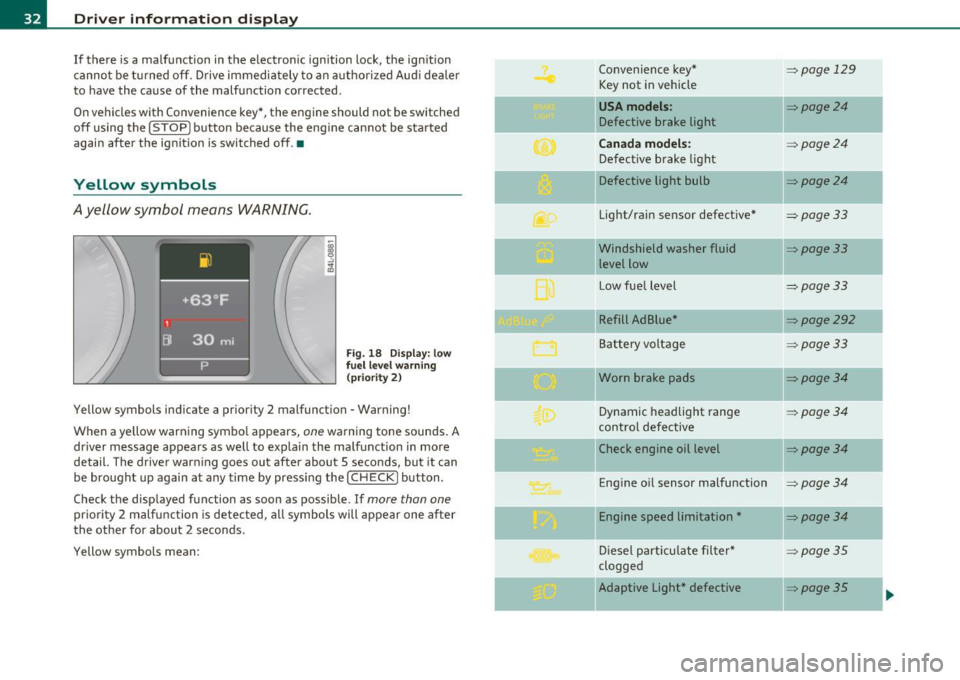
Yellow symbols
Ayellow symbol means WARNING.
Fig. 18 Display: low
f ue l leve l warn ing
(pr iority 2)
Yellow symbols indicate a priority 2 malfunction - Warning!
When a ye llow warning symbol appears,
one warning tone sounds. A
dr iver message appears as well to explain the ma lfunction in more
detail. The driver warning goes out after about 5 seconds, but it can
be brought up again at any time by pressing the
I CHECK] button .
Check the displayed function as soon as possible. If
more than one
priority 2 malfunction is detected, all symbo ls will appear one after
the other for about 2 seconds.
Yellow symbols mean: Convenience key*
=>page
129
Key not in vehicle
USA models : =>page24
Defective brake light
Can ada mod els: => page24
Defect ive b rake light
Defective light bulb
=>poge24
Light/rain sensor defective* =>page33
Windshield washer fluid =>page33
level low
L ow fue l level
=>page33
Refill Ad Blue* =>page292
Battery voltage =>page33
Worn brake pads =>page34
Dynamic headlight range = page34
contro l defective
II Check engine oil level
=>poge34
-
Engine o il sensor malfunction =>page 34
II Engine speed limitation* =page34
-
Diesel part icu late filter* =>page35
clogged
-Adaptive Light* defective => poge35 ..
Page 35 of 390
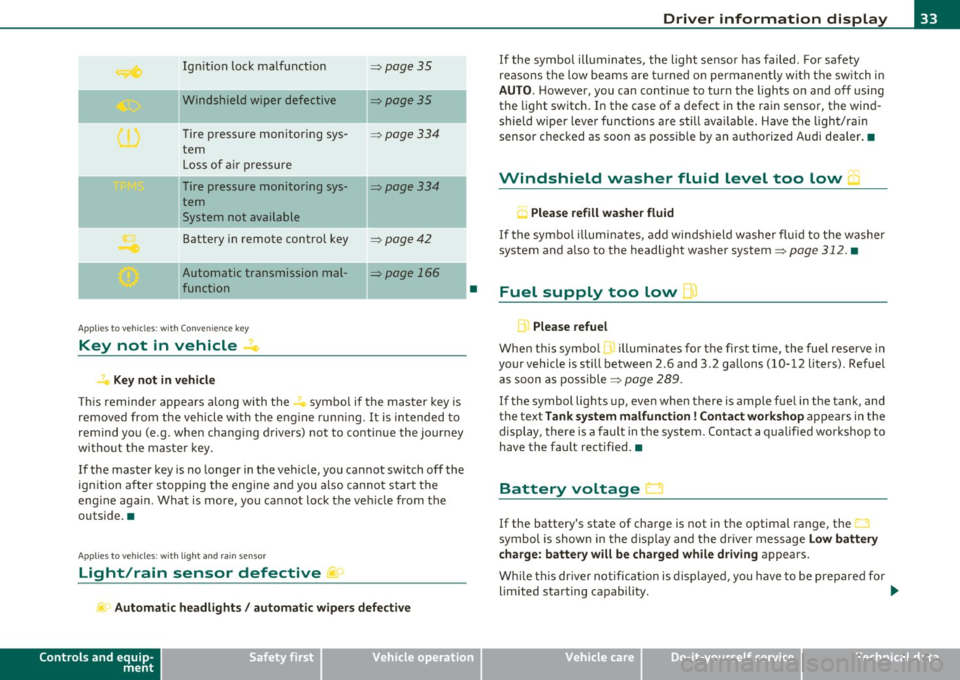
Ignition loc k malfunction ~page35
liWindshield wiper d efective ~page35
-
T ire pressure monitoring sys-~ page334
tern
Loss of a ir pressure
Tire pressure monitoring sys-
~page334
tern System not available
-
Battery in remote contro l key ~page42
Automatic transmission mal-~page 166
function
Applies to vehicles: w ith Con venience key
Key not in vehicle
Key not in veh icle
Th is reminder appears along with the symbo l if the master key is
removed from the veh icle with the e ng ine runni ng . It is intended to
remind you (e.g. when changing drivers) not to continue the journey
without the master key.
If the master key is no longer in the ve hicle, you cannot sw itch off the
ignition after stopping the engine and you also cannot s tart the
eng ine aga in . What is more, you cannot lock the veh icle from the
outside. •
Applies to vehicles: with light and rain sens or
Light/rain sensor defective '
Automatic headlight s/ aut omatic wipers defective
Controls and equip
ment Safety first
•
Dri
ver information display
If the symbol illuminates, the light sensor has failed . For safety
reasons t he low be ams are tu rned o n permanent ly with the switch i n
AUTO . H owever, you can cont inue to turn the lights on and off using
the light switch. In the case of a defect in the rai n sensor, the wind
shield wiper lever functions are still ava ilable. Have the light/rain
sensor checked as soon as possib le by an authorized Audi dealer .•
Windshield washer fluid level too low
Plea se refill washer fluid
If the symbo l il luminates, add wi ndshield was he r fluid to the washer
system and a lso to the headlight washer system~
page 312. •
Fuel supply too low
BJ Please refuel
Whe n th is symbo l ,. illum inates fo r the first time, the fue l rese rve in
your vehicle is still between 2 .6 and 3 .2 gallons (10-12 liters) . Refuel
as soon as possible~
page 289 .
If the symbol lights up, even when there is ample fuel in the tank, and
the text Tank system m alfunction ! Contact wo rkshop appears in the
display, the re is a fa ult in the system. Contact a q ualified wor kshop to
have the fault rectified. •
Battery voltage n
If the battery's state of charge is not in the optima l range, the.::)
symbol is show n in the display and the dr ive r message Low battery
cha rge: battery will be charged while dr iving appears.
Wh ile this dr ive r not ifica tion is displayed, you have to be prepared fo r
limited starting capability . ..,_
Vehicle care Technical data
Page 36 of 390
Driver information display
Driver message appears and goes out again
If this dr iver message appears af ter the ignition is t urned on or w hile
dr iving and it goes out aga in afte r a while , the battery has been
adeq uate ly recharged.
Driver message appears and does not go out again
If t his dr iver no tifica tion appears after the ignition is turned on or
w hile dr iv in g and does not go out again , the battery's state of charge
is not in t he optima l range. Starting ca pability is restricte d. Have the
ba ttery checked by a n author ized A udi deale r as soon as possible .•
Worn brake pads U
J Brake pads !
If the warn ing light illum inates, immediate ly contact your a uthorized
Aud i dealer or qualified workshop to have all b rake pads inspe cted.
On USA mode ls the warn ing light
.:l comes on together w ith the
w ar ning light
BRAKE . Both sets of b rake pad s on an ax le mus t alway s
be rep laced at the same time.
& WARNING
Driving with bad brakes can c ause a collision and serious personal
injury.
• If the warning light and the warning light BRAKE1> with the
mes sage Brak e pads! comes on in the instrument cluster di splay,
immediately contact your authorized Audi dealer or qualified
workshop to have all brake pads checked or replaced if necessary. •
ll BRAKE: USA mo dels only
Headlight range control ~[)
, Headlight range control defective !
If the sym bo l i llum inat es , the dyn ami c he adlig ht range co nt rol is no
longer wo rking properly . H ave t he system ch ecked and repaired at
your aut horize d Au di dea ler. •
Engine oil level
W hen th e symbo l illuminates, check th e eng ine o il level as soo n as
possible =>
page 301. Top off the oil at yo ur earliest o pportunity
=>page 3 02. •
Engine oil sensor defective
Oil level ! Sensor defective
C
-
If the symbo l illuminates, contact your author ized Audi dealer and
h ave the o il sensor inspec ted . Unti l y ou have this d one, check t he oil
level each time you refue l just to be on the safe side=>
page 301 . •
A pplie s to v eh icl es: w ith eng in e s peed l imitat io n
Engine speed limitation .?i
!'"') Do not exceed max . engine speed of XXXX rpm
T he ; symbol illuminates when there is an engine con trol malfunc
tion. The indicator light • in t he instrument cl uster also illuminates.
T he eng ine speed is limi ted to the speed displaye d in the d river info r
mation system . Keep in m ind that t he engine s peed will not exceed
th e v alu e disp laye d in th e d river infor mati on sy ste m, for examp le
w hen downshift ing. .,_
Page 37 of 390
Please go to an authorized Audi dealer or other qualified workshop to
have the malfunction repaired .•
Appli es to ve hicl es : wit h diesel e ngine and di ese l part ic ulate filt e r
Diesel particulate filter clogged ii1-
Particulate filter See owner's manual
When the symbol illuminates, you can alter your driving sty le to
assist the filter self-cleaning process. Drive for approximately 15
minutes with the selector lever in the S position at a minimum speed
of 37 mph (60 km/h) and an engine speed of approximately 2,000
RPM. The temperature increase that will resu lt from th is can burn off
the soot in the filter. The symbol will switch off when the cleaning is
successful. After a successful cleaning, there is no need to bring the
car to an authorized dealer or qualified workshop because this is part
of normal vehicle operation .
If the symbo l does not switch off, see your authorized dealer or
other qualified workshop to have the problem co rrected.
For more information on the diesel particulate filter, refer to
:::>page 263.
& WARNING
Always adapt your speed to the current weather, road and traffic
conditions. You should never disobey traffic laws in order to
follow driving recommendations. •
Applies to veh icles: w it h A daptive light
Adaptive Light defective i :
t".J adaptive light defective
When this symbol illum inates, it means that Adaptive Light is
defective . Go to an au thorized dealership to have the headlights or
the control unit for the Adaptive Light repaired .•
Controls and equip ·
ment Safety first
Driver information display
Ignition Lock malfunction :;ie
If the
symbol in the display comes on, there is a malfunc·
tion in the electronic ignition lock. An additional driver
message can be displayed by pressing the
[CHECK] button:
Ignition lock defective
-Drive to an authorized Audi dealer or qualified workshop
at your earliest convenience to have the malfunction
corrected. •
Windshield wipers faulty<..:>
Windshield wiper defective
When this symbol illuminates, it means that the electronics for
the windsh ield wipers are defective . Please go to an author ized Aud i
dealer or qualified workshop to have the w indshield wiper system
repa ired. •
Speed warning system
Overview
The speed warning system helps you to keep your driving
speed below a set speed limit.
The speed wa rning system warns the driver if he exceeds a previously
stored max imum speed . A warning tone w ill sound as soon as the
vehicle speed exceeds the set speed by about 3 mph (3 km/h) . At the
same time, a warn ing symbol appears in the display.
Th e speed warning system has
two warning thresholds that function
independently of each other and that have somewhat different
purposes: .,_
Vehicle care Technical data
Page 43 of 390
• For security reasons, replacement keys are only available from
Audi dealers. •
Master key with remote control
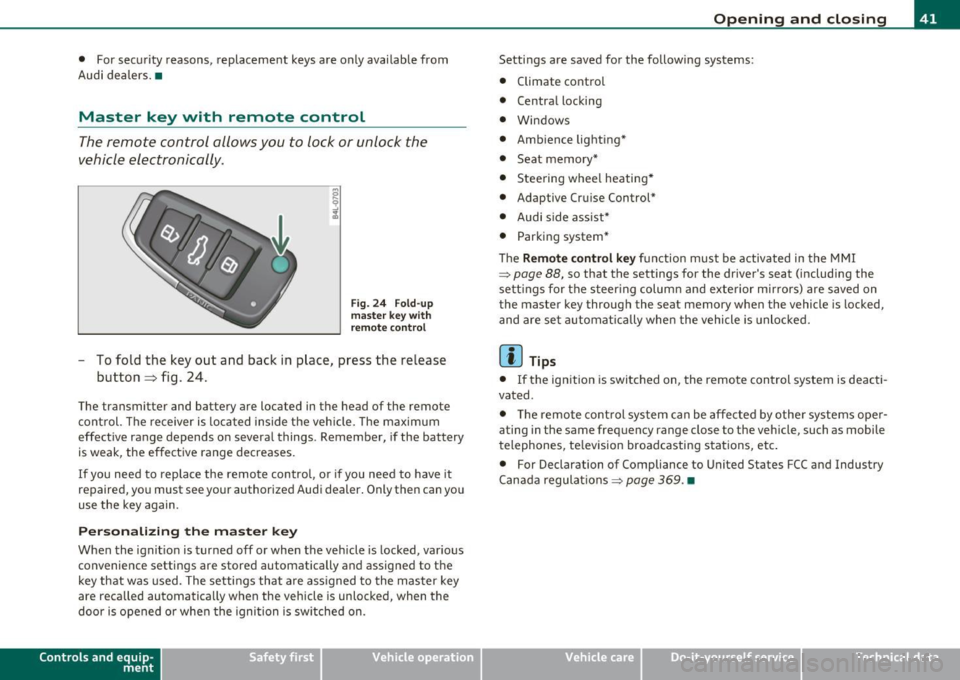
The remote control allows you to lock or unlock the
vehicle electronically .
Fig. 24 Fold-up
master key with
remote control
- To fold the key out and back in place, press the release
button~ fig. 24.
The transmitter and battery are located in the head of the remote
control. The receiver is located inside the vehicle. The maximum
effective range depends on several things . Remember, if the battery
is weak, the effective range decreases.
If you need to replace the remote control, or if you need to have it
repaired, you must see your authorized Audi dealer. Only then can you
use the key again.
Personalizing the master key
When the ignition is turned off or when the vehicle is locked, various
convenience settings are stored automatically and assigned to the
key that was used. The settings that are assigned to the master key
are reca lled automatically when the vehicle is unlocked, when the
door is opened or when the ignition is switched on.
Contro ls a nd e quip ·
m en t Vehicle
OP-eration
Opening and closing
Settings are saved for the follow ing systems:
• Climate control
• Central locking
• Windows
• Ambience lighting*
• Seat memory*
• Stee ring wheel heating*
• Adaptive Cruise Control*
• Audi side assist*
• Parking system*
Th e
Remote control key function must be activated in the MMI
~ page 88, so that the settings for the driver's seat (including the
settings for the steering column and exterior mirrors) are saved on
the master key through the seat memory when the vehicle is locked,
and are set automatically when the vehicle is unlocked.
[ i ] Tips
• If the ignition is switched on, the remote control system is deacti·
vated .
• The remote control system can be affected by other systems oper·
ating in the same frequency range close to the vehicle, such as mobile
telephones, television broadcasting stations, etc.
• For Declaration of Compliance to United States FCC and Industry
Canada regulations~
page 369. •
Vehicle care Do-it-yourselt service iTechnical data
Page 44 of 390
Opening and closing
Check Light in the master key
The check light in the master key provides information
about different conditions.
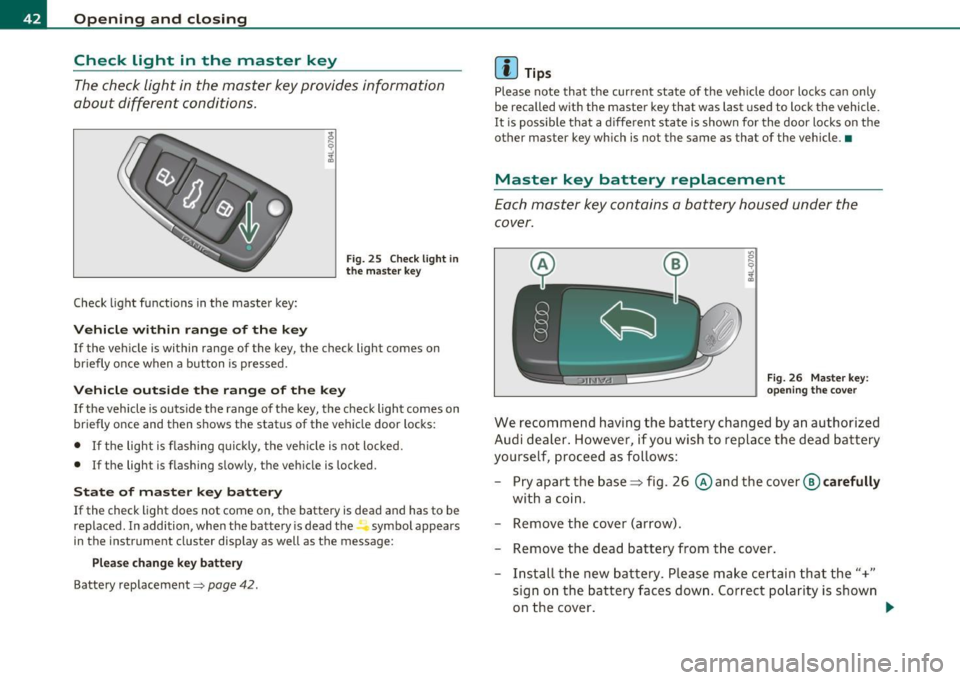
Check light functions in the master key:
Vehicle within range of the key
Fig. 25 Check light in
the master key
If the vehicle is within range of the key, the check light comes on
briefly once when a button is pressed.
Vehicle outside the range of the key
If the vehicle is outside the range of the key, the check light comes on
briefly once and then shows the status of the vehicle door locks:
• If the light is flashing quickly, the vehicle is not locked.
• If the light is flashing slowly, the vehicle is locked.
State of master key battery
If the check light does not come on, the battery is dead and has to be
replaced. In addition, when the battery is dead the symbol appears
in the instrument cluster display as well as the message:
Please change key battery
Battery replacement=:> page 42.
[I] Tips
Please note that the current state of the vehicle door locks can only
be recalled with the master key that was last used to lock the vehicle.
It is possible that a different state is shown for the door locks on the
other master key which is not the same as that of the vehicle. •
Master key battery replacement
Each master key contains a battery housed under the
cover.
Fig. 26 Master key:
opening the cover
We recommend having the battery changed by an authorized
Audi dealer. However, if you wish to replace the dead battery
yourself, proceed as follows:
- Pry apart the base~ fig. 26
© and the cover @ carefully
with a coin.
- Remove the cover (arrow).
- Remove the dead battery from the cover.
- Install the new battery. Please make certain that the"+"
sign on the battery faces down. Correct polarity is shown
on the cover. _..
Page 45 of 390
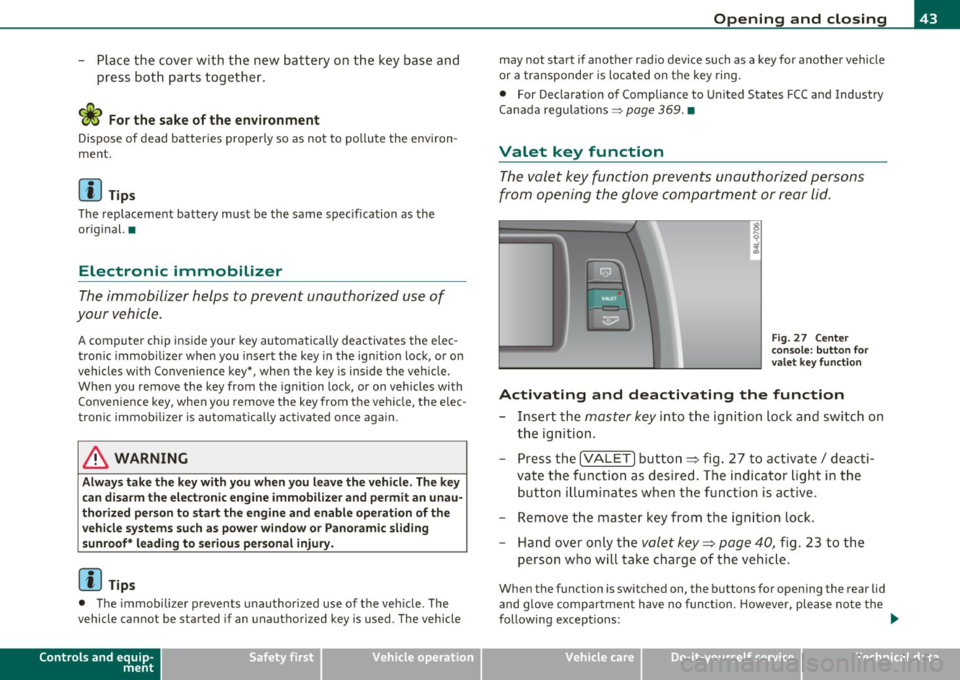
- Place the cov er w ith t he new battery on t he k ey bas e and
press bot h parts together .
For the sake of the environment
Dispose of dead batter ies proper ly so as not to po llute the envi ron
ment.
(I) Tips
Th e replaceme nt ba ttery mus t be the same spec ifica tion as the
orig inal. •
Electronic immobilizer
The immo bili zer helps t o prevent unauth ori zed use of
your v ehicl e.
A compu ter chip ins ide you r key au toma tically deac tiva tes the elec
tr on ic immob ilizer whe n you inse rt the key in the ignition lock, o r on
vehicles with Convenience key *, when the key is inside the ve hicle.
W hen you remove the key from the ignition lock, or on vehicles with
Conven ience key, when you remove the key from the vehicle, the elec
tr on ic immo biliz er is a utomat ic al ly activa ted once aga in.
& WARNING
Always take the key with you when you leave the vehicle . The key
can di sarm the elect ronic engine immobilizer and permit an unau
thor ized per son to start the engine and enable operation of the
vehicle systems such a s power w indow or Panoramic sliding
s unroof* leading to serious personal injur y.
(I) Tips
• Th e immobi lize r prevent s unauthori zed use of t he ve hicle. The
vehicle cannot be started if an unauthorized key is used. The vehicle
Controls and equip
ment Safety first
Opening and closing
may not start if another rad
io dev ice such as a key for another vehicle
or a transponder is loc ated on t he key ring.
• For Declaration of Compliance to United States FCC and Industry
Ca nad a regulat ions :::>
page 369. •
Valet key function
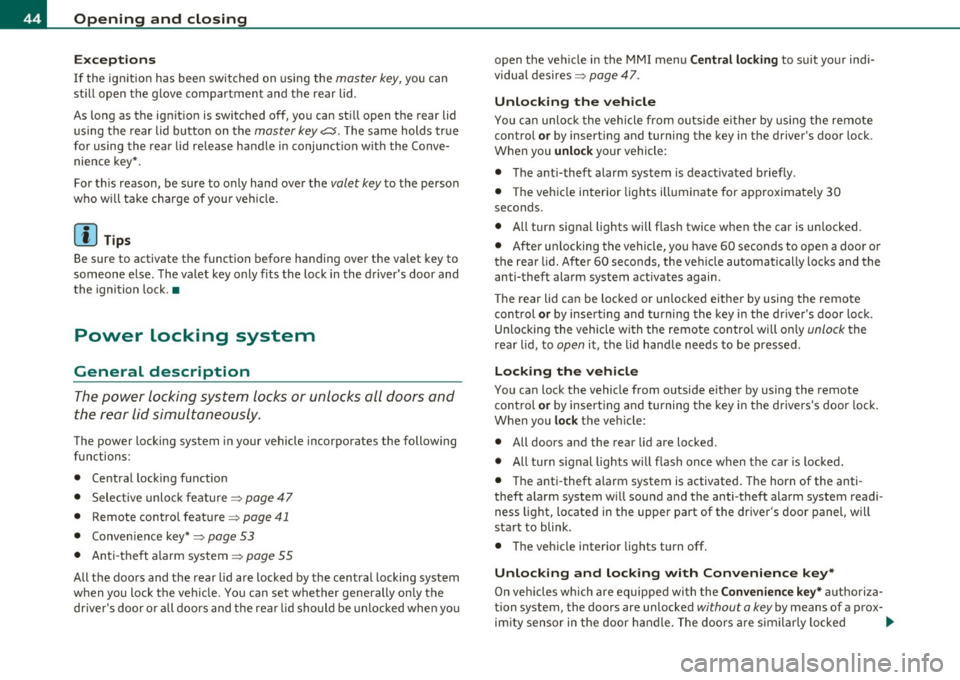
The val et key function prevents unauthorized persons
from opening the glove compartment or rear lid.
Fig. 27 Center
cons ole : butt on for
v a le t key functio n
Activating and deactivating the function
- Insert t he master key into the ignition lock a nd switch on
t h e ign it ion .
- Press th e
[VA LET] button~ fig . 27 to activate/ deac ti
va te the fu nction a s desired. The indicato r light in t he
butto n illum inates when the f uncti on is ac tive.
- Remove the mas ter key f rom t he ign ition lock.
- Hand ove r on ly t he
valet key~ page 40, fig. 23 to t he
person w ho will take charge of the vehi cle.
Whe n the function is switched on, the b uttons fo r open ing the rear lid
and glove comp artment have no funct ion. However, please note the
following exceptions:
~
Vehicle care Technical data
Page 46 of 390
Opening and closing
Exceptions
If the ignition has been switched on using the master key, you can
st ill open the glove compartment and the rear lid.
As long as the ignit ion is switched off, you can still open the rear lid
using the rear lid button on the
master key c:5 . The same holds true
for using the rear lid release handle in conjunction with the Conve
nience key* .
For this reason, be sure to only hand over the
valet key to the person
who wi ll take charge of your vehicle.
[ i J Tips
Be sure to activate the function before handing over the valet key to
someone else . The valet key only fits the lock in the driver 's door and
the ignition lock. •
Power locking system
General description
The power locking system locks or unlocks all doors and
the rear lid simultaneously .
The power locking system in your vehicle incorporates the following
functions :
• Central locking function
• Selective unlock feature=>
page 47
• Remote contro l feature => page 41
• Convenience key*=> page 53
• Anti -theft alarm system=> page 55
All the doors and the rear lid are locked by the central locking system
when you lock the vehicle. You can set whether generally only the
dr iver's door or all doors and the rear lid should be unlocked when yo u open the vehicle in
the MMI menu
Central locking to suit your indi
vidual desires =>
page 47.
Unlocking the vehicle
You can unlo ck the vehicle from outside e ither by using the remote
control
or by insert ing and turning the key in the driver 's door lock.
When you
unlock yo ur vehicle:
• The anti-theft alarm system is deactivated briefly.
• Th e vehicle inter ior lights illuminate for approximately 30
seconds.
• All turn signal lights will flash twice when the car is unlocked .
• After unlocking the vehicle, you have 60 seconds to open a door or
the rear lid. Afte r 60 seconds , the ve hicle automatically locks and the
anti-theft alarm system activates again.
Th e rear lid can be locked or unlocked eithe r by using the remote
control
or by insert ing and turning the key in the driver's door lock.
Unlocking the vehicle with the remote control will on ly
unlock the
rear lid, to
open it, the lid hand le needs to be pressed.
Locking the vehicle
You can lock the vehicle from outside e ither by using the remote
control
or by inserting and turning the key in the drivers's door lock.
When you
lock the veh icle:
• All doors and the rear lid are locked.
• All turn signal lights will flash once when the car is locked.
• The anti-theft alarm system is activated . The horn of the anti
theft alarm system w ill sound and the anti -theft alarm system readi
ness light, located in the upper part of the driver's door panel, will
start to blink .
• The vehicle interior lights turn off .
Unlocking and lock ing with Convenience key*
On vehicles which are equipped with the Convenience key* authoriza
tion system, the doors are unlocked
without a key by means of a prox-
im ity sensor in the door handle. The doors are similarly locked ....
Page 48 of 390
Open ing and closing
- Watch that all turn signal lights flash once .
To unlock rear lid only ~
-Press button © for approximately one second.
PANIC Button
Push the red button @to activate the panic function . The
horn sounds and the turn signals flash.
Push the button @ again to deactivate the panic function.
On vehicles with Convenience key*, the selector lever must be in the P
position, otherwise the vehicle cannot be locked.
& WARNING
R ead and f ollo w all W ARNING S~ & in "G eneral de scription " on
page 44 .
(I] Tips
• In order to make sure the locking function is work ing, you should
always keep your eye on the vehicle to make sure it is properly locked.
• Do not use the remote control if you are ins ide the car, otherwise
you may uninten tionally lock the vehicle, and then you wo uld se t off
the ant i- theft alarm when you try to start the eng ine or open a door .
In case this happens anyhow, push the unlock button@.
• Use the panic function only if you are in an emergency situation .•
Operating tocks with the key
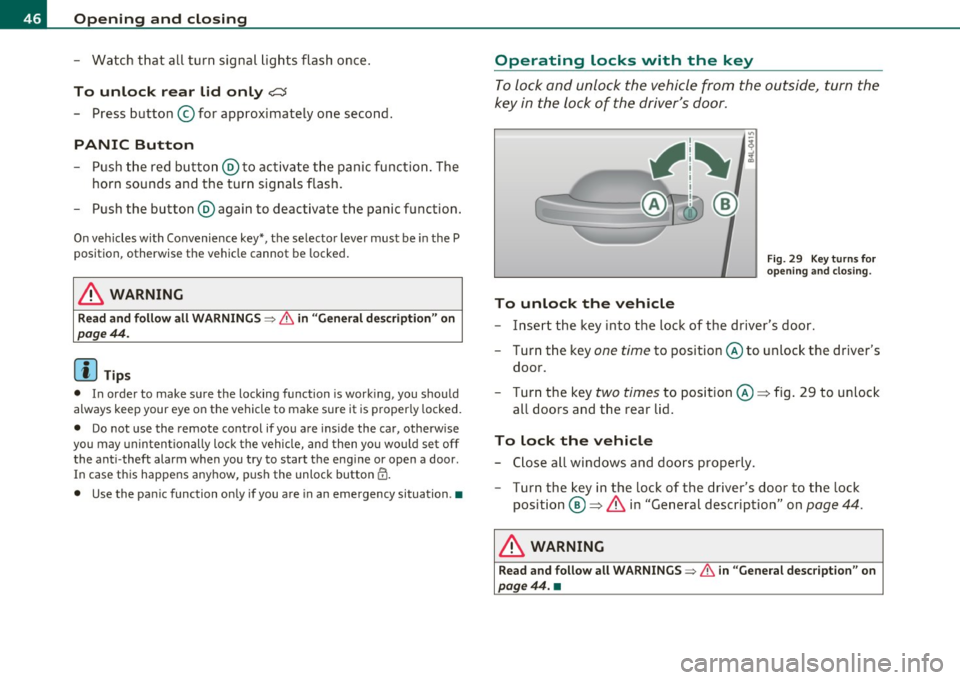
To lock and unlock the vehicle from the outside, turn the
key in the lock of the driver's door .
To unlock the vehicle
Fig. 2 9 K ey turn s fo r
openi ng an d closi ng .
- Insert the key into the lock of the driver's door.
- Turn the key one
time to position @to unlock the driver's
door .
- Turn the key
two times to posit ion @ => fig. 29 to unlock
al l doors and the rear lid.
To lock the vehicle
- Close all windows and doors properly.
- Turn the key in the lock of the driver's door to the lock
position @=>
& in "General description" on page 44.
& WARNING
Read and foll ow all WARNING S~ & in "General de sc ription " on
pag e 44. •
Page 50 of 390
Opening and closing How to unlock each door separately using the
door handle (front doors)
-Pull the handle to op en the door.
How to unlock each door separately using the
door handle (rear doors)
- Pull the door handle once to release the lock .
- Pull the handle
twice to open t he door .
You will find a power locking sw itch in eac h door. You can lo ck and
unlock the vehicle using the switches in the dr iver's or passenger's
door =>
page 47, fig. 30. Yo u can only lo ck the vehicle usi ng the
switches in the rear doors=>
page 47, fig . 31. If you lock the vehicle
using the
power l ocking switch , please note the following :
• You can not open the doo rs or the rea r lid from the
outside
(increased security, for example when you are stopped at a red light).
• The d iodes in the power locking switch illuminate when all the
doors and the rear lid are closed and locked .
• All d iodes turn dark as soon as one of the doors has been
unlocked .
• You can unlock and open the doors from the inside by pu lling on
t he doo r handle .
• If the driver's door is opened (after yo u have locked the vehicle
from the inside usi ng the power locking sw itch), the door will rem ain
unlocked to prevent you from locking yourse lf out of your vehicle .
After you close t he doo r, you have to lock the driver's door aga in.
• If you have a cras h and the airbag is act ivated, the doors automat
ically unlo ck.
& WARNING
• If you use the power locking switch with the doors closed ,
remember th at all the vehicle doors w ill lock .
& WARNING (contin u ed )
• Locking doors from the inside can help prevent inad vertent
d oor opening during an a ccident and can also prevent unwanted
entry from the outside . Lo cked doors can , howe ver , delay assis
tance to vehicle occupants and hold up rescue efforts from the outside in an accident or other emergen cy.•
Emergency Locking
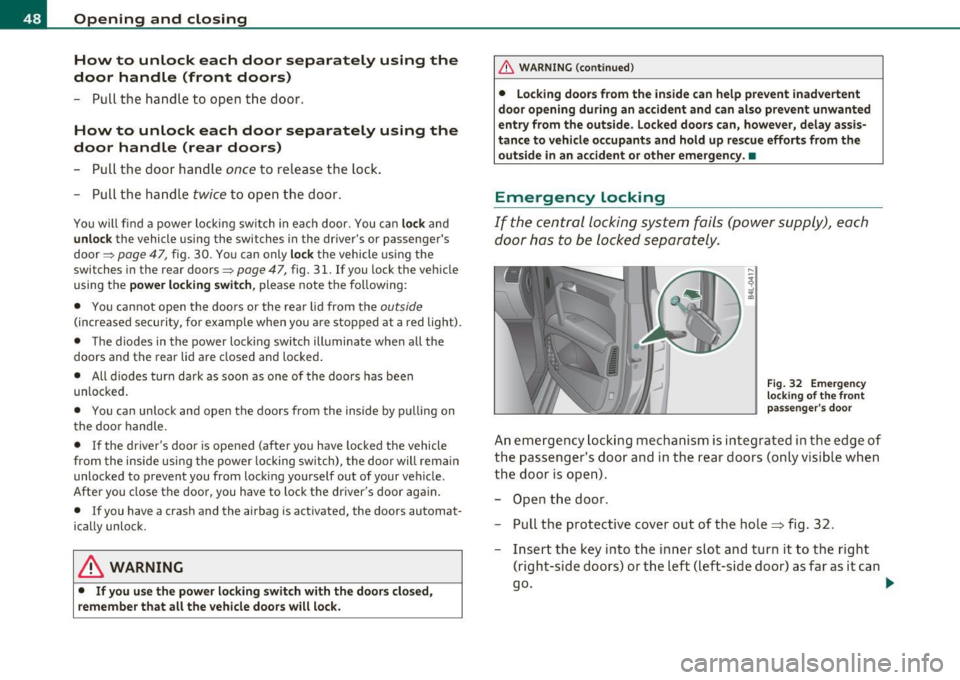
If the centra l locking system fails (power supply), each
door has to be locked separately.
Fi g. 3 2 Eme rgen cy
lo cking of th e fr ont
p ass enger's doo r
An em ergency lock ing mechan ism is inte grated i n th e edge of
the passe nger's doo r and in the rear doors (only v isib le wh en
the door is op en) .
- Ope n the door .
- Pull t he protective cover out of the hole => fig. 32 .
- Inse rt the key into the inner slot an d tu rn it to the right
(right-side doors) or the left (left-side door) as far as it can
go .
~