dead battery AUDI Q7 2010 Owner´s Manual
[x] Cancel search | Manufacturer: AUDI, Model Year: 2010, Model line: Q7, Model: AUDI Q7 2010Pages: 390, PDF Size: 93.04 MB
Page 44 of 390
Opening and closing
Check Light in the master key
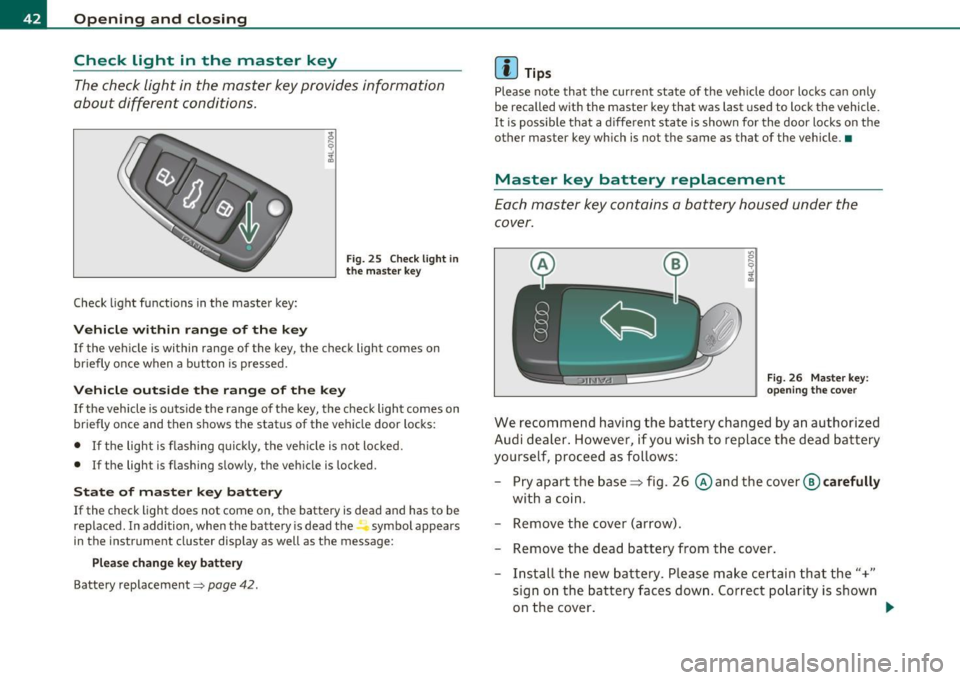
The check light in the master key provides information
about different conditions.
Check light functions in the master key:
Vehicle within range of the key
Fig. 25 Check light in
the master key
If the vehicle is within range of the key, the check light comes on
briefly once when a button is pressed.
Vehicle outside the range of the key
If the vehicle is outside the range of the key, the check light comes on
briefly once and then shows the status of the vehicle door locks:
• If the light is flashing quickly, the vehicle is not locked.
• If the light is flashing slowly, the vehicle is locked.
State of master key battery
If the check light does not come on, the battery is dead and has to be
replaced. In addition, when the battery is dead the symbol appears
in the instrument cluster display as well as the message:
Please change key battery
Battery replacement=:> page 42.
[I] Tips
Please note that the current state of the vehicle door locks can only
be recalled with the master key that was last used to lock the vehicle.
It is possible that a different state is shown for the door locks on the
other master key which is not the same as that of the vehicle. •
Master key battery replacement
Each master key contains a battery housed under the
cover.
Fig. 26 Master key:
opening the cover
We recommend having the battery changed by an authorized
Audi dealer. However, if you wish to replace the dead battery
yourself, proceed as follows:
- Pry apart the base~ fig. 26
© and the cover @ carefully
with a coin.
- Remove the cover (arrow).
- Remove the dead battery from the cover.
- Install the new battery. Please make certain that the"+"
sign on the battery faces down. Correct polarity is shown
on the cover. _..
Page 45 of 390
- Place the cov er w ith t he new battery on t he k ey bas e and
press bot h parts together .
For the sake of the environment
Dispose of dead batter ies proper ly so as not to po llute the envi ron
ment.
(I) Tips
Th e replaceme nt ba ttery mus t be the same spec ifica tion as the
orig inal. •
Electronic immobilizer
The immo bili zer helps t o prevent unauth ori zed use of
your v ehicl e.
A compu ter chip ins ide you r key au toma tically deac tiva tes the elec
tr on ic immob ilizer whe n you inse rt the key in the ignition lock, o r on
vehicles with Convenience key *, when the key is inside the ve hicle.
W hen you remove the key from the ignition lock, or on vehicles with
Conven ience key, when you remove the key from the vehicle, the elec
tr on ic immo biliz er is a utomat ic al ly activa ted once aga in.
& WARNING
Always take the key with you when you leave the vehicle . The key
can di sarm the elect ronic engine immobilizer and permit an unau
thor ized per son to start the engine and enable operation of the
vehicle systems such a s power w indow or Panoramic sliding
s unroof* leading to serious personal injur y.
(I) Tips
• Th e immobi lize r prevent s unauthori zed use of t he ve hicle. The
vehicle cannot be started if an unauthorized key is used. The vehicle
Controls and equip
ment Safety first
Opening and closing
may not start if another rad
io dev ice such as a key for another vehicle
or a transponder is loc ated on t he key ring.
• For Declaration of Compliance to United States FCC and Industry
Ca nad a regulat ions :::>
page 369. •
Valet key function
The val et key function prevents unauthorized persons
from opening the glove compartment or rear lid.
Fig. 27 Center
cons ole : butt on for
v a le t key functio n
Activating and deactivating the function
- Insert t he master key into the ignition lock a nd switch on
t h e ign it ion .
- Press th e
[VA LET] button~ fig . 27 to activate/ deac ti
va te the fu nction a s desired. The indicato r light in t he
butto n illum inates when the f uncti on is ac tive.
- Remove the mas ter key f rom t he ign ition lock.
- Hand ove r on ly t he
valet key~ page 40, fig. 23 to t he
person w ho will take charge of the vehi cle.
Whe n the function is switched on, the b uttons fo r open ing the rear lid
and glove comp artment have no funct ion. However, please note the
following exceptions:
~
Vehicle care Technical data