wheel AUDI Q7 2011 Owner´s Manual
[x] Cancel search | Manufacturer: AUDI, Model Year: 2011, Model line: Q7, Model: AUDI Q7 2011Pages: 392, PDF Size: 93.29 MB
Page 118 of 392
lffll..__w __ a _r _m __ a_n _ d_ c_ o_ ld ________________________________________________ _
The rear window defogger works only when the engine is running . The
light in the switch will illum inate when the defogger is on.
The rear window defogger will switch off automatically after a short time . The time the rear window defogger remains on will vary
depending on the outs ide temperature.
At very low outside temperatures, the rear window defogger can be switched on continuously by pushing the QW button for mo re than 2
seconds. This remains stored until the ign ition is switched off .
A rear window defogger that was switched on also remains stored for 1 5 minutes afte r th e ign itio n is switched off. If the engine is
restarted within these 15 minutes, the rear window defogger is also
act ivated , depending on outside tempe rature. With a vehicle that is
parked for a short time, the rear w indow defogger does not need to
be manua lly a ct ivated aga in.
'£> For the sake of the environment
T urn the defogger off when the rear window is clear. When you save
electricity, you save fuel. •
Air outlets
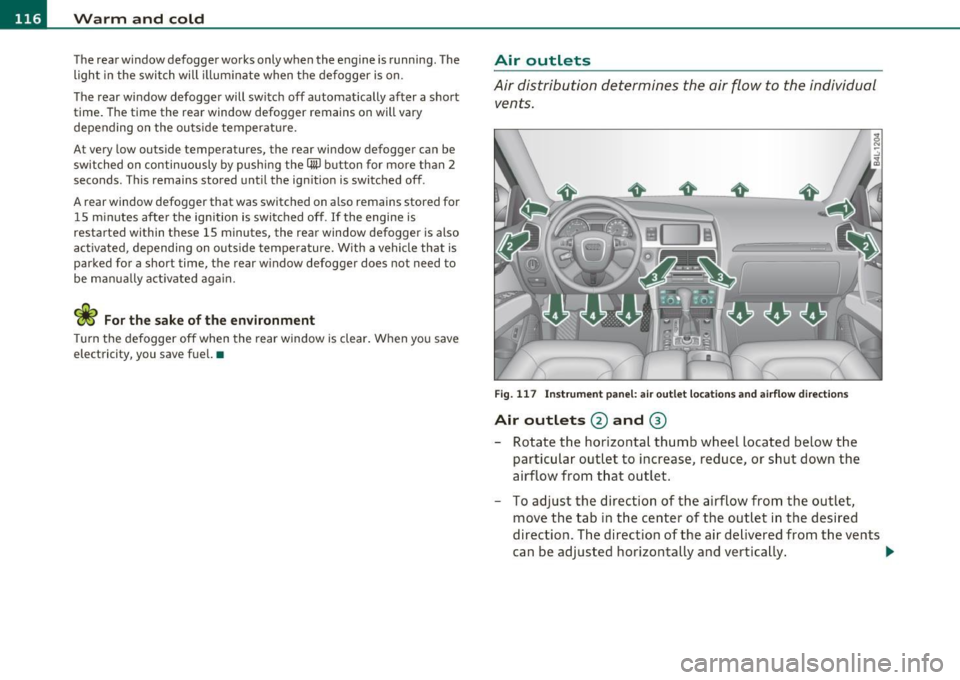
Air distribution determines the air flow to the individual
vents.
Fi g. 117 In st rum ent pa nel: air o ut let locat ion s a nd airfl ow directi ons
Air outlets @ and ®
-Rotate the horizontal thumb wheel located below the
particular outlet to increase, reduce , or sh ut down the
airflow from t hat outlet .
- To adjust the direction of the airflow from the outlet,
move the tab in t he center of the outlet in the desired
direction. The direction of the air delivered from the vents
can be adj usted horizontally and vertically . ..,
Page 119 of 392
_______________________________________________ w __ a _r _m _ a_ n_d _ c_o _ l_ d __ ffl'II
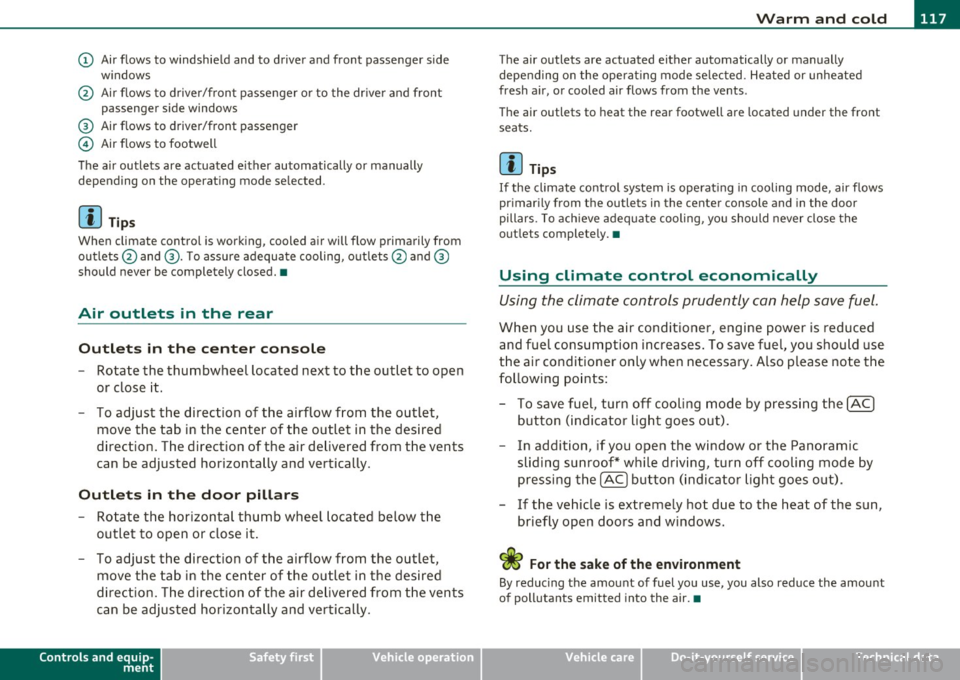
(D Air flows to windshield and to driver and front passenger side
w indows
@ Air flows to driver/front passenger or to the dr iver and front
passenger side windows
® Air flows to driver/front passenger
© Air flows to footwell
The air outlets are actuated e ither automatically or manually
depending on the operating mode selected.
[ i ] Tips
When climate control is working, cooled air will flow primarily from
outlets @and ®· T o assure adequate cooling, outlets @and ®
should never be completely closed. •
Air outlets in the rear
Outlets in the center console
-Rotate the thumbwheel located next to the outlet to open
or close it.
- To adjust the direction of the airflow from the outlet,
move the tab in the center of the outlet in the desired
direction. The direction of the air delivered from the vents
can be adjusted horizontally and vertically .
Outlets in the door pill ars
- Rotate the horizontal thumb wheel located below the
outlet to open or close it .
- To adjust the direction of the airflow from the outlet,
move the tab in the center of the outlet in the desired
direction. The direction of the air delivered from the vents
can be adjusted horizontally and vertically.
Controls and equip
ment Safety first
The air
outlets are actuated either automatically or manually
depending on the operat ing mode se lected. Heated or unheated
fresh air, or cooled air flows from the vents.
T he air outlets to heat the rear footwell are located under the front
seats.
[I) Tip s
If the climate cont rol system is operat ing in cooling mode, air flows
primarily from the outlets in the center console and in the door
pillars . To ach ieve adequate cooling, you should never close the
outlets completely. •
Using climate control economically
Using the climate controls prudently can help save fuel.
When you use the air conditioner, engine power is reduced
and fuel consumption increases . To save fuel, you should use
the air conditioner only when necessary . Also p lease note the
following points:
- To save fuel, turn off cooling mode by pressing the
[AC)
button (indicator light goes out).
- In addition, if you open the window or the Panoramic
sliding sunroof* while driving, turn off cooling mode by
pressing the
[AC] button (indicator light goes o ut).
- If the vehic le is extremely hot due to the heat of the sun,
briefly open doors and windows.
<£' For the sake of the environment
By reducing the amount of fuel you use, you also reduce the amount
of pollutants emitted into the air.•
Vehicle care Technical data
Page 124 of 392
-Warm and cold .Ml..__ ______________ _
Applie s to vehicles : wi th heated rear seats
Heated rear seats [JI
The seat cushions and seatbacks of the two outer rear
seats can be heated electrically.
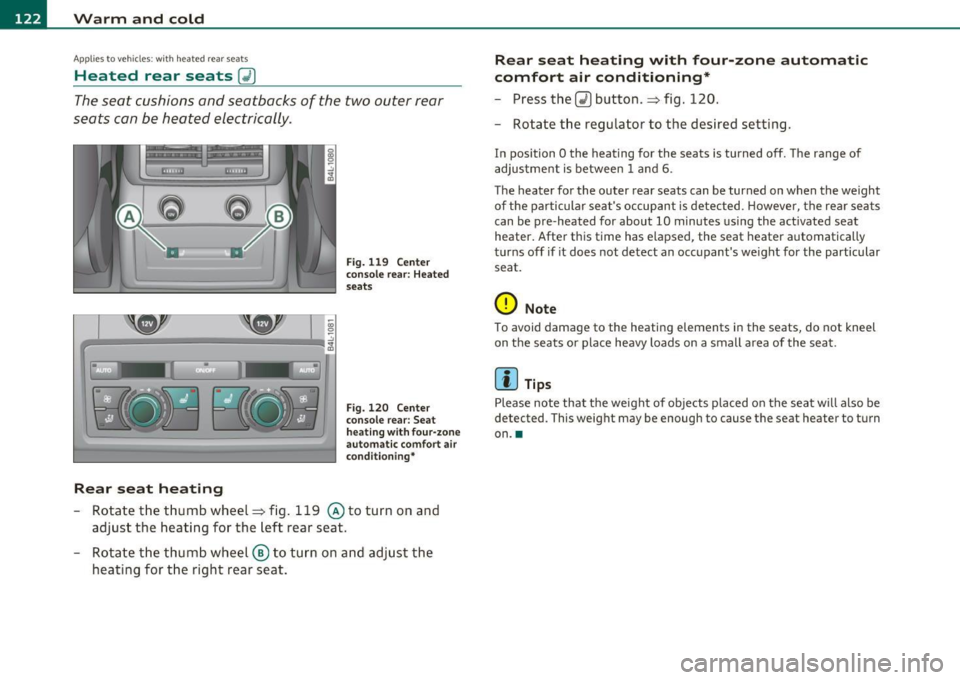
Rear seat heating
Fig. 119 Center
conso le rear: Heated
seats
Fig. 120 Center
console rear: Seat
h eat ing with four-zone
automa tic comfort air
condi tioning*
-Rotate the thumb wheel~ fig. 119 @to turn on and
adjust the heating for the left rear seat.
- Rotate the thumb wheel ® to turn on and adjust the
heating for the right rear seat.
Rear seat heating with four -zone automatic
comfort air conditioning*
- Press the Q) button .~ fig. 120.
- Rotate the regulator to the desired setting.
In position O the heating for the seats is turned off. The range of
adjustment is between
1 and 6.
The heater for the outer rear seats can be turned on when the weight
of the particular seat's occupant is detected. However, the rear seats
can be pre-heated for about
10 minutes using the act ivated seat
heater. After this time has elapsed, the seat heater automatically
turns off if it does not detect an occupant's weight for the particular
seat.
0 Note
To avoid damage to the heating elements in the seats, do not kneel
on the seats or place heavy loads on a small a rea of the seat.
[I] Tips
Please note that the weight of objects placed on the seat will also be
detected . This weight may be enough to cause the seat hea ter to turn
on .•
Page 125 of 392

Warm and cold Ill _______________ __.
Appli es to veh icles: wi th st eering whee l he atin g
Steering wheel heat ing (j)
The steering wheel can be heated electrically.
F ig . 12 1 Stee rin g
wheel: butto n for
st ee rin g whe el heati ng
-Press the I~] button to turn the steering wheel heating on
and off=> fig. 121 . The message
Steering wheel heat ing on ! or
Steering whee l heat ing off ! appears in the instrument
cluster display .
A nearly constant temperature is maintained when the steer ing
wheel heating is switched on.
T he last sett ing se lected for the steer ing wheel heat ing (on or off) is
automatically saved when the veh icle is shut off and is assigned to the
remote key. •
Contro ls a nd e quip
m en t Vehicle
OP-eration Vehicle care Do-it-yourselt service iTechnical data
Page 126 of 392
1111..__0_ n_ t_h _e_ r_o _ a_ d _________________________________________________ _
On the road
Steering
Applies to vehicles: w ith man uall y ad justable steering whee l
Manually adjustable steering wheel
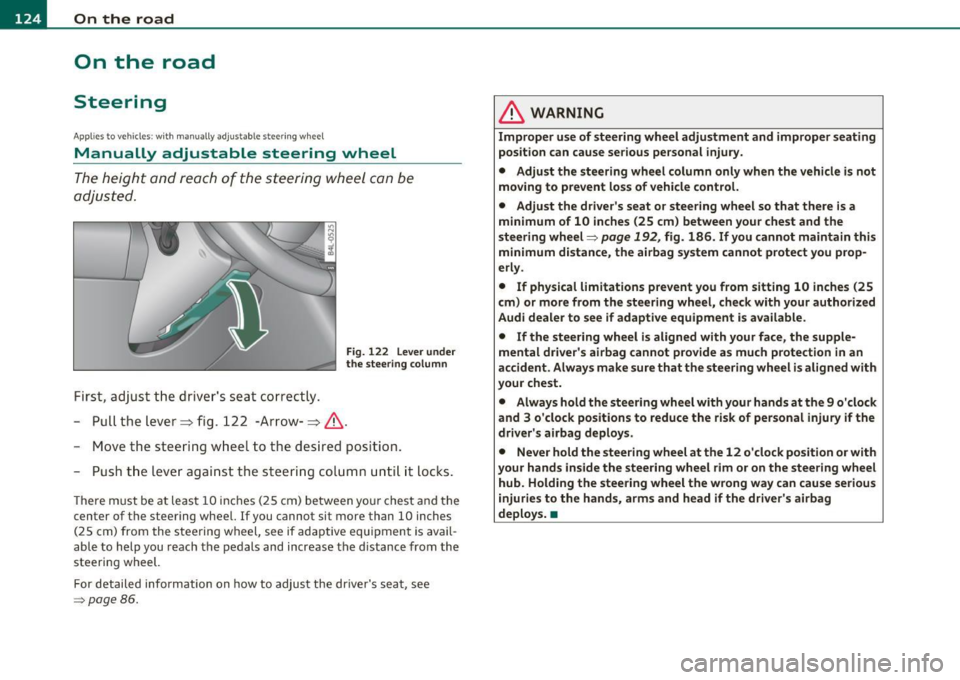
The heig ht and r ea ch of t he steering wheel c an be
adjusted.
Firs t, adjust t he driv er's s eat corre ctly.
Fig. 122 Le ver un der
the stee ring colu mn
-Pull t he le ve r~ fig . 122 -Arrow-~ & -
- Move the stee ring w hee l to t he des ired pos ition.
- Push t he leve r agai nst t he steeri ng col umn until i t loc ks.
T he re m ust be at le ast 1 0 inc hes (25 cm) be tween you r che st and the
center of the steering whee l. If you cannot sit more than 10 inches
( 2 5 cm) from the s teering wheel, see if ada ptive equipmen t is avai l
able to help you reach the pedals and increase the d istance from the
steeri ng wheel.
For detailed info rmation on how to adju st the dr ive r's seat, see
=> page 86 .
& WARNING
Improper use of steering wheel adjustment and improper seating
position can cause serious personal injury.
• Adjust the steering wheel column only when the vehicle is not
moving to prevent loss of vehicle control.
• Adjust the driver's seat or steering wheel so that there is a
minimum of 10 inches (25 cm ) between your chest and the
s teering wheel=>
page 192, fig. 186. If you cannot maintain this
minimum distance , the airbag system cannot protect you prop
erly .
• If physical limitations prevent you from sitting 10 inches (25
cm ) or more from the steering wheel, check with your authorized
Audi dealer to see if adaptive equipment is available.
• If the steering wheel is aligned with your face , the supple
mental driver's airbag cannot provide as much protection in an
accident. Always make sure that the steering wheel i s al igned with
your chest.
• Always hold the ste ering wheel with your hands at the 9 o'clock
and 3 o'clock positions to reduce the risk of personal injury if the
driver' s airbag deploys .
• Never hold the steering wheel at the 12 o 'clock position or with
your hands inside the steering wheel rim or on the steering whe el
hub. Holding the steering wheel the wrong way can cause serious
injuries to the hands, arms and head if the driver's airbag
deploys .•
Page 127 of 392

On the road Ill _______________ __.
Applies to veh icles : w ith electrically adju stab le steer ing wheel
Electrically adjustable steering wheel
The height and reach of the stee ring wheel ca n be ele ctri
c ally adj usted to sui t th e d river.
Firs t, a djust t he dr iver's se at correct ly.
Height adjustment
Fig . 123 Sw itch for
s teering whee l ad ju st
ment
- Push t he s witch © up or down=> fig. 12 3. The st ee ring
w he el heig ht chang es f or as long as you press t he swi tch .
Reach adjustment
- Push t he switc h© forward or backward=> fig . 123 . T he
ste ering w hee l reac h changes for as long as you press the
swi tch .
The re m ust be at least 10 inches (25 cm) between you r chest and the
cen ter of the steering whee l. If you cannot sit more than 10 inches
(25 cm) from the steer ing wheel, see if adapt ive equ ipment is ava il
able to h elp you reach the pedals and increase the distance from the
steeri ng wheel.
For detailed information on how to adjust the dr iver 's seat , see
~ page 86.
Con tro ls a nd e quip
m en t Vehicle
OP-eration
The steering wheel ca n be adjusted even when the ign ition is turned
O ff. For veh icles with sea t memory, the individu al pos it io ns for the
steer ing wheel can be sto red along with t he seat pos it ion.
& WARNING
Improper use of steering wheel adjustment and imprope r seating
position can cau se seriou s per sonal injury.
• Adjust the steering wheel column only when the vehicle i s not
moving to prevent loss of vehicle control.
• Adjust the driver 's seat or steering wheel so that there is a
minimum of 10 in ches (25 cm) between your chest and the
steering wheel~
page 192, fig. 186. If you cannot maintain this
minimum distance , the airbag system cannot prote ct you prop
erly.
• If phy sical limitations prevent you from sitting 10 inches (25
cm ) or more from the steering wheel, check with you r authorized
Audi dealer to see if adaptive equipment is available .
• If the steering wheel is aligned with your face , the supple·
mental driver 's airbag cannot provide as much protection in an
accident. Always make sure that the steering wheel is aligned with
your che st.
• Always hold the steering wheel with your hands at the 9 o'clock
and 3 o'clock po sition s to reduce the risk of personal injury if the
drive r's airbag deploys.
• Never hold the steering wheel at the 12 o'clock po sition or with
your hands inside the steering wheel rim or on the steering wheel
hub. Holding the steering wheel the wrong way can cause serious
injuries to the hands, arms and head if the driver's airbag
deploy s.•
Vehicle care Do-it-yourselt service iTechnical data
Page 128 of 392
1111..__0_ n_ t_h _e_ r_o _ a_ d _________________________________________________ _
Easy entry feature
The easy entry feature makes it easier to enter and e xit
the vehicle by automatically adjusting the steering
wheel.
Press the button®~ page 125, fig. 123 to turn the easy
entry feature on or off .
When the easy entry feature is turned on (button depressed), the
steering wheel moves up to the parked position when the ignition is
t urned off . After you enter the vehicle, the steer ing wheel moves to
the stored pos ition as soon as you t urn on the ign ition .
Easy entry feature on vehi cles with memory seat *
For the stored steering whee l position to be recalled, t he driver's seat
memory must be switched on ( ( ON/OFFI switch in depressed posi
tion) .
If the easy e ntry feature i s sw itched off, the steer ing wheel mov es to
the stored pos ition as soon as you press the seat memory button. •
Ignition Lock and ignition switch
Ignition key positions
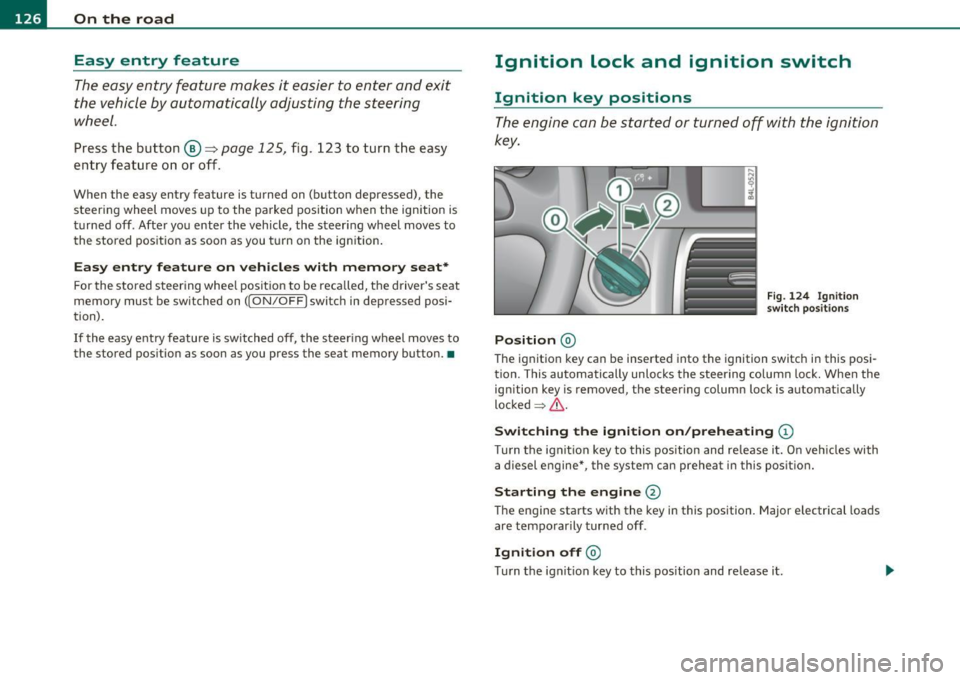
The engine can be st arted or turned off with the ign ition
key .
Position @
Fig. 124 Ign ition
sw itch position s
The ig nition key can be inserted into the ignition switch i n this posi
tion. This automatically unlo cks the steering co lumn lo ck. When the
ign ition key is removed, the steer ing colum n lock is automat ically
lo ck ed
~ & .
Switching the ignition on /preheating (D
Tu rn the ignit ion key to this position and re lease i t. On veh icles wi th
a diesel engine *, the system can preheat in this position.
Starting the engine@
The engine starts with the key in this position. Major e lectrical loads
are tempo rar ily tur ned off .
Ignition off@
Turn t he ign it ion key to this pos ition and re lease i t.
Page 129 of 392

_________________________________________________ O_ n_ t_ h_ e_ r _o_ a_d _ __.fflll
& WARNING
• Never remove the key from the ignition lock while the vehicle
is moving. The steering wheel will lock , cau sing loss of control.
• If you ha ve to leave your vehicle, even for ju st a minute, alw ays
remove the ignition key and take it with you. This i s especially
important if you are going to leave children unattended in the
vehicle. The children could start the engine or use other vehicle c ontrols . Unsupervised us e of vehicle controls (for example, power
windows) can cause serious personal inju ries.
0 Note
• If the ~ symbol in the display blinks, there is a malfunction in the
electronic stee ring column lock. Follow the instr uctions in
~ page 36, "Steering malfu nction i" .
• If the ~ symbol in the display blinks, there is a malfunction in the
electronic ignition lock . Follow the instr uctions in~
page 37, "Igni
t ion lock malfunct ion ~" .
(I] Tips
• If you release the ignit ion key i n pos it io n @ , the key automatically
returns to pos ition
(D .
• If you open the driver 's doo r whe n the ignition is sw itched on, a
buzze r sounds and the message
Ignition is on appears in the instru
ment cl uster d isplay. Please swi tch the ignition off.
• T o prevent malf unctions in the ignition lock, remove any dirt or
deposits from t he key bit so that t hey do not ente r th e ignit ion lock. •
Contro ls a nd e quip
m en t Vehicle
OP-eration
Ignition key safety Lock
The ignition key can only be r emoved when the selector
le ver is in the "P" (Park) position .
After turning off the ignition, the ignition key can only be removed
from the igni tion lock when t he se lector lever is in the "P" (Park) posi
tion. A fter you have removed the key, the selector lever is locked and
cannot be move d.•
Starting and stopping the engine
Starting the engine
The engine can only be sta rted with you r origina l A udi
key.
Fig . 125 I gnition key
pos iti ons
Vehicles with gasoline engine:
- Step on the brake.
- Move the se lector leve r into P or N
=> &.
- Turn the ig nition key to position @=> fig . 125 -do not
dep ress th e gas pedal when s tarting the engine .
Vehicle care Do-it-yourselt service iTechnical data
Page 134 of 392
Ill On the road ..___ ______________ _
• If you close the driver's door and lock your vehicle from the
outs ide. •
Parking brake
Op eration
The parking brake replaces the handbrake.
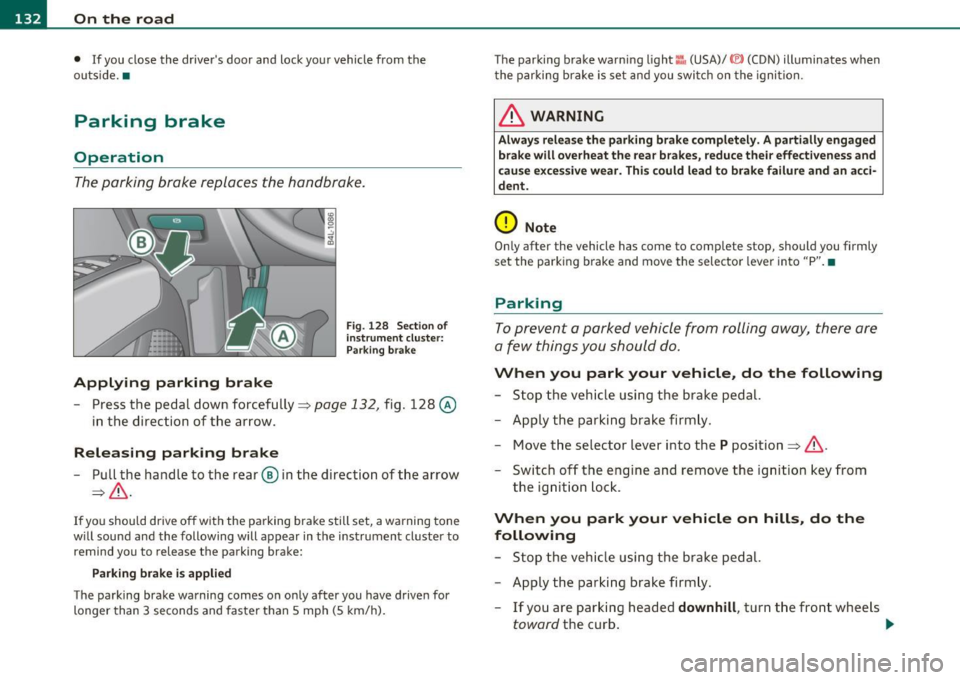
Applying parking brake
Fig. 128 Sect ion of
instrument cluster: Par king brake
- Press the pedal down forcefully~ page 132, fig. 128 @
in the d irection of the arrow.
Releasing parking brake
-Pull the handle to the rear ® in the direction of the arrow
~& -
If you should drive off with the parking brake still set, a warning tone
w ill sou nd and the following will appear in the instrument cluster to
remind you to release the parking brake:
Parking brake i s applied
The parking brake warning comes on only after you have driven for
longer than 3 seconds and faster than 5 mph (5 km/h). The parking brake warn
ing light ::, (USA)/ © (CON) illuminates when
the parking brake is set and you switch on the ignition.
& WARNING
Always release the parking brake completely. A partially engaged
brake will overheat the rear brakes, reduce their effectiveness and
c ause excessive wear. This could lead to brake failure and an acci
dent.
0 Note
Only after the vehicle has come to complete stop, should you firmly
set the parking brake and move the selector leve r into "P". •
Parking
To prevent a parked vehicle from rolling away, there are
a few things you should do.
When you park your vehicle, do the following
-Stop the vehicle using the brake pedal.
- Apply the parking brake firmly.
- Move the selector lever into the
P position =;,& .
- Switch off the engine and remove the ignition key from
the ignition lock .
When you park your vehicle on hills, do the
following
- Stop the vehicle using the brake pedal.
- Apply the parking brake firmly.
- If you are parking headed
downhill , turn the front wheels
toward the curb . .,_
Page 135 of 392

On the road -
----------------
- If you are parki ng h eaded uphill, turn t he fro nt w heel s
away from t he curb.
- Move th e se lector lever i nto t he
P posit ion.
- Swi tc h off the eng ine and rem ove t he ignit ion key from
t h e ign ition loc k.
& WARNING
This is how you can reduce the risk of injury when leaving your
vehicle.
• Never park the vehicle where it can come in contact with dry
grass, spilled fuel or any other flammable material s.
• When parking on hills, always turn the wheel s so that the front
wheel s will fir st roll into the curb, if the vehicle should start to
roll.
• Never allow anyone -especially small children -to remain
in
the vehicle when it is loc ked. Locked doors make it more difficult
for res cuer s to ac ce ss the pa ssenger compartment in the event of
an emergency. Danger to life!
• Never leave children un supervised in the vehicle . Children
could release the parking brake or move the gearshift lever out of
gear . The vehicle could start to roll away and cause an accident.
• No matter what the season is , the temperature in a parked
vehicle can reach dangerou s levels.
0 Note
• Please exer cise care w hen you par k your vehicle in pa rking areas
with park ing barriers or c urbs. Pa rking barriers and c urbs vary in
heig ht and co uld dam age yo ur bumpe r and related co mponen ts as
the front of your vehicle moves over a barrier or curb that is too h igh,
as yo u p ark or as you back out of a par king s pot. I n or der to be sure
that no such damage can occur, you may wish to stop short of havi ng
t he front t ires of your car touch the park ing barrier or c urb.
Controls and equip
ment Safety first
•
Please also exerc ise exceptiona l care w hen you dr ive up or dow n
stee p ramps or dr ive ove r cur bs or o ther obs ta cl es, for w hich t he
vehicle is not des igned, beca use components of the vehicle close to
the groun d, such as bumper covers, spoilers and s uspension and
ex haust system componen ts, may become damaged .•
Starting on hills
H ill Hold makes it easier to s tart on hills .
The system is activated when the brake peda l is depressed
for a few
seconds .
Fo r t his, t he vehicle mus t be st anding in uphill driving direc
tion.
After releas ing t he brake pedal, the brake power is he ld for a
brief
moment to prevent the vehicle from rolling back when sta rt ing . At
this time, you can easi ly begin to move your vehicle .
& WARNING
• If you did not begin moving immediately after relea sing the
brake pedal, under certain circumstances, the vehicl e would begin
to roll backward. Depress the brake pedal immediately or engage
the parking brake .
• Should the engine stall, depre ss the brake pedal immediately
or engage the parking brake.
• In order to prevent the vehicle from rolling back unintention
ally when starting in stop-and-go traffic , keep the brake pedal
depre ssed for a few se cond s before driving off .
• When you leave the vehicle -even if only briefly -, sw itch off
the ignition and make sure to remove the ignition key . Also
engage the parking brake to prevent your vehicle from rolling
unintentionally . This particularly applies if children are left in the
veh icle -danger of accident! •
Vehicle care Technical data