cruise control AUDI Q7 2011 Owner´s Manual
[x] Cancel search | Manufacturer: AUDI, Model Year: 2011, Model line: Q7, Model: AUDI Q7 2011Pages: 392, PDF Size: 93.29 MB
Page 4 of 392
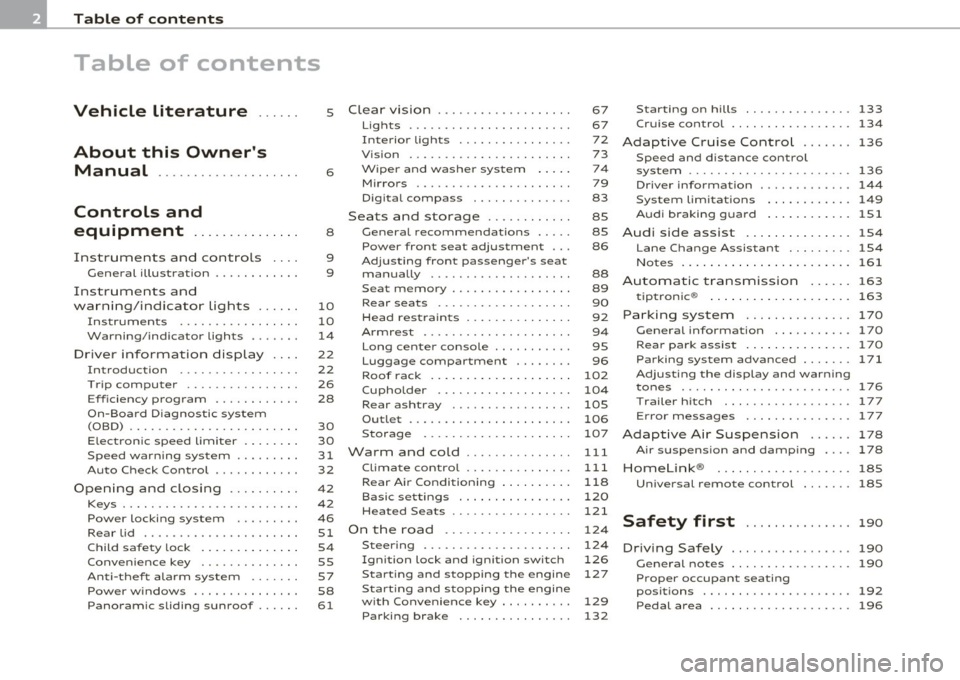
Table of contents
Table of contents
Vehicle literature ..... .
About this Owner's Manual .......... ....... .. .
Controls and
equipment .............. .
Instruments and controls ... .
General illustration ........... .
Instruments and
warning/indicator Lights ..... .
Instruments ... ... .......... .
Warning/indicator ligh ts ..... . .
Driver information display ... .
Introduction ...... ......... . .
T rip comput er . .... .......... .
E fficiency program ........... .
On-Board D iagnostic system
(OBD) .. .... ..... ............ .
Elec tronic speed limiter ....... .
Speed warning system ........ .
Auto Check Control ........... .
Opening and closing ......... .
Keys ....... ..... ............ .
Powe r locking sys tem ....... . .
Rear lid .... ................. .
Child safe ty lock ............. .
Conve nience key . ............ .
Anti -theft alarm system .. .... .
P o w er wind ow s ......... ..... .
Panoram ic sliding sunroof . .... .
5
6
8
9
9
10
10
14
22
22
26
28
30
30
31
32
42
42
46
51
54
55
57
58
61
Clear vision . .... ... .......... .
Lights ... ................... .
Int erior ligh ts ......... ...... .
V ision .. ..... ............... .
W iper and washer sys tem .... .
Mirrors ... ..... ... .......... .
D igital compass ............. .
Seats and storage ........... .
General recommendations .... .
Pow er fron t seat adju stm ent .. .
Adjusting fron t passenger's sea t
manually ........ .... ....... .
S eat m emory . ............... .
Rear seats ........ .......... .
Head res train ts .............. .
Armrest ...... .............. .
L ong cente r con so le ... .. ..... .
L uggage compar tment ....... .
Roof rack ................... .
Cupholder .................. .
Rear ash tray ......... ....... .
Outl et ..... ................. .
Storage ..... ............... .
Warm and cold .... ....... ... .
Climate con tro l .............. .
Rear Air Condition ing ...... ... .
Basic settings ............... .
Hea ted Sea ts ... ... ...... .... .
On the road ... .... .......... .
Steering .. ...... ..... ....... .
Ignition lock and igni tion switch
S tar ting and s topp ing the engin e
Start ing and stopping the engine
with Conv eni ence key ... ...... .
Parking brake ............... . 67
67
72
73
74
79
83
85
85
86
88
89
90
92
94
95
96
102
104
105
106
107
111
111
118
120
121
124
124
126
127
129
132 S
tar ting on hill s ............... 133
Cruise control ........... ..... . 134
Adaptive Cruise Control ....... 136
Sp eed and di stan ce con trol
system ....... ...... ...... .... 136
Driv er information . . . . . . . . . . . . . 144
Sys tem limi tations ............ 149
A udi braking guard ............ lSl
Audi side assist ............... 1S4
L ane Change Assistant ......... 154
Notes ..... ................... 161
Automatic transmission
tiptronic ® 163
163
Parking system .............
.. 170
General informa tion . . . . . . . . . . . 170
Rear park assist . . . . . . . . . . . . . . . 17 0
Parking system advanced .... ... 171
Adjusting th e di splay and warning
tones ................ ..... .. . 176
T rail er hi tch . . . . . . . . . . . . . . . . . . 177
E rror messages . . . . . . . . . . . . . . . 1 77
Adaptive Air Suspension 178
Air su sp en sio n and dam ping . . . . 178
Homelink ® ............. .... .. 185
Univ ersal remote control 18S
Safety first . . . . . . . . . . . . . . . 190
Driving Safely ................. 190
G eneral not es . . . . . . . . . . . . . . . . . 190
Proper occupant seating
p os itions . . . . . . . . . . . . . . . . . . . . . 192
Pedal area ................. ... 196
Page 11 of 392
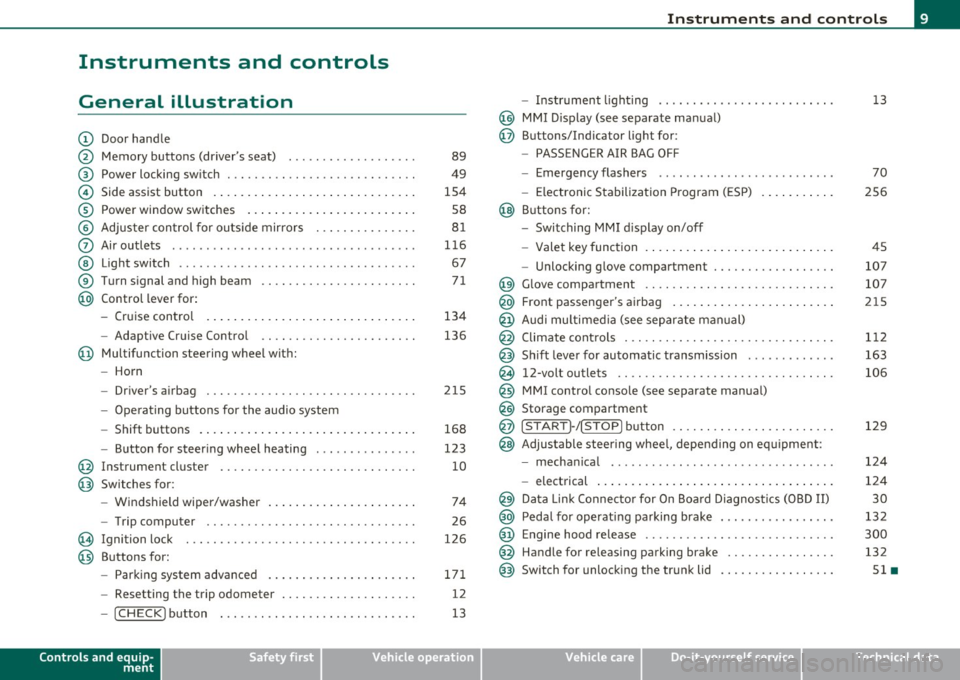
Instruments and controls
General illustration
(D Door handle
@ Memory buttons (driver's seat) .................. .
@ Power locking sw itch ........................... .
© Side assist button ... .. ... ... ... .. .. .. ... . .. ... .
® Power window sw itches ... .... .. .. .. .. .. ... ... . .
© Adjuster con trol for outs ide mir rors .............. .
0 Air outlets .......... .... .. .... ............... .
@ Light switch ...... .. .... ... .. .. .. ... ... .. .. ... .
® Turn s ignal and high beam ...................... .
@ Control lever for:
- Cru ise control . .... ... ... .. .. .. .. .. .. .. .. ... .
-Adaptive Cruise Control .. .. ................ .. .
@ Mu ltifunction steering wheel with:
- Horn
- Driver's airbag .............................. .
- O pera ti ng butto ns for the audio system
- Shift buttons . ... .. .. .. .... .. .. .. .. .. ...... . .
- Button for steer ing whee l heating ..... ... ...... .
@ Instrument cluster ............................ .
@ Switches for:
- Windshield wiper/washer ... ...... .. ..... .... . .
- Trip computer .............................. .
@ Ignition lock ................................. .
@ Buttons for:
- Par king sys tem advance d .... ..... .. .. ... .. .. . .
- Resetting the trip odometer ................... .
- ICHECK ]button ......................... ... .
Controls and equip
ment Safety first
89
49
1S4
S8
8 1
11 6
67
7 1
134
136
2 1S
168
123
10
74
26
126
171 12
13
Instruments and controls
- Instr ument lighting ......................... .
@ MMI Disp lay (see separate ma nual)
@ Buttons/Indicator light for:
- PASSENGER AIR BAG OFF
- Emergency flashers ...... .. ................. .
- Electroni c Stabilization Progr am ( ESP)
@ B uttons for:
- Switching MMI d isplay on/off
- Valet key function .. .. .. .. .. .. .. ...... ... .. .. .
- Unlocking g love compartment ................. .
@ Glove compartment ........................... .
@ Front passenger's airbag ...... ..... .. ..... .. .. . .
@ Audi mu ltime dia (see separate man ual)
@ Climate cont rols .............................. .
@ Shift leve r for automatic transmission ............ .
@ 12-volt outlets ............................... .
@ MMI contro l console (see separate manua l)
@ Storage compartment
@ ISTART]-/ISTOP] button ....................... .
@ Adjustable stee ring whee l, depending on eq uipme nt:
- mecha nical .... .. .... ... .. .. .. ... .... ..... . .
- electrical ..... . ... .. .. .. .... .... .. .. .. ... .. .
@ Da ta Lin k Connecto r for On Boa rd Diagnos tics (OBD II)
@ Peda l for operating pa rking brake ................ .
@ Engine hood release ............. ... .. ......... .
@ Handle for releasing parking brake ............... .
@ Switch for unlocking the trunk lid ................ .
Vehicle care
13
70
2S6
45
107
107
215
1 12
163
106
129
12 4
124
30
13 2
300
132
Sl •
Technical data
Page 17 of 392
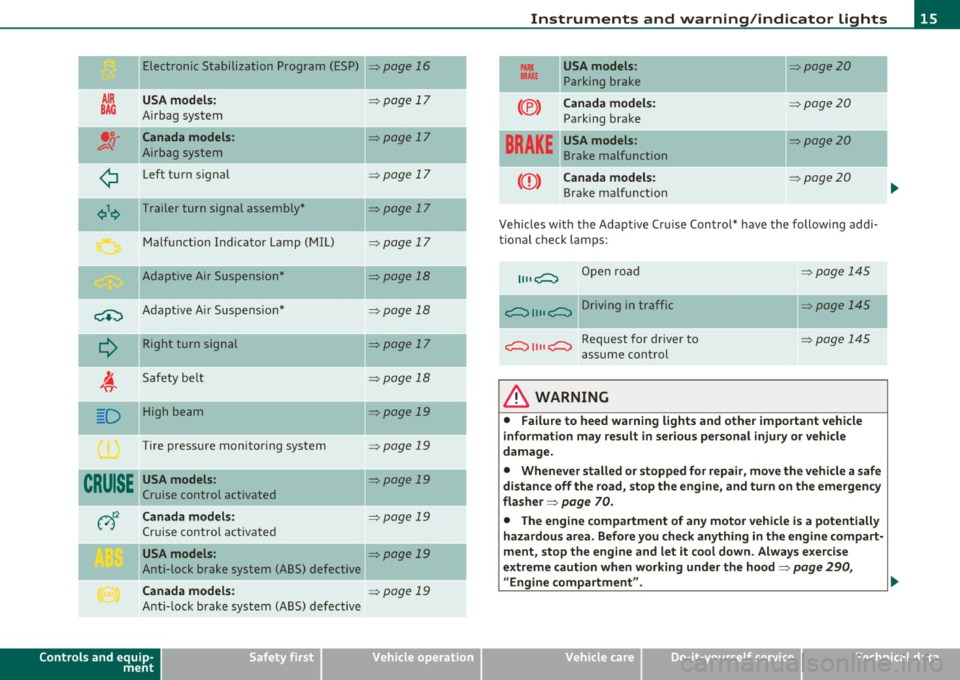
Electronic Stabilization Program (ESP)
AIR USA model s:
BAG A irbag system
•;;-Canada models :
v-'I Airbag system
¢ Left t urn signal
¢\~ Trailer turn signal assembly *
M alfunct io n Indicator Lamp (MIL)
Adaptive Air Suspension*
-
C+:) A dap tive A ir Suspe nsio n*
Q
R ight turn sign al
I. 'fi'
Safety bel t
-.
D High beam
Tire pressure monitoring system
CRUISE USA models :
Cruise control activated
v)t:2 Canada models:
Cruise contro l act ivated
USA models :
Anti-lock brake system (ABS) defective
Canada models :
Anti-lock b rake system (ABS) defective
Controls and equip
ment Safety first
=>page
16
=> page 17
=> page 17
=> page 17
=> page 17
=> page 17
=>page 18
=> page 18
=>page 17
=> page 18
=> page 19
=> page 19
=> page 19
=> page 19
=> page 19
=> page 19
-
-
Instruments and warning /indicator lights
PARX USA models : =>page20 BRAKE Parking br ake
--
(®) Canada model s: :::>page 20
Parking brake
-- -
BRAKE
USA models: =>page20
Brake malfunction
CCD) Canada models: => page20
Bra ke m alfu ncti on
Vehicles with the A dapt ive Cr uise Control* have the following ad di
tional check lam ps:
11, ,C::, Open road
c::, 1111 c::, Driving in traffic
c::, 1111 c::, Request for dr iver to
a ssume con tro l
& WARNING
=:>page 145
=> page 145
~page 145
• Failure to heed warning lights and other important vehicle
information may result in serious personal injury or vehicle
damage.
• Whenever stalled or stopped for repair , move the vehicle a safe
distance off the road, stop the engine, and turn on the emergency
fla sher =>
page 70.
• The engine compartment of any motor vehicle is a potentially
hazardous area . Before you check anything in the engine compart
ment, stop the engine and let it cool down . Always e xercise
extreme caution when working under the hood=>
page 290,
" Engine compartment ". .,,
Vehicle care Technical data
Page 21 of 392
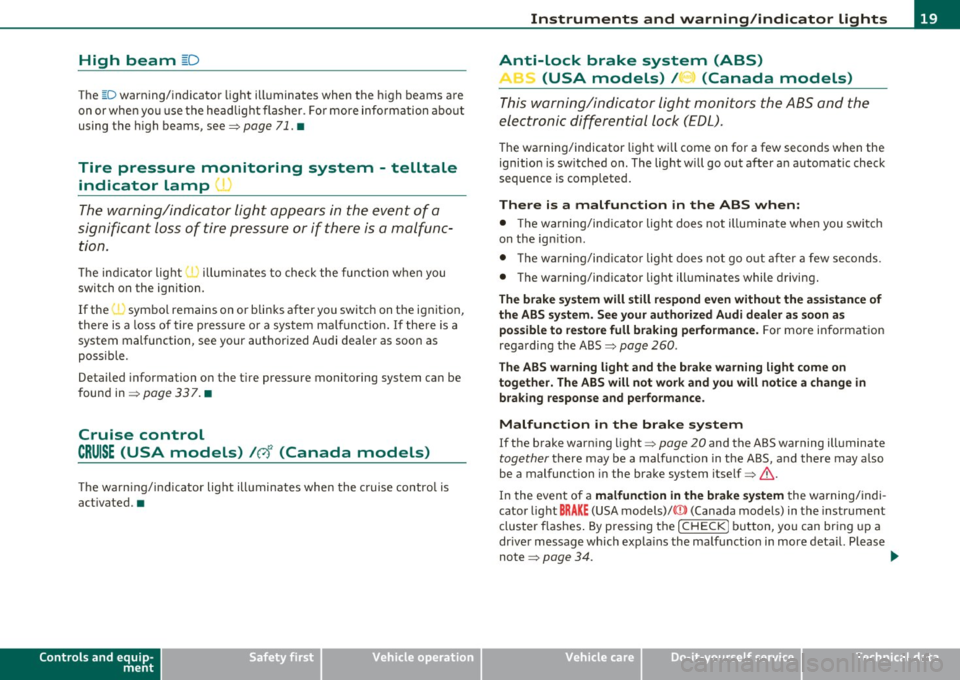
High beam ~D
The ~D warning/indicator light illuminates when the high beams are
on or when you use the headlight flasher. For more information about
using the high beams, see~
page 71. •
Tire pressure monitoring system - telltale
indicator lamp(.,
The warning/indicator light appears in the event of a
significant loss of tire pressure or if there is a malfunc
tion.
The indicator light 1.., illuminates to check the function when you
switch on the ignition.
If the
'll symbol remains on or blinks after you switch on the ignition,
there is a loss of tire pressure or a system malfunction. If there is a
system malfunction, see your authorized Audi dealer as soon as
possible.
Detailed information on the tire pressure monitoring system can be
found in~
page 337. •
Cruise control
CRUISE (USA models) /r,J' (Canada models)
The warning/indicator light illuminates when the cruise control is
activated. •
Controls and equip
ment Safety first
Instruments and warning/indicator lights
Anti-lock brake system (ABS)
A
.:> (USA models) / .... (Canada models)
This warning/indicator light monitors the ABS and the
electronic differential lock
(EDL).
The warning/indicator light will come on for a few seconds when the
ignition is switched on. The light will go out after an automatic check
sequence is completed.
There is a malfunction in the ABS when: • The warning/indicator light does not illuminate when you switch
on the ignition.
• The warning/indicator light does not go out after a few seconds .
• The warning/indicator light illuminates while driving.
The brake system will still respond even without the assistance of
the ABS system. See your authorized Audi dealer as soon as
possible to restore full braking performance.
For more information
regarding the ABS~
page 260.
The ABS warning light and the brake warning light come on
together. The ABS will not work and you will notice a change in
braking response and performance.
Malfunction in the brake system
If the brake warning light~ page 20 and the ABS warning illuminate
together there may be a malfunction in the ABS, and there may also
be a malfunction in the brake system itself~& .
In the event of a
malfunction in the brake system the warning/indi
cator light
BRAKE (USA models)/ ((D) (Canada models) in the instrument
cluster flashes. By pressing the [
CHECK! button, you can bring up a
driver message which explains the malfunction in more detail. Please
note
~ page 34. .,,_
Vehicle care Technical data
Page 24 of 392
Driver information display
Driver information display
Introduction
General notes
The driver information display inside the instrument
cluster provides you, the driver, with much useful infor
mation .
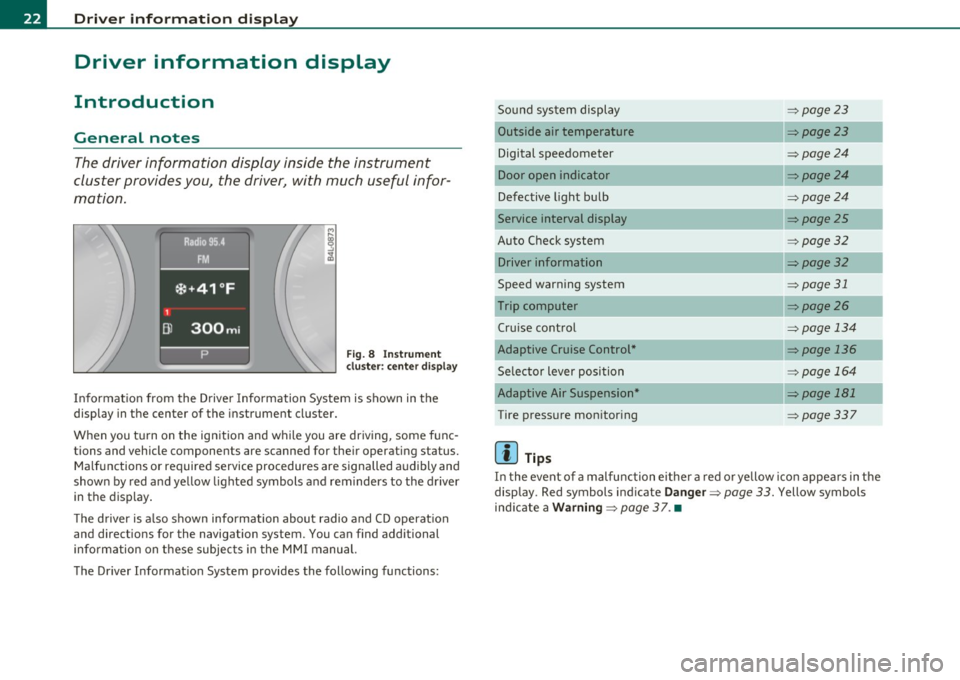
Fig. 8 Instrument
cl uste r: center display
Informat ion from the Driver Information System is shown in the
display in the center of the instrument cluster.
When you tu rn on the ig nition and while you are driving, some func
tions and vehicle components are scanned for their operating status. Malfunctions or required service procedures are signalled audibly and
shown by red and yellow lighted symbols and reminders to the driver
in the display.
Th e d river is also shown information about radio and CD operat ion
and directions for the navigation system. You can find additional
information on these subjects in the MMI manual.
The Driver Informat ion System provides the following functions: Sound system display
=>
page23
Outside air temperature =>page23
Digital speedometer =>page24
Door open indicator =>page24
Defective light bulb =>page24
Service interval display =>page25
Auto Check system => page 32
Driver information =>page32
Speed warning system => page 31
Trip computer => page26
Cru ise control => page 134
Adaptive Cruise Control* => page 136
Selector lever position => page 164
Adaptive Air Suspension* => page 181
Tire pressure monitoring =>page337
[ i ] Tips
In the event of a malfunction either a red or yellow icon appea rs in the
display. Red symbols indicate
Danger => page 33. Yellow symbols
ind icate a
Warning => page 37. •
Page 136 of 392

1111..__0_ n_ t_h _e_ r_o _ a_ d _________________________________________________ _
Cruise control
Switching the system on
The cruise control sys te m mak es it possibl e to d rive at a
cons tant sp eed sta rting at 20 mp h (30 km /h).
Fig . 129 Control lever
w it h set button
Fig . 130 Di spl ay:
Selected spee d
-Pull t he leve r to pos ition (D => fig . 12 9 to s witch the
system on.
- Driv e at the speed you wish to s et.
- Press bu tton @to se t th at sp eed .
The disp lay=> fig. 130 will show the se t speed . The d isplay may va ry
depending on the type of display in your vehicle. The indicator light
CRUISE (US mode l)/ 0 (Ca nadian mod el) will a lso ligh t up in t he
i n strum ent cluste r.
& WARNING
• Always pay attention to traffic even when the cruise control is
switched on. You are always responsible for your speed and the
di stan ce between your vehicle and other vehicle s.
• For safety reasons , the cruise control should not be used in the
city, in stop-and -go traffic, on twisting roads and when road
conditions are poor (such as ice , fog, gravel , heavy rain and hydro
planing) -risk of accident.
• Turn off the cruise control temporarily when entering turn
lanes , highway exit lane s or in construction zone s.
• Please note that inadvertently " re sting" you r foot on the accel
erator pedal causes the cruise control not to brake. This is because
the cruise control is overridden by the driver's acceleration .
• Never use the cruise control when driving off-road or on
unpaved roads . The Cruise control is intended for use only when
the vehicle is being operated on paved roads, and is not suitable
for use off-road or on unpaved roads.
[ i ] Tips
The cruise control cannot ma inta in a constant speed when d riving
dow nhill. The ve hicl e will accele rate unde r its own we igh t. D ownshift
to a Lower gear or use the brakes to slow down .•
Changing speed
- Press lever in the 0 or O d ire ct ion=> fig. 1 29 to i ncrease
or decre as e your s peed.
- Release the lever to save that s peed.
Page 137 of 392

On the road -________________ lff'II
Change speed in increments of 1 mph (1 km/h) by lightly pressing the
lever. If you keep the lever pressed down, you w ill alter your speed in
5 mph (10 km/h) increments.
You can also press the accelerator pedal down to increase your speed,
e .g . if you want to pass someone. The speed you saved earlier will
resume as soon as you release the accelerator pedal.
If, however, you exceed your saved speed by 5 mph (10 km/h) for
longer than 5 minutes, the cruise control will turn off temporarily .
The symbo l will go out but the saved speed will be retained. •
Presetting your speed
You can preset your desired speed while the vehicle is not
moving.
- Turn on the ignition.
- Pull lever into position
(D => page 134, fig. 129.
- Press the lever in the 0 or O direction to increase or
decrease your speed .
- Re lease the lever to save that speed .
This function makes it possible, for example, to save the speed you
want befo re driving on the h ighway . Once on the h ighway, act ivate
the cruise control by pulling the lever toward
(D. •
Switching the system off
Temporary deactivation
- Press the brake pedal, or
- Press the lever into position@ (not clicked into place)
=> page 134, fig. 129, or
Controls and equip
ment Safety first
-
Drive for longer than 5 m inutes at more than 5 mph
(10 km/h) above the stored speed.
Sw itching off completely
- Press lever into position@ (clicked into place), or
- Switch the ignition off.
The system retains the saved speed if you deactivate the cruise
cont rol tempo rar ily. To resume the saved speed, release the brake
pedal and pull the lever to position
(D.
Switching the ignition off e rases the saved speed.
& WARNING
You sho uld onl y retu rn to the saved sp ee d if it i s not t oo fast f or
the cu rrent tr affic condition s -ris k of an accident! •
Vehicle care Technical data
Page 138 of 392

IIIIL---=..A...;:.=: d:...:a ;;.i:p;;;... t.=. i:....: v :....: e::.....: C::.: r:....: u:;.:....: is:...e::.....: C;;;... o.::....:.. n:....:t :.:. r:....:o :....: l;__ ________________________________________ _
Adaptive Cruise Control
Speed and distance control system
Applies to veh icles : w it h Adap tive Cru ise Cont ro l
Description
Th e Adaptiv e Cruis e Control driver a ssistanc e program is
a co mbine d speed and d istan ce contr ol s ys tem.
Fig. 131 Front
bumper: Po sition of
rada r sensor (not
v isible from outs ide )
Adaptive Cru ise Cont rol can h elp ma ke driving mo re relaxed and less
t iri ng , par ticularly d uring lon g trips on i nte rs t a tes o r oth er hig hways
that are generally straig ht. The system can a lso assist in stop and go
tr aff ic.
T he A da pti ve Cr uise Co ntro l w ork s w ithin a spee d ran ge between 0
and 95 mph ( 150 km/h). Set ACC to mainta in a constant, legal t ravel
speed betwee n 20 and 95 m ph ( 30 -15 0 km/ h) that is appropr iate
for p revailing traffic conditions . Select a followi ng distance to the
vehicle ahe ad and A CC will adjust your s peed to mai ntain that
distance down to a stop . At a speed below 20 mph (30 km/h) , the
m inim um sp eed s ett ing of 2 0 mp h (30 k m/h) w ill be se le cte d a uto
matically .
Adaptive Cruise Control has technica l limitat ions that you must know ,
so p lease re ad th is s ect io n car efully, und erstan d how th e syst em
works and use it proper ly at all times.
How does it work?
You can operate the Adaptive Cruise Control usi ng the lever on t he
stee ring wheel col umn =:>
page 14 0, "Ho w is t he s peed stored?" and
=:>
page 142, " H ow is the distance (time interval) set?".
Driver information
Important information is bro ught up in the speedometer a nd in the
i n stru men t cluster dis play as the ve hicle is be ing dr iven =:>
page 14 4,
"Driver i nfo rmat io n".
What is important for you to know
The Adapt ive Cruise Contro l is set with system -specifie d limits; that
i s , as a drive r, you will hav e to adjus t the sp eed and dis tance to the
v ehicle ahead in some instances =:>
page 148, "Drive r inte rve ntion
pro mpt" and =:>
page 14 9, "Sy stem limi ta tio ns".
& WARNING
Improper use of the Adaptive Cruise Control can cause collisions,
other accidents and serious personal injury.
• Always remember that the Adaptive Cruise Control has limits -
it will not slow the vehicle down or maintain the set distance when
you drive towards an obstacle or something on or near the road
that is not moving, such as vehicles stopped in a traffic jam, a
stalled or disabled vehicle.
• Always remember that the Adaptive Cruise Control cannot
detect a vehicle that is driving towards you in your traffic lane and
that it cannot detect narrow vehicles such as motorcycles and bicy
cles.
• Never drive at speeds that are too fast for traffic, road and
weather conditions.
• Never follow a vehicle so closely that you cannot stop your
vehicle safely. The Adaptive Cruise Control cannot slow or brake _.,
Page 139 of 392

Adaptive Cruise Control I'll __________________________ ...:....:..;:_....;_,,!,_ ______ _
& WARNING (continued)
the veh icle s afely when you follow another vehicle too closely.
Alway s rem ember that the Adaptive Cruise Control has a braking
powe r that is only about 30 % of the vehicle's maximum braking
ability. The automatic braking function cannot bring th e ve hicle to
a sudden or emergency stop . Always be prepared to brake and take
evasive action to avoid collisions and other accident situations .
• Never allow the closing speed between you and other vehicles
to be so high that the Adaptive Cruise Control may not be able to
slow your vehicle safely. If closing speed is too h igh, you must
apply the brake s your self to reduce the ri sk of a rear-end cra sh .
• Never rest your foot on the accelerator pedal , especially when
the Adaptive Crui se Control is being used. Pressure on the acceler
ator will overr ide the ACC braking function and prevent the brakes
from being applied when ACC detects a situation when the brake s
must be applied .
• Never u se Adaptive Cruise Control when you cannot drive safely
at a steady speed, including on city streets , on winding roads or
when road conditions are poor (for example , on ice, gravel, in fog ,
heavy rain or on wet roads that increase the risk of hydroplaning ).
• The radar sensor's
vi sion can be redu ced by rain, snow and
heavy road spray. These and similar conditions can prevent vehi
cle s up ahead from being accurately detected and in some cases
they may not be detected at all. Do not use ACC when the radar
sensors cannot accurately detect vehicles mo ving ahead of you in
traffic .
• Always turn off Adaptive Crui se Control when entering turn
lanes, exit lanes and con struction zones or in similar situat ions
because the vehicle will automatically accelerate to the stored
speed when the road ahead i s clear .
• To prevent unintended operation , always switch ACC off when
it is not being used .
Controls and equip
ment Safety first
(I] Tips
•
For safety reaso ns, t he stored speed is deleted when the igni tion
is turned off .
• T he Elect ronic Stabilization Program (ESP) and the Ant i- Slip Regu
lat ion (ASR) cannot be deactivated when the Adaptive Cruise Contro l
is sw itched on . If the ES P and t he Anti -S li p Reg ula tio n (ASR) has been
deactivated and you then switch on the Adaptive Cruise Control, the
E S P fu nction will also be a ctivated au toma tically.
• Damage cause d by accidents and some minor coll is ions can affect
t he radar se nsor se ttings and cause the syste m to malfunction o r
switch off completely .
• Th e radar sensor cover is heated. In win ter conditions, you should
st ill chec k befo re dr iv ing to make sure it is free of ice and snow. If
ne cessa ry, clean the area nea r the rada r sensor carefully ::}
page 136,
fig . 131.
• T o ensure tha t the radar sensor is not block ed, fore ign objects
(e.g. stickers, la rger license plate mo unts, add·on parts) must not
cove r th e ar ea nea r the radar senso r::} page 136, fig. 131. The area
near the ra dar senso r must not be painted, e ither.
• For Declaration o f Compliance to United Sta tes FCC and Indus try
Cana da regulat ions ::}
page 371. •
Vehicle care Technical data
Page 140 of 392

lffll.___A_ d_ a_,_ p_t _i_ v _e _ C_r_ u_ i_ s_ e_ C_ o_ n_ t_ r_ o_ l __________________________________________ _
Applie s to veh icles : wi th Adap tiv e Crui se Con tro l
How does Adaptive Cruise Control work?
Vehicles traveling ahead ore detected with the aid of a
radar sensor.
Fig. 132 Basic prin
ciple diagram: Radar
sensor measurement
range
Adaptive Cruise Control uses a radar sensor in the front of the vehicle
=>
page 138, fig. 132 . The system has limitations=> page 149.
Things that are not moving in your lane and in your direction of travel
w ill not be detected. The sensor measures the distance to reflective
surfaces that must have a certain size. The system responds only
after the distance measurement has been made . If a measurement is
not possible, the system cannot respond and will not react to a
vehicle or someth ing else up ahead.
Open road
When the road is clear, the Adaptive Cru ise Control works like cruise
control. It maintains a constant target speed specified by the driver .
Driving in traffic
If a slower veh icle driv ing ahead is detected, the Adaptive Cruise
Control decelerates (within the limits of the system)=>
page 148,
"Driver intervention prompt" and => page 149, "System limitations"
to its speed and after adjusting, tries to ma inta in the set distance
from the vehicle ahead. The vehicle may temporarily drive slower
than the set speed whi le adjusting=>
& in "Descr iption" on
page 136.
If the vehicle in front accelerates, Adaptive Cruise Control also accel
erates up to the speed that you have set.
If the vehicle ahead slows to a stop, ACC w ill slow your vehicle down
and to a complete stop if this is possible within the system's limits
and capabilities . ACC will not make an emergency stop. The text
message
ACC off: manual control! appears in the instrument cluster
display. Once the vehicle stops, you must depress the brake pedal to
prevent the veh icle from moving forward or "creeping". Depressing
the brake pedal turns off ACC. When the vehicle ahead accelerates
you can reactivate ACC =>
page 141, as soon as your vehicle has
reached a speed of 1 mph (2 km/h) .
Situations requiring driver intervention
In some situations you will have to use the footbrake to slow the
vehicle down in order to keep a safe distance from vehicle in front of
you or to avoid a rear-end collision. In this situation, a symbol
appears and a warning tone sounds=>
page 148.
Passing another vehicle
If you move into the passing lane and no vehicle is detected ahead,
the Adaptive Cruise Control accelerates to the speed you have set and
maintains it.
Overriding ACC
You can increase your speed at any time by stepping on the acceler
ator pedal. After you release the accelerator pedal, the system
adjusts back down to the speed you previously set.
Reduc ing stopping distance
If the radar sensor detects that the distance to the vehicle ahead is
less than defined minimum distance, the brakes are automatically
prepared for emergency braking by the driver. The brake pads are
moved very close to the brake discs withou t actually bra king the
vehicle. This brake assistant feature reacts more quickly to the driver's braking, and also works when Adaptive Cruise Control is off.
The stopping d istance is reduced as a result of this advance brake .,_