Ill On the road ..___ ______________ _
• If you close the driver's door and lock your vehicle from the
outs ide. •
Parking brake
Op eration
The parking brake replaces the handbrake.
Applying parking brake
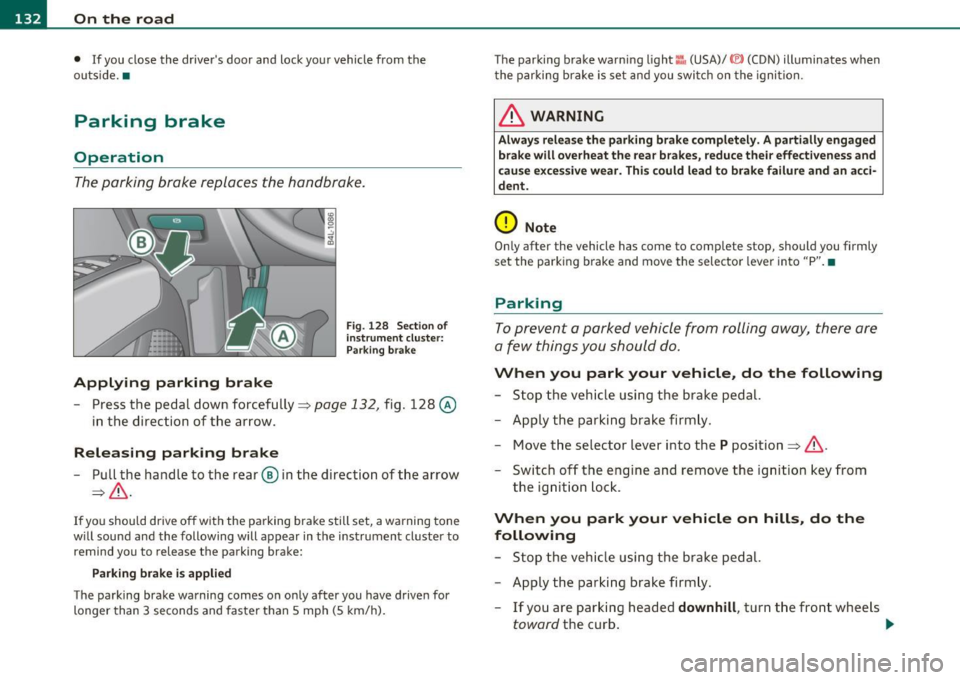
Fig. 128 Sect ion of
instrument cluster: Par king brake
- Press the pedal down forcefully~ page 132, fig. 128 @
in the d irection of the arrow.
Releasing parking brake
-Pull the handle to the rear ® in the direction of the arrow
~& -
If you should drive off with the parking brake still set, a warning tone
w ill sou nd and the following will appear in the instrument cluster to
remind you to release the parking brake:
Parking brake i s applied
The parking brake warning comes on only after you have driven for
longer than 3 seconds and faster than 5 mph (5 km/h). The parking brake warn
ing light ::, (USA)/ © (CON) illuminates when
the parking brake is set and you switch on the ignition.
& WARNING
Always release the parking brake completely. A partially engaged
brake will overheat the rear brakes, reduce their effectiveness and
c ause excessive wear. This could lead to brake failure and an acci
dent.
0 Note
Only after the vehicle has come to complete stop, should you firmly
set the parking brake and move the selector leve r into "P". •
Parking
To prevent a parked vehicle from rolling away, there are
a few things you should do.
When you park your vehicle, do the following
-Stop the vehicle using the brake pedal.
- Apply the parking brake firmly.
- Move the selector lever into the
P position =;,& .
- Switch off the engine and remove the ignition key from
the ignition lock .
When you park your vehicle on hills, do the
following
- Stop the vehicle using the brake pedal.
- Apply the parking brake firmly.
- If you are parking headed
downhill , turn the front wheels
toward the curb . .,_