service AUDI Q7 2013 Owner´s Manual
[x] Cancel search | Manufacturer: AUDI, Model Year: 2013, Model line: Q7, Model: AUDI Q7 2013Pages: 348, PDF Size: 87.72 MB
Page 5 of 348
Adaptive Air Suspension .. .. . .
Air suspension and damping
Homelink ® ... .. .... ... .. .. .. . .
Universal remote control ... .. .. .. . .
S afet y fir st ... ...... ... .. .. .. . .
155
155
161
16 1
165
Driving Safely . . . . . . . . . . . . . . . . . 165
Gene ral notes . . . . . . . . . . . . . . . . . . . . 165
Proper occupant seating posit ions . . . 166
Ped al area . . . . . . . . . . . . . . . . . . . . . . . 170
Stowing luggage . . . . . . . . . . . . . . . . . 171
Report ing Safety Defects . . . . . . . . . . . 172
Safety belts . . . . . . . . . . . . . . . . . . . 175
General notes . . . . . . . . . . . . . . . . . . . . 17 5
Why safety belts? . . . . . . . . . . . . . . . . 176
Safety belts . . . . . . . . . . . . . . . . . . . . . 179
Safety bel t pretens ioners . . . . . . . . . . 182
Airbag system .......... ... ... .
Important things to know ......... .
Fr ont airbags ............ .... .. . .
M on itoring the A dvanced Airbag
System .... .. ... .. ..... ... .. .. . .
Side airbags .... ...... ... .. .. .. . .
Side curtain airbags .... ... .. .. .. . .
Child Safety .. .. .... ... .. .. .. . .
Important things to know . ... .. .. . .
Ch ild safety seats ................ .
Instal ling a child safety seat .. .. .. . .
LATC H Lower anchorages and tethers
for chi ldren .... .. .. ..... ... .. .. . .
Addit ional Information
Vehicle operation ....... .. .. . .
Intelligent technology .... ... .
184
184
188
195
199
202
205
205
211
215
218
224
225
225
Not ice about data recorded by vehi cle
con trol mod ules . . . . . . . . . . . . . . . . . . 225
E lect ronic S tabiliz ation Control ( ESC) . 225
Braking . . . . . . . . . . . . . . . . . . . . . . . . . 228
Servotronic ® -advanced power
steering system . . . . . . . . . . . . . . . . . . 230
Driving w ith your quattro ® . . . . . . . . . 231
Energy management . . . . . . . . . . . . . . 231
Table of contents 3
Driving and environment . . . . .
234
The first 1,000 miles (1,500 km) and
afterwa rds . . . . . . . . . . . . . . . . . . . . . . 234
Catalytic co nverter . . . . . . . . . . . . . . . . 235
Diesel particulate filter . . . . . . . . . . . . 235
Avoid damaging the vehicle . . . . . . . . . 236
Operate your vehicle eco nomically and
min imize poll ution . . . . . . . . . . . . . . . . 236
Driving off road . . . . . . . . . . . . . . . 238
Driving in d ifficult road conditions and
offroad . . . . . . . . . . . . . . . . . . . . . . . . . 238
Trailer towing . . . . . . . . . . . . . . . . . 241
D riving with a trailer . . . . . . . . . . . . . . 241
T rai le r tow ing tips . . . . . . . . . . . . . . . . 243
Vehicle care . . . . . . . . . . . . . . . . . . . 245
Cleaning and protection . . . . . . 245
General information . . . . . . . . . . . . . . 245
Care of exterior . ... .. .. .. .... ... .
Care of inte rior ... .. . .. .. ..... ... .
Fuel supply and filling your
fuel tank ... .... .. . .. .. ..... ... .
Fuel supply ...... .. . .. .. ..... ... .
Diesel f uel .. .. .. .. .. ... ..... ... .
Fuel tank ....................... .
Se lective catalytic reduction ....... .
Checking and filling .......... .
Engine hood ... .. ............... .
E n gine oi l ... .... ..... .... ..... . .
Engine cooling system .. .. ..... ... .
B rake fluid ....... .............. .
B attery ... .. .. .. .. . ............ .
Windsh ie ld/headl ight washer
conta iner . .. .. .. .. ............. . 2
4 5
251
256
256
257
258
261
264
264
266
271
274
2 75
2 79
Tires and wheels . . . . . . . . . . . . . . 280
T ires . . . . . . . . . . . . . . . . . . . . . . . . . . . 280
T ire pressure monitoring system 298
Do -it -yourself service . . . . . . . . . 301
What do I do now? ...... ... .. . 301
Jack , tools and inflatable spare tire . . 301
Changing a wheel . . . . . . . . . . . . . . . . . 304
•
•
Page 6 of 348
4 Table of contents
Fuses and bulbs ....... .. .. ... .
Elect rical fuses . ....... ... .. .. ... .
Bulbs .. .. .. ... ... .... ... .. .. ... .
Emergency situations ... .. ... .
General .... ... .. ..... ... .. .. ... .
Starting by push ing or tow ing . .. .. . .
Starting with jumper cables .. .. .. . .
Use of jumper cab les .. .. .. .. .. .. . .
Eme rgency towing with commercial
tow truck .. ................ ... . .
Lift ing vehicle . ........... .... ... .
Technical data ............. .. . .
General information .. .. .. .. . .
Explana tion of te chnical data . .. ... .
Vehicle iden tifica tion .... ...... .. . .
Weights ... ... .. ..... ... .. .. ... .
Dimensions .... .. ..... ... .. .. ... .
Data .. .. .. .. .. .. .... ... .. .. .. . .
280 hp, 6 -cylinder engine, w ith all -
wheel drive .... . ...... ... .. .. ... .
333 hp, 6-cylinder engine, w ith all-
wheel drive . ............. .. .. .. . .
240 hp, 6-cylinder engine, w ith all-
wheel drive . ...... ........ ... .. . .
Consumer Information ... ... .
Warranty coverages ........... .. . .
Operating your vehicle outside the U.S .A . o r Canada .......... ... .. . .
Audi Service Repair Man uals and 309
309
3
12
314
314
314
314
315
316
3 18
320
320
320
320
320
32 1
322
322
323
324
325 325
325
L it erature . . . . . . . . . . . . . . . . . . . . . . . 325
M aintenance . . . . . . . . . . . . . . . . . . . . . 325
Additional accessories , modifications
and parts replacement . . . . . . . . . . . . 327
Declaration of Compliance,
Te lecommunications and E lectronic
Systems . . . . . . . . . . . . . . . . . . . . . . . . 328
Index . . . . . . . . . . . . . . . . . . . . . . . . . . 330
Page 7 of 348
In addition to t his Owner's Ma nual, your A udi
comes w ith t he
- MMI Oper ating In st ru cti ons
- Warranty
& Ma intenance boo klet.
If you are m iss ing one of these publicat ions,
or if you believ e that the information is not
comp lete, contact you r auth orized Audi dea le r
for assistanc e.
MMI Operating Instructions
contain detailed desc ription of the Aud i M ulti
Media Interface (MMI) including t he nav iga
tion system, the so und system and the ha nd
h e ld pho ne.
The Warranty & Maintenance booklet
explains how yo u can keep your A udi in top
driving condition by hav ing it serviced regular
l y and conta ins detai led info rmat ion about
the wa rra nties covering your Aud i. Always
h ave the boo klet with yo u when yo u take your
ve hicl e to a n author ized Audi dealer for serv
i ce. Y our Audi Servi ce A dvis or will re cord each
sche duled service and can an swe r any ques
tions you may have rega rding how to ma in tain
your ve hicle.
In Canada,
the veh icle lite rat ure is also avai lab le in
Fr ench . T o ob tain a cop y, contact your dea le r
or wri te to:
Au Canada, on peut se p rocure r un exemp la ire
e n fr an<;ais de ce do cument aupres du conces
sio nnair e ou de:
Volkswagen Canada, Inc.
C lient Assistance
Assis tance a la Clientele
7 77 Bayly S tree t, Wes t,
A jax, On tario LlS 7G 7
If you sell your Audi
all lite ratu re should be left in the ve hicle to
make th e Warranty terms as we ll as a ll oper
ating, safety and m aintenan ce inform ation
a vaila ble to the nex t owne r.
Vehicle literature 5
If you change your address or if you
bought this Audi used
be s ure to send in a "Notice of Add ress
Change"/ " Notice of Used Car Purchase" post
card. T his card can be fo und in the Warranty
&
Maintenance booklet or obtained from your
autho rized Aud i dea ler .
It is in your own interest that we are able to
contact you should the need arise .
•
•
Page 23 of 348
Driver information
display
Introduction
General notes
The driver informa tion display inside the in
strument cluster provides you, the driver,
with much useful information.
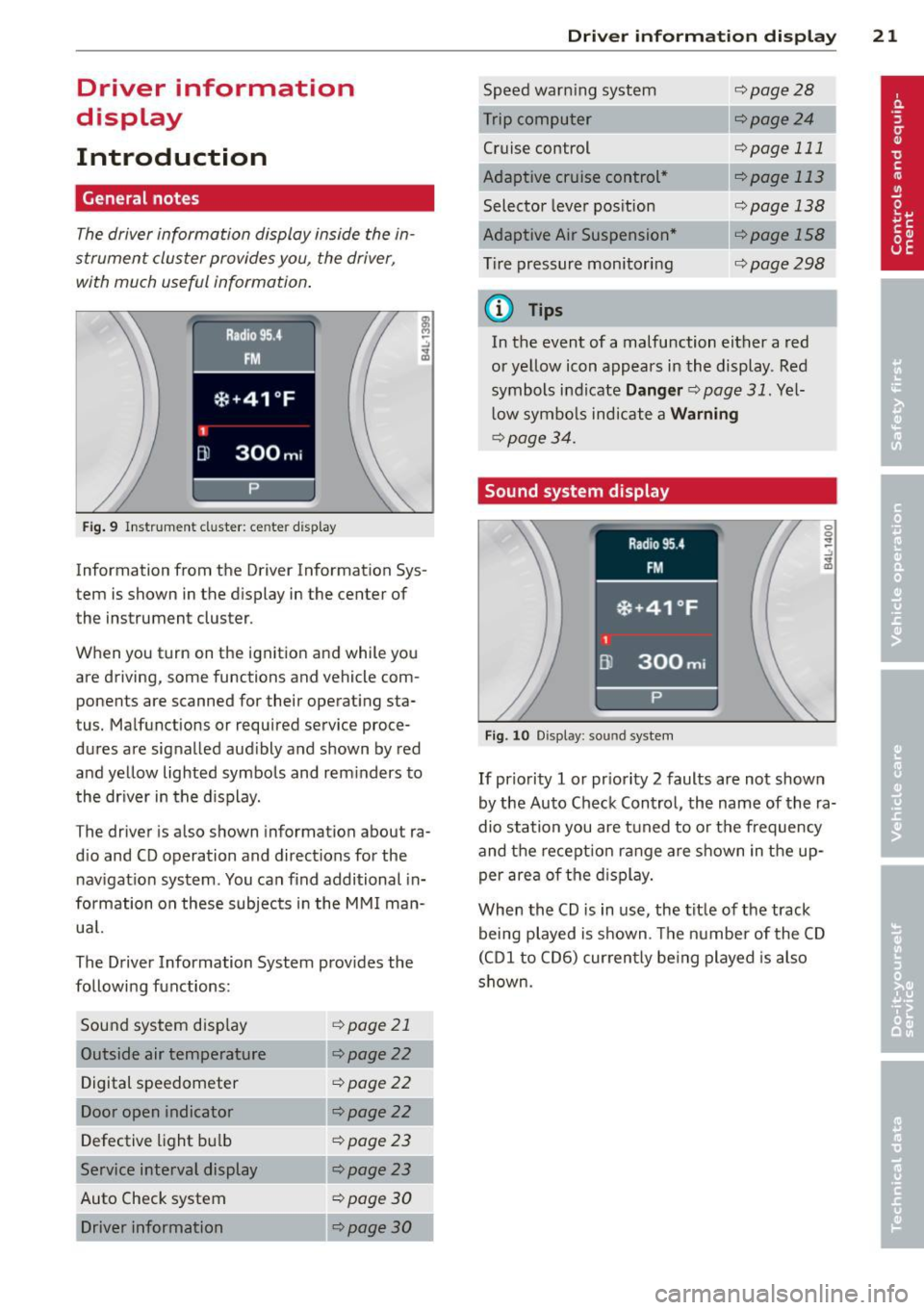
Fig. 9 Instr ument cluster: ce nter display
Information from the Driver Information Sys
tem is shown in the display in the center of
the instrument cluster.
When you turn on the ignition and while you
are driving, some functions and vehicle com
ponents are scanned for their operating sta
tus. Malfunctions or required service proce
dures are signalled aud ibly and shown by red
and yellow lighted symbols and rem inders to
the dr iver in the display.
The driver is also shown information about ra
d io and CD operation and directions for the
nav igation system . You can f ind additional in
formation on these subjects in the MMI man
ua l.
The Driver Information System prov ides the
following functions:
Sound system disp lay ¢
page 21
Outside air temperature ¢page22
Digital speedometer ¢page
22
Door open indicator ¢page22
Defective light b ulb ¢poge23
Service interval display ¢page23
Auto Check system ¢
page 30
Driver information ¢page30
Dri
ver inform ation di spl ay 21
Speed warn ing system
Cruise control
Adaptive cruise control *
Selector lever pos ition
Adaptive Air Suspension *
T ire pressure monitori ng
(D Tips
¢page28
--·--¢page24
¢page 111
--..--
¢page 113
¢page 138
¢page298
In the event of a malfunction either a red
or ye llow icon appears in the display . Red
symbols indicate
Dang er ¢ page 31. Yel
l ow symbo ls indicate a
Warning
¢ page 34.
Sound system display
Fig. 10 Display: sound syste m
If priority 1 or pr iority 2 faults are not shown
by the Auto Check Control, the name of the ra
dio station you are tuned to or t he frequency
and the recept ion range are shown in the up
per area of the d isplay.
When the CD is in use, the tit le of the track
being played is shown. The number of the CD
(CDI to CD6) cur rently be ing played is also
s h own.
Page 25 of 348
Defective light bulb warning
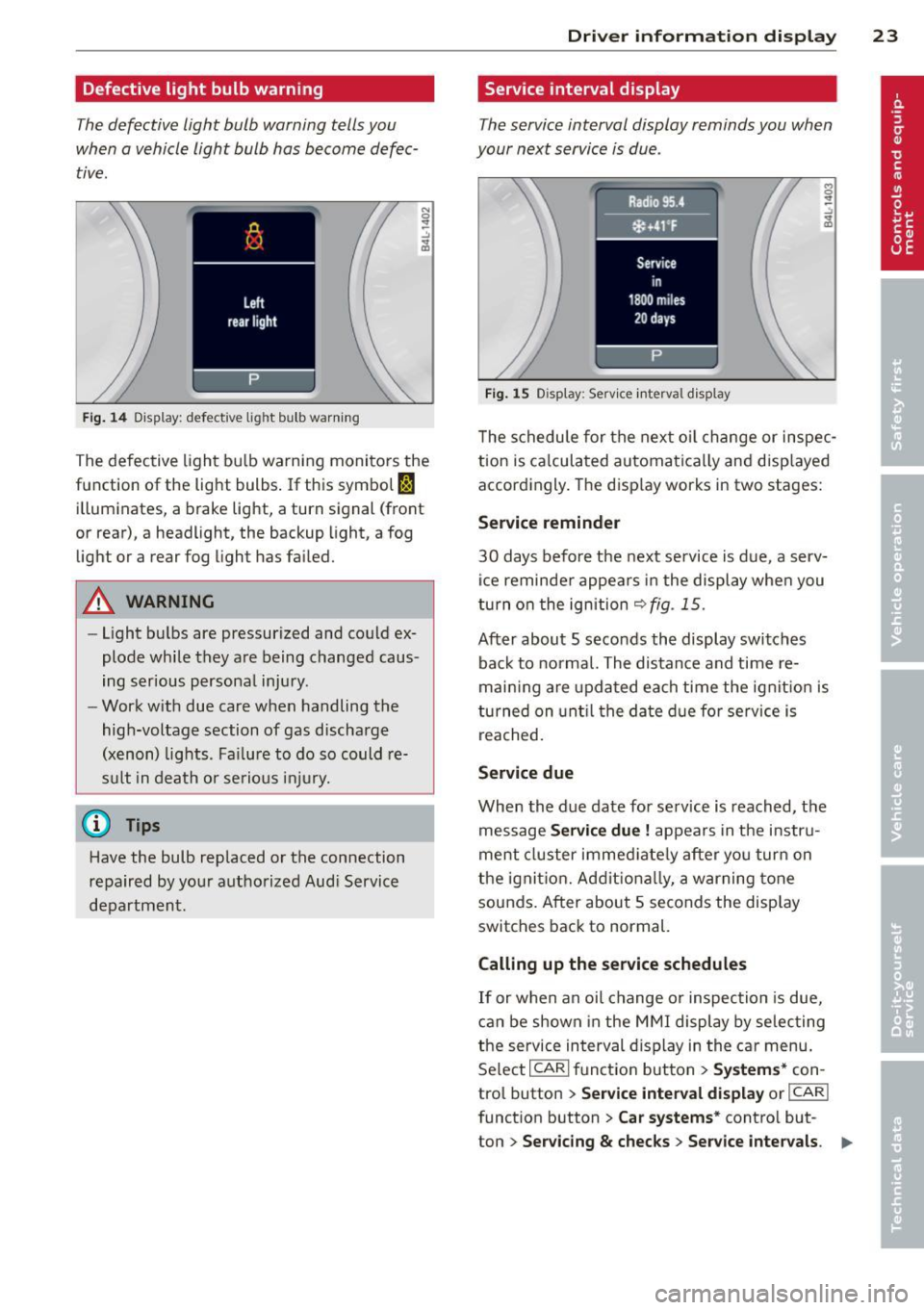
The defective light bulb warning tells you
when a vehicle light bulb has become defec
tive.
Fig . 14 D isplay : defective lig ht bu lb warn ing
The defective light bu lb warning monitors the
function of the light bulbs . If th is symbol
I
illuminates, a brake light, a turn signal (front
or rear), a headlight, the backup light, a fog
light or a rear fog light has failed.
A WARNING
- light bu lbs are pressurized and could ex
plode while they are being changed caus
ing serious personal injury.
- Work with due care when handling the
high-voltage section of gas discharge
(xenon) lights. Fa ilure to do so could re
s u lt in dea th o r se rious injury.
(D Tips
Have the bulb replaced or the connection
repa ired by you r autho rized Aud i Service
department.
Dri ver inform ation di spl ay 23
Service interval display
The service interval display reminds you when
your next service is due .
Fig . 1 5 Display: Serv ice interva l d isplay
T he schedule for the nex t oi l change or inspec
tion is ca lculated automatica lly and disp layed
accordingly. The disp lay works in two stages:
Service reminder
30 days before t he next service is due, a serv
ice reminde r appea rs in the display whe n you
turn on the ignition
~fig. 15.
After about 5 seconds the display switches
back to norma l. The distance and time re
mai ning are updated each time the ignit ion is
turned on unt il t he da te d ue for se rv ice is
reached.
Service due
When the due date fo r se rvice is reached, the
mes sage
Se rv ice due! appears in the instr u
ment cluster immed iate ly after yo u tur n on
the ignit ion. Addit iona lly, a warning tone
sounds. After about 5 seconds the disp lay
switches back to normal.
Calling up the service schedules
If or when an oil change o r inspection is due,
can be shown in the MMI display by selecting
the service in terval d isplay in the car menu .
Se lect
I CAR I funct io n button > Sy stem s* con
trol button
> S ervice inte rval display or I CAR !
function button > Car sy stem s* contro l but -
ton
> Servicing & chec ks > Service in te rva ls. ..,_
Page 26 of 348
24 Driver information d isplay
Re setting the service interval display
Your au thor ized A udi dealer w ill reset the cor
responding service sched ule after performing
the app rop riate service on yo ur vehicle . Yo u
a lso have the possibility to reset the oil
change sched ule after having performed an
oil c hange according to Audi specifications.
Select
I CAR I function button > Systems * con
trol button
> Service int erva l display > Re set
oil change interval
or ! CARI function button >
Car systems* control button > S ervicing &
check s > Service interval s > Reset oil change
interval.
(D Note
If you disconnect the b attery termi nals, no
c a lcu lations can be m ade for the servi ce
in terva l display during this time and no
service rem inder w ill appear . Remembe r
that obse rv in g the prope r serv ice interva ls
is vita lly im portant to extend ing the life o f
y o ur veh icle , part icu larly the eng ine, and
maintaining its va lue . Do not exceed the
time int erval fo r th e next se rv ice, even if
the vehicle mileage is low .
@ Tips
-Do not reset the display between oil
changes, otherw ise the display will be in
correct.
- The informati on in the Servic e Reminder
r ema ins sto red even when the vehicle
batte ry is discon necte d.
Trip computer
Introduction
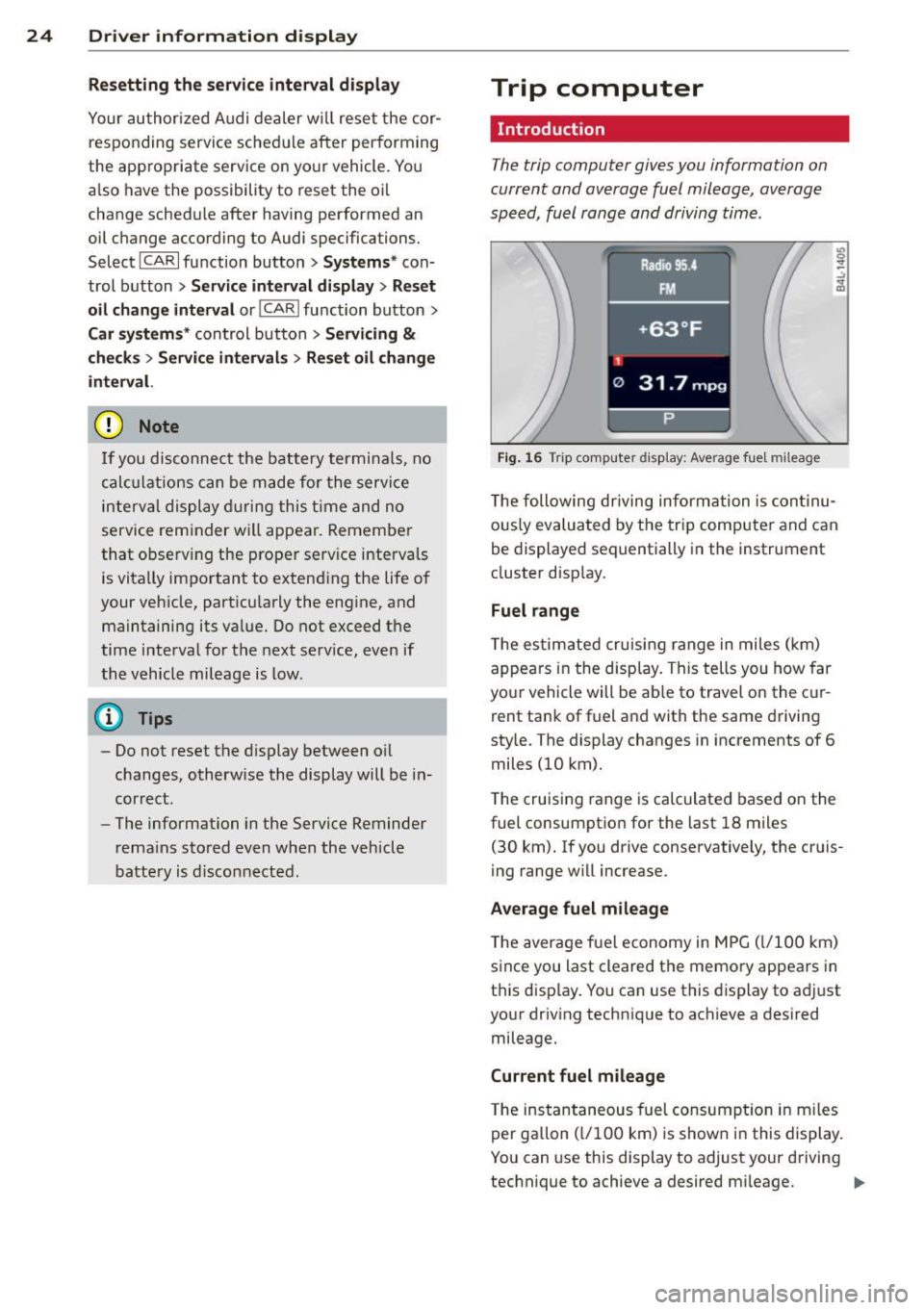
The trip computer gives you information on
current and average fuel mileage, average
speed, fuel range and driving time.
Fig. 16 T rip comp ute r di sp lay : Average f ue l m il eage
T he following dr iving inform ation is con tinu
o usly evalua ted by the trip computer and can
b e displayed sequentially in the instrument
cluster disp lay.
Fuel range
T he es tim ated cru is ing r ange in miles ( km)
appea rs in the display. T his tells you how far
yo ur vehicle will be ab le to travel on the c ur
rent ta nk of f uel a nd with the same driving
sty le. The display changes in increments of 6
miles (10 km).
T he cruising range is calculated based o n the
fuel consum ptio n for the last 18 miles
(30 km). I f you drive conservative ly, the cr uis
i ng range w ill increase.
Average fuel mileage
The aver age f ue l economy in MPG ( l/1 00 km)
s ince you last cleared the memo ry appears in
t hi s disp lay . You can use this display to ad just
yo ur driv ing technique to achieve a desired
mileage.
Current fuel mileage
T he ins tan taneous fuel consum ption in m iles
per gallon ( l/100 km) is shown in this disp lay.
You can use this display to adjust your driving
technique to achieve a desired m ileage .
Ill-
Page 35 of 348
~ Contact your authorized Audi dea ler fo r as -
sistance if necessary.
If the engine coolant level is co rrect, then the
radiato r fan may be the cause of the malfunc
tion.
If the . warning symbol (alternator ma l
f u nction) a lso l ights up on the instr ument
panel ¢
page 31, then the fan belt may be
damaged .
A WARNING
- If your vehicle should break down for
mechanica l or other reasons, park at a
safe distance from moving traffic, turn off the engine and turn on the hazard
warning lights¢
page 60, Emergency
flasher.
-
- Never open the hood if you see or hear
steam o r coolant escap ing from the en
gine compartment - you risk being scald
ed. Wait until you can no longe r see or
hear steam or coo lant escaping.
- The e ngine compartment of any veh icle
is a da ngerous a rea. Before you perfo rm
any wor k in the engine compar tment,
t ur n o f the eng ine and allow it to cool.
Follow the warning stickers¢
page 255,
Engine compartment .
(D Note
Do not cont in ue d riving if the . symbol
illuminates. There is a ma lf u nct ion in the
engine cooling system -you co uld damage
your eng ine.
9=:7-Engine oil pressure malfunction
The red engine oil pressure warning symbol
requires immediate service or repair. Driving
with a low-oil -pressure indication is likely to
inflict severe damage to the engine.
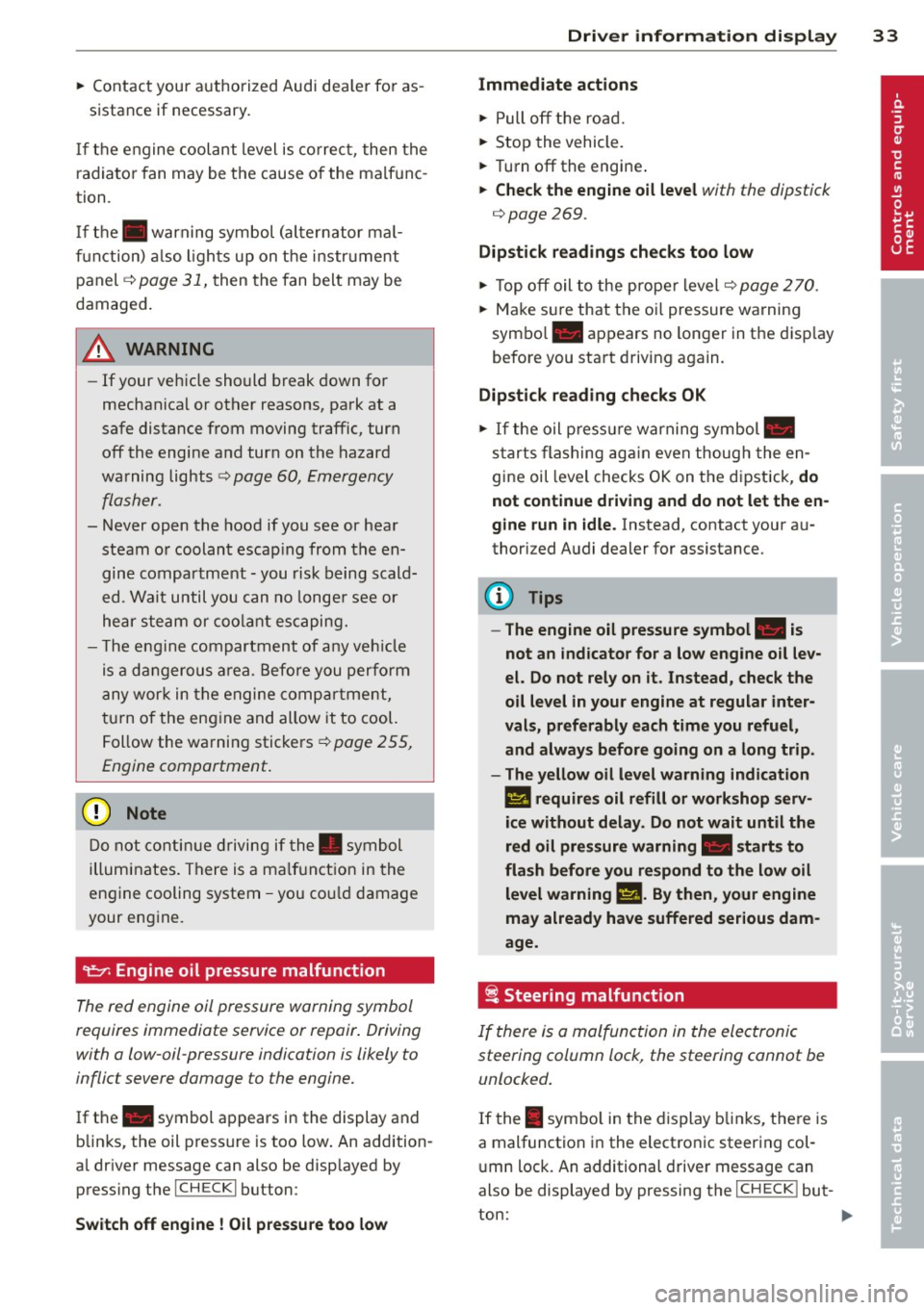
If the . symbol appears in the display and
b links, the oil press ure is too low . An addition
a l dr iver message can also be disp layed by
press ing the
I CH ECKi button:
Switch off engine! Oil p ressure too low
Dri ver information di spla y 33
Immediate act ions
~ Pull off the road.
~ Stop the vehicle.
~ T ur n off the engine .
~ Check the engine oil level with the dipstick
¢ page
269 .
Dipstick readings check s too low
~ Top off oil to the prope r level ¢ page 2 70 .
~ Make sure that the oil pressure wa rning
symbo l. appears no longer in the d isp lay
before you sta rt driving again.
Dipstick read ing checks OK
~ If the oil p ress ure warning symbol.
s t arts flashing aga in even though the en
gine oil level checks OK on t he dipstick,
do
not continue d riving and do not let the en
gine run in idle .
Instead, contact your au
thorized A udi dealer for assistance.
(D Tips
- The engine oil pressure symbol. is
not an indi cator for a low eng ine o il lev
el. Do not rely on it . Instead, check the
oil level in your engine at regula r inter
vals, preferably each time you refuel,
and always before going on a long trip .
- The yellow oil lev el warn ing indication
II requires oil r efill or work shop serv
i ce without delay . Do not wait until th e
red oil pressure warning. start s to
flash bef ore you re spond to th e low oil
le vel warning
l!I . By then , your engine
ma y already have suffe red serious dam
age.
i Steering malfunction
If there is a malfunction in the electronic
steering column lock, the steering cannot be
unlocked .
If the . symbo l in the display b links, there is
a malfunction in the electro nic steering col
u mn lock. An additional driver message can
also be displayed by pressing the
ICHECK I but-
ton:
~
Page 40 of 348
38 Opening and closing
Opening and closing
Keys
Key set
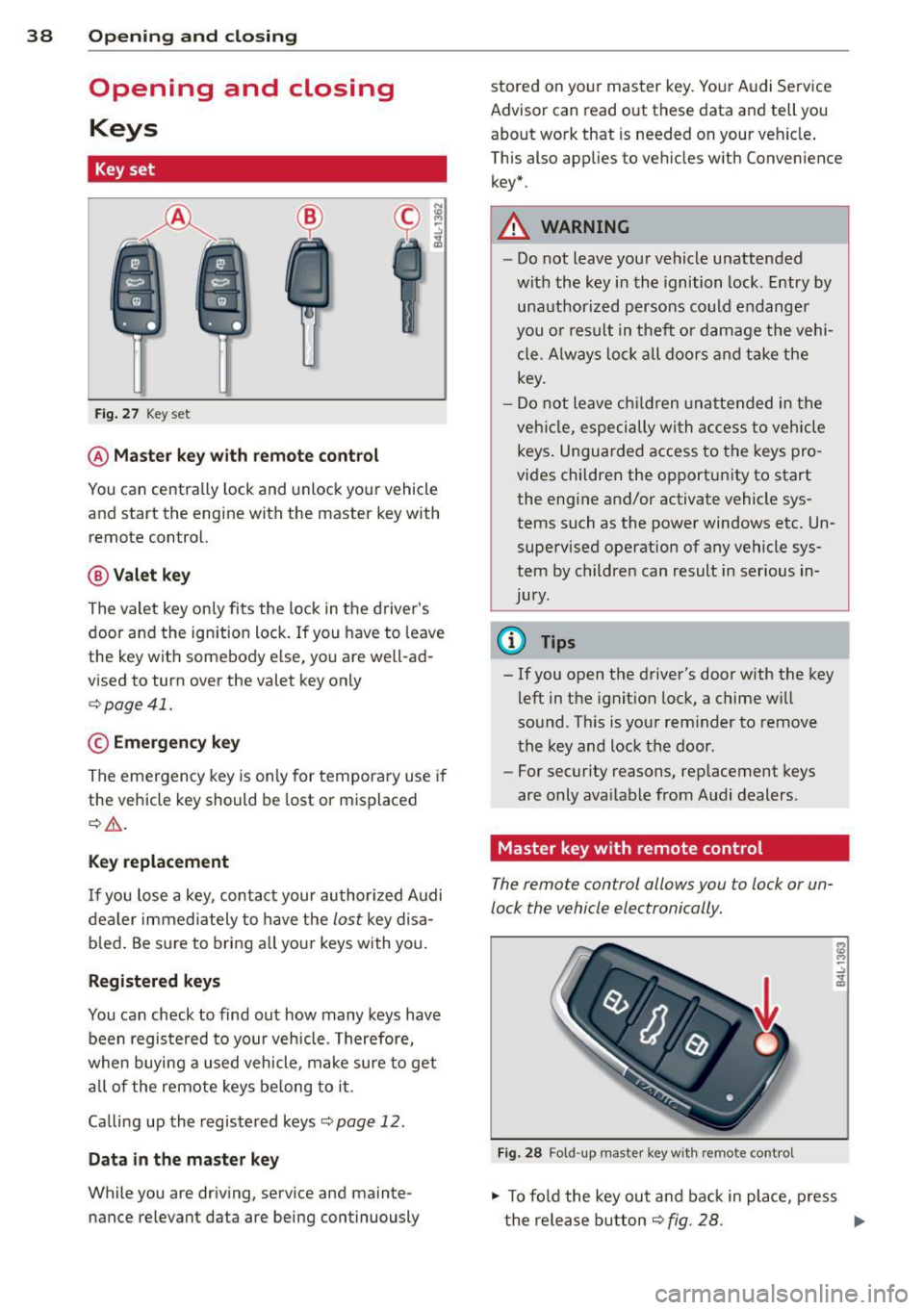
Fig. 27 Key set
@ Master key with remote control
You can centrally lock and unlock your vehicle
and start the engine with the master key with
remote control.
@ Valet key
The valet key only fits the lock in the driver's
door and the ignition lock . If you have to leave
the key with somebody else, you are well-ad
vised to turn over the valet key only
¢ page 41.
© Emergency key
The emergency key is only for temporary use if
the vehicle key should be lost or misplaced
¢ .&. .
Key replacement
If you lose a key, contact your authorized Audi
dealer immediately to have the
lost key disa
b led . Be sure to bring all your keys with you.
Registered keys
You can check to find out how many keys have
been registered to your vehicle. Therefore,
when buying a used vehicle, make sure to get
all of the remote keys be long to it .
Ca lling up the registered keys¢
page 12.
Data in the master key
While you are driving, serv ice and mainte
nance relevant data are being continuously stored on your master key. Your Audi
Service
Advisor can read out these data and tell you
about work that is needed on your vehicle .
This also app lies to vehicles w ith Convenience
key*.
A WARNING
--
- Do not leave your vehicle unattended
with the key in the ignition lock. Entry by
unauthorized persons could endanger
you or result in theft or damage the vehi
cle. A lways lock all doors and take the
key.
- Do not leave children unattended in the
veh icle, especially with access to vehicle
keys . Unguarded access to the keys pro
vides children the opportun ity to start
the engine and/or activate vehicle sys
tems such as the power windows etc. Un
supervised operation of any vehicle sys
tem by children can result in serious in
Jury .
(D Tips
- If you open the driver's door with the key
left in the ignition lock, a chime w ill
sound. T his is your reminder to remove
the key and lock the door.
- For security reasons, replacement keys
are only ava ilable from Audi dealers.
Master key with remote control
The remote control allows you to lock or un
lock the vehicle electronically .
Fig. 28 Fold-up maste r key with remo te control
., To fold the key out and back in place, press
t he release button ¢
fig. 28. .,.
Page 60 of 348
58 Clear vis ion
li g ht sensor checked as soo n as poss ible at an
author ized Audi dealer or qua lified wor kshop .
.&_ WARNING
-Daytime ru nning lights and automatic
headlights are only intended to assist
the driver. They do not relieve the driver
of his respons ib ility to check the head
lights and to turn them on manually ac
co rding to the current light and v is ibi lity
condit ions. For example, fog cannot be
dete cted by the light sensors*. So alw ays
switch on the headlights
io u nder these
weather conditions and when driving in
the dark.
- Crashes can happen when yo u cannot see
the road ahead and when you cannot be seen by other motorists. Always turn on
the headlights so that you can see ahead
and so that others can see yo ur car from
the back.
- Please obey a ll laws when using the
lighting systems described here.
@ Tips
- With the switch in AUTO front fog lights
and rear fog lights cannot be turned on in addition.
- The light senso r for headlight contro l is
l ocated in the rear view m irror mount.
You should therefore not app ly any st ick
ers to the windsh ield in this area in o rder
to preve nt ma lfunctions o r failures.
- Some exterior lighting functions can be
adjusted
c:> page 58.
-When you remove your key from the igni
tion while the vehicle's lights are turned
on, a buzzer sou nds as long as the driv
er's door is open .
- In coo l o r damp weather, t he ins ide of
t h e headlights, turn signa ls and tail
li ghts can fog ove r du e to t he tempera
tu re diffe re n ce between the inside and
outside. They will cle ar sho rtly after
swi tching them on. This does not affect
t h e service li fe of the lighting . -
In the event o f a light sensor malfunc
tion, the driver is notified in the instru
ment cl uster display
c:> page 35 .
Adjusting exterior lighting
The functions are set in the MMI.
• Select: I CAR I func tion button > Systems *
cont ro l but to n > Exterior lighting . Or
.. Select:
!CAR ! function b utton> Car sys
tem s* contro l button > Vehicle setting s >
Exterior lighting.
Coming home (Lights when leaving car ),
Leaving home (Lights when unlock ing car )
T he coming home f unction ill umi nates the
area o utside the vehicle when you tu rn the ig
nition off and open t he driver's door. Depend
ing on vehicle eq uipment, the f unction can be
switched on and off or the length of t ime the
lights remain on* can be adjusted .
The leaving home illum inates the area outside
the vehicle when you unlock the vehicle. This
funct ion can be switched on and off .
The Coming home and Leaving home func
tions only operate when it is dark and the light switch is in the AUTO position.
Daytime running lights
USA models: The daytime r unning lights can
be turned on or off using th is function.
Canad a model s: Th e fu nction ca n no t be
tu rned off .
It is activated automati cally each
time the ignition is t urned on. This menu item
is shown "greyed out" .
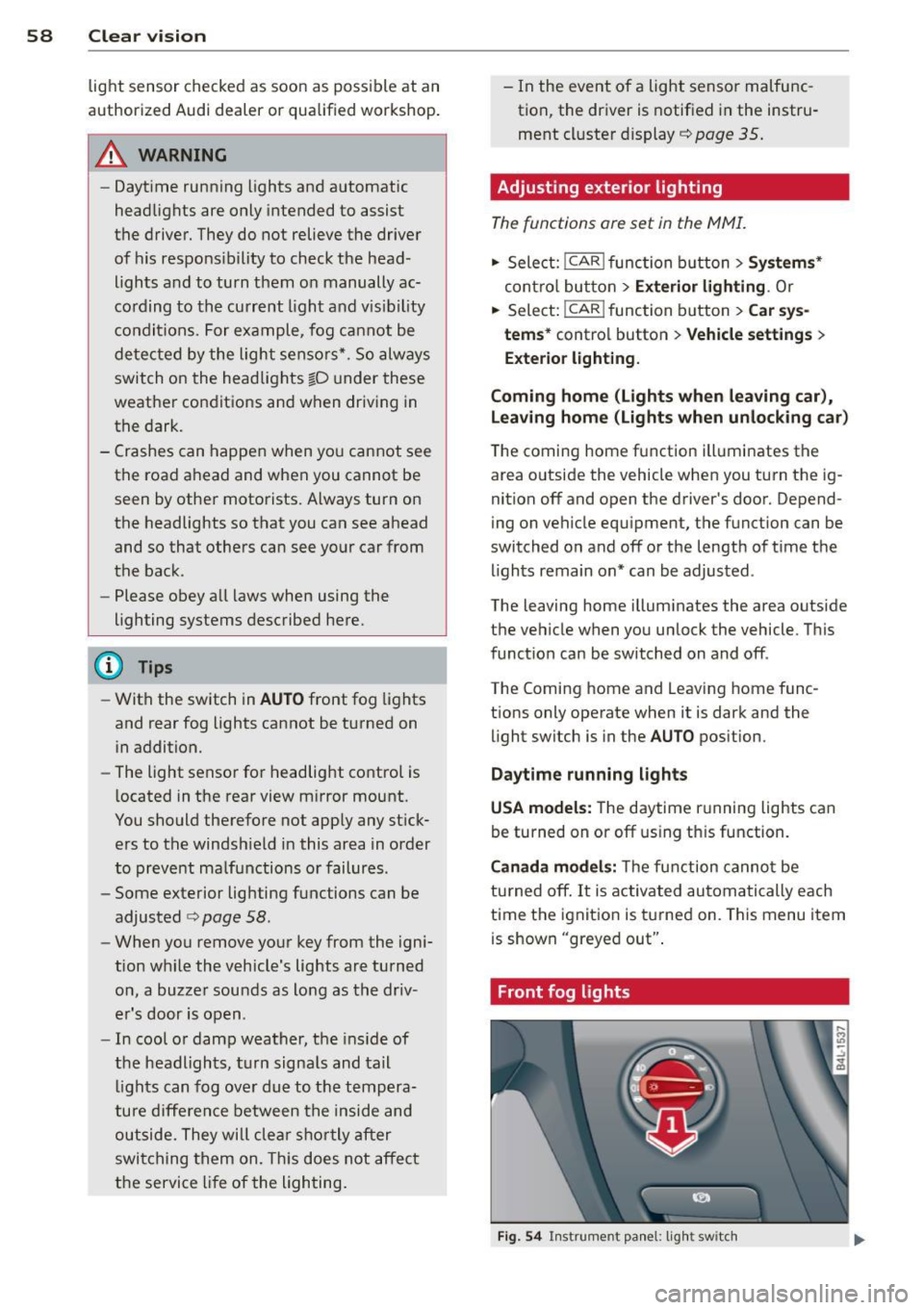
Front fog lights
Fig . 54 Instrument pa nel: light switch
Page 68 of 348
66 Clear vis ion
Headlight washer system
Applies to vehicles: with hea dli ght washer system
The headlight washer system cleans the
headlights.
.. Operate the windsh ield wiper/washer sys
tem
c:> page 63, fig. 65 ® with the head
lights turned on by holding the lever for lon
ger than one second.
The washer jets extend forward out of the
fro nt bumper driven by water pressure to
spray the front headlights with water .
You should inspect the headlights regularly
(for example when refueling) and clean off
any solid dirt or insects from the lenses .
To ensure the system works properly in winter,
keep the washer jets free of snow and remove
any ice using a de- ic ing spray.
Service position
The wiper blades can only be changed in the
service position.
.. If the wiper blades are not frozen to the
windshield, bring the windshield wiper lever
to the basic position@c:>
page 63 , fig. 65 .
.. Select: ICARI function button > Systems *
control button> Windshield w ipers > S erv
i c e posit ion.
Or
.. Se lect:
ICARI funct ion button > Car s ys
tems *
control button > Servicing & check s >
Wiper service po sition .
-On -changing the windsh ie ld w iper blades
can on ly be done if you bring the wiper a rms
to the se rv ice position. You w ill also avoid
paint damage to the hood when wo rking on
the wipers in this pos ition.
- Off -the w indshield wipe rs a re moved to
their initial pos ition aga in.
(D Note
Never maneuve r your vehicle with the
fro nt windshield wipe r arms r aised since
they will a utomat ically be moved back to the
ir basic position above a speed of 3
mph
(6 km/h) and can scratch the hood.
(D Tips
- Yo u ca n also use the se rvice posi tion, for
example, if you want to protect the
w indshield from icing by using
a cover .
- T he service posit ion automatically
switches to
Off when you operate the
w indshield wiper lever, o r speed exceeds
3 mph (6 km/h) .
Replacing windshield wiper blades
Wiper blades in good condition help keep the
windshield clear.
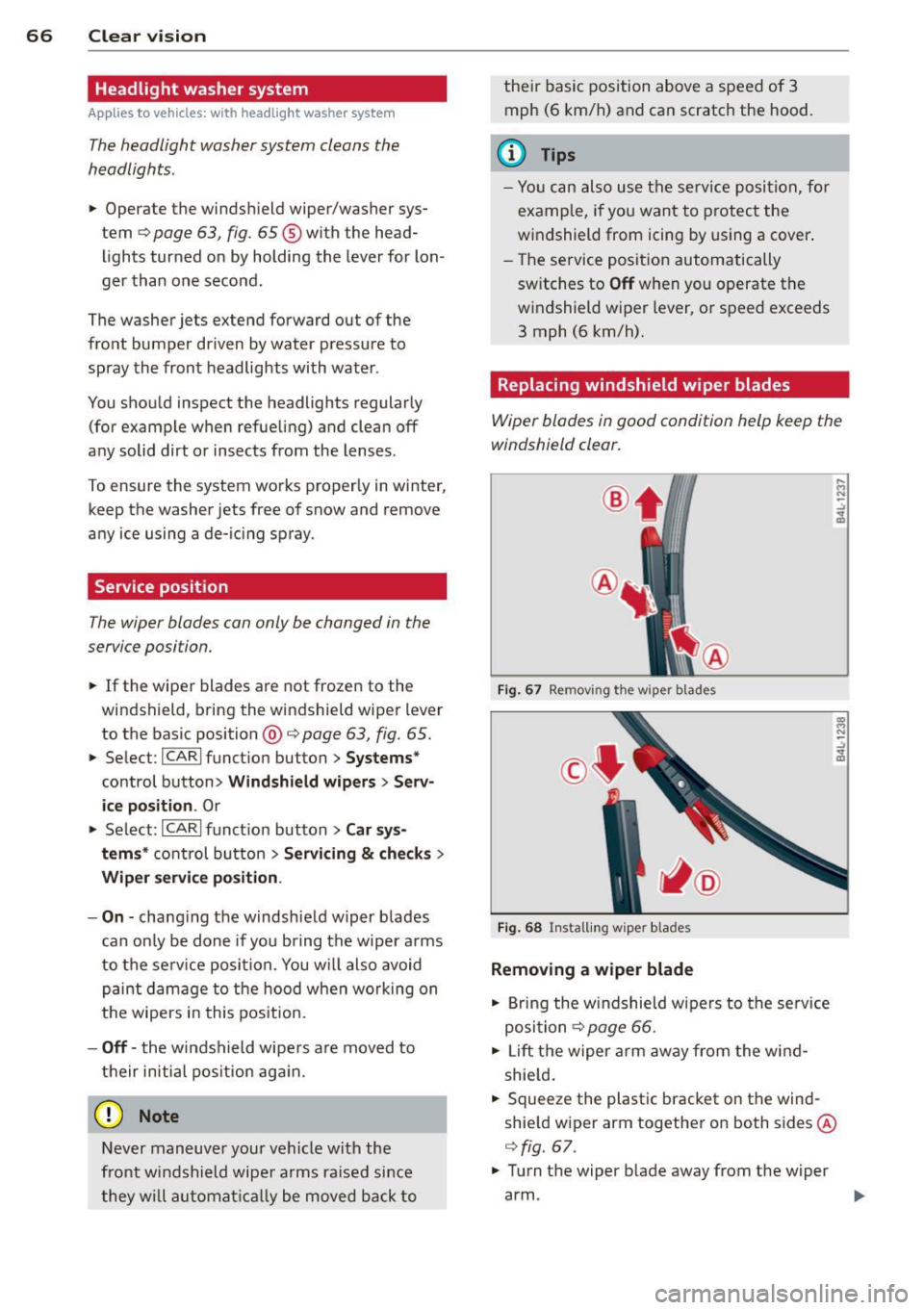
®
F ig . 67 Removing the wiper blades
F ig . 68 Instal ling wiper b lades
Removing a wiper blade
.. Bring the w indshield wipe rs to the se rvice
posi tion
c:> page 66.
.. Lift the wiper arm away from the wind
shie ld .
.. Squeeze the plast ic bracket on the wind
shie ld wiper arm together on both sides @
c:>
fig. 67 .
.. Turn the wiper blade away from the wiper
arm . ..,.