accu AUDI Q7 2013 Owner´s Manual
[x] Cancel search | Manufacturer: AUDI, Model Year: 2013, Model line: Q7, Model: AUDI Q7 2013Pages: 348, PDF Size: 87.72 MB
Page 30 of 348
28 Driver information d isplay
On-Board Diagnostics
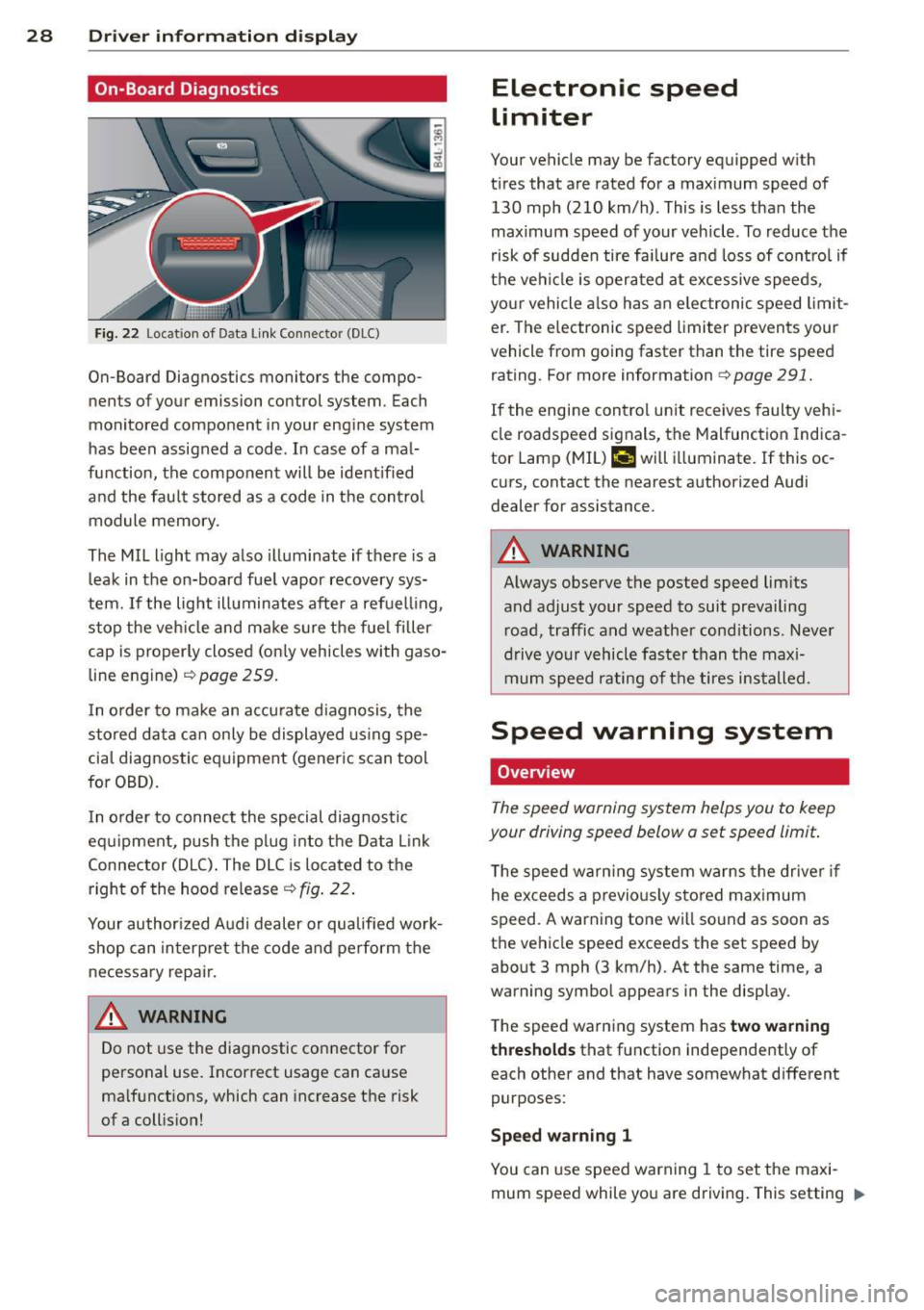
Fig. 22 Locat ion of Data Link Connector (DLC)
On-Board Diagnostics monitors the compo
nents of your emission control system. Each
monitored component in your engine system
has been assigned a code . In case of a mal
function, the component will be ident ified
and the fault stored as a code in the control
module memory .
The MIL light may also illuminate if there is a
leak in the on-board fue l vapor recovery sys
tem.
If the light illuminates after a refuelling ,
stop the veh icle and make sure the fuel filler
cap is proper ly closed (on ly vehicles with gaso
line engine)
c::>page 259.
In o rder to make an accurate d iagnosis, the
stored data can only be displayed using spe
cial diagnostic equipment (generic scan tool
for OBD).
I n o rder to connect the special diagnostic
equipment, push the plug into the Data Link
Connector (DLC) . The DLC is located to the
right of the hood release
c::> fig . 22.
Your author ized Audi dealer or qualified work
shop can interpret the code and perform the
necessary repair.
A WARNING
Do not use the diagnostic connector for
personal use. Incorrect usage can cause
ma lfunctions, which can increase the risk
of a collis ion!
Electronic speed
limiter
Your vehicle may be factory equipped w ith
t ir es that are rated for a maximum speed of
130 mph (210 km/h) . This is less than the
maximum speed of your vehicle . To reduce the
risk of sudden tire fa ilure a nd loss of contro l if
the vehicle is operated at excessive speeds,
your vehicle also has an elec tronic speed limit
er . The e lectronic speed limiter prevents your
vehicle from going faster than the tire speed
rating . For more information
c::> page 291.
If the engine control unit receives faulty vehi
cle roadspeed signals, the Malfunction Indica
tor Lamp (MIL)
II will illuminate. If this oc
curs, contact the nearest authorized Audi
dealer for assistance.
A WARNING
-
Always observe the posted speed limits
and adjust your speed to suit prevailing
road, traffic and weather cond itions . Never
drive your vehicle faster than the maxi
mum speed rating of the tires installed.
-
Speed warning system
Overview
The speed warning system helps you to keep
your driving speed below a set speed limit.
T he speed warning system warns the driver if
he exceeds a previo usly stored maximum
speed . A warning tone wi ll so und as soon as
the vehicle speed exceeds the set speed by about 3 mph (3 km/h). At the same time, a
warning symbol appears in the display.
The speed warning system has
two warning
thresholds
that function independently of
each other and that have somewhat different
purposes:
Speed warning 1
You can use speed warning 1 to set the maxi
mum speed while you are driving. This setting "'
Page 72 of 348
70 Clear vis ion
The digital compass only works with the igni
tion turned on. The directions are displayed as
in itia ls:
N (North), NE (Northeast), E (East),
S E (Southeast), S (South), SW (Southwest),
W (West), NW (Northwest).
(D Tips
To avo id inaccurate directions, do not al
low any remote controls, electrical sys
tems, or metal parts close to t he mirror.
Setting the magnetic deflection zone
App lies to vehicles: with digital compass
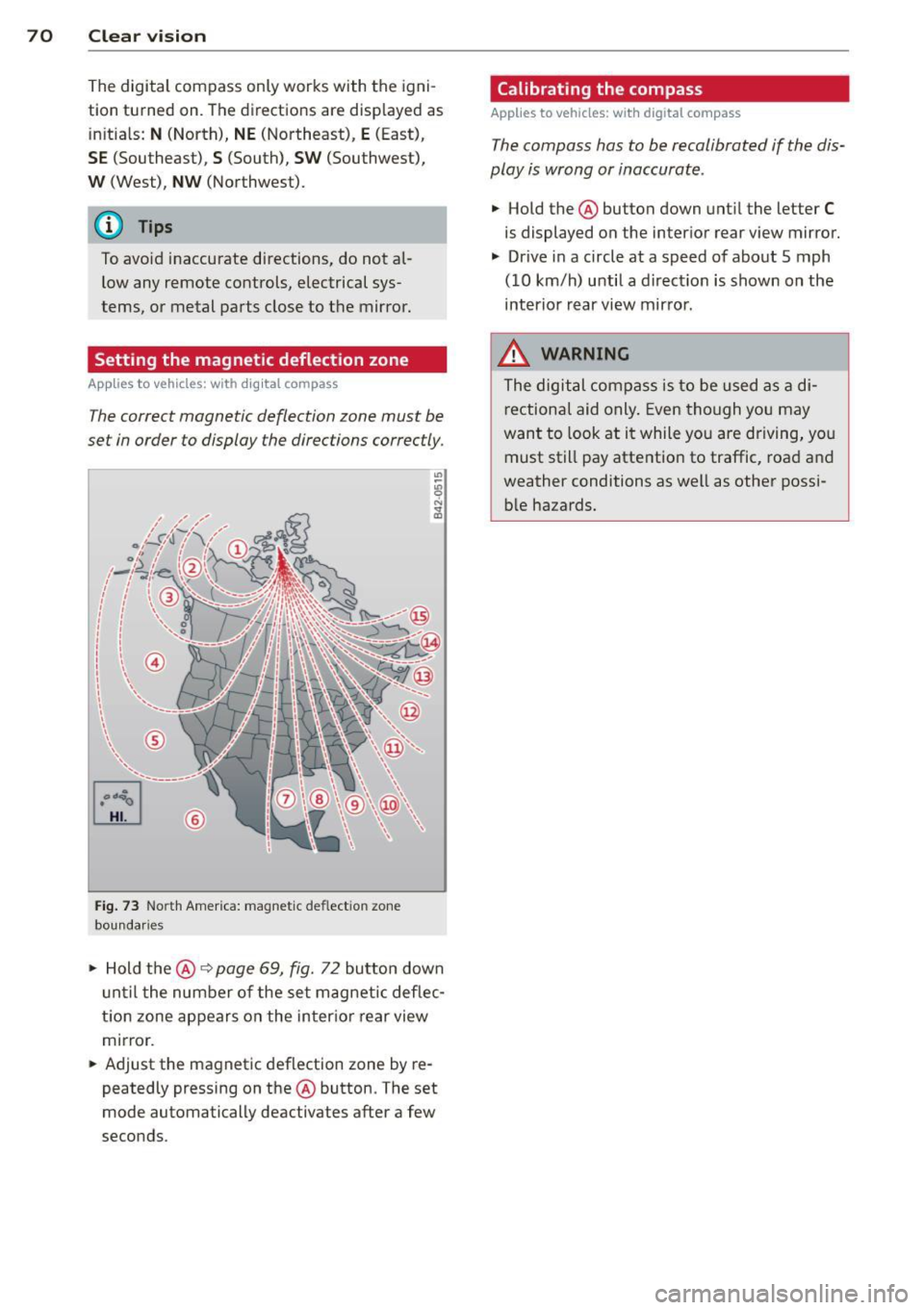
The correct magnetic deflection zone must be
set in order to display the directions correctly.
©
F ig . 73 Nort h Amer ica: magnet ic deflect ion zo ne
bou nda ries
.. Hold the®~ page 69, fig. 72 button down
u nti l the number of the set magnetic deflec
t ion zone appears on the inter io r r ear view
mirror .
.. Adjust the magnetic deflection zone by re
peatedly pressing on the ® button. The set
mode automatically deactivates after a few
seconds.
Calibrating the compass
App lies to vehicles : w it h dig ita l compass
The compass has to be recalibrated if the dis
play is wrong or inaccurate.
.. Hold the ® button down unt il the letter C
is displayed on the inter ior rear view mirror .
.. Drive in a circle at a speed of about 5 mph
(10 km/h) until a d irect ion is shown on the
interio r rear view mirro r.
8, WARNING
The digital compass is to be used as a di
r ectiona l aid only . Even though you may
want to look at i t while you are driving, you
must still pay atte ntion to traffic, road a nd
weather conditions as well as other possi b le hazards.
-
Page 116 of 348
114 Adapti ve crui se co ntrol
brake and take evasive action to avoid
collisions and other accident situations.
- Never allow the closing speed between
you and other vehicles to be so high that
the adaptive cruise control may not be
able to slow your vehicle safely. If clos
ing speed is too high, you must apply the
brakes yourself to reduce the risk of a
rear-end crash.
- Never rest your foot on the accelerator peda l, especia lly when the adaptive
cruise control is be ing used. Pressu re on
the accelerator w ill override the ACC
braking function and prevent the brakes
from being applied when ACC detects a
situation when the brakes must be ap
plied.
- Never use adaptive cruise contro l when
you cannot drive safe ly at a steady
speed, including on city streets, on wind
ing roads or when road conditions are
poor (for example, on ice, gravel, in fog,
heavy rain or on wet roads that increase
the risk of hydroplaning) .
- The radar sensor's
vision can be reduced
by rain, snow and heavy road spray.
T hese and sim ilar condit ions can prevent
vehicles up a head from being accurately
detected and in some cases they may not
be detected at al l. Do not use ACC when
the radar sensors cannot accurately de
tect vehicles moving ahead of yo u in traf
fic.
- Always turn off adaptive cruise contro l
when entering turn lanes, exit lanes and
construction zones or in similar situa
t ions because the vehicle will automati
cally accelerate to the stored speed when
the road ahead is clear.
- To prevent unintended operation, always
switch ACC off when it is not be ing used.
(D Tips
- For safety reasons, the stored speed is
deleted when the ignition is turned off .
- The E lectronic Stab ilizat ion Control (ESC)
and the Anti-Slip Regulation (ASR) can not be deactivated when the adaptive cruise contro
l is switched on . If the ESC
and the Anti-Slip Regu lation (ASR) has
been deactivated and you then switch on
the adaptive cruise control, the ESC func tion will also be activated automatically.
- Damage caused by accidents and some m inor collisions can affect the radar sen
sor settings and cause the system to
ma lf u nction or switch off completely.
- The radar sensor cover is heated. In win
ter conditions, you should st ill check be
fore dr iv ing to make su re it is free of ice
and snow. If necessary, clean the a rea
nea r the radar sensor ca refully
¢ fig. 126.
- To ensure that the radar sensor is not
bloc ked, foreig n objects (e.g. s tickers,
larger license plate mount s, add -on
par ts) mus t not cover the area near the
radar sensor ¢
fig. 126 . The area near
the radar sensor must not be pa inted, ei
ther.
- For Declaration of Compliance to United
States FCC and Ind ustry Canada reg ula
tions¢
page 328.
How does adaptive cruise control work?
Applies to vehicles : wit h adaptive c ruise contro l
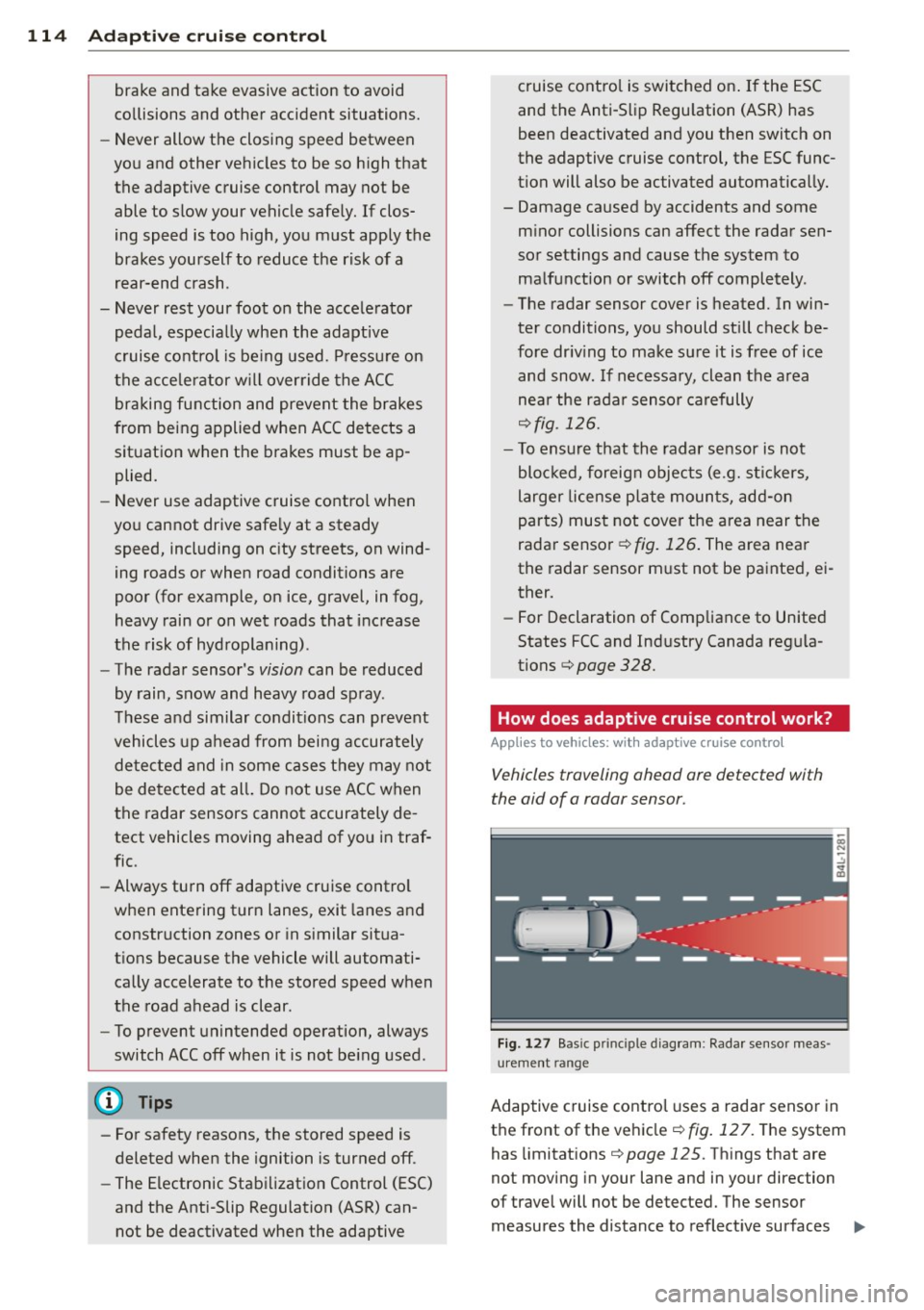
Vehicles traveling ahead are detected with
the aid of a radar sensor .
Fig. 1 27 Bas ic pri ncip le d iag ram : Radar sensor meas
urement range
Adaptive cruise control uses a rada r senso r in
t h e front of the vehicle ¢
fig. 12 7. The system
has limitat ions ¢
page 125. Things that are
not moving in your lane and in your direction
of travel will not be detected. The sensor
measures the distance to reflect ive surfaces ..,.
Page 147 of 348

General Information
Applies to vehicles: with Audi parking system plus w ith
rea rview camera
@
Fig . 166 Area covered (D and area not covered @by
t h e rearv iew camera.
Fig. 167 Rea r lid: Location of the rea rv iew came ra
Sen sor s
Sensors are located in the front and rear
bumpers. If these detect an obstacle, aud ible
and visual signals warn you.
Make sure the sensors are not covered by
stickers, deposits or any other obstructions as it may impair the sensor function. For infor
mation on cleaning, refer to ¢
page 247.
The range at which the sensors begin to meas
ure is approximately:
front
rear s
ide
center
s ide
center 3 ft (0
.90
m)
2 ft (0.60 m)
5.2 ft (1.60 m)
The closer you get to the obstacle, the shorter
the interval between the audible signa ls . A
continuous tone sounds when the obstacle is less than approximately 1 ft (0.30 m) away .
Do not cont inue driving farther forward or in
reverse
¢ .& in General information on
Parking sys tems 145
page 143, ¢(i) in General information on
page 143.
If t he distance to an obstacle rem ains con
stant, the volume of the distance warn ing
gradua lly drops after about fo ur seconds (this
does not apply in the continuo us tone range).
Rearview camera
T he rearview camera is located above t he rear
l ice nse p late bracket. M ake s ure that the lens
for the parking system¢
fig. 167 is not cov
ered by deposits or any other obstructions be
cause this can affect the function of the park
ing system. For informat ion on cleaning, refer
to
¢ page 247.
The rearview camera coverage area includes
(D ¢ fig . 166. Only this area is displayed in
the MMI. Objects that are outside of this area
@ are not displayed.
The orientation lines become less accurate
and the b lue surfaces diminis h if the Adaptive
Air S uspension* is faulty, the vehicle is lifted
or cargo mode is act ivated, or if the
Dynamic ,
Offroa d
or Lift mode is set¢ page 155.
.&_ WARNING
- Always read and follow the applicable
warn ings¢ .&
in General information on
page 143.
- If the position and the installation angle
of the rearview came ra was chang ed, for
examp le, afte r a coll is io n, do not cont in
ue to use the system for safety reasons.
Have it che cked by your authori ze d Aud i
dea le rship or authorized repair facility.
- On ly use the rearv iew came ra to assist
you if it shows a good, clear picture. Fo r
examp le, the image may be affected by
the sun shining into the lens, dirt on the
lens or if there is a system fault.
- Use the rearv iew camera only if the lug
gage compartment lid is complete ly
closed. Make sure any objects you may
have mounted on the luggage compart
ment lid do not block the rearview cam
era.
-
Page 148 of 348
146 Parking systems
-The camera lens en larges and disto rts
the field of vision. The object appears
both altered and inaccurate on the
screen.
- In certain situations, people or objects in
the display appear closer or further
away:
- objects that do not touch the ground,
such as the bumper of a parked vehicle,
a trailer hitch or the rear of a truck. Do
not use the help lines in this case.
- If driven from a leve l surface onto an
incline, or a downward slope.
- If driven toward protruding objects.
- If the vehicle is carrying too much load
in the rear.
(D Note
-Always read and follow the applicable
warnings
¢ (D in General information on
page 143 .
-The orange colored orientation lines in
the MMI display show the vehicle path
depending on the steering wheel angle .
The front of the vehicle front swings out more than the rear of the vehicle. Main
tain plenty of distance so that your out
side mirror or a corner of your vehicle does not collide with any obstacles.
Switching on and off
Applies to vehicles: with Audi parking system p lus w ith
rearview camera
Fig. 168 Center co nsole: P"A button
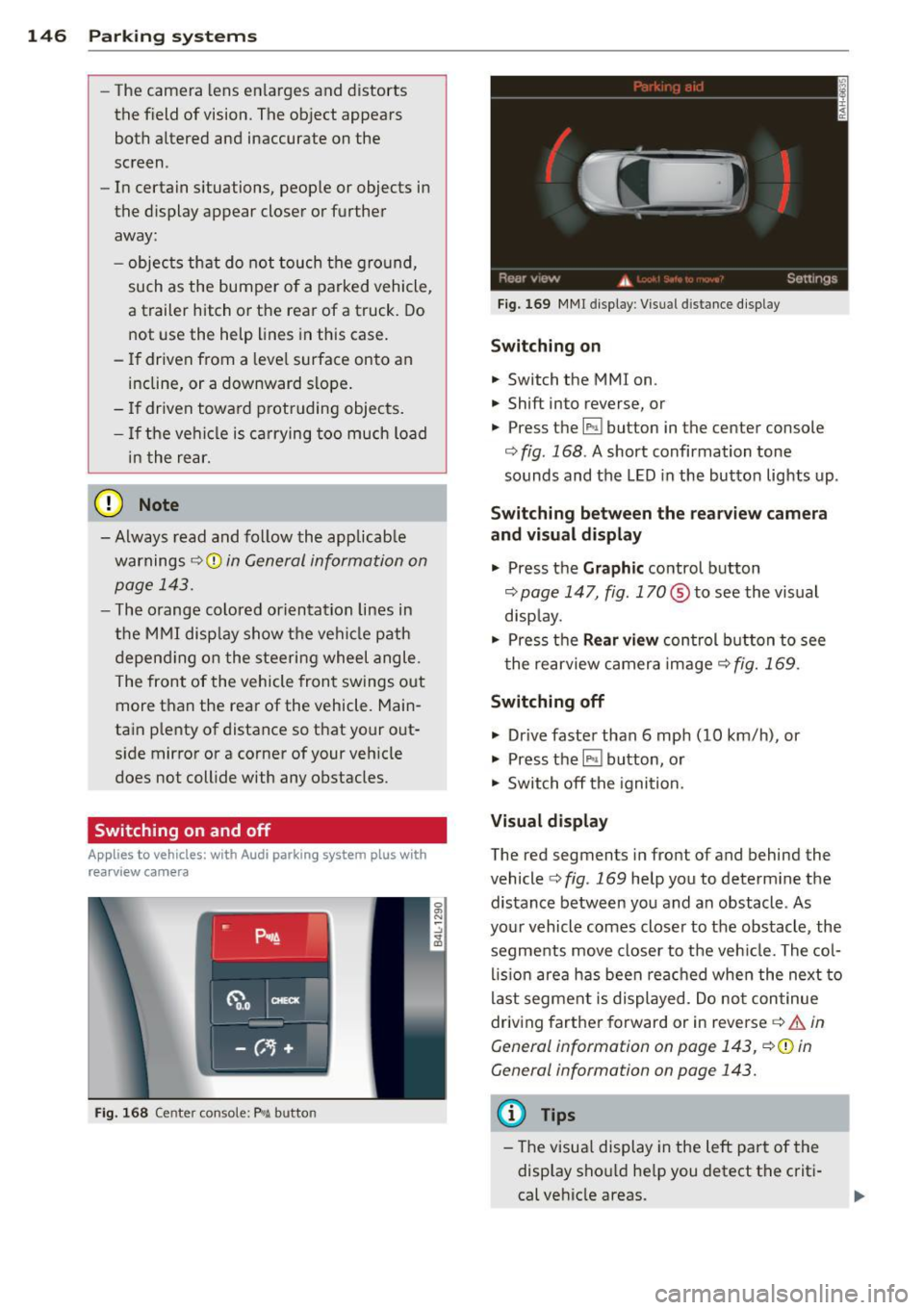
Fig. 169 MMI display: Visual distance display
Switching on
.. Switch the MMI on .
.,. Shift into reverse, or
.,. Press t he[!;] button in the center console
¢ fig. 168. A short confirmation tone
sounds and the LED in the button lights up .
Switching between the rearview camera
and visual display
.,. Press the Graphic control button
¢ page 147, fig. 170 ® to see the visual
display.
.,. Press the
Rear view control button to see
the rearview camera image
c> fig. 169.
Switching off
.,. Drive faster than 6 mph (10 km/h), or
.,. Press the [!;] button, or
.,. Switch off the ignition.
Visual display
The red segments in front of and behind the
vehicle
c> fig. 169 help you to determine the
distance between you and an obstacle . As
your vehicle comes closer to the obstacle , the
segments move closer to the vehicle. The col
lision area has been reached when the next to
last segment is displayed . Do not continue
driving farther forward or in reverse
c> .&. in
General information on page 143,
c> @ in
General information on page 143.
(D Tips
-The visual display in the left part of the
display should help you detect the criti
cal vehicle areas .
Page 150 of 348
148 Parking system s
• Back up and align you r vehicle so the b lue
area @ borders on the rear end of the vehi
cle or on the parking space line
c:> A in Gen
eral Information on page 145,
c:> (D in Gen
eral Information on page 146 .
The blue
area represents an extension of the vehicle's
outline by app rox imately 16 ft (5 m) to the
rear. The long side of the b lue a rea shou ld
be o n the curb. The enti re blue area must fit
i n to the par kin g space.
• With the veh icle stopped, turn the steer ing
wheel to the right as far as it wi ll go .
• Back into the parking space until t he b lue
curve
c:> fig. 173 touches the curb c:> A in
General Information on page 145,
c:> (D in
General Information on page 146.
Stop the
vehicle .
• With the veh icle stopped, turn the steer ing
wheel to the left as far as it will go .
• Co ntin ue to bac k into the park ing space un
t il the vehicle is parked p aralle l to the c urb
c:> A in General Information on page 145,
c:> (D in General Information on page 146 .
® marks the rear bumper. Stop the vehicle,
at the latest, when the red orientation line
@ borders an obstacle . Keep an eye on the
front of your vehicle wh ile doing this.
P ar king ne xt to ob stacle s
When there is an obstacle (s uch as a wall)
next to the parking space, choose a space with
more space on the sides. Pos ition the long
side of the blue area so that there is sufficient
space from the curb . The area must not be on
the curb . You w ill also need to start turning
the steering whee l much earl ie r. T he re shou ld
be a suffi cient amount of space between the
curb and the b lue curve, and the blue curve
c:> fig. 173 mus t not touch the curb.
@ Tips
The left or right orientation lines and sur
faces wi ll be displayed, depending on the
t urn signa l bei ng use d.
Audi parking system
plus with front- and
rearview camera
Introduction '
Applies to vehicles: with Aud i parking system plus with
front- and rearview camera
In addition to an acoustic and visual parking
system, this parking system contains a front
and rearview camera
c:> page 146. You are as
s isted by various views, such as corner v iews
at the front and rear of the ve hicle, and views
directly in front of or behind the vehicle.
General information
Appli es to vehicles: with Audi parking system plus with
front- and rearview camera
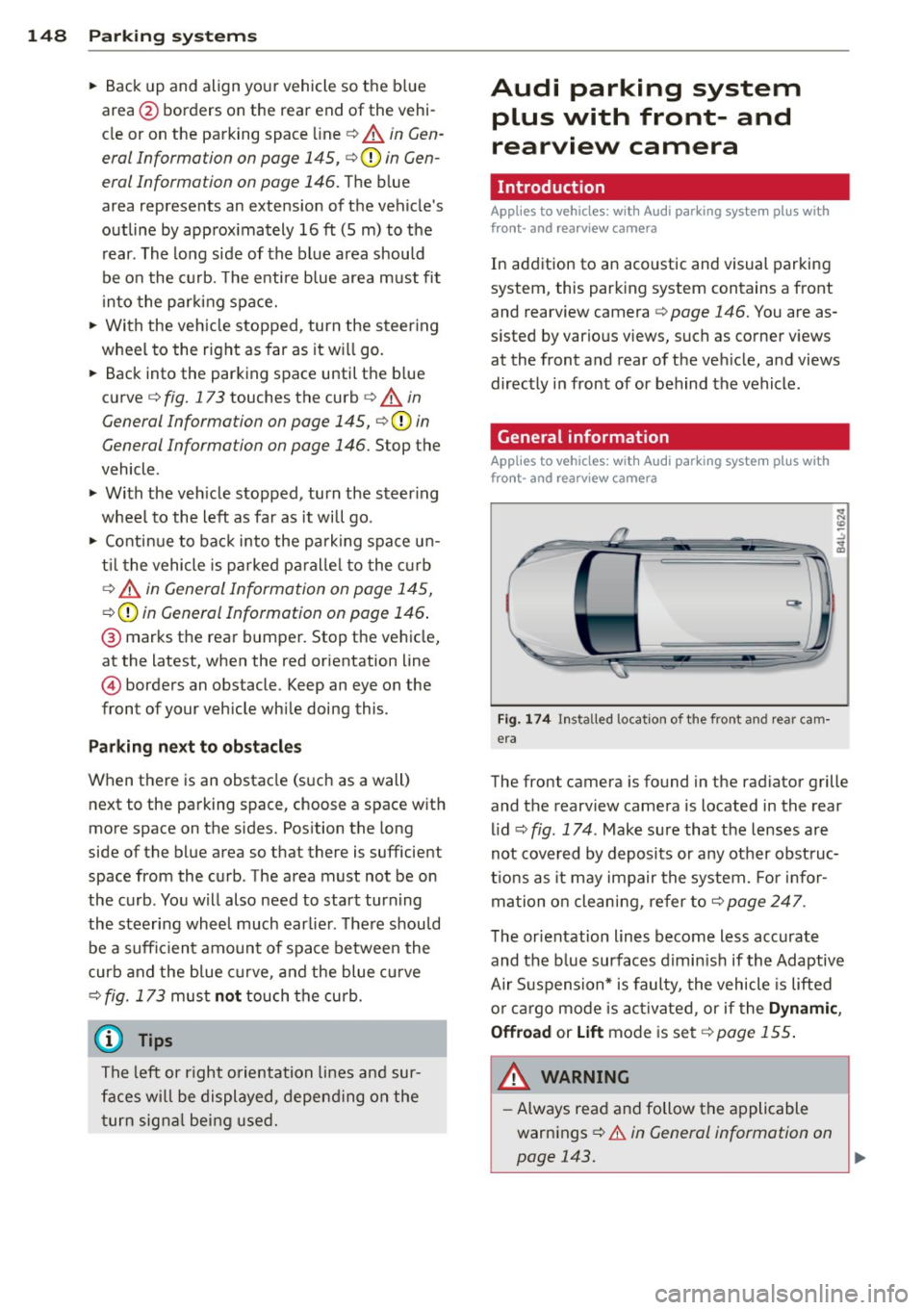
Fig . 1 74 Ins talled locat ion of the front and rea r cam
era
The front camera is found in the radiator grille and the rearview camera is located in the rear
l id
c:> fig . 174 . Make sure that t he lenses are
not cover ed by deposits or any other obst ruc
tio ns as it may impair the system. Fo r in for
mation o n clean ing, re fer to
c:> page 247 .
The orientation lines become less accurate
and the b lue surfaces d imin is h if the Adaptive
Air S uspension* is faulty, the vehicle is lifted
o r car go mode is acti va ted , or if the
Dynami c,
Offroad or Lift
mode is set c:> page 155.
A WARNING
-Always rea d and follow the applicable
warnings
c:> .& in General information on
-
page 143. .,..
Page 151 of 348
-If the position or the installation angle
of a camera was changed, after a colli
sion for example, do not continue to use
the system for safety reasons . Have it
checked by your authorized Audi dealer
ship .
- Use the
Rear mode and the Corner view
(rear)
mode only when the rear lid is
completely closed, otherwise the image
in the display will be inaccurate.
- Objects and obstacles
above the camera
are not displayed.
- Camera lenses enlarge and distort the
field of vision. The objects appear both
altered and inaccurate on the screen.
(0 Note
- Always read and follow the applicable
warnings
o0 in General information on
page 143 .
-The MMI display shows the direction in
which the rear of the vehicle is traveling
based on the steering wheel angle. The
vehicle front swings out more than the
vehicle rear. Maintain plenty of distance
so that your outside mirror or a corner of
your vehicle does not collide with any ob
stacles .
@ Tips
If the rear lid is open, the image in the
rearview camera is displayed without ori
entation lines and without blue surfac es.
Switching on or off
Applies to vehicles: with Audi parking system plus w ith
fro nt- and rearv iew ca mera
Fig. 175 Center console : P,•A but ton
Parking systems 149
Fig. 176 MMI display: Select mode
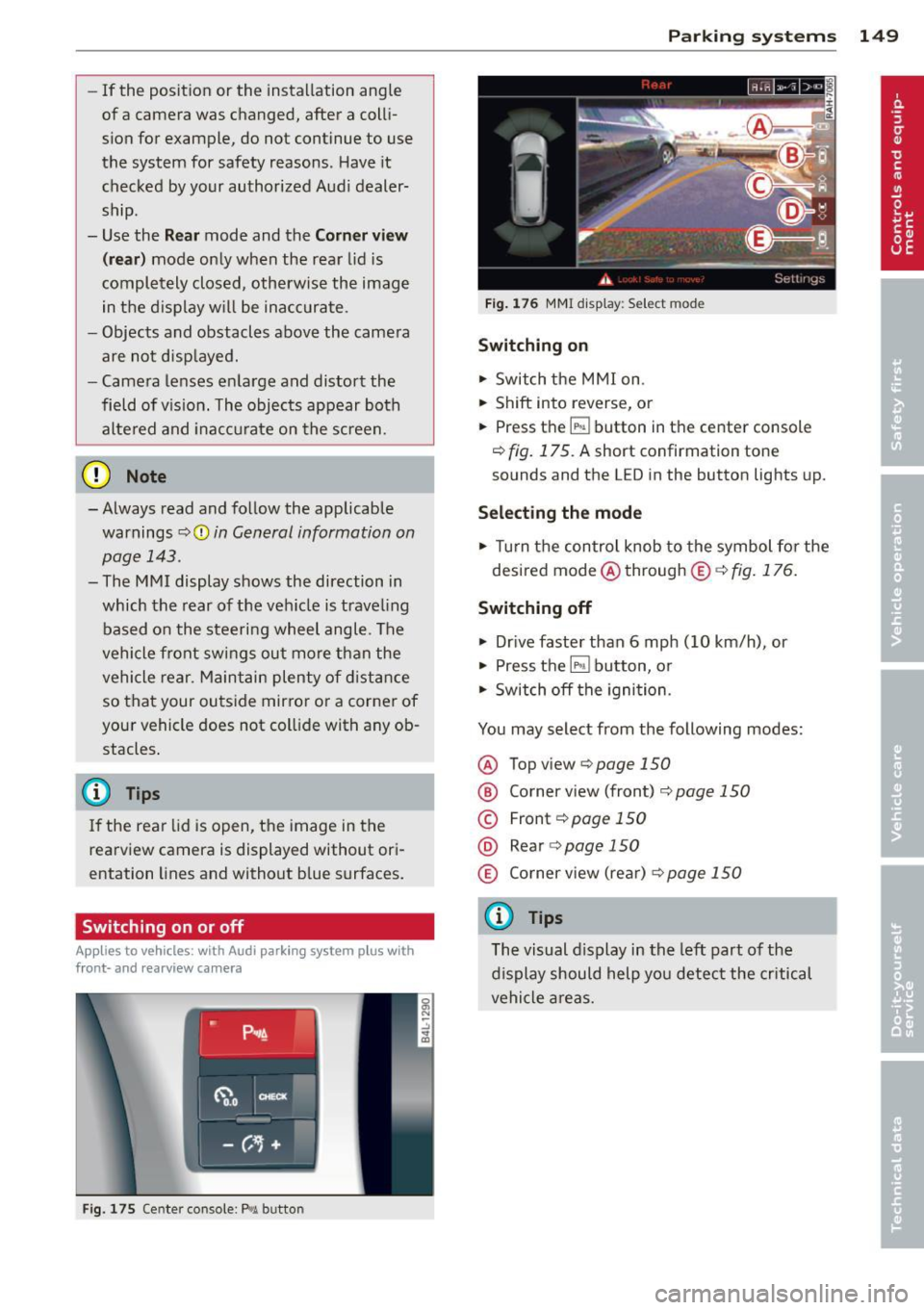
Switching on
.,. Switch the MMI on.
.,. Shift into reverse, or
.,. Press the~ button in the center console
o fig. 175. A short confirmation tone
sounds and the LED in the button lights up.
Selecting the mode
.,. Turn the control knob to the symbol for the
desired mode @through
® o fig. 176.
Switching off
.,. Drive faster than 6 mph (10 km/h), or
.,. Press the
IP>11 button, or
.,. Switch off the ignition.
You may select from the following modes:
@ Topview opage150
@ Corner view (front) ¢ page 150
© Front¢ page 150
@ Rear o page 150
® Corner view (rear) o page 150
(D Tips
The visual display in the left part of the
display should help you detect the critical
vehicle areas.
Page 194 of 348
192 Airbag system
-Improper repair or disassembly of the
front passenger and driver seat will pre
vent the Advanced Airbag System from
functioning properly.
- Repairs to the front passenger seat must
be performed by qualified and properly
trained workshop personnel.
- Never remove the front passenger or
driver seat from the vehicle .
- Never remove the upholstery from the
front passenger seat.
- Never disassemble or remove parts from the seat or disconnect wires from it.
- Never carry sharp objects in your pockets
or place them on the seat. If the weight
sensing mat in the passenger seat is punctured it cannot work properly.
- Never carry things on your lap or carry
objects on the passenger seat. Such
items can increase the weight registered
by the weight-sensing mat and send the
wrong information to the airbag control
unit.
- Never store items under the front pas·
senger seat. Parts of the Advanced Air
bag System under the passenger seat
could be damaged, preventing them and
the airbag system from working proper
ly.
- Never place seat covers or replacement
upholstery that have not been specifical
ly approved by Audi on the front seats.
- Seat covers can prevent the Advanced Airbag System from recognizing child re
straints or occupants on the front pas
senger seat and prevent the side airbag in the seat backrest from deploying prop
erly.
- Never use cushions, pillows, blankets or
similar items on the front passenger
seat. The additional padding will prevent
the weight-sensing mat in the seat from
accurately registering the child restraint
or person on the seat and prevent the
Advanced Airbag System from function
ing properly.
- If you must use a child restraint on the
front passenger seat and the child re- straint manufacturer's instructions
re
quire the use of a towel, foam cushion or
something else to properly position the
child restraint, make certain that the
PASSENGER AIR BAG OFF light comes
on and stays on whenever the child re·
straint is installed on the front passen
ger seat.
- If the PASSENGER AIR BAG OFF light
does not come on and stay on, immedi
ately install child restraint in a rear seat
ing position and have the airbag system
inspected by your authorized Audi dealer.
How the Advanced Airbag System
components work together
The front Advanced Airbag System and the
side airbags supplement the protection of
fered by the front three-point safety belts
with pretensioners and load limiters and the
adjustable head restraints to help reduce the
risk of injury in a wide range of accident and
crash situations. Be sure to read the impor
tant information about safety and heed the
WARNINGS in this chapter.
Deployment of the Adv a need Airbag System
and the activation of the safety belt preten
sioners depend on the deceleration measured
by the crash sensors and registered by the
electronic control unit. Crash severity depends
on speed and deceleration as well as the mass
and stiffness of the vehicle or object involved
in the crash .
When the electronic control unit registers a low severity crash and the safety belt is being
used, the airbag will not deploy. If the safety
belt is not being used, the first stage deploys,
followed by the second stage after a much lat· er time in the crash sequence.
If the electronic control unit registers a crash
of medium severity, the first stage of the air ·
bag deploys followed by the second stage at a
much later time in the crash sequence· re·
gardless of whether the safety belt is being
used or not . In higher severity crashes as reg
istered by the electronic control unit, both the ..,.
Page 230 of 348
228 Intelligent technology
To ensure that the ASR works properly, all
four wheels must be fitted with identical
tires. Any differences in rolling rad ius of
the t ires can cause the system to reduce
engine power when this is not desired. See
also¢
page 291, New tires and replacing
tires and wheels.
Braking
General information
What affects braking efficiency?
Operating conditions and driving habits
The brakes on today's automob iles are st ill
subject to wea r, depending la rgely on operat
ing cond itions and dr iv ing habits
Q ,& . On
vehicles that are either driven mostly in stop
and -go city traffic or are driven hard, the
brake pads should be checked by your author
ized Audi dealer more often than specified in
the
Warranty & Maintenance booklet . Failure
to have your brake pads inspected can result
in reduced brake performance .
On steep slopes, you shou ld use the braking
effect of the engine. This way, you prevent un
necessary wear on the brake system. If you
must use your brakes, do not hold the brakes
down continuously . Pump the brakes at inter
va ls.
Noises may occur when braking depending on
the speed, braking force and outside condi
tions such as temperature and humidity.
Moisture or road salt
Under certain conditions, for examp le, when
driving through water or very heavy rain, or
even after washing your vehicle, the braking
effect can be reduced due to moisture (or in
freezing conditions ice) on the brake pads. A
few careful brake applications should dry off
the brake pads o r remove any ice coatings.
When you are driving at higher speeds with
the w indshield wipers on, the brake pads will
brief ly touch the brake discs in regular inter- vals so as
to improve reaction time when brak
ing on wet surfaces . You, the driver, will not
notice anything.
T he effect iveness of the brakes can be reduced
when the vehicle is driven on a sa lt-covered
road and the brakes are not used . Here too,
you should clean off accumulated sa lt coating
from brake discs and pads w ith a few careful
applications of the brake¢,&.
Corrosion
There may be a tendency for dirt to build up
on the brake pads and corrosion to form on
the discs if the car is not driven regu larly or
only for short trips with litt le use of the
brakes.
If the brakes are not used frequently, or if cor
rosion has formed on the discs, it is advisable
to clean off the pads and discs by braking
firmly a few times from a moderately high
speed
c> ,& .
Faults in the brake system
If you shou ld notice a sudden increase in
brake pedal trave l, then one of the two brake
c ir cuits may have fa iled
c> ,& .
Low brake fluid level
Malfunctions can occur in the brake system if
the brake fluid level is too low. The brake fluid
l evel is monitored electronically .
Brake lining wear status
Brake lining wear may be checked by visual in
spect ion of the condition of the brake pads
through the openings in the wheel. If neces
sary, the wheel may be removed for this in
spect ion
c> page 304, Changing a wheel.
A WARNING
-- You shou ld perform braking maneuvers
for the purpose of cleaning the brake
system only if road conditions permit.
Othe r road users must not be put at risk -
you may cause an accident!
Page 231 of 348
-Before descending a steep grade, reduce
speed and shift transmiss ion into a lower
gear or lower driving range. Do not ride
the brakes or hold the pedal down too
long or too often. This could cause the
brakes to get hot and dimin ish braking
efficiency.
- Do not "r ide the brakes" by resting your
foot on the pedal when you do not intend
to brake. Th is may cause the brakes to
overheat, prema ture wear and increased
stopping distance .
- Under certain climat ic and operating
condit ions such as passing through wa
ter, driving in heavy rain or after washing
the vehicle, the effectiveness of the
brakes can be reduced . In winter, ice can
accumulate on the brake pads, linings,
discs and drums. Carefully apply brakes
for a test . Brakes will dry and ice coat
ings will be cleaned off after a few care
ful brake applications.
- Driv ing for an extended period of time on
salt-covered roads w ithout us ing your
brakes can also affect braking efficiency .
Clean off accumulated salt coating from
brake discs and pads w ith a few caref ul
brake applicat ions.
- If you damage the front spoiler, or if you
install a different spoiler, be sure the air
flow to the front brakes is not obstruct
ed. Otherwise the brake system could
overheat reducing the effectiveness of
the entire brake system.
- Failure of one brake circuit will impair
the braking capability resulting in an in
creased stopp ing distance. Avoid driv ing
the vehicle and have it towed to the near
est author ized Audi dealer or qualified
workshop .
Brake booster
The brake booster adds extra braking power.
The brake booster works with vacuum pres
sure which is created only when the engine is
running¢ &,.
Int ellig ent technolog y 229
A WARNING
-Never let the veh icle roll to a stop with
the engine shut off .
- If the brake booster is not working, for
example when towing your vehicle, or because the brake booster has somehow
been damaged, the brake pedal must be
pressed considerably harder to make up
for the lack of booster assistance .
Functioning of Anti-Lock Brake System
(ABS)
ABS prevents the wheels from locking up un
der braking.
T he ABS contributes effect ively to vehicle con
trol s ince it preve nts the whee ls from
locking
when the brakes are applied. This means that
the vehicle remains steerable and is less likely
to skid .
With ABS y ou do not n eed to pump the
bra ke. Just h old t he br ake ped al d own .
However, do not expect the ABS to shorten
braking distance under
all circumstances.
When dr iving on g ravel or on new ly fallen
snow o n top of icy s urfaces, braking dis tance
may be even longer, therefore, under these
circumstances, it is especia lly important that
you drive s low ly and with great care.
How the ABS s ystem works
An a utomat ic check is made when a speed of
about 12 mph (20 km/h) is reached . When
th is happens, a pumping noise can be heard.
If an ind iv idual whee l begi ns to rotate too
s low ly in relation to vehicle speed and tends
to lock, the ABS automatically reduces brake
pressure to prevent that whee l from locking .
T his automatic adjustment p rocess will cause
a
sli ght vibrati on of the brake pedal and some
noises to a le rt you that ve hicle speed m ust be
adapted to existing road and traffic condi
tions. •
•