brake light AUDI Q7 2014 Owner´s Manual
[x] Cancel search | Manufacturer: AUDI, Model Year: 2014, Model line: Q7, Model: AUDI Q7 2014Pages: 340, PDF Size: 85.02 MB
Page 34 of 340
32 Driver in formation d isplay
warning goes out after about 5 seconds, but it
can be brought up at any time by pressing the
I CHECK ! button again .
Usually , you can still drive to the next dealer
ship. Turn off all b ut the most necessary elec
trica l cons umers, sinc e these drain the vehi
cle's battery.
(D Note
If the . warning symbol (coolant system
malfunction) also lights up on the instru
ment panel during the trip ¢
page 32,
then you have to stop immediately and
turn off the eng ine . The coolant pump is
not working anymore -danger of damage
to the eng ine!
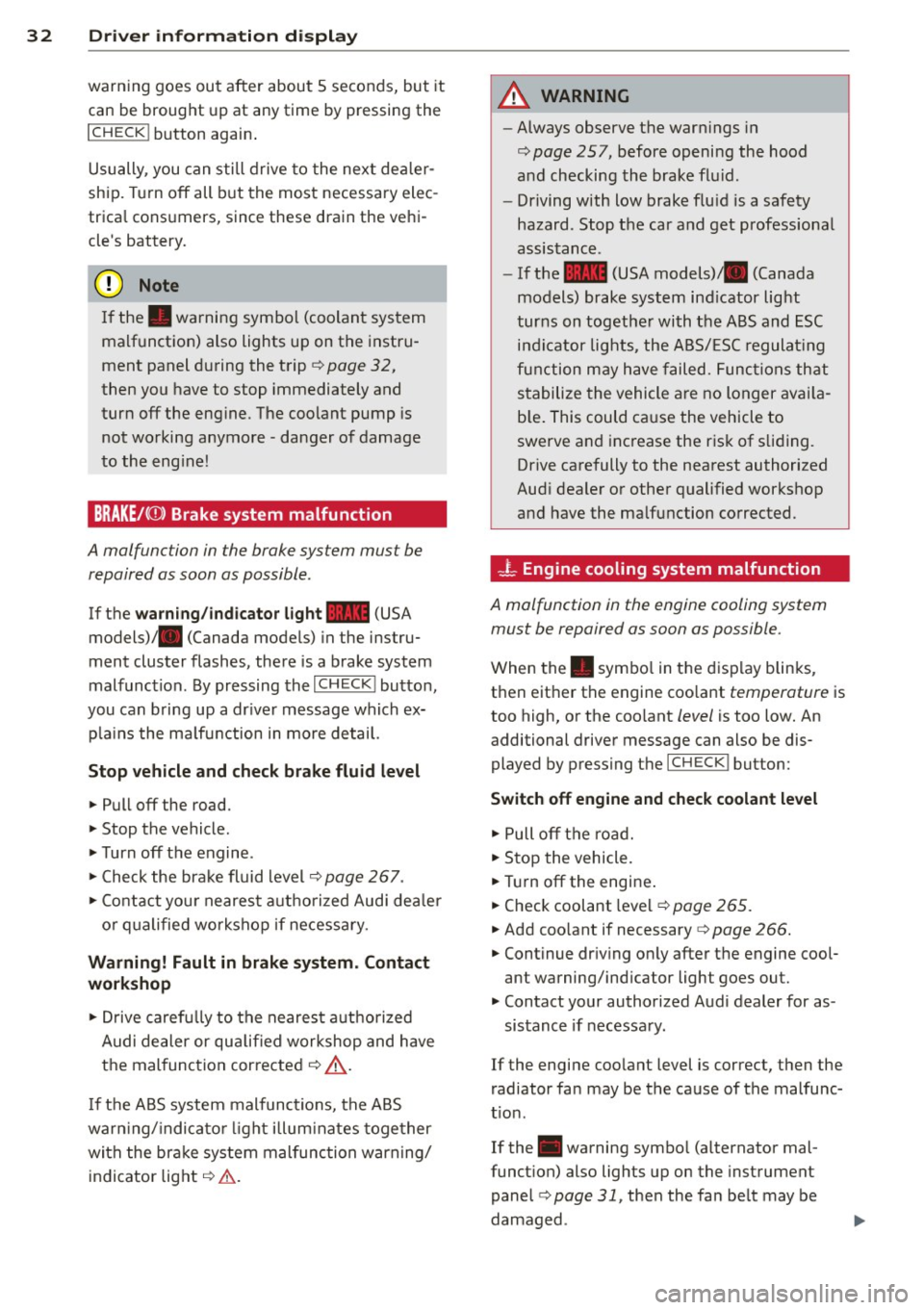
BRAKE/( ©) Brake system malfunction
A malfunc tion in the brake system mus t be
repaired as soon as possible .
If the warn ing /indicator light~ (USA
models)/ . (Canada mode ls) in the instru
ment cluster flashes, there is a brake system
malfunction . By pressing the
I CH ECK ! button,
you can bring up a dr iver message which ex
p la ins the ma lfu nction in more detail.
Stop vehicle and check brake fluid level
> Pull off the road.
> Stop the vehicle.
>T urnoff the engine .
> Check the brake fluid level¢
page 267 .
> Co ntact you r neares t auth orized Audi dea ler
o r q ualified workshop if necessa ry.
Warning! Fault in brake system. Contact
workshop
> Drive carefu lly to the nearest a utho rized
Audi de aler or qua lified workshop and h ave
the mal function cor rected ¢
&_.
If the A BS system malfunctions, the ABS
war ning/ indica to r li ght illum inates toge ther
with the bra ke system mal func tion warning/
indicator light¢&. .
A WARNING
-Always observe the war nings in
¢
page 257, before opening the hood
a nd checking the brake flu id.
- Dr iving with low brake flu id is a safety
hazard . Stop the car and get professiona l
assis tance .
- If the ~ (USA models) . (Canada
models) brake system ind icator light
turns on toget he r with the ABS and ESC
i n dicator lights, the A BS/ ESC regulat ing
fu nction may have failed. Func tio ns that
s tabilize the vehicle a re no longer av aila
b le. This could ca use the vehicle to
swerve and inc rease the r isk of s liding.
Drive carefully to the nearest authorized
Aud i dealer or other q ualified workshop
and have the ma lfu nction corrected .
-L Engine cooling system malfunction
A malfunction in the engine cooling system
must be repaired as soon as possible .
When the. symbo l in t he display blinks,
t h en eit her the engine coo la nt
temperature is
too high, o r the coo lant
level is too low. An
additional driver message can also be dis
played by pressing the
I CHECK ! button:
Switch off engine and check coolant level
> Pull off t he road.
> Stop the vehicle.
> Tur noff the engine .
> Check coolant level ¢
page 265.
> Add coo lant if necessary ¢ page 266.
> Continue dr iv ing on ly after the engine cool
ant warning/ind icator light goes out.
> Contact your authorized Aud i dealer for as -
sistance if necessa ry.
If the engine coolant level is correct, then the
radiator fa n may be the cause of the malfunc
t ion .
If the . warning symbo l (a lternator mal
funct ion) also lights up on the instrument
panel ¢
page 31, then the fan be lt may be
damaged .
Page 36 of 340
34 Driver in formation d isplay
A WARNING -
Your vehicle must not be towed in the
event of a malfunction in the electron ic
steering column lock because it cannot be
steered due to the locked steering. If it is
t owed w ith the stee ring locked, there is
the risk of an accident.
~ Ignition lock malfunction
A malfunction in the ignition lock must be re
paired immediately.
If the . symbo l in the d isplay blinks, there is
a malf unct ion in the electronic ignition lock.
A n addit ional driver message ca n also be d is
p layed by pressing the
! CHECK I button:
Ignit ion lo ck def ect ive . C ontact work shop !
• Do not turn the eng ine off.
• Drive immediate ly to an authorized Audi
dealer to have the ma lfunction corrected.
If there is a ma lfunction in the e lectronic igni
tion lock, the ign ition cannot be turned off.
Drive immediately to an a uthorized Audi dea l
e r to have the cause of the ma lfunction co r
rected .
On vehicles w ith Convenience key*, the engine
should not be sw itched
off using the ! STOP !
button because the eng ine cannot be started
aga in after the ignition is switched
off .
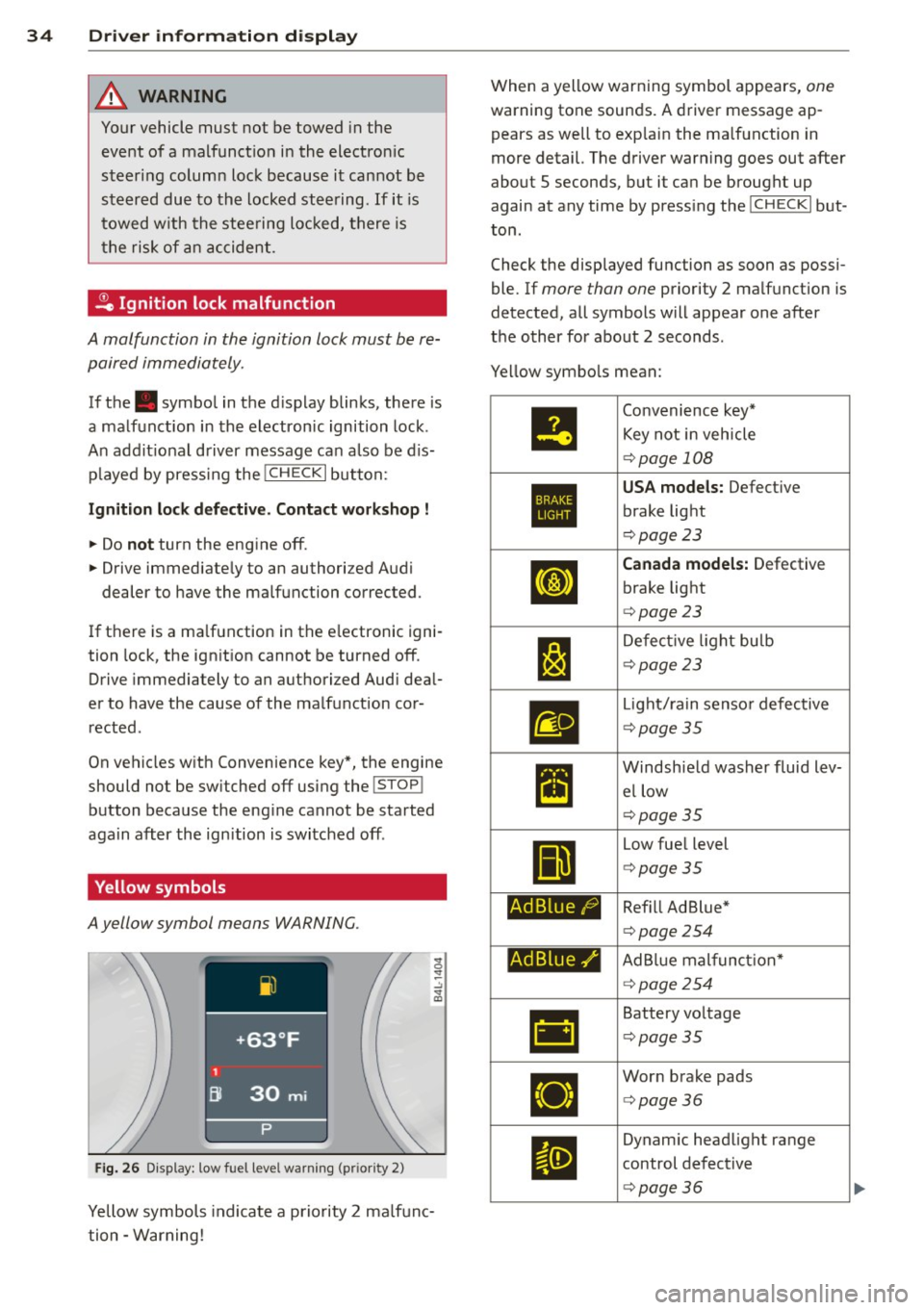
Yellow symbols
A yellow symbol means WARNING.
Fig . 26 Display: low fuel level warning (pr io ri ty 2)
Yellow symbols indicate a priority 2 ma lfunc
tion -Warning! When a yellow warning symbol appears,
one
warning tone sounds. A driver message ap
pears as well to exp lain the ma lfunction in
more detail. The driver warning goes out after
about 5 seconds, but it ca n be brought up
again at any time by press ing the
! CHECK I but
ton .
Check the displayed function as soon as possi
ble. If
more than one priority 2 ma lfunction is
detected, all symbols will appear one after
the o ther for about 2 seconds .
Ye llow symbo ls mean:
•
1:1
Ad Blue/)
Ad Blue,/'
•
Convenience key*
Key not i n veh icle
¢ page 108
USA models: Defect ive
brake light
¢ page 23
Canada model s: Defective
brake light
¢ page 23
De fect ive l ight bulb
¢page23
Light/ rain senso r defective
¢ page35
Windsh ie ld washer fluid lev
el low
¢page35
Low fue l level
¢ page35
Ref ill Ad Blue *
¢page 254
AdBlue mal funct ion*
¢ page254
Battery vo ltage
¢ page35
Wor n brake pads
<=> page36
Dynam ic headlight range
control defect ive
¢ page36
Page 38 of 340
36 Driver in formation d isplay
While this driver notification is displayed, yo u
have to be prepared for limited starting capa
b ili ty.
Driv er m essage appears and goes out
a ga in
If t his driver message appears after the igni
tion is turned on or while driving and it goes
out again after a while, the battery has been
adequately recharged.
Driv er m essage app ear s and do es not g o
out ag ain
If th is driver notification appears after the ig
n ition is turned on or while driv ing and does
not go out again, the battery's state of charge
is not in the opt imal range . Starting capability
is restricted . Have the battery checked by an
author ized Audi dealer as soon as poss ible.
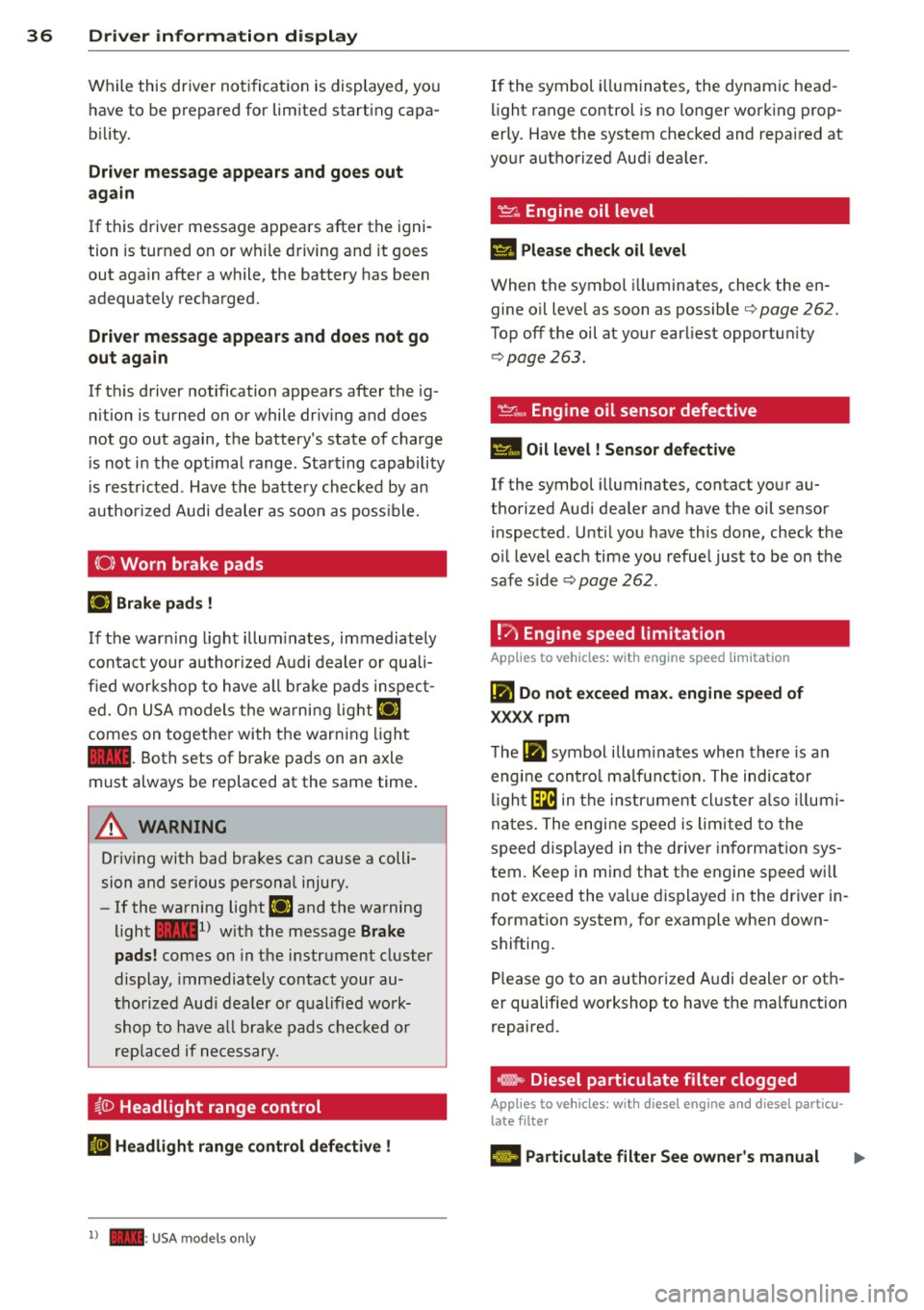
(0) Worn brake pads
EiJ Brak e pa ds !
If the war ning l ight illum inates, immediately
contact your authorized Audi dealer or quali
fied workshop to have all brake pads inspect
ed. On USA models the wa rning light
EiJ
comes on togethe r wi th the warn ing light
1111 . Both sets of brake pads on an axle
must always be replaced at the same time .
.&_ WARNING
Driv ing with bad brakes can cause a colli
sion and serious personal injury .
-If the warning light EiJ and the warning
light
11111 ) with the message Brake
pads !
comes on in the instrument cluster
display, immediately contact your au
tho rized Aud i dealer o r qualified work
shop to have a ll brake pads chec ked or
replaced if necessary.
i.(D Headlight range control
II H eadli ght range c ontrol def ective !
l ) - : USA mod els only
-
If the symbol i lluminates, the dynamic head
li ght range control is no lo nger working prop
erly. Have the system checked and repaired at
your authori zed Aud i dea ler.
~ .. Engine oil level
II Please check o il leve l
When the symbol i lluminates, check the en
gine oi l leve l as soon as possible
<=> page 262.
Top off the oil at your earliest opportun ity
<=> page 263.
~ .... , Engine oil sensor defective
Ill Oil level ! Sensor d efe ct ive
If the symbol illuminates, contact your au
thorized Audi dea ler and have the oil sensor
inspected . Until you have this done, check the
o il level each time you refue l just to be on the
safe side <=>
page 262.
! ?)
Engine speed limitation
Applies to vehicles: with engine speed limitation
Iii Do not exc eed ma x. engine speed of
XXXX rpm
T he Iii symbol illum inates when there is an
engi ne cont rol malf unct ion. The indicator
l igh t~ in the instr ument cluster a lso illumi
nates. The engine speed is limited to the
speed displayed in the driver in format ion sys
tem. Keep in mind that the engine speed wi ll
not exceed the val ue d isplayed in the driver in
format ion system, for example when down
shifting.
Please go to an authorized A udi dealer or oth
er qualified workshop to have the malfunct ion
repaired.
e, Diesel particulate filter clogged
Applies to vehicles: with diesel eng ine and diese l particu
late filter
El Particulate filter See owner's manual
Page 74 of 340
72 Seats and stor age
Seats and storage
General recommen
dations
Why is your seat adjustment so
important?
The safety belts and the airbag system can
only provide maximum protection if the front
seats are correctly adjusted.
There are various ways of adjusting the front
seats to provide safe and comfortable support
for the driver and the front passenger. Adjust
you r seat prope rly so that :
- you can easily and quickly reach all the
switches and controls in the instrument
panel
-your body is properly supported thus reduc
ing physical stress and fatigue
- the safety be lts and airbag system can offer
maximum protection
¢ page 183 .
In the following sections, you will see exactly
how you can best adjust your seats .
There are special regulations and instructions
for installing a child safety seat on the front
passenger's seat. Always follow the informa
tion regarding child safety provided in
¢ page 204, Child Safety.
A WARNING
Incorrect seating position of the driver and
all other passengers can result in serious
personal injury.
- Always keep your feet on the floor when
the vehicle is in motion -never put your
feet on top of the instrument panel, out
of the window or on top of the seat cush
ion . This applies especially to the passen
gers .
If your seating position is incorrect,
you increase the risk of injury in the case
of sudden braking or an accident.
If the
airbag inflates and the seating position
is incorrect, this could result in personal
injury or even death.
- It is important for both the driver and
front passenger to keep a distance of at least 10
inches (25 cm) between them
selves and the steering wheel and/or in
strument panel. If you're sitting any
closer than this, the airbag system can not protect you properly . In addition, the
front seats and head restraints must be
adjusted to your body height so that they
can give you maximum protection.
- Always try to keep as much distance as
possible between yourself and the steer
ing wheel or instrument panel.
- Do not adjust the driver's or front pas
senger's seat while the vehicle is moving.
Your seat may move unexpectedly, caus
ing sudden loss of vehicle control and
personal injury. If you adjust your seat
while the vehicle is moving, you are out
of position.
Driver's seat '
The correct seat position is important for safe
and relaxed driving.
We recommend that you adjust the driver's
seat in the following manner :
.,. Adjust the seat in fore and aft direction so
that you can easily push the peda ls to the
floor wh ile keeping your knees slightly bent
i::::> A in Why is your seat adjustment so im
portant? on page 72.
.. Adjust the seatback so that when you sit
with your back against the seatback, you can
still grasp the top of the steering wheel.
.. Adjust the head restraint so the upper edge
is as even as possible with the top of your
head . If that is not poss ible , try to adjust
the head restraint so that it is as close to
this position as possible
c:::> page 77.
A WARNING
Never place any objects in the driver's foot
well. An object could get into the pedal
area and interfere with pedal function. In
case of sudden braking or an accident, you
would not be able to brake or accelerate .
Page 108 of 340
106 On the road
Starting and stopping
the engine
Starting the engine
The engine can only be started with your orig
inal Audi key.
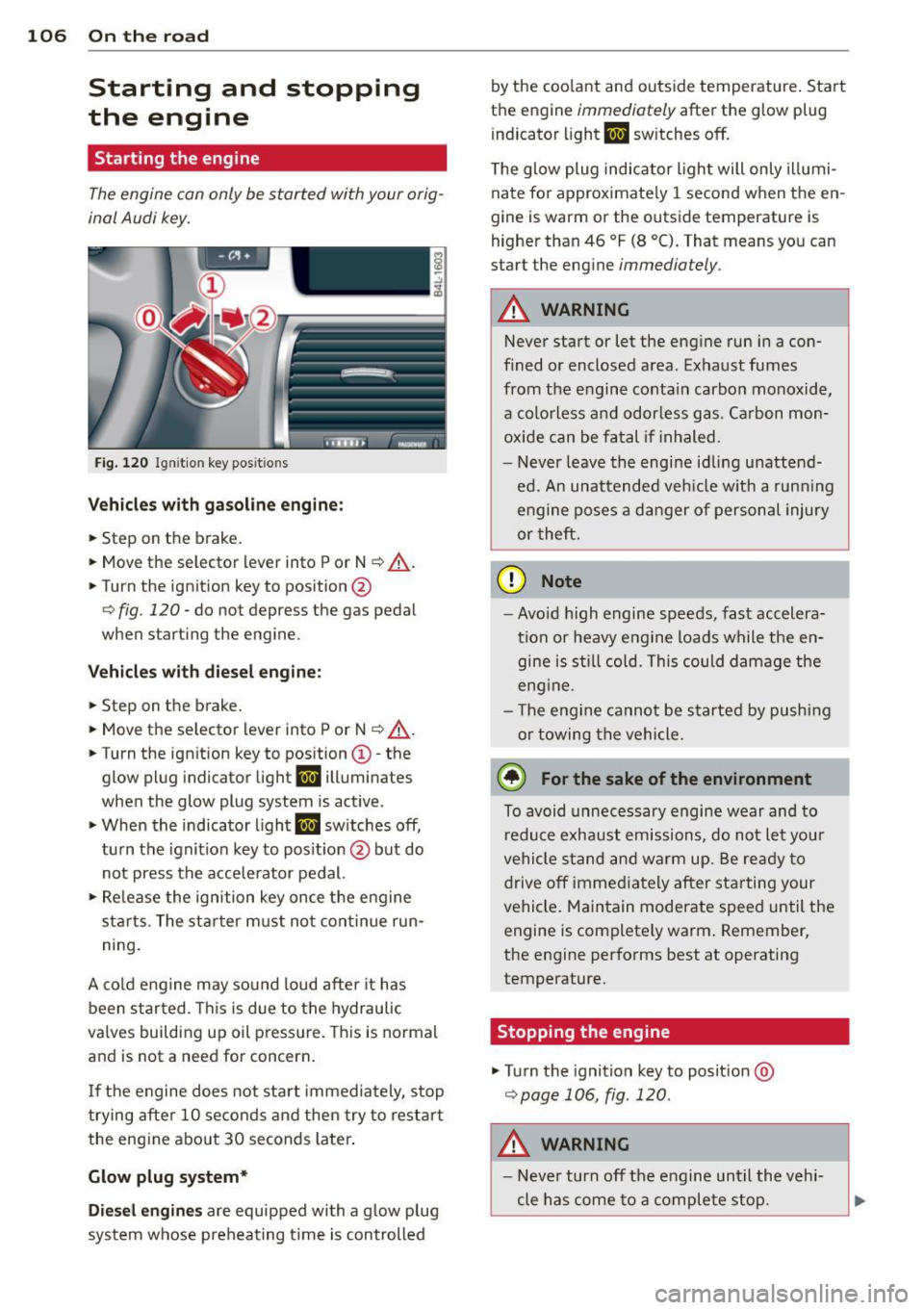
Fig. 120 I gni tion key positio ns
Vehicles with gasoline engine:
.. Step on the brake .
.. Move the selector lever into P or N
~ ,&. .
.. Tu rn the ignition key to position @
~ fig. 120 -do not depress the gas pedal
when starting the engine.
Vehicles with diesel engine:
.. Step on the brake .
.. Move the selector lever into P or N
~ ,&..
.. Turn the ign ition key to position ©- the
glow plug indicator light
m illuminates
when the glow plug system is act ive .
.,. When the indicator l ight
I.I sw itches off,
turn the ignition key to pos it ion @ but do
not press the accelerator pedal.
.,. Re lease the ignition key once the engine
sta rts. The starter must not continue run
ning.
A cold engine may sound loud after it has
been started . This is due to the hydraulic
va lves building up oil pressure. This is normal
and is not a need for concern.
If the engine does not start immediately, stop
trying after 10 seconds and then try to restart
the engine about 30 seconds Later.
Glow plug system*
Diesel engines are equipped with a glow plug
system whose preheating t ime is controlled by the coo
lant and outs ide temperature . Start
the engine
immediately after the glow plug
indicator light
m sw itches off.
The glow plug indicator light will only illumi
nate for approximate ly 1 second when the en
gine is warm or the outside temperature is
higher than 46 °F (8 °C). That means you can
start the engine
immediately .
A WARNING
-Never start or let the engine run in a con-
fined or enclosed area. Exhaust fumes
from the engine contain carbon monoxide,
a colorless and odorless gas . Carbon mon
oxide can be fatal if inhaled.
- Never leave the engine idling unattend
ed. An unattended veh icle w ith a runn ing
engine poses a danger of personal injury
or theft .
(D Note
- Avo id high engine speeds, fast accelera
tion or heavy engine loads while the en gine is still cold. This could damage the
eng ine .
- Th e engine cannot be started by pushing
or towing the vehicle .
@ For the sake of the environment
To avoid unnecessary engine wear and to
reduce exhaust emissions, do not let your
vehicle stand and warm up. Be ready to
drive
off immediately after starting your
vehicle. Maintain moderate speed until the
engine is completely warm . Remember,
the engine performs best at operating
temperature.
· Stopping the engine
.,. Turn the ignition key to posit ion @
~page 106, fig . 120 .
A WARNING
-
-Never turn off the engine until the vehi-
cle has come to a complete stop.
Page 109 of 340
-The brake booster and servotronic only
work when the engine is running. With
the ignition turned off, you have to apply
more force when steering or braking.
S ince you cannot steer and stop normal
ly, this can lead to accidents and ser ious
injuries.
- The rad iator fan can continue to run for
up to 10 min utes even after you have
turned off the engine and removed the ign ition key. The radiator fan can also
turn on again if the engine coolant heats
up because of intense sunlight or heat
build -up in the engine compartment.
«I) Note
Do not stop the engine immed iate ly after
hard or extended dr iving. Keep the engine
running for approximately two minutes to
prevent excessive heat build-up .
Starting and stopping
the engine with
Convenience key
Starting the engine with the~
button
App lies to vehicles: with Convenie nce key
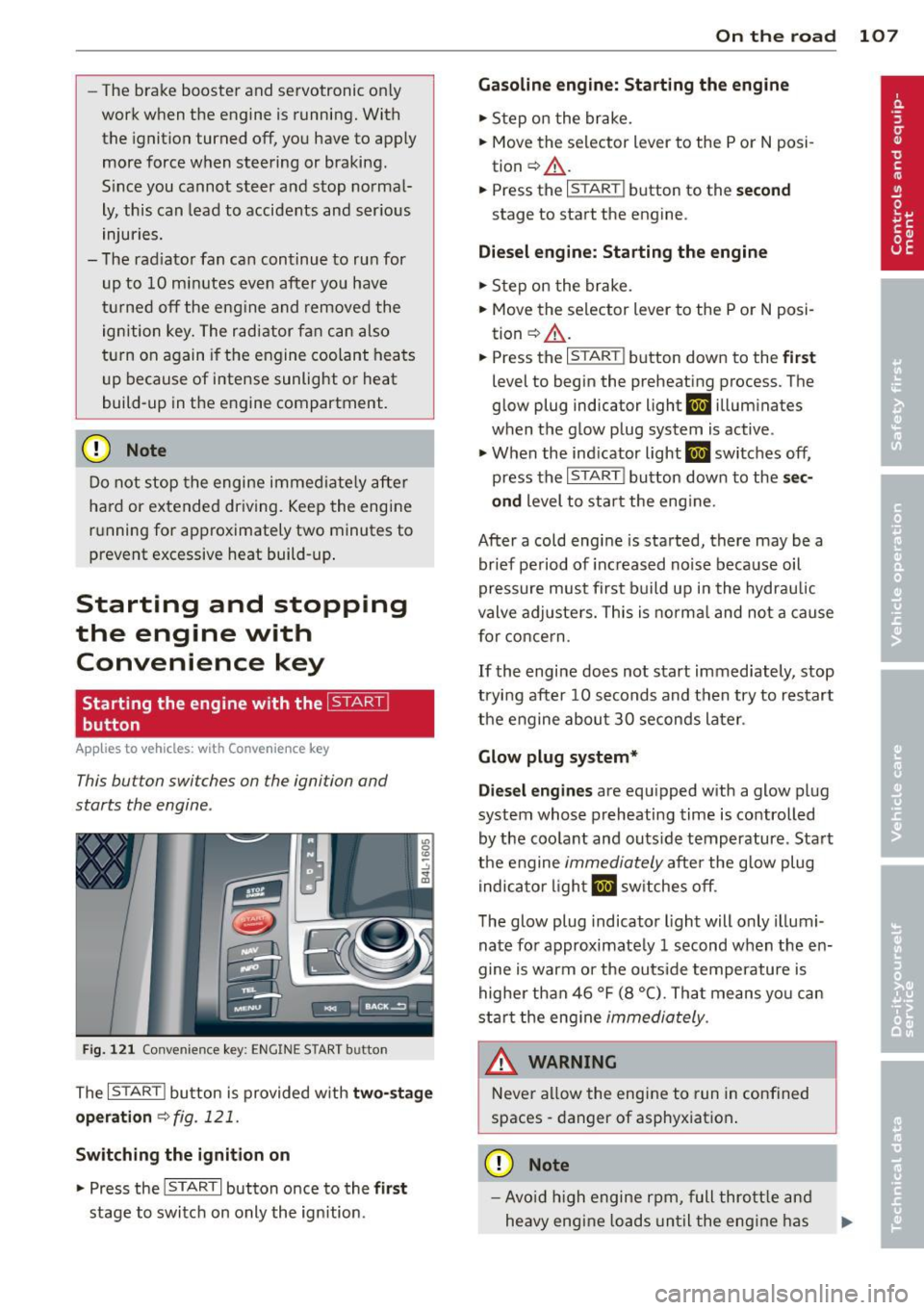
This button switches on the ignition and
starts the engine .
Fig. 121 Convenience key: ENGINE START button
The I STAR T! button is provided w ith two -sta ge
o p era tion
¢ fig. 121.
Sw itching the ignition on
.. Press the !START I button once to the fi rs t
stage to switch on only the ign ition.
On th e road 107
Gasoline eng in e: St arting th e engine
.. Step on the brake.
.. Move the se lector lever to the P or N posi
tion ¢.&, .
.. Press the
r:: 1s=T:--:-A =RT=i button to the secon d
stage to start the engine .
Diesel en gine : Starting the engine
.. Step on the brake.
.. Move the selector lever to the P or N posi
tion ¢.&, .
.. Press the
r:: 1s=TA c:--=RT= I button down to the first
level to begin the preheating process. The
glow plug indicator light
II illuminates
when t he glow plug system is active .
.. When the ind icator light
II switches off,
press the
I START ! button down to the se c
ond
level to star t the eng ine.
After a cold engine is started, there may be a br ief period of increased no ise because oil
pressure must first build up i n the hydraulic
valve adjuste rs. This is norma l and not a cause
for concern .
If the engine does not start immediately, stop
trying after 10 seconds and then try to restart
the engine abou t 30 seconds later .
Glow plug system*
Die sel engine s
are equ ipped with a glow plug
system whose preheating time is controlled
by the coo lant and outs ide temperature . Start
the engine
immediately afte r the glow plug
indicator light
II sw itches off.
The glow plug indicator light will only illumi
nate fo r approximate ly 1 second when the en
gine is warm or the outs ide temperature is
higher than 46 °F (8 °C). That means yo u can
star t the eng ine
immediately .
WARNING
Never allow the engine to run in confined
spaces -danger of asphyxiation .
(D Note
-Avo id h igh engine rpm, full thrott le and
heavy engine loads until the eng ine has
Page 112 of 340
110 On the road
The parking brake warning light. (USA)/ .
(CON) illuminates when the parking brake is
set and you switch on the ignition.
A WARNING
-
Always release the parking brake com
pletely. A partially engaged brake will
overheat the rear brakes, reduce their ef
fectiveness and cause excessive wear. This could lead to brake failure and an accident .
(D Note
Only after the vehicle has come to com
plete stop, should you firmly set the park
ing brake and
move the selector lever into
P.
Parking
• Press the brake pedal to stop the vehicle .
• Apply the parking brake firmly
r=,> page 109,
fig. 123 @.
• Move the selector lever to P.
.. Turn the engine off~_& .
.. When on inclines or declines, turn the steer
ing wheel so that the vehicle will roll into
the curb if it begins to
move.
A WARNING
This is how you can reduce the risk of in
jury when leaving your vehicle.
- Never park the vehicle where it can come
in contact with dry grass, spilled fuel or
any other flammable materials.
- When parking on hills, always turn the
wheels so that the front wheels will first
roll into the curb, if the vehicle should
start to roll.
- Never allow anyone - especially small
children - to remain in the vehicle when
it is locked. Locked doors make it more
difficult for rescuers to access the pas
senger compartment in the event of an
emergency. Danger to life!
- Never leave children unsupervised in the
vehicle. Children could release the park
ing brake or
move the gearshift lever out
-
of gear. The vehicle could start to roll
away and cause an accident.
- No matter what the season is, the tem
perature in a parked vehicle can reach
dangerous levels.
Q) Note
- Please exercise care when you park your
vehicle in parking areas with parking bar
riers or curbs. Parking barriers and curbs
vary in height and could damage your
bumper and related components as the
front of your vehicle
moves over a barrier
or curb that is too high, as you park or as
you back out of a parking spot. In order
to be sure that no such damage can oc
cur, you may wish to stop short of having
the front tires of your car touch the park
ing barrier or curb.
- Please also exercise exceptional care
when you drive up or down steep ramps
or drive
over curbs or other obstacles, for
which the vehicle is not designed, be
cause components of th@ vehicle close to
the ground, such as bumper covers,
spoilers and suspension and exhaust sys
tem components, may become dam
aged.
Starting on hills
Hill Hold makes it easier to start on hills.
The system is activated when the brake pedal
is depressed
for a few seconds . For this, the
vehicle must be standing in uphill driving di rection.
After releasing the brake pedal, the brake power is held for a
brief moment to prevent
the vehicle from rolling back when starting. At
this time, you can easily begin to
move your
vehicle.
A WARNING
- If you did not begin moving immediately
after releasing the brake pedal, under
certain circumstances, the vehicle would
begin to roll backward. Depress the ..,.
Page 113 of 340

brake pedal immediately or engage the
parking brake.
- Should the engine stall, depress the
brake pedal immediately or engage the
parking brake.
- In order to prevent the vehicle from roll
ing back unintentionally when starting in
stop-and-go traffic, keep the brake pedal
depressed for a few seconds before driv
ing off .
- When you leave the vehicle - even if only
briefly -, sw itch off the ignition and
make sure to remove the ignition key . Al
so engage the
park ing br ake to prevent
your vehicle from rolling u nintentionally.
Th is parti cularly applies if chi ldren are
left in the vehicle - danger of accident!
Cruise control
Switching the system on
Th e cruise control syst em makes it possible to
drive at a constant speed starting at
20 mph
(30kmlh).
Fig. 124 Contro l leve r wi th s et button
Fig. 125 D is play: Selected speed
.,. Pull the lever to position (D ~ fig . 124 to
switch the system on .
.,. Drive at the speed you wish to set.
On th e road 111
.,. Press button @to set that speed.
The sto red speed and the indicator light
ltj;\l)~iJ (US mode l) fill (Canadian model) ap
pear in the instrument cluster display
~ fig. 125 . The display may vary depending on
the type of display in your vehicle.
A WARNING
- Always pay attention to traffic even when
the cruise control is switched on. You are
always responsible for your speed and
the distance between your veh icle and
other veh icles .
- For safety reasons, the cruise control
should not be used in the city, in stop
and-go traffic, on twisting roads and
when road conditions are poor (such as
ice, fog , gravel, heavy rain and hydro
p laning) - risk of accident.
- Turn off the cruise control temporarily
when en ter ing turn lanes, highway exit
lanes or in construction zones .
- Please note that inadvertently "resting"
your foot on the accelerator pedal causes
the cruise control not to brake. This is because the cruise control is overridden
by the driver's acceleration.
- Never use the cruise control when driving
off-road o r on unpaved roads. The cruise
control is intended for use only when the
vehicle is being operated on paved roads,
and is not suitable for use off-road or on
unpaved roads .
(D Tips
The cruise control cannot maintain a con
stant speed when driving downhill. The ve
hicle will accelerate under its own weight .
Downshift to a lower gear or use the
brakes to slow down.
Changing speed
.,. To increase/decrease the speed in incre
ments, tap the lever in the
0 10 direction
~ page 111, fig . 124 . Ill>-
Page 118 of 340
116 Adapti ve crui se control
-Never drive with you r foot underneath
t h e brake pedal.
- Always read and heed the information
and WARNINGS
c:;, .&. in Description on
page 113.
A WARNING
- Never rely on the distance control fea
ture of ACC alone to prevent rear-end col
lisions . Always be prepared to brake and
take evasive action to avoid collisions and other acc ident situations.
- Never allow the clos ing speed between
yo u and other vehicles to be so h igh that
the adaptive c ruise control may not be
able to slow your vehi cle safe ly. If clos
ing speed is too high, you m ust app ly the
brakes yourself to reduce the risk of a
rear-end crash.
(D Tips
Please note that t he amo un t of a ccelera
tion the adapt ive cr uise control uses de
pends on the Distance setting selected .
DISTANCE 1 g ives you acce lerat ion that is
dynamic and sporty. DISTANCE 4, on the
other hand, gives more moderate acce lera
tion. For more information about the time
intervals
c:;, page 118 , How is the distance
(time interval) set? .
-Please note that if the adaptive cruise
control has begun braking the vehicle
and the d river chooses to brake the vehi
cle add itiona lly, t he b rakes may fee l
"h ard". This is simply due to the pressure
b uild- up of the initial b raking.
- Adaptive cruise control is sw itched off af
te r pressing the footbrake. The speed
saved u p this poin t can be resumed. To
res ume the saved speed, release the
b rake pedal and p ull th e control leve r to
ward you
c:;, page 118 , Turning adaptive
cruise control off temporarily .
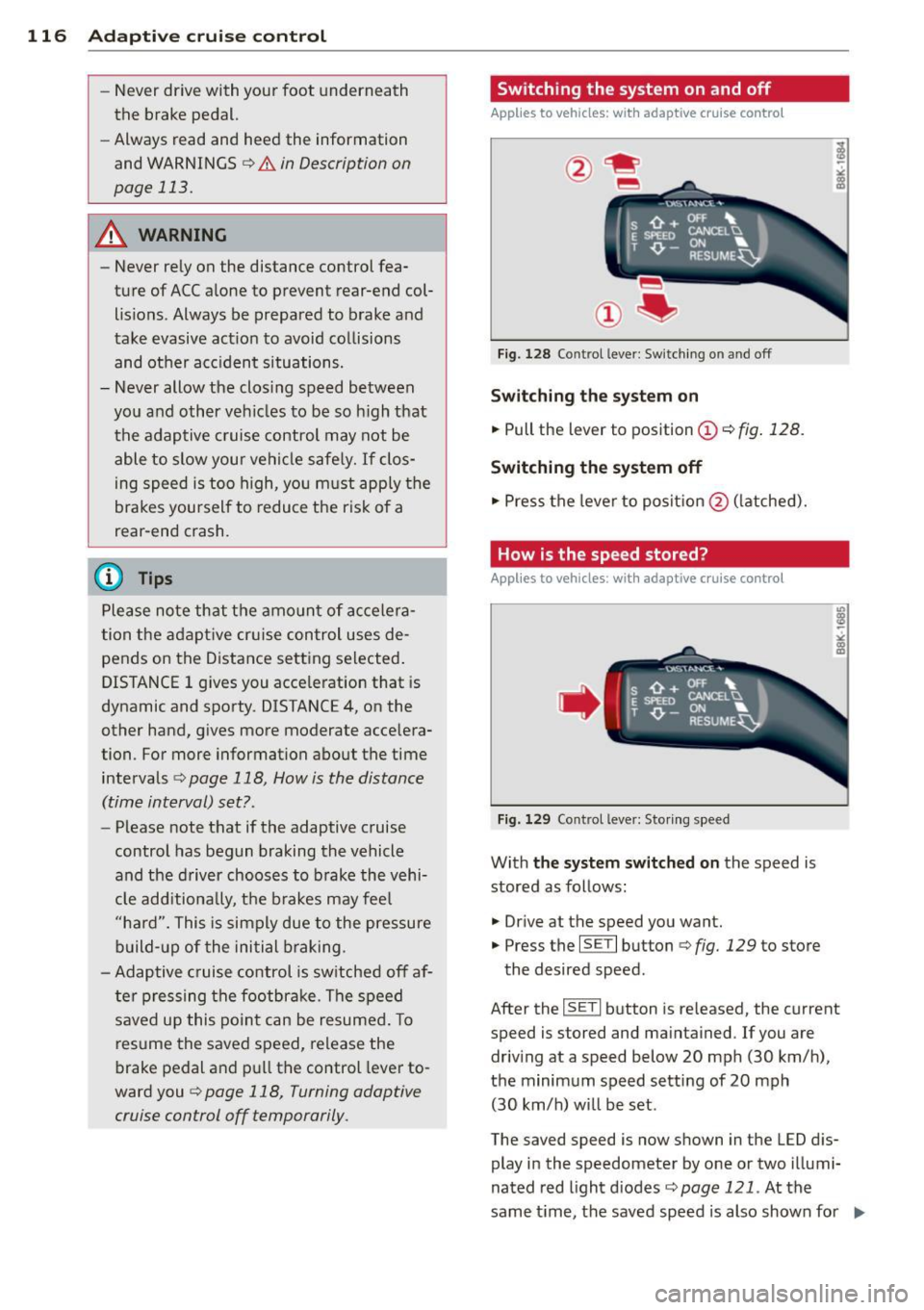
Switching the system on and off
Applies to vehicles: with adaptive cruise contro l
Fig. 128 Control lever: Sw itching on and off
S w itching the sy stem on
.,. Pull the lever to position © c:;, fig. 128.
Switching the system off
.,. Pres s the lever to posit ion @ (latched).
How is the speed stored?
Applies to vehicles: wit h adaptive cruise contro l
,' ts ~:_" ';;;", ' , E Sl'EEO CANCELU
. T ,0. -ON ... . RESUME~
Fig. 1 29 Co ntrol lever: Storing s peed
With the sy stem switched on the speed is
stored as follows:
• Dr ive at the speed you want .
.,. Press the
ISE TI button c:;, fig. 129 to store
the desired speed.
After the
ISE TI button is re leased, the current
speed is stored and maintained . If you are
driv ing at a speed below 20 mph (30 km/ h),
the minimum speed setting of 20 mph
(30 km/h) will be set .
The saved speed is now shown in the LED d is
play in the speedometer by one or two illumi
nated red light d iodes
c::> page 121. At the
same time, the saved speed is also shown for ..,.
Page 120 of 340
118 Adaptive cruise control
Turning adaptive cruise control off
temporarily
Applies to vehicles: with adaptive cruise co ntrol
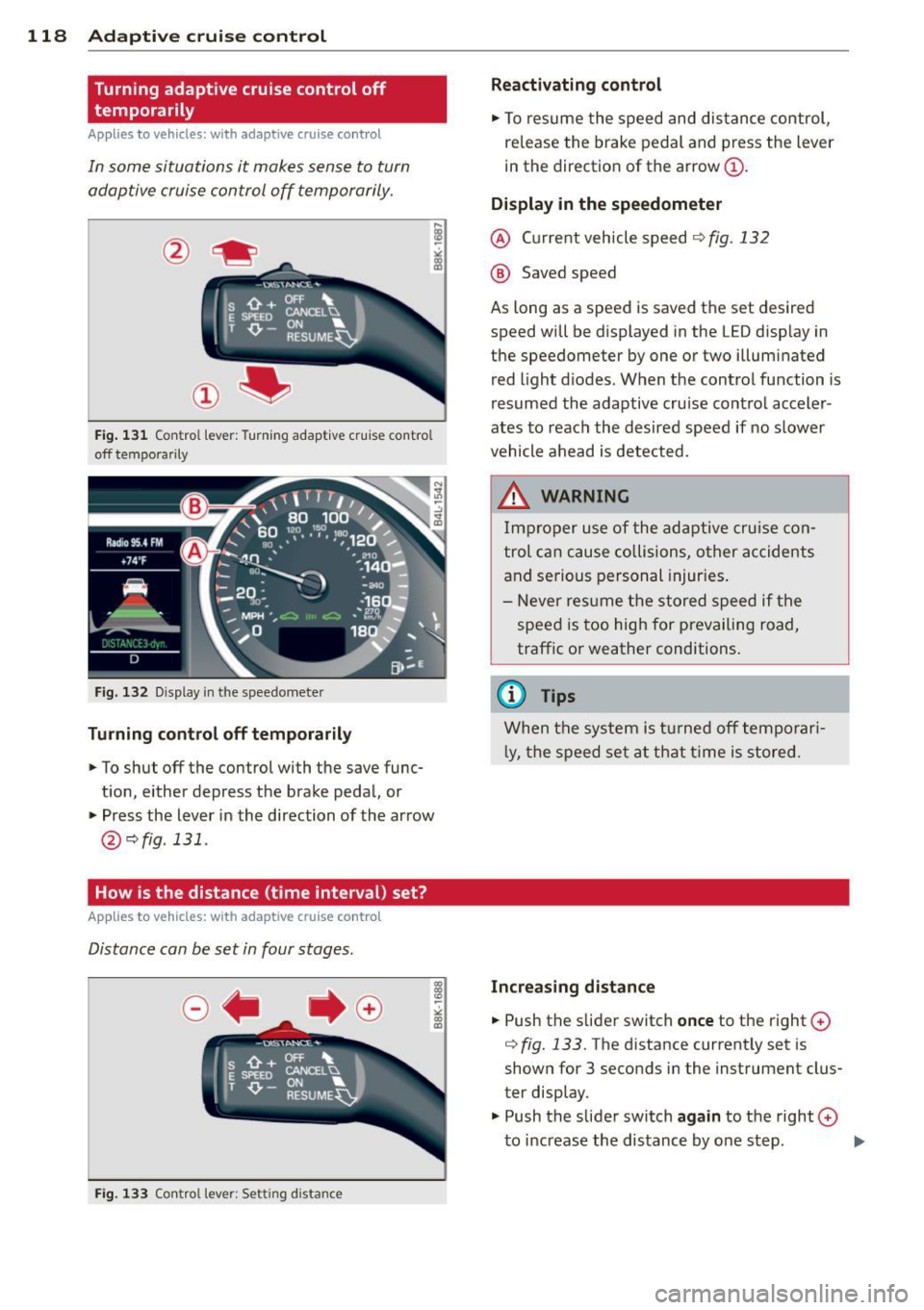
In some situations it makes sense to turn
adaptive cruise control off temporarily.
®
Fig. 131 Con tro l lever : Turning adapt ive cruise co ntro l
off tempo rarily
Fig. 132 D isplay in the speedomete r
Turning control off temporarily
"To shut off the control with the save func
t ion, either depress the brake pedal, or
" Press the lever in the direction of the arrow
@ qfig .131 .
How is the distance (time interval) set?
Applies to vehicles: with adaptive cruise co ntrol
Distance can be set in four stages.
Fig. 133 Contro l lever: Setting d istance
Reactivating control
"To resume the speed and distance control,
release the brake pedal and press the lever
in the direction of the arrow@.
Display in the speedometer
@ Current vehicle speed~ fig. 132
@ Saved speed
As long as a speed is saved the set desired
speed will be displayed in the LED display in
the speedometer by one or two illuminated
red light diodes . When the control function is
resumed the adaptive cruise control acceler
ates to reach the desired speed if no slower
vehicle ahead is detected.
&_ WARNING
Improper use of the adaptive cruise con
trol can cause collisions, oth er accidents
and serious personal injuries.
- Never resume the stored speed if the
speed is too high for prevailing road,
traffic or weather conditions .
(0 Tips
When the system is turned off temporari
l y, the speed set at that time is stored.
Increasing distance
-
" Push the slider switch once to the right 0
q fig. 133 . The distance current ly set is
shown for 3 seconds in the instrument clus
ter display.
" Push the slider switch
again to the right 0
to increase the distance by one step. ..,.